FreeWave Mini-Stand - Tripod Vello - Free user manual and instructions
Find the device manual for free FreeWave Mini-Stand Vello in PDF.


User questions about FreeWave Mini-Stand Vello
0 question about this device. Answer the ones you know or ask your own.
Ask a new question about this device
Download the instructions for your Tripod in PDF format for free! Find your manual FreeWave Mini-Stand - Vello and take your electronic device back in hand. On this page are published all the documents necessary for the use of your device. FreeWave Mini-Stand by Vello.
USER MANUAL FreeWave Mini-Stand Vello
THANK YOU FOR CHOOSING VELLO
The Vello FreeWave Mini-Stand Flash Trigger set opens your photography to a new light. It expands your photographic options with wireless triggering of hot-shoe flashes or studio lights up to 200' (60 m) away. The transmitter and receiver have a sleek and modern design, which yields a low-profile professional look. The unique feature of this set is the receiver is built into the stand. So whether you are working on location or in the studio, the Mini-Stand Flash Trigger frees you from sync cords so you can put your flash where you need it most for perfect lighting.
Place a flash in the background on the FreeWave Mini-Stand Receiver to have extra fill lights in areas that would otherwise be too dark. You can pair as many receivers as you need to a single transmitter for superior lighting potential. The FreeWave Mini-Stand Flash Trigger does not require line-of-sight, as its 2.4 GHz radio waves pass through and around objects such as walls, windows, floors, and trees. The simple pairing system between the transmitter(s) and receiver(s) requires only the push of two buttons before you're ready to start working.
TABLE OF CONTENTS
Contents......4
Key Features......6
Compatible Devices....7
Precautions....8
Overview 10
Installing Batteries......12
Pairing the Transmitter to a
Receiver....14
Mounting a Flash to the
Receiver......16
Mounting the Transmitter to
Your Camera....17
Pairing the Transmitter to
Multiple Receivers......18
Pairing a Receiver to Multiple
Transmitters......21
Connecting the Receiver to a
Studio Light 24
Mounting the Receiver to a
Lighting Stand......25
Troubleshooting......26
FCC Compliance......27
Specifications 28
One-Year Limited Warranty ..30
CONTENTS
FreeWave Mini-Stand Flash Trigger (FW-MS)
• FreeWave Mini-Stand Transmitter
- 2 × AAA alkaline batteries
• FreeWave Mini-Stand Receiver
- CR2032 3 V battery
• 3.5 mm to 3.5 mm sync cable
• Hot-shoe flash mount cover
• 3.5 mm to 1/4" phono adapter
- Instruction manual

natural_image
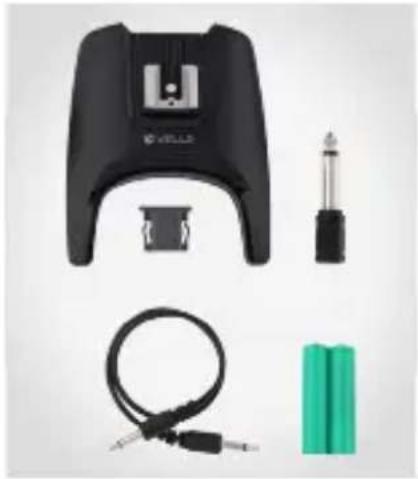
Product photo of a black VIOVAC device with attached components including battery, cable, and connector (no visible text or symbols)FreeWave Mini-Stand Receiver (FW-MSR)
• FreeWave Mini-Stand Receiver
- 2 × AAA alkaline batteries
• 3.5 mm to 3.5 mm sync cable
• Hot-shoe flash mount cover
• 3.5 mm to 1/4" phono adapter
- Instruction manual
natural_image
Product photo of a black VILLI device with attached cable, screwdriver, and battery pack (no text or symbols visible)KEY FEATURES
- Stand and Receiver as One
By having the stand and receiver built together, you can place the flash where you need without additional equipment.
- Sleek Design
Low-profile and sleek design provide a professional look.
- Wireless Hot-Shoe Flash Trigger Set
Trigger a hot-shoe flash (on-camera type) up to 200' (60 m) away.
• Low-Interference Signal
It provides low interference around and through obstructions with a robust 2.4 GHz signal.
- Wireless Studio Light Trigger Set
Trigger a studio light up to 200' (60 m) away.
- Simple Pairing System
Get setup quickly with the easy two-button pairing between the transmitter and receiver.
COMPATIBLE DEVICES
- Multiple Flash
Triggering
Pair multiple receivers (available separately) as needed to trigger many flashes with a single transmitter.
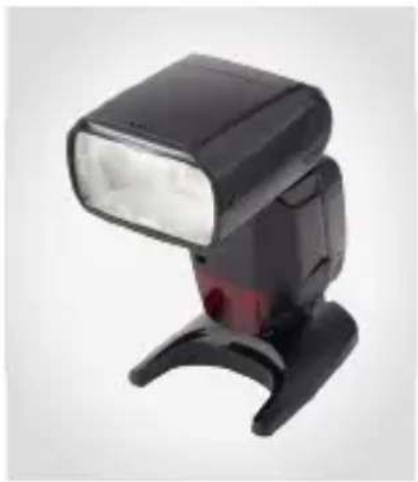
The FreeWave Mini-Stand Flash Trigger set is compatible with hot-shoe flashes that have manual settings, studio lights, and DSLR cameras.
Pentax, Sony/Minolta, and Sony Multi-Interface Shoe (MIS) flashes are not compatible.
natural_image
Black and white photo of a black compact motion blur flash unit (no text or symbols visible)PRECAUTIONS
- There are no user-serviceable parts inside the devices. Do not attempt to disassemble or perform any unauthorized modification.
- Turn off the camera before inserting or removing the Mini-Stand Flash Trigger.
-
Do not operate in the presence of flammable gas or vapors.
-
Turn off the receiver and flash before inserting or removing any piece of equipment.
-
Observe caution when handling batteries. Batteries may leak or explode if improperly handled. Use only the batteries listed in this manual. Make certain to align the batteries with the correct polarity.
-
Do not handle with wet hands or immerse in or expose to water or rain. Failure to observe this precaution could result in fire or electric shock.
- Keep out of reach of children. This device contains small parts which may pose a shocking hazard.
-
Handle the unit with care.
-
Batteries are prone to leakage when fully discharged. To avoid damage to the product, be sure to remove the batteries when leaving the product unattended for prolonged periods or when no charge remains.
-
Please read and follow these instructions, and keep this manual in a safe place.
-
Do not use or leave the devices in conditions of extreme heat, severe cold, or high humidity.
- Dispose of used batteries, packaging, and old devices in accordance with appropriate local environmental regulations.
-
Clean the unit with a soft, dry cloth.
-
Use only parts provided by the manufacturer.
• Make sure the item is intact and that there are no missing parts.
• All photos are for illustrative purposes only.
OVERVIEW
Transmitter
Top Bottom

text_image
VELLO FreeWave Mini-Stand TRANSMITTER Status indicator light Pairing/test button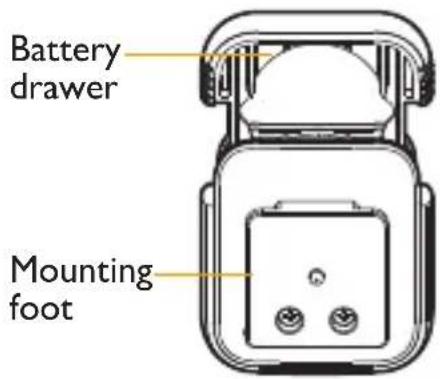
text_image
Battery drawer Mounting footReceiver
Hot-shoe flash mount

text_image
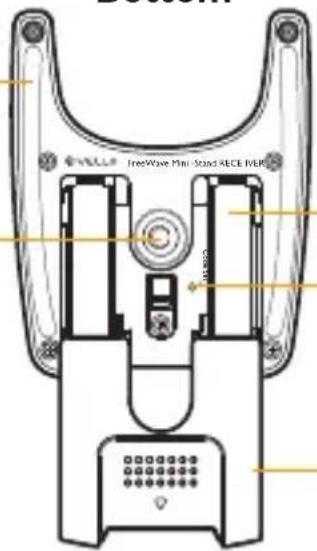
Top © VELLORubber pads
1/4"-20 threaded female mount
Bottom
text_image
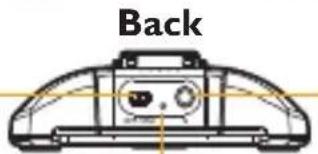
FreeWave Mini-Stand RECE I/ERBattery compartment
Transmitter code set button (recessed)
Power switch
Status indicator light
text_image
Back3.5 mm output sync
Battery compartment cover
INSTALLING BATTERIES
Installing the Battery into the Transmitter
-
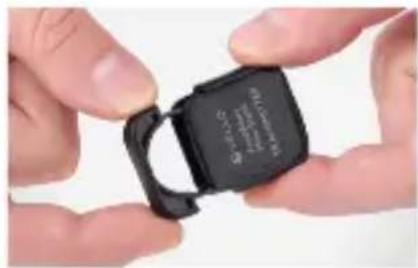
Pull the battery drawer out. It will come out only halfway.
-
Insert the CR2032 battery at a slight angle and with the (+) side up, as indicated.
natural_image
Close-up of hands holding a black USB flash drive (no visible text or symbols)
natural_image
Close-up of hands holding a black USB flash drive (no visible text or symbols)- Close the battery drawer until it locks.
Note: There is no power switch for the transmitter. It will stay on constantly, drawing power when the button is pressed for testing, or when the unit is transmitting a signal to the receiver.
Installing the Batteries into the Receiver
-
Slide the battery compartment cover open until it clicks and can be removed.
-
Insert the two AAA batteries into the battery compartment. Take note of the (+/-) symbols and match up accordingly with the image guide.

natural_image
Close-up of hands holding a black game controller (no visible text or symbols)
natural_image
Close-up of hands holding a black and green battery pack (no visible text or symbols)- Reattach the battery compartment cover by positioning it over the battery compartment and sliding it back into place until it locks.
PAIRING THE TRANSMITTER TO A RECEIVER
Note: The transmitter and receiver sets come paired together.
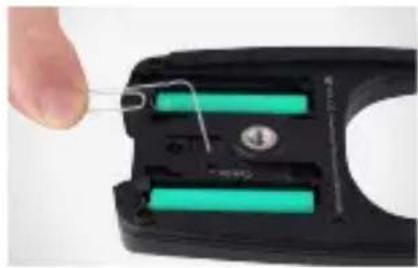
- Slide the receiver's battery compartment cover towards the rear for removal and turn the receiver on.
natural_image
Close-up of a hand holding a small electronic device with a green battery and wire, no visible text or symbols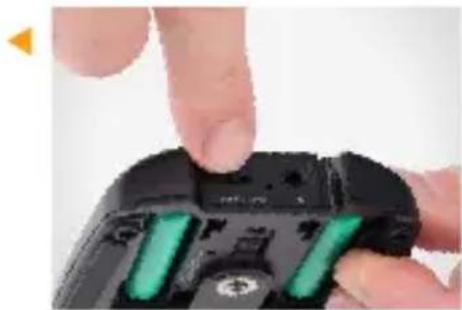
natural_image
Close-up of a finger pressing down on a black game controller with green buttons (no text or symbols visible)- Press the recessed transmitter code set button. Use a pin-like object that will fit into the recessed hole.
-
After pressing the button, the status indicator light will blink repeatedly. This signals that the receiver is in pairing mode and is read to receive the transmitter's code. After 5 seconds, the receiver will exit pairing mode.
-
Press the pairing/test button on the transmitter. The receiver's status indicator light will blink twice, and then continue to blink repeatedly. After 5 seconds, the receiver will exit pairing mode.


natural_image
Close-up of a hand holding a black plastic object, possibly a sensor or device component (no visible text or symbols)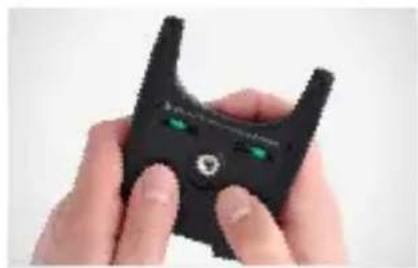
natural_image
Close-up of hands holding a black, stylized object with green eyes and a small hole, resembling a game controller or connector (no text or symbols visible)-
Both the transmitter and the receiver should now be paired. To verify communication, press the transmitter's pairing/test button. The indicator light on the receiver will register one quick blink.
-
Reattach the receiver's battery compartment cover.
MOUNTING A FLASH TO THE RECEIVER
- Make sure your flash and receiver are turned off.
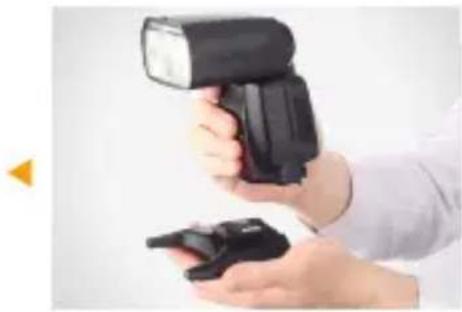
- Slide the flash's mounting foot all the way into the hot-shoe mount of the receiver.
natural_image
Person holding a black compact flash unit with a small device, against a plain background (no text or symbols visible)
natural_image
Close-up of a finger pressing a black plastic component (no text or symbols visible)- Secure the flash by engaging its locking mechanism.
- Turn on the flash and receiver.
- Set the flash to Manual mode and adjust its settings.
- Press the pairing/test button on the transmitter. The flash should fire with each press.
MOUNTING THE TRANSMITTER TO YOUR CAMERA
-
Make sure you camera is turned off.
-
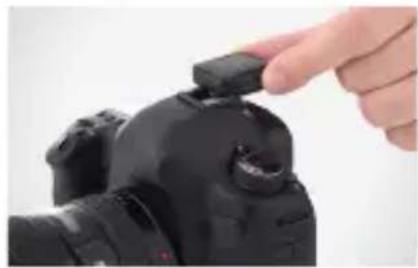
Slide the transmitter's mounting foot all the way into the camera's hot-shoe mount.
-
Turn your camera on.
-
Press your camera's shutter release button. At this time, the flash will fire with each press of the shutter.
natural_image
Close-up of a hand holding a black camera module, no visible text or symbols
natural_image
Close-up of a hand holding a DSLR camera on a professional photo frame (no visible text or symbols)PAIRING THE TRANSMITTER TO MULTIPLE RECEIVERS
Note: Repeat these steps, one at a time, for each receiver that will be paired with your transmitter. There is no limit as to how many receivers can be paired to one transmitter.
- Slide each receiver's battery compartment cover toward the rear for removal and turn the receivers on.
natural_image
Close-up of a hand holding a wire spring attached to a black handheld device with two green battery cells (no text or symbols visible)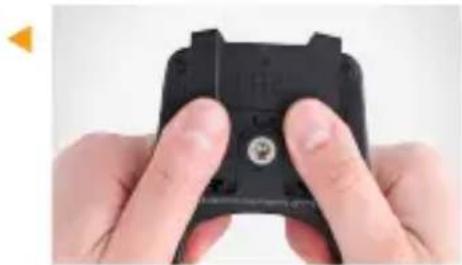
natural_image
Close-up of hands holding a black game controller with a small circular button (no visible text or symbols)-
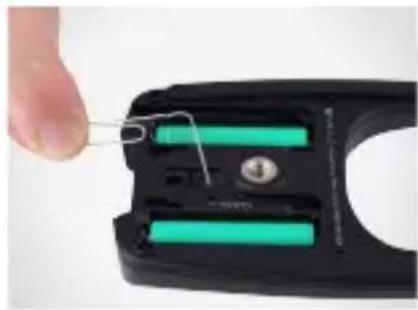
Press the recessed transmitter code set button on the first receiver. Use a pin-like object that will fit into the recessed hole.
-
After pressing the button, the status indicator light will blink repeatedly for 5 seconds. This signals that the receiver is in pairing mode and ready to
receive the transmitter's code. After 5 seconds, the receiver will exit pairing mode.
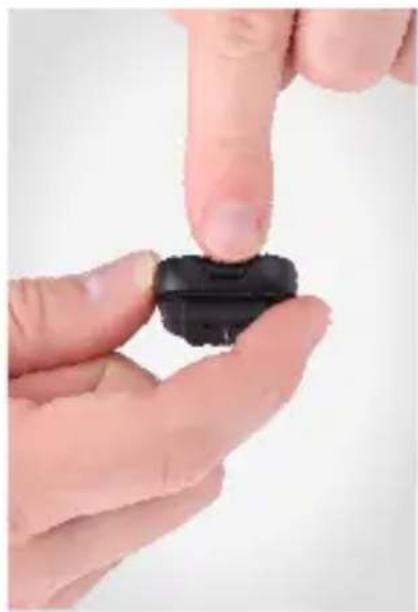
- Press the pairing/test button on the transmitter. The receiver's status indicator light will blink twice, and then continue to blink repeatedly for up to 5 seconds.
natural_image
Close-up of a finger pressing down on a black plastic component (no text or symbols visible)- Both the transmitter and the receiver should now be paired. To verify communication, press the transmitter's pairing/test button. The indicator light on the receiver will register one quick blink.
-
Repeat steps 1-5 for each receiver.
-
Reattach the battery compartment cover for each receiver.
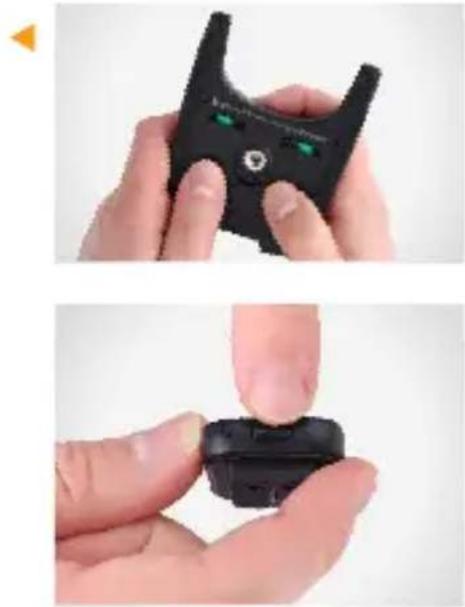
- Have your receivers and flash units turned off before mounting each flash to its corresponding receiver.
natural_image
Two-step photo showing hands holding a black handheld device, one with green indicator lights and the other with a black plastic clip (no text or symbols visible)- After each flash is mounted to a receiver, turn the units on. Set each flash to its manual setting and adjust accordingly.
- Press the pairing/test button on the transmitter. All of the flashes should fire together.
PAIRING A RECEIVER TO MULTIPLE TRANSMITTERS
- Make sure you have all of your transmitters handy and in a line, ready to be paired to the one receiver.
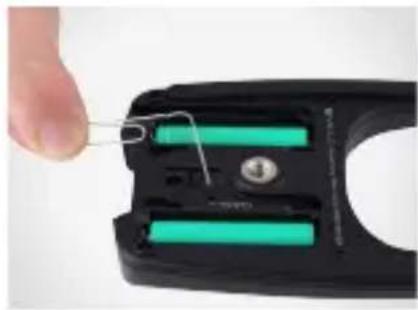
- Slide the receiver's battery compartment cover towards the rear for removal and turn the receiver on.
natural_image
Close-up of a hand holding a wire spring attached to a black electrical connector with two green battery cells (no text or symbols visible)
natural_image
Close-up of hands holding a black game controller with a circular button on the grip (no visible text or symbols)- Press the recessed transmitter code set button on the receiver. Use a pin-like object that will fit into the recessed hole.
- After pressing the button, the status indicator light will blink repeatedly for 5 seconds. This signals that the receiver is in pairing mode and is ready to receive a transmitter's
code. After 5 seconds, the receiver will exit pairing mode.
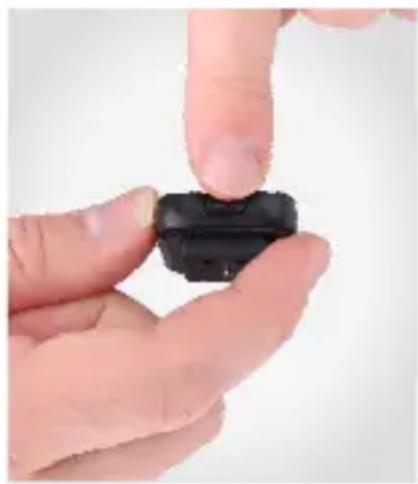
- Press the pairing/test button on the first transmitter. The receiver's status indicator light will blink twice, and then continue to blink repeatedly for up to 5 seconds.

natural_image
Close-up of a finger pressing a black plastic component on a white surface (no text or symbols visible)
-
In these 5 seconds, you will need to press the pairing/test button on the next transmitter, and so on for the remaining transmitters. The receiver's status indicator light will blink twice and then flash repeatedly again for 5 seconds after each transmitter has been paired.
-
The transmitters and receiver should be paired at this time. Press each transmitter's pairing/test button and watch the indicator light on the receiver for one quick blink.
-
Reattach the battery compartment cover for each receiver.
-
Have your flash unit turned off and attach it to the receiver.

natural_image
Close-up of hands holding a black handheld device with green circular eyes (no visible text or symbols)
natural_image
Close-up of hands holding a black compact flash unit and a small black device (no text or symbols visible)- Turn the flash on and press the pairing/test button on each transmitter. Each of the transmitters should fire the flash unit.
Note: A receiver can store up to 5 transmitter codes. Each time a receiver enters pairing mode and a new Transmitter's code is stored, it will delete all previously stored codes.
-
Turn the receiver and your studio light off.
-
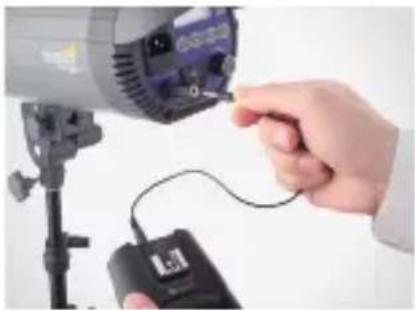
Use the included 3.5 mm to 3.5 mm cable to connect the output sync port on the receiver to the flash sync port on your studio light.
-
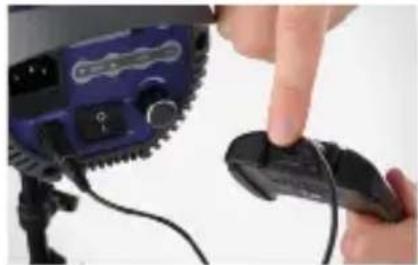
Turn the receiver and your studio light on.
natural_image
Close-up of a hand inserting a cable into a camera lens on a tripod stand (no visible text or symbols)Note: Your studio light might have a 1/4" phono port for syncing the flash. We have included the necessary adapter to convert 3.5 mm to 1/4".
natural_image
Close-up of a finger pressing a black remote control device on a tripod (no visible text or symbols)MOUNTING THE RECEIVER TO A LIGHTING STAND
- Place the receiver's 1/4"-20 mount onto the lighting stand mounting stud.
- Rotate the receiver until the unit is secure on the lighting stand.
- Attach your flash unit to the receiver's hot-shoe mount.

natural_image
Hand holding a black handheld device with a metallic stand below (no visible text or symbols)
natural_image
Hand holding a black and red compact flash unit against a plain background (no text or symbols visible)TROUBLESHOOTING
The transmitter does not send a signal.
- Check that the transmitter's battery polarity has not been reversed.
- The battery has run out of power and needs to be replaced.
The receiver is not accepting the transmitter's code(s).
- Reset the code between the receiver and the transmitter(s) (see page 14).
The flash does not fire or misfires.
- Check the batteries of each device for low power and replace if needed.
- Check whether the receiver's power switch is in the On position.
- Reset the code between the receiver and the transmitter(s) (see page 14).
- Check whether the flash is in manual mode.
FCC COMPLIANCE
This device complies with Part 15 of the FCC Rules. Operation is subject to the following two conditions:
- This device may not cause harmful interference, and
- This device must accept any interference received, including interference that may cause undesired operation.

natural_image
Two DSLR camera models shown from different angles, one with lens and black frame, the other with red-lit and black base (no text or symbols visible)SPECIFICATIONS
| Transmitter Receiver | ||
| Dimensions (H × W × D) | 0.55" × 1.17" × 1.34"(1.4 × 3 × 3.4 cm) | 0.87" × 3.18" × 3.78"(2.2 × 8.1 × 9.6 cm) |
| Devices paired | mited | |
| Tripod mount | ||
| 3.5 mm to 3.5 mm sync cable length | 12" (30 cm) | |
| Frequency | ||
| Battery | line batteries | |
| Battery life (in standby mode) | 0 hrs. | |
| Range | ||
| Weight | ||
ONE-YEAR LIMITED WARRANTY
This VELLO product is warranted to the original purchaser to be free from defects in materials and workmanship under normal consumer use for a period of one (1) year from the original purchase date or thirty (30) days after replacement, whichever occurs later. The warranty provider's responsibility with respect to this limited warranty shall be limited solely to repair or replacement, at the provider's discretion, of any product that fails during normal use of this product in its intended manner and in its intended environment. Inoperability of the product or part(s) shall be determined by the warranty provider. If the product has been discontinued, the warranty provider reserves the right to replace it with a model of equivalent quality and function.
This warranty does not cover damage or defect caused by misuse, neglect, accident, alteration, abuse, improper installation or maintenance. EXCEPT AS PROVIDED HEREIN, THE WARRANTY PROVIDER MAKES NEITHER ANY EXPRESS WARRANTIES NOR ANY IMPLIED WARRANTIES, INCLUDING BUT NOT LIMITED TO ANY IMPLIED WARRANTY OF MERCHANTABILITY OR FITNESS FOR A PARTICULAR PURPOSE. This warranty provides you with specific legal rights, and you may also have additional rights that vary from state to state.
To obtain warranty coverage, contact the Vello Customer Service Department to obtain a return merchandise authorization (“RMA”) number, and return the defective product to Vello along with the RMA number and proof of purchase. Shipment of the defective product is at the purchaser’s own risk and expense.
For more information or to arrange service, visit www.vellogear.com or call Customer Service at 212-594-2353.

VELLO™ A Gradius Group Brand
Product warranty provided by the Gradus Group.
www.gradusgroup.com
VELLO is a registered trademark of the Gradus Group.
© 2015 Gradus Group LLC. All Rights Reserved.
www.vellogear.com
All other trademarks are the property of their respective owners.
© Copyright 2015 Gradus Group GG1