
SB-600 - External Flash NIKON - Free user manual and instructions
Find the device manual for free SB-600 NIKON in PDF.


User questions about SB-600 NIKON
0 question about this device. Answer the ones you know or ask your own.
Ask a new question about this device
Download the instructions for your External Flash in PDF format for free! Find your manual SB-600 - NIKON and take your electronic device back in hand. On this page are published all the documents necessary for the use of your device. SB-600 by NIKON.
USER MANUAL SB-600 NIKON
Autofocus Speedlight
SB-800
A collection of example photos
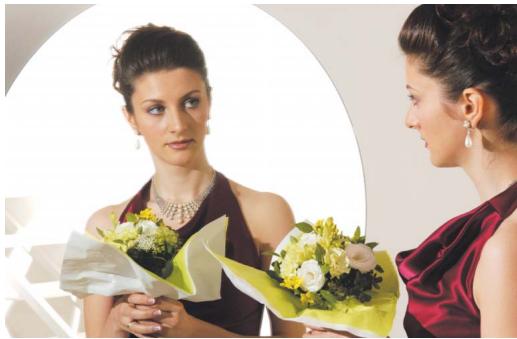
Enter the exciting world of Nikon's Creative Lighting System with the SB-800.
A wealth of advanced flash-shooting techniques await you with the SB-800.
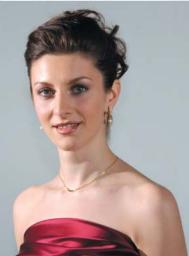
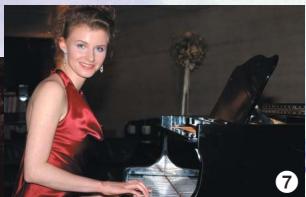
Take life-like portraits.
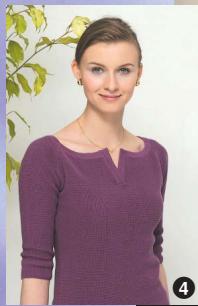
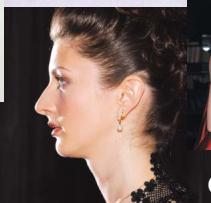
Soften the shadows.
11
Record details of small objects.
8
Create more natural-looking pictures by illuminating both the subject and background.
12
Emulate the results of professional studio photographers.
17
Use colored gel filters to add specific colors to the scene.
- Numbers on the pictures refer to page numbers of this booklet.
Bounce flash
Shooting data (Bounce flash)
Camera: D2H
Lens focal length: 60mm
Speedlight: SB-800 set to ITL with flash head tilted up
Aperture: f/8
Shooting distance: Approx. 4m (13.1 ft.)
Flash set-up
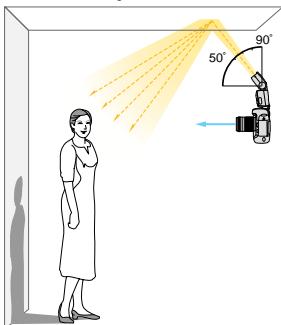
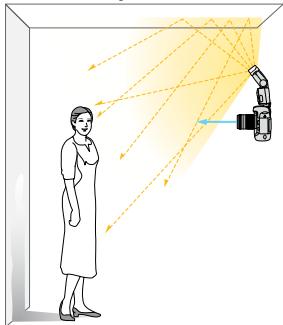
Create more flattering portraits by tilting or rotating the flash head to bounce the light off the ceiling or walls.
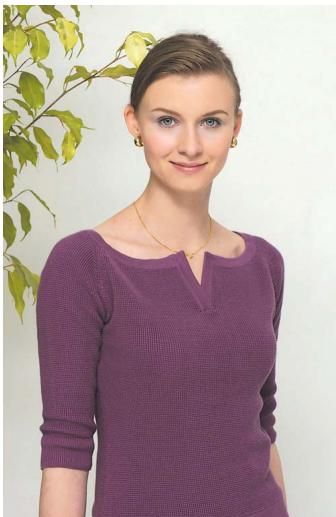
When photographing a person standing in front of a wall, tilt or rotate the flash head up to bounce the light off the ceiling. This softens the light falling on the subject, while throwing the dark shadow behind and below the subject. This is an excellent technique to use indoors to render the subtle tones of the person's face, where direct flash often causes harsh, unattractive lighting (p. 98).
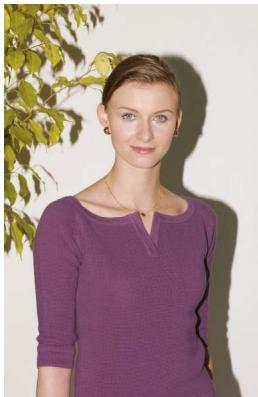
Normal flash
Shooting data
(Normal flash)
Camera: D2H
Focal length: 60mm
Speedlight: SB-800 set to ITU with flash head in normal position
Aperture: f/9
Shooting distance: Approx. 4m (13.1 ft.)
Tilting the flash head and choosing the reflecting surface
Tilt the flash head up at least 50^ for the most effective bounce flash. Also, make sure that the light from the flash head does not illuminate the subject directly. Optimum results are obtained when the flash head is positioned 1-2m (3.3-6.6 ft.) from the reflecting surface.
When shooting in color, select white or highly reflective surfaces to bounce the light off of.
Otherwise, your pictures will come out with an unnatural color cast similar to that of the reflecting surface.
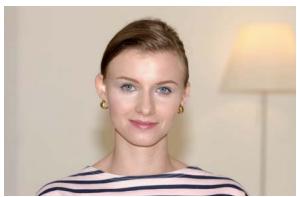
Without Nikon Diffusion Dome
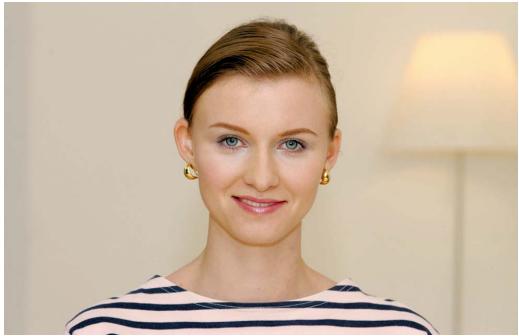
With Nikon Diffusion Dome
Shooting data
(Without Nikon Diffusion Dome)
Camera: D2H
Focal length: 105mm
Speedlight: SB-800 set to TTL
Aperture: f/6.3
Shooting distance: Approx. 2.5m (8.2 ft.)
Flash set-up
The Nikon Diffusion Dome diffuses the light from the flash to soften shadows and prevent the subject's face from coming out too bright.
By attaching the provided Nikon Diffusion Dome over the flash head, you can diffuse the light even more when doing bounce flash, creating extremely soft light with virtually no shadows, while insuring sufficient illumination of the background (p. 101).
Shooting data
(With Nikon Diffusion Dome)
Camera: D2H
Focal length: 105mm
Speedlight: SB-800 set to TTL
with Nikon Diffusion Dome attached
Aperture: f/6.3
Shooting distance: Approx. 2.5m (8.2 ft.)
Notes on using the Nikon Diffusion Dome
Good results are obtained when the flash head is tilted up 60^ .
Essentially the same lighting effect is produced when the camera is positioned either horizontally or vertically.
Use of the built-in wide-flash adapter in conjunction with the Nikon Diffusion Dome produces the maximum amount of diffused light.
i-TTL Automatic Balanced Fill-Flash
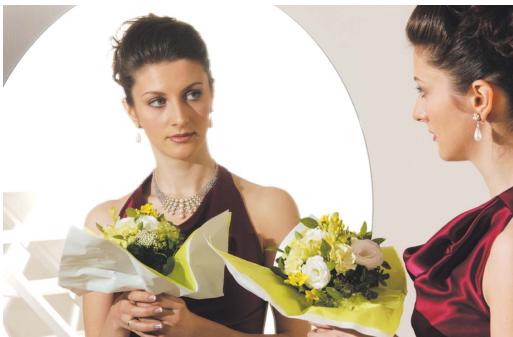
i-TTL Automatic Balanced Fill-Flash
In this mode, the camera automatically controls the flash output to keep both the subject and background properly exposed. This mode is especially effective when shooting scenes that include a mirror, white wall, or other highly reflective surfaces (p. 37).
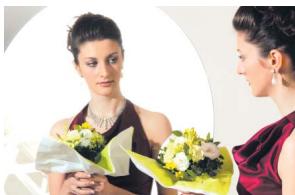
Standard i-TTL flash
Shooting data
(i-TTL Automatic Balanced Fill-Flash)
Camera: D2H
Focal length: 70mm
Speedlight: SB-800 set to TLI BL
Aperture: f/14
Auto FP High-Speed Sync
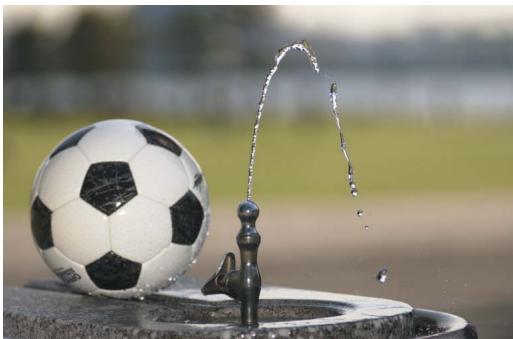
Auto FP high-speed sync
Automatic high-speed flash synchronization at shutter speeds exceeding the camera's flash sync speed is possible. When shooting with flash outdoors, faster shutter speeds allow you to use a wider aperture to blur the background and/or freeze fast-moving subjects (p. 60).
Flash shooting at normal sync speed
Shooting data
(Auto FP high-speed sync)
Camera: D2H
Focal length: 125mm
Speedlight: SB-800 set to AAFP
Aperture: f/2.8
Shutter speed: 1/3200 sec.
Without using FV Lock for an off-center subject

Using FV Lock for an off-center subject
Shooting data
(Without FV Lock)
Camera: D2H
Focal length: 60mm
Speedlight: SB-800 set to
Aperture: f/8
FV Lock is unnecessary when the main subject is centered.
Shooting data
(Without FV Lock)
Camera: D2H
Focal length: 60mm
Speedlight: SB-800 set to TTL
Aperture: f/8
Using FV Lock, you can obtain the correct exposure, when the subject is off-center and positioned against a dark or light background.
Because the flash exposure remains locked in even if you change the aperture or composition, or zoom the lens in and out, you can obtain the correct exposure for the main subject. Without FV Lock, the main subject is overexposed due to the dark background (p. 61).
Shooting data (With FV Lock)
Camera: D2H
Focal length: 60mm
Speedlight: SB-800 set to TBL
Aperture: f/8
Close-up photography using multiple flash units
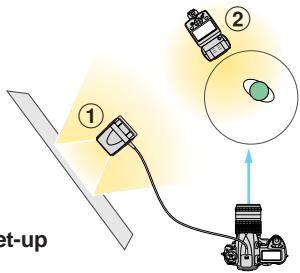
Two flash units (one bounced from the side; another used directly from the top rear)

Dramatic close-ups of small objects can be created by using one SB-800 off-camera as the master flash and another as the remote flash.
A feeling of roundness is provided by this set-up. One SB-800, the master flash, is used off-camera via a cord to bounce the light off a reflector card to diffuse the shadows, while a second SB-800, the remote flash, is positioned above and to the left rear of the subject, providing direct illumination. In this situation, the master flash unit is the fill light, whereas the remote flash is the main light (p. 102).
Shooting data (Using two flash units)
Camera: D2H
Focal length: 105mm
① Master flash unit: SB-800 set to TLU (bounced from the side)
② Remote flash unit: SB-800 set to TTL (directly from the top rear)
Aperture: f/22
Shooting distance:
Approx. 1m (3.3 ft.)
Flash set-up
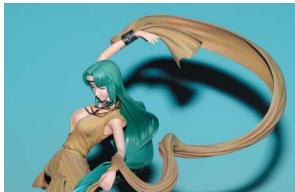
Direct on-camera flash
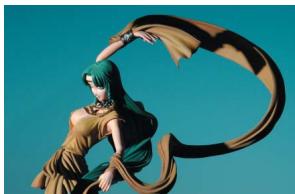
Off-camera flash directly from the side
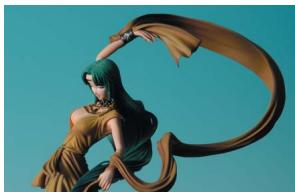
Off-camera flash bounced from the side
Three flash units (one flash bounced from the side + two flashes from the top and rear)
On-camera flash
Two flash units: one flash back-lit from the side + another from the bottom using a reflector and gel filter.

Flash set-up
Two flash units: Off-camera flash bounced from the side + one directly from the top
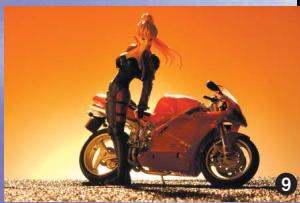
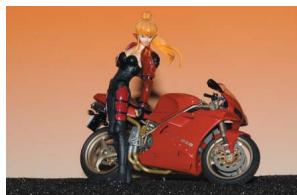
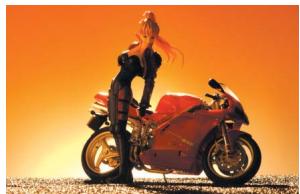
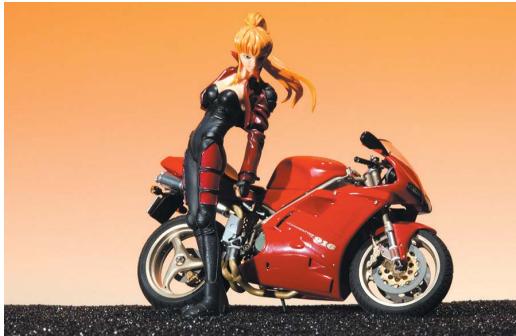
With a single on-camera flash unit, distinct shadows appear behind the subject, contributing to a sense of flatness. Bounced illumination from the side and direct illumination from the top rear provided by two SB-800s eliminate the shadows and emphasize the motorcycle's contours such as the wheels. In this way, a much more vivid rendition of both the miniature model of the bike and the figure beside it are created (p. 102).
Shooting data
(Two flash units: Off-camera flash bounced from the side + another directly from the top rear)
Camera: D2H
Focal length: 105mm
① Master flash unit: SB-800 set to TL (bounced from the side)
② Remote flash unit: SB-800 set to ITL (directly from the top rear)
Aperture: f/22
Shooting distance: Approx. 1.5m (4.9 ft.)
Close-up photography using multiple flash units (cont.)
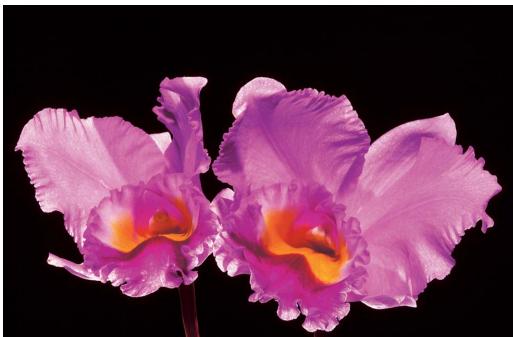
Two flash units (one from the side and another from above)
By using more than one SB-800, you can take breath-taking close-ups of subjects like flowers.
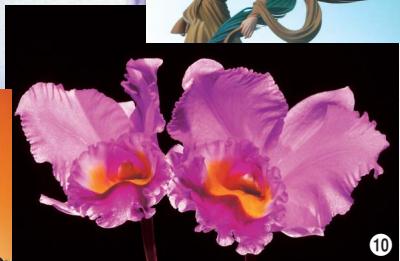
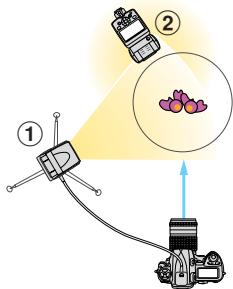
To bring out the gorgeous colors and textures of the purple cattleyas, two SB-800s were used, one on the left front (as the master unit via a cord) and another (as the remote unit) on the right rear and slightly above the flowers. Although both Speedlights were used directly, this lighting set-up produces soft shadows with enhanced subject detail (p. 102).
Shooting data
(Using two flash units)
Camera: D2H
Focal length: 105mm
① Master flash unit: SB-800 set to TLI
② Remote flash unit: SB-800 set to ITL (from the top)
Aperture: f/32
Shooting distance: Approx. 1m (3.3 ft.)
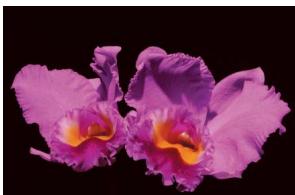
A single flash unit from above
Shooting data
(Using a single flash unit from above)
Camera: D2H
Focal length: 105mm
Master flash unit: SB-800 set to TtL
Aperture: f/25
Shooting distance: Approx. 1m (3.3 ft.)
Flash set-up
Wireless multiple flash shooting in the TTL auto flash mode
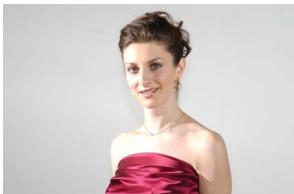
Current wireless multiple flash shooting
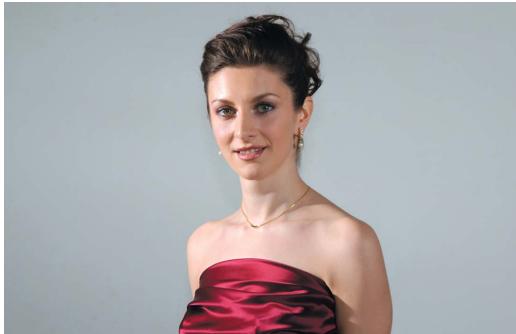
Advanced Wireless Lighting shooting (Two flash units: on-camera flash + remote flash from the side)
Shooting data
(Advanced Wireless Lighting)
Camera: D2H
Focal length: 70mm
Master flash unit: SB-800
set to
Remote flash unit: SB-800
set to
Aperture: f/11
In addition to the master flash unit used on-camera, the remote flash unit illuminates the subject from the side to create a more natural-looking portrait. In current wireless multiple flash shooting, the overlapping portions illuminated by two flash units are overexposed. However, with Advanced Wireless Lighting in the TTL auto flash mode, the subject comes out correctly exposed (p. 76).
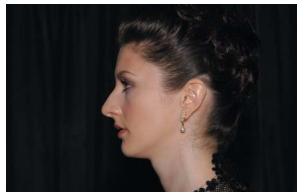
Single on-camera flash
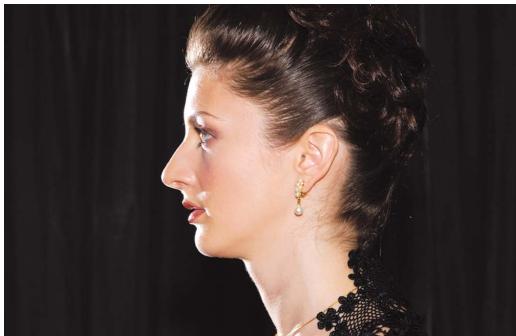
Two flash units: on-camera flash + remote flash from the rear
Shooting data
(Using two flash units)
Camera: D2H
Focal length: 70mm
Master flash unit: SB-800 set
to TTU
Remote flash unit: SB-800 set
to TTU
Aperture: f/14
The master flash unit is used on-camera while the remote flash unit illuminates the subject from the rear to emphasize the subject's contour and bring out the delicate details of subject's hair. This lighting set-up is particularly effective when shooting portraits against dark backgrounds (p. 76).
Multiple flash shooting (1)
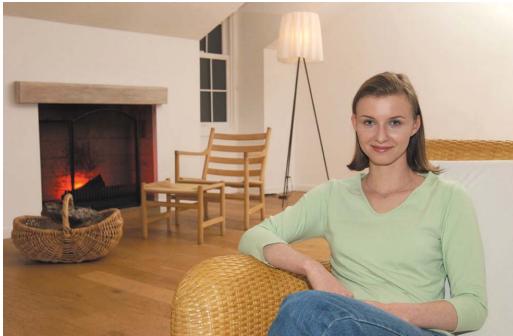
Three flash units (on-camera flash + one remote unit bounced off the ceiling + one remote unit with red gel filter in the fireplace)
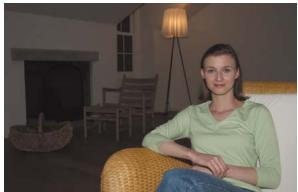
Single on-camera flash
Use more than one flash to illuminate both the subject and the background.
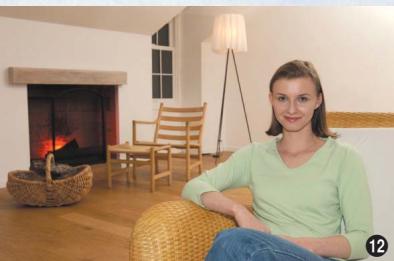
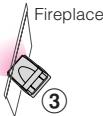
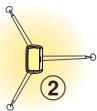
With one SB-800 used on-camera, the subject in front is properly illuminated, while the background comes out too dark. To create a more natural-looking picture of the woman sitting in the room, one remote flash unit was placed behind the subject and on the right, then bounced off the ceiling to light the background. Another remote flash unit with a red gel filter attached was positioned in the fireplace behind a log to create the impression of flames (p. 80).
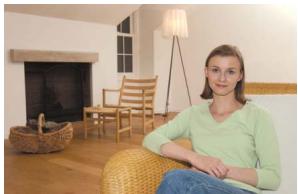
Two flash units (one on-camera flash + one remote unit bounced from the ceiling)
Shooting data
(Using three flash units)
Camera: D2H
Focal length: 25mm
① Master flash unit: SB-800 set to TTL
② Remote flash unit A: SB-800 set to TTL
(bounced off the ceiling)
③ Remote flash unit B: SB-800 set to [M]
(with red gel filter)
Aperture: f/5.6
Flash set-up
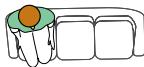
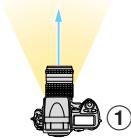
Multiple flash shooting (2)
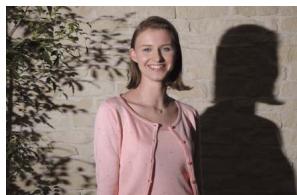
Single off-camera flash
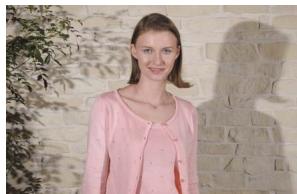
Two flash units (One off-camera on the left + one on the right)
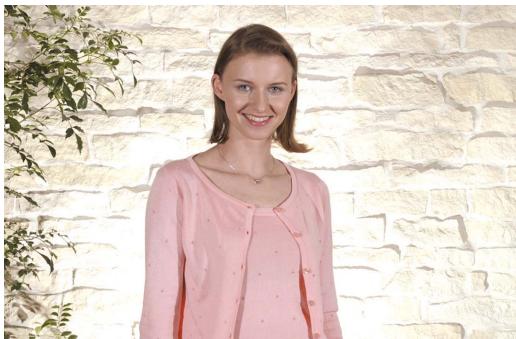
Three flash units (One off-camera on the left + one on the right + one behind the subject bounced off the back wall)
The master flash illuminates the subject from the side, while two remote flash units soften and eliminate the shadows.
In this setup, the master flash was placed off-camera on the left to emphasize the subject contours, but casts shadows on the woman's face and a harsh shadow on the back wall. Remote flash A was positioned on the right to soften the shadows. However, the shadow on the wall still exists. To remove it, remote flash B was placed at the subject's feet to bounce light off the wall, resulting in a dramatic portrait (p. 76).
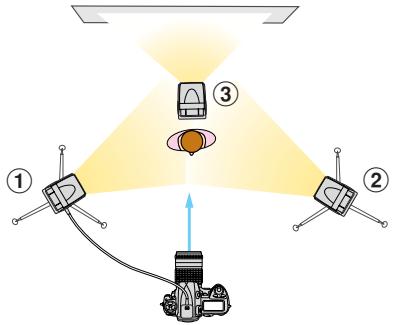
Flash set-up
Shooting data
(Using three flash units)
Camera: D2H
Focal length: 48mm
① Master flash unit: SB-800 set to TTL
② Remote flash unit A: SB-800 set to TLI
③ Remote flash unit B: SB-800 set to M
Aperture: f/8
Slow-sync flash shooting with multiple flash
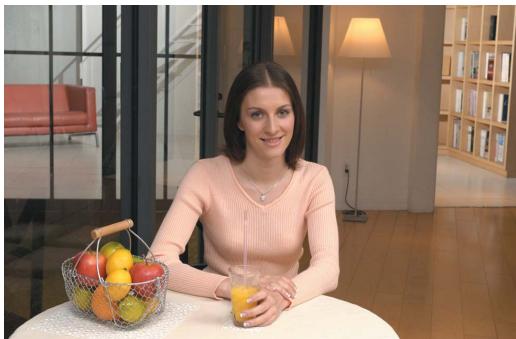
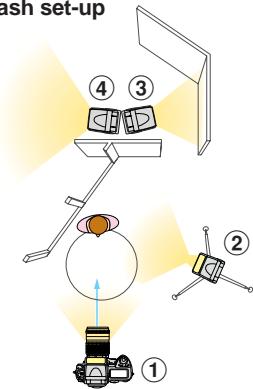
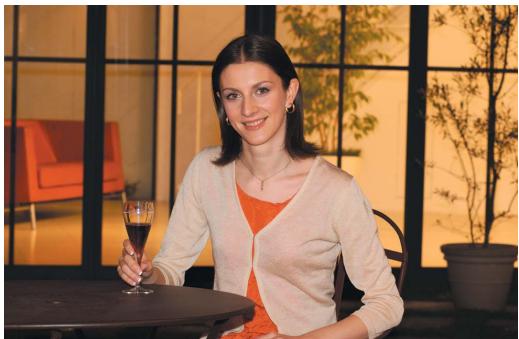
Four flash units using a slow shutter speed
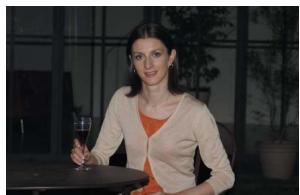
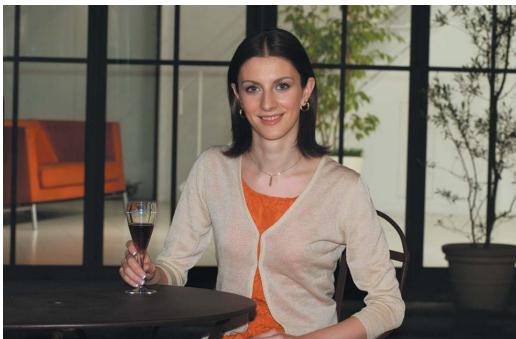
Four flash units using a normal shutter speed
Using a slow shutter speed with more than one flash produces more natural-looking pictures of the subject and background.
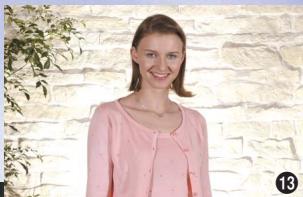
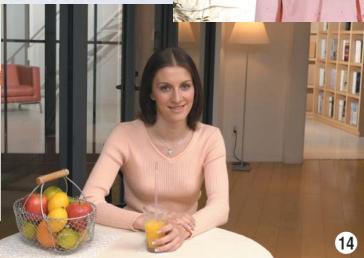
Four flash units were used to illuminate the subject and the room in back. Remote flash unit A was added to the master flash unit used on-camera to illuminate the subject from the side to create a more vivid rendition of the woman and the fruit in the basket. Two more remote flash units B and C were placed in the room behind the subject. Light from remote flash unit B was bounced off the wall, while that of remote flash unit C was bounced off the ceiling to illuminate the entire room and add accent. Furthermore, a slow shutter speed was used to make the tones of the subject and the background come out brighter (pp. 58, 76).
Shooting data
(Using a slow shutter speed)
Camera: D2H
Focal length: 40mm
① Master flash unit: SB-800 set to TTL
② Remote flash unit A: SB-800 set to AA
③ Remote flash unit B: SB-800 set to AA
④ Remote flash unit C: SB-800 set to M
Aperture: f/8
Shutter speed: 1/30 sec.
Shooting data
(Using a normal shutter speed)
Camera: D2H
Focal length: 40mm
① Master flash unit: SB-800 set to TLI
② Remote flash unit A: SB-800 set to [AA]
③ Remote flash unit B: SB-800 set to [A A]
④ Remote flash unit C: SB-800 set to [M]
Aperture: f/8
Shutter speed: 1/250 sec.
Flash set-up
Normal shutter speed
Slow-sync flash
Shooting data
(Normal shutter speed)
Camera: D2H
Focal length: 80mm
Master flash unit: SB-800 set
to TLBL
Aperture: f/7.1
Shutter speed: 1/250 sec.
When shooting in extremely dark situations, flash can be used with slow shutter speeds to obtain the correct exposure for both the subject and background.
Often, when taking flash pictures in low-light situations or at night, the background comes out vastly underexposed. In this case, set the slow-sync flash mode on your camera.
This allows the use of slow shutter speeds for recording detail in the background, while the flash provides the correct exposure for the subject in the foreground (p. 58).
Shooting data
(Slow-sync flash)
Camera: D2H
Focal length: 80mm
Master flash unit: SB-800 set to TBLB
Aperture: f/7.1
Shutter speed: 1/4 sec
Shooting with colored gel filters
With a gel filter (for fluorescent light) and the camera's white balance set to "Fluorescent"
Modifying the color temperature of the flash to match that of the overall scene illumination.
If you shoot flash pictures under fluorescent light with your digital camera's white balance set to "Flash," the main subject will look normal. However, the background will come out green. To compensate, use a green gel filter, then adjust the camera's white balance to "Fluorescent" (p. 96).
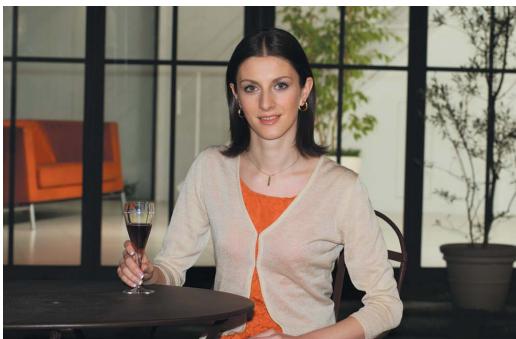
With a gel filter (for incandescent light) and the camera's white balance set to "Incandescent"
The same is true when shooting flash pictures under incandescent/tungsten illumination. In this case, set your digital camera's white balance to "Incandescent."
Shooting data (With a gel filter)
Camera: D2H
Speedlight: SB-800 set to TLBL
White balance setting: Incandescent
Shooting data
(With a gel filter)
Camera: D2H
Speedlight: SB-800 set to TLBL
White balance setting: Fluorescent
Without a gel filter and the camera's white balance set to "Flash"
Shooting data
(Without a gel filter)
Camera: D2H
Speedlight: SB-800 set to TBL
White balance setting: Flash

With a gel filter (for incandescent light) and the camera's white balance set to "Flash"
Shooting data
(With a gel filter)
Camera: D2H
Speedlight: SB-800 set to TBL
White balance setting: Flash
Using colored gel filters with multiple flash
Single on-camera flash
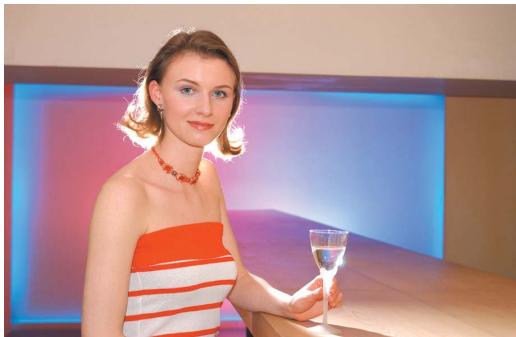
Four flash units: One on-camera + three remote flash units (two with gel filters and one without)
Shooting data
(With a single flash)
Camera: D2H
Focal length: 38mm
Master flash unit: SB-800 set
to TTU
Aperture: f/5.6
White balance setting: Flash
Flash set-up
Colored gel filters can be used to add dramatic colors to the scene.
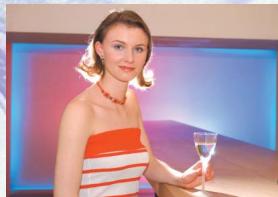
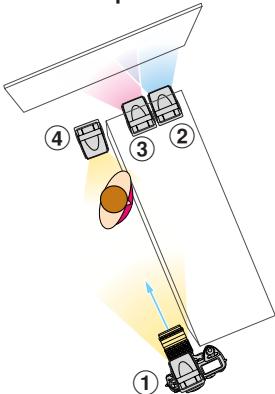
The optional Colored Gel Filter Set SJ-1 contains a total of 20 gel filters in various colors. In the main photo above, the on-camera master flash illuminates the woman, while three remote units are used behind her. Two units with red and blue gel filters were bounced off the back wall to accentuate the background in addition to the indirect blue lighting. A third remote unit without a gel filter was placed directly behind the subject's head to create rim-lighting on her hair (pp. 76, 96).
Shooting data
(With four flash units)
Camera: D2H
Focal length: 38mm
① Master flash unit: SB-800 set to TTL
② Remote flash unit A: SB-800 set to M
③ Remote flash unit B: SB-800 set to M
④ Remote flash unit C: SB-800 set to M
Aperture: f/5.6
White balance setting: Flash
Using colored gel filters with multiple flash (cont.)
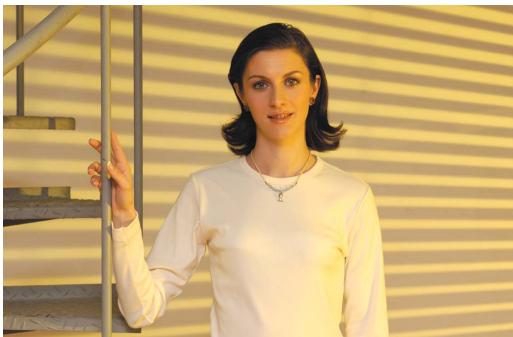
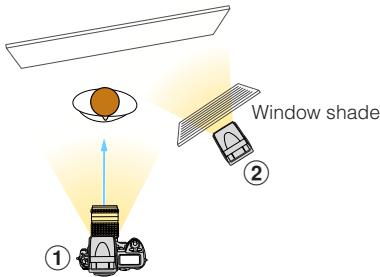
On-camera flash (bounced) + remote flash unit with a yellow gel filter and positioned behind the window shade
The optional Colored Gel Filter Set SJ-1 can be used with the SB-800 to add specific colors to create various renditions of a scene.
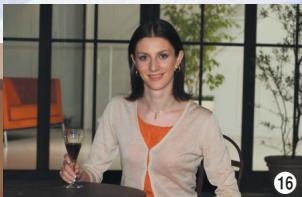
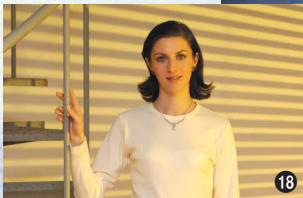
In these photos, the on-camera flash was bounced off the ceiling and used as the master unit, while a second flash unit positioned on the right side was used directly as the remote unit. The color of the illumination from the remote flash was modified by attaching colored gel filters. In addition, the background was changed by placing a window shade between the subject and remote flash and firing the flash through it (pp. 76, 96).
Shooting data (Using two flash units)
Camera: D2H
Focal length: 60mm
① Master flash unit: SB-800 set to TTL
② Remote flash unit: SB-800 set to M
Aperture: f/7.1
White balance setting: Flash
Flash set-up
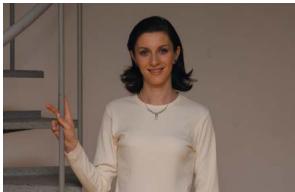
On-camera flash only (bounced) without the window shade
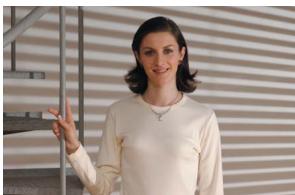
Two flash units with no gel filter with the window shade
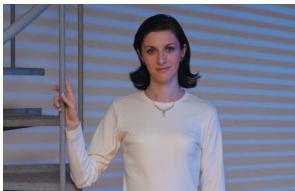
Two flash units with a blue gel filter with the window shade
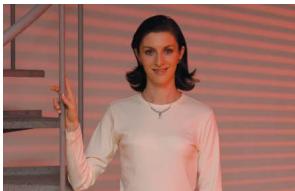
Two flash units with an red gel filter with the window shade
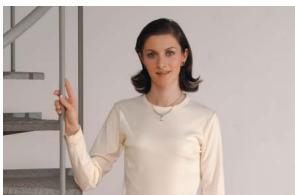
Two flash units with no gel filter without the window shade
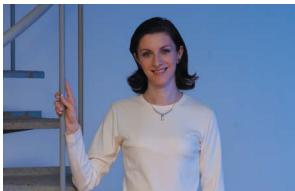
Two flash units with a blue gel filter without the window shade
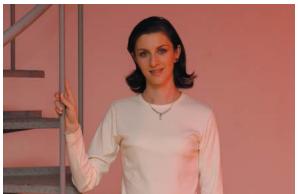
Two flash units with an red gel filter without the window shade

Four flash units with gel filters
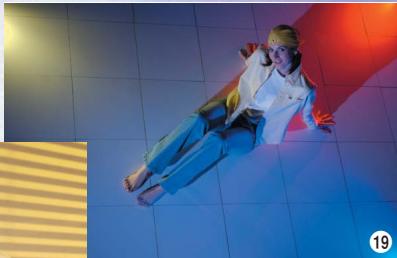
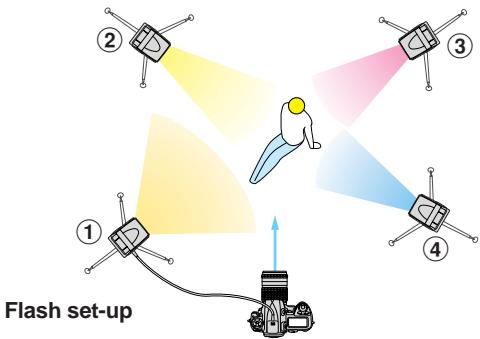
Truly original photos are possible to create by using three remote flash units with colored gel filters attached and positioning them on three sides of the subject, then shooting the picture from a high angle (pp. 76, 96).
Shooting data (Using four flash units)
Camera: D2H
Focal length: 45mm
① Master flash unit: SB-800 set to TTL
② Remote flash unit A: SB-800 set to M with a yellow gel filter
③ Remote flash unit B: SB-800 set to M with a red gel filter
④ Remote flash unit C: SB-800 set to M with a blue gel filter
Aperture: f/8
White balance Setting: Flash
Using colored gel filters with multiple flash (cont.)
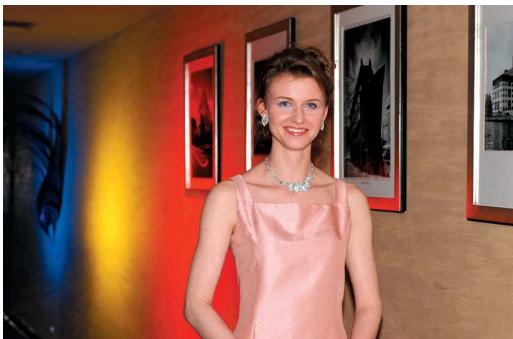
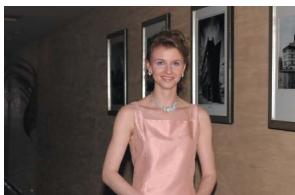
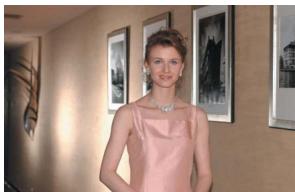
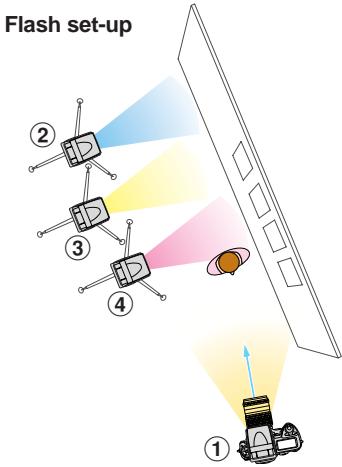
Four flash units: On-camera flash + three remote flash units with blue, yellow, and red gel filters
With the SB-800 mounted on the camera and used directly, illumination of the wall with the framed pictures falls off rapidly toward the rear. To spice up the picture and add needed illumination, three remote flash units with blue, yellow, and red gel filters were bounced off the wall (pp. 76, 96).
Shooting data
(Using four flash units)
Camera: D2H
Focal length: 56mm
① Master flash unit: SB-800 set to TLI
② Remote flash unit A: SB-800 set to M
③ Remote flash unit B: SB-800 set to M
④ Remote flash unit C: SB-800 set to M
Aperture: f/5.6
White balance setting: Flash
Single on-camera flash
Four flash units: On-camera flash + three remote flash units without gel filters.
Flash output level compensation using multiple flash units
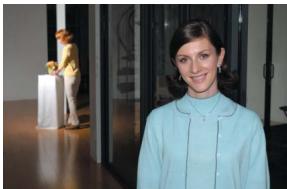
In the Advanced Wireless Lighting mode, you can use more than one flash to intentionally overexpose or underexpose various parts of the picture.
The series of photos below were taken with two flash units; the master flash unit was used on-camera to illuminate the subject in the foreground, while the remote unit lit the background subject. The photo in the center was taken without setting any exposure compensation on either flash unit, or in other words, 0.0 EV. Both the background and foreground are correctly exposed. The photos reading across from left to right were made by using flash output level compensation on the master flash that illuminates the foreground subject, in this case +1 EV compensation for the left-hand shot and -1 EV compensation for the right-hand one. The pictures reading from top to bottom were created by setting flash output level compensation on the remote flash that lights the background subject; the top photo has +1 EV compensation and the bottom -1 EV compensation. (pp 54, 76)
Background overexposed
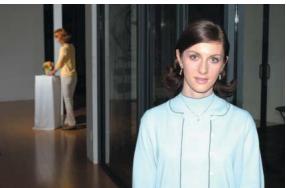
Foreground overexposed
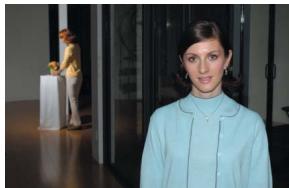
Correct exposure
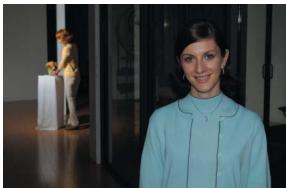
Foreground underexposed
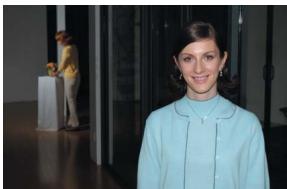
Background underexposed
Flash set-up
Shooting data
(Foreground and background correctly exposed)
Camera: D2H
Focal length: 42mm
① Master flash unit: SB-800 set to TTL
② Remote flash unit: SB-800 set to TLI
Aperture: f/10
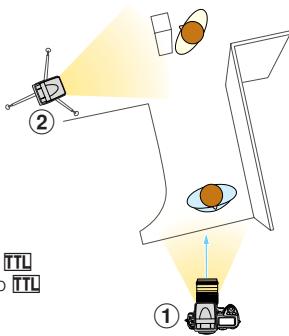
Exposure compensation and flash output level compensation
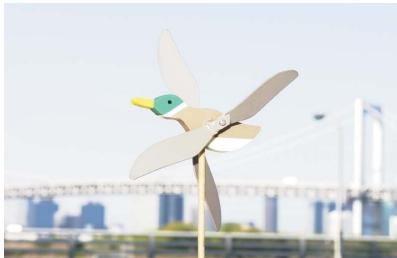
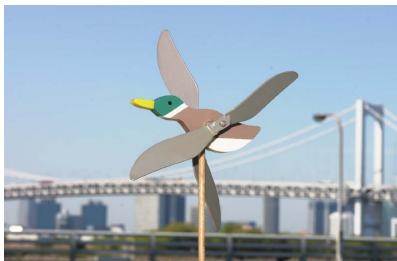
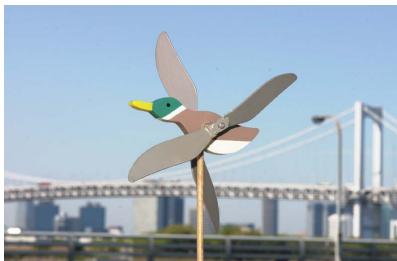
Exposure compensation and flash output level compensation are used to intentionally modifying the exposure.
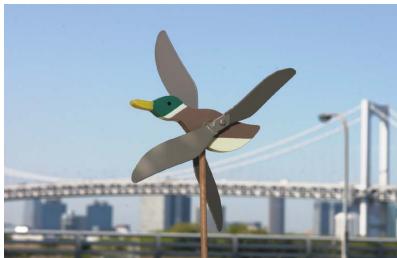
Exposure compensation in the Non-TTL auto flash mode is shown in the three photos on the left. Varying the exposure for both the subject and background is possible by changing the aperture setting on the SB-800 (p. 54).
Flash output level compensation in the TTL auto flash mode is shown in the three photos on the right. Varying the exposure for the main subject without affecting the background is possible by changing the flash output level on the SB-800 (p. 56).
+1 exposure compensation

+1 flash output level compensation
No compensation
No compensation

-1 exposure compensation
-1 flash output level compensation
Red-eye reduction
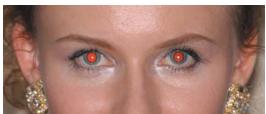
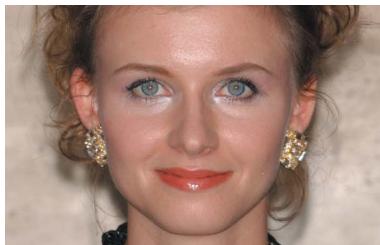
Prevents the center of a person's eyes from appearing red in color photographs. Red-eye reduction control is set on the camera, not on the SB-800 (p. 58).
Without red-eye reduction
With red-eye reduction
Rear-curtain sync flash
Front-curtain sync flash
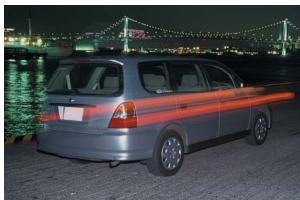
Allows flash pictures of a moving subject where the blur appears in the proper position behind the subject.
As shown in the example photos, when
shooting fast-moving subjects at slow shutter speeds using front-curtain flash sync, unnatural-looking pictures can occur. Rear-curtain flash sync creates a picture in which the blur appears behind the subject rather than overlapping it (p. 59).

Rear-curtain sync flash
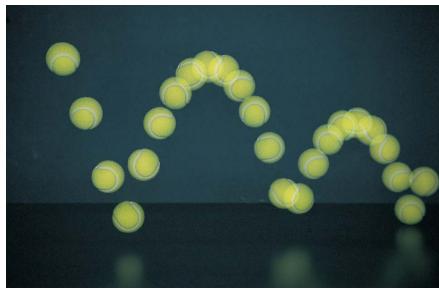
Repeating flash
To create stroboscopic multiple-exposure effects, the SB-800 can be fired repeatedly during a single exposure (p. 48).
NIKON CORPORATION