F65D - SLR camera NIKON - Free user manual and instructions
Find the device manual for free F65D NIKON in PDF.

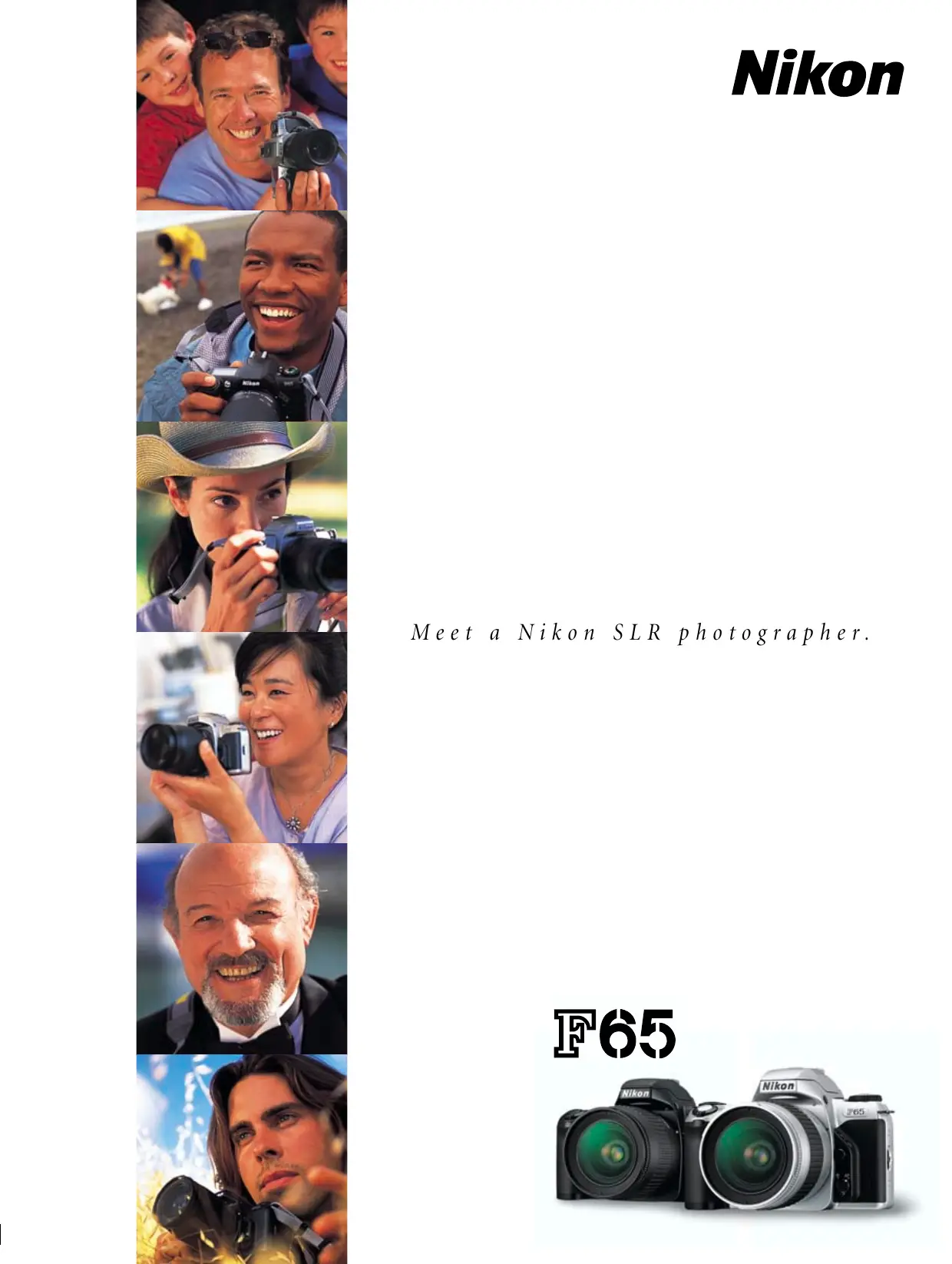

| Product type | 35mm autofocus SLR camera |
| Brand | Nikon |
| Model | F65D |
| Lens mount | Nikon F (with AF coupling and CPU contacts) |
| Image format | 24 × 36 mm (standard 35mm film) |
| Dimensions (W × H × D) | 139.5 × 92.5 × 68 mm |
| Weight | 400 g (without batteries) |
| Power supply | 2 lithium CR2 batteries (3V); optional MB-17 Battery Pack for 4 AA batteries |
| Autofocus | TTL phase detection Multi-CAM900, 5 dynamic zones, EV range -1 to 19 |
| Light metering | 3D matrix (6 segments), center-weighted (manual) |
| Shutter | Vertical-travel electronic shutter, 30 s to 1/2000 s |
| Built-in flash | Guide number 12 (ISO 100, m), coverage 28 mm, Matrix Balanced Fill-Flash |
| Exposure modes | Auto, Vari-Program (Portrait, Landscape, Close-up, Sports, Night), P, S, A, M |
| Continuous shooting | Approx. 2.5 fps (Sports mode) |
| Exposure compensation | ±2 EV in 1/2 EV steps; bracketing up to ±2 EV |
| Data imprinting function | Yes (D model), date/time or off |
| Viewfinder | Pentamirror, diopter adjustment -1.5 to +0.8 m⁻¹, 89% coverage, magnification 0.68-0.60× |
| Dedicated accessories | MB-17 Battery Pack, infrared remote control, Speedlights SB-80DX/SB-50DX, SC-17 cable |
| Operating temperature | Not specified |
Frequently Asked Questions - F65D NIKON
User questions about F65D NIKON
0 question about this device. Answer the ones you know or ask your own.
Ask a new question about this device
Download the instructions for your SLR camera in PDF format for free! Find your manual F65D - NIKON and take your electronic device back in hand. On this page are published all the documents necessary for the use of your device. F65D by NIKON.
USER MANUAL F65D NIKON
Meet a Nikon SLR photographer.
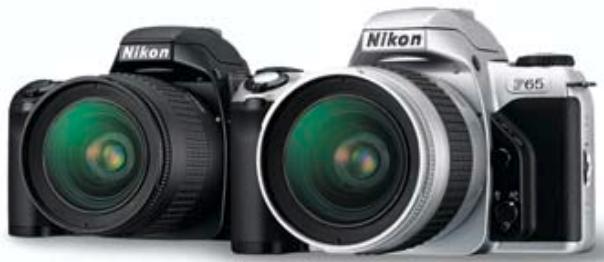
F65
The F65
can do it all.
Great potential is wonderful. Great results are even better.
Are you ready to take the step from imagining more stunning photos to shooting them?
With a Nikon F65 in your hands, taking better pictures has never been easier.
Simply select a desired mode for the type of photo you want to shoot.
Trust Nikon's Dynamic AF system, 3D Matrix Metering, Matrix Balanced Fill-Flash, and
other features of superior performance renowned among the world's finest professional photographers.
And capture more magic of unforgettable moments and everyday fun.
Every opportunity is yours for the taking when you've got the right camera to do it all.
Just apply your vision and start experiencing the joy of being a Nikon SLR photographer.
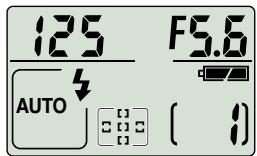
The big, high-visibility LCD
lets you check camera settings at a glance.
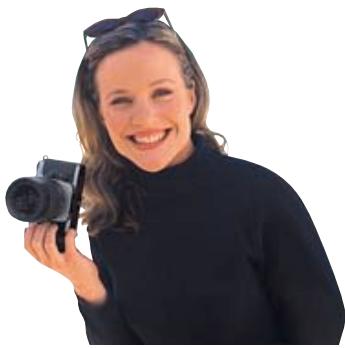
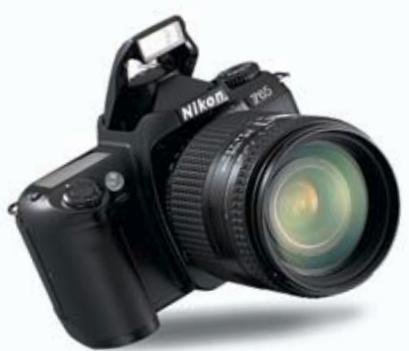
This Nikon SLR is so compact and
lightweight (395g),
anyone can handle it.
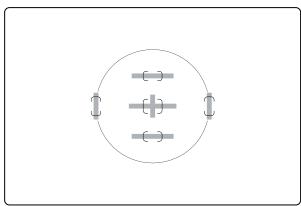
Wide-coverage Five-Area
Dynamic AF system
keeps subjects in clear focus and eliminates
unintended blurring.
Crisp, precise film advance and shutter release make
2.5-frames-per-second continuous shooting
supremely assured.



The auto pop-up Speedlight, featuring Matrix Balanced Fill-Flash
throws just the right light on a scene to make the shot look beautiful and natural.
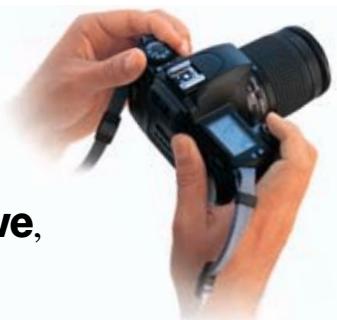
Mode Dial makes operation simple and intuitive, so great pictures are a snap in every shooting situation.

With fully automatic AUTO mode and five Vari-Program modes (
you don't have to be a pro to take better pictures—just press the shutter button.
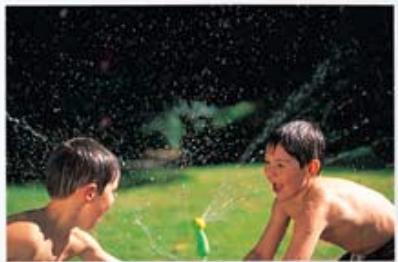
3D Matrix Metering
can read atmosphere as well as brightness and contrast, for recording the scene in all its nuanced detail.
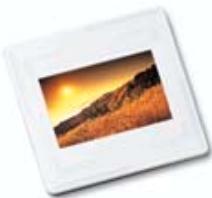
Other features include:
- AF-Assist Illuminator
- Multiple exposure
- Exposure compensation
- Auto Exposure Bracketing
- Versatile flash modes including Slow Sync, Rear-Curtain Sync and Red-Eye Reduction
- Durable metallic lens mount
- Self-timer and optional remote controller
- Dioptré adjustment
- Depth-of-field preview function
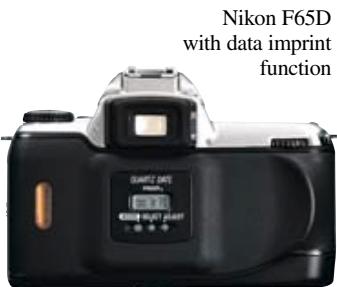
F65D offers data imprinting
So can you.
Natural movement.


As a parent, you keep your eye out for what makes a precious moment shine. It's good to get to the essence of things at a moment's notice without a fuss. Life's pleasures should be as simple and satisfying as child's play. Like a photo shot in AUTO AUTO mode. The key is to take it easy and stay true to your vision.
Won't let you miss a shot
The F65's Dynamic AF system with Five Focus Areas covers various "sweet spots" to keep the subject sharp, even when it's not in centre frame. It's all so automatic and easy, you hardly have to think about a thing. Just enjoy capturing the moment!

Dynamic AF keeps the F65 focused as intended, regardless of position of the subject (in red shirt, below) in the frame, using five AF sensors (centre, top, bottom, right, and left).



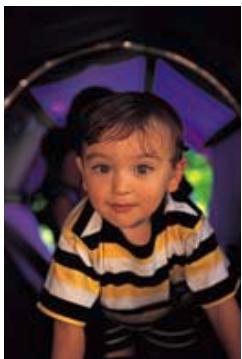
It takes a smart AF-Assist
Illuminator to keep focus on a subject when light is low or you're shooting in total darkness. The F65 keeps your subject looking natural because it doesn't use a harsh pre-flash that can daze or distract your subject.
That’s what the F65’s AF system lets you capture.
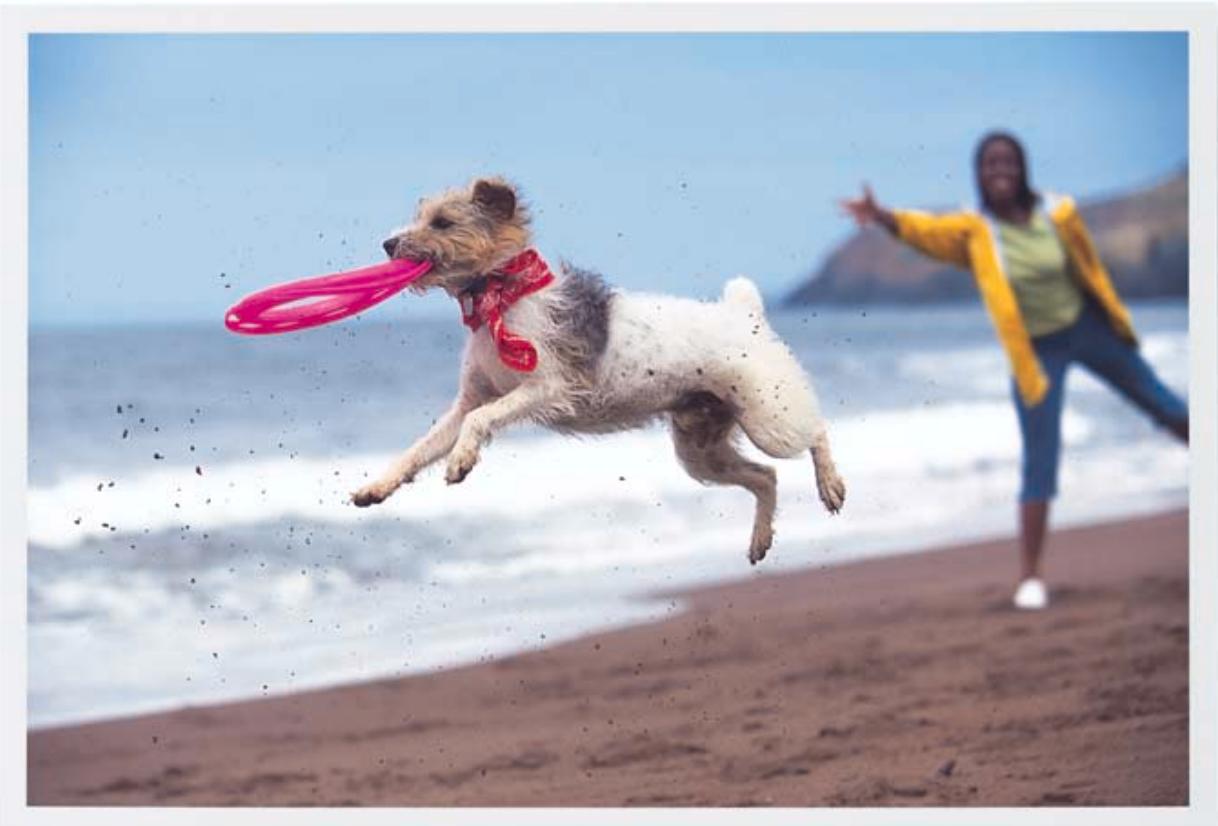

Action is spontaneous. No stopping, no posing, no holds barred. And to go with the flow, it helps to be totally free, far from the routine, and within comfortable reach of what catches your eye. Shooting in Sports Continuous mode is fantastic for freezing sports and other movement on the fly, knowing that you can capture fleeting
moments for posterity.
Stays focused at every crucial moment
The F65's Focus Tracking with Lock-On™ feature keeps a moving subject—even as quick and unpredictable as an animal or a child—in clear focus, as long as the shutter release button is pressed. It's foolproof and automatic!

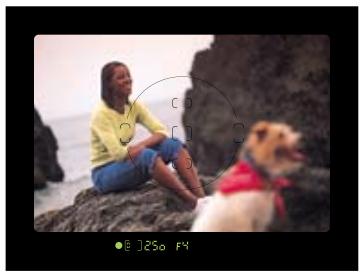
You can select one of Five Focus Areas to activate, according to how you intend to compose the shot. The focus area select button is easy to reach and intuitive to operate without taking your eye off of the viewfinder.
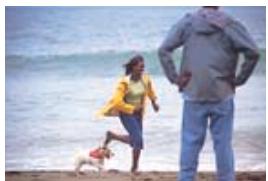


Lock-On™ AF keeps focus firmly on a main subject even if some other object momentarily blocks it in the viewfinder.
Intricacies of light.
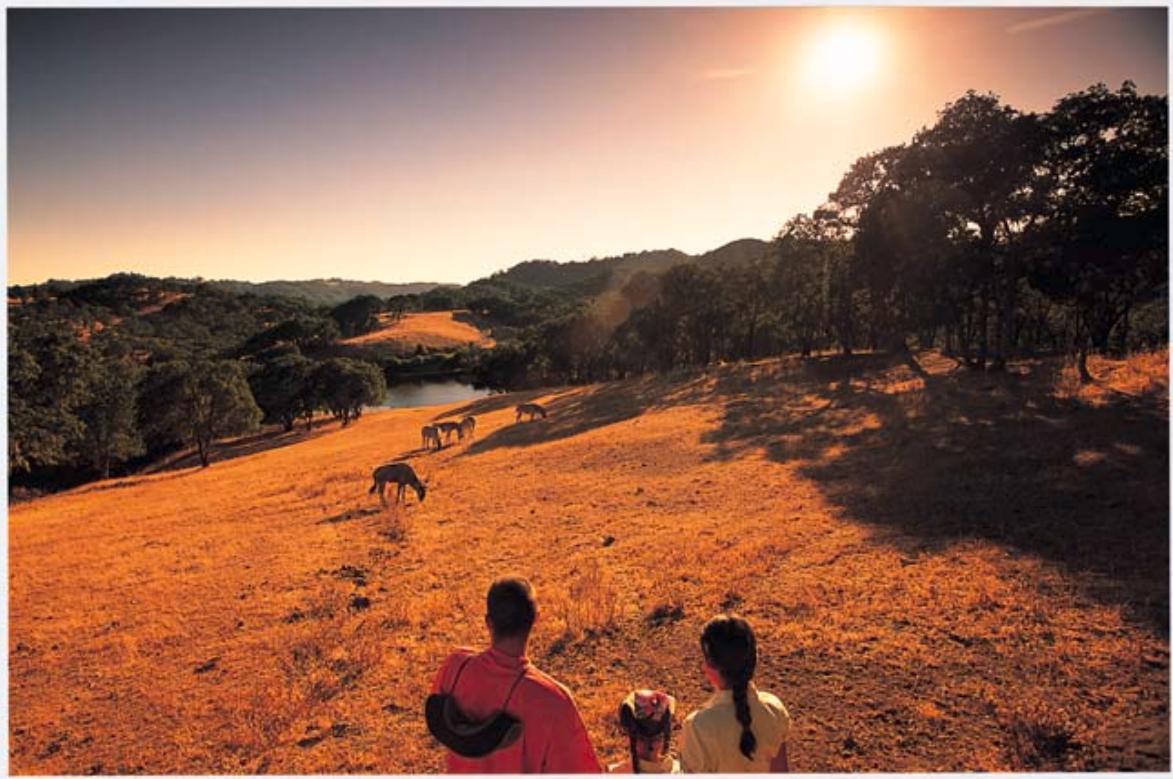

Being a stranger in a strange land is like a journey to enlightenment that changes your outlook forever. You start seeing the big picture from a fresher perspective. Like a shot taken with Landscape mode—living details, near or far, come alive in a new way. Then you realise that you're in the middle of it all.


Capturing the mood of the situation
3D Matrix Metering accounts for the entire image to analyse and preserve the special ambience of a scene. The F65 relies on over 30,000 pieces of data in its built-in database referring to every type of shooting situation, in order to capture a particular moment with its mood intact.

3D Matrix Metering also reads camera-to-subject Distance Information from D-type and G-type Nikkor lenses. This enhances accuracy for every kind of exposure, from close-ups to distant landscapes.
The four exposure modes—Auto-Multi Program (P), Shutter-Priority Auto (S), Aperture-Priority Auto (A), and Manual (M)—offer precise control of shutter speed and aperture setting combinations, for flexibility in


getting exactly the results that you want.
That’s what F65 metering lets you explore.
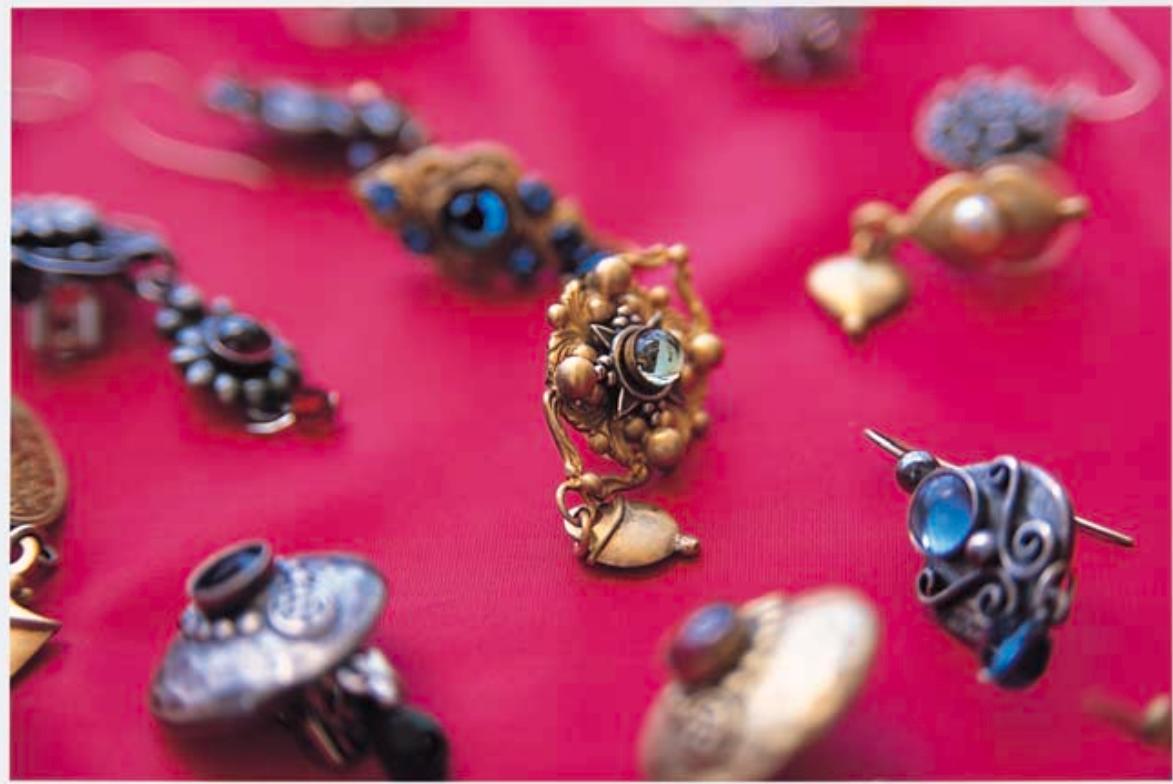

The closer you look, the more art looks like life. Sometimes you want to take a clear look at every detail. At other times you want to make a single outstanding point. Whatever finer things in life you want to focus on, Close-Up mode provides more choice in achieving the right perspective in appropriate depth.

Exposure control at your command
Versatile Vari-Program modes give you all the automatic picture-taking latitude you need. Each of the five modes (☑ Portrait, ☑ Landscape, ☐ Close-Up, ☑ Sports Continuous
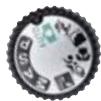
and Night Scene) are specifically geared for optimal results in certain situations.
For shooting with complicated lighting or experimenting with various exposure levels, an exposure compensation button lets you compensate exposure within a range of ± 2 EV in 1/2 increments.

Metered value

-1 EV

+1 EV
Or you can apply exposure bracketing to three frames in steps ranging from 0.5 to 2.0EV in P,S,A and M modes (Auto Exposure Bracketing).
An electronic depth-of-field preview button lets you confirm the zone of sharpest focus before shooting in any exposure mode.
A multiple exposure button lets you shoot more than once on a single frame.
Brilliance of colour.
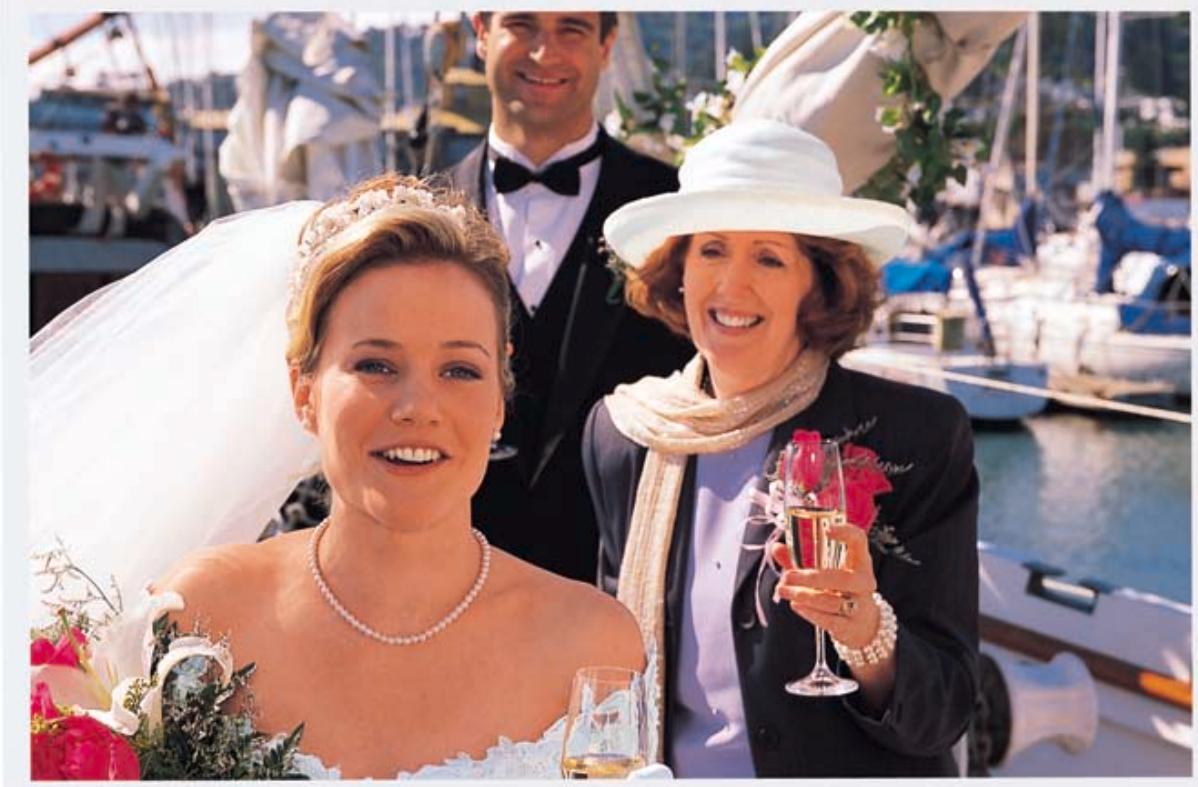

We’ve been together as long as she can remember. But it’s clearly her moment to shine, so we’re leaving everything in good hands and nothing to chance. The F65’s built-in Speedlight catches the sparkle in those eyes, and Portrait mode makes her stand out as pretty as a picture right where she deserves to be—at the heart of the action.
Enhancing quality of light in a flash
Flash isn't just for nighttime shooting. It can enhance the look of daylight and twilight shots. The F65's built-in Speedlight automatically controls flash in order to add just the right light to keep the scene looking natural and create catchlight in a subject's eyes—not wash out the subject's face. (Matrix Balanced Fill-Flash)
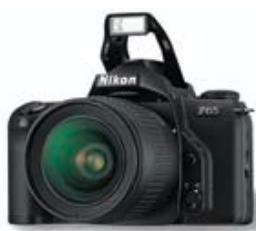
A built-in Speedlight quietly pops up and fires automatically when light is low or subject is backlit in AUTO and Vari-Program modes.


A Red-Eye Reduction lamp is precision-timed to contract the subject's eye pupils right before shutter release, minimising "red eye" from the final picture.
That’s what the F65’s flash system lets you reveal.


Nature gives you every opportunity to wonder how light can create such drama in its shifting moods. Night Scene mode makes it especially rewarding to catch the sun's slow-burning beauty at the end of a long day—even as it illuminates the down-to-earth details that make the scene really worth remembering.
Combining flash and ambient light enhances detail all around
Slow Sync is activated when flash is used in Night Scene mode, automatically slowing the shutter speed to provide enough exposure of background detail, while throwing natural-looking illumination on the foreground subject.


Rear-Curtain Sync fires the flash just before the second (or rear) curtain of the shutter starts to move. The photographic effect is an action-enhancing stream of light trailing the flash-illuminated subject.

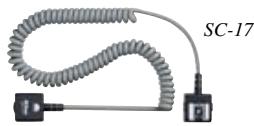
Attach an optional Nikon Speedlight unit with TTL Remote Cord SC-17 to perform remote flash functions. Hold a remote flash off to the side to cast proper light on the subject without casting harsh background shadows.
Complete SLR control easily at hand
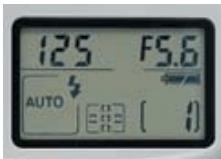
Top deck LCD panel The easy-to-see LCD panel provides vital information at a glance.
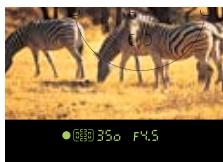
Viewfinder LCD information Most data on the upper LCD panel also appears in the viewfinder LCD, for setting adjustment without taking your eye from the viewfinder.
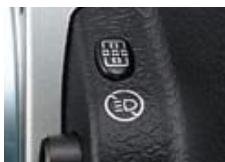
Focus area select button Simply use your left thumb to select a desired focus area, even as you shoot. The button can be used to cancel AF-Assist Illuminator operation, too.
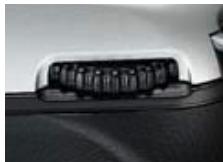
Command Dial Designed for easy selection of exposure, focus area, and a range of other settings.
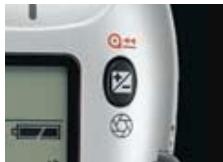
Aperture/Exposure compensation button Press this button while rotating the Command Dial to select aperture in Manual exposure mode.
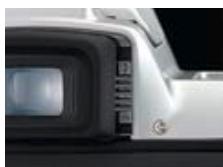
Dioptrc Adjustment Enables near- or far-sighted photographers to adjust the eyepiece dioptrc to any setting from -1.5 to +0.8m^-1
AF Micro-Nikkor 60mm f/2.8D

Exposure mode dial For simple control of F65 exposure modes.
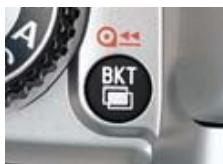
Auto Exposure Bracketing/Multiple exposure button This button lets you activate Auto Exposure Bracketing or multiple exposure function.
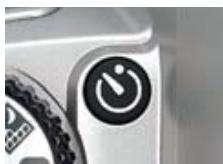
Self-timer/Remote control button
Use the self-timer and it's easy to put yourself in the photo. The optional remote controller can be used for a similar purpose.
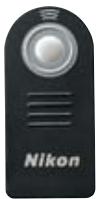
Optional remote controller
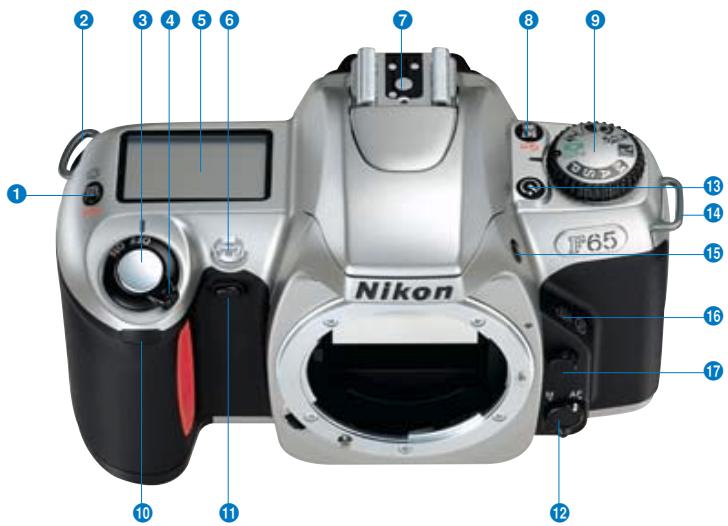
1 Aperture/Exposure compensation/Film rewind button
2 Camera strap eyelet
3 Shutter release button
4 Power switch
5 LCD panel
Self-timer/AF-Assist Illuminator/Red-Eye Reduction lamp
7 Accessory shoe
Auto Exposure Bracketing/Multiple exposure/Film rewind button
9 Exposure mode dial
Remote control sensor
1 Depth-of-field preview button
1 Focus mode selector
Self-timer/Remote control button
14 Camera strap eyelet
15 Flash lock-release/Flash sync mode button
16 Focus area/AF-Assist Illuminator cancel button
Lens release button
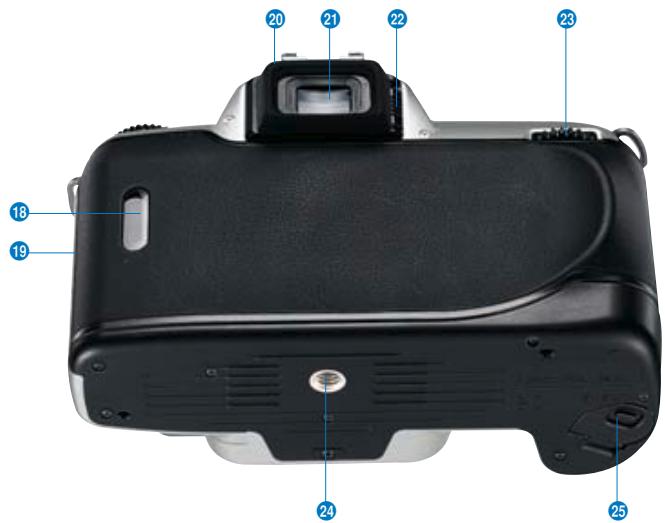
18 Film confirmation window
19 Camera back lock release lever
Rubber eyecup
Viewfinder eyepiece
22 Dioptrc adjustment lever
23 Command Dial
24 Tripod socket
25 Battery chamber cover lock lever
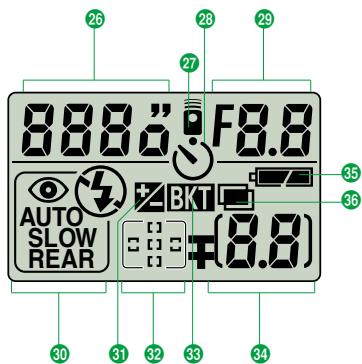
LCD Panel
26 Shutter speed
Remote control
28 Self-timer
29 Aperture
30 Flash sync mode
3 Exposure compensation
32 Focus area
33 Auto Exposure Bracketing
Frame counter/Exposure compensation value
35 Battery power
Multiple exposure
Nikkor lenses & accessories
AF Nikkor lenses
The extensive Nikkor range includes Zoom, Micro, Defocus Control, Perspective Control, Super Wide and Telephoto Nikkor lenses, AF-S Nikkors with SWMs (Silent Wave Motors) for ultra-quiet, highly precise operation, and a VR Nikkor lens with Vibration Reduction System to minimise image blur that results from camera shake. Every one of these lenses provides consistently sharp results in autofocus and manual shooting.
D-type and G-type AF Nikkor lenses
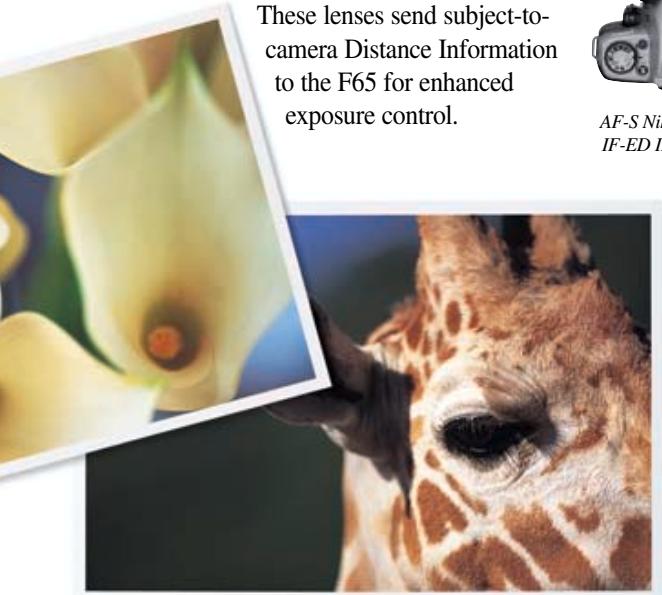
These lenses send subject-to-camera Distance Information to the F65 for enhanced exposure control.
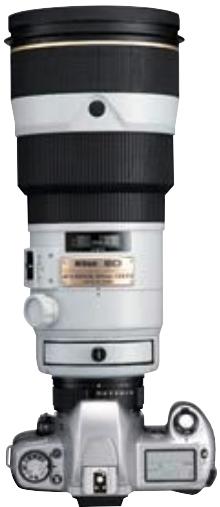
AF-S Niktor 300mm f/2.8D FE ED II equipped with a
SWM, attached to
the Nikon F65.
AF-S Nikkor
300mm f/2.8D
IF-ED II
AF Nikkors
AF-S 17-35mm f/2.8D IF-ED
AF 18-35mm f/3.5-4.5D IF-ED
AF 24-50mm f/3.3-4.5D
AF 24-85mm f/2.8-4D IF
AF-S 24-85mm f/3.5-4.5G IF-ED
AF 24-120mm f/3.5-5.6D IF
AF-S 28-70mm f/2.8D IF-ED
AF 28-80mm f/3.3-5.6G
AF 28-100mm f/3.5-5.6C
AF 28-105mm f/3.5-4.5D IF
AF 28-200mm f/3.5-5.6D IF
AF 35-70mm f/2.8D
AF-S VR 70-200mm f/2.8G IF-ED
AF 70-300mm f/4-5.6D ED
AF 70-300mm f/4-5.6G
AF-S 80-200mm f/2.8D IF-ED
AF 80-200mm f/2.8D ED
AF VR 80-400mm f/4.5-5.6D ED
AF 14mm f/2.8D ED
AF Fisheye 16mm f/2.8D
AF 18mm f/2.8D
AF 20mm f/2.8D
AF 24mm f/2.8D
AF 28mm f/1.4D
AF 28mm f/2.8D
AF 35mm f/2D
AF 50mm f/1.4D
AF 50mm f/1.8D
AF 85mm f/1.4D IF
AF 85mm f/1.8D
AF DC 105mm f/2D
AF DC 135mm f/2D
AF 180mm f/2.8D IF-ED
AF 300mm f/2.8 IF-ED
AF-S 300mm f/2.8D IF-ED II
AF-S 300mm f/4D IF-ED
AF-S 400mm f/2.8D IF-ED II
AF-S 500mm f/4D IF-ED II
AF-S 600mm f/4D IF-ED II
AF-I Teleconverter TC-14E
AF-S Teleconverter TC-14E II
AF-I Teleconverter TC-20E
AF-S Teleconverter TC-20E II
AF Micro 60mm f/2.8D
AF Micro 105mm f/2.8D
AF Micro 200mm f/4D IF-ED
AF Micro 70-180mm f/4.5-5.6D ED
Usable lenses with built-in Speedlight
28 to 200mm CPU lenses except AF-S 17-35mm f/2.8D IF-ED and AF 18-35mm f/3.5-4.5D IF-ED
AF-S 300mm f/4D IF-ED
-
Make sure to remove the lens hood.
-
The built-in Speedlight cannot be used at shooting distance less than 0.6m .
Vignetting occurs at the edges of the frame resulting in underexposure with the following AF zoom lenses, which have limitations in usable focal length or shooting distance.
AF 24-50mm f/3.3-4.5D: 35mm or longer focal length; AF 24-85mm f/2.8-4D IF: 50mm or longer focal length — 50mm focal length at 1m or longer shooting distance, 70-85mm at 0.7m or longer; AF-S 24-85mm f/3.5-4.5G IF:ED: 28mm or longer focal length — 28mm focal length at 1m or longer shooting distance; AF 24-120mm f/3.5-5.6D: 35mm or longer focal length — 35mm focal length at 3m or longer shooting distance, 50mm at 1m or longer, 70mm at 0.7m or longer; AF-S 28-70mm f/2.8D IF:ED: 70mm focal length at 1.5m or longer shooting distance; AF 28-80mm f/3.3-5.6G: 28mm focal length at 1.8m or longer shooting distance; AF 28-100mm f/3.5-5.6G: 35mm or longer focal length — 35mm focal length at 1m or longer shooting distance; AF 28-200mm f/3.5-5.6D: 50mm or longer focal length; AF 35-70mm f/2.8D: 50mm or longer focal length; AF Micro 70-180mm f/4.5-5.6D: ED: 70mm focal length at 1.7m or longer shooting distance or 85mm at 1.3m or longer, 10S-135mm at 0.8m or longer; AF-S VR 70-200mm f/2.8G IF:ED: 135mm or longer focal length — 105mm focal length at 1.8m or longer shooting distance; AF 80-200mm f/2.8D IF:ED: 80mm focal length at 3m or longer shooting distance; AF-S 80-200mm f/2.8D IF:ED: 105mm or longer focal length.
Note: The data above relates to positive films. The amount of vignetting decreases when the images are viewed in regular colour prints, the edges of which are cropped during photo processing.
Dedicated Accessories
- Power Pack MB-17
Accepts four AA-type batteries.
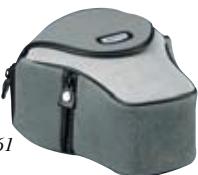
- Camera case
The CF-61 houses the F65 plus AF 28-80mm f/3.3-5.6G, AF 28-105mm f/3.5-4.5D IF or any smaller lens.
Nikon Speedlights
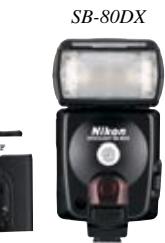
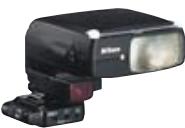
For more flash power, add as an option a Nikon Speedlight like the SB-80DX or SB-50DX. These extend shooting range, and feature bounce flash, auto zoom and more. The SB-50DX even offers double-flash bounce operation and Wireless Slave Flash function. Only Nikon Speedlights can communicate with the F65 to transmit data like film speed, zoom, aperture, etc.
Wireless Slave Flash Controller SU-4 When connected to an accessory Nikon Speedlight, the SU-4 enables wireless TTL multiple flash control while using the F65's built-in Speedlight as a master unit. You can use several SU-4 Flash Controllers simultaneously, too.
TTL Remote Cord SC-17
Used with an accessory Nikon Speedlight, this offers easy off-camera TTL flash control capability.
Eyepiece Correction Lenses
Nine optional eyepiece correction lenses let you adjust the dioptre beyond its standard range of -1.5 to +0.8m^-1 .
Close-Up Attachment Lenses
For a simple way to try your hand at close-up photography. Seven types available: 0, 1, 2, 3T, 4T, 5T, 6T.
Nikon Filters
Nikon offers a full line of filters, including Circular Polarising filters, Soft Focus filters, and Skylight filters, that can add a colourful, exciting dimension to your pictures. For consistently superior results, use only Nikon filters with Nikon lenses.
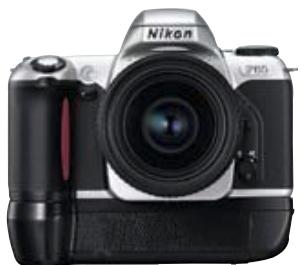
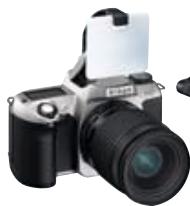
MB-17

SB-50DX
SU-4 attached to
the SB-27
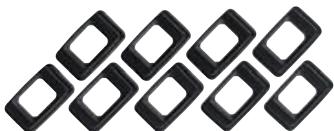
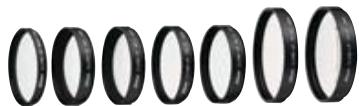
Eyepiece Correction Lenses
Close-Up Attachment Lenses
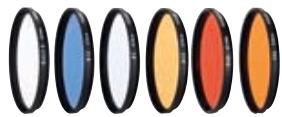
Nikon Filters
Nikon Film Scanners
Nikon 35mm/IX240 film scanners SUPER COOLSCAN 4000 ED and COOLSCAN IV ED offer superior-resolution scanning to deliver exceptionally sharp digital images. A new optical system that features the SCANNER NIKKOR ED lens and image correction functions enables easy access to the exciting world of digital images.
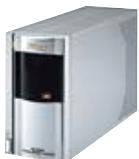
SUPER COOLSCAN 4000 ED
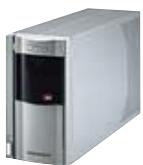
COOLSCAN IV ED
Type of camera: Integral-motor autofocus 35mm single-lens reflex with electronically controlled focal-plane shutter and built-in Speedlight
Exposure modes: AUTO mode; Vari-Program modes (X: Portrait, L: Landscape, C: Close-Up, A: Sports Continuous, N: Night Scene) P: Auto-Multi Program (Flexible Program possible);
S:Shutter-Priority Auto A:Aperture-Priority Auto;M:Manual
Picture format: 24 × 36mm (standard 35mm film format)
Lens mount: Nikon F mount (with AF coupling, AF contacts)
Lens: AF Nikkor and Al-P Nikkor lenses (except AF Nikkor for F3AF
and IX-Nikkor)
Viewfinder: Fixed eye-level penta-Dach-mirror type, built-in dioptre adjustment (-1.5 to +0.8m ^-1 )
Eyepoint: 17mm (at -1.0m^-1 )
Focusing screen: B-type Clear Matte Screen V with focus brackets
Viewfinder frame coverage: Approx. 89%
Finder magnification: Approx. 0.68-0.60x with 50mm lens set to infinity (at -1.5 to +0.8m ^-1 )
Viewfinder information: Focus indications, focus area, shutter speed, aperture, electronic analogue exposure display/exposure compensation value display, exposure compensation, ready-light/flash recommended/full flash output; Five sets of focus brackets (area)/ 12mm reference circle for Centre-Weighted metering
Reflex mirror: Automatic, instant-return type
Lens aperture: Instant-return type, with depth-of-field preview button
Autofocus: TTL phase detection, Nikon Multi-CAM900 autofocus module with AF-Assist Illuminator (approx. 0.5-3m); Detection range: EV-1 to EV 19 (ISO 100, at normal temperature)
Lens servo: AF: Auto-Servo AF: camera automatically chooses Single Servo AF or Continuous Servo AF operation according to the subject status, i.e. stationary or moving (including directional information); Single Servo AF (focus is locked when the subject is in-focus); Continuous Servo AF (camera continues to focus on a moving subject), Focus Tracking with Lock-On™ automatically activated by subject's status
M: Manual focus
Focus area: One of five focus areas can be selected
Focus Area mode: Dynamic AF Mode with Closest-Subject Priority; Dynamic AF Mode; Single Area Mode with M (manual focus)
Metering system: TTL full-aperture exposure metering system; Three metering systems selectable (limitations with lens used) — 3D six-segment Matrix Metering: with D-/G-type AF Nikkor, Six-segment Matrix Metering: with AF Nikkor other than D-/G-type (except AF Nikkor for F3AF and IX-Nikkor), AI-P Nikkor; Centre-Weighted Metering: automatically selected with Manual exposure mode
Metering range: 3D Matrix Metering: EV 1-20; Centre-Weighted Metering: EV 1-20
(at normal temperature, ISO 100, f/1.4 lens)
CPU
Exposure meter coupling: CPU
Exposure compensation: Exposure compensated in ± 2 EV range, in 1/2 steps (except in M or
Auto Exposure Bracketing: Bracketing range: ± 2 EV; number of shots: three; bracketing
steps: 0.5, 1, 1.5 or 2 EV (except in or Vari-Program mode) Film speed setting: Automatically set to ISO film speed of DX-coded film in use (manual not selectable); Film speed range: DX: ISO 25-5000, automatically set to ISO 100 with non-DX-coded film
Shutter: Electronically controlled vertical-travel focal-plane shutter
Shutter speeds: In Auto, 1, 2, 3, 4, 5, 6, P, A: Automatically set between 30 to 1/2000
sec.; In S: 30 to 1/2000 sec. (in 1/2 steps); In M: 30 to 1/2000 sec. (in 1/2 steps), Time
Sync contact: X-contact only; flash synchronisation up to 1/90 sec.
Built-in Speedlight: In, , , , , , , , , , , , , , , , , , , , , , , , , , , , , , , , , , , , , , , , , , , , , , , , , , , , , , , , Activated by pressing flash lock-release button; Guide number: 12 (at ISO 100, m); flash coverage: 28mm or longer lens; film speed range: ISO 25 to ISO 800
Flash control: Controlled by TTL Sensor; Matrix Balanced Fill-Flash: Built-in Speedlight or optional Speedlight and CPU Nikkor lens
(except in Manual exposure mode); Standard TTL: In Manual exposure mode
Flash sync mode: Front-Curtain Sync (normal sync), Slow Sync, Rear-Curtain Sync, Red-Eye Reduction, Red-Eye Reduction with Slow Sync, Flash Cancel
Ready-light: Flash fully charged: light in green; Full output warning: blinks in green
Flash recommended Blinks when the subject is dark or backlit and Speedlight is
indication: recommended in P, S, A and M
Accessory shoe: Standard ISO-type hot-shoe contact (sync contact, ready-light contact, TTL auto flash contact, monitor contact, GND), safety lock provided
Self-timer: Electronically controlled; timer duration: 10 sec.
Remote control (optional): Infrared, activated by pressing the shutter release button; Immediate release mode and 2 sec. delay mode; Operating distance: approx. 5m directly in front of the camera; Battery: One 3V CR2025 lithium battery; Battery life: Approx. 5 years (may differ with usage amount or other operating conditions); Dimensions: Approx. 60 × 28 × 7mm (W x H x D); Weight: Approx. 10g including battery
Depth-of-field Stop-down lens aperture by pressing depth-of-field preview
preview button: button; electronically controlled
Film loading: Film automatically advances to first frame when camera back is
closed (shutter and reflection mirror not activated)
Film advance: Automatic advance with built-in motor; Continuous shooting possible in Sports Continuous mode (built-in Speedlight cannot be used); Film advance speed: Approx. 2.5 fps (fresh batteries)
Film rewind: Automatic rewind with built-in motor; Rewind speed with fresh batteries: Approx. 16 sec. with 36-exposure film, Approx. 13 sec. with 24-exposure film
Multiple exposure: Selectable in P, S, A, M
LCD panel information: Shutter speed, aperture, exposure compensation, exposure compensation value, Auto Exposure Bracketing, Multiple exposure, flash sync mode, focus area, battery power, frame counter, self-timer, remote control
Date/time imprint Built-in clock: 24-hour type with timing accuracy within ± 90
function (F65D only): seconds a month; leap year adjustment until December 31,
2049; Usable film: ISO 32 to 3200 DX-coded film; Display
mode: Year/Month/Day, Day/Hour/Minute, No Imprint,
Month/Day/Year and Day/Month/Year; Power source: One 3V
CR2025 lithium battery, battery life; approx. three years (depending
upon use of data imprint function and other operating conditions)
Camera back: Hinged back with film confirmation window; F65D: Data imprint LCD
panel/bttns
Power source: Two 3V CR2 lithium batteries; optional Battery Pack MB-17 is also
available (for four LR6/AA-size alkaline, lithium, NiCd or Ni-MH batteries)
Power switch: Power ON and OFF position
Exposure meter: Auto meter shut-off 5 sec. after power turned on if no operations are
performed; activated by lightly pressing shutter release button after
power is turned on
Battery power In LCD panel, with exposure meter on; for sufficient power;
confirmation: indicates batteries are nearing exhaustion; Blinking
indicates batteries are just about exhausted
Usable number of
36-exposure
(24-exposure) film rolls
per set of two fresh
3V lithium batteries:
| At 20°C | At -10°C | |
| Without flash | Approx. 50 (75) | Approx. 25 (37) |
| With flash and AF-Assist Illuminator for half of all exposures | Approx. 10 (15) | Approx. 7 (10) |
Autofocus operation using an AF Zoom-Nikkor 28-80mm f/3.5-5.6D lens, covering
the full range from infinity () to the closest distance and back to infinity () before
each shot, with a shutter speed of 1/90 sec. or faster.
Tripod socket:
Dimensions (W x H x D): F65: Approx. 139.5 x 92.5 x 65.5mm;
F65D: Approx. 139.5 × 92.5 × 68mm
Weight: F65: 395g; F65D: 400g
All specifications apply when fresh CR2-type batteries are used at normal temperature (20^) . Specifications and designs are subject to change without any notice or obligation on the part of the manufacturer.
© 2000-2002 Nikon Corporation
NPCI 2002-2003
YAHOO! JAPAN

Application period:
Print/Slide Division: May 1, 2002 - Oct. 31, 2002
Web Entry Division: July 1, 2002 - Oct. 31, 2002
http://www.nikon-image.com/eng/npci

WARNING
TO ENSURE CORRECT USAGE, READ MANUALS CAREFULLY
BEFORE USING YOUR EQUIPMENT.
Nikon
NIKON CORPORATION
British Open Official Camera
ISO 9001 Certified

ISO 9001
Certificate No. 40604
NIKON CORPORATION
Imaging Company