
Aegis - Microphone AVERMEDIA - Free user manual and instructions
Find the device manual for free Aegis AVERMEDIA in PDF.


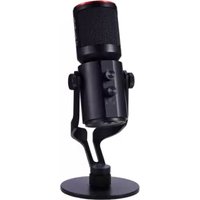
| Product Type | Gaming Voice Chat Microphone |
| Brand | AVerMedia |
| Model | Aegis (GM310) |
| Microphone Element | High Sensitivity Microphone |
| Connectivity | Micro-USB Port |
| Power Source | USB Bus-Powered |
| Digital Signal Processing (DSP) | Built-in DSP with On/Off Switch |
| Speaker Sound Suppression | Yes, via Voice Engine Software |
| Volume Control | Twist Knob with LED Volume Indicator (Green/Orange/Red) |
| Mute Function | Kinetic Mute Button with LED Mute Indicator |
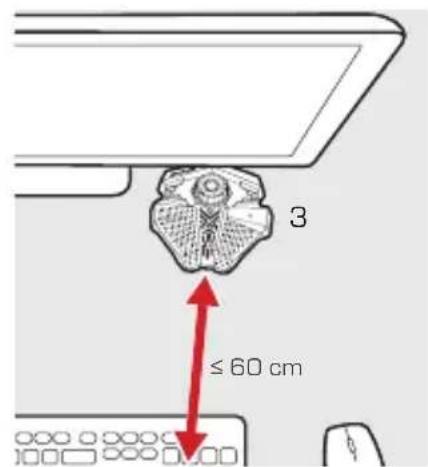
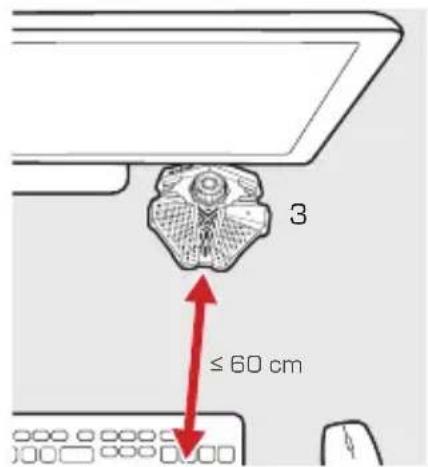
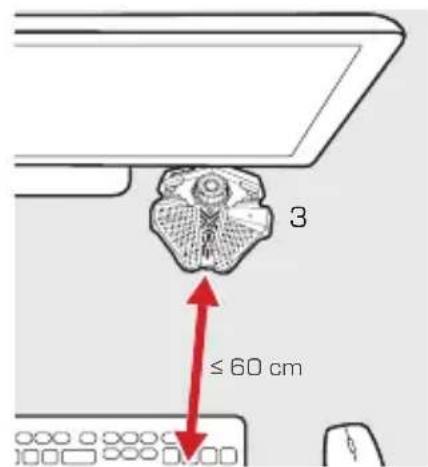
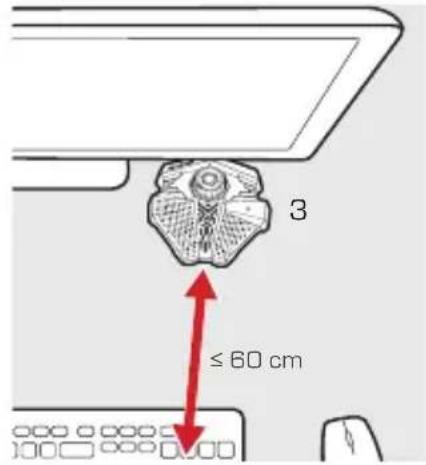
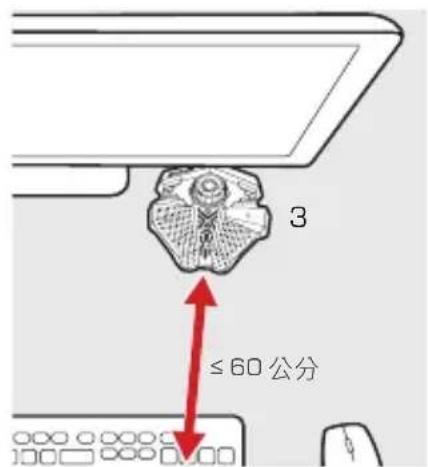
| Recommended Distance | Up to 60 cm from user |
| Software | Voice Engine Calibration Utility |
| Operating System | Windows (for Voice Engine) |
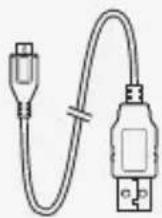
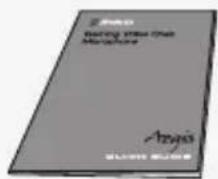
| Included Accessories | USB Cable, Quick Guide, Info Packet |
| Indicator Lights | LED Volume Indicator and LED Mute Indicator |
| Factory Reset | Yes, hold Mute Button for 5 seconds |
| Certifications | CE, FCC Class B, BSMI, MSIP Class B |
| Color | Black (typical) |
| Dimensions (approx.) | 10 cm x 10 cm x 15 cm |
| Weight (approx.) | 200 g |
Frequently Asked Questions - Aegis AVERMEDIA
User questions about Aegis AVERMEDIA
0 question about this device. Answer the ones you know or ask your own.
Ask a new question about this device
Download the instructions for your Microphone in PDF format for free! Find your manual Aegis - AVERMEDIA and take your electronic device back in hand. On this page are published all the documents necessary for the use of your device. Aegis by AVERMEDIA.
USER MANUAL Aegis AVERMEDIA
Gaming Voice Chat Microphone
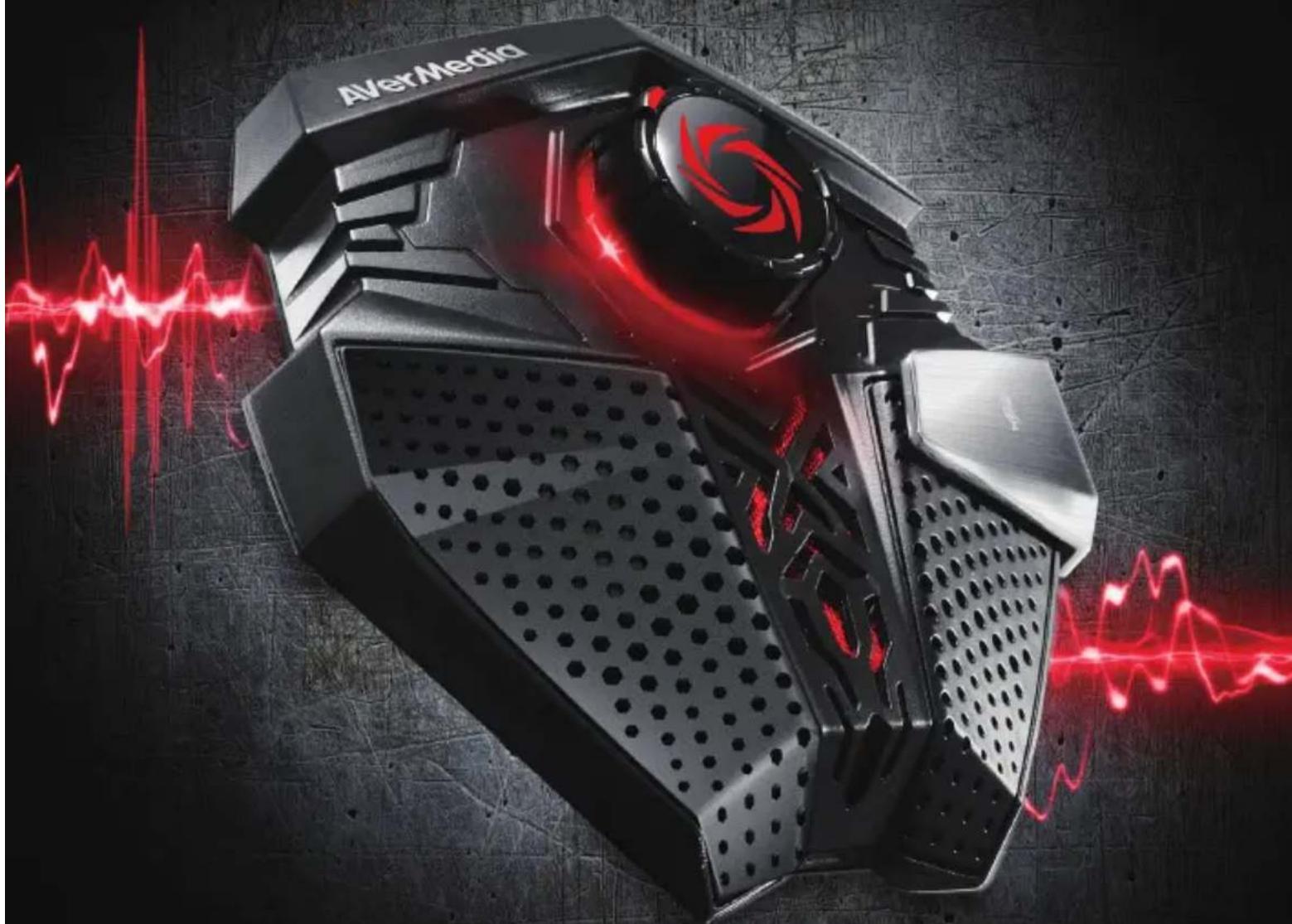
natural_image
Exterior view of a black AIVerMedia VR headset with red laser lines and motion blur effect (no text or symbols on device)Aegis
English Polski
Русский
Čeština
Magyar
Türkçe
繁體中文
한국어
QUICK GUIDE
Disclaimer
All pictures in this documentation are example images only. The images may vary depending on the product and software version. Information presented in this documentation has been carefully checked for reliability; however, no responsibility is assumed for inaccuracies. Information contained in this manual is subject to change without notice.
Copyright and Trademark Information
© 2015 by AVerMedia Technologies, Inc. All rights reserved.
No part of this publication, in whole or in part, may be reproduced, transmitted, transcribed, altered or translated into any language in any form by any means without the written permission of AVerMedia Technologies, Inc. Product specifications and information contained in this manual are subject to change without notice, and do not represent a commitment on the part of AVerMedia Technologies, Inc. For the latest information on our products, visit www.avermedia.com.
AVerMedia®, Aegis™, and Voice Engine™ are trademarks of AVerMedia Technologies, Inc.
Headquarters
Address No.135, Jian 1st Rd., Zhonghe Dist., New Taipei City 23585, Taiwan
Website www.avermedia.com
Support www.avermedia.com/support
Telephone +886-2-2226-3630
免責聲明
Check that all these items are included.
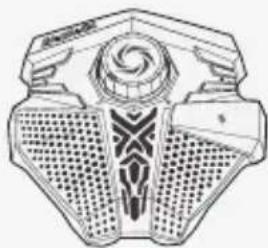
natural_image
Symmetrical mechanical component with spiral center and textured base (no text or symbols)Aegis
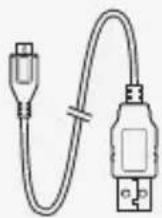
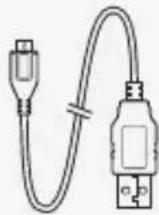
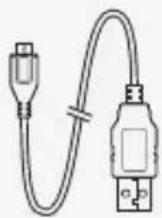
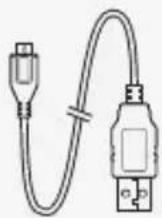
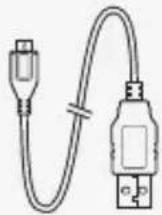
USB Cable
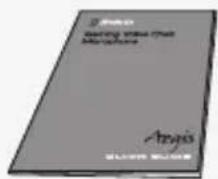
Quick Guide Info Packet
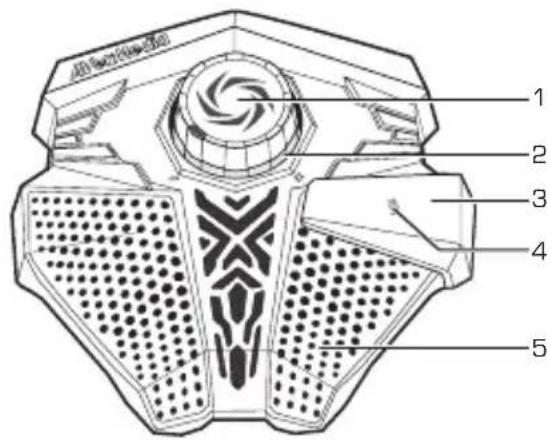
Parts and Ports
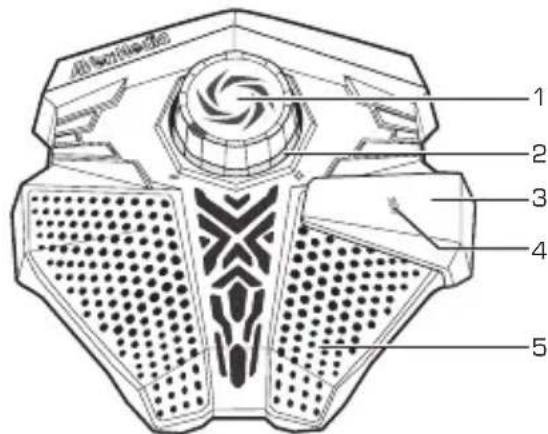
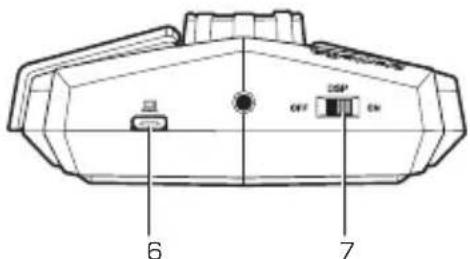
1 Volume Control Knob
2 LED Volume Indicator
3 Kinetic Mute Button
4 LED Mute Indicator
5 High Sensitivity Microphone
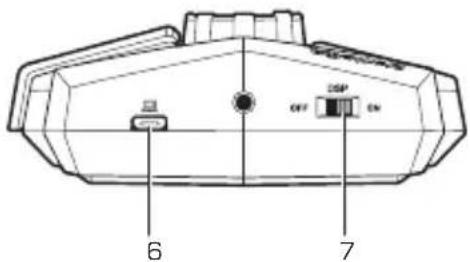
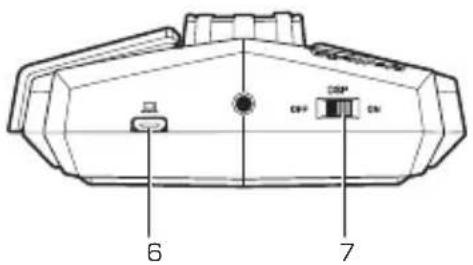
6 Micro-USB Port
7 DSP * Switch
Digital Signal Processing
INSTALLATION
Aegis
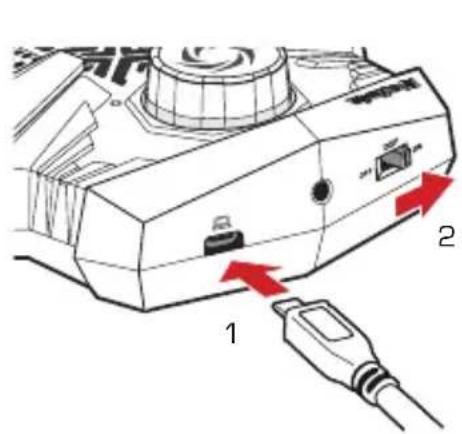
Follow the steps below to set up your Aegis:
- Connect Aegis to your PC
- Flick the DSP Switch ON
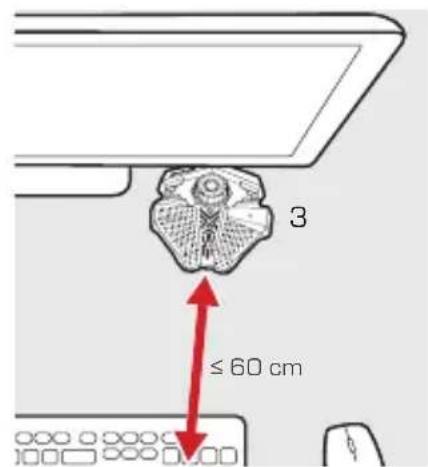
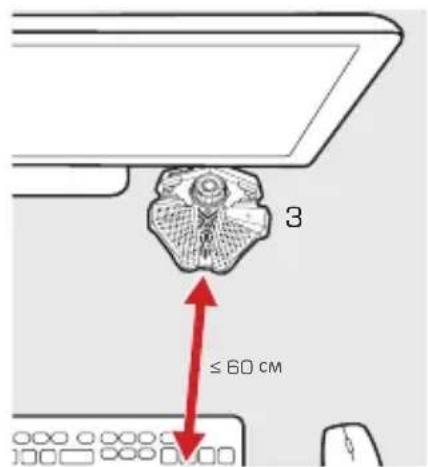
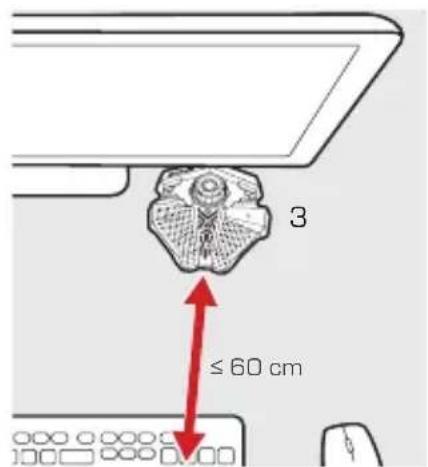
- Position Aegis conveniently in front, up to 60 cm from you
Voice Engine
Voice Engine is a sound calibration utility that activates the Speaker Sound Suppression technology inside your Aegis.
- Download the installation file from: http://q.avermedia.com/gm310-download
- Install and run Voice Engine
- Follow the on-screen instructions to optimize your sound
Volume Control
Twist the Volume Control Knob to adjust your output volume.
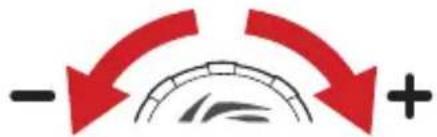
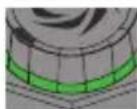
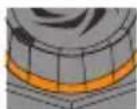
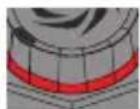
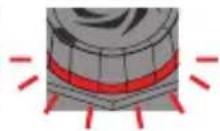
Use the Volume Indicator beneath the knob to keep your output volume in check. If the indicator continues to blink red, try lowering your volume, or moving Aegis further away from you.
Moderate Loud
Deafening Clipping
Mute Button
When you need some privacy, press the Mute Button to mute the microphone, press it again to unmute.
When muted, the Volume Indicator turns off while the Mute Indicator lights up.

Factory Reset
If you experience performance drops after replacing your speaker or computer, try resetting your Aegis.
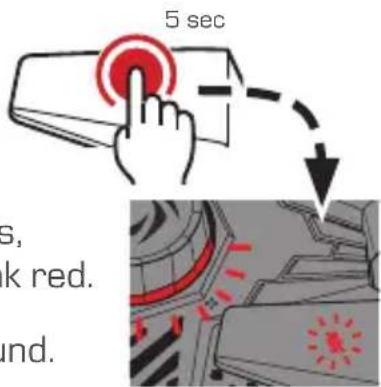
Press and hold the Mute Button for 5 seconds, until both the Mute and Volume Indicators blink red.
Run Voice Engine again to reoptimize your sound.
> Подготовка
Комплект поставки
natural_image
Technical line drawing of a mechanical component with spiral center and textured base (no text or symbols)Aegis USB
Digital Signal Processing
Установка
Aegis
Voice Engine
natural_image
Line drawing of a stylized mechanical or architectural component with symmetrical patterns and central spiral motif (no text or symbols)Aegis
USB kabel
Digital Signal Processing
> INSTALACE
Aegis
Voice Engine
natural_image
Line drawing of a symmetrical mechanical or architectural component with textured surfaces and a central spiral motif (no text or symbols)Aegis
USB Kábel
Digital Signal Processing
BEÜZEMELÉS
Aegis
HU
Voice Engine
natural_image
Line drawing of a symmetrical mechanical or architectural component with no visible text or symbolsAegis
Kabel USB
Digital Signal Processing
> PODŁĄCZENIE
Aegis
Voice Engine
natural_image
Line drawing of a symmetrical mechanical or architectural component with textured surfaces and a central spiral motif (no text or symbols)Aegis
USB Kablosu
Digital Signal Processing
KURULUM
Aegis
Voice Engine
TK
natural_image
Line drawing of a stylized mechanical or architectural component with symmetrical patterns and central emblem (no text or symbols)Aegis
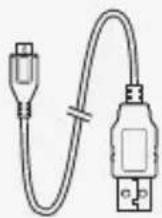
USB 傳輸線
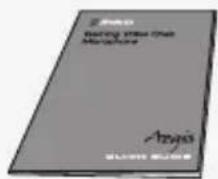
快速安裝手冊
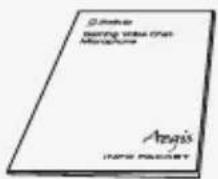
用戶資訊手冊
外觀簡介
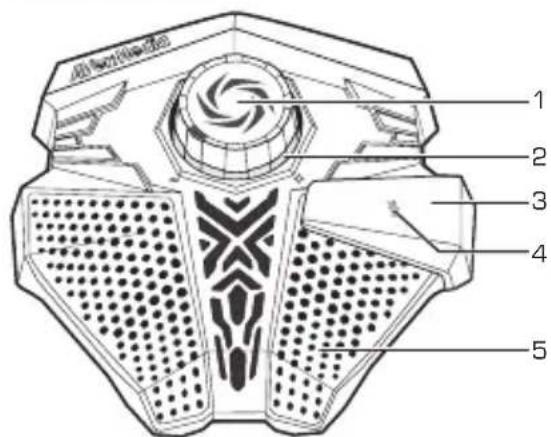
1 音量控制旋鈕
2 LED 音量指示燈
3 靜音鍵
4 LED 靜音指示燈
5 高感度麥克風
6 Micro-USB
插槽
7 DSP * 開關
Digital Signal Processing (數位訊號處理)
安裝
Aegis
請依以下步驟安裝您的 Aegis:
Voice Engine
恢復原廠設定
natural_image
Line drawing of a symmetrical mechanical or architectural component with textured surfaces and a central spiral motif (no text or symbols)Aegis
USB 케이블
빠른 가이드 정보 패킷
부품 및 포트
Voice Engine
natural_image
Four-panel diagram showing a cylindrical object with colored layers (green, orange, red) and red laser lines indicating motion or force direction, no text or symbols present.음소거 버튼
출고 상태로 재설정
European Community Compliance Statement
Class B
This product is herewith confirmed to comply with the requirements set out in the Council Directives on the approximation of the laws of the Member States relating to Electromagnetic Compatibility Directive (EMC) 2014/30/EU, Low Voltage Directive (LVD) 2014/35/EU.
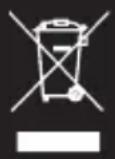
Waste Electrical and Electronic Equipment Directive
The mark of crossed-out wheeled bin indicates that this product must not be disposed of with your other household waste. Instead, you need to dispose of the waste equipment by handing it over to a designated collection point for the recycling of waste electrical and electronic equipment. For more information about where to drop off your waste equipment for recycling, please contact your household waste disposal service or the shop where you purchased the product.

Technical Regulations of the Customs Union
TR CU 020/2011
TR CU 004/2011

BSMI Registration of Product Certification (Taiwan)
D33183

Regulatory Compliance Mark

MSIP Class B Statement (Korea)
MSIP-REM-AVM-GM310
Class B (Home): As this equipment has undergone EMC registration for house hold purpose ("B" Class), this product can be used in any area and designed to be used mainly in a household.
AVerMedia


- Gaming Voice Chat Microphone
- Disclaimer
- Copyright and Trademark Information
- Headquarters
- 免責聲明
- INSTALLATION
- Aegis
- Voice Engine
- Volume Control
- Mute Button
- Factory Reset
- > Подготовка
- Комплект поставки
- Установка
- > INSTALACE
- BEÜZEMELÉS
- > PODŁĄCZENIE
- KURULUM
- 安裝
- 恢復原廠設定
- 부품 및 포트
- 음소거 버튼
- 출고 상태로 재설정
- European Community Compliance Statement
- Waste Electrical and Electronic Equipment Directive
- Technical Regulations of the Customs Union
- BSMI Registration of Product Certification (Taiwan)
- Regulatory Compliance Mark
- MSIP Class B Statement (Korea)
- AVerMedia
Brand : AVERMEDIA
Model : Aegis
Category : Microphone