KBT002BCK - Keyboard Growing - Free user manual and instructions
Find the device manual for free KBT002BCK Growing in PDF.


| Product Type | Keyboard |
| Brand | Growing |
| Model | KBT002BCK |
| Connectivity | Wired USB |
| Layout | Full-size (104 keys) |
| Dimensions (W x D x H) | approx. 445 x 140 x 30 mm |
| Weight | approx. 700 g |
| Power Supply | USB bus powered |
| Operating System Compatibility | Windows, macOS, Linux |
| Key Switch Type | Membrane |
| Multimedia Keys | Yes (Fn key combination) |
| Backlight | Not available |
| Wrist Rest | Not included |
| Cable Length | approx. 1.5 m |
| Keycap Material | ABS plastic |
| Cleaning Instructions | Unplug keyboard, use compressed air and damp cloth. Do not submerge. |
| Safety Warnings | Keep away from liquids and heat sources. Do not disassemble. |
| Spare Parts Availability | Contact manufacturer for replacement keys or cable. |
| Repairability | Limited; main unit not user-serviceable. |
| General Information | Standard rubber dome keyboard, plug and play. |
Frequently Asked Questions - KBT002BCK Growing
User questions about KBT002BCK Growing
0 question about this device. Answer the ones you know or ask your own.
Ask a new question about this device
Download the instructions for your Keyboard in PDF format for free! Find your manual KBT002BCK - Growing and take your electronic device back in hand. On this page are published all the documents necessary for the use of your device. KBT002BCK by Growing.
USER MANUAL KBT002BCK Growing
Changing People's Life
The Growing Company S.A.
Rua da Argila, 620 | 4445-027 Alfena | Portugal

www.mygrowing.com
Changing People's Life
The Growing Company S.A.
Rua da Argila, 620 | 4445-027 Alfena | Portugal

www.mygrowing.com
05-11-2013

PME líder 13
GROWING
Changing People's Life
The Growing Company S.A.
Rua da Argila, 620 | 4445-027 Alfena | Portugal

www.mygrowing.com
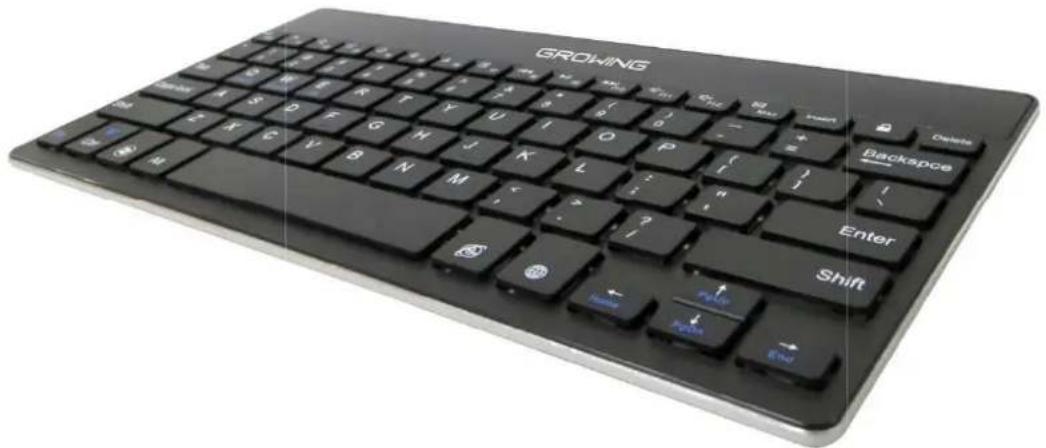
Mini Keyboard Bluetooth®
ENGLISH
Índex
Package contents 16
Specifications.... 16
Keyboard specifications.... 16
How to pair Bluetooth Keyboard 17
Battery 19
Charging 19
Energy Saving Sleep mode.... 19
Safety Caution 20
Troubleshooting 20
Unable to connect 20
Unable to Charge Keyboard 20
Function Keys Table 21
Warranty 232
EC- Declaration of conformity 23
Package contents
1 x Bluetooth keyboard
1 x User manual
1 x Charging USB cable
Specifications
Built-in Bluetooth module version 3.0
Automatic retractable holders
Can hold tablets from 7" to 12"
Micro USB charging port
Built in rechargeable lithium battery
Compatibility: iOS 4.0 and above - Android 3.2 and above - Win XP / Vista / 7 / 8
Keyboard specifications
Operating distance up to 10 meters
Modulation system: GFSK
Operation voltage: 3.0 - 4.2v
Operating current: <2.5mA
Standby current: <0.3mA
Charge current: ≥ 200mA
Standby time: up to 60 days
Charge time: 2 to 3 hours
Lithium battery capacity: 280mA
Sustainable working time: up to 100 hours
Key Strength: 80±10g
Key life: 5 million strokes
Working temperature: -10 / +55 degree
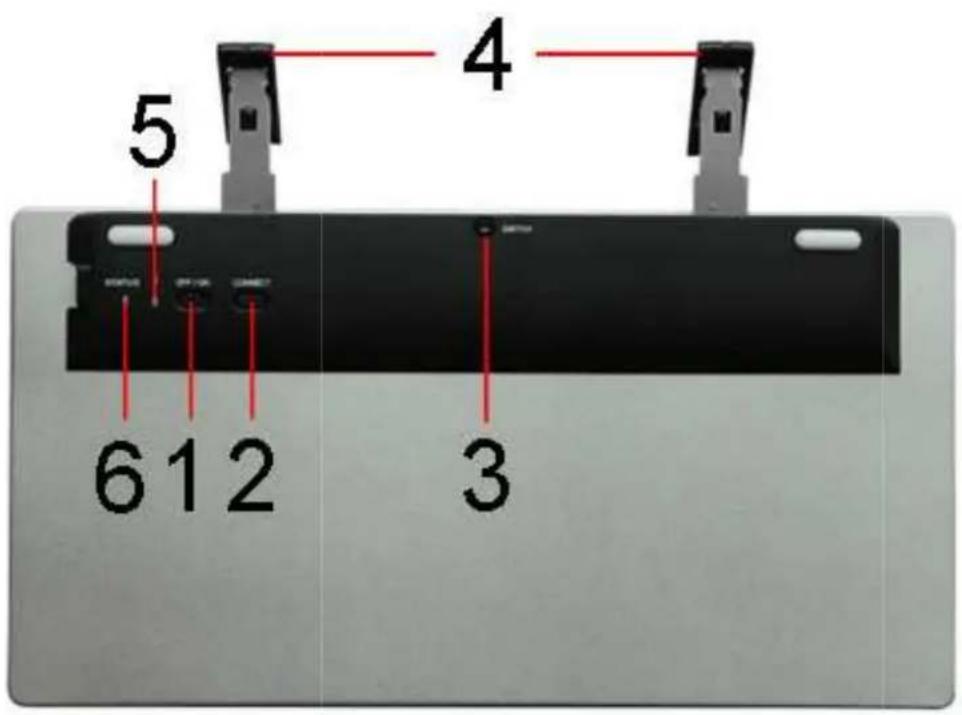
Image Subtitle
- Button On / Off
- Connect button Bluett ooth
- Unlock button support
- Bracket
- Power light
- Light Bluetooth connection
How to pair Bluetooth Keyboard
Description of the holder opening with button identified in Item number 3
Step 1: Turn on the On/Off switch located underneath the keyboard. The status indicator light will be on for 5 seconds, and then the light will go off.
Step 2: Press the Connect button, the Status indicator light will be blinking and the Power indicator will be off.

PME líder 13
GROWING
Changing People's Life
The Growing Company S.A.
Rua da Argila, 620 | 4445-027 Alfena | Portugal

www.mygrowing.com
Step 3: Access the Bluetooth settings on the tablet or PC and turn on Bluetooth connection and pairing mode.
The tablet / PC will automatically search for a Bluetooth-enabled devices. Once the Bluetooth keyboard is found, click on the keyboard name to connect it. (Name: Bluetooth 3.0 keyboard)
Step 4: Enter the password code as displayed on screen if prompted
Step 5: The Bluetooth keyboard is now connected successfully. The Status indicator light will go off.
Step 6: Press the Function key on the keyboard ("Fn") + Android / Windows / or iOS keys according to the operating system you are using.
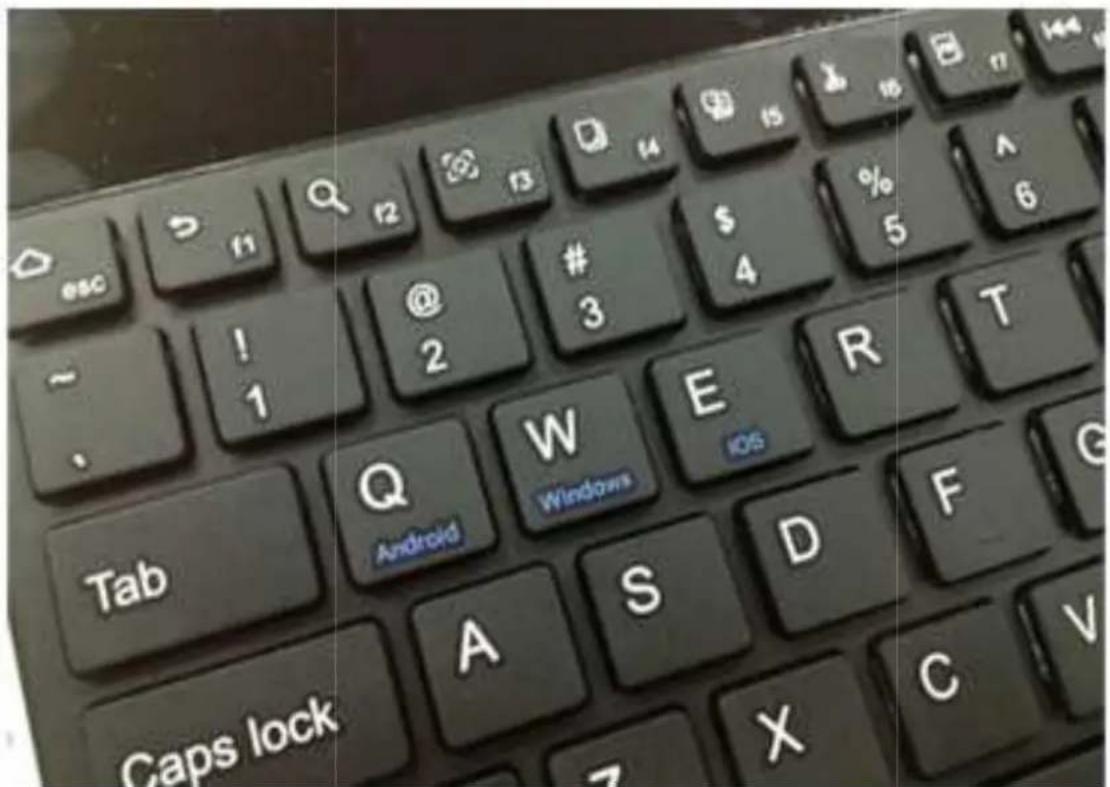
Step 7: Your keyboard is now ready to use!
Automatic holders:
To deploy the keyboard automatic holders, press twice the switch button located underneath the keyboard.
Note: For all Bluetooth enabled devices, please verify the Bluetooth Standard and compatibility before attempting to pair the keyboard
Battery
With no memory effect, the lithium battery can be charged at any time.
In order to extend battery life, we recommend you to turn the keyboard off when not in use for a long period of time.
Charging
When the battery power is low, the Power indicator light located underneath the keyboard will start blinking, it is time to recharge the keyboard.
Step 1: Connect the micro USB port of the provided USB charging cable to the keyboard (make sure the direction is correct)
Step 2: Connect the USB connector to a computer's USB interface.
Step 3: The Charging red indicator light will stay on when the keyboard is charging. Once it finished charging the Charging indicator light will turn off.
Energy Saving Sleep mode
The keyboard will go into sleep mode when it is inactive for 15 minutes.
To wake up from sleep mode, just press any key and wait for 3 seconds, the keyboard will be back on.
Safety Caution
Keep the keyboard away from sharp objects.
Do not place heavy objects on the keyboard.
Keep away from direct sunlight and heat sources.
Do not force or distort the keyboard.
Keep away from oil, chemicals or any other liquids.
Keep out of reach of children.
Troubleshooting
Unable to connect
Make sure the keyboard is on.
Make sure the keyboard is in operating distance from the tablet / PC (within 10 meters).
Make sure the battery is charged.
Make sure Bluetooth is activated on the tablet / PC.
Unable to Charge Keyboard
Make sure the USB charging cable is connected properly to the keyboard and the computer
Make sure the computer is turned on
Warning: If you use a USB wall charger to charge the keyboard, please make sure that the maximum output power of the USB charger does not surpass DC5.0V, 500mA or it will damage the keyboard.
Function Keys Table
| Function | iOS Android | Windows (“Fn” + Key) | ||
 | Home Home | Home (Browser) | ||
 | Back | |||
 | Search Search | Search | ||
 | Pictures Slideshow | |||
 | Copy Copy | |||
 | Paste Paste | |||
 | Cut Cut | |||
 | Select all | |||
 | Previous Song | Previous Song | Previous Song | |
 | Pause/Play | Pause/Play | Pause/Play | |
 | Next Song | Next Song | Next Song | |
 | Volume Down | Volume Down | Volume Down | |
 | Volume Up | Volume Up | Volume Up | |
 | Email Email | |||
 | Screen Lock | Screen Lock | ||
 | Windows Key | |||
 | System Browser | System Browser | ||
 | Language Switch | Language Switch | ||
Warranty
This product has warranty against factory defects.
The product is a sophisticated electronic device. The Growing strongly recommends that you consult the user's manual and instructions provided with the product.
Under there is the warranty with explicit time for each location.
| Warranty | Garantia | Garantie | Garantía | ||||
| Europe | 2 Years | 2 Anos | 2 Ans | 2 Años |
| Brazil | 6 Months | 6 Meses | 6 Mois | 6 Meses |
| Africa | 6 Months | 6 Meses | 6 Mois | 6 Meses |
This warranty does not cover:
Normal wear and tear. Defects caused by poor handling (including, without limitation, defects caused by sharp items, bending, compressing or dropping, etc.). Defects or damage caused by misuse of the keyboard, including the use contrary to the instructions provided by Growing (eg, indications for use of the keyboard manual).
Other acts beyond the reasonable control of Growing.
Warranty Policy Battery
The battery has 6 months Warranty.
This warranty does not cover defects caused by the fact that the battery is subjected to short-circuit or because Seals battery latch, tablet or cells were broken or show evidence of manipulation, either because the battery has been used in equipment for which was not specified.
Other important notices
All parts of the Product or other equipment will be replaced by Growing, from that time, owned by Growing. If the Product is not covered by the terms and conditions of this Warranty, Growing and service companies authorized by the same reserve the right to charge a fee for hand labor. To repair or replace the Product, Growing can use new products or parts equivalent to new or reconditioned.
For assistance Growing hotdog various channels:
- Contact your local vendor.
- On the site www.mygrowing.com support we have in the tool for technical support "Helpdesk".
- Directly to the Growing via phone (+351 808 20 29 30) or mail to 808202930@growing.pt.
EC- Declaration of conformity
EC-Declaration of Conformity
to the Essencial Requirements
of the applicable Directive 1999/5/EC
We, The Growing Company S.A., declare under our sole responsibility that the Radio-Communication products
Description: Bluetooth Keyboard ; Brand : GROWING; Model No: KBT002BCK
are fully in conformity with the essential requirements of the Council Directive 1999/5/EC (R&TTE).
This declaration is based on the full compliance of the products with the following European standards:
Standards:
EN 301489-1 V1.9.2 (2011-09)
EN 301489-17 V2.2.1 (2012-09)
EN 300328 V1.8.1 (2012-06)
EN 62479: 2010
EN 60950-1: 2006+A11: 2009+A1: 2010+A12: 2011
Intended Use / Category Wideband Data Transmission systems - SRD
Operational Frequency 2402-2480MHz | RF Output Power -4.523dBm (EIRP)
Modulation Type GFSK | No. of Channel 79 | Antenna Type PCB Antenna
Antenna Gain 0 dBi | Rated Voltage 3.0-5.0V
Authorized Representative: The Growing Company S,A,
Address: Rua da Argila nº620, 4445-027 Alfena – Portugal
Authorized Representative

5-11-2013


PME líder 13
GROWING
Changing People's Life
The Growing Company S.A.
Rua da Argila, 620 | 4445-027 Alfena | Portugal

www.mygrowing.com
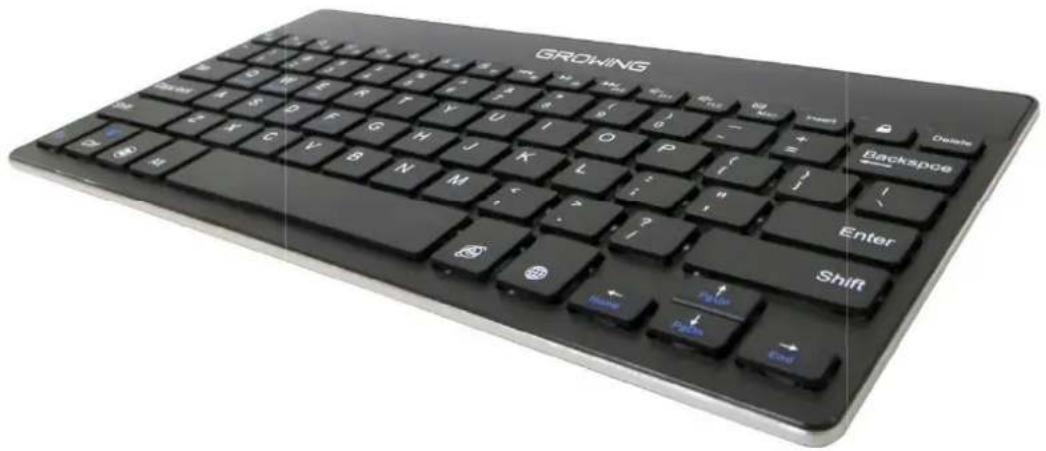
Mini Keyboard Bluetooth®
ESPAÑHOL
Índice
Contenido 26
Especificaciones 26
Changing People's Life
The Growing Company S.A.
Rua da Argila, 620 | 4445-027 Alfena | Portugal

www.mygrowing.com