396TBS - Scale AWS - Free user manual and instructions
Find the device manual for free 396TBS AWS in PDF.


| Product Type | Digital Scale |
| Brand | AWS |
| Model | 396TBS |
| Capacity | 10 kg / 22 lb |
| Readability | 1 g / 0.1 oz |
| Units | g, kg, lb, oz, ml (water) |
| Platform Dimensions | 14 x 12 cm (5.5 x 4.7 in) |
| Overall Dimensions | 20 x 15 x 3.5 cm (7.9 x 5.9 x 1.4 in) |
| Weight | 350 g (12.3 oz) |
| Power Source | 2 x AAA batteries (included) |
| Auto-Off | After 2 minutes of inactivity |
| Tare Function | Yes, up to full capacity |
| Calibration | Auto-calibration on startup; manual calibration with 500 g weight |
| Overload Indication | "O-Ld" displayed |
| Low Battery Indication | "LO" displayed |
| Display Type | LCD, backlit |
| Material | Stainless steel platform, ABS plastic body |
| Cleaning | Wipe with damp cloth; do not immerse |
| Operating Temperature | 0°C to 40°C (32°F to 104°F) |
| Warranty | 1 year limited warranty |
Frequently Asked Questions - 396TBS AWS
User questions about 396TBS AWS
0 question about this device. Answer the ones you know or ask your own.
Ask a new question about this device
Download the instructions for your Scale in PDF format for free! Find your manual 396TBS - AWS and take your electronic device back in hand. On this page are published all the documents necessary for the use of your device. 396TBS by AWS.
USER MANUAL 396TBS AWS
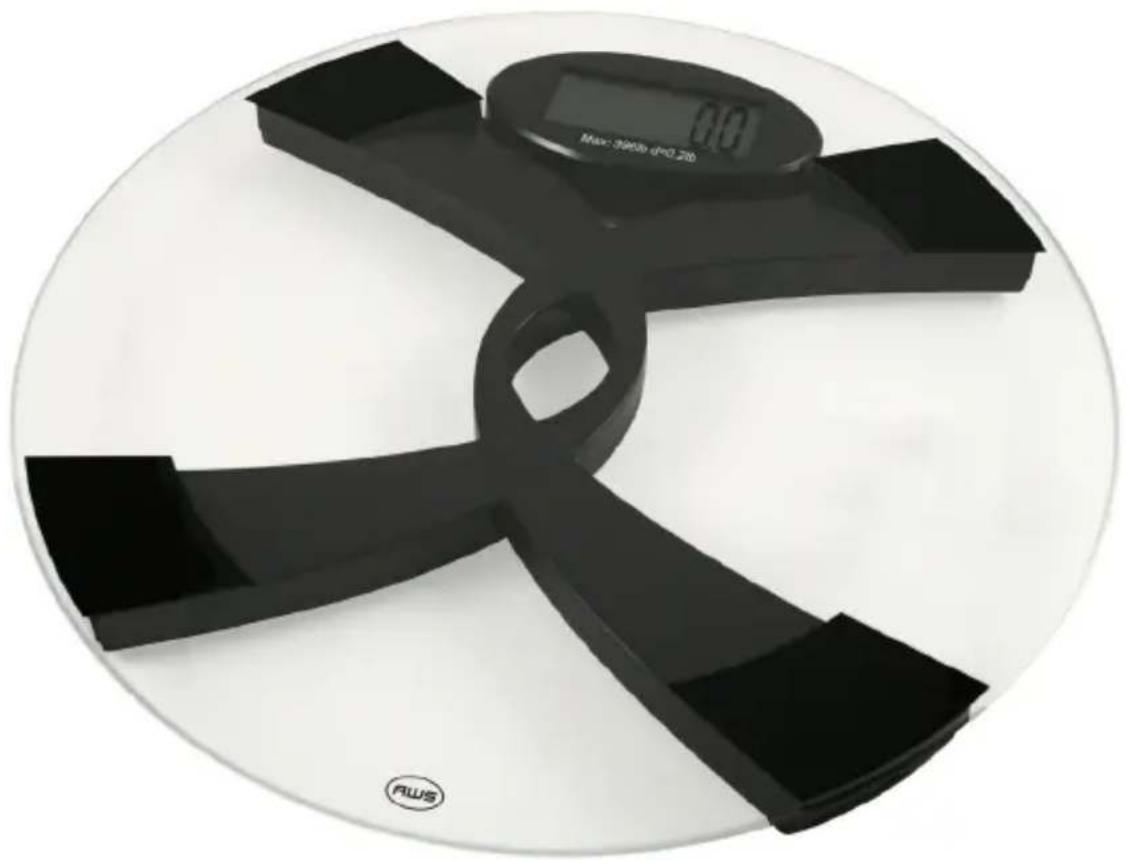
Talking Bathroom Scale
natural_image
Close-up of a black and white digital balance scale with four blades, displayed on a plain white background (no text or symbols visible on the device itself)396lb x 0.2lb
180kg x 0.1kg
396TBS Manual
Thank you for purchasing the American Weigh 396TBS Talking Bathroom Scale. Please read all operating instructions carefully before use. Scales are precision instruments and should always be handled with proper care. To ensure years of reliable service, keep these simple tips in mind:
- Do not exceed the scales maximum capacity. Overloading your scale can permanently damage it!
- Avoid exposure to extreme heat or cold. Scales perform best at normal room temperature. If temperatures have changed dramatically, recalibration may be necessary.
- Store your scale in a clean, dry location. Dust, dirt, and moisture can accumulate on the weighing sensors and electronics causing innaccuracy or malfunction.
- Avoid using your scale in close proximity to strong radio wave emitting devices such as cordless phones.
• Always weigh on a flat and level surface, free from vibrations and drafts. The corner of a room is usually the most stable. - Avoid dropping your scale. The warranty does not cover damage due to rough treatment or overload.
- To avoid slipping, do not step on the scale with wet feet.
- Do not use the scale on carpet.
I. Overview
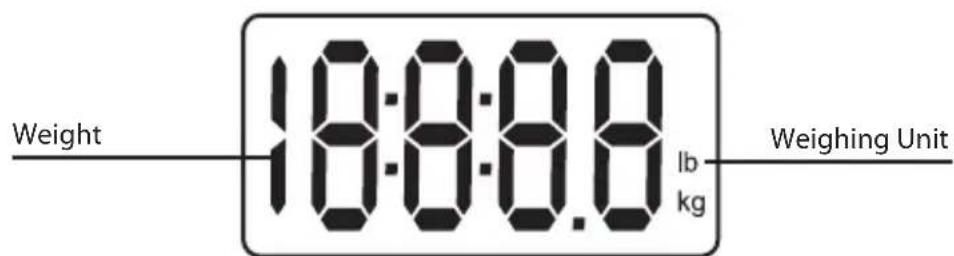
Display
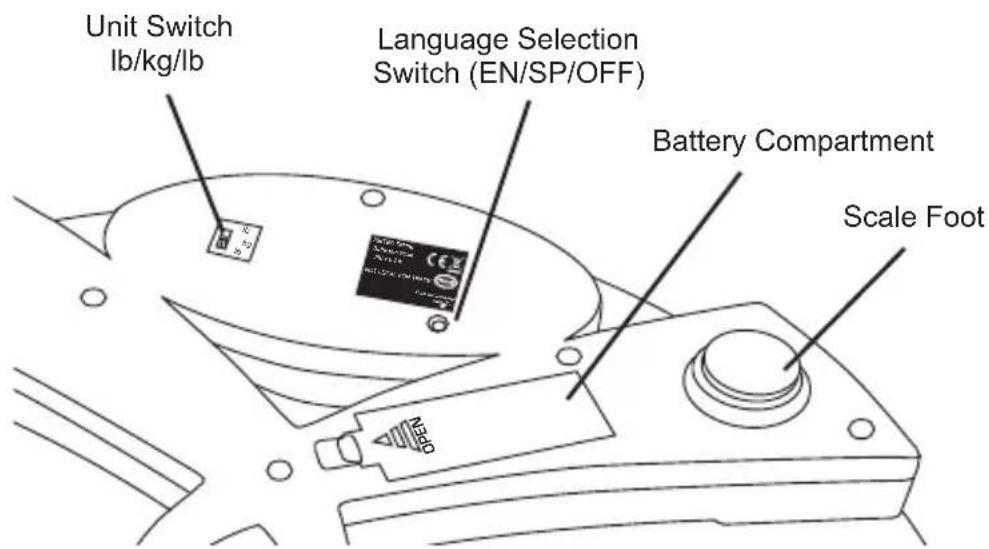
Bottom View
II. Battery Installation
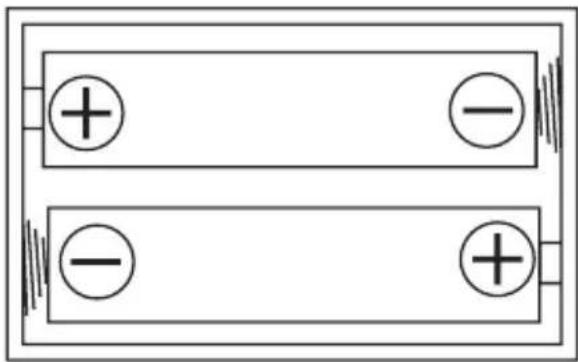
This scale should come with batteries already installed. However you must remove the plastic insulator strip before first use. To install new batteries, turn the scale over and remove the battery cover. Insert two (2) AAA battery according to the diagram below. Replace the battery cover.
natural_image
Simple line drawing of two parallel plates with positive and negative charges, no text or symbols present.III. Turning the Scale On and Off
To turn the scale on, tap the platform once with your foot. Wait for the display to show "0.0" before stepping onto the scale. The scale will shut off automatically after 20 seconds of non-use.
IV. Changing Weighing Units
To change the current weighing unit, use the "lb, kg, lb" switch on the bottom side of the scale.
V. Talking Feature
This scale has a talking feature which allows the weight to be announced in English or Spanish. To set the language while the scale is on, flip the scale over and use a paperclip to press the “Language Selection Switch”. The voice language will change from English, to Spanish, to Off with each press of the button.
VI. Weighing
Once you have chosen the desired weighing unit (see above), flip the scale back over and tap it once with your foot to turn it on.
Wait for the display to show "0.0" or, if the talking • feature is active, the scale will prompt: "OK. Please step
on the scale." Now step onto the center of the platform. The display will begin to flash, then lock the weight on • the display once the weight is stable.
If the talking feature is active, the weight will also be • spoken in English or Spanish (see Section V. for more on the Talking Feature)
The scale will turn off automatically after 30 seconds.
Notes: Do not leave items on the scale when not in use. To avoid the risk of slipping, do not step on the scale with wet feet.
| Model 396TBS | |
| Capacity | 180kg / 396lb |
| Resolution | 0.1kg / 0.2lb |
| Weighing Units | kg, lb |
| Scale Dimensions (inches) | 13" × 1.2" |
| Power | 2 x AAA Batteries (included) |
| Warranty | 10 Year Warranty |
VII. Troubleshooting
Problem: The display shows:
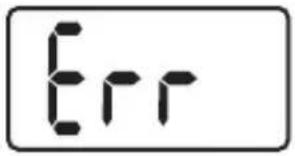
Solution: The scale is overloaded. Remove the excess weight.
Problem: The display shows:
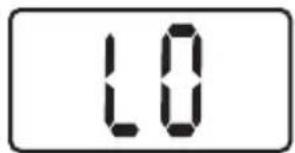
Solution: Battery power is low. Replace the batteries.
American Weigh Scales, Inc.
2 Carriage Ln, Suite 2
Charleston, SC 29407
Tel: 866-643-3444 (toll free)
Fax 843-225-7284