
NC1 - Headphones ASUS - Free user manual and instructions
Find the device manual for free NC1 ASUS in PDF.



| Product Type | Audio headset with active noise reduction |
| Brand | ASUS |
| Model | NC1 |
| Noise reduction technology | Active, attenuation ≥ 18 dB |
| Power supply | 1 AAA battery |
| Battery life | 100 hours (at 10 mW) |
| Transducer | 40 mm speaker, neodymium magnet |
| Impedance | 32 ohms ± 4 ohms |
| Maximum input power | 100 mW |
| Frequency response | 16 Hz - 22 kHz |
| Weight | 135 g (without accessories and battery) |
| Dimensions | 175 mm x 135 mm x 28 mm |
| Included accessories | Airplane seat adapter, carrying case |
| Comfort | Adjustable headband, adjustable ear cups |
| Volume control | Control wheel |
| Maintenance | Clean with a soft dry cloth. Do not use solvents. |
| Safety | Remove battery when not in use for extended periods. Keep out of reach of children. |
| Spare parts | AAA battery (replaceable) |
| Warranty | Refer to ASUS warranty |
Frequently Asked Questions - NC1 ASUS
User questions about NC1 ASUS
0 question about this device. Answer the ones you know or ask your own.
Ask a new question about this device
Download the instructions for your Headphones in PDF format for free! Find your manual NC1 - ASUS and take your electronic device back in hand. On this page are published all the documents necessary for the use of your device. NC1 by ASUS.
USER MANUAL NC1 ASUS
Portable Active Noise-Canceling Headphone
Quick Start Guide
Package contents
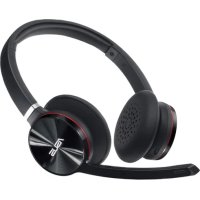
- 1 x ASUS NC1 headphone
- 1 x Dual-pin airline headset adapter 1 x Protective carrying case
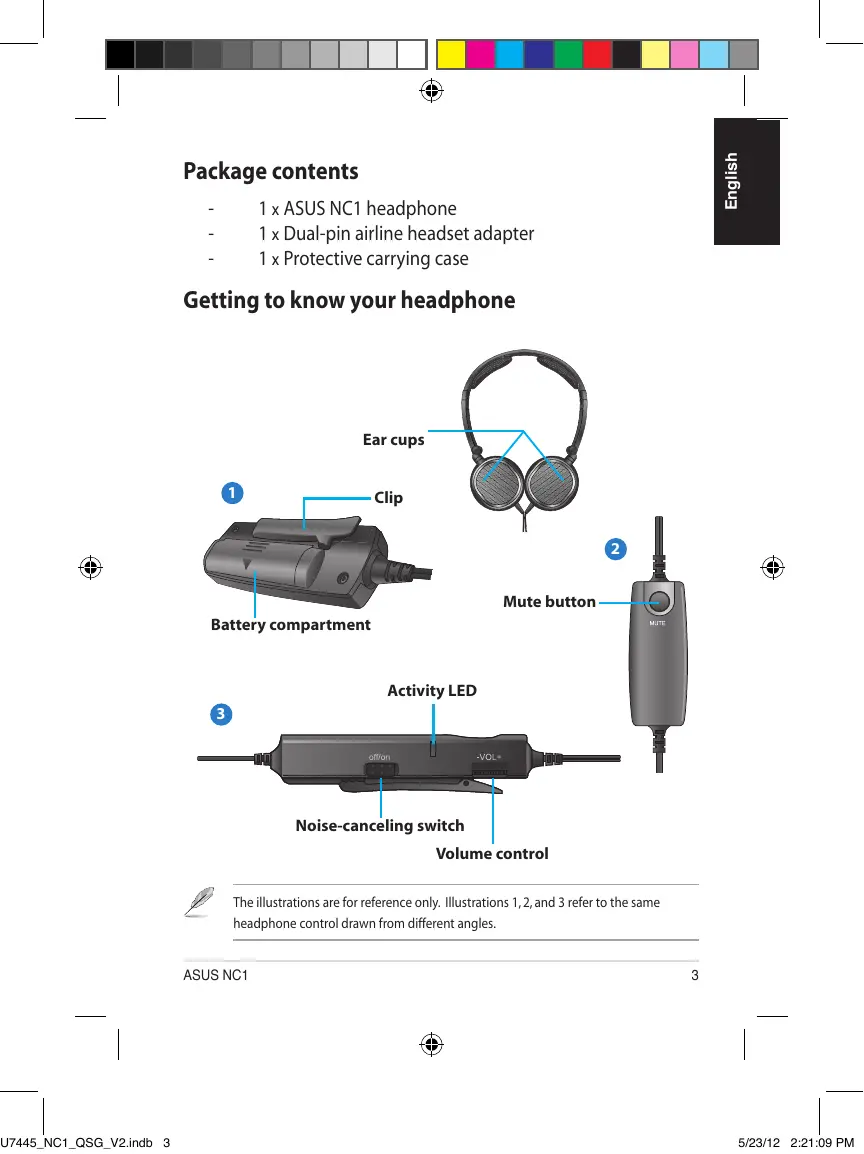
Getting to know your headphone
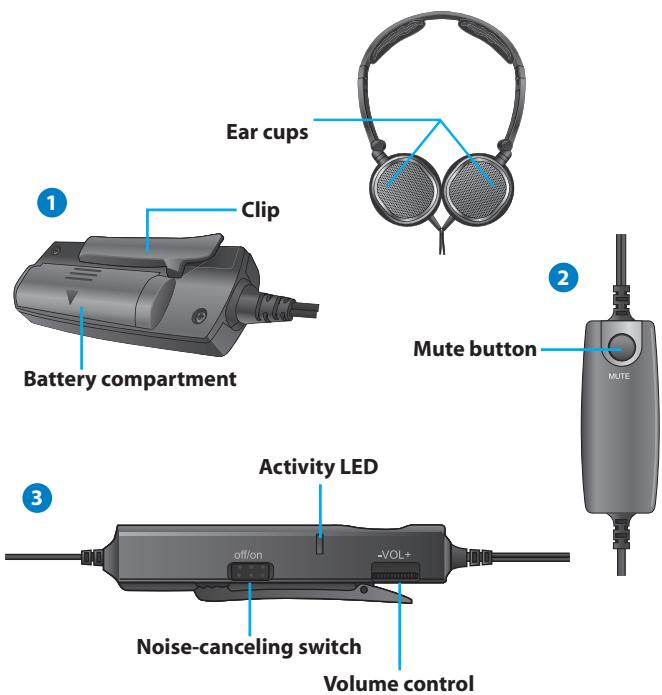

The illustrations are for reference only. Illustrations 1, 2, and 3 refer to the same headphone control drawn from different angles.
Wearing your headphone

There are R and L markings on the ear cups.
To wear your headphone
- Adjust the headphone straps so it fits snugly on your head.
- Adjust the ear cups so it fits comfortably around your ears.
- Move the volume control to the right /left to increase/decrease the volume.
Installing the battery
To install the battery
- Push the battery cover in the direction of the arrow.
- Install one AAA battery in the battery compartment.
- Replace the battery cover.
3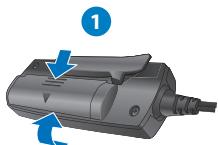

Remove the battery if you are not going to use your headphone for a long time.
Activating the noise-canceling function
The noise-canceling function removes ambient noise such as background noise for a clearer sound quality.
To activate the noise-canceling function
Turn the noise-cancelling switch to ON. The activity LED turns red.
Using the dual-pin airline headset adapter
The dual-pin airline headset adapter allows you to use your own headphone onboard an airline.
Quick Start Guide

This dual-pin airline headset adapter does not fit all airlines. The audio jacks vary in different airlines.
To use the dual-pin airline headset adapter
- Insert the audio cable into the dual-pin airline headset adapter.
- Insert the dual-pin airline headset adapter into the airplane's audio jack.
Storing your Headphone
To store your headphone
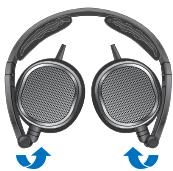
- Fold the ear cups inward to the direction of the arrow.
- Put your headphone in the bundled protective carrying case.
Specifications
| Power | 1 x AAA battery |
| Driver | 40mm (neodymium magnet) |
| Impedance | 32 ohms +/- 4 ohms |
| Max input power | 100mW |
| Frequency range | 16Hz~22 Khz |
| Active noise cancellation | >= 18dB |
| Battery life | 100 hours (at 10 mW) |
| Dimension (mm) | 175mm x135mm x28mm |
| Weight | 135g excluding accessories and battery |
F6239
C
F
NC1
40MM (HeoJIMOBbI MaHHT)
32 OM + 1/2 4 OM
100MBT
16Γu~22 KΓu
18d5
100 yacob (nprn 10 MBT)
175MM X 135MM X 28MM
135r6e3 akceccyapOB u 3neMeHt aNTaHn
ASUS NC1
21
CZ6239
ASUS®
Inspiring Innovation · Persistent Perfection
NC1
AknBaicjphiynKciyucHyenHnI yMIB


- PORTABLE ACTIVE NOISE-CANCELING HEADPHONE
- PACKAGE CONTENTS
- GETTING TO KNOW YOUR HEADPHONE
- WEARING YOUR HEADPHONE
- TO WEAR YOUR HEADPHONE
- INSTALLING THE BATTERY
- TO INSTALL THE BATTERY
- ACTIVATING THE NOISE-CANCELING FUNCTION
- TO ACTIVATE THE NOISE-CANCELING FUNCTION
- USING THE DUAL-PIN AIRLINE HEADSET ADAPTER
- TO USE THE DUAL-PIN AIRLINE HEADSET ADAPTER
- STORING YOUR HEADPHONE
- TO STORE YOUR HEADPHONE
- NC
- AKNBAICJPHIYNKCIYUCHYENHNI YMIB
Brand : ASUS
Model : NC1
Category : Headphones