USER MANUAL FXH895X CANDY
Safety Instructions 04
- General warnings ......05
1.1 Declaration of compliance 05
1.2 Safety hints 05
1.3 Recommendations ....05
1.4 Installation 05
1.5 Electrical connection 05
- Accessories 06
2.1 Oven equipment 06
2.2 Rotisserie 06
2.3 LED VISION 06
-
Cleaning the oven 06
-
Service centre 07
-
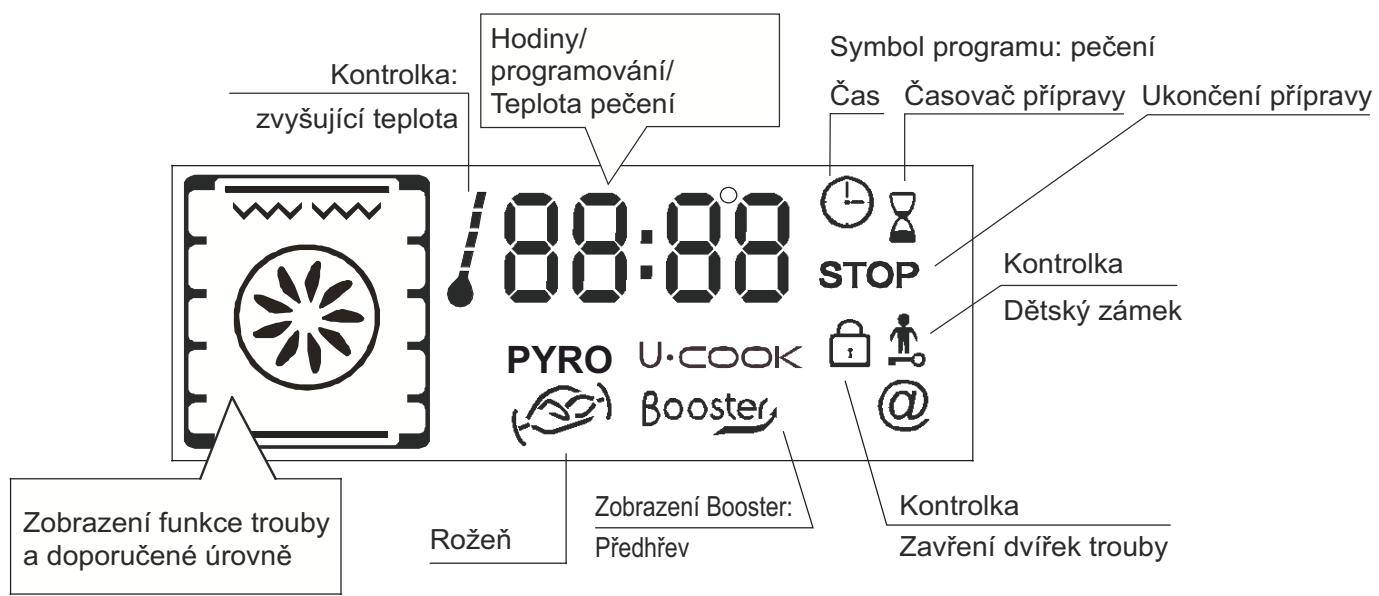
Description of the display 08
5.1 Before using the oven for the first time 09
5.2 How to use the oven 09
5.3 The programmation 10
5.4 Using the end of cooking timer 10
5.5 Cooking tips 10
5.6 Adjusting the display contrast 10
-
Pyrolytic cycle 11
-
Child safety 11
INDICE
IT
WARNING: The appliance and its accessible parts become hot during use. Care should be taken to avoid touching heating elements.
- Children under 8 Year of age must be kept away from the appliance unless they are continuously supervised.
- This appliance can be used by children aged from 8 years and above and persons with reduced physical, sensory or mental capabilities or lack of experience and knowledge if they have been given supervision or instruction concerning use of the appliance in a safe way and understand the hazards involved.
• Children must not play with the appliance.
- Cleaning and user maintenance shall not be made by children without supervision.
- During use the appliance becomes hot. Care should be taken to avoid touching heating elements inside the oven.
WARNING: Accessible parts may become hot during use. Young children must be kept away.
- Do not use harsh abrasive cleaners or sharp metal scrapers to clean the oven door glass since they can scratch the surface, which may result in shattering of the glass.
- The oven must be switched off before removing the guard, after cleaning, the guard must be replaced in accordance with the instructions.
- Only use the temperature probe recommended for this oven.
- Do not use a steam cleaner for cleaning operations.
- WARNING: Avoid possibility of electric shock - ensure the appliance is switched off before replacing the lamp.
- The means for disconnection must be incorporated in the fixed wiring in accordance with the wiring rules.
- The instructions state the type of cord to be used, taking into account the temperature of the rear surface of the appliance.
- If the supply cord is damaged, it must be replaced by a special cord or assembly available from the manufacturer or its service agent.
- CAUTION: In order to avoid a hazard due to inadvertent resetting of the thermal cutout, this appliance must not be supplied through an external switching device, such as a timer, or connected to a circuit that is regularly switched on and off by the utility.
CAUTION: Accessible parts may be hot when the grill is in use. Young children must be kept away.
- Excess spillage must be removed before cleaning.
- During self-cleaning pyrolytic operation the surfaces may get hotter than usual and children MUST be kept away.
1. GENERAL WARNINGS
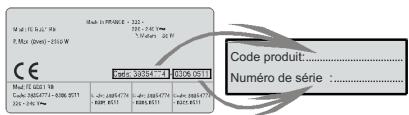
Read the instructions carefully to make the most of your oven. We recommend you keep the instructions for installation and use for later reference, and before installing the oven, note its serial number in case you need to get help from the after-sales service.
When you have unpacked the oven, make sure that it has not been damaged in any way. If you have any doubts at all, do not to use it. Contact a professionally qualified person. Keep packing materials such as plastic bags, polystyrene, or nails out of the reach of children because they are dangerous to children.
The company shall not be liable if the instructions provided in this document are not complied with.
! NOTE: Functions, properties and accessories of ovens which are mentioned in this manual, can be change depending on oven models.
1.1 DECLARATION OF COMPLIANCE
The parts of this appliance that may come into contact with foodstuffs comply with the provisions of EEC Directive 89/109. Appliance CE complies with European Directives 2006/95/EC and 2004/108/EC, and subsequent amendments. When you have unpacked the oven, make sure that it has not been damaged in any way. If you have any doubts at all, do not use it: contact a professionally qualified person.
Keep packing materials such as plastic bags, polystyrene, or nails out of the reach of children because they are dangerous to children.
1.2 SAFETY HINTS
•The oven must be used only for the purpose for which it was designed. It must only be used for cooking food. Any other use, e.g. as a form of heating, is an improper use of the oven and is therefore dangerous.
•The manufacturers cannot be held responsible for any damage caused by improper, incorrect or unreasonable use.
When using any electrical appliance you must follow a few basic rules.
- Do not pull on the power cable to remove the plug from the socket.
- Do not touch the oven with wet or damp hands or feet.
- Do not use the oven unless you are wearing something on your feet.
- It is not generally a good idea to use adapters, multiple sockets for several plugs or cable extensions.
- If the oven breaks down or develops a fault switch it off at the mains and do not touch it.
- If the cable is damaged it must be replaced promptly.
When replacing the cable, follow these instructions.
Remove the power cable and replace it with one of the H05VV-F type. The cable must be able to bear the electrical current required by the oven. Cable replacement must be carried out by properly qualified technicians.
The earthing cable (yellow-green) must be 10 mm longer than the power cable.
Use only an approved service centre for repairs and ensure that only original parts are used. If the above instructions are not adhered to the manufacturers cannot guarantee the safety of the oven.
•The oven you have just acquired has the described technical characteristics and you must not make any modifications to it.
- Do not store flammable products in the oven; they can catch fire if the oven comes on accidentally.
- Do not press on and do not let children sit on the oven door.
- Use kitchen oven gloves, when putting into or removing a dish from the oven.
- "CAUTION: Accessible parts may be hot when the grill is in use. Young children should be kept away".
1.3 RECOMMENDATIONS
• After each use of the oven, a minimum of cleaning will help keep the oven perfectly clean.
- Do not line the oven walls with aluminium foil or single-use protection available from stores. Aluminium foil or any other protection, in direct contact with the hot enamel, risks melting and deteriorating the enamel of the insides.
- In order to prevent excessive dirtying of your oven and the resulting strong smokey smells, we recommend not using the oven at very high temperature. It is better to extend the cooking time and lower the temperature a little.
Identification plate
• In addition to the
accessories supplied with the oven, we advise you only use dishes and baking moulds resistant to very high Temperatures.
The manufacturers have no obligation to carry this out. If the assistance of the manufacturer is required to rectify faults arising from incorrect installation, this assistance is not covered by the guarantee.
The installation instructions for professionally qualified personnel must be followed. Incorrect installation may cause harm or injury to people, animals or belongings. The manufacturer cannot be held responsible for such harm or injury.
The kitchen unit in which the oven is to be fitted must be made of material resistant to temperatures of at least 70^ C.
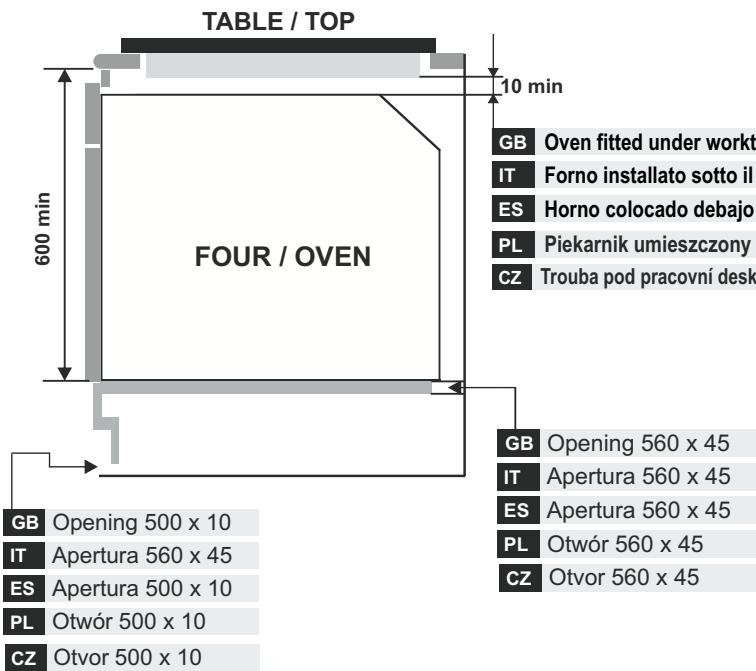
The oven can be located high in a column or under a worktop.
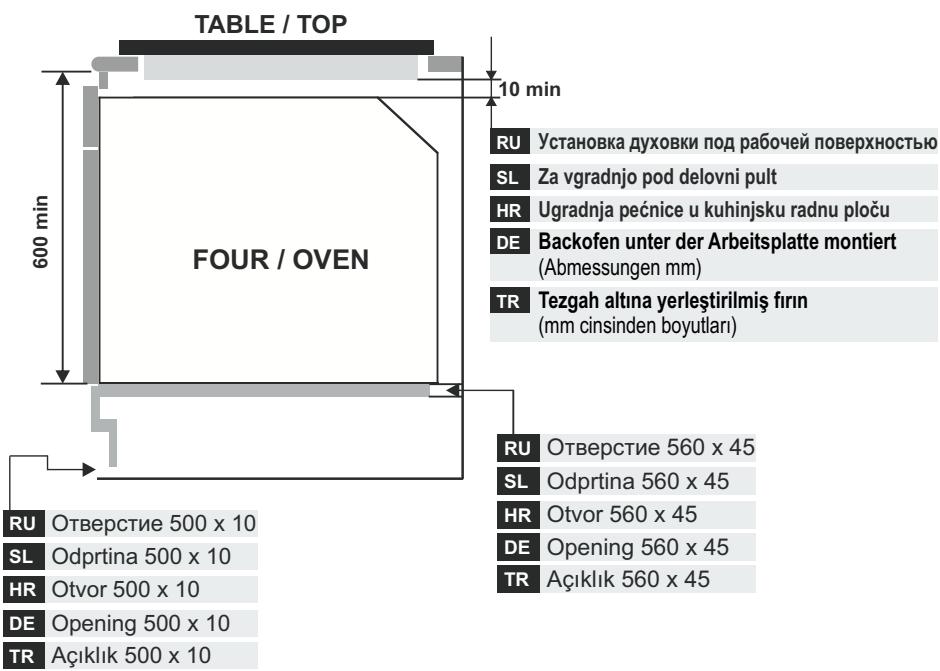
Before fixing, you must ensure good ventilation in the oven space to allow proper circulation of the fresh air required for cooling and protecting the internal parts. Make the openings specified on last page according to the type of fitting.
1.5 ELECTRICAL CONNECTION
THE ELECTRICAL CONNECTION SHOULD BE CARRIED OUT BY AN APPROVED CONTRACTOR OR TECHNICIAN WITH SIMILAR QUALIFICATIONS.
The installation receiving the appliance must comply with the standard in force in the installation country.
The manufacturer does not accept any responsibility if this provision is not complied with.
Connection to the network must be by earthed socket outlet, or by means of a multipole circuit-breaker, in compliance with the installation country.
The installation must be protected by suitable fuses, and have wires with a large enough cross-section to supply the oven normally.
CONNECTION:
The oven is fitted with a power lead for connecting exclusively to a voltage of 220-240 V AC across the phases or across phase and neutral.
Connection must be carried out having first checked:
-the supply voltage indicated on the meter,
The lead protection wire (green/yellow) connected to the earth terminal of the oven must be connected to the earth terminal of the installation.
Caution:
- Have the earth continuity of the installation checked by an electrician before making the connection.
•The manufacturer will not be liable for any incident, or the possible consequences that may arise from the use of the oven not earthed, or connected to an earth with defective continuity.
NB: Do not forget that the oven may require after-sales service.
Also, locate the socket outlet so that the oven can be connected once it is removed from its space.
Power supply cable: If the power supply cable has to be changed, please have this done by the after-sales service or by someone with similar qualifications.
2. ACCESSORIES (According to model)
2.1 OVEN EQUIPMENT
It is necessary to do an initial cleaning of the equipment before the first use of each of them. Wash them with a sponge. Rinse and dry off.
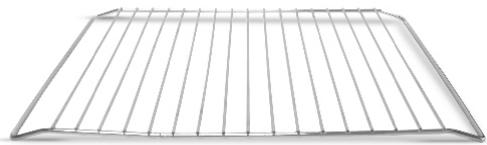
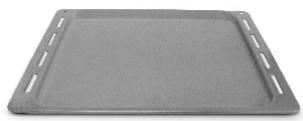
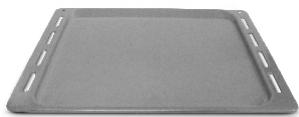
The shelf can take moulds and dishes.
natural_image
Metal wire mesh structure with vertical slats, no text or symbols visible
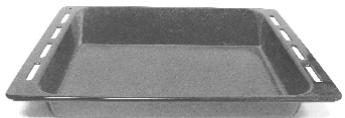
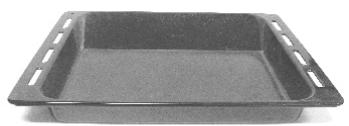
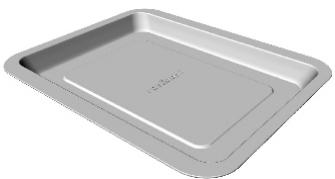
The drip tray catches the juices from grilled foods.
natural_image
Black rectangular plastic tray with side holes, no text or symbols visible
Never use he drip tray as a roasting tray as fat deposits can be quickly spread throughout the oven, which produces excess smoke.
Never place the drip tray directly on the oven bottom.
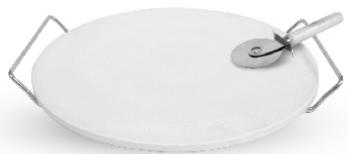
The pizza stone for a crisper pizza equipped according to the model with its stand and the pizza roller.
natural_image
White oval plate with a slice and metal handles, no visible text or symbols
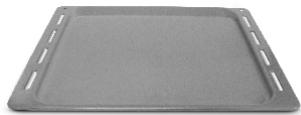
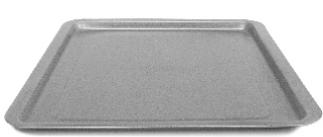
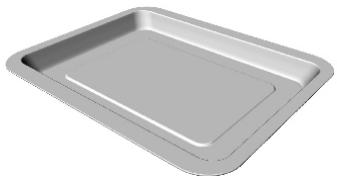
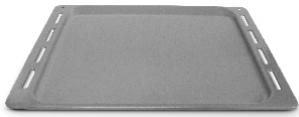
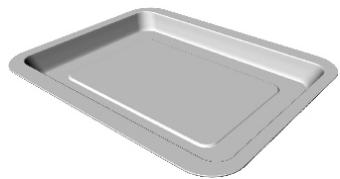
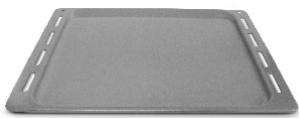
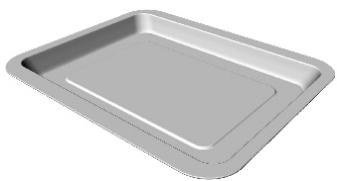
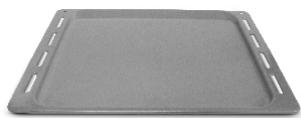
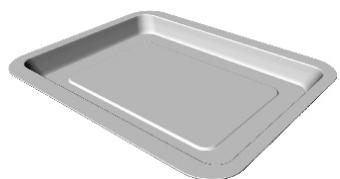
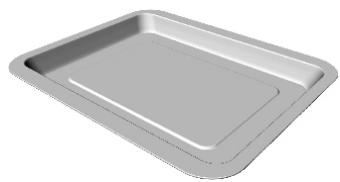
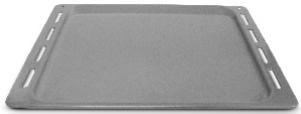
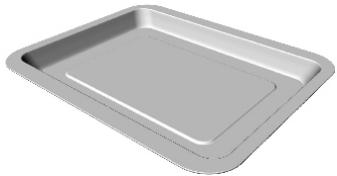
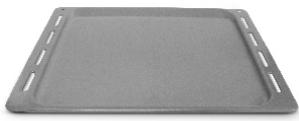
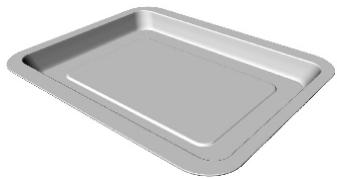
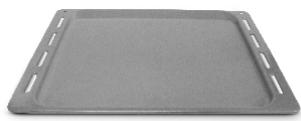
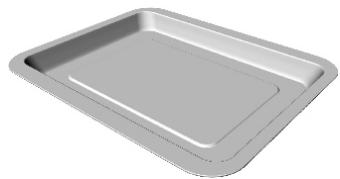
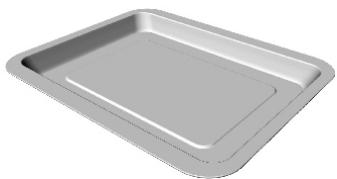
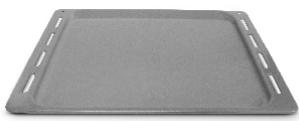
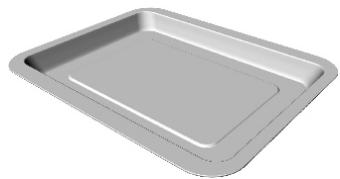
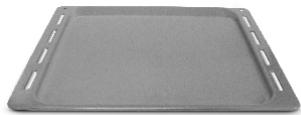
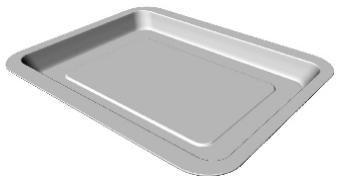
The pastry tray must be placed on the shelf. It is for cooking small pastries like choux, biscuits, meringues, etc...
Never place the pastry tray directly on the oven bottom.
natural_image
Plain gray rectangular baking tray with no text or markings
natural_image
3D rendering of a gray rectangular baking tray with rounded edges (no text or symbols)
2.2 ROTISSERIE
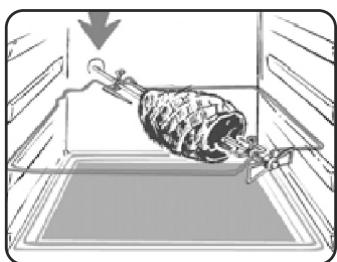
No pre-heating is required for rotisserie cooking.
Cooking with the door closed.
The energy consumption is 90-95% less than traditional system.
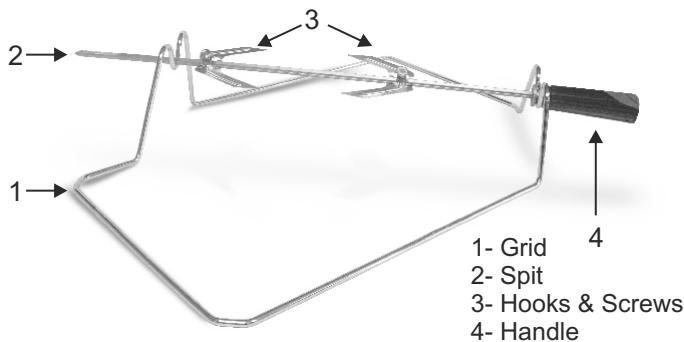
HOW TO USE TURNSPIT
- Unscrew the hooks
- Put the spit into the meat
- Fix the meat with the hooks
- Tighten the screws
- Insert the spit into the motor hole
- The handle
natural_image
Diagram of a rooster inside a storage tray, showing mechanical components and a downward arrow (no text or symbols)
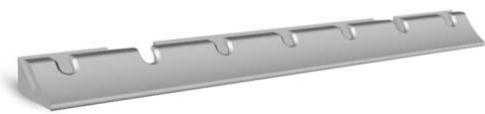
When the oven is in use, any unused accessories should be removed from the oven.
2.3 LED VISION
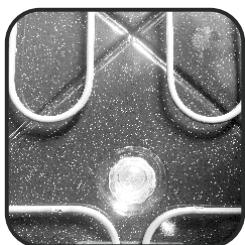
Is an illumination system which replaces the traditional « light bulb ». 14 LED (for non-pyrolitic versions) or 10 High Power LED (for pyrolitic versions) lights are integrated within the door. These produce white high quality illumination which enables to view the inside of the oven with clarity without any shadows on all the shelves.
Advantages :
This system, besides providing excellent illumination inside the oven, lasts longer than the traditional light bulb its easier and to maintain and most of all saves energy.
-Optimum view
-Long life illumination
-Very low energy consumption, -95% in comparison with the traditional illumination High.
natural_image
Gray plastic sheet with multiple recessed slots and a central slot (no text or symbols visible)
3. CLEANING THE OVEN
- Wait for the oven to cool down before doing any cleaning by hand.
- Never clean your oven with abrasive cleaners, wire wool or sharp objects, or the enamel may be damaged beyond repair.
- Only use soapy water or bleach (ammonia) cleaners.
- Never line the oven sides with aluminium foil.
GLASS PARTS
We recommend you wipe clean the glass door with absorbent kitchen paper every time you use the oven. If the spattering is heavy, then you can clean with a well squeezed sponge and detergent, and rinse.
Do not use harsh abrasive cleaners or sharp metal scrapers to clean the oven door glass since they can scratch the surface, which may result in shattering of the glass.
OVEN DOOR SEAL
If this gets dirty, clean the oven seal with a slightly damp sponge.
ACCESSORIES
Clean them with a sponge soaked in soapy water. Rinse with clean water and dry off. Avoid abrasive cleaners.
DRIP TRAY
After grilling, remove the drip tray from the oven. Take care to pour the warm grease into a container. Wash and rinse the drip tray in hot water with a sponge soaked in washing up liquid.
If residues remain attached, soak them off in water and detergent.
It can also go in a dishwasher or be cleaned with a commercial oven cleaner.
Never place a soiled drip tray in the oven.
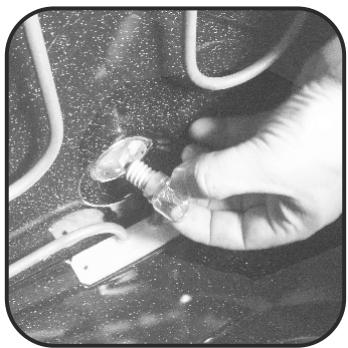
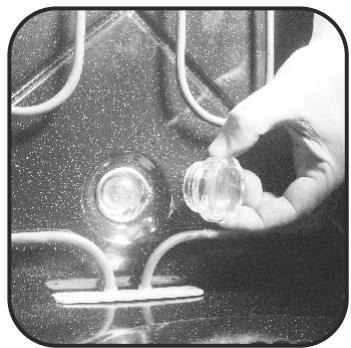
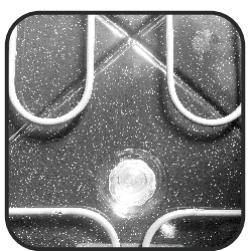
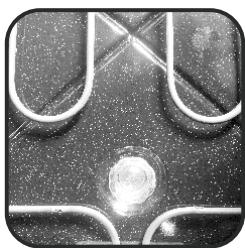
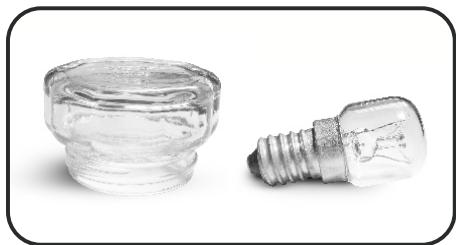
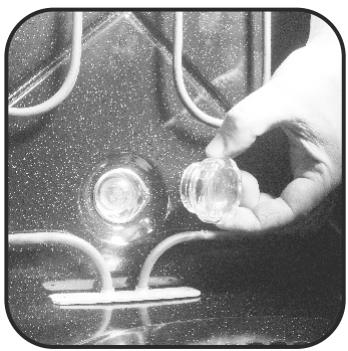
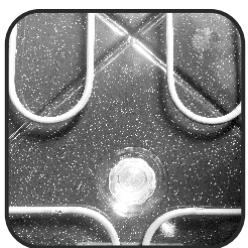
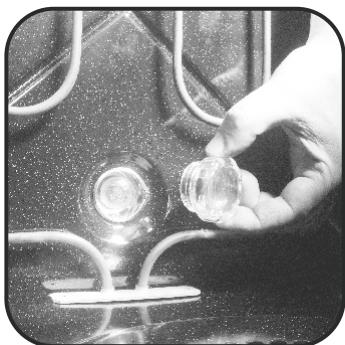
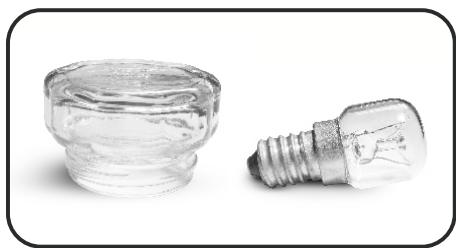
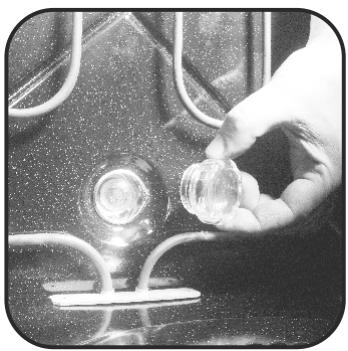
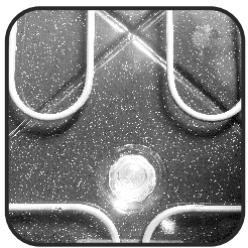
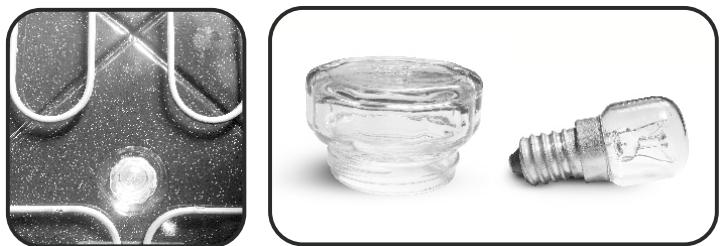
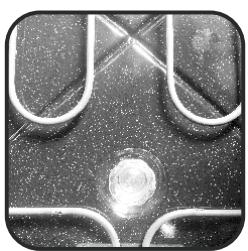
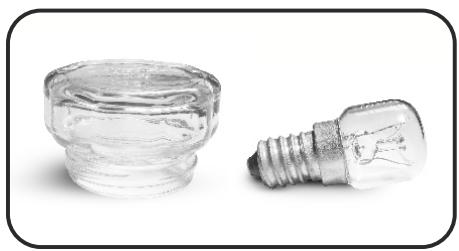
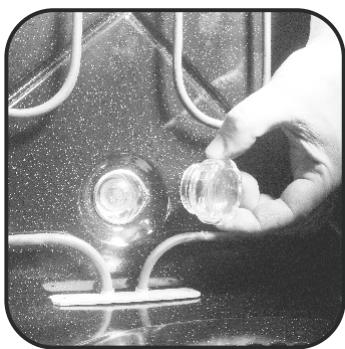
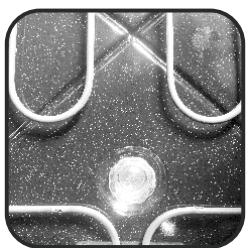
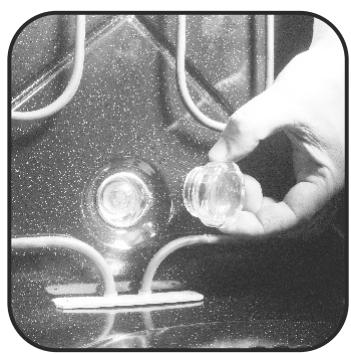
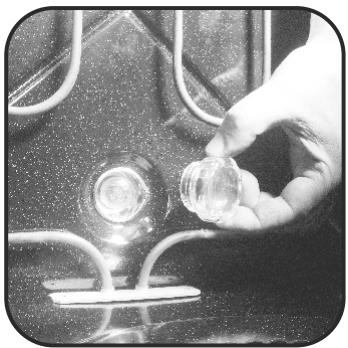
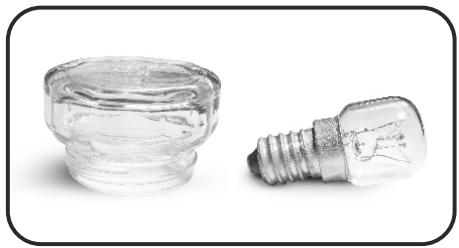
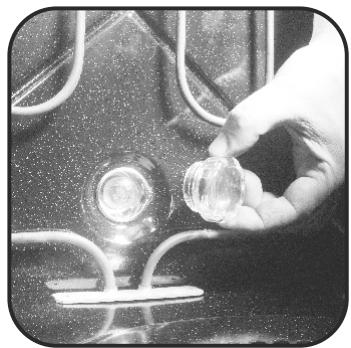
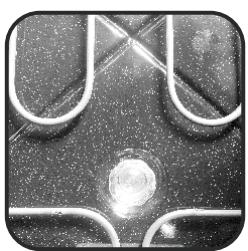
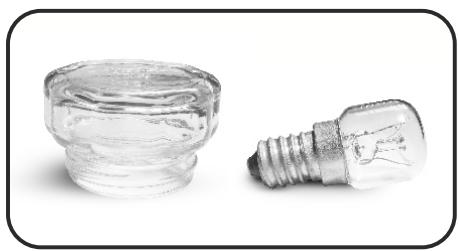
OVEN LIGHTING
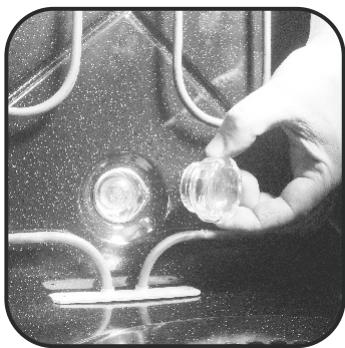
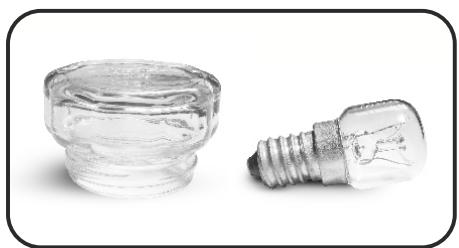
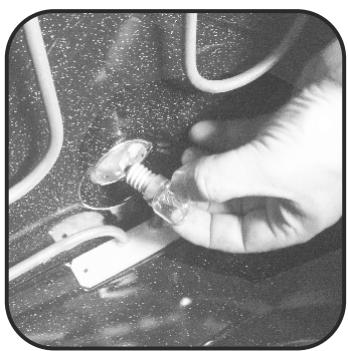
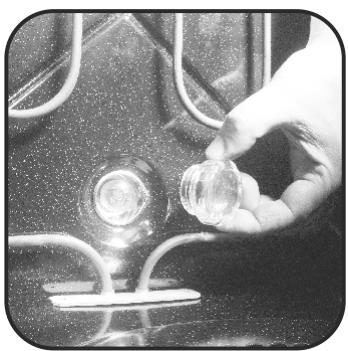
Disconnect the power supply from the oven before cleaning or replacing the lamp.
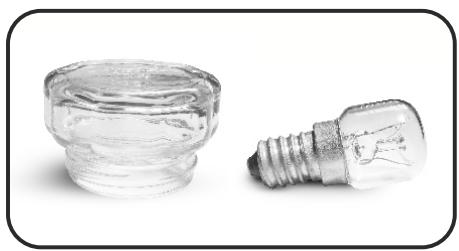
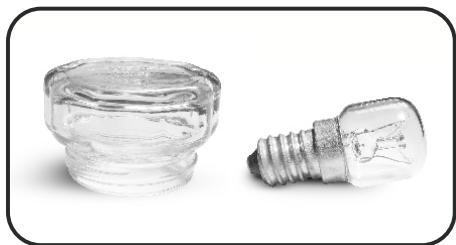
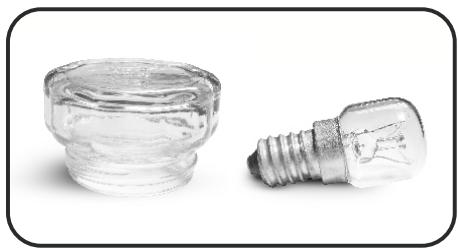
The bulb and its cover are made of material resistant to high temperatures.
natural_image
Close-up of a hand holding a small transparent object with wires, next to a small electronic device (no visible text or symbols)
natural_image
Hand holding a small transparent object with a glowing light source, no visible text or symbols
natural_image
Close-up of a metallic mechanical component with curved and straight surfaces, no visible text or symbols
natural_image
Two transparent glass components: a cylindrical jar and a standard incandescent light bulb, both shown against a white background (no text or symbols visible)
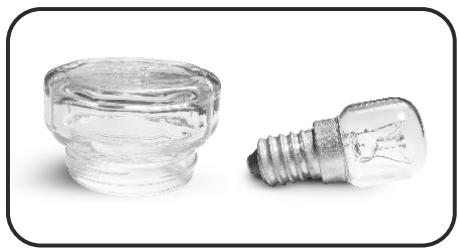
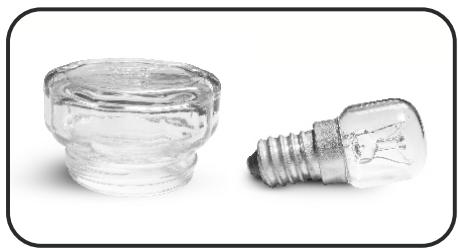
Bulb characteristics:
230 V AC - 25W- E 14 base Temperature 300°C to change a defective bulb, just:
•Unscrew the glass cover,
- Unscrew the bulb,
- Replace it with the same type: see characteristics above,
•After replacing the defective bulb, screw back the protective glass cover.
4. SERVICE CENTRE
Before calling the Service Centre.
If the oven is not working, we recommend that:
- Check that, if the oven is properly plugged into the power supply.
If the cause of the fault cannot be detected:
- Disconnect the oven from the mains, do not touch the oven and call the after sales service.
Before calling the Service Centre remember to make a note of the serial number on the serial number specifications plate.
The oven is supplied with a guarantee certificate that ensures that it will be repaired free of charge by the Service Centre whilst under guarantee.
This appliance is marked according to the European directive 2002/96/EC on Waste Electrical and Electronic Equipment (WEEE).
By ensuring this product is disposed of correctly, you will help prevent potential negative consequences for the environment and human health, which could otherwise be caused by inappropriate waste handling of this product.
The symbol on the product indicates that this product may not be treated as household waste.
Instead it shall be handed over to the applicable collection point for the recycling of electrical and electronic equipment Disposal must be carried out in accordance with local environmental regulations for waste disposal.
For more detailed information about treatment, recovery and recycling of this product, please contact your local city office, your household waste disposal service or the shop where you purchased the product.
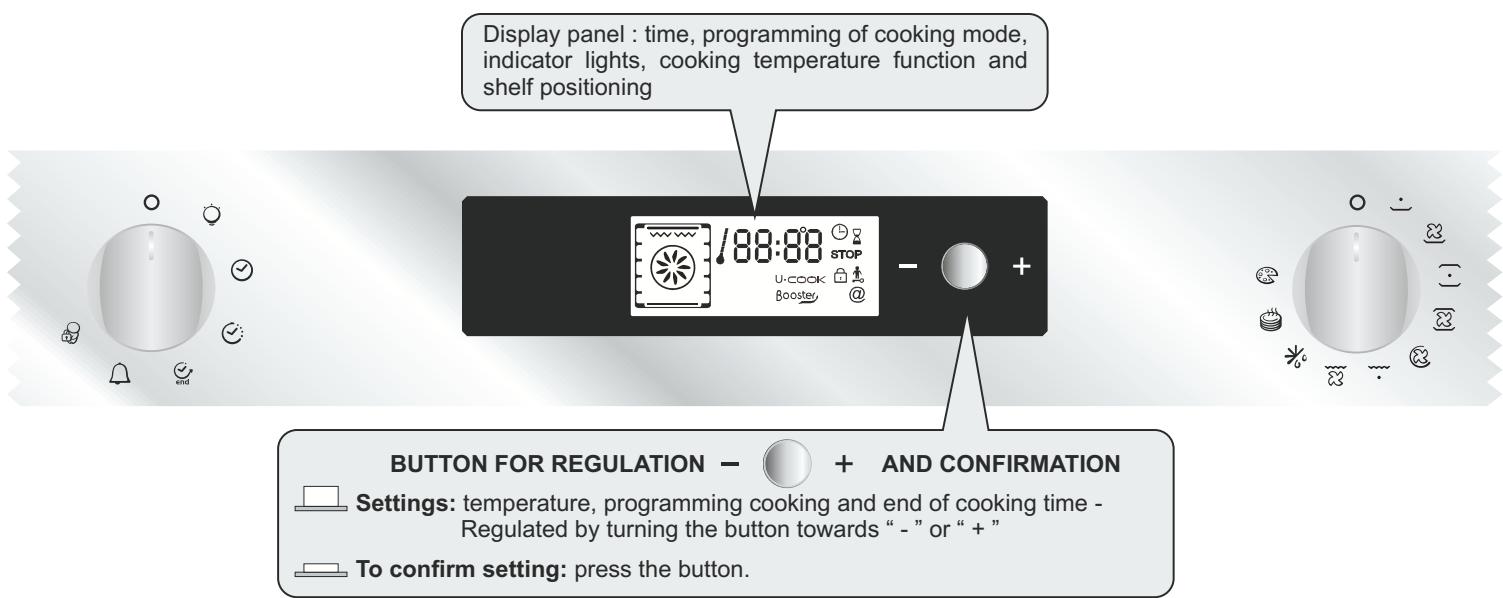
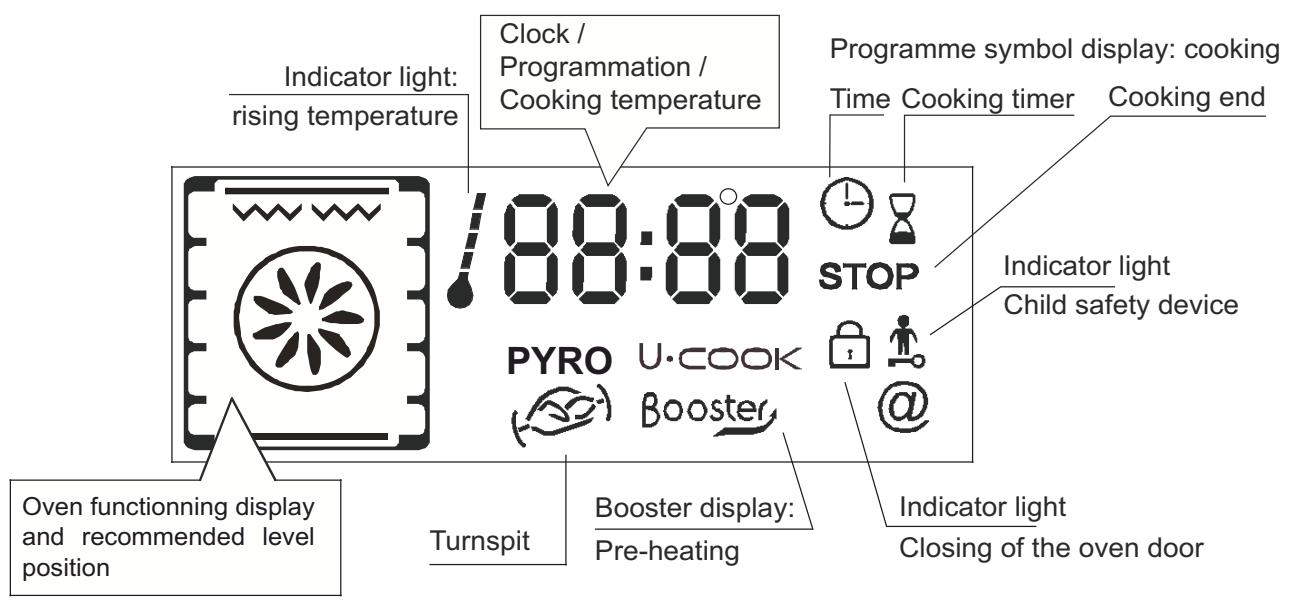
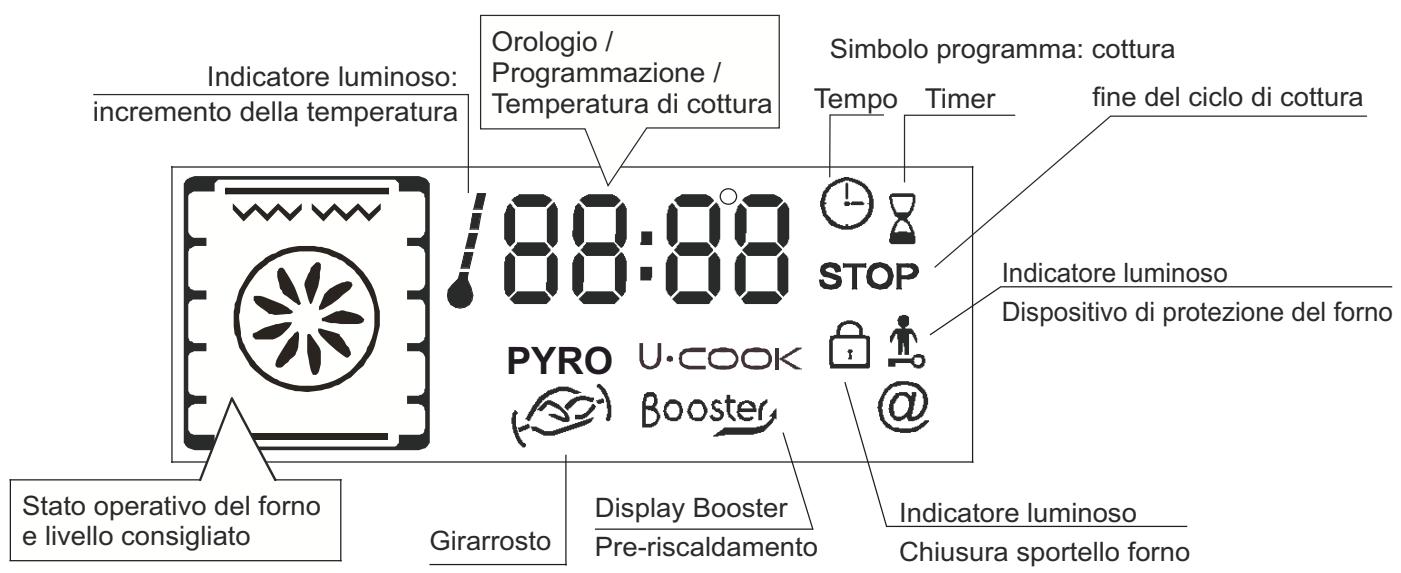
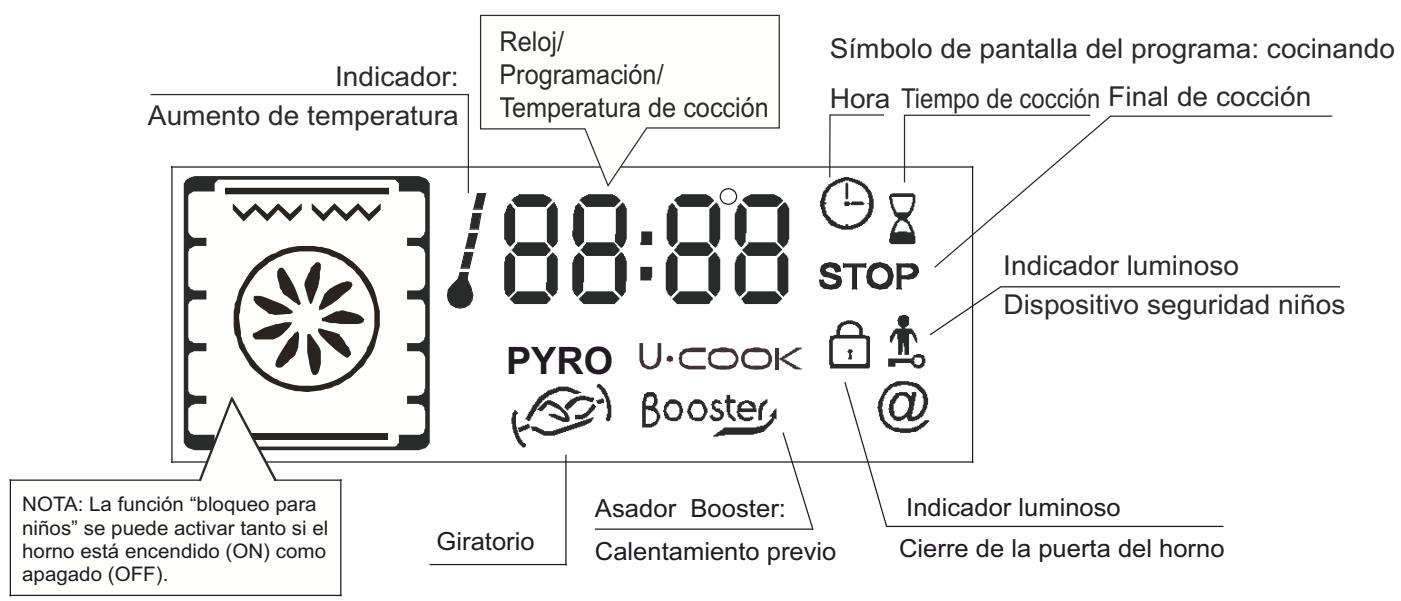
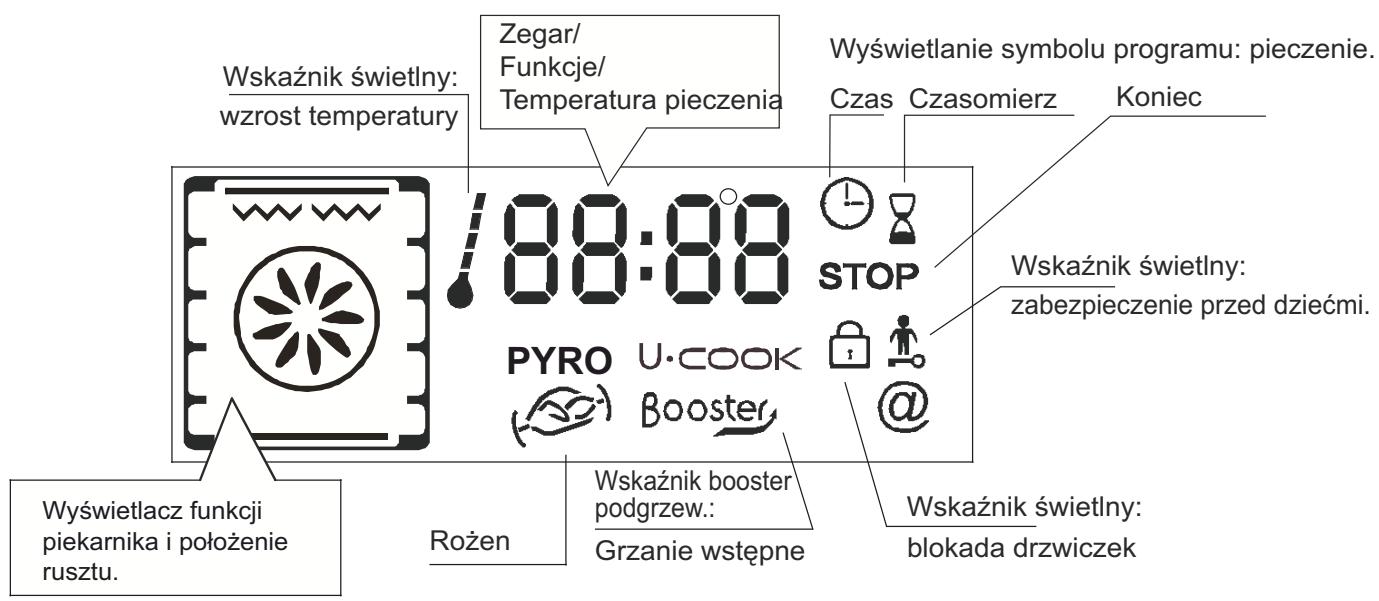
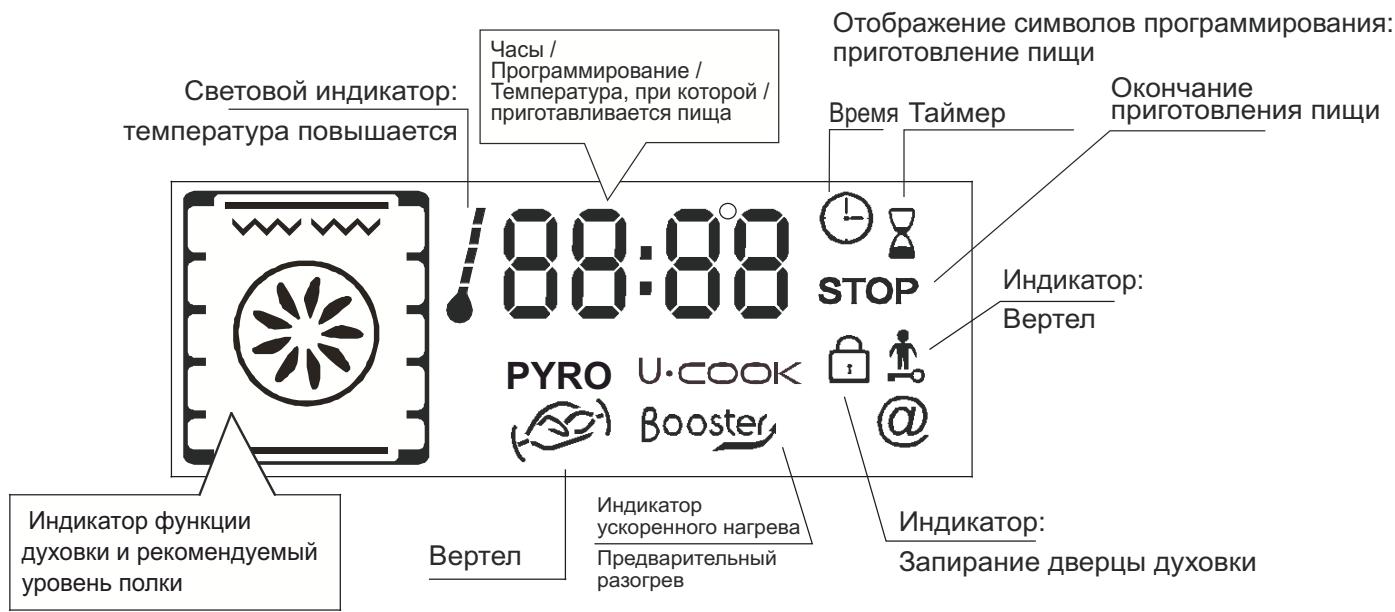
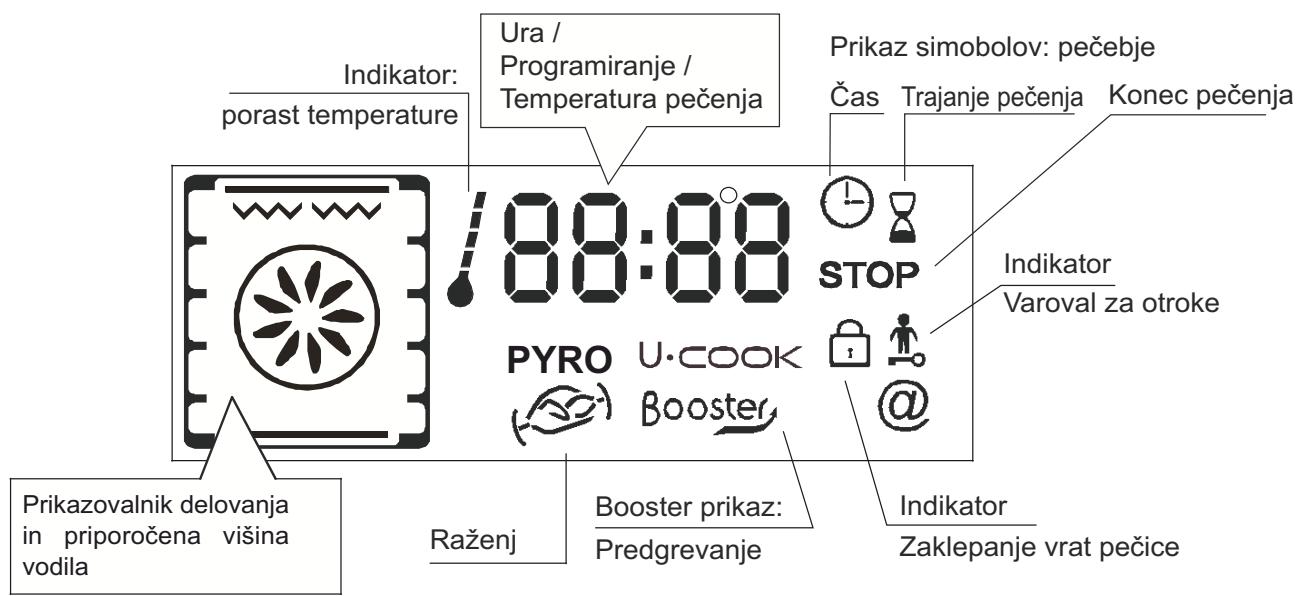
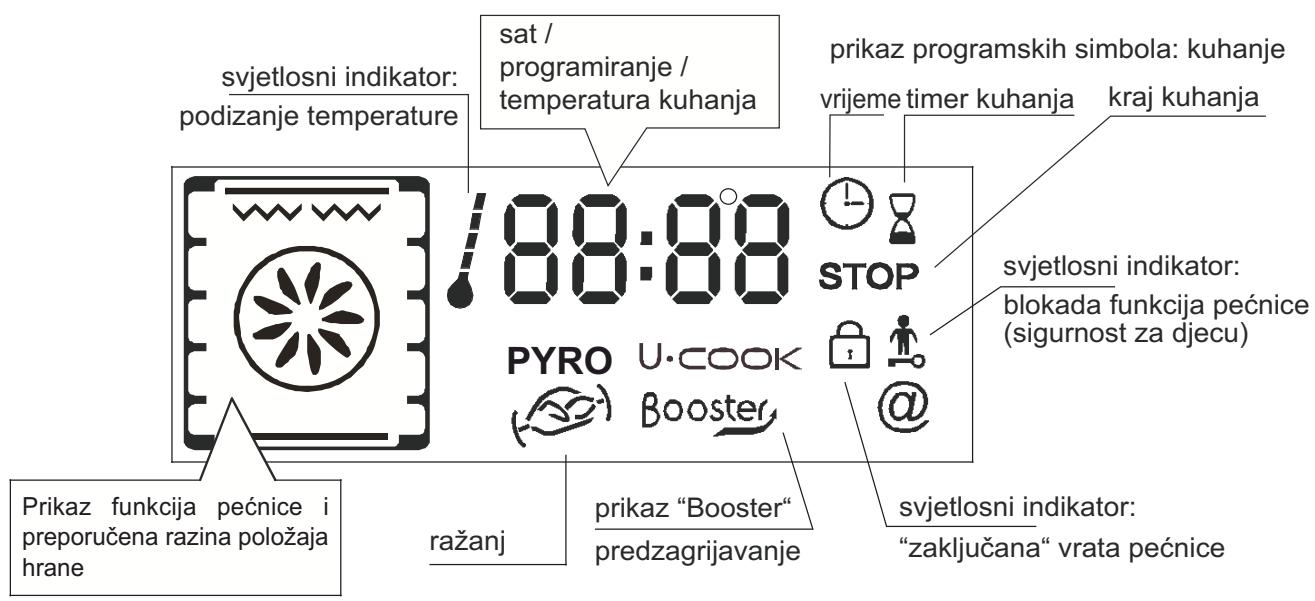
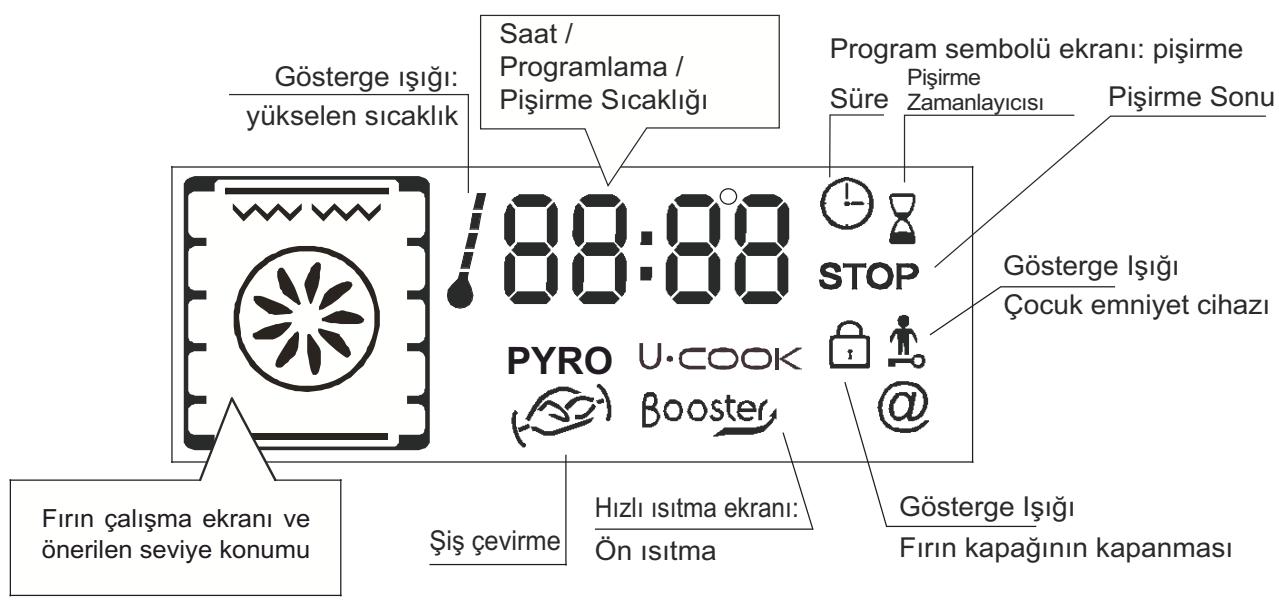
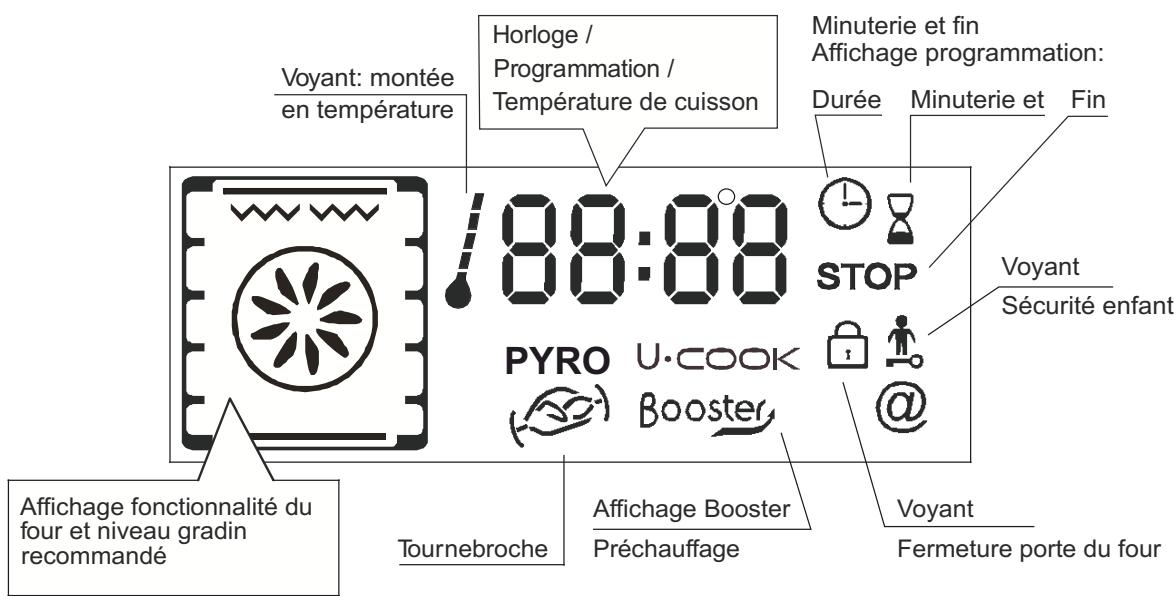
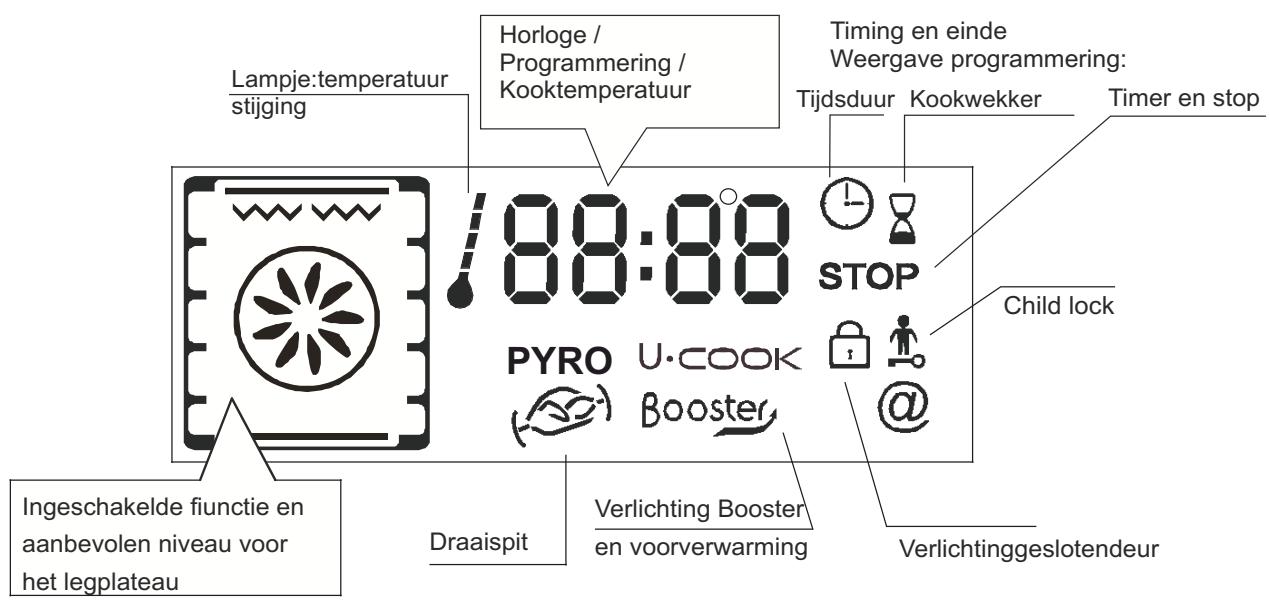
- DESCRIPTION OF THE DISPLAY


5.1 BEFORE USING THE OVEN FOR THE FIRST TIME
• PRELIMINARY CLEANING
-Clean the oven before using for the first time:
-Wipe over external surfaces with a damp soft cloth.
-Wash all accessories and wipe inside the oven with a solution of hot water and washing up liquid.
-Set the empty oven to the maximum temperature and leave on for about 1 hour, this will remove any lingering smells of newness. Ensure that the room is well ventilated while this is being done.
• THINGS TO REMEMBER
Confirmation of operation on timer
Modification must be confirmed by pressing the button.
Stopping the oven:
This may be necessary if you have input an incorrect instruction.
To stop the oven .... turn back the function selector knob to the Stop Position.
Child safety device:
To lock the oven controls, select the child safety device. Refer to the section entitled “Programming - The child safety device”.
The cooling fan :
This protects the control panel and electronics from heat damage.
It begins and then stops automatically even when the oven is switched off.
Oven lighting :
By turning to the light symbol, you can switch on the oven light when it is not in use.
When the oven is in use, the light stays on during all of the oven functions and when the door is opened.
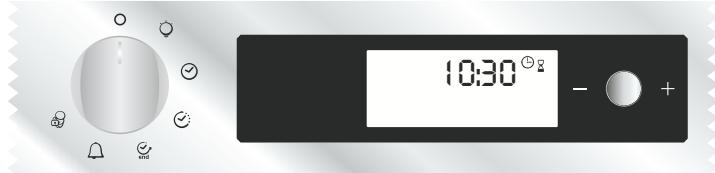
• CLOCK SETTING
When the oven is connected to the electricity supply or after a long power cut, the clock must be re-set.
To set the clock :
1 - Turn the control knob to the "Clock" symbol :
2 - Set the clock with the central button by turning to the “-” or “+”,
3 - Turn back the control knob to the STOP position.
5.2 HOW TO USE THE OVEN
•THE MANUAL MODE
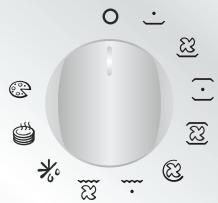
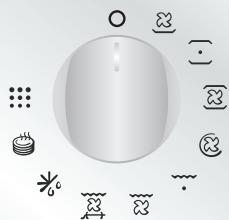
The cooking methods suggested in manual mode are set out in the table below. A temperature is also suggested for each cooking method. This can be modified within a pre-determined range.
| Function Mode according to the oven model | Pre-set Temperature °C | Pre-determined Temperature °C | Function Booster* |
| Bottom + Fan | 210 | 50-220 | Booster |
| Bottom | 160 | 50-220 | Booster |
| Bottom + Top | 220 | 50-240 | |
| Bottom + Top + Fan | 210 | 50-230 | |
| Circular Heating Element + Fan | 180 | 50-230 | |
| Grill | L2 | L1-L3 | |
| Grill + Fan | 190 | 50-200 | Booster |
| Grill + Turnspit + Fan | 240 | 180-240 | Booster |
| Defrost | 40 | No | |
| Keep Warm | 60 | No | |
| Pizza ** | 230 | 230 | |
| Pyro ** | Pyro | ECO: 425 / 65minSUP: 425 / 1h 30min | |
| *Booster: rapid temperature raised |
| **Oven must have this function |
1- Turn the oven selector knob to the function required to the cooking.
The heating elements in operation for the selected cooking method are displayed.
2- The appropriate temperature according to the cooking method selected is displayed. It can be modified within a pre-determined range - see the table above.
To modify the temperature setting, turn the central button and on the timer confirm the setting by pressing the same button.
... the temperature display is fixed but can be modified during the cooking cycle.
The oven will start cooking and will start to heat up.
The indicator light flashes until the selected temperature has been reached. An audible signal sounds at the end of this operation and the indicator light becomes fixed.
3- A cooking time and an end of cooking time can be programmed by turning the programme selector knob to “cooking time” or “end of cooking time”.
The “cooking time” or “end of cooking time” display starts flashing. Using the central button, modify the settings as required and on the timer confirm.
When you have done this, do not forget to turn the programme selector knob back to "stop position" to confirm the new setting.
For more details about programming, refer to the chapter 5.3 entitled PROGRAMMES.
4- At the end of the cooking cycle, turn the function selector knob back to "stop position".
The indicator flashes again, it will remain also turned on after having extinguished the oven and it will extinguish when the inside temperature of the oven is sufficiently low.
• COOKING MODE
All cooking should be carried out with the door closed.

BOTTOM + FAN - The combination of the bottom heating
element and fan is ideal for fruit flans, tarts, quiches and pastries. It prevents food from becoming too dry and encourages bread dough to rise. Place the shelf in the bottom position in the oven.

BOTTOM - Using the lower element. Ideal for cooking all
pastry based dishes. Use this for flans, quiches, tarts, pâté and any cooking that needs more heat from below.

BOTTOM + TOP - Both top and bottom heating elements are
in use. This method is ideal for all traditional roasting and baking. When cooking red meat, roast beef, leg of lamb, game, bread or foil wrapped foods.

BOTTOM + TOP + FAN - Both top and bottom heating
elements are used in conjunction with the fan, which circulates hot air throughout the oven. We recommend this method for poultry, pastries, fish and vegetables. By using this method better heat penetration is achieved and cooking and preheating times are also reduced. The fan cooking option allows you to cook different foods together at different positions in the oven all at the same time, providing even heat distribution but without the risk of mingling tastes and smells. When cooking different foods at the same time allow a further 10 minutes.

CIRCULAR HEATING ELEMENT + FAN - Air that has been
heated is blown by the fan onto the different levels. It is ideal for cooking different types of food at the same time (e.g. Meet and fish) without mixing tastes and smell. It cooks very gently and is ideal for sponge cakes, pastries, etc.

GRILL - Using the top heating element. Success is guaranteed
for mixed grills, kebabs and gratin dishes. The grill should be pre-heated to a high temperature for 5 minutes. White meats should always be placed at some distance from the grill element, the cooking time is slightly longer but the meat will be more succulent. Red meat and fish fillets can be placed directly onto the shelf with the drip tray placed beneath on lower shelf position.

GRILL + FAN - The top heating element is used in conjunction
with the fan which circulates the hot air around the oven. Pre heating is recommended for red meats but is not necessary for white meats. Grilling is ideal for cooking thicker food items such as pork or poultry. Food to be grilled should be placed directly at the centre of the middle shelf.
By sliding the drip tray underneath the shelf it will ensure that any juices are collected. For best results always make sure that the food is not too close to the grill element and turn the food over half way through the cooking time.

GRILL + TURNSPIT + FAN - The advantage of using the top
oven element at the same time as the fan and rotisserie is that the food is evenly cooked, preventing it from becoming dry and tasteless. The rotisserie is programmed to continue rotating for approximately five minutes after cooking, making full use of the residual oven heat. No pre-heating is required for rotisserie cooking.

DEFROST - When the dial is set to this position. The fan
circulates hot air around the frozen food so that it defrosts in a few minutes without the protein content of the food being changed or altered. The temperature is preset in 40^ C constant, no regulation is possible.

KEEP WARM - This is recommended to reheat precooked
foodstuff, positioning the shelf on the second level from top, or to defrost bread pizza or pastry by positioning the shelf on the lower level.
The temperature is preset in 60^ C constant, no regulation is possible.

PIZZA - With this function hot air circulated in the oven to
ensure perfect result for dishes such as pizza or cake.

PYRO - The oven takes care of the entire inside oven cleaning
-Two choices are possible ECO, SUPER
5.3 PROGRAMMES

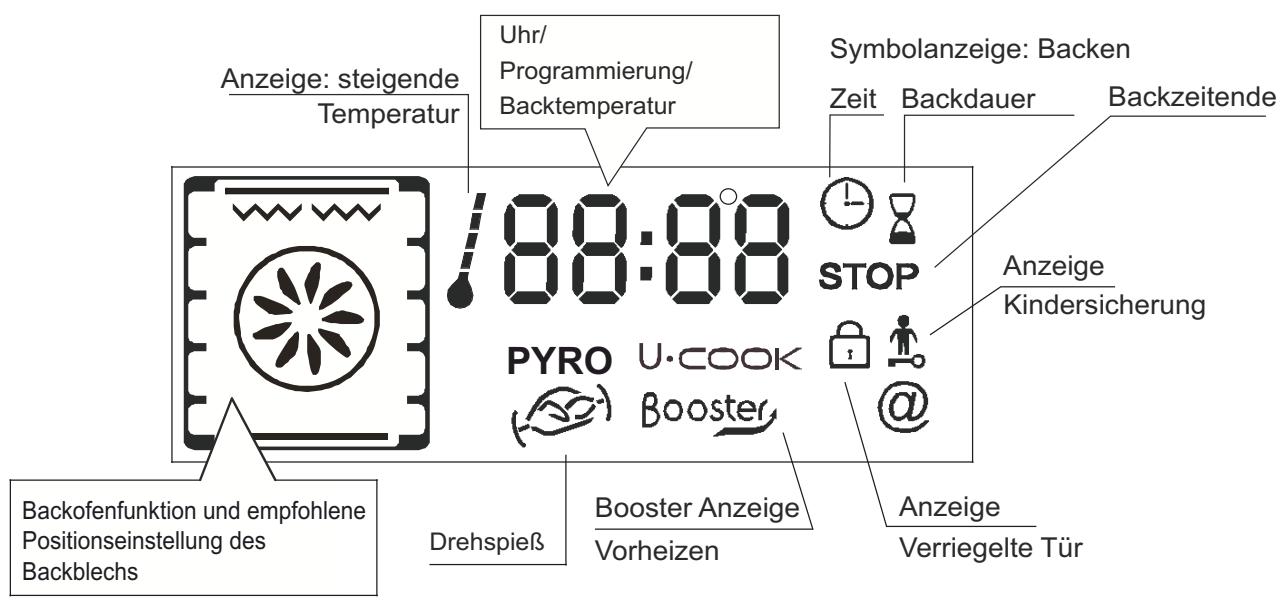
| DISPLAY SYMBOLS |
| Lamp |
| 88:88 | Time Setting |
| Cooking time programming |
| STOP | End of cooking time programming |
| Timer in operation |
| Child safety device operational |
| Locking oven door |
THE TIMER:
The timer works independently of the oven and has no effect on the heating elements. It is simply a reminder.
- Turn the knob to the Timer position. The Timer symbol will appear.
The digits 00:00 will appear on the display.
- The minutes will then flash, turn the central button to the required number of minutes and confirm by pressing the same button.
- The hours will flash, turn the central button to the required number of hours and confirm by pressing the same button.
- Turn the knob back to the Stop position.
When the time is up, the cooking time will disappear. An audible signal will sound for 15 seconds and the Timer display will flash (to stop it before the 15 seconds are up, just press the central button).
PROGRAMMING THE COOKING TIME:
Various recipes are pre-programmed with a cooking time. In Manual mode, Defrosting or Keep warm Mode can be pre-set, if required.
- Turn the knob to the Cooking time position. The Cooking time symbol will appear. A pre-programmed cooking time for the various recipes will appear, or 00:00 for other functions of the oven.
- With the minutes flashing, turn the central button to the required number of minutes confirm by pressing the same button.
- With the hours flashing, turn the central button to the required number of hours and confirm by pressing the same button.
- Turn the programme selector knob back to the Stop position to confirm the new cooking time.
When the time is up, the cooking time will disappear from the display. An audible signal will sound for 15 seconds and the Cooking time and STOP symbols will flash.
- Turn the programme function knob back to Stop. If you do not do this, the Cooking time and STOP symbols will continue flashing.
PROGRAMMING THE END OF COOKING TIME:
Various recipes are pre-programmed with a cooking time and therefore with an end of cooking time. In Manual Mode, Defrosting or Keep warm mode can be pre-set, if required.
- Turn the knob to the End of cooking position. The STOP symbol will appear. A pre-programmed end of cooking time for the various recipes will appear, or 00:00 for other oven functions or the time of day will be shown.
- Turn the programme selector knob to confirm the end time.
- The minutes will flash. Turn the central button to indicate the required number of minutes, and confirm your choice by pressing the same button.
- The hours will then flash. Turn the central button to indicate the required number of hours, and confirm your choice by pressing the same button.
NB : With a delayed start, the end of programme time will appear on the display with the “Cooking time” and “STOP” symbols, and only the function Recipe mode of the oven remains.
The oven automatically calculates the start time (end time minus cooking time).
At the end of the cycle the oven switches itself off automatically. For 15 seconds, an audible signal lets you know that the cycle has ended and the “Cooking time” and STOP symbols will flash.
- Turn the function selector knob to Stop. Unless you do this, the symbols will continue flashing.
- This function is typically used with “cooking duration” function.
For example if the dish has to be cooked for 45 minutes and needs to be ready by 12:30;
- select the required function
- set the cooking duration time to 45 minutes
- set the end of cooking time to 12:30.
Cooking will start automatically at 11:45 (12:30 minus 45 mins) and will continue until the pre-set end-of-
cooking-time, when the oven will switch itself off automatically.
WARNING.
If the END of cooking is selected without setting the length of cooking time, the oven will start cooking immediately and it will stop at the END of cooking time set.
5.4 USING THE END OF COOKING TIMER
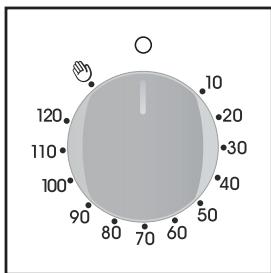
This control enables to set the desired cooking time (max. 120 min.) the oven will automatically switch off at the end of the set time.
The timer will count down from the set time return to the O position and switch off automatically.
For normal use of oven set the timer to the 🔊 position.
To set the oven ensure the timer is not on the O position.
5.5 COOKING TIPS
It is better not to salt meats until after cooking as salt encourages the meat to spatter fat. This will dirty the oven and make a lot of smoke.
Joints of white meat, pork, veal, lamb and fish can be put into the oven cold. The cooking time is longer than in a preheated oven, but it cooks through to the centre better as the heat has more time to penetrate the joint.
Correct preheating is the basis of successful red meat cookery.
GRILLS
• Before loading the grill:
Remove the meat from the refrigerator a few hours before grilling. Lay it on several layers of kitchen paper. This improves seizing, making it tastier and avoids it staying cold at the centre.
Add pepper and spices to the meat before grilling, but add any salt after cooking. This way it will seize better and stay juicy. Baste all the food to be cooked with a little oil. This is best done with a wide flat basting brush. Then sprinkle with more pepper and herbs (thyme, etc.).
- During cooking:
Never pierce the food during cooking even when you turn it. This lets the juice out and it becomes dry.
BAKING
Avoid using shiny tins, they reflect the heat and can spoil your cakes. If your cakes brown too quickly, cover them with greaseproof paper or aluminium foil.
Caution: The correct way to use foil is with the shiny side in towards the cake. If not the heat is reflected by the shiny surface and does not penetrate the food.
Avoid opening the door during the first 20 to 25 minutes of cooking:
Soufflés, brioches, sponge cakes, etc. will tend to fall. You can check if cakes are done by pricking the centre with a knife blade or metal knitting needle. If the blade comes out nice and dry, your cake is ready and you can stop cooking. If the blade comes out moist or with bits of cake attached, continue baking but slightly lower the thermostat so that it is finished off without burning.
5.6 ADJUSTING THE DISPLAY CONTRAST
The display contrast can be adjusted at any time.
The default setting is "C5". To adjust the setting, carry out the following:
- Turn the programme selector to "Light" and the function selector to "0". Press in the central key for 3 seconds and "CX" will appear on the display (where X = the contrast level).
Turn the central key to adjust the contrast setting. The settings go from 1 to 9. Confirm the new setting by pressing the central key for 3 seconds.
6. PYROLYTIC CYCLE
**Oven must have this function
The oven is equipped with a pyrolyser cleaning system, which destroys food residues at high temperature. The operation is carried out automatically by means of the programmer. The resulting fumes are rendered “clean” by passing over a Pyrolyser wich starts as soon as cooking begins. As very high temperatures are required by the Pyrolyser, the oven door is fitted with a safety lock.
The pyrolyser can be stopped at any time. The door cannot be opened until the safety lock is displayed.
NOTE : If a hob has been fitted above the oven, never use the gas burners or the electric hot-plates while the Pyrolyser is working, this will prevent the hob from overheating.
TWO PYROLYTIC CYCLE are pre-set.
. ECO PYROCLEAN : Cleans a moderately stained oven. Operates for a period of 65 minutes.
. SUPER PYROCLEAN : Cleans a heavily stained oven. Operates for a period of 90 minutes.
Never use commercially available cleaning products on a Pyrolytic oven!
Tip : Carrying out Pyrolytic cleaning immediately after cooking allows you to take advantage of residual heat, thus saving energy.
Before carrying out a Pyrolytic cycle :
- Remove all accessories from the oven: They cannot withstand the high temperatures and would be damaged by pyrolytic temperatures.
- Remove any large spillages or stains as it would take too long to destroy them. Also excessively large amounts of grease could ignite when subject to the very high temperatures of the Pyrolyticcycle.
- Close the oven door.
•excess spillage must be removed before cleaning
Using the pyrolytic cycle :
1- Turn the function selector knob to "Pyrolytic Mode". "PYRO" will appear on screen. ECO mode flashes.
Remember: ECO - cycle of 65 minutes - moderately stained oven
SUP - cycle of 90 minutes - heavily stained oven
2- By using the central button select the required Pyrolytic mode, according to the degree of staining: ECO or SUP.
- Your choice is confirmed after 3 seconds...
The oven starts the pyrolytic cycle. The pyrolytic mode selected flashes and the “time” and “stop” indicator lights will appear.
During the pyrolytic cycle, the locking oven door appears, it indicates that the door is locked. The cooling fan will operate.
The indicator light flashes until the temperature required is not reached and then it becomes fixed.
* The start of the pyrolytic cycle can be delayed by selecting an end of time. Turn the programmation control knob to the end of time and set the end of time required.
- During sel-cleaning pyrolytic operation the surfaces may get hotter than usual and children should be kept away.
At the end of the pyrolytic cycle the oven will automatically switch off.
For 15 seconds, an audible signal lets you know that the cycle has ended and the “time” and “Stop” indicator lights will flash.
- Turn the function knob to stop. Unless you do this, the symbols will continue flashing. The symbol “Pyro” disappears on the Timer, the pyrolytic mode. The oven door will remain locked until the temperature is high. So, as the locking oven door is light, the oven can not be opened.
The cooling fan does not switch itself off until the temperature of the oven components is reasonable.
At the end of the cycle, the indicator flashes again, it will remain also turned on after having extinguished the oven and it will extinguish when the inside temperature of the oven is sufficiently low.
Pyrolysis leaves a white residue on the oven walls. Wait for the oven to cool completely then clean the inside of the oven with a damp sponge to wipe off the residue.
7. CHILD SAFETY
This function is essential, especially when children are around. It prevents children from switching the oven on or altering the preset programmes.
This safety system locks the oven control panel while it is operating.
There are two levels of safety :
LEVEL 1 : Locking selector control knob and the central button.
• To activate : Turn the programmation control knob to child safety.
•Action : The control knobs are inactive*.
• To deactivate : Turn the programmation control knob to 0.
LEVEL 2 : Locking function selector knobs
- To activate : Turn the function selector knob to child safety and keep the central button pressed in for 3 seconds.
•Action : All the controls are inactive*.
- To dactivate: the same procedure as for activating. Turn the function selector knob to child safety and keep the central button Pressed in for 3 seconds.
*Note : In all cases, for reasons of safety, even when the controls are locked, the oven can be switched off by turning the selector knob to 0.
natural_image
Metal wire mesh structure with radial slots, no text or symbols visible
natural_image
Black rectangular tray with side cutouts, no visible text or symbols
natural_image
White oval plate with a slice and metal handles, no text or symbols visible
natural_image
Plain gray rectangular baking tray with rounded edges (no text or symbols)
natural_image
3D rendering of a rectangular baking tray with rounded edges and a flat interior (no text or symbols)
natural_image
Diagram of a mechanical device inside a furnace or chamber, showing internal components and a downward arrow (no text or symbols)
natural_image
Metallic rectangular object with multiple recessed slots and a flat top edge (no text or symbols visible)
3. PULIZIA DEL FORNO 4. RISOLUZIONE DEI PROBLEMI
natural_image
Close-up of a hand holding a small transparent object with wires, no visible text or symbols
natural_image
Hand holding a small transparent object over a dark mechanical component (no visible text or symbols)
natural_image
Close-up of a metallic mechanical component with curved and straight surfaces, no visible text or symbols
natural_image
Two small glass bulbs, one open and one closed, shown against a white background (no text or symbols visible)
PYRO - The oven takes care of the entire inside oven cleaning ces are possible ECO, SUPER
5.3 THE PROGRAMMATION

natural_image
Metal wire mesh structure with radial slots, no text or symbols visible
natural_image
Black rectangular tray with side cutouts, no visible text or symbols
natural_image
White oval plate with a metallic slice and metal handle, resting on two metal handles (no text or symbols visible)
natural_image
Plain gray rectangular baking tray with no text or markings
natural_image
3D rendering of a rectangular baking tray with rounded edges (no text or symbols)
2.2 ASADOR (DEPENDE DEL MODELO)
natural_image
Diagram of a mechanical device inside a furnace or chamber, showing internal components and a downward arrow (no text or symbols)
natural_image
Metallic rectangular object with multiple recessed slots and a flat top edge (no text or symbols visible)
3. LIMPIEZA DEL HORNO
natural_image
Close-up of a hand holding a small plastic component with wires, no visible text or symbols
natural_image
Hand holding a small transparent container attached to a wall-mounted device (no visible text or symbols)
natural_image
Close-up of a metallic mechanical component with curved and straight surfaces, no visible text or symbols
natural_image
Two transparent glass objects: a cylindrical container and a standard light bulb, both without any text or symbols.
natural_image
Digital kitchen timer with alarm clock and control buttons (no text or symbols on main display)
5.2 CÓMO UTILIZAR EL HORNO
•EN MODO MANUAL
natural_image
Metal wire mesh structure with radial grooves (no text or symbols)
natural_image
Black rectangular tray with side holes, no visible text or symbols
natural_image
White oval plate with a metallic slice and metal handles, no text or symbols visible.
natural_image
Plain dark gray rectangular baking tray with rounded edges (no text or symbols)
natural_image
3D rendering of a gray rectangular baking tray with rounded edges (no text or symbols)
2.2 ROŻEN (W ZALEŻNOŚCI OD MODELU)
natural_image
Diagram of a mechanical device inside a furnace or chamber, showing internal components and a downward arrow (no text or symbols)
natural_image
Metallic rectangular object with multiple recessed slots and a flat top edge (no text or symbols visible)
3. CZYSZCZENIE PIEKARNIKA
natural_image
Close-up of a gloved hand holding a small metallic object with wires, no visible text or symbols
natural_image
Hand holding a small transparent object next to a glowing bulb on a surface (no text or symbols visible)
natural_image
Close-up of a metallic mechanical component with curved and straight surfaces (no visible text or symbols)
natural_image
Two small glass bulbs, one upright and one with a lit bulb, shown against a white background (no text or symbols visible)
natural_image
Digital kitchen control panel showing a dial indicator and LCD display (no text or symbols on main elements)
5.2 UŻYWANIE PIEKARNIKA
•TRYB RE CZNY
natural_image
Black rectangular tray with side handles, no visible text or symbols
natural_image
White oval plate with a metallic slice and metal handles, placed on a metal frame (no text or symbols visible)
natural_image
Plain gray rectangular baking tray with no text or markings
natural_image
3D rendering of a rectangular baking tray with rounded edges and a flat interior (no text or symbols)
2.2 ROŽEŇ
natural_image
Diagram of a mechanical device inside a container, showing internal components and a downward arrow (no text or symbols)
natural_image
Metallic rectangular object with multiple recessed slots and a flat top edge (no text or symbols visible)
3. ČIŠTĚNÍ TROUBY
natural_image
Close-up of a hand holding a small electronic component with wires and a small battery (no visible text or symbols)
natural_image
Hand holding a small transparent object next to a glass bulb, with no visible text or symbols.
natural_image
Close-up of a metallic mechanical component with curved and straight surfaces, no visible text or symbols
natural_image
Two transparent glass objects: a cylindrical container and a standard incandescent light bulb, both without any text or symbols.
Vlastnosti žárovky:
230 VAC - 25W- E 14 závit
Teplota 300°C
Pro výměnu žárovky:
natural_image
Digital kitchen control panel showing a rotary knob and a digital timer displaying 10:30 (no text or symbols on main elements)
5.2 POUŽITÍ TROUBY
• MANUÁLNÍ REŽIM
natural_image
Metal wire mesh structure with vertical slats, no text or symbols visible
natural_image
Black rectangular tray with side brackets and a flat interior (no text or symbols visible)
natural_image
White oval plate with a slice and metal handles, no visible text or symbols
natural_image
Gray rectangular baking tray with rounded edges and textured surface (no text or symbols)
natural_image
3D rendering of a rectangular baking tray with rounded edges and a flat interior (no text or symbols)
2.2 ВЕРТЕЛ
natural_image
Diagram of a mechanical device inside a chamber, showing internal components and a downward arrow (no text or symbols)
natural_image
Metallic tray with multiple slots and a small notch, no visible text or symbols
3. ЧИСТКА ДУХОВКИ
natural_image
Two black-and-white photos showing hands adjusting a small mechanical component; no visible text or symbols.
natural_image
Two metallic components: a plastic contact lens and a light bulb, shown side by side (no text or symbols visible)
natural_image
Digital kitchen control panel showing a rotary knob and a digital timer displaying 10:30 (no text or symbols on main elements)
1.4 NAMESTITEV IN PRIKLJUČITEV
natural_image
Metal wire mesh structure with vertical slats, no text or symbols present
natural_image
Black rectangular tray with side handles, no visible text or symbols
natural_image
White oval plate with a metallic slice and metal handles, no text or symbols visible.
natural_image
Plain gray rectangular baking tray with no text or markings
natural_image
3D rendering of a gray rectangular baking tray with rounded edges (no text or symbols)
2.2 RAŽENJ
Pri peki na ražnju predgrevanje pečice ni potrebno.
Peka poteka pri zaprtih vratih pečice.
natural_image
Diagram of a mechanical device inside a container, showing internal components and a downward arrow (no text or symbols)
natural_image
Metallic rectangular object with multiple recessed slots and a flat top edge (no text or symbols visible)
3. ČIŠČENJE PEČICE
natural_image
Close-up of a hand holding a small metallic screw with wires, no visible text or symbols

natural_image
Hand holding a small transparent object next to a glowing circular component (no visible text or symbols)
natural_image
Close-up of a metallic mechanical component with curved and straight surfaces (no visible text or symbols)
natural_image
Two transparent glass components: a cylindrical container and a standard incandescent light bulb, shown against a white background (no text or symbols visible)
5.1 PRED PRVO UPORABO PEČICE
PRVO ČIŠČENJE
- Pred prvo uporabo pečico očistite.
- Obrišite vse zunanje površine z vlažno krpo.
- Operite vso opremo in obrišite notranjost pečice z raztopino vode in detergenta za pomivanje posode.
- Vklopite prazno pečico za približno 1 uro na najvišjo temperaturo, da odstranite vonj po novem. Pred tem poskrbite za zračenje prostora!
NA KAJ MORATE BITI POZORNI
natural_image
Digital kitchen control panel showing a dial indicator and timer display (no text or symbols on main elements)
5.2 UPORABA PEČICE
ROČNI NAČIN
natural_image
Metal wire mesh fan or rack structure with no text or symbols
Plitica za sakupljanje masti i sokova hrane koja se peče na žaru.
natural_image
Black rectangular tray with side handles, no visible text or symbols
natural_image
White oval plate with a metallic slice and metal handles, placed on a silver frame (no text or symbols visible)
Plitica za kolače i pecivo, mora biti postavljena na policu. Ova plitica služi za pečenje slastica, kolača, peciva i sl.
natural_image
Plain gray rectangular baking tray with rounded edges (no text or symbols)
natural_image
3D rendering of a rectangular baking tray with rounded edges and a flat interior (no text or symbols)
2.2 RAŽANJ (ZAVISNO O MODELU PEĆNICE)
natural_image
Diagram of a mechanical device inside a furnace or chamber, showing internal components and a downward arrow indicating motion (no text or symbols present)
natural_image
Metallic rectangular object with multiple recessed slots and a flat top edge (no text or symbols visible)
3. CLEANING THE OVEN
- Prije ručnog čišćenja, pričekajte da se pećnica u potpunosti ohladi i isključite je iz električnog napajanja.
- Nikada nemojte čistiti pećnicu abrazivnim sredstvima, žičanom vunom ili oštrim predmetima jer će se emajl nepopravljivo oštetiti.
- Koristite isključivo vodu i deterdžent ili sredstva na bazi amonijaka.
- Nikada nemojte oblagati unutrašnje stranice pećnice aluminijskom folijom.
STAKLENI DIJELOVI
Savjetujemo da staklena vrata nakon svakog korištenja pećnice obrišete kuhinjskim papirom koji dobro upija. Ako su vrata jako prljava možete ih oprati pomoću spužve i odgovarajućeg deterdženta, isperite i dobro obrišite. *Nikada nemojte koristiti abrazivna sredstva i oštre predmete.
- Za čišćenje staklenih vrata pećnice nemojte koristiti gruba sredstva za čišćenje ili oštre metalne predmete, to može izazvati nepopravljiva oštećenja na staklu.
BRTVA VRATA
Ako je brtva prljava, operite je lagano vlažnom spužvom.
PRIBOR PEĆNICE
Pribor pećnice očistite spužvom i odgovarajućim deterdžentom, isperite čistom vodom i osušite. Izbjegavajte abrazivna sredstva za čišćenje.
PLITICA ZA SAKUPLJANJE MASTI
Nakon pečenja na žaru, izvadite pliticu za sakupljanje masti iz pećnice. Pazite da se vruća masnoća ohladi. Operite pliticu spužvom, odgovarajućim deterdžentom i vrućom vodom, isperite toplom vodom. Ako u plitici i nakon pranja ima ostataka masnoće, namačite je neko vrijeme u otopini vode i deterdženta. Pliticu možete oprati i u perilici za posuđe. Nikada ne stavljajte prljavu pliticu natrag u pećnicu. Ne stavljajte pliticu u pećnicu tijekom postupka pirolize.
SVJETLO PEĆNICE
Prije čišćenja ili zamjene žarulje isključite pećnicu iz električne mreže. Žarulja i njen poklopac izrađeni su od materijala koji su otporni na vrlo visoke temperature.
natural_image
Close-up of a hand holding a small transparent object with wires, no visible text or symbols
natural_image
Hand holding a small transparent object near a glass fixture (no visible text or symbols)
natural_image
Close-up of a metallic mechanical component with curved and straight surfaces, no visible text or symbols
natural_image
Two small glass objects: a cylindrical container and a standard incandescent light bulb, both without any text or symbols.
Karakteristike žarulje:
230 V AC - 25 W - E 14 baza, temperatura 300°C
5.1 PRIJE PRVOG KORIŠTENJA PEĆNICE
• PRETHODNO ČIŠĆENJE
- Očistite pećnicu prije prvog korištenja:
- Obrišite vanjske površine s vlažnom mekom krpom,
- Operite svu opremu/pribor i unutrašnjost pećnice s otopinom tople vode i deterdženta za posuđa,
- Podesite praznu pećnicu na maksimalnu temperaturu i ostaviti da radi oko 1 sat, to će ukloniti sve mirise nove pećnice, pri ovom postupku osigurajte dobro provjetravanje prostorije.
• STVARI KOJE TREBA ZAPAMTITI
5.2 KAKO KORISTITI PEĆNICU
• RUČNI NAČIN RADA
1.4 INSTALLATION
natural_image
Metal wire mesh fan or rack structure with no text or symbols
natural_image
Black rectangular tray with side handles, no visible text or symbols
natural_image
White oval plate with a metallic slice and metal handles, no text or symbols visible.
natural_image
Plain dark gray rectangular baking tray with no text or markings
natural_image
3D rendering of a rectangular baking tray with rounded edges (no text or symbols)
2.2 GRILLSPIEß (MODELLABHÄNGIG)
natural_image
Illustration of a meat being cut with a fork, showing interior processing (no text or symbols)
natural_image
Metallic rectangular object with multiple recessed slots and a flat top edge (no text or symbols visible)
natural_image
Close-up of a gloved hand holding a small metallic object with wires, no visible text or symbols
natural_image
Hand holding a small transparent object next to a glowing glass bulb on a dark surface (no text or symbols visible)
natural_image
Close-up of a metallic mechanical component with curved and straight surfaces, no visible text or symbols
natural_image
Two transparent glass bulbs, one upright and one with a lit bulb, shown against a white background (no text or symbols)
natural_image
Digital kitchen control panel showing a rotary knob and a digital timer displaying 10:30 (no text or symbols on main elements)
5.2 BENUTZUNG DES BACKOFENS
•Manueller Modus
natural_image
Black rectangular tray with side handles, no visible text or symbols
natural_image
White oval plate with a metallic slice and metal handles, placed on a silver frame (no text or symbols visible)
natural_image
Gray rectangular baking tray with flat surface (no text or symbols)
natural_image
3D rendering of a rectangular baking tray with rounded edges and a flat interior (no text or symbols)
2.2 şiş
natural_image
Diagram of a mechanical device inside a furnace or chamber, showing internal components and a downward arrow (no text or symbols)
natural_image
Metallic rectangular object with multiple recessed slots and a flat top edge (no text or symbols visible)
3. FIRIN TEMİZLENMESİ
natural_image
Close-up of a hand holding a small transparent object with wires, no visible text or symbols
natural_image
Hand holding a small transparent object next to a glass bulb, with metal tubing in the background (no text or symbols visible)

natural_image
Close-up of a metallic mechanical component with curved and straight surfaces (no visible text or symbols)
natural_image
Two transparent glass bulbs, one upright and one with a small metallic screw head (no text or symbols visible)
Ampul özellikleri:
natural_image
Digital kitchen control panel showing a rotary dial and a digital timer displaying 10:30 (no text or symbols on main elements)
5.2 FIRININ KULLANIMI
•MANUEL MOD
2.1 EQUIPEMENT DU FOUR
natural_image
Metal wire mesh structure with radial slots, no text or symbols visible
natural_image
Black rectangular tray with side cutouts, no visible text or symbols
natural_image
White oval plate with a metallic slice and metal handle, resting on two metal handles (no text or symbols visible)
natural_image
Plain gray rectangular baking tray with rounded edges (no text or symbols)
natural_image
3D rendering of a rectangular baking tray with rounded edges and a central recess (no text or symbols)
2.2 TOURNEBROCHE
natural_image
Diagram of a mechanical device inside a container, showing internal components and a downward arrow (no text or symbols)
natural_image
Metallic rectangular object with multiple recessed slots and a flat top (no text or symbols visible)
3. ENTRETIEN GENERAL DU FOUR
natural_image
Close-up of a hand holding a small transparent object with wires, no visible text or symbols
natural_image
Close-up of a hand holding a small transparent object next to a dark container with a glowing liquid, no visible text or symbols.
natural_image
Close-up of a metallic mechanical component with curved and straight surfaces, no visible text or symbols
natural_image
Two transparent glass objects: a cylindrical container and a standard light bulb, both with no visible text or symbols.
natural_image
Simple diagram of a computer mouse with control buttons and an 'end' label (no text or symbols on the mouse itself)
natural_image
Illustration of a computer mouse with surrounding icons representing food, beverage, and kitchen items (no text or symbols)
TOUCHE DE REGLAGE - + ET DE VALIDATION

natural_image
Computer mouse with control buttons and a bell icon around it (no text or symbols on the mouse itself)

natural_image
Pure diagram of a computer mouse with surrounding icons (no text or labels)
natural_image
Digital kitchen control panel showing a dial and timer display (no text or symbols on main elements)
5.2 RECOMMANDATIONS
• LE MODE MANUEL
natural_image
Metal wire mesh structure with vertical slats, no text or symbols visible
natural_image
Black rectangular tray with side holes, no visible text or symbols
natural_image
White oval plate with a slice and metal handles, no text or symbols visible
natural_image
Plain gray rectangular baking tray with no text or markings
natural_image
3D rendering of a rectangular baking tray with rounded edges and a flat interior (no text or symbols)
2.2 HET DRAAISPIT
natural_image
Diagram of a mechanical device inside a furnace or chamber, showing internal components and a downward arrow indicating motion (no text or symbols present)
natural_image
Gray plastic sheet with multiple recessed slots and a small notch, no visible text or symbols
3. ONDERHOUD VAN DE OVEN
natural_image
Close-up of a hand holding a small transparent object with wires, next to a small electronic device (no visible text or symbols)
natural_image
Hand holding a small transparent object with a glowing light source, next to a dark vehicle (no visible text or symbols)
natural_image
Close-up of a metallic mechanical component with curved and straight surfaces, no visible text or symbols
natural_image
Two transparent glass objects: a cylindrical container and a standard incandescent light bulb, both without any text or symbols.
5.2 AANBEVELINGEN
MANUELE MODUS
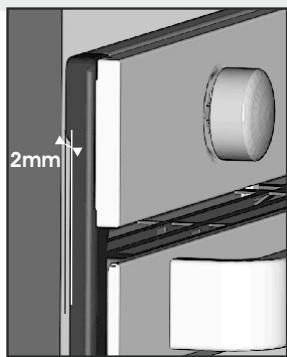
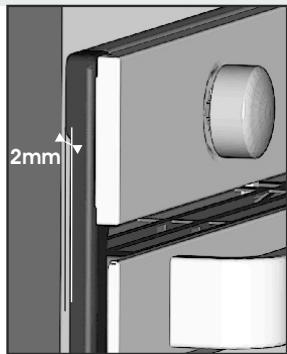
Applying torque more than needed to fix the screws can close the ventilation channels on both sides. Please be sure that, these ventilation channels are 2mm open after installation to furniture.
ATTENZIONE!
natural_image
Diagram of a door frame with a 2mm dimension label, showing structural details without any readable text or symbols.
natural_image
Interior view of an oven with internal compartments and a central circular inset showing two small objects (no text or symbols visible)
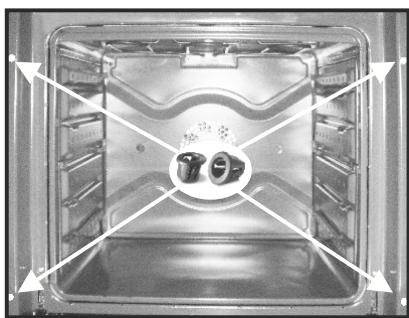
GB Fixing in the location
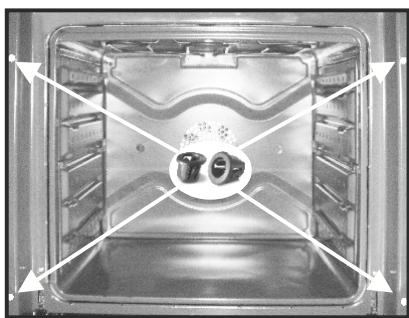
Inside the oven there is a bag with four fixing screws. Fixing: When the oven door is open, holes are accessible, they are located on each side. Use the screws provided to fix the oven.
natural_image
Diagram of a door frame with a 2mm dimension label, showing structural details without any readable text or symbols.
natural_image
3D mechanical assembly diagram showing a component with a 2mm dimension label (no readable text or symbols)
natural_image
Interior view of an oven with internal shelves and a highlighted circular component (no text or symbols visible)
The manufacturer will not be responsible for any inaccuracy resulting from printing or transcript errors contained in this brochure. We reserve the right to carry out modifications to products as required, including the interests of consumption, without prejudice to the characteristics relating to safety or function.
IT