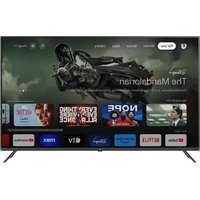
55850UV-TFB - TV OK - Free user manual and instructions
Find the device manual for free 55850UV-TFB OK in PDF.


Pick your language and provide your email: we'll send you a specifically translated version.
| Product Type | LED TV |
| Brand | OK |
| Model | 55850UV-TFB |
| Screen Size | 55 inches |
| Resolution | 3840 x 2160 (4K UHD) |
| Display Technology | LED |
| Aspect Ratio | 16:9 |
| Refresh Rate | 60 Hz |
| Smart TV | Yes |
| Operating System | OK OS |
| Connectivity | 3 x HDMI, 2 x USB, Ethernet, Wi-Fi |
| Audio Output | 2 x 10W speakers |
| Power Consumption | 150 W |
| Standby Power | < 0.5 W |
| Input Voltage | AC 100-240V, 50/60Hz |
| Dimensions (with stand) | 123.2 x 77.1 x 24.5 cm |
| Dimensions (without stand) | 123.2 x 71.1 x 7.6 cm |
| Weight (with stand) | 15.2 kg |
| Weight (without stand) | 14.5 kg |
| VESA Mount | 400 x 200 mm |
| Energy Class | A+ |
| Remote Control | Included |
| Warranty | 2 years |
| Included Accessories | Remote control, batteries, power cord, stand |
| Cleaning Instructions | Use a soft dry cloth; avoid chemical cleaners |
Frequently Asked Questions - 55850UV-TFB OK
How do I set up the TV for the first time?
Connect the power cord, turn on the TV, and follow the on-screen setup wizard to select language, connect to Wi-Fi, and scan for channels.
How can I connect external devices like a gaming console?
Use an HDMI cable to connect the device to any of the HDMI ports on the TV. Then select the corresponding HDMI input using the Source button on the remote.
Why is there no sound from the TV?
Check if the volume is muted or turned down. Ensure the audio output setting is set to TV speakers rather than external audio. Also, verify that external devices are properly connected.
How do I perform a factory reset?
Go to Settings > System > Reset and select Factory Reset. Confirm the action; this will erase all personal settings and data.
Can I mount the TV on a wall?
Yes, the TV supports VESA 400 x 200 mm wall mounts. Ensure the mount is compatible with the weight of the TV (approx. 15 kg) and secure it properly.
What should I do if the remote control stops working?
First, replace the batteries. If it still doesn't work, check for obstructions between the remote and the TV sensor. You can also use the TV's physical buttons as a temporary solution.
How do I update the TV's firmware?
Navigate to Settings > About > Software Update and select Check for Updates. If an update is available, follow the on-screen instructions to install it. Ensure the TV is connected to the internet.
The picture quality is poor; how can I improve it?
Adjust the picture mode (e.g., Standard, Cinema) in Settings. You can also fine-tune brightness, contrast, and sharpness. Ensure the source signal is HD or 4K for best results.
How do I clean the TV screen safely?
Turn off the TV and unplug it. Use a soft, dry microfiber cloth to gently wipe the screen. Do not use any liquids, alcohol, or abrasive cleaners, as they may damage the display.
What is the warranty period and how to claim it?
The TV comes with a 2-year warranty. To claim, contact OK customer support with your proof of purchase and model number. Do not attempt to repair the TV yourself.
User questions about 55850UV-TFB OK
0 question about this device. Answer the ones you know or ask your own.
Ask a new question about this device
No questions yet. Be the first to ask one.
Download the instructions for your TV in PDF format for free! Find your manual 55850UV-TFB - OK and take your electronic device back in hand. On this page are published all the documents necessary for the use of your device. 55850UV-TFB by OK.