
BTN-B100 - Bluetooth earphones AKAI - Free user manual and instructions
Find the device manual for free BTN-B100 AKAI in PDF.


| Product Type | Portable Bluetooth Speaker |
| Model | BTN-B100 |
| Brand | AKAI |
| Dimensions (W x H x D) | 6.3 x 2.8 x 2.8 in (16 x 7 x 7 cm) |
| Weight | 0.55 lbs (250 g) |
| Power Supply | Built-in rechargeable Li-ion battery, 3.7V 1200 mAh |
| Charging Input | Micro USB, 5V 1A |
| Battery Life | Up to 8 hours at medium volume |
| Charging Time | Approx. 3 hours |
| Bluetooth Version | Bluetooth 5.0 |
| Wireless Range | Up to 33 ft (10 m) |
| Speaker Driver | Full-range 40mm driver |
| Output Power | 3W RMS |
| Frequency Response | 100 Hz - 20 kHz |
| Controls | Power, Volume +/-, Play/Pause, Pairing button |
| Microphone | Built-in for hands-free calls |
| Input Jacks | 3.5mm AUX input |
| Protection Features | Overcharge, over-discharge, short circuit protection |
| Cleaning Instructions | Wipe with a soft dry cloth. Do not use abrasive cleaners or water immersion. |
| Repairability | Battery and speaker driver are serviceable by qualified technicians. For spare parts, contact AKAI support. |
| Safety Notes | Do not expose to extreme temperatures. Keep away from moisture. Use only supplied charger. |
| General Information | Designed for portable use. Compatible with most Bluetooth devices. LED indicator shows pairing/charging status. |
Frequently Asked Questions - BTN-B100 AKAI
User questions about BTN-B100 AKAI
0 question about this device. Answer the ones you know or ask your own.
Ask a new question about this device
Download the instructions for your Bluetooth earphones in PDF format for free! Find your manual BTN-B100 - AKAI and take your electronic device back in hand. On this page are published all the documents necessary for the use of your device. BTN-B100 by AKAI.
USER MANUAL BTN-B100 AKAI
Use earbuds while driving, please observe the national and regional regulation.
Please put all the equipment and accessories in places that cannot be touched by the child or pet, which may cause suffocation and serious consequences.
Please don't use the product under too high or too low temperature environment. (Below -10 degree or above- 45 degree)
Extreme temperatures can cause deformations, reduce the charging capacity of the device, and shorten the service life.
Do not use wet equipment or near liquid which can cause severe damage to equipment.
Please do not use wet hand operating equipment, equipment damage caused by water does not under the warranty scope.
If the earbuds play at high volume for a long time, your hearing may be hurt and suggest using the lowest volume of the phone.
PACKAGE CONTENT:
- Headset body
- Type-C charging cable
- User manual
- 2 pair ear tips
TECHNICAL SPECIFICATIONS
| Model number | BTN-B100 |
| Chipset | JL AC7006 F4 |
| Bluetooth Version | Bluetooth V5.3+EDR |
| Bluetooth Frequency | 2.4-2.485GHz |
| Audio decoding | WAV/WMA/APE/FLAC |
| Profiles supported | HFP A2DP AVRCP SBC |
| Weight | 47g |
| Base Unit Dimensions | 185X128X13MM |
| Speaker Unit size | 10mm |
| Charging Input | 5V  400mA 400mA |
| Microphone Sensitivity | —4  |
| Frequency Response | 20F  |
| Built in Battery type | Lith  |
| Standby Time | 360 Hours |
| Playing Time | 80 hours (Approx.) |
| Charge Time | 2.0 Hour (Approx.) |
| Bluetooth Range | 10 meters (open space with no obstacle) |
| Bluetooth Transmission power | ≤ 10 dBm |
| Supported system | iOS & Android system |
*Note: Due to different pairing devices and using environment, the working hours of the headset are different.
PRODUCT OVERVIEW

- : Long press to power on or off.
- .short press to volume up; Long press to next song.
- — : Short press to volume down; Long press to previous song.
- Short press to play or pause music.
When there is a call coming, short press to answer the call, Long press to refuse the call;
Double press to redial the last call that you called out.
- Indicator light
- Battery State
- TF card insert port
- Type-C charging port
Bluetooth Pairing Operation Method
Long press 📋 power on and enter Bluetooth pairing model. At this time search the corresponding Bluetooth device name BTN-B100 on the phone, click it on the mobile phone for the Bluetooth pairing.
Charge the Headset
The internal rechargeable battery inside must be fully charged before you start to use the headset.
Connect one end of the Type-C cable to the charger or the Type-C interface of the computer, and the other end to the charge interface of the headset.
Red light on: charging. Blue light on: fully charged.
Hall Switch Operation Method
When playing music, and remove the earbuds from the ears, both earcups are attract together and will automatically pause the music;
When you separated both earcups, they will start "play music automatically.
Game mode
When the Bluetooth is connected, short press the “ 🔊” to change the game mode.
Siri function
When the Bluetooth is connected, long press the “” to start Siri.
Warnings
◇ Keep the product dry. Do not store it in damp areas.
Do not expose the product in the sun or high temperature.
Do not attempt to open the product, especially operated by non-professional person.
Do not make the product fall down or shake the product violently or strike the product with hard objects.
Do not use harsh chemicals or cleaners to clean the headset.
Do not use something sharp to scratch the surface of the product.
Do not continuously charge the headset for over 10 hours to avoid affecting the battery life.
To prevent possible hearing damage, do not listen at high volume levels for long period.
DISPOSAL OF ELECTRICAL AND ELECTRONIC EQUIPMENT
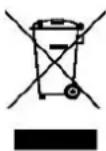
This symbol on the product or packaging means that the product should not be treated as household waste. Do not throw garbage at the end of its life, but take it to a collection center for recycling. in this way you will help to protect the environment and be able to prevent any negative consequences that it would have on the environment and human health.
To find your nearest collection center:
-Contact local authorities
- Access the website: www.mmediu.ro
- Request additional information from the store where you purchased the product.
IMPORTER: SC INTERVISION TRADING-RO SRL
I.C Bratianu Boulevard 48-52 no, Building A, 5 ^th floor,
504-505 room, Pitesti City, Arges County, Romania
Post code: 110121
AKAI
MANUALUL UTILIZATORULUI
BTN-B100
Brand : AKAI
Model : BTN-B100
Category : Bluetooth earphones