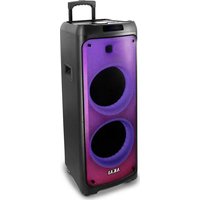
TB35032S - Loudspeaker AKAI - Free user manual and instructions
Find the device manual for free TB35032S AKAI in PDF.


Pick your language and provide your email: we'll send you a specifically translated version.
| Product Type | Active loudspeaker |
| Brand | AKAI |
| Model | TB35032S |
| Power Output | 10 W RMS |
| Frequency Response | 80 Hz - 20 kHz |
| Impedance | 4 ohms |
| Connectivity | Bluetooth 5.0, 3.5 mm AUX-in |
| Controls | Power, volume, play/pause |
| Battery | Built-in rechargeable 1500 mAh |
| Battery Life | Up to 8 hours at 50% volume |
| Charging Port | Micro USB (DC 5V) |
| Dimensions (W x H x D) | 220 x 90 x 120 mm |
| Weight | 0.7 kg |
| Enclosure Material | ABS plastic |
| Color | Black |
| Mounting | Desktop / shelf placement |
| Included Accessories | USB charging cable, AUX cable |
| Special Features | Built-in microphone for hands-free calls |
| LED Indicator | Power and Bluetooth status |
| Cleaning | Wipe with a soft dry cloth |
| Safety | Do not expose to water or extreme heat |
| Repairability | Replaceable battery and speaker driver |
Frequently Asked Questions - TB35032S AKAI
How do I pair the AKAI TB35032S with my phone via Bluetooth?
Turn on the speaker and press the Bluetooth button to enter pairing mode. On your phone, enable Bluetooth and select 'AKAI TB35032S' from the available devices. The speaker will confirm with a sound.
Can I connect the speaker to a computer using an AUX cable?
Yes, the speaker has a 3.5mm AUX input. Plug one end of the AUX cable into the speaker and the other into your computer's headphone jack. The speaker automatically switches to AUX mode when a cable is connected.
How long does it take to fully charge the battery?
Charging the AKAI TB35032S via the Micro USB port takes approximately 2-3 hours. The LED indicator will turn green or off when fully charged.
What is the battery life on a single charge?
The built-in 1500mAh battery provides up to 8 hours of playtime at 50% volume. Higher volume levels may reduce battery life.
How do I reset the speaker to factory settings?
To reset, turn off the speaker and then press and hold the power and Bluetooth buttons simultaneously for 5 seconds. The LED will flash rapidly to indicate a successful reset.
Can I use the speaker while it is charging?
Yes, the AKAI TB35032S supports playback during charging. Connect the USB cable and continue using the speaker normally.
How should I clean the loudspeaker?
Use a soft, dry cloth to wipe the exterior. Do not use any liquids, as they may damage the speaker grille or electronic components.
What should I do if there is no sound coming from the speaker?
First, check the volume level on both the speaker and your device. Ensure the speaker is not muted and that a connection is properly established via Bluetooth or AUX. If using AUX, verify the cable is fully inserted.
Is the AKAI TB35032S waterproof or splash-proof?
No, this speaker is not waterproof. Avoid exposing it to rain, splashes, or submersion in water to prevent damage.
Does the speaker have a built-in microphone?
Yes, the built-in microphone allows you to answer phone calls hands-free. Press the play/pause button to accept a call and press it again to hang up.
User questions about TB35032S AKAI
0 question about this device. Answer the ones you know or ask your own.
Ask a new question about this device
No questions yet. Be the first to ask one.
Download the instructions for your Loudspeaker in PDF format for free! Find your manual TB35032S - AKAI and take your electronic device back in hand. On this page are published all the documents necessary for the use of your device. TB35032S by AKAI.
USER MANUAL TB35032S AKAI



Manual assistant
Powered by Anthropic
Waiting for your message
Product information
Brand : AKAI
Model : TB35032S
Category : Loudspeaker