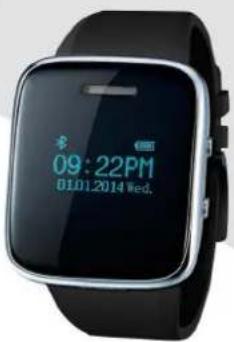
DX4 - Smartwatch Growing - Free user manual and instructions
Find the device manual for free DX4 Growing in PDF.


User questions about DX4 Growing
0 question about this device. Answer the ones you know or ask your own.
Ask a new question about this device
Download the instructions for your Smartwatch in PDF format for free! Find your manual DX4 - Growing and take your electronic device back in hand. On this page are published all the documents necessary for the use of your device. DX4 by Growing.
USER MANUAL DX4 Growing
Changing People's Life
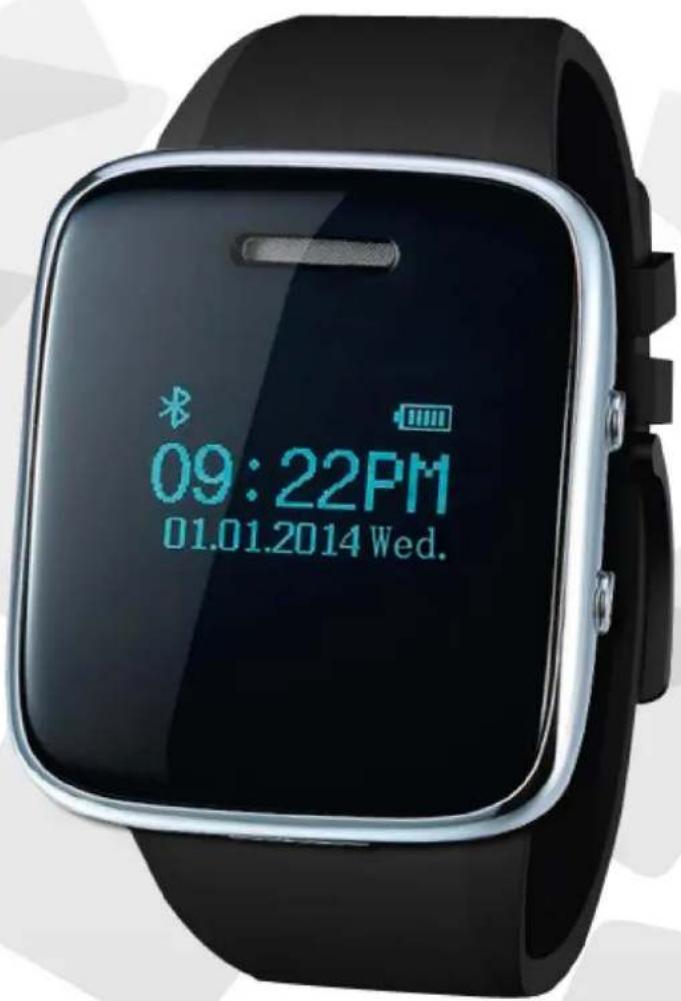

SMARTWATCH

natural_image
Six hexagonal icons representing communication, calendar, music note, telephone, clock, and gear (no text or symbols)(Download manual em www.mygrowing.com)
User Manual – English
Pag. 11 - 18
(Download manual at www.mygrowing.com)
The Growing Company S.A.
Rua da Argila, 620 | 4445-027 Alfena | Portugal
Tel. +351 229 698 560 | Fax. +351 229 698 569

www.mygrowing.com
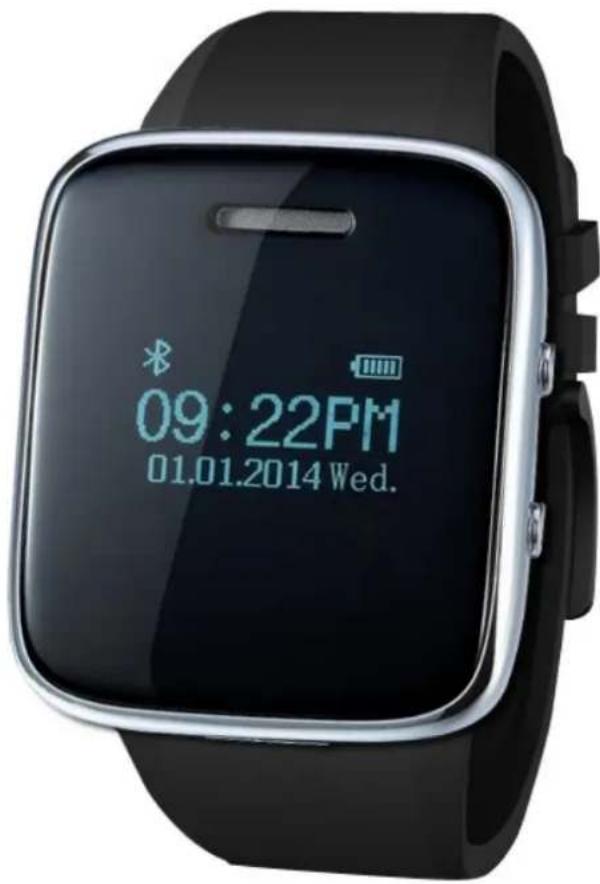
User Manual
DX4
ENGLISH
1. Introduction
1.1 Details of the box with your SmartWatch GROWING.
Each unit will have the following items:
- 1x DX4 SmartWatch
- 1x Charger
- 1x USB Cable
- 1x User Manual
1.2 Specifications of your SmartWatch GROWING
- 0.96" glass screen
• Answer/ conversation / reject calls - Ring and vibrate reminder for SMS
• Displays caller's name and number - Bluetooth sync phonebook, call records / SMS
- Sync music player
- Sync whatsapp, skype, MSN, wechat, SMS
- (Requires APK installation on the Android phone)
• Alarm/ Calendar / Stopwatch - Alert type: vibrating only, vibrating and ringing, multi ring
- Anti-lost(5-10meters)
- Charging time: 1h
- Bluetooth Version: 3.0
This manual provides instructions for generic settings and images of real simulations, which may vary depending on the software and device version.
The use of apps, other than those that come pre-installed, can damage the performance of your device.
Depending on the required specifications, some apps, and in the case of apps requiring excessive CPU and RAM performance, may not function properly.
Descriptions, instructions, pictures and any other information presented herein may be changed without notice. The The Growing Company reserves the right to decline any and all responsibility for any typographical error or omission contained in this manual. Any changes and / or updates will always be published and will be accessible through the website www.mygrowing.com.
1.3 Charging your SmartWatch
No need to charge more than 12 hours when first used.
When a battery-powered device is purchased, sellers usually tell us the battery must first be charged 12 hours before use. Actually, this is unnecessary. Unlike ordinary Ni-Cd or Ni-MH batteries, most lithium-ion batteries were activated
before leaving the factory. Because of their low self-discharge, it is unnecessary to charge the lithium-ion battery for a while again so long. The lithium ion batteries are ready for use after charged fully (100%).
Don't use an inappropriate charger.
Many people care greatly about their electronic gadgets, but often neglect the consequences of bad chargers on their lithium ion batteries. When choosing a charger, the original charger is the best choice. If that's unavailable, a high quality charger that has an over charge protection function, or a brand name charger will do. A low quality battery charger can lead to shorter run times, premature battery failure, or even cause a fire or explosion.
Avoid touching the metal contacts.
All batteries have contacts that need to be kept clean for better performance. Do not let the battery contacts touch metal objects such as keys when transporting them, may cause a short circuit and damage the battery or potentially resulting in a fire or explosion.
Avoid often use in high or low temperature environment.
Lithium ion batteries have an optimal working and storage temperature. If they're continually used an extreme temperature environment, it will negatively affect the lithium ion battery's use time and useful cycles.
Avoid being long periods of time without use or recharge the battery.
If you don't need to use your personal electronic gadgets for a long time where the lithium ion battery might be to left unused for 3 months or more, partially recharge the lithium ion battery, then store the device (recharge the battery to around 30-70% of capacity, depending on storage time) to prevent battery damage.
Avoid the immediate use of the SmartWatch after the lithium-ion batteries have been fully charged.
The temperature of the SmartWatch can be high when the battery is recharged. If you use it right away, the internal temperature may adversely affect electronic components SmartWatch.
2. Basic Operations
2.1 Generic Presentation
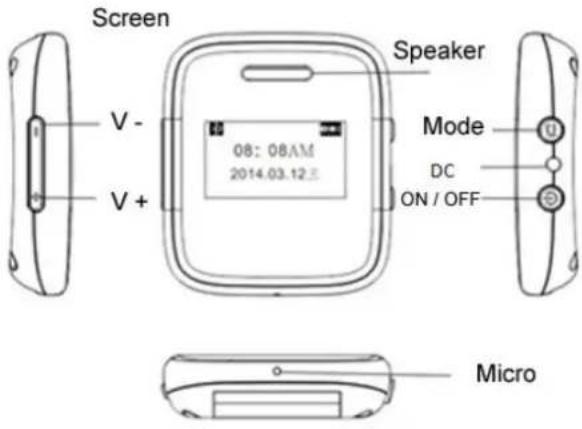
1 - Power Key: turn on/turn off/back/hang-up calls
2 - Mode Key: choose/confirm/dialling calls/answer calls
3 - V+ key: increase volume of Ring tone. Music, answer volume. Up choice
4 - V- key: decrease volume of Ring tone, Music, answer volume. Down choice
Main Function:
1 - Caller's name and number display.
2 - Alert type: Vibrating only/vibrating and ringing, multi ring for option.
3 - Ringing and Vibrate remind for SMS.
4 - Answer/Conversation/Reject Calls.
5, - SMS/Calling record Sync automatically and View.
6 - Phone contacts sync automatically, View and Dialing.
7 - Music player: The Growing DX4 can control the music to play or pause of your phone.
8 - Growing DX4 can search the Bluetooth device.
9 - Bluetooth Notification: Download the “Bluetooth Notification” apk. in to your Android phone, Growing DX4 can sync, remind and read all the news in your phone, such as: Whatsapp, skype, MSN, Wechat and so on. (Note: this APPLICATION only suit for Android smart phone) You can download the application on the product page on
www.mygrowing.com
10 - Alarm/Stopwatch/Calendar
11 - Time and Date display
Note: iPhone can achieve all the functions except Point 9.
2.2 Pairing with your SmartPhone
A) Open Bluetooth of your phone, searching the BT device, find Growing DX4 device and connect.
B) Open Bluetooth of your phone, Press "Mode" Key of Growing DX4 to search. Find your
Mobile phone and connect.
C) After connected, the phone contacts, SMS. Calling record, time etc, will be sync automatically, you can read your phone contacts, SMS, calling record directly through your Growing DX4.
D, Anti-theft Warning:
Open situation: Growing DX4 would drop connection when it is out of range from the mobile phone for 5-10 meters and it would be vibrating with ring when drop connection.
Close situation: no remind.
2.3 Main Functions
Phone book:
A - Press "Mode" button to view the contact list, "V+/V-" for up and down choose.
B, Press "Model button again, for view and dialing contactor.
C, Press "Power Key" to return.
Remote Device (Bluetooth Notification):
Download "Bluetooth Notification" apk to your Mobile phone, Growing DX4 can sync and read all the information of your phone, such as: WhatsApp, skype, MSN, Wechat and so on.
(Note: this apk. Only suit for Android Smartphone.)
Bluetooth Music:
A, Play the music in your Mobile phone, Growing DX4 will play instead of your phone.
B. Press "Mode" key to pause and play the music.
C. Press "V+/V-" to choose the playlist.
D. Press "Power key" to Back.
E. Return to Home page, Press "V+/V-" to increase or decrease the music volume, as well as the volume can be controlled by Your Mobile phone.
Message:
A. Growing DX4 will sync the SMS of your phone automatically.
B. There will be a ringing when has new SMS
C. Growing DX4 can view all the SMS.
Call History:
A. Growing DX4 will sync the calling list of your phone, include Missed calls/Dialed calls/Answered calls.
B. Press "Mode" Key to view the call history, as well as the record time and Dialing.
C. Press "Power key" to Back.
Organizer:
A. Language
B. Set date:
Press "mode" key to date setting, "V+/V-" adjust, after finished adjusting, press "mode" key to Save and drop out.
C. Set time:
Press "Mode" key to date setting, "V+/V-" adjust, after finished adjusting, press "Mode" key to Save and drop out.
D. Ring Tone: Press "Mode" key to date setting, "V+/V-" to choose, after finished,
press "Mode" key to Save and drop out.
E. Calendar: Press "Mode" key to view.
F. Stopwatch: Press "Mode" key to start-up and stop Stopwatch.
G. Alarm:
a. Press "Mode" key to alarm setting.
b. Press "Mode" key to choose the situation of the alarm: off or on.
c. Press "V+/V-" and "Power key" to adjust time, repeat times, as well as ringing and vibrating.
d. Press "Mode" key to save and drop out.
H. Quick test list.
It tests all function of Growing DX4, If no error or abnormal occurred, please don't use.
Testing time will last for about 5mins.
3. Warranty
This product has Growing warranty against factory defects.
The product is a sophisticated electronic device. The Growing strongly recommends that you consult the user manual and the instructions supplied with the product and for the same. In turn, should take into account that the product may contain high precision displays, camera lenses and other similar parts that may be subject to scratching or other damage if not handled with extreme care. This Warranty does not cover in any case these situations.
Under warranty is explicit time specific guarantee, which acquire the product.
| Warranty | Garantia | Garantie | Garantía | ||||
| Europe | 2 Years | 2 Anos | 2 Ans | 2 Años |
| Brazil | 6 Months | 6 Meses | 6 Mois | 6 Meses |
| Africa | 6 Months | 6 Meses | 6 Mois | 6 Meses |
Frame Warranty
Policy Defects in LCD SmartWatch
Despite the highest possible standards, the intricate manufacturing of screens "thin-film transistor" (TFT) liquid crystal display (LCD) may still produce slight visual imperfections.
These visual imperfections do not impair the performance of your SmartWatch. However, the Growing will provide warranty service for TFT LCD screen of your SmartWatch when there are at least:
More than 5 bright spots or dark spots 8 (excluding 8).
These warranty conditions for TFT LCD screens are offered by TFT LCD manufacturers.
The Growing will however, by his will, repair or replace the product.
Please note: A bright dot is a pixel or sub-pixel that is always on white. A dark dot is a pixel or sub-pixel that is always off black.
This Warranty does not cover user manuals, software, configuration, content, data or links to third party included or downloaded in SmartWatch, included during installment, assembly, shipping or at any other time in the delivery chain or otherwise acquired by user.
The Growing does not guarantee that the software fits your needs, to work in combination with any hardware or software from a vendor independent, or that the operation of any software will be free from suffering interruptions or errors or that any defects present in the software can be subject to correction or rectification.
This warranty does not cover:
Normal usage (including, without limitation, lenses of cameras, batteries or displays).
The defects caused by poor handling (including, without limitation, defects caused by sharp elements, folding, compression or falls, etc.).
Defects or damage caused by misuse of the SmartWatch, including use contrary to the instructions provided by Growing (eg, indications of the user manual for SmartWatch).
Other acts beyond the reasonable control of Growing.
Warranty Policy Battery
The battery has 6 months Warranty.
This warranty does not cover defects caused by the fact that the battery be subjected to short-circuiting or the fact that the seals of the battery latch, SmartWatch or cells were broken or show evidence of manipulation, either because the battery has been used in equipment for which was not specified.
Other important notices
We remind you that should make backup copies or keep written records of all important content and data stored in your Product, because there is the possibility of loss of data and content during repair or replacement.
All parts of the Product or other equipment will be replaced by Growing, from that time, ownership of Growing. If the Product is not covered by the terms and conditions of this Limited Warranty, Growing and service companies authorized by the same reserve the right to charge a fee for hand labor. To repair or replace the Product, Growing can use new products or parts equivalent to new or reconditioned.
For assistance Growing hotdog various channels:
- Contact your local vendor.
- On the site www.mygrowing.com support we have in the tool for technical support "Helpdesk".
- Directly to the Growing via phone (+351 808 20 29 30) or email to 808202930@growing.pt.
4. EC-Declaration of Conformity
EC-Declaration of Conformity
to the Essencial Requirements
of the applicable Directive 1999/5/EC
We, The Growing Company S.A., declare under our solve responsibility that the Radio-Communication products
Description: SmartWatch; Brand: GROWING; Model: DX4
are fully in conformity with the essential requirements of the Council Directive 1999/5/EC (R&TTE).
This declaration is based on the full compilace of the products with the European standards.
Standard(s):
Article 3.1a) EN 60950-1:2006+A11:2009+A1:2010
+A12:2011
EN 62311: 2008
Article 3.1b) EN 301 489-1 V1.9.2: 2011-09
EN 301 489-17 V2.1.1: 2009-05
Article 3.2) EN 300 328 V1.7.1: 2006-10
CE-marking
Marking Example (Classe 1)
CE 0700
Authorized Representative: The Growing Company S,A,
Address: Rua da Argila n°620
4445-027 Alfena – Portugal

All logos & trade marks are properties of the respective companies
Marking Example (Classe 1)
CE 0700
Representante Autorizado: The Growing Company S,A,
Address: Rua da Argila n°620
4445-027 Alfena – Portugal

All logos & trade marks are properties of the respective companies
Thank you for choosing GROWING
GROWING
Changing People's Life

SMARTWATCH
PT
Ecrã 0.96" em vidro
Atender / conversar / rejeitar chamadas
Answer/ conversation / reject calls
Vibrate reminder for SMS, Whatsapp...
Displays caller's name and number
Bluetooth sync phonebook, call records / SMS
Sync music player
Sync whatsapp, Skype, SMS
[Requires APK installation on the Android™ phone]
Alarm/ Calendar / Stopwatch
Alert type: vibrating only, vibrating /ringing
Battery 180mAh 3.7V
BT Support | Anti-lost[5-10meters]
DC 5V Max. 500mA