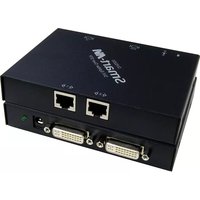
DVS-200S - AV Extender Smart-AVI - Free user manual and instructions
Find the device manual for free DVS-200S Smart-AVI in PDF.


| Product Type | AV Extender (DVI/HDMI) |
| Brand | Smart-AVI |
| Model | DVS-200S |
| Function | Extends DVI-D signal over Cat5e/6 cable |
| Input Interface | DVI-D (single link) |
| Output Interface | DVI-D (single link) |
| Maximum Resolution | 1920x1200 (1080p) @ 60Hz |
| Maximum Transmission Distance | 100 meters (330 feet) via Cat5e/6 |
| Power Supply | 12V DC, 1A (included) |
| Dimensions (W x D x H) | 4.5 x 2.5 x 1 inches (each unit) |
| Weight | 0.5 lbs (0.23 kg) each unit |
| Material | Metal chassis |
| LED Indicators | Power and Link status |
| EDID Support | EDID pass-through |
| Package Contents | Transmitter, Receiver, 2x Power Supplies, Mounting Brackets |
| Warranty | 1 year limited |
| Cleaning Instructions | Use a soft, dry cloth. Do not use liquids. |
| Safety Precautions | Avoid moisture, disconnect power before cleaning. |
| Repairability | No user-serviceable parts. Contact support for service. |
Frequently Asked Questions - DVS-200S Smart-AVI
User questions about DVS-200S Smart-AVI
0 question about this device. Answer the ones you know or ask your own.
Ask a new question about this device
Download the instructions for your AV Extender in PDF format for free! Find your manual DVS-200S - Smart-AVI and take your electronic device back in hand. On this page are published all the documents necessary for the use of your device. DVS-200S by Smart-AVI.
USER MANUAL DVS-200S Smart-AVI
Extend a DVI-D Signal to Two Remote Displays up to 220 Feet Plus One Local Monitor

natural_image
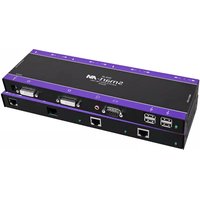
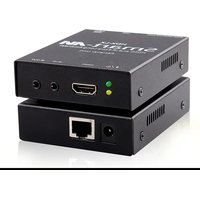
Two Smart-M network devices with I/O ports and I/O connectors, displayed against a blue background with binary code patterns (no readable text or symbols on devices themselves)DVS200 Extends Any DVI-D Signal up to 220 Feet to Two Displays and One Local Screen Using CAT6 Cabling While Retaining Perfect Image Quality at Resolutions up to 1920 x 1200
SmartAVI, Inc.'s DVS400 allows you to extend a DVI-D signal to up to two remote displays via one small unit that also loops a signal back to your computer so local monitoring is possible and simple.
A great example would be a retail shop running its digital signage from a computer in its back office; using the DVS200, a media file or group of files could be broadcast to up to two screens situated around the store while also being viewed locally on that computer's monitor.
Quite simply, the outgoing DVI-D signal from your computer is plugged into the DVS200. This box has one input and two outputs, so that your signal can be sent up to 220 feet over inexpensive CAT6 cables to display screens anywhere in your retail shop, lounge, etc. In addition to the two outgoing signal ports, the unit also has a loop-back port that goes back to your computer, so that you may monitor exactly what is being broadcast to the remote screens. This is all done from a single unit with one power supply.
On power-up, the DVS200 reads and stores the EDID of the DVI monitor connected to the local loop-back port. From that point on, even if the local monitor is not attached to the unit, its DDC is retained in the flash memory of the DVS200 unit and it will operate as if the monitor were connected, offering unhindered use and simple flexibility.
Application Diagram

flowchart
graph TD
    A["USB Mouse & Keyboard"] -->|DVI-D| B["DVS200 Transmitter"]
    C["MAC or PC"] -->|Local Monitor| B
    B -->|CAT6-STP| D["PLASMA Monitors"]
    D --> E["DVX-RX200 Receiver"]
Features
- Local DVI-D Output
- Perfect Image Quality at all Resolutions
• Video Resolutions up to 1920 x 1200 at 60Hz (1280 x 1024 at 75Hz) on all Distances to the Maximum Limit
• Automatic DDC Learning From Local Monitor -
DDC Tables Stored in Flash Memory for Future Use
-
Unit Operates Regardless of Local Monitor Connectivity
- Distances: up to 220 Feet via STP CAT5e or STP CAT6 Cable (Best Quality/Distance)
- Compatible With all Operating Systems
- Rack Mount Options (19"): Mount up to Four DVS400 Units in a 19" / 1U Rack Mount Kit, Saving Expensive Rack Space
• MAC or PC Versions Available
Specifications
Video Interface
DVI
Resolution
1920 x 1200@60Hz
Power Supply
Universal Switch mode PSU (90-240 Input) 5VDC
Input Interface
DVI-D (Single Link)
Upgradeable
Onboard Flash
Dimensions
3.75"W x 5.00"L x .875"H
Applications
• Perfect Image Quality at all Resolutions
- Call Centers (co-locate users' computers)
- Industrial (protection against pollution)
• Information Terminals & Kiosks
• Airports (air traffic control, passenger information systems)
• Medical (using computer tomographs generates strong magnetic fields, which make it impossible to use monitors)
natural_image
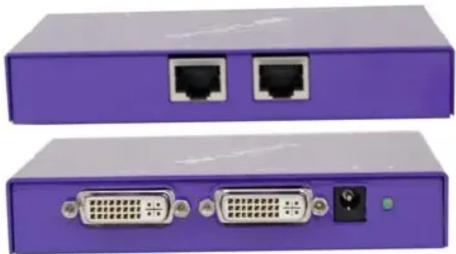
Two purple electronic devices with Ethernet and DVI connectors, no visible text or symbolsOrder Info
| Model | Description |
| LVS200 | Transmitter and Receiver for DVI over CAT6 |
| DVX-RX200 | DVX Receiver, Receiver DVI over STP cable |
Many leading companies have recognized and embraced the innovation of SmartAVI's technologies and have successfully incorporated them into their organizations. Users of SmartAVI include:
NASA






Johnson-Johnson

Bloomberg
SmartAVI, Inc.
2840 N. Naomi Ave. Burbank, CA 91504
Tel: (818) 565-0011 Fax: (818) 565-0020
smartavi.com
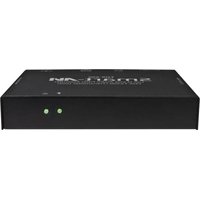
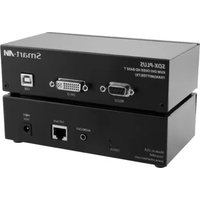
Brand : Smart-AVI
Model : DVS-200S
Category : AV Extender