SDX-PLUS-TX - AV Extender Smart-AVI - Free user manual and instructions
Find the device manual for free SDX-PLUS-TX Smart-AVI in PDF.


| Product Type | AV Extender (HDMI over IP) |
| Dimensions (W x D x H) | 120 mm x 80 mm x 25 mm |
| Weight | 0.3 kg |
| Power Supply | 5V DC, 2A (power adapter included) |
| Main Functions | Extends HDMI signals up to 100m via Cat6; supports 4K@30Hz, HDCP 2.2, IR pass-through |
| Input Interface | 1x HDMI (Type A female) |
| Output Interface | 1x RJ45 (Cat6) |
| Maximum Resolution | 3840x2160 @ 30Hz |
| Supported Audio | LPCM 2.0, Dolby Digital, DTS |
| IR Control | IR pass-through included (IR receiver and emitter) |
| Transmission Distance | Up to 100m (Cat6 cable) |
| Operating Temperature | 0°C to 50°C |
| Storage Temperature | -20°C to 60°C |
| Maintenance | Keep dry; clean with a soft cloth; avoid dust and moisture |
| Safety | Use only provided power adapter; do not expose to liquids; keep ventilation slots clear |
| Spare Parts & Repairability | No user-serviceable parts; contact Smart-AVI for repairs |
| General Information | Plug-and-play; no software needed; compatible with HDMI 1.4b |
Frequently Asked Questions - SDX-PLUS-TX Smart-AVI
User questions about SDX-PLUS-TX Smart-AVI
0 question about this device. Answer the ones you know or ask your own.
Ask a new question about this device
Download the instructions for your AV Extender in PDF format for free! Find your manual SDX-PLUS-TX - Smart-AVI and take your electronic device back in hand. On this page are published all the documents necessary for the use of your device. SDX-PLUS-TX by Smart-AVI.
USER MANUAL SDX-PLUS-TX Smart-AVI
| PART NO. QTY DESCRIPTION | ||
| SDX-Plus-RX 1 SDX-Plus | Receiver. DVI-D + USB + RS232+ IR Receiver over CAT5/5e/6 | |
| SDX-Plus-TX 1 SDX-Plus | Transmitter. DVI-D + USB +RS232 + IR Transmitter over CAT5/5e/6 | |
| Power Supply 2 PSSVDC4A | ||
Technical Specifications
| VIDEO | |
| Format | DVI-D Single Link |
| Maximum Pixel Clock | 165 MHz |
| Input Interface (TX) | (1) DVI-D 29-pin female |
| Output Interface (RX) | (1) DVI-D 29-pin female |
| Resolution | Up to 1920 x 1200 @60Hz |
| DDC | 5 volts p-p(TTL) |
| Input Equalization | Automatic |
| Input Cable Length | Up to 20 ft. |
| Output Cable Length | Up to 20 ft. |
| USB | |
| Signal Type | OHCI/UHCI (USB 1.1) |
| Input Interface (TX) | (1) USB Type B (Female) |
| Output Interface (RX) | (2) USB Type A (Female) |
| RS232 | |
| Input Interface | DB9 (Female) |
| Output Interface | DB9 (Female) |
| Control | @ 115 Kbps |
| IR | |
| Frequency Response | 30KHz to 80KHz |
| Input Interface (RX) | (1) 3.5 mm (Female) |
| Output Interface (TX) | (1) 3.5 mm (Female) |
| OTHER | |
| Power | External 100-240 VAC/SVDC4A @20W |
| Dimensions | 8.25 in W x 1 in H x 3.625 in D |
| Weight | 1 lb |
| Operating Temp. | 0-55 °C (32-131°F) |
| Storage Temp. | -20-85 °C (-4-185 °F) |
| Humidity | Up to 95% |
© Copyright 2012 SmartAVI, All Rights Reserved
NOTICE
The information contained in this document is subject to change without notice. Smart-AVI makes no warranty of any kind with regard to this material, including but not limited to, implied warranties of merchantability and fitness for any particular purpose.
Smart-AVI will not be liable for errors contained herein or for incidental or consequential damages in connection with the furnishing, performance or use of this material.
No part of this document may be photocopied, reproduced or translated into another language without prior written consent from Smart-AVI.
For more information, visit www.smartavi.com.
Rack Mountable Option


SmartAVI, Inc. / Twitter: smartavi 11651 Vanowen St. North Hollywood, CA 91605 Tel: (818) 503-6200 Fax: (818) 503-6208 http://www.SmartAVI.com
Smart-AVI SMART AUDIO VIDEO INNOVATION
Installation Manual
SDX-Plus
Super Range DVI-D, USB Keyboard and Mouse, RS232 and IR Extender

natural_image
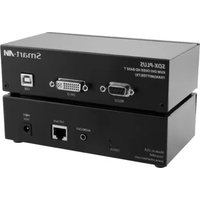
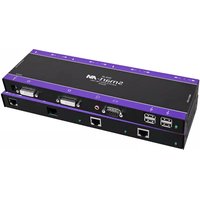
Black electronic device with ports and connectors (no visible text or symbols)Extend DVI-D video, USB Keyboard and Mouse, RS232 and IR up to 330 feet (100m) over a single CAT5/5e/6 UTP cable
www.smartavi.com
Introduction
Using HDBaseT technology, the SDX-Plus DVI extender is capable of sending a DVI-D signal up to 330 feet over a single conventional and inexpensive CAT5 UTP cable. HDBaseT technology is superior to older DVI extenders that require special CAT6 sheilded cable to go a short distance. The SDX-Plus also has USB keyboard and mouse, RS232 and IR extension, giving you the ability to control your displays or devices remotely.
Features
• Extends DVI-D up to 330 feet (100m) from the source
• Data recovery for digital video
• Supports up to 1920x1200 digital video resolution
• Automatic DDC Learning
• USB Keyboard and Mouse
• Uncompressed Video HDBaseT
• IR and RS232 extension allows for remote control of displays
• External power adapter for transmitter and receiver unit
- Plug and play
To reach maximum distances with HDBaseT technology, it is recommended to use the best possible quality cable available. CAT5e/6 shielded cabling is ideal for best performance.
Product - Installation Diagram
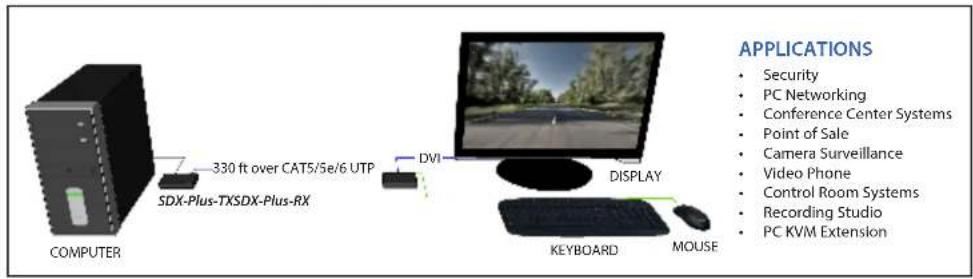
Connecting the SDX-Plus
- Power off all devices.
- Connect a DVI-D source (computer) to the DVI-D port on the SDX-Plus-TX.
- Connect a USB source (computer) to the USB port on the SDX-Plus-TX.
- Optionally connect RS232 and IR for control functions.
- Connect the SDX-Plus-TX to the the SDX-Plus-RX with one CAT5 UTP (Unsheilded Twisted Pair) cable.
- Connect a DVI-D compatible display to the DVI-D port on the rear of the SDX-Plus-RX.
- Connect USB keyboard and mouse to the USB ports on the SDX-Plus-RX.
- Optionally connect RS232 and IR for control functions.
- Connect the power to the SDX-Plus-RX and the SDX-Plus-TX.
- Power on the display and then the computer.
The DDC of your display will be learned automatically.
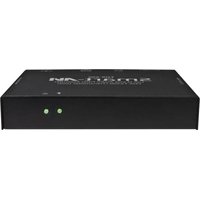
SDX-TX Front

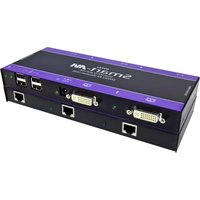
SDX-TX Rear

SDX-RX Front

SDX-RX Rear

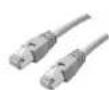
The following is the wiring standard for terminating UTP/STP cable using RJ-45 connector:
Pair 1 Pins 1 & 2
Pair 2 Pins 3 & 6
Pair 3 Pins 4 & 5
Pair 4 Pins 7 & 8

RJ-45
Connectors:
Capacitance: 14 pf/ft (46.2 pf/m)
Conductor Gauge: 24 AWG
Impedance: 100 +/- 15 ohms
Brand : Smart-AVI
Model : SDX-PLUS-TX
Category : AV Extender