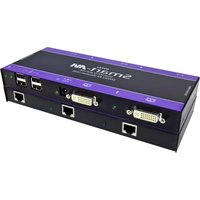
SFXPRO-2P - AV Extender Smart-AVI - Free user manual and instructions
Find the device manual for free SFXPRO-2P Smart-AVI in PDF.


Pick your language and provide your email: we'll send you a specifically translated version.
| Product Type | HDMI Extender |
| Model | SFXPRO-2P |
| Brand | Smart-AVI |
| Dimensions (L x W x H) | 4.5 x 2.5 x 1.0 inches (114 x 64 x 25 mm) |
| Weight | 0.4 lbs (180 g) |
| Power Input | 5V DC, 1A (provided power adapter) |
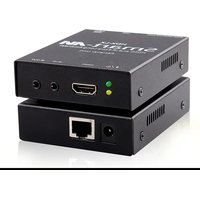
| Video Input | 1 x HDMI (Type A female) |
| Video Output | 1 x HDMI (Type A female) |
| Max Resolution | 1920 x 1080 @ 60 Hz |
| Supported Audio Formats | PCM 2.0, Dolby Digital, DTS |
| Transmission Distance | Up to 164 ft (50 m) over CAT6 cable |
| Extension Cable Type | Single CAT6/7 (shielded recommended) |
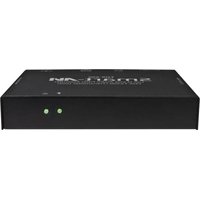
| Housing Material | Metal |
| Color | Black |
| Operating Temperature | 0°C to 50°C (32°F to 122°F) |
| Storage Temperature | -20°C to 60°C (-4°F to 140°F) |
| Package Contents | SFXPRO-2P extender, power adapter, user manual |
| Warranty | 1 year limited warranty |
| Certifications | FCC, CE, RoHS |
| Maintenance | Clean with a soft, dry cloth. Do not use liquids or solvents. |
| Safety Instructions | Use only the provided power adapter. Do not expose to moisture. |
| Repairability | No user-serviceable parts inside. Contact Smart-AVI support for service. |
Frequently Asked Questions - SFXPRO-2P Smart-AVI
How do I connect the SFXPRO-2P extender?
Connect your HDMI source to the transmitter unit's HDMI input, and the display to the receiver's HDMI output. Then connect the two units using a single CAT6/7 cable (up to 50 meters). Power both units with the included 5V DC adapters.
What cable type is recommended for best performance?
For optimal performance, use a shielded CAT6 or CAT7 solid-core cable. Avoid using flat or low-quality cables to ensure signal integrity over long distances.
Why is there no video output?
Check that all cables are securely connected and the source device is powered on. Ensure the CAT6 cable does not exceed 50 meters and is not damaged. Also verify that the power LEDs on both units are lit. If the issue persists, try a different HDMI cable or source.
Can I use the extender with 4K sources?
The SFXPRO-2P supports up to 1080p@60Hz. It does not support 4K resolution. For 4K applications, consider a 4K-compatible extender from Smart-AVI.
Does the extender support audio?
Yes, it supports PCM 2.0, Dolby Digital, and DTS audio formats. Ensure your source is set to output the same format.
How do I power the units?
Each unit requires a 5V DC power adapter (included). Connect the adapter to the unit and plug it into a standard power outlet. The power LED should illuminate.
Can I daisy-chain multiple extenders?
No, the SFXPRO-2P is designed for point-to-point extension. For multi-point distribution, use an HDMI splitter or matrix switch before the extender.
What is the maximum transmission distance?
The maximum distance is 164 feet (50 meters) over a single CAT6/7 cable. Longer distances may cause signal degradation.
How to clean and maintain the extender?
Use a soft, dry cloth to wipe the exterior. Do not use any liquids or abrasive cleaners. Keep the unit away from moisture and extreme temperatures.
What should I do if the extender stops working?
First, check all cable connections and power supplies. If the issue continues, contact Smart-AVI customer support. Do not open the unit as there are no user-serviceable parts inside. The warranty may be voided if opened.
User questions about SFXPRO-2P Smart-AVI
0 question about this device. Answer the ones you know or ask your own.
Ask a new question about this device
No questions yet. Be the first to ask one.
Download the instructions for your AV Extender in PDF format for free! Find your manual SFXPRO-2P - Smart-AVI and take your electronic device back in hand. On this page are published all the documents necessary for the use of your device. SFXPRO-2P by Smart-AVI.
USER MANUAL SFXPRO-2P Smart-AVI
Manual assistant
Powered by Anthropic
Waiting for your message
Product information
Brand : Smart-AVI
Model : SFXPRO-2P
Category : AV Extender