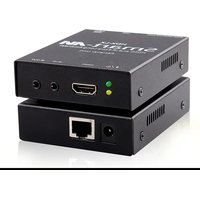
HDX-LX - AV Extender Smart-AVI - Free user manual and instructions
Find the device manual for free HDX-LX Smart-AVI in PDF.


| Product Type | AV Extender |
| Brand | Smart-AVI |
| Model | HDX-LX |
| Video Interface | HDMI |
| Maximum Transmission Distance | 50 meters (164 feet) |
| Supported Resolution | Up to 1080p@60Hz |
| Power Supply | 5V DC via USB or adapter (included) |
| Power Consumption | 2.5W |
| Dimensions (L x W x H) | 12.5 x 7.5 x 2.5 cm (4.9 x 3.0 x 1.0 in) |
| Weight | 200 g (7.05 oz) |
| Operating Temperature | 0°C to 50°C (32°F to 122°F) |
| Storage Temperature | -20°C to 60°C (-4°F to 140°F) |
| Humidity | 10% to 85% RH (non-condensing) |
| Connectors | Transmitter: HDMI input, RJ45 output; Receiver: RJ45 input, HDMI output |
| Cable Type | Cat5e/6 (not included) |
| HDCP Support | Yes, HDCP 1.4 |
| LED Indicators | Power and Link status |
| Maintenance and Cleaning | Wipe with a dry, soft cloth. Do not use liquid cleaners. |
| Safety Precautions | Keep away from water and heat sources. Use only provided power adapter. |
| Spare Parts and Repairability | No user-serviceable parts. Contact Smart-AVI support for repairs. |
| Warranty | 1 year limited warranty |
| Package Contents | Transmitter, Receiver, 2x power adapters, user manual |
Frequently Asked Questions - HDX-LX Smart-AVI
User questions about HDX-LX Smart-AVI
0 question about this device. Answer the ones you know or ask your own.
Ask a new question about this device
Download the instructions for your AV Extender in PDF format for free! Find your manual HDX-LX - Smart-AVI and take your electronic device back in hand. On this page are published all the documents necessary for the use of your device. HDX-LX by Smart-AVI.
USER MANUAL HDX-LX Smart-AVI
| VIDEO | |
| Format HDMI Type A 19 pin (female) | |
| Input Interface (1) HDMI 19 pin (female) | |
| Output Interface (1) HDMI 19 pin (female) | |
| Resolution | 800X600, 1024X768, 1280X1024, 1366X768, 1920X1200, 480i, 720p, 1080i, 1080p, 4K and 3D |
| Color Depth | Deep Color 36/30/24 Bit at 1080p and 3D |
| Video Bandwidth 10.2 Gbps | |
| Input Video Signal 1.2 Volts P-P | |
| Input DDC Signal 5 Volts(TTL) | |
| AUDIO | |
| Format | Up to PCM 8 channel, Dolby Digital TrueHD, and DTS-HD Master Audio |
| IR | |
| Input Interface (1) 3.5 mm Jack | |
| Output Interface (1) 3.5mm Jack | |
| SYSTEM | |
| Input Interface (1) RJ45 Jack | |
| Output Interface (1) R-45 Jack | |
| OTHER | |
| Power PS5VDC2A | |
| Dimensions 0.9" H x 2.9" W x 3.7" D | |
| Weight 0.26 lb | |
| Certificates FCC, CE, RoHS | |
| Operating Temp. 32-104°F (0-40 °C) | |
| Storage Temp. -4-140°F (-20-60 °C) | |
| Humidity | Up to 85% (non-condensing) |
WHAT'S IN THE BOX
| PART NO. | Q-TY | DESCRIPTION |
| HDX-LX-TX | 1 | HDMI, IR, CAT5/5c/6Transmitter |
| HDX-LX-RX | 1 | HDMI, IR, CAT5/5e/6Receiver |
| Power Supply | 2 | PS5VDC2A |
| Quick Start Guide | 1 |
NOTICE
The information contained in this document is subject to change without notice. SmartAVI makes no warranty of any kind with regard to this material, including but not limited to, implied warranties of merchantability and fitness for particular purpose.
SmartAVI will not be liable for errors contained herein or for incidental or consequential damages in connection with the furnishing, performance or use of this material.
No part of this document may be photocopied, reproduced, or translated into another language without prior written consent from SmartAVI Technologies, Inc.

DESIGNED AND MADE IN THE USA
800.AVI.2131, 702.800.0005
2455 W Cheyenne Ave, Suite 112
North Las Vegas, NV 89032
SmartAVI.com
Smart-AM
SMART AUDIO VIDEO INNOVATION
HDX-LX
4K HDMI & IR Extender over Cat5/5e/6

natural_image
Front view of a black electronic device with ports and an Ethernet port (no visible text or symbols)WATCH AND CONTROL HDTV
4K VIDEO UP TO 250FT
FROM THE SOURCE VIA
CAT5/5E/6
Quick Start Guide
OVEVIEW
The HDX-LX uses a single Cat5e/6 cable to extend HDMI signals - including high-definition TV - up to 250ft (75m) from the source. It is capable of transmitting high-resolution HD video up to 4K. Controlling a video source is easy with the device's bi-directional IR extension. Whether it's for a home entertainment system or a commercial installation, the HDX-LX delivers flexibility and control with high-quality video and audio.
FEATURES
• Extends HDMI Output over one Cat5e/6 Cable
• Extends IR Control Signals for Remote Control
• Delivers Uncompressed HD Video up to 1080p/60Hz and 4K/30Hz 3D
• Data Signals up to 3.4Gbps
• HDMI 1.3 and HDCP Compliance
• Uses Bi-Directional IR Communication
- Transmits High-Quality Dolby TrueHD, DTS-HD MA Audio Signals
• Transmits 4K Resolution Video up to 250 ft
HARDWARE INSTALLATION
- Power off the HDMI source device and displays
- Connect an HDMI cable from the HDMI source to the input port on the HDX-LX.
- Connect HDMI displays to the HDMI outputs on the HDX-LX.
- Connect the power supply to the HDX-LX.
- Power on the HDMI device and the displays.

flowchart
graph TD
    A["HDVI IN"] --> B["250 ft"]
    C["HDVI OUT"] --> B
    D["AUDIO IN"] --> B
    E["AUDIO OUT"] --> B
    F["IR"] --> B
    G["CATS/A"] --> B
    B --> H["HDVI-1A-1A"]
    B --> I["HDVI-1A-1A"]
    H --> J["Computer"]
    I --> J
    J --> K["Radio Station"]
    style A fill:#f9f,stroke:#333
    style C fill:#f9f,stroke:#333
    style D fill:#f9f,stroke:#333
    style E fill:#f9f,stroke:#333
    style F fill:#f9f,stroke:#333
    style G fill:#f9f,stroke:#333
    style H fill:#ccf,stroke:#333
    style I fill:#ccf,stroke:#333
    style J fill:#ccf,stroke:#333
    style K fill:#ccf,stroke:#333
HDX-LX-TX FRONT

natural_image
Black electronic device rear panel with ports and indicator lights (no visible text or symbols)HDX-LX-RX FRONT

natural_image
Black electronic device rear panel with ports and indicator lights (no visible text or symbols)HDX-LX-TX BACK

natural_image
Black rectangular electronic device with a white port and black cable (no visible text or symbols)HDX-LX-RX BACK

natural_image
Black rectangular electronic device with a white internal port and a circular button (no visible text or symbols)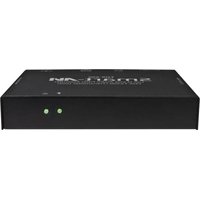
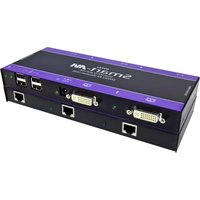
Brand : Smart-AVI
Model : HDX-LX
Category : AV Extender