Regis - Uncategorized Azza - Free user manual and instructions
Find the device manual for free Regis Azza in PDF.


| Brand | Azza |
| Model | Regis |
| Product Type | Hair Clipper |
| Dimensions | 170 x 45 x 40 mm |
| Weight | 220 g |
| Power Supply | Rechargeable Lithium-ion battery, 3.7V |
| Battery Capacity | 600 mAh |
| Charging Time | 1.5 hours |
| Usage Time | 60 minutes |
| Cutting Length Range | 0.5 - 12 mm |
| Blade Material | Stainless steel |
| Water Resistance | IPX7 (washable under running water) |
| Included Accessories | 4 guide combs, cleaning brush, oil, USB cable |
| Maintenance | Clean blades after each use; oil monthly |
| Safety Features | Automatic shut-off after 5 minutes of inactivity, safety guard |
| Spare Parts Available | Replacement blades, power cord |
| Smart Features | Turbo mode, LED battery indicator |
| Manual Language | English |
| Manual Pages | 12 |
| Warranty | 2 years |
Frequently Asked Questions - Regis Azza
User questions about Regis Azza
0 question about this device. Answer the ones you know or ask your own.
Ask a new question about this device
Download the instructions for your Uncategorized in PDF format for free! Find your manual Regis - Azza and take your electronic device back in hand. On this page are published all the documents necessary for the use of your device. Regis by Azza.
USER MANUAL Regis Azza
natural_image
Yellow 3D cube icon on black background (no text or symbols)REGIS
natural_image
Modern black geometric speaker with a textured screen and stand, no visible text or symbolsAZZA
REGIS
| Model | |
| Model Name Regis | |
| Model Number CSAZ-902 | |
| Specifications | |
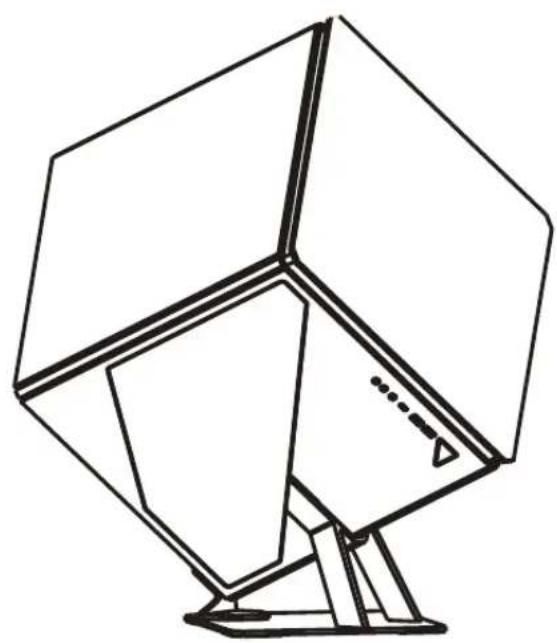
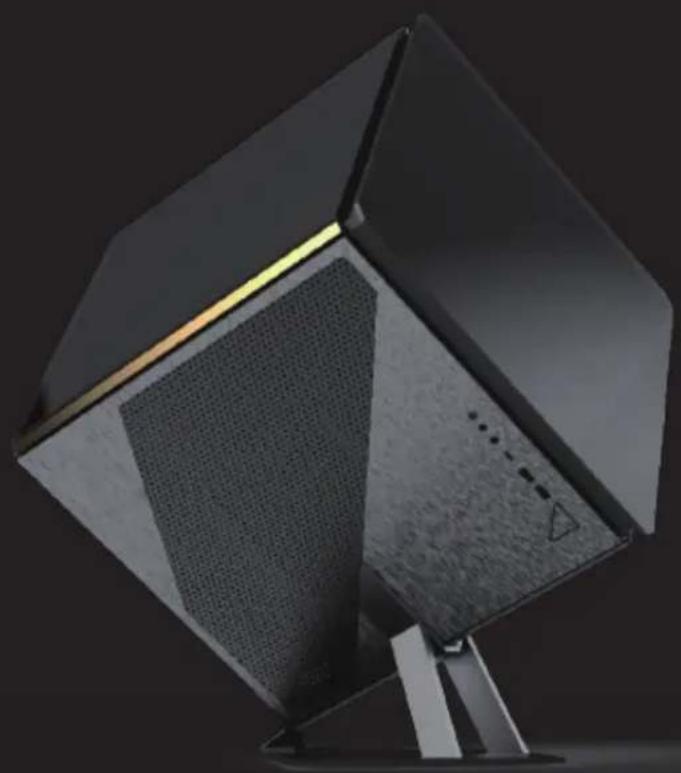
| Type ATX Cube Enclosure | |
| Color Smoke Gray with Gold trim and Black glass (exterior) / Black (interior) | |
| Side Panels | 3 Tempered glass panels2 Anodized brushed-aluminum side panels |
| Max CPU Cooler Height UP to 210mm | |
| Max Video Card Length | Up to 336mm (Horizontal)Up to 320mm (Vertical) |
| Power Supply Not Included | |
| Motherboard Compatibility | ATX, Micro-ATX, Mini-ITX |
| Expansion | |
| External 5.25" Drive Bays 0 | |
| Internal 2.5" Drive Bays Up to 2 | |
| Internal 3.5" Drive Bays 1 | |
| Expansion Slots 7 (Horizontal) + 3 (Vertical) | |
| I/O Ports | Power button, LED button, HD Audio, USB 3.0 x2, Type C x1 |
| Lighting Effects | |
| Digital RGB Lighting Effects | An infinity mirror lighting design and backlit logo populates the front of the case. All digital RGB lighting devices can be controlled with the included AZZA hub or with motherboard software through onboard 3-pin ARGB headers. |
| Physical Specifications | |
| Dimensions with Case Stand (HxWxD) | 610 x 481 x 529 mm / 24 x 19 x 21 inches |
| Weight 12.5 kg / 27.6lbs | |
| Features | |
| Tempered Glass | High-quality tempered glass side panels allows for clear visuals of inner components |
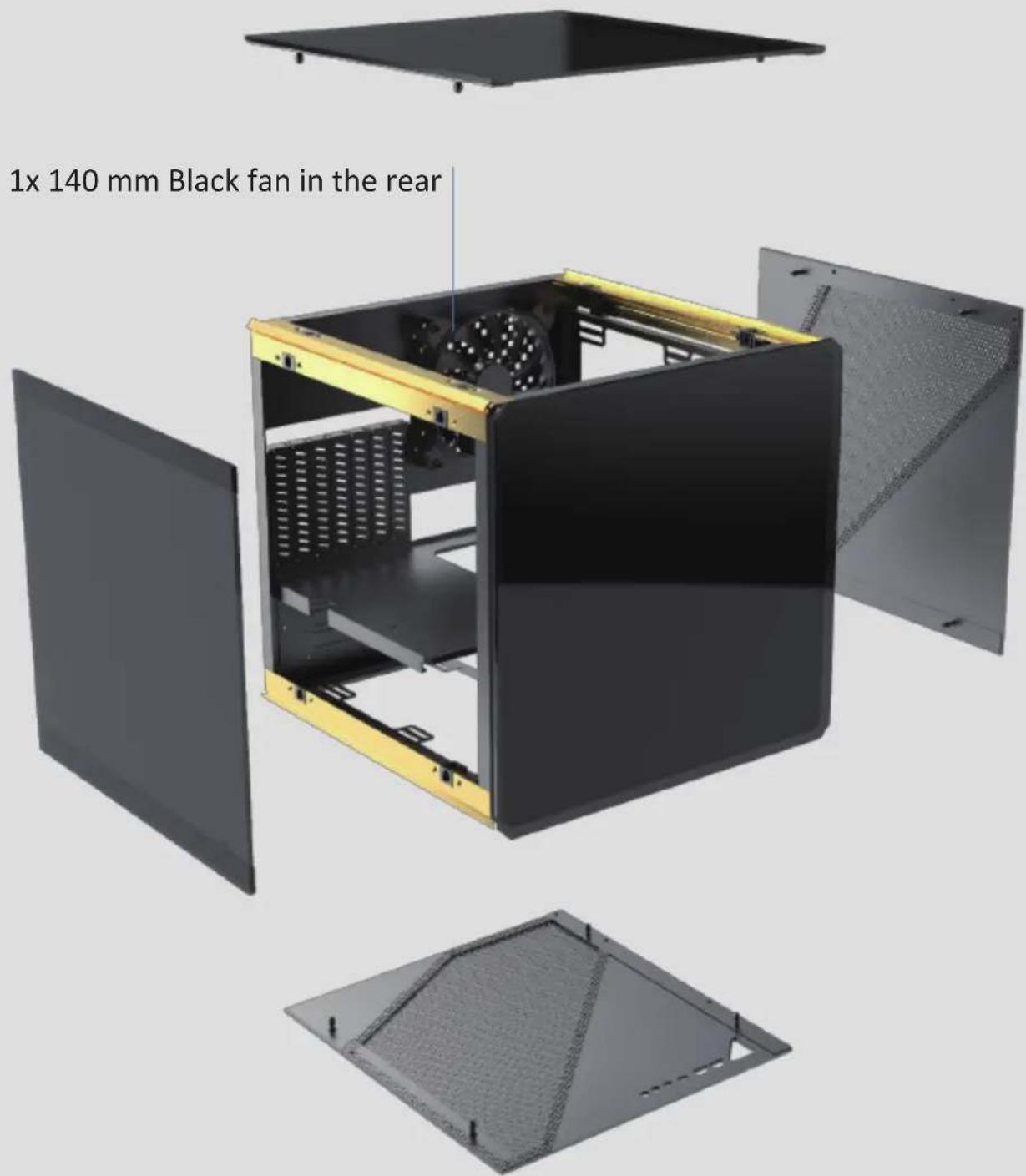
| Available Fan Ports | 2x 120 mm or 2x 140 mm ports on the right2x 120 mm or 2x 140 mm ports on the left1x 120 mm or 1x 140 mm port in the rear |
| Included Fan 1x 140 mm Black fan in the rear | |
| Radiator Support | Supports radiators up 240 mm / 280 mm on the rightSupports radiators up 240 mm / 280 mm on the left |
| Accessories | 1x Case Stand1x AZZA Hub |
| NG:12.5kgWG:16kg | |
- Side panels can be easily disassembled.
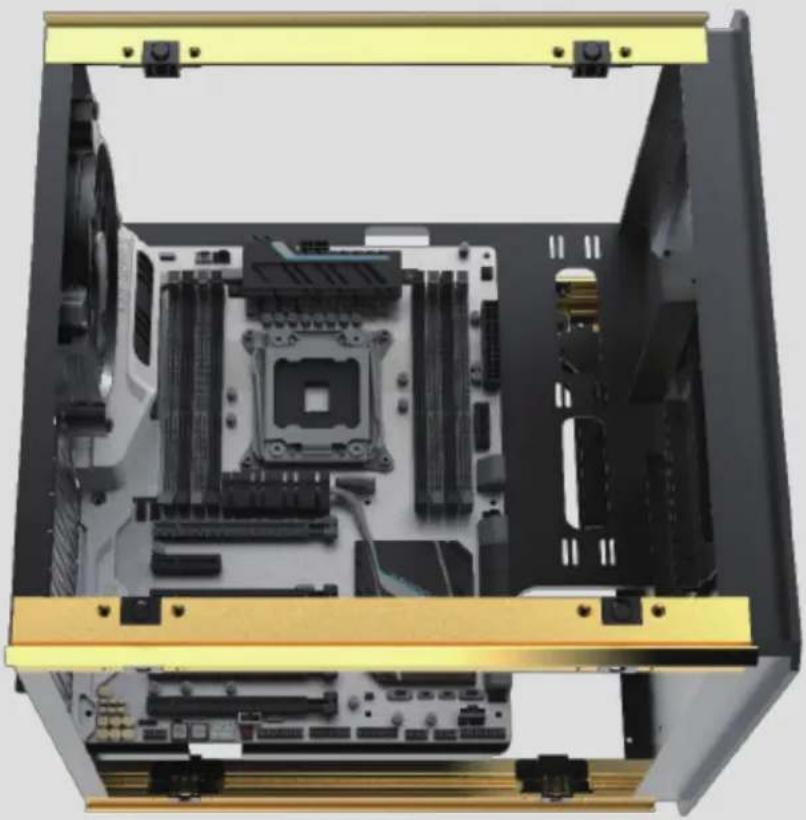
2. Motherboard Installation.
natural_image
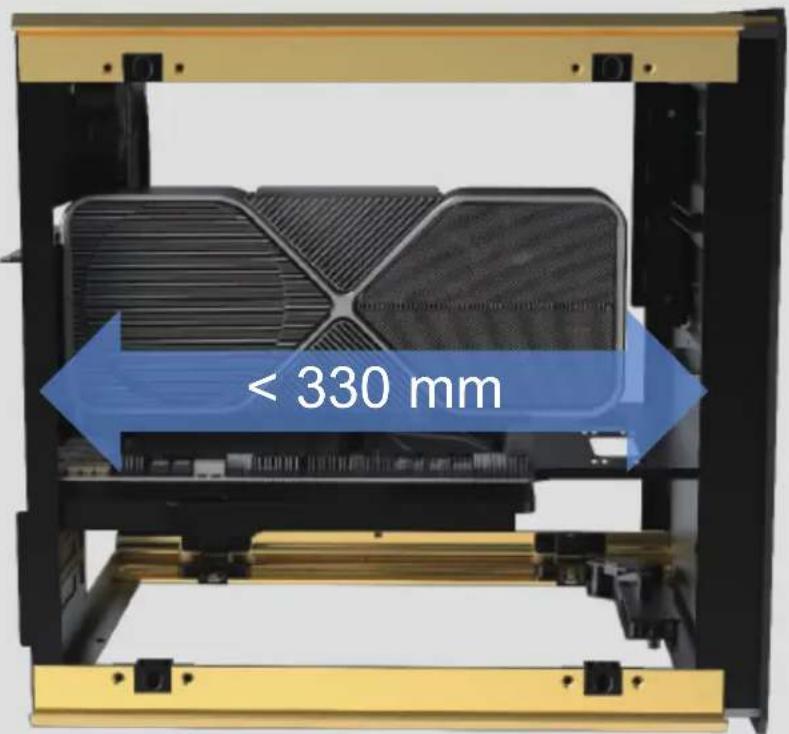
Interior view of a computer motherboard showing CPU socket, RAM slots, and drive bays (no text or labels visible)3. Graphics card have two options for location :
- On the motherboard
- On the side by connect PCIE cable.
PS: If length >300, the SSD tray needs to be removed.
natural_image
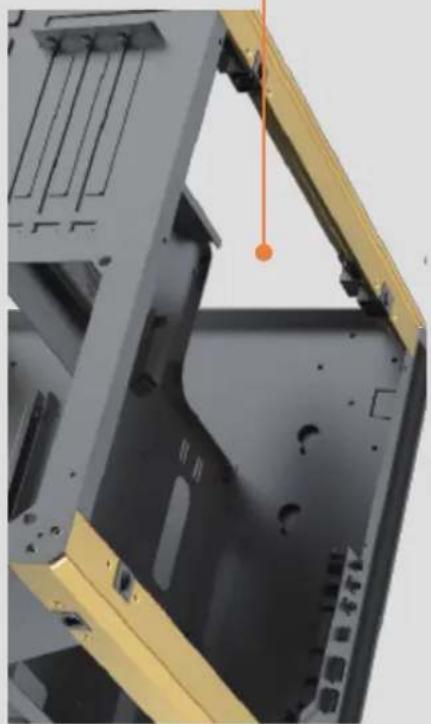
Close-up of a mechanical assembly with metal casing and yellow frame, showing internal components and mounting holes (no text or symbols visible)4. Another graphics card installation :
natural_image
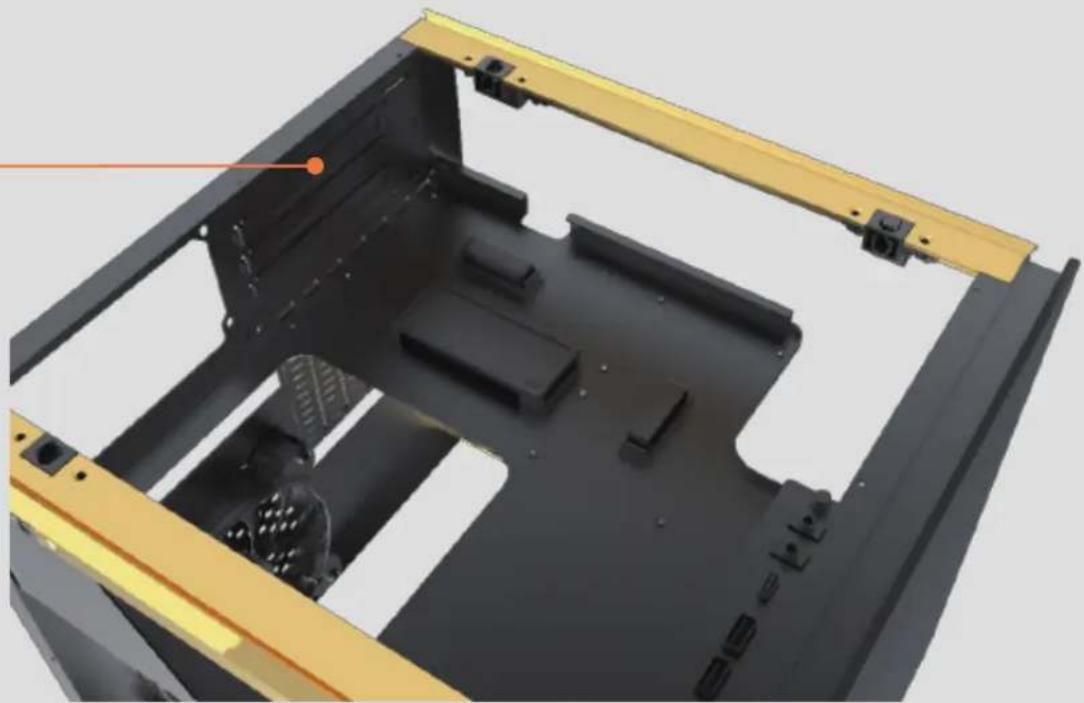
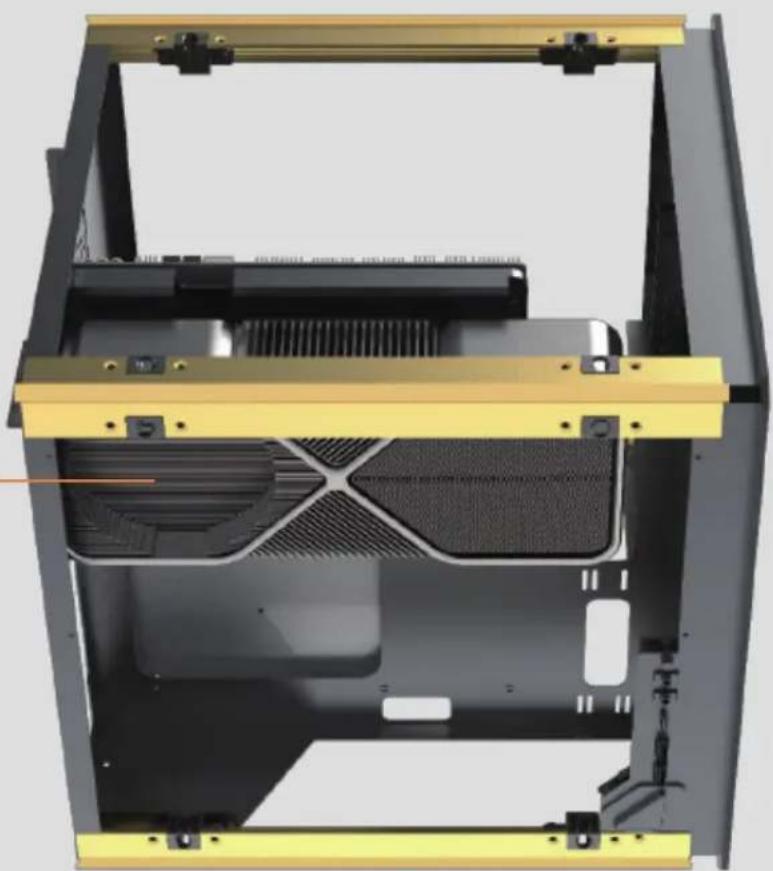
3D rendering of a black plastic enclosure with yellow frame and internal compartments (no text or symbols visible)- You can install it here to increase the heat dissipation of the graphics card.
natural_image
3D rendering of a computer case with visible internal components and mounting brackets (no text or symbols)- Supports radiators up 240 mm / 280 mm on the right Supports radiators up 240 mm / 280 mm on the left
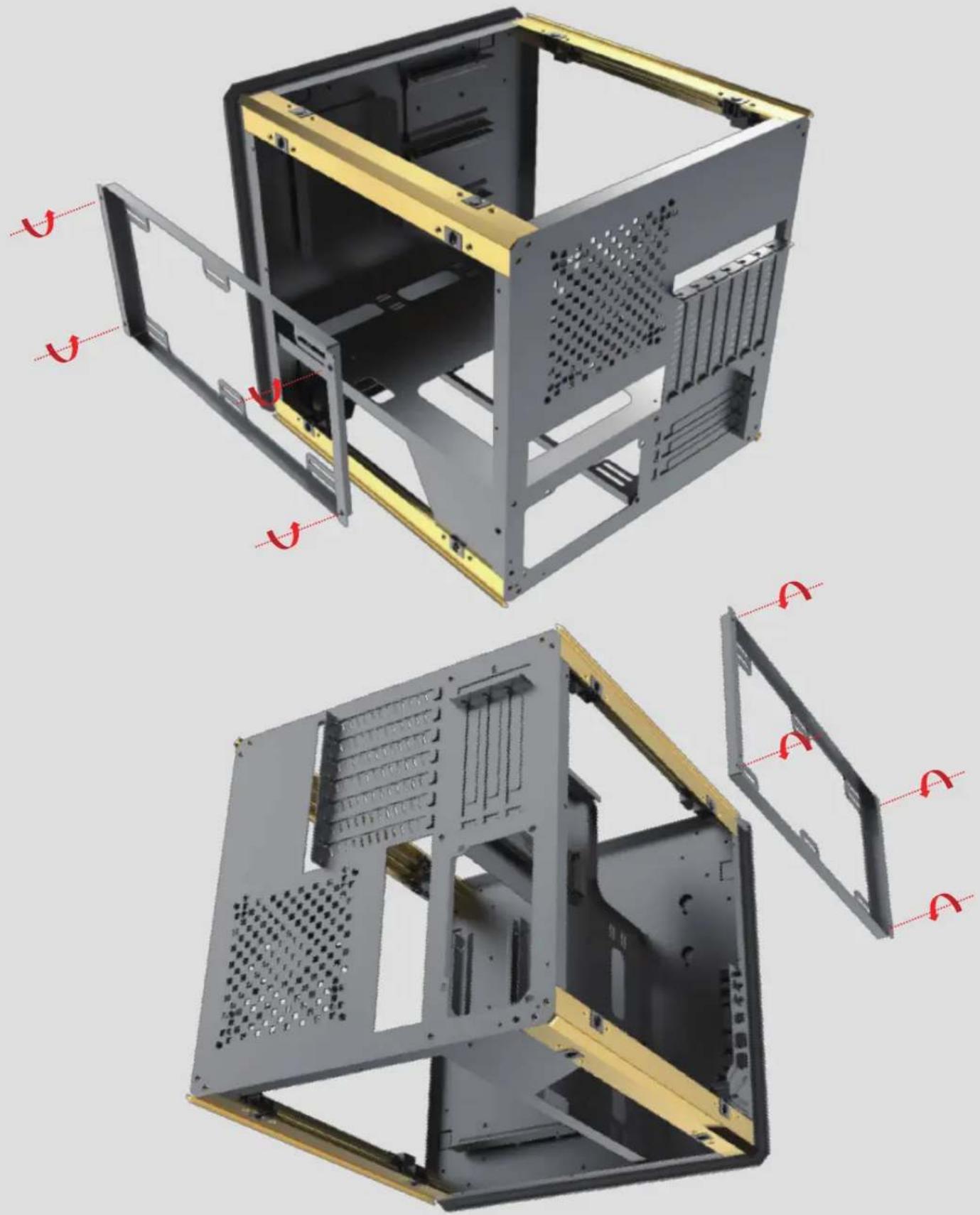
natural_image
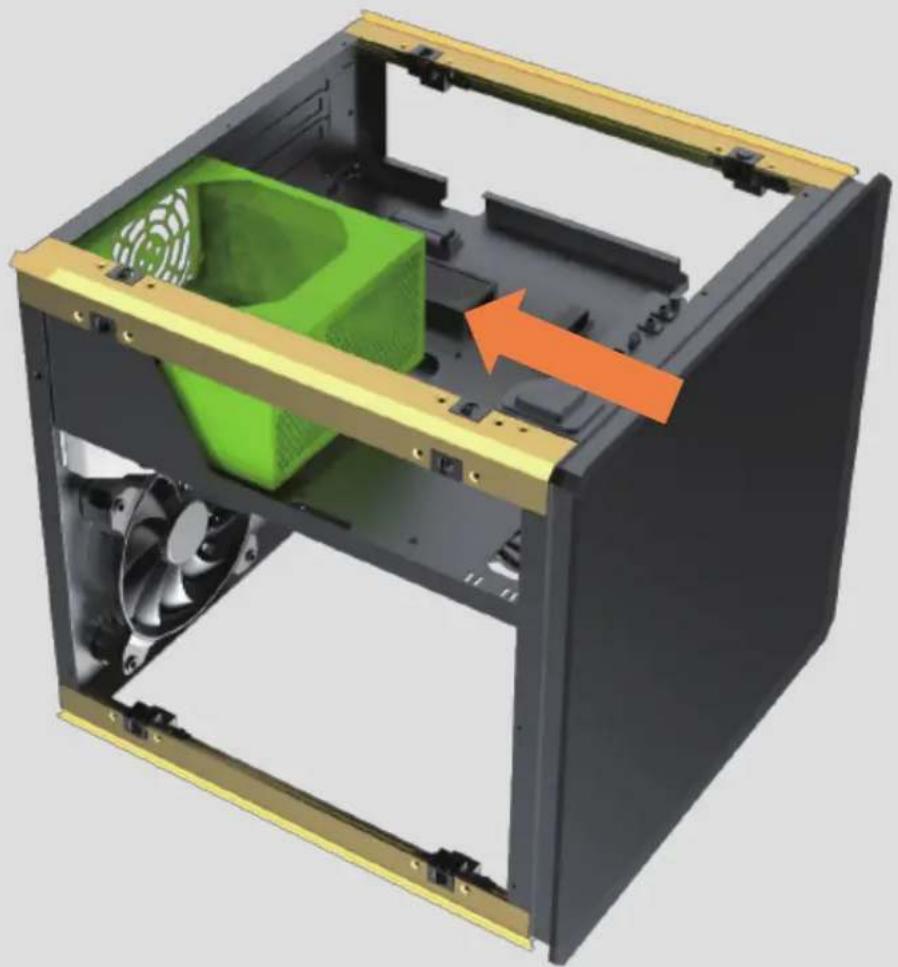
3D cutaway diagrams of a computer case with internal components and mounting holes, showing no text or symbols.6. Power supply Installation.
natural_image
3D rendering of a computer case with green internal components and an orange arrow indicating a flow or movement (no text or symbols)7. HDD & SSD Installation.
1 x HDD
2 x SSD
Can be disassembled and exchanged.
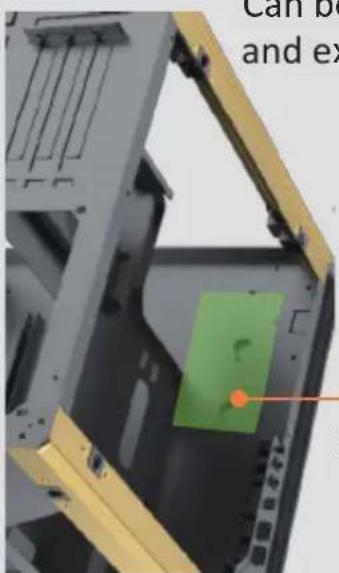
natural_image
3D mechanical assembly with green component and yellow frame, no visible text or symbols1 x SSD
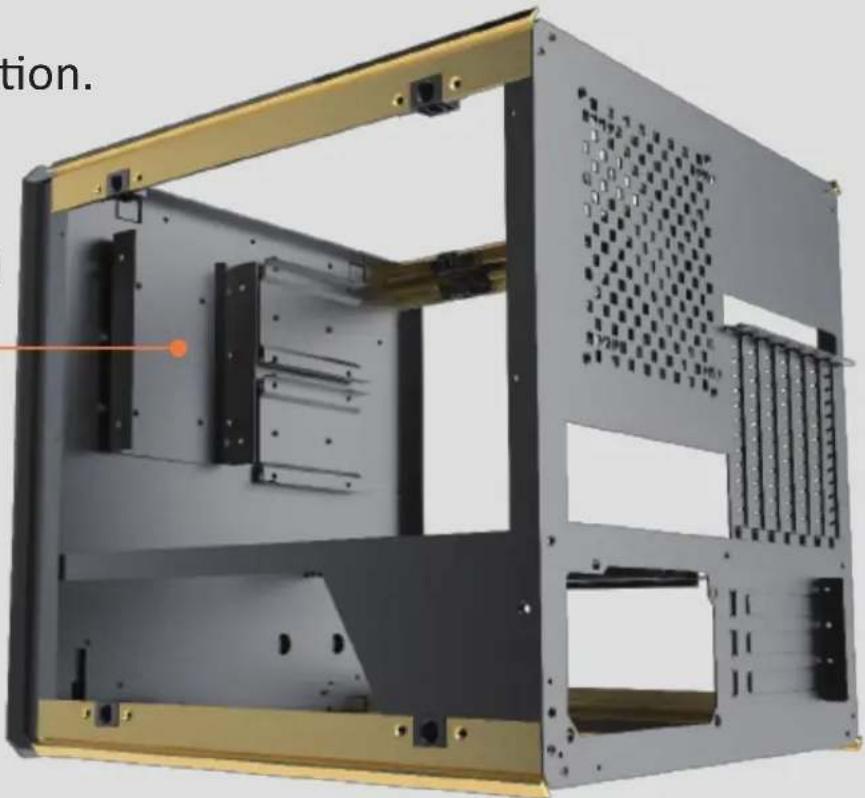
natural_image
3D rendering of a computer tower case with visible internal components and mounting brackets (no text or symbols)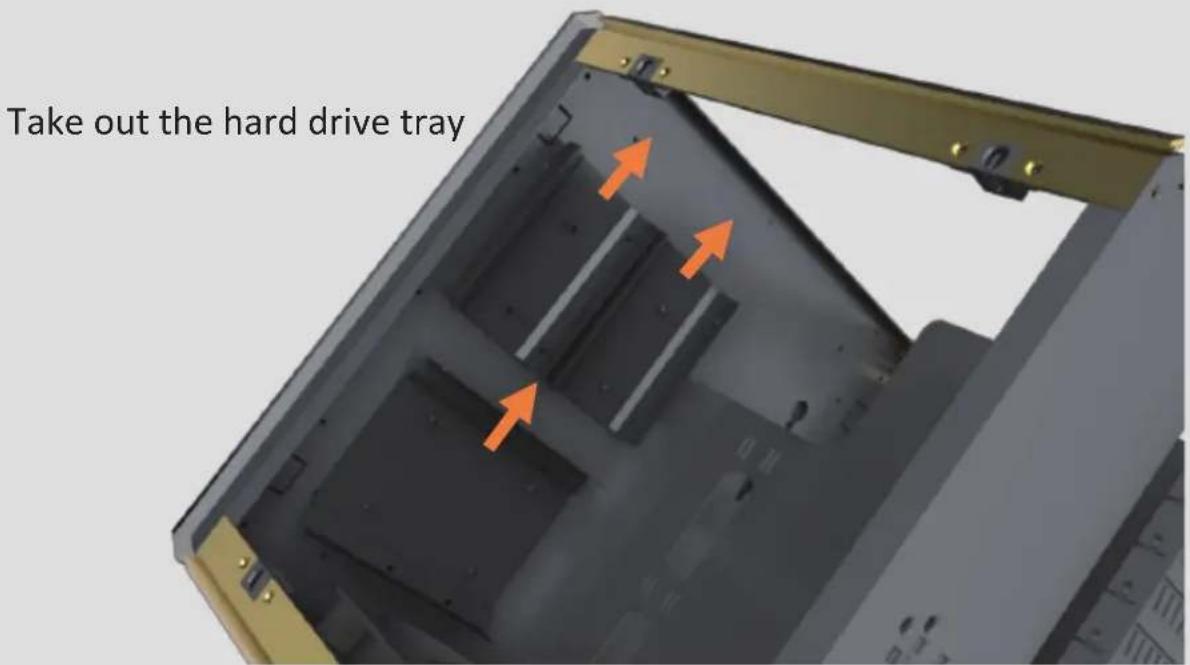
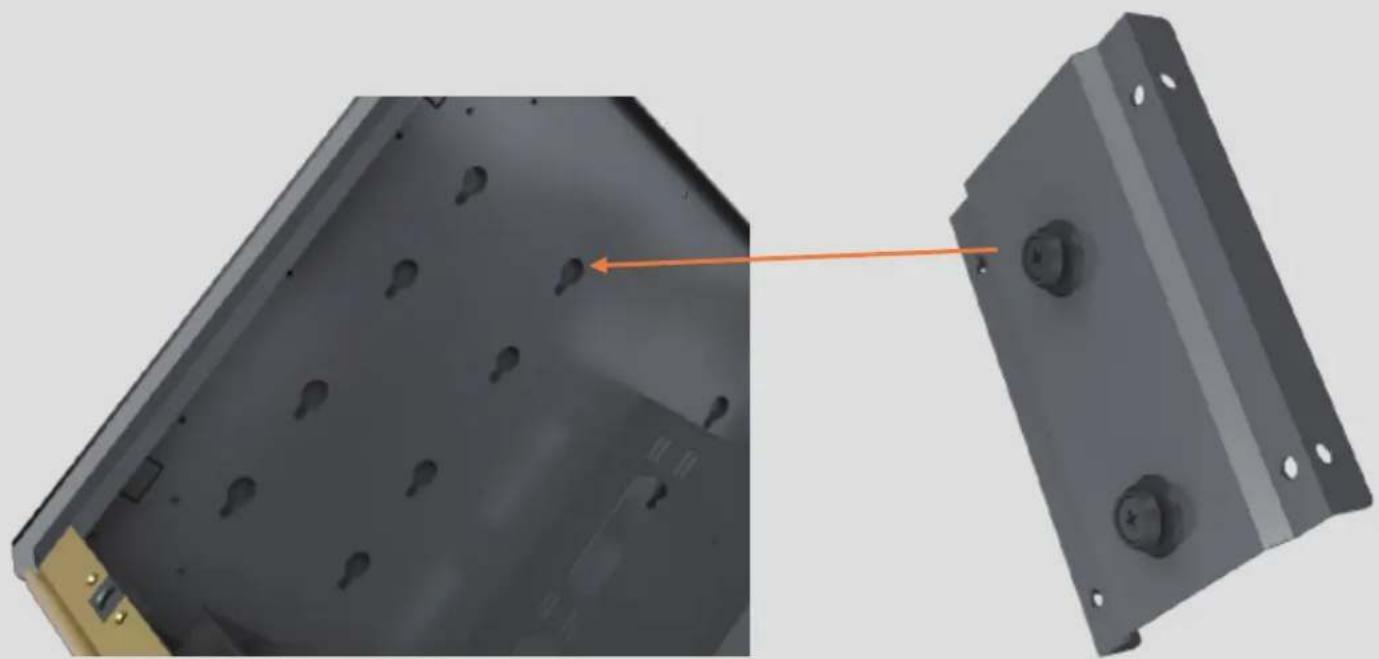
natural_image
3D rendering of a mechanical component with two views: one showing internal holes and the other showing a bolted plate (no text or symbols visible)8. Cables from The Front Panel.
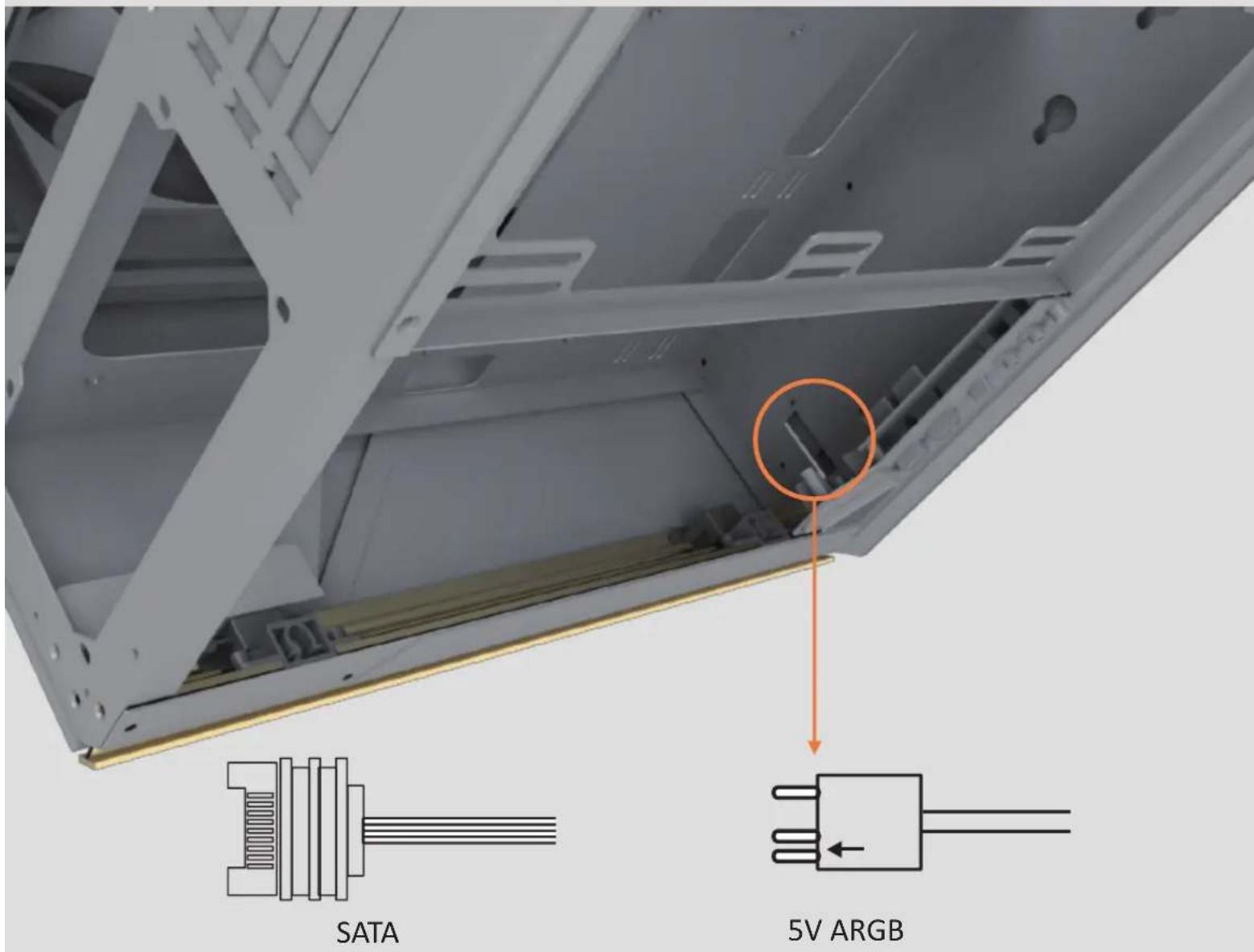
Plug into the RGB socket of AZZA HubConne
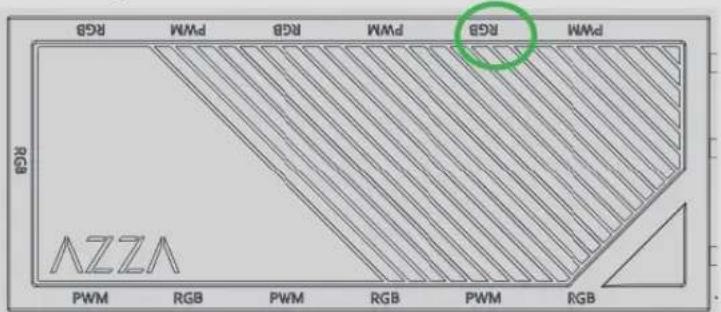
8. AZZA Hub Function Description :
natural_image
Close-up of a mechanical assembly with black plastic components and yellow frame (no visible text or symbols)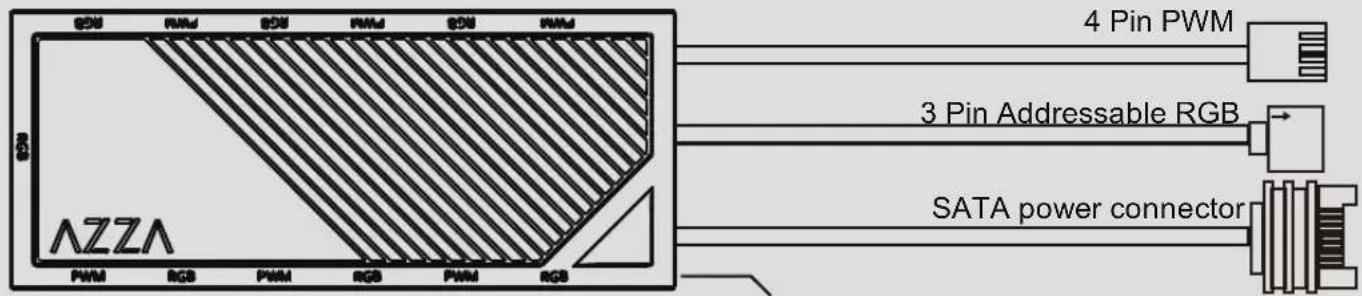
2 pin connector to Reset(or LED) Switch
Ports and connectors
1.) 7x3 pin ARGB ports (supports ARGB devices: ARGB fan, ARGB strips...etc)
2.) 6x4 pin PWM fan ports
3.) 1x2 pin connector to Reset (or LED) switch
4.) 1xSATApower connector
5.) 1x3 pin ARGB connector to MB
6.) 1x4pin PWM fan connector to MB
Functions:
1.) Total of 17 lighting modes
2.) Lighting modes can be controlled by Reset (or LED) switch, or can be controlled by MB.
(Hold the LED button for 3 seconds to switch the RGB control function between motherboard RGB software and LED button)
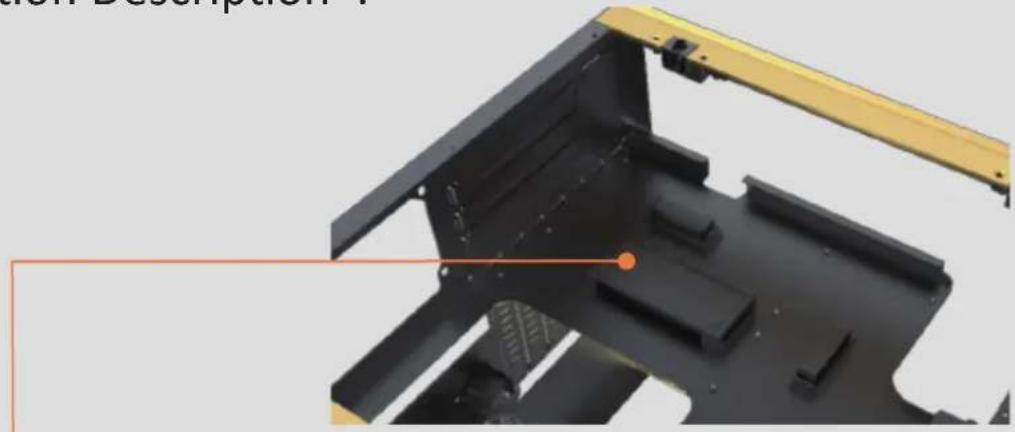
A.) Magnet on the back of the hub box or using velcro on the back of the hub box, it can put in any place inside the metal part of the case.
B.) 6 sets of ARGB port next to PWM port to ease the connection on fans
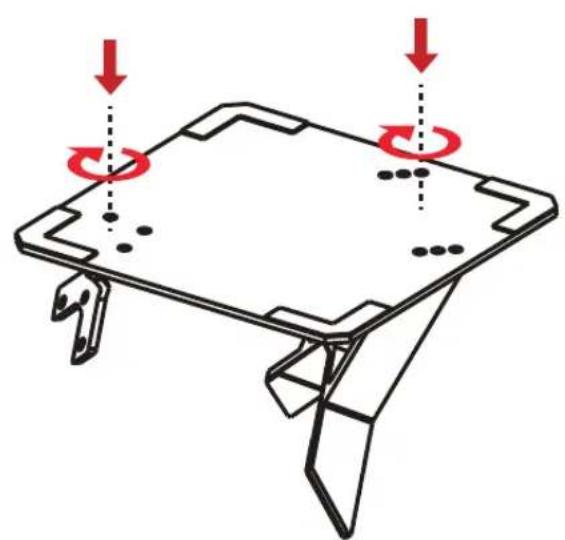
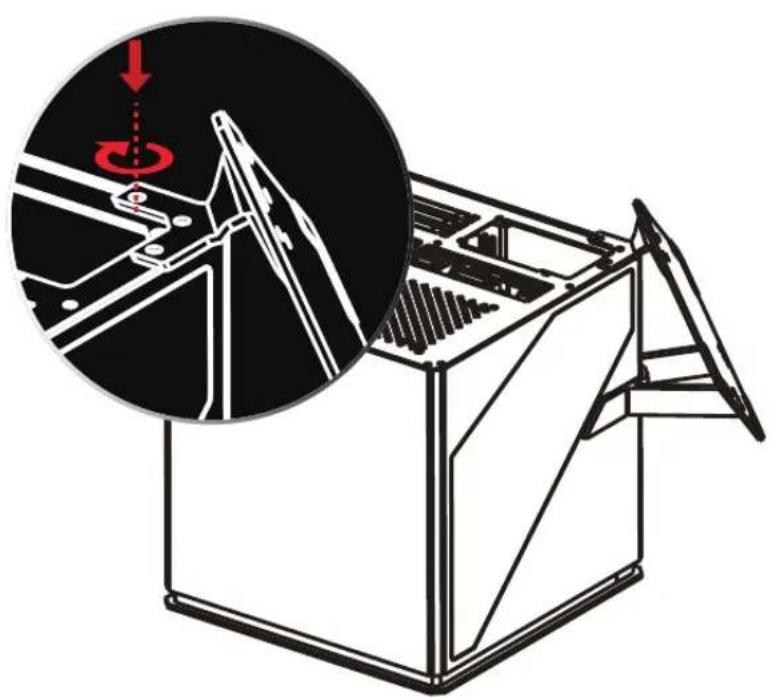
- Secure the two support structures onto the base plate
natural_image
Technical line drawing of a mechanical component with red arrows indicating rotational motion (no text or symbols)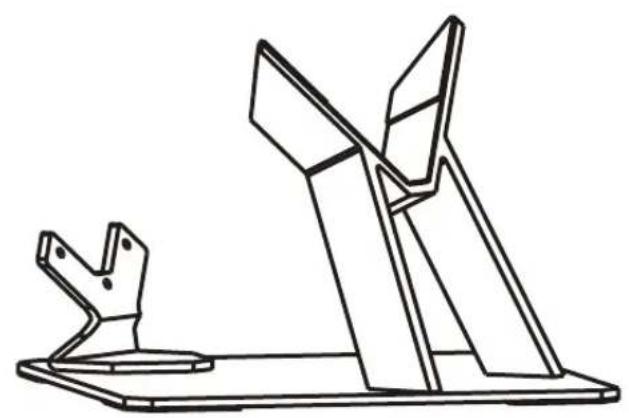
natural_image
Technical line drawing of two mechanical components mounted on a base plate (no text or symbols)- Then attach the base to the rear of the case by flipping the case onto its front
natural_image
Technical illustration of a mechanical device with an inset showing a close-up of internal components (no text or symbols)