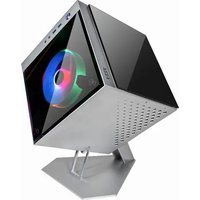
Cube Mini 705 - PC Case Azza - Free user manual and instructions
Find the device manual for free Cube Mini 705 Azza in PDF.


| Product Name | Azza Cube Mini 705 |
| Model Number | CSAZ-805 |
| Type | Mini ITX Tower |
| Color | Silver Aluminum (Exterior/Interior) |
| Side Panel Material | Tempered Glass (Slidable x2 + Magnetic Front) |
| Max CPU Cooler Height | 130 mm |
| Max Video Card Length | 200 mm |
| Power Supply | ATX (Not Included) |
| Motherboard Compatibility | Mini ITX |
| Internal 2.5" Drive Bays | Up to 2 |
| Expansion Slots | 3 |
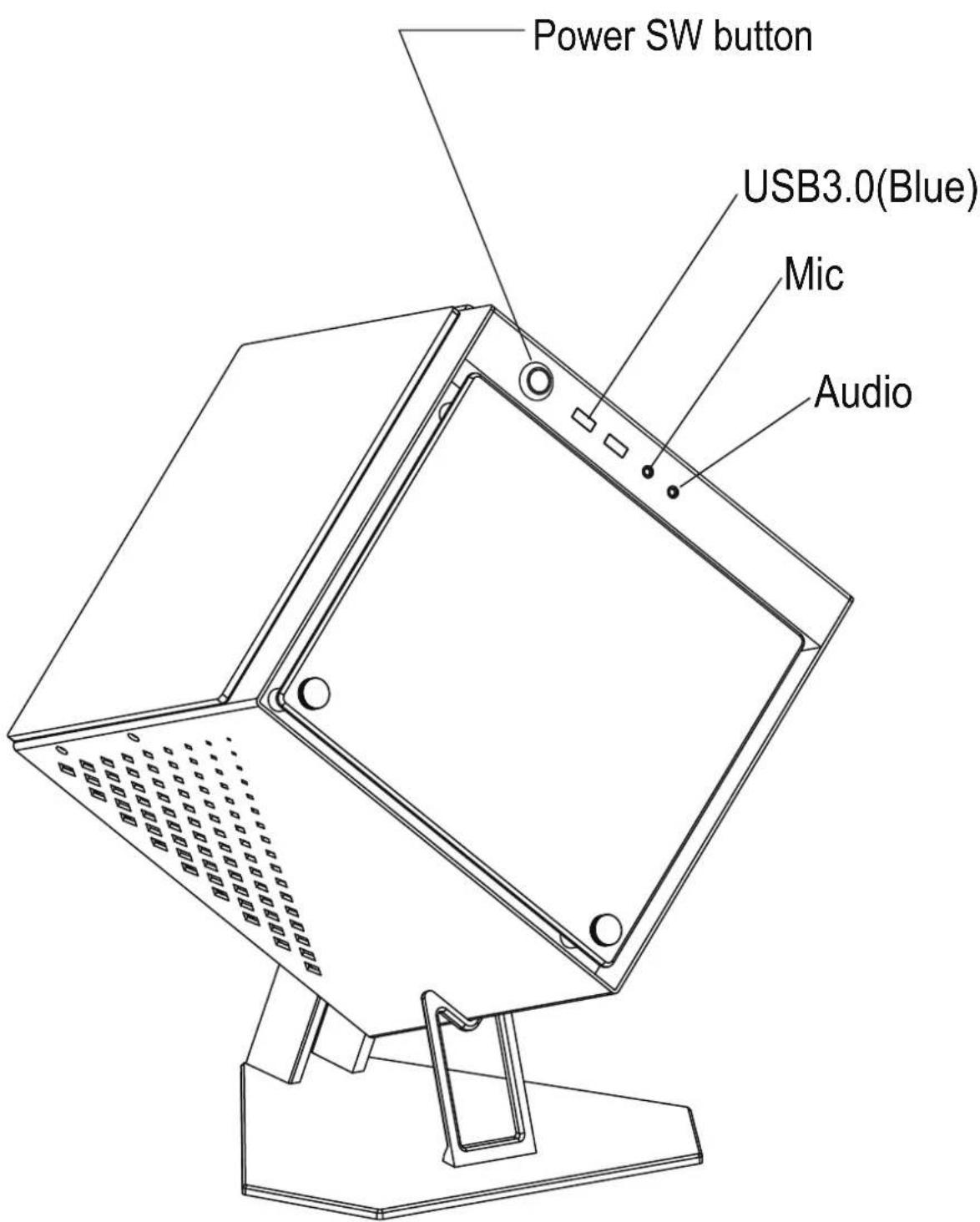
| Front Ports | USB 3.0 x2, HD Audio |
| Dimensions (with Stand) | 472 x 371 x 372 mm (H x W x D) |
| Weight | 5.4 kg (11.9 lbs) |
| Fan Support - Front | 1 x 120 mm or 1 x 140 mm |
| Fan Support - Rear | 1 x 80 mm |
| Included Fans | 1 x 140 mm AZZA Hurricane II Digital RGB + 1 x 80 mm Black Fan |
| Water Cooling Support | Up to 120/140 mm Radiator (Front) |
| Lighting | Addressable RGB (via Motherboard 5V Header) |
| Special Features | Dual-Chamber Design, Pre-cut CPU Cooler Access Hole, Slidable and Magnetic Tempered Glass Panels |
| Compatibility Note | Addressable RGB requires 5V header; do not connect to 12V non-addressable header |
Frequently Asked Questions - Cube Mini 705 Azza
User questions about Cube Mini 705 Azza
0 question about this device. Answer the ones you know or ask your own.
Ask a new question about this device
Download the instructions for your PC Case in PDF format for free! Find your manual Cube Mini 705 - Azza and take your electronic device back in hand. On this page are published all the documents necessary for the use of your device. Cube Mini 705 by Azza.
USER MANUAL Cube Mini 705 Azza
CUBE MINI 805
INNOVATIVE TEMPERED GLASS GAMING CASE
USER MANUAL
www.azzatek.com
- Specifications
- Chassis Parts
- Control Panel Functions
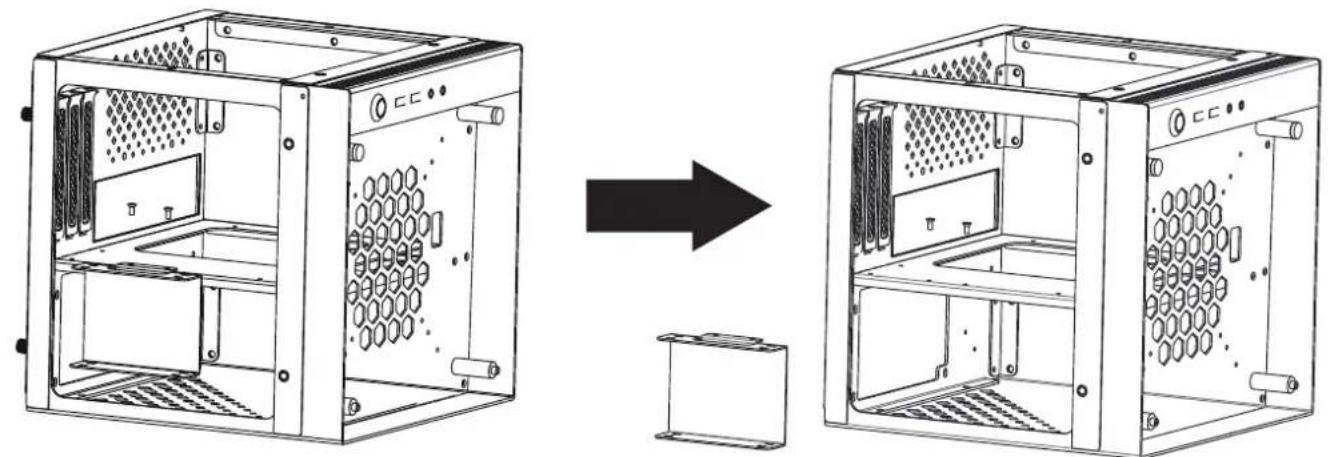
- Removing Panels / SSD Tray
- Power Supply / 2.5" SSD Installation
- Mounting Stand
-
Cooling System Installation
-
AZZA Hurricane II Digital RGB Fan Installation For Motherboard
| Model | |
| Model Name CUBE MINI 805 | |
| Model Number CSAZ-805 | |
| Specifications | |
| Type | Mini ITX Tower |
| Color | Silver aluminum(exterior/interior) |
| Side Panel Window | Slidable tempered glass panelx2pcs and a magnetic tempered glass. |
| Max CPU Cooler Height UP to 130mm | |
| Max Video Card Length Up to 200mm | long Video card |
| Power Supply Not included | |
| Motherboard Compatibility | Mini ITX |
| Expansion | |
| External 5.25" Drive Bays | 0 |
| Internal 2.5" Drive Bays | Up to 2 |
| Internal 3.5" Drive Bays | 0 |
| Expansion Slots | 3 |
| Front Ports | USB3.0 x 2, HD Audio |
| Physical Specifications | |
| Metal Chassis Dimensions (HxWxD) 260x260x260mm/10.2x10.2x10.2 inch | |
| Dimension with Case Stand(HxWxD) 472x371x372mm / 18.6x14.6x14.6 inch | |
| Weight 5.4kg /11.9lbs | |
| Features | |
| Addressable RGB Light Effects | Addressable RGB fan on the front. All addressable RGB light devices controlled by motherboard. |
| Tempered Glass Side Window | High-quality tempered glass side window allows for clear visuals to innercomponents |
| Available Fan Ports | 1x120mm or 1x140mm fan port on the front (1x140mm AZZA Hurricane II Digital RGB fan included)1x80mm fan port in the rear (1x80mm black fan included) |
| Water Cooling: | Supports radiators up to 120/140mm in the Front |
| Isolated Chamber | Dual-chamber design. Power Supply is housed in one of the chamber bottoms, preventing its heat from affecting other components. |
| Easy Installation Cooler | A pre-cut hole for easy installation of CPU Cooler,eliminating the need to remove the motherboard |
※ PWM Fan:The model comes with PWM fans and will run at top speed unless connected to a motherboard or controller.

| 1 | Magnetic tempered glass front panel |
| 2 | Slidable tempered glass panel x2 |
| 3 | Stand |
| 4 | SSD tray |
| 5 | PCIe slot cover x3 |
| 6 | M3x8 screw x3 |
| 7 | Hand screw x4 |
| 8 | M3x6 screw x2 |
| 9 | AZZA Hurricane II 140mm fan x1 |
| 10 | 80mm fan x1 |
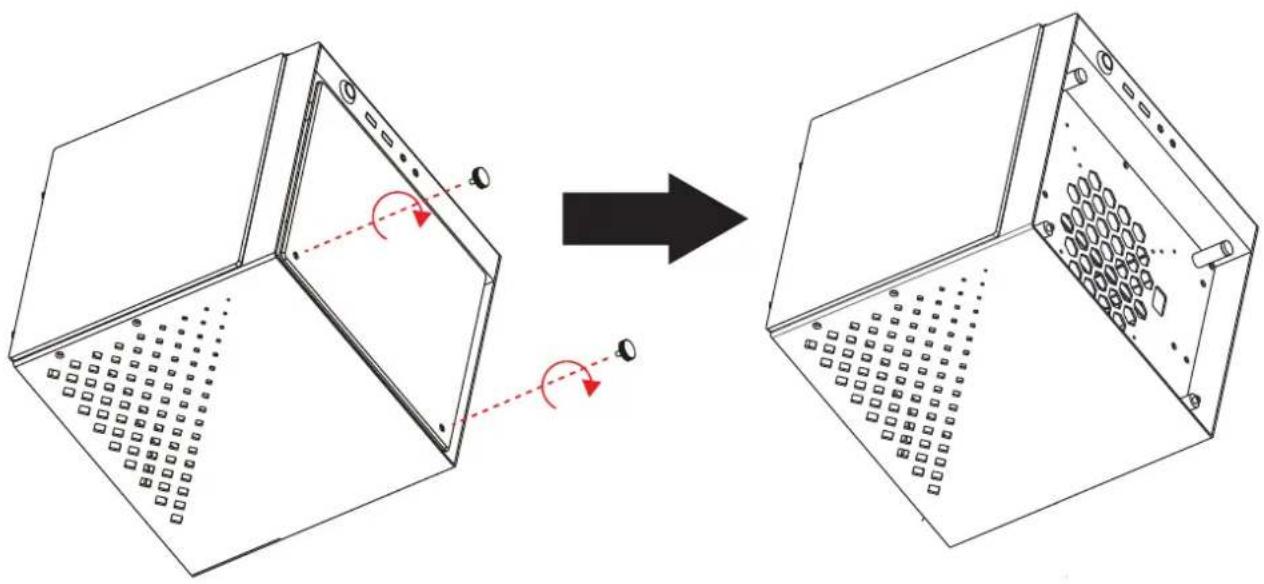
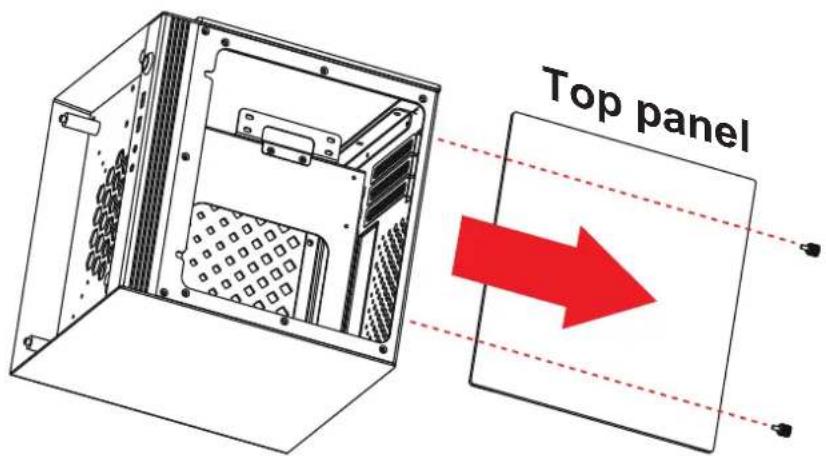
Removing The Side & Top Panel

The Power Supply Installation
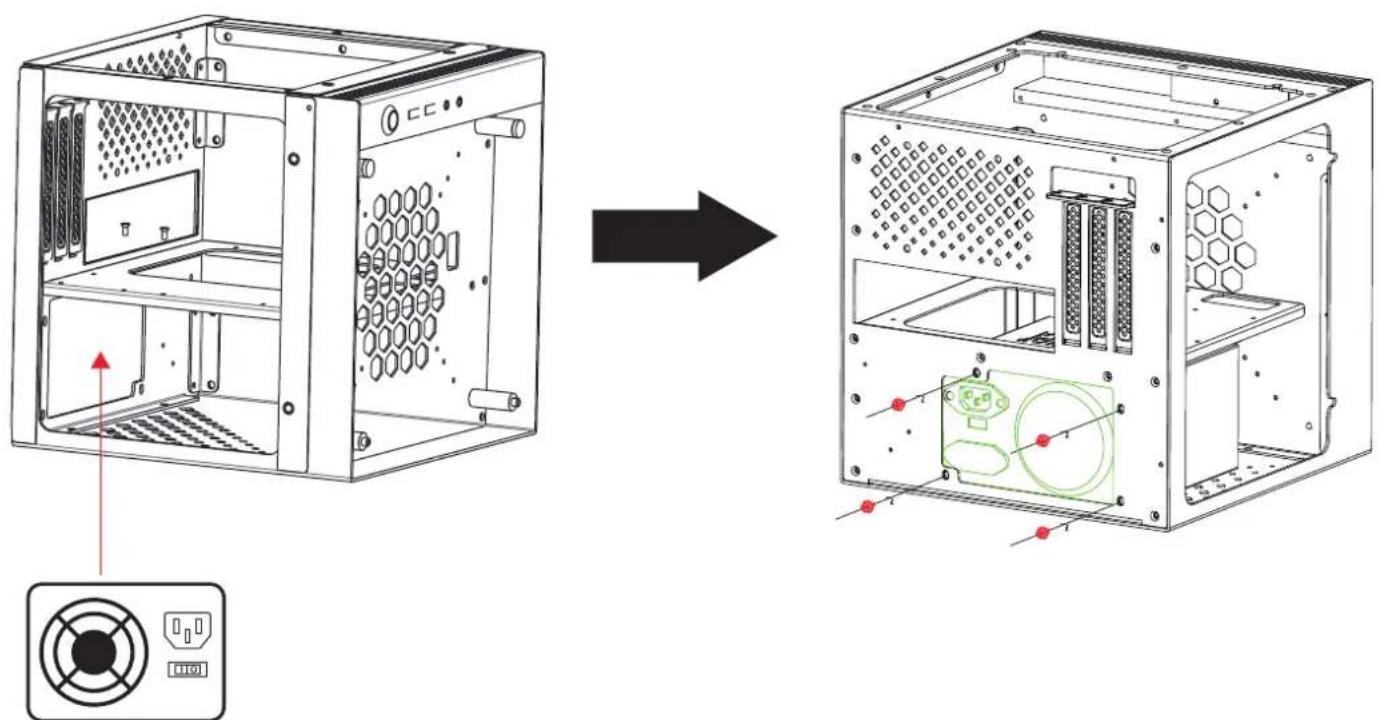
ATX Power Supply

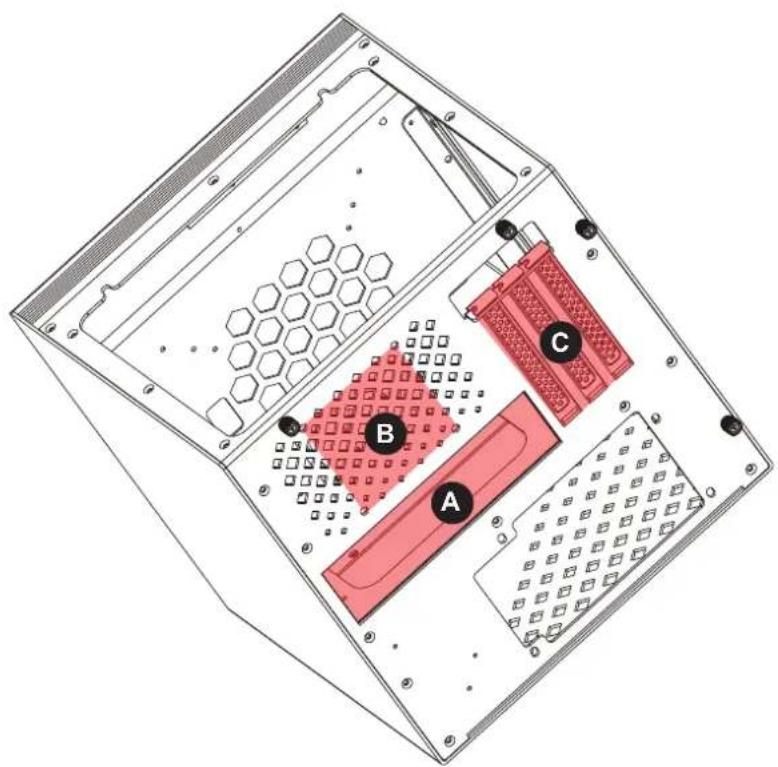
A ITX motherboard
B Supports a 80mm fan in the rear(installed)
c Supports the Video card with 3 slots
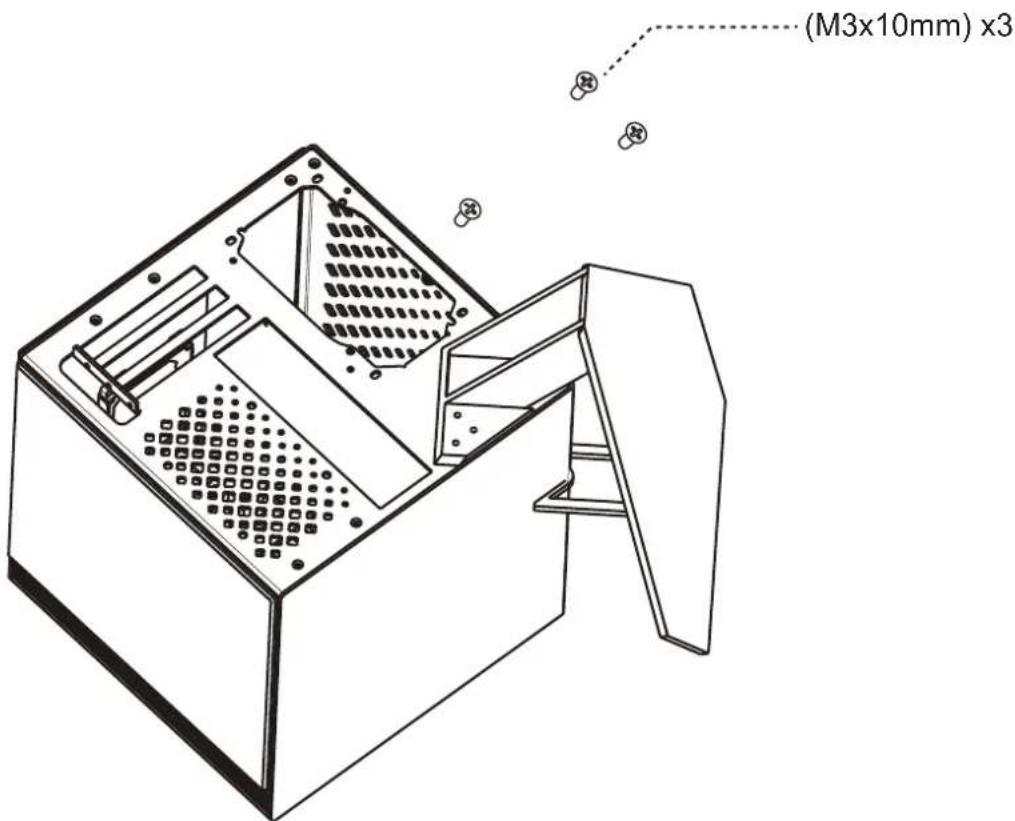
Suggestion:
When installing the stand on the chassis, we suggest you prepare a soft pad or cardboard on the flat table, then, upside down the chassis to easily mount the stand with chassis by M3 screws.
FrontRear
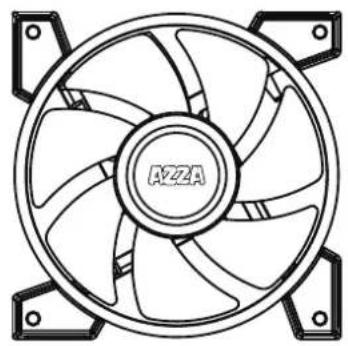
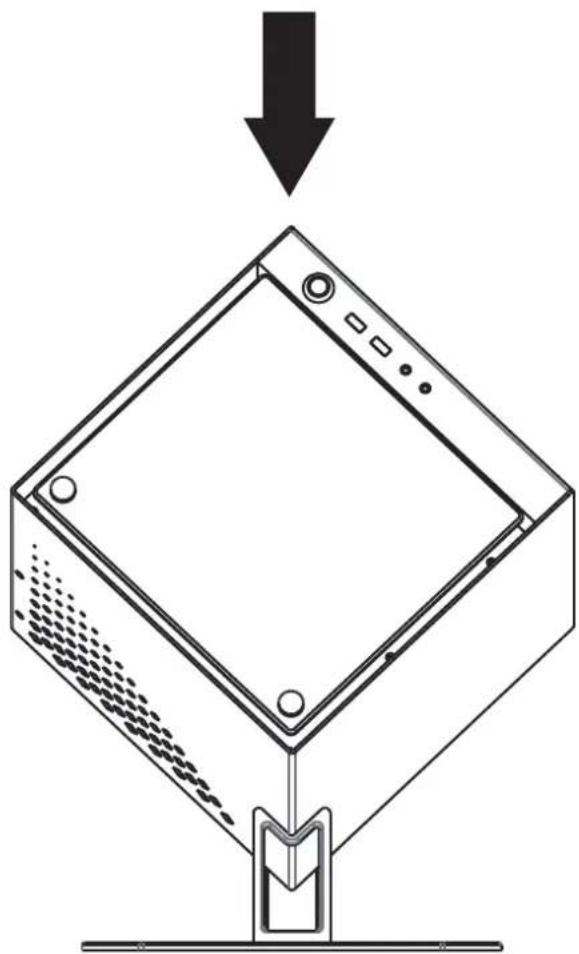
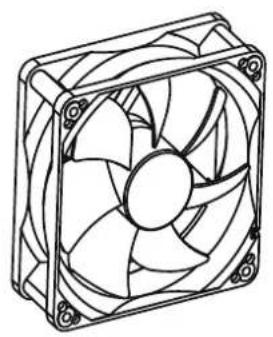
120mm x1 or 140mm x180mm x1
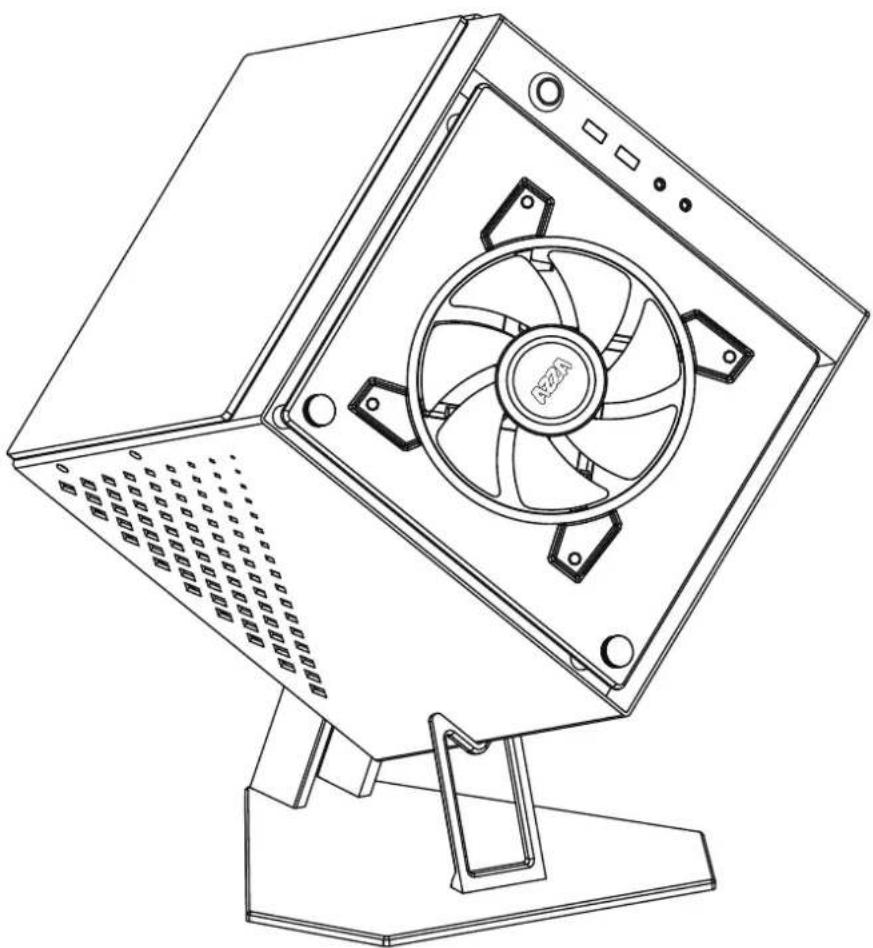
- Install the fan between the chassis and glass panel.

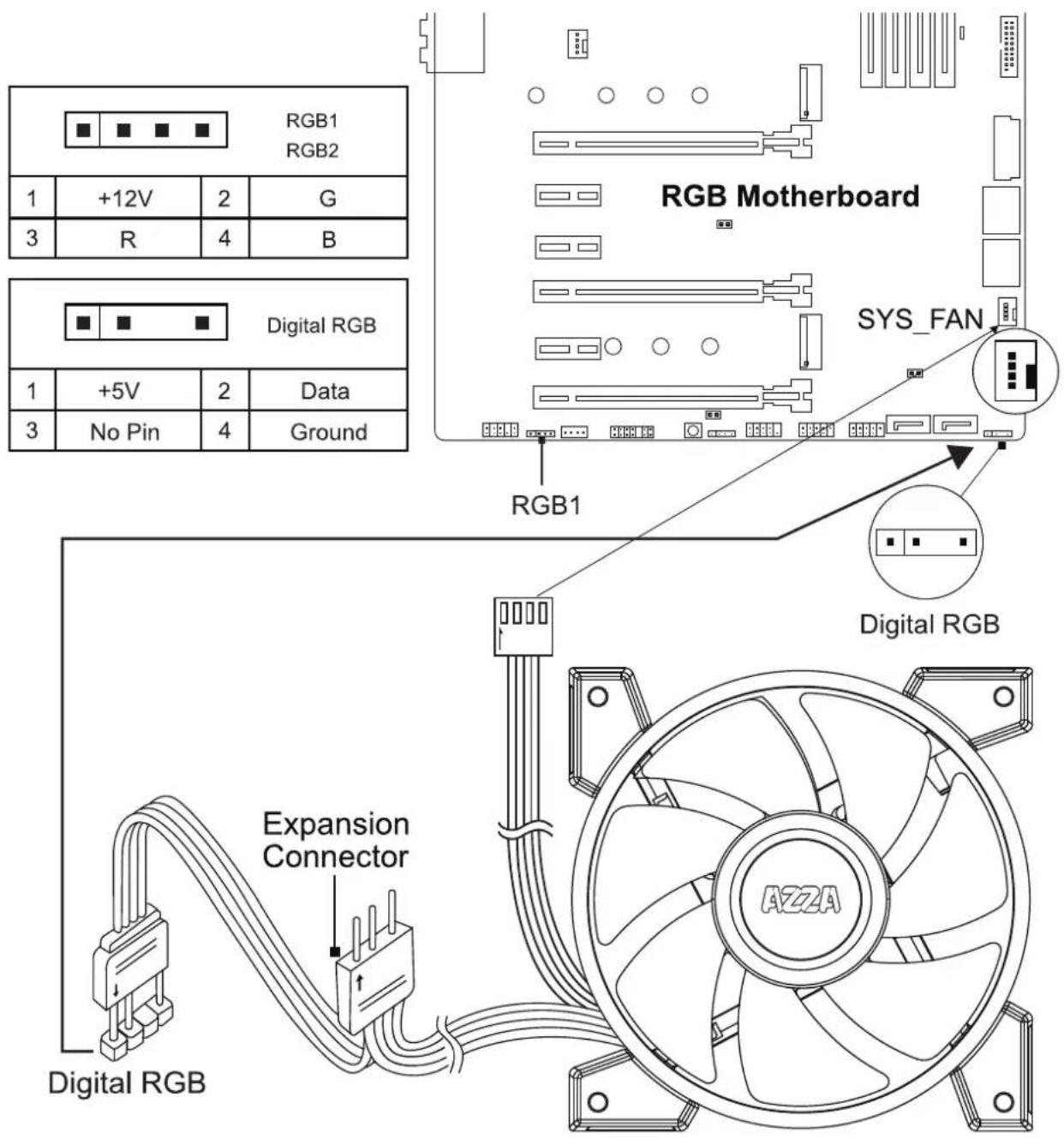
WARNING!
The addressable RGB fans can connect directly to the 5V addressable headers of compatible motherboards, such as those from MSI™, ASUS™ Gigabyte™ and ASROCK™.
Please note: Only 5V addressable header from compatible motherboards are supported; please do Not connect the fan to a 12V non-addressable header.
Please check your motherboard's specifications before use. Do not go past the motherboard's allowed limits on power ratings and LED count when connecting multiple fans / LED strips.
AZZA
ONE VISION. ONE MISSION

Brand : Azza
Model : Cube Mini 705
Category : PC Case