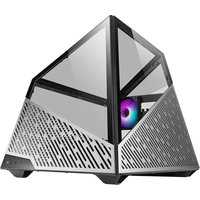
Mesa - Computer Case Azza - Free user manual and instructions
Find the device manual for free Mesa Azza in PDF.


| Product Type | ATX Mid Tower Computer Case |
| Model Number | CSAZ-811 |
| Dimensions (H x W x D) | 494 x 489 x 539 mm (19.4 x 19.3 x 21.2 inches) |
| Weight | 10.3 kg (22.7 lbs) |
| Material | SPCC 1~1.5mm, Aluminum 3mm |
| Motherboard Compatibility | ATX, Micro-ATX, Mini-ITX |
| Power Supply Support | Bottom mounted ATX (not included) |
| Max CPU Cooler Height | Up to 140 mm |
| Max Video Card Length | Up to 380 mm |
| Expansion Slots | 7 |
| External 5.25" Drive Bays | 0 |
| Internal 3.5" Drive Bays | Up to 2 |
| Internal 2.5" Drive Bays | Up to 4 |
| I/O Ports | Power, Reset, HD Audio, USB 3.0 x2, USB Type-C |
| Fan Support (Rear) | 1 x 120 mm (ARGB fan included) |
| Fan Support (Front) | 3 x 120 mm (with radiator bracket) |
| Water Cooling Support (Front) | Up to 360 mm radiator |
| Lighting | Addressable RGB (controlled by motherboard) |
| Glass Panel | Removable tempered glass side panel |
| Aluminum Panel | Removable aluminum plate for easy access |
| HDD/SSD Tray | Removable trays for 3.5" and 2.5" drives |
| Fan Type | PWM fan (runs at max speed if not connected to motherboard) |
| Cleaning | Wipe with dry cloth; avoid wet components |
Frequently Asked Questions - Mesa Azza
User questions about Mesa Azza
0 question about this device. Answer the ones you know or ask your own.
Ask a new question about this device
Download the instructions for your Computer Case in PDF format for free! Find your manual Mesa - Azza and take your electronic device back in hand. On this page are published all the documents necessary for the use of your device. Mesa by Azza.
USER MANUAL Mesa Azza
natural_image
Exterior view of a modern office computer with a CD inside, showing internal components and a logo on the left (no readable text or symbols)MESA
| Model | |
| Model Name | Mesa |
| Model Number CSAZ-811 | |
| Specifications | |
| Type ATX | |
| Chassis thickness | SPCC 1~1.5mm / AL 3mm |
| Max CPU Cooler Height Up to 140mm | |
| Max Video Card Length Up to 380mm | |
| Power Supply | Not included |
| Motherboard Compatibility | ATX, Micro-ATX, Mini-ITX |
| Expansion | |
| External 5.25" Drive Bays 0 | |
| Internal 2.5" Drive Bays | Up to 4 |
| Internal 3.5" Drive Bays Up to 2 | |
| Expansion Slots 7 | |
| I/O Ports | Power button, Reset button, HD Audio, USB 3.0 x 2, Type-C |
| Physical Specifications | |
| Dimensions (HxWxD) 494x489x539 mm / 19 | 9.4 x 19.3 x 21.2 inches |
| Weight | 10.3kg / 22.7 lbs |
| Features | |
| Addressable RGB Light Addressable RGB fan | on the rear. All addressable RGB light devices controlled by motherboard. |
| Available Fan Port | 1 x 120 mm ports on the rear (1x120mm LFO-4312D ARGB fan included)3 x 120 mm ports on the front (with radiator bracket) |
| Water Cooling Supports radiators up to 360 | mm in the front |
| Power Supply Support Bottom mounted ATX | power supply |
※PWM Fan:The model comes with PWM fans and will run at top speed unless connected to a motherboard or controller.
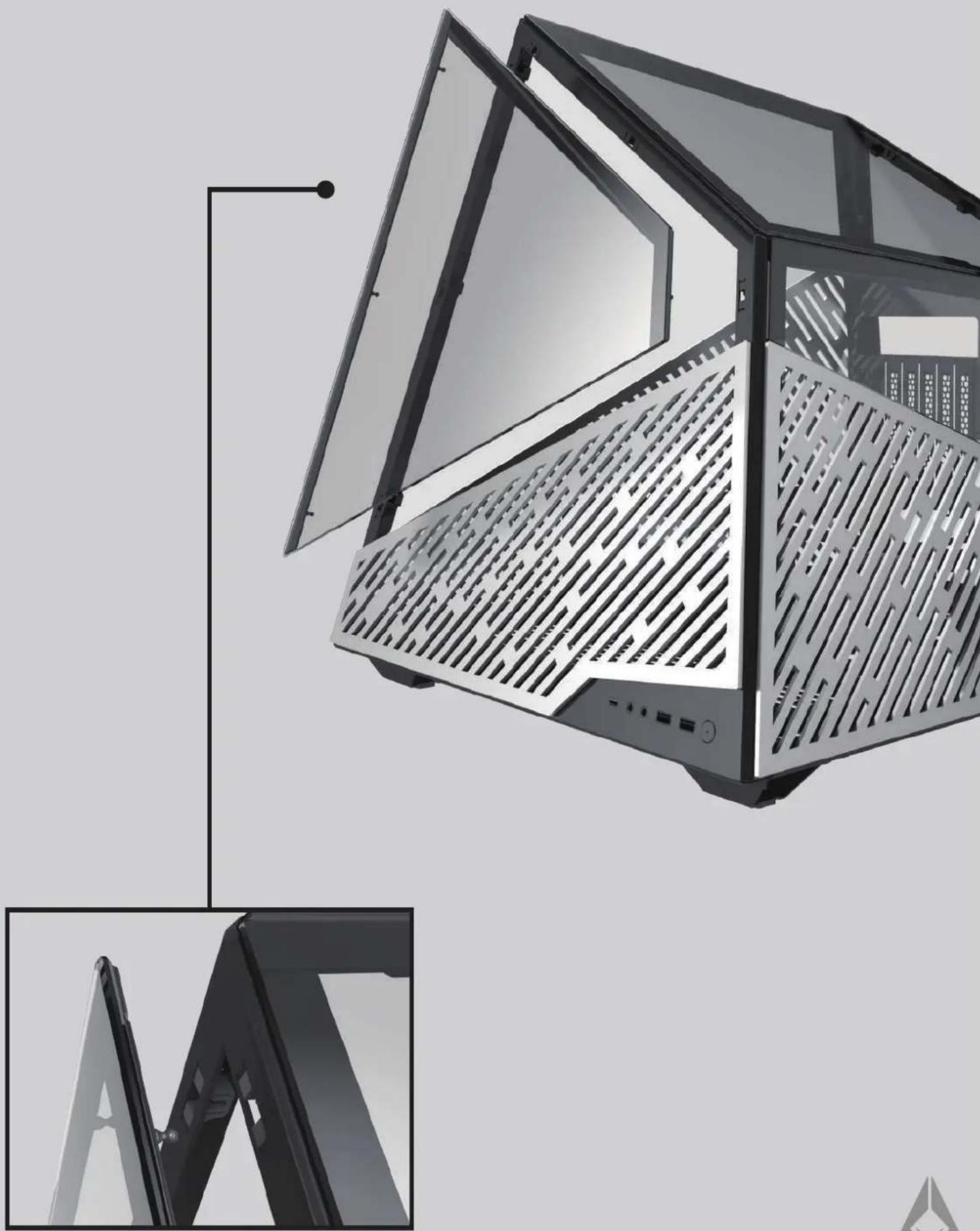
Glass Panel Removal
natural_image
Modern architectural structure with slatted panels and ventilation grilles, shown from an inset view (no text or symbols)Aluminum plate Panel Removal

natural_image
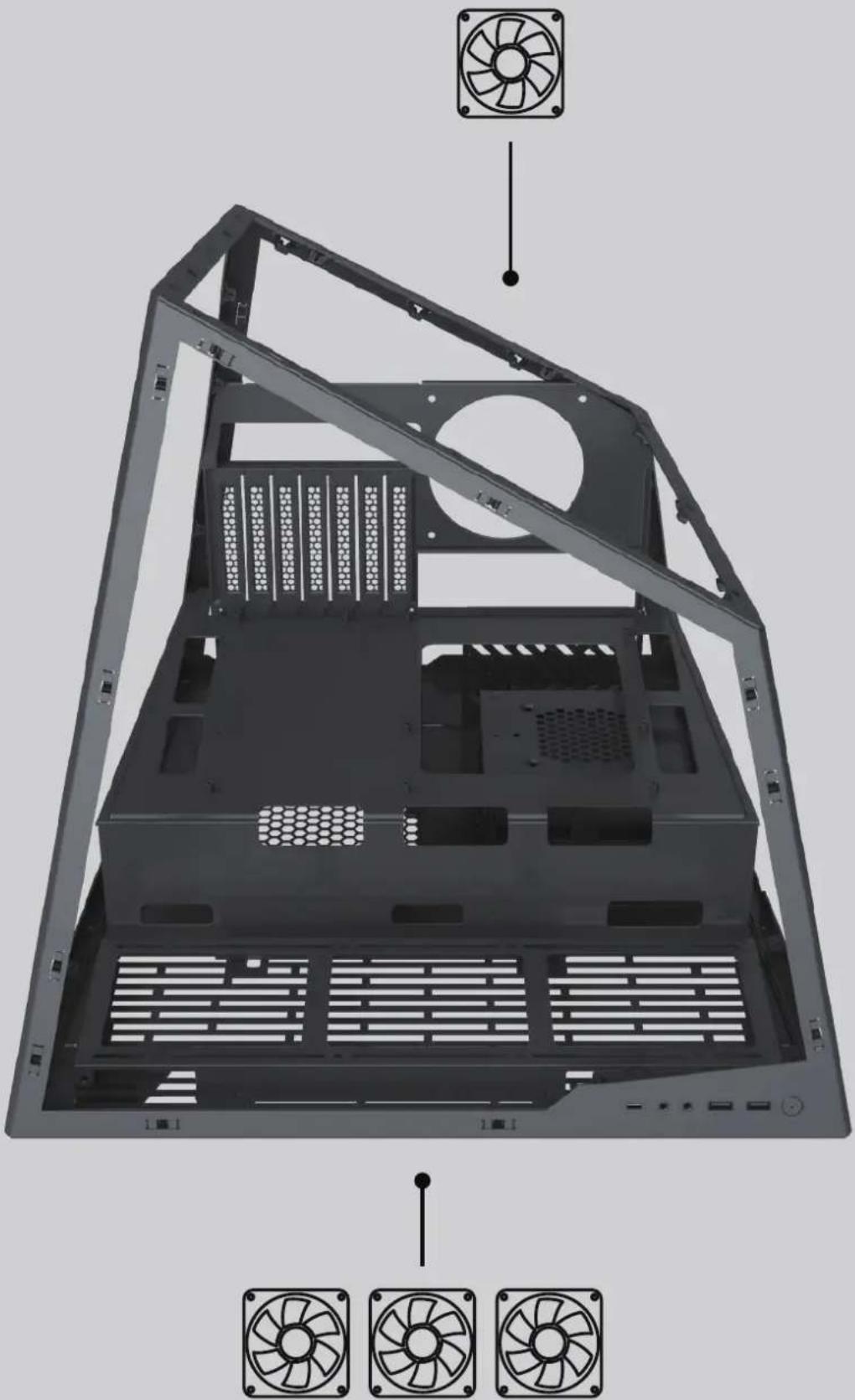
Exterior view of a modern office building (no signage)Fan installation
Support up 1 120mm fan on rear
natural_image
Interior view of a computer tower case with visible fan array and ventilation slots (no text or symbols)Support up 3 120mm fan on front bracket
Fan installation

natural_image
3D rendering of a black computer case with ventilation grilles and mounting holes, showing internal structure and red directional arrows indicating movement (no text or symbols)Unscrew the screws and push the fan bracket forward
GPU installation

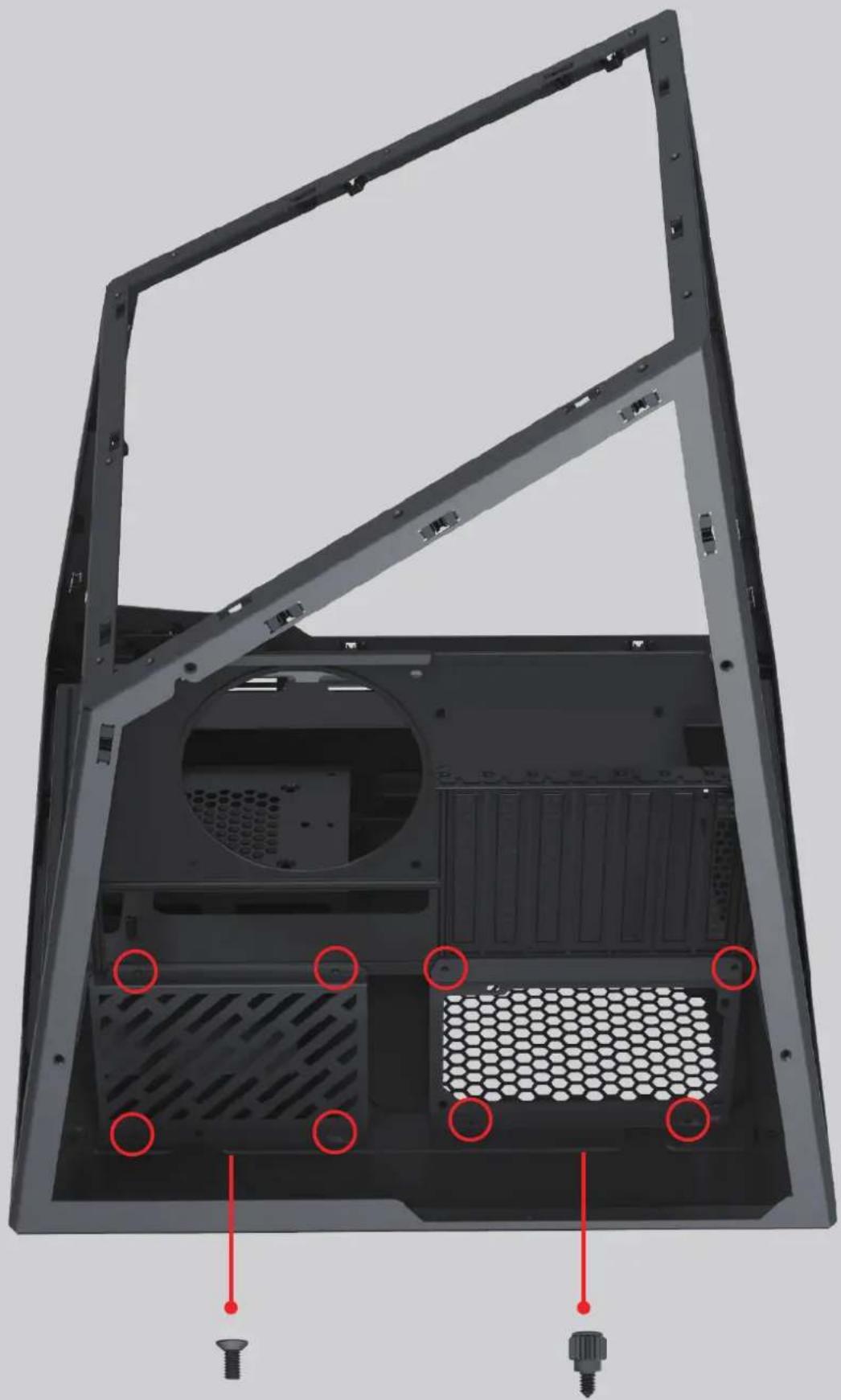
PSU and hard drive sheet metal removal
natural_image
Interior view of a computer chassis showing the back panel, ventilation ducts, and screw base (no text or symbols)Unscrew the back screw
PSU installation
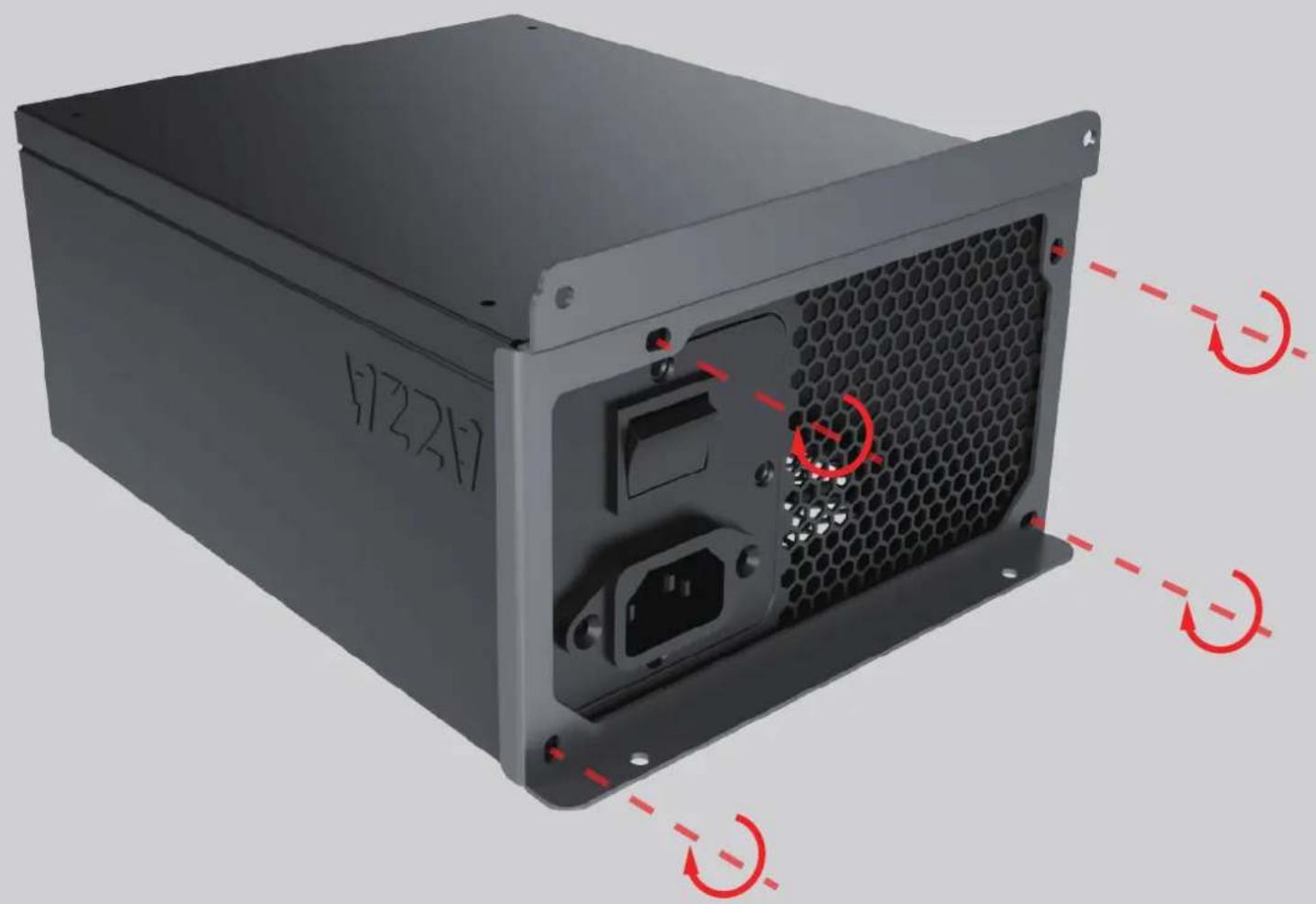
Lock the screw to the PSU sheet metal
HDD and SSD installation
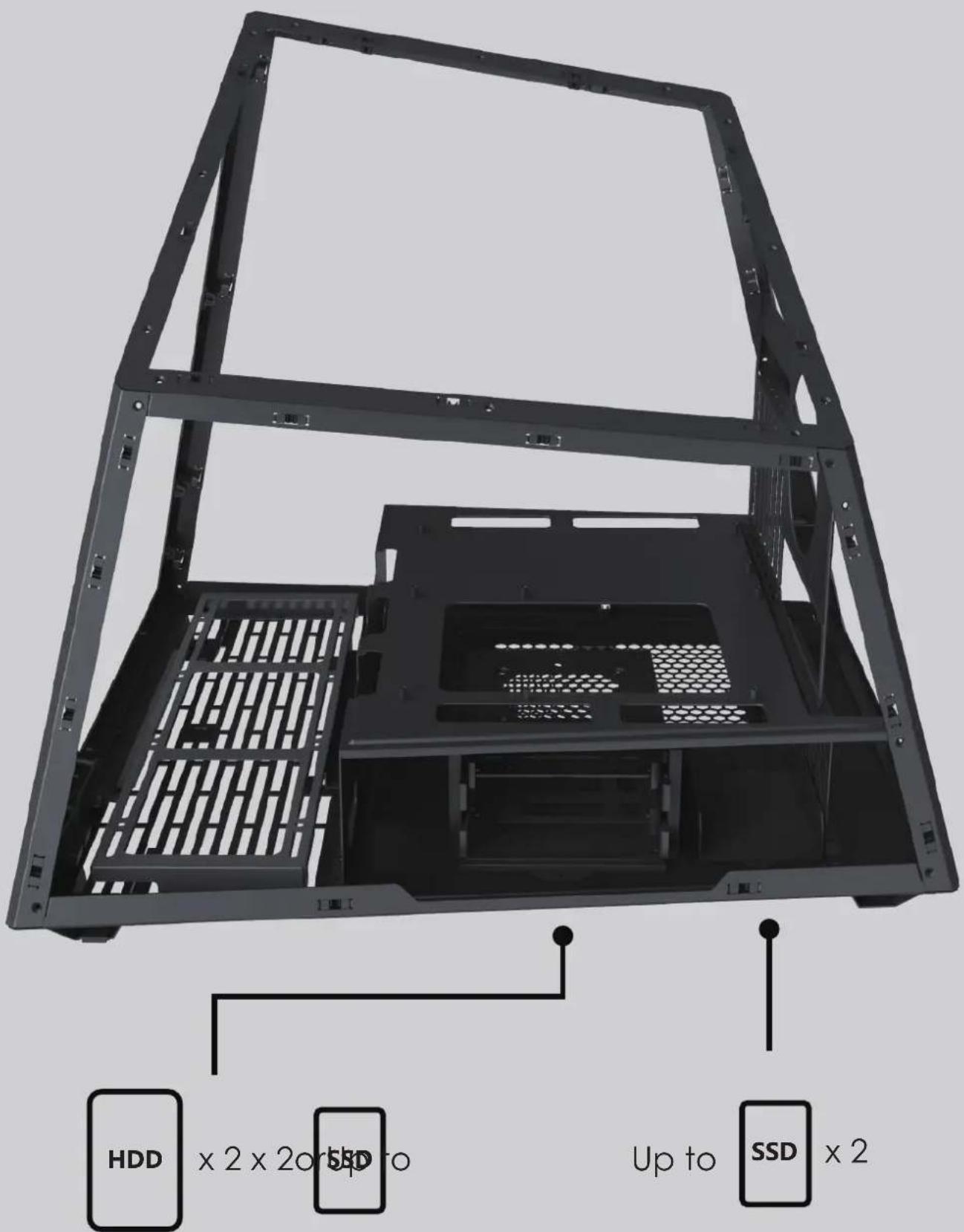
HDD and SSD installation

natural_image
3D rendering of a black computer tower case with a red arrow pointing to a component detail (no text or symbols visible)Hdd tray can be removed
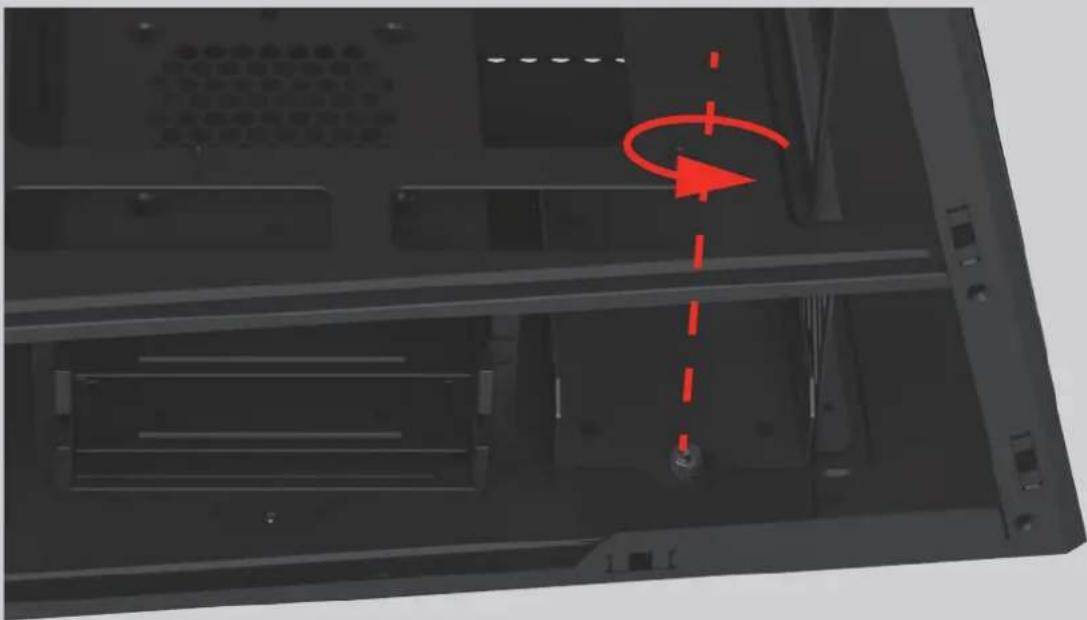
natural_image
Interior view of a computer tower with visible drive bays and a red circular arrow indicating rotation (no text or symbols)If you want to install SSD, unscrew the screw and remove the SSD tray
Motherboard installation

Support ITX, mATX, ATX motherboard
Brand : Azza
Model : Mesa
Category : Computer Case