
FBL6000 PRO - Access Control ZKTeco - Free user manual and instructions
Find the device manual for free FBL6000 PRO ZKTeco in PDF.


| Product Type | Biometric Access Control Terminal |
| Model | FBL6000 PRO |
| Brand | ZKTeco |
| Authentication Methods | Fingerprint, RFID Card, Password |
| Fingerprint Sensor Type | Optical Sensor |
| Fingerprint Capacity | 3,000 templates |
| Card Capacity | 10,000 |
| Transaction Capacity | 100,000 logs |
| Display | 2.4-inch TFT Color Screen |
| Communication | TCP/IP, USB Host, RS485 |
| Power Supply | 12V DC, 1.5A |
| Dimensions (H x W x D) | 190 x 140 x 38 mm |
| Weight | 0.5 kg |
| Operating Temperature | 0°C to 45°C |
| Operating Humidity | 20% to 80% |
| Protection Rating | IP55 (front panel) |
| Key Features | Fast authentication, real-time attendance monitoring, tamper detection, voice guidance |
| Access Control Interface | 1 relay for lock, door sensor, exit button, alarm output |
| Wiegand Support | In/Out for expansion |
| Software Compatibility | ZKAccess, third-party via SDK |
Frequently Asked Questions - FBL6000 PRO ZKTeco
User questions about FBL6000 PRO ZKTeco
0 question about this device. Answer the ones you know or ask your own.
Ask a new question about this device
Download the instructions for your Access Control in PDF format for free! Find your manual FBL6000 PRO - ZKTeco and take your electronic device back in hand. On this page are published all the documents necessary for the use of your device. FBL6000 PRO by ZKTeco.
USER MANUAL FBL6000 PRO ZKTeco
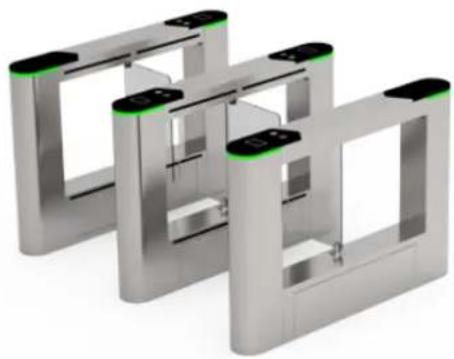
Flap Barrier with Modular Design

RFID Fingerprint QR code Palm


Visible light verification facial recognition
natural_image
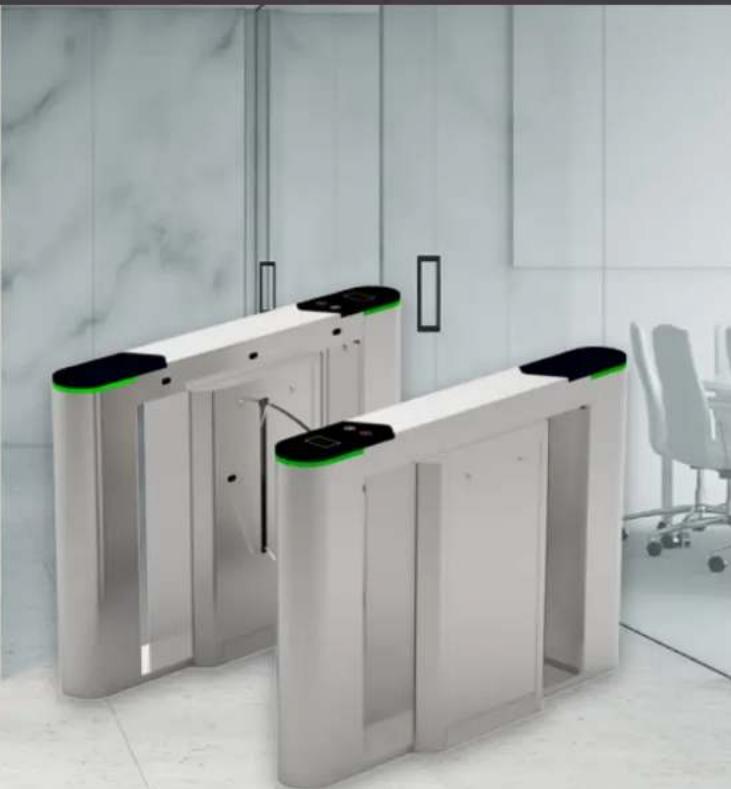
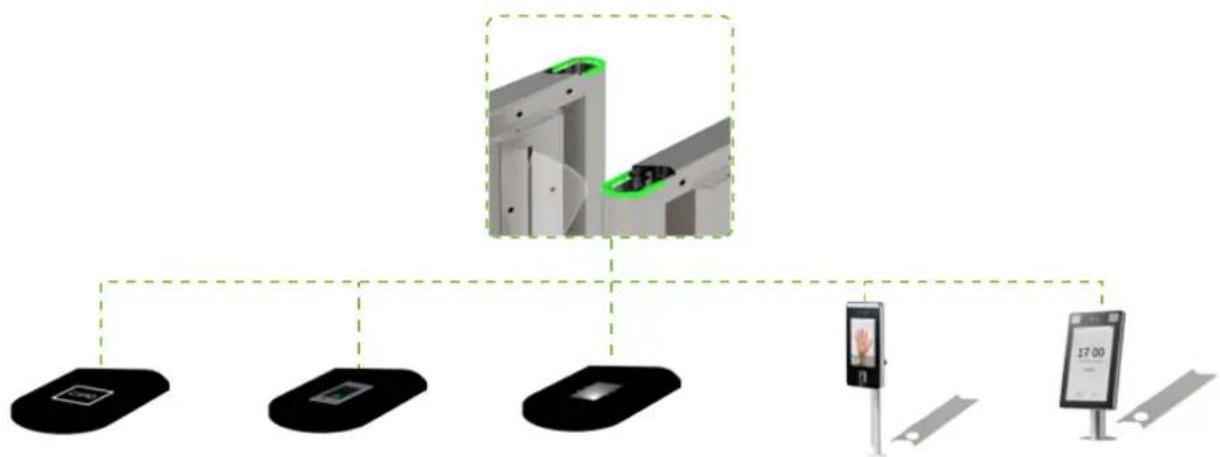
Modern glass-walled office interior with a white automated turnstiles and a black handle, no visible text or symbols.FBL6000 Pro is a flap barrier with a modular design that realizes fast switching between different readers. And reader installation can be completed by merely pull-out and plug-in. After installing the corresponding readers, FBL6000 Pro can support multiple verification methods, including RFID, fingerprint, QR code, palm verification and visible light facial recognition. Especially, palm verification and visible light facial recognition can realize touchless entrance control that helps avoid catching bacteria or germs from contaminated surfaces.
flowchart
graph TD
    A["Smart Home Device"] --> B["Smart Home Display"]
    B --> C["Smart Home Monitor"]
    C --> D["Smart Home Display"]
    style A fill:#f9f,stroke:#333
    style B fill:#ccf,stroke:#333
    style C fill:#cfc,stroke:#333
    style D fill:#fcc,stroke:#333
RFID Fingerprint QR code Visible light facial recognition Palm verification
Modular design readers are also suitable for SBTL6000 series.
natural_image
3D rendering of a metallic toggle switch mechanism with green-lit status LEDs (no text or symbols visible)Specifications
| Power Requirements AC 100 ~ 120V / 200 ~ 240V, 50 / 60Hz | |
| Working Temperature | -28°C ~ 60°C |
| Working Humidity 5% ~ 80% | |
| Working Environment Indoor / outdoor (if sheltered) | |
| Speed of Throughput Maximum 30 / minute | |
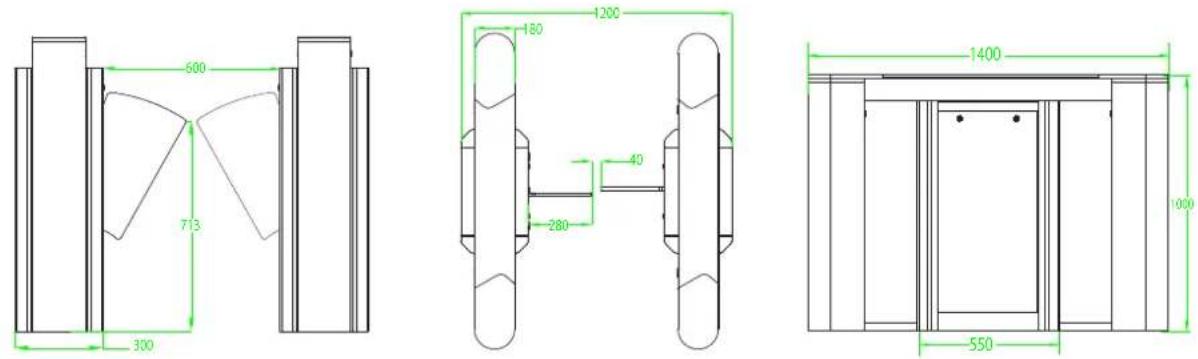
| Lane Width (mm) 600 | |
| Dimensions (L*W*H) 1400 * 300 * 1000 (mm) | |
| Dimension with Packing (L*W*H) 1510 * 780 * 1230 (mm) | |
| Weight with Packing (kg) 155 | |
| LED Indicator Support | |
| Cabinet Material SUS304 Stainless Steel | |
| Lid Material SUS304 Stainless Steel + Acrylic | |
| Barrier Material Acrylic | |
| Barrier Movement Retracting | |
| Emergency Mode Support | |
Dimensions (mm)
V:12020.09.08
Brand : ZKTeco
Model : FBL6000 PRO
Category : Access Control