T.B.Silence - CPU cooler ENERMAX - Free user manual and instructions
Find the device manual for free T.B.Silence ENERMAX in PDF.


| Product Type | CPU Cooler |
| Brand | Enermax |
| Model | T.B.Silence |
| Compatible Sockets | Intel LGA 115x/1200/1700, AMD AM4/AM5 |
| Dimensions (W x D x H) | 95 x 95 x 65 mm |
| Weight | 350 g |
| Fan Speed | 800 - 2200 RPM |
| Noise Level | 18 - 25 dBA |
| Airflow | 45 CFM |
| Power Consumption | 1.2 W |
| Power Connector | 4-pin PWM |
| Heatsink Material | Aluminum |
| Fan Bearing | Hydraulic Bearing |
| Maximum TDP | 130 W |
| Included Thermal Paste | Yes |
| Installation Type | Push-Pin / Screw |
| Color | Black |
| Maintenance | Clean fan and heatsink with compressed air |
| Safety | Ensure proper mounting to avoid damage |
| Spare Parts Available | Fan and mounting clips |
| Warranty | 2 years |
Frequently Asked Questions - T.B.Silence ENERMAX
User questions about T.B.Silence ENERMAX
0 question about this device. Answer the ones you know or ask your own.
Ask a new question about this device
Download the instructions for your CPU cooler in PDF format for free! Find your manual T.B.Silence - ENERMAX and take your electronic device back in hand. On this page are published all the documents necessary for the use of your device. T.B.Silence by ENERMAX.
USER MANUAL T.B.Silence ENERMAX
natural_image
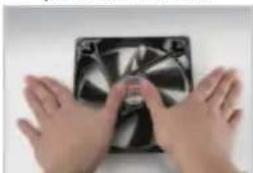
Close-up of a black CPU fan with visible internal blades and mounting brackets (no text or symbols)☐ The package includes : T.B.SILENCE fan * 1 Screws * 4 3 pin to 4 pin adaptor * 1
■ Installation:
- PC power off at all times during installation
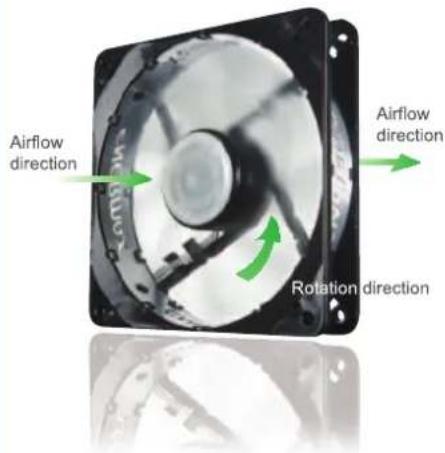
- Please see the right figure for the airflow directions
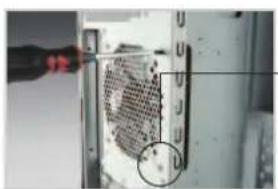
- Install the fan on the case with the 4 screws
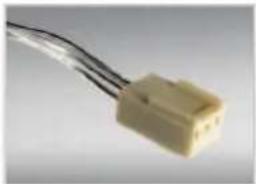
- Connect the 3 pin connector to a specific 3 pin 12V header on the motherboard. Or attach the enclosed 3 pin to 4 pin adaptor to your power supply
natural_image
Close-up of a computer mouse with a magnified view of the internal grid (no text or symbols visible)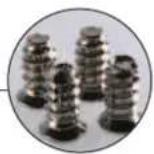
3 pin connector
natural_image
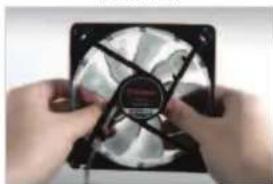
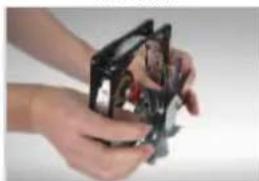
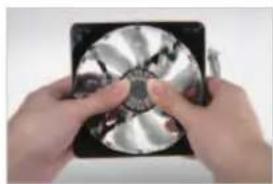
Close-up of a beige plastic electrical connector with black wires (no text or symbols visible)Carefully push out the fan blades with your thumbs in the inner area
back view
natural_image
Close-up of hands holding a black CPU fan with visible blades and central hub (no text or symbols)side view
natural_image
Close-up of hands holding a small mechanical component (no visible text or symbols)T.B.SILENCE
UCTB8/9/12/14
text_image
Airflow direction Airflow direction Rotation direction■ Reattaching the fan blades:
8 9 12 cm fan
Press the center of the blades towards the frame until it clicks
natural_image
Close-up of hands holding a CD or DVD disc with visible internal structure (no text or symbols)14 cm fan
- Put the blades back into the frame gently
- Turn around the fan and put it onto a table
- Press the center of the frame towards the table until it clicks
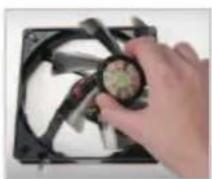
back side
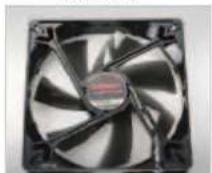
press from back side