
AA400PHD - Receiver ATLAS - Free user manual and instructions
Find the device manual for free AA400PHD ATLAS in PDF.


| Product Type | AV Receiver |
| Brand | Atlas |
| Model | AA400PHD |
| Dimensions (W x D x H) | 430 mm x 310 mm x 100 mm |
| Weight | 5.0 kg |
| Power Supply | AC 100-240V, 50/60Hz |
| Power Consumption | 50 W (standby: 0.5 W) |
| Audio Output Power | 100 W per channel (4 ohms, 1 kHz, 1% THD) |
| Supported Audio Formats | Dolby Digital, DTS, PCM |
| Video Inputs | 3x HDMI, 2x Composite, 1x Component |
| Video Outputs | 1x HDMI (ARC), 1x Composite |
| Radio Tuner | FM/AM with 30 presets |
| Remote Control | Included (IR) |
| Speaker Impedance | 4-8 ohms |
| Frequency Response | 20 Hz - 20 kHz (±1 dB) |
| Signal-to-Noise Ratio | ≥ 90 dB |
| Total Harmonic Distortion | < 0.08% |
| Bluetooth Version | 4.2 (A2DP, AVRCP) |
| USB Port | 1x USB 2.0 (for media playback) |
| Cleaning Instructions | Wipe with a dry cloth; do not use liquid cleaners. |
| Safety | Do not expose to moisture; unplug during storms. |
| Spare Parts Availability | Remote, power cord available from Atlas service. |
| Repairability Score | 7/10 (modular design, some parts replaceable) |
Frequently Asked Questions - AA400PHD ATLAS
User questions about AA400PHD ATLAS
0 question about this device. Answer the ones you know or ask your own.
Ask a new question about this device
Download the instructions for your Receiver in PDF format for free! Find your manual AA400PHD - ATLAS and take your electronic device back in hand. On this page are published all the documents necessary for the use of your device. AA400PHD by ATLAS.
USER MANUAL AA400PHD ATLAS
AAPHD Amplifier Impedance Diagnostic Test Example

EXAMPLE
SAFE LOAD-- TapsettingsOKfor ratedampwattage
EXAMPLE
LOAD FAULT-- WrongTapsetting

EXAMPLE
LOAD FAULT-- Tapsettingsexceed ratedampwattage

EXAMPLE
LOAD FAULT-- ConduitandStaple Shorttoground

flowchart
graph TD
    A["COM74V"] --> B["+"]
    B --> C["ERROR"]
    C --> D["+"]
    D --> E["COM"]
    E --> F["COM"]
    F --> G["COM"]
    G --> H["COM"]
    H --> I["COM"]
    I --> J["STAPLESHORT"]
    J --> K["ERROR"]
    K --> L["STAPLESHORT"]
    L --> M["LED ON TEST FAIL"]
    L --> N["PHD TEST"]

Atlas Sound
1601 Jack McKay Blvd. • Ennis, Texas 75119 U.S.A.
Telephone: 800.876.3333 • Fax: 800.765.3435
AtlasSound.com - 1 -
Overview:
The AAPHD Series features a patent pending Amplifier Diagnostic Test System. The "Push Hear Diagnostic" (PHD) test is simple to use and very effective in testing for speaker wire and load impedance faults in 70.7V systems. The PHD circuit can be activated using a small tool with a point to access the momentary switch through the hole on the front panel. This test circuit produces a test tone over the speakers analyzing multiple conditions to assure the amplifier is wired and loaded properly.
Application Example Description:
Application Example Description: This example illustrates an AA50PHD amplifier connected to a 70.7V speaker system with various tap settings, or load conditions, and how the PHD fault indicator responds.
Example 1: Shows six Atlas FAP series 70V speakers wired in parallel. Two speakers have 4-watt tap settings and four speakers have 8-watt tap settings resulting in a total of 40-watts, a “safe” load to the amp. The total power taps selected on all speakers combined should not exceed the amplifier’s maximum power rating or a fault may occur.
Example 2: Shows the same speaker setup but with one speaker mistakenly tapped at 8 Ohms. This low impedance setting will cause a Fault condition for the system. When testing, this speaker with the wrong Tap setting will be very loud compared to the rest of the speakers.
Example 3: Shows the same speaker setup with speaker settings tapped so that the total power exceeds the power rating of the amplifier by a significant amount.
Example 4: Shows the same speaker setup with two "short" conditions that can occur during installation, a staple over the wire and a conduit short.
Benefits:
- Automated Impedance Diagnostic System Test
- Easily Test Speaker Loads After Installation without additional Test Equipment
- Avoid Most Common Amplifier Failures
- Reduce Service Calls
- Provide Confidence on Large Installs
PHD Front Panel LED Limit Indicator Functions:
- Load Fault Indicator - When testing the system using the PHD feature for proper wiring and amplifier loading, this LED will illuminate Yellow if a fault is sensed in the audio speaker system.
- Excessive Current Draw - Will illuminate Yellow when the amplifier is consuming excessive current. The most likely cause for the fault is an incorrect load impedance connected to the amplifier. The LED will not be constantly illuminated if a proper load is applied.
Note: An occasional LED flash is okay during standard operation. When the LED is illuminated audible distortion may be heard at the speakers.
Application Example Notes:
- Make sure no people are present or near speakers during the diagnostic test without taking proper precautions against hearing damage. The SPL can be excessive depending on the tap settings and sensitivity of the speakers.
- Turn the level control "Off" (fully counter clockwise) before pressing the PHD switch and initiating the test. If the test passes, adjust the level according to application required.
- Enlisting the assistance of another person to walk the area being tested to listen to the speakers during the test can quickly identify an incorrect tap setting (one speaker is louder than others).

Atlas Sound
1601 Jack McKay Blvd. • Ennis, Texas 75119 U.S.A.
Telephone: 800.876.3333 • Fax: 800.765.3435
AtlasSound.com - 2 -

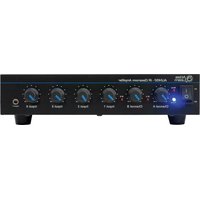
Brand : ATLAS
Model : AA400PHD
Category : Receiver