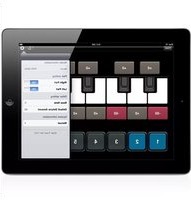
Scale Tuner - Piano YAMAHA - Bezpłatna instrukcja obsługi
Znajdź bezpłatnie instrukcję urządzenia Scale Tuner YAMAHA w formacie PDF.


| Typ produktu | Aplikacja do strojenia instrumentów MIDI |
| Przeznaczenie | Strojenie poszczególnych nut instrumentu MIDI z urządzeń iPod touch, iPhone, iPad |
| Marka | Yamaha |
| Kompatybilność | iPod touch, iPhone, iPad |
| Wymagany sprzęt | Interfejs Yamaha i-MX1 do połączenia z instrumentem |
| Skale | Równomierny temperament oraz skale etniczne (np. arabskie, indyjskie) |
| Regulacja strojenia | Ustawianie wartości odchylenia dla każdej nuty (+0 lub wartość domyślna) |
| Resetowanie | Resetowanie wszystkich wartości do +0 |
| Okno narzędziowe | Informacje o modelu, ustawienie partii, nuta bazowa, domyślne odchylenie |
| Informacje o modelu | Wyświetla nazwę podłączonego instrumentu |
| Ustawienie partii | Określa docelową partię i kanał transmisji (zgodny z kanałem odbioru instrumentu) |
| Nuta bazowa | Ustawia nutę podstawową skali; wszystkie wartości przesunięte |
| Domyślne odchylenie | Wartość wywoływana przez dotknięcie; umożliwia szybkie użycie często stosowanych strojów |
| Wprowadzanie danych | Przytrzymaj wskazanie wartości, aby wywołać edycję |
| Produkcja dźwięku | Aplikacja generuje dźwięk fortepianu z urządzenia iOS |
| Język instrukcji | Angielski |
| Prawa autorskie | © 2011 Yamaha Corporation |
Często zadawane pytania - Scale Tuner YAMAHA
Pytania użytkowników dotyczące Scale Tuner YAMAHA
0 pytanie dotyczące tego urządzenia. Odpowiedz na te, które znasz, lub zadaj własne.
Zadaj nowe pytanie dotyczące tego urządzenia
Pobierz instrukcję dla swojego Piano w formacie PDF za darmo! Znajdź swoją instrukcję Scale Tuner - YAMAHA i weź swoje urządzenie elektroniczne z powrotem w ręce. Na tej stronie opublikowane są wszystkie dokumenty niezbędne do korzystania z urządzenia. Scale Tuner marki YAMAHA.
INSTRUKCJA OBSŁUGI Scale Tuner YAMAHA

YAMAHA
Scale Tuner Owner's Manual
- The software and this owner's manual are exclusive copyrights of Yamaha Corporation.
- Copying of the software or reproduction of this manual in whole or in part by any means is expressly forbidden without the written consent of the manufacturer.
-
Yamaha makes no representations or warranties with regard to the use of the software and documentation and cannot be held responsible for the results of the use of this manual and the software.
-
The screen displays as illustrated in this Owner's Manual are for instructional purposes, and may appear somewhat different from the screens which appear on your devices.
- Apple, iPad, iPhone, and iPod touch are trademarks of Apple Inc., registered in the U.S. and other countries.
- The company names and product names in this Owner's Manual are the trademarks or registered trademarks of their respective companies.
© 2011 Yamaha Corporation. All rights reserved.
What is Scale Tuner?
This application lets you tune each note of the MIDI instrument individually from your iPod touch, iPhone, iPad. In addition to the conventional Equal Temperament, you can play various ethnic scales, such as those for Arabic and Indian music.

Scale Tuner
Produces the piano sound of your iPod touch, iPhone, iPad.
Tapping here lets you set the pitch value for the corresponding note alternatively to either +0 (default) or the value set via the Default Detune Amount in the Utility window.

Resets all pitch values to +0.
Tapping this opens or closes the Utility window.
Menu items in the Utility window
Model Information:
When a compatible instrument is connected, the model name is displayed.
Part Setting:
Determines the target part of the Scale Tuner.
Depending on the particular instrument connected, the Transmit Channel of the Scale Tuner can also be set here. The Transmit Channel number should be same as the MIDI Receive Channel number of the instrument. For details about the MIDI Receive Channel, refer to the respective manuals of the instruments.
Base Note:
Determines the Root Note of the current scale. According to the note set here, all pitch values will be shifted.
Default Detune Amount:
Determines the pitch value which is called up by tapping the value indication. This setting allows you to call up often used pitches quickly and easily.
To call up data entry, hold down the value indication at each note.
U.R.G., Digital Musical Instruments Division
© 2011 Yamaha Corporation
109MW-A0


Marka : YAMAHA
Model : Scale Tuner
Kategoria : Piano