
CLC 5000 - Imprimante multifonction laser CANON - Notice d'utilisation et mode d'emploi gratuit
Retrouvez gratuitement la notice de l'appareil CLC 5000 CANON au format PDF.


| Type de produit | Imprimante multifonction laser |
| Marque | Canon |
| Modèle | CLC 5000 |
| Dimensions (L x P x H) | 1384 x 730 x 1000 mm |
| Poids | 490 kg (unité principale) |
| Vitesse d'impression (A4 couleur et N&B) | 50 pages par minute |
| Vitesse d'impression (A3) | 25 pages par minute |
| Résolution d'impression | 800 x 400 dpi équivalent |
| Gradations | 256 niveaux |
| Première copie (A4 couleur et N&B) | 12 secondes |
| Temps de chauffe | Moins de 8 minutes |
| Mode veille économique | 10 secondes |
| Alimentation papier (standard) | 2 cassettes de 550 feuilles (A5R-A3, 80-105 g/m², OHP) + bac d'alimentation de 250 feuilles (A5-A3+, 64-253 g/m², OHP) |
| Alimentation papier (optionnelle) | Deck A 4000 feuilles A4, Deck B 2000 feuilles A4-A3+ (80-160 g/m², OHP) |
| Duplex automatique | Sans plateau, jusqu'à A3+ (305 x 457 mm) |
| Fonctions principales | Impression, copie, numérisation (via scanner intégré), mise en réseau (avec ColorPASS Z5000 en option) |
| Contrôleur réseau optionnel | ColorPASS Z5000 (ColorWise 2.0, DocBuilder Pro, Fiery Freeform) |
| Finition optionnelle | Nagel Booklet Maker FN5, trimer TP5, bac de réception 20 positions avec agrafage, Nagel Stacker ST-1 (jusqu'à 3300 feuilles) |
| Moniteur de prévisualisation optionnel | Carte moniteur pour prévisualisation et édition |
| Consommation électrique | Non spécifiée, prévoir une prise standard |
| Entretien et nettoyage | Nettoyer régulièrement le chemin papier, remplacer le toner et les tambours selon l'usage |
| Sécurité | Fonctions de sécurité réseau via le contrôleur, verrouillage physique possible |
| Pièces détachées et réparabilité | Pièces détachées disponibles auprès de Canon, durée de vie longue de la machine (double des modèles précédents) |
| Informations générales | Partenariat WWF, fabriqué par Canon Inc. Tokyo |
FOIRE AUX QUESTIONS - CLC 5000 CANON
Questions des utilisateurs sur CLC 5000 CANON
0 question sur cet appareil. Repondez a celles que vous connaissez ou posez la votre.
Poser une nouvelle question sur cet appareil
Téléchargez la notice de votre Imprimante multifonction laser au format PDF gratuitement ! Retrouvez votre notice CLC 5000 - CANON et reprennez votre appareil électronique en main. Sur cette page sont publiés tous les documents nécessaires à l'utilisation de votre appareil CLC 5000 de la marque CANON.
MODE D'EMPLOI CLC 5000 CANON
Imaging across networks
CLC 5000
SHORT RUN
PRODUCTION COLOUR SYSTEM

natural_image
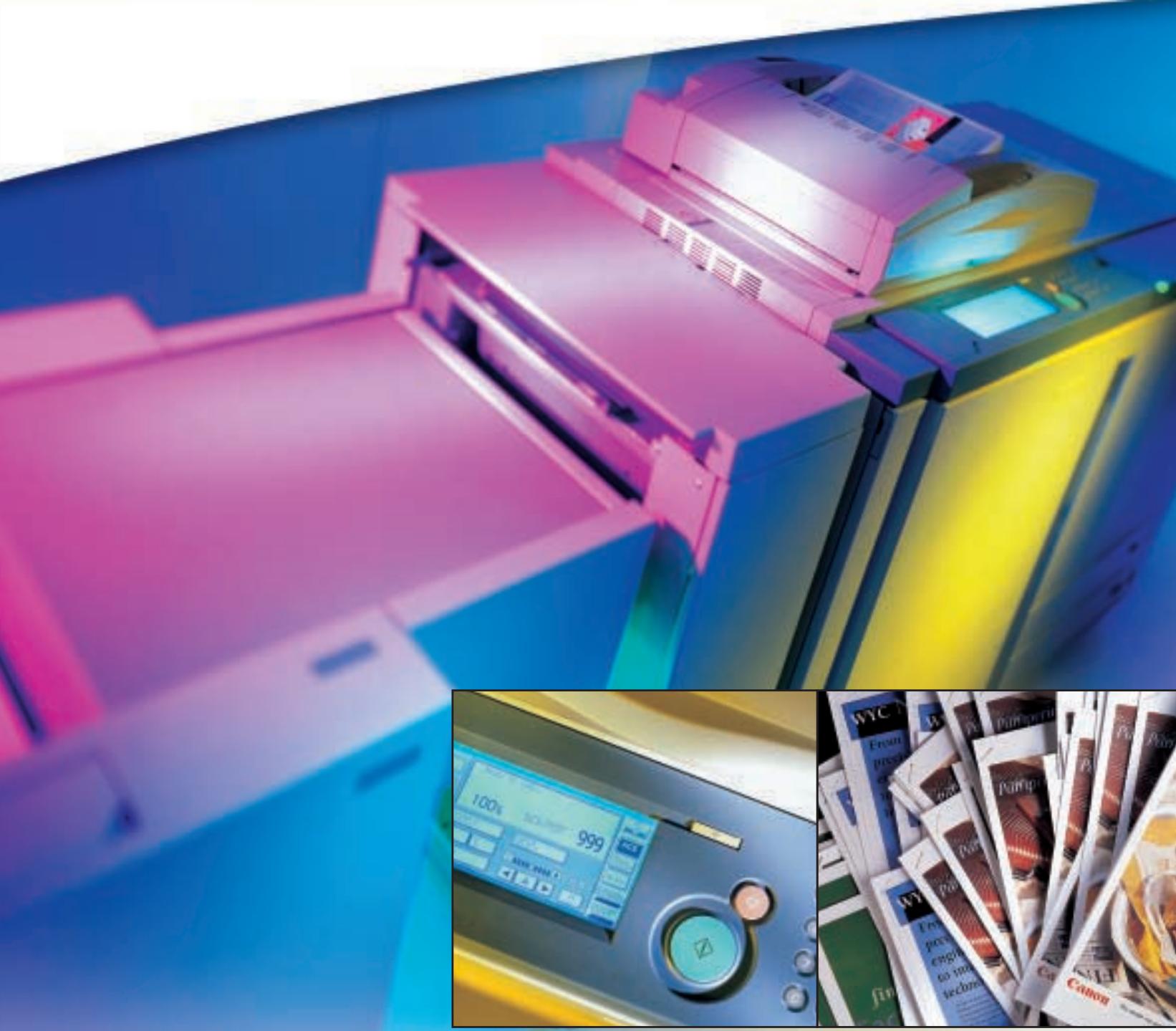
Illustration of a pink printer in operation with a close-up of its control panel and magazine spines (no readable text or symbols)Superior short run colour solutions
The CLC 5000 sets the highest standards for on-demand colour production. Every aspect of systems technology has been optimized to deliver superior colour solutions. Making it the ideal choice for print rooms, copy shops, the pre-press industry and all professionals requiring quality short-run colour.
natural_image
Pure mechanical assembly diagram without any text, numbers, or symbolsHigh productivity, faster turnover time
The CLC 5000 is the fastest machine in Canon's comprehensive CLC range. It maintains a high speed of 50 pages per minute for A4 output - and 25 ppm for A3/A3+ output - for both full colour and black and white printing. There is standard stackless duplexing to increase productivity further, at 20 ppm for A4 output. While FCOT (First Copy Out Time) has been reduced to only 12 seconds. Furthermore, high-speed technology - without compression and decompression - ensures complete ‘loss-less’ image reproduction.
Consistent reliability, complete durability
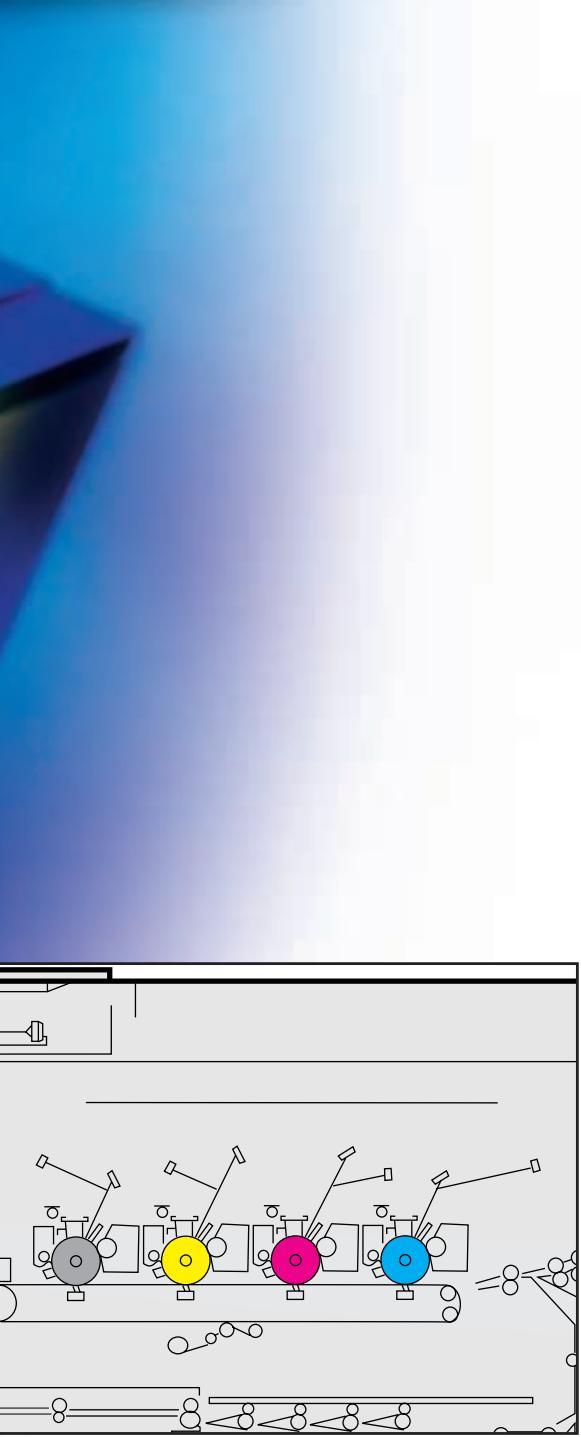
Built-in reliability and durability are major benefits of the CLC5000. This is ensured by innovative engineering - including four-drum technology, a straight, flat paper path and a stable paper feed mechanism. Combined with trayless duplexing, this virtually eliminates the chance of paper jams - even for the longest print runs. Making the CLC5000 essential for ensuring maximum uptime.
Lower prints costs, longer machine life
The high performance and high productivity of the CLC 5000 leads to lower print costs. Perhaps the most impressive fact of all is that the lifetime of the machine is very long - double that of previous models - providing a highly attractive price/performance ratio. Without doubt, it offers the surest way to fully protect your investment outlay.
natural_image
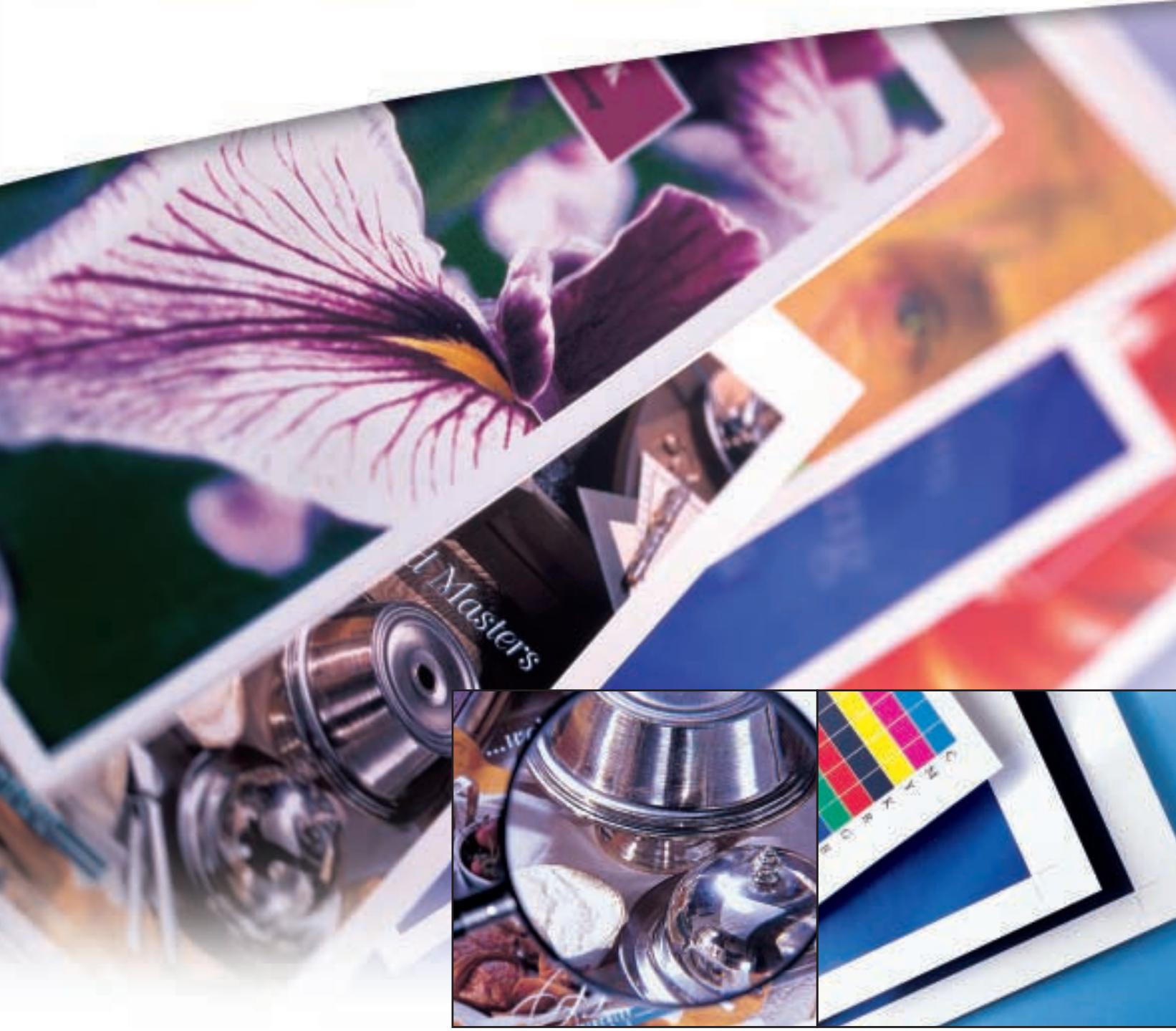
Collage of colorful images including a iris flower, camera lens, and cosmetic products with a color palette (no readable text or symbols)Exceptional print quality and paper handling
Accurate and consistent colour reproduction is the key to the CLC 5000. This is achieved by advanced technologies - included improved toner - and a high print resolution. Combined with versatile and productive media handling, it satisfies the strictest criteria for delivering high quality, digital colour production.

natural_image
Abstract color gradient with red and blue tones, no text or symbols visible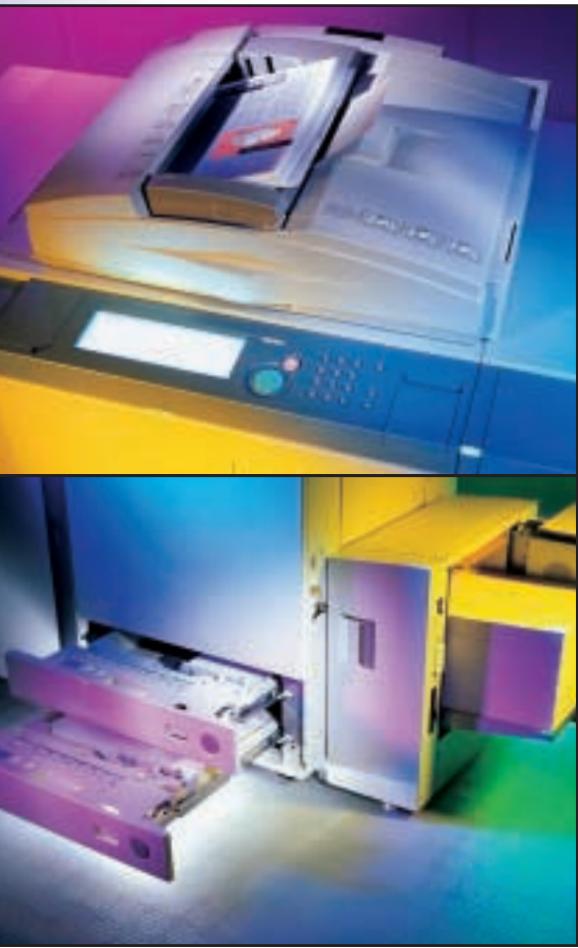
natural_image
Two-panel image showing a printer and a machine with internal components, both in monochrome color scheme (no visible text or symbols)High print resolution
Superior image quality is achieved by AIR (Automatic Image Refinement) and Algorithm Screening technologies - providing a high 800 x 400 dpi equivalent print resolution, with 256 tones. Advanced Direct Mapping Technology optimizes colour image conversion. While improved fusing technology provides prints with a matt-like finish, comparable to offset printing. The end result is colour consistency throughout your workflow.
Extended colour space
By utilizing finer and brighter toner with increased brilliant pigment - as well as improved magenta toner - the CLC 5000 permits an expanded colour space. This delivers a far wider range of colours, for exceptional quality. And it also offers accurate reproduction without requiring all the usual rendering techniques.
Versatile paper throughput
The CLC 5000 is capable of handling large A3+ (305 x 457 mm) paper for printing, as well as paper weights right up to 253 g/m2. The standard paper supply configuration consists of 2 cassette drawers each holding 550 sheets (they also take OHP film and paper from 50 to 105g/m2). The stack bypass takes an additional 250 sheets and handles the heaviest paper weights. For print production purposes, two optional paper decks* are available - one taking 4,000 A4 sheets and the other handling up to 2,000 A4/A3+ sheets.
* Either of which has to be attached.
Productive paper input
The scanning unit handles all original sizes up to A3. An optional RDF document feeder ensures smooth and continuous paper feeding, particularly for double-sided originals. It is capable of accepting paper from 50 to 200 g/m ^2 , in formats from A3 to A5, with a total capacity of 100 originals.
natural_image
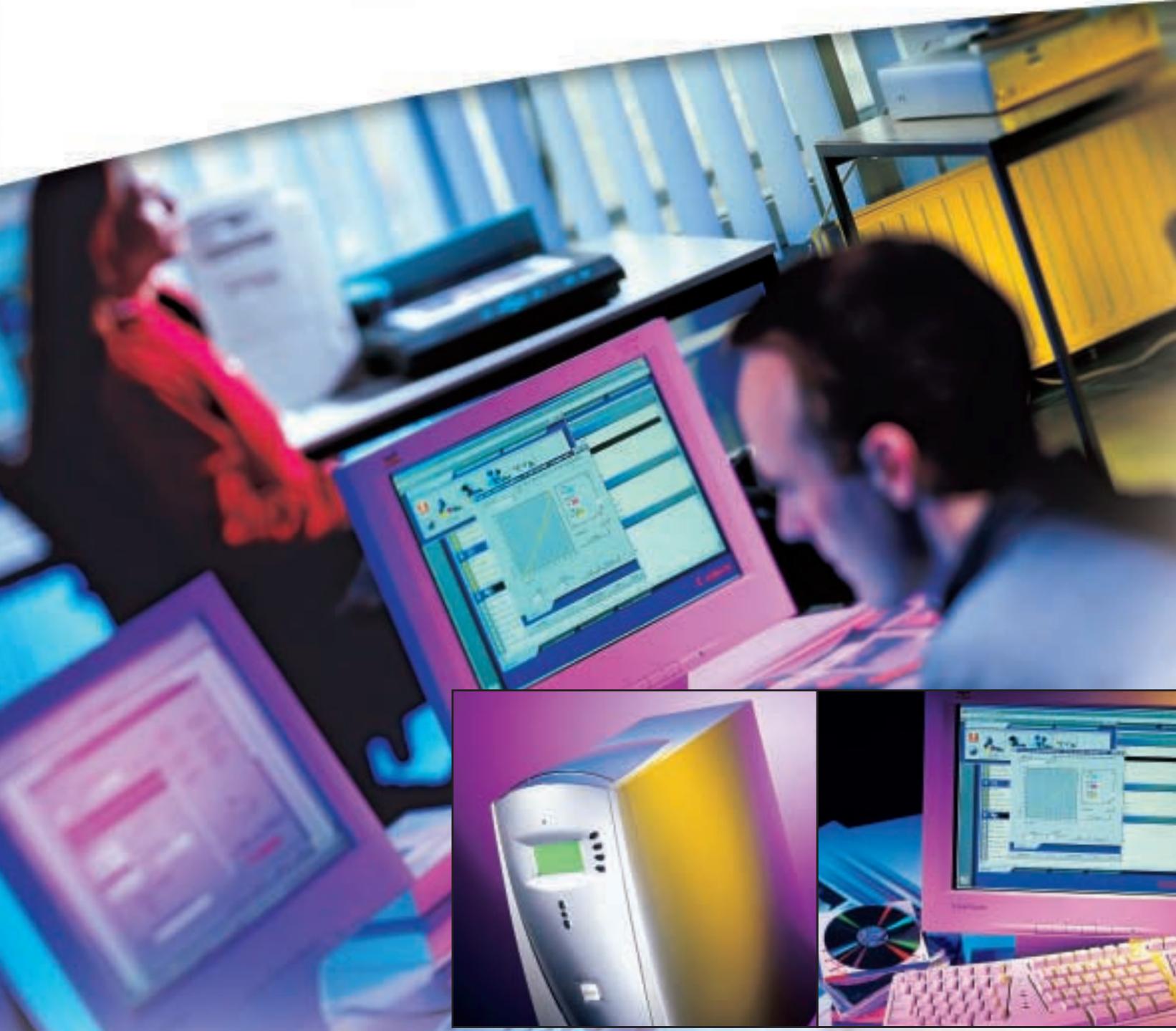
Composite image showing a person working at computer screens with multiple desktop computers and a central monitor displaying data dashboards (no readable text or symbols)Powerful networking, flexible finishing
A comprehensive range of accessories is available to suit your precise copying and printing requirements. These include seamless networking and enhanced colour control and management with the ColorPASS Z5000. Plus true on-line finishing and professional booklet production with the Nagel booklet maker.

natural_image
Blurred abstract image with indistinct shapes and colors, no readable text or symbols
natural_image
Modern printer with paper feed and blue ambient lighting (no visible text or symbols)
Production-intensive network controller
The optional ColorPASS Z5000 controller provides maximum productivity, connectivity and precise colour control - complete with easy upgradability and simplified network management. Expert-level intelligent tools include ColorWise™ 2.0 for highly accurate colour output, Profile Manager providing unlimited print simulation, DocBuilder™ Pro enabling easy imposition of documents and Fiery Freeform™ offering powerful, variable data printing.
Optional monitor board
An optional monitor board on the CLC 5000 allows easier and error-free operation. Dedicated operators in print rooms and copy shops can preview images prior to printing and also view designated areas for editing purposes.
On-line booklet production
An optional Nagel booklet maker facilitates professional booklet production, with A3 sizes folded to A4 booklets or A4 sizes folded to A5 booklets. An optional automatic trimmer gives more press and a clean cut along one side of the booklet (face trim) - and an optional sorter unit is also available. There is a choice of saddle stitching settings, using 2 staples, 4 staples or 2 loop staples. The finisher also supports OHP sheets and paper up to 253 g/m2 via the straight stacking bypass.
Other flexible finishing options
A 20-bin Stapler Sorter accessory increases productivity. Each bin holds up to 50 sheets in sort mode, with a selection of 3 stapling positions for up to 30 sheets. There's also an off-line Nagel stacker available for more extensive finishing (up to 3,300 sheets) with easy transportation of printed material. All finishing options require the buffer unit which de-curls paper output, making the risk of paper jams a rarity.
CLC 5000 Specifications
Type: Console
Copying/Printing Method: Laser electrostatic transfer system
Resolution: 800 dpi equivalent x 400 dpi
Gradations: 256 gradations
Photoconductor: OPC drum
Developing System: Toner projection system
Fixing System: Heater Roller system
Exposure System: Laser
Speed Colour & B/W: A4/A3: 50 ppm/25 ppm
First Copy Out Time: A4: 12 sec in full colour & B/W
Warm up time: Less than 8 minutes
Energy Saver mode 10 seconds
Multiple Copies: 1-999
Preset RE ratio: 3R 3E
Magnification Zoom: Yes (25-400%) 1% increment
Paper Feeding: 2 Drawers
550 sheets each / A5R - A3 /
80 - 105 gsm, and OHP
Stack Bypass
250 sheets / A5 - A3+
(305 - 457mm) / 64 - 253 gsm,
and OHP
Optional Paper Feeding: Paper Deck A
4,000 sheets / A4 / 80 - 160
gsm, and OHP
Paper Deck B
2,000 sheets / A4 - A3+
(305 x 457 mm) / 80 - 160
gsm, and OHP
Auto Duplex (trayless): Up to A3+ (305 x 457 mm)
Dimensions: WxDxH/mm:
1384 x 730 x 1000 mm
Installation Space/WxDxHmm: Stand Alone: 2082 x 730 mm
Weight (kg): 490 kg (Main unit)
Canon
Imaging across networks

WWF®
Conservation
Partner
Canon Europa NV is a
Corporate Sponsor of WWF
Canon Inc.
30-2, Shimomaruko 3-Chome, Ohta-Ku,
Tokyo 146-8501, Japan
www.canon.com
Europe, Africa and Middle East
Canon Europa N.V.
P.O.Box 2262, 1180 EG Amstelveen,
the Netherlands
www.canon-europa.com
natural_image
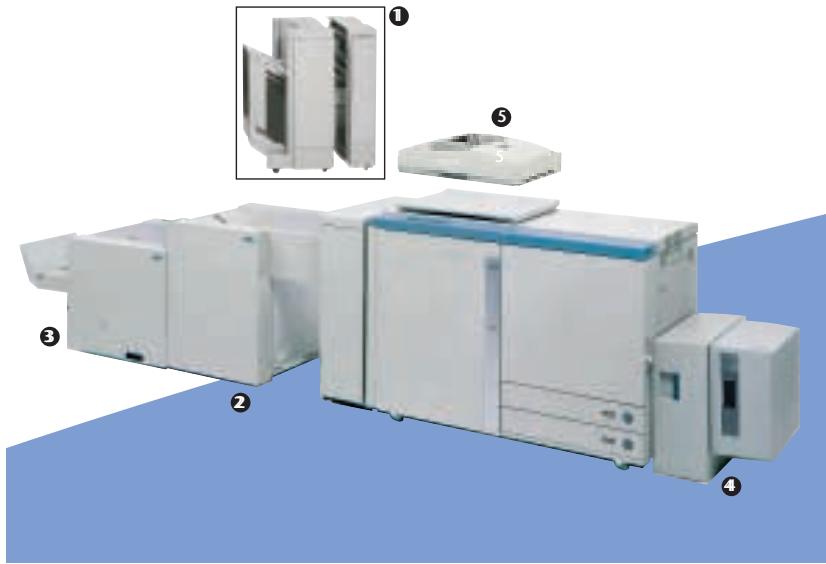
Exterior view of a laboratory instrument with numbered components (no visible text or symbols)Options:
① 20-bin Stapler/Sorter ② Nagel Booklet Maker FN5
③ Nagel Trimmer TP5 ④ Paper Deck B
⑤ Recirculating Document Feeder
Nagel Stacker ST-1, Paper Deck A, Film Projector,
Editor Board, Preview Monitor Board,
ColorPASS Z5000
^TM All company and/or product names are trademarks and/or registered trademarks
of their respective manufacturers in their markets and/or countries.
Canon reserves the right to change specifications without notice.
NAGEL
Nagel is a Canon Solution Partner
- CLC 5000
- Superior short run colour solutions
- High productivity, faster turnover time
- Consistent reliability, complete durability
- Lower prints costs, longer machine life
- Exceptional print quality and paper handling
- High print resolution
- Extended colour space
- Versatile paper throughput
- Productive paper input
- Powerful networking, flexible finishing
- Production-intensive network controller
- Optional monitor board
- On-line booklet production
- Other flexible finishing options
- CLC 5000 Specifications
- Canon
- Options:
- NAGEL
Marque : CANON
Modèle : CLC 5000
Catégorie : Imprimante multifonction laser