
CLC 1110 - Imprimante laser CANON - Notice d'utilisation et mode d'emploi gratuit
Retrouvez gratuitement la notice de l'appareil CLC 1110 CANON au format PDF.


| Type de produit | Imprimante laser couleur professionnelle |
| Marque | CANON |
| Modèle | CLC 1110 |
| Vitesse d'impression couleur (A4) | 8,5 pages par minute |
| Vitesse d'impression noir et blanc (A4) | 42 pages par minute |
| Résolution d'impression | 800 x 400 dpi équivalent, 256 niveaux de demi-teintes par couleur |
| Format de papier maximal | A3+ (303,4 x 443,5 mm) pour fond perdu |
| Grammage papier supporté | Jusqu'à 209 g/m² |
| Capacité papier standard | 2 cassettes de 550 feuilles + bac de décalage 250 feuilles |
| Capacité papier maximale avec option | Jusqu'à 4 400 feuilles avec plateau latéral (2 500 feuilles) |
| Temps de chauffe | Environ 8,5 minutes |
| Temps première copie couleur | 19,9 secondes |
| Temps première copie noir et blanc | 11,4 secondes |
| Fonctions spéciales | Mode zone, éditeur de marqueurs, recto-verso manuel, mode couverture, séparation deux pages, mode 2 en 1, netteté, effacement cadre, décalage, création couleur, balance couleur, sélection auto couleur, intercalaires transparents, auto-étalonnage |
| Technologie Tag Bit | Impression des textes et lignes à double résolution pour des bords nets |
| Options disponibles | Chargeur de documents (RDF), trieuse-agrafeuse 20 bacs, plateau papier 2 500 feuilles, projecteur film, plateau document, éditeur, carte de contrôle, serveur ColorPASS Z400/Z650 avec Fiery Graphic Arts Package |
| Dimensions (L x P x H) | 768 x 774 x 1 000 mm |
| Poids | 277,5 kg |
| Alimentation électrique | 230 V / 50 Hz |
| Consommation électrique maximale | 1,5 kW |
FOIRE AUX QUESTIONS - CLC 1110 CANON
Questions des utilisateurs sur CLC 1110 CANON
0 question sur cet appareil. Repondez a celles que vous connaissez ou posez la votre.
Poser une nouvelle question sur cet appareil
Téléchargez la notice de votre Imprimante laser au format PDF gratuitement ! Retrouvez votre notice CLC 1110 - CANON et reprennez votre appareil électronique en main. Sur cette page sont publiés tous les documents nécessaires à l'utilisation de votre appareil CLC 1110 de la marque CANON.
MODE D'EMPLOI CLC 1110 CANON
you can
Canon
CLC1110
superb quality network printerfor graphic arts professionals
Providing high precision colour for all your projects
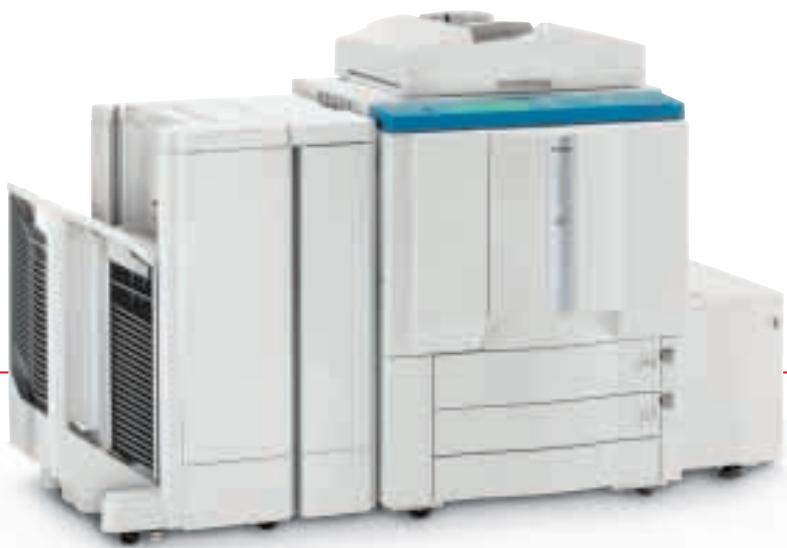

Keeping pace with your imagination
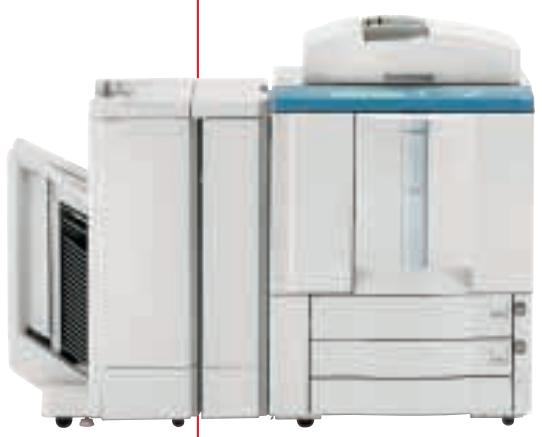
Canon's new generation CLC1110 network imaging devices break every boundary - for colour, for precision image quality, speed, productivity, reliability and sheer networking power.
Just how professional do you want to be? Canon's latest digital colour printers extend the boundaries of what can be achieved with an in-house printer.
Now, finally, there is a network imaging solution that can keep pace with your imagination.
You can produce your proofs or short run colour documents with lighting speeds of 8.5 cpm A4 colour and 42 cpm in black and white and with 800 x 400 dpi - 256 half-tone gradations, all of your output will be of the highest quality.
The CLC1110 also has the capacity to handle up to 4,400 sheets with the optional paper tray. There are a host of finishing options available such as stacking, stapling and sorting on the CLC1110; you can even personalise each and every document through variable data printing.
And if that is what gives you the edge over your competitors, or enables you or your client to put on paper precisely what you had in mind then read on. These Canon printers are packed with features delivering a range of real business benefits.
FEATURES THAT MAKE THE DIFFERENCE
The Canon CLC1110 innovative features improve in house colour reproduction even further, extending the quality and capabilities of print for graphic arts professionals.
TAG BIT - DESIGNED FOR PERFECTIONISTS
The new Canon CLC1110 printer features new Tag Bit - technology that is designed for the perfectionist.
Tag Bit recognises type, key-lines and other solids and prints them at double the resolution of half-tones. That means no ragged edges – just clean, sharp lines.
CREATIVE FREEDOM
Canon's new CLC1110 model give users total creative freedom through the ability to manipulate practically every variable element in the production process.
OVER-SIZE-FULL-BLEED EFFECTUPTOA3
A3 paper measures 297mm× 420mm
The new Canon CLC1110 takes paper up to A3+ size with a printable area of 303 mm x 443.5 mm which means that you can produce full-bleed proofs or posters at A3 after trimming.
The additional printable margin allows you to print cropmarks, margin notes, or even A3+ posters.*
FIERY GRAPHIC ARTS PACKAGE
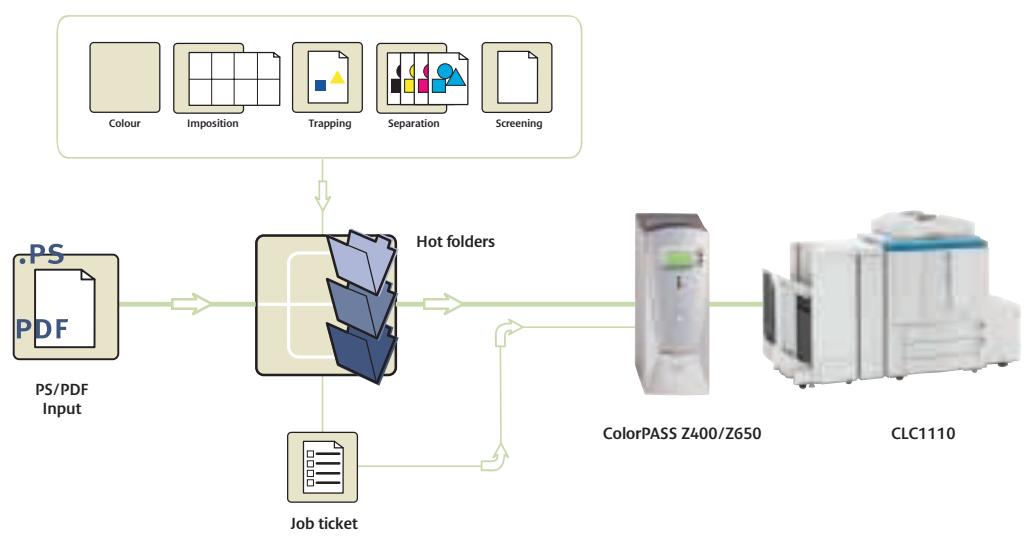
The optional Fiery Graphic Arts Package is a comprehensive suite of specialised design tools which enables graphic art professionals to achieve new standards of colour management and print quality.
Half-tone screening - simulates the final dots that will be imaged on films or plates.
Multiple plate separations - support CMYK plus one or more Pantone colours.
Soft proofing - shows accurate on-screen preview of ripped print jobs.
Auto-trapping - automatically corrects misregistration.
Paper simulation - allows you to factor in the colour of the stock on which the job will be printed.
TIFF/IT input - allows input of TIFF/IT files to the RIP through a hot folder.
SPOT-ON COLOUR
The Spot-On feature means you can store named colours in the Controller (Canon ColorPASS
Z400/Z650) to ensure absolute consistency, for example whenever a company logo is printed.
400 dpi
800 dpi
YOUR COMPANY COLOUR
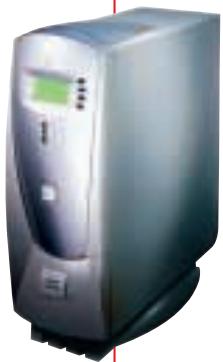
CANON COLORPASS Z650
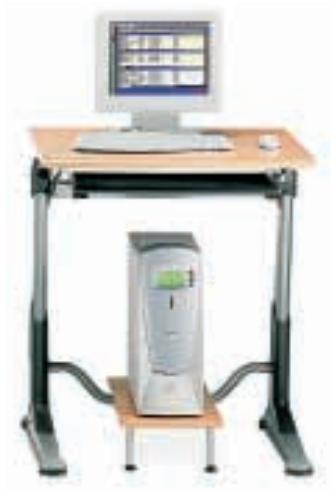
Combining a Canon CLC1110 printer with the Canon ColorPASS Z400/Z650 server extends the scope of network printing further still.
It means that anyone on the network has the facility to exploit a huge range of editing and finishing options to create stunning colour documents and A3+ posters, and, of course, print them at high speed. The ColorPASS Z400/Z650 brings effortless control of the production process from previews, editing, printing, sorting and finishing.
Running Fiery Command Workstation™ software, the ColorPASS Z400/Z650 ensures optimum management and manipulation of centralised print jobs from desktop computers, advanced print and colour management and full network compatibility.
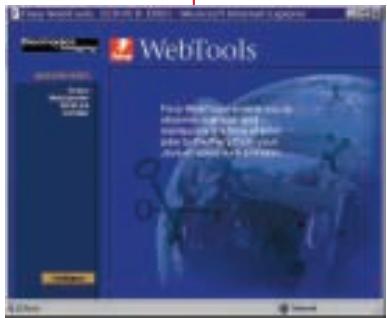
Fiery WebToolsTM
Administer the ColorPASS via any Java-enabled browser. View and manage jobs as well as install drivers and utilities remotely.
Fiery ColorWiseTM
Colour management software for highest quality and accuracy of colour output.
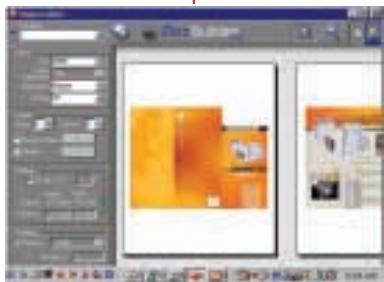
Fiery DocBuilderTMProTM
Edit and assemble entire documents before RIPping the files.
Fiery ScanTM
Scan remotely and distribute via email or store.
Fiery NetWiseTM
Ethernet, Token Ring, Web connectivity.
Perform print jobs via email.

Job settings
Consistent output
QUALITY AND PERFORMANCE
The Canon CLC1110 is designed for quality and performance, resulting in greater productivity, improved document management, seamless networking and assured quality of both colour and black and white output. An impressive combination of hardware and software utilities give graphic arts professionals the speed, ease of use and precision needed for the most challenging print jobs.

CLC1110 Specifications
| Copy speed | A4 full colour 8.5 pages per minute, A4 black and white 42 pages per minute |
| Warm-up time | approx 8.5 minutes |
| First copy | full colour 19.9 seconds, black & white 11.4 seconds |
| Resolution | 800 dpi equivalent x 400 dpi 256 gradations per colour. Copying colours full colour, mono colour and black. Zoom 25 - 400% |
| Acceptable originals | sheets, books and three-dimensional objects up to 2 kg |
| Maximum original size | A3 (297 x 420mm)/11x17 (279.4 x 431.8 mm) |
| Maximum print size | A3 over size, 303.4 mm x 443.5 mm (for crop marks) |
| Copy paper | 209 g/m2 |
| Paper feeding | 2 cassettes (550 sheets each), stack by-pass:250 sheets, (optional) side paper deck (2,500 sheets) |
| Modes and features | area designation mode, marker editing, double sided copying (manual), cover mode, two-page separation, 2 in 1 mode, sharpness, frame erase mode, shift mode, colour creation mode, one touch colour, colour balance, image creation mode, multi-page, enlargement, automatic colour selection, transparency interleaving mode, auto calibration |
| Options | RDF (Document Feeder), 20-bin stapler sorter, 2,500 sheet paper deck, film projector, document tray, editor, control card |
| Dimensions (W x D x H) | 768 x 774 x 1,000 mm |
| Weight | 277.5 kg |
| Power requirement | 230V/50Hz |
| Power consumption | max.1.5 kW |
ColorPASS Z650 Specifications
| Simultaneous autoswitching protocols | EtherTalk Phase II, TCP/IP, Novell IPX |
| Autosensing ports | RJ45 for on-board 10/100 BaseT |
| Automatic IP configuration | |
| SNMP support | |
| Printing | AppleTalk, Pserver, SMB (peer-to-peer), LPD |
| Regulatory Approvals | |
| Safety | CE Mark, CSA, TUV/GS, UL, CB Scheme |
| EMC | EN55022 Part B (CE marked), FCC Class B, VCCI II |
| Power supply and consumption | Autoswitching 110/220 V 50/60 Hz for global use, 7.5 amps @ 100-127 V 3.75 amps @ 200-240 V |
| Dimensions | 546 x 476 x 190 mm |
| Hardware | Intel Pentium III CPU @ 1 GHz, 256 MB SDRAM (up to 512 MB w/ upgrade), 133 MHz system bus, 512k level two cache |
| EFI video interface card | Fiery RIPChips™, ECT Compression for flexible compressions ratios and visually lossless image quality |
| 40 GB hard disk | |
| Internal 40X CD-ROM | |
| Internal 250 MB ZIP drive | |
| Operating System | Windows NT Pentium III, 256 MB SDRAM, 9.1 or 40 GB hard drive, Unix/PC/Mac compatibility |


you can Canon Inc. 30-2,Shim
Canon

WWF
Canon Europa NV
Conservation Partner
Canon Inc.
30-2, Shimomaruco 3-Chome, Ohta-ku,
Tokyo 146-8501, Japan
www.canon.com
Europe, Africa and Middle East
Canon Europa N.V.
P.O.Box 2262,1180 EG Amstelveen.
the Netherlands
www.canon-europe.com
English Edition 0036W854
© Canon Europa N.V., 2003 (0603)