
MP-HD2 - Lecteur multimédia MPMAN - Notice d'utilisation et mode d'emploi gratuit
Retrouvez gratuitement la notice de l'appareil MP-HD2 MPMAN au format PDF.


| Type de produit | Lecteur multimédia portable |
| Caractéristiques techniques principales | Écran LCD de 2,4 pouces, prise en charge des formats audio et vidéo courants |
| Alimentation électrique | Batterie lithium-ion rechargeable |
| Dimensions approximatives | 10,5 x 5,5 x 1,2 cm |
| Poids | 150 grammes |
| Compatibilités | Compatible avec les formats MP3, WAV, AVI, et JPEG |
| Type de batterie | Batterie lithium-ion |
| Tension | 3,7 V |
| Puissance | 5 W |
| Fonctions principales | Lecture de musique, vidéo, enregistrement vocal, radio FM |
| Entretien et nettoyage | Essuyer avec un chiffon doux, éviter les produits chimiques |
| Pièces détachées et réparabilité | Réparabilité limitée, pièces disponibles auprès du fabricant |
| Informations générales utiles | Vérifier la compatibilité des formats avant l'achat, garantie de 1 an |
FOIRE AUX QUESTIONS - MP-HD2 MPMAN
Questions des utilisateurs sur MP-HD2 MPMAN
0 question sur cet appareil. Repondez a celles que vous connaissez ou posez la votre.
Poser une nouvelle question sur cet appareil
Téléchargez la notice de votre Lecteur multimédia au format PDF gratuitement ! Retrouvez votre notice MP-HD2 - MPMAN et reprennez votre appareil électronique en main. Sur cette page sont publiés tous les documents nécessaires à l'utilisation de votre appareil MP-HD2 de la marque MPMAN.
MODE D'EMPLOI MP-HD2 MPMAN
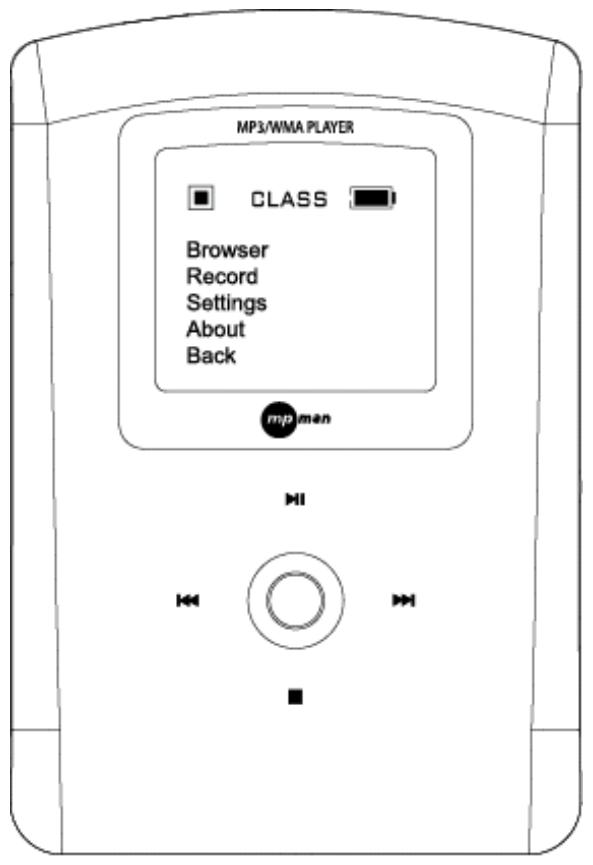
Before operating this product, please read these instructions completely.
Getting Started
INTRODUCTION Digital Audio Player (DAP) - HD2
Your Digital Audio Player (DAP) is a device that stores and plays multi-format digital audio files including MP3, WMA and WAV files. Downloading hours of music from your PC, transfer them into your DAP or use it for voice recording. Please read this manual carefully before using this product for the first time.
KEY FEATURES
- Multi-format player supports: MP3, WMA, WMA w/ DRM and WAV files
- Windows Plug & Play support for Windows ME, 2000 and XP and Mac OSX
USB Version 2.0
OLED Display
Voice Recording
Six different music equalizer levels
Power saving feature
PACKAGE CONTENTS
The packaging should include the following:
Digital Audio Player
- Stereo Earphones
USB Cable
- Carrying Case
- CD-ROM with Windows 98SE Driver and Manual
- Quick Start Guide
PARTS DESCRIPTION
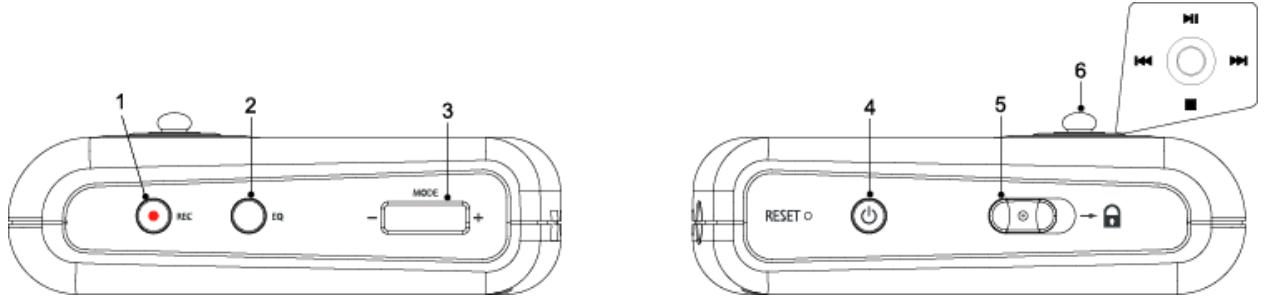
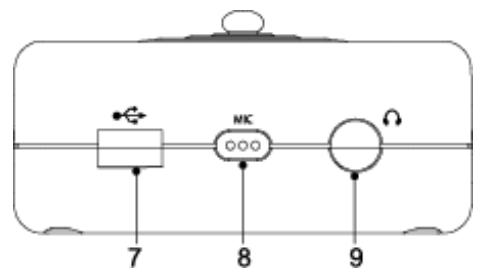
- Record Button
- EQ/Repeat Button
- USB Port
- +/-/Mode Button
- Built-in Microphone
- - Power On/Off Button
- Earphone Jack
- Hold Switch
- Navigation Control
CONTROLS
Key Functions
+/-/MODE
Press to access into the Main Menu.
Press and hold to return to the previous Menu.

Push upward to increase the volume.
Push and hold upward to increase the volume rapidly.

Push downward to decrease the volume.
Push and hold downward to decrease the volume rapidly.

Slide to the right to lock all keys functions.
Slide to the left to unlock all keys functions.

Equalizer / Repeat button.
Press to access into the Repeat or Equalizer mode.
Press and hold to access into the other mode.

Press to record.

Press to turn On and Off.
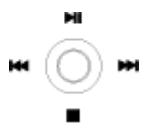
There is a joystick key in the center that can be used to control several key functions. Pushing the button up, down, left or right will achieve the following actions:
Press the button to access the Mode.

Push to the right to select the next file.
Push and hold to the right to fast-forward within the files.

Push to the left to select the previous file.
Push and hold on to the left to fast-rewind within the files.

Push downward to stop playback

Push upward to start playback.
During playback push upward to pause playback.
CHARGING THE BATTERY
The Battery of the unit charges through the USB port of a computer. Plug one end of the USB Cable into the USB socket of the DAP and plug the other end into the Computer.
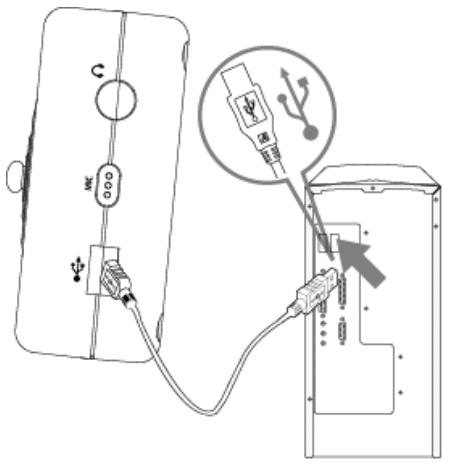
- Once connected, the screen will display the following:
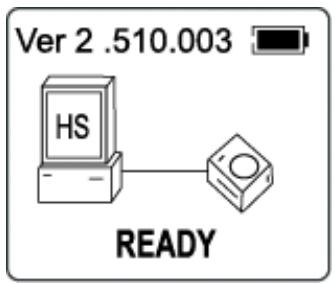
Please charge the battery at least 12 hours for the first time before use.
Downloading and Transferring Files
USB DRIVER INSTALLATION
For Windows ME, 2000 or XP:
These versions of Windows will detect your DAP after connecting with the USB cable and the computer. (Please make sure the DAP is turned ON.)
For Windows 98SE:
Windows 98SE will not recognize the player until you have installed the driver using the included installation CD-ROM. Follow the detailed instructions in this section to activate the USB mass storage function, so you will be able to transfer files from your computer to your player.
Installation Procedures for the Player Software (For Windows 98SE only)
When connecting the player to the computer for the first time, please follow these instructions:
- Insert the CD-ROM into the CD Drive. The auto-run program will display as shown (Figure 1).
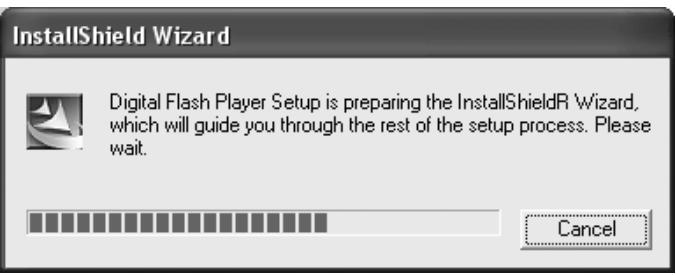
(Figure 1)
Remarks: If the setup does not start automatically, please run the setup.exe in your CD-ROM drive directory. Double click "setup.exe" in the installation CD.
- Follow the on screen instruction to install the software.
Digital Flash Player
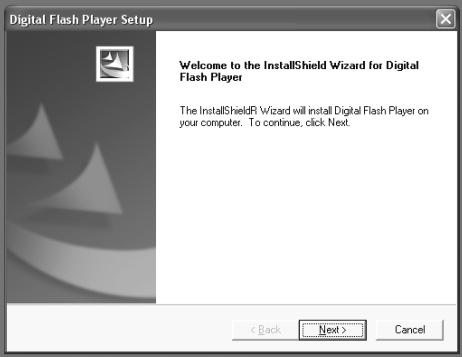
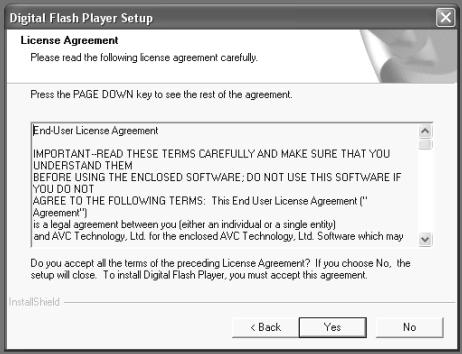
Click "Yes" to accept the License Agreement.
Digital Flash Player
Please install the software under the directory as prompted.
Digital Flash Player
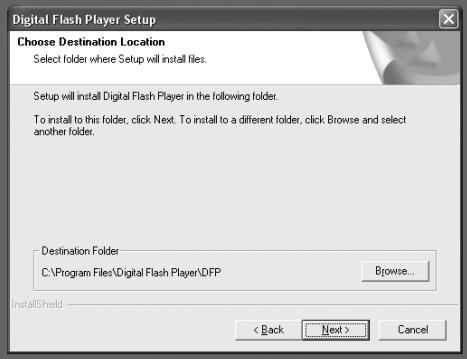
Warning: DO NOT change the installation path. Otherwise, the Player driver may not run properly.
Click "Next" as prompted.
Digital Flash Player
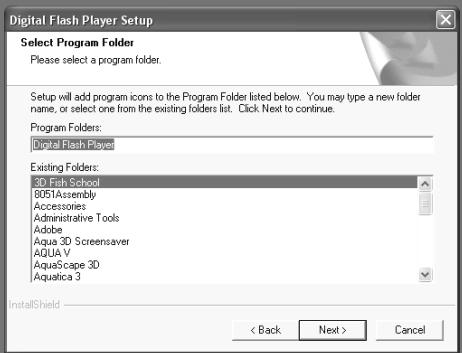
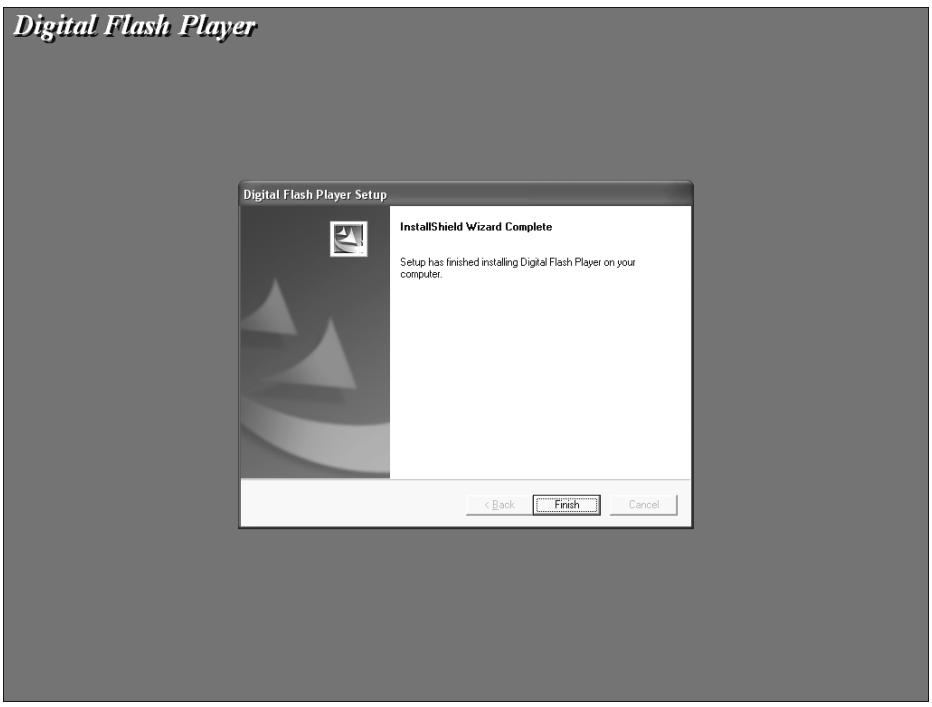
- After successfully installing the driver software, please click "Finish" to complete the installation.
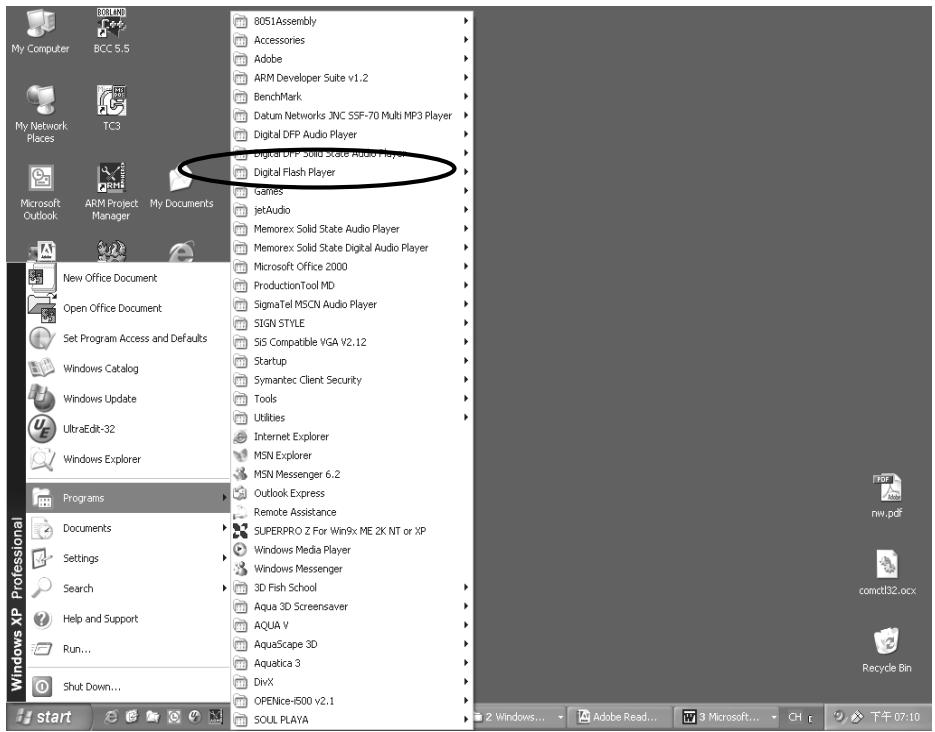
- When the installation is completed, the new program will be added to your Program menu in the computer.
TRANSFERRING FILES
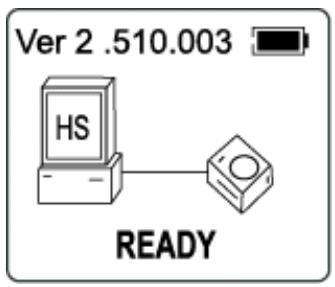
Connect the DAP by using the supplied USB cable to the computer. If the unit is not On, then press the button to turn the player ON. The following will be displayed on the display of your DAP:
A "Removable Disk" will be added in My Computer. Open the "Removable Disk" folder:
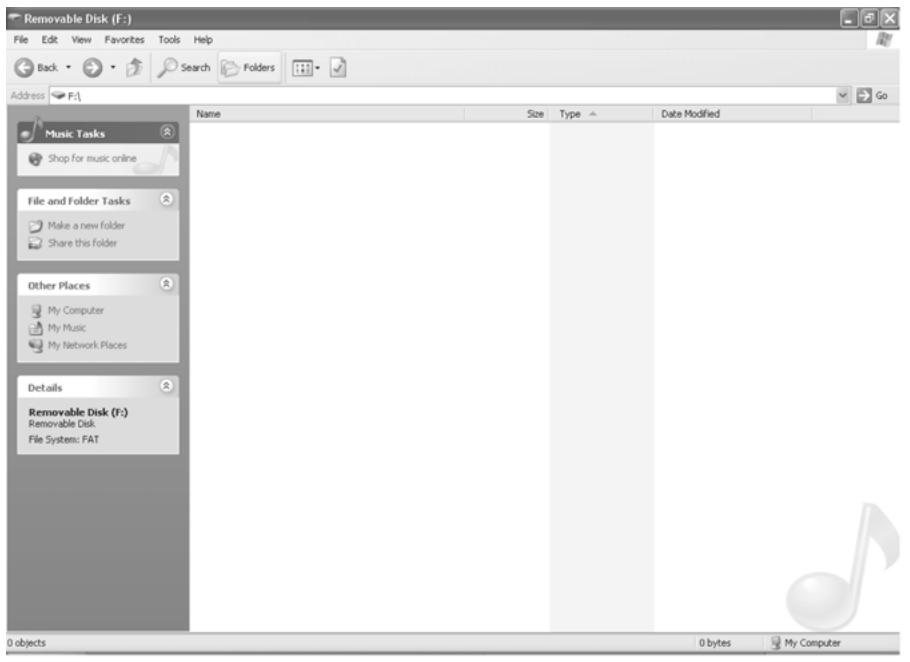
Locate the files you wish to copy from your computer to your player. Drag and drop MP3, WMA or WAV files on your computer into the "Removable Disk" folder. These files will now be copied into your DAP.
Note: When you are finished transferring files, use the Safely Remove Hardware procedure before disconnecting your player. (Please see the next section for detailed instructions.)
DOWNLOADING WMA FILES WITH DRM
In order to download WMA files with DRM you must follow the procedure described below. If you do not have "Windows Media Player 9" on your computer, you must go to www.Microsoft.com to download and install this software. Before beginning the procedure please turn the unit ON and connect the USB cable to the unit and to the USB port of your computer.
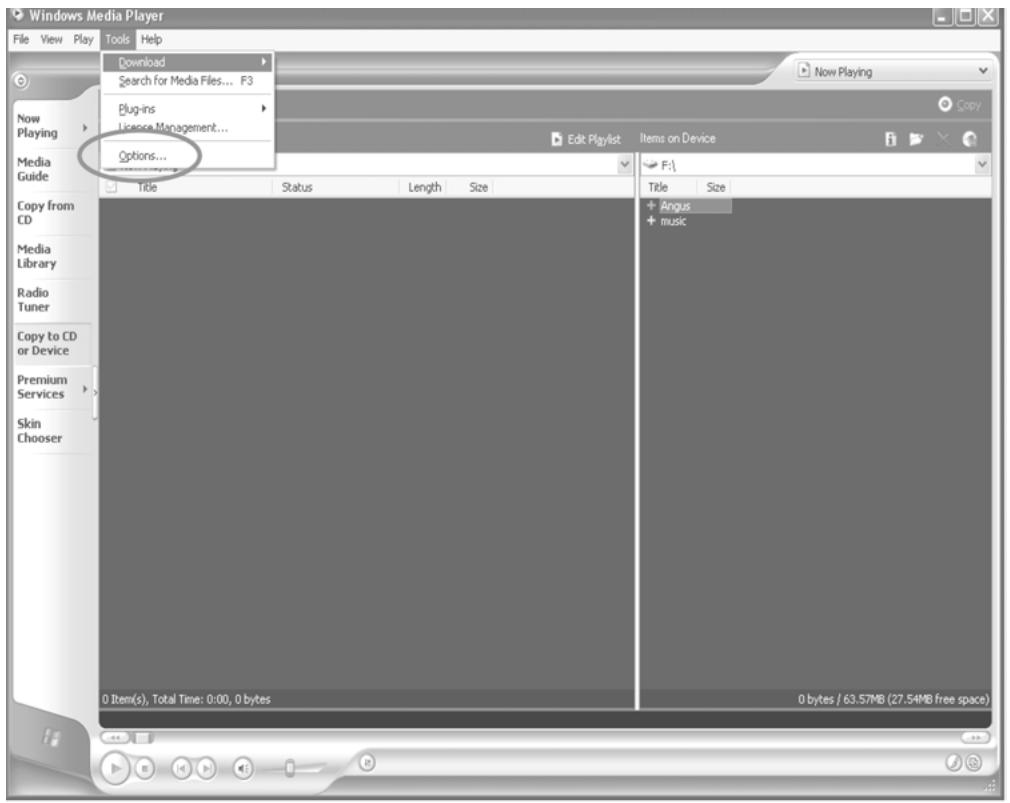
- Open the "Windows Media Player Browser," and click on "Tools" in the menu bar. Then click "Options...".
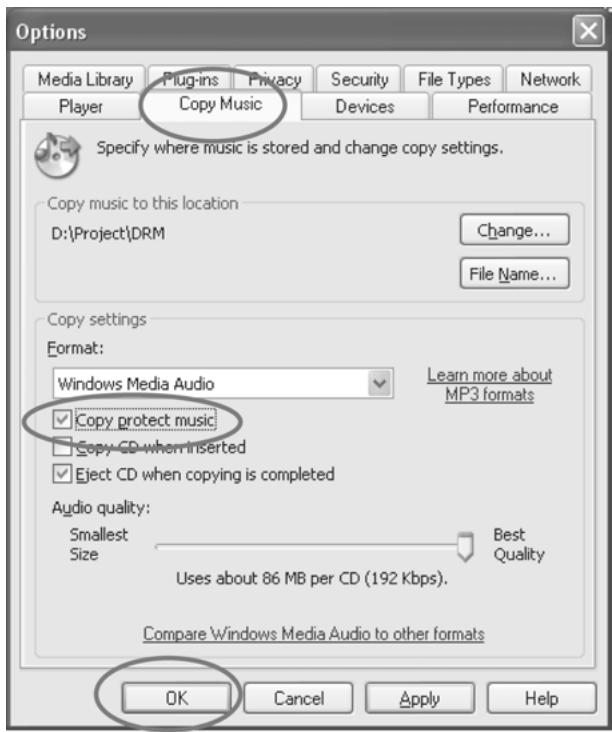
- Click the "Copy Music" tab and tick the option "Copy protect music" in order to copy a DRM music file onto your unit. Click "OK" to save the setting.
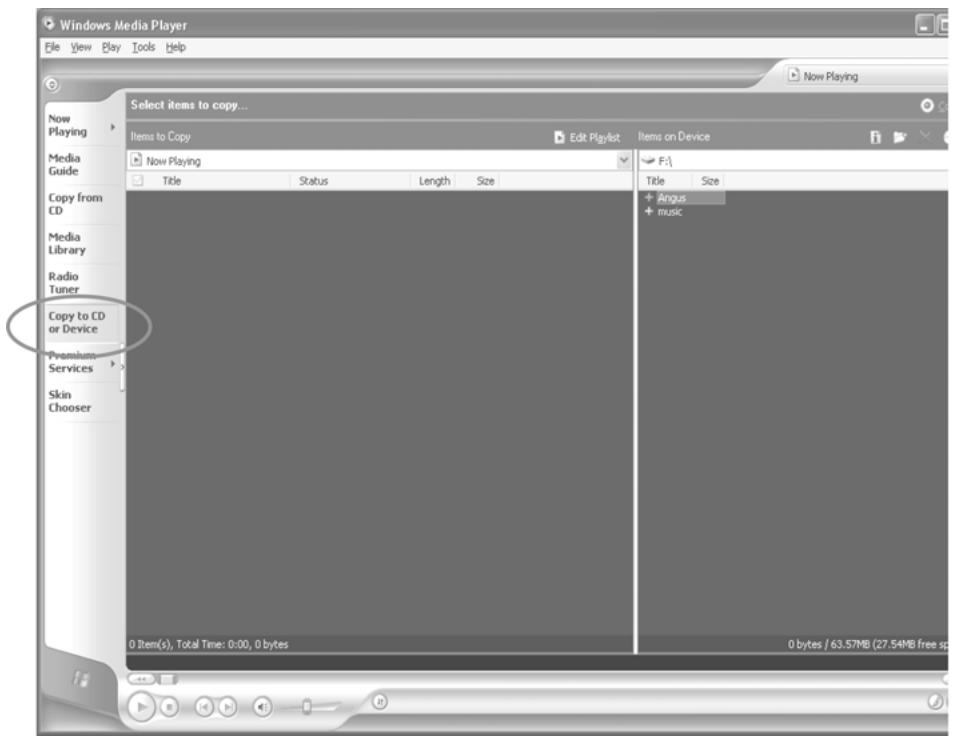
- Click "Copy to CD or Device".
- Click on the "Items to Copy" drop down menu to locate the music files you wish to download. Make sure to tick the box next to the files.
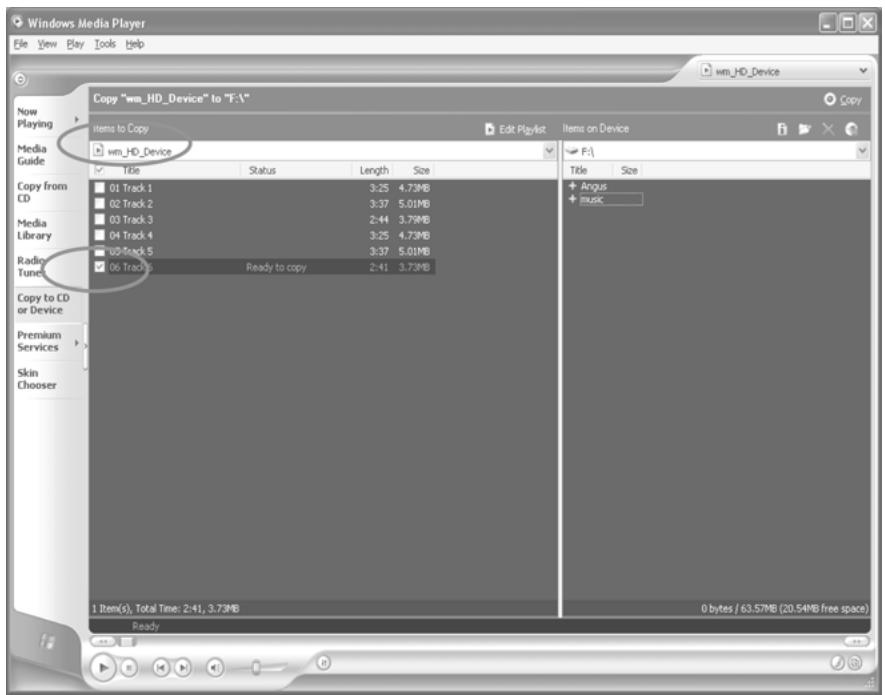
- Select, the Portable Device you want to copy to from the "Items on Device" drop down menu. Click "Copy" to start transferring the DRM files onto your unit.
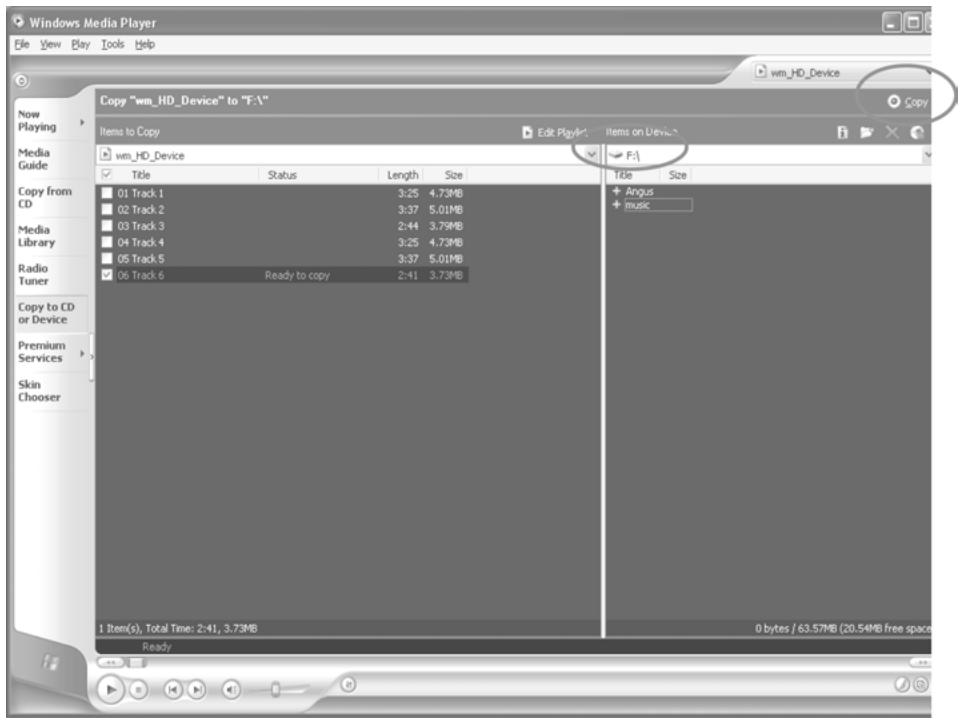
- After you have downloaded all the desired files to your unit, follow the "Safely Remove Hardware" procedure described in the manual.
SAFELY REMOVE HARDWARE PROCEDURE
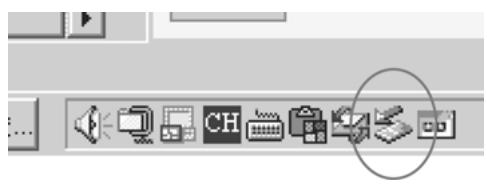
- Double click the "Safely Remove Hardware" icon on the task bar:
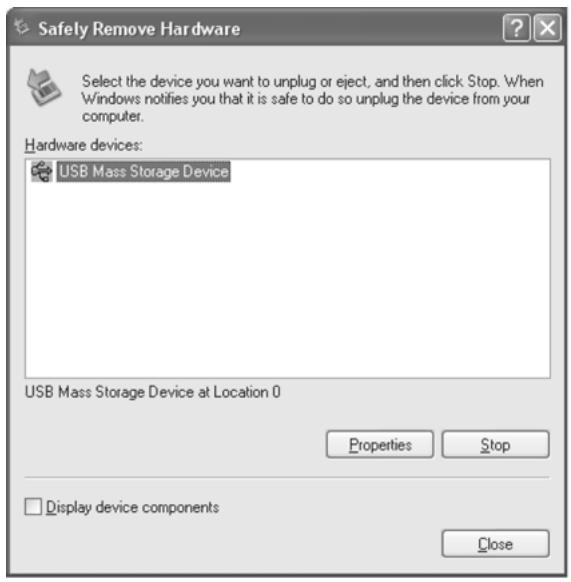
- From the "Safely Remove Hardware" window, select "USB Mass Storage Device" and click the "Stop" button. The "Stop a Hardware Device" window will pop up as shown:
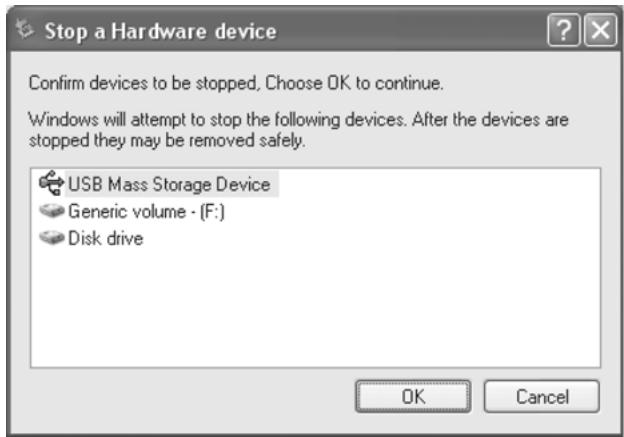
- Click "OK". A "Safe to Remove Hardware" window will pop up. Now, it is safe to remove the USB Cable and the DAP from the computer.
Remarks: If the "Safely Remove Hardware" icon is not displayed on the task bar, please double click on My Computer. Right click on "Removable Disk", left click on "eject". Then it is safe to remove the DAP from the computer.
Operation
LISTENING TO MUSIC
After you have transferred MP3, WMA or WAV files from the computer to the DAP player, you can start listening to music while you learn how to use the rest of the features.
Insert the earphones into the earphone jack of the player; press the button to turn the player on.
USING THE MAIN MENU
Press the + / - / M O D E button to access the MAIN MENU. The following menu will be displayed on the display:
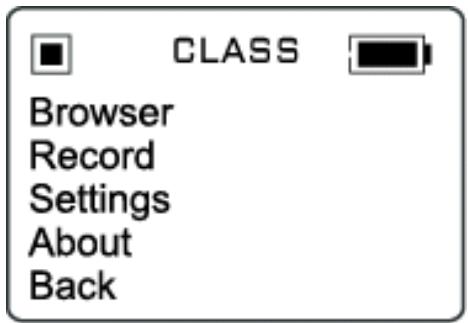
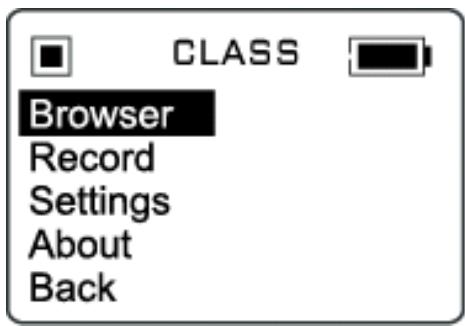
Push + or - until your desired selection is highlighted and press the +/-/MODE button to confirm the selection. Press and hold +/-/MODE to return to the previous screen.
Browser
You can search the files on your DAP through the Browser mode. Press the +/-/MODE to enter the browser and use the + or the - button to highlight the desired file or folder. Press the +/-/MODE to enter the folder or play the file. You must press to start play back.
Deletion
Files can be deleted in the Browser Mode:
- After entering the Browser mode, press the + or the - button to highlight a desired song or file.
- Press the button; press or the button to highlight Yes or No.
- Press the +/-/MODE to confirm to delete the file.
Using Special Functions
After completing track selection, the DAP will enter the music player mode. The following special functions can be operated at this time.
Equalizer Mode (EQ)
The current equalizer mode is displayed in the upper middle portion of the display.
Changing the EQ mode
- Press the button until the current mode is displayed with a blue block background. Keep pressing the button repeatedly to select one of the six equalizer modes:
NOAM POP JAZZ ROCK CLASSUBAS
- Stop pressing the EQ button when your desired selection is displayed with a blue background. The background will turn back to the black after a few seconds.
Repeat Button
Press and hold the EQ button to switch the function from Equalizer Mode to Repeat Mode.
Press the button repeatedly to select different repeat mode options. As each mode is selected, the following icons will be displayed on the upper left portion of the display:
Play all the files in the player once.
G1 Plays a single file repeatedly.
G Play all the files repeatedly in the consecutive order.
S Randomly play all the files in the player once.
CS Randomly play all the files in the player continuously.
VOICE REORDER
Use your DAP to record quick reminder memos or even lengthy business meetings or lectures. Press the + / - / MODE button and use the + or the - button to highlight Record as shown.
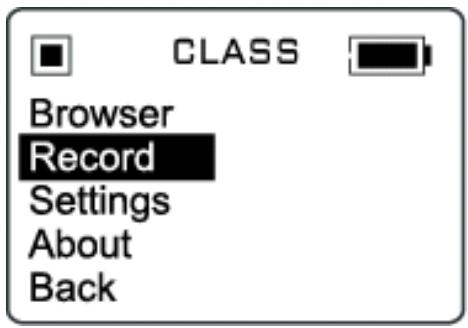
Press the + / - / M O D E button to confirm and enter the Voice Recorder mode.
Recording a Voice Message
- Recording will begin as soon as the Record mode is entered.
- Press the >> button to pause recording.
- Press the button to stop recording
- The recorded file is saved as a WAV format. It can be played by selecting it in the Voice folder in the Browser
Notes: The volume is not controlled during recording. You may select different quality levels for recording in the settings.
Customizing the Player
USING THE SETTING MENU
The Setting Menu provides the options to change the player settings, displays, and resolution. Press the +/-/MODE button to display the modes. Scroll down and highlight Settings. Press the +/-/MODE button so that Settings appears on the Display.
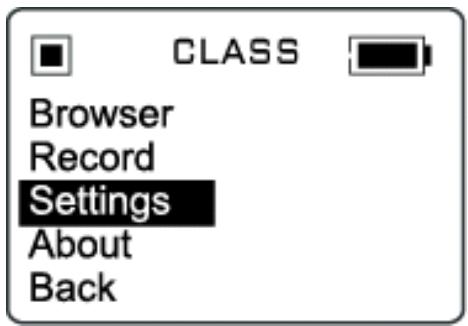
Press the + or the - button to select one of the following setting options: Equalizer, Repeat Mode, Contrast, Auto Dimmer, Power Saving, Record Settings, and Language. Once your selection is highlighted then press +/-/MODE to confirm.
To exit the SETTING Menu, press and hold the + / - / MODE button.
Setting Features
Equalizer Setting
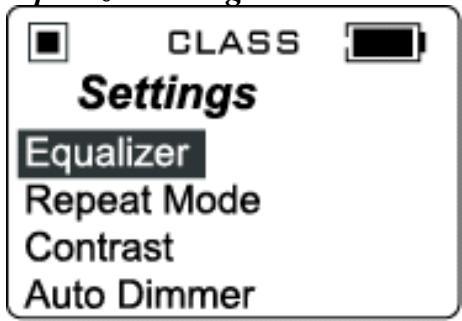
Push + or - button to select one of the six music equalizer effects: Normal, Rock, Jazz, Pop, Classical or Ultra Bass Press + / - / MODE to confirm the equalizer mode
Repeat Mode Setting

CLASS

Settings
Equalizer
Repeat Mode
Contrast
Auto Dimmer
Push + or - to select between Normal, Repeat Track, Repeat All, Shuffle or Shuffle Repeat. Press +/-/MODE to confirm the selection.
Contrast Setting

CLASS

Settings
Equalizer
Repeat Mode
Contrast
Auto Dimmer
Press the or the button to adjust the contrast level. Press + / - / M O D E to confirm the contrast level.
Auto Dimmer Setting
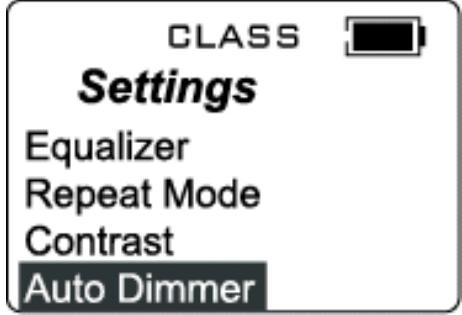
Press the or the button to choose between Auto Dimmer On or Off. Press + / - / M O D E to confirm the selection.
Note: The Auto Dimmer On setting increases Battery life.
Power Savings Setting
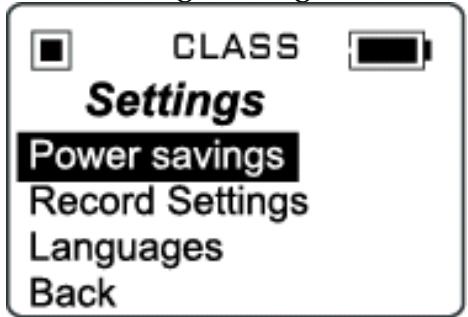
Push + or - to select one of the following options:
Disable, 1 min, 2 mins, 5 mins and 10 mins
Press + / - / MODE to confirm the selection.
The DAP will turn off after the selected amount of time if playback is suspended in order to save power.
Record Settings
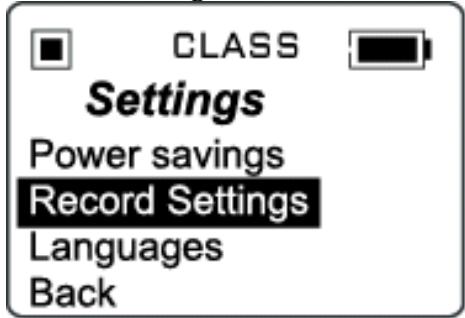
Push + or - to scroll down to the Rate. Then press + / - / MODE to change the voice recording quality level.
Language Setting
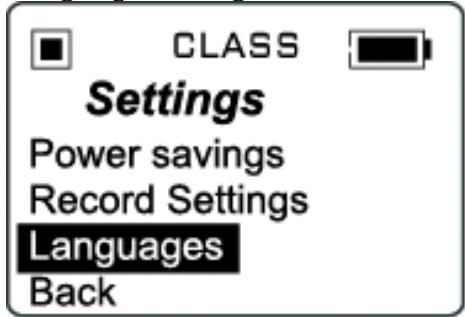
Press the + or the - button to highlight the desired language.
Press + / - / MODE to confirm the selection.
Additional Information
PRECAUTIONS
Copyright
- Making copies of MP3 tracks or files without permission is a violation of the international copyright laws.
Safety
- Vibration experienced during walking or exercising will not affect the player.
However, dropping the player or dropping a heavy object on the player may result in damage or sound distortion. - Avoid spilling any liquid onto or into the player.
- Do not leave the player in a location near extreme heat sources or in a car with the windows closed during excessive heat. Do not leave in a place subject to direct sunlight, excessive dust or sand, moisture, or rain.
On Headphones and Earphones
Road Safety
○ Do not use the headphones/earphones while driving, cycling, or operating any motorized vehicle. It may create a traffic hazard and is illegal n some areas. It can also be potentially dangerous to play your headsets at high volume while walking, especially at pedestrian crossing and potentially hazardous situations.
Preventing Hearing Damage
○ Avoid using the headphones/earphones at high volume. Hearing experts advise not to play loud music for a long period of time. If you do experience ringing in your ears, reduce the volume or discontinue use.
Consideration for Others
- Keep the volume at a moderate level. This allows you to hear the sound and still be considerate to the people around you.
CE Warning

The exclamation point within the triangle is a warning sign alerting the user of important instructions accompanying the product.

This unit must not be exposed to moisture or rain.

Ensure all connections are properly made before operating the unit.

This unit should be positioned so that it is properly ventilated. Avoid placing it, for example, close to curtains, on the carpet or in a built-in installation such as a bookcase.

Do not expose this unit to direct sunlight or heat radiating sources.
The player may lock up or temporary lose its function due to electrostatic discharge or other electrical disturbance, but normal function resumes when the device is reset.
TROUBLE SHOOTING
Should any problem persist after you have checked these symptoms, consult your dealer.
| Symptom | Possible Reason | Actions |
| No Power | The battery is exhausted. | Recharge the battery. |
| No Sound from Earphones | The earphones are detached from the unit. | Re-insert the earphones. |
| The volume is set to “minimum”. | Increase the volume. | |
| The battery is exhausted. | Recharge the battery. | |
| Check whether the earphones jack is contaminated or oxidized. | Clean the earphones jack. | |
| Corrupted MP3 or WMA file. | Download the files again. | |
| Failed to Download or Upload of MP3/WMA/WAV files | The battery is exhausted. | Recharge the battery. |
| Improper connection of the USB cable. | Re-plug the cable at both ends. | |
| Damaged USB cable. | Replace the USB cable. | |
| Memory is full. | Release some memory space by deleting some files. | |
| Cannot record Voice | Memory is full. | Release some memory space by deleting some files. |
TECHNICAL SPECIFICATIONS
| Category | Item | Specification |
| Audio | Frequency Range | 20Hz – 20KHz |
| Headphones Output | >40mW, 32ohm (Max. Vol) | |
| S/N Ratio | 130mW per channel, 8ohm | |
| 90db (MP3) | ||
| File Support | MP3 | MPEG 1/2/2.5 Layer 3 |
| WMA | Windows Media Audio | |
| WAV | ADPCM encoding | |
| Bit Rate | 8kbps – 320kbps | |
| Tag Info | ID3 Tag | |
| Dimension | 80.4 x 55.0 x 22.0 mm | |
| Weight | Approx. 68 g (without battery) | |
| Battery | Li-polymer Battery | |
| Display | OLED | |
| USB | USB 2.0 | |
| Built-in Memory | 1.5 GB | |
| Max. Playtime | Approx. 10 hours (128kps, MP3) | |
| Supported OS | Win ME, 2000, XP and Mac OSX | |
| Voice Recording | Win 98SE (Driver is required) | |
| Firmware Upgradeable | Approx. 7-8 hours (Low resolution) | |
| Operating Temperature | Yes (Except Windows 98 and Mac) | |
| 23 F to 104 F (-5 C to 40 C) |
Specifications are subject to change without notice.
UPGRADE FIRMWARE PROCEDURE
Occasionally, it may a new software (firmware) may be released for this unit enhancing its functionality. For more information, please go to the web site at www.mpmaneurope.com for downloading procedure and downloading the latest firmware.
CARE AND MAINTENANCE
Your Digital Audio Player is a precise electronic device, and should not be subjected to rough handling or exposed to extreme temperatures or moisture. Do not use chemical agents or liquids to clean the unit, as they may damage the plastic.
Please Retain this Information for Future Reference
The manufacturer reserves the right to make any technical changes without notice in the interest of progress.
Declaration
Our company will not be responsible for any mistakes in this manual. Prior notices will not be given in case of any amendments within the manual. The corresponding companies own the mentioned trademarks and names.
Microsoft Windows Media and Windows Logo are registered trademarks in the US and/or other countries.