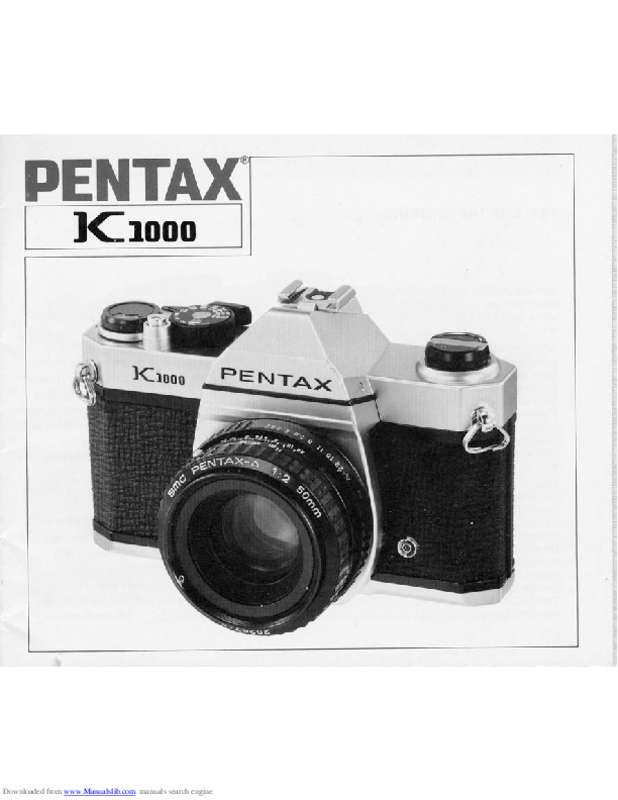
K1000 - Appareil photo reflex PENTAX - Notice d'utilisation et mode d'emploi gratuit
Retrouvez gratuitement la notice de l'appareil K1000 PENTAX au format PDF.


| Type de produit | Appareil photo reflex 35 mm (SLR) avec posemètre intégré |
| Monture d'objectif | Baïonnette Pentax K |
| Format de film | 35 mm perforé, format 24 x 36 mm |
| Sensibilité de film (ASA/ISO) | 20 à 3200 |
| Obturateur | Plan focal en soie caoutchoutée ; vitesses : B, 1s à 1/1000s |
| Viseur | Pentaprisme avec écran de mise au point à microprismes croisés ou double image ; grossissement 0,88x avec objectif 50 mm à l'infini |
| Mise au point | Manuelle par rotation de la bague de mise au point |
| Mesure de lumière | TTL à ouverture réelle ou diaphragmé, mesure moyenne pondérée centrale avec cellule CdS |
| Plage de mesure | EV 3 à 18 avec objectif 50 mm f/2 et film ISO 100 |
| Synchro flash | X-sync à 1/60s ; prise X sur le boîtier et griffe porte-accessoires avec contact « chaud » |
| Compteur de vues | Additif avec remise à zéro automatique |
| Rebobinage | Manivelle de rebobinage |
| Alimentation | 1 pile 1,5 V alcaline (LR44) ou oxyde d'argent (SR44) pour le posemètre uniquement |
| Température de fonctionnement | -20°C à 50°C |
| Dimensions (L x H x P) | 143 mm x 93,5 mm x 49,5 mm |
| Poids | 525 g (sans pile) |
| Entretien et nettoyage | Soufflette et brosse pour les poussières ; chiffon doux pour les traces ; ne pas toucher le miroir ni le rideau de l'obturateur |
| Sécurité des piles | Tenir hors de portée des enfants ; retirer les piles en cas d'inutilisation prolongée ; ne pas recharger, ni jeter au feu |
| Accessoires compatibles | Objectifs SMC Pentax (série M, A, F) ; adaptateur de monture K pour objectifs à vis Takumar ; soufflets, bagues-allonges, etc. |
| Informations générales | Appareil entièrement mécanique (obturateur manuel) ; le posemètre nécessite une pile ; fabricant : Asahi Optical Co., Ltd. |
FOIRE AUX QUESTIONS - K1000 PENTAX
Questions des utilisateurs sur K1000 PENTAX
0 question sur cet appareil. Repondez a celles que vous connaissez ou posez la votre.
Poser une nouvelle question sur cet appareil
Téléchargez la notice de votre Appareil photo reflex au format PDF gratuitement ! Retrouvez votre notice K1000 - PENTAX et reprennez votre appareil électronique en main. Sur cette page sont publiés tous les documents nécessaires à l'utilisation de votre appareil K1000 de la marque PENTAX.
MODE D'EMPLOI K1000 PENTAX
PENTAX®
K1000
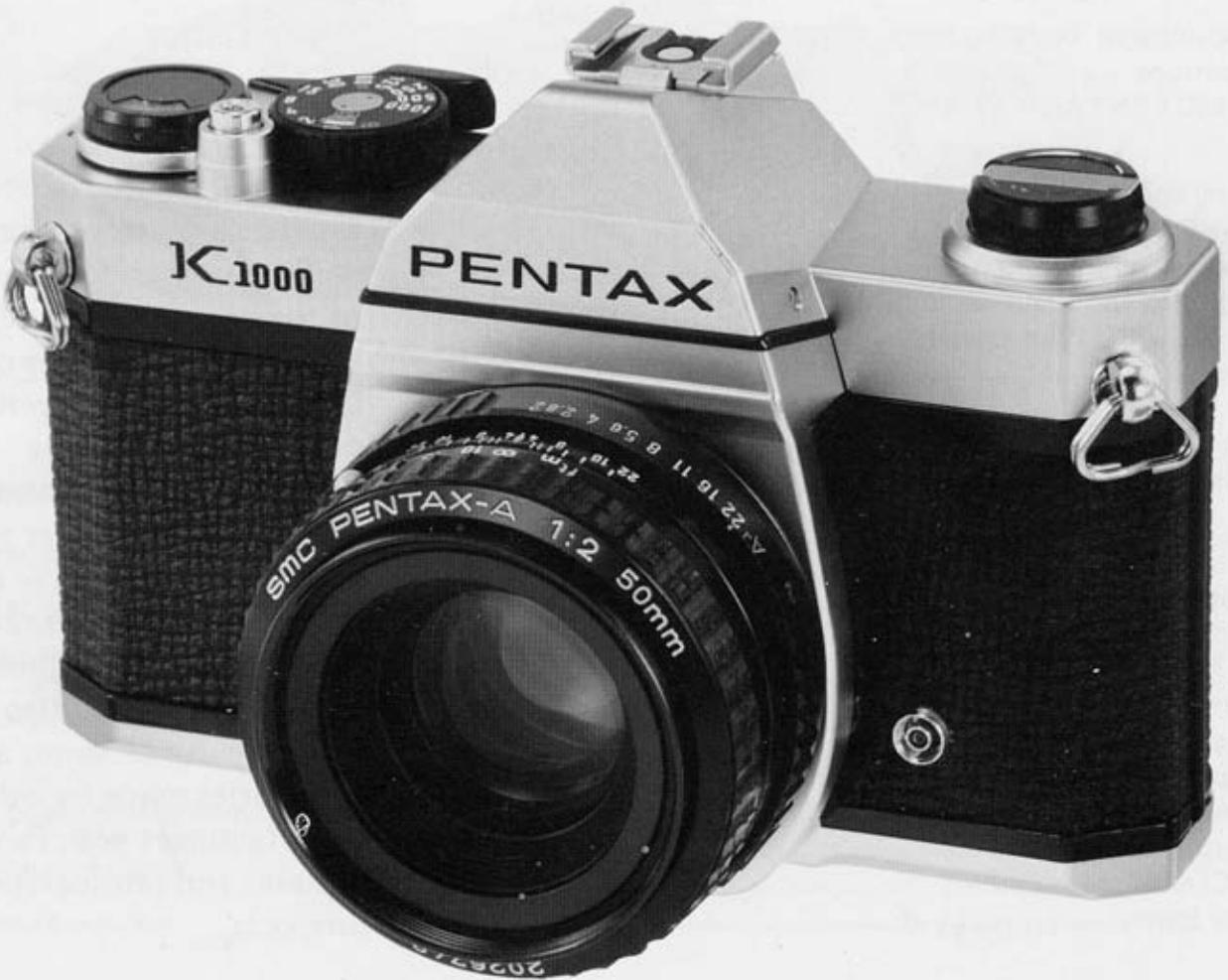
TABLE OF THE CONTENTS
Nomenclature of Working Parts 1
Specifications 4
Using SMC PENTAX-A/F Lens 5
Attaching and Detaching Lens 6
Inserting Battery 7
Basic Operating Instructions 8
Loading Film and Winding 10
Setting ASA/ISO Film Speed 11
Focusing 12
Shutter Dial 13
Holding Camera 14
Unloading Film 15
Using Flash Unit 16
Depth of Field 183
- Helpful Hints on Exposure Problems 203
Battery Precautions 21
Infrared Index Mark 22
Metering Range 24
Open-Aperture or Stop-Down Metering 25
MountAdapterK 26
Temperature 28
Taking Care of Your Camera 30
Warranty Policy 32
IMPORTANT
All SMC Pentax lenses and Pentax accessories are engineered and produced meticulously to precise Pentax specifications. However, many of the commercially available lenses and accessories produced by other manufacturers are not made to these precise specifications and therefore, may cause difficulties with - or actual damage to - a Pentax camera. Pentax does not assume any responsibility or liability for difficulties resulting from the use of lenses and accessories made by other manufacturers with Pentax cameras and photographical products.
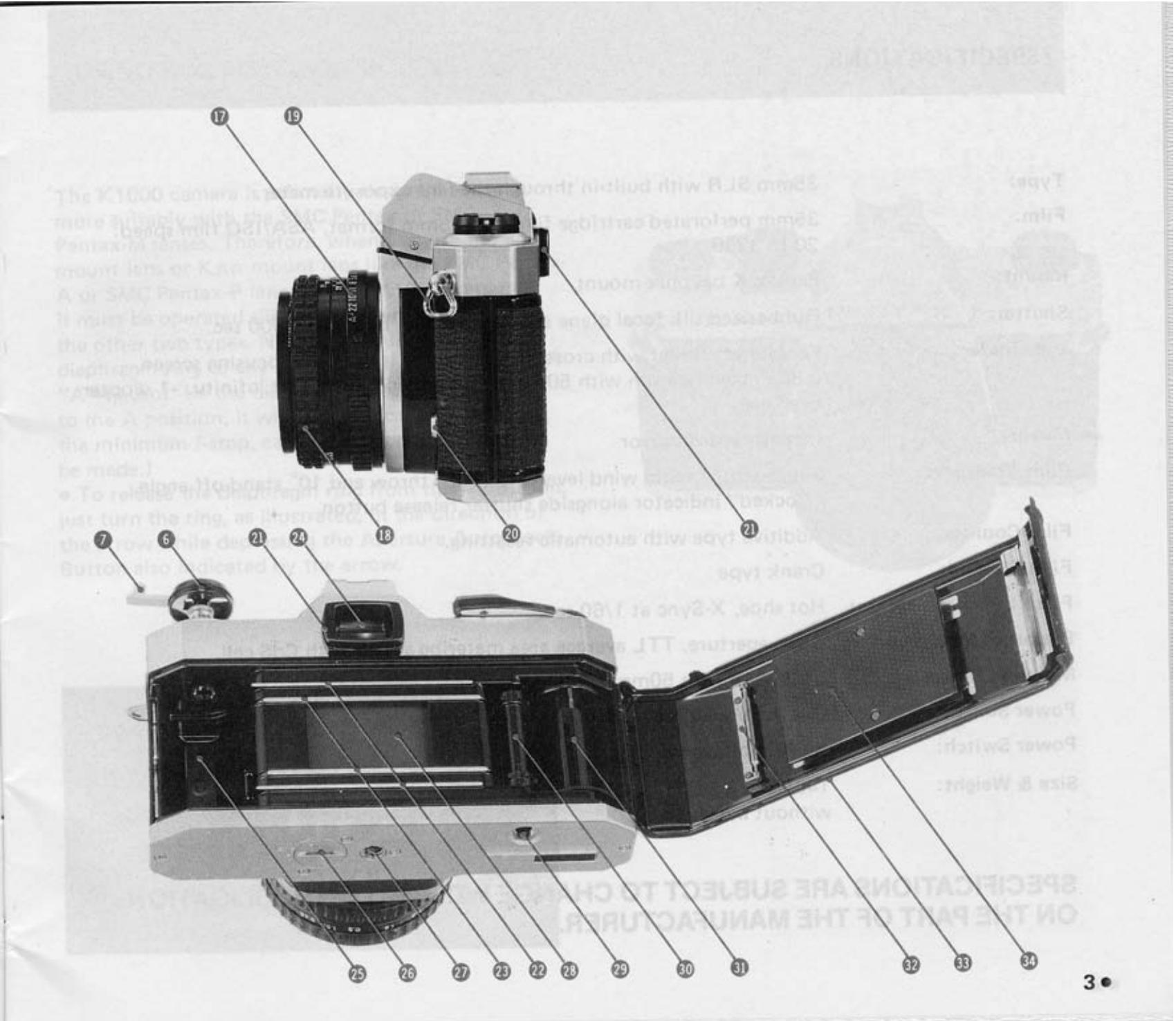
NOMENCLATURE OF WORKING PARTS
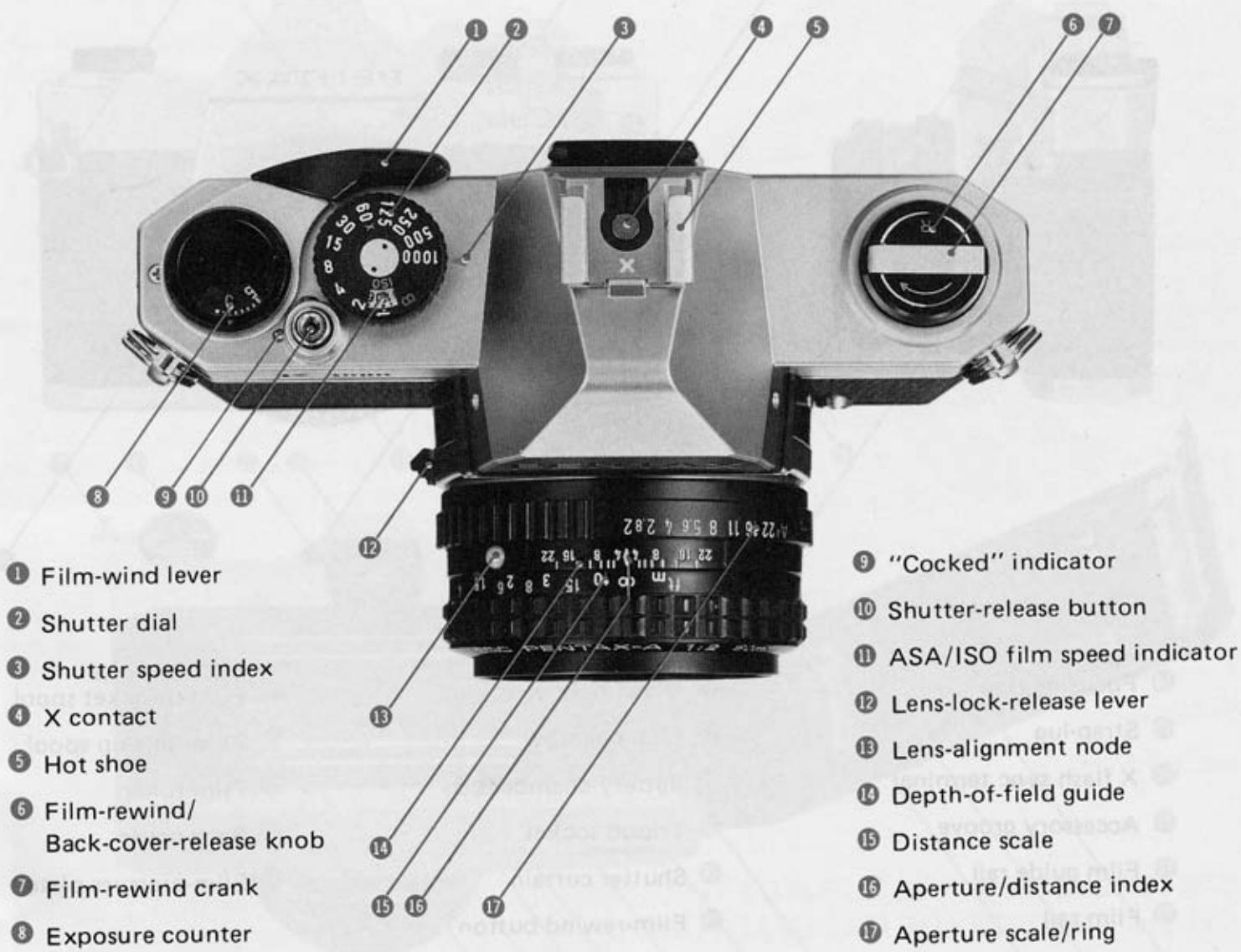
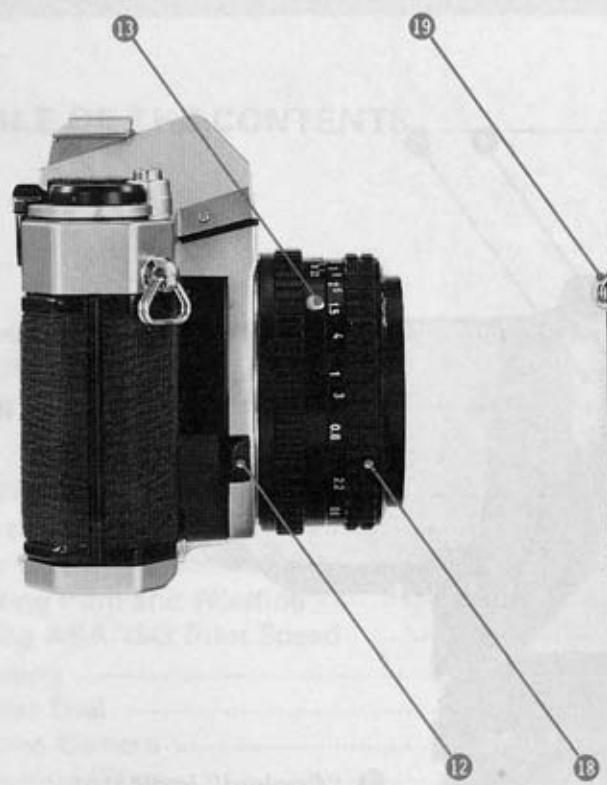
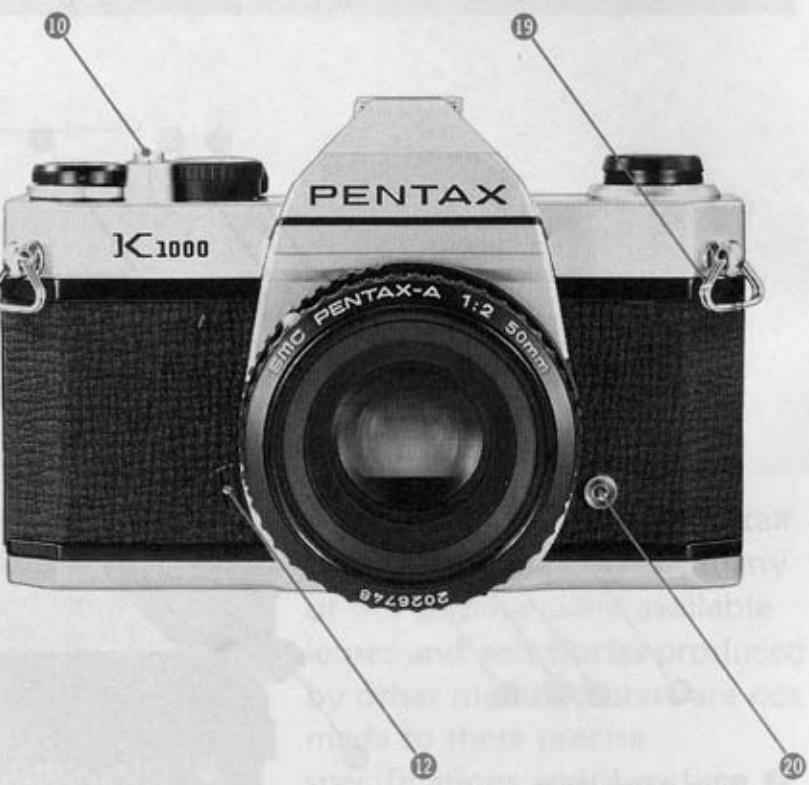
18 Focusing ring
19 Strap-lug
X flash sync terminal
Accessory groove
Film guide rail
Film rail
Viewfinder eyepiece
Film chamber
Battery-chamber cap
Tripod socket
Shutter curtain
Film-rewind button
30 Film-sprocket spool
Film-take-up spool
Film-roller
Back cover
Film-pressure plate
SPECIFICATIONS
Type: 35mm SLR with built-in through-the-lens exposure meter.
Film: 35mm perforated cartridge film, 24x36mm format, ASA/ISO film speed: 20 to 3200
Pentax K bayonet mount
Shutter: Rubberized silk focal plane shutter. Speeds: B, 1 to 1/1000 sec.
Viewfinder: Pentaprism finder with cross-microprism or split-image focusing screen. 0.88x magnification with 50mm standard lens focused at infinity. -1 diopter eyepiece.
Mirror: Instant-return mirror
Film Transport: Single-stroke rapid wind lever with 160^ throw and 10^ stand-off angle. "Cocked" indicator alongside shutter release button.
Film Counter: Additive type with automatic resetting.
Film Rewind: Crank type
Flash Synchronization: Hot shoe, X-Sync at 1/60 sec.
Exposure Metering: Open-aperture, TTL average area metering sytem with CdS cell.
Metering Range: EV3 - 18 with 50mm f/2.0 lens and ASA/ISO 100 film.
Power Source: One 1.5V alkaline (LR44) or Silver oxide (SR44) battery
Power Switch: Built-in photoswitch
Size & Weight: 143(W) x 93.5(H) x 49.5(D) mm (5.6" x 3.7" x 1.9"), 525g (18.5 ozs) without battery
SPECIFICATIONS ARE SUBJECT TO CHANGE WITHOUT ANY OBLIGATION ON THE PART OF THE MANUFACTURER.
USING SMC PENTAX-A/-F LENS
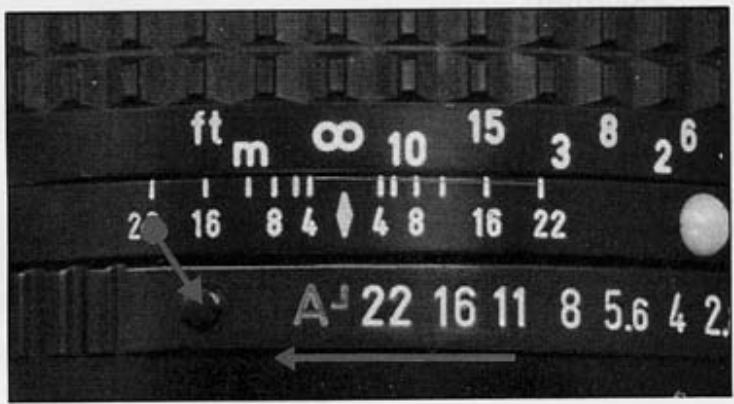
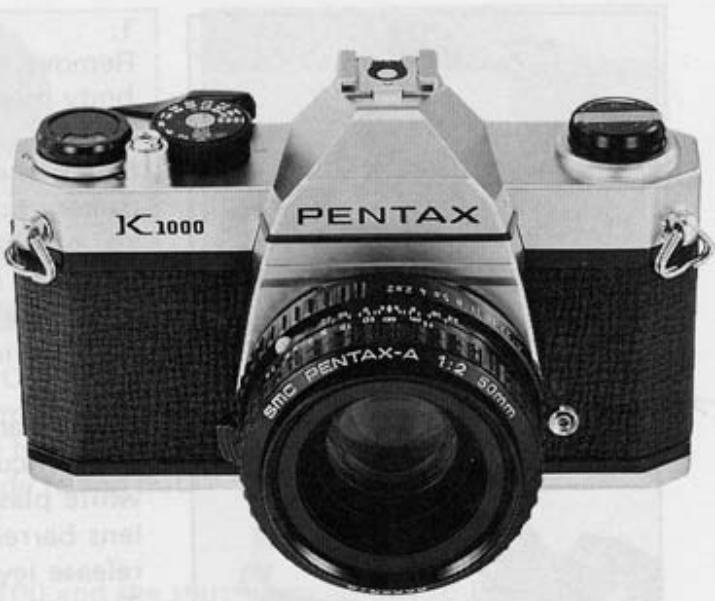
The K1000 camera is primarily designed to work more suitably with the SMC Pentax or SMC Pentax-M lenses. Therefore, when you use the KA mount lens or KAF mount lens like the SMC Pentax-A or SMC Pentax-F lens on your K1000 camera, it must be operated slightly differently from the other two types. Namely, be sure to set the diaphragm ring to any proper f-stop other than "A" (Auto). (If the diaphragm is accidentally set to the A position, it will automatically be set to the minimum f-stop, causing improper exposure to be made.)
- To release the diaphragm ring from the A position, just turn the ring, as illustrated, in the direction of the arrow while depressing the Aperture Auto Lock Button also indicated by the arrow.
ATTACHING AND DETACHING LENS
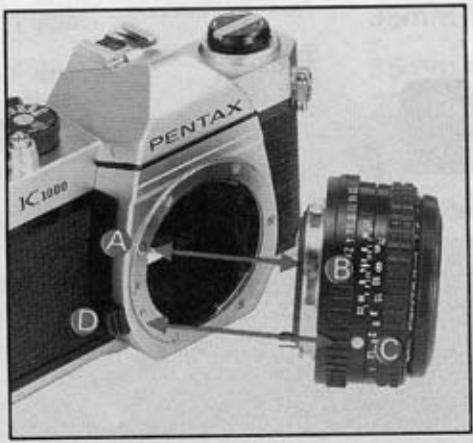
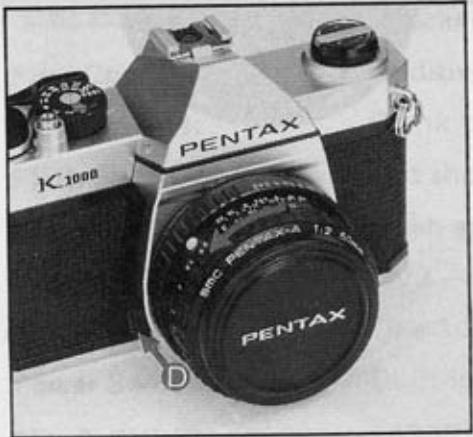
- Remove the rear lens and body mount caps.
- Match the red dot on the camera body with the red dot on the lens. Insert the lens into the body and turn it clockwise until the lens locks with a click.
-
In the dark, when the red dots are difficult to see, align the white plastic bump on the lens barrel with the lens release lever by touch. Then turn and lock as above.
-
To remove the lens, press the lens release lever toward the camera body while turning the lens counter-clockwise.
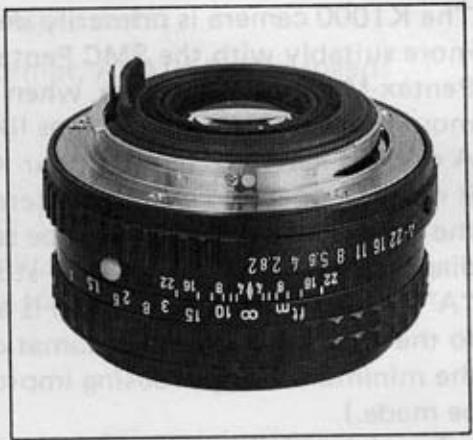
CAUTION
If you have to put the lens down without the rear lens cap, place it only on its front end, never on the rear. When changing lenses outdoors with film in the camera, avoid direct sunlight.
INSERTING BATTERY
An alkaline battery is packed separately. Be sure to insert it into the battery chamber before operating the camera.
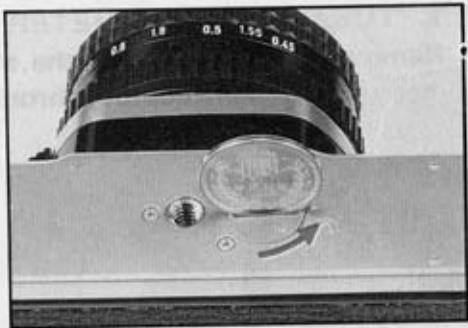
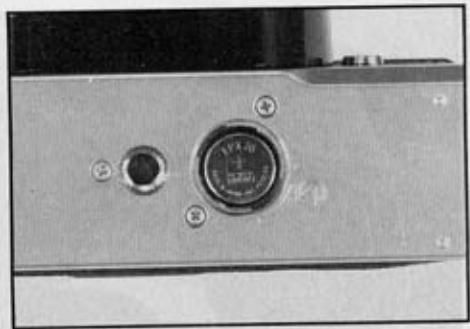
BATTERY INSERTION
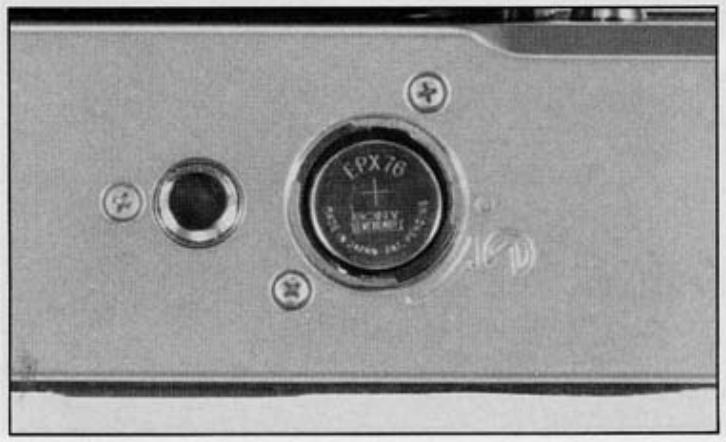
Open the battery chamber cap by turning as shown in the photo. Insert a 1.5V alkaline battery (LR44), silver-oxide (SR44) or the equivalent with (+) side facing out.
BATTERY CHECK
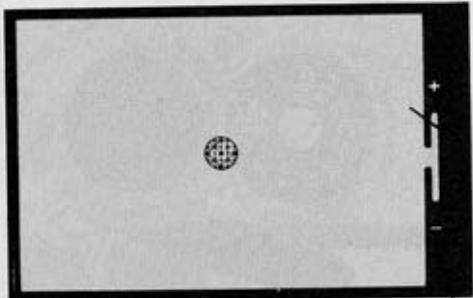
Set the ASA/ISO to 100 and the shutter speed dial to B. Look at the meter needle through the viewfinder. The battery is good if the needle remains "up" position steadily. Otherwise, replace the battery. Take spare battery when traveling or photographing outdoors.
CAUTION
As the K1000 has the built-in photoswitch, the exposure meter turns on as soon as the photo cell receives the light. To minimize the battery consumption, keep the lens cap on while the camera is not used.
BASIC OPERATING INSTRUCTIONS
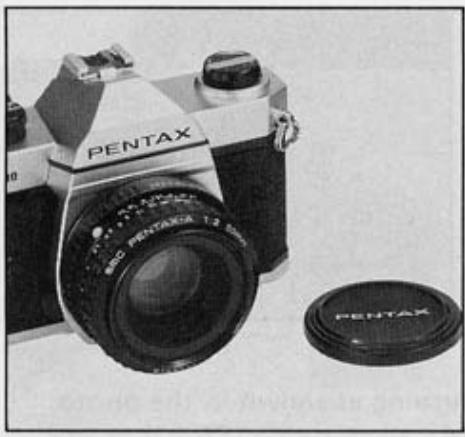
1. TURN ON LIGHT METER
Remove the lens cap and the meter circuit is on. The CdS cells measure the light coming through the lens for correct exposure.
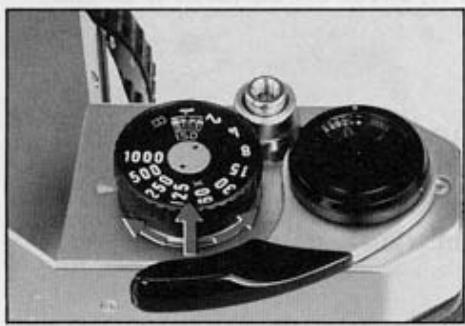
2. SET FILM SPEED
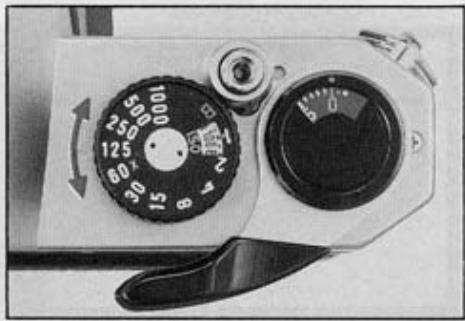
Lift the outer ring of the shutter speed dial and turn it until the same number as the ASA/ISO number of the film you're using appears next to the small orange index alongside the figure 1.
3. SET SHUTTER SPEED
Turn the shutter speed dial and set the speed you wish to use to the index. Generally, you should use the fastest possible shutter speed to avoid blurred pictures caused by camera movement. Try starting with 1/125 sec. outdoors in daylight and 1/60 sec. indoors.
4.COMPOSE AND FOCUS
While viewing through the viewfinder, turn the focusing ring until your subject comes into sharp focus.
5. ROTATE DIAPHRAGM RING
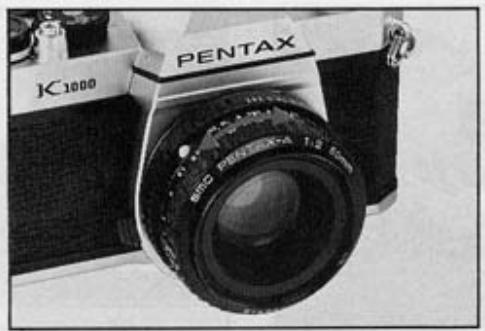
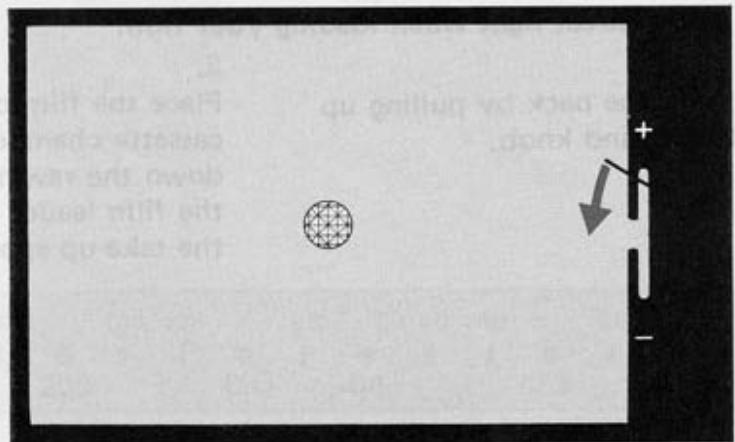
The needle moves as you turn the diaphragm ring. When the needle on the right side of the viewfinder image is at the center, you will get correct exposure. If the needle does not come to the center no matter how far you turn the diaphragm ring, change the shutter speed.
6. RELEASE SHUTTER
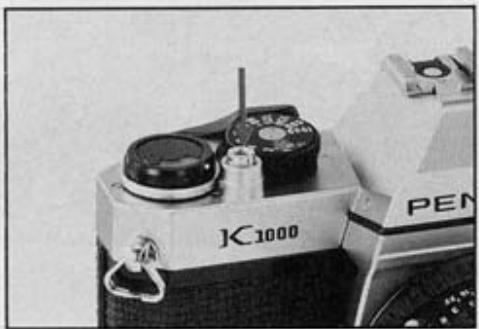
Cock the rapid-wind lever. Hold your camera firmly and release the shutter. Then cock the rapid-wind lever for the next picture.
LOADING FILM AND WINDING
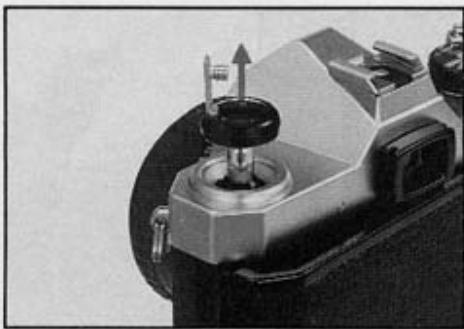
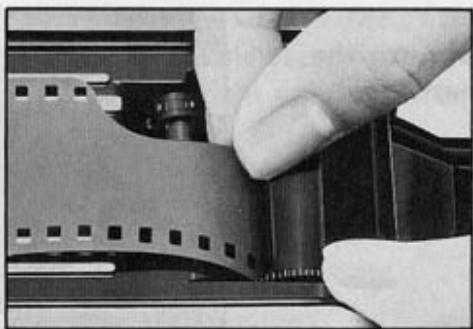
Avoid direct light when loading your film.
-
Open the back by pulling up the rewind knob.
-
Place the film cassette in the cassette chamber, and push down the rewind knob. Insert the film leader into the slot of the take-up spool.
-
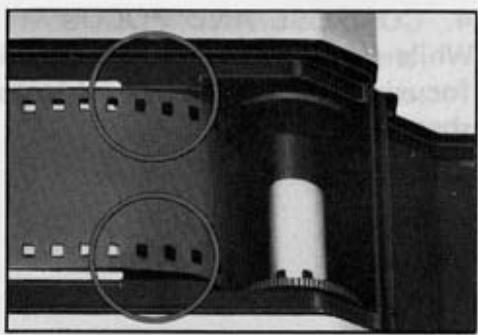
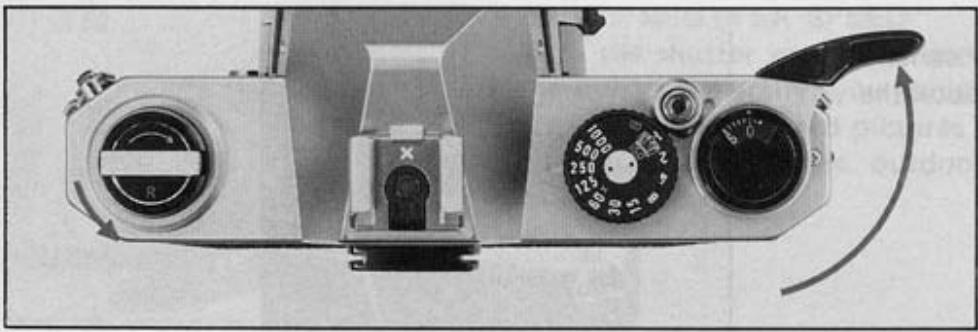
Advance the film by alternately turning the rapid wind lever and depressing the shutter button until both sprockets engage the film perforations, top and bottom. Close the back by pressing it firmly.
-
Cock the rapid-wind lever, and confirm that the film rewind knob turns counter-clockwise, indicating that the film is being properly loaded and is moving from cassette to take-up spool. Release the shutter. Advance the film until the exposure counter turns to "1", indicating that the first picture is ready to be taken.
SETTING ASA/ISO FILM SPEED
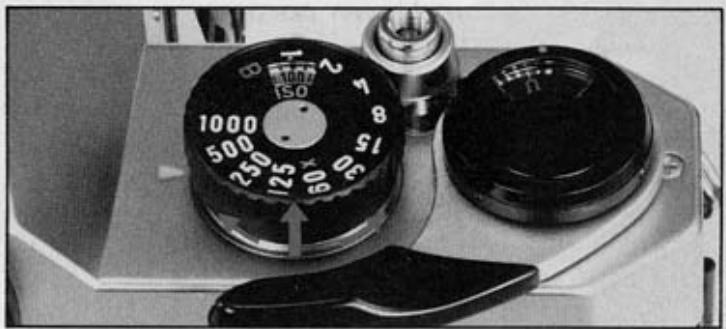
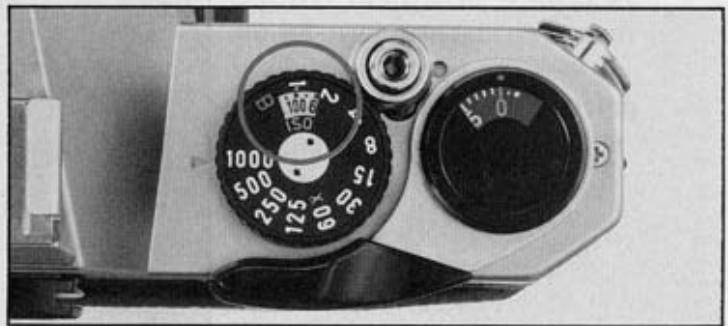
Lift the outer ring of the shutter speed dial and rotate it until the ASA/ISO number of your film is opposite the orange dot alongside the figure 1. Be sure to set your film speed on the shutter speed dial because the dial is connected to the exposure meter.

FOCUSING
While viewing through the viewfinder, turn the focusing ring until your subject comes into sharp focus.
Cross-microprism focusing system
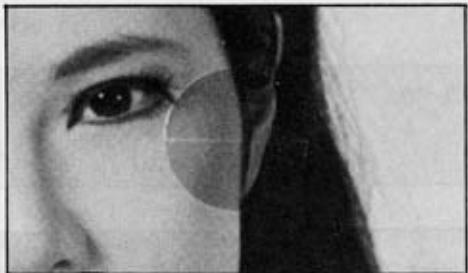
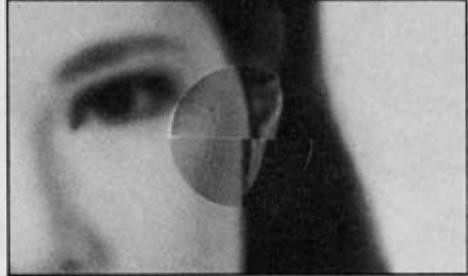
Split-image focusing system
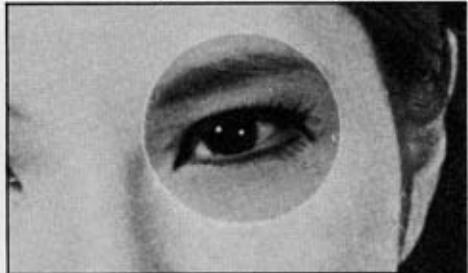
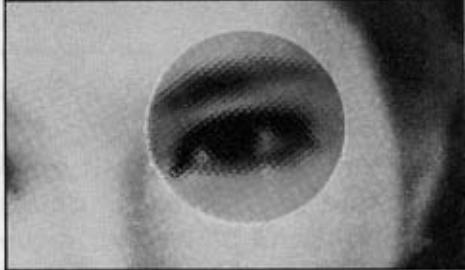
With cross-microprism focusing system, when your subject is in focus, the image in the microprism center will be sharp. If your subject is not in focus, the microprism will break the image up into many small dots.
With split-image focusing system, when your camera is held horizontally and the image is not in sharp focus, all vertical lines seen through the viewfinder will appear to be divided into upper and lower portions.
SHUTTERDIAL
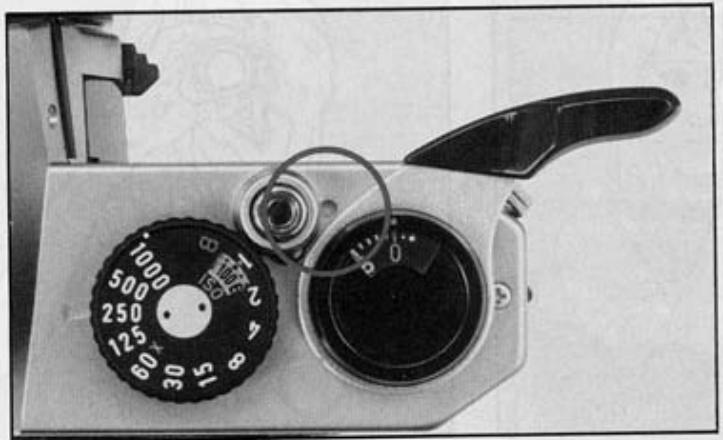
Turn the shutter speed dial clockwise or counter-clockwise to the shutter speed desired. The shutter speed can be set either before or after cocking the rapid-wind lever. As you cock the shutter by turning the rapid-wind lever, the "cocked" indicator turns to red showing that the shutter is cocked. For use of the X setting (next to the 60) on the shutter speed dial, refer to page 16. With the shutter speed dial set on B (bulb), the shutter will stay open as long as you keep the shutter button depressed. As you release your finger from the shutter button, the shutter closes. For particularly long exposures ("time exposure"), use a cable release with a locking device.
CAUTION
At slow speeds - slower than 1/30 - support your camera rigidly or use a tripod to prevent camera movement. To protect the shutter mechanism, release the shutter before putting the camera away for any extended period.
HOLDING CAMERA
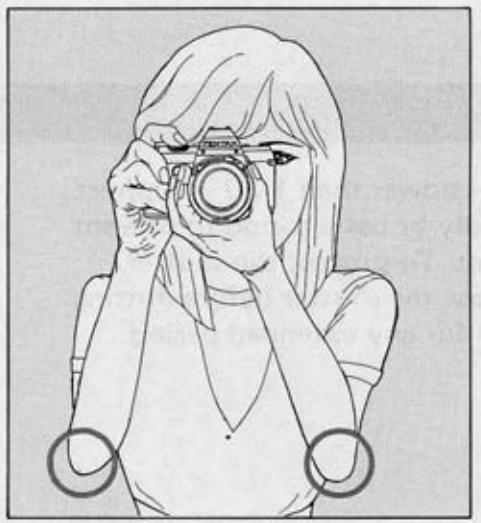
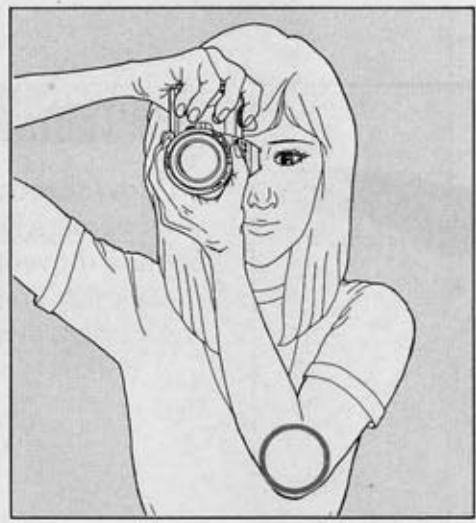
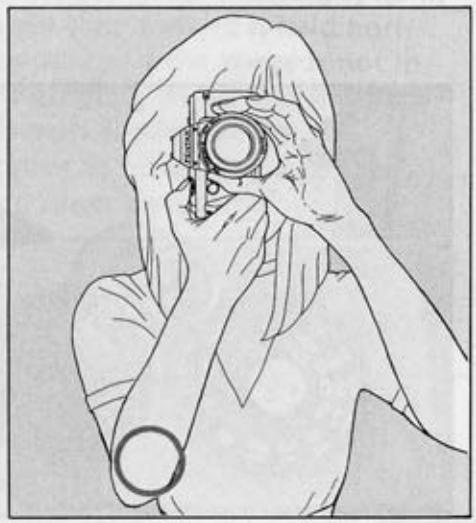
Proper holding of the camera is essential to minimize camera shake which causes blurred pictures. Practice holding and operating your camera before inserting your first film cartridge. Generally there are three basic ways to hold the camera. In any case, hold the camera tightly to your face with your hands. The grips on this camera will help you keep a steady hold on your camera. Release the shutter gently while holding your breath. Strong pressure on the shutter
release button may cause blurred photographs. Take a secure, well-balanced posture without straining yourself. The portion marked O in the illustration should be drawn to your body. It is a good idea to stabilize your body and the camera using a tree, building wall, table, etc. For long exposures or while using telephoto lenses, it is recommended to use a tripod in order to reduce camera shake to a minimum.
UNLOADING FILM
After the final picture on the roll has been taken, the rapid-wind lever will not turn (Caution: do not try to force the lever), indicating that the film must be rewound.
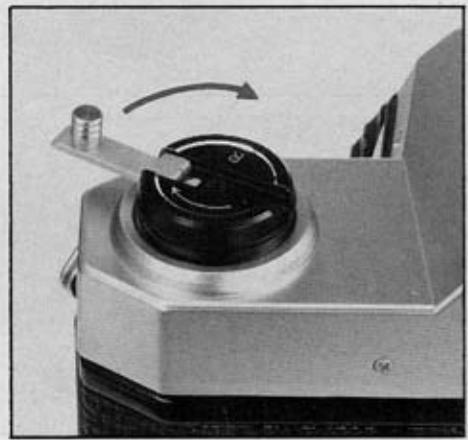
Lift the rewind crank up. Depress the film rewind release button and turn the rewind crank as indicated to rewind the film into its cassette. Rewind until the tension on the crank lessens, indicating that the leader end of the film has been released from the take-up spool. Pull out the film rewind knob (the back will open automatically), and remove the film cassette.
If you accidentally opened the back cover without rewinding the film, close it immediately. Some pictures could be saved.
USING FLASH UNIT
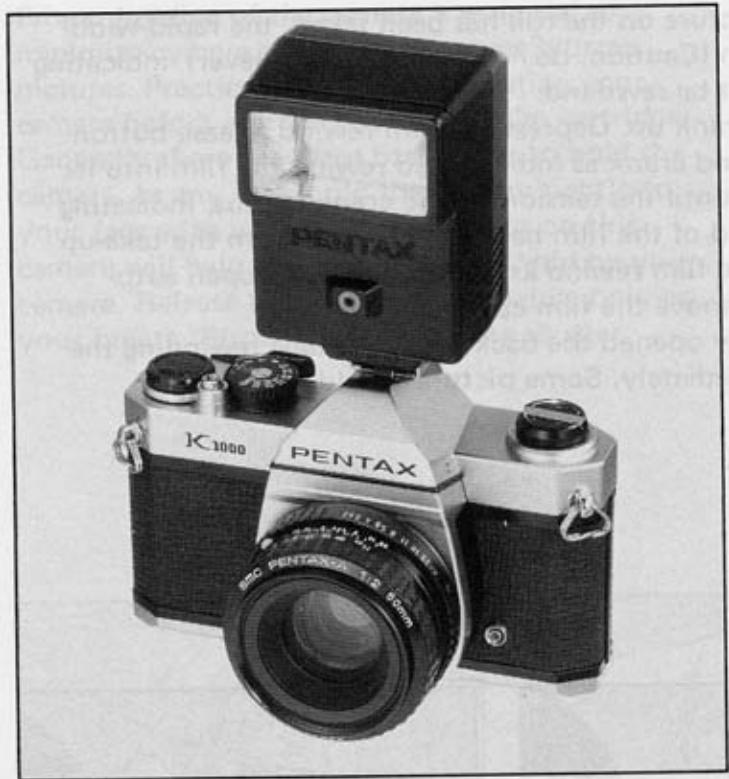
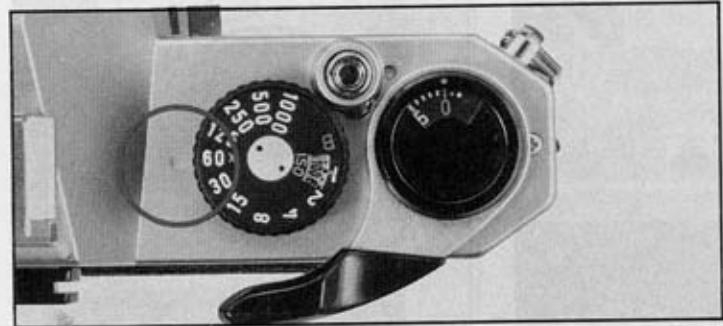
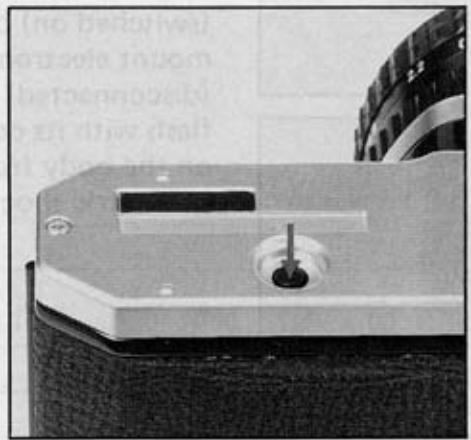
The K1000 has an X terminal on the front of the camera body, and a separate X contact on the built-in hot shoe. The table on the next page shows which flash contact, which shutter speed and which flash bulb may be combined for maximum lamp efficiency. Unless these combinations are rigidly followed, there will be a failure in flash synchronization. Note the "X" setting is exactly as the 60 marked on the speed dial. This indicates the highest shutter speed at which electronic flash units may be used.
Use the hot shoe flash contact when using a shoe-mount electronic flash which has a flash contact on the shoe bracket.
When using the hot shoe, there is no need to plug the flash cord into the X terminal on the body front.
The hot shoe flash contact turns to "hot" (switched on) only when you insert a shoemount electronic flash. It remains "cold" (disconnected) even when using an electronic flash with its cord plugged into the X terminal on the body front. This eliminates the danger of electric shocks.
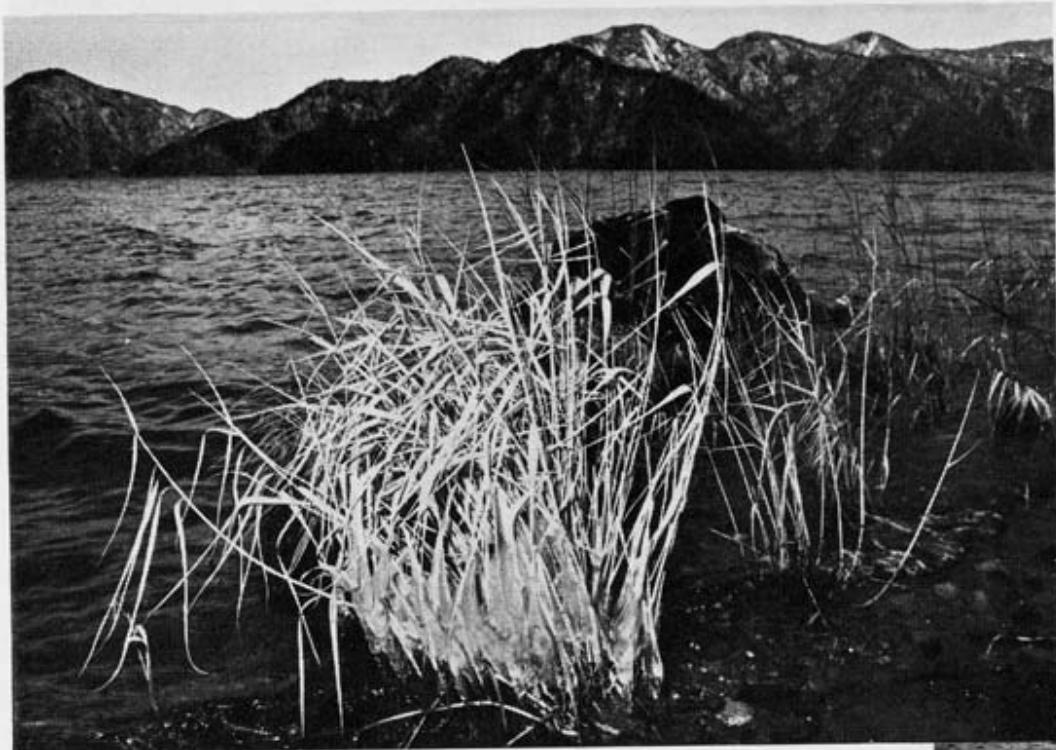
Electronic flash unit used
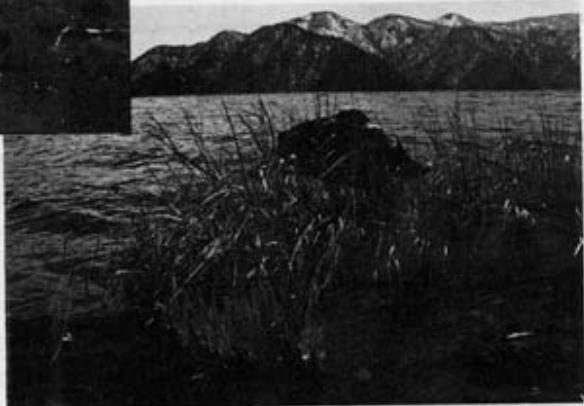
Not used
| SHUTTER SPEED | 1/1000 | 1/500 | 1/250 | 1/125 | 1/60 | 1/30 | 1/15 | 1/8 | 1/4 | 1/2 | 1 | B |
| ELECTRONIC FLASH FLASH BULB | X | |||||||||||
| M·MF·FP CLASS | ||||||||||||
DEPTH OF FIELD
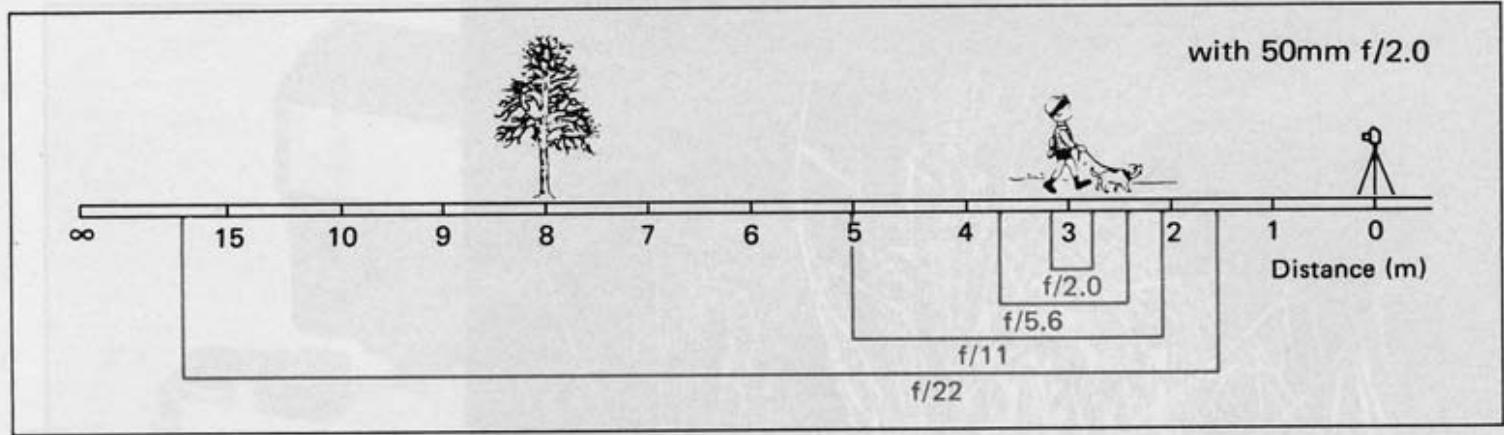
Depth of field is the range between the nearest and farthest distances which are in focus at a given lens aperture.
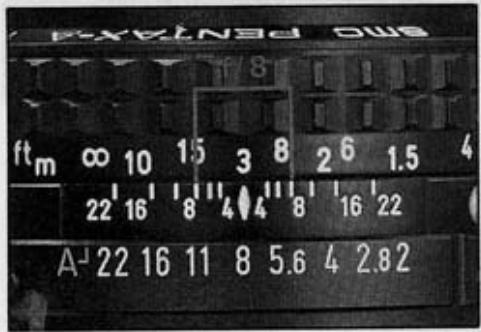
If you want to know how great the depth of field is at a certain aperture, focus on a subject and look at the depth-of-field guide on the lens. In the photograph below, the distance scale is set at 3 meters . . . the lens is focused on a subject 3 meters away. The calibrations on each side of the distance index correspond to the diaphragm setting and indicate the range of in-focus distance for different lens apertures.
For example, if a lens opening of f/8 is to be used, the range on the distance scale ring covered within the figure 8 on the depth-of-field guide indicates the area in focus at that lens opening. You will note from the depth-of-field guide in the photograph that the range from approximately 2.3 to 4.5m is in focus. Note that as the lens apertures change, the effective depth of field also changes. For the depths of field at different apertures and distances, refer to the next page.
DEPTH-OF-FIELD TABLE: SMC PENTAX-A 50mm f/2 LENS
| Distance scale | 0.45m | 0.6m | 1m | 1.6m | 2m | 3m | 5m | 15m | ∞ |
| f/2 | 0.446~0.454 | 0.593~0.608 | 0.977~1.024 | 1.539~1.666 | 1.904~2.106 | 2.785~3.252 | 4.420~5.757 | 10.707~25.077 | 37.070~∞ |
| f/2.8 | 0.445~0.455 | 0.590~0.611 | 0.969~1.034 | 1.516~1.694 | 1.869~2.152 | 2.708~3.365 | 4.225~6.128 | 9.609~34.313 | 26.491~∞ |
| f/4 | 0.443~0.458 | 0.586~0.615 | 0.956~1.049 | 1.483~1.737 | 1.818~2.224 | 2.599~3.550 | 3.962~6.786 | 8.329~76.783 | 18.557~∞ |
| f/5.6 | 0.440~0.461 | 0.580~0.622 | 0.939~1.070 | 1.441~1.799 | 1.754~2.329 | 2.468~3.832 | 3.659~7.922 | 7.075~∞ | 13.268~∞ |
| f/8 | 0.436~0.466 | 0.572~0.631 | 0.915~1.103 | 1.383~1.901 | 1.667~2.506 | 2.294~4.351 | 3.284~10.585 | 5.774~∞ | 9.300~∞ |
| f/11 | 0.430~0.472 | 0.562~0.644 | 0.887~1.148 | 1.316~2.047 | 1.569~2.771 | 2.109~5.242 | 2.911~18.301 | 4.697~∞ | 6.776~∞ |
| f/16 | 0.422~0.482 | 0.546~0.667 | 0.844~1.231 | 1.219~2.348 | 1.430~3.366 | 1.861~7.978 | 2.450~∞ | 3.588~∞ | 4.672~∞ |
| f/22 | 0.413~0.496 | 0.529~0.696 | 0.798~1.349 | 1.120~2.855 | 1.294~4.545 | 1.631~21.588 | 2.061~∞ | 2.799~∞ | 3.410~∞ |
| Distance scale | 1.55' | 1.9' | 2.5' | 3' | 6' | 8' | 12' | 25' | ∞ |
| f/2 | 1.536' | 1.878' | 2.459' | 2.939' | 5.738' | 7.533' | 10.960' | 20.802' | 121.623' |
| ~1.564' | ~1.923' | ~2.543' | ~3.064' | ~6.287' | ~8.530' | ~13.262' | ~31.339' | ∞ | |
| f/2.8 | 1.531' | 1.869' | 2.443' | 2.915' | 5.640' | 7.361' | 10.593' | 19.495' | 86.915' |
| ~1.570' | ~1.932' | ~2.560' | ~3.091' | ~6.410' | ~8.763' | ~13.845' | ~34.884' | ∞ | |
| f/4 | 1.523' | 1.856' | 2.419' | 2.880' | 5.499' | 7.118' | 10.087' | 17.817' | 60.884' |
| ~1.573' | ~1.946' | ~2.587' | ~3.131' | ~6.604' | ~9.137' | ~14.824' | ~42.020' | ∞ | |
| f/5.6 | 1.512' | 1.839' | 2.388' | 2.835' | 5.322' | 6.818' | 9.485' | 15.986' | 43.530' |
| ~1.590' | ~1.965' | ~2.624' | ~3.187' | ~6.882' | ~9.690' | ~16.370' | ~57.817' | ∞ | |
| f/8 | 1.497' | 1.815' | 2.343' | 2.769' | 5.078' | 6.414' | 8.706' | 13.855' | 30.514' |
| ~1.608' | ~1.995' | ~2.681' | ~3.275' | ~7.347' | ~10.660' | ~19.414' | ~132.990' | ∞ | |
| f/11 | 1.478' | 1.785' | 2.290' | 2.692' | 4.802' | 5.973' | 7.898' | 11.882' | 22.231' |
| ~1.631' | ~2.033' | ~2.756' | ~3.393' | ~8.027' | ~12.190' | ~25.319' | ∞ | ∞ | |
| f/16 | 1.447' | 2.101' | 2.206' | 2.573' | 4.406' | 5.361' | 6.845' | 9.611' | 15.329' |
| ~1.670' | ~1.737' | ~2.892' | ~3.609' | ~9.500' | ~16.047' | ~51.597' | ∞ | ∞ | |
| f/22 | 1.413' | 1.684' | 2.114' | 2.445' | 4.012' | 4.778' | 5.906' | 7.827' | 11.188' |
| ~1.721' | ~2.188' | ~3.075' | ~3.911' | ~12.205' | ~25.969' | ∞ | ∞ | ∞ |
HELPFUL HINTS ON EXPOSURE PROBLEMS
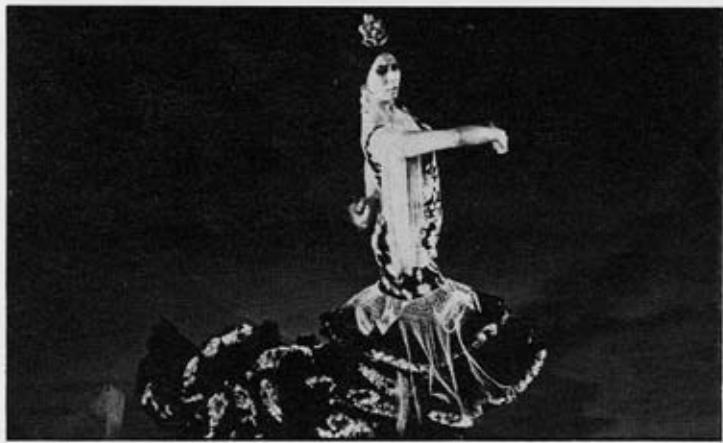
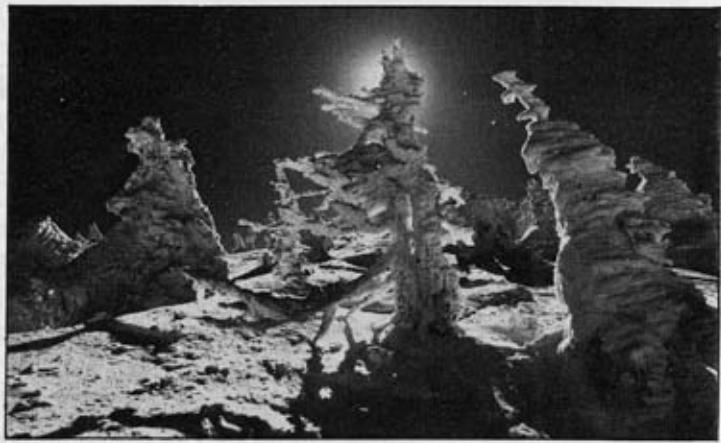
The light meter built into your K1000 correctly reads the average of the light reflected from the entire scene as seen through the viewfinder with a little extra importance, or weight, given to what is in the center. Sometimes, however, there is a great difference between the light reflected from the background and the light reflected from the subject. In such a case, to achieve a really good photo, you must compensate for the difference by opening or closing down the aperture 1 or 2 steps.
As a general rule, when the subject is darker than the background, you compensate by opening your aperture 1 or 2 steps further. For example: on a bright day, when your subject has his back to the sun and you are shooting directly toward the sun . . . or when you are shooting a subject against snow or light-colored sand . . . or when you are copying a page of black letters on white paper, increase the size of the aperture somewhat.
When your subject is brighter than the background - if he is standing in a spotlight, for example - you make the aperture 1 or 2 steps smaller to compensate.
MANUAL SHUTTER OPERATION
BATTERY PRECAUTIONS
An alkaline battery or the silver oxide battery in your K1000 is used only for powering the exposure meter; the shutter mechanism is a totally manual operation. Therefore, your camera can still be operated even if the battery is worn out. (A good sign of a worn-out battery is that the black meter needle does not move when you remove the lens cap.)
If the battery is worn out and the exposure meter is no longer functioning, you must determine the correct combination of shutter speed and aperture size yourself, from your own experience. Also, packed in with most types of 35mm film is a data sheet of suggestions for determining the correct exposure in a variety of situations.
Always keep batteries out of the reach of children.
- Incorrect usage of battery may cause such hazards as leakage, heating or explosion. Polarity mark should be carefully checked when inserting battery. If the battery is erroneously inserted, unexpected mishap may occur.
- When not using the camera for long periods of time, you should remove battery from the camera. Old batteries are apt to leak and damage the battery chamber.
- Never break, recharge or throw used batteries into fire to prevent explosion.
- Batteries should be kept warm in extremely low temperature to prevent lowering of performance.
INFRARED INDEX MARK
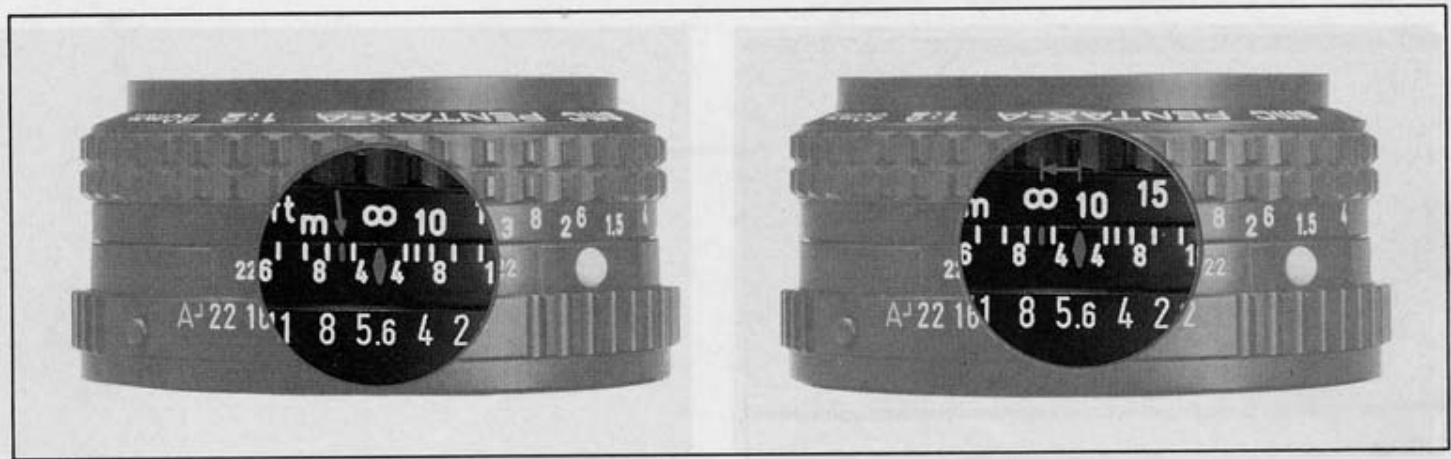
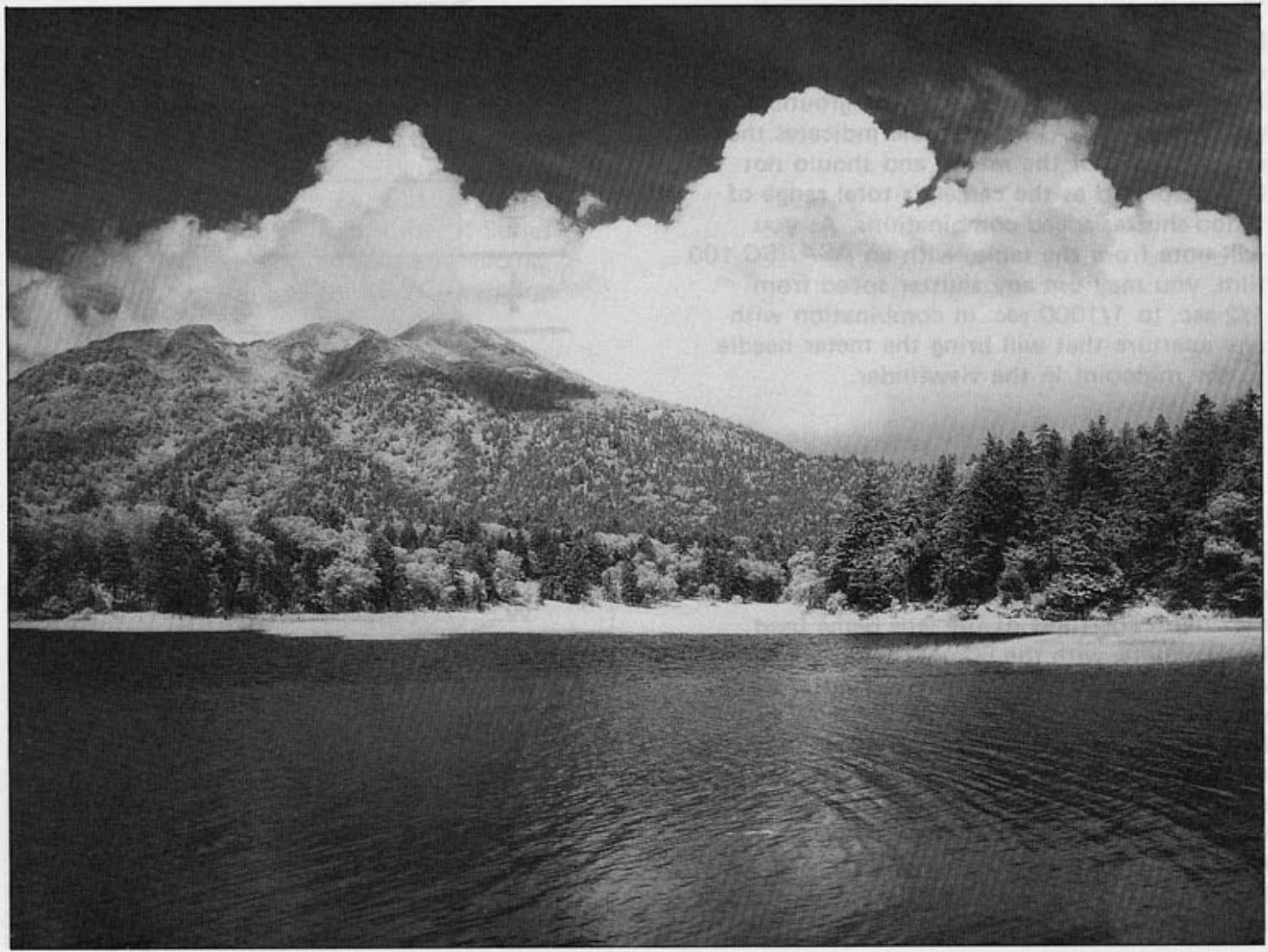
If you intend to take infrared photographs using infrared film and R2 or O2 filters, it is necessary to compensate for the difference between visible light focus and infrared focus. As shown below, note the subject-to-camera distance on the lens distance scale as you focus through the viewfinder and turn the focusing ring until that distance setting aligns with the red infrared index mark. The figure shows an example in which the subject-to-camera distance is set at infinity () . For details on exposure control, refer to the instructions accompanying the film.
METERING RANGE
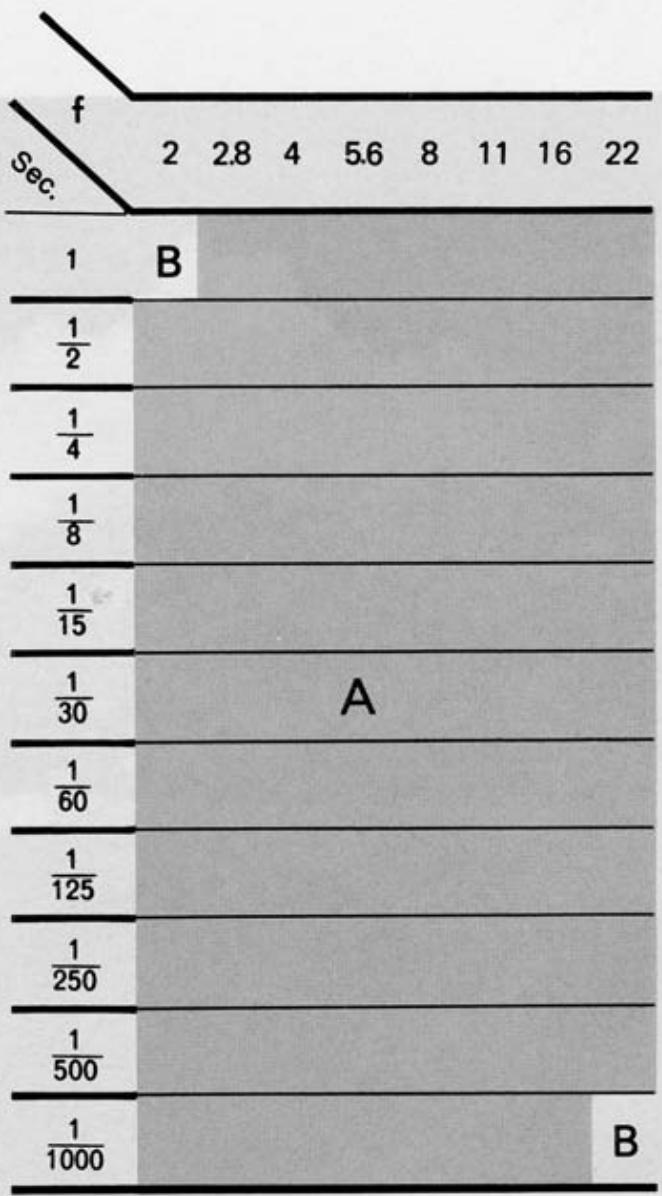
The exposure meter of the K1000 measures the brightness of the ground glass. Therefore, the meter needle should be centered after you have focused your subject on the ground glass. The area (A) in the table indicates the reading range of the meter, and should not be interpreted as the camera's total range of f/stop-shutter speed combinations. As you will note from the table, with an ASA/ISO 100 film, you may use any shutter speed from 1/2 sec. to 1/1000 sec. in combination with any aperture that will bring the meter needle to the midpoint in the viewfinder.
The total range of the aperture settings is, of course, determined by the minimum and maximum apertures of the lens being used. For example, with the 50mm f/2 lens and ASA/ISO 100 film, any aperture from f/2 (the maximum aperture of this lens) to f/16 may be used with any shutter speed from 1/2 sec. to 1/1000 sec. that will bring the meter needle to midpoint. However, the combination of f/22 (minimum aperture) and 1/1000 sec. is beyond the measurability range (B), as shown in the table. As the ASA/ISO film speed changes, the measurability range varies.
OPEN-APERTURE OR STOP-DOWN METERING
Open-aperture SMC Pentax lenses have a diaphragm coupling lever on the back of the lens which locks into the camera body to permit open-aperture metering. Some of special lenses do not have the diaphragm coupler, so they must be used with the stop-down metering system.
Use of the Auto-Extension Tube Set K permits open-aperture metering. Use of other K Series accessories - Extension Tube Set K, Helicoid Extension Tube K, Auto-Bellows A - requires stop-down metering.
MOUNT ADAPTER K
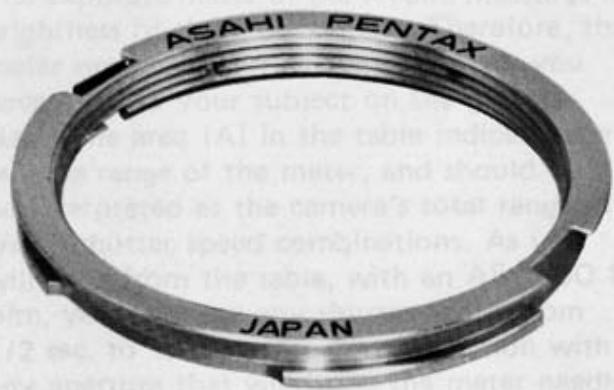
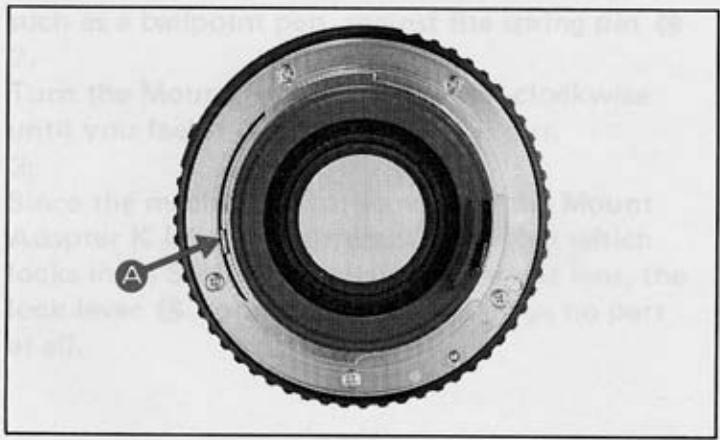
Conventional screw-mount Takumar lenses (both Super-Takumar and SMC Takumar) can be easily mounted onto your camera by attaching them first to a Mount Adapter K. Use of the Mount Adapter K does not affect any aspect of normal lens function except as regards the following two points:
1.
Due to the difference in coupling systems, the automatic diaphragm will not function.
2.
Open-aperture metering lenses will function as stop-down metering lenses.
HOW TO USE MOUNT ADAPTER K
1.
Screw the conventional Takumar lens into the Mount Adapter K.
2.
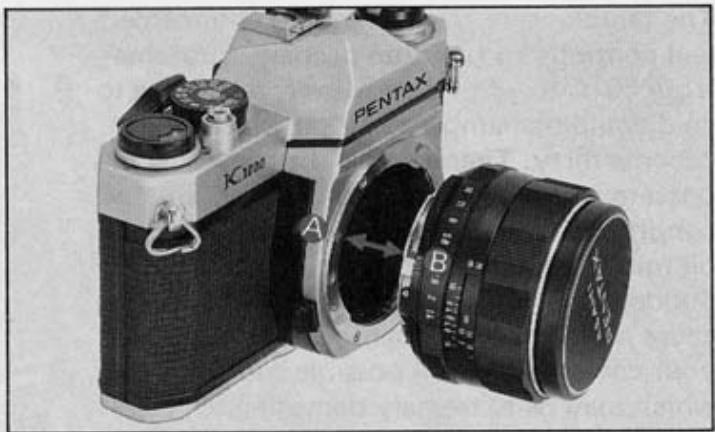
Attach the Adapter/lens unit to the camera body by aligning the red dots A and B, and turning the lens clockwise until it locks with a click.
3.
To remove the lens, leaving the Mount Adapter K attached to the camera body, simply unscrew the lens counter-clockwise. Other screw-mount Takumar lenses can then be attached in the normal way.
1.
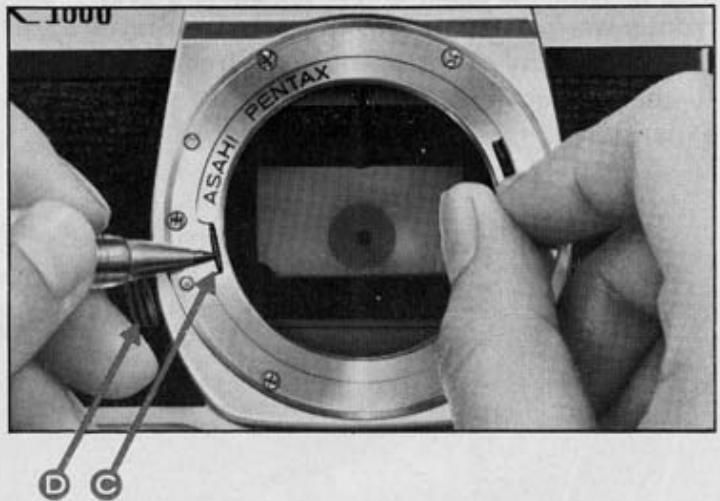
To remove the Mount Adapter K from the camera body, first remove the screw-mount lens. Then press, with your thumbnail or a pointed object such as a ballpoint pen, against the spring pin
2.
Turn the Mount Adapter K counter-clockwise until you feel it release, and take it out.
3.
Since the mechanism for locking in the Mount Adapter K is totally different from that which locks in an SMC Pentax bayonet-mount lens, the lock lever on the camera body plays no part at all.
TEMPERATURE
The temperature range at which your camera will continue to function properly stretches from 50^ to -20^ . However, resistance to cold could be hampered by oil which has become dirty. Therefore, if the camera is to operate at full efficiency in very cold conditions, it must be overhauled and all oil must be replaced.
Sudden changes in temperature will often cause moisture to condense inside or outside your camera. This is a possible source of rust, which may be extremely damaging to the mechanism. Furthermore, if the camera goes from a warm temperature to a sub-freezing one, and if tiny drops of moisture freeze, further damage may be done by their expansion.
Thus, sudden temperature changes should be avoided as much as possible. As a guide, a temperature change of 10^ should be allowed to take place gradually over a period of at least 30 minutes. If this is not possible, keeping the camera in its case or bag will help somewhat in minimizing the effects of a rapid temperature change.
Extremely low temperature reduces the efficiency of the battery. Therefore, the camera should be protected against low temperature. Put the batteries into the camera right before shooting. For extremely low temperature, use new batteries.
TAKING CARE OF YOUR CAMERA
1.
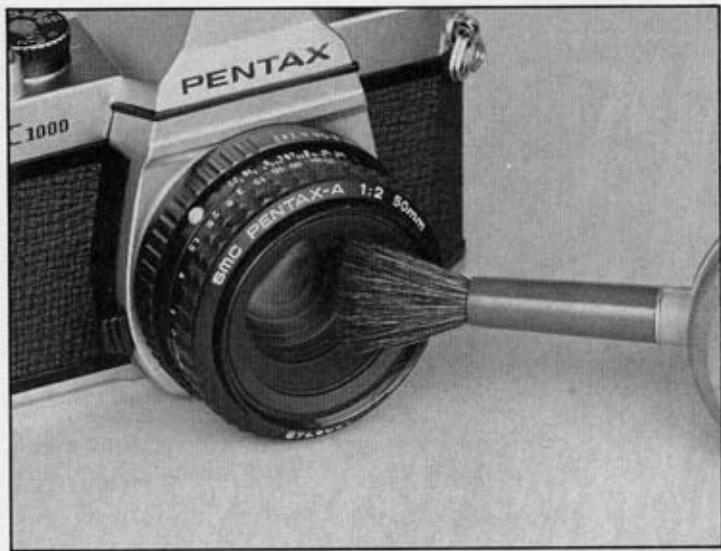
Always keep the viewfinder eyepiece, lens and filter as clean as possible. To remove loose dust and dirt, first use the blower and then the brush of a lens brush. Do not try to wipe off granular dirt or dust - it's an excellent way of scratching the glass.
Smudges, such as fingerprints, should be carefully wiped away with either a lens tissue or a clean, soft cloth. Clean, plain cotton handkerchiefs that have already been washed a few times are particularly good for this. Breathing on the lens before wiping is effective; but be sure to wipe away all moisture completely.
Commercial lens cleaners are also effective.
2.
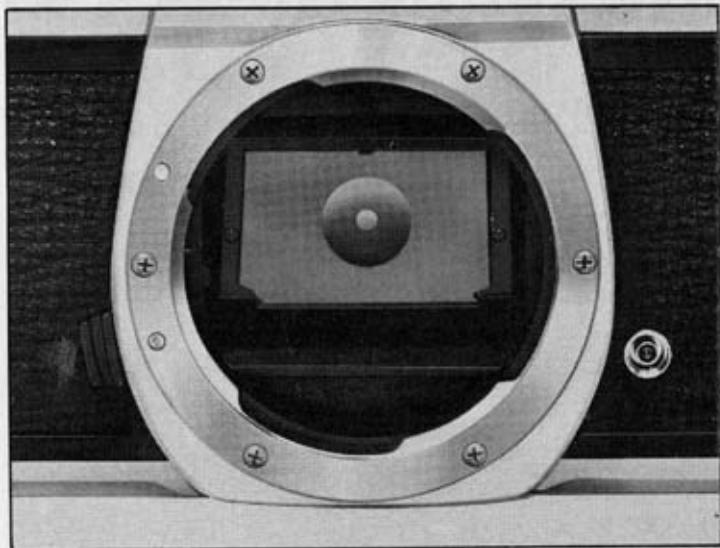
Never touch the mirror or the shutter curtains. Minor dirt or spots on the mirror will not affect the clarity of your pictures.
3.
Take care not to drop the camera or knock it against anything solid. Accidents or rough handling can easily damage the internal mechanism, even though externally nothing seems to have been hurt.
4.
Your camera is not waterproof. There are several places where water can get inside and do a great deal of damage. Take care to protect both body and lens from rain or splashing water.
If your camera should get wet, dry it off immediately with a clean, soft cloth.
Once a camera has become completely soaked, there is often nothing that can be done to make it right again.
5.
Where to keep your camera while you are not using it is an important point. The best storage place is cool, dry, clean and wellventilated. Because of the possible build-up of humidity, it is risky to store your camera in a cabinet or closet.
6.
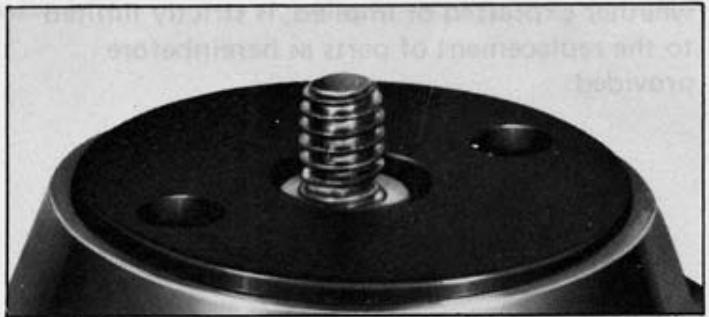
When mounting your camera on a tripod, be sure the tripod screw is no longer than 5.5mm . This is the depth of the tripod screw hole on your camera. If you use a longer screw, you will probably puncture the bottom of the hole, after which the camera will not function properly.
7.
Always put a lens cap or body mount cap whenever the camera is not in use. To avoid an accidental damage to the shutter curtain by sunlight, do not direct the camera to the sun for a long period of time.
WARRANTY POLICY
All Pentax cameras purchased through authorized bona fide photographic distribution channels are guaranteed against defects of material or workmanship for a period of twelve months from date of purchase. Service will be rendered and defective parts will be replaced without cost to you within that period, provided the equipment has not been abused, altered, or operated contrary to instruction. Because the tolerances, quality, and design compatibility of lenses other than Pentax lenses are beyond our control, damage caused by use of such lenses will not be covered by this warranty policy. The manufacturer or its authorized representatives shall not be liable for any repair or alterations except those made with its written consent and shall not be liable for damages from delay or loss of use or from other indirect or consequential damages of any kind, whether caused by defective material or workmanship or otherwise; and it is expressly agreed that the liability of the manufacturer or its representatives under all guarantees or warranties, whether expressed or implied, is strictly limited to the replacement of parts as hereinbefore provided.
Procedure During 12-month Warranty Period Any Pentax which proves defective during the 12-month warranty period should be returned to the dealer from whom you purchased the equipment or to the manufacturer. If there is no representative of the manufacturer in your country, send the equipment to the manufacturer, with postage prepaid. In this case, it will take a considerable length of time before the equipment can be returned to you owing to the complicated customs procedures. If the equipment is covered by warranty, repairs will be made and parts replaced free of charge, and the equipment will be returned to you upon completion of servicing. If the equipment is not covered by warranty, regular charges of the manufacturer or of its representatives will apply. Shipping charges are to be borne by the owner. If your Pentax was purchased outside of the country where you wish to have it serviced during the warranty period, regular handling and servicing fees may be charged by the manufacturer's representatives in that country. Notwithstanding this, your Pentax returned to the manufacturer will be serviced free of charge according to this procedure and warranty policy. In any case, however, shipping charges and customs clearance fees are to be borne by the sender. To prove the date of your purchase when required, please keep the receipts or bills covering the purchase of your equipment for at least a year. Before sending
your equipment for servicing, please make sure that you are sending it to the manufacturer's authorized representatives or their accredited repair shops, unless you are sending it directly to the manufacturer. Always obtain a quotation of the service charge, and only after you accept the quoted service charge, instruct the service station to proceed with the servicing.
This warranty policy does not apply to Pentax products purchased in the U.S.A., U.K., or Canada. The local warranty policies available from Pentax distributors in those countries supersede this warranty policy.

Asahi Optical Co., Ltd. C.P.O. 895, Tokyo 100-91, JAPAN
Pentax Europe n.v. Weiveldlaan 3-5, 1930 Zaventem, BELGIUM
Pentax Handelsgesellschaft mbH Postfach 54 0169, 2000 Hamburg 54, WEST GERMANY
Pentax U.K. Limited Pentax House, South Hill Avenue, South Harrow, Middlesex HA2 OLT, U.K.
Pentax France S.A. Z.I. Argenteuil, 12, Rue Ambroise-Croizat, 95100 Argenteuil, FRANCE
Pentax (Schweiz) AG Industriestrasse 2, 8305 Dietlikon ZH, SWITZERLAND
Pentax Scandinavia AB Box 650, S-751 27 Uppsala, SWEDEN
Pentax Nederland Spinveld 25, 4815 HR Breda, THE NETHERLANDS
Pentax Norge A.S. Cecilie Thoresens VEI, Lambertseter, 1101 Oslo 11, NORWAY
Pentax Corporation 35 Inverness Drive East, Englewood, Colorado 80112, U.S.A.
Pentax Canada Inc. 3131 Universal Drive, Mississauga, Ontario L4X 2E5, CANADA
Asahi Optical Brasileira Ind. e Com. Ltda. Rua Capitao Antonio Rosa 376, Sala 121 Ed. PBK, Sao Paulo, BRASIL
56754ENG
Copyright © Asahi Optical Co., Ltd. 1988
03/90 Printed in Hong Kong

- PENTAX®
- K1000
- TABLE OF THE CONTENTS
- IMPORTANT
- NOMENCLATURE OF WORKING PARTS
- SPECIFICATIONS
- SPECIFICATIONS ARE SUBJECT TO CHANGE WITHOUT ANY OBLIGATION ON THE PART OF THE MANUFACTURER.
- USING SMC PENTAX-A/-F LENS
- ATTACHING AND DETACHING LENS
- CAUTION
- INSERTING BATTERY
- BATTERY INSERTION
- BATTERY CHECK
- BASIC OPERATING INSTRUCTIONS
- TURN ON LIGHT METER
- SET FILM SPEED
- SET SHUTTER SPEED
- 4.COMPOSE AND FOCUS
- ROTATE DIAPHRAGM RING
- RELEASE SHUTTER
- LOADING FILM AND WINDING
- Avoid direct light when loading your film.
- SETTING ASA/ISO FILM SPEED
- FOCUSING
- Cross-microprism focusing system
- SHUTTERDIAL
- HOLDING CAMERA
- UNLOADING FILM
- USING FLASH UNIT
- DEPTH OF FIELD
- DEPTH-OF-FIELD TABLE: SMC PENTAX-A 50mm f/2 LENS
- HELPFUL HINTS ON EXPOSURE PROBLEMS
- MANUAL SHUTTER OPERATION
- BATTERY PRECAUTIONS
- INFRARED INDEX MARK
- METERING RANGE
- OPEN-APERTURE OR STOP-DOWN METERING
- MOUNT ADAPTER K
- HOW TO USE MOUNT ADAPTER K
- TEMPERATURE
- TAKING CARE OF YOUR CAMERA
- WARRANTY POLICY
Marque : PENTAX
Modèle : K1000
Catégorie : Appareil photo reflex