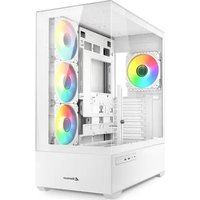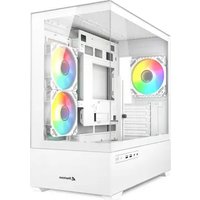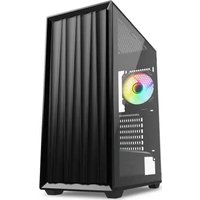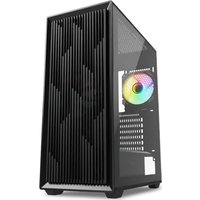
VG6W RGB - Unite Centrale Sharkoon - Notice d'utilisation et mode d'emploi gratuit
Retrouvez gratuitement la notice de l'appareil VG6W RGB Sharkoon au format PDF.


| Caractéristiques Techniques | Boîtier ATX avec éclairage RGB, compatible avec les cartes mères ATX, Micro-ATX et Mini-ITX. |
|---|---|
| Dimensions | Dimensions extérieures : 450 x 210 x 480 mm. |
| Matériaux | Structure en acier avec panneaux en verre trempé. |
| Refroidissement | Supporte jusqu'à 6 ventilateurs de 120 mm, avec des emplacements pour radiateurs de refroidissement liquide. |
| Connectivité | Ports USB 3.0, USB 2.0, et connecteurs audio en façade. |
| Utilisation | Idéal pour les gamers et les utilisateurs souhaitant un boîtier esthétique avec un bon flux d'air. |
| Maintenance | Filtres à poussière amovibles pour un nettoyage facile. |
| Sécurité | Panneaux en verre trempé pour une meilleure résistance et sécurité. |
| Informations Générales | Compatible avec les systèmes de gestion d'éclairage RGB. |
FOIRE AUX QUESTIONS - VG6W RGB Sharkoon
Questions des utilisateurs sur VG6W RGB Sharkoon
0 question sur cet appareil. Repondez a celles que vous connaissez ou posez la votre.
Poser une nouvelle question sur cet appareil
Téléchargez la notice de votre Unite Centrale au format PDF gratuitement ! Retrouvez votre notice VG6W RGB - Sharkoon et reprennez votre appareil électronique en main. Sur cette page sont publiés tous les documents nécessaires à l'utilisation de votre appareil VG6W RGB de la marque Sharkoon.
MODE D'EMPLOI VG6W RGB Sharkoon
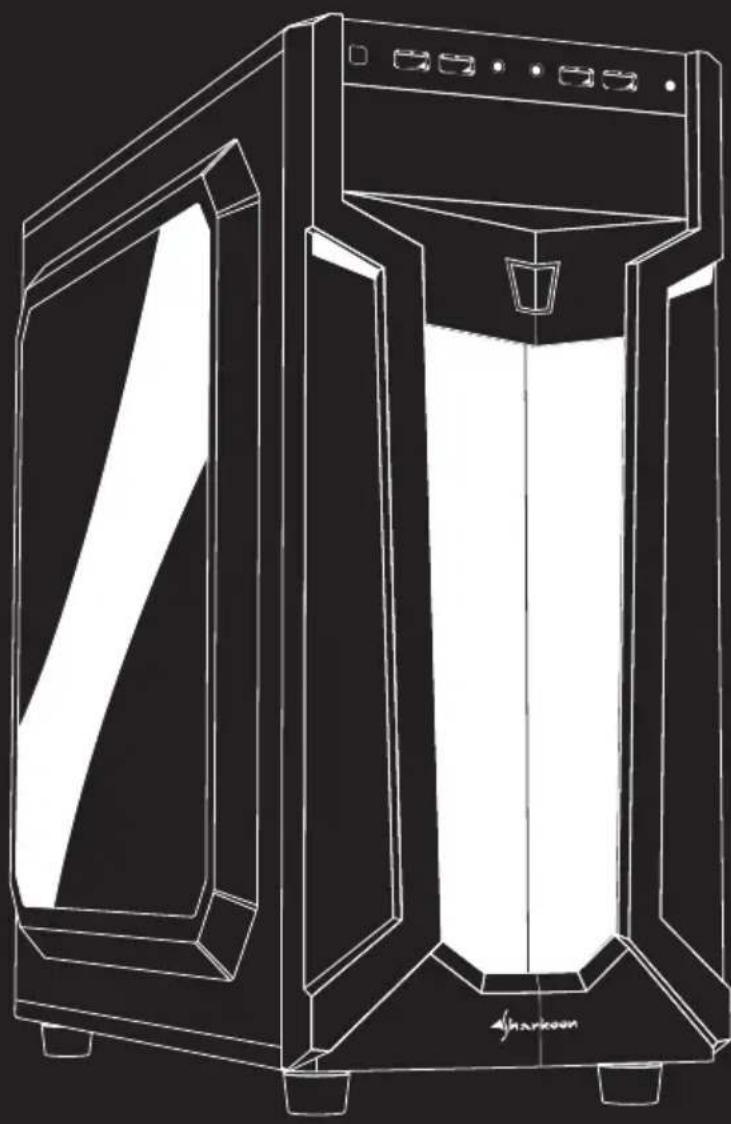
natural_image
Line drawing of a modern server or device with front panel and side panel, no text or symbols presentVGS
Manual • Anleitung • Manuel • Manuale dell'utente Handleiding • Instrukcja • Használati útmutató • Manuál Руководство пользователя • 使用説明 • マニュアル
Specifications
- Spezifikationen
- Spécifications
- Specifiche tecniche
- Especificaciones
- Especificações
-
Specifications
-
Specyfikacja
- Müszaki adatok
- Specifikace
• Технические характеристики - 規格
- 仕様
| General: | VG6-WRed/ Green/ Blue | VG6-WRGB |
| Form Factor | ATX | ATX |
| Expansion Slots | 6 | 6 |
| Interior Painting | √ | √ |
| Cable Management System | √ | √ |
| Side Panel | Acrylic | Acrylic |
| Chassis Color | Black | Black |
| Dimensions (L x W x H) | 46.1 x 20.0 x 43.0 cm | 46.1 x 20.0 x 43.0 cm |
I/O:
| USB 3.0 (Front) | 2 | 2 |
| USB 2.0 (Front) | 2 | 2 |
| Audio (Front) | √ | √ |
Max. Drive Bays:
| 5.25" | 1 | 1 |
| 3.5" | 3 | 3 |
| 2.5" | 4 | 4 |
Fan Configuration:
| Front Panel | 2x 120 mm LED Fans | 2x 120 mm Addressable RGB LED Fans |
| Rear Panel | 1x 120 mm LED Fan | 1x 120 mm Addressable RGB LED Fans |
Compatibility:
| Mainboard | Mini-ITX, Micro-ATX, ATX | Mini-ITX, Micro-ATX, ATX |
| Max. Length Graphics Cards | 37.5 cm | 37.5 cm |
| Max. Height CPU Cooler | 16.5 cm | 16.5 cm |
| Max. Length Power Supply | 26.5 cm | 26.5 cm |
Package Contents:
| VG6-W, Accessory Set, Manual, Addressable RGB Hub (RGB Version) |
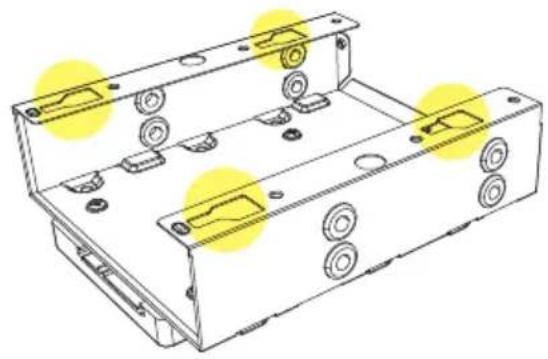
2.5" HDD/SSD Installation
- Einbau 2,5"-HDD/SSD
• Installation disque dur/SSD 2,5"
• Installazione HDD/SSD da 2,5" - Instalación de 2,5" HDD/SSD
• 2,5" Instalação HDD/SSD
• Installatie 2,5" HDD/SSD
• 2,5" montaż HDD/SSD
• 2,5" HDD/SSD beszerelhetőség
• Instalace 2,5" HDD/SSD - Установка 2,5" HDD/SSD
- 2.5"硬碟/SSD安裝
- 2.5 インチ HDD/SSD の取付け
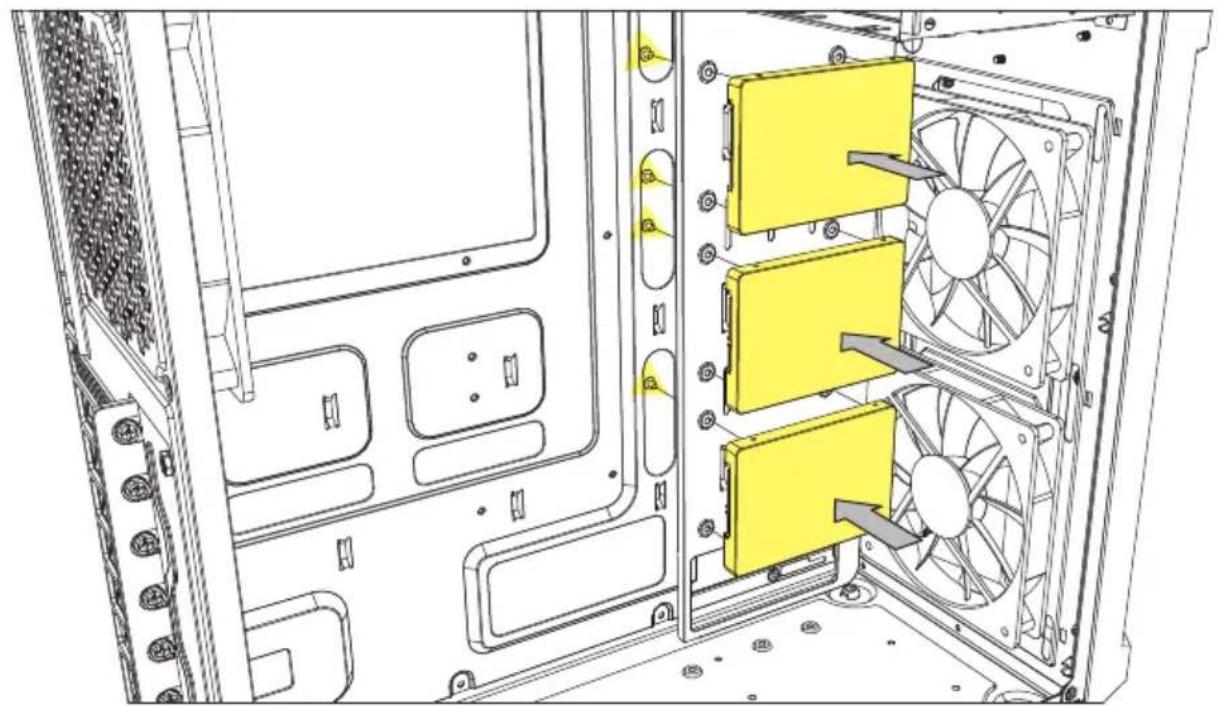
natural_image
Technical line drawing of a computer tower interior showing fan arrangement and ventilation slots (no text or symbols)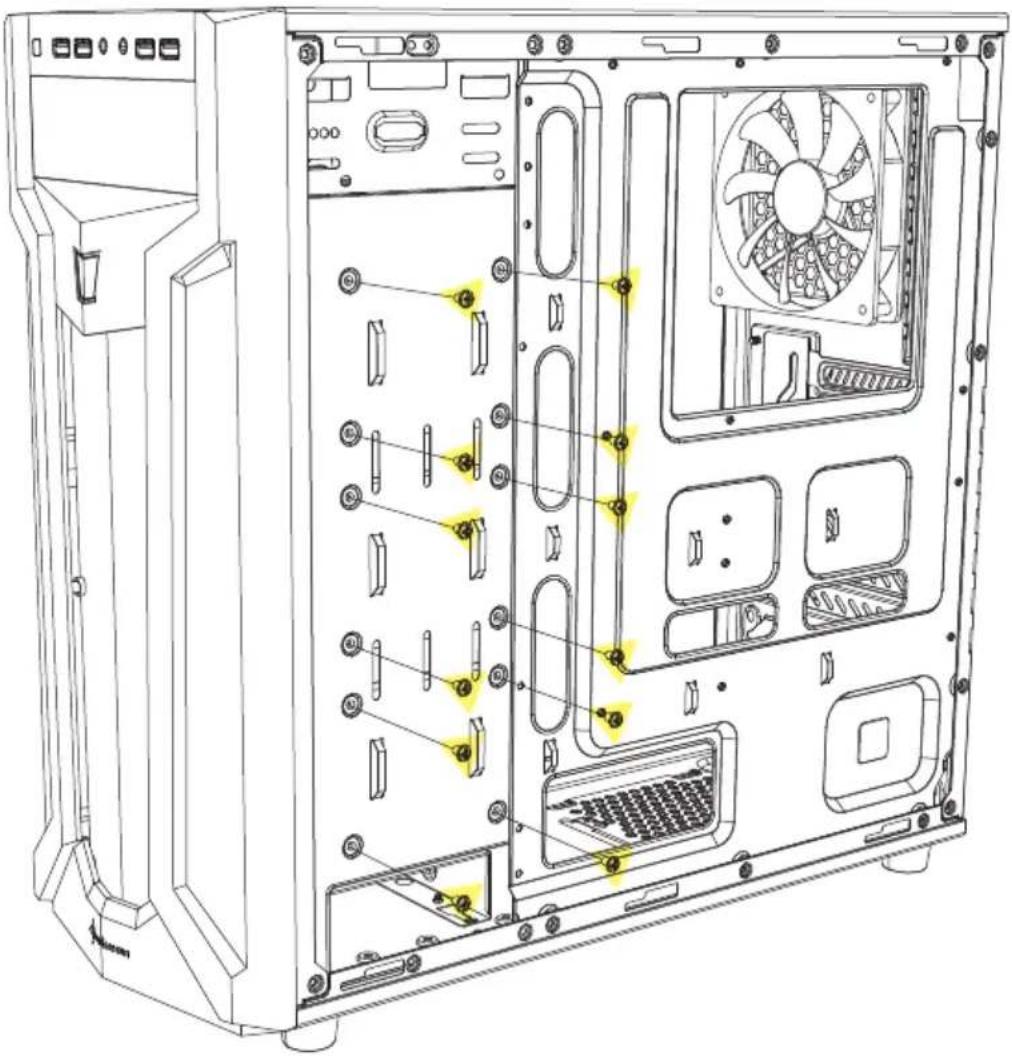
natural_image
Technical line drawing of a desktop computer tower showing internal components like CPU, drive bays, and fan (no text or labels)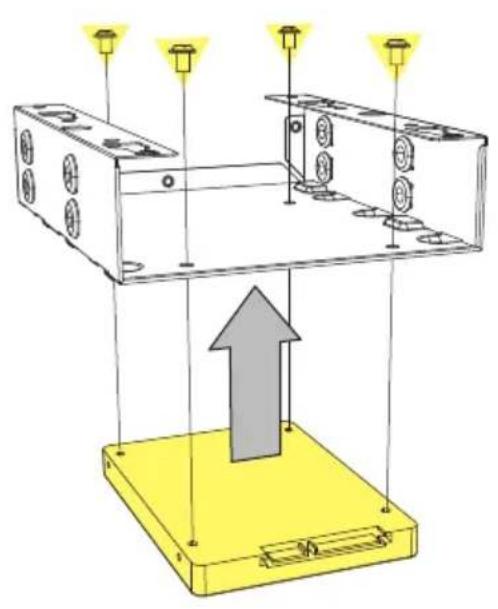
natural_image
Diagram of a device with three light bulbs above a yellow base, showing an upward arrow and component layout (no text or symbols)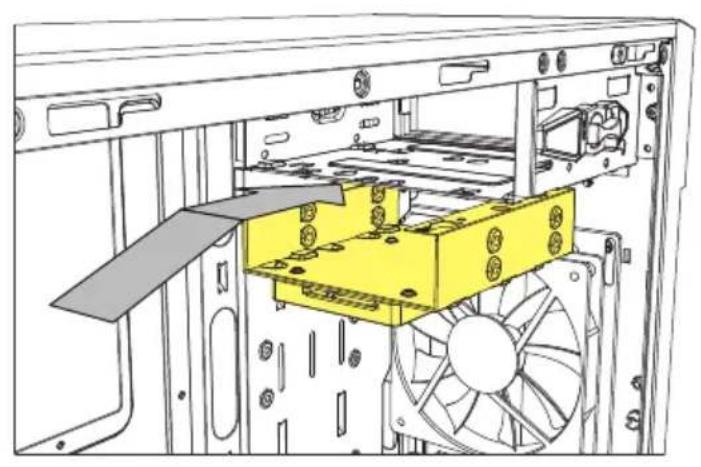
natural_image
Technical line drawing of a computer tower internal structure showing drive bays and fan assembly (no text or symbols)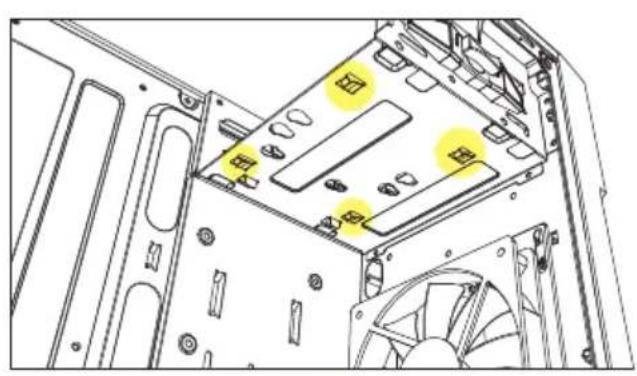
natural_image
Technical diagram of a computer tower case with highlighted drive bays and fan (no text or symbols)
natural_image
Technical line drawing of a mechanical housing or enclosure with mounting holes and yellow highlight areas (no text or symbols)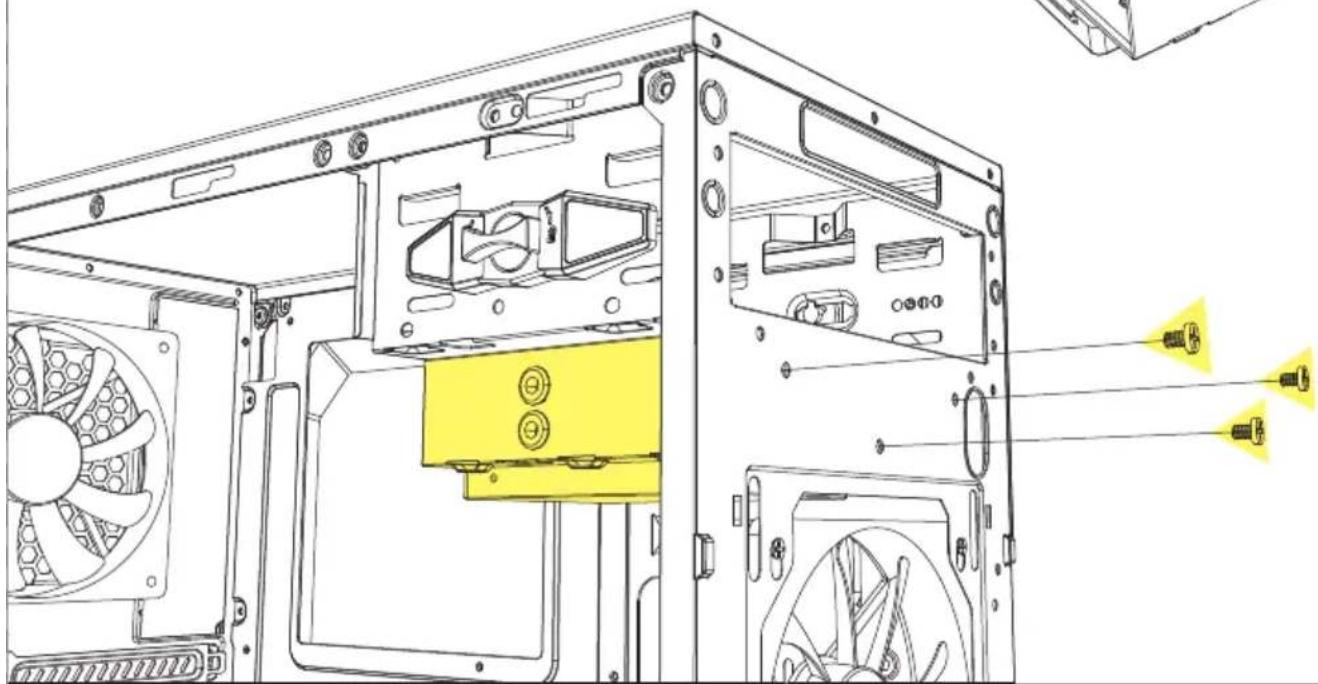
natural_image
Technical line drawing of a computer tower case with visible fan and drive components (no text or labels)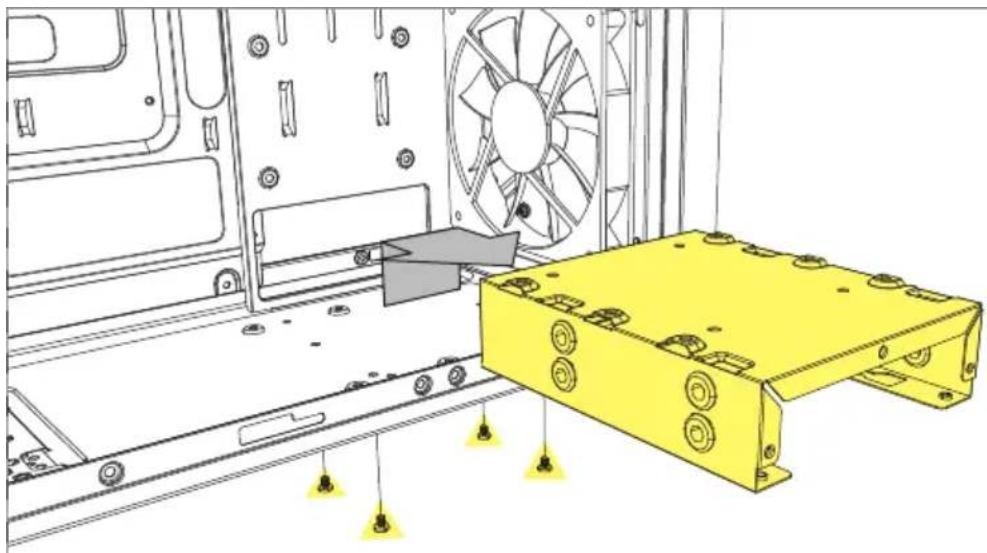
natural_image
Technical line drawing of a mechanical assembly with a yellow metal bracket and fan blade (no text or symbols)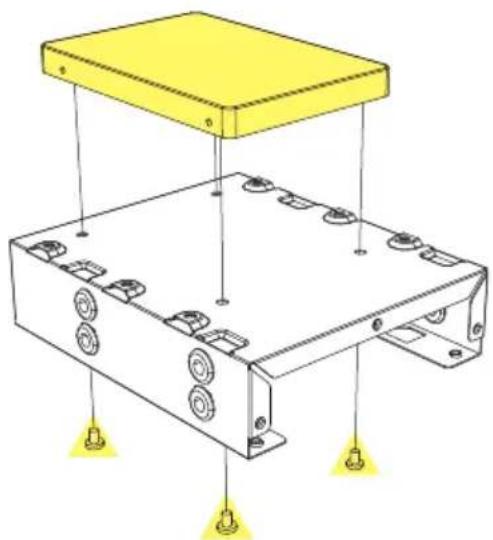
natural_image
Technical diagram of an electronic device with a yellow top panel and internal components, no text or symbols present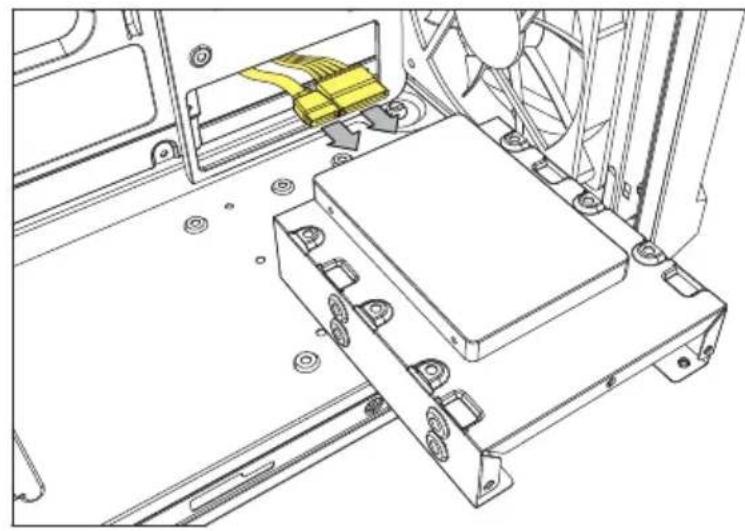
natural_image
Technical line drawing of a mechanical assembly with no visible text or symbols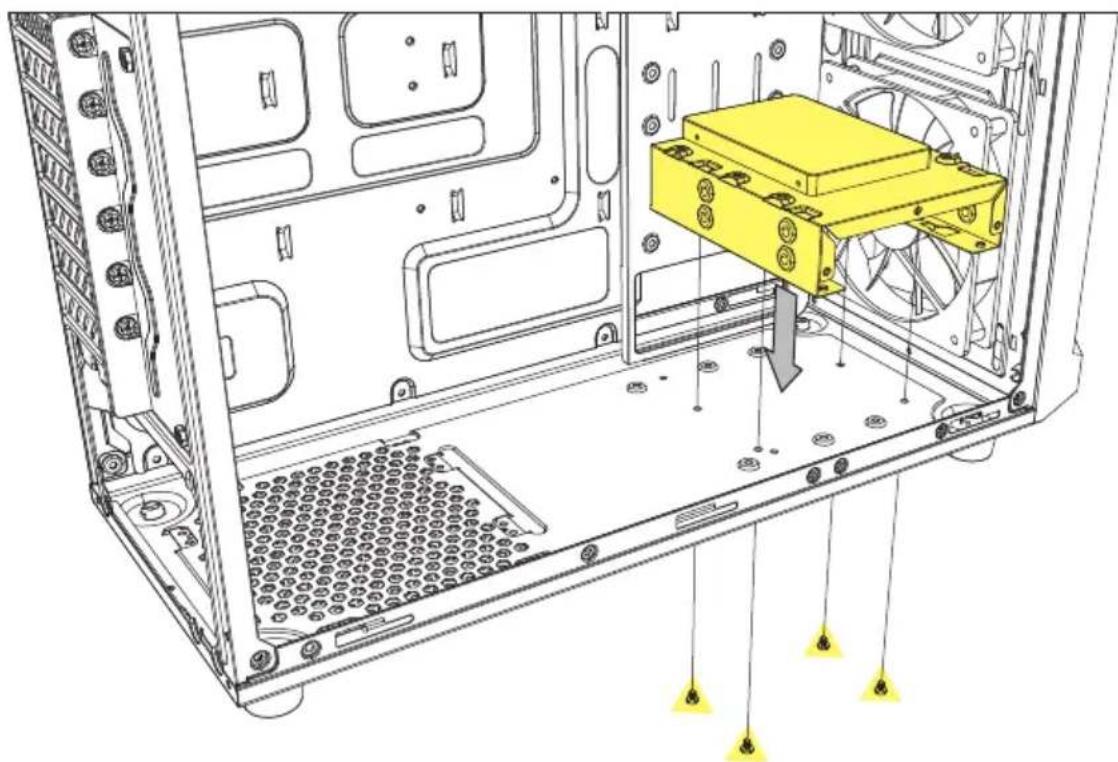
natural_image
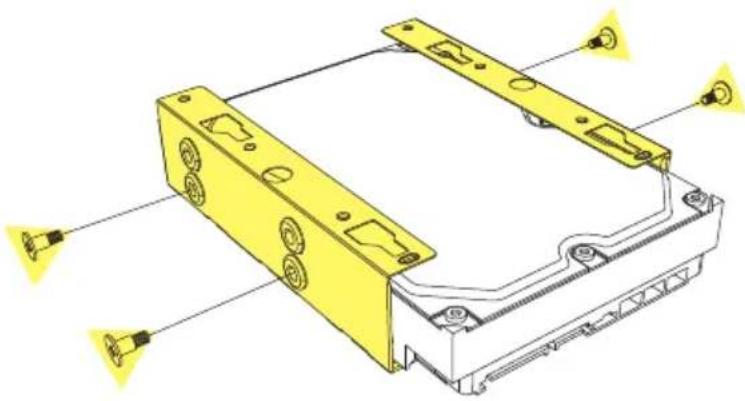
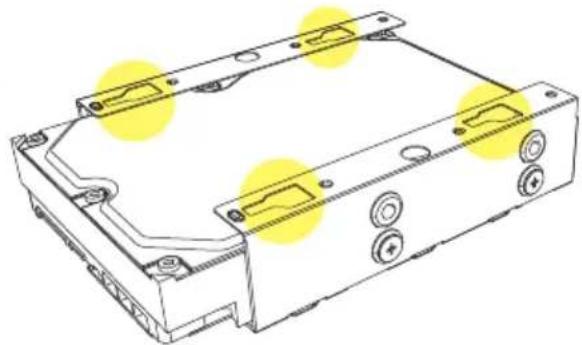
Technical line drawing of an internal server rack with a yellow component inserted, showing no text or symbols.3.5" HDD Installation
- Einbau 3,5"-HDD
• Installation du disque dur de 3,5"
• Installazione HDD da 3,5" - Instalación de 3,5" HDD
• 3,5" Instalação HDD
• Installatie 3,5" HDD
• 3,5" montaż dysków
• 3,5" HDD beszerelhetőség
• Instalace 3,5" HDD
- Установка 3,5" HDD
- 3.5"硬碟安装
- 3.5 インチハードディスクの取付け
natural_image
Technical illustration of a yellow electronic device housing with mounting holes and wiring (no text or symbols)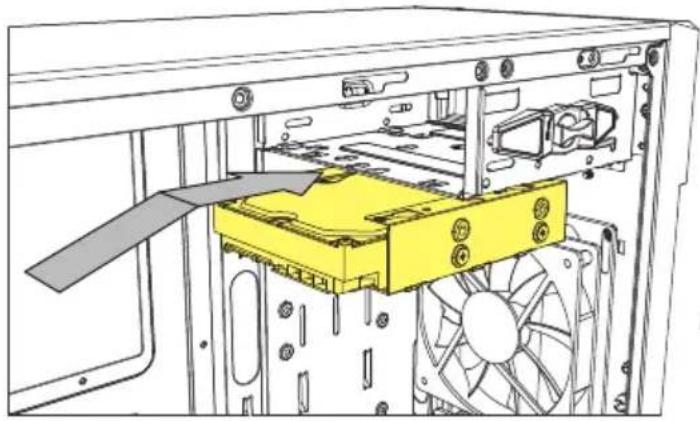
natural_image
Diagram of an internal computer drive showing a yellow internal component and fan assembly (no text or labels)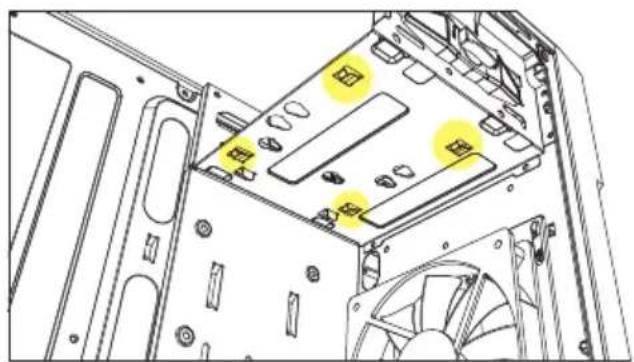
natural_image
Technical diagram of a computer tower case with highlighted drive bays and fan (no text or symbols)
natural_image
Technical line drawing of a mechanical device casing with mounting holes and highlighted yellow areas (no text or symbols)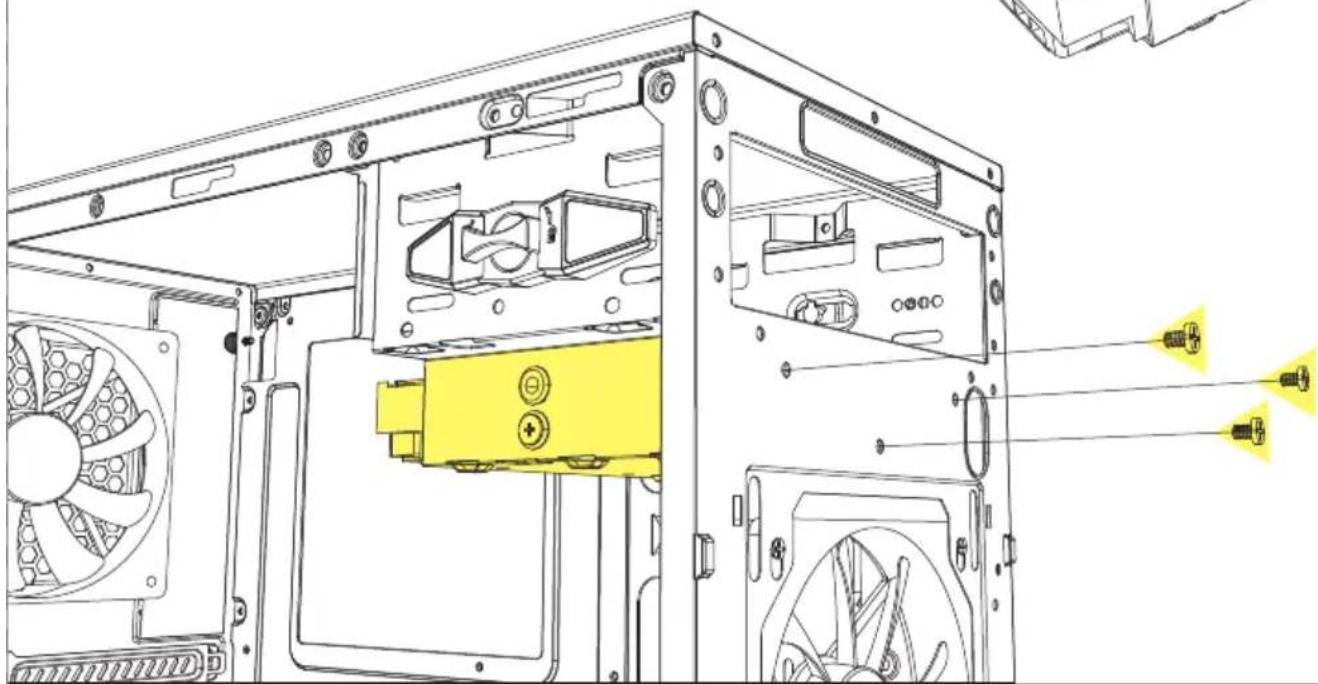
natural_image
Technical line drawing of a computer tower case with visible drive and fan components (no text or labels)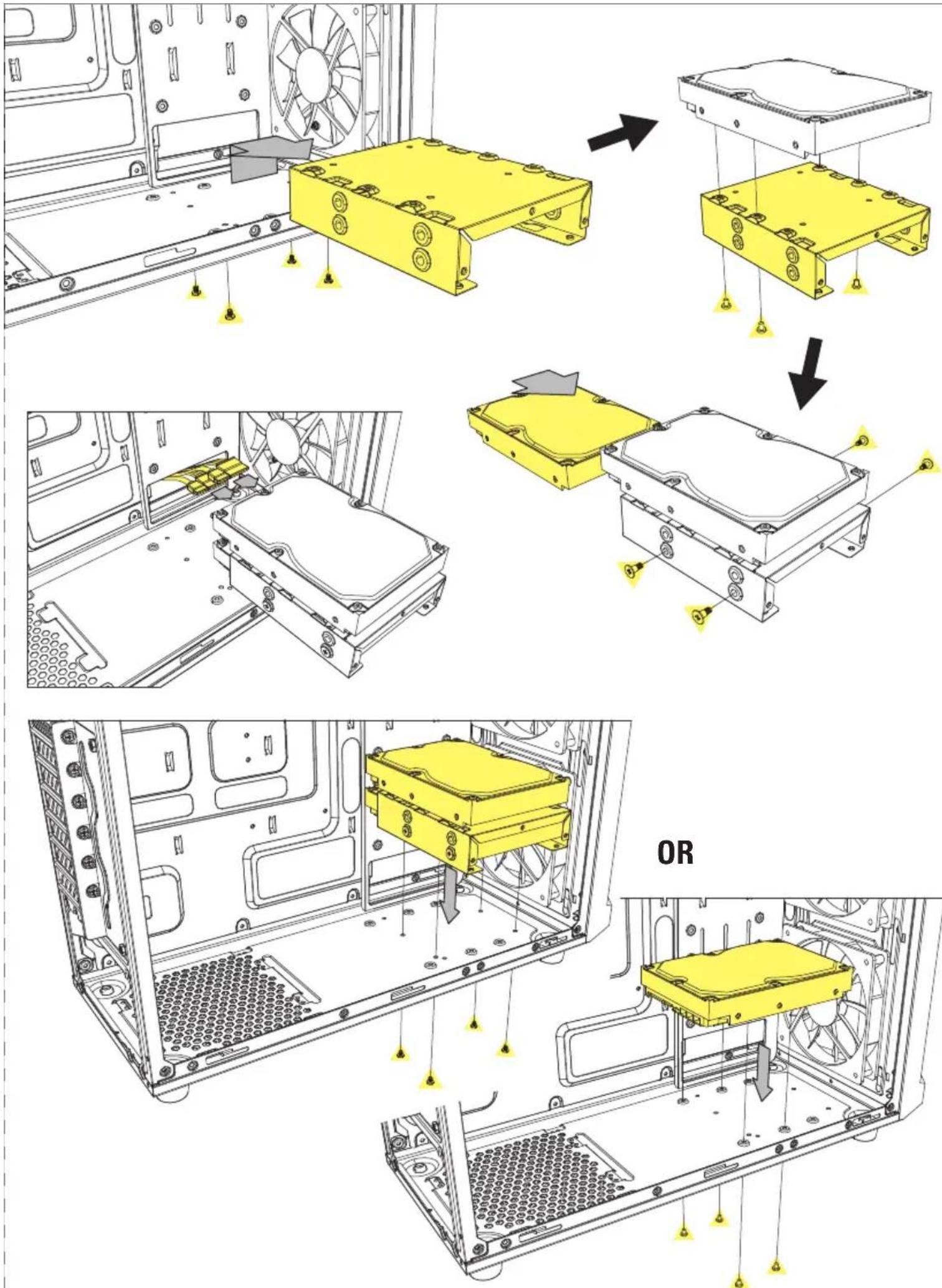
natural_image
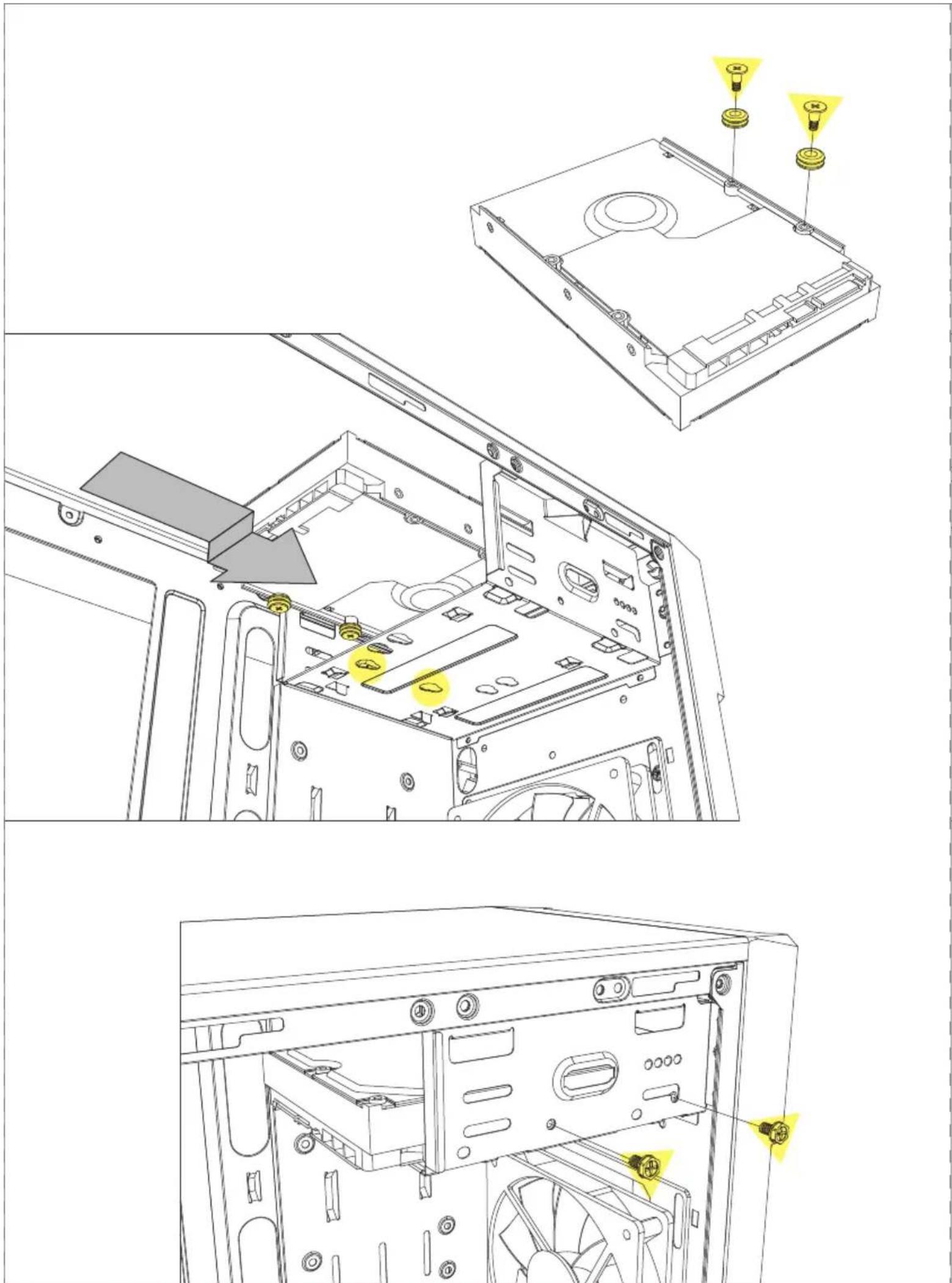
Technical line drawing of a computer tower case with internal components and mounting points (no text or symbols)5.25" Device Installation
- Einbau 5,25"-Laufwerk
• Installation du périphérique 5,25"
• Installazione unità da 5,25" - Instalación de dispositivo 5,25"
-
5,25" Instalação de dispositivo
• Installatie 5,25" apparaat -
5,25" montaż urządzeń
- 5,25" eszköz beszerelhetőség
• Instalace 5,25" jednotky
• Установка устройства 5,25" - 5.25" 裝置安裝
- 5.25 インチデバイスの取付け
natural_image
Technical line drawing of a mechanical assembly with directional arrows indicating movement (no text or symbols)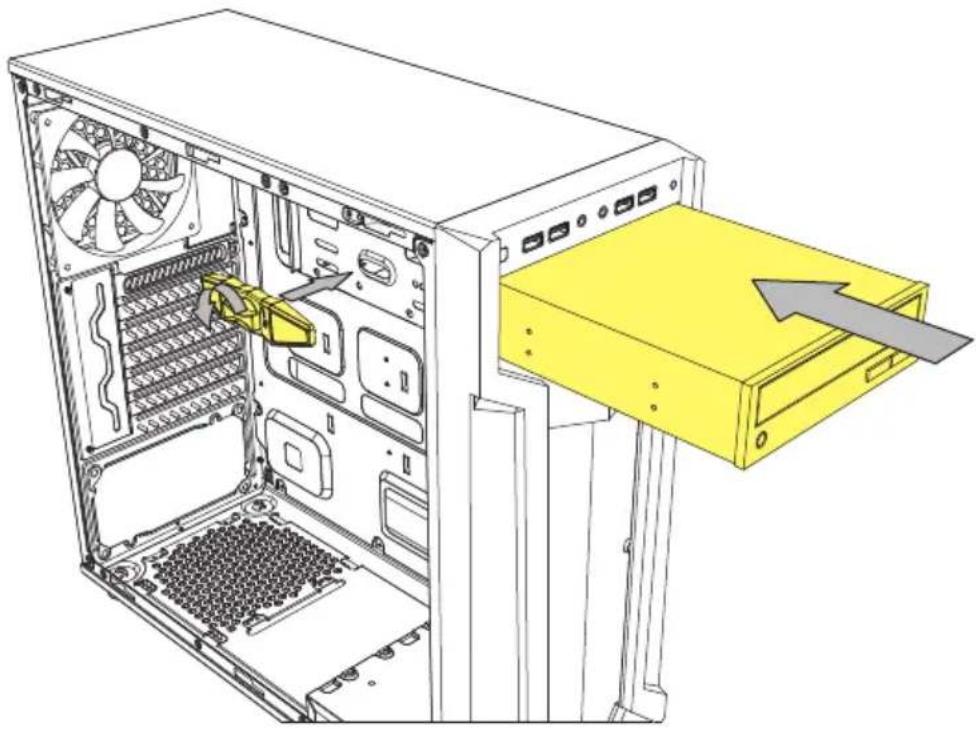
natural_image
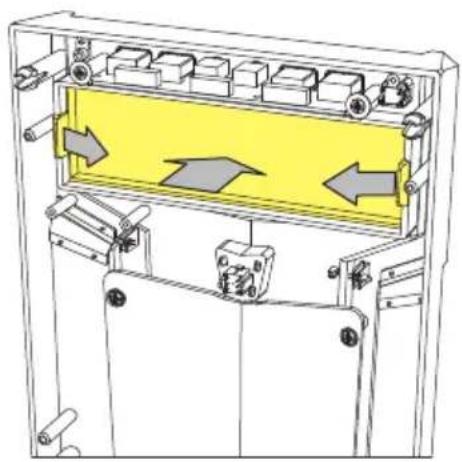
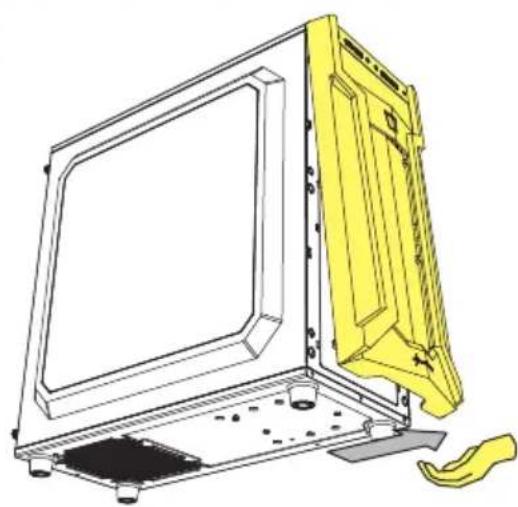
Technical line drawing of a desktop computer tower showing internal components and a yellow drive load (no text or symbols)Detachable Dust Filter
• Herausnehmbarer Staubfilter
- Filtre anti-poussière amovible
- Filtro antipolvere rimovibile
- Filtro de polvo desmontable
- Filtro de poeira destacável
- Afneembaar stofffilter
- Odczepialny filtr przeciwkurzowy
- Levehető porszűrő
- Odd litelný prachový filtr
• Съемный пылевой фильтр - 可拆卸式防塵濾網
- 着脱式ダストフィルター
natural_image
Technical line drawing of a computer monitor with a yellow plastic cover and base mount (no text or symbols)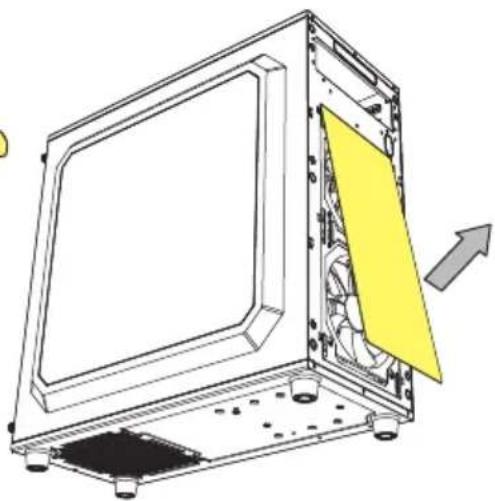
natural_image
Technical line drawing of a computer monitor with an open panel and yellow cover, showing internal components and a directional arrow (no text or symbols)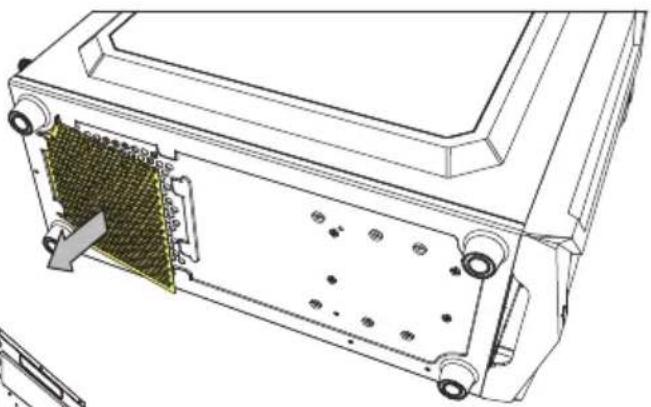
natural_image
Technical line drawing of an electronic device casing with internal components and mounting holes (no text or symbols)Add-On Cards Installation
• Einbau Erweiterungskarten
• Installation des cartes d'extension
• Installazione di schede aggiuntive
- Instalación de tarjetas adicionales
- Instalação de cartões adicionais
• Installatie uitbreidingskaarten
- Montaż kart rozszerzeń
• Bővítőkártya beszerelhetőség
• Instalace karet na základní desku - Установка дополнительных карт
- 介面卡安裝
- 増設カードの取付け
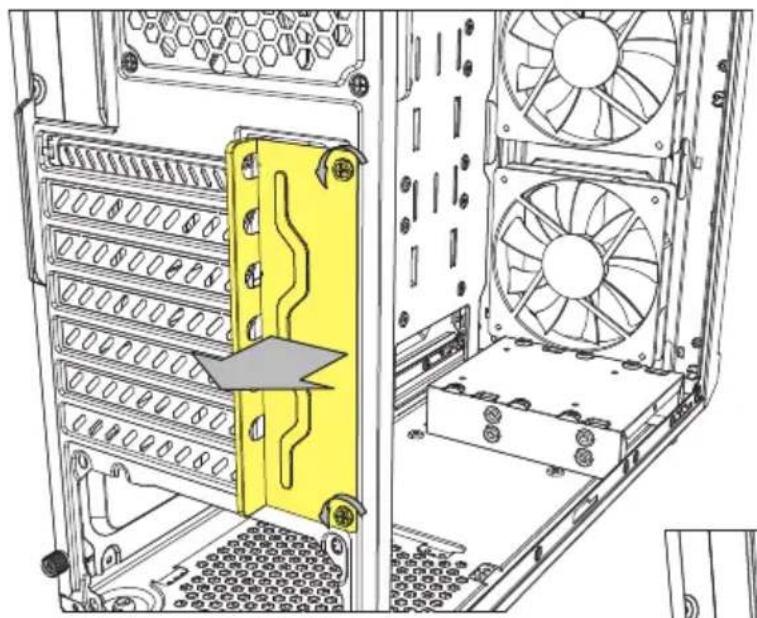
natural_image
Technical line drawing of a computer tower with visible drive bays and internal hardware (no text or symbols)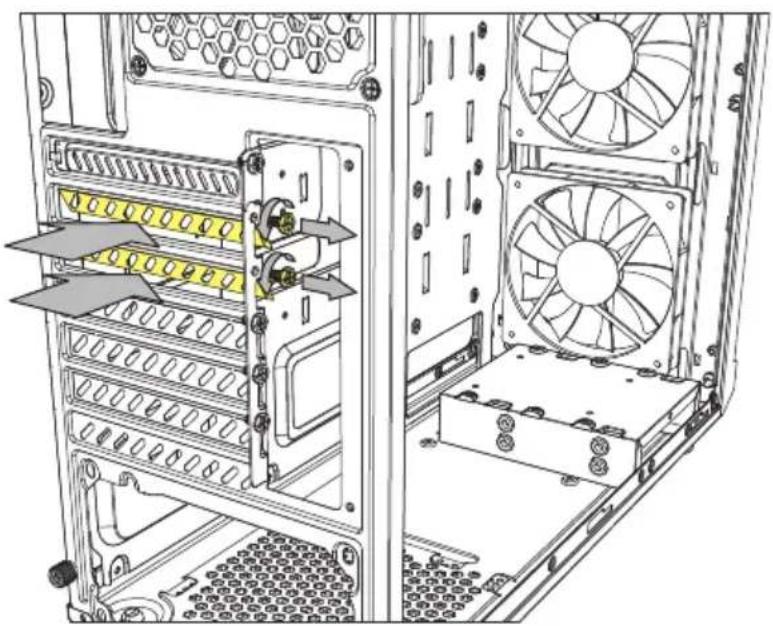
natural_image
Technical line drawing of a computer tower with visible drive bays and ventilation fan (no text or labels)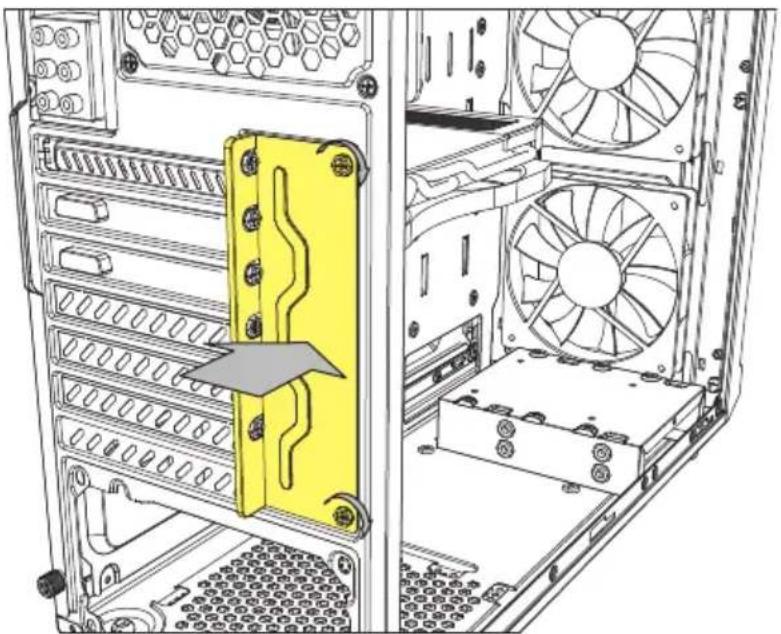
natural_image
Technical line drawing of a desktop computer tower showing internal components like drive bays and fans (no text or labels)Legal Disclaimer
For potential loss of data, especially due to inappropriate handling, Sharkoon assumes no liability.
All named products and descriptions are trademarks and/or registered trademarks of the respective manufacturers and are accepted as protected. As a continuing policy of product improvement at Sharkoon, the design and specifications are subject to change without prior notice. National product specifications may vary. All rights reserved especially (also in extracts) for translation, reprinting, reproduction by copying or other technical means. Infringements will lead to compensation. All rights reserved especially in case of assignation of patent or utility patent. Means of delivery and technical modifications reserved.
Disposal of your old products
Your product is designed and manufactured with high quality materials and components, which can be recycled and reused.
When this crossed-out wheeled bin symbol is attached to a product, it means the product is covered by the European Directive 2012/19/EU. Please be informed about the local separate collection system for electrical and electronic products. Please act according to your local rules and do not dispose of your old products with your normal household waste. The correct disposal of your old product will help prevent potential negative consequences to the environment and human health.
Rechtliche Hinweise
Für evtl. auftretenden Datenverlust, insbesondere durch unsachgemäße Handhabung, übernimmt Sharkoon keine Haftung. Alle genannten Produkte und Bezeichnungen sind Warenzeichen und/oder eingetragene Warenzeichen der jeweiligen Hersteller und werden als geschützt anerkannt. Als ein Teil von Sharkoons Politik der fortwährenden Produktverbesserung unterliegen Produktdesign und -spezifikationen Änderungen ohne vorherige Ankündigung. Die Spezifikationen können in verschiedenen Ländern variieren. Alle Rechte vorbehalten, insbesondere (auch auszugsweise) die der Übersetzung, des Nachdrucks, der Wiedergabe durch Kopieren oder ähnliche Verfahren. Zuwiderhandlungen verpflichten zu Schadenersatz. Alle Rechte vorbehalten, insbesondere für den Fall der Patenterteilung oder GM-Eintragung. Liefermöglichkeiten und technische Änderungen vorbehalten.
Entsorgung Ihres alten Gerätes
Ihr Gerät wurde unter Verwendung hochwertiger Materialien und Komponenten entwickelt und hergestellt, die recycelt und wiederverwendet werden können.
Befindet sich dieses Symbol (durchgestrichene Abfalltonne auf Rädern) auf dem Gerät, bedeutet dies, dass für dieses Gerät die Europäische Richtlinie 2012/19/EU gilt. Informieren Sie sich über die geltenden Bestim- gen zur getrennten Sammlung von Elektro- und Elektronik-Altgeräten in Ihrem Land. Richten Sie sich bitte nach den geltenden Bestimmungen in Ihrem Land, und entsorgen Sie Altgeräte nicht über Ihren Haushaltsabfall. Durch die korrekte Entsorgung Ihrer Altgeräte werden Umwelt und Menschen vor möglichen negativen Folgen geschützt.
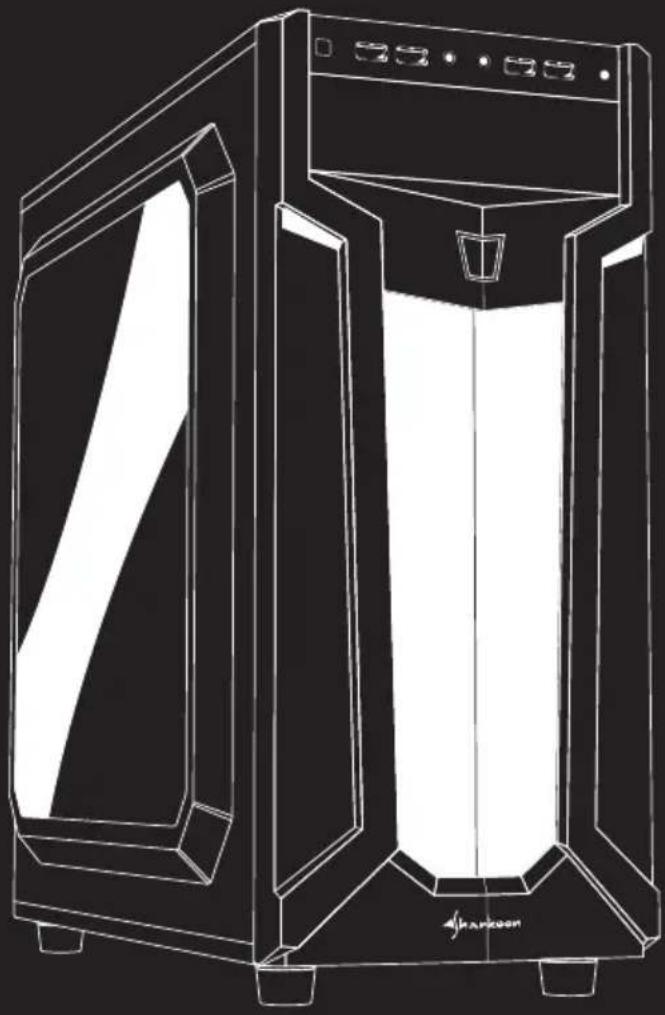
natural_image
Line drawing of a modern 3D printer or scanner device with front panel and side panel, no text or symbols present.Sharkoon Technologies GmbH
Grüninger Weg 48
35415 Pohlheim
Germany
© Sharkoon Technologies 2019