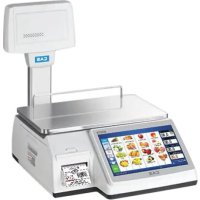
MODE D'EMPLOI CL7200P60W CAS
CL7200 Series
Parameter Manual
(English)
Rev. 2019. 03. 01
V 3.02.7 (D)-4503
Parameter
| 8600 | CAL | Mode | PARAMETER SETTING Function Code: [501] Ride Second Position (1/1) |
The Parameter Setting Menu allows you to input Function Codes to change the CL7200's predefined settings. These settings determine how the scale operates and should only be changed if you are certain about the effect they will have on scale operations. In some cases these settings should not be changed without first checking with the local government agency.
There are two levels of Parameter Settings, Factory and Dealer. The Factory Settings are numbered 800 - 899 and can only be accessed through the Calibration Mode. The Dealer Settings are numbered 500 - 799 and can be accessed either through the Calibration Mode or by pressing the ZERO key while in the main Programming Menu and entering the System Password.
1 Factory Setting (Parameters 800\~999)
1. Parameter 801 \~ 809 are UNDEFINED PARAMETERS
- Parameter 810
| MESSAGE | VALUE | CONTENT | REMARK | DEFAULT |
| Price Decimal Point | 0-10 | Define price position of decimal point | | 2 |
- Parameter 832
| MESSAGE | VALUE | CONTENT | REMARK | DEFAULT |
| Use Serial Out | Y/N | Transmit initial start by serial port. | Yes= USENo= NO USE | N |
- Parameter 833
| MESSAGE | VALUE | CONTENT | REMARK | DEFAULT |
| Use last using time | Y/N | Display last usage time. | Yes = USENo = NO USE | N |
- Parameter 834
| MESSAGE | VALUE | CONTENT | REMARK | DEFAULT |
| Use Clerk password | Y/N | During Initial start use Clerk password | Yes = USENo = NO USE | N |
- Parameter 835
| MESSAGE | VALUE | CONTENT | REMARK | DEFAULT |
| Select Oper Mode | Y/N | | | N |
9. Parameter 836 \~ 860 are UNDEFINED PARAMETERS
- Parameter 861
| MESSAGE | VALUE | CONTENT | REMARK | DEFAULT |

natural_image
Empty rectangular frame with no text, symbols, or markings
- Parameter 865
| MESSAGE | VALUE | CONTENT | REMARK | DEFAULT |
| Triangle Type | 0~2 | | | 1 |
- Parameter 866
| MESSAGE | VALUE | CONTENT | REMARK | DEFAULT |
| Decimal Sign | CHAR | Set decimal point on weight | USE "CHAR" to inputASCII | |
16. Parameter 867 \~ 884 are UNDEFINED PARAMETERS
- Parameter 885
| MESSAGE | VALUE | CONTENT | REMARK | DEFAULT |
| [00] Key Format | 1~4 | Set "00_" key input format*(1 means 1*10n) | 1 = 102 = 1003 = 10004 = 10000 | 2 |
- Parameter 886
| MESSAGE | VALUE | CONTENT | REMARK | DEFAULT |
| ErrorMsg Clear Timeout | 0~99 | Set Error message display time | Display time = Input# X 0.1 sec | 30 |

natural_image
Empty rectangular frame with no text, symbols, or markings
- Parameter 900
| MESSAGE | VALUE | CONTENT | REMARK | DEFAULT |
| Ethernet (TCP/IP) | Y/N | Ethernet usage | Yes = USENo = NO USE | Y |
23. Parameter 901 \~ 919 are UNDEFINED PARAMETERS
- Parameter 920\~921
| MESSAGE | VALUE | CONTENT | REMARK | DEFAULT |
| 920 -> Sign AM | CHAR | Set AM correspond name | Able to CHAR key | AM |
| 921 -> Sign PM | CHAR | Set PM correspond name | Able to CHAR key | PM |
- Parameter 922 \~ 933
| MESSAGE | VALUE | CONTENT | REMARK | DEFAULT |
| 922 -> Month 1 | CHAR | Set correspond month name | Able to CHAR key | JAN |
| 923 -> Month 2 | FEB |
| 924 -> Month 3 | MAR |
| 925 -> Month 4 | APR |
| 926 -> Month 5 | MAY |
| 927 -> Month 6 | JUN |
| 928 -> Month 7 | JUL |
| 929 -> Month 8 | AUG |
| 930 -> Month 9 | SEP |
- Parameter 941 \~ 979 are UNDEFINED PARAMETERS
- Parameter 980
MESSAGE VALUE CONTENT REMARK
Use Korean for USA Y/N Use Korean Language N
- Parameter 981 \~ 993 are UNDEFINED PARAMETERS
- Parameter 994
MESSAGE VALUE CONTENT REMARK DEFAULT
Allow FWUPDATE 0/1 F/W Update Condition 0 = No Check CAL
$$
1 = \text { Check CAL }
$$
1
- Parameter 995 is an UNDEFINED PARAMETER
- Parameter 996
MESSAGE VALUE CONTENT REMARK DEFAULT
Allow FWUPDATE 0/1 F/W Update Condition 0 = No Check CAL
$$
1 = \text { Check CAL }
$$
1
- Parameter 997 - 998 are UNDEFINED PARAMETERS
- Parameter 999
MESSAGE VALUE
Country Code
0\~9
CONTENT
Country Setting
REMARK DEFAULT
0 = UN
1 = KR
2 = US
3 = EU
5 = RUS
6 = ETC
2
2 Dealer Setting (Parameters 500\~799)
- Parameter 501
| MESSAGE | VALUE | CONTENT | REMARK | DEFAULT |
| Ride Second Position | Y/N | If FOR key is not exist on key padYou can set initial reference(R1,R2,R3) (Count, PCS, Price) | KOREA USE | N |
- Parameter 502
| MESSAGE | VALUE | CONTENT | REMARK | DEFAULT |
| System Password | Char | Input System PasswordNOTE: Use 4byte memory | Can NotChange | 000419 |
3. Parameters 503 \~ 509 are UNDEFINED
- Parameter 510
| MESSAGE | VALUE | CONTENT | REMARK | DEFAULT |
| Calibration Noti-Msg: | Char | Calibration Message (Korea) | | CONTACT SERVICE |
5. Parameters 511 \~ 528 are UNDEFINED
6. Parameter 529

natural_image
Empty rectangular frame with no text, symbols, or markings
- Parameter 531
| MESSAGE | VALUE | CONTENT | REMARK | DEFAULT |
| Time Format | Numeric | Set current time format0 : HH:MM (24hours)1 : HH:MM AM (12hours)2 : HH:MM:SS (24hours)3 : HH:MM:SS AM (12hours) | HH : HourMM : MinuteSS : Second | 0 |
- Parameter 532
| MESSAGE | VALUE | CONTENT | REMARK | DEFAULT |
| Sell by date Format | Numeric | 0: Calculate expire date with current date and input date1: Input all date information (yy/mm/dd)(Input date less then 4 digit, scale will recognize as month and date (mm/dd)) | | 0 |
- Parameter 533
| MESSAGE | VALUE | CONTENT | REMARK | DEFAULT |
| Use 1kg,100g Key | Y/N | Use 1kg, 100g Key. This parameter is valid only in kg mode | | N |
- Parameter 534
| MESSAGE | VALUE | CONTENT | REMARK | DEFAULT |
- Parameter 536
| MESSAGE | VALUE | CONTENT | REMARK | DEFAULT |
| Use kg/lb key | Y/N | Use kg/lb key | | N |
- Parameter 537
| MESSAGE | VALUE | CONTENT | REMARK | DEFAULT |
| Use kg/lb Auto Conversion | Y/N | Use kg/lb Auto Conversion | | N |
- Parameter 538
| MESSAGE | VALUE | CONTENT | REMARK | DEFAULT |
| Use 1/2lb, 1/4lb Key | Y/N | Use 1/2lb, 1/4lb Key. This parameter is valid only in lb mode | | N |
- Parameter 539
| MESSAGE | VALUE | CONTENT | REMARK | DEFAULT |
| Total Price BarcodeType | Y/N | | | N |
- Parameter 540
| MESSAGE | VALUE | CONTENT | REMARK | DEFAULT |
| Barcode Price Cut | Numeric0 ~ 3 | Set barcode last digit (price) to be dropped | When input = 1$12.34 -> 123 | 0 |
- Parameter 541
| MESSAGE | VALUE | CONTENT | REMARK | DEFAULT |
| Barcode Weight Cut | Numeric0 - 3 | Set barcode last digit(weight) to be dropped | When input = 11.234kg -> 123 | 0 |
- Parameter 542
| MESSAGE | VALUE | CONTENT | REMARK | DEFAULT |
| Barcode Item CodeCut Over | Y/N | Set barcode last digit (Item Code) to drop 1 digit | When input = Y12345 -> 1234 | N |
- Parameter 543
| MESSAGE | VALUE | CONTENT | REMARK | DEFAULT |
| Weight Barcode Print Setting | Numeric0~3 | 0: Weight Barcode to Weight print1: IF PLUtype == Count thenWeight Barcode to quantity print2 :IF Fixed sale(or (-)sale) thenWeight Barcode to "1"print3: USE both 1 and 2 | ONLYKOREA : 3 | 0 |
- Parameter 544
| MESSAGE | VALUE | CONTENT | REMARK | DEFAULT |
| Print Weight Cut | Y/N | | | 0 |
- Parameter 545
| MESSAGE | VALUE | CONTENT | REMARK | DEFAULT |
| Display Error Message bigger | Y/N | | | Y |
- Parameter 546
| MESSAGE | VALUE | CONTENT | REMARK | DEFAULT |
| Use Frequent Shopper | Y/N | | | Y |
- Parameter 548
| MESSAGE | VALUE | CONTENT | REMARK | DEFAULT |
| Use 2 Column for Serving Date | Numeric | | Must be 9 to use true type fonts for Nutrition | 9 |
- Parameter 549
| MESSAGE | VALUE | CONTENT | REMARK | DEFAULT |
| Display Weight Cut | Numeric | | | 0 |
- Parameter 550
| MESSAGE VALUE CONTENT REMARK DEFAULT | | |
| Out of paper threshold | Numeric Set | roll paper sensor sensitivity. If sensor doesn't recognize roll paper, setting value should be lowered | | 200 |
- Parameter 551
| MESSAGE VALUE | CONTENT | REMARK DEFAULT | | |
| Use double print (auto) | Y/N Set | “Y” to double print (scale will print same label twice but counts as one transaction)You must press print key to function | | 0 |
- Parameter 552
| MESSAGE VALUE CONTENT REMARK DEFAULT | | |
| Print Preset Tare Symbol | Y/N Print Preset Tare Symbol on Label | | N |
- Parameter 553
| MESSAGE | VALUE | CONTENT | REMARK | DEFAULT |
| Print Net Weight Symbol | Y/N | Print Net Weight Symbol on Label | | N |
- Parameter 554
| MESSAGE | VALUE | CONTENT | REMARK | DEFAULT |
| Prevent Sale of Same Weight | Y/N | | | N |
- Parameter 555
| MESSAGE | VALUE | CONTENT | REMARK | DEFAULT |
| Packed Time (dep.Sell by time) | Y/N | Print packed time, according to existing sell by time | | N |
- Parameter 556
| MESSAGE | VALUE | CONTENT | REMARK | DEFAULT |
| Use PS2 port for Scanner | Y/N | | | N |
- Parameter 557
| MESSAGE | VALUE | REMARK | DEFAULT |
| Scanner Working Mode | Numeric(0-7) | 0 = Scanning Calls PLU1 = Weight from Weighing, Calculate Price then Issue Label2 = Weight from Barcode, Calculate Price then Issue Label. | 0 |
- Parameter 558
| MESSAGE | VALUE | CONTENT | REMARK | DEFAULT |
| Source: Mercedes | VAN | | | |
38. Parameter 561 is NO CAPTION
- Parameter 562
| MESSAGE | VALUE | CONTENT | REMARK | DEFAULT |
| Cashdraw close time | Numeric | Set duration of cashdrawer opening and closing | 1 = 0.1ms | 1 |
- Parameter 563
| MESSAGE | VALUE | CONTENT | REMARK | DEFAULT |
| Allow Reverse Feed: | Y/N | Use reverse feed function, when using continuous label mode | | Y |
41. Parameter 564 is an UNDEFINED PARAMETER
- Parameter 565
| MESSAGE | VALUE | CONTENT | REMARK | DEFAULT |
| Print Training Msg | Y/N | Print Training Message on label | | Y |
- Parameter 568
| MESSAGE | VALUE | CONTENT | REMARK | DEFAULT |
| Check Connection of Master R - I | Y/N | | | N |
- Parameter 567
| MESSAGE | VALUE | CONTENT | REMARK | DEFAULT |
| Set Print PLU Type Code | Numeric | | | 0 |
- Parameter 568
| MESSAGE | VALUE | CONTENT | REMARK | DEFAULT |
| Display Total Info | Numeric | | | 0 |
- Parameter 569
| MESSAGE | VALUE | CONTENT | REMARK | DEFAULT |
| PLU Type Code (Barcode) | Numeric | | | 2110 |
- Parameter 570
| MESSAGE | VALUE | CONTENT | REMARK | DEFAULT |
| Non Weight sale (WT.on Tray) | Y/N | Allow transaction for pcs/PLU while weight on the tray. (the weight doesn't affect price) | | N |
- Parameter 571
| MESSAGE | VALUE | CONTENT | REMARK | DEFAULT |
| Print Weight (by count sale) | Y/N | Allow to print weight while PLU is By count type (Weight value doesn't effect on price)*Weight is only for reference | | Y |
- Parameter 572
| MESSAGE | VALUE | CONTENT | REMARK | DEFAULT |
| Apply U.Price for T.D/C | Y/N | Allow to display discounted unit-price for total price | | N |
- Parameter 573
| MESSAGE | VALUE | CONTENT | REMARK | DEFAULT |
| Allow Unit Price Change | Y/N | Allow changing unit price | | N |
- Parameter 578
| MESSAGE | VALUE | CONTENT | REMARK | DEFAULT |
| Fixed Price Hide | Y/N | Fixed Price Hide | | N |
- Parameter 577
| MESSAGE | VALUE | CONTENT | REMARK | DEFAULT |
| Common Barcode | Y/N | Use Common Barcode | | N |
- Parameter 578
| MESSAGE | VALUE | CONTENT | REMARK | DEFAULT |
| Common Label | Y/N | Use Common Label | | N |
- Parameter 579
| MESSAGE | VALUE | CONTENT | REMARK | DEFAULT |
| Use Temp Key [TYPE] | Y/N | Use Temp Key [TYPE] | | N |
57. Parameter 580 is an UNDEFINED PARAMETER
- Parameter 581
| MESSAGE | VALUE | CONTENT | REMARK | DEFAULT |
| Print only WT.(u.p.zero) | Y/N | Allow to print with weight value even if Unit price is 0 (Use for only product weight transaction, not on | | N |
- Parameter 583
| MESSAGE | VALUE | CONTENT | REMARK | DEFAULT |
| Allow continuous sale | Y/N | Allow to use add-up transactionAdd-up the product continually(after transaction scale will set zero) | | N |
- Parameter 584
| MESSAGE | VALUE | CONTENT | REMARK | DEFAULT |
| Use TARE Table No; | Y/N | Set input method Tare ID or direct input. If you set Y, must set tare weight before sale | | N |
- Parameter 585
| MESSAGE | VALUE | CONTENT | REMARK | DEFAULT |
| Use U.Price for key discount | Y/N | Set discount key for (-,%) individual item or total price | | Y |
Parameter 586
| MESSAGE | VALUE | CONTENT | REMARK | DEFAULT |
| Indirect PLU Call(0.1s) | Numeric | Set duration time for Indirect PLU call-up. NOTE: Input 0 will not call-up any PLU In this case you must press PLU button to call-up a | 1 = 0.1s10 = 1sec | 0 |
- Parameter 588
| MESSAGE | VALUE | CONTENT | REMARK | DEFAULT |
| Save Overriden u.p. zero PLU | Y/N | If para 587 set as 0, save the unit price to PLU. Next time PLU is called up PLU has saved unit price. | | N |
- Parameter 589
| MESSAGE | VALUE | CONTENT | REMARK | DEFAULT |
| Apply Price Round | 0~4 | 0: No use1: For each PLU2: Addup Round (ticket only)3: Addup Round (label and ticket)4: Cutting | | 0 |
- Parameter 590
| MESSAGE | VALUE | CONTENT | REMARK | DEFAULT |
| Round Type | Y/N | N : Round down, Total PriceY : Round off, Total PriceDefault value : Set value in parameter 591 | | Y |
- Parameter 591
| MESSAGE | VALUE | CONTENT | REMARK | DEFAULT |
68. Parameter 592
Weight Round Unit Y/N Currently not used
Weight round off/down in 10 unit 0
Calculate and print at same time
69. Parameter 593
Use By Pcs PLU Y/N Set by pcs PLU
Y for count/quantity Y
N for simple count function
70. Parameter 594
Print under Min. Y/N Allow to print under minimum weight
Weight
71. Parameter 595
Individual Reset(Z Y/N Y: Set to erase each report on Z X Report : only
Report) report. NOTE: May cause effect on call-up record
other reports and print Z
N: Set to erase all the report at once Report : allow to N
Except X1/X2 is separate item call-up and erase
record for final-
report
72. Parameter 596
X/Z Report Y/N Set to make a report
NOTE: N makes no transaction Y
therefore return key does not function
73. Parameter 597
MESSAGE VALUE CONTENT REMARK DEFAULT
| Prepack Report Y/N Set to make a report on Prepack mode | Set para 596 as N. This set will not make report | Y |
74. Parameter 598
MESSAGE VALUE CONTENT REMARK DEFAULT
| Print when Z report clear | Y/N Set to print on Z report clear Set as N | X report only prints | Y |
| | Z report erase only | |
75. Parameter 599 is an UNDEFINED PARAMETER
76. Parameter 600
MESSAGE VALUE CONTENT REMARK DEFAULT
| Auto clear key tare Y/N Set undo key-tare value after sale(when PLU is clear) | Y |
77. Parameter 601
MESSAGE VALUE CONTENT REMARK DEFAULT
| Auto clear weight tare | Y/N | Set undo weight-tare value after sale | Y |
78. Parameter 602
MESSAGE VALUE CONTENT REMARK DEFAULT
| Use Canadian tare | Y/N | Set to keep tare value if PLU has own tare value(for reset tare value, must reset scale) | N |
- Parameter 603
| MESSAGE | VALUE | CONTENT | REMARK | DEFAULT |
| Apply PLU Tare Preferentially | Y/N | Set to change weight tare value after call-up the PLU (Must greater then call-up PLU tare) | | N |
- Parameter 604
| MESSAGE | VALUE | CONTENT | REMARK | DEFAULT |
| Keep key tare (PLU tare) | Y/N | Allow to over-ride last called-up PLU value. Last key tare value is over-ride by PLU key tare. After transaction PLU tare is clear and manually entered tare value remains | Y= PLU preset tare overrides manual tare.N= Doesn't allow PLU with preset tare to be recalled. | N |
- Parameter 605
| MESSAGE | VALUE | CONTENT | REMARK | DEFAULT |
| Accumulation tare | Y/N | Set to use accumulation tareNOTE: tare value has to be greater than last one | | N |
- Parameter 606

natural_image
Empty rectangular frame with no text, symbols, or content inside
- Parameter 607
| MESSAGE | VALUE | CONTENT | REMARK | DEFAULT |
| Tare Input Type | 0~4 | Check input tare | When invalid value0: Error1: No Round2: Round Off3: Round Down4: Round Up | 0 |
- Parameter 608
| MESSAGE | VALUE | CONTENT | REMARK | DEFAULT |
| Tare after PLU call | Y/N | Set tare value after PLU is selected | | Y |
- Parameter 609
| MESSAGE | VALUE | CONTENT | REMARK | DEFAULT |
| Display tare only weight type | Y/N | Set to display main tare only PLU is weight type | Apply on EU display mode | N |
- Parameter 610
| MESSAGE | VALUE | CONTENT | REMARK | DEFAULT |
| Ignore Wt. at Fixed Item | Y/N | Ignore weight when called fixed Item | | Y |
- Parameter 613
| MESSAGE | VALUE | CONTENT | REMARK | DEFAULT |
| Transaction Msg Size | Y/N | | | N |
- Parameter 614
| MESSAGE | VALUE | CONTENT | REMARK | DEFAULT |
| Clerk Lock Key Method | Numeric | | | 0 |
- Parameter 615
| MESSAGE | VALUE | CONTENT | REMARK | DEFAULT |
| Use By Count PLU | Y/N | | | Y |
- Parameter 616
| MESSAGE | VALUE | CONTENT | REMARK | DEFAULT |
| Hold Time | Numeric | | x 0.1 sec | 0 |
- Parameter 617
| MESSAGE | VALUE | CONTENT | REMARK | DEFAULT |
| Clerk Subtotal List | Y/N | | | N |
- Parameter 618
| MESSAGE | VALUE | CONTENT | REMARK | DEFAULT |
| Unlimited Fixed Weight | Y/N | | | N |
- Parameter 621
| MESSAGE | VALUE | CONTENT | REMARK | DEFAULT |
| Use NMI Discount | Y/N | Title now says "Discount Type" | | N |
- Parameter 622
| MESSAGE | VALUE | CONTENT | REMARK | DEFAULT |
| Send Weight Value <1 | Numeric | | 1 = x102 = x100 | 0 |
- Parameter 623
| MESSAGE | VALUE | CONTENT | REMARK | DEFAULT |
| Use PS2 Keyboard for CL-5000 "S" type | Y/N | | | N |
100. Parameter 624 is an UNDEFINED PARAMETER
- Parameter 625
| MESSAGE | VALUE | CONTENT | REMARK | DEFAULT |
| EXT NVRAM Type | Y/N | | | 0 |
- Parameter 626
| MESSAGE | VALUE | CONTENT | REMARK | DEFAULT |
| Display Primary sign | String | Set money sign for display | | $ |
103. Parameter 627 is an UNDEFINED PARAMETER
- Parameter 628
| MESSAGE | VALUE | CONTENT | REMARK | DEFAULT |
| Weight LB Symbol 1 | String | Set use weight unit/symbol for lb (CAUTION: do not change) | CAUTION: DONOT CHANGE | lb |
©
- Parameter 636
| MESSAGE | VALUE | CONTENT | REMARK | DEFAULT |
| Price output format | Numeric | Set to print money currency (display/ticket, not on label)0 : “100.00” type1 : “100.00” type2 : “100.00” type3 : “100.00 c” type4 : “100.00c(Greek)” type | For type 3 useage Parameter 633 (last sign) must set before this setting | 1 |
- Parameter 637
| MESSAGE | VALUE | CONTENT | REMARK | DEFAULT |
| Price output format (LABEL) | Numeric | Set to print money currency on label (Label print only for total price)0 : “100.00” type1 : “100.00” type2 : “100.00” type3 : “100.00c” type4 : “100.00c(Greek)” type* default : 0 | For 3.4 type usageParameter 633 last sign must set beforeFor 4 type only display money is below decimal point (EX:“56c”) | 1 |
- Parameter 638
| MESSAGE | VALUE | CONTENT | REMARK | DEFAULT |
| Set Dual Currency | Numeric | 0: No use1 : UseUse currency table 1 as dual currency(Use when 2 types of currency is used) | Changed from "N" | 0 |
- Parameter 639
| MESSAGE | VALUE | CONTENT | REMARK | DEFAULT |
| Print [REPACK] on Repack | Y/N | Print [REPACK] on Repack Field | | Y |
- Parameter 640 \~ 677 are LABEL CAPTION FIELDS
| MESSAGE | VALUE | CONTENT | REMARK | DEFAULT |
| 640 > Total Price | String | | | TOTAL PRICE %C |
| 641 > By Weight Price | | | PRICE %C/%U |
| 642 > Non Weight Price | | | PRICE %C |
| 643 > By Count Price | | | PRICE %C/pcs |
| 644 > Weight | | | WT %W |
| 645 > Quantity | | | QUANTITY |
| 646 > Tare | | | TARE %W |
| 647 > Saved Price | | | YOU SAVE |
| 648 > Regular Price | | | REG PRICE |
| 649 > Tax Price | | | TAX %C |
| 650 > Packed On Date | | | PACKED ON |
| 651 > Sell By Date | | | SELL BY |
| 652 > Cook By Date | | | COOK BY |
| 653 > Produced Date | | | PRODUCED |
| 654 > Packed On Time | | | PACKED ON |
| 655 > Sell By Time | | | SELL BY |
| 656 > Payment Price | | | RECEIVE %C |
| 657 > Change Price | | | CHANGE %C |
| 658 > Refer. Net Weight | | | NET WT %W |
| 659 > Refer Gross Weight | | | GROSS WT %W |
| 660 > Manual Weight | | | MAN WT %W |
| MESSAGE | VALUE | CONTENT | REMARK | DEFAULT |
| 672 > Void Count (Total) | | | | VOID COUNT |
| 673 > Void Price (Total) | | | VOID PRICE |
| 674 > Total Weight (Total) | | | TOTAL WT %W |
| 675 > Total Quantity (Total) | | | TOTAL QTY |
| 676 > Ingredient | | | INGREDIENT |
| 677 > PLU No. | | | PLU #: |
| 678 > Origin | | | ORIGIN : |
- Parameter 679
| MESSAGE | VALUE | CONTENT | REMARK | DEFAULT |
| Auto Clear Price: | Y/N | | | Y |
118. Parameter 680 \~ 689 are UNDEFINED PARAMETERS (680 is No Caption)
- Parameter 690
| MESSAGE | VALUE | CONTENT | REMARK | DEFAULT |
| Prt Under Min Weight on Prepack | Y/N | | | N |
120. Parameter 691 \~ 699 are UNDEFINED PARAMETERS
- Parameter 700
| MESSAGE | VALUE | CONTENT | REMARK | DEFAULT |
| Total Displaying Time (sec) | Numeric | ???? | | 1 |
- Parameter 703
| MESSAGE | VALUE | CONTENT | REMARK | DEFAULT |
| Prt Round Summary (Report) | Y/N | Set to print Round report on scale or clerk | | N |
- Parameter 704
| MESSAGE | VALUE | CONTENT | REMARK | DEFAULT |
| Prt Store Name(Report): | Y/N | Set to print store name on report | | N |
126. Parameter 705 \~ 707 are NO CAPTION
- Parameter 708
| MESSAGE | VALUE | CONTENT | REMARK | DEFAULT |
| Clerk Key Action in Label Mode | ? | ????? | | 0 |
128. Parameter 709-710 are UNDEFINED PARAMETERS
- Parameter 711
| MESSAGE | VALUE | CONTENT | REMARK | DEFAULT |
| Prt Repack(Report) | Y/N | Set to print Repack report on scale or clerk | | Y |
- Parameter 715
| MESSAGE | VALUE | CONTENT | REMARK | DEFAULT |
| PLU Report Type | Numeric | | | 0 |
- Parameter 716
| MESSAGE | VALUE | CONTENT | REMARK | DEFAULT |
| Send Sale Date Type | Y/N | | | N |
135. Parameter 717 \~ 719 are UNDEFINED PARAMETERS
- Parameter 720
| MESSAGE | VALUE | CONTENT | REMARK | DEFAULT |
| Prt Zero Value Report | Y/N | | | Y |
- Parameter 721
| MESSAGE | VALUE | CONTENT | REMARK | DEFAULT |
| Report Type | Numeric | | | 0 |
- Parameter 722
| MESSAGE | VALUE | CONTENT | REMARK | DEFAULT |
| Clear Clerk Trans. in Z-Report | Y/N | | | N |
- Parameter 723
| MESSAGE | VALUE | CONTENT | REMARK | DEFAULT |
| Send Real Time U.P. Change | Numeric | | | 0 |
- Parameter 724
| MESSAGE | VALUE | CONTENT | REMARK | DEFAULT |
| Use Total Discount | Y/N | | | N |
- Parameter 725
| MESSAGE | VALUE | CONTENT | REMARK | DEFAULT |
| Label Change Mode | Y/N | | | N |
- Parameter 726
| MESSAGE | VALUE | CONTENT | REMARK | DEFAULT |
| QR Barcode Add Total | Y/N | | Y = All Items in QR codeN = Single Item in QR code | N |
143. Parameter 727 \~ 729 are UNDEFINED PARAMETERS
- Parameter 730
| MESSAGE | VALUE | CONTENT | REMARK | DEFAULT |
| Ethernet TCP/IP | Y/N | | | Y |
- Parameter 731
| MESSAGE | VALUE | CONTENT | REMARK | DEFAULT |
| Wireless Bridge | Y/N | Now says "Use Wireless LAN" | | N |
- Parameter 732
| MESSAGE | VALUE | CONTENT | REMARK | DEFAULT |
| Use Small Font for PLU Name | Y/N | | | N |
- Parameter 733
| MESSAGE | VALUE | CONTENT | REMARK | DEFAULT |
| Label-Ticket Key Mode1 | ? | ????? | | 2 |
- Parameter 744
| MESSAGE VALUE CONTENT REMARK DEFAULT | | |
| Speed Key Number Shown | ? Self Service Model Only | | 1 |
- Parameter 745
| MESSAGE VALUE CONTENT REMARK DEFAULT | | |
| Speed Key Items Shown | ? Self Service Model Only | | 2 |
- Parameter 746
| MESSAGE VALUE CONTENT REMARK DEFAULT | | |
| Use Auto Zero Setting | Y/N ????? | | N |
- Parameter 747
| MESSAGE VALUE CONTENT REMARK DEFAULT | | |
| Self Key Type ? | | 1= 7x42= 8x53= 9x64= 6x3 | Self Service Model Only | 2 |
- Parameter 748
| MESSAGE | VALUE | CONTENT | REMARK | DEFAULT |
| Start Category Page | Numeric | Return to Category Page Number | | 100 |
- Parameter 749
| MESSAGE | VALUE | CONTENT | REMARK | DEFAULT |
| After Sales Back to Home Page | Y/N | After transaction complete return to Category Home page | | Y |
- Parameter 750
| MESSAGE VALUE CONTENT REMARK DEFAULT | | |
| Out of Paper Threshold (Label) | Numeric | | | 255 |
- Parameter 751
MESSAGE VALUE
CONTENT REMARK DEFAULT
Send Key Value Y/N ???? N
- Parameter 752
MESSAGE VALUE
CONTENT REMARK DEFAULT
Don't Display Images Y/N ????
on Operator's Screen
N
- Parameter 753
MESSAGE VALUE CONTENT REMARK DEFAULT
Touch Sensitivity Numeric ??????
Setting
12
- Parameter 754
MESSAGE VALUE
CONTENT REMARK DEFAULT
Use OZ in Fixed Y/N
Weight Unit
N
- Parameter 755
MESSAGE VALUE
CONTENT REMARK DEFAULT
Print to File Y/N Prints Label to File (debug)
N
- Parameter 756
MESSAGE VALUE
CONTENT REMARK DEFAULT
Enable Debug Log Y/N Keeps action record for debugging issues
N
-
Parameter 757 \~ 770 are UNDEFINED PARAMETERS
-
Parameter 771
MESSAGE VALUE
CONTENT REMARK DEFAULT
Enable Clerk Y/N Enable Clerk Function & Menu
N
- Parameter 772
| MESSAGE | VALUE | CONTENT | REMARK | DEFAULT |
| Enable Discount | Y/N | Enable Discount Function & Menu | | Y |
- Parameter 773
| MESSAGE | VALUE | CONTENT | REMARK | DEFAULT |
| Enable TAX Table | Y/N | Enable Tax Function & Menu | | N |
- Parameter 774
| MESSAGE | VALUE | CONTENT | REMARK | DEFAULT |
| Enable Origin | Y/N | Enable Origin Function & Menu | | Y |
- Parameter 775
| MESSAGE | VALUE | CONTENT | REMARK | DEFAULT |
| Enable Tare Table | Y/N | Enable Tare Table Function & Menu | | N |
- Parameter 776
| MESSAGE | VALUE | CONTENT | REMARK | DEFAULT |
| Enable Nutri-Facts | Y/N | Enable Nutri-Facts Function & Menu | | Y |
- Parameter 777
| MESSAGE | VALUE | CONTENT | REMARK | DEFAULT |
| Enable Traceability | Y/N | Enable Traceability Function & Menu | | Y |
- Parameter 781
| MESSAGE | VALUE | CONTENT | REMARK | DEFAULT |
| Enable Group | Y/N | Enable Group | | Y |
176. Parameter 782 is No Caption Parameter 783 \~ 795 are UNDEFINED PARAMETERS
- Parameter 796
| MESSAGE | VALUE | CONTENT | REMARK | DEFAULT |
| Use Tare Auto Zero | Y/N | | | N |
- Parameter 797
| MESSAGE | VALUE | CONTENT | REMARK | DEFAULT |
| Use Full Tare | Y/N | Press Enter will reboot the scale | | N |
- Parameter 798
| MESSAGE | VALUE | CONTENT | REMARK | DEFAULT |
| Tare Clear Range | Numeric | | | 0 |
- Parameter 799
| MESSAGE | VALUE | CONTENT | REMARK | DEFAULT |
| A/D Filter Level | Numeric | | | 0 |