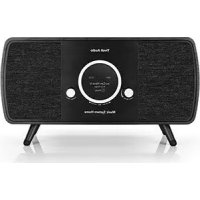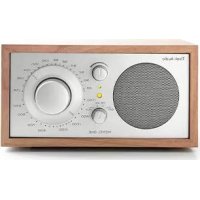
Model One Digital - Radio TIVOLI AUDIO - Notice d'utilisation et mode d'emploi gratuit
Retrouvez gratuitement la notice de l'appareil Model One Digital TIVOLI AUDIO au format PDF.


| Caractéristiques Techniques | Radio numérique avec réception DAB/DAB+/FM, Bluetooth, Wi-Fi intégré |
|---|---|
| Dimensions | 24 x 14 x 12 cm |
| Poids | 1,2 kg |
| Alimentation | Adaptateur secteur inclus, option de fonctionnement sur batterie |
| Utilisation | Interface utilisateur intuitive avec écran LCD, commandes tactiles et télécommande |
| Maintenance | Nettoyage avec un chiffon doux, mise à jour du firmware via Wi-Fi |
| Sécurité | Conforme aux normes de sécurité électrique, ne pas exposer à l'humidité |
| Informations Générales | Compatible avec les services de streaming, garantie de 2 ans, support technique disponible |
FOIRE AUX QUESTIONS - Model One Digital TIVOLI AUDIO
Questions des utilisateurs sur Model One Digital TIVOLI AUDIO
0 question sur cet appareil. Repondez a celles que vous connaissez ou posez la votre.
Poser une nouvelle question sur cet appareil
Téléchargez la notice de votre Radio au format PDF gratuitement ! Retrouvez votre notice Model One Digital - TIVOLI AUDIO et reprennez votre appareil électronique en main. Sur cette page sont publiés tous les documents nécessaires à l'utilisation de votre appareil Model One Digital de la marque TIVOLI AUDIO.
MODE D'EMPLOI Model One Digital TIVOLI AUDIO
ART
BY
TIVOLI AUDIO
Languages
English 2
Español 43
Dansk 85
Deutsch 128
Français 171
Italiano 214
Nederlands....257
Norsk 300
Suomi 343
Svenska....386
The Spotify software is subject to third party licenses found here: http://www.spotify.com/connect/third-party-licenses.
Table of Contents
-
Welcome....3
-
Guide to Features .... 4
-
Function modes:
a. Wireless
i. Setup for Android devices 5
ii. Setup for iOS (Apple) devices.... 10
iii. Changing Speaker Configuration
-
Name 16
-
Stereo/Left/Right 19
iv. Group Configuration
-
Adding/dropping speakers....21
-
Selecting a Music Source 23
-
Naming the group 26
-
Volume adjustment of group....27
-
Volume adjustment of individual speakers....27
-
Speaker Configuration Shortcut....28
-
Releasing a group of speakers 30
-
Releasing all speakers 30
v. MOD Bezel Control 31
vi. Party Mode Button.... 31
vii. DDMS Mode 31
b. Bluetooth
i. Pairing 32
ii. MOD Bezel Control 32
iii. Bluetooth over WiFi 33
c. Auxiliary.... 34
d. FM (where applicable)
i. MOD Bezel Control 35
ii. Preset Mode 35
iii. FM over WiFi 35
e. DAB/DAB+/DMB (where applicable)
i. MOD Bezel Control 37
ii. Preset Mode 37
iii. DAB over WiFi 38
-
Clock Set 39
-
Display Contrast Settings 39
-
Updating Firmware.... 40
-
Factory Reset 42
-
Care 42
Welcome

text_image
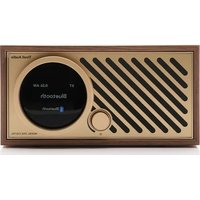
ART BY TIVOLI AUDIOThank you for your purchase! Model One Digital mixes classic design and the latest technology to create a simple solution for wireless audio in the home. Encased in a furniture grade wood cabinet and finished with a high-quality Gabriel® fabric grill, this piece elevates the craftsmanship and technology of the ART by Tivoli Audio product line.
These DAB, FM, WiFi and Bluetooth® enabled radios allow for a variety of configurations to meet your playback preferences. Whether it's a single Model One Digital playing in your kitchen, paired to another ART speaker in your dining room in a stereo configuration, or your Spotify party playlist playing throughout your home in a multi-room system, the Model One Digital offers a simple and flexible solution to best fit your surroundings and enhance your world through music. Start with one, learn how simple it is to build upon, and match your style in each room.
We know you are eager to begin listening to your new purchase, but in order to take full advantage of what it is capable of, please take a moment to read this owner's manual and the safety instructions. If you have any questions, please do not hesitate to contact your dealer or Tivoli Audio.
Please save the original packing should you ever need to ship your radio.
Packed with your Model One Digital you should find:
(1) External Power Supply and accompanying plugs
(1) FM/DAB Telescopic Antenna
Please contact your dealer or Tivoli Audio if any of these items are missing.
Guide to Features
text_image
MOD BEZEL CONTROL POWER/SOURCE/VOLUME KNOB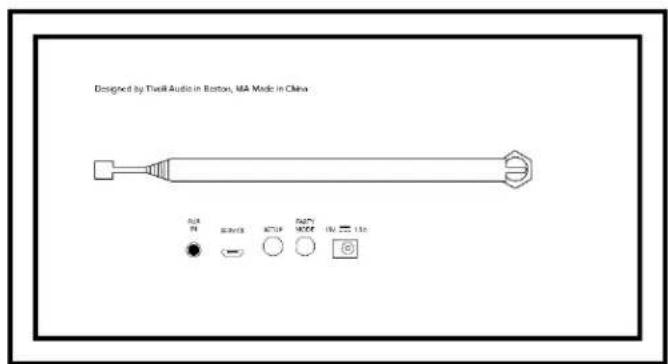
text_image
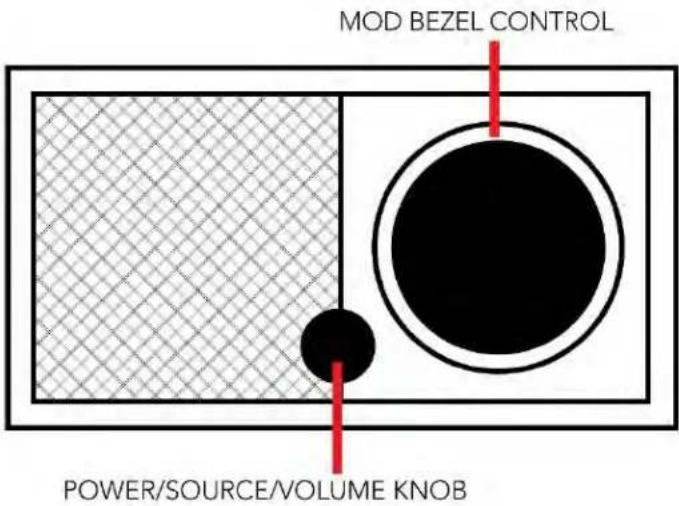
Designed by TheIR Audio in Boston, MA Mode in China R1R R2R R3R R4R R5R R6R R7R R8R R9R R10R R11R R12R R13RPOWER/SOURCE/VOLUME KNOB : Push and hold to turn the unit on or off. Short press to cycle between WiFi, FM (if available), DAB (if available), Bluetooth, and Auxiliary. Rotate right to increase volume, rotate left to decrease volume.
MOD BEZEL CONTROL:
In DAB mode: Turn left to tune down. Turn right to tune up. Short press to add a station to your presets. Push and hold to enter preset mode. Double press to reload DAB station list.
In FM mode: Turn left to tune down. Turn right to tune up. Short press to add a station to your presets. Push and hold to enter preset mode. Double press to scan.
In Bluetooth mode: Turn left to go to previous track. Turn right to go to next track. Short press to play/pause. Push and hold to enter Bluetooth pairing mode.
In Auxiliary mode: No function. Operate controls from connected device.
In WiFi Streaming mode: Turn left to go to previous track. Turn right to go to next track. Short press to play/pause. Push and hold to change music service.
AUX: Plug in music directly for a standalone experience.
Service: Service port. Only for use by an Authorized Tivoli Audio service center.
SETUP: Tap to enable your speaker to be connected to your home network
PARTY MODE: Hold to send the music from that speaker to all other connected speakers
DC Power: Plug in your Tivoli power adapter to power your Model One Digital.
Wireless Mode
Setup for Android
Before setting up your new Model One Digital for WiFi streaming, you need to download the Tivoli Audio Wireless App. This is available on the Google Play store.
- Turn on the Model One Digital using the POWER button.
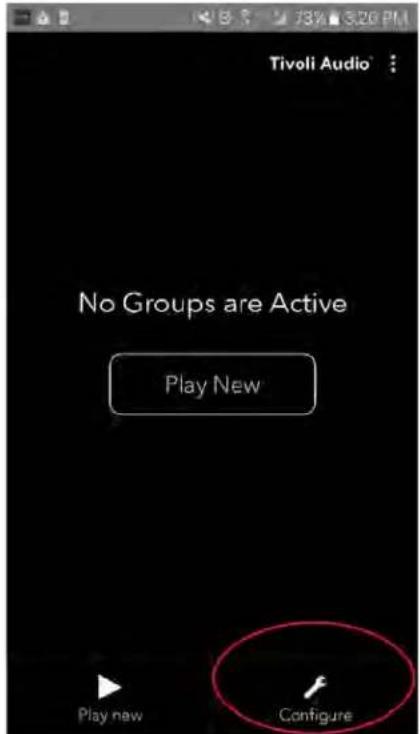
- In the Tivoli Audio Wireless App, press the Configure button, and then press "Add more speakers".
text_image
Tivoli Audio No Groups are Active Play New Play new Configure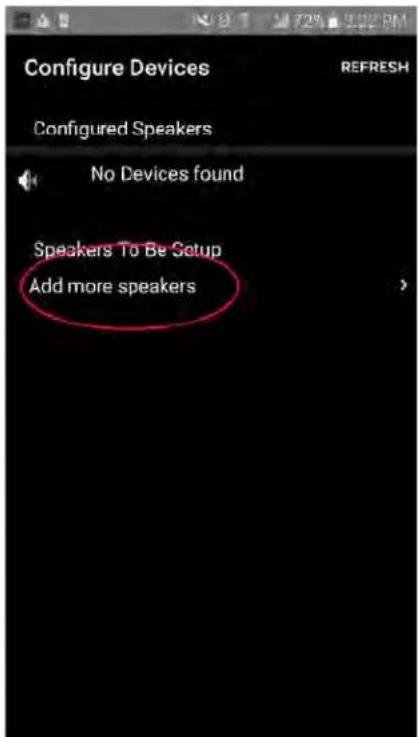
text_image
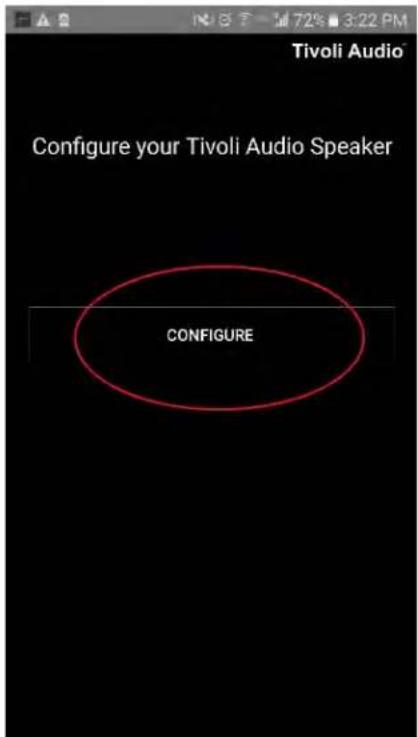
Configure Devices REFRESH Configured Speakers No Devices found Speakers To Be Setup Add more speakers- Press the large Configure button.
text_image
Tivoli Audio Configure your Tivoli Audio Speaker CONFIGURE- On the Model One Digital, short press the SETUP button that is located on the back of the radio. The screen on the radio will say "Wireless Setup Enabled". After, press "Next" in the App.
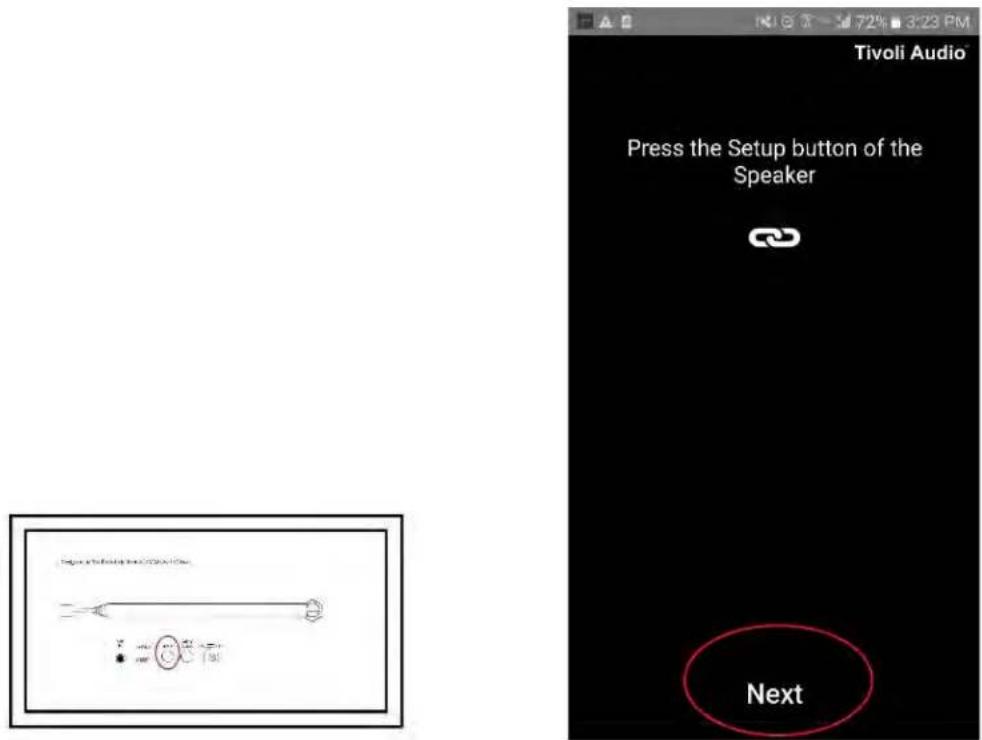
text_image
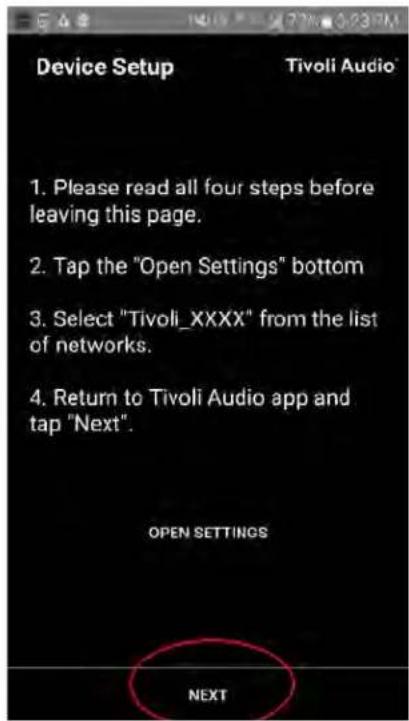
Tivoli Audio Press the Setup button of the Speaker Next- Press the Open Settings button in the App.
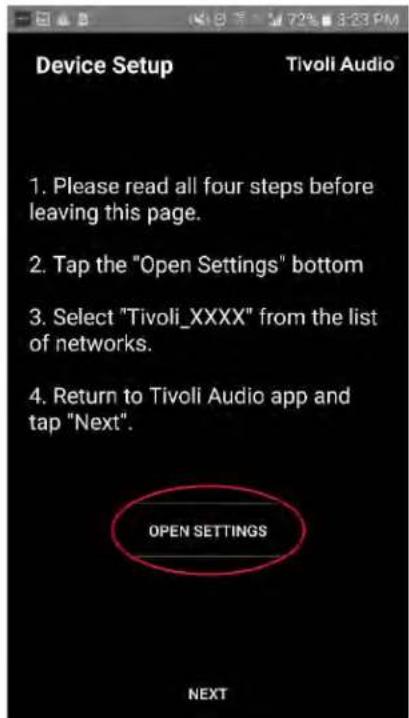
text_image
Device Setup Tivoli Audio 1. Please read all four steps before leaving this page. 2. Tap the "Open Settings" bottom 3. Select "Tivoli_XXXX" from the list of networks. 4. Return to Tivoli Audio app and tap "Next". OPEN SETTINGS NEXT- You have been taken to your wireless settings screen. Now select the network which is a combination of Tivoli and numbers and letters, for example Tivoli_E0DF8D.
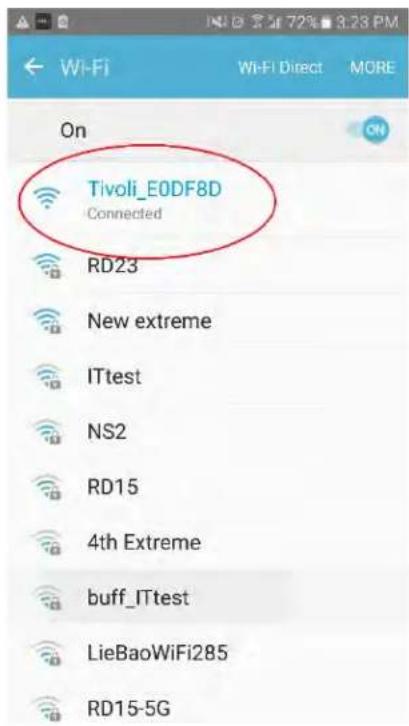
text_image
Tivoli_E0DF8D Connected RD23 New extreme ITtest NS2 RD15 4th Extreme buff_ITtest LieBaoWiFi285 RD15-5G- Return to the Tivoli Audio Wireless App, either by using the back button on your phone, the arrow in the upper left-hand corner, or selecting "Back to Tivoli Audio".
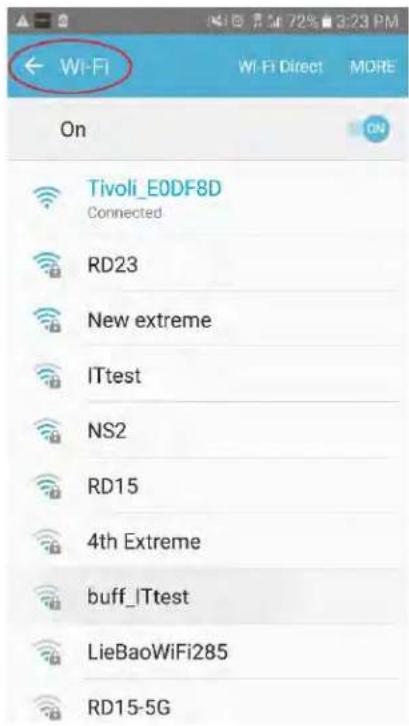
text_image
Wi-Fi On Tivoli_E0DF8D Connected RD23 New extreme ITtest NS2 RD15 4th Extreme buff_ITtest LieBaoWiFi285 RD15-5G- Once you've returned to the Tivoli Audio Wireless App, select "Next".