DA601 - Boîtier d'ordinateur ANTEC - Notice d'utilisation et mode d'emploi gratuit
Retrouvez gratuitement la notice de l'appareil DA601 ANTEC au format PDF.

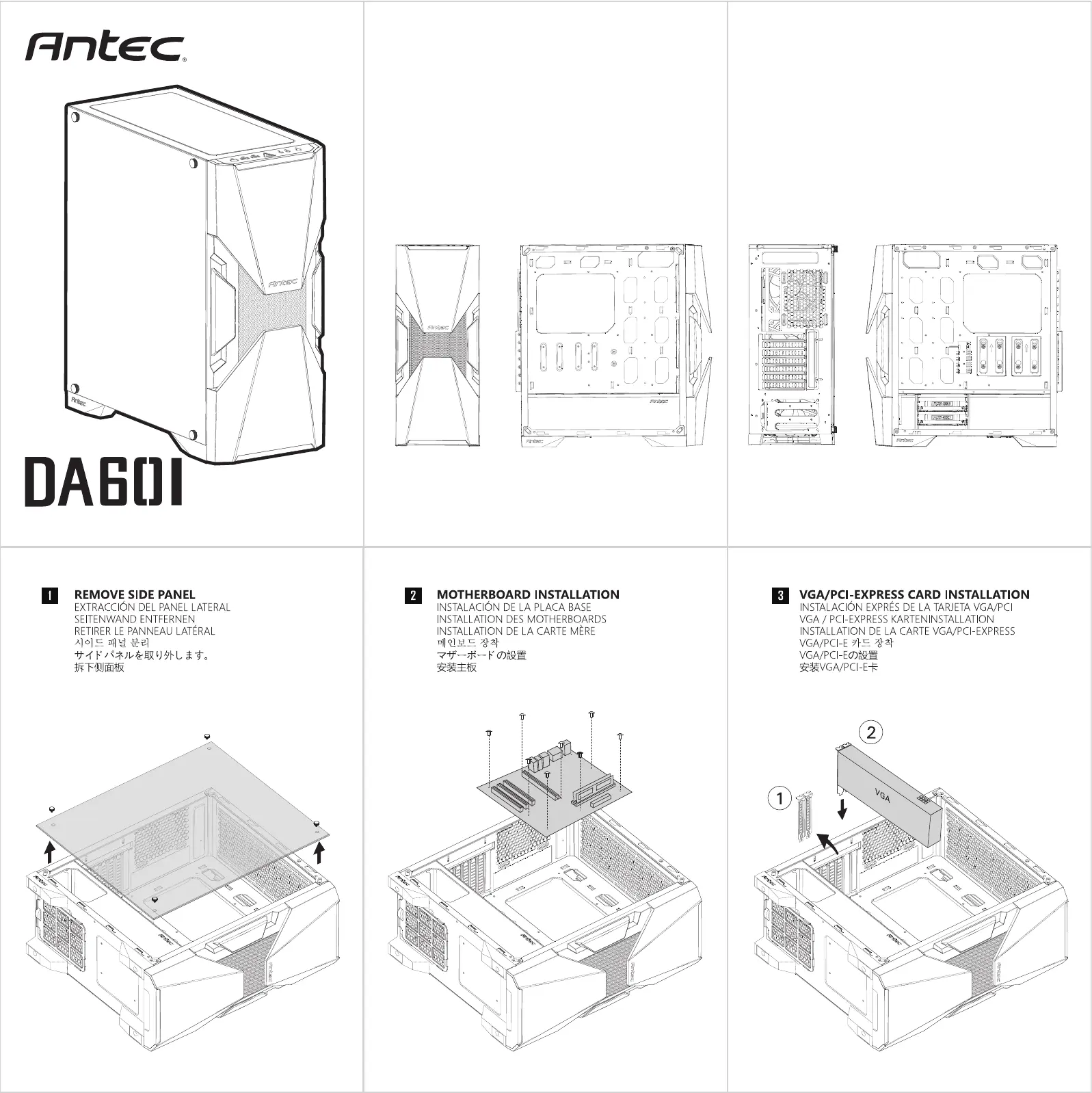
| Intitulé | Description |
|---|---|
| Type de produit | Boîtier d'ordinateur ATX |
| Matériaux | Acier, plastique |
| Dimensions approximatives | 490 x 210 x 460 mm |
| Poids | 7,5 kg |
| Compatibilités | Cartes mères ATX, Micro-ATX, Mini-ITX |
| Emplacements pour disques durs | 2 x 3,5 pouces, 2 x 2,5 pouces |
| Refroidissement | Support pour jusqu'à 6 ventilateurs |
| Connectivité avant | 2 x USB 3.0, 1 x USB 2.0, Audio HD |
| Alimentation électrique | Non incluse |
| Fonctions principales | Gestion du câble, panneau latéral en verre trempé |
| Entretien et nettoyage | Filtres à poussière amovibles |
| Pièces détachées et réparabilité | Accessibilité pour mise à niveau des composants |
| Sécurité | Conception robuste avec protection contre les courts-circuits |
| Informations générales | Idéal pour les gamers et les utilisateurs de PC hautes performances |
FOIRE AUX QUESTIONS - DA601 ANTEC
Questions des utilisateurs sur DA601 ANTEC
0 question sur cet appareil. Repondez a celles que vous connaissez ou posez la votre.
Poser une nouvelle question sur cet appareil
Téléchargez la notice de votre Boîtier d'ordinateur au format PDF gratuitement ! Retrouvez votre notice DA601 - ANTEC et reprennez votre appareil électronique en main. Sur cette page sont publiés tous les documents nécessaires à l'utilisation de votre appareil DA601 de la marque ANTEC.
MODE D'EMPLOI DA601 ANTEC
Antec®
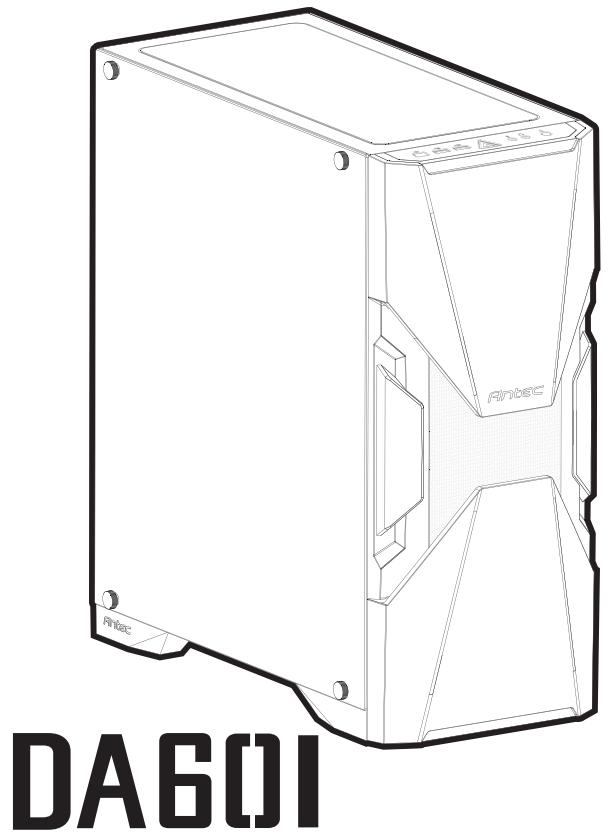
text_image
DA601 Fintec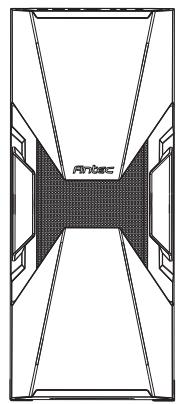
natural_image
Top-down architectural diagram of a symmetrical building facade with diagonal and horizontal lines, no text or symbols present.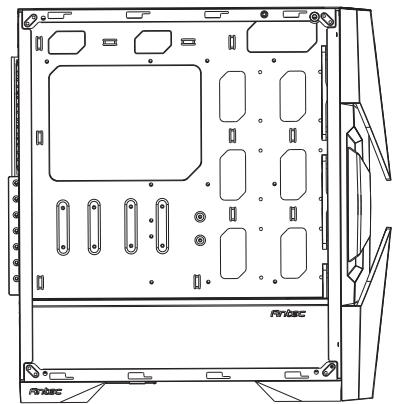
natural_image
Technical line drawing of a server rack unit with mounting holes and ventilation slots (no text or symbols)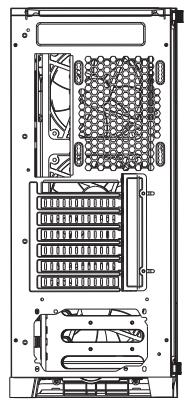
natural_image
Technical diagram of a server rack with internal components and mounting brackets (no text or labels)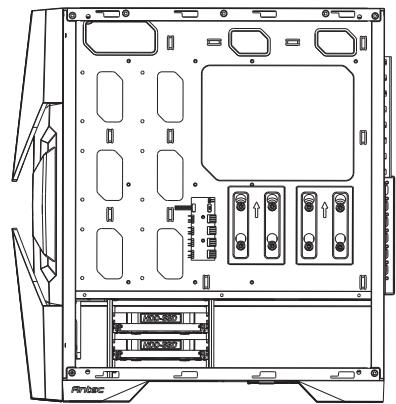
natural_image
Technical line drawing of a server rack with mounting holes and drive bays (no text or symbols)1 REMOVE SIDE PANEL
EXTRACCIÓN DEL PANEL LATERAL
SEITENWAND ENTFERNEN
RETIRER LE PANNEAU LATÉRAL
시이드 패널 분리
サイドパネルを取り外します。
拆下侧面板
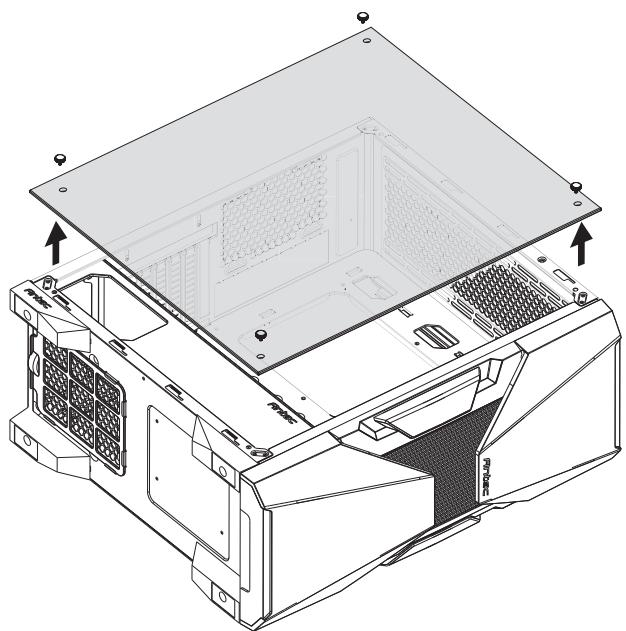
natural_image
Technical line drawing of a computer chassis with visible internal components and mounting points (no text or symbols)2 MOTHERBOARD INSTALLATION
INSTALACION DE LA PLACA BASE
INSTALLATION DES MOTHERBOARDS
INSTALLATION DE LA CARTE MÈRE
메인보드 장착
マザーボードの設置
安装主板
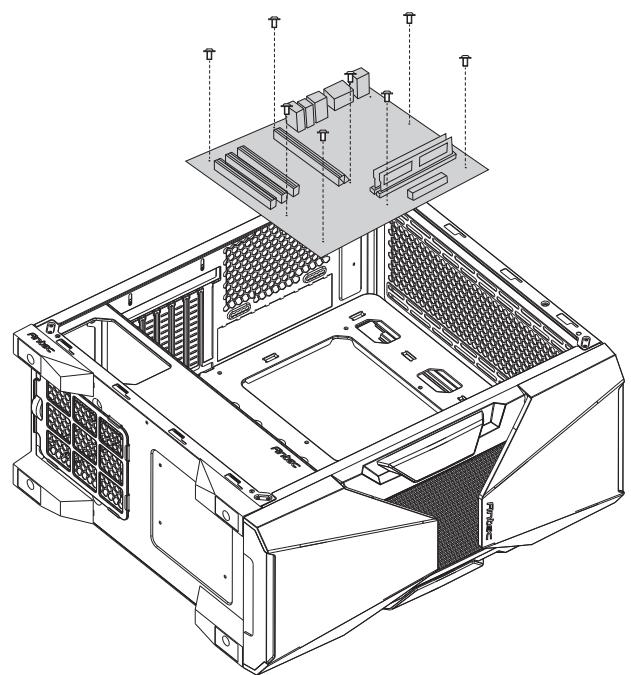
natural_image
Technical line drawing of a computer tower internal structure showing ventilation grilles and chassis (no text or labels)3 VGA/PCI-EXPRESS CARD INSTALLATION
INSTALACIÓN EXPRÉS DE LA TARJETA VGA/PCI
VGA / PCI-EXPRESS KARTENINSTALLATION
INSTALLATION DE LA CARTE VGA/PCI-EXPRESS
VGA/PCI-E 카드 장착
VGA/PCI-Eの設置
安装VGA/PCI-E卡
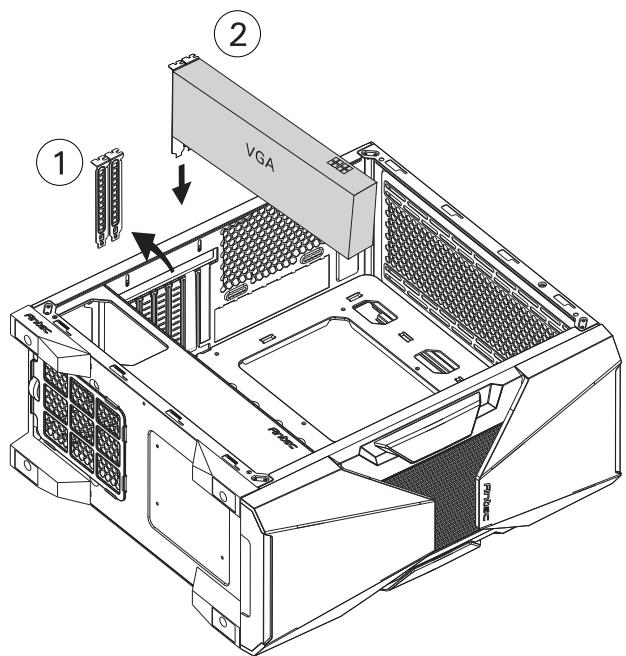
text_image
① ② VGA4
POWER SUPPLY INSTALLATION
INSTALACIÓN DE LA FUENTE DE ALIMENTACIÓN
INSTALLATION DES NETZTEILS
INSTALLATION DU BLOC D'ALIMENTATION
파워서프라이 장착
電源の設置
安装电源组件
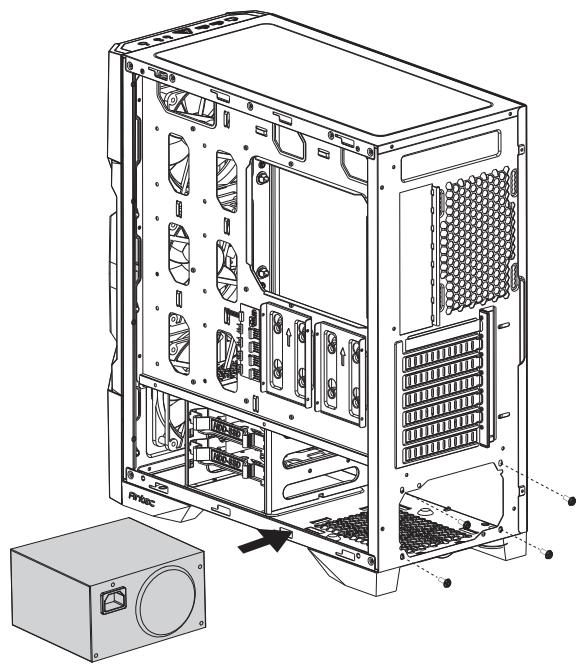
natural_image
Technical line drawing of a computer tower case with internal components and an external unit (no text or symbols)5
HARD DISK INSTALLATION
INSTALACIÓN DEL DISCO DURO
FESTPLATTENINSTALLATION
INSTALLATION DES DISQUES DURS
드라이브 장착
ドライブの設置
安装驱动器
A. INSTALLING A 2.5" SOLID STATE DRIVE
INSTALAR UNA RANURA SOLID STATE DE 2.5"
INSTALLATION EINER 2.5 ZOLL SSD
INSTALLER UN DISQUE DUR 2.5"
2.5" SSD장착
2.5"ドライブの設置
2.5寸硬盘安装
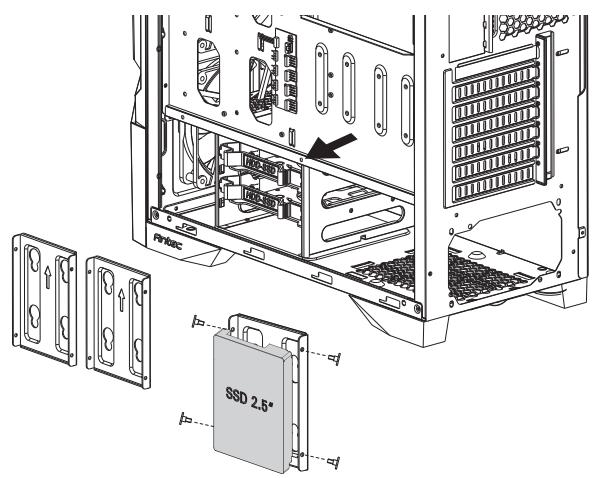
text_image
RVtac l=- l= l= l= l= SSD 2.5°B. INSTALLING A 3.5" HARD DISK DRIVE
INSTALAR UNA RANURA DE DISCO DURO DE 3.5"
INSTALLATION EINES 3.5 "FESTPLATTENLAUFWERKS
INSTALLER UN DISQUE DUR 3.5"
3.5"HDD장착
3.5"ドライブの設置
3.5寸硬盘安装
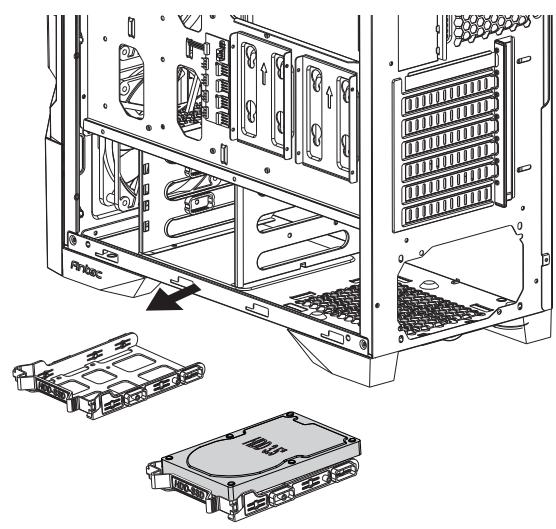
natural_image
Technical line drawing of a server rack with internal components and an inset view of the internal casing (no text or symbols present)6
FAN INSTALLATION
INSTALAR VENTILADOR
LÜFTERINSTALLATION
INSTALLATION DU VENTILATEUR
팬 장착
ケースファンの設置
风扇安装
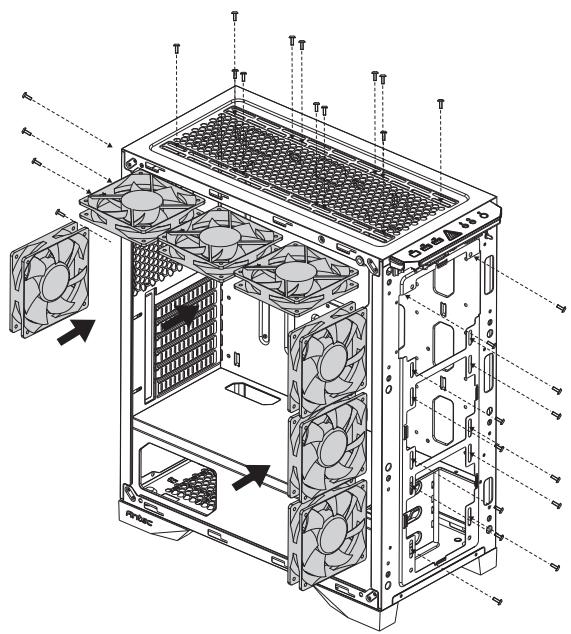
text_image
Technical diagram of a computer tower with fan array and ventilation system annotations7
INSTALLING LIQUID COOLING RADIATOR
INSTALAR EL RADIADOR DE REFRIGERACIÓN LÍQUIDA
INSTALLATION EINES FLÜSSIGKEITSKÜHLERS
INSTALLATION D'UN KIT DE REFROIDISSEMENT LIQUIDE
수냉쿨러 장착
水冷の設置
水冷安装
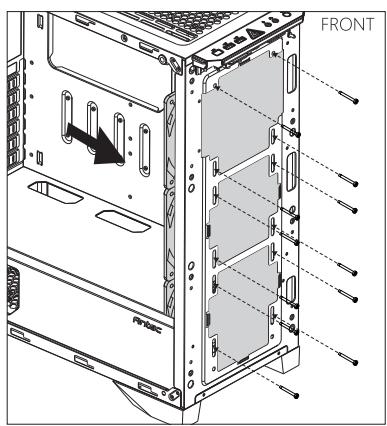
text_image
FRONT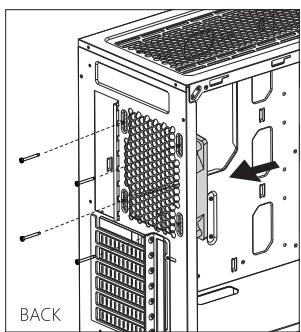
natural_image
Technical diagram of a computer tower rear panel showing internal structure and ventilation slots (no text or labels)Antec®
BELIEVE IT
www.Antec.com.cn
Antec, Inc., 47681 Lakeview Blvd. Fremont, CA 94538, 美国 All rights reserved. Specifications are subject to change without prior notice. Actual products and accessories may differ from illustrations. Omissions and printing errors excepted. Content of delivery might differ in different countries or areas. Some trademarks may be claimed as the property of others.
©1986 – 2018 Antec, Inc. All rights reserved.