MODE D'EMPLOI RTS III CONTAX
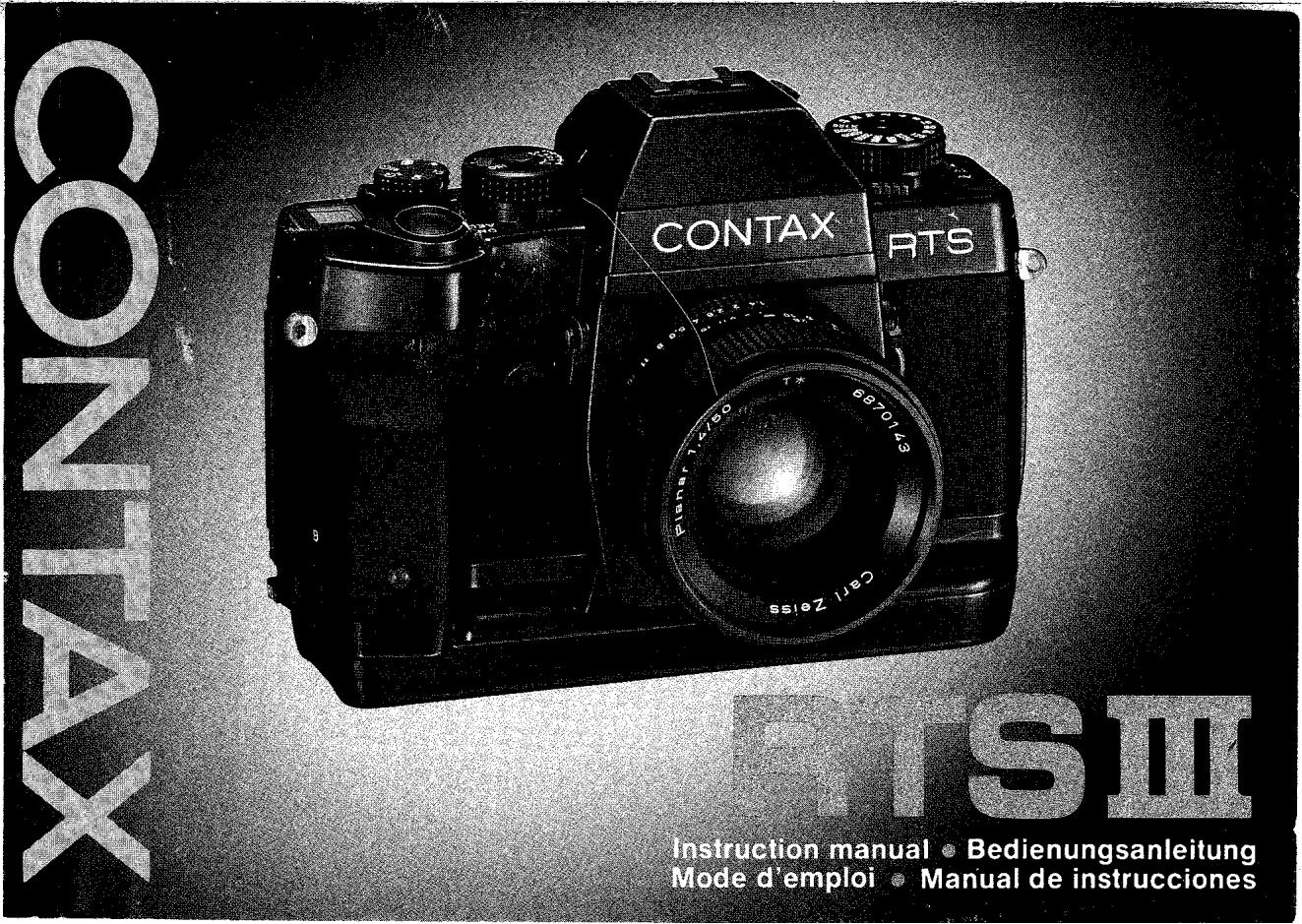
Merci d'avoir acheté un Contax RTS III. Basé sur le concept "Real Time" de la série Contax RTS, cet appareil photo Contax de la plus haute classe offre en outre des fonctions plus sophistiquées telles qu'une vitesse d'obturation ultra-rapide de 1/8000 s, le système RTV (Real Time Vacuum), la capacité de pré-flash TTL et la mesure spot à zone étroite.
Pour tirer pleinement parti de ses fonctions et capacités, veuillez lire attentivement ce manuel avant d'utiliser l'appareil afin de bien les comprendre et de les utiliser correctement.
Ce manuel utilise un objectif multi-mode Planar T* 50 mm F1.4 (MM) monté sur l'appareil pour expliquer les procédures d'utilisation. Cependant, vous pouvez également l'utiliser de la même manière que décrit dans ce manuel lorsqu'il est équipé d'autres objectifs interchangeables multi-mode Carl Zeiss.
Nous vous remercions d'avoir choisi le Contax RTS III.
Sur la base du concept de temps réel de la série Contax RTS, cet appareil photo Contax de la plus haute qualité vous offre des caractéristiques avancées supplémentaires, notamment une vitesse d'obturation ultra-courte de 1/8000 s, un système RTV (Real Time Vacuum), une mesure de lumière de pré-flash TTL et une mesure spot à zone étroite. Veuillez lire attentivement ce manuel d'instructions avant de mettre l'appareil en service, afin de vous familiariser avec toutes les fonctions et de pouvoir les utiliser de manière optimale.
Les explications de ce manuel supposent qu'un objectif multi-mode (MM) Planar T* f1,4/50 mm est monté sur l'appareil, mais les mêmes procédures d'utilisation s'appliquent également à tous les autres objectifs interchangeables multi-mode de Carl Zeiss.
Nomenclature des pièces 8
Étapes de base 12
Opérations de base avant la prise de vue
Montage et démontage de l'objectif 18
Chargement des piles 20
22
< Battery Check> 24
Diopter Adjustment 28
Setting the Film Speed 30
Loading the Film 32
Display in the Viewfinder and Display Panel 36
Drive Mode Selector Dial 44
Exposure Mode Selector Lever 46
Shutter Speed Dial 48
Holding the Camera 50
Focusing the Lens 52
Rewinding the Film 54
56
- Fonctions de l'appareil et techniques avancées
Selecting the Exposure Mode 58
Aperture-priority Auto Exposure 62
Shutter-speed-priority Auto Exposure 64
Manual Exposure 72
Bulb Exposure 74
Metering System 78
Exposure Compensation 82
< 1> Using the Exposure Compensation Dial .82
< 2> Using the AE Lock 86
< 3> Using the A.B.C. Mode (Automatic Bracketing Control) 90
Depth of Field 96
Using the Self-timer 100
Multiple Exposure 102
Flash Photography 104
Mirror-up Lever/Release Socket 122
Infrared Compensation Mark 124
Printing the Date or Time 126
Camera Care and Precautions 130
Dedicated Accessories 134
Specifications 142

Exposure Compensation Dial
Film Speed Window
Shutter Release
Drive Mode Selector Dial
Display Panel
Main Switch
A.B.C. Lever
Strap Lug
Exposure Check Button
Cable Release Socket for Bulb Exposure
Rewind Lever
Vertical-position Shutter Release Lock
Vertical-position Shutter Release
Self-timer LED
Accessory Shoe
Dedicated-flash Contact
Direct X-contact
Diopter Adjuster
Shutter Speed Dial
Shutter Speed Dial Lock Release Button
Exposure Mode Selector Lever
Aperture Stop-down Button
Metering Mode Selector Lever
Lens Index
Screen Release Claw
Mirror Up Lever
Lens Release Button


Viewfinder Eyepiece
Eyepiece Ring
Release Socket
Sync Terminal
Exposure Mode Lock Release Button
Film Check Window
Camera Back Release Knob
Dating-unit Battery Compartment Cover
Eyepiece Shutter Lever
Tripod Socket
Shutter Curtain
Film Mounting Spindle
DX Contact
Film Chamber
Data-back Contact
Eyecup
Pre-flash Lever
Date Set Button
Date Select Button
Date Mode Button
Date Display window
Battery Compartment Cover Locking
Knob
Sprocket
Spool
Film Pressure Plate
RTV Suction Slit
Étapes de base / Grundlegendes Verfahrens / Etapes de base / Pasos basics

1 Load the batteries.
1 Legen Sie die Batterien ein.
1 Mettez les piles en place.
1 Cargue las pilas.

2 Set the main switch to "ON".
2 Schalten Sie den Hauptschalter ein ('ON').
2 Placez le commutateur principal sur "ON".
2 Ajuste el interruptor principal en "ON".

3 Set the film speed to "DX" with the exposure compensation dial.
3 Stellen Sie die Filmmempfindlichkeit mit dem Belichtungskorrekturring auf "DX" ein.
3 Reglez la sensibilité du film sur "DX" avec le cadran de compensation d'exposition.
3 Ajuste la velocidad de la película a "DX" con el aro de compensacion de exposacion.

4 Load film, pull out its tip as far as the orange "mark and place it on the spool.
4 Legen Sie den Film ein, ziehen Sie den Filmanfang bis zur orangefarbenen Marke "aus der Patrone und legen Sieihn auf die Filmtransportrolle.
Chargez un film, extraire son amorce jusqu'à la marque orange " et place-le sur la bobine.
4 Cargue la pellicula, tire hacía fuera de su punta hasta la marca naranja “...” y colóquela en el carre.

5 Set the drive mode Selector Dial to "S", "CL" or "CH".
5 Stellen Sie den Filmtransport-Wahlring auf "S", "CL" oder "CH".
5 Reglez le cadran de selection de mode d'entrainment sur "S", "CL" ou "CH".
5 Ajuste el aro del selector del modo motorizzato a "S", "CL" o "CH".


Exposition automatique à priorité ouverture
(see page 62)
Automatisme d'exposition avec priorité à l'ouverture
(Siehe Seite 63.)
Exposition automatique à priorité au diaphragme
(voir page 63)
Exposition automatique avec priorité à l'ouverture
(vea la pagina 63)

6 Set the exposure mode selector lever to "Av".
6 Stellen Sie den Belichtungs-betriebsarten-Wahlschieber auf "Av".
6 Placez le levier de selection de mode d'exposition sur "Av".
6 Ajuste la palanca del selector del modo de exposión a "Av"

7 Set the aperture and shoot.
7 Stellen Sie das Objektiv auf den gewürschten Blendenwert ein und machen Sie die Aufnahme.
7 Reglez le diaphragme et déclenchez.
7 Ajuste la abertura y dispare.
Exposition automatique à priorité à la vitesse
(with MM type lenses only) (see page 64)
Automatisme d'exposition avec priorité à la vitesse
(nur bei Verwendung von Objektiven mit MM-Anschluß) (Siehe Seite 65.)
Exposition automatique à priorité à la vitesse
(avec objectifs de type MM seulement) (voir page 65)
Exposition automatique avec priorité à la vitesse d'obturation
(sólo con objetivo del tipo MM)
(vea la páginca 65)

6 Set the exposure mode selector lever to "Tv" and set the lens to its minimum aperture (green).
6 Stellen Sie den Belichtungs-betriebsarten-Wahlschieber auf "Tv" und dass Objektiv auf denkleinsten Blendenvert ein.
6 Placez le levier de selection de mode d'exposition sur "Tv" et reglez l'objet sur son ouverture maximum (vert).
6 Ajuste la palanca del selector del modo de exposión a "Tv" y ajuste el objetivo a su abertura minima (verde).

7 Set the shutter speed and shoot.
7 Stellen Sie die gewünschte Verschlußzeit ein und machen Sie die Aufnahme.
7 Reglez la vitesse d'obturation et déclenchez.
7 Ajuste la velocidad del obturador y dispare.
Exposition automatique à priorité à la vitesse
(with MM type lenses only) (see page 64)
Automatisme d'exposition avec priorité à la vitesse
(nur bei Verwendung von Objektiven mit MM-Anschluß) (Siehe Seite 65.)
Exposition automatique à priorité à la vitesse
(avec objectifs de type MM seulement) (voir page 65)
Exposition automatique avec priorité à la vitesse d'obturation
(sólo con objetivo del tipo MM)
(vea la páginca 65)


6 Set the exposure mode selector lever to "Tv" and set the lens to its minimum aperture (green).
6 Stellen Sie den Belichtungs-betriebsarten-Wahlschieber auf "Tv" und das Objektiv auf denkleinsten Blendenvert ein.
6 Placez le levier de selection de mode d'exposition sur "Tv' et reglez l'objetif sur son ouverture maximum (vert).
6 Ajuste la pazanca del selector del modo de exposión a "Tv" y ajuste el objetivo a su abertura minima (verde).
7 Set the shutter speed and shoot.
7 Stellen Sie die gewünschte Verschlußzeit ein und machen Sie die Aufnahme.
7 Reglez la vitesse d'obturation et déclenchez.
7 Ajuste la velocidad del obturador y dispare.
Fixation de la courroie
(standard accessory)
Attach the strap as shown in the
illustration.
Anbringen des Tragriemens
(Standardzubohor)
Bringen Sie den Tragriemen wie in der Abbildung gezeigt an.
Fixation de la courrole
( accessories standard)
Fixez la courroie comme indiquedans
I'llustration.
Unión de la correa
(accesorio estandard)
Una la corea como se muestra en la ilustracion.

Fixation de l'œilleton F-4
(standard accessory)
① Remove the eyepiece ring by turning it as shown.
② Attach the Eyecup to the eyepiece and fix the eyepiece ring again in place by screwing it in.
Fixation de l'œilleton F-4
(Standardzubehör)
① Drehen Sie den Okularring wie gezeigt, umihn zu enternen.
② Bringen Sie die Augenmuschel am Okular an und schrauben Sie den Okulranging wieder ein.
Fixation de l'oeilleton F-4
(ACCESSOR standard)
① Retirez la bague de l'oeilleton en la tournant comme indiqué.
Fixez l'oculaire sur I'oeilleton et fixez la bague de I'oeilleton de nouveau en place en la vissant.
Fixation du cadre de l'oculaire F-4
(accoesorio estandardi)
Extraja el anillo del ocular girandolo como se muestra.
② Una el marco del ocular en el ocular y fije el anillo del ocular en su lugar enroscandolo.

1
②

Basic Operation Before Shooting
Vorbereitungen vor dem Fotografieren
Opération de base avant la prise de vues
Operación Basics antes del disparo
Montage et démontage de l'objectif

First, remove the camera's body cap and the lens' rear cap by turning them counterclockwise. Then, align the red dot on the lens with the lens index on the camera, fit it in and turn it clockwise until it locks with a click.

< Démontage de l'objectif>
While pressing in the lens release button, turn the lens counterclockwise as far as it will go and pull it out toward you. After dismounting the lens from the camera, protect the lens with the rear cap, and the camera with the body cap.
- Do not touch the lens surface and camera inside with your fingers when attaching and detaching the lens.
- Avoid direct sunlight when changing the lens with film loaded in the camera.

All mechanisms of the Contax RTS III including the shutter, film winding and rewinding mechanism are battery operated. It will not operate without batteries.
1 Erect the battery compartment cover locking knob, turn it in the direction of the arrow (the mark “●” will move from “ ” to “ ”), then remove the battery compartment cover.
2 Insert the batteries with the plus and minus ends correctly, as illustrated inside the battery compartment. The camera will not operate if the and ends are wrong.

- The batteries that come with the camera are sample batteries that can be used only for testing the camera operation.
Use the following batteries depending on the application.
① Six 1.5V alkaline batteries (AA size)
Recommended for general use.
② Six 1.2V Ni-Cd batteries (AA size)
Recommended especially for shooting in cold weather. ③ One 6V lithium battery (2CR5)
Recommended when you are to use the same battery for a long time, because of its low natural discharge.
It is also good as a spare battery to take with you on a trip. However, it is not recommended for use at low temperatures because it has a lower voltage than other batteries.

3 Fit the guide pin on the camera into the fixing hole in the battery chamber cover and replace the cover. Then fix it in place by turning the locking knob in the direction of the arrow as far as it will go (the mark “ ” move from “ ” to “ ”).

In ON position/Position EIN Position ON/En la posicón ON

In OFF position/Position AUS Position OFF/En la posicion OFF
The main switch has three positions: "OFF", "ON", and "AEL" (AE lock).
OFF: To set the main switch to OFF, turn it so that the red dot is concealed.
At OFF, the camera's power switch will turn off.
If you are not using the camera, set the main switch at OFF to prevent tripping the shutter by mistake.
ON: Turn the main switch so that the dot on it comes opposite "ON".
At ON, the camera's power switch will turn on.
AEL: Turn the main switch so that the dot it comes opposite "AEL".
At AEL, exposure is locked. This AE lock is useful for shooting in backlight or continuous shooting of a moving object at a fixed exposure.
- For details on the AE lock, see page 86.

The battery voltage is normal if the mark " 一 " (battery warning mark) does not appear in the display panel. For details on the display in the panel, see page 36.
If the mark " → " turns on in the display panel, it is time to replace the batteries. Set the main switch at OFF, open the battery compartment cover and change the batteries with new ones.
- Though you can take picture even after the mark “ → ” has turned on, it is recommended to replace the batteries as soon as possible. Be careful because the mark “ → ” will blink or go out and the camera will no longer operate if the battery capacity has dropped below the effective limit.
- If you are using a lithium battery, the mark “—” may turn on soon after it was loaded, because it provides a lower voltage than other batteries. But it has no problem and you can take pictures with it.
Batteries and their capacity (number of rolls of 36-exposure film that can be exposed with new batteries)
Batteriotypen und ihre Kapazität (Anzahl von Rollen 36er Films, die mit frischen Batterien belichtet werden konnen)
Les piles et leur capacité (Nombre de rouleaux de 36 poses pouvant être exposés avec des piles neues)
Pilas y su capacité (número de rollos de 36 exposiciones que pueda exponerse con pilas cuales)
Type of Battery
Batterietyp
Type de pile
Grupo de pilas
Ordinary temperature Normal-temperature Temperature ordinaire Temperature normal
-10°C
Six 1.5V alkaline batteries (AA size)
Sechs 1,5-V-Alkalibatterien (AA)
Six piles alcalines de 1,5 V (taillie AA)
Seis pilas alcalinas de 1,5 voltios (Tamaño AA)
About 120
ca. 120
Environ 120
Cerca de 120
About 7
ca. 7
Environ 7
Cerca de 7
Six 1.2V Ni-Cd batteries (AA size)
Sechs 1,2-V-NiCd-Akkus (AA)
Six piles Ni-Cd de 1,2 V (taille AA)
Seis pilas de Ni-Cd de 1,2 voltios (Tamaño AA)
About 50
ca. 50
Environ 50
Cerca de 50
About 20
ca. 20
Environ 20
Cerca de 20
One 6V lithium battery
About 120* ca. 120* Environ 120* Cerca de 120*
Unepileau lithiumde6V
__________
The number marked with ** represents the battery capacity until the mark blinks and the camera no longer operates.
- Always replace the batteries with new ones of the same type. Do not mix different kinds of batteries or old batteries.
- Generally, battery performance is reduced by cold temperatures (under 0°C ). If you are shooting in cold weather, it is advisable to keep the camera warm in a bag or an outfit for protection against cold. The battery performance reduced by low temperatures will return to normal when you take pictures at an ordinary temperature.
- Before loading the batteries, wipe both poles clean with a dry cloth because poor contact may result if they are soiled with sweat or grease.
- Do not throw used batteries into fire or try to charge or disassemble them because it is dangerous.
- If you are going on a long trip, bring a new set of spare batteries with you.
The Contax RTS III accepts alkaline, Ni-Cd and lithium batteries. To make full use of its performance, it is recommended to use alkaline penlight batteries.
- Tauschen Sie immer alle Batterien gleichzeitig gegen frische Batterien des gleichen Typs aus. Mischen Sie nicht alte und neue Batterien und solche verschiedene Typen.
- Bei Temperaturen unter Null nimmt die Batterieleistung vorübergehend ab. Beim Fotografieren in kaltem Wetter sollenen davon frische Batterien verwendet und die Kamera vor den Aufnahmen warmgehalten werden. Die durch tiefe Temperaturen beeinträchtigte Batterieleistung wird jedoch wiederhergestellt, wenn Aufnahmen später bei normaler Temperatur gemacht werden.
- Vor dem Einlagen der Batterien beide Pole mit einem trockenen Tuch abreiben, da bei einer Verschmutzung der Pole mit Schweiß oder Fett kein einwandfreiere elektrischer Kontakt gewährleistet ist.
- Verbrauchte Batterien auf keinen Fall in ein offenes Feuer werfen, aufzuladen versuchen oder zerlegen, da Verletzungsgefahr besteht!
- Wenn Sie auf langere Reisen gehen,nehmen Sie einen Satz frischer Batterien als Reserve mit.
Die Spanningsversorgung der Contax RTS III kann wahlweise über Alkalibatterien, NiCd-Akkus und Lithiumbatterien erfolgen. Für optimale Leistung der Kamera empfehlen wir den Gebrauch von Alkalibatterien.
Réglage dioptrique
This camera has a built-in diopter adjustment unit. To adjust the viewfinder eyepiece to your eyesight, lift up the diopter adjuster and turn it until the circle in the center of the viewfinder appears clear. The adjustable range is +1 -3 diopters.
After adjustment, push in the diopter adjuster.
- If you cannot adjust with the camera's built-in diopter adjuster, use the optional FM type diopter corrector lenses. See page 136.

You can set the film speed in two ways: automatic setting with DX film and manual setting.
Turn the exposure compensation dial while lifting it up so that the "DX" marking in the film speed window comes opposite the film speed index, then lock it with a click. If you use DX-coded film (ISO 25~5000), the camera will automatically set its film speed. The DX marking and film speed are printed on the film box.
- Automatically set film speeds are not displayed on the camera.
- If non-DX-coded film is used in the automatic setting mode, its film speed will be set to ISO 100.

If you use non-DX-coded film, or if you want to shoot with a film speed that is different from that of the film you are using, use the manual setting mode. Turn the exposure compensation dial while lifting it up, and set it at your desired speed. In this mode, the camera is set to the manual speed even if you use DX-coded film.
Film speeds can be set in a range of ISO 6~6400 in 1/3-step increments.

1 Erect the camera back release knob, turn it in the direction of the arrow and open the camera back. After opening the camera back, return the knob to its original position.

2 Insert the film cassette slantwise into the film chamber with its protruding end downward as illustrated.
Remarque sur le rideau d'obturateur :
The shutter curtain is a precision part. Never touch it with your finger or strike it with the film tip. When the film tip lies on the shutter curtain, in particular, never trip the shutter.
- Take care not to touch or contaminate the DX contacts and data back contact.
Always load and unload film in subdued light.


The display in the viewfinder is a backlight type and uses a power-saving design so that it turns on for 16 seconds in the following cases then turns off automatically.
① When the main switch is set at ON.
② When the main switch is at ON:
- When the shutter release, exposure check button, or aperture stop-down button is depressed.
- When the pre-flash lever or rewind lever is set at ON.
If a dial or other controls are switched while the display appears in the viewfinder, it will remain on for additional 16 seconds.
Exposure Mode Indicator .... The exposure mode is displayed. "Av" shows aperture-priority auto exposure, "Tv" shutter-speed priority auto exposure, "M" manual exposure, and "B" bulb exposure.
Aperture Value .... In the aperture-priority auto exposure mode and manual exposure mode, the aperture that is set on the camera will be displayed, and in the shutter-speed-priority auto exposure, the aperture determined in accordance with the shutter speed.
Flash Mark ... When shooting with the TTL flash system, the flash mark “ ” will turn on as soon as the flash is fully charged.
Flashmeter .... When the pre-flash is "ON", the bar will turn on in a range of ± 2 EV to show an exposure error relative to the correct exposure in 1/2-EV steps. If the error exceeds ± 2 EV, all bars on the corresponding side will turn on. The flashmeter will also show the light control condition after flash exposure on TTL direct light control.
Exposure Counter .... The exposure counter will advance one by one each time the film is wound. It will count down while the film is rewinding.
In addition, the counter has the following functions:
- Displays the time on bulb exposure (repetition of 00 59 seconds) (excepting when the cable release socket for bulb exposure is used).
- Displays the remaining time when the self-timer is operating (10 sec. 00 ).
- Displays the operation order on A.B.C. mode.
- Displays when the end of the film is reached.
5mm Pre-flash Metering Range
3mm Spot Metering Range
Shutter Speed .... The shutter speed from 1/8000 to 4 seconds and LT (6~32 seconds) are displayed. "8000" shows 1/8000 seconds, and "4s" shows 4 seconds. If two shutter speeds are displayed, thier intermediate value is the shutter speed being set.
If the mark blinks, it means overexposure; and if "LT" blinks, it means underexposure.
The shutter speed determined by the camera will be displayed.
If the shutter speed has been fixed in an exposure mode "Tv", "M" or "AEL", it will blink. The shutter speed will also blink when it has been automatically switched for flash photography.
Exposure Compensation Mark .... If the exposure compensation dial is set for exposure compensation (other than "0"), the "+" or "-" sign will blink.
Metering Mark .... For display of the metering mode and AE lock:
Center-weighted metering: The mark “C” lights.
Spot metering: The mark “@” lights.
AE lock on center-weighted metering: The mark “[C]” blinks.
AE lock on spot metering : The mark “ ● ” blinks.
Battery Warning Mark .... For details, see "Battery check" on page 24.
Exposure Counter .... Shows the number of exposures taken, even when the main switch is at OFF.
Film Transport Mark

You can choose the following drive modes depending on your shooting object. To set the drive mode selector dial, turn it while lifting it up.
S .... Prise de vue en une seule image
Each time the shutter release is depressed, the camera will expose one frame, wind the film for the next shot and stop winding.
CL et CH .... Prise de vue en continu
As long as the shutter release is depressed, you can take pictures in succession at a rate of up to about three frames/sec. (CL) or about five frames/sec. (CH). (The frame rate will differ with the shutter speed and the conditions of batteries in the camera.)
2 et 10 .... Prise de vue avec retardateur
You can take picture with self-timer with a delay of 2 or 10 seconds. For details, see page 100.
...Prise de vue multiple
See page 102.
Cadences de prise de vue avec différents types de piles
(shutter speed 1/250 or faster, ISO 32 or higher)
Cadences de prise de vue avec différents types de piles
(VerschluBzeit 1/250 Sek. oder kürzer, ISO 32 oder hoher)
Fréquences de photos avec les différents types de piles
(vitesse d'obturation 1/250 ou plus, ISO 32 ou plus)
Cadences de prise de vue avec différents types de piles
(Velocidad del obturador de 1/250 o mayor, ISO 32 o mayor)
| Battery Batterietyp Pile Pilas | Drive mode Aufnahmebetriebsart Mode d'entraînement Modo motorizzato |
| CL | CH |
| Alkaline batteries Alkalibatterien Piles alcalines Pilas alcalinas | About 3 frames/sec. ca. 3 Bilder/Sek.Environ 3 photos/sec. Unos 3 fotogramas/seg. | About 5 frames/sec. ca. 5 Bilder/Sek.Environ 5 photos/sec. Unos 5 fotogramas/seg. |
| Ni-Cd batteries NiCd-Akkus Piles Ni-Cd Pilas de Ni-Cd | About 3 frames/sec. ca. 3 Bilder/Sek.Environ 3 photos/sec. Unos 3 fotogramas/seg. | About 4.5 frames/sec. ca. 4,5 Bilder/Sek.Environ 4,5 photos/sec. Unos 4,5 fotogramas/seg. |
| 2CR5 | About 2 frames/sec. ca. 2 Bilder/Sek.Environ 2 photos/sec. Unos 2 fotogramas/seg. | About 3.5 frames/sec. ca. 3,5 Bilder/Sek.Environ 3,5 photos/sec. Unos 3,5 fotogramas/seg. |
| * With new batteries * Gilt für frische Batterien | * Avec des piles neuves * Con pilas neuenvas |
The Contax RTS III offers the following exposure modes: aperture-priority auto exposure, shutter-speed-priority auto exposure (with MM type lenses only), manual exposure and bulb exposure. Set your desired mode with the exposure mode selector lever while pressing in the exposure mode lock release button.
For details on the exposure modes, see pages 58~76.
When the main switch is at ON, depress the exposure check button. The display in the viewfinder will turn on to let you check the exposure. You can also check the exposure by depressing the shutter release halfway.

The shutter speed dial can be used for adjusting the exposure time of the film in the shutter-speed-priority auto exposure and manual exposure modes. It can be set at X125 (1/125 sec.) and speeds from 4 sec. to 1/8000 sec. in 1-step increments. It can be locked only at X125.
Shutter speed VerschluZeit Vitesse d'obturation Velocidad del obturador

Shutter speed dial lock release button
Verschlußzeitenringsperre Freigabeknopf
Bouton de dégagement de verrou de cadran de vitesse d'obturation
Boton de liberated del bloqueo del aro de velocidad de obturador
To take sharp pictures, the camera must be held steady. Because blurred pictures are most often caused by camera shake, it is recommended to learn how to hold the camera steady by practicing it. Place the camera in the palm of your left hand and hold the distance ring of the lens so that you can operate it with your fingers. Hold the grip with your right hand and put the forefinger lightly on the shutter release. Stick the left elbow to the body, press the camera lightly against your face and look through the viewfinder. Always depress the shutter release very gently. The camera can be held not only in the horizontal position, but also in the vertical position depending on the subject. In any case, study your comfortable camera positioning and practice until you get used to it. It is also good to support your body or camera with a building, tree, and so on.
The vertical-position release button is convenient for taking pictures of people and other objects in the vertical position. It allows you to operate the shutter release in a natural posture. First, unlock the release button by turning the vertical-position release lock lever toward the arrow as far as it will go, then depress it to take your picture.
If you do not use this button, turn the lever to the position where the red mark is concealed.


The Contax RTS III is provided with a focusing screen FV-1 (horizontal split-image/microprism type) as standard equipment. Focusing can be done on a horizontal split-image spot in the center of the viewfinder, a microprism collar, and a matte screen around it.
While looking through the viewfinder, turn the distance ring until the upper and lower segments of the image coincide. If the subject is not in sharp focus, the two segments will not coincide.

< Collier microprisme et verre dépoli mat>
Turn the distance ring until the image on the microprism collar or matte screen appears sharp. If the subject is not in sharp focus, the image on the microprism collar will appear grainy and that on the matte screen blurred.
- When using a slow lens or taking close-ups with a high magnification, focusing may be difficult. In such cases, use the matte screen to focus.

After the last frame is exposed, the camera will stop winding the film and the upper and lower digits of the number on the exposure counter will blink alternately.
1 With the main switch at ON, turn the rewind lever in the direction of the arrow while pressing in the rewinding lock release button. The film will start rewinding itself. The exposure counter will count down and return to "00" when rewinding is completed and the motor stops.
- Be sure to remove your finger from the rewind lever when the rewinding operation has started. The lever will automatically return to its original position.
- After rewinding is completed, the film tip will remain outside the cassette. If you want to wind the film back completely into the cassette, repeat the above-mentioned procedure after rewinding was ended.

After making sure the motor has stopped and the exposure counter has returned to "00", open the camera back and unload the film in subdued light.
- To rewind the film in the middle of a roll, follow the foregoing steps 1 and 2.
- Be sure to unload the film after it has been rewound. After the film has been rewound, the camera will not operate unless the camera back is once opened.
By adopting a ceramic pressure plate and RTV System, it has become possible to secure the flatness of the film to an upgraded extent that was impossible with the conventional system.
The RTV System can attract the film on the pressure plate just before the first curtain of the shutter travels and release the suction after the second curtain has traveled. It operates in the "Av", "Tv" and "M" modes.
- The RTV System does not operate in the bulb exposure ("B") mode.
- It does not operate, to save power when the battery warning mark “ ” lights.

Der Einsatz einer Keramik-Andruckplatte und des RTV-Systems sorgt bei dieser Kamera für eine gegenüber dem herkömmlichen System stark verbesserte Planlage des Films.
Das RTV-System saugt den Film an die Andruckplatte, kurz bevor die ersten Lamellen des Verschlusses betätigter werden. Nach Betätigung der zweiten Lamellen wird die Ansaugung wieder aufgehoben. Diese Einrichtung ist in den Betriebsarten "Av", "Tv" und "M" wirksam.
- Das RTV-System steht in der Zeitbelichtungs-Betriebsart ("B") nicht zur Verfügung.
- Es arbeitet außer dem bei blinkendem Batterie- Warnsymbol “—” nicht, um die Batterien zu schonen.
< Système RTV (Real Time Vacuum) >
En adoptant une plaque de pression céramique et le système RTV, il est devenu possible de fixer la planité du film d'une manière impossible avec le système conventionnel. Le système RTV peut attirer le film sur la plaque de pression, juste avant le déplacement du premier ridesau de l'obturateur et relâche l'aspiration lorsque le deuxieme ridesau a fini de bouger. Il fonctionne dans les modes "Av", "Tv" et "M".
- Le système RTV ne fonctionne pas dans le mode d'exposition prolongée ("B").
- Il ne fonctionne pas non plus, pour des raisons d'économie d'énergie, lorsque la marque d'advertissement des piles ("<") s'allume.

Adoptando una plac de presion ceramica y el systema RTV, ha sido possible asegurar la planitud de la pellicula a un punto mejorado el cui fue imposible con el systema convencional.
El Sistema RTV pueda atraer la película en la plaza de presión solo antes de que la prima cortina del obturador se desplace y libero la succion antes de que lasegunda cortina se haya desplazado.
Opera en los modos "Av", "Tv" y "M".
- El sistema RTV no opera en el modo de exposión de pose ("B").
- Cuando lamarca“”de advertencia de las pilas se encienda, no operar para ahorrar energia.
Camera Functions and Applied Techniques
Kamerafunktionen und Aufnahmetechniken
Functions de l'appareil et techniques appliquées
Funciones de la CAMERA y Tecnicas aplicadas
Sélection du mode d'exposition
You can choose the following exposure modes depending on your shooting object and application.

Av : priorité à l'ouverture (exposition automatique)
If you choose your desired aperture, the camera will automatically select the shutter speed suited for it to provide correct exposure. This mode is useful for taking pictures by utilizing the lens depth of field.
Tv : priorité à la vitesse (exposition automatique, uniquement avec les objectifs de type MM)
If you choose your desired shutter speed, the camera will automatically select the aperture suited for it to provide correct exposure. This mode is useful for taking fast moving objects.
M : exposition manuelle
In this mode, you can choose the aperture and shutter speed as desired. Intentional over- or underexposure is also easy.
B : exposition Bulb
This mode can be used for taking night scenes or pictures of the sky at night which require long exposure. As long as the shutter release is depressed, the shutter will open to expose the film.
- When an AE lens is mounted, it is impossible to take pictures in the "Tv" mode. Even if the camera is set to the "Tv" mode, it will operation in the "Av" mode.
- When no lens is mounted on the camera, it will operate in the "Av" mode even if it is set to the "Tv" mode.

1 Set the exposure mode selector lever to "Av".

Réglez l'ouverture et prenez la photo.
If you set the aperture with the lens' aperture ring, the camera will automatically set the shutter speed suited for it.
In the viewfinder, the aperture you have set and the shutter speed automatically set by the camera will turn on.

1 Set the lens aperture to the minimum aperture (green) and set the exposure mode selector lever to "Tv".
The minimum aperture on the aperture ring of MM type lenses is marked in green to show you that you should set the lens to it in the programmed auto exposure and shutter-speed-priority auto exposure modes.

Set the shutter speed and shoot.
If you set the shutter speed by turning the shutter speed dial, the camera will automatically set the aperture suited for it. In the viewfinder, the shutter speed you have set will blink and the aperture automatically set by the camera will turn on.
If the shutter speed you have selected cannot provide correct exposure because the aperture suited for it is beyond the lens' aperture range, the camera will automatically shift the shutter speed to always provide correct exposure. The shifted shutter speed will then turn on.
- If the correct shutter speed is faster than that you have selected, the aperture will blink. Make sure the lens is set at its minimum aperture.
- If an MM type lens is set to an aperture that is not its minimum aperture, the camera will automatically choose an appropriate aperture between the maximum aperture and the aperture being set.
Shutter speed shift and warning in the shutter-speed-priority auto exposure mode
Änderung der VerschluBzeit und Warning bei Belichtungsautomatik mit VerschluBzeitenvorwahl
Décalage de vitesse d'obturation et avertissement dans le mode d'exposition automatique à priorité à la vitesse
Cambio de velocidad del obturador y advertencia en el mode de exposión automatica con prioridad de velocidad del obturador.

Avertissement de surexposition
If the mark "▲" blinks in the shutter speed scale on the right edge of the viewfinder, it means overexposure. Because the subject is too bright, readjust the aperture sc that any speed indicator turns on with steady light. It is also possible to reduce the light intensity with an optional ND filter.
Avertissement de sous-exposition
If "LT" blinks on the shutter speed scale, it means underexposure. Because the subject is too dark, use an additional light to brighten up the subject or change the aperture so that "LT" stops blinking. Also, a dedicated flash unit will let you take correctly exposed pictures.
- Even when an over- or underexposure warning appears, you can take pictures by depressing the shutter release.
| Overexposure
Überbelichtung
Surexposition
Sobrexp Joséñiz |
| 8000
4000
2000
1000
500
250
125
60
30
15
8
4
2
1s
25
45
LT |
| Underexposure
Unterbelichtung
Sous-exposition
Subexposión |
If you use a lens with its maximum aperture smaller than F5.6 or an accessory with which the lens' automatic diaphragm does not operate (Auto Bellows PC, Microscope Adapter, Extension Ring 7.5mm, Reverse Adapter, etc.), be careful about the following things:
① Though the aperture displayed in the viewfinder is fixed at “1.4”, the camera’s light metering system will operate properly.
② Shutter-speed-priority auto exposure is not possible. Take pictures by using aperture-priority auto exposure or manual exposure.
If you are taking auto-exposure pictures (Av or Tv mode) with the self-timer or remote control system, the exposure may be affected by extraneous light entering through the viewfinder eyepiece because you remove your face from the eyepiece. In this case, block the eyepiece with the eyepiece shutter or use the AE lock.
Die folgenden Hinweise sind bei Verwendung eines Objektivs mit einer Lichtstarke unter f/5,6 oder anderen Kamerazubehörns zu beachten, das mit der automatischen Blendenübertragung der Kamera nicht kompatibel ist (Auto-Balgen PC, Mikroskopadapter, Zwischenring 7,5 mm, Umkehrring usw.):
① Die Blendenanzeige im Sicherzeigt stets "1.4", doch die Meßfunktion arbeitet normal.
② Bei Gebrauch thises Zubehors sind keine Aufnahmen mit Verschußzeitenvorwahl-Belichtungsm automatik möglich Verwendten Sie staatten dessen die Betriebsarten
Belichtungsautomatik mit Blendenvorwahl oder manuelle Belichtung.
< Utilisation de l'œilleton>
Wenn Aufnahmen mit Belichtungsautomatik (Av oder Tv) über Selfbst- oder Fernauslöser gemacht werden, wird die Belichtigung durch Streulicht beeinträchtigt, das durch das Sucherokular eintritt, wenn Sie Ihr Gesicht wegbewegen. In einem solchen Fall empfeiht es sich, das Okular mit dem mit der Kamera geleiferten Okularschutz zu blockieren oder die AE-Verriegelung zu verwenden.

1 Set the exposure mode selector lever to "M".

2 Set the shutter speed and aperture and shoot. The shutter speed can be set by turning the shutter speed dial, and the aperture with the aperture ring. In the viewfinder, the shutter speed you have set will blink and the correct shutter speed selected by the camera will light. Operate the shutter speed dial or aperture ring so that the same shutter speed lights.

Set the exposure mode selector lever to "B". As long as the shutter release is depressed, the shutter will open to expose the film. To prevent camera shake, mount the camera on a tripod or a stable support and trip the shutter with an optional Cable Switch L by connecting it to the camera's cable release socket.
- In the bulb exposure mode, the exposure counter will indicate the time that has passed during bulb exposure. It will count from "00" to "59 (seconds)" and repeat this display after that.

The shutter can be opened for any desired period of time by connecting a commercially available mechanical cable release to this socket. This method is suited for taking photographs of stars which require long exposure, because batteries are not spent during exposure in contrast with the above-mentioned bulb exposure. However, the exposure counter does not show the exposure time.
1 Set the exposure mode selector lever to "B".
2 Set the main switch to "ON", press the mechanical cable release and lock it.
3 If you depress the camera's shutter release, the shutter will open to expose the film. There is no need to hold it depressed.
4 You can expose the film for any desired period of time. The batteries are not spent during this period.
5 If you release the lock of the mechanical cable release, the shutter will close to stop shooting.
- Do not connect the optional electric cable release to this cable release socket for bulb exposure, because it does not operate.
- If you use a mechanical cable release which goes back slightly when it is locked, make preliminary test before using it because it may not be able to keep the shutter open. In this case, take your picture while pushing on it with your hand without using the lock mechanism.
- Bulbs exposure of 32 seconds or longer can be made in any exposure mode.

The Contax RTS III provides two metering methods: Center-weighted average light and spot metering in a 3mm spot in the center of the viewfinder. Choose the method best suited for your shooting object and conditions and set it with the metering mode selector lever.
(□)
In this method, the camera measures the light intensity with emphasis on the subject in the center of the viewfinder and also takes into account the brightness in the surrounding area to determine the exposure value. As it reacts well to fluctuations of light, it is suited for ordinary objects as well as for fast moving objects.
()
In this method, the camera measures the brightness of the subject only in a 0.3mm spot in the center of the viewfinder to determine the exposure value. It is suited for shooting backlighted portraits or spotlighted stage scenes in which there is a great difference in brightness between the subject and the background, as well as for measuring the light intensity only on a part of the subject.
- In the continuous shooting modes (CL and CH), the exposure value measured for the first shot will be applied for a series of shots in continuous exposure.
Metering Sensitivity Chart
MeBemptfindlichkeits-Tabelle
Tableau de sensibilité de mesure
Grafo de sensibilities de medicion
Center-Weighted Average Light Metering
Lichtmessung mit Mittenbetonung
Mesure de lumière moyenne pondérée centraie
Medicación de luz promedia centralmente ponderada

Use a circle polarizing filter. A straight-line polarizing filter may cause a measuring error on spot metering or pre-flash TTL spot metering, because a half-mirror is used in the measuring system. Center-weighted average light metering or TTL direct light metering is recommended in this case.
< Prise de vue avec filtre polarisant>
Achten Sie darauf, ein Kreispolarisationsfilter zu verwenden. Ein gerades Polarisationsfilter kann zu Meßfehlern bei Spotmessung oder Vorblitz-TTL-Spotmessung führen, da ein Halbspiegel in der Meßoptik eingesetzt wird. In einem solchen Fall empfeht sich der Gebrauch von Lichtmessung mit Mittenbetonung oder direkter TTL-Lichtmessung.
Utiliser un filtré polarisant circulaire. Un filtré polarisant à ligne droite peut être la cause d'erreur de mesure sur la mesure ponctuelle ou la mesure ponctuelle TTL pré-flash car un demi-miroir est utilisé dans le système de mesure. La mesure de la lumière moyenne pondérée centrale ou la mesure de la luzière directe TTL sont recommandées dans ce cas.
< Photographie avec un filtre polarisant>
Emplee un filtro de polarizacion circular. Los filtros de polarizacion de linea recta peuvent causar un error de medicacion durante la medicacion de punto o medicacion de punto TTL antes del flash, porque se utilize medio especular en el sistemas de medicacion. En theseos casos se recomienda la medicacion de la luz promedia ponderada centralmente o medicacion de la luz directa TTL.
Spot Metering
Spotmessung
Mesure pontuelle
Medicación de punto


This chart shows the relationship of the aperture, shutter speed and EV value, and you can check the metering range of your lens on it. If you are shooting with an ISO 100 film and F1.4 lens in the center-weighted average light metering mode, for example, first find "100" on the ISO column in the Lens Aperture table and locate "1.4" and "16" in this row (the minimum aperture of the Planar T* 50mm is F16).
Then, follow the corresponding oblique lines and find their intersecting points with the vertical line (EV) and horizontal line (shutter speed). This represents the limits of the metering range, EV "0" and EV "21", which means that the metering range of this F1.4 lens is EV 0~21.
* The exposure value (EV) shows the coupling range of an exposure meter and represents the shutter speed and aperture combinations that yield the same exposure effect in a given lighting condition.
For example, it can be seen from the table that in the case of EV 13, a combination of F16, 1/30 sec.
gives the same exposure effect as F8, 1/125 sec.
The area marked by colored lines in the table represents the range of shutter speeds from 1/8000 sec. to 32 sec. in which the camera can measure exposure in the auto exposure modes (EV 0~21).
The range marked by thick lines represents the metering range with an F1.4 lens and ISO 100 film.
If there is a great difference in brightness between the subject and its background, the subject will not be correctly exposed. In this case, use exposure compensation. Exposure compensation can also be used for intentional over- and underexposure. There are three methods:
Utilisation de la molette de correction d'exposition
Normally, the exposure compensation dial is set at "0" for aperture-priority auto exposure, shutter-speed-priority auto exposure, and manual exposure. To compensate exposure, however, turn the dial until your desired compensating value comes opposite the exposure compensation index. It can be set in 1/3-EV increments in a range of +2 EV to -2 EV.
In the viewfinder, the "+" or "-" sign will blink to show you that exposure has been compensated.
The camera will change the aperture in the shutter-speed-priority mode depending on the compensating value, and the shutter speed in the aperture-priority mode.
In the manual exposure mode, the shutter speed will be changed. Operate the shutter speed dial or aperture ring so that the blinking shutter speed shifts to fall into one with the lighting shutter speed.

Exposure compensation index
Belichtungskorrektur-Index
Index de compensation d'exposition
Marca de referencia de compensacion de exposacion
After taking pictures with exposure compensation, be sure to return the dial to "0".
Achten Sie nach beendeten Aufnahmen darauf, den
Belichtungskorrekturring auf "0" zurückzustellen.
Après avoir pris les photos avec la compensation d'exposition.
toujours ramener le cadran sur "0".
Después deayar fotografías con la compensación de
exposión, asegúrese de volver a colocar el aro a "0".

Pour les sujets en contre-jour...
Correction d'exposition de « +1/3 » à « +2 »
If you are shooting your subject against the light, under a bright sky, on an ocean beach, in front of a window, and so on, where the greater part of your picture is occupied by a bright background, the subject will be underexposed
and turn out dark like a silhouette when it is taken on center-weighted average light metering. In such cases, use exposure compensation of +1/3 +2 to give more exposure.


Pour les sujets éclairés par projecteur...
Correction d'exposition de « -1/3 » à « -2 »
If you are shooting a spotlighted subject on a stage where a dark background predominates in the scene, it will be underexposed and turn out light when it is taken on center-weighted average light metering. In such cases,
use exposure
compensation of
-1 / 3 -2 to reduce the amount of light or it.

Utilisation du verrouillage d'exposition (AE Lock)
The AE lock is used for storing the exposure value (combination of shutter speed and aperture) of the subject in memory during auto exposure. If the main switch is set to "AEL", the exposure value at that time will be stored in the camera memory so that you can trip the shutter with the same exposure value, unaffected by changes in brightness on the background.
1 First, face the central part of the viewfinder toward your subject then switch the main switch from "ON" to "AEL". The exposure will thus be locked.
To measure exposure in a narrow area and lock it, set the metering mode selector lever for spot metering and use the AE lock.
- The metering mark in the viewfinder will blink while the AE lock is activated.
- You can take pictures with the same exposure value as many times as you want while the exposure is locked.
- The exposure value will remain locked even if the metering mode is switched while the AE lock is activated.


- If you change the film speed or switch the exposure compensation while the AE lock is activated, exposure is made as follows:
Av mode: The shutter speed will change.
Tv mode: The aperture will change.
- Set the main switch to "AEL" when the display in the viewfinder lights.
2 Recompose your subject and shoot.
- The exposure value will remain in memory while the AE lock is activated, but the display will turn off after 16 seconds to save battery.
- In the continuous-shooting modes ("CL" and "CH"), you can take pictures in succession with the same exposure value, unaffected by changes in brightness on the background, if you have locked the exposure.
- This camera stores in memory the exposure value in a combination of shutter speed and aperture. For example, if the aperture is changed in the "Av" mode after the AE lock is activated, the shutter speed will follow to maintain the same exposure value.
- Wenn Sie die Einstellung der Filmmempfindlichkeit oder der Belichtungskorrektur bei aktiviertem Meßwertspeicher ändern, wird die Belichtung wie folgt geändert:
Ay-Betriebsart: Die VerschluBzeit ändert sich.
Tv-Betriebsart: Die Blende ändert sich.
- Stellen Sie den Hauptschalter auf "AEL", wenn die Anzeige im Sicherer sightbar ist.
2 Wahlen Sie wieder den ursprünglichen Bildausschnitt und machen Sie die Aufnahme.
- Der Belichtungswert bleibt solange gespeichert, wie der Meßwertspeicher aktiviert ist, noch die Anzeige im Sicherer verschwindet nach 16 Sekunden, um die Batterien zu schonen.
- Wenn der Belichtungswert des Motifs bei Serienaufnahmen (Filmtransport "CL" oder "CH") über den Meßwertspeicher festgehalten wurde, werden alle Aufnahmen identisch belichtet, ohne daß Helligkeitsänderungen des Hintergrunds berücksichtigt werden.
- These Kamera speichert den Belichtungswert als eine Kombination von Verschlußzeit und Blende. Wenn Sie bei aktiviertem Meßwertspeicher in der Betriebsart "Av" beispisseweise die Blendeneinstellung verändern, so ändert die Kamera automatisch die Verschlußzeit auf einen der neuen Blende entsprechenden Wert, um den Belichtungswert konstant zu halten.
Utilisation du mode A.B.C. (Contrôle automatique du bracketing)
This mode allows you to take pictures successively in three steps of different exposure (standard, over- and underexposure) while watching the subject in the viewfinder. Freed from the trouble of exposure determination even under very subtle exposure conditions, you can keep your finger on the shutter release to capture any shooting opportunity.
1 Move the A.B.C. lever and set the compensating value. The camera will switch to the A.B.C. mode. The compensating values of ± 0.5 EV and ± 1 EV are available.
This function can be used in the following exposure modes, and automatic exposure compensation is effected through the shutter speed or aperture.

Mode d'exposition / Mode de prise de vue
Aperture-priority auto exposure (Av)
Belichtungsautomatik mit Blendenvorwahl (Av)
Shutter-speed-priority auto exposure (Tv)
Belichtungsautomatik mit Verschlußzeitenvorwahl (Tv)
Manual exposure (M)
Manuelle Belichtung (M)
Élément de contrôle / Réglage modifié
Shutter speed
VerschluBzeit
Aperture (If it is beyond the aperture control range, the shutter
speed will automatically be controlled.)
Blende (Wenn der richtige Blendenwert außerhalb des
Steuerbereiches liegt, wird die Verschlußzeit automatisch geändert.)
Shutter speed
Verschlußzeit
- If the exposure compensation dial is set to other positions than "0", the A.B.C. mode is established on the basis of the compensating value being set.
- If you want to shoot unaffected by changes in brightness in the surroundings, it is recommended to use the AE lock in the A.B.C. mode, too.
After taking pictures in the A.B.C. mode, be sure to return the A.B.C. lever to "0".
- Flash pictures cannot be taken in the A.B.C. mode.
2 If you set the drive mode to "CL" or "CH" (continuous exposure) and continue to depress the shutter release, exposure will be effected in the order of standard exposure, over- (+) and underexposure (-) depending on the compensating value. After exposing three frames, the camera will stop.
This mode can be used repeatedly by depressing the shutter release again.
- If you set the drive mode to "S" or "B", you can take pictures frame by frame in the A.B.C. mode. If you set it to "2" or "10", you can take pictures continuously 2 or 10 seconds after depressing the shutter release.
- Wenn sich der Belichtungskorrekturring auf einer anderen Einstellung als "0" befindet, arbeitet die A.B.C.-Betriebsart auf der Grundlage des jeweils eingestellten Korrekturwerts.
- Wenn Helligkeitsänderungen im Umfeld des Motivs nicht berücksichtigt werden sollen, empfehl't sich auch in der A.B.C.-Betriebsart der Gebrauch des Meßwert-speichers.
- Achten Sie nach beendeten Aufnahmen in der A.B.C.-Betriebsart darauf, den A.B.C.-Schieber auf "0" zurückzustellen.
- These Funktion steht bei Blitzaufnahmen nicht zur Verfugung.
2 Wenn Sie eine Serienaufnahmen-Betriebsart einstellen (Filmtransport "CL" oder "CH") und den Auslöser durchgehängt halten, so werden je nach Korrekturwert drei Aufnahmen hinterinander gemacht, undzar in der Reihenfolge Normalbelichtung, Überbelichtung (+ + ) und Unterbelichtung ( - ) . Nach der dritten Aufnahme halt der Film an.
Sie konnen diese Betriebsart wiederholt verwenden, indem Sie den Auslöser erneut drücken.
- Bei Einstellung auf Filmtransport "S" oder "B" lessen sich Einzelaufnahmen in der A.B.C.-Betriebsart machen. Bei Wahl der Einstellung "2" oder "10" werden die Serienaufnahmen 2 bzw. 10 Sekunden nach Drucken des Auslosers gemacht.

Standard Exposure
Normalbelichtung
Exposition standard
Exposión estandar

Overexposure
Überbelichtung
Surexposition
Sobrexposisión

Underexposure
Unterbelichtung
Sous-exposition
Subexposión
In the A.B.C. mode, the exposure counter will change in the following order to show the order of shots.
Example: Pictures are taken in the A.B.C. mode from the frame No. 18.
Frame No. 18
Standard
Exposure
Frame No. 19
Overexposure
Frame No. 20
Underexposure
Frame No. 21
Standard
Exposure
(repeated)
- If the camera's control range is exceeded by the compensating value, the limiting compensation value will apply.
- To cancel the A.B.C. mode after it has been activated, set the A.B.C. lever to "0".

Blinks on
both sides.

Blinks on
left side.

Blinks on
right side.

Blinks on
both sides.
- If the main switch is set to "OFF" and then to "ON" again in the A.B.C. mode, three frames will be exposed again in the A.B.C. mode as described above.

When the lens is focused on a subject, not only the subject itself, but also a certain zone in front of and behind it will turn out sharp in the picture. This is called the depth of field of a lens and it varies as follows:
① The smaller the aperture, the wider the depth of field, and vice versa.

② The longer the subject distance, the wider the depth of field, and vice versa.
③ The zone of sharpness behind the point on which the lens is focused is wider than that in front of it. In the case of different lenses, lenses with a shorter focal length have a wider depth of field than those with a longer focal length.
The zone of sharpness can be checked on the depth-of-field scale of a lens. For example, if you use an F1.4, 50 mm lens and shoot a subject at 2m with an aperture of F16, all objects within the range between the two "16" on the scale, that is, from approximately 1.4m to 5m , will turn out sharp in your picture.

Depth-of-field scale
Scharfentiefenskala
Echelle de profondeur de champ
Escalade de profundidad de camino
The lens will always remain wide open to provide a clearer view through the viewfinder. However, it can be stopped down to your desired aperture by depressing this button (the image in the viewfinder will become darker accordingly) to check the depth of field or the blurred effect on the background.
- While you keep your finger on the aperture stop-down button, you cannot trip the shutter by depressing the shutter release.
The aperture cannot be stopped down in the Tv mode.

Le retardateur fonctionnera avec un délai de 2 ou 10 secondes.
Focus the lens on your subject and set the drive mode selector dial to "2" or "10".
- The self-timer cannot be used when the camera is set for bulb exposure.
- To shoot with the self-timer, mount the camera on a tripod.
2 Start the self-timer by depressing the shutter release. The shutter will trip after 2 or 10 seconds.
While the self-timer is operating, the exposure counter will show the remaining time in seconds until the shutter trips and the self-timer LED will blink.

- In the auto exposure modes (Av or Tv), block the viewfinder eyepiece with the eyepiece shutter or use the AE lock so that the exposure is not affected by light entering through the eyepiece.
- If the shutter release is depressed while the self-timer is operating, the exposure counter will return to 00 and count the remaining time.
The self-timer will stop in the following cases:
① When the main switch is set to OFF;
② When the drive mode is switched;
③ When the rewind lever is set to ON;
④ When the aperture stop-down button is depressed;
⑤ When the exposure mode is set to "B".
Exposition multiple
Special photographic effects are obtained by multiple exposures of the same image or different images on the same frame.
1 Lift up the drive mode selector dial and set it to " (multiple exposure).
2 Make the first exposure by depressing the shutter release. As soon as the shutter trips, the drive mode will automatically be reset to "S" and the shutter will be cocked for the next exposure. The film will not advance and the exposure counter will not move.
3 Make the second exposure by depressing the shutter release again. For multiple exposures of three or more times, repeat the foregoing steps 1 and 2, or fix the drive mode selector dial at " " with your finger and depress the shutter release each time.

In combination with the Contax TLA Flash System, the Contax RTS III enables "TTL direct light metering" which automatically controls the flash light on the camera. The pre-flash unit can fire pre-flash for TTL spot metering before shooting, to enable more accurate exposure control on flash than in the case of conventional cameras. This pre-flash capability can be used on a Contax TLA flash unit as well as an ordinary flash unit having an X contact only that is not provided with a dedicated flash contact.
- In flash photography, the automatic aperture setting does not operate in any exposure mode.
- Our flash units (CS-250 AF and others) using a coupling contact cannot be used excepting Contax-brand ones.

TTL Direct Light Metering Sensitivity Chart Empfindlichkeitstabelle fur direkte TTL-Lichtmessung Tableau de sensibilité de mesure au flash directe TTL Gráfico de sensibilité de medicación de luz directe TTL

Pre-flash Metering Sensitivity Chart
Vorblitz-MeBempfindlichkeitstabelle
Tableau de sensibilité de mesure pre-flash
Gráfico de sensibilitad de medicación del flash previo

1 Mount the TLA flash unit on the camera.
Set the flash unit to "TTL AUTO" and turn on the power switch.
As soon as the flash is fully charged, the mark “ ” will turn on in the viewfinder and the shutter speed will automatically be set depending on the camera's exposure mode.
Aperture-priority auto exposure (Av)
| Metering value in natural light | Automatically set shutter speed (display) |
| LT ~ 1/60 sec. | 60 (blinking) |
| 1/60 ~ 1/250 sec. | 60 ~ 250 (blinking)* |
| 1/250 ~ 1/8000 sec. | 250 (blinking)* |
Shutter-speed-priority auto exposure (Tv)
| Shutter speed setting on the dial | Automatically set shutter speed (display) |
| 4~1/250 sec. | 4s~250 (same value as that on the dial) |
| 1/500 ~ 1/8000 sec. | 250 (blinking)* |
* The automatically set shutter speeds of 1/250 sec. (blinking) marked with an * are actually 1/200 sec.
Fixez le flash TLA à l'appareil photo.
1 Stellen Sie das Blitzgerät auf "TTL AUTO" und schalten Sie das Blitzgerät ein.
Sobald der Blitz vollständig aufgeladen ist, erscheint das Blitzsymbol " " im Sicherer, und die Verschlußzeit wird automatisch entsprechend der Belichtungsbetriebsart der Kamera eingestellt.
Belichtungsautomatik mit Blendenvorwahl (Av)
| Meßwert bei tatsächchem Licht | Automatisch eingestellte Verschlußzeit (Anzeige) |
| LT ~ 1/60 Sek. | 60 (blinkt) |
| 1/60 ~ 1/250 Sek. | 60~250 (blinkt)* |
| 1/250 ~ 1/8000 Sek. | 250 (blinkt)* |
Belichtungsautomatik mit Verschlußzeitenvorwahl (Tv)
| Mit Verschlußzeiten-Wahlring eingestellteVerschlußzeit | Automatisch eingestellteVerschlußzeit (Anzeige) |
| 4~1/250 Sek. | 4s~250 (gleicher Wert wie am Währung eingestellt) |
| 1/500~1/8000 Sek. | 250 (blink)* |
* Wenn als automatisch eingestellte Verschlußzeit "1/250" (blinkt) Sek. angezeigt wird, beträgt die tatsächliche Verschlußzeit in den mit einem Sternzeichen (*) in der Tabelle gekennzeichneten Fällen 1/200 Sek.
Exposition manuelle (M) et pose longue (B)
- Be sure to set the shutter speed to 1/250 sec. or slower because the automatic shutter speed setting does not work in these modes.
- The shutter speed you have set will blink and the metering value in natural light will turn on.
- To prevent operating error, it is recommended to set the shutter speed dial to "X125" (locked position).
Réglez l'ouverture et prenez la photo.
After shooting, the light adjustment result will be displayed for 4 seconds on the flashmeter in the viewfinder.
Display of Light Adjustment
| Result of Light Adjustment | Display |
| Correct | -2 | -1 | +1 | +2 | (lighting) |
| Over | -2 | -1 | +1 | +2 | (blinking) |
| Under | -2 | -1 | +1 | +2 | (blinking) |
Exposition manuelle (« M ») et poses longues (« B »)
- Achten Sie darauf, eine Verschlußzeit von 1/250 Sek. oder länger einzustellen, da die automatische Korrektur der Verschlußzeit in diesen Betriebsarten nicht zur Verflügung stehen.
- Die Anzeige der von Ihnen eingestallen Verschlußzeit blinking, und der bei natürlichem Licht gemessene Wert entscheid.
- Um einen Bedienungsfehler auszuschlieben, empfehltes sich, den Verschlußzeiten-Wahlring in der Stellung "X125" zu verriegeln.
2 Réglez l'ouverture souhaitée sur l'objectif et prenez la photo.
Nach der Aufnahme wird das Ergebnis der Lichtmengenregelung 4 Sekunden lang auf dem Blitzmesser im Sicherer angezeigt.
Anzeige der Lichtmengenregelung
| Ergebnis der Lichtmengenreitung | Anzeige |
| Richtige Belichtigung | -2 | -1 | +1 | +2 (leuchtet) |
| Überbelichtigung | -2 | -1 | +1 | +2 (blinkt) |
| Unterbelichtigung | -2 | -1 | +1 | +2 (blinkt) |
Attention
- If the flashmeter displays "over" or "under", it means that the result is outside the light adjustment range.
Change the aperture or shooting distance and shoot.
- The result of light adjustment on TTL direct light metering is displayed in three steps: "Correct", "over" and "under". No intermediate position is displayed.
- Be sure to set the A.B.C. lever to "0".
- Set the drive mode to the single-frame or self-timer modes. It is impossible to take flash pictures in the continuous shooting modes (CL and CH).
- The coupling range of film speeds is ISO 25~400 (without exposure compensation).
Slow-shutter synchronization at 1/30 sec. or slower is effective for taking nighttime pictures and twilight scenes with flash.
This camera facilitates slow-shutter synchronization in combination with a TLA flash unit.
En mode d'exposition « Av » :
Set the main switch at "AEL".
Because the shutter speed is fixed at the metering value in natural light, make sure the flash is fully charged before you shoot.
Attention
- Wenn der Blitzmesser eine Über- oder Unterbelichtung anziegt, bedeutet dies, daß sich das Ergebnis außerhalb des Bereichs der Lichtmengenregelung befindet. Verändern Sie in einem solchen Fall die Biendeneinstellung oder Aufnahmeenternnung und machen Sie die Aufnahme.
- Das Ergebnis der Lichtmengenregelung bei direkter TTL-Lichtmessung wird in drei Stufen angezeigt: richtige Belichtung, Überbelichtung und Unterbelichtung. Zwischenwerte werden nicht angezeigt.
- Achten Sie darauf, daß der A.B.C.-Schieber auf "0" eingestellt ist.
- Stellen Sie als Filmtransport-Betriebsart entweder Einzel- oder Selfbaulöseraufnahmen ein. In den Serienaufnahmen-Betriebsarten ("CL" und "CH") sind keine Blitzaufnahmen möglich.
- Der Kopplungsbereich der Filmempfindlichkeit beträgt ISO 25 bis 400 (ohne Belichtungskorrektur).
Eine Blitzsynchronisation mit langen Verschluzeiten von 1/30 Sek. oder länger istalanderswirksam bei Blitzaufnahmen von Nachtszenen und in der Damberung.
Bei dieser Kamera wird die Blitzz synchronisation mit langen Verschlußzeiten bei Verwendung eines TLA-Elektronenblitzes stark vereinfacht.
En mode d'exposition « Av » :
Stellen Sie den Hauptschalter auf "AEL".
Überzeugen Sie sich, daß der Blitz vor der Aufnahme vollständig aufgeladen ist, da die Verschlußzeit auf den bei natürlichem Licht gesessenen Wert fixiert wird.
En mode d'exposition « Tv » ou « M » :
After the flash is fully charged, operate the shutter speed dial or aperture ring so that the set shutter speed (blinking) and the metering value (lighting) coincide, then shoot.
- When you take slow-shutter synchro flash pictures, use a tripod to prevent camera shake with a slow shutter speed.
Flash en plein jour
Subjects under direct sunlight or backlighted subjects will turn out dark without exposure compensation or fill-in flash. If you use flash as fill-in light in such cases, both the subject and background will be beautifully exposed.
- If the metering value in natural light turns on at 1/500 sec. or faster, stop down the aperture so that the shutter speed is reduced to 1/250 sec. or slower.
- If you are shooting in the exposure mode "M", be sure to set the shutter speed to 1/250 sec. or slower.
Utilisation de la molette de correction d'exposition
If you want to enhance the effect by adjusting the flash light, use the exposure compensation dial.
En mode d'exposition « Tv » ou « M » :
Betätigten Sie nach vollständigem Aufladen des Blitzes den Verschlußzeiten-Währing bzw. den Blendenring, so daß die Anzeige der vorgewählten Verschlußzeit (blinkt) und die des Meibwertes (leuchtet) übereinstimmen, und machen Sie dann die Aufnahme.
- Bringen Sie die Kamera bei Beitzaufnahmen mit Synchronisation bei langen Verschlußzeiten au einem Stativ au, um ein Verwackeln zu verhindern.
Photos au flash en plein jour
Motive in direkter Sonneneinstrahlung oder im Gegenlicht erscheinen oft dunkel im Bild, wenn die Aufnahmen ohne Belichtungskorrektur oder Aufhellblitz gemacht werden. Wenn Sie in einem solchen Fall mit Tageslichtblitz arbeiten, werden Motiv und Hintergrund einwandfrei belichtet.
- Wenn die Anzeige des bei natürlichem Licht gemessenen Wertes bei einer Verschlusszeit von 1/500 Sek. oder kürzer aufleucht, schlieben Sie die Blende soweit, daß die Verschlusszeit auf 1/250 Sek. oder länger erhöht wird.
- Achten Sie bei Blitzaufnahmen in der Belichtungsbetriebsart "M" darauf, eine Verschlußzeit von 1/250 Sek. oder länger einzustellen.
Utilisation de la molette de correction d'exposition
Der Belichtungskorrekturring kann dazu verwendet werden, die Blitzlichtmenge so zu regeln, daß gewündchte Effekte erzielt werden.
If you pre-flash with a TLA flash unit, the adjusted flash duration (amount of flash light) can be memorized.
1 Mount the TLA flash unit on the camera.
- Regarding the exposure mode, shutter speed and display, refer to "Taking Pictures on TTL Direct Light Metering".
2 Turn on the power switch of the flash unit and make sure that it has been fully charged.
- If you have used additional flash with the TLA additional flash system, make sure all of these flash units have been fully charged.
3 Set the aperture, face the camera toward the subject on which you want to measure exposure, and turn the pre-flash lever of the flash unit in the direction of the arrow.
The camera will automatically stop down the aperture and fire the flash (but without taking a picture). An error relative to the correct value will be displayed in a range of ± 2 EV on the flashmeter in the viewfinder, and the adjusted flash duration (amount of flash light) will be memorized at the same time.
- The light metering area is inside a 5 mm circle in the center of the viewfinder (a circle outside the microprism).

4 If the flashmeter indicates the correct value, make sure the flash is fully charged and shoot.
If it indicates other values, adjust the aperture so that it indicates the correct value and shoot.
If it is impossible to adjust with the aperture, or if the measured value blinks because the error exceeds ± 2EV readjust the aperture and use pre-flash again.
- The adjusted flash duration (amount of flash light) will be kept in memory unless the pre-flash lever is returned to its original position, so you can shoot as many times as you want with the same flash duration (amount of flash light).
- If exposure compensation has been made before preflash is activated, an error will be displayed in a range of ± 2 EV around the compensated value.
- The coupling range of film speeds is ISO 25~800 (without exposure compensation).
The Pre-flash TTL manual flash mode can be used for TTL metering with pre-flash when you use a TLA flash unit in the manual mode or an ordinary flash unit.
1 Mount the flash unit on the camera's accessory shoe or connect it to the sync terminal.
2 Set the camera's exposure mode to "M". Set the shutter speed to 1/250 sec. or slower and set the aperture.
- To prevent operating error, it is recommended to set the shutter speed dial to "X125" (locked position).
4 Wenn der Blitzmesser den richtigen Wert aneigt, vergewis-sern Sie sich, daß der Blitz vollständig aufgeladen ist, und machen die Aufnahme. Wird ein anderer Wert angezeigt, verändern Sie die Blendeneinstellung, bis der richtige Wert erscheidt, und machen die Aufnahme. Laßt sich der richtige Wert durch eine Veränderung der Blendeneinstellung nicht erzielen, oder wenn die Anzeige des gemessenen Wertes blinkt, weil die Abweichung ±2 EV überschreitet, stellen Sie die Blende neu ein und verwenden den Vorbilz erneut.
- Da die geregelte Blitzdauer (Blitzlichtvenge) gespeichert bleibt, bis Sie den Vorblitzschieber in seine Ausgangsstellung zureckdrehen, können Sie eine beliebige Anzahl von Blitzaufnahmen mit der identischen Blitzdauer (Lichtmenge des Blitzes) machen.
- Falls die Belichtungskorrektur vor Verwendung des Vorblitzes aktiviert wurde, wird eine Abweichung innerhalb eines Bereiches von ± 2 EV vom Korrektuwert angezeigt.
- Der Kopplungsbereich der Filmempfindlichkeit beträgt ISO 25 bis 800 (ohne Belichtungskorrektur).
Bei Einsatz eines TLA-Blitzgerats in der manuellen Betriebssart oder eines herkömmlichen Blitzgerats kann die manuelle TTL-Blitzbetriebssart mit Vorblitz zur TTL-Lichtmessung mit Vorblitz verwendet werden.
1 Befestigen Sie das Blitzgerät am Zubehörschuh der Kamera oder schlieBen Sie es an den Synchronisationsanschluss an. 2 Stellen Sie die Kamera auf die Belichtungsbetriebsart "M" ein. Wahlen Sie eine Verschlusszeit von 1/250 oder länger und stellen Sie die gewünschte Blende ein.
- Um einen Bedienungsfehlcer auszuschlieben, empflicht es sich, den Verschlusszeiten-Währing in der Stellung "X125" zu verliegen.
3 Make sure that all connected flash units are fully charged. Face the camera toward the subject on which you want to measure exposure, and turn the preflash lever.
The camera will automatically stop down the aperture and fire the flash (but without taking a picture).
An error relative to the correct value will be displayed in a range of ± 2 EV on the flashmeter in the viewfinder.
- The light metering area is inside a 5 mm circle in the center of the viewfinder (a circle outside the microprism).
If the flashmeter indicates the correct value, make sure the flash is fully charged and shoot.
If it indicates other values, adjust the aperture so that it indicates the correct value and shoot.
If it is impossible to adjust the aperture, or if the measured value blinks because the error exceeds ± 2 EV, readjust the aperture and use pre-flash again.
- Because some large-size flash units do not synchronize at 1/250 sec., it is recommended to make preliminary tests before use.
- The pre-flash is designed to fire by means of an electronic switch. Therefore, some flash units do not enable light metering by pre-flash with the flashmeter.
3 Überzeugen Sie sich, daß alle angeschlossenen Blitzgeräte vollständig aufgeladen sind. Richten Sie die Kamera auf das Motiv, auf dem der Belichtungswert gemessen werden soll, und drehen Sie den Vorblitzschieber. Danach schließt die Kamera die Blende automatisch, und der Blitz wird ausgelost (ohne eine Aufnahme zu machen).
Auf dem Blitzmesser im Sicher wird die Abweichung gegenüber dem wichtigen Wert innerhalb eines Bereiches von ±2 EV angezeigt. Gleichzeitig wird die geregelte Blitzdauer (Lichtmenge des Blitzes) gespeichert.
- Der Lichtmeßbereich liegt innerhalb eines Kreises mit einem Durchmesser von 5 mm in der Suchermitte (der Kreis außerhalb des Mikroprismenkreises).
4 Wenn der Blitzmesser den richtigen Wert anziegt, vergewissern Sie sich, daß der Blitz vollständig aufgeladen ist, und machen die Aufnahme. Wird ein anderer Wert angezeigt, verändern Sie die Blendeneinstellung, bis der richtige Wert entscheidt, und machen die Aufnahme. Laßt sich der richtige Wert durch eine Veränderung der Blendeneinstellung nicht erzielen, oder wenn die Anzeige des gemessenen Wertes blinkt, weil die Abweichung ±2 EV überschreitet, stellen Sie die Blende neu ein und verwenden den Vorblitz erneut.
- Einige große Blitzgeräte (Studiblitz) besteht eine längerere Synchronisationszeit als 1/250 Sek. Beachten Sie die Angaben des Blitzerstellers.
- Der Vorblitz wird über einen elektronischen Schalter ausgelost. Daher stehen bei bestimmten Blitzgräten mit dem Blitzmesser keine Lichtmessung über Vorblitz zur Verfügung
Second curtain synchronization is very useful for shooting moving objects using slow-shutter synchronization. In ordinary flash photography, the flash is fired immediately after the first curtain of the shutter has completed traveling (first curtain synchronization). In combination with the TLA 280, however, the Contax RTS III can fire the flash just before the second curtain starts traveling (second curtain synchronization).
Behind the subject illuminated by flash light, the movement of the subject illuminated by natural light will be captured like a flowing line so that its natural movement is depicted clearly.
- The exposure is controlled in the same way as in the case of first curtain synchronization.
- Second curtain synchronization is not possible for bulb exposure using a mechanical cable release.

Picture taken with second curtain synchronization Aufnahme mit zweiter Verschlußamellen-Synchronisation Photo prise avec synchronisation du deuxieme rideau Fotografia tomada con sincronizacion de la segunda cortina
Picture taken with first curtain in synchronization Aufnahme mit erster Verschlußamellen-Synchronisation Photo prise avec synchronisation du premier ridesau Fotografia tomadacnincronizacionde la primera cortina
This lever is used for raising the mirror and fixing it in this position. It is useful for alleviating the effect of slight vibration caused by mirror operation in photomicrography and copying work. The mirror is raised and fixed by turning the lever toward the arrow as far as it will go. (The viewfinder image is not visible.)
To return the mirror, move back the lever to its original position.
- Correct exposure is not possible when taking auto exposure pictures or making exposure check with the mirror up. To shoot, make exposure check before the mirror is raised and switch the camera to the manual mode according to the exposure value measured at that time, or raise the mirror after locking the exposure with the AE lock.
The release socket has a contact for transmitting electric signals from the Cable Switch L and Auto Bellows to operate the shutter.
- Do not connect a commercially available, ordinary cable release (mechanically operated type) to this socket, because it will cause malfunction.

If you take infrared pictures with B & W infrared film (and red filter), infrared compensation is necessary because the point of focus will shift slightly compared to normal photography. Carl Zeiss lenses are provided with an infrared compensation mark for this purpose. First, focus the lens without filter as you would do normally, then attach the filter, shift that distance to the infrared mark and shoot.
- If you use color infrared film, follow the instructions in the sheet packed with it.

Infrared compensation mark
Infrarotkorrektur-Marke
Marque de compensation pour film infrarouge
Marca de compensacion de infrarrojos
The built-in auto dating unit in the camera back lets you print the date or time automatically between the picture frames.
1 Each time you press the date mode button, the date display will switch from "year-month-day" to "day-hour-minute", "... (dating off), "month-day-year", and "day-month-year" in this order. Set your desired mode with this button.
② Depress the shutter release to take your picture. The mark “—” above the number on the right side of the display will turn on to show you that the date has been printed.
No date or time will be printed within the picture frame.
The letter "M" above the month number stands for Month. It will not be printed.


① Press the date mode button to show the number you want to correct.
② Press the date select button to make that number blink.
③ Press the date set button to set the correct date or time. (If ) blinks in the day-hour-minute mode, you can set the correct time to 00 seconds. Press the date set button simultaneously with the time signal.)
④ After setting the correct date or time, press the date select button until the number stops blinking.

The data back battery is a long life lithium battery (CR2025) which will normally last about 3 or 4 years. However, if the battery power becomes weaker, the date will appear faint and light on your picture or the liquid crystal display will function erratically. In such cases, replace the battery as illustrated in the above sketch.
Entretien et précautions de l'appareil photo
- Do not leave the camera in hot places (on an ocean beach in summer, in a parked car under direct sunlight, etc.) for a long time, because the camera, film and batteries may be adversely affected.
- After taking pictures at the seaside or on mountains, clean the camera thoroughly. Salt air will cause corrosion and sand and dust will adversely affect the internal precision parts of the camera.
- To remove dust and dirt on the lens and viewfinder glass, use an air blower or a soft lens brush. If they are soiled with fingerprints, wipe off lightly with lens tissue. Remove dust and dirt on the mirror with a lens brush.
- The lens and viewfinder may be clouded if the camera is brought into a warm room from outside where it is cold. This cloudiness will disappear soon, but it is always advisable to avoid sudden temperature changes because water droplets will cause internal corrosion.
- If you are going to use the camera for important events such as an overseas trip or wedding ceremony, be sure to test it beforehand to make sure it functions properly. It is also advisable to bring spare batteries with you.
- To clean the camera exterior, wipe with a soft cloth. Never use benzine, thinner or other solvents.
- Keep the camera away from heat, moisture and dust. Do not store it in a wardrobe drawer containing mothballs or in a laboratory where there are chemicals that will cause damage to it.
- If you are not likely to use the camera for an extended period of time, remove the batteries to prevent possible damage by battery leakage.
Remarque sur le rideau de l'obturateur
The shutter curtain is made of a very thin material. Never push it or touch it with your finger. When changing film, take particular care so that the film leading edge does not come into contact with it. If you use a blower to clean the camera interior, blow off very gently to avoid deformation or damage on it. Never use a pressurized blower.
Circuit de protection du microprocesseur
This camera incorporates a safety circuit to protect its microcomputer against strong external static electricity. Though rarely, it may fail to function because this safety circuit has come into action. In this case, set the main switch to OFF, remove the batteries, reload them and use the camera again.
This right-angle finder is used by.
mouting it on the camera's viewfinder
eyepiece. It is not only useful for lowangle shooting, but can rotated 360 degrees while mounted on the
camera, facilitating copying work with a copy stand and close-ups in a comfortable position.
It provides a right-way round image and comes with an eyecup and eyesight correction ring.

The magnifier F-2N is installed on the viewfinder eyepiece. It magnifies the image in the center portion of the viewfinder by a factor of 2.1, thus permitting more accurate focusing for close-up photography, etc. Also, if you want to view the entire area of the viewfinder screen, the magnifier can be flipped up while installed on the eyepiece. It can also be rotated in a suitable direction when a flash unit is installed, for example.


By extending or contracting its front end, this case accommodates the Contax RTS III with a Carl Zeiss T lens with a focal length of 135mm or shorter, or a Vario-Sonnar zoom lens 40 80mm , 35 70mm or 28 85mm .

< Lentilles de correction dioptrique, type FM >
If you cannot adjust the eyepiece to your eyesight with the camera's diopter adjuster (+1D -3D) , use the eyesight adjustment lenses, FM type (optional accessories). The diopter correcting ranges with these lenses are as follows:
| Diopter Adjustment Lens | Diopter Correcting Range |
| FM-3 | -5.0D ~ -1.5D |
| FM+2 | -0.5D ~ +4.0D |
Pièce jointe :
Remove the eyepiece ring on the camera and screw in the diopter adjustment lens.
- Store the removed eyepiece ring carefully so that it does not get lost.
< Lentilles de dioptrie type FM >
Wenn Sie das Okular mit dem eingebauten
Dioptereinsteller (+1D bis -3D) der Kamera nicht auf
Ohne Sehschärfe einstellen können, verwenden Sie die als
Sonderzubehör lieferbaren Diopterlinsen vom Typ FM.
Der Diopter-Korrekturbereich dieser Linsen ist folgender:
| Diopterlinse | Diopter-Korrekturbereich |
| FM - 3 | -5,0D ~ -1,5D |
| FM + 2 | -0,5D ~ +4,0D |
Montage :
Entfernen Sie den Okularring von der Kamera und schrauben Sie die Diopterlinse in die Fassung.
- Bewahren Sie den entfernten Okularring sorgfältig auf, damit er nicht verlorenget.


The following five focusing screens are available as dedicated accessories for the Contax RTS III. Change these screens depending on your shooting object and application. The FV-1 and FV-2 have a 0.3mm circle in the center which indicates the spot metering area, and a 0.5mm circle (outside the microprism) which indicates the metering area with pre-flash. On the FV-3, FV-4 and FV-5, only a 0.3mm circle in the center is drawn on the screen. Be careful, however, because light metering with pre-flash is effected in a slightly larger area than in a 0.3 mm spot.
- Never touch the focusing screens because they have been finished with high precision.
- When changing focusing screens, read the instructions packed with each unit carefully and always use the tweezers packed with it.
FV-1 (verre de visée à image fendue horizontale / microprisme) ....
Standard equipment on the Contax RTS III. This screen enables you to focus on a split-image spot in the center, a microprism collar around it, and a surrounding matte area, and it is suited for a wide range of subjects.
FV-2 (verre de visée à combinaison point / collier de microprisme) ....
This screen has microprisms of different angles in the center and around, and it is suited for a wide range of subjects. The microprism in the center allows you to focus precisely with a wide-aperture lens, and the surrounding one allows you to focus effectively with a narrow-aperture lens.
FV-3 (matte screen) .... This screen consists of a matte area all around and is suited for a relatively narrow-aperture lens such as a long-focus lens. It is also suited when it is difficult to focus with a microprism or split-image spot for close-ups and others.
FV-4 (sectioned matte screen) .... It has ruled lines at 6mm intervals on a matte screen and is especially suited for taking pictures by using camera movements with Auto Bellows or PC Distagon or when it is necessary to determine the composition strictly for copying work, etc.
FV-5 (cross-scale screen) .... This screen is used for photomicrography and high-magnification close-ups. It has a cross scale with a bright, transmitting spot in the center. Adjust the focus so that the image does not shift with regard to the cross line by shifting the eye slightly to the left or right. Focusing can also be done on a surrounding matte area. The scale lines (1mm steps) enable you to estimate the size and magnification of the image.
Type: 35mm focal-plane shutter, auto exposure single-lens-reflex camera.
Picture Size: 24 × 36mm .
Lens Mount: Contax/Yashica MM mount.
Shutter: Vertical-travel metal focal-plane shutter.
Shutter Speeds: 1/8000 to 32 sec. on auto, 1/8000 to 4 sec., B, and X (1/125 and 1/250 sec.) on manual.
Sync Contacts: Direct X contact (synchronizes at 1/250 sec. or slower) and sync terminal.
Self-timer: Electronic self-timer with a delay of 2 or 10 sec.
Shutter Release: Electromagnetic release, provided with a vertical-position release button, dedicated release socket, and cable release socket for bulb exposure.
Exposure Modes: ① Aperture-priority auto exposure,
② Shutter-speed-priority auto exposure, ③ Manual exposure,
④ TTL auto-flash, ⑤ Pre-flash TTL automatic flash, ⑥ Pre-flash TTL manual flash.
Metering System: TTL center-weighted average light metering/TTL spot metering (switchable).
Metering Range: EV 0~21 on center-weighted average light metering and EV 3~21 on spot metering (ISO 100, F1.4).
Film Speed Range: ISO 25~5000 on automatic setting with DX code, ISO 6~6400 on manual setting.
AE Lock: The quantity of light on the image surface is stored in memory.
Exposure Compensation: +2EV -2EV (can be set in 1/3-step increments).
A.B.C. Unit: ± 0.5EV and ± 1 EV exposure compensating values with A.B.C. lever.
Flash Light Control: TTL direct light control.
Flash Synchronization Control: Automatic shutter speed setting when flash charging is completed on dedicated flash units.
Viewfinder: Pentaprism eye-level finder (long eye-point type), approx. 100% field of view (no mirror cut-off up to 600mm ), 0.74X magnification (with 50mm lens at infinity).
Dlopter Adjustment: Built-in diopter adjuster, +1D -3D correcting range.
Focusing Screen: Horizontal split-image/microprism type (standard), interchangeable screens available.
Display in Viewfinder: Shutter speed, overexposure/underexposure warning, exposure counter, A.B.C. mode, flashmeter, flash ready indicator, aperture, exposure modes, exposure compensation warning, metering mark.
Display Panel: Exposure counter, film transport mark, battery warning mark.
Film Loading: Auto loading, automatic film positioning to "01" on counter.
Film Advance: Automatic winding with built-in motor.
Film Rewinding: Automatic rewinding with built-in motor, film automatically stops with film tip outside the cassette; can be rewound in mid-roll; about 13 sec. rewinding time (with 36-exposure film).
Exposure Counter: Automatically resetting, additive type; counts down on rewinding; indicates the time that has passed on bulb exposure and self-timer shots as well as the shooting sequence in A.B.C. mode.
Accessory Shoe: Direct X-contact hot shoe (provided with TLA flash contact).
Drive Modes: Single-frame, continuous shooting (CL and CH), self-timer (2 sec. and 10 sec.) and multiple exposure modes.
Winding Speed: Up to about 3 frames/sec, at CL (with new alkaline batteries), up to about 5 frames/sec, at CH (with new alkaline batteries).
Camera Back: Can be opened by camera back release knob; detachable; provided with dating unit and film check window.
Pressure Plate: Ceramic pressure plate, RTV attraction system.
Aperture Stop-down: With aperture stop-down button (not in "Tv" mode).
Mirror Up: With mirror-up lever.
Power Source: Six 1.5V AA-size alkaline batteries, six 1.2V AA-size Ni-Cd batteries, or one 6V lithium battery (2CR5); built-in lithium data back battery (CR2025) in camera back.
Battery Check: Automatic check, battery warning mark in display panel.
Battery Capacity: About 120 rolls of 36-exposure film (with AA-size alkaline batteries, at ordinary temperature; as tested according to Contax testing standard).
Dimensions: 156(W) × 121(H) × 66(D)mm .
Weight: 1150g (without batteries).
* Specifications and design are subject to change without notice.
To make full use of the capabilities of this camera, it is recommended to use our interchangeable lenses and accessories with it. We may not be able to make repair for the damage or trouble that has occurred when it was used with products of other makers offered for use with Contax camera.
Kameratyp: Einäufige Spiegelreflexkamera mit
Belichtungsautomatik und Schlitzverschluß
Bildformat: 24 × 36 mm
Objektivfassung: Contax/Yashica-MM-Anschluß
Verschluß: Vertical ablaufender Metall-Schlitzverschluß
VerschluBzeiten: 1/8000 bis 32 Sek. bei Automatikbetrieb, 1/8000 bis 4 Sek., "B" und "X" (1/125 und 1/250 Sek.) bei manuellem Betrieb
Synchronisationskontakte: Direkt-X-Kontakt (Synchronisation bei 1/250 Sek. oder länger) und Synchronisationsanschluß
Selbstausloser: Elektronischer Selfausloser mit 2 oder 10 Sek. Vorlaufzeit
VerschluBausloer: Elektromagnetisches Auslosesystem mit Vertikalausloser, Spezial-Ausloserbuche und Drathausloserbuchse für Zeitaufnahmen
Belichtungsbetriebsarten: ① Belichtungsautomatik mit Blendenvorwahr, ② Belichtungsautomatik mit Verschlußzeitenvorwahr, ③ manuelle Belichtung, ④ TTL-Blitzautomatik, ⑤ TTL-Blitzautomatik mit Vorblitz, ⑥ manueller TTL-Blitz mit Vorblitz
Meßystem: TTL-Offenblenden-Lichtmessung mit Mittenbetonung und TTL-Offenblenden-Spotmessung (umschaltbar)
Meßbereich: EV 0 bis EV 21 bei mittenbetonter Lichtmessung, EV 3 bis 21 bei Spotmessung (f/1,4-Objektiv, ISO 100)
Filmempfindlichkeitsbereich: ISO 25 bis 5000 in DX-Auto-Betriebsart, ISO 6 bis 6400 in manueller Betriebsart
Meßwertspeicher: Der Wert der auf dem Motiv gemessenen Lichtmenge wird festgehalten.
Belichtungskorrektur: +2 EV bis -2 EV (mit 1/3-Schritt-Raststellungen)
A.B.C.-Einrichtung: Belichtungskorrekturwerte von ± 0.5 EV und ± 1 EV über A.B.C.-Schieber
Blitzlichtregelung: Direkte TTL-Lichtregelung

KD0CER8
KYOCERA CORPORATION
Optical Equipment Division
27-8,6-chome,Jingumae,Sibuya-ku,Tokyo 150.Japan
Tel: (03) 3797-4631
YASHICA INC., USA Main Office 100 Randolph Road, CN 6802
Somerset, New Jersey 08875-6802, U.S.A. Tel: (201) 560-0060
YASHICA INC., Western Regional Office 344 Mira Loma Avenue,
Glendale, California 91204, U.S.A. Tel: (818) 247-2140
KYOCERA CANADA INC. 7470 Bath Road, Mississauga, Ontario
L4T 1L2, Canada Tel: (416) 671-4300
Kyocera YASHICA (U.K.) Ltd. 4 Bennet Court, Bennet Road,
Reading, Berkshire RG2 0QX, U.K. Tel: (0734) 311919
YASHICA Kyocara GmbH Eiffestraße 76, W-2000 Hamburg 26.
F.R.GermanyTel:040251507-0
YASHICA Handelages, mbH Rustenschacherallee 38, A-1020 Wien.
Austria Tel: (0222) 218-10-85-0, 218-09-26-0
YASHICA AG., Zürcherstraße 73, CH-8800 Thalwil, Switzerland
Tel: (01) 720 34 34
YASHICA DO BRASIL INDUSTRIA E COMERCIO LTDA, Rua Cruz e
Souza 59, Aclimacao, São Paulo, Brazil Tel: 283-4244
UNIVERSAL OPTICAL INDUSTRIES LTD. 14/FL Piazza Industrial
Building, 133 Hoi-Bun Road, Kwun Tong, Kowloon, Hong Kong
Tel: 3435151