
BIZHUB C220 - Imprimante multifonction KONICA - Notice d'utilisation et mode d'emploi gratuit
Retrouvez gratuitement la notice de l'appareil BIZHUB C220 KONICA au format PDF.


| Intitulé | Description |
|---|---|
| Type de produit | Imprimante multifonction couleur |
| Fonctions principales | Impression, copie, numérisation, fax |
| Technologie d'impression | Laser couleur |
| Résolution d'impression | 600 x 600 dpi (max. 1200 x 1200 dpi) |
| Vitesse d'impression | 22 pages par minute en noir et couleur |
| Capacité du bac à papier | 250 feuilles (bac principal), 100 feuilles (bac de sortie) |
| Formats de papier pris en charge | A4, A5, A6, B5, lettres, enveloppes |
| Alimentation électrique | 220-240 V, 50/60 Hz |
| Consommation électrique | Environ 400 W (impression), 50 W (veille) |
| Dimensions approximatives | 600 x 600 x 600 mm |
| Poids | Environ 50 kg |
| Connectivité | USB 2.0, Ethernet, Wi-Fi (en option) |
| Système d'exploitation compatible | Windows, macOS, Linux |
| Entretien et nettoyage | Nettoyage régulier des rouleaux et de l'intérieur de l'appareil |
| Pièces détachées et réparabilité | Accessibilité des pièces pour entretien et réparation |
| Normes de sécurité | Conforme aux normes CE, RoHS |
| Informations générales | Idéal pour les petits et moyens bureaux, impression de documents professionnels |
FOIRE AUX QUESTIONS - BIZHUB C220 KONICA
Questions des utilisateurs sur BIZHUB C220 KONICA
0 question sur cet appareil. Repondez a celles que vous connaissez ou posez la votre.
Poser une nouvelle question sur cet appareil
Téléchargez la notice de votre Imprimante multifonction au format PDF gratuitement ! Retrouvez votre notice BIZHUB C220 - KONICA et reprennez votre appareil électronique en main. Sur cette page sont publiés tous les documents nécessaires à l'utilisation de votre appareil BIZHUB C220 de la marque KONICA.
MODE D'EMPLOI BIZHUB C220 KONICA
Business is moving to color – and even mid-size and small-size offices need high-impact, cost-effective color to stay competitive. You can count on the bizhub C220 for 22 ppm output in spectacular color or cost-effective B&W. Konica Minolta's environment-friendly Simitri® HD toner uses Biomass, a renewable organic resource. Built-in print control, fast scanning to multiple destinations, and the ability to move files in and out of User Boxes can make you more productive. You'll have options to grow your business, including Bluetooth® printing and powerful auto finishing that help keep pace with rising document traffic. To replace B&W devices with economical, multifunctional color, count on Konica Minolta's bizhub C220 – a “Pick of the Year” award winner from BLI.
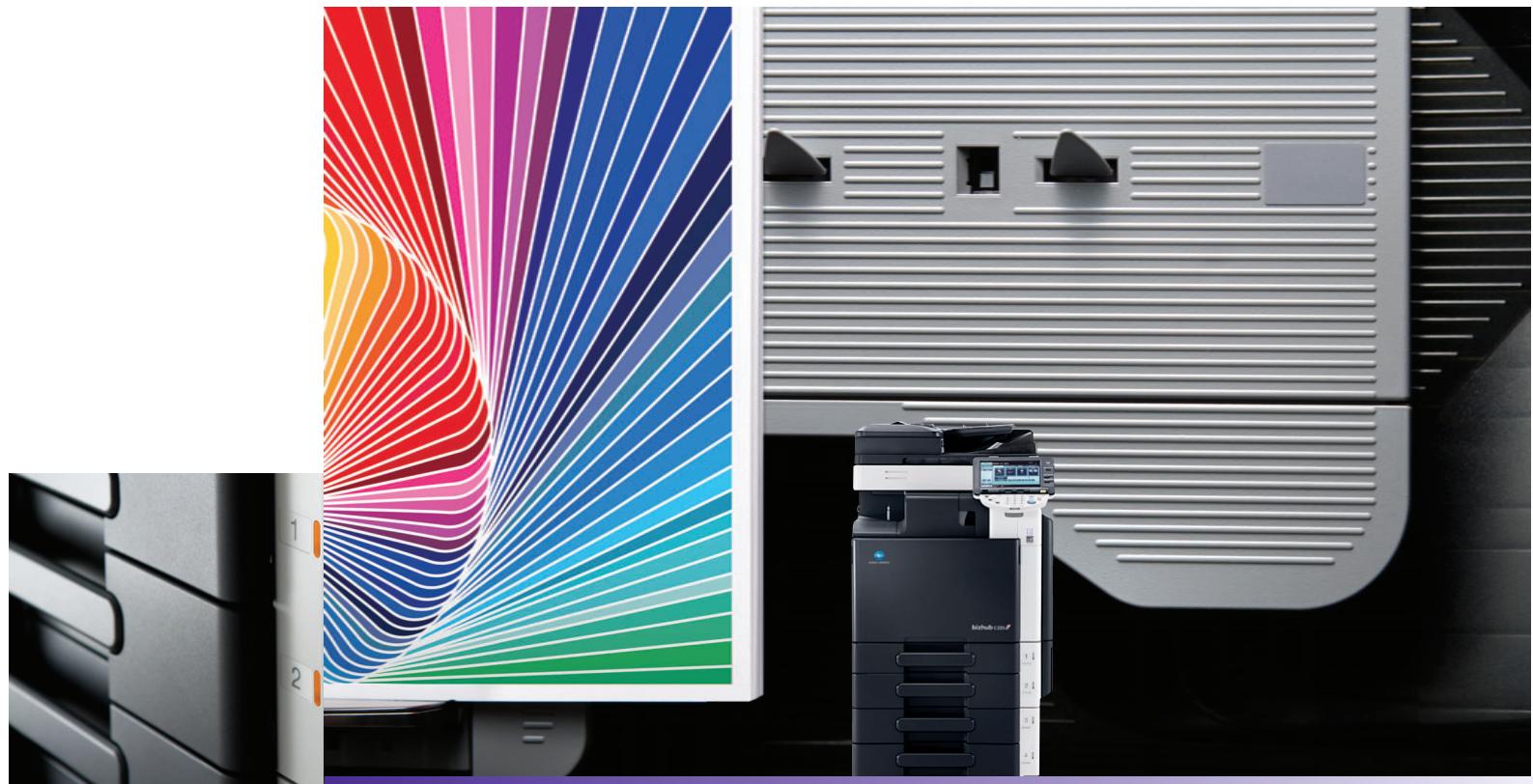
high-quality, low-cost color to count on.
natural_image
Product photo showing a printer in front of a colorful, fan-patterned rack with a machine displaying the same image (no visible text or symbols)full color printer/copier/scanner/fax
natural_image
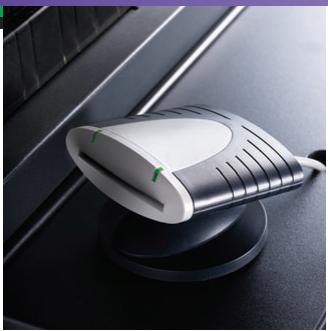
Close-up of a white and silver electronic device on a dark surface, no visible text or symbolsbizhub C220
• EXCLUSIVE IMAGE STABILIZATION FOR NEAR 100% PRODUCTIVITY
- 8.5" COLOR TOUCH-SCREEN WITH THUMBNAIL PREVIEW
• BUILT-IN EMPERON® PRINT SYSTEM, PCL6/PS3, NATIVE XPS
• UNIVERSAL PRINTER DRIVER: COMMON INTERFACE, STANDARD COMMANDS
- AWARD-WINNING MYTAB: QUICK ACCESS TO CUSTOM PRINT SETTINGS
• 70 OPM SCANNING WITH SCAN-TO-ME, SCAN-TO-HOME, COLOR INTERNET FAXING
• FRONT ACCESS FOR USB PRINTING AND SCANNING
• STANDARD 250 GB HDD FOR HIGH-CAPACITY STORAGE
• BOOKLET-MAKING, STAPLING, 2/3-HOLE PUNCH OPTIONS
- i-OPTION™ KITS: SEARCHABLE PDF, WEB ACCESS, PDF ENCRYPTION
• ENHANCED SECURITY FEATURES, VERSATILE AUTHENTICATION OPTIONS
• OPTIONAL FAX, PC & IP ADDRESS FAXING
• PAGESCOPE® SOFTWARE FOR SEAMLESS NETWORKING
• GREEN TECHNOLOGIES TO SAVE ENERGY, REDUCE WASTE
General Specifications:
TYPE:
PRINT/COPY PROCESS; TONER TYPE:
MONTHLY DUTY CYCLE:
PRINT/COPY SPEED (letter, portrait):
PRINT/COPY RESOLUTION:
SCAN SPEED/SCAN RESOLUTION:
SCAN FILE FORMATS:
MEMORY/HARD DISK DRIVE:
GRADATION:
ORIGINAL SIZE:
COPY SIZE:
WARM-UP TIME/FIRST COPY TIME:
COPY QUANTITY:
MAGNIFICATION:
COLOR MODES:
COPY EXPOSURE MODES:
FAXING (optional):
FAX TRANSMISSION SPEED:
FAX EXPOSURE MODES:
STANDARD PAPER CAPACITY:
MAXIMUM PAPER CAPACITY:
DOCUMENT FEEDER:
POWER REQUIREMENTS/CONSUMPTION:
DIMENSIONS (W x D x H)/WEIGHT:
OPTIONS:
AVAILABLE PRINT/COPY FUNCTIONS:
AVAILABLE SCAN FUNCTIONS:
AVAILABLE FAX FUNCTIONS:
APPLICATIONS:
MANAGEMENT TOOLS:
OPTIONAL SOFTWARE:
Emperor Print System (standard):
PROCESSOR; MEMORY/HARD DISK DRIVE:
PAGE DESCRIPTION LANGUAGE; FONTS:
PRINT DRIVERS:
INTERFACE:
PROTOCOLS:
Full-Color Printer/Copier/Scanner with Stationary Platen
Tandem Process; Simitri® HD Toner with Biomass
60,000
Full Color & B&W: 22 ppm
1800 dpi (equivalent) x 600 dpi
Full Color: 70 opm (@300 dpi, letter), 42 opm (@600 dpi, letter), B&W: 70 opm (@300 dpi, letter), 42 opm (@600 dpi, letter)/200 dpi, 300 dpi, 400 dpi, 600 dpi
TIFF, PDF, Compact PDF, JPEG, XPS, Compact XPS
2 GB (shared print, copy, scan and fax memory)/250 GB HDD (shared print, copy, scan and fax)
256 color shades per pixel
Up to 11" x 17" (scanning/copying), Up to 11" x 17" full bleed on 12" x 18" paper (printing)
Tray 1: 8.5" x 11" to 11" x 17", 5.5" x 8.5", 8" x 13", Tray 2: 8.5" x 11" to 12.25" x 18", 5.5" x 8.5", 8" x 13", Bypass Tray: 5.5" x 8.5" to 12" x 18", 12.25" x 18", 4" x 6", 8" x 13"
Full Color: 27 seconds or less, B&W: 22 seconds or less/Full Color: 11 seconds or less, B&W: 7.5 seconds or less
1 - 9,999
Zoom range: 25% - 400%, 0.1% increments, Preset reduction: 79%, 73%, 65%, 50%, Preset enlargement: 121%, 129%, 155%, 200%
Auto Color, Full Color, Black & White, 2-Color, Single Color
Text (legible text), Text/Photo (clear text and halftones), Photo (optimized for gradations), Map (fine edges and legible text), Dot Matrix (dot matrix or pencil originals), Copied Paper
Super G3 compatibility, MH, MR, MMR, JBIG data compression, 33.6 Kbps modem speed, F-Code support
Less than 3 seconds/page (v.34, JBIG, standard resolution)
Text, Text/Photo, Photo, Dot Matrix, Copied Paper
500-sheet universal cassette (16 lb. bond to 140 lb. index), 500-sheet universal cassette (16 lb. bond to 140 lb. index), 150-sheet bypass (16 lb. bond to 100 lb. cover or up to 271 gsm)
3,650 sheets (total, with options)
Reversing Automatic Document Feeder, Speed: Full Color: 70 opm, B&W: 70 opm, Paper Capacity: 100 sheets, Paper Size: 5.5" x 8.5" to 11" x 17", Paper Weight: Single-sided: 9.25 lb. bond to 55.75 lb. bond,
Double-sided or mixed: 13.25 lb. bond to 34 lb. bond
120V, 60Hz/Less than 15kW
25.31" x 33.38" (27.75" without control panel) x 35.38" (includes RADF)/216 lb.
AU-102 Biometric Authentication Unit, AU-201H HID Card Authentication Unit, AU-202H HID iClass Card Authentication Unit, DF-617 RADF, DK-507 Copy Desk, EK-604 USB Interface for External Keyboard,
EK-605 USB Interface for External Keyboard and Bluetooth Support, External Keyboard, C652 Series/C360 Series Fax Kit, FK-502 Fax Board, FS-527 Floor Finisher, FS-529 Inner Finisher, JS-505 Job Separator Tray,
JS-603 Job Separator Tray (3rd Output Tray), KH-101 Keyboard Holder, LK-101 v2 i-Option, LK-102 i-Option, LK-105 i-Option, MK-713 Banner Paper Guide, MK-720 Fax Connection Kit, OC-509 Original Cover,
PC-107 Paper Feed Cassette, PC-207 2-way Paper Feed Cassette, PC-408 Large Capacity Cassette, PK-517 Punch Kit, SC-507 Copy Guard Kit, SD-509 Saddle Stitcher Kit, Spare TX, Marker Stamp 2,
SP-501 Fax Stamp Unit, UK-203 i-Option Memory Upgrade Kit, WT-506 Working Table, WT-507 Working Table (Side Panel Kit)
Account Track (1,000 accounts), Administration Mode, Auto Duplex, Auto Trapping, Auto Tray Switching, Bi-Directional Communication, Black Over Print, Bluetooth Printing, Card Shot, Color Modes & Functions
(Auto Color/Full Color, Black & White Mode, Single Color Mode, 2-Color Mode), Color Adjustments, Copy Guard, Copy Modes (Simplex/Duplex, 2-in-1, 4-in-1, 8-in-1, Book, Booklet, Booklet + Bind), Cover Mode,
Creative Functions (Mirror Image, XY Zoom, Image Center, Base Color, Neg./Pos. Reverse, Image Repeat), Encrypted Network Password Printing, Energy Save Mode, Enlarge Display, Erase (Border, Frame, Edge) Mode,
Finishing (Group, Sort, Staple, Punch, Half-Fold, Center Staple and Fold), Form Overlay, Glossy Mode, HDD Encryption, HDD Job Overwrite, HDD Sanitizing, Image Adjustments (Color Matching, Pure Black Auto ON/OFF,
Color Balance, Screen Settings, Image Smoothing ON/OFF), Image Preview (Job Finishing Image Display, Engine Configuration Display), Import/Export files to/from User Box, Interrupt, Job List, Job Reserve, Job Skip, LDAP,
Mixplex, Mix-Media, MyTab, Non-Image Area Erase, OHP Interleaving, Outline PDF, Program/Recall Jobs, Paper Type Selection (Normal, Thick 1, Thick 2, Thick 3, Thick 4), Password Copy, Print Modes (Simplex/Duplex,
2-in-1, 4-in-1, 6-in-1, 9-in-1, 16-in-1, Booklet, Booklet + Bind), Print from USB, Proof Copy, Searchable PDF, Secure Printing, Separate Scan, Text Enhancement, User Authentication (Up to 20 Authentication Servers)
(Synchronize w/Account Track), User Box Function, Utility (Meter Count, Environment Setting, Default Setting, One-Touch Setting, Check Consumables Life), Watermark, Zoom Selection
Scan-to-Email, Scan-to-FTP, Scan-to-HDD (Scan-to-User Box), Scan-to-Me/Scan-to-Home, Scan-to-SharePoint, Scan-to-SMB (Scan-to-Desktop), Scan-to-USB, Scan-to-WebDAV, Network TWAIN, WS-Scan, Color Internet Fax
Autodialing (2,000 one-touches), Auto Memory Reception, Auto Reduction Printing, Broadcasting (maximum 605 locations), Bulletin Board, Duplex Transmission/Reception, Exposure Mode, Group Dialing
(up to 500 one-touches per group), Image Rotation Transmission/Reception, Mailbox Transmission/Reception, Memory/Quick Dial, Overseas Transmission, Password Transmission/Reception, PC-Fax,
Polling Transmission/Reception, Priority Transmission, Print Setting or Overnight Reception, Program Dialing (400 programs), Redial, Relay Broadcasting, Relay Transmission, Remote Reception,
Timer Transmission, TSI Routing
Network & Device Management: PageScope Data Administrator, Driver Packaging Utility, HDD Back-Up Utility, Download Manager (ICC Color Profile Utility), Log Management Utility
User Tools: PageScope Web Connection, PageScope Direct Print, PageScope Box Operator, PageScope Print Status Notifier, Font Management Utility, Copy Protect Utility
bizhub vCare support
PageScope Workware; PageScope Enterprise Suite: PageScope Account Manager, PageScope Authentication Manager, PageScope My Panel Manager, PageScope Net Care Device Manager (standard)
667 MHz (MPC8533E); 2 GB (shared copier memory)/250 GB (shared copier HDD)
PCL5e/c, PCL6 (XL v.3.0) Emulation, PS3 (v.3016) Emulation, XPS v.2.1.4.0 (XML Paper Specification); PCL: 80 fonts, PostScript 3 Emulation: 137 fonts
PCL6: Windows 2000 Professional, Windows NT 4.0, Windows XP Home/Professional (x32, x64), Windows Vista (x32, x64), Windows 7 (x32, x64), Windows Server 2003 (x32, x64), Windows Server 2008 (x32, x64)
PS3: Windows 2000 Professional, Windows XP Home/Professional (x32, x64), Windows Vista (x32, x64), Windows 7 (x32, x64), Windows Server 2003 (x32, x64), Windows Server 2008 (x32, x64)
Universal PS3 and PCL: Windows 2000, Windows XP, Windows Vista, Windows 7*(x32, x64), Windows Server 2003, Windows Server 2008 (x32, x64)
XPS: Windows Vista (x32, x64), Windows 7 (x32, x64), Windows Server 2008 (x32, x64) Mac: OS 9.2 (PPD file), OS X 10.2, 10.3, 10.4; Intel-based: 10.4 (print driver), 10.5, 10.6
10 BASE-T/100 BASE-TX/1000 BASE-T, USB 1.1, USB 2.0, USB Host
TCP/IP (IPv4/IPv6), BOOTP, ARP, ICMP, DHCP, DHCPv6, AutolP, SLP, SNMP, FTP, LPR/LPD, RAW Socket, SMB, IPP, HTTP, POP, SMTP, LDAP, NTP, SSL, IPX/SPX, AppleTalk, Bonjour, NetBEUI, WebDAV, DPWS, S/MIME,
IPsec, DNS, Dynamic DNS, LLMNR, LLTD
*Universal Printer Driver for Windows 7 anticipated availability Summer 2010.

KONICA MINOLTA
KONICA MINOLTA
BUSINESS SOLUTIONS U.S.A., INC.
100 Williams Drive
Ramsey, NJ 07446
www.CountOnKonicaMinolta.com
www.kmbs.konicaminolta.us
Konica Minolta Optimized Print Services offers a full suite of device output services and workflow solutions that increase efficiency and control costs.
Please contact your authorized Konica Minolta sales representative for details.
© 2010 KONICA MINOLTA BUSINESS SOLUTIONS U.S.A., INC. All rights reserved. Reproduction in whole or in part without written permission is prohibited. Konica Minolta and The essentials of imaging are trademarks of KONICA MINOLTA HOLDINGS, INC. bizhub, Emperor, and PageScope are trademarks of KONICA MINOLTA BUSINESS TECHNOLOGIES, INC. Simitri is a registered trademark of KONICA MINOLTA BUSINESS SOLUTIONS. Bluetooth is a registered trademark of Bluetooth SIG, Inc. ABBYY and FineReader are registered trade marks of ABBYY Software House. All other brands and product names are registered trademarks or trademarks of their respective owners. Design & specifications are subject to change without notice. Some functions may require options, which may or may not be available at time of launch.
COUNT ON KONICA MINOLTA