
SW008 - Commutateur réseau SWEEX - Notice d'utilisation et mode d'emploi gratuit
Retrouvez gratuitement la notice de l'appareil SW008 SWEEX au format PDF.

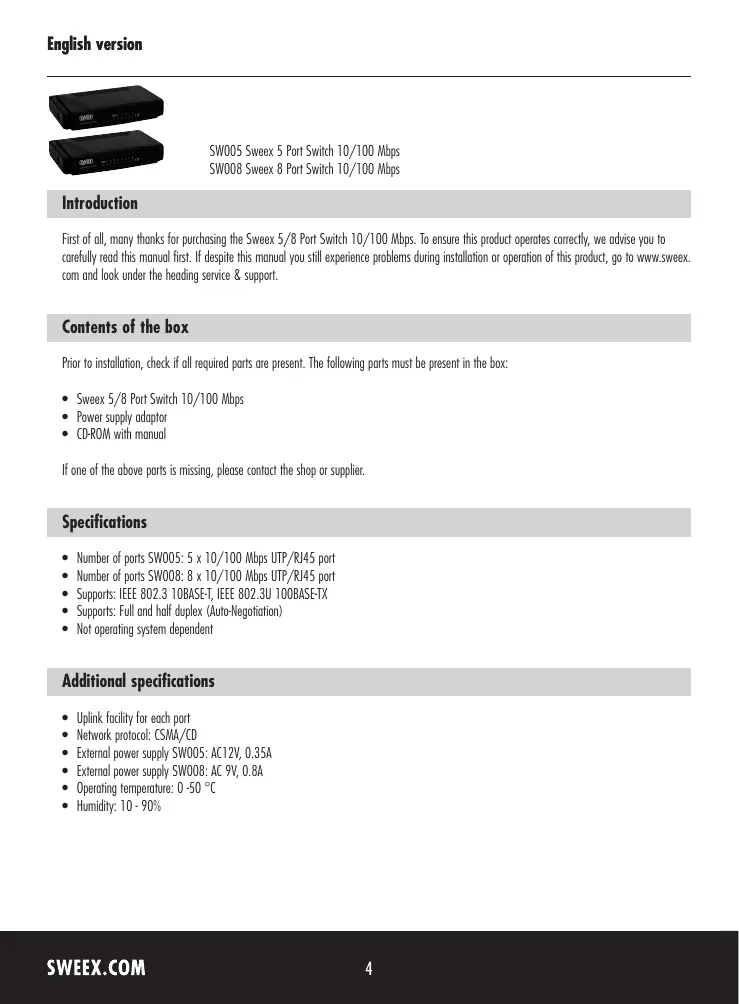
| Type de produit | Commutateur réseau |
| Marque | SWEEX |
| Modèle | SW008 |
| Nombre de ports | 8 ports 10/100 Mbps UTP/RJ45 |
| Normes supportées | IEEE 802.3 10BASE-T, IEEE 802.3u 100BASE-TX |
| Duplex | Full et half duplex (auto-négociation) |
| Protocole réseau | CSMA/CD |
| Alimentation | Adaptateur secteur externe AC 9V, 0.8A |
| Température de fonctionnement | 0 °C à 50 °C |
| Humidité de fonctionnement | 10 % à 90 % |
| Voyants LED | POWER (rouge) et LINK/ACT (vert) par port |
| Garantie | 3 ans |
| Fonctions principales | Commutation réseau 10/100 Mbps, auto-négociation, fonction Uplink sur chaque port |
| Entretien et nettoyage | Nettoyer avec un chiffon sec et non abrasif. Débrancher avant nettoyage. |
| Sécurité | Utiliser uniquement l'adaptateur fourni. Ne pas exposer à l'humidité ni à des températures extrêmes. |
| Pièces détachées et réparabilité | Ne contient aucune pièce réparable par l'utilisateur. Contacter le revendeur pour toute réparation. |
| Dimensions (estimées) | Environ 160 x 100 x 28 mm |
| Poids (estimé) | Environ 250 g |
FOIRE AUX QUESTIONS - SW008 SWEEX
Questions des utilisateurs sur SW008 SWEEX
0 question sur cet appareil. Repondez a celles que vous connaissez ou posez la votre.
Poser une nouvelle question sur cet appareil
Téléchargez la notice de votre Commutateur réseau au format PDF gratuitement ! Retrouvez votre notice SW008 - SWEEX et reprennez votre appareil électronique en main. Sur cette page sont publiés tous les documents nécessaires à l'utilisation de votre appareil SW008 de la marque SWEEX.
MODE D'EMPLOI SW008 SWEEX
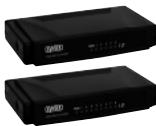
SW005 Sweeex 5 Port Switch 10/100 Mbps
SW008 Sweex 8 Port Switch 10/100 Mbps
Introduction
First of all, many thanks for purchasing the Sweeex 5/8 Port Switch 10/100 Mbps. To ensure this product operates correctly, we advise you to carefully read this manual first. If despite this manual you still experience problems during installation or operation of this product, go to www.sweeex.com and look under the heading service & support.
Contents of the box
Prior to installation, check if all required parts are present. The following parts must be present in the box:
- Sweeex 5/8 Port Switch 10/100 Mbps
Power supply adaptor - CD-ROM with manual
If one of the above parts is missing, please contact the shop or supplier.
Specifications
Number of ports SW005: 5 × 10 / 100 Mbps UTP/RJ45 port
Number of ports SW008: 8 x 10/100 Mbps UTP/RJ45 port
Supports: IEEE 802.3 10BASE-T, IEEE 802.3U 100BASE-TX
Supports: Full and half duplex (Auto-Negotiation)
- Not operating system dependent
Additional specifications
- Uplink facility for each port
Network protocol: CSMA/CD - External power supply SW005: AC12V, 0.35A
- External power supply SW008: AC 9V, 0.8A
- Operating temperature: 0 - 50^
- Humidity: 10 - 90%
Installation of hardware
Connect the power supply adaptor to the side of the switch. Connect PCs or other network equipment that you wish to incorporate in the network to a free port at the back of the switch. Use a UTP/RJ45 network cable for this.
The front or top of the switch has a number of LEDs which indicate the status of the switch. These LEDs have the following functions:
| LED | Colour | Status | Explanation |
| POWER | Red | Lit up | This LED is lit up when the device is switched on |
| 1,2,3…LINK/ACT | Green | Lit up | The port is connected to a PC or other network device |
| Green | Blinking | The port is sending or receiving data |
Basic network setup
On its website, Sweex has published a comprehensive description, detailing the basic setup of a network. In this setup, various situations are described. Go to www.sweex.com, look under the product you have purchased and then select "manual". Then click on the link ending in man_all_network.
Warranty
All products under the Sweex brand are warranted for a period of three years. We do not grant support or warranties for any software and/or (rechargeable) batteries included. Warranty claims are only settled via the dealer where the product concerned was purchased.
The rightful owner has and retains title to all brand names and related rights mentioned in this manual.