
ST030V2 - Disque dur externe SWEEX - Notice d'utilisation et mode d'emploi gratuit
Retrouvez gratuitement la notice de l'appareil ST030V2 SWEEX au format PDF.

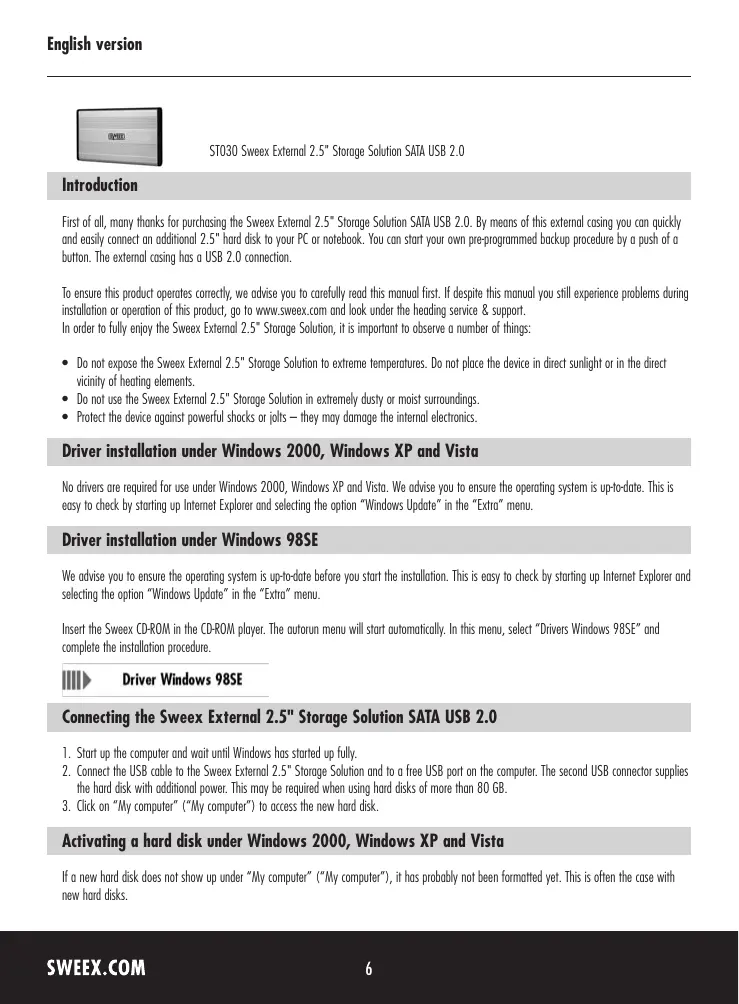
| Type de produit | Boîtier externe pour disque dur 2,5" SATA |
| Marque | Sweex |
| Modèle | ST030V2 |
| Interface | USB 2.0 |
| Connecteur interne | SATA |
| Format de disque compatible | 2,5 pouces |
| Alimentation | Via USB (second connecteur pour disques > 80 Go) |
| Fonction de sauvegarde | Bouton de sauvegarde programmée |
| Systèmes d'exploitation supportés | Windows 98SE, 2000, XP, Vista |
| Pilotes requis | Windows 98SE uniquement (fournis sur CD) |
| Dimensions (estimées) | Environ 130 x 80 x 15 mm |
| Poids (estimé) | Environ 150 g |
| Température de fonctionnement | Éviter les températures extrêmes |
| Humidité de fonctionnement | Éviter les environnements très poussiéreux ou humides |
| Résistance aux chocs | Protéger des chocs violents |
| Garantie | 3 ans (hors logiciel et batteries) |
| Accessoires fournis | Câble USB, CD de pilotes, notice |
| Entretien | Nettoyer avec un chiffon sec et doux |
| Réparabilité | Pièces détachées non spécifiées, contacter le revendeur |
FOIRE AUX QUESTIONS - ST030V2 SWEEX
Questions des utilisateurs sur ST030V2 SWEEX
0 question sur cet appareil. Repondez a celles que vous connaissez ou posez la votre.
Poser une nouvelle question sur cet appareil
Téléchargez la notice de votre Disque dur externe au format PDF gratuitement ! Retrouvez votre notice ST030V2 - SWEEX et reprennez votre appareil électronique en main. Sur cette page sont publiés tous les documents nécessaires à l'utilisation de votre appareil ST030V2 de la marque SWEEX.
MODE D'EMPLOI ST030V2 SWEEX
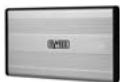
ST030 Sweex External 2.5" Storage Solution SATA USB 2.0
Introduction
First of all, many thanks for purchasing the Sweex External 2.5" Storage Solution SATA USB 2.0. By means of this external casing you can quickly and easily connect an additional 2.5" hard disk to your PC or notebook. You can start your own pre-programmed backup procedure by a push of a button. The external casing has a USB 2.0 connection.
To ensure this product operates correctly, we advise you to carefully read this manual first. If despite this manual you still experience problems during installation or operation of this product, go to www.sweex.com and look under the heading service & support. In order to fully enjoy the SweeX External 2.5" Storage Solution, it is important to observe a number of things:
- Do not expose the Sweex External 2.5" Storage Solution to extreme temperatures. Do not place the device in direct sunlight or in the direct vicinity of heating elements.
- Do not use the Sweex External 2.5" Storage Solution in extremely dusty or moist surroundings.
- Protect the device against powerful shocks or jolts — they may damage the internal electronics.
Driver installation under Windows 2000, Windows XP and Vista
No drivers are required for use under Windows 2000, Windows XP and Vista. We advise you to ensure the operating system is up-to-date. This is easy to check by starting up Internet Explorer and selecting the option "Windows Update" in the "Extra" menu.
Driver installation under Windows 98SE
We advise you to ensure the operating system is up-to-date before you start the installation. This is easy to check by starting up Internet Explorer and selecting the option "Windows Update" in the "Extra" menu.
Insert the SweeX CD-ROM in the CD-ROM player. The autorun menu will start automatically. In this menu, select "Drivers Windows 98SE" and complete the installation procedure.

Driver Windows 98SE
Connecting the Sweex External 2.5^ Storage Solution SATA USB 2.0
- Start up the computer and wait until Windows has started up fully.
- Connect the USB cable to the Sweex External 2.5" Storage Solution and to a free USB port on the computer. The second USB connector supplies the hard disk with additional power. This may be required when using hard disks of more than 80 GB.
- Click on "My computer" ("My computer") to access the new hard disk.
Activating a hard disk under Windows 2000, Windows XP and Vista
If a new hard disk does not show up under "My computer" ("My computer"), it has probably not been formatted yet. This is often the case with new hard disks.
- Go to the "Control Panel" ("Control Panel") and then go to "Administrative Tools" ("Administrative Tools").
- Go to "Computer management" ("Computer management") and "Disk management" ("Disk management").
- A window to start up the procedure to format the disk will automatically appear. If it does not, right-click the new disk in the window. Please be aware that your new disk may have a number that is different from the one in the picture.

- Right-click in the grey area on the left to initialise the disk. If this is not required, you can start formatting the disk by right-clicking in the white area.
After this procedure, the disk is ready for use.
Activating a hard disk under Windows 98SE
- Go to "Start" → "Settings" ("Settings") → "Control Panel" ("Control Panel").
- Double-click on "System" ("System") and select the tab entitled "Device Manager" ("Device Manager").
- Under "Disk drives" ("Disk drives") you will find the new external hard disk, indicated as USB or removable disk.
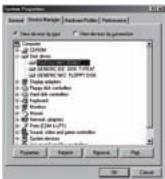
- Right-click it and select "Properties" ("Properties").
- Go to the tab entitled "Settings" ("Settings") and tick "Removable" ("Removable").
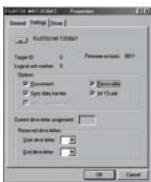
- Click "OK" to save the settings.
- The disk now shows under "My computer" ("My computer") as a removable hard disk.
Warranty
All products under the Sweex brand are warranted for a period of three years. We do not grant support or warranties for any software and/or (rechargeable) batteries included. Settlement of guarantee only takes place via the dealer where you have purchased the product in question.
The rightful owner has and retains title to all brand names and related rights mentioned in this manual.