
NMP-530 - Lecteur multimédia numérique VIEWSONIC - Notice d'utilisation et mode d'emploi gratuit
Retrouvez gratuitement la notice de l'appareil NMP-530 VIEWSONIC au format PDF.


| Type de produit | Lecteur multimédia numérique |
| Marque | VIEWSONIC |
| Modèle | NMP-530 |
| Numéro de modèle | VS11681 |
| Alimentation | Adaptateur secteur externe |
| Connectivité réseau | Ethernet RJ-45 (100Base-T) |
| Sorties vidéo | HDMI, S-Video, Composite, Composante (via adaptateur) |
| Sortie audio | Via HDMI, S-Video, Composite (non spécifié explicitement mais inclus) |
| Connecteurs supplémentaires | RS-232 (série), adaptateur S-Video/YPbPr inclus |
| Contenu du carton | Télécommande avec piles, guide rapide, CD ViewSonic, câble Ethernet, adaptateur S-Video/YPbPr, câble RS-232, adaptateur secteur |
| Formats pris en charge | Graphiques, vidéos, fichiers Flash (logiciel tiers requis pour la création) |
| Configuration requise (serveur) | PC avec Windows ou Linux, processeur 1 GHz, 512 Mo RAM, interface réseau 100Base-T |
| Résolutions vidéo | Plusieurs résolutions disponibles (sélectionnables selon l'affichage) |
| Gestion à distance | Interface web via navigateur Internet |
| Sécurité | Identification par login/mot de passe, déconnexion automatique après 5 minutes d'inactivité |
| Température de fonctionnement | Non spécifiée, estimation : 0 à 40 °C |
| Humidité de fonctionnement | Non spécifiée, estimation : 20 à 80 % (sans condensation) |
| Entretien et nettoyage | Nettoyer avec un chiffon doux et sec. Ne pas utiliser de liquides ni aérosols. |
| Pièces détachées et réparabilité | Contacter le support ViewSonic pour toute réparation. Aucune pièce détachée fournie. |
| Informations générales | Conforme aux normes en vigueur. Fabriqué sous licence. Copyright ViewSonic Corporation, 2006. |
FOIRE AUX QUESTIONS - NMP-530 VIEWSONIC
Questions des utilisateurs sur NMP-530 VIEWSONIC
0 question sur cet appareil. Repondez a celles que vous connaissez ou posez la votre.
Poser une nouvelle question sur cet appareil
Téléchargez la notice de votre Lecteur multimédia numérique au format PDF gratuitement ! Retrouvez votre notice NMP-530 - VIEWSONIC et reprennez votre appareil électronique en main. Sur cette page sont publiés tous les documents nécessaires à l'utilisation de votre appareil NMP-530 de la marque VIEWSONIC.
MODE D'EMPLOI NMP-530 VIEWSONIC
Packaged Contents
Check that you have all the following items in the package.
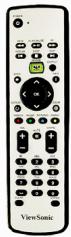
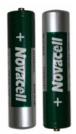
Remote Control and Two Batteries
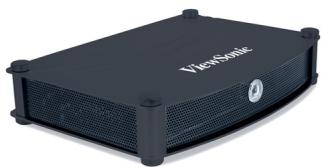
NMP-530
Quick Start Guide
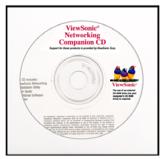
ViewSonic CD
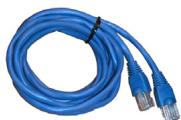
RJ-45 Ethernet Cable
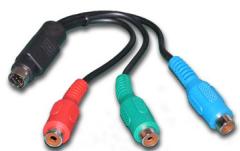
S-Video/YPbPr Adapter
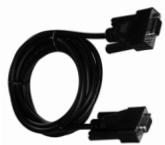
RS-232 Cable
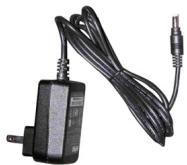
AC Power Adapter
System Requirements
System requirements include a display, a network environment, and a PC with network capability
Software Requirements
Software applications need to be purchased separately in order to create material for playback, such as graphics, video, and Flash files, etc.
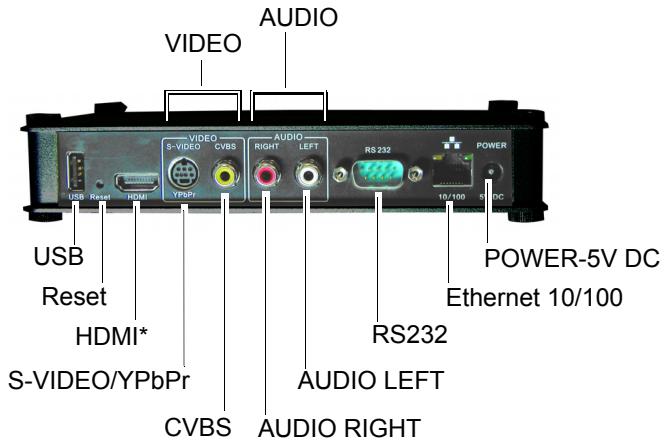
Back view
PC Requirements (for basic server)
- Operating System: Any Windows® or Linux OS capable of running a web server
- Processor: Intel® Pentium® 4, 1 GHz or higher (or compatible microprocessor)
Memory: 512 MB RAM or more
Network Interface: 100Base-T
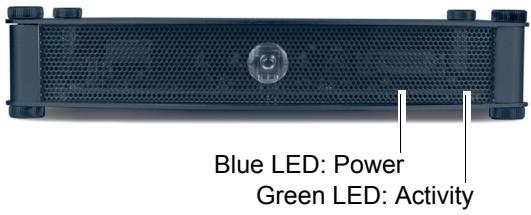
Front view
Setup
For the initial setup, you need the following:
A Router with DHCP services
- A TV or Display with Composite or S-Video input for initial setup. During the setup, you can change the NMP-530 output to the final display being used.
A PC with Internet Browser

CONNECT TO A DISPLAY
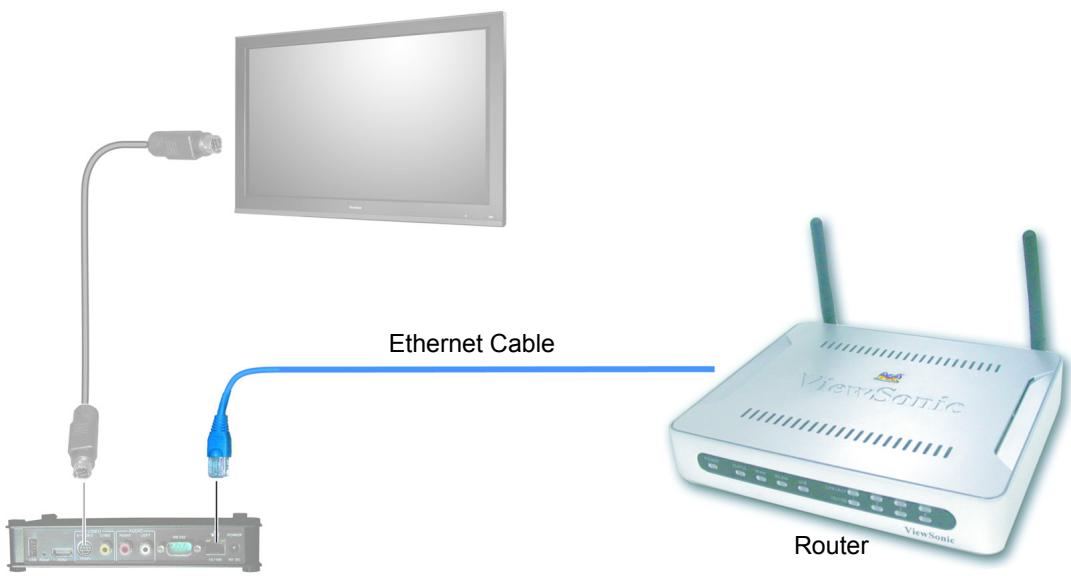
Connect the S-Video or Composite output of the NMP-530 to the corresponding input on your TV or other display.
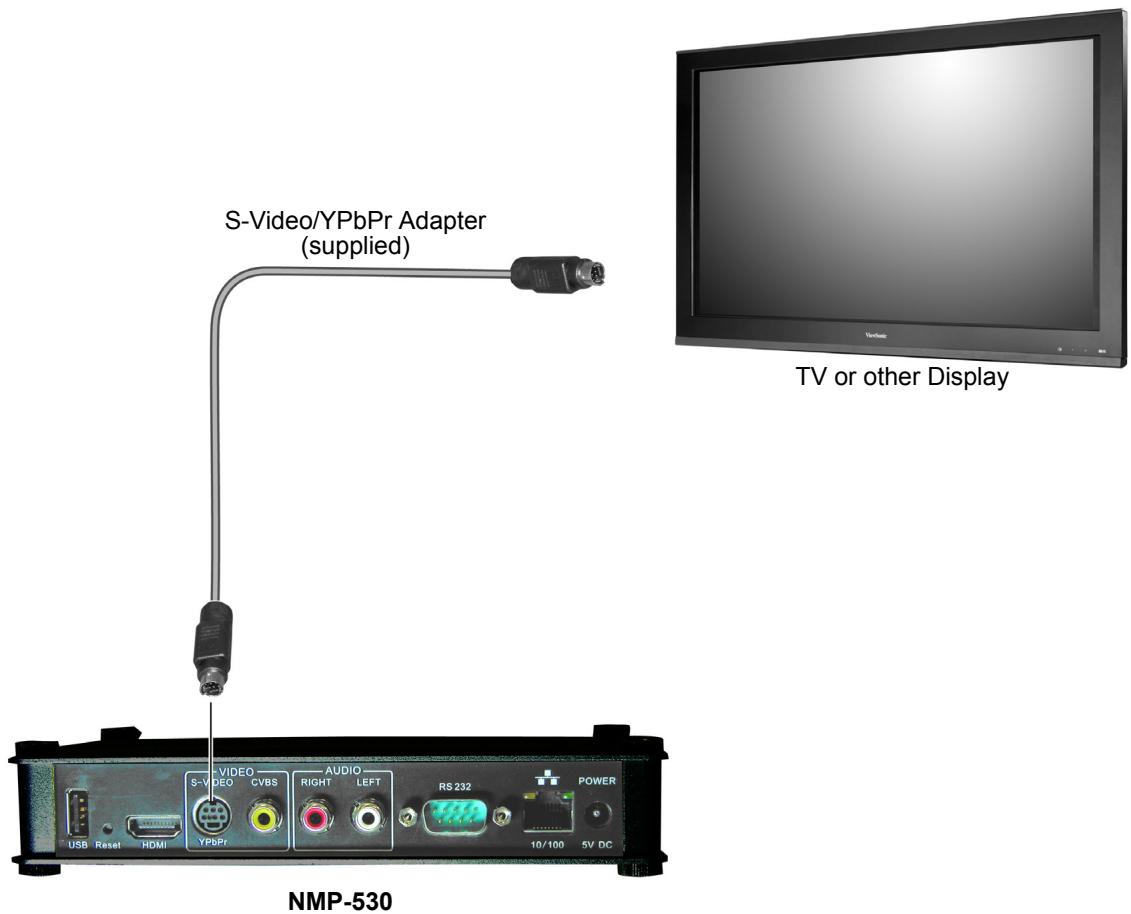
Connect the supplied RJ-45 ethernet cable from the NMP-530 to a router with DHCP services. Refer to your router's user guide or contact your network administrator for assistance.
3 TURN POWER ON
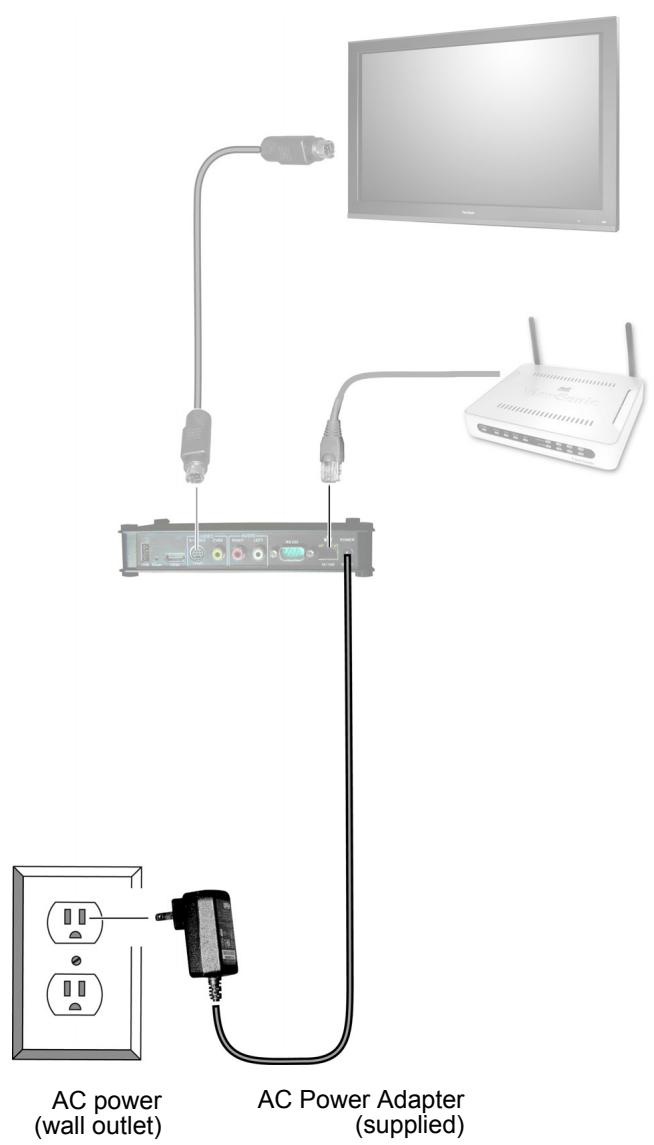
Connect the supplied AC Adapter DC Plug into the NMP-530. Turn the TV or the Display power on making sure that the Input is on the proper setting. Plug the AC Adapter to a wall outlet.
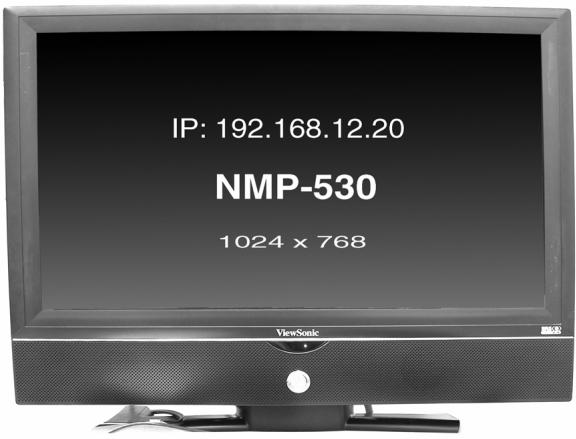
Wait a few seconds and the IP Address of the NMP-530 appears on the screen. Make a note of the IP information as this will be used to login to the NMP-530.

LOGIN
Open an Internet Browser, i.e., Internet Explorer on a PC in the same network. In the URL address field, type the IP address of the NMP-530 noted in the previous step > press Enter. The Login screen appears. Type the defaults Login: admin and Password: admin. For security purposes, we recommend that you change the Login and Password. For more information, see the Security section in this NMP-530 User Guide. After logging in successfully, the Network Configuration screen appears as shown in the next step. Note: The NMP-530 automatically logs you out after five (5) minutes of inactivity.

STARTURL
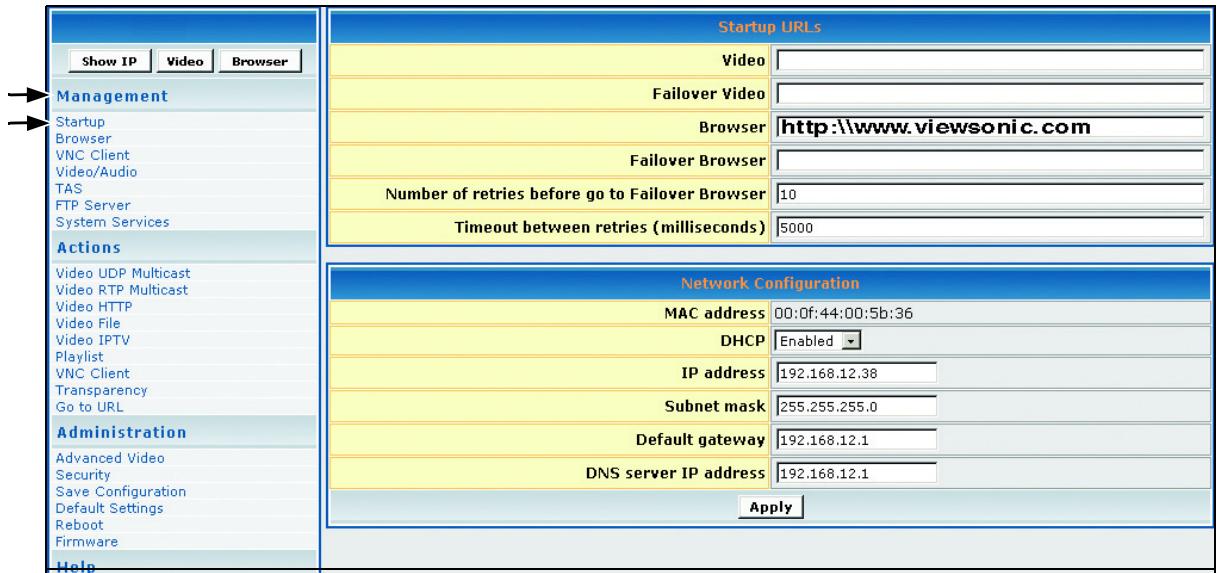
Under Management click Startup. The screen shown below appears. In the Video field, enter a valid URL. Or, in the Browser field, enter a valid web page. For more information, see the NMP-530 User Guide.
7
SETVIDEO OUTPUT OFNMP-530
By default, the video output is set to S-Video. But, you can choose any one of the following connections if you prefer, depending on the type of display input you want to use.
HDMI Connect an HDMI cable from the back of the NMP-530 to the HDMI interface on the back of the display.
S-Video: Default. Connect an S-Video cable from the S-Video interface on the back of the NMP-530 to the S-Video interface on the back of the display.
Component: Using the S-Video/YPbPr adapter.
Composite: Using an RCA cable.
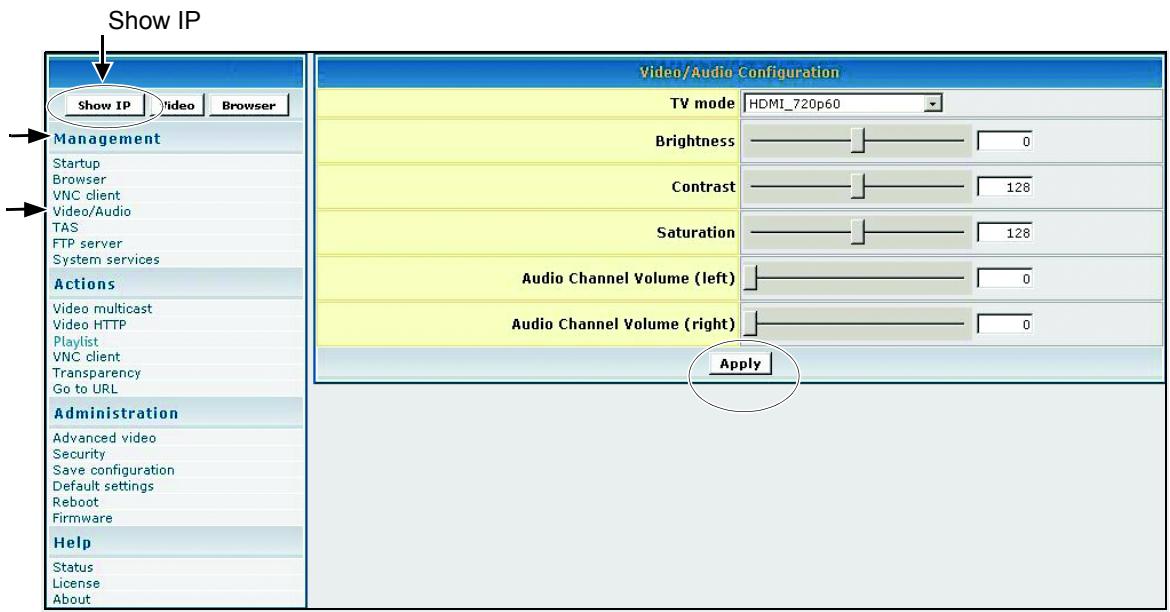
To change the output setting, login to the NMP-530, under Management click Video/Audio. The screen shown below appears. For more information, see the Video/Audio Configuration section in the NMP-530 User Guide.
-
In the TV Mode field, click the down arrow for the pull-down menu and select one of the resolutions required by your display (PDP or LCD).
-
If any changes were made to this screen, do the following:
-
To enable the changes, click Apply
- To save the changes, under Administration click Save Configuration > click Save.
PUT BATTERIES IN REMOTE CONTROL
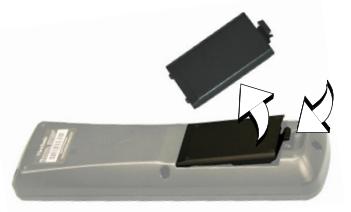
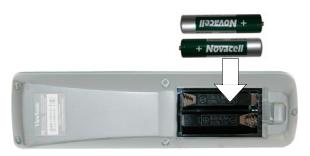
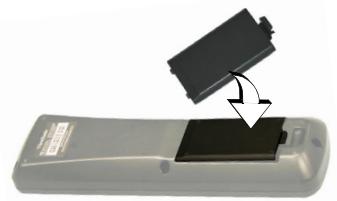
Remove the back cover from the remote control as shown below. Put two AA batteries in the battery compartment. Be sure to match the positive end of the battery with the positive end in the compartment. Put the cover back on the remote control.
For more information, see the NMP-530 User Guide. If you still need help, contact ViewSonic Customer Support as listed in the user guide or on our website.
Website: www.viewsonic.com
Model Name: NMP-530
Model Number: VS11681
Serial Number:
Document Number: NMP-530_QSG_ENG_REV1A 7-DEC-06
Copyright © ViewSonic Corporation, 2006. All rights reserved. ViewSonic Corporate names and trademarks are the property of their respective companies.
Marque : VIEWSONIC
Modèle : NMP-530
Catégorie : Lecteur multimédia numérique