MODE D'EMPLOI DYNAX 5 MINOLTA
VANWNOILONRSLNI
Woo'oo! WMM
e e

APPENDIX
CUSTOM FUNCTIONS
DETAILED OPERATION
CREATIVE EXPOSURE
SUBJECT/ DRIVE
AUTOMATIC OPERATION
GETTING STARTED
TABLE OF CONTENTS
The GETTING STARTED section describes how to prepare the camera for use. The FULLY-AUTOMATIC OPERATION chapter shows how to take photographs quickly and simply by using the camera's automatic features. Advanced shooting features are covered in SUBJECT PROGRAM / DRIVE MODES. The CREATIVE EXPOSURE MODE section introduces exposure control. The DETAILED OPERATION section describes advanced functions within the camera. The last section, CUSTOM FUNCTIONS, shows how to customize camera operation. Custom Function Notes have been inserted throughout the manual as reference to camera operations that can be changed.
FOR PROPER AND SAFE USE 7
QUICK OPERATION 10
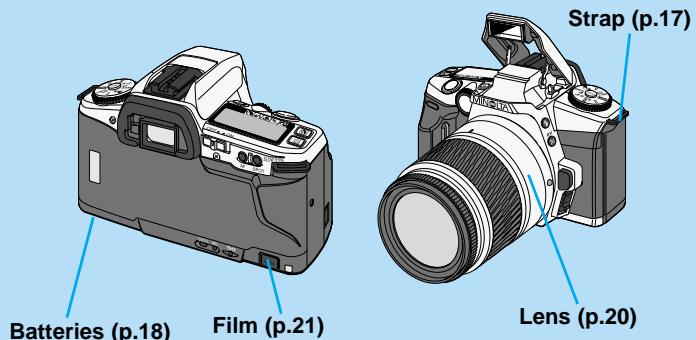
NAMES OF PARTS 12
Body 12
Data Panel 14
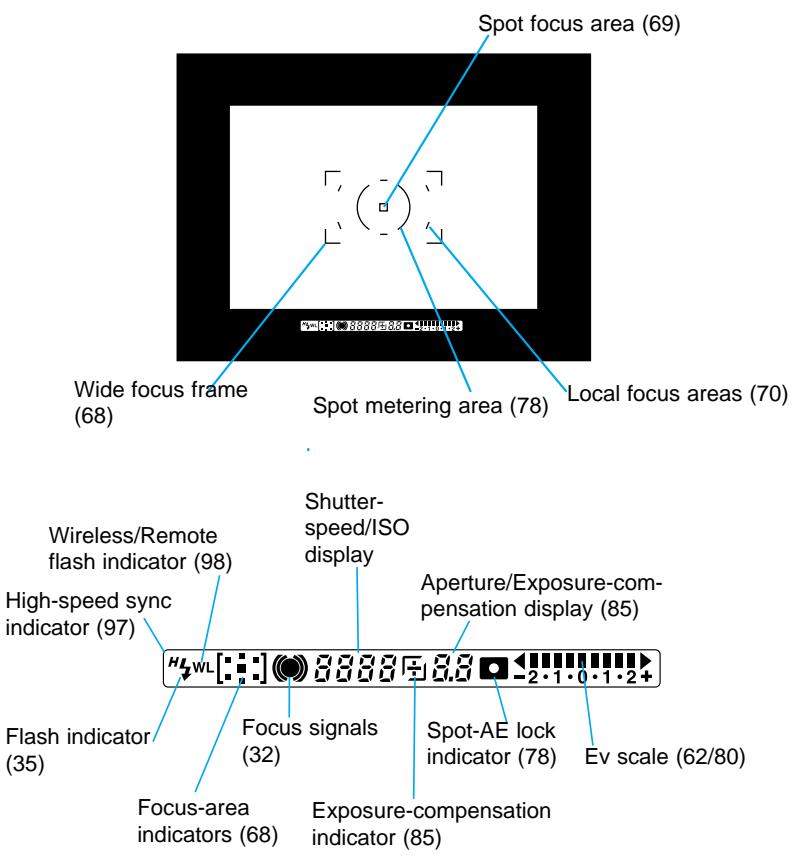
Viewfinder. 15
GETTING STARTED
GETTING STARTED
STRAP 17
Attaching the Strap 17
Using the Eyepiece Cap 17
BATTERIES 18
Installing the Batteries 18
Battery Condition Indicators. 19
LENS 20
Attaching the Lens 20
Removing the Lens 20
FILM 21
Loading the Film 21
Film Chamber Lock 23
Rewinding the Film 24
Manual Rewind 24
AUTOMATIC OPERATION
FULLY-AUTOMATIC OPERATION
HANDLING THE CAMERA 26
Pressing the Shutter-release Button 26
Holding the Camera 26
EYE-START 27
AUDIO SIGNAL 29
TAKINGPICTURESINFULL-AUTO 30
FOCUS 32
Focus Signals 32
Special Focus Situations 33
FOCUS LOCK 34
USING THE BUILT-IN FLASH 35
Flash Signals 35
Flash Range 36
Lens Shadowing 36
Fill Flash 37
Flash Cancel 37
Red-eye Reduction 38
SUBJECT / DRIVE
SUBJECT PROGRAM / DRIVE MODES
SUBJECT PROGRAM SELECTION 40
Portrait 40
A Landscape 41
Close-up 42
Sports 43
Night Portrait 44
Photographng Night Scenes 45
DRIVE MODES 46
Self-timer 46
Continuous Advance 48
For Owners of the Remote Control Model 49
Focus Lock in Remote Control Mode 50
TABLE OF CONTENTS
CREATIVE EXPOSURE
CREATIVE EXPOSURE MODES
APERTURE CONTROL 52
SHUTTER CONTROL 53
EXPOSURE MODES 54
A MODE (APERTURE PRIORITY) 55
Flash With A Mode 57
Depth-of-field Preview 58
S MODE (SHUTTER PRIORITY) 59
Flash With S Mode 60
M MODE (MANUAL) 61
Ev Scale in the Viewfinder 62
Flash With M Mode 63
P MODE 64
PA mode 64
Ps mode 65
EXPOSUREWARNINGS 66
DETAILED OPERATION
DETAILED OPERATION
FOCUS AREA 68
Wide Focus Frame 68
Spot Focus Area 69
Local Focus Areas 70
FOCUS MODES 72
Automatic AF 72
Continuous AF 73
S Single-shot AF 74
MF Manual Focus. 75
AFILLUMINATOR 76
EXPOSURE 77
14-Segment Honeycomb Pattern Metering 77
Spot Metering 77
Spot-AE Lock 78
Ev Scale Display When Using the Spot-AE Lock .... 80
TAKING TIME EXPOSURES (buLb) 81
EXPOSURE COMPENSATION 84
Checking Exposure Compensation 85
SETTING THE ISO MANUALLY 86
EXPOSURE BRACKETING 87
Continuous Advance Bracketing 88
Single Frame Advance Bracketing 88
Flash Notes 89
Bracketing with the Exposure-compensation Button .. 89
MULTIPLE EXPOSURE 90
Metering Multiple Exposure 92
FLASH 93
Program Flash 93
Attaching the Accessory Flash 94
Flash Metering 94
SLOW-SYNC 96
HIGH-SPEEDSYNC(HSS) 97
WIRELESS/REMOTE FLASH 98
Setting Wireless/Remote Flash Mode 99
Taking Pictures in Wireless/Remote Flash Mode .... 100
Wireless/Remote Ratio Flash 101
FOR OWNER'S OF THE QUARTZ DATE MODEL .... 103
Imprinting the Date or Time 103
Setting the Date or Time 104
Changing the Date Format. 105
CUSTOM FUNCTIONS 106
APPENDIX 114
PROGRAM-RESET BUTTON 115
ACCESSORY INFORMATION 116
TROUBLESHOOTING 120
CARE AND STORE 122
SPECIFICATIONS 124
INDEX 126
FOR PROPER AND SAFE USE
Thank you for purchasing the Minolta Maxxum/Dynax 5. Please take time to read this manual so that you can enjoy all the features of your new camera. This manual has been designed to help you understand the camera's operation quickly. The information in this manual is relevant for products introduced before May, 2001. Contact the nearest authorized Minolta Service facility to obtain compatibility information for products released after this date.
This camera is designed to work specifically with lenses and accessories manufactured and distributed by Minolta. Using incompatible accessories with this camera may result in unsatisfactory performance or damage the camera and accessories.
This device complies with Part 15 of the FCC Rules. Operation is subject to the following two conditions: (1) This device may not cause harmful interference, and (2) this device must accept any interference received, including interference that may cause undesired operation. Changes or modifications not approved by the party responsible for compliance could void the user's authority to operate the equipment. This equipment has been tested and found to comply with the limits for a Class B digital device, pursuant to Part 15 of the FCC Rules. These limits are designed to provide reasonable protection against harmful interference in a residential installation. This equipment generates, uses and can radiate radio frequency energy and, if not installed and used in accordance with the instructions, may cause harmful interference to radio communications. However, there is no guarantee that interference will not occur in a particular installation. If this equipment does cause harmful interference to radio or television reception, which can be determined by turning the equipment off and on, the user is encouraged to try to correct the interference by one or more of the following measures:
- Reorient or relocate the receiving antenna.
- Increase the separation between the equipment and the receiver.
- Connect the equipment to an outlet on a circuit different from that to which the receiver is connected.
- Consult the dealer or an experienced radio/TV technician for help.
This Class B digital apparatus complies with Canadian ICES-003.

This mark on the bottom of your camera is there to inform you that this camera meets the requirements of the EU (European Union) concerning interference causing equipment regulations. CE stands for Conformité Européenne (European Conformity).
Read and understand all warnings and cautions before using this product.
WARNING
Using batteries improperly can cause them to leak harmful solutions, overheat, or explode which may damage property or cause personal injury. Do not ignore the following warnings.
- Only use the batteries specified in this instruction manual.
- Do not install the batteries with the polarity (+/-) reversed.
- Do not use batteries which show wear or damage.
- Do not expose batteries to fire, high temperatures, water, or moisture.
- Do not attempt to short or disassemble batteries.
- Do not store batteries near or in metallic products.
- Do not mix batteries of different types, brands, or ages.
- Do not use leaking batteries. If fluid from the batteries enters your eye, immediately rinse the eye with plenty of fresh water and contact a doctor. If fluid from the batteries makes contact with your skin or clothing, wash the area thoroughly with water.
- Tape over lithium battery contacts to avoid short-circuiting during disposal; always follow local regulations for battery disposal.
- Do not disassemble this product. Electric shock may cause injury if a high voltage circuit inside the product is touched. Take the product to a Minolta Service Facility when repairs are required.
WARNING
- Immediately remove the batteries and discontinue use if the camera is dropped or subjected to an impact in which the interior, especially the flash unit, is exposed. The flash has a high voltage circuit which may cause an electric shock resulting in injury. The continued use of a damaged product or part may cause injuries.
- Keep batteries or small parts that could be swallowed away from infants. Contact a doctor immediately if an object is swallowed.
- Store this product out of reach of children. Be careful when around children, not to harm them with the product or parts.
- Do not fire the flash directly into the eyes. It may damage eyesight.
- Do not fire the flash at vehicle operators. It may cause a distraction or temporary blindness which may lead to an accident.
- Do not look at the sun or strong light sources directly through the viewfinder or lens. It may damage your eyesight or cause blindness.
- Do not use the product near inflammable gases or liquids such as gasoline, benzine, or paint thinner. Do not use inflammable products such as alcohol, benzine, or paint thinner to clean the product. The use of inflammable cleaners and solvents may cause an explosion or fire.
- If the product emits a strange odor, heat, or smoke, discontinue use. Immediately remove the batteries taking care not to burn yourself. The continued use of a damaged product or part may cause injuries.
- Take the product to a Minolta Service Facility when repairs are required.
CAUTION
- Do not point the product directly at the sun. If sunlight is focused on an inflammable surface, a fire may result. Replace the lens cap when the product is not in use.
- Do not use or store the product in a hot or humid environment such as the glove compartment or trunk of a car. It may damage the product and batteries which may result in burns or injuries caused by heat, fire, explosion, or leaking battery fluid.
- If batteries are leaking, discontinue use of the product.
- Do not fire the flash while it is in contact with people or objects. The flash unit discharges a large amount of energy which may cause burns.
- Do not apply pressure to the data panel. A damaged panel may cause injury, and the liquid from the panel may cause inflammation. If liquid from the panel makes contact with skin wash the area with fresh water. If liquid from the panel comes in contact with the eyes, immediately rinse the eyes with plenty of water and contact a doctor.
QUICK OPERATION
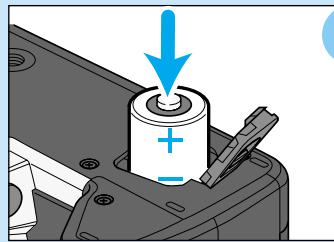
1 Insert batteries.
This camera uses two CR2 lithium batteries. p.18
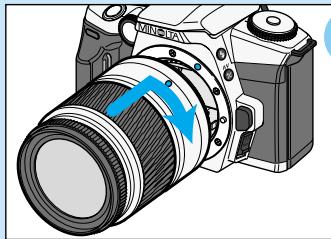
2 Attach the lens.
Align the red mounting index on the lens with the one on the camera. Carefully insert the lens into the mount and turn it clockwise until it clicks into the locked position. p.20
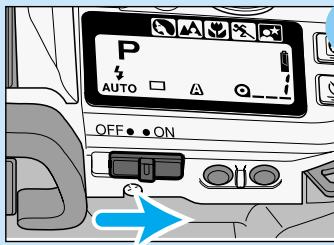
3 Slide the main switch to ON.
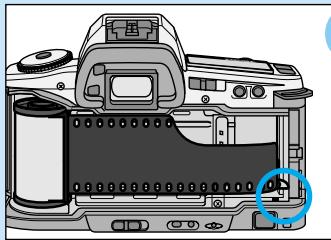
A Load the film.
- Align the film tip with the red mark, then close the back cover.
p.21
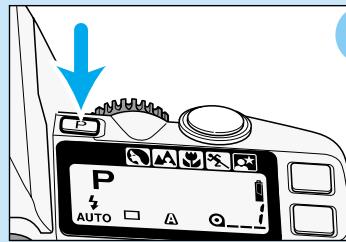
5 Set full-auto operation.
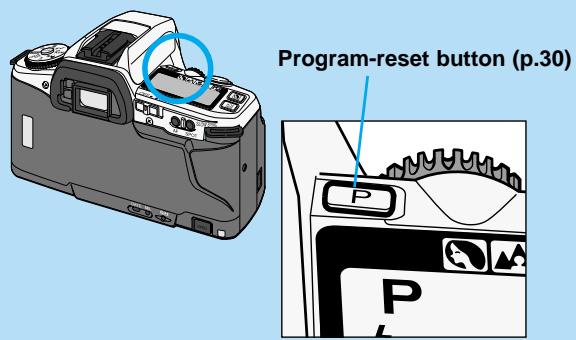
- Press the program-reset button to set the camera to fully automatic operation. p.30
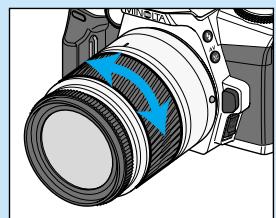
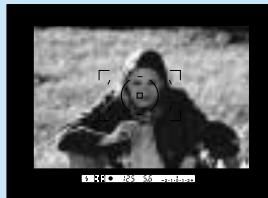
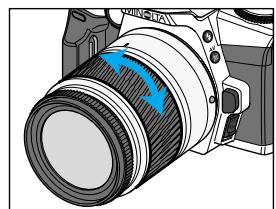
6 Center your subject in the wide focus frame [ ]. If using a zoom lens, rotate the zooming ring to frame your subject as desired.
- With the eye-start on, the camera will focus and set exposure automatically. Eye start is initially on when the camera is taken out of the package.
- With the eye-start off, the camera will focus and set exposure automatically when the shutter release button is pressed partway down.
p.26
- The audio signal confirms the camera has focused when the shutter release button is pressed partway down.
p.29
![MINOLTA DYNAX 5 - Center your subject in the wide focus frame [ ]. If using a zoom lens, rotate the zooming ring to frame your subject as desired. - 1](/content/2025/01/165687/images/8bb89e9ba175ef767cfd20a36925b164e74f6518a277a4c25d4d5836dfe4ab4d.jpg)
- Use focus lock if your subject is off-center and outside the focus frame.
p.34
Body
For information on specific parts, refer to the page shown in parentheses.
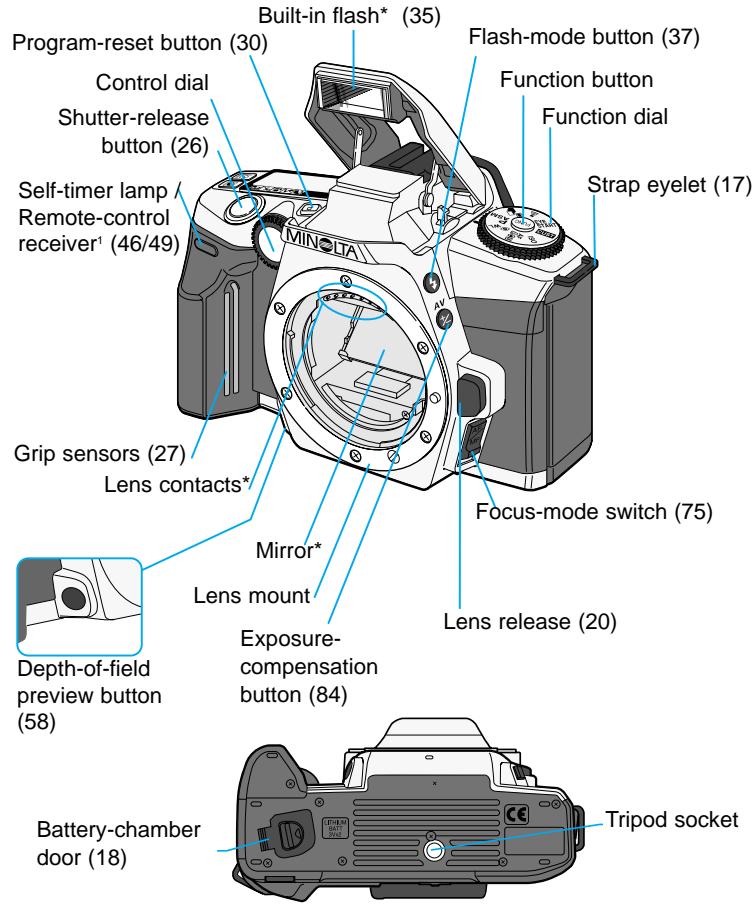
*This camera is a sophisticated optical instrument. Care should be taken to keep these surfaces clean. Please read the care and storage instructions in the back of this manual (p. 122).
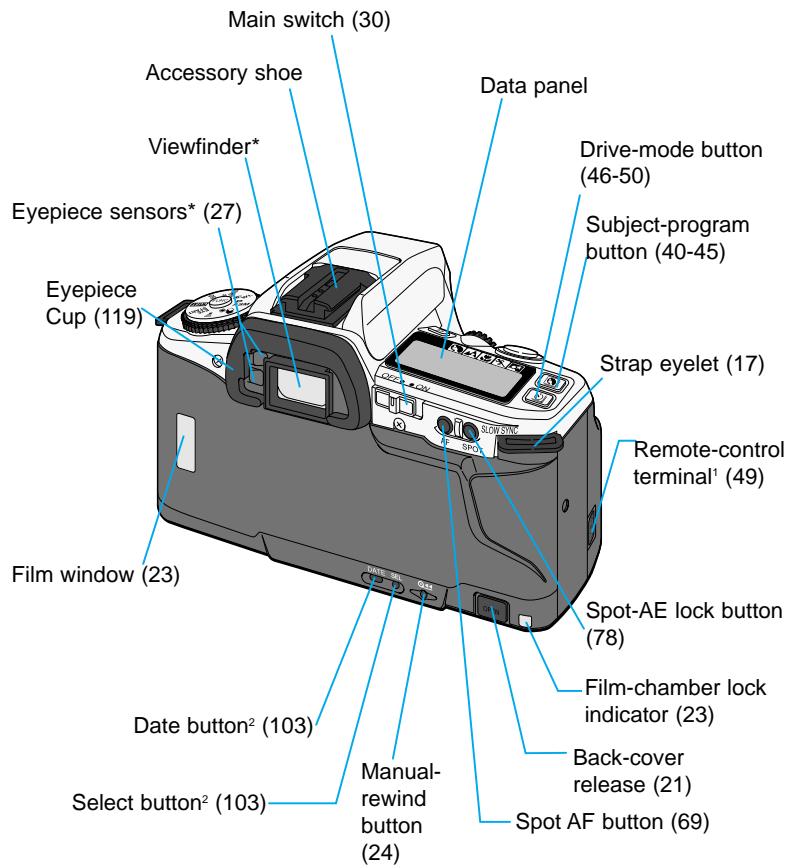
Available on the remote-control model only. Available on the quartz-data model only.
Data Panel
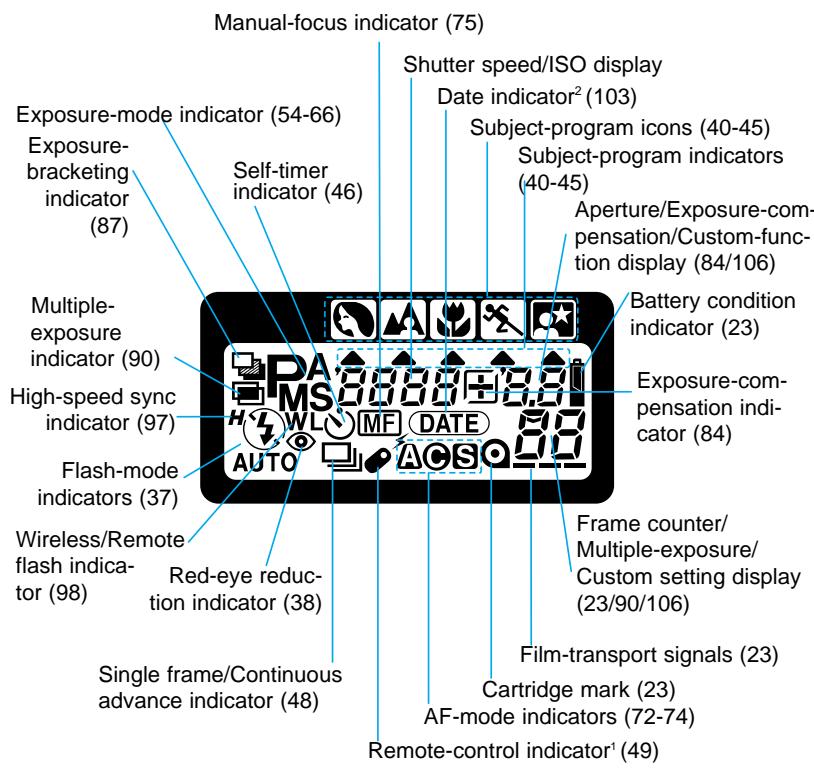
Available on the remote-control model only.
Available on the quartz-date model only.
Viewfinder
GETTING STARTED
This section provides the information necessary to prepare the camera for use.
STRAP
Attaching the Strap
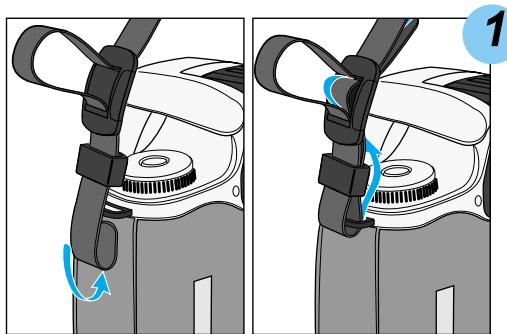
Pass the strap through the strap eyelet from below as shown.
- Attach the strap so that the tip comes inside.
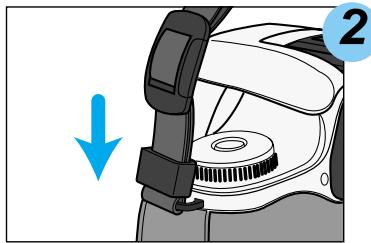
Push down the buckle to fix the strap.
- Take care not to catch the strap when closing the back cover.
Using the Eyepiece Cap
The eyepiece cap is used to prevent light from entering the camera during time exposures (buLb, p. 81) or when using the self-timer (p. 46). Light entering through the viewfinder can affect the metered exposure.
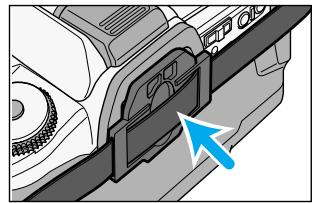
Firmly press the eyepiece cap of the strap into the eyepiece.
BATTERIES
Installing the Batteries
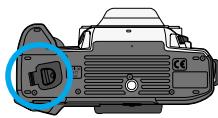
Your camera uses two 3V CR2 lithium batteries to supply power for all camera operations.
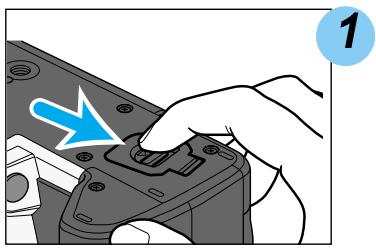
Slide the battery-chamber release as shown, and open the door.
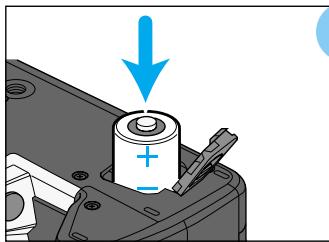

Insert the batteries. Match the positive terminal mark inside the battery chamber-door with the positive end of the batteries.

Close the battery-chamber door and push until it clicks.
- When changing batteries, make sure the main switch is off.
- Setting the camera down with the battery-chamber door open may damage the camera.
- For owners of the quartz-data model, the date and time will be reset if batteries are removed for more than 5 minutes or the camera is stored with weak batteries for long periods. To set the data and time, see page 103.
- Read "FOR PROPER AND SAFE USE" (p.7) before using batteries.
Battery Condition Indicators
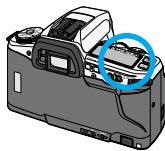
Battery condition indicators show the level of battery power.
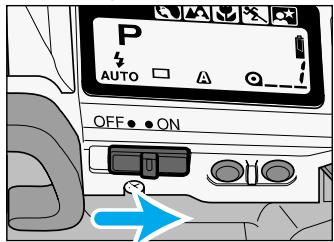
Turn the main switch to ON.
- A battery icon appears on the data panel indicating the power status of the batteries.
- For owners of the quartz-date model, the date settings will blink if not set. Set the date settings (p.103) or press the program-reset button to display the power status.
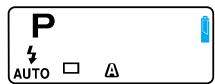

Steady
- Power is sufficient for all camera operations.
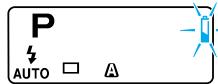

Blinks
- Power is low. All functions are operational, but the batteries will need to be replaced soon. Flash recycling time may be slow.
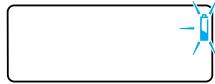

Blinks ( no other displays appear )
- Power is insufficient for camera operation and the shutter is locked. Replace the batteries.
-
The battery-chamber door is closed without the batteries inserted. The display will disappear after 5 minutes.
-
If the data panel is blank, the batteries may be dead or installed incorrectly.
-
Occasionally, the battery-condition indicator will give a false low-battery-power warning 4 , even though there is enough power capacity. Turn the main switch on and off a few times to reset the display.
LENS
Attaching the Lens
This camera uses interchangeable lenses. See page 116 for information on which lenses are compatible with this camera.
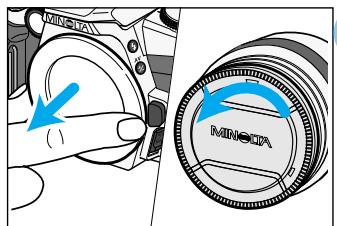
1 Remove the body and rear lens caps.
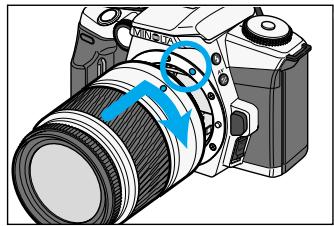
Align the red mounting index on the lens and camera body. Carefully insert the lens into the mount, then turn it clockwise until it clicks into the locked position.
- Do not insert the lens at an angle.
Removing the Lens
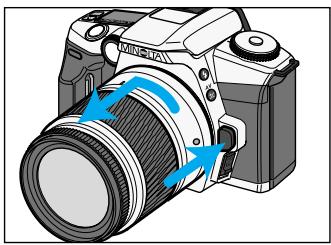
While pressing the lens release, turn the lens counter-clockwise until it stops. Carefully remove the lens.
-
Replace the caps on the lens and attach the body cap or another lens on the camera.
-
Never force the lens. If it does not fit, check its orientation with the index marks. When removing, make sure the lens release is pressed all the way down.
- Do not touch the inside of the camera, especially the lens contacts and mirror.
FILM
Always load or remove the film under subdued light to reduce the chances of fogging.
Loading the Film
The camera automatically sets the correct film speed (ISO) with DX-code film.
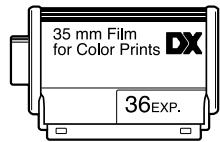
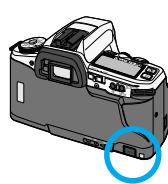
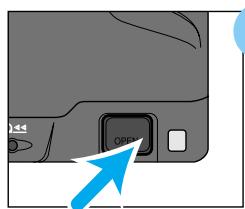

Press the back-cover release to open the back cover.
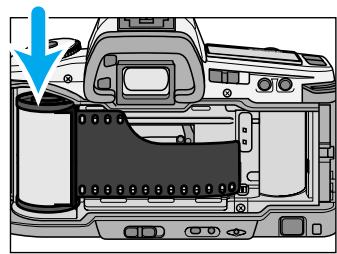

Insert the film cartridge into the film chamber.
- Do not use Polaroid Instant 35mm film. Winding problems may occur.
- Do not use infrared film in this camera. The camera's frame counter sensor will fog infrared film.
- If non-DX-coded film is used, the camera will use the previous roll's ISO setting. Refer to page 86 to set the film speed manually.
- More than 40 exposures can not be taken on one roll with this camera. When using 72-exposure film, the camera will start to rewind the film after 40 exposures have been made.
Continued on next page
FILM
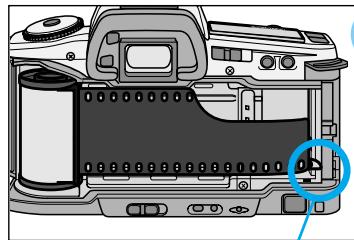

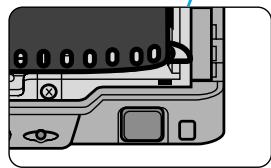
Extend the leader between the guide rails to the index mark.
- Hold the film cartridge down so that the film lays flat.
- If the film tip extends beyond the index mark, take the cartridge out and rewind the excess film back into the cartridge.
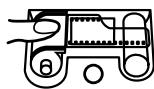
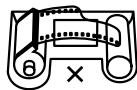
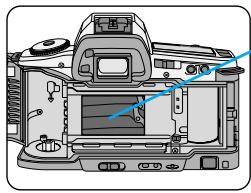
The shutter curtain's precision design makes it extremely sensitive to pressure.
Never touch it with your fingers or the film tip.
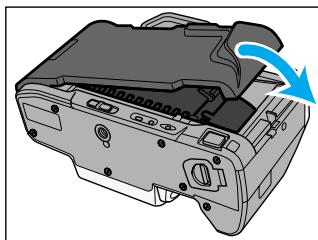

Close the back cover.
- The camera automatically advances the film to the first frame.
Take care not to catch the strap when closing the back cover.
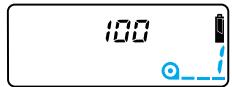
When the film is loaded correctly :
- - _1 appears in the frame counter. The film speed (ISO) is displayed on the data panel for 5 seconds.
- If the film is loaded with the power off, the film speed (ISO) and a_--- appears on the data panel for approximately five seconds to indicate successful loading, then the camera shuts down.
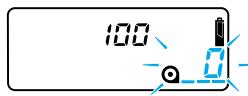
When the film is loaded incorrectly :
- @ blinks in the frame counter and the shutter locks. Open the back cover and repeat steps 2 - 4.
- If the film is loaded with the power off, blinks on the data panel before the camera shuts down.
Film-chamber Lock
Once the film is loaded, the back-cover release will lock until the film is rewound to prevent the camera from being opened accidentally.
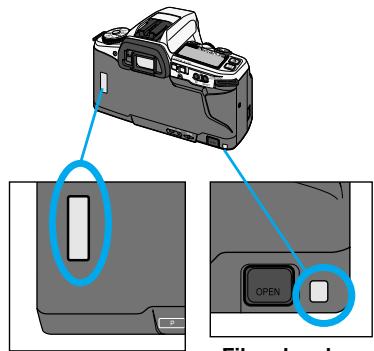
Film Window
The film window and the film-chamber lock indicator will show if a roll of film is in the camera. Always check these before loading a new film.
- When film is loaded properly, the film chamber lock indicator is red, and the back cover cannot be opened.
- To change a roll of film in the camera, refer to manual rewind on page 24.
FILM
Rewinding the Film
After you have exposed the last frame, the camera will automatically rewind the film.
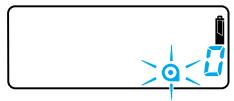
Wait until the film is completely rewound.
- will appear and will blink on the data panel, indicating it is safe to open the back-cover.
- The film-chamber lock indicator is blank after the film is rewound.
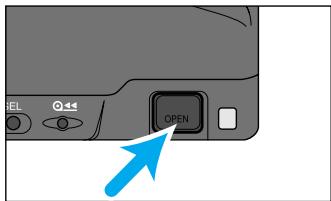
Press the back-cover release to open the back cover and remove the film, then close the back cover.
- Do not turn the focusing ring when the film is rewinding.
- Although more pictures than specified on the film package may be taken, the film processor may not print more than the number specified on the film cartridge.
Manual Rewind
Use manual rewind to rewind the film before the roll is finished.
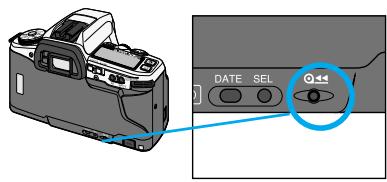
- Only use blunt objects. Sharp objects may damage the camera.
- will appear and will blink on the data panel when the film has rewound.
Custom Function Notes
Cust-2: Automatic (1) or manually initiated (2) rewind start (p.108).
Cust-3: Rewind the leader into the cartridge (1) or leave the leader out (2) (p.109).
FULLY-AUTOMATIC OPERATION
Use full-auto when you are just starting out or when shooting under conditions that would require you to constantly adjust the focus or exposure.
HANDLING THE CAMERA
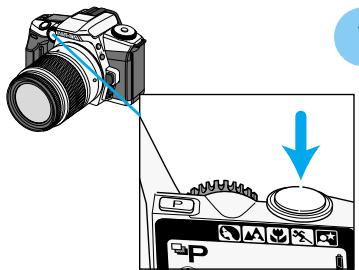
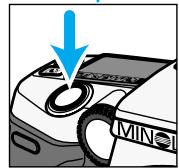
Press the shutter-release button partway down to activate the camera's autofocus and auto-exposure systems when eye-start is off. Press the shutter-release button all the way down to take the picture. When taking a picture, press the shutter-release button with your index finger gently so not the shake the camera during the exposure.
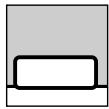
Before pressing
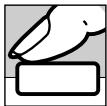
Pressing partway down activates camera systems
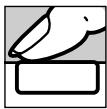
Pressing all the down releases the shutter
Holding the Camera
Grip the camera firmly with your right hand, while supporting the lens with your left. Keep your elbows at your side and your feet shoulder-width apart to hold the camera steady. Keep the camera strap around your neck or wrist in the event you accidentally drop the camera.
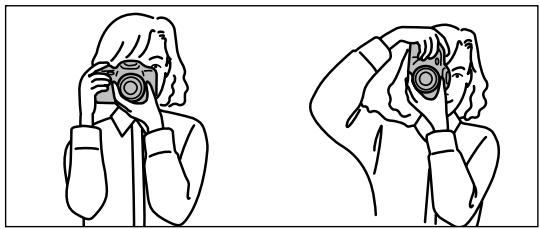
- Lean against a wall or rest your elbows on a solid surface to steady the camera in low-light situations.
- The use of the tripod is recommended when using the camera in low-light situations or with slow shutter speeds or telephoto lenses.
EYE-START
Instead the shutter-release button, the eye-start automatically activates the camera's focus and exposure systems when you bring the camera to your eye. The eye-start is initially on.
Turning Eye-start ON
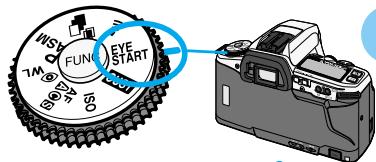
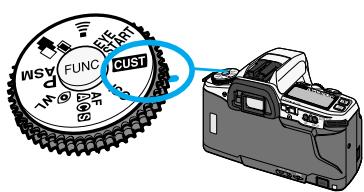
1 Turn the function dial to EYE START
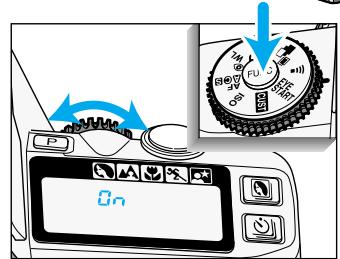
2 While pressing the function button, turn the control dial until _n appears on the data panel. The eye-start function is now on.
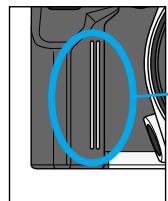
Grip Sensor
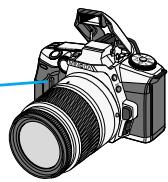
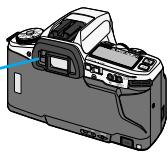
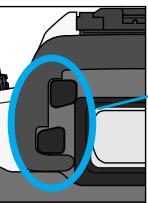
Eyepiece sensors
3 When taking a picture, touch the grip sensor to activate the eyepiece sensors located near the viewfinder.
Bring the camera to your eye and frame the subject in the viewfinder. When an object is detected near the viewfinder, the camera's systems are activated to set the focus and exposure.
- Autofocus and exposure systems shut down approximately five seconds after eyepiece or grip sensor contact is broken.
EYE-START
Canceling Eye-start
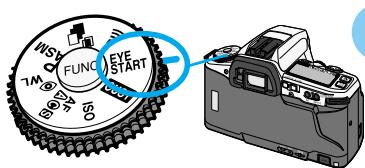
1 Turn the function dial to EYE START
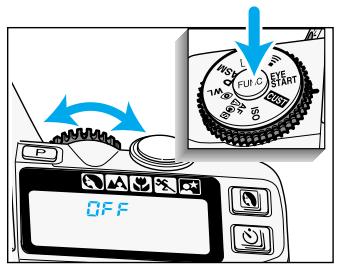
2 While pressing the function button, turn the control dial until F F appears on the data panel.
- Eye-start may not work properly when using a tripod, wearing gloves, or if your hands are very dry. In these cases, press the shutter-release button partway down to activate the autofocus and metering systems.
- Infrared absorbing sunglasses may affect eye-start operation.
Custom Function Notes
Cust-7: The grip sensor activates the eyepiece sensors (1), the main switch activates the eyepiece sensors (2) (p.110).
AUDIO SIGNAL
Audio signal is initially on. The camera will produce an audio tone when :
2 short beeps
(Continuous AF (p. 73) does not use audio signals.)
during the self-timer countdown.
will beep in unison with the self-timer lamp.
- Remote-control operation*
will give one short beep before the shutter releases with the release button.
With the delayed-release button, the signal will beep rapidly for 1 second, and then sound a long tone just before the shutter releases.
*Remote-control is sold separately for owners of the remote-control model.
Canceling the Audio Signal
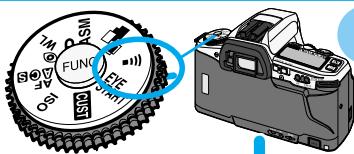

Turn the function dial to 1).
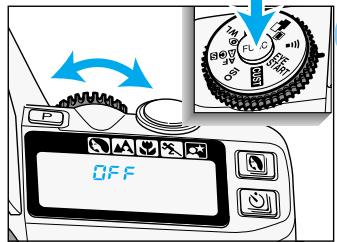

While pressing the function button, turn the control dial to GFF .
Turning the Audio Signal On
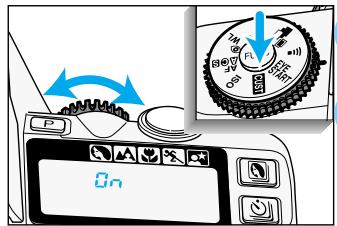

Turn the function dial to 1111

While pressing the function button, turn the control dial until _n appears on the data panel.
TAKING PICTURES IN FULL-AUTO
Full-auto is the camera's standard operating mode and is suited for use in almost any situation. When selected, the camera sets the focus and exposure automatically and fires the built-in flash when necessary.
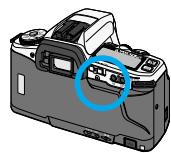
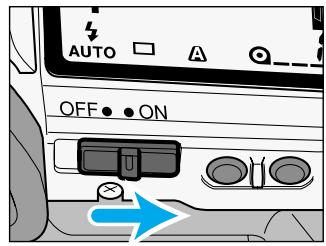
1 Slide the main switch to ON.
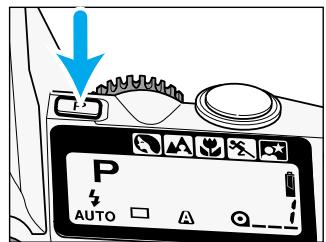
- The camera will return to its default settings (p115).
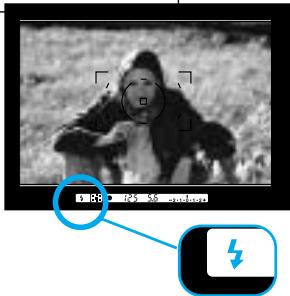
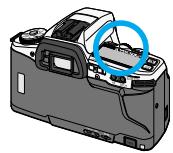
Flash signal
Center your subject in the wide focus frame [ ]. If using a zoom lens, rotate the zooming ring to frame your subject as desired.
- With the eye-start on, the camera will focus and set exposure automatically.
- With the eye-start off, press the shutter release button partway down to activate the autofocus and exposure systems.
- When ±b appeas in the viewfinder, the flash will fire (p.35).
![MINOLTA DYNAX 5 - Center your subject in the wide focus frame [ ]. If using a zoom lens, rotate the zooming ring to frame your subject as desired. - 1](/content/2025/01/165687/images/8f12f2c3741064b808df5a218b1707be4819abe6662e103cf769222bec1eacea.jpg)
When or (念) appears in the viewfinder, press the shutter-release button all the way down to take the picture.
- The audio signal confirms the camera has focused when the shutter-release button is pressed partway down.
- In low-light conditions, the AF illuminator will activate to determine focus distance (p.76).

AANNNNN NNNNNNNNNNNNNNNNNNNNNNNNNNNNNNNNNNNNNNNNNNNNNNNNNNNNNNNNNNNNNNNNNNNNNNNNNNNNNNNNNNNNNNNNNNNNNNNNNNN
FOCUS
Focus Signals
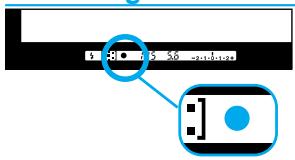
The following signals appear in the viewfinder to indicate the focus status.
- Focusing time can be longer with macro or telephoto lenses. In very dark conditions the camera may require a little more time to ensure accurate focus.
| ● Steady | Focus is confirmed. |
| ◎ Steady | Focus is confirmed (Continuous AF). |
| 《》 Steady | Lens is focusing (Continuous AF).
• The shutter is locked. |
| ● Blinking | Focus cannot be confirmed.
• The shutter is locked. |
- When focus cannot be confirmed, the subject may be too close or one of the special focus situations on the following page is preventing the system from focusing. Use focus lock (p. 34) or manual focus (p. 75).
Custom Function Notes
Cust-1: Autofocus has priority (1), shutter-release has priority (2) (p.108).
Special Focus Situations
The camera may not be able to focus in the situations described below. Use focus lock (p. 34) or manual focus (p.75).
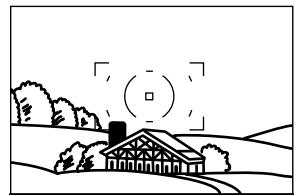
If the subject within the focus frame is very bright, or low in contrast.
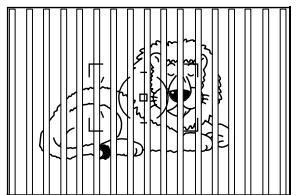
If two subjects at different distances overlap in the focus frame.
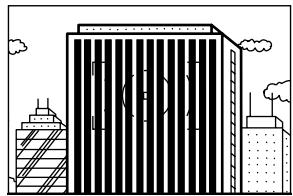
If a subject composed of alternating light and dark lines completely fills the focus frame.
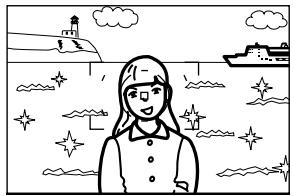
If your subject is near a very bright object or area.
FOCUS LOCK
The focus-lock function is used when the subject is off-center and outside the focus frame. Focus lock may also be used when a special focusing situation prevents the camera from focusing on the subject.
Focus lock cannot be used with continuous AF. The spot AF button (p.69) can also be used for focus lock.
Focus can be locked in continuous AF (p.73) with the spot AF button.
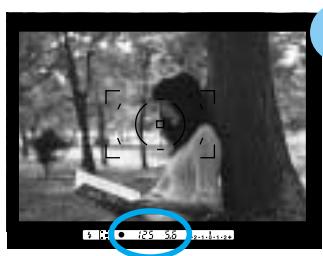
1 Center your subject in the wide focus frame [ ], then press the shutter-release button partway down to lock the focus.
- When appears in the viewfinder, the focus is locked.
Focus lock also sets the exposure settings.
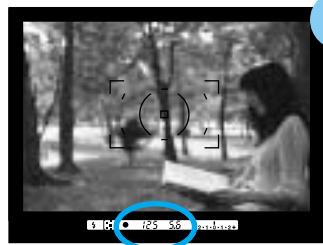
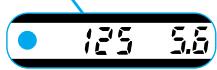
2 Continue to hold the shutter-release button partway down while you compose your picture.
Press the shutter-release button the rest of the way down to take the picture.
- Removing your finger off the shutter-release button cancels focus lock.
USING THE BUILT-IN FLASH
When appears in the viewfinder in full-auto, the built-in flash pops-up automatically when the shutter-release button is pressed partway down. Once the flash is up, it will fire when necessary.
- The shutter will not release until the flash is charged.
- To turn off the autofocus, select flash cancel
- Pressing the program-reset button resets the flash to autoflash mode.
- Push down the built-in flash when the camera is not in use.
Flash Signals
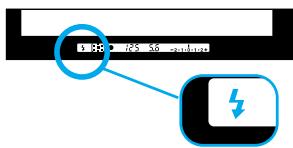
Flash signals in the viewfinder indicate the status of the flash.
| Action | Signal | Indicated Flash Status |
| Eye-start ON | Composing the picture | Steady | Flash is needed. |
| Pressing the shutter-release button partway down | Built-in flash pops-up |
| Disappears | Flash is charging. |
| Steady | Flash is ready. |
| After taking the picture | Blinks | The flash exposure was confirmed. |
| Eye-start OFF | Pressing the shuttle-release button partway down | Built-in flash pops-up | Flash is needed. |
| Disappears | Flash is charging. |
| Steady | Flash is ready. |
| After taking the picture | Blinks | The flash exposure was confirmed. |
- When does not blink after taking the picture, the subject was not within the flash range. Please check the flash range on the next page.
Flash Range
The range of the built-in flash depends on the speed of the film and the selected aperture. Make sure your subject is within the flash range specified in the table below.
| ISO 100 | ISO400 |
| f/3.5 | 1.0 ~ 3.4m
(3.3 ~ 11.2 ft.) | 1.0 ~ 6.8m
(3.3 ~ 22.3 ft.) |
| f/4.0 | 1.0 ~ 3.0m
(3.3 ~ 9.8 ft.) | 1.0 ~ 6.0m
(3.3 ~ 19.7 ft.) |
| f/5.6 | 1.0 ~ 2.1m
(3.3 ~ 6.9 ft.) | 1.0 ~ 4.3m
(3.3 ~ 14.1 ft.) |
- Do not use the built-in flash with focal lengths shorter than 28mm. The built-in flash cannot cover lenses wider than 28mm.
- Make sure you are at least 1m (3.3 ft.) from your subject when using the built-in flash.
Lens Shadowing
Lens shadowing occurs when the lens or lens hood blocks part of the output from the built-in flash. Lens shadowing appears as a semi-circular shadow area at the bottom (horizontal pictures) or side (vertical pictures) of the image.
- Remove the lens hood before using the built-in flash.
- Lens shadowing may occur with the following lenses at the shorter focal lengths.
AF Zoom 28-70mm f/2.8G
AF Zoom 17-35mm f/3.5G
AF Zoom 28-135mm f/4.0-4.5
AF Zoom 28-85mm f/3.5-4.5
- The built-in flash can not be used with the following lenses:
AF 300mm f/2.8 (APO tele)
AF 600mm f/4.0 (APO tele)
Fill Flash
Use the fill flash when taking pictures under fluorescent lighting or to eliminate harsh shadows. When set, the flash will fire every time a picture is taken.
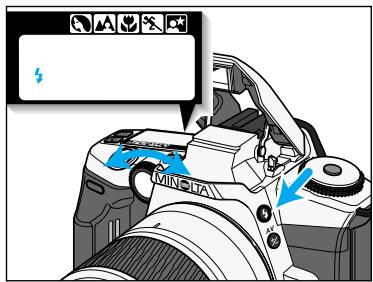
While pressing the flash-mode button ±b , turn the control dial until 4 appears on the data panel.
- To return to autofocus mode, repeat the step above until AUTO appears.
- A shortcut for single shots with fill flash in autofocus mode can be made. Hold the flash-mode button down when pressing the shutter-release button to fire the fill flash.
Flash Cancel
Use the flash cancel when photographing twilight scenes or to capture the ambiance of the existing light.
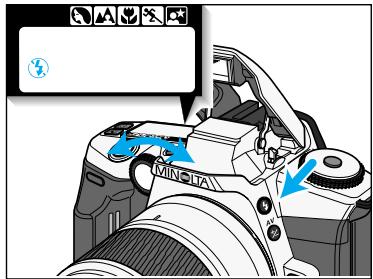
While pressing the flash-mode button , turn the control dial until 串 appears on the data panel.
-
The flash will not fire even if the built-in flash pops-up.
-
To return to autofocus mode, repeat the step above until AUTO appears.
- The shutter speeds will be slow in low-light situations. The use of a tripod is recommended.
Custom Function Notes
Cust-8: Autoflash will be set in P mode (1), flash cancel will be set in PA mode (2) or PS mode (3) (p.111).
USING THE BUILT-IN FLASH
Red-Eye Reduction
When using flash in low-light conditions, light reflecting from the retina of your subject's eyes may produce the effect known as red-eye. Use the built-in flash's red-eye reduction mode to produce natural looking photographs.
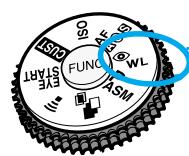
Turn the function dial to _WL^
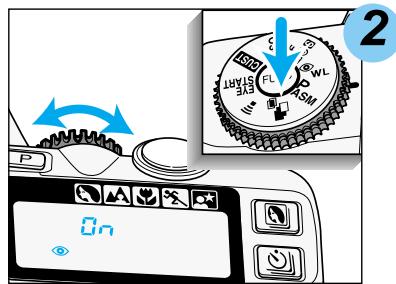
While pressing the function button, turn the control dial until ⑥ and appear on the data panel.
- When you release the button, the display will return to normal and only ⑧ will remain on the data panel.
- Warn your subject that the flash will fire a few short flash bursts just before the picture is taken.
Canceling Red-eye Reduction
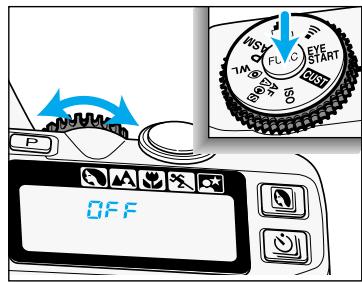
Turn the function dial to ⑧ WL. While pressing the function button, turn the control dial until ⑨ and G F F appear on the data panel.
SUBJECT PROGRAM / DRIVE MODES
Now that you are comfortable with the operation of the camera, take more control of the creative process by telling the camera what kind of pictures you want to take.
The subject-program modes optimize camera settings for specific situations. This section also lets you explore the use of the drive-mode button. Drive modes control the advance of the film.
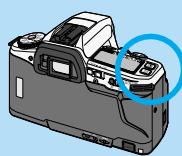
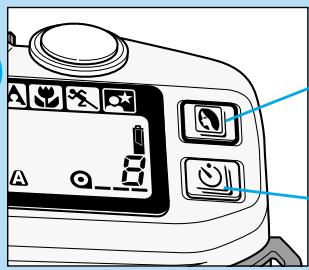
Subject-program button
Drive-mode button
SUBJECT-PROGRAM SELECTION
Portrait
Portraits have the greatest impact when a shallow depth-of-field* is used to separate the subject from the background. In portrait mode, the necessary settings are made automatically, leaving you free to capture the perfect expression.
*Depth-of-field is the area in front of and behind the subject that appears sharp (p. 52).
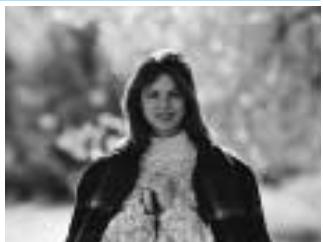
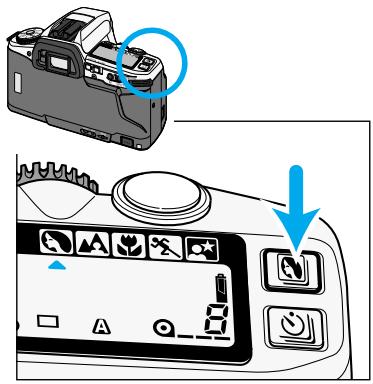
Press the subject-program button until the subject-program indicator points to
- For best results use the telephoto setting of the lens.
- Use fill flash (p. 37) when your subject is backlit or has strong shadows across the face.
- Focus on your subject's eyes and be ready to capture the perfect expression.
- Use night portrait mode (p.44) with subjects at night.
Landscape
Landscape photography requires a large depth-of-field to make sure the subject and background are in focus. In landscape mode, the camera is set to obtain the greatest depth-of-field possible, while maintaining a shutter speed fast enough to prevent blurring from camera shake.
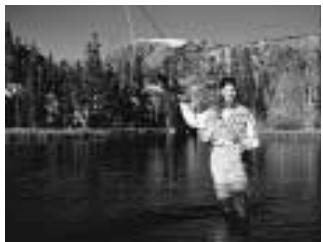
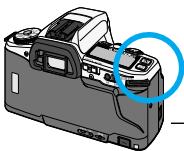
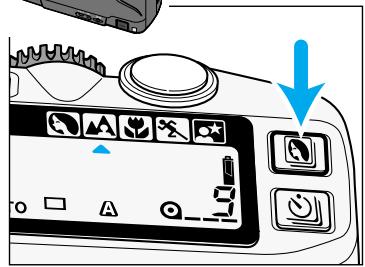
Press the subject-program button until the subject-program indicator points to
- For best results zoom to a wide angle setting or use a wide angle lens. Include a foreground subject or detail to create a feeling of depth in the picture.
- Use flash when a subject in the foreground is backlit or has strong shadows across the face. Without a foreground subject, the flash will have no effect on the landscape. Please see page 36 for the camera's flash range.
- For best results, use a tripod.
- Use night portrait mode (p.44) with subjects or scenery at night.
SUBJECT-PROGRAM SELECTION
Close-up
Use close-up mode when photographing small objects like flowers or jewelry. In close-up mode, the camera automatically sets the best possible aperture and shutter speed for close-up photography.
- Focusing time can be longer with macro lenses.
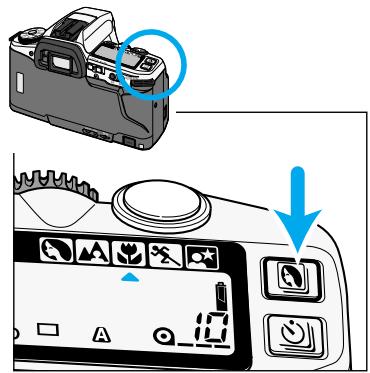
Press the subject-program button until the subject-program indicator points to
Sports
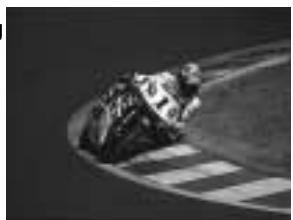
Fast shutter speeds are needed to stop action. In sports mode, the camera will set the fastest possible shutter speed and continually adjust the focus to track fast-moving subjects.
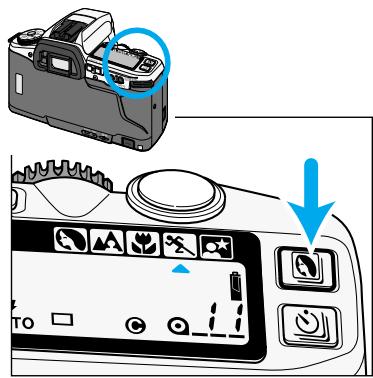
Press the subject-program button until the subject-program indicator points to
-
The camera continues to focus as long as the shutter-release button is pressed partway down. Continuous AF (p.73) is used.
-
The built-in flash is only effective when your subject is within the flash range. When the subject is not within the range, use flash cancel (p.37).
- The use of fast film is recommended.
- Mount the camera on a tripod or monopod when using telephoto lenses.
SUBJECT-PROGRAM SELECTION
Night Portrait
Night portraits balance the camera's flash exposure with the background exposure. In night portrait mode, the camera controls the aperture and shutter speed, allowing the background to appear in the photograph.
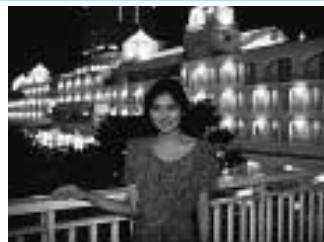
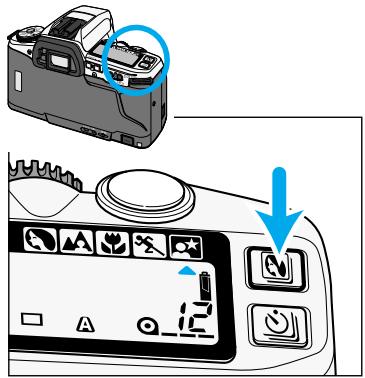
Press the subject-program button until the subject-program indicator points to
Photograping Night Scenes
Cancel the flash in night portrait mode to photograph night scenes. The longer shutter speeds set in night portrait mode let you capture beautiful photographs of twilight scenes and night skylines.
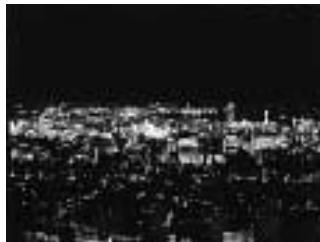
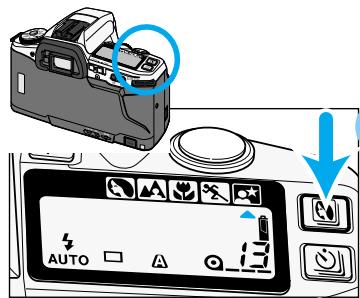

Press the subject-program button until the subject-program indicator points to

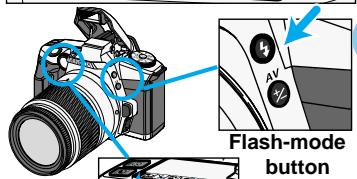
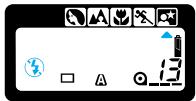
While pressing the flashmode button, turn the control dial until 出 appears on the data panel.
Use a tripod to reduce camera shake.
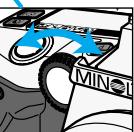
Control dial
The use of fast film is recommended.
- Dark night scenes may be prevent the AF system from focusing, use focus lock (p34) or manual focus (p75).
- Night scenes tend to be better at twilight rather than in the darkness of night. The faint light in the early evening sky adds detail to the shadows of the scene.
- The shutter speed may be slow. Use a tripod to reduce camera shake.
DRIVE MODES
Self-timer
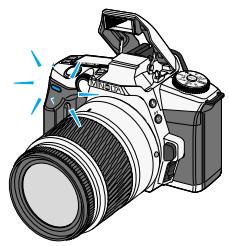
The self-timer delays the release of the shutter for approximately 10 seconds after the shutter-release button is pressed.
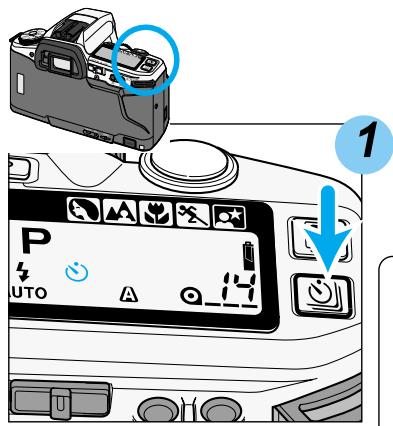
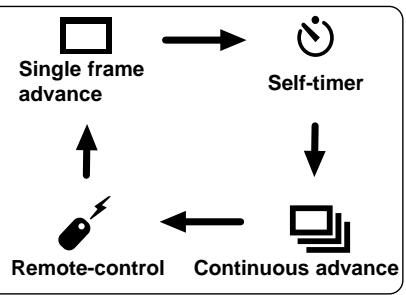
Place the camera on a tripod. Press the drive-mode button until appears on the data panel.
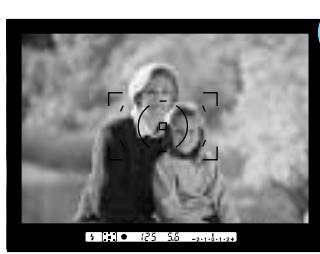
2 Center your subject in the focus frame.
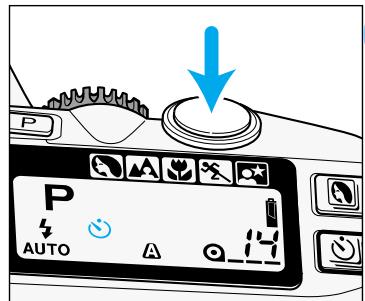
3 Press the shutter-release button partway down to lock the focus.
- For off-center subjects, use focus lock (p. 34).
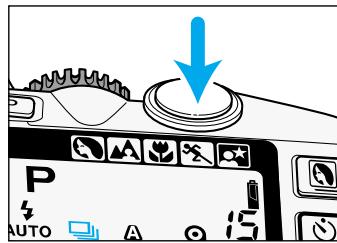
Press the shutter-release button all the way down to start the timer.
- The self-timer lamp on the front of the camera will blink, then glow just before the shutter releases.
-
The audio signal beeps in unison with the self-timer lamp (p.29).
-
Do not press the shutter-release button while standing in front of the camera. The focus and exposure is set when the shutter-release button is pressed.
- The self-timer is cancelled after the shutter is released.
- To cancel the self-timer countdown, press the drive-mode button or slide the main switch to OFF before the shutter releases.
- Attach the eyepiece cap if there is a bright light source behind the camera (p.17).
DRIVE MODES
Continuous Adavance
In this mode, the camera continues to release the shutter and advance the film as long as the shutter-release button is held down.
- The camera takes 3 frames per second, when setting the shutter-speed to above 1/125 second with flash cancel (p.37), single-shot autofocus or manual focus (p.75), and new batteries.*
- For the quartz-date model, the data-imprinting function is off (p.103).
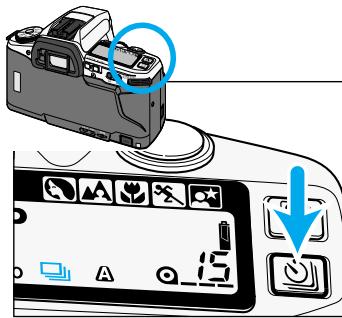
1 Press the drive-mode button until appears on the data panel.
Press and hold the shutter-release button to begin taking a series of pictures.
- When taking flash pictures, the shutter will release only when the built-in flash finishes charging between exposures.
- With accessory flashes, the shutter will continue to release even if the flash is charging.
- With continuous AF and moving subjects, the shutter will release only when the camera has focused on the subject between exposures.
-
To return to single frame mode, press the drive-mode button until appears on the data panel.
-
AF zoom xi and power zoom lenses cannot be zoomed when taking pictures with continuous adavance.
Custom Function Notes
Cust-1: Autofocus has priority (1), the shutter-release has priority (2) (p.108).
For Owner's of the Remote-control Model
The camera can be operated up to 5m (16.4 ft.) away with the IR Remote Control RC-3 (sold separately).
Emitter window

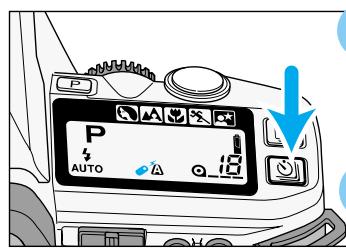
Place the camera on a tripod. Press the drive-mode button until appears on the data panel.

- Arrange the camera and subject position to compose your picture.
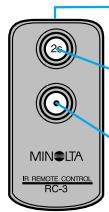
Delay button
Release button

Point the emitter window toward the remote-control receiver and press the release or the delay button.
- If the release button is pressed, the lamp on the front of the camera will blink once before the shutter releases. The audio signal will produce 1 short beep.
- If the delay button is pressed, the lamp on the front of the camera will blink for two seconds before the shutter releases. The audio signal will beep in unison with the lamp.
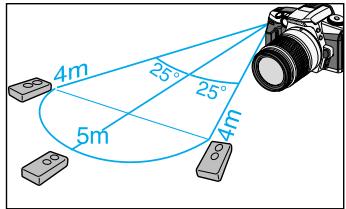
- The remote control may not work under fluorescent lighting or in backlit situations.
- If the built-in flash 'pops-up' when the release button on remote control is pressed, wait a few seconds for the flash to charge before pressing the release button again.
- To save power, remote-control mode is canceled if the remote control is not operated for more than 5 minutes.
- Attach the eyepiece cap if there is a bright light source behind the camera.
DRIVE MODES
Focus Lock in Remote Control Mode
When your subject is not centered in the focus frame, use manual focus or focus lock.
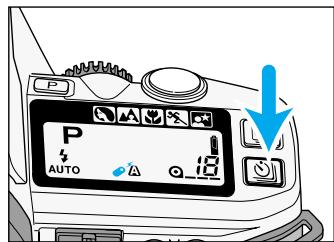
1 Set the camera to the remote-control mode.
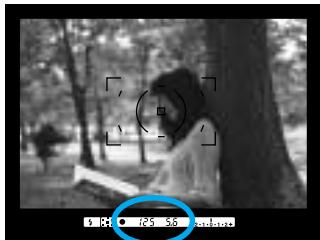
2 Center your subject in the focus frame, then press the shutter-release button partway down until appears in the viewfinder.
3 Lift your finger from the shutter-release button.
Focus and exposure is set for the picture.
- The shutter speed and aperture will be displayed on the data panel.
4 Recompose the picture.
5 Point the remote toward the front of the camera and press the release or delay button.
CREATIVE EXPOSURE MODES
In this section you take full creative control of your camera. Depending on the selected exposure mode, you will control the aperture, shutter speed, or both when capturing your image.
In the previous sections, only the program (P) exposure mode was explored. Here you will learn to use the aperture priority (A), shutter priority (S), and manual (M) exposure modes. Select A mode to control the depth-of-field in your images. Set S mode to control the way moving subjects appear in your images. Set M mode when you want full control over the exposure.
APERTURE CONTROL
The size of the aperture (lens opening) determines the depth-of-field of the final image as well as the intensity of the light falling on the film. Depth-of-field is the range in front of and behind the subject that appears sharp in the final image. Depth of field increases as the focal length decreases. The wide angle position of the lens will have a greater depth of field at a given aperture than at the telephoto position.
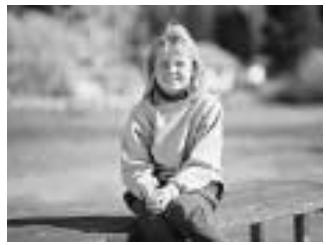

Large Aperture (small f-number)
Range in focus is narrower.
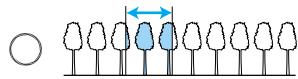
Large apertures (small f-numbers) limit the depth-of-field to a narrow range in front of and behind the point of focus. Set a larger aperture when photographing portraits to make your subject stand out from the background.
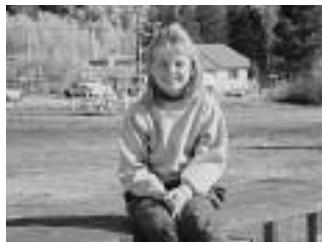
Small Aperture (large f-number)
Range in focus is deeper.
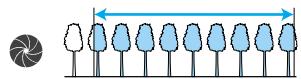
Small apertures (large f-numbers) provide greater depth-of-field. Set a small aperture when photographing landscapes to ensure your entire scene is sharp.
- Usable apertures will depend on the aperture range of the lens you are using.
SHUTTER CONTROL
In addition to controlling the duration of the exposure, shutter speeds determine how moving subjects will appear in the final image. Use a fast shutter speed to stop the motion of your subject, use a slow shutter speed to blur the motion.
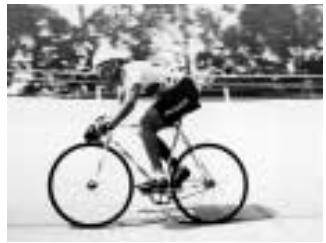
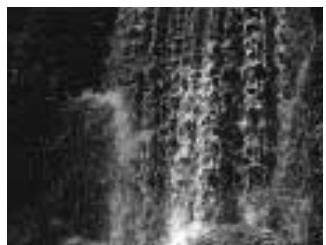
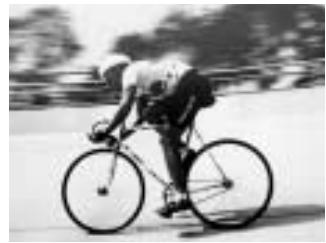
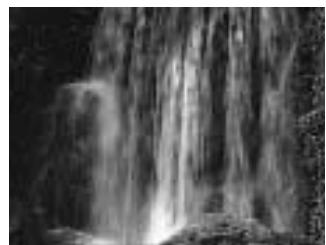

Fast Shutter Speed
Fast shutter speeds can stop the action and also help prevent blurring caused by camera movement during exposure, known as camera shake.
Slow Shutter Speed
Slow shutter speeds will make a moving subject appear to flow, creating a feeling of motion.
EXPOSURE MODES
Four exposure modes are available on this camera. Select the best exposure for your subject.
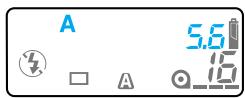
A mode (Aperture Priority) (p.55)
In A mode, you select the aperture and the camera automatically sets the shutter speed required for proper exposure. Set the camera to A mode when you want to control the depth-of-field in the image.
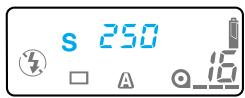
S mode (Shutter Priority) (p.59)
In S mode, you select the shutter speed and the camera automatically sets the aperture for the proper exposure. Use S mode when you want to control the blur caused by subject movement or stop the motion of your subject.
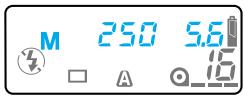
M mode (Manual Exposure) (p.61)
M mode gives you full control over the exposure by allowing you to set both the shutter speed and aperture. The camera's Ev scale displays how your settings compare to the exposure determined by the camera's metering system.
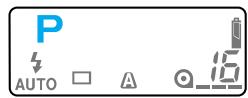
P mode (Programmed AE) (p.64)
Select P mode when you want to give your full attention to your subject and composition by letting the camera control both the shutter speeds and aperture. The P mode software analyzes the subject's size, motion, and distance as well as the focal length of the lens, then controls the shutter speed and aperture to correctly expose the scene.
A MODE - APERTURE PRIORITY
In A mode, you select the aperture and the camera automatically sets the shutter speed required for proper exposure. Set the camera to A mode when you want to control the depth-of-field in the image.
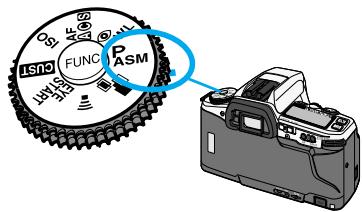

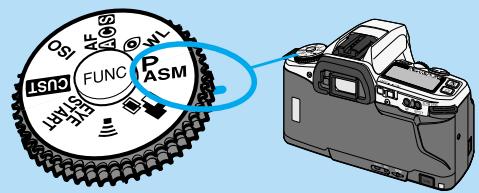
Turn the function dial to PAMS.
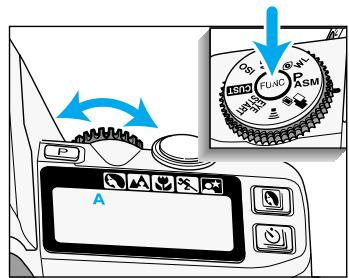

While pressing the function button, turn the control dial until A appears on the data panel.
A MODE - APERTURE PRIORITY
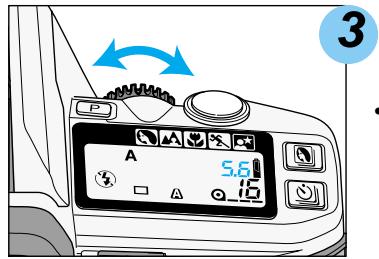
Release the function button.
Turn the control dial to select the aperture.
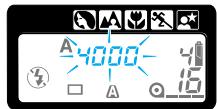
- If 4000 or 30" blinks on the data panel, the aperture setting is beyond the camera's shutter speed range. Turn the control dial until the shutter-speed display stops blinking.
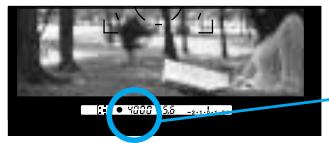
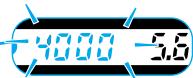
Flash with A Mode
In A mode, flash will not fire automatically. When you want to use flash, pop-up the built-in flash or attach an accessory flash.
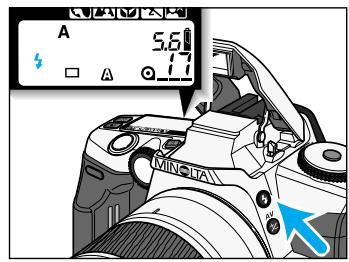
will appear on the data panel.
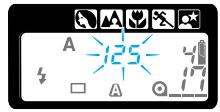
- The shutter speed will be set to 1/125 or slower.
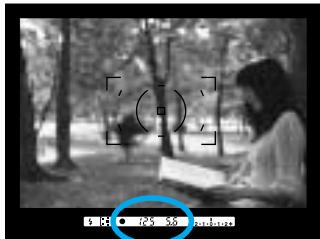
- If 125 blinks in the viewfinder and on the data panel, the light level is too bright for the selected aperture. Turn the control dial to change the aperture until the blinking stops or cancel the flash.
- To return to P mode, repeat step 1 and 2 until P appears on the data panel.
- To return to P mode and fully-automatic operation, press the program-reset button.(p. 30)
-
Press the depth-of-field preview button to see the effect of the change in aperture (p.58).
-
A smaller aperture (larger f-number) will result in a shorter flash range. Refer to flash range (p.36) to determine the range of the built-in flash at the selected aperture. The use of very small apertures (large f numbers) is not recommended.
- The 12 will appear in the viewfinder after the picture is taken to confirm the flash exposure.
Canceling the Flash
Push the built-in flash down or turn the accessory flash off.
will be displayed on the data panel.
A MODE - APERTURE PRIORITY
Depth-of-field Preview
To check how much of your scene will appear in focus, press the depth-of-field preview button. The lens will stop down to the aperture that appearing on the display.
- The viewfinder may appear dark at larger f-number (smaller lens opening). The aperture is always at its brightest setting when looking through the viewfinder; the aperture is stopped down during exposure.
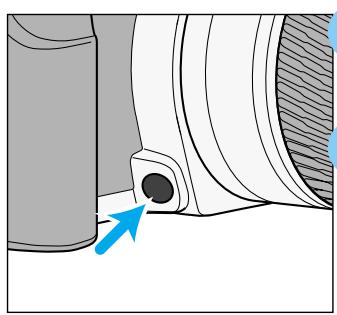
1 Focus on the subject and set the aperture.
Press the depth-of-field preview button.
- The lens will stop down to the selected aperture.
Preview is cancelled when the depth-of-field button is released.
Depth-of-field can be increased by
Using smaller apertures.
- Using short focal length lenses.
- Moving farther away from your subject.
- Do not turn the focusing ring while pressing the depth-of-field button.
- Changing the aperture while pressing the depth-of-field preview button, does not affect the preview image. Depth of field can only be previewed after the aperture is set.
- If you press the depth-of-field preview button after pressing the shutter-release button partway down and glows in viewfinder, the shutter can be released.
Custom Function Notes
Cust-6: Focus-hold button on Minolta lenses can be used for focus lock (1), continuous-advance exposure bracketing (2) or depth-of field preview (3) (p.110).
S MODE - SHUTTER PRIORITY
In S mode, you select the shutter speed and the camera automatically sets the aperture required for proper exposure. Use S mode when you want to control the blur caused by subject movement or the stop the motion of the subject.
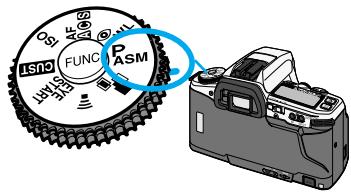
1
Turn the function dial to PAMS.
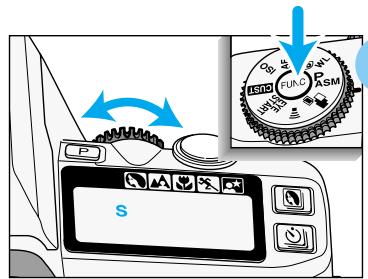
2
While pressing the function button, turn the control dial until S appears on the data panel.

- The shutter speed range is from 1/4000 to 30 seconds.
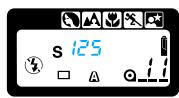
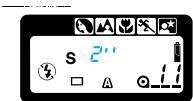
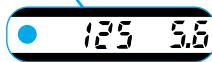
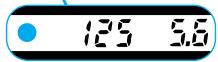
Fractions of a second are displayed without a numerator. The number 125 displayed stands for 1/125th of a second.
"indicates full seconds. 2" is two seconds.
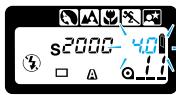
If the aperture display blinks, the shutter speed is outside the aperture range of the lens. Turn the control dial until the blinking stops.
S MODE - SHUTTER PRIORITY
Flash with S Mode
In S mode, the flash will not fire automatically. When you want to use the flash, pop-up the built-in flash or attach an accessory flash.
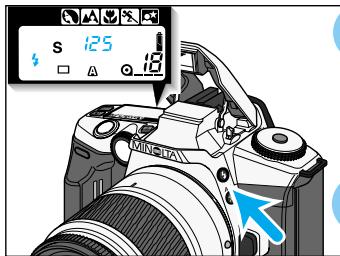
will appear on the data panel.
2 Turn the control dial to select the shutter speed.
- The maximum shutter speed is 1/125 sec when using flash.
- The camera automatically sets the aperture for the selected shutter speed.
-
With larger aperture numbers (smaller lens opening), the subject will be out of flash range. The use of smaller aperture numbers (larger lens opening) is recommended. See the flash range (p. 36).
-
Shutter speeds greater than 1/125 can be achieved using the high-speed sync function with 5600 HS(D), 3600HS(D), or 5400HS external flash units (sold separately) (p.97).
Canceling the Flash
Push the built-in flash down or turn the accessory flash off.
will be displayed on the data panel.
M MODE - MANUAL
M mode gives you full control over exposure. The viewfinder's Ev scale displays the difference between your shutter speed and aperture settings and the exposure determined by the camera's metering system.
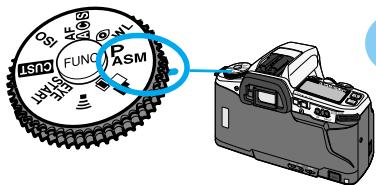
1 Turn the function dial to P_AMS
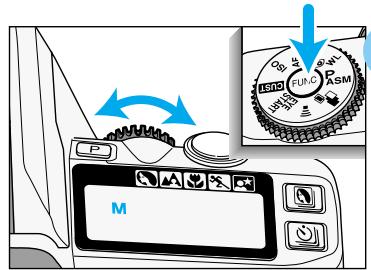
2 While pressing the function button, turn the control dial until M appears on the data panel. Release the function button.
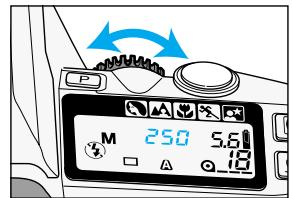
3 To select the shutter speed, turn the control dial.
- The shutter-speed range is from 1/4000 to 30 seconds.
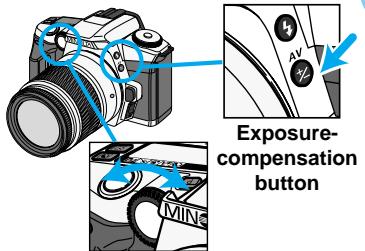
Control dial
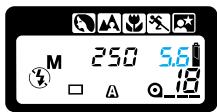
4 To select the aperture, turn the control dial while pressing the exposurecompensation button.
- The aperture range depends on the lens.
Continued on next page
M-MODE - MANUAL
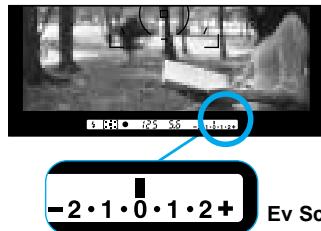

Use the viewfinder's Ev Scale to compare your exposure setting with the camera's meter reading.
Ev Scale
Ev Scale in the Viewfinder
The Ev scale displays the Ev difference between your settings and the exposure determined by the camera. The 0 position (null point) represents the recommended exposure using the selected metering pattern.
- The Ev scale is marked in 0.5 increments.
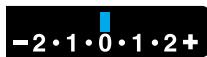
Your settings match the recommended exposure.
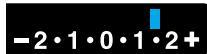
Your settings will overexpose the metered area by 1.5 Ev.
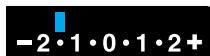
Your settings will underexpose the metered area by 1.5 Ev.
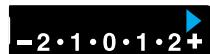
or will glow on the Ev scale if the set exposure will over or underexpose the subject by 2.5.
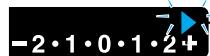
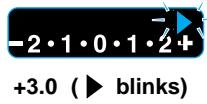
or will blink on the Ev scale if the set exposure will over or underexpose the subject by 3.0.
- Any changes with exposure-compensation is canceled temporarily in M mode. If exposure compensation was set before switching to M mode, it will be reapplied when the exposure mode is changed back to another mode.
- Ev stands for exposure value. A change in one Ev adjusts the exposure by a factor of two. If your exposure is 1/30 sec. at f5.6 and is overexposed by 1 Ev, changing the shutter speed to 1/60 sec will correct the exposure. The control dial adjusts the shutter speeds and aperture values in 0.5 Ev increments. One Ev is equivalent to one stop.
Flash with M mode
In M mode, the flash will not fire automatically. When you want to use the flash, pop-up the built-in flash or attach an accessory flash.
- The camera's automatic flash metering system will ensure proper exposure.
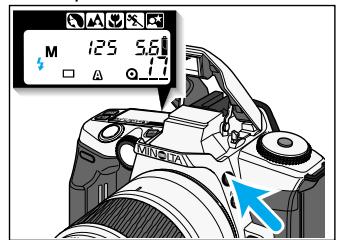

Press the flash-mode button to pop-up the built-in flash.
will appear on the data panel.

To select the shutter speed, turn the control dial.
- The maxium shutter speed is 1/125 sec when using flash. The shutter speeds slower than 1/125 can be used
- Shutter speeds greater than 1/125 can be achieved using the high-speed sync (p. 97) function with 5600 HS(D), 3600HS(D), or 5400HS external flash units (sold separately).
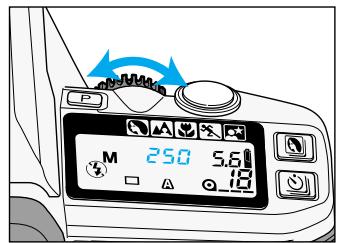

To select the aperture, press the exposure-compensation button while turning the control dial.
Refer to the flash range on page 36 to determine the aperture setting.
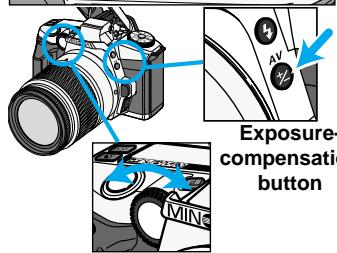
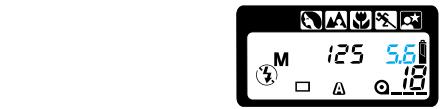
Control dial
Canceling the Flash
Push the built-in flash down or turn the accessory flash off.
will be displayed on the data panel.
P MODE
Select P mode when you want to give your full attention to your subject and composition by letting the camera control both the shutter speeds and aperture. The P mode software analyzes the subject's size, motion, and distance as well as the focal length of the lens, then controls the shutter speed and aperture to correctly expose the scene.
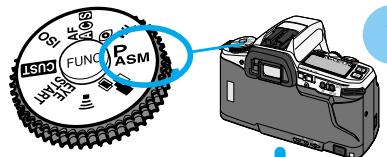
1 Turn the function dial to PAMS.
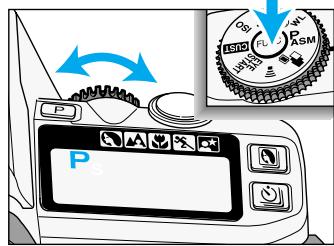
2 While pressing the function button, turn the control dial until P appears on the data panel.
PA Mode
The aperture can be changed in P mode with the Custom 8 -2 setting.(p.111).
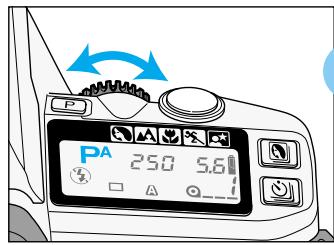
1 Set the camera to custom 8-2. See page 111 for instructions.
Press the shutter-release button partway down to display the shutter speed and aperture value. Turn the control dial to change the aperture.
- The shutter speed is automatically adjusted to ensure correct exposure.
PS Mode
The shutter speed can be changed in P mode with the Custom 8 - 3 setting.(p.111).
1 Set the camera to custom 8-3. See page 111 for instructions.
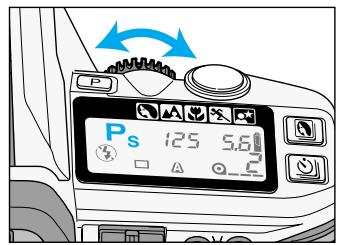
Press the shutter-release button partway down to display the shutter speed and aperture value. Turn the control dial to change the shutter speeds.
- The aperture is automatically adjusted to ensure correct exposure.
- The built-in flash and accessory flashes cannot be used with PA or Ps modes. PA and Ps modes are canceled when the built-in flash is up or an accessory flash is on. The PA and Ps custom settings are still active and can be used when the built-in flash or accessory flash is turned off.
- To turn off the PA/Ps function, change the custom setting to 8-1. Turning the function dial to other modes, or poping up the built-in flash will temporary cancel the PA/Ps mode.
- When an operation is not made for five seconds, the aperture display (Ps) or the shutter speed display (PA) will go blank on the data panel. A few seconds later, the S/A on the data panel will turn off; the camera returns to P mode. PA/Ps can be activated again by simply pressing the shutter-release button partway down to display the shutter speed and aperture display and then turn the control dial to reactivate the PA/Ps mode.
EXPOSURE WARNINGS
Indicators will blink in the viewfinder or data panel when the level of available light is beyond the camera's control.
| MODE | DISPLAY | CAUSE | ACTION |
| P
A
S
M | 2.1.0.1.2 | The light level is beyond the camera's metering range.* | Bright Light
Use slower speed film, a neutral density (ND) filter, or reduce the light level of your surroundings.
Low Light
Use higher speed film or a flash. |
| P | 4000 22
AUTO A
4000 22 | The required exposure is beyond the shutter-speed and aperture range.* |
| A/PA | 4000 4
A A
4000 | The required exposure is beyond the shutter-speed range. | Select a larger or smaller aperture until the display stops blinking. |
| S/Ps | s2000 35
A A
2000 35 | The required exposure is beyond the aperture range of the lens. | Select a faster or slower shutter speed until the display stops blinking. |
- The warnings may appear with subject programs.
DETAILED OPERATION
In this section you can move on to the detailed operation to expand your expertise. Read those pages pertaining to the areas of your interest and need.
Taking Time Exposures (p.81)
Multiple Exposures (p.90)
FOCUS AREA
Wide Focus Area
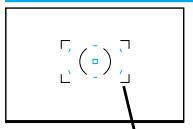
Wide focus frame
The wide focus frame uses seven focus sensors (the spot focus area and six local focus areas) to automatically focus on your subject. The wide focus area provides greater framing flexibility and makes it easier for the camera to focus on moving subjects.
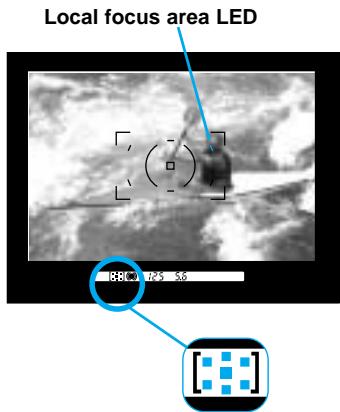
Focus area indicator
- A local focus area LED or spot focus area LED in the viewfinder will glow to indicate the point of focus within the wide focus area for less than one second.
- When the subject is moving, LEDs may not illuminate.
-
All the focus area indicators in the viewfinder turn on when the wide focus frame is being used.
-
With continuous AF (p.73) or the sports subject-program mode (p.43), the local focus area LEDs will not glow in the vewfinder. The LEDs may not glow in continuous advance.
Custom Function Notes
Cust-13: When focus is confirmed, the local focus area LEDs will illuminate for approx. 0.3s (1), or for approx. 0.6s (2). The local focus area LEDs will only illuminate when an area is selected by the user (3) (p.113).
Spot Focus Area
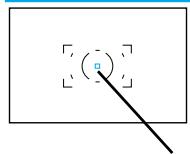
Spot focus area
By simply pressing the spot AF button, the center spot focus area is selected. The focus and exposure settings will be made with the center spot focus area.
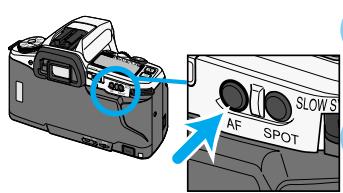
Spot AF button
1 Place your subject inside the spot focus area.
- The spot focus area in the viewfinder will glow for a second after focus is confirmed.
- [ ] will appear in the viewfinder, indicating the center focus sensor is being used.
Focus and exposure remain locked until the spot focus button is released
NOIeDd
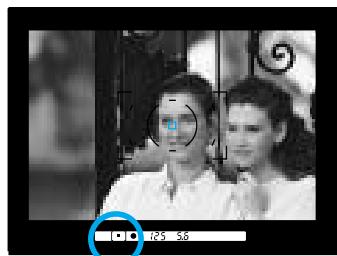

- When you release the spot AF button, the wide focus frame will be displayed.
FOCUS AREA
Local Focus Areas
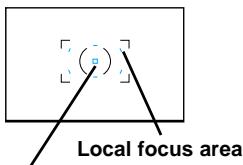
Spot focus area
Any of the seven local focus sensors (the spot focus area and six local areas) can be individually selected. Use the local focus areas with off-center subjects when changing the camera position is difficult such as when it is attached to a tripod.
This is the camera's default setting. Changing between the local focus areas and the wide focus area is simple when using the spot AF button.
1
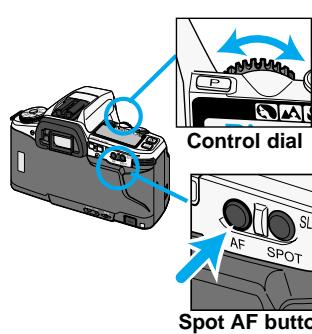
While holding the spot AF button, turn the control dial to select a local focus area.
- As the local focus areas are selected, the corresponding LED will glow in the viewfinder.
- The selected local focus area is also indicated by the focus area indicator.
2
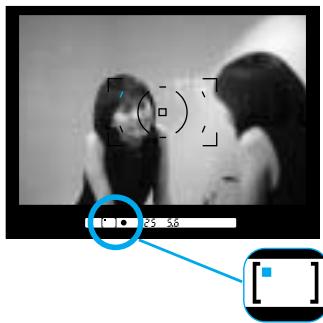
While holding the spot AF button, press the shutter-release button all the way down to take the picture.
- If the spot AF button is released, selected local focus area is cancelled and the wide focus area is activated.
Selecting Local Focus Areas with the Custom Function
When the focus-area custom function is set, the focus area in use will not change. The focus area can be changed with the spot AF button.
1
Set Custom 9-2. See the page 107.
2
While holding the spot AF button, turn the control dial to select the focus area.
- As the local focus areas are selected the corresponding LED will glow in the viewfinder.
- The selected local focus area is also indicated by the focus area indicator.
- The focus areas will cycle as indicated in the diagram when turning the control dial clockwise. Turning the control dial counterclockwise will cycle through the focus areas in reverse order.
3
Press the shutter-release button all the way down to take the picture.
- The selected focus area will remain active until changed using the spot AF button and control dial.
Custom Function Notes
Cust-9: Local focus areas are selected with the control dial while pressing the spot AF button. When the spot AF button is released, the wide focus area is active(1). Wide focus area and local focus areas set with the control dial while pressing the spot AF button (2). To switch between the spot focus area and wide focus frame every time the spot AF button is pressed (3) (p.111).
FOCUS MODES
Your camera has four focus modes:
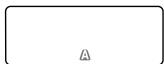
Automatic AF
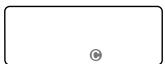
Continuous AF
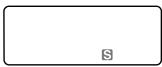
Single-shot AF
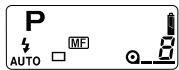
Manual Focus
- All the autofocus modes work with the exposure modes: P A S M.
- The subject programs use automatic AF, except for sports mode, which uses continuous AF.
Automatic AF A
Designed to work well in most situations, automatic AF is suited to events that have both moving a static subjects. When the subject is moving, continuous AF is used; when static, single-shot AF is employed.
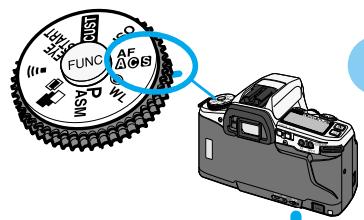
1 Turn the function dial to AF
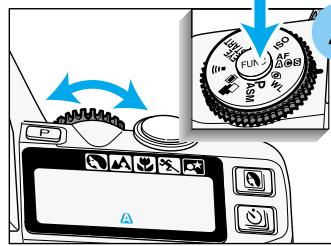
2 While pressing the function button, turn the control dial until A appears on the data panel.
Continuous AF
Use continuous AF when shooting sporting events or when the subject is in constant motion.
1 Turn the function dial to AF@S.
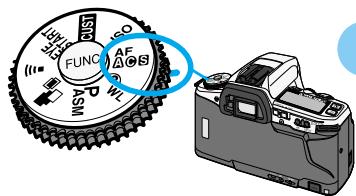
While pressing the function button, turn the control dial until appears on the data panel.
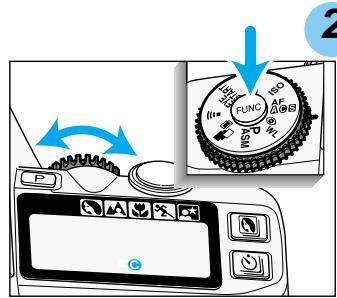
While pressing the function button, turn the control dial until appears on the data panel.
- When taking pictures, the camera continues to focus while the shutter-release button is pressed partway down. Focus lock cannot be used with continuous AF.
Focus can be locked with the spot AF button in continuous AF.
- Continuous AF does not use audio signals or local focus area LEDs to indicate focus.
Single-Shot AF S
Use single-shot AF when photographing static subjects.
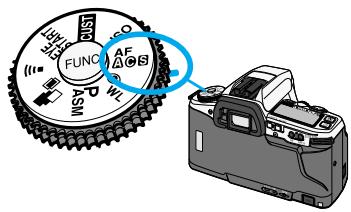
1 Turn the function dial to AF
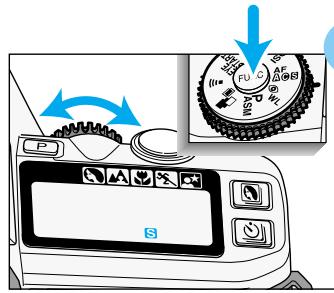
2 While pressing the function button, turn the control dial until S appears on the data panel.
Manual Focus MF
The autofocus system can be used to monitor focus and indicate when a subject in the focus frame is in focus. The lens can be focused manually when autofocus and focus lock is not possible.
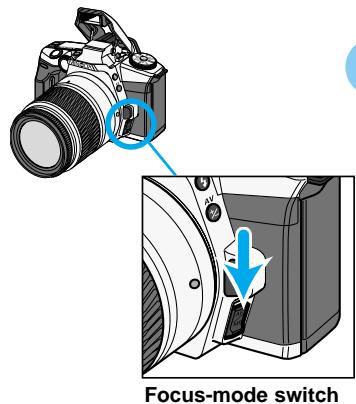
1 Hold the focus-mode switch down and release.
MF will appear on the data panel.
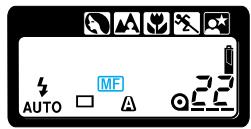

2 Turn the focusing ring until your subject appears sharp.
- While pressing the shutter-release button partway down, appears in the viewfinder when the subject in the focus frame is in focus.
- To return to the autofocus mode, push the focus-mode switch down a second time
AF ILLUMINATOR
The built-in flash is used as an AF Illuminator. When the scene is too dark for the camera to focus, the built-in flash fires a few short bursts when the shutter-release button is pressed partway down to provide the light necessary for the camera to focus.
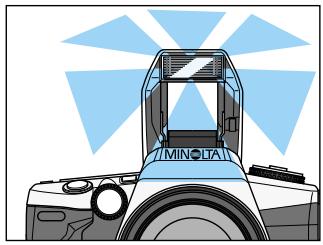
- Pressing the spot AF button can also activate the AF illuminator.
- The range of the AF Illuminator is approximately 1 to 5m (3.3 to 16.5 ft.).
- The AF illuminator will not fire in continuous AF mode (or if flash cancel is selected.
- The AF illuminator may not operate with focal lengths of 300mm or longer.
- The AF illuminator will not operate with 3x-1x Macro Zoom.
- When an accessory flash is attached, the flash will be used as the AF illuminator in place of the camera's built-in flash unit.
Custom Function Notes
Cust-11: AF illuminator active (1), AF illuminator disabled (2) (p.112)
EXPOSURE - Metering System
14-Segment Honeycomb-Pattern Metering
This is the camera's standard metering mode and is appropriate for most photographic situations.
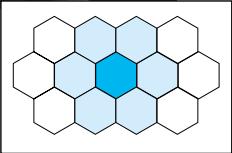
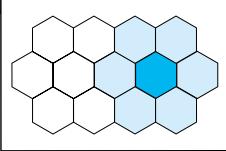
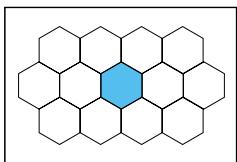
- 14-segment honeycomb-pattern metering uses information from the autofocus system to set the metering pattern according to the position of the main subject. The light metered by each segment is then evaluated to determine the degree of spot-lighting or backliting in the scene.
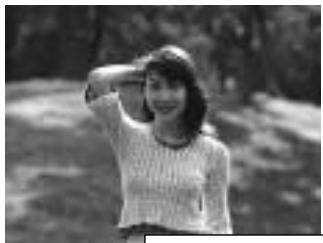
Subject in the center
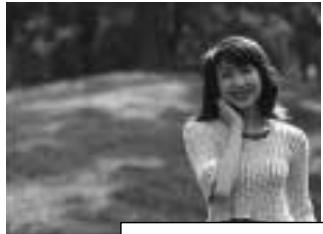
Subject on the right
- In manual focus mode with any lens except the 'D' series lenes, the camera switches to center-weighted metering. The metered exposure may be different between autofocus and manual focus.
Spot Metering
When pressing the spot AE-lock button, only the spot metering area will be used to calculate the exposure.
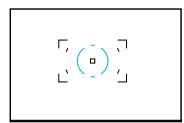
Spot metering area
EXPOSURE - AE-LOCK
Spot-AE Lock
Spot metering uses only the center honeycomb segment shown by the spot metering area in the viewfinder. You can lock the metered exposure without locking the focus. With a high or low key subject, an object away from the subject can be used to set the shutter speed and aperture. The exposure remains locked until the spot AE lock button is released.
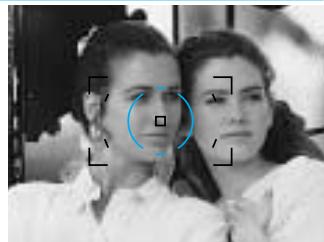
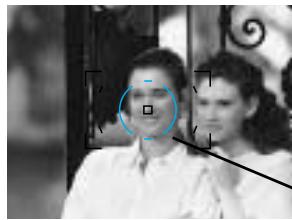
1 Place the spot metering area on the area to be metered.
- Make sure the light falling on the metered area is the same as the light falling on the subject.
Spot metering area
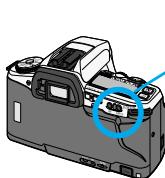
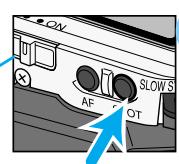
Spot AE lock button
will be displayed in the viewfinder to indicate the exposure is locked.
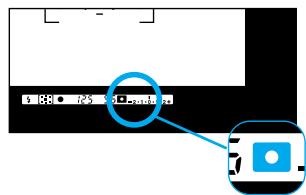
- When using flash. pressing the spot-AE lock button sets the flash mode to slow-sync (p.96).
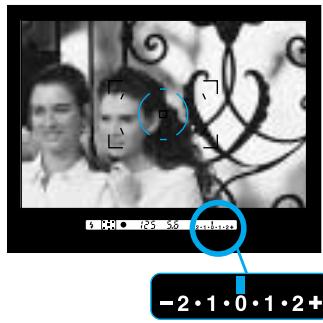
Ev Scale
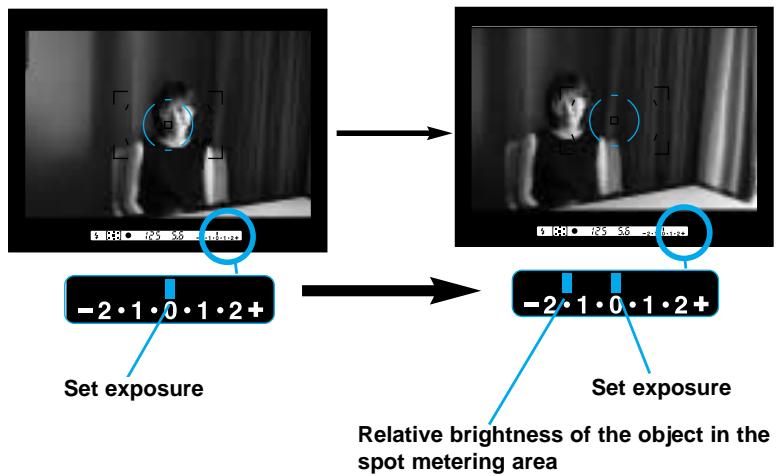
- The Ev scale will show the difference in relative brightness between the metered area and the object in the spot metering area (p. 80).
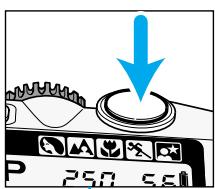
4 While still pressing the AE-lock button, press the shutter-release button all the way down to take the picture.

Spot-AE lock button
NOIeDd
- If the spot AE-lock button is not released after taking the picture, the exposure setting will remain locked.
- Slow-sync is activated when appears in the viewfinder (p.96).
Custom Function Notes
Cust-10: Spot-AE lock: activated when the AE lock button is pressed and held (1), or activated when the button is pressed once and then canceled when it is pressed again (2) (p.112).
EXPOSURE - AE-LOCK
Ev Scale Display When Using the Spot-AE Lock
The Ev scale will display the difference between the exposure set with the spot AE lock and the relative luminance of the subject.
With the object to be mete in the spot metering area, press the AE-lock button.

While pressing AE-lock button, recompose the picture.

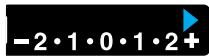
or will glow on the Ev scale if the set exposure will over or underexpose the subject by 2.5.
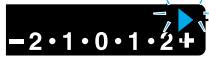
or will blink on the Ev scale if the set exposure will over or underexpose the subject by 3.0.
- With slide film, if the difference between the metered area and the subject area is within ± 2 Ev, the subject area will retain detail and will not be washed out or blocked up.
TAKING TIME EXPOSURES (buLb)
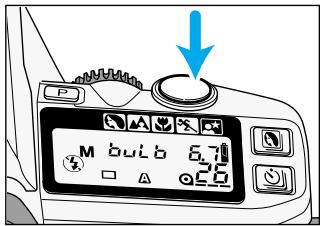
Set the shutter speed to bulb when you want to take time exposures. When bulb is selected, the shutter remains open as long as the shutter-release button is pressed. The camera's exposure meter does not work with bulb.
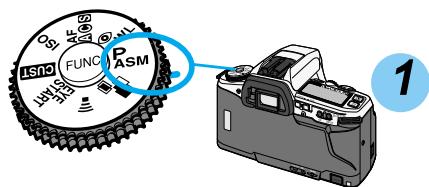
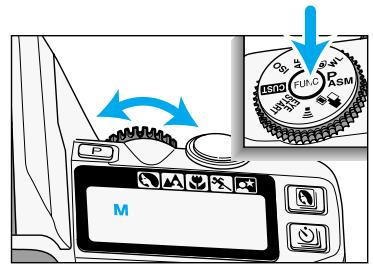
Mount the camera on a tripod. Set the camera to M mode (p.61).
NOIeDd
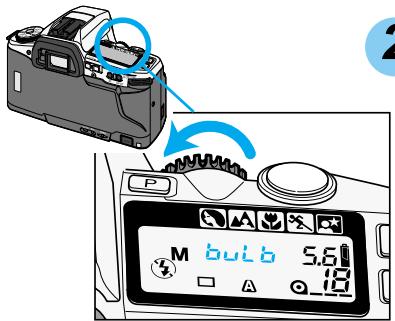
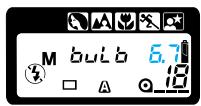
2 Turn the control dial counterclockwise until bul appears on the data panel.
Continued on next page
TAKING TIME EXPOSURES (buLb)
Control dial
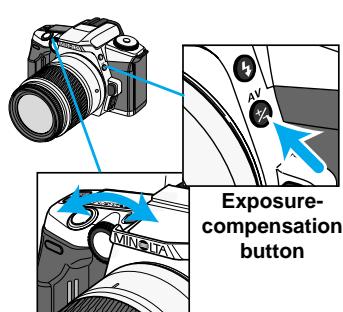
3 While pressing the exposurecompensation button, turn the control dial to select the aperture.
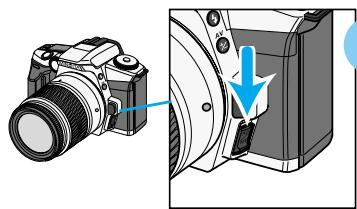
Focus-mode switch
82
4Compose the scene and focus on your subject.
- If the scene is too dark for the autofocus to operate, press the focus-mode switch and focus the lens manually (p. 75).
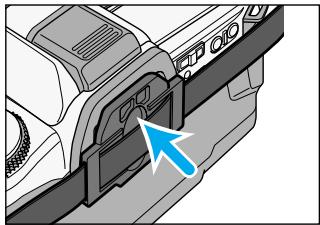
5 Firmly press the eyepiece cap into the eyepiece.
- The eyepiece cap prevents light from entering through the viewfinder and fogging the film.
Press and hold the shutter-release button to take the picture.
- The shutter remains open as long as the button is pressed.
Attaching the Remote Cord (Sold Separately)
To reduce the camera shake or for long exposures, the shutter can be released with the Remote Cord RC-1000S or RC-1000L.
- Do not use the Wireless Controller IR-1N with this camera. Its use may permanent damage the camera.
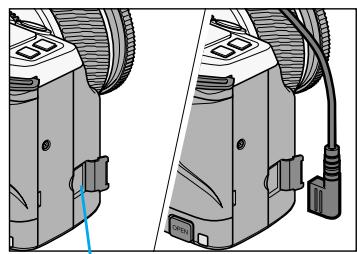

1 Open the remote-control-terminal cover.
2 Insert the plug into the terminal.
- When removing the Remote Cord RC-1000S or RC-1000L, take care not to pull out the remote-terminal cover with the Remote Cord.
- The Remote-cord Clip (sold separately) can be used to attach the remote cord to the camera strap.
Using the Remote-Control with Bulb(Sold Separately)
To reduce camera shake, use the optional remote-control IR-3. (sold separately) (p.49).
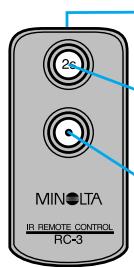
Emitter window
Delayed button
Release button
1 Set the camera to remote-control mode (p.49).
Press the release button to open the shutter.
- Hold the remote control near the sensor on the grip. Take care not to stand in front of the lens.
3 Press release button again to close the shutter.
EXPOSURE COMPENSATION
Compensated Exposure
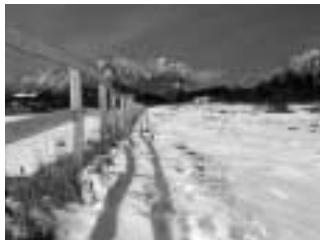
The metering system in this camera averages the scene's light values to determine the exposure. This is an accurate method for scenes with a normal tones. Bright scenes, such as snowy landscapes or sandy beaches, can deceive the camera's meter and be underexposed. Dark scenes can be overexposed.
The scene on the left was underexposed because of the snow. By compensating the exposure by +2Ev , the snow appears white and fresh.
- This effect is most visible with slide film.
- Exposure compensation is not available in M mode.

Metered Exposure
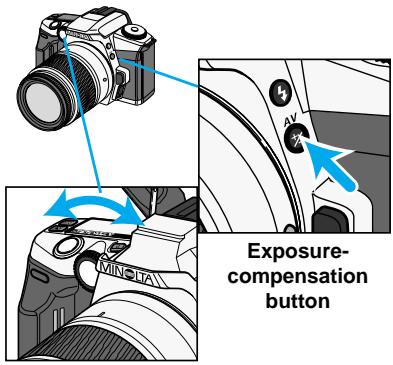
Control dial
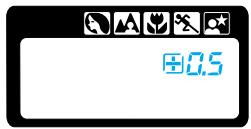
While pressing the exposure-compensation button, turn the control dial until the desired compensation value appears on the data panel.
- The metered exposure can be adjusted by ± 3 Ev in 0.5Ev increments.
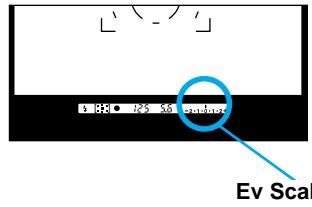
Checking Exposure Compensation
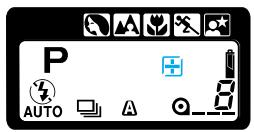
The Ev scale shows the amount of compensated.
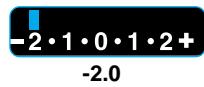
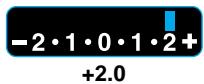
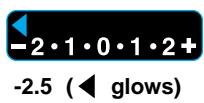
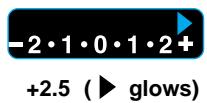
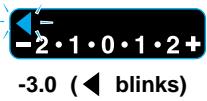
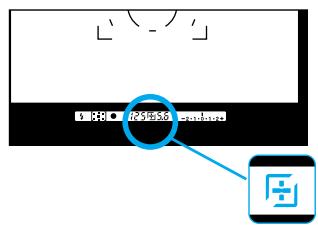
After releasing the exposure compensation button, + or remains on the data panel and in the viewfinder to indicate that the exposure is being compensated.
NOILOREDOE
- To cancel exposure compensation, the camera must be reset manually to 0.0.
SETTING THE ISO MANUALLY
Set the film speed manually when you want to override DX-coded film or when using non-DX-coded film. Film speeds can be set from ISO 6 to 6400 in 1/3Ev increments.
- Non-DX coded film is initially set to the previous roll's ISO.
1 Load the film.
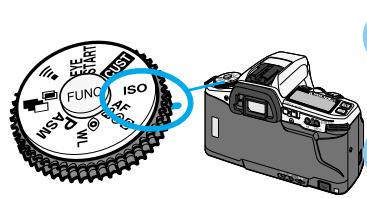
2 Turn the function dial to ISO.
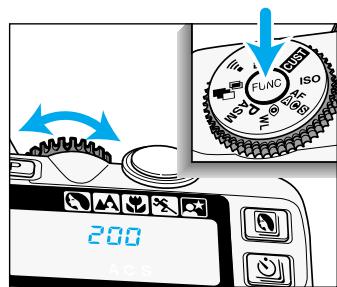
3 While pressing the function button, turn the control dial until the desired ISO value appears on the data panel.
4 Release the function button. The selected film speed will be set.
- The data panel returns to the usual display.
- Exposure compensation in 1/3 Ev increments can be made using the ISO function. Care should be taken because no warning will be displayed indicating the ISO has been changed.
Custom Function Notes
Cust-4: Manual ISO settings will be canceled when the film is rewound (1), or the manual ISO setting will be stored and applied to future rolls of film with the same DX-coded ISO (2) (p.109).
EXPOSURE BRACKETING
Bracketing automatically exposes a series of three frames with differing exposures. Bracket your exposures when shooting slides and other films with a low tolerance for exposure error.
- The bracket can be set in increments of 0.3, 0.5, 0.7, or 1.0Ev .
- The flash cannot be used with bracketing.
- Exposure compensation can be used to adjust the bracket series.
Metered Exposure
0.5 Ev Under
0.5 Ev Over
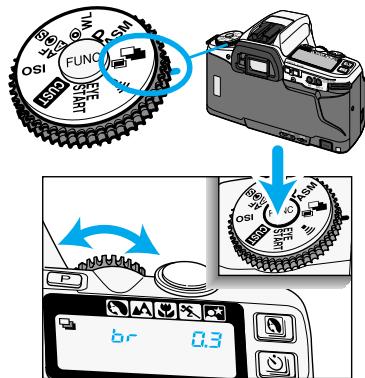
1 Turn the function dial to
2 While pressing the function button, turn the control dial to set the bracketing increment.
- Increments of 0.3, 0.5, 0.7 or 1.0 EV can be selected.
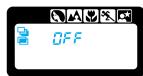
OFF
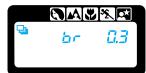
0.3EV
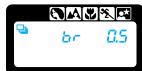
0.5EV
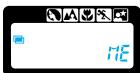
Multiple Exposure (p.90)
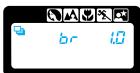
1.0EV
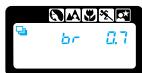
0.7EV
EXPOSURE BRACKETING
Continuous Advance Bracketing
To make an automatic three-frame bracket. The drive mode is automatically set to continuous advance when bracketing is selected.
- Three frames will be taken. Do not release the shutter button until all three exposures are made.
- If the shutter button is released before the three exposures are made, the current bracket will be canceled.
- Exposure is locked with the first frame of the series.
Single Frame Advance Bracketing
To take each picture of the three-frame bracket individually, set the drive mode to single frame advance.
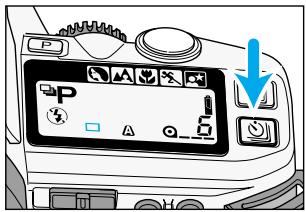
- br will appear on the data panel after pressing the shutter-release button partway down to indicate the first bracket.
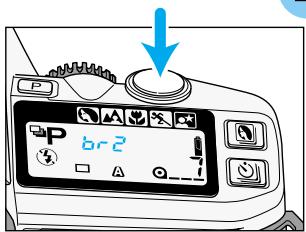
- The shutter-release button must be pressed for each bracket.
- To cancel the bracketing series, turn the camera off.
- Exposure is locked with the first frame of the series.
- br and br3 will appear on the data panel to indicate the bracket frame.
Flash Notes
- The built-in flash is set to flash cancel when bracketing is selected.
- An attached Minolta accessory flash will be turned off when bracketing is selected.
Canceling Bracketing
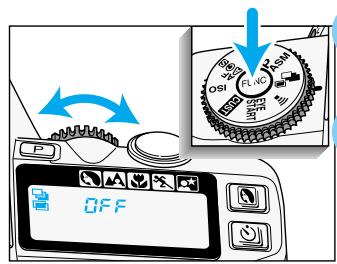
1 Turn the function dial to
Press the function button and turn the control dial until QFF appears on the data panel.
- Sliding the main switch to OFF in the middle of a bracketing series resets the bracketing series to the first frame (brf).
This function is a shortcut to take a three-frame bracket in increments of 0.5 Ev.
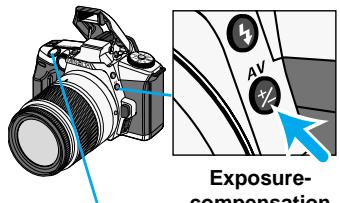
Exposure-compensation button
While pressing the exposure-compensation button, press and hold the shutter-release button all the way down.
- The camera automatically exposes a three-frame bracketed series.
- Releasing the shutter-release button before the series is complete, cancels the exposure series.
MULTIPLE EXPOSURE
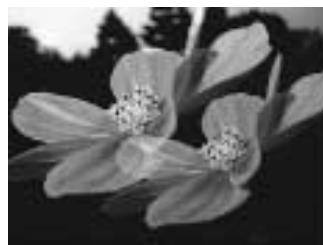
The multiple-exposure function makes it possible to expose two or more images on the same frame.
- Flash cannot be used with multiple exposure.
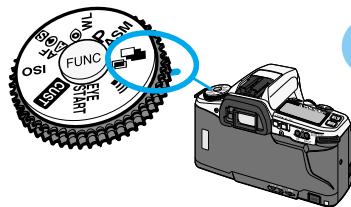
1 Turn the function dial to
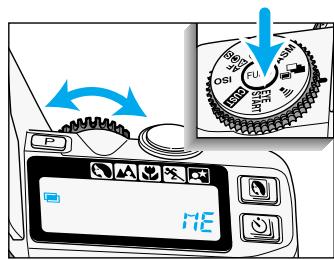
2 While pressing the function button, turn the control dial until i_C^ appears on the data panel.
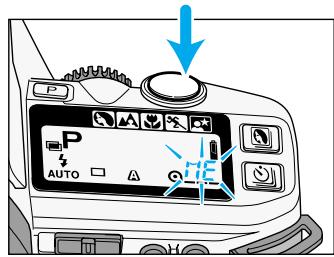
3 Press the shutter-release button all the way down to take the first exposure.
- HIE blinks on the data panel indicating the next exposure will be the last in the series.
- Go to step 7 when making only 2 exposures.
Taking more than 2 exposures
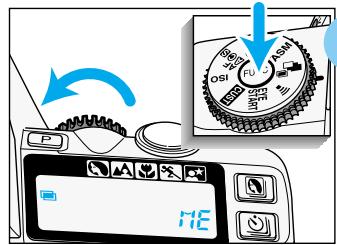
4
While pressing the function button, turn the control dial one click counterclockwise to stop the i_H^E from blinking.

Press the shutter-release button to take the picture.

Repeat 4 and 5 for each additional exposure.
Taking last exposure
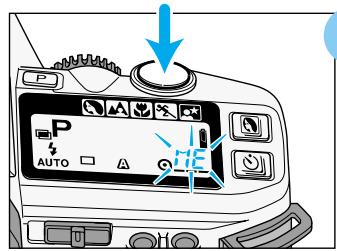
7
While is blinking on the data panel, press the shutter-release button all the way down to take the last exposure.
- Multiple-exposure mode is cancelled after the last exposure has been taken.
- The film will be advanced to the next frame.
Canceling Multiple Exposure
The multiple exposure series can be canceled before the last frame is taken.
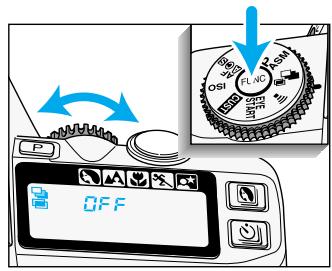
1 Turn the function dial to
Press the function button and turn the control dial until QFF appears on the data panel.
- Sliding the main switch to OFF does not cancel multiple exposure mode.
Metering Multiple Exposure
The meter in your camera determines exposure (Ev) based on the assumption that only one exposure will be made for each picture. When making multiple exposures, the combined exposure of the series must equal the exposure required for one picture.
- Compensation is not necessary if all of the exposures have dark backgrounds and the subjects of the exposures will not overlap.
Compensate the exposures as follows:
| Number of Exposures | 1 | 2 | 3 | 4 | 5 | 6 |
| Exposure Adjustment | 0.0 | -1.0 | -1.5 | -2.0 | -2.5 | -3.0 |
- The above corrections are intended as a general guideline. Some testing may be necessary to produce the desired results.
- When using negative film, inform the photofinisher that multiple-exposure pictures are included on the film.
FLASH
Your camera's built-in flash provides coverage for a 28mm wide-angle lens, with a flash guide number of 12 (ISO100). This section of your manual covers the operation of accessory flashes as well as the built-in flash.
The high accuracy of your camera's flash is achieved by ADI (Advanced Distance Integration) flash metering in combination with the newly developed D series flash units and lenses. Compared with conventional TTL flash metering, ADI flash metering is less influenced by background conditions or the subject's reflectance, providing optimum flash exposures every time.
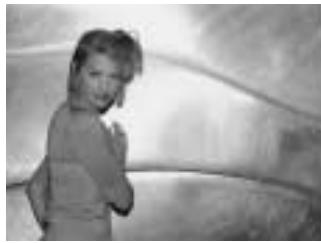
ADI flash metering
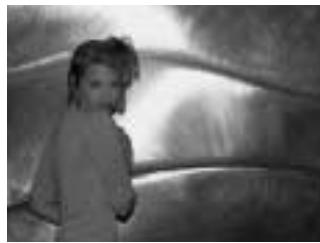
Conventional TTL metering
Program Flash
An optional accessory flash, such as the 5600HS(D) or 3600HS(D), improves flash performance over the built-in flash. The flash units fit in the accessory shoe located on the top of the camera.
- The flash signals for the accessory flash are the same as those for the built-in flash (p. 35).
- Refer to the accessory flash's instruction manual for the flash range. For the 5600HS(D), 5400HS, and 5400xi, the flash range is on the back of the flash units.
- Refer to the accessory flash's instruction manual to attach the flash.
FLASH
Attaching the Accessory Flash
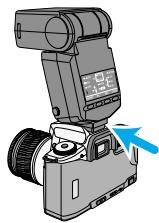
The accessory flash units fit in the shoe located on the top of your camera.
Flash Metering
Flash metering changes according to the flash unit and lens being used. The metering mode also changes when the HSS mode on the flash is turned on or off.
| D lens and HSS on | D lens and HSS off | Other lens and HSS on | Other lens and HSS off |
| 5600HS(D)3600HS(D) | ADI metering with pre-flash | ADI metering without pre-flash | Pre-flash metering | TTL metering |
| 5400HS | Pre-flash metering | TTL metering | Pre-flash metering | TTL metering |
| Built-in flash | - | ADI metering without pre-flash | - | TTL metering |
| Other flashes | - | TTL metering | - | TTL metering |
-
For more information on HSS (high-speed sync) flash mode, see page 97.
-
When an off-camera cable or bounce flash is used, the TTL metering mode will be automatically set.
- If Wireless/Remote flash is used, the TTL metering mode will be automatically set.
TTL metering (Through The Lens):
The TTL flash metering system controls the flash during the exposure automatically.
Pre-flash metering:
In combination with TTL metering, a pre-flash fires before the main exposure. The pre-flash is metered with 14 segment honeycomb pattern and fed back to the flash exposure system to determine the reflectance of the scene.
ADI metering (Advanced Distance Integration):
Flash metering is controlled by distance information from D series lenses in addition to TTL metering. With the 5600HS (D) and 3600HS (D) accessory flash units, a pre-flash is also used. With ADI metering, flash output is less influenced by background conditions or the subject's reflectance.
Use of a Flash/Color Meter with Pre-Flash
When pre-flash fires, a flash/color meter cannot meter accurately. This is because the purpose of pre-flash is to assist ADI/Pre-flammetering, not to provide illumination for the picture. Cancel HSS (see flash manual) or eliminate the influence on metering using Custom 12-2 (p.
113). However, if you use the test-flash button on the flash, the preflash will not fire.
When Using a Close-up Diffuser, Certain Filters and Lenses
When close-up diffuser CD-1000, or a filter whose stop's increase is not 0 (i.e., ND) is used, or when the focus-range limiter or macro release of certain lenses are used, the proper exposure will not be obtained by ADI or Pre-flash metering.
SLOW SYNC
In P and A modes, slow-shutter sync sets the shutter speed and aperture value for ambient lighting and balances the flash output with the exposure.
- Slow sync cannot be used in S mode, or M mode.
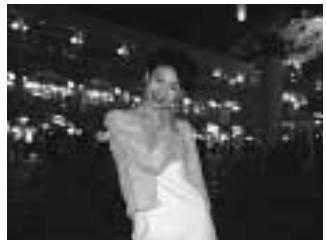
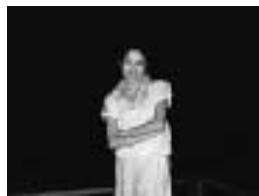
Conventional Flash
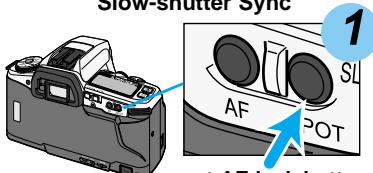
Slow-shutter Sync
spot-AE lock button
With 4 or 5 ‰ on the data panel, press the spot- AE lock button to set the ambient light exposure.
- In P mode, the flash will automatically be activated. In A mode, press the flash-mode button to acvitate the built-in flash.
- and the locked exposure will be displayed in the viewfinder.

While holding the spot-AE lock button, press the shutter-release button all the way down to take the picture.
- The slow-sync effect is the same as the night portrait subject program (p.44).
- Use a tripod if the shutter speed is too slow to allow sharp, hand-held pictures.
- When z is not on the data panel, the camera is in spot-metering mode and not in slow sync (p.78).
Custom Function Notes
Cust-10: Spot-AE lock: activated when the AE lock button is pressed and held (1), or activated when the button is pressed once and then canceled when it is pressed again (2) (p.112).
HIGH-SPEED SYNC (HSS)
The maximum flash-sync speed for this camera is 1/125. However, with the 5600HS (D), 3600HS (D), and 5400HS accessory flashes (sold separately) shutter speeds up to 1/4000 can be used. High-speed sync is a function built into the HS series flash units.
High-speed sync (HSS) allows faster shutter speeds with fill flash when photographing moving subjects outdoors. HSS also lets you use large aperture/high shutter-speed combinations to separate your subject from the background by limiting the depth-of-field.
High-speed Sync
Conventional Fill Flash
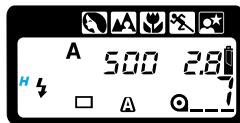
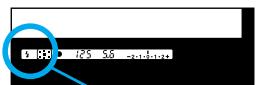
Attach the accessory flash to the camera and set the flash to high-speed sync (HSS).
-
H will appear in the camera's viewfinder and data panel to indicate that the flash unit is set to high-speed sync.
Refer to the flash unit's instruction manual for details on its use.
-
The use of high-speed sync reduces the flash range. Refer to the flash unit's instruction manual.
HSS cannot be used under fluorescent lights.
- When or blinks on the viewfinder's Ev scale before taking the picture, proper flash exposure might not be achieved. High-speed sync cannot be used.
- Flash and color meters cannot can not be used with high-speed sync.
WIRELESS/REMOTE FLASH
Photographs taken with the flash attached to the camera are flat as shown in photo ①. Use an accessory flash positioned away from the camera it to obtain three-dimensional lighting as shown in photo ②. The output of the built-in flash can be used as a fill light to change the lighting ratio of the subject. See wireless/remote flash ratio on page 101
When taking this type of photograph, the camera and the flash unit are most commonly connected by cable. The use of the 5600HS (D), 3600HS (D), 5400HS, 5400xi, or 3500xi flash unit eliminates the need for a cable. The flash units are controlled by the camera's built-in flash. This type of flash control is referred to as wireless or remote flash. The proper exposure is determined automatically by the camera.
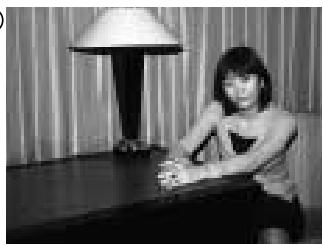
(1)
Normal flash
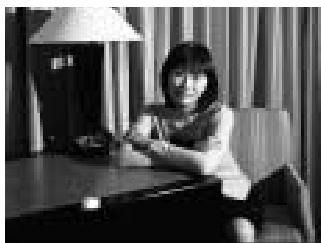
(2)
Wireless flash
- HSS with wireless/remote flash is available only with 3600HS(D), 5600HS(D).
- With an accessory flash other than 3600HS(D) and 5600HS(D), the shutter speed will be set to slower than 1/45 second automatically.
- Flash and color meters cannot be used with wireless/remote flash.
Setting Wireless/Remote Flash Mode
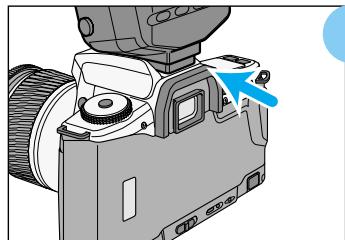
1
Attach the accessory flash to the camera before turning the flash and camera on.
- The flash must be mounted on the accessory shoe because the camera needs to send a signal to the flash to turn on its wireless/remote function.
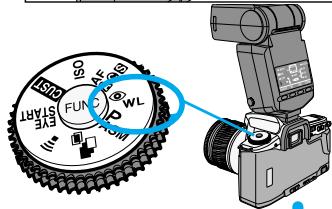
2
With the camera and flash on, turn the function dial to _WL
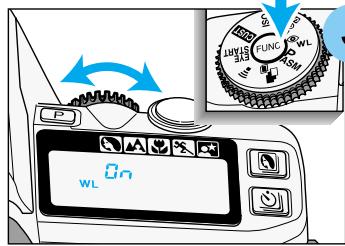
3
While pressing the function button, turn the control dial until WL and n appear on the camera's data panel.
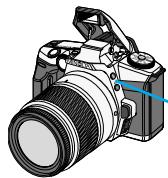
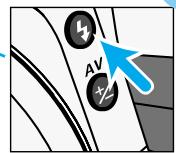
Flash-mode button
4
Detach the accessory flash, then press the camera's flash-mode button to raise the built-in flash.
WIRELESS/REMOTE FLASH
Taking Pictures in Wireless/Remote Flash Mode
The accessory flash is controlled by a light signal from the built-in flash. Although the built-in flash fires, it does not add to the exposure, but simply controls the accessory flash. The position of the camera and flash is critical to control the lighting of the subject.

Position your camera and flash unit using the information of this page.
- The example below is with the 3600HS (D) flash unit. For other flash units, refer to the instruction manual for the correct camera to subject and flash to subject distances.
Photograph in dark locations.
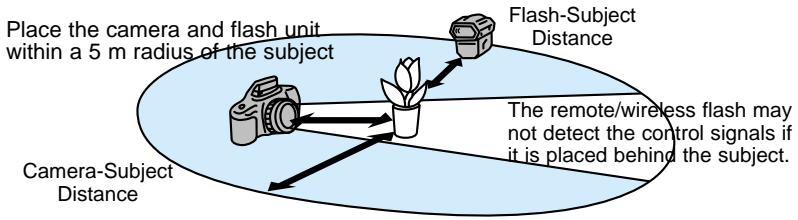
| Camera - subject distance | Flash - subject distance |
| Non HSS | HSS |
| Shutter speed | All shutter speeds | 1/45 or slower | 1/45 or 1/125 | 1/180 | 1/1000 |
| Aperture |
| f/2.8 | 1.4 - 5m 4.6 - 16 ft. | 1.4 - 5 m 4.6 - 16 ft. | 1 - 5 m 3.3 - 16 ft. | 1 - 4 m 3.3- 13 ft. | 1 - 2 m 3.3 - 6.6 ft. |
| f/4 | 1 - 5m 3.3 - 16 ft. | 1.35 - 5 m 4.4 - 16 ft. | 1 - 5 m 3.3 - 16 ft. | 1 - 3m 3.3- 9.9 ft.. | 1 - 1.5m 3.3 - 4.9 ft. |
| f/5.6 | 1 - 5m 3.3 - 16 ft. | 1.25 - 5 m 4.1 - 16 ft. | 1.35 - 5 m 4.4 - 16 ft. | 1 - 2m 3.3 - 6.6 ft. | |
- The distances in the above table assumes the use of ISO 100 film. If ISO 400 film is used, the distances must be multiplied by a factor of two with an upper limit not exceeding 5m .

Wait until both flash units are fully charged.
- appears in the viewfinder when the built-in flash is charged.
- When the wireless/remote flash is charged, 12 on the rear of the flash is lit.
- Pressing the spot-AE lock button will test fire the accessory flash. If the accessory flash does not fire, change its position.
- To test fire the accessory flash, custom 10 should be set to 1 (p.112).

Wireless/Remote Ratio Flash
In this photo both the wireless/remote flash and camera's built-in flash illuminated the subject. The camera's flash acted as a fill light to control the depth of the shadows. With a lighting ratio of 2:1, a soft gradation between the highlights and shadows were produced giving the subject a natural appearance.
- High-speed sync cannot be used in wireless/remote ratio flash.
- With wireless/remote ratio flash, the shutter speed will be set to slower than 1/45 second automatically.
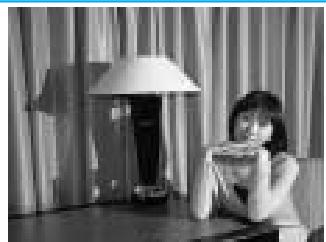
Wireless ratio flash
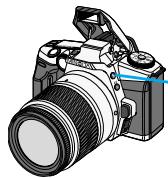
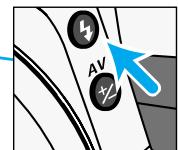
Flash-mode button
- Both flashes will fire when the shutter is release.
- A lighting ratio of 2:1 indicates the exposure from the main light (accessory flash) is twice as much as the exposure from the fill light (camera's flash).
WIRELESS/REMOTE FLASH
Canceling Wireless/Remote Flash Mode
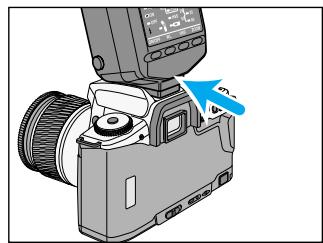
1 Attach the flash to the camera.
- The camera and flash should be on.
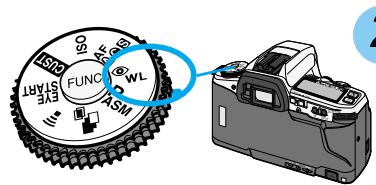
2 Turn the function dial to _WL
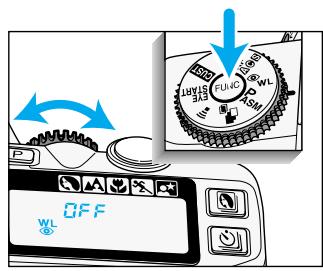
3 While pressing the function button, turn the control dial until _WL and FF appear on the camera's data panel.
- Turning off the main switch of the camera with the accessory flash attached also cancels wireless flash. If the flash is not attached, the flash's wireless/remote function will not be canceled. If this happens, see the flash's instruction manual to cancel the function.
FOR OWNERS OF THE QUARTZ DATE MODEL
The quartz-date function lets you record the date or time on the lower-left corner of the photograph. The quartz data back has an automatic calendar through the year 2039.
- Imprinted data may be difficult to read if the lower-left corner of the photograph is bright or non-uniform.
- Do not use the data back when temperatures are outside the range of 0^ to 50^ ( 32^ to 122^ ).
- Since the date is recorded when the film is advanced to the next frame, sometimes the last frame of the roll will not have the date printed on it.
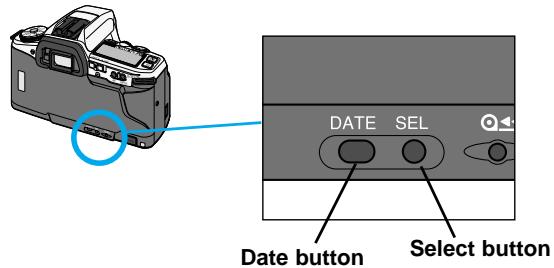
Imprinting the Date or Time
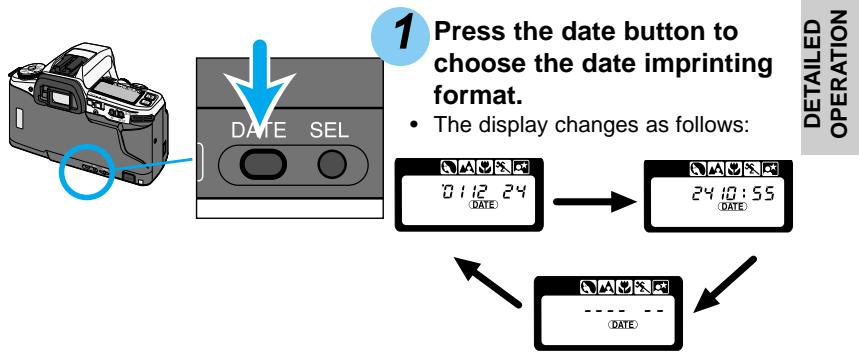
Press the shutter-release button to set the format.
FOR OWNERS OF THE QUARTZ DATE MODEL
Setting the Date or Time
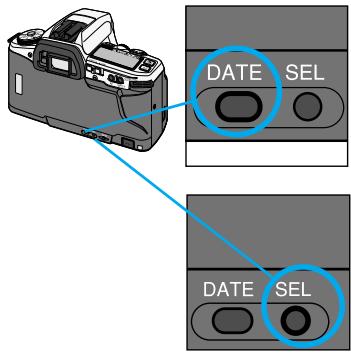
Press the date button.
Press the select button (SEL) to select the year, month, day, hour, or minute.
- The item that can be changed will blink.
- The data back has a 24-hour clock.
2pm should be set as 14:00.
- The item will cycle as follows.
Year Month Day Hour Minute
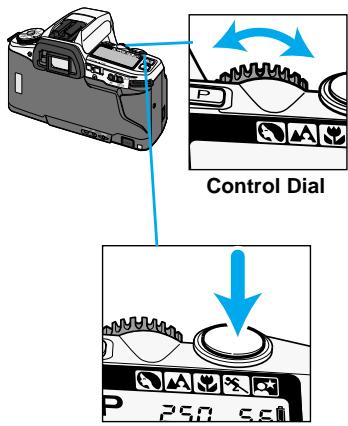
3 Turn the control dial to change the date and time values.
Data continues changing as long as the dial turns.
Repeat steps 2 and 3 until the date and time are displayed correctly.
Press the shutter-release button to set the date and time.
- The usual display will return.
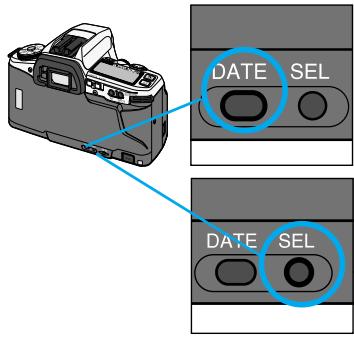
Press the date button.
Press and hold the select button (SEL) for 3 seconds until the date on the data panel blinks.
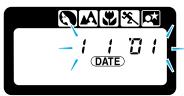
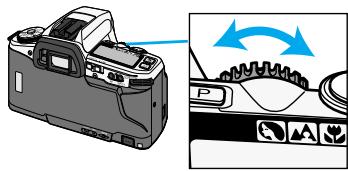
3 Turn the control dial to change the format.
- The format will change in the following sequence:
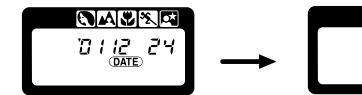
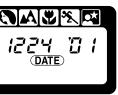

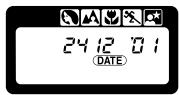
Day / Month / Year
Year / Month / Day
Month / Day / Year
Day / Month / Year
NOIeDd
Press the shutter-release button to set the format.
-
The usual display will return.
-
The quartz-date is powered by the camera's battery. When the battery is removed, the date settings will remain for about 5 minutes. After that time, the date will be reset to 2001.01.01 (January 1st.). When the new batteries are inserted, the audio signal will beep to indicate the date and time have been reset.
- When the date has not been set, the date settings blink on the data panel when the camera is turned on.
CUSTOM FUNCTIONS
| Function | Setting |
| Cust 1 | AF / Shutter-release Priority | 1 | AF Priority | 108 |
| 2 | Shutter-release Priority |
| Cust 2 | Film Rewind Start | 1 | Automatic | 108 |
| 2 | Manual |
| Cust 3 | Film Tip | 1 | Film Tip Rewound | 109 |
| 2 | Film Tip Left Out |
| Cust 4 | DX Memory | 1 | DX Memory Off | 109 |
| 2 | DX Memory On |
| Cust 5 | Shutter-release Lock (Film) | 1 | Shutter-release Lock Off | 109 |
| 2 | Shutter-release Lock On |
| Cust 6 | Focus-hold Button (Lens) | 1 | Focus Hold | 110 |
| 2 | Continuous Autofocus |
| 3 | Depth-of-Field Preview |
| Cust 7 | Eyepiece Sensor Activation | 1 | By main switch and grip sensor | 110 |
| 2 | By main switch |
| Cust 8 | P Mode Settings | 1 | Normal P Mode | 111 |
| 2 | PA Mode |
| 3 | Ps Mode |
| Cust 9 | Spot AF Lock Button | 1 | Select Spot Focus Area | 111 |
| 2 | Select Focus Area |
| 3 | Switch Between the Wide Focus And Spot Focus |
| Cust 10 | Spot-AE Lock Button | 1 | Hold to Activate | 112 |
| 2 | Press Once to Activate, Press Again to Cancel |
| Cust 11 | AF Illuminator (built-in flash) | 1 | AF Illuminator On | 112 |
| 2 | AF Illuminator Off |
| Cust 12 | Flash Metering | 1 | ADI Flash Metering | 113 |
| 2 | TTL Flash Metering |
| Cust 13 | AF Area Display | 1 | Displayed for 0.3 seconds | 113 |
| 2 | Displayed for 0.6 seconds |
| 3 | Not Displayed |
| Cust 14 | Shutter-release Lock (Lens) | 1 | Shutter cannot be released if a lens is not attached. | 113 |
| 2 | Shutter can be released if a lens is not attached. |
CUSTOM FUNCTIONS
Using the custom functions, you can tailor camera settings to suit your shooting style or preferences. Initially all the custom functions are set to 1. The functions are explained on pages 108 - 113.
Setting Custom Functions
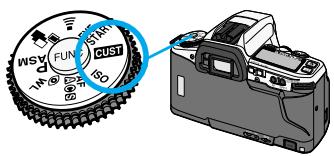
1 Turn the function dial to CUST.
2 Turn the control dial to select the custom function number to be changed.
3 While pressing the function button, turn the control dial to select the desired setting.
4 Turn the function dial to any position other than CUST.
- If the function dial is set to CUST, the camera can take photographs, but all buttons and switches, except for the shutter-release button, are disabled.
- Custom settings must be reset manually, and are not effected by the program-reset button or by turning the camera off.
CUSTOM FUNCTIONS
Resetting All of the Custom Functions to Default
You can reset all of the custom functions to their default settings (1).
1 Turn the main switch to OFF.
2 Turn the function dial to CUST.
3 While pressing the function button, slide the main switch from OFF to ON.
- When the camera turns on, L will blink on the data panel while the function button is pressed.
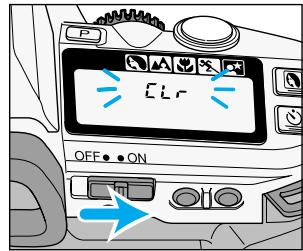
Custom 1 - AF / Shutter-release Priority
(1) AF priority
Shutter will not release until or (念) appears in the viewfinder.
(2) Shutter-release Priority
Shutter releases even if the focus cannot be confirmed. Use shutter-release priority when photographing moving subjects.
- When continuous-advance mode is selected, the camera will not update the focus while the shutter-release button is pressed.
Custom 2 - Film Rewind Start
(1) Automatic
Film is automatically rewound at the end of the roll.
(2) Manual
The manual-rewind button must be pressed to initiate rewind (p. 29).
Custom 3 - Film Tip
(1) Film Tip Rewound
Film is completely rewound into the cartridge.
(2) Film Tip Left Out
The film leader is exposposed after rewind.
- Sliding the main switch to OFF during rewinding causes the film tip to be rewound into the cartridge when the camera is turned on again.

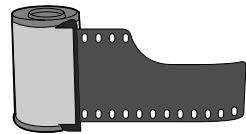
Custom 4 - DX Memory
(1) DX Memory Off
Film speed is always set to the DX-coded ISO of the film. Non-DX-coded film is set to the ISO of the previous DX-coded roll.
(2) DX Memory On
Manual changes to the film speed of a DX-coded film are saved and applied to future rolls with the same DX-coded ISO. Use when a particular film is consistently pushed or pulled in its processing.
- For setting the film speed manually, see page 86.
Custom 5 - Shutter-release Lock (Film)
(1) Shutter-release Lock Off
Shutter can be released even if there is no film in the camera.
(2) Shutter-release Lock On
Shutter cannot be released unless film is loaded.
- When film is not loaded, if the shutter-release button is pressed all the way down, 0 will blink in the viewfinder and on the data panel.
- While the back cover is open, the shutter can be released.
CUSTOM FUNCTIONS
This custom function changes the operation of a lens with a focus-hole button.
(1) Focus Hold
Pressing the focus-hold button on the lens locks the autofocus.
(2) Continuous Autofocus
Press and hold the focus-hold button on the lens to activate the continuous-autofocus mode.
(3) Depth-of-Field Preview
Depth-of-field preview is activated when the focus-hold button is pressed and held.
- When not using a D series lens, the shutter-release button must be pressed partway down while pressing the focus-hold button to preview the depth-of-field.
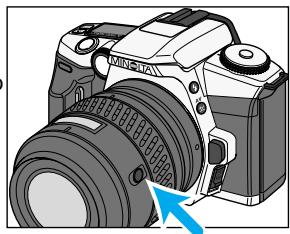
Focus-hold button
Custom 7 - Eyepiece Sensor Activation
When an object is detected near the viewfinder, the camera's system are activated to set the focus and exposure as you frame your subject.
- Eye-start switch must be on (p.27).
(1) By main switch and grip sensor
Eyepiece sensor is activated with the grip sensor.
(2) By main switch
Eyepiece sensor is activated when the camera is turned on. Use this setting when the grip sensor cannot be activated because the user is wearing gloves or their hands cannot activate the sensor.
- With the grip sensor off, the camera will always be on. To conserve battery power, turn the camera off with the main switch.
Custom 8 - P Mode Settings
(1) Normal P Mode (p. 64)
You cannot shift the shutter speed or aperture in P mode.
- Flash will fire automatically when it's necessary.
(2) PA Mode (p. 64)
The aperture can be shifted in PA mode. The shutter speed will automatically compensate to provide a correct exposure.
-
The flash mode will be set to flash cancel.
-
To use fill flash, press the flash mode button to pop-up the built-in flash. PA mode will be canceled while the flash is being used, but it is reset when the flash is lowered.
(3) Ps Mode (p. 65)
The shutter speed can be shifted in P mode. The aperture will automatically compensate to provide a correct exposure.
-
The flash mode will be set to flash cancel.
-
To use fill flash, press the flash mode button to pop-up the built-in flash. PS mode will be canceled while the flash is being used, but it is reset when the flash is lowered.
This custom function changes the operation of the spot AF button.
(1) Select spot focus area
While pressing the spot AF button, the spot focus area is activated. Local focus areas are selected with the control dial while pressing the spot AF button. When the spot AF button is released, the wide focus area is active.
(2) Select focus area.
Wide focus area and local focus areas set with the control dial while pressing the spot AF button. The focus area remains selected even after releasing the spot AF button.
(3) Switch between the wide focus frame and the spot focus area.
Every time the spot AF button is
pressed, the camera switches
between the spot focus area and wide focus frame . The following displays appears on the data panel and in the viewfinder.
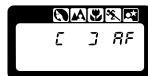
[]
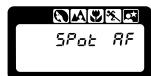
SPat RF
CUSTOM FUNCTIONS
This custom function changes the operation of spot-AE lock button.
- When the built-in flash is up or an attached accessory flash is on and the spot-AE lock button is pressed, slow sync will be activated (p. 96).
(1) Hold to activate
The spot metering area is active until the spot-AE lock button is released.
(2) Press once to activate, press again to cancel.
The spot metering area is activated when the spot-AE lock button is pressed and canceled when the button is pressed again.
-
When the spot metering area is active, pressing the program-reset button, turning the camera off, or changing the position of the built-in flash cancels the metering area.
-
will appear in the viewfinder when the spot metering area is active.
Custom 11 - AF Illinator (Built-in flash)
(1) AF Illuminator On
The built-in flash is used as an AF illuminator and will fire when necessary to assist the autofocus system.
- The AF illuminator does not fire when flash cancel is selected.
(2) AF Illuminator Off
The AF illuminator function is canceled. Other flash functions will operate normally.
- An attached accessory flash's AF illuminator will not be cancelled.
Custom 12 - Flash Metering
Your camera uses ADI flash metering as the standard flash metering mode, but it can be changed.
- This applies to both the built-in and accessory flash.
(1) ADI Flash Metering
When the flash fires, ADI or pre-flash metering will be employed.
- Flash metering changes according to the flash unit and lens being used.
(2) TTL Flash Metering
When the flash fires, TTL metering will be employed.
- To use flash or color meters, flash diffusers, or neutral density filters, the flash mode must be set to TTL metering.
Custom 13 - AF Area Display
(1) Displayed for 0.3 seconds
Focus area LEDs display the active local focus area for 0.3 sec when the focus is confirmed.
(2) Displayed for 0.6 seconds
Focus area LEDs display the active local focus area for 0.6 sec when the focus is confirmed.
(3) Not displayed
Active local focus area is not displayed when the focus is confirmed.
- The local focus areas will be displayed for 0.6 seconds when selected with control dial and the spot AF button (p. 70).
Custom 14 - Shutter-release Lock (Lens)
(1) Shutter cannot be released if a lens is not attached.
- [---] appears on the data panel when the shutter button is pressed partway down.
(2) Shutter can be released if a lens is not attached.
- Use when mounting the camera to a non-coupling lens mount (telescope, microscope, etc).
APPENDIX
Press the program-reset button to return the following camera functions to their program settings.
| SETTING |
| Exposure mode | P |
| Autofocus mode | Autofocus |
| Focus area | Wide focus frame |
| Flash mode | Autoflash* |
| Exposure Compensation | 0.0 |
| Drive Mode | Single Frame Advance |
| Continuous Advance | Canceled |
| Self-timer | Canceled |
| Wireless/Remote Control | Canceled |
| Wireless/Remote Flash | Canceled |
| Bracketing | Canceled |
| Multiple Exposure | Canceled |
| Subject Program Select | Canceled |
*With the custom function set to 8-2 or 8-3, PA or Ps mode will not be reset. The flash mode will be set to flash cancel or fill flash.
Following settings will not change;
The date and time settings
Red-eye reduction
ISO
- Custom settings
Eye-start
Audio Signal
This camera is designed to work specifically with lenses and accessories manufactured and distributed by Minolta. Using incompatible accessories with this camera may result in unsatisfactory performance or damage to the camera and its accessories.
Lenses
- All Minolta AF lenses can be used with this camera.
- MD and MC series lenses (manual focus) cannot be used with this camera.
Lens Specifications
| AF 28-80mm f/3.5-5.6(D) | AF 75-300mm f/4.5-5.6(D) |
| Construction: | 8 elements/7 groups | 13 elements/10 groups |
| Angle of View: | 75° - 30° | 32° - 8°10' |
| Min. Focus Distance: | 0.4m (1.2ft.) | 1.5m (4.9ft.) |
| Max. Magnification: | 0.24X | 0.25X |
| Min. Aperture: | f/22-38 | f/32-38 |
| Filter Diameter: | 55mm | 55mm |
| Dimensions: | 63 (dia.) x 68 (L) mm | 63 (dia.)x 68 (L) mm |
| Weight: | 190g (6.7oz) | 190g (6.7oz) |
- Specifications are based on the latest information available at the time of printing and are subject to change without notice.
Lens Hood
Flare is non-image forming light that degrades image quality. A lens hood improves image quality by reducing flare.
- Remove the lens hood before using the camera's built-in flash.
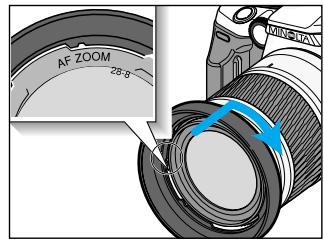
Fit the lens hood into the mount at the end of the lens barrel, then turn the hood clockwise until it clicks.
- To store the hood, reverse it, attach it to the lens as described above, then replace the lens cap.
Accessory Flashes
When using an accessory flash, the flash mode can be selected using the camera or the flash.
- All Minolta i, si, and HS, HS(D) series flash units, the Macro Twin Flash 2400, the Macro Ring Flash 1200, and the Vectis SF-1 flash are compatible with this camera.
- The Flash Shoe Adapter FS-1100 is required to mount AF series flash units (4000AF, 2800AF, 1800AF, and Macro flash 1200AF).
- When the FS-1100 is used:
The flash will fire every time the shutter is released.
- The AF illuminator will not activate.
- The built-in flash is set to fill flash when the accessory flash is removed.
- X-series flashes and flashes sold by other manufacturers cannot be used with this camera.
Accessory Flash Control
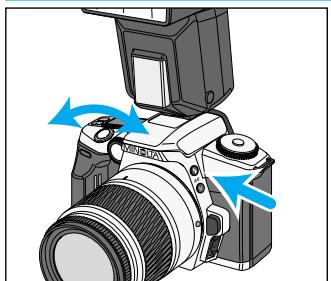
Setting the flash mode with the camera
While pressing the flash-mode button, turn the control dial to select the desired flash mode.
- The camera sets the flash mode on the accessory flash immediately.
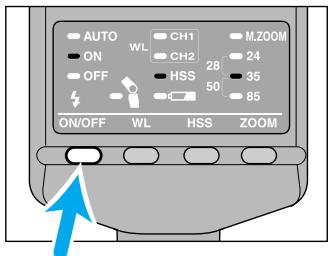
3600HS(D)
Setting the flash mode with the flash
With the flash off, attach it to the accessory shoe. Turn the flash on. The current flash mode on the accessory flash will be set in the camera when the shutter-release button is pressed partway down.
Red-eye reduction cannot be used with accessory flashes.
- In P mode and subject-program modes, only autofocus or flash cancel can be set. To use fill flash, the flash mode must be set using the camera.
- In A, S, and M mode, only fill flash or flash cancel can be set.
AA Battery Pack BP-200
Designed for the Dynax/Maxxum 5, four AA alkaline or Ni-MH batteries can be used to power the camera. Available from the fall of 2001.
Angle FinderVN /MagnifierVN
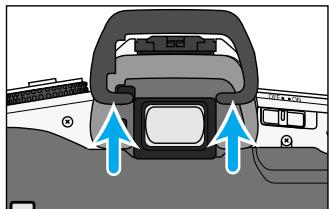
Remove the eyepiece cup when attaching a finder accessory.
- Push up to remove the eyepiece cup.
- Turn eye-start off when using an Angle Finder or Magnifier.
Eyepiece Corrector 1000
For eyeglass wearers, an Eyepiece Corrector 1000 can be attached to the viewfinder. Nine correction lenses are available from - 4 to + 3 diopters.
Incompatible Accessories
The following accessories are not compatible with this camera.
Control Grip CG-1000
Data Receiver DR-1000
- Wireless Controller IR-1N
Vertical Control Grip VC-7
Data Saver DS-100
- Wireless/Remote Flash Controller
- The camera can be permanently damage if the Wireless Controller IR-1N is used.
- The information in this manual is relevant for products introduced before June 2001. Contact the nearest authorized Minolta Service Facility to obtain information for products released after this date.
TROUBLE SHOOTING
Contact your nearest Minolta Service Facility if the following information does not cover the problem which you are experiencing or the condition continues.
| Problem | Cause | Solution | Page |
| Autofocus does not work when the shutter-release button is pressed partway down. | Situation is unsuitable for autofocus. | Use focus lock or manual focus. | 34/75 |
| Camera is set to manual focus mode. | Hold the focus-mode switch down. | 75 |
| Subject is too close. | Check the minimum focus distance for your lens. | - |
| Shutter cannot be released. | Focus cannot be confirmed. | Use focus lock or manual focus. | 34/75 |
| Camera is attached to a microscope or telescope and custom function 14-1 is set. | Set custom 14 to setting 2. | 113 |
| Custom function is set to 5-2 (shutter-release lock (Film)). | Set custom 5 to setting 1. | 109 |
| Flash fires when the shutter-release button is pressed partway down. | Flash was used as AF illuminator to assist the autofocus system. | To turn off the AF illuminator, set the flash mode to flash cancel or custom 11 to setting 2 | 112 |
| Picture is blurred. | Flash did not fire in a low-light situation and the shutter speed was slow. | Use fill flash, a tripod, or faster film. | - |
| Problem | Cause | Solution | Page |
| Flash picture is too dark. | Subject is beyond flash range. | Make sure the subject is within the flash range. | 36 |
| When using the built-in flash, the bottom of the picture is dark. | Lens hood was attached or subject distance was less than 1m. | Remove the lens hood.
To prevent lens shadowing, the subject must be at least 1m (3.3ft.) from the camera. | - |
| Err appears on the data panel. | Camera mal-function | Remove and reinstall the batteries. If normal camera operation does not resume or the camera malfunctions repeatedly, contact an authorised Minolta Service Facility. | - |
| After the film rewrites, the back cover can not be opened. | This camera has a safety-lock feature and the back-cover cannot be opened if film is loaded. In case the back cannot be opened, following these steps.
• Remove the film in a dark place of under a thick blanket.
After removing the film, contact an authorized Minolta Service Facility to repair your camera.
1. Turn the main switch to OFF.
2. Turn the function dial to ISO.
3. While pressing the function dial and spot-AE lock button, turn the main switch to ON. The film-chamber-lock indicator should turn black.
The back cover can now be opened.
If the back cover did not open,
1. Find the lever located near the film-chamber release.
2. Slide the lever down to open the cover. | | |
CARE AND STRAGE
Operating Temperature and Conditions
- This camera is designed for use from -20^ to 50^ (4 to 122^ ).
- Never leave your camera where it may be subjected to extreme temperatures such as in the glove compartment of a car.
- The data panel response time will be slow at cold temperatures. The display will temporarily darken at high temperatures, but will be restored when the temperature normalizes.
- This camera is not waterproof or splashproof. When using the camera in the rain, protect the camera and lens.
- Never subject the camera to extreme humidity.
- To prevent condensation from forming, place the camera in a sealed plastic bag when bringing it from cold environment to a warm environment. Allow it to come to room temperature before removing it from the bag.
- The low-battery symbol may appear even with fresh batteries depending on the storage conditions. To restore camera power, repeat turning the camera on and off.
- Battery capacity decreases at colder temperatures. Keep your camera and spare batteries in a warm inside pocket when shooting in cold weather. Batteries will regain some of their capacity when warmed to normal operating temperature.
Before Important Events
- Check the camera's operation carefully, or take test photographs.
- Minolta is not responsible for any loss that may occur due to an equipment malfunction.
Cleaning
- If the camera or lens barrel is dirty, wipe it gently with a soft, clean, dry cloth. If the camera or lens comes in contact with sand, gently blow away loose particles - wiping may scratch the surface.
- To clean the lens surface, first brush away any dust or sand then, if necessary, moisten a lens tissue with lens cleaning fluid and gently wipe the lens in a circular motion, starting from the center.
- Never place lens fluid directly on the lens.
- Never touch the interior of the camera, especially the shutter and mirror, doing so may impair their alignment and movement.
- Dust on the mirror will not affect the exposure but may affect the focus. Use a blower brush to remove dust from or around the mirror.
- Never use compressed air to clean the camera's interior, it may cause damage to sensitive interior parts.
- Never use organic solvents to clean the camera.
- Never touch the lens surface with your fingers.
Storage
When storing your camera for extended periods,
Always attach the protective caps.
- Store in a cool, dry, and well-ventilated area away from dust and chemicals such as moth balls. For long periods, place the camera in an airtight container with a silica gel drying agent.
- Periodically release the camera's shutter to keep it operating properly.
- Before using after prolonged storage, check the camera's operation to make sure it is functioning properly.
Questions and Service
- If you have questions about your camera, contact your local camera dealer or write to the Minolta distributor in your area.
- Before shipping your camera for repair, please contact an authorized Minolta Service Facility for details.
SPECIFICATIONS
| Camera Type: | 35mm SLR with built-in flash, autoexposure (AE), and action predictive autofocus (AF) |
| Lens Mount: | Minolta A-type bayonet mount |
| Viewfinder: | SLR roof mirror type, 90% field of view, Magnification: 0.75X |
| Shutter Type: | Electronically-controlled, vertical-traverse, focal-plane type |
| Speeds: | 30 sec. - 1/4000 sec., bulb |
| Flash sync speed: | 1/125s or slower (synchronizes with all speeds in HSS mode). |
| Focus Type: | TTL phase-detection system, multi metering with cross hair type CCD line sensor metering cell. Autofocus and manual focus modes. |
| AF Sensitivity Range: | EV -1 to18 (ISO 100) |
| AF Illuminator: | Built-in with range of 1.0 - 5.0m. Automatically activated in low-light/ low-contrast situations. |
| AF Control: | Single-shot, continuous, automatic AF-mode selection. |
| Exposure Modes: | P, A, S, M,(PA/PS available) and 5 Subject Program modes (Portrait, Landscape, Close-up, Sports, Night Portrait) |
| Type: | TTL metering; direct TTL metering for flash |
| Metering Cell: | 14-segment honeycomb pattern SPC for ambient light and 4-segment flash-metering SPC for flash. |
| Metering Range: | 14-segment honeycomb pattern metering: EV 1 - 20, Spot metering: EV 4 - 20 (ISO 100, f/1.4 lens) |
| Film-speed Setting: | Automatic: ISO 25 to 5000 for DX-coded film. Manual: ISO 6 to 6400 in 1/3 EV increments. Flash: ISO 25 - 1000. |
| Film Transport Loading: | Auto load |
| Drive Modes: | Single frame, continuous advance (3 frames/sec.), self-timer, exposure bracketing, and multiple exposure. |
| Rewind: | Auto rewind, manual start (Count-down display) |
| Frame counter: | Forward (shows number of exposures taken) |
| Built-in Flash
GN: | 12 (ISO 100 in meters) |
| Coverage: | 28mm angle of view |
| Additional
Power: | Two CR2 lithium batteries |
| Battery Performance: |
| Condition A | Condition B |
| Flash Use (%) | 20 °C | -10 °C | 20 °C | -10 °C |
| 0 | 30 rolls | 24 rolls | 45 rolls | 35 rolls |
| 50 | 14 rolls | 11 rolls | 18 rolls | 14 rolls |
| 100 | 9 rolls | 7 rolls | 11 rolls | 9 rolls |
| *24 exposure ro |
| Condition A: Lens(28-80 f/3.5-5.6) focused from infinity to 2m three times and the shutter-release button held partway down for ten seconds before each exposure.
Condition B: Lens(28-80 f/3.5-5.6) focused from infinity to 2m and the shutter-release button held partway down for five seconds before each exposure.
• Battery performance will vary with usage conditions.
• Exposures taken at a rate of 2 rolls/month. |
| Dimensions (WxHxD): | 127.0 x 87.0 x 60.5mm (WxHxD) |
| Weight : | 335g (w/o camera battery) |
| Specifications and accessories are based on the latest information available at the time of printing and are subject to change without notice. |
INDEX
Subject
A Accessory Shoe Cap 94
ADI Flash Metering 93, 94, 95
Aperture Priority 55
Audio Signal 29
Automatic AF 72
B Battery Conditions Indicators 19
Bracketing 87
Bulb 81
C Continuous AF. 73
Cust 107
D Date Format 105
DX-code Film 21
Depth-of-field 52, 58
E Ev 62
Ev Scale 58,62
Exposure Compensation 84
Eyepiece Cap 17
Eyepiece Sensors 27
Eye-start 27
F FCC 6
Flash Cancel 37
Flash Range 36
Flash-Subject Distance in Wireless/Remote Flash Mode 100
Fill Flash 37
Film-chamber Lock Indicator 23
Film Tip 22
Focus Area Indicator 68
Focusing Ring 75
G Grip Sensor 27
H HSS 97
ISO 86
Subject
Large Aperture 52
Local Focus Areas 70
Local Focus Area LEDs. 68
M Manual Mode 61
Manual Rewind 24
MD and MC Series Lenses 116
ME 90
N Neutral Density (ND) Filter 66
Night Scenes 45
Shutter Priority 59
Shutter Release Priority 108
Shutter Speed 59
Small Aperture 52
Spot Focus Area 69
T Test Fire. 101
TTL Flash Metering 93, 94, 95
PA mode 64
Pre-flash Metering 94, 95
Ps mode 65
Q Quartz-date 103
Red-eye Reduction 38
Remote Control 49
Remote Cord 83
Ratio Flash 101
W Wide Focus Frame 68
WL 98
3600HS(D) 93, 97
5600HS(D) 93, 97
Minolta Co., Ltd. 3-13, 2-Chome, Azuchi-Machi, Chuo-Ku, Osaka 541-8556, Japan
Minolta Europe GmbH Minoltaring 11, D-30855 Langenhagen, Germany
Reparatur/Repair Senator-Helmken-Strasse 1, D-28197 Bremen, Germany
Minolta France S.A. 365 Route de Saint-Germain, F-78420 Carrierses-Sur-Seine, France
Minolta (UK) Limited 7 Tanners Drive, Blakelands, Milton Keynes, MK14 5BU, England
Minolta Austria Ges. m.b.H. Amalienstrasse 59-61, A-1131 Wien, Austria
Minolta Camera Benelux B.V. Zonnebaan 39, P.O. Box 6000, NL-3600 HA Maarssen, The Netherlands
Belgian Branch Prins Boudewijnlaan 1, B-2550 Kontich, Belgium
Minolta (Schweiz) AG Riedstrasse 6, CH-8953 Dietikon, Switzerland
Minolta Svenska AB Albygatan 114, S-171 54 Solna, Sweden
Finnish Branch Niittykatu 6 PL 37, SF-02201 Espoo, Finland
Minolta Portugal Limitada Av. do Brasil 33-A, P-1700 Lisboa, Portugal
Minolta Corporation
Head Office 101 Williams Drive, Ramsey, New Jersey 07446, U.S.A.
Los Angeles Branch 11150 Hope Street Cypress, CA 90630, U.S.A.
Minolta Canada Inc.
Head Office 369 Britannia Road East, Mississauga, Ontario L4Z 2H5, Canada
Vancouver Branch 230-3771 Jacombs Road, Richmond, B.C. V6V 2L9, Canada
Minolta Hong Kong Limited Room 208, 2/F, Eastern Center, 1065 King's Road, Quarry Bay, Hong Kong
Minolta Singapore (Pte) Ltd. 10, Teban Gardens Crescent, Singapore 608923
Shanghai Minolta Optical
Products Co., Ltd.
368 Minolta Road, Songjiang, Shanghai, China
©2002 Minolta Co., Ltd. under the Berne Convention and
Universal Copyright Convention