
G420 - Gps ALERTEGPS - Notice d'utilisation et mode d'emploi gratuit
Retrouvez gratuitement la notice de l'appareil G420 ALERTEGPS au format PDF.


| Intitulé | Description |
|---|---|
| Type de produit | GPS de navigation pour véhicules |
| Caractéristiques techniques principales | Écran tactile couleur, cartographie préinstallée, mises à jour gratuites |
| Alimentation électrique | Alimentation par prise allume-cigare ou batterie rechargeable |
| Dimensions approximatives | 15 cm x 10 cm x 2 cm |
| Poids | 250 g |
| Compatibilités | Compatible avec la plupart des véhicules et systèmes de montage |
| Type de batterie | Batterie lithium-ion rechargeable |
| Tension | 5 V |
| Puissance | Consommation maximale de 5 W |
| Fonctions principales | Navigation GPS, alertes de vitesse, informations sur le trafic en temps réel |
| Entretien et nettoyage | Nettoyer l'écran avec un chiffon doux, éviter les produits abrasifs |
| Pièces détachées et réparabilité | Disponibilité de pièces de rechange pour écran et batterie |
| Sécurité | Éviter l'utilisation pendant la conduite, respecter les lois locales sur l'utilisation des GPS |
| Informations générales utiles | Vérifier la compatibilité avec votre véhicule avant l'achat |
FOIRE AUX QUESTIONS - G420 ALERTEGPS
Questions des utilisateurs sur G420 ALERTEGPS
0 question sur cet appareil. Repondez a celles que vous connaissez ou posez la votre.
Poser une nouvelle question sur cet appareil
Téléchargez la notice de votre Gps au format PDF gratuitement ! Retrouvez votre notice G420 - ALERTEGPS et reprennez votre appareil électronique en main. Sur cette page sont publiés tous les documents nécessaires à l'utilisation de votre appareil G420 de la marque ALERTEGPS.
MODE D'EMPLOI G420 ALERTEGPS
Download the latest version of this manual on our website :
http://www.alertegps.com
alerteGPS G420
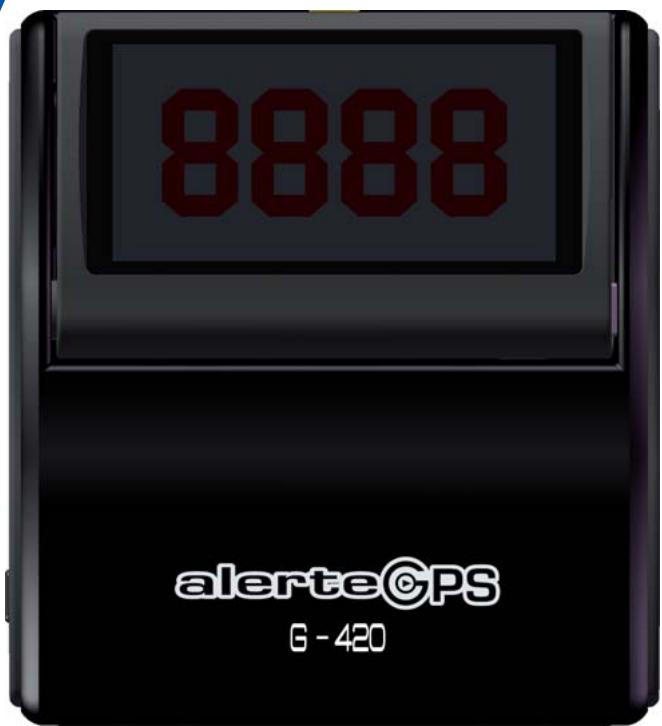
Thanks for choosing the AlerteGPS G420 speed camera warning system, the most innovative product in its category.
The G420 features a revolutionary digital head-up-display (HUD): The different indications are displayed on the windscreen of your vehicle, to ensure you the best possible driving comfort and visibility, night and day.
The HUD is coupled to a vocal warning system: The G420 warns you as you approach a speed control (fixed and mobile speed cameras) or a danger zone (dangerous curve, dangerous intersection, black spot ...).
The G420 speed detection system is a driving assistant: it works with the well known satellite network Global Positioning System (GPS). It allows you to know the speed of your vehicle, and the distance between your vehicle and the control zone. It also features a speed limiter function, and an internal memory to save your own points of interest.
Please read this manual carefully so that you can feel familiar with all functionalities of the G420.
Have a good trip!
CONTENTS
DESCRIPTION
INSTALLING THE G420

FEATURES

UPDATE

GENERALNOTICES ANDWARNINGS
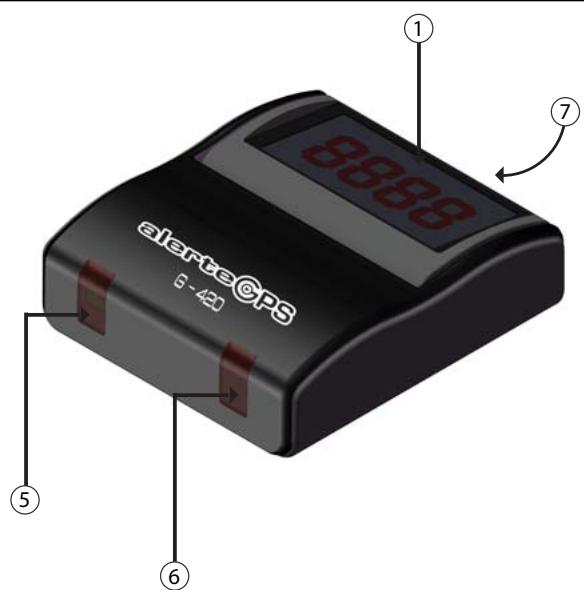
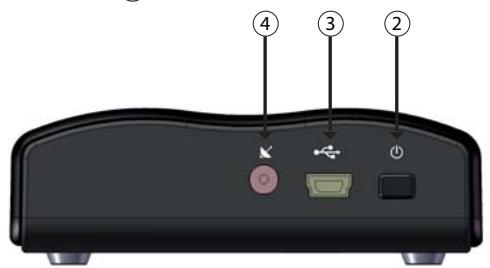
① Digital Head-Up-Display
speed of your vehicle
speed limit
- distance between your vehicle and the speed control
speed control end
- overspeed visual warnings
② On/Off Button
To turn the device On or Off
③ USB & cigar-lighter connector
Connection to a PC or to the cigar-plug in the vehicle
(4) External antenna* connector K
⑤ Infrared receiver
⑥ Function indicator
Fix = connected to the satellite network
Blinking = connection lost
⑦ Light sensor
The sensor controls the brightness level automatically
*Optional
REAL SPEED
The G420 indicates the exact speed of your vehicle thanks to the GPS.
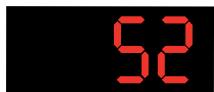
Speed = 52Mph
VOCALMESSAGE

As you approach a control zone the G420 will emit a vocal alert indicating the speed limit.
OVERSPEED BEEP

As you approach a fixed speed camera, the G420 will emit "beeps" if you are driving over the speed limit.
OTHERS...
As you approach a control or a danger zone, in addition to the vocal alerts, the display of the G420 shows different
indications.
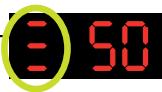
Speed limit
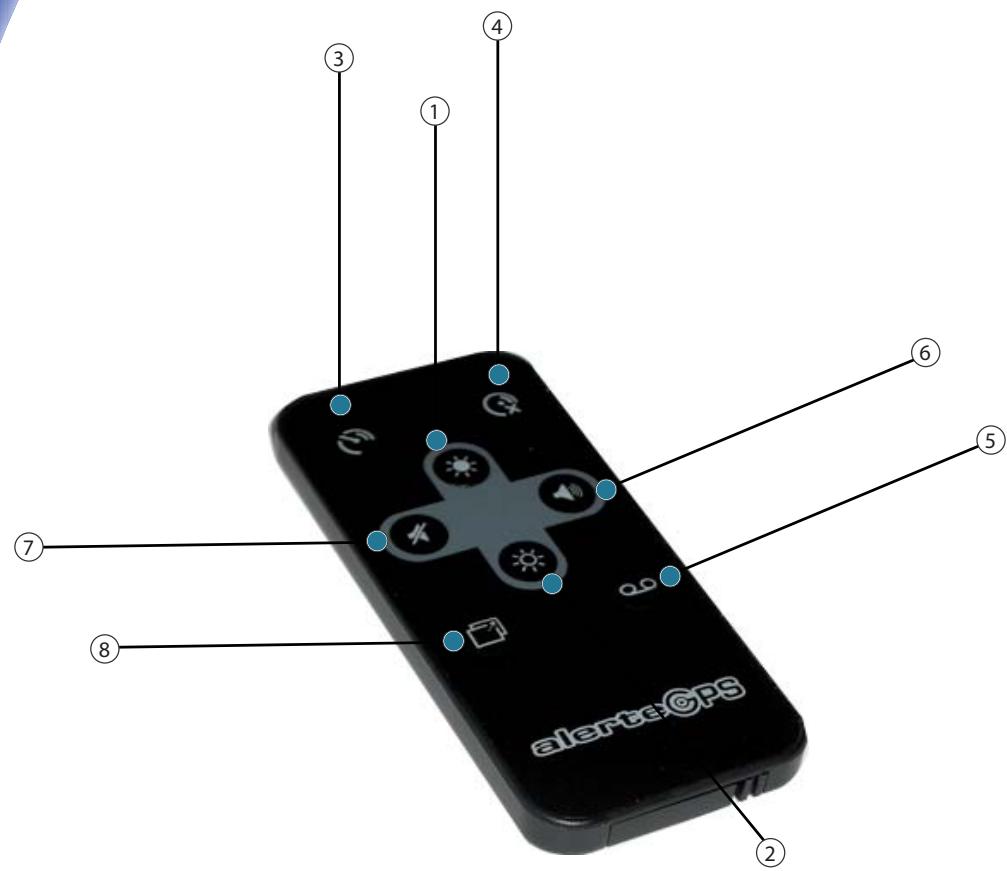
① Button: Brightness + To increase the brightness of the display
② Button: Brightness - To decrease the brightness of the display
③ Button: Speed limiter ON To activate the speed limiter function
④ Button: Speed limiter OFF To desactivate the speed limiter function
⑤ Button: Save To save or cancel a user location
⑥ Button:Volume + To increase the volume
⑦ Button: Volume = To decrease the volume
Button: Comfort Mode The speed of the vehicle is not displayed anymore. The display lights up as you approach an alert.

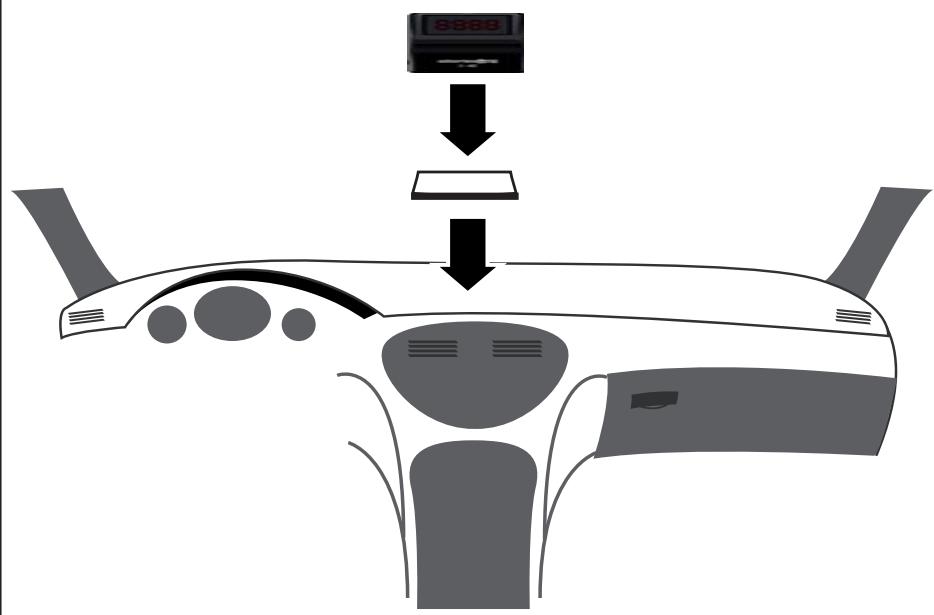
Step 1: Do not stick!
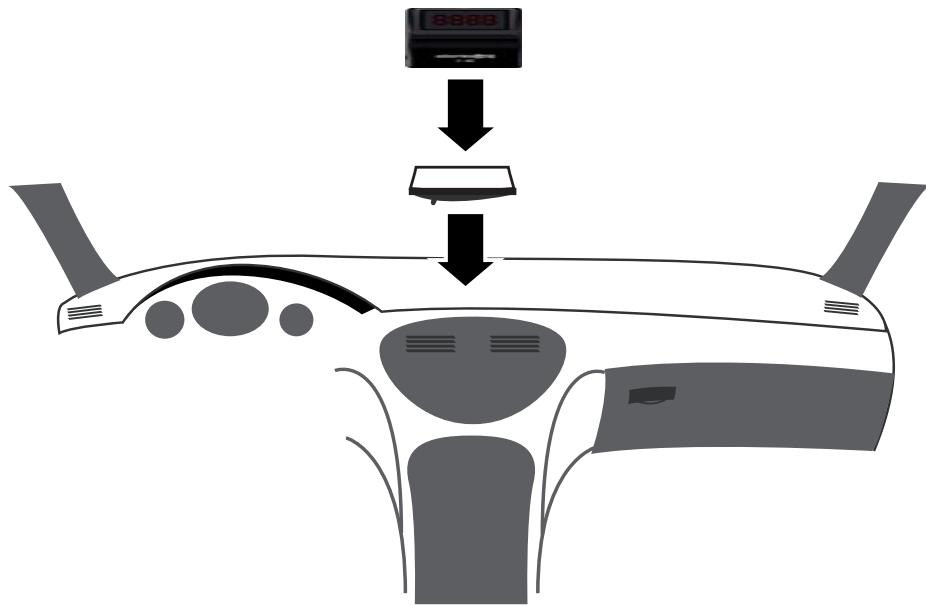
Clean your windshield and your dashboard first
Place the magnet - do not remove the protection! - on your dashboard
Place the unit on the magnet
Connect the G420 to the cigar-plug
Turn the power on -> Press the "On / Off" button
The G420 starts
IMPORTANT : Please note that you should not remove the protection from the magnet and from the reflector first in order to adjust the three elements (unit, magnet and reflector) properly.

Step 2: Do not stick!
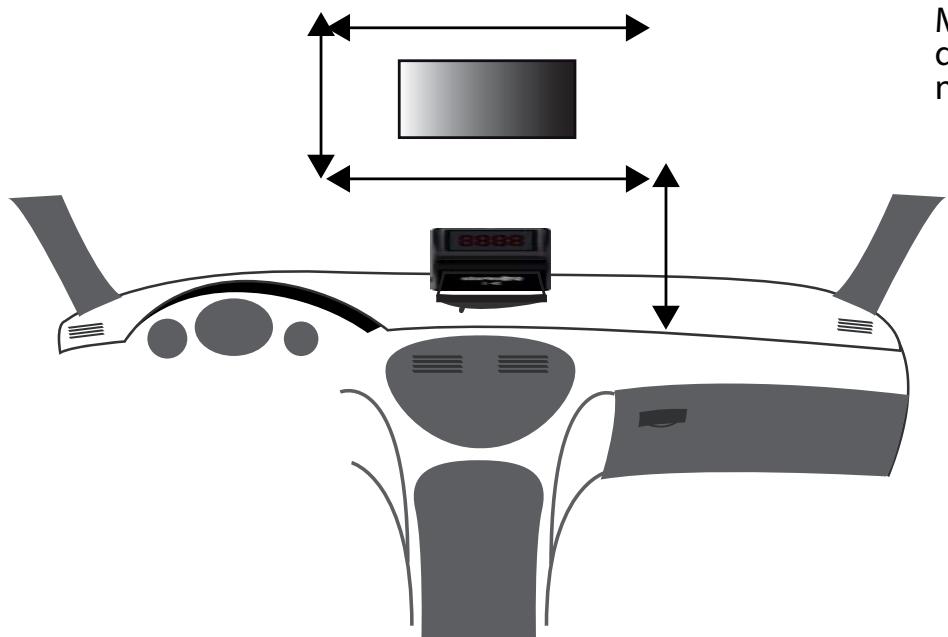
Place the reflector on the windshield - without removing the protection! - and check the position of both the unit and the reflector.
Make sure that the reflection is good and that the information is displayed correctly. Adjust the position of the different elements if necessary.
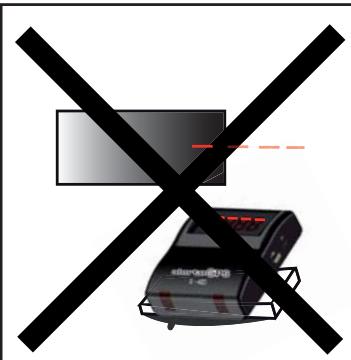
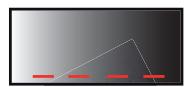
OK
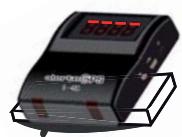
Step 3:

Remove the protection from the magnet and place it on the dashboard at the selected place
Place the G420 on the magnet
Connect the G420 to the cigar-plug again and press the power button
Remove the protection from the reflector and place it on the windscreen using the squeegee. Make sure that the reflector is flat.
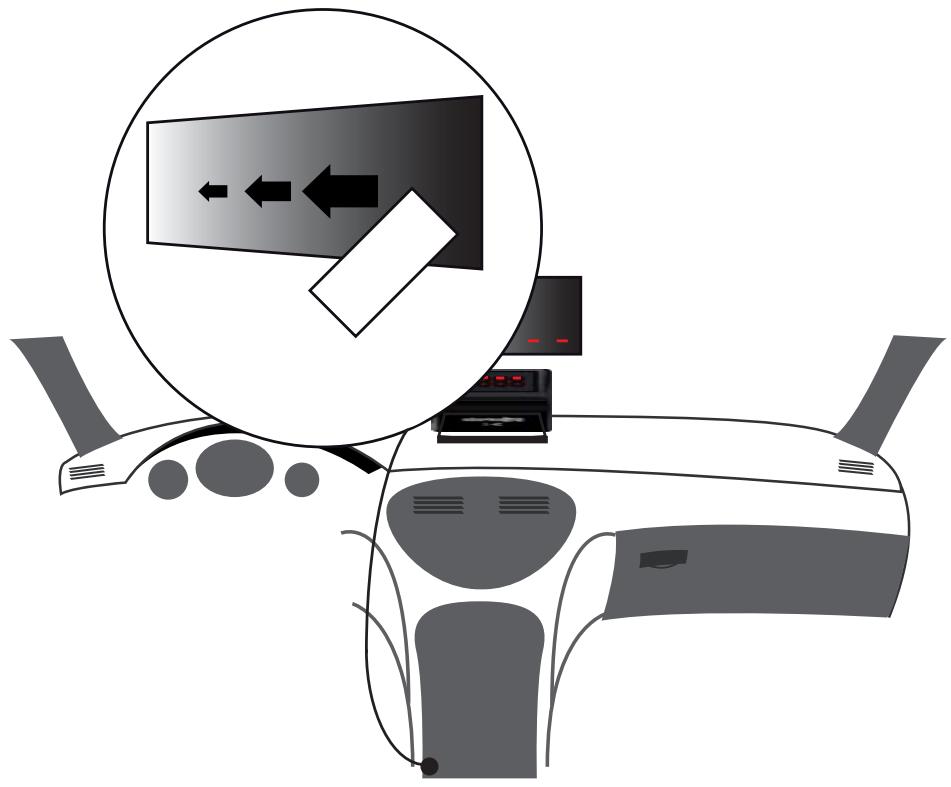
Your vehicle may have an athermic windscreen which may affect the satellite connection. In that case, you will need to use an optional external antenna.
Installing the G420 with an external antenna:
-
fix the external antenna on the roof of your vehicle and make sure to place the cable inside the cabin of the vehicle.
-
connect the antenna to the external antenna connector of the G420.
Important...
- remove the device from the magnet before you leave your vehicle to avoid degradations and thefts
- climatic conditions may influence the satellite connection
STARTING THE G420
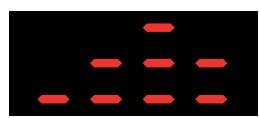

Turn the power on by pressing the "On/Off" button: a short animation will be displayed.
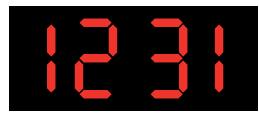
The display will then show the update number in that format: month/day (4 numbers).
Satellite connection:
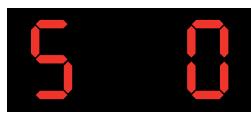

The G420 will then start to acquire satellite connection. You can follow the satellite connection on the display.
A vocal alert will warn you when the connection is done.
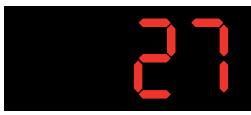
Then, the default information displayed is the speed of your vehicle (over 10 mph). Important: please note that the G420 will perform a quicker satellite connection if the vehicle is stopped.
Using the remote control

ADJUSTING THE VOLUME
To increase the volume, press
To decrease the volume, press
Please note that the volume changes automatically according to the speed of your vehicle.

COMFORT MODE
Press the button

to activate the comfort mode.
The speed of the vehicle will not be displayed anymore.
As you approach a speed control, the display will light up.

SPEED LIMITER
Press to activate the speed limiter function.
- If you drive 50 mph on a highway, press that button , and a beep will warn you every time you exceed 50 mph.
- If you drive then 30 mph on a minor road, press that button again and a beep will warn you every time you exceed that speed.
Press to desactivate the speed limiter function.
Important : The speed is rounded up or down by the speed limier. So, if you drive 55 mph, the speed will be rounded up to 60 mph.
If you drive 54 mph, the speed will be rounded down to 50 mph.

ADJUSTING THE BRIGHTNESS
The display of the G420 features five brightness levels:
To increase the brightness, press the

button.
To decrease the brightness, press the

button.
Please note that the light sensor controls the brightness level automatically.
oo POINTS OF INTEREST
The G420 includes a user memory to save your own points of interests: a danger zone for example.
To save a point of interest, press the save button app. two seconds as you pass the point of interest. The location of your vehicle is saved.
To cancel a POI: as you pass the point, and after the alert has started to sound, press the save button app. two seconds.
This can be done during 15 seconds after the beginning of the vocal alert.
Starting the G420
As you approacha fixed speed camera :
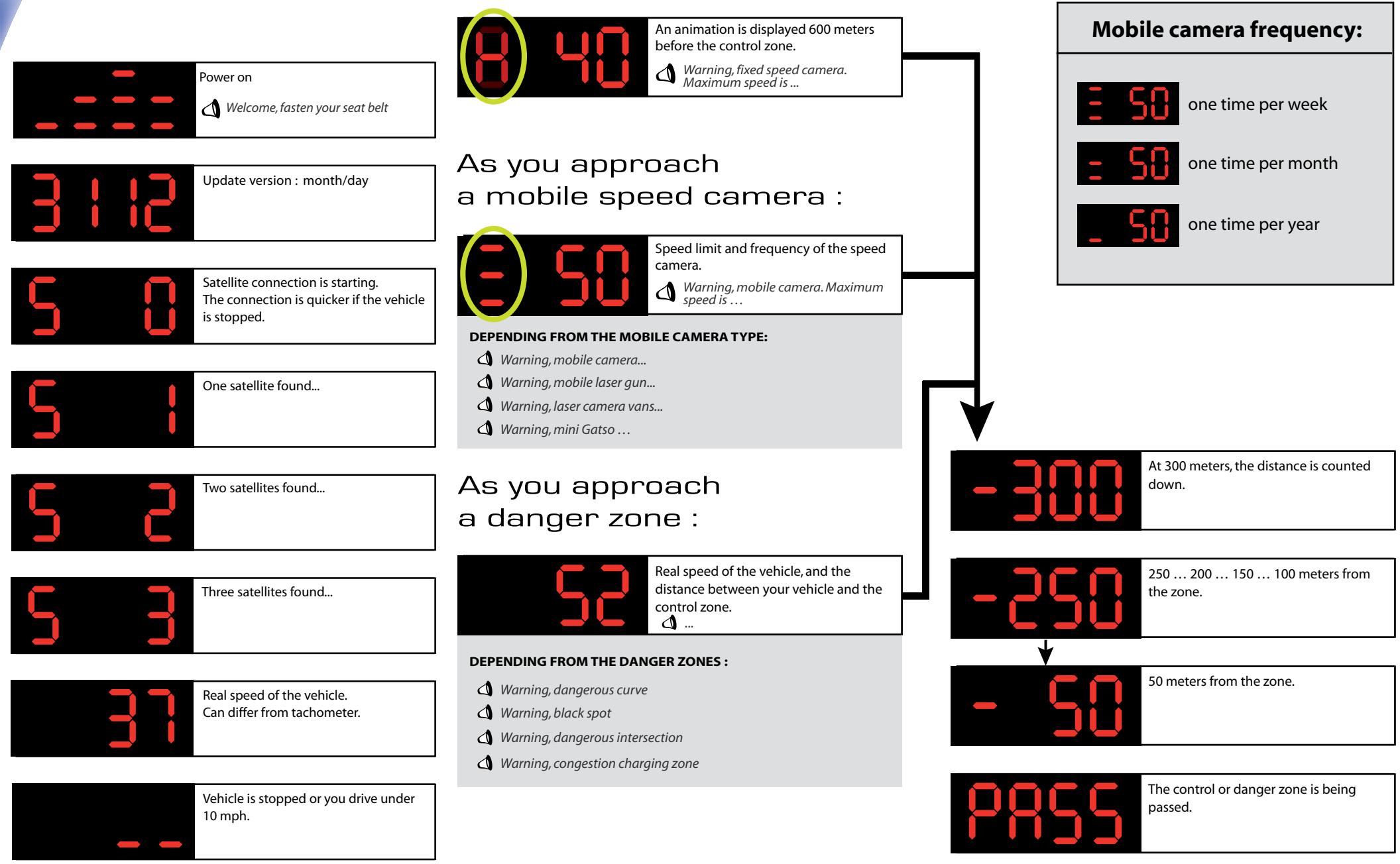
The G420 features two overspeed indicators that will light blue or red, depending on the speed of your vehicle.
If you don't drive over the speed limit, the indicators will light blue.
If you drive over the speed limit, the indicators will light red.

"Smart Mute" function:
The Smart Mute function avoids automatically that the vocal message is played if not necessary.
- If you drive more than 12 mph under the speed limit, no vocal message will be played.
- If you drive less than 12 mph under the speed limit, the vocal message is played.
- If you drive over the speed limit, the vocal message is played.
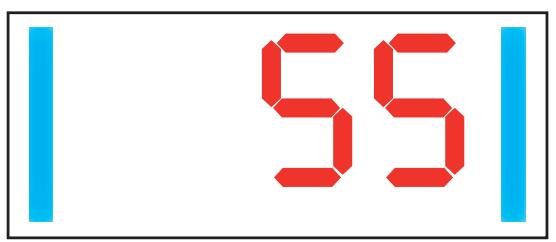
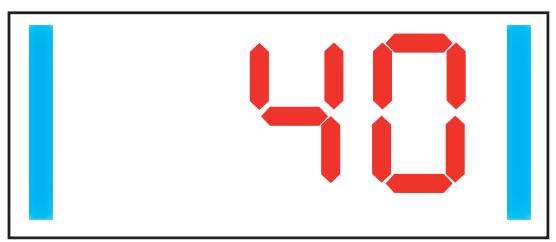
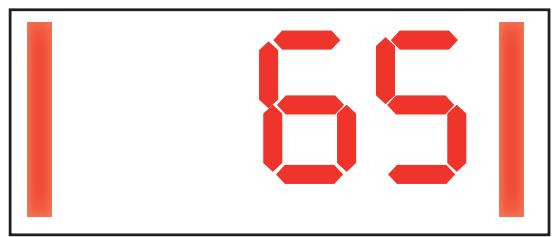
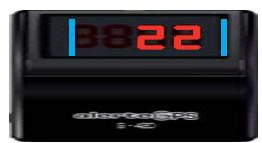
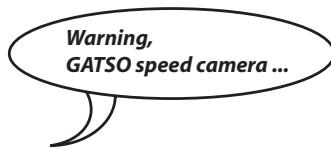
Warning, GATSO speed camera ...
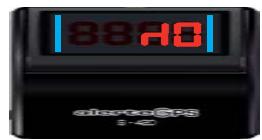

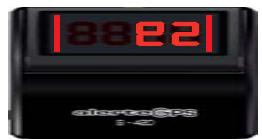
Your speed = 55mph
Speed control = 60 mph
Your speed = 40 mph
Speed control = 60mph
Your speed = 65mph
Speed control = 60mph
WARNING = blue indicators
- vocal message
WARNING = blue indicators
(NO vocal message)
WARNING = red indicators
- vocal message
Download update software and USB driver from:
http://www.alertegps.com
| PC Installation | Update | |
| ① DOWNLOAD SOFTWARE AND DRIVER FROM ALERTGPS.COM | AUTO UPDATE | MANUAL UPDATE |
| ②INSTALL USB DRIVER (DON'T CONNECT THE G420 TO YOUR PC). | Connect the G420 to your PC. | Please follow the indications |
| ③INSTALL G420-SOFTWARE. | Start the update software. | about manual update available |
| ④CONNECT THE USB CABLE TO YOUR COMPUTER. | Click on "Auto Update" | at: WWW.ALERTEGPS.COM |
| ⑤CONNECT THE USB CABLE TO THE G420. | HAVE PROBLEMS INSTALLING OR UPDATING YOUR G420? | |
| LAUNCH APPLICATION AND FOLLOW INDICATIONS. | PLEASE HAVE A LOOK AT THE ONLINE INSTALLATION GUIDE | |
| AVAILABLE AT: HTTP://WWW.ALERTEGPS.COM | ||
To get the latest files for your G420 [fixed and mobile speed cameras,danger zones], please visit
alerte©PS.com
http://www.alertegps.com
Waste Electrical and Electronic Equipment Directive
According to Directive 2002/96/EC on Waste Electrical and Electronic Equipment, household electrical appliances cannot be dispersed in the conventional waste stream. Used electrical and electronic equipments must be collected.

- The G420 cannot work properly in a tunnel or a basement, because the satellite reception is disturbed. We strongly recommend driving carefully in those areas. The G420 needs a short time to establish the connection to the satellites again.
- The G420 calculates the direction of the vehicle to avoid wrong alerts. Anyway, wrong alerts can occur sometimes. If you're driving a parallel road that is sited very close to a road on which an alert is located, a wrong alert may occur.
- The G420 is a driving help that must be considered as a prevention tool. The purpose of this system is to incite you to drive carefully and to respect the road safety rules. We decline all responsibility for any infraction to the legislation and the road safety rules.
- Hardware and software of this device are the property of GPSPrevent SAS / AlerteGPS Hardware and are protected by copyright laws and intellectual property laws. They may not be copied or distributed in any illegal manner.
- The GPS (Global Positioning System) is placed under the authority of the American government. GPSPrevent SAS / AlerteGPS Hardware cannot be held responsible for the availability and precision of the GPS.
- You must respect all road safety rules.
- Do not disturb the driver or cause any damage to the safety elements of the vehicle while installing the GPS.
- While installing the device, make sure that it cannot be dangerous to the occupants of the vehicle, particularly in case of projection.
- Recycling legislation for household electrical appliances:
-
Keep the unit and the cigar-plug away from water.
-
If the unit or the cigar-plug falls in the water, don't touch the unit before you have disconnected the cigar-plug from the cigar socket of your vehicle, and remove the unit using the cable.
- Read this manual and all safety warnings carefully before you use or install this unit.
If your vehicle is parked in the sun, let the unit cool down before you use it. - Clean-up instructions: don't use solvents. Clean regularly.
- Don't let liquids or objects enter the housing through the ventilation holes. They may damage the internal parts of the unit and cause an electric shock, a short-cut or a fire.
- Do not try to repair and disassemble the unit by yourself. This may cause an electric shock. Please contact a qualified technician.
- Disconnect the unit when it's not in use. To protect this unit in case of a storm or when it's not used during a long time, disconnect it from the network.
- 12 / 24V negative earth socket only. Remove cigar-plug while leaving vehicle. Disconnect cigar-plug when starting vehicle. Always use the correct rated fuse.
- Keep away from naked flames (like candles).
- Use in temperate areas.
- A minimum space of 2 inches should be maintained around the unit for its ventilation.
- Don't connect any cable to the unit before removing or connecting the power cable. Connect the external antenna after the power cable, and disconnect it before you remove the power cable.
- The software and the drivers are provided as is. GPSPrevent SAS / AlerteGPS Hardware declines all responsibility in case of software or hardware incompatibility.
- The access to the website is not guaranteed in case of site maintenance, network disturbance, connection problems or any problem that could disturb access to the website.
- To minimize the risks of interactions between two GPS devices, a distance of 20 inches should be maintained between this unit and another GPS device.