AM02 - Ventilateur DYSON - Notice d'utilisation et mode d'emploi gratuit
Retrouvez gratuitement la notice de l'appareil AM02 DYSON au format PDF.


| Marque | DYSON |
| Modèle | AM02 |
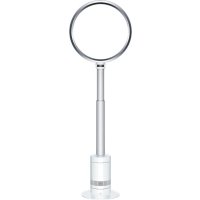
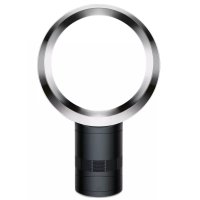
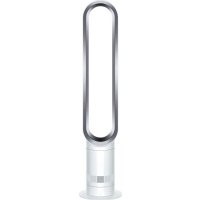
| Type de produit | Ventilateur sans pales (Air Multiplier) |
| Poids | 3,39 kg |
| Garantie | 2 ans (pièces et main-d’œuvre) |
| Télécommande | Oui, avec fixation magnétique sur la boucle |
| Pile de la télécommande | CR2032 |
| Fonction oscillation | Oui |
| Réglage du débit d’air | Oui (par télécommande) |
| Nettoyage | Chiffon sec ou humide, sans détergent ni produit polissant |
| Sécurité | Contient des aimants (peut affecter les stimulateurs cardiaques et défibrillateurs) |
| Utilisation prévue | Intérieur uniquement, endroits secs |
| Alimentation | Secteur (câble d’alimentation) |
| Indicateur de fonctionnement | Voyant bleu sur la télécommande lors de l’utilisation |
| Détection de blocage | Vérifier les orifices d’entrée d’air et la petite ouverture dans la boucle amplificatrice |
| Remplacement de la pile | Appuyer sur l’extrémité de la télécommande pour libérer la pile |
| Type de montage | Sur socle (base fournie) |
FOIRE AUX QUESTIONS - AM02 DYSON
Questions des utilisateurs sur AM02 DYSON
0 question sur cet appareil. Repondez a celles que vous connaissez ou posez la votre.
Poser une nouvelle question sur cet appareil
Téléchargez la notice de votre Ventilateur au format PDF gratuitement ! Retrouvez votre notice AM02 - DYSON et reprennez votre appareil électronique en main. Sur cette page sont publiés tous les documents nécessaires à l'utilisation de votre appareil AM02 de la marque DYSON.
MODE D'EMPLOI AM02 DYSON
BATTERY REPLACEMENT
CAUTION:
- Switch 'OFF' and unplug the machine before replacing the battery.
- Do not install backwards or short circuit the battery.
- Do not attempt to dismantle, recharge or put the battery in a fire
Do not directly handle a leaking battery.
Carefully follow all instructions and warnings provided with the new battery.
2 YEAR DYSON GUARANTEE
TERMS AND CONDITIONS
Terms and conditions of your Dyson 2 year guarantee.
The guarantee becomes effective from the date of purchase
All work will be carried out by Dyson or its authorised agents.
Any parts which are replaced will become the property of Dyson.
The repair and replacement of the fan under guarantee will not extend the period of guarantee.
The guarantee provides benefits which are additional to and do not affect your statutory rights as a consumer.
- You must provide proof of purchase before any work can be carried out on your fan. Without this proof, any work carried out will be chargeable. Please keep your receipt.
WHAT IS COVERED
- The repair and replacement of the fan if it is found to be defective due to faulty materials, workmanship or function within 2 years of purchase (if any part is no longer available or out of manufacture, Dyson will replace it with a functional replacement part).
WHAT IS NOT COVERED
Dyson shall not be liable for costs of repair or replacement of a product incurred as a result of:
Normal wear and tear.
- Accidental damage, faults caused by negligent use or care, neglect, careless operation or handling of the fan which is not in accordance with this manual
- Damage as a result of use not in accordance with the rating plate.
- Blockages - please refer overleaf for details on how to unblock the fan.
Use of the fan outside the country of purchase.
Use of parts and accessories other than those produced or recommended by Dyson.
- Damage from external sources such as transit, weather, electrical outages or power surges.
Repairs or alterations carried out by parties other than Dyson or its authorised agents.
- Failures caused by circumstances outside Dyson's control.
If you are in doubt as to what is covered by your guarantee, please call the
Dyson Customer Care Helpline:
UK 0800 298 0298
IRL014757109
Remember: Always disconnect plug from mains before inspecting for problems.
If the fan will not operate, first check the mains socket has electricity supply and
that the plug is properly inserted into the socke
If you are still experiencing problems with the Dyson fan, please call the Dyson
Customer Care Helpline on
UK 0800 298 0298
IRL 01 475 7109
REGISTERING YOUR GUARANTEE
To help us ensure you receive prompt and efficient service, please register
as a Dyson fan owner. There are three ways to do this
- Visit our website to register your full parts and labour guarantee online www.dyson.com/register
Call our dedicated Helpline:
Open 7am-10pm, 7 days a week
UK 08002980298
[IR]014757109
Complete and return the form to Dyson in the envelope supplied.
This will confirm ownership of your Dyson fan in the event of an insurance loss, and enable us to contact you if necessary.
DYSON CUSTOMER CARE
If you have a query about your Dyson fan call the Dyson Customer Care
Helpline and quote your serial number, or contact us via the Dyson website.
The serial number can be found on the base of the product.
Most queries can be solved over the phone by one of our Dyson Customer Care
Helpine experts or by visiting www.dyson.co.uk/support
If your Dyson fan needs servicing, call the Dyson Customer Care Helpline to discuss available options.
DYSON CUSTOMER CARE DETAILS
If there are any queries, please call the Dyson Customer Care Helpline
Open 7am-10pm. 7 days a week
UK 0800 298 0298
IRL014757109
www.dyson.com/support
ABOUT YOUR PRIVACY
Your information will be held by Dyson Limited and its agents for promotional, marketing and servicing purposes. If your personal details change, if you
change your mind about any of your marketing preferences or if you have an queries about how we use your information, please let us know by contacting Dyson Limited, Teburity Hill, Malmesbury, Wiltshire, SN16 0RP England, or by calling the Dyson Customer Care Helpline on UK: 0800 298 0298 or
IRL: 01475/109. Or you can email us at askdyson@dyson.co.uk
For more information on how we protect your privacy, please see our privacy policy on www.dyson.co.uk/privacy
DISPOSAL INFORMATION
Dyson products are made from high grade recyclable materials. Please dispose of this product responsibly and recycle where possible.
The battery should be removed from the product before it is disposed of.
Dispose or recycle the battery in accordance with local ordinances or
regulations.
PRODUCT INFORMATION
Product weight 3.39kg
Please note: Small details may vary from those shown.

Dyson Customer Care
If you have a question about your Dyson fan, call the Dyson
Customer Care Helpline with your serial number and details
of where and when you bought the fan , or contact us via the
Dyson website. The serial number can be found on the base
of the fan.
UK Dyson Customer Care
askdyson@dyson.co.uk
08002980298
Dyson Ltd, Tethury Hill
Malmesbury
Wiltshire SN16 ORP
IRL Dyson Customer Care
irelandservice@dyson.com
014757109
The Connect Agency Ltd, Unit 2
Baldonnell Business Park, Naas Road
Co.Dublin.

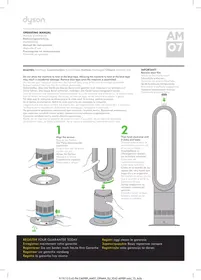
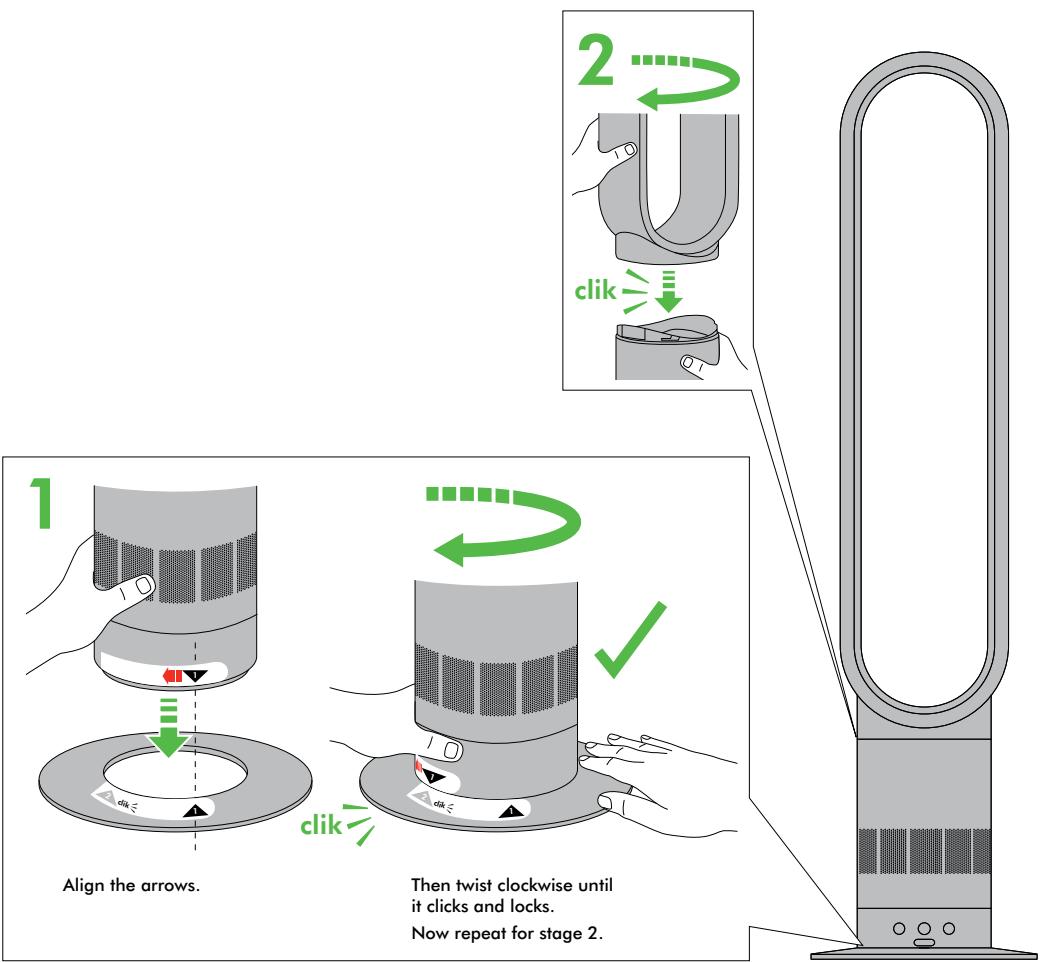
OPERATING MANUAL

ASSEMBLY

REGISTER
YOUR FREE 2 YEAR
GUARANTEE TODAY


Your Dyson fan will be covered for parts and labour for
2 years from the date of purchase, subject to the terms of the guarantee.
If you have a query about your Dyson fan, call the Dyson Customer Care Helpline quoting the serial number and details of where/when you bought the fan. The serial number can be found on the rating plate which is on the base of the product.
Most queries can be solved over the phone by one of our Dyson Customer Care Helpline experts or by visiting www.dyson.co.uk/support
Note your serial number for future reference.
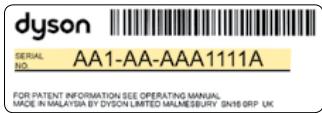
For illustration purposes only.
IMPORTANT SAFETY INSTRUCTIONS
READ ALL INSTRUCTIONS BEFORE USING THIS APPLIANCE
When using an electrical appliance, basic precautions should always be followed, including the following:
WARNING
THE FAN AND THE REMOTE CONTROL BOTH CONTAIN MAGNETS.
- Pacemakers and defibrillators may be affected by strong magnetic fields. If you or someone in your household has a pacemaker or defibrillator, avoid placing the remote control in a pocket or near to the device.
- Credit cards and electronic storage media may also be affected by magnets and should be kept away from the remote control and the top of the fan.
WARNING
TO REDUCE THE RISK OF FIRE, ELECTRIC SHOCK OR INJURY:
- This fan is not intended for use by young children or infirm persons with reduced physical, sensory or reasoning capabilities, or lack of experience and knowledge, unless they have been given supervision or instruction by a responsible person concerning use of the appliance to ensure that they can use the appliance safely.
- Young children should be supervised to ensure that they do not play with the fan.
- The loop amplifier and base plate must be fitted securely before operating this fan. Do not use without the loop amplifier fitted.
- Do not operate any fan with a damaged cable or plug. If the cable or plug is damaged, do not use the fan and contact the Dyson Customer Care Helpline. If the supply cable is damaged, it must be replaced by Dyson, our service agent or similarly qualified persons in order to avoid a hazard.
-
If the fan is not working as it should or has been damaged, do not use and contact the Dyson Customer Care Helpline.
-
Do not run cable under carpeting. Do not cover cable with throw rugs, runners or similar coverings. Arrange cable away from traffic area and where it will not be tripped over.
- Turn off all controls before unplugging. Unplug from outlet when not in use for extended periods. To avoid a tripping hazard, safely coil the cable.
- Do not unplug by pulling on cable. To unplug, grasp the plug, not the cable.
- Suitable for dry locations ONLY. Do not use outdoors or on wet surfaces and do not expose to water or rain.
- Do not handle plug or fan with wet hands
- Do not stretch the cable or place the cable under strain. Keep cable away from heated surfaces.
- Do not put any object into openings or the inlet grille. Do not use with any opening blocked; keep free of dust, lint, hair, and anything that may reduce airflow.
- Do not use near furnaces, fireplaces, stoves or other high temperature heat sources.
- Do not use in conjunction with or directly next to an air freshener or similar products.
- Do not use any cleaning agents or lubricants on this fan. Unplug before cleaning or carrying out any maintenance.
- Use only as described in this manual. Do not carry out any maintenance other than that shown in this manual, or advised by the Dyson Customer Care Helpline.
- The use of an extension cable is not recommended.
- Always carry the fan by the body do not carry it by the loop amplifier.
READ AND SAVE THESE INSTRUCTIONS
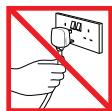
Do not pull on the cable
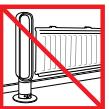
o not store near heat sources.
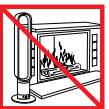
not use new flame.
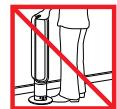
Do not carry by the loop amplifier.
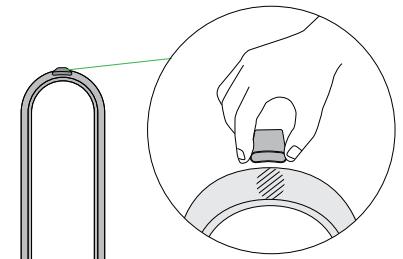

Magnetic Location
Attach remote to dock with the buttons facing down.

3 EASY WAYS TO REGISTER YOUR FREE 2 YEAR GUARANTEE
REGISTER ONLINE
Visit our website to register your full parts and labour guarantee online.

REGISTER BY PHONI
Call our dedicated Helpline.
UK 0800 298 0298
IRL 01 475 7109

REGISTER BY MAIL
Complete and return the form to Dyson in the envelope supplied.
www.dyson.com/register
AIRFLOW
CONTROL
OSCILLATION
Remote control
Clearing blockages
Cleaning


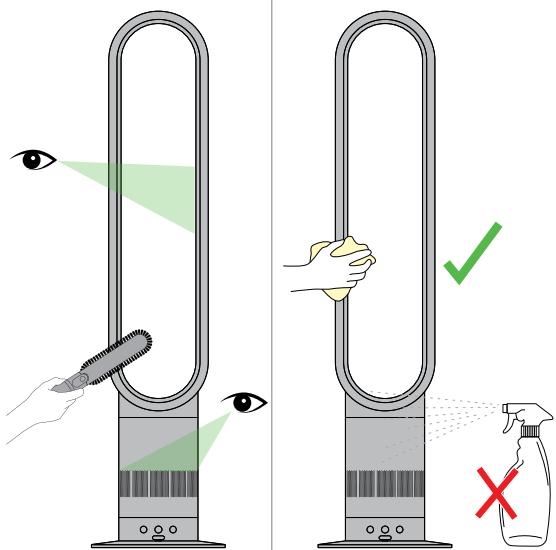
Look for blockages in the air inlet holes and in the small aperture inside the loop amplifier.
Use a soft brush to remove debris.
To clean, wipe with a dry or damp cloth.
Do not use detergents or polishes to clean the fan.
Replacing the battery
A blue light on the machine will flash when the remote's buttons are pressed. If the blue light stops flashing, replace the remote's battery. Battery type CR 2032.
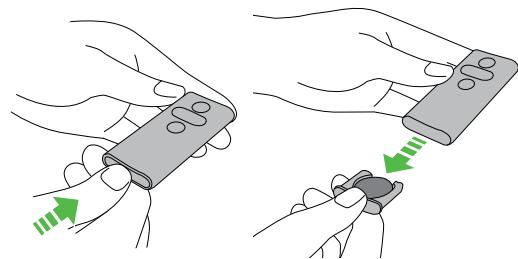
Press the end of the remote to release the battery.

GUARANTEE FORM
Serial number
Date of purchase

Country of purchase


Title
Surname
First name
Address
Postcode
Telephone
Mobile
As a Dyson fan owner, you can hear about Dyson inventions, services and products before anyone else
If it's okay to contact you, please let us know how we may do this.
By mail
Yes
18 =
Yes
Yes
age
We sometimes ask other companies [such as market researchers] to contact owners on our behalf. We do this to get feedback on ideas or
ask you to try new products and services. Would this be okay?


By phone
Yes
By email
,
s
By text message
Yes



3 EASY WAYS TO REGISTER YOUR FREE 2 YEAR GUARantee
Visit our website to register your full parts and labour guarantee online.
REGISTER
BYPHONE
Call our dedicated Helpline.


BY MAIL
Complete and return the form to Dyson in the envelope supplied.