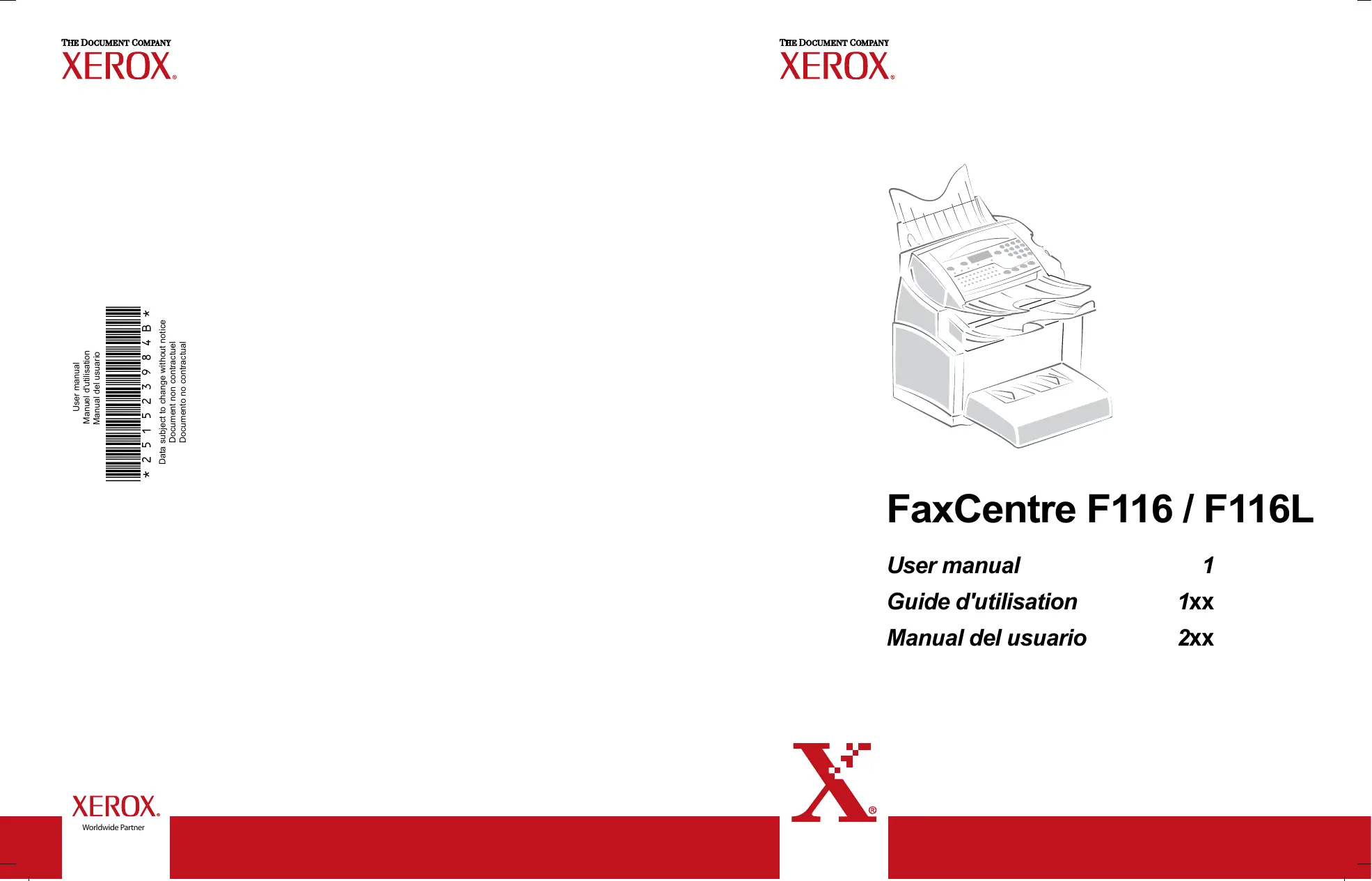
FAXCENTRE F116 - Fax XEROX - Notice d'utilisation et mode d'emploi gratuit
Retrouvez gratuitement la notice de l'appareil FAXCENTRE F116 XEROX au format PDF.
| Type de produit | Fax multifonction |
| Fonctions principales | Envoi et réception de fax, copie, impression |
| Technologie d'impression | Laser monochrome |
| Résolution d'impression | 600 x 600 dpi |
| Vitesse d'impression | Jusqu'à 20 pages par minute |
| Alimentation électrique | 220-240 V, 50/60 Hz |
| Dimensions approximatives | 380 x 360 x 240 mm |
| Poids | 8,5 kg |
| Capacité du bac d'alimentation | 150 feuilles |
| Compatibilités | Windows, Mac OS |
| Entretien et nettoyage | Nettoyage régulier des rouleaux et du tambour, remplacement des cartouches toner |
| Pièces détachées et réparabilité | Cartouches de toner, tambours, rouleaux d'alimentation disponibles |
| Sécurité | Protection contre les surcharges électriques, conformité aux normes de sécurité |
| Informations générales | Idéal pour les petites entreprises et les bureaux à domicile |
FOIRE AUX QUESTIONS - FAXCENTRE F116 XEROX
Téléchargez la notice de votre Fax au format PDF gratuitement ! Retrouvez votre notice FAXCENTRE F116 - XEROX et reprennez votre appareil électronique en main. Sur cette page sont publiés tous les documents nécessaires à l'utilisation de votre appareil FAXCENTRE F116 de la marque XEROX.
MODE D'EMPLOI FAXCENTRE F116 XEROX
Guide d'utilisation 1xx
MFL 251 523 984_ FAXCENTRE F116_F116 L US.book Page 1 Mercredi, 11. août 2004 4:48 16
The list of accessories is subject to change without prior notice.
Date en cours : 11 août 2004 \\Sct01002\BE31-DOC\DOC 31 - En cours\Travaux en cours\Fax\MFL V 2\LU 251 523 984B MFL_V2 FAXCENTRE F116_F116L XEROX FR_GB_ESP\Couvertures\2 COUVGB.fm
MFL 251 523 984_ FAXCENTRE F116_F116 L US.book Page 1 Mercredi, 11. août 2004 4:48 16
Date en cours : 11 août 2004 1 \\Sct01002\BE31-DOC\DOC 31 - En cours\Travaux en cours\Fax\MFL V 2\LU 251 523 984B MFL_V2 FAXCENTRE F116_F116L XEROX FR_GB_ESP\Anglais\Légende.fm
MFL 251 523 984_ FAXCENTRE F116_F116 L US.book Page 2 Mercredi, 11. août 2004 4:48 16
Date en cours : 11 août 2004 \\Sct01002\BE31-DOC\DOC 31 - En cours\Travaux en cours\Fax\MFL V 2\LU 251 523 984B MFL_V2 FAXCENTRE F116_F116L XEROX FR_GB_ESP\Anglais\Légende.fm
Installing the paper tray Installing the copy output tray Installing the document feed tray Installing the document output tray Loading paper Loading paper manually Installing the second paper cassette unit (option)
MFL 251 523 984_ FAXCENTRE F116_F116 L US.book Page 1 Mercredi, 11. août 2004 4:48 16
Date en cours : 11 août 2004 \\Sct01002\BE31-DOC\DOC 31 - En cours\Travaux en cours\Fax\MFL V 2\LU 251 523 984B MFL_V2 FAXCENTRE F116_F116L XEROX FR_GB_ESP\Anglais\MFL 251 523 984_ FAXCENTRE F116_F116 L USTDM.fm
MFL 251 523 984_ FAXCENTRE F116_F116 L US.book Page 2 Mercredi, 11. août 2004 4:48 16
Reception without paper Number of copies Relay broadcast Fax or PC reception
Date en cours : 11 août 2004 \\Sct01002\BE31-DOC\DOC 31 - En cours\Travaux en cours\Fax\MFL V 2\LU 251 523 984B MFL_V2 FAXCENTRE F116_F116L XEROX FR_GB_ESP\Anglais\MFL 251 523 984_ FAXCENTRE F116_F116 L USTDM.fm
MFL 251 523 984_ FAXCENTRE F116_F116 L US.book Page 3 Mercredi, 11. août 2004 4:48 16
Date en cours : 11 août 2004 \\Sct01002\BE31-DOC\DOC 31 - En cours\Travaux en cours\Fax\MFL V 2\LU 251 523 984B MFL_V2 FAXCENTRE F116_F116L XEROX FR_GB_ESP\Anglais\MFL 251 523 984_ FAXCENTRE F116_F116 L USTDM.fm
MFL 251 523 984_ FAXCENTRE F116_F116 L US.book Page 4 Mercredi, 11. août 2004 4:48 16
Date en cours : 11 août 2004 \\Sct01002\BE31-DOC\DOC 31 - En cours\Travaux en cours\Fax\MFL V 2\LU 251 523 984B MFL_V2 FAXCENTRE F116_F116L XEROX FR_GB_ESP\Anglais\MFL 251 523 984_ FAXCENTRE F116_F116 L USTDM.fm
MFL 251 523 984_ FAXCENTRE F116_F116 L US.book Page 5 Mercredi, 11. août 2004 4:48 16
Date en cours : 11 août 2004 \\Sct01002\BE31-DOC\DOC 31 - En cours\Travaux en cours\Fax\MFL V 2\LU 251 523 984B MFL_V2 FAXCENTRE F116_F116L XEROX FR_GB_ESP\Anglais\MFL 251 523 984_ FAXCENTRE F116_F116 L USTDM.fm
MFL 251 523 984_ FAXCENTRE F116_F116 L US.book Page 6 Mercredi, 11. août 2004 4:48 16
Date en cours : 11 août 2004 \\Sct01002\BE31-DOC\DOC 31 - En cours\Travaux en cours\Fax\MFL V 2\LU 251 523 984B MFL_V2 FAXCENTRE F116_F116L XEROX FR_GB_ESP\Anglais\MFL 251 523 984_ FAXCENTRE F116_F116 L USTDM.fm
MFL 251 523 984_ FAXCENTRE F116_F116 L US.book Page 7 Mercredi, 11. août 2004 4:48 16
1 INSTALLATION INSTALLING YOUR MACHINE INSTALLATION REQUIREMENTS A proper location helps to ensure that your machine provides you with the long service life for which it is designed. Double-check to make sure that the location you select has the following characteristics. • Choose a location that is well ventilated.
Date en cours : 11 août 2004 \\Sct01002\BE31-DOC\DOC 31 - En cours\Travaux en cours\Fax\MFL V 2\LU 251 523 984B MFL_V2 FAXCENTRE F116_F116L XEROX FR_GB_ESP\Anglais\Installation.fm
MFL 251 523 984_ FAXCENTRE F116_F116 L US.book Page 8 Mercredi, 11. août 2004 4:48 16 Installation
• The machine has been designed to be used indoors only. • Do not use your machine near water. • Make sure there is no chance of ammonia or other organic gasses being generated in the area. • The grounded power outlet (refer to the safety instructions in the Safety section) you plan to connect to for power should be nearby and not obstructed. • Make sure that the machine is not exposed to direct sunlight. • Avoid areas in the direct airflow of air conditioners, heaters, or ventilators and areas subject to temperature and humidity extremes. • Choose a sturdy, level surface where the machine will not be exposed to strong vibration. • Keep the machine away from any objects that might block its heat vents. • Do not locate the machine near curtains or other combustible objects. • Choose an area where there is no possibility of the machine being splashed with water or other liquids. • Make sure that the surrounding area is clean, dry, and free of dust.
Operational precautions Note the following important precautions whenever using the machine. Operating Environment The following describes the operating environment required when using the machine: • Temperature: 10°C to 35°C (50°F to 95°F) with fluctuation of 10°C (18°F) per hour. • Humidity: 20% to 80% (no condensation) with fluctuation of 20% per hour. Machine The following describes precautions for using the machine. • Never turn the machine off or open any of its covers during a print operation. • Never place flammable gasses, liquids or objects that generate magnetic forces near the machine. • When unplugging the power cord, always grasp the plug and never pull on the cord. A damaged cord creates the danger of fire or electrical shock. • Never touch the power cord when your hands are wet. Doing so creates the danger of electrical shock. • Always unplug the power cord before moving the machine. Failure to do so can damage the power cord, creating the danger of fire or electrical shock. • Always unplug the power cord if you do not plan to use the machine for a long time. • Never try to remove any secured panel or cover. The machine contains high-voltage circuit which creates the danger of electrical shock when exposed. • Never try to modify the machine. Doing so creates the danger of fire or electrical shock. • Never place any heavy objects on the power cord, pull on it or bend it. Doing so creates the danger of fire or electrical shock. • Always make sure the machine is not placed on the electrical cord or the communications cables of any other electrical equipment. Also make sure that cords and cables do not get into the machine’s mechanism. Any of these conditions create the danger of malfunction and fire.
Date en cours : 11 août 2004 \\Sct01002\BE31-DOC\DOC 31 - En cours\Travaux en cours\Fax\MFL V 2\LU 251 523 984B MFL_V2 FAXCENTRE F116_F116L XEROX FR_GB_ESP\Anglais\Installation.fm
MFL 251 523 984_ FAXCENTRE F116_F116 L US.book Page 9 Mercredi, 11. août 2004 4:48 16
• Whenever the machine emits unusually high amounts of heat, smoke, an unusual odor, or noise, immediately turn it off, unplug it, and contact your dealer. Failure to take this immediate action creates the danger of fire or electrical shock. • Paper for machine: do not use paper previously printed by your machine or any other machine: the ink or toner deposited on that paper might damage the printing system of your machine.
Date en cours : 11 août 2004 \\Sct01002\BE31-DOC\DOC 31 - En cours\Travaux en cours\Fax\MFL V 2\LU 251 523 984B MFL_V2 FAXCENTRE F116_F116L XEROX FR_GB_ESP\Anglais\Installation.fm
MFL 251 523 984_ FAXCENTRE F116_F116 L US.book Page 10 Mercredi, 11. août 2004 4:48 16 Installation
UNPACKING THE SHIPPING BOX Take the packing material and the machine out of the shipping box.
Date en cours : 11 août 2004 \\Sct01002\BE31-DOC\DOC 31 - En cours\Travaux en cours\Fax\MFL V 2\LU 251 523 984B MFL_V2 FAXCENTRE F116_F116L XEROX FR_GB_ESP\Anglais\Installation.fm
MFL 251 523 984_ FAXCENTRE F116_F116 L US.book Page 11 Mercredi, 11. août 2004 4:48 16
Date en cours : 11 août 2004 \\Sct01002\BE31-DOC\DOC 31 - En cours\Travaux en cours\Fax\MFL V 2\LU 251 523 984B MFL_V2 FAXCENTRE F116_F116L XEROX FR_GB_ESP\Anglais\Installation.fm
MFL 251 523 984_ FAXCENTRE F116_F116 L US.book Page 12 Mercredi, 11. août 2004 4:48 16 Installation
Peel off the three strips of shipping tape from the front of the machine.
Pull out the two pads from the paper feed inlet.
Date en cours : 11 août 2004 \\Sct01002\BE31-DOC\DOC 31 - En cours\Travaux en cours\Fax\MFL V 2\LU 251 523 984B MFL_V2 FAXCENTRE F116_F116L XEROX FR_GB_ESP\Anglais\Installation.fm
MFL 251 523 984_ FAXCENTRE F116_F116 L US.book Page 13 Mercredi, 11. août 2004 4:48 16
Press the paper size guide on the right, in order to push both paper size guides to the left or to the right. Pull out the plastic tab and the shipping tape from the paper feed inlet.
Date en cours : 11 août 2004 \\Sct01002\BE31-DOC\DOC 31 - En cours\Travaux en cours\Fax\MFL V 2\LU 251 523 984B MFL_V2 FAXCENTRE F116_F116L XEROX FR_GB_ESP\Anglais\Installation.fm
MFL 251 523 984_ FAXCENTRE F116_F116 L US.book Page 14 Mercredi, 11. août 2004 4:48 16 Installation
DESCRIPTION Scanner Document feed tray for scanning Control panel
Date en cours : 11 août 2004 \\Sct01002\BE31-DOC\DOC 31 - En cours\Travaux en cours\Fax\MFL V 2\LU 251 523 984B MFL_V2 FAXCENTRE F116_F116L XEROX FR_GB_ESP\Anglais\Installation.fm
MFL 251 523 984_ FAXCENTRE F116_F116 L US.book Page 15 Mercredi, 11. août 2004 4:48 16
INSTALLING THE REMOVABLE PARTS Contents
Date en cours : 11 août 2004 \\Sct01002\BE31-DOC\DOC 31 - En cours\Travaux en cours\Fax\MFL V 2\LU 251 523 984B MFL_V2 FAXCENTRE F116_F116L XEROX FR_GB_ESP\Anglais\Installation.fm
MFL 251 523 984_ FAXCENTRE F116_F116 L US.book Page 16 Mercredi, 11. août 2004 4:48 16 Installation
INSTALLING THE COPY OUTPUT TRAY With both hands, slightly bend the centre part of the tray upwards in order to insert its clips into the notches located on the upper part of the machine. Release the tray so that it recovers its initial shape. If necessary, push at the base and at the centre of the tray from underneath so that is snaps into place behind notch A.
A INSTALLING THE DOCUMENT FEED TRAY Install the tray by inserting its two guides into the notches provided at the rear of the machine.
Date en cours : 11 août 2004 \\Sct01002\BE31-DOC\DOC 31 - En cours\Travaux en cours\Fax\MFL V 2\LU 251 523 984B MFL_V2 FAXCENTRE F116_F116L XEROX FR_GB_ESP\Anglais\Installation.fm
MFL 251 523 984_ FAXCENTRE F116_F116 L US.book Page 17 Mercredi, 11. août 2004 4:48 16
Install the output tray on the upper front part of the machine by inserting its two guides into the notches provided.
Date en cours : 11 août 2004 \\Sct01002\BE31-DOC\DOC 31 - En cours\Travaux en cours\Fax\MFL V 2\LU 251 523 984B MFL_V2 FAXCENTRE F116_F116L XEROX FR_GB_ESP\Anglais\Installation.fm
MFL 251 523 984_ FAXCENTRE F116_F116 L US.book Page 18 Mercredi, 11. août 2004 4:48 16 Installation
Supported types of paper:
Date en cours : 11 août 2004 \\Sct01002\BE31-DOC\DOC 31 - En cours\Travaux en cours\Fax\MFL V 2\LU 251 523 984B MFL_V2 FAXCENTRE F116_F116L XEROX FR_GB_ESP\Anglais\Installation.fm
MFL 251 523 984_ FAXCENTRE F116_F116 L US.book Page 19 Mercredi, 11. août 2004 4:48 16
Adjust the sheet or film width as appropriate by means of feed pawls 1 or 2.
Date en cours : 11 août 2004 \\Sct01002\BE31-DOC\DOC 31 - En cours\Travaux en cours\Fax\MFL V 2\LU 251 523 984B MFL_V2 FAXCENTRE F116_F116L XEROX FR_GB_ESP\Anglais\Installation.fm
MFL 251 523 984_ FAXCENTRE F116_F116 L US.book Page 20 Mercredi, 11. août 2004 4:48 16 Installation
INSTALLING THE SECOND PAPER CASSETTE UNIT (OPTION)
Be sure to use both hands whenever tray is removed from or inserted into the second paper cassette unit. The second paper cassette paper unit only accepts Letter paper format. - 20 -
Date en cours : 11 août 2004 \\Sct01002\BE31-DOC\DOC 31 - En cours\Travaux en cours\Fax\MFL V 2\LU 251 523 984B MFL_V2 FAXCENTRE F116_F116L XEROX FR_GB_ESP\Anglais\Installation.fm
MFL 251 523 984_ FAXCENTRE F116_F116 L US.book Page 21 Mercredi, 11. août 2004 4:48 16
Date en cours : 11 août 2004 \\Sct01002\BE31-DOC\DOC 31 - En cours\Travaux en cours\Fax\MFL V 2\LU 251 523 984B MFL_V2 FAXCENTRE F116_F116L XEROX FR_GB_ESP\Anglais\Installation.fm
MFL 251 523 984_ FAXCENTRE F116_F116 L US.book Page 22 Mercredi, 11. août 2004 4:48 16 Installation
Make sure the On/Off switch is set to 0 (Off). Key to the diagram: A : L1 telephone line socket B : L2 telephone line socket (model F116L) C : LAN socket D : USB port E : Main Power Receptacle F : Power cord G : Line cord L1 H : Line cord L2 (model F116L)
Date en cours : 11 août 2004 \\Sct01002\BE31-DOC\DOC 31 - En cours\Travaux en cours\Fax\MFL V 2\LU 251 523 984B MFL_V2 FAXCENTRE F116_F116L XEROX FR_GB_ESP\Anglais\Installation.fm
MFL 251 523 984_ FAXCENTRE F116_F116 L US.book Page 23 Mercredi, 11. août 2004 4:48 16
Caution - Refer to safety procedure in the Safety chapter.
Date en cours : 11 août 2004 \\Sct01002\BE31-DOC\DOC 31 - En cours\Travaux en cours\Fax\MFL V 2\LU 251 523 984B MFL_V2 FAXCENTRE F116_F116L XEROX FR_GB_ESP\Anglais\Installation.fm
MFL 251 523 984_ FAXCENTRE F116_F116 L US.book Page 24 Mercredi, 11. août 2004 4:48 16 Installation
Date en cours : 11 août 2004 \\Sct01002\BE31-DOC\DOC 31 - En cours\Travaux en cours\Fax\MFL V 2\LU 251 523 984B MFL_V2 FAXCENTRE F116_F116L XEROX FR_GB_ESP\Anglais\Installation.fm
MFL 251 523 984_ FAXCENTRE F116_F116 L US.book Page 25 Mercredi, 11. août 2004 4:48 16
2 GETTING STARTED NAVIGATION METHODS PRESENTATION The navigator gives you access to the menus visible on screen.
Date en cours : 11 août 2004 \\Sct01002\BE31-DOC\DOC 31 - En cours\Travaux en cours\Fax\MFL V 2\LU 251 523 984B MFL_V2 FAXCENTRE F116_F116L XEROX FR_GB_ESP\Anglais\PriseEnMains.fm
MFL 251 523 984_ FAXCENTRE F116_F116 L US.book Page 26 Mercredi, 11. août 2004 4:48 16 Getting Started
Moving within the menus To
Date en cours : 11 août 2004 \\Sct01002\BE31-DOC\DOC 31 - En cours\Travaux en cours\Fax\MFL V 2\LU 251 523 984B MFL_V2 FAXCENTRE F116_F116L XEROX FR_GB_ESP\Anglais\PriseEnMains.fm
MFL 251 523 984_ FAXCENTRE F116_F116 L US.book Page 27 Mercredi, 11. août 2004 4:48 16
Date en cours : 11 août 2004 \\Sct01002\BE31-DOC\DOC 31 - En cours\Travaux en cours\Fax\MFL V 2\LU 251 523 984B MFL_V2 FAXCENTRE F116_F116L XEROX FR_GB_ESP\Anglais\PriseEnMains.fm
MFL 251 523 984_ FAXCENTRE F116_F116 L US.book Page 28 Mercredi, 11. août 2004 4:48 16 Getting Started
When in the selected menu, use the
Date en cours : 11 août 2004 \\Sct01002\BE31-DOC\DOC 31 - En cours\Travaux en cours\Fax\MFL V 2\LU 251 523 984B MFL_V2 FAXCENTRE F116_F116L XEROX FR_GB_ESP\Anglais\PriseEnMains.fm
MFL 251 523 984_ FAXCENTRE F116_F116 L US.book Page 29 Mercredi, 11. août 2004 4:48 16
Date en cours : 11 août 2004 \\Sct01002\BE31-DOC\DOC 31 - En cours\Travaux en cours\Fax\MFL V 2\LU 251 523 984B MFL_V2 FAXCENTRE F116_F116L XEROX FR_GB_ESP\Anglais\PriseEnMains.fm
MFL 251 523 984_ FAXCENTRE F116_F116 L US.book Page 30 Mercredi, 11. août 2004 4:48 16 Getting Started
MAIN MENU 5 : PRINT Functions M 51 OK M 52 OK M 53 OK M 54 OK M 55 OK M 56 OK M 57 OK M 58 OK
Date en cours : 11 août 2004 \\Sct01002\BE31-DOC\DOC 31 - En cours\Travaux en cours\Fax\MFL V 2\LU 251 523 984B MFL_V2 FAXCENTRE F116_F116L XEROX FR_GB_ESP\Anglais\PriseEnMains.fm
MFL 251 523 984_ FAXCENTRE F116_F116 L US.book Page 31 Mercredi, 11. août 2004 4:48 16
Date en cours : 11 août 2004 \\Sct01002\BE31-DOC\DOC 31 - En cours\Travaux en cours\Fax\MFL V 2\LU 251 523 984B MFL_V2 FAXCENTRE F116_F116L XEROX FR_GB_ESP\Anglais\PriseEnMains.fm
MFL 251 523 984_ FAXCENTRE F116_F116 L US.book Page 32 Mercredi, 11. août 2004 4:48 16 Getting Started
MAIN MENU 9 : INTERNET Functions M 97 OK M 972 OK M 973 OK M 974 OK
Date en cours : 11 août 2004 \\Sct01002\BE31-DOC\DOC 31 - En cours\Travaux en cours\Fax\MFL V 2\LU 251 523 984B MFL_V2 FAXCENTRE F116_F116L XEROX FR_GB_ESP\Anglais\PriseEnMains.fm
MFL 251 523 984_ FAXCENTRE F116_F116 L US.book Page 33 Mercredi, 11. août 2004 4:48 16
3 SETTING UP YOUR MACHINE MAIN SETTINGS After machine power on, the screen displays :
Date en cours : 11 août 2004 \\Sct01002\BE31-DOC\DOC 31 - En cours\Travaux en cours\Fax\MFL V 2\LU 251 523 984B MFL_V2 FAXCENTRE F116_F116L XEROX FR_GB_ESP\Anglais\Configuration.fm
MFL 251 523 984_ FAXCENTRE F116_F116 L US.book Page 34 Mercredi, 11. août 2004 4:48 16 Setting Up Your Machine
REMOTE CONFIGURATION EMBEDDED WEB SERVER You may configure the same parameters by remote as you would locally.
Date en cours : 11 août 2004 \\Sct01002\BE31-DOC\DOC 31 - En cours\Travaux en cours\Fax\MFL V 2\LU 251 523 984B MFL_V2 FAXCENTRE F116_F116L XEROX FR_GB_ESP\Anglais\Configuration.fm
MFL 251 523 984_ FAXCENTRE F116_F116 L US.book Page 35 Mercredi, 11. août 2004 4:48 16
Your machine number/your name
Date en cours : 11 août 2004 \\Sct01002\BE31-DOC\DOC 31 - En cours\Travaux en cours\Fax\MFL V 2\LU 251 523 984B MFL_V2 FAXCENTRE F116_F116L XEROX FR_GB_ESP\Anglais\Configuration.fm
MFL 251 523 984_ FAXCENTRE F116_F116 L US.book Page 36 Mercredi, 11. août 2004 4:48 16 Setting Up Your Machine
Language This setting enables you to choose a language other than that imposed by the COUNTRY setting. To select the language:
Date en cours : 11 août 2004 \\Sct01002\BE31-DOC\DOC 31 - En cours\Travaux en cours\Fax\MFL V 2\LU 251 523 984B MFL_V2 FAXCENTRE F116_F116L XEROX FR_GB_ESP\Anglais\Configuration.fm
MFL 251 523 984_ FAXCENTRE F116_F116 L US.book Page 37 Mercredi, 11. août 2004 4:48 16
Modifying the off peak time: M 233 OK - SETUP / SEND / ECO PER.
Date en cours : 11 août 2004 \\Sct01002\BE31-DOC\DOC 31 - En cours\Travaux en cours\Fax\MFL V 2\LU 251 523 984B MFL_V2 FAXCENTRE F116_F116L XEROX FR_GB_ESP\Anglais\Configuration.fm
MFL 251 523 984_ FAXCENTRE F116_F116 L US.book Page 38 Mercredi, 11. août 2004 4:48 16 Setting Up Your Machine
Reception without paper Your fax function offers you the possibility to either accept or refuse document reception if your machine is unavailable (no paper...). If your machine is unavailable, you may choose between two modes of reception: • reception mode WITHOUT PAPER, your machine saves the incoming messages in the memory, • reception mode WITH PAPER, your machine refuses all incoming group dial. To select the reception mode:
Date en cours : 11 août 2004 \\Sct01002\BE31-DOC\DOC 31 - En cours\Travaux en cours\Fax\MFL V 2\LU 251 523 984B MFL_V2 FAXCENTRE F116_F116L XEROX FR_GB_ESP\Anglais\Configuration.fm
MFL 251 523 984_ FAXCENTRE F116_F116 L US.book Page 39 Mercredi, 11. août 2004 4:48 16
The document in the feeder will be relayed either immediately or at a later time (according to your choice) to the remote machine which will relay the document.
Date en cours : 11 août 2004 \\Sct01002\BE31-DOC\DOC 31 - En cours\Travaux en cours\Fax\MFL V 2\LU 251 523 984B MFL_V2 FAXCENTRE F116_F116L XEROX FR_GB_ESP\Anglais\Configuration.fm
MFL 251 523 984_ FAXCENTRE F116_F116 L US.book Page 40 Mercredi, 11. août 2004 4:48 16 Setting Up Your Machine
Date en cours : 11 août 2004 \\Sct01002\BE31-DOC\DOC 31 - En cours\Travaux en cours\Fax\MFL V 2\LU 251 523 984B MFL_V2 FAXCENTRE F116_F116L XEROX FR_GB_ESP\Anglais\Configuration.fm
MFL 251 523 984_ FAXCENTRE F116_F116 L US.book Page 41 Mercredi, 11. août 2004 4:48 16
Date en cours : 11 août 2004 \\Sct01002\BE31-DOC\DOC 31 - En cours\Travaux en cours\Fax\MFL V 2\LU 251 523 984B MFL_V2 FAXCENTRE F116_F116L XEROX FR_GB_ESP\Anglais\Configuration.fm
MFL 251 523 984_ FAXCENTRE F116_F116 L US.book Page 42 Mercredi, 11. août 2004 4:48 16 Setting Up Your Machine
LOCAL AREA NETWORK (LAN) SETTINGS Your machine is a new generation machine that will be part of your local network just like a PC. Its built-in local network access card will enable you to send documents through an SMTP/POP3 local message server (internally or externally, depending on the settings of your message server). To benefit from all the available network options, you should make the following settings, described in the sections below: • local network settings, to introduce your machine into your local network. • message service settings, for all your faxes and E-mails to be automatically managed by your message server.
M 2532 OK - SETUP / LOCAL NETWORK / IP ADDRESS Enter the IP address of your machine and press OK to confirm. - 42 -
Date en cours : 11 août 2004 \\Sct01002\BE31-DOC\DOC 31 - En cours\Travaux en cours\Fax\MFL V 2\LU 251 523 984B MFL_V2 FAXCENTRE F116_F116L XEROX FR_GB_ESP\Anglais\Configuration.fm
MFL 251 523 984_ FAXCENTRE F116_F116 L US.book Page 43 Mercredi, 11. août 2004 4:48 16
Sub-network mask M 2533 OK - SETUP / LOCAL NETWORK / SUBNET MASK Enter the sub-network mask of your machine and press OK to confirm.
Date en cours : 11 août 2004 \\Sct01002\BE31-DOC\DOC 31 - En cours\Travaux en cours\Fax\MFL V 2\LU 251 523 984B MFL_V2 FAXCENTRE F116_F116L XEROX FR_GB_ESP\Anglais\Configuration.fm
MFL 251 523 984_ FAXCENTRE F116_F116 L US.book Page 44 Mercredi, 11. août 2004 4:48 16 Setting Up Your Machine
L1 AND L2 LINE NETWORK CONFIGURATION (MODEL F116L) You can define different characteristics for each telephone line in relation to the network type: public or private.
Date en cours : 11 août 2004 \\Sct01002\BE31-DOC\DOC 31 - En cours\Travaux en cours\Fax\MFL V 2\LU 251 523 984B MFL_V2 FAXCENTRE F116_F116L XEROX FR_GB_ESP\Anglais\Configuration.fm
MFL 251 523 984_ FAXCENTRE F116_F116 L US.book Page 45 Mercredi, 11. août 2004 4:48 16
You can record the fax machine number that corresponds to line 2 (L2) on you machine. This number is send to the people you call and may also appear at the header on each page of any documents you send them.
Date en cours : 11 août 2004 \\Sct01002\BE31-DOC\DOC 31 - En cours\Travaux en cours\Fax\MFL V 2\LU 251 523 984B MFL_V2 FAXCENTRE F116_F116L XEROX FR_GB_ESP\Anglais\Configuration.fm
MFL 251 523 984_ FAXCENTRE F116_F116 L US.book Page 46 Mercredi, 11. août 2004 4:48 16 Setting Up Your Machine
DIALING PREFIX Before each automatic call, your machine may add a prefix to the numbers you dial if they have a minimum length. This function is especially useful when your machine is installed behind a company telephone exchange: - The internal numbers, for which the prefix is not necessary, are short numbers (between 4 and 6 digits). - The external numbers, for which the prefix is compulsory, are long numbers You may program your machine so that it adds the prefix "0" automatically to all the numbers dialed that have a minimum length.
Date en cours : 11 août 2004 \\Sct01002\BE31-DOC\DOC 31 - En cours\Travaux en cours\Fax\MFL V 2\LU 251 523 984B MFL_V2 FAXCENTRE F116_F116L XEROX FR_GB_ESP\Anglais\Configuration.fm
MFL 251 523 984_ FAXCENTRE F116_F116 L US.book Page 47 Mercredi, 11. août 2004 4:48 16
Date en cours : 11 août 2004 \\Sct01002\BE31-DOC\DOC 31 - En cours\Travaux en cours\Fax\MFL V 2\LU 251 523 984B MFL_V2 FAXCENTRE F116_F116L XEROX FR_GB_ESP\Anglais\Configuration.fm
MFL 251 523 984_ FAXCENTRE F116_F116 L US.book Page 48 Mercredi, 11. août 2004 4:48 16 Setting Up Your Machine
CALL REPORTS AND LOGS In the transmission and reception reports, the number of the call line used is always indicated by Line 1 or Line 2. In the call logs, the Note heading always contains the number of the line used: L1 for line 1 and L2 for line 2. Example of a log:
Date en cours : 11 août 2004 \\Sct01002\BE31-DOC\DOC 31 - En cours\Travaux en cours\Fax\MFL V 2\LU 251 523 984B MFL_V2 FAXCENTRE F116_F116L XEROX FR_GB_ESP\Anglais\Configuration.fm
MFL 251 523 984_ FAXCENTRE F116_F116 L US.book Page 49 Mercredi, 11. août 2004 4:48 16
Before sending e-mail transmission, you must: • take out an Internet subscription from an Internet Service Provider (ISP), • check that all initialization parameters correspond to those provided by your ISP, • perform the proper settings, if needed, for the Internet connection. You may then connect yourself to the Internet via your ISP to send and receive fax-Internet or E-mails. Both operations will be performed during an Internet connection.
Date en cours : 11 août 2004 \\Sct01002\BE31-DOC\DOC 31 - En cours\Travaux en cours\Fax\MFL V 2\LU 251 523 984B MFL_V2 FAXCENTRE F116_F116L XEROX FR_GB_ESP\Anglais\Configuration.fm
MFL 251 523 984_ FAXCENTRE F116_F116 L US.book Page 50 Mercredi, 11. août 2004 4:48 16 Setting Up Your Machine
Enter connection IDENTIFIER1, press OK.
Date en cours : 11 août 2004 \\Sct01002\BE31-DOC\DOC 31 - En cours\Travaux en cours\Fax\MFL V 2\LU 251 523 984B MFL_V2 FAXCENTRE F116_F116L XEROX FR_GB_ESP\Anglais\Configuration.fm
MFL 251 523 984_ FAXCENTRE F116_F116 L US.book Page 51 Mercredi, 11. août 2004 4:48 16
Date en cours : 11 août 2004 \\Sct01002\BE31-DOC\DOC 31 - En cours\Travaux en cours\Fax\MFL V 2\LU 251 523 984B MFL_V2 FAXCENTRE F116_F116L XEROX FR_GB_ESP\Anglais\Configuration.fm
MFL 251 523 984_ FAXCENTRE F116_F116 L US.book Page 52 Mercredi, 11. août 2004 4:48 16 Setting Up Your Machine
SETTINGS The settings are divided into several categories: • the standard settings define the connection type and frequency to the Internet as well as the transmission type for your documents, • the E-mail sorting defines treatment for all stored E-mail messages received.
Date en cours : 11 août 2004 \\Sct01002\BE31-DOC\DOC 31 - En cours\Travaux en cours\Fax\MFL V 2\LU 251 523 984B MFL_V2 FAXCENTRE F116_F116L XEROX FR_GB_ESP\Anglais\Configuration.fm
MFL 251 523 984_ FAXCENTRE F116_F116 L US.book Page 53 Mercredi, 11. août 2004 4:48 16
M 943 OK - INTERNET / SETTINGS / HOURS With the SET TIMES mode selected, use the or key to place the cursor under the numeral you want to change. Enter the new connection time(s) by means of the numerical keypad (between 00:01 am and 11:59 pm) and press OK to confirm.
Date en cours : 11 août 2004 \\Sct01002\BE31-DOC\DOC 31 - En cours\Travaux en cours\Fax\MFL V 2\LU 251 523 984B MFL_V2 FAXCENTRE F116_F116L XEROX FR_GB_ESP\Anglais\Configuration.fm
MFL 251 523 984_ FAXCENTRE F116_F116 L US.book Page 54 Mercredi, 11. août 2004 4:48 16 Setting Up Your Machine
INTERNET CONNECTION An Internet connection is made with an ISP. It allows both document sending and reception while connected. A connection takes place the following way: • Send to one or more of your group dial Internet mailboxes, all fax-Internet documents waiting for transmission. If you are sending to a computer, the transmitted fax will be received as an attachment to an E-Mail. • Reception of all fax-Internet and E-Mails deposited in your personal Internet mailbox. You may connect either immediately or automatically depending on the time periods defined. The triggering of a programmed Internet connection depends on the standard settings of your machine. - 54 -
Date en cours : 11 août 2004 \\Sct01002\BE31-DOC\DOC 31 - En cours\Travaux en cours\Fax\MFL V 2\LU 251 523 984B MFL_V2 FAXCENTRE F116_F116L XEROX FR_GB_ESP\Anglais\Configuration.fm
MFL 251 523 984_ FAXCENTRE F116_F116 L US.book Page 55 Mercredi, 11. août 2004 4:48 16
Immediate connection to the Internet
Date en cours : 11 août 2004 \\Sct01002\BE31-DOC\DOC 31 - En cours\Travaux en cours\Fax\MFL V 2\LU 251 523 984B MFL_V2 FAXCENTRE F116_F116L XEROX FR_GB_ESP\Anglais\Configuration.fm
MFL 251 523 984_ FAXCENTRE F116_F116 L US.book Page 56 Mercredi, 11. août 2004 4:48 16 Setting Up Your Machine
Date en cours : 11 août 2004 \\Sct01002\BE31-DOC\DOC 31 - En cours\Travaux en cours\Fax\MFL V 2\LU 251 523 984B MFL_V2 FAXCENTRE F116_F116L XEROX FR_GB_ESP\Anglais\Configuration.fm
MFL 251 523 984_ FAXCENTRE F116_F116 L US.book Page 57 Mercredi, 11. août 2004 4:48 16
4 DIRECTORY Your machine lets you create a directory by memorising speed dials and group dials. • Your machine can store up to 500 speed dials with names and phone numbers. • You may also group several names to build a group dial list with up to 32 group dials. A group dial list is made from the speed dials already stored. For all speed dials or group dials you may: • create • consult • modify contents • delete • print the directory You may save and if needed load your directory with functions 161 and 162 (refer to paragraph Functions list, page 28). To proceed, you need to contact your reseller and purchase the optional "save" kit.
• FTP address, example: 134.1.22.9 • If you have not entered an E-MAIL adress, you can enter a FTP adress (to store data). : If you have not entered an e-mail address, then you have the possibility of entering an FTP address (for archiving purposes). - 57 -
Date en cours : 11 août 2004 \\Sct01002\BE31-DOC\DOC 31 - En cours\Travaux en cours\Fax\MFL V 2\LU 251 523 984B MFL_V2 FAXCENTRE F116_F116L XEROX FR_GB_ESP\Anglais\Répertoire.fm
MFL 251 523 984_ FAXCENTRE F116_F116 L US.book Page 58 Mercredi, 11. août 2004 4:48 16 Directory
• RATE for each group dial you may choose your fax transmission speed. The available rates are 2400, 4800, 7200, 9600, 12000, 14400 and 33600 bits per second. With a good telephone connection, well adapted and without echo, the appropriate rate is the highest one. or If your group dial number has both TEL and E-MAIL listed, the validation key ( determine if the document will be sent over the telephone network or over Internet..
Date en cours : 11 août 2004 \\Sct01002\BE31-DOC\DOC 31 - En cours\Travaux en cours\Fax\MFL V 2\LU 251 523 984B MFL_V2 FAXCENTRE F116_F116L XEROX FR_GB_ESP\Anglais\Répertoire.fm
MFL 251 523 984_ FAXCENTRE F116_F116 L US.book Page 59 Mercredi, 11. août 2004 4:48 16
Date en cours : 11 août 2004 \\Sct01002\BE31-DOC\DOC 31 - En cours\Travaux en cours\Fax\MFL V 2\LU 251 523 984B MFL_V2 FAXCENTRE F116_F116L XEROX FR_GB_ESP\Anglais\Répertoire.fm
MFL 251 523 984_ FAXCENTRE F116_F116 L US.book Page 60 Mercredi, 11. août 2004 4:48 16 Directory
MODIFYING A RECORD OR A LIST M 13 OK - DIRECTORY / MODIFY The directory appears in alphabetical order.
Date en cours : 11 août 2004 \\Sct01002\BE31-DOC\DOC 31 - En cours\Travaux en cours\Fax\MFL V 2\LU 251 523 984B MFL_V2 FAXCENTRE F116_F116L XEROX FR_GB_ESP\Anglais\Répertoire.fm
MFL 251 523 984_ FAXCENTRE F116_F116 L US.book Page 61 Mercredi, 11. août 2004 4:48 16
Date en cours : 11 août 2004 \\Sct01002\BE31-DOC\DOC 31 - En cours\Travaux en cours\Fax\MFL V 2\LU 251 523 984B MFL_V2 FAXCENTRE F116_F116L XEROX FR_GB_ESP\Anglais\Répertoire.fm
MFL 251 523 984_ FAXCENTRE F116_F116 L US.book Page 62 Mercredi, 11. août 2004 4:48 16 Directory
The rate is coded on a number, see the following table:
Date en cours : 11 août 2004 \\Sct01002\BE31-DOC\DOC 31 - En cours\Travaux en cours\Fax\MFL V 2\LU 251 523 984B MFL_V2 FAXCENTRE F116_F116L XEROX FR_GB_ESP\Anglais\Répertoire.fm
MFL 251 523 984_ FAXCENTRE F116_F116 L US.book Page 63 Mercredi, 11. août 2004 4:48 16
You may also export a directory from a machine as a text file, and send it to any mail client (be it PC or fax based), in the form of an e-mail attachment entitled directoryxxx.csv. To export the directory: M 18 OK - DIRECTORY / EXPORT Key in the e-mail address of the PC or other machine to which you want to export the directory.
Date en cours : 11 août 2004 \\Sct01002\BE31-DOC\DOC 31 - En cours\Travaux en cours\Fax\MFL V 2\LU 251 523 984B MFL_V2 FAXCENTRE F116_F116L XEROX FR_GB_ESP\Anglais\Répertoire.fm
MFL 251 523 984_ FAXCENTRE F116_F116 L US.book Page 64 Mercredi, 11. août 2004 4:48 16 Directory
Date en cours : 11 août 2004 \\Sct01002\BE31-DOC\DOC 31 - En cours\Travaux en cours\Fax\MFL V 2\LU 251 523 984B MFL_V2 FAXCENTRE F116_F116L XEROX FR_GB_ESP\Anglais\Répertoire.fm
MFL 251 523 984_ FAXCENTRE F116_F116 L US.book Page 65 Mercredi, 11. août 2004 4:48 16
5 OPERATION SENDING Faxes sent over the telephone network are sent from the document feeder or the memory. Documents sent over the Internet are first stored in memory and sent at the time of Internet connection. Over the telephone network: all fax transmissions are in black and white. Over the Internet: you can send black and white documents (TIFF format) or color documents (JPEG format).
Date en cours : 11 août 2004 \\Sct01002\BE31-DOC\DOC 31 - En cours\Travaux en cours\Fax\MFL V 2\LU 251 523 984B MFL_V2 FAXCENTRE F116_F116L XEROX FR_GB_ESP\Anglais\Utilisation.fm
MFL 251 523 984_ FAXCENTRE F116_F116 L US.book Page 66 Mercredi, 11. août 2004 4:48 16 Operation
Caution - If you forget to position the document to be transmitted, the addressee could receive a blank pages. NOTE
Enter the first letter of your group dial name with the alphanumeric keypad, then add the remaining letters until your group dial name is complete. - 66 -
Date en cours : 11 août 2004 \\Sct01002\BE31-DOC\DOC 31 - En cours\Travaux en cours\Fax\MFL V 2\LU 251 523 984B MFL_V2 FAXCENTRE F116_F116L XEROX FR_GB_ESP\Anglais\Utilisation.fm
MFL 251 523 984_ FAXCENTRE F116_F116 L US.book Page 67 Mercredi, 11. août 2004 4:48 16
Date en cours : 11 août 2004 \\Sct01002\BE31-DOC\DOC 31 - En cours\Travaux en cours\Fax\MFL V 2\LU 251 523 984B MFL_V2 FAXCENTRE F116_F116L XEROX FR_GB_ESP\Anglais\Utilisation.fm
MFL 251 523 984_ FAXCENTRE F116_F116 L US.book Page 68 Mercredi, 11. août 2004 4:48 16 Operation
TRANSMISSION OVER THE TELEPHONE NETWORK Immediate transmission
Date en cours : 11 août 2004 \\Sct01002\BE31-DOC\DOC 31 - En cours\Travaux en cours\Fax\MFL V 2\LU 251 523 984B MFL_V2 FAXCENTRE F116_F116L XEROX FR_GB_ESP\Anglais\Utilisation.fm
MFL 251 523 984_ FAXCENTRE F116_F116 L US.book Page 69 Mercredi, 11. août 2004 4:48 16
Date en cours : 11 août 2004 \\Sct01002\BE31-DOC\DOC 31 - En cours\Travaux en cours\Fax\MFL V 2\LU 251 523 984B MFL_V2 FAXCENTRE F116_F116L XEROX FR_GB_ESP\Anglais\Utilisation.fm
MFL 251 523 984_ FAXCENTRE F116_F116 L US.book Page 70 Mercredi, 11. août 2004 4:48 16 Operation
• Set the re-direction contact
Date en cours : 11 août 2004 \\Sct01002\BE31-DOC\DOC 31 - En cours\Travaux en cours\Fax\MFL V 2\LU 251 523 984B MFL_V2 FAXCENTRE F116_F116L XEROX FR_GB_ESP\Anglais\Utilisation.fm
MFL 251 523 984_ FAXCENTRE F116_F116 L US.book Page 71 Mercredi, 11. août 2004 4:48 16
Press the and enter the recipient’s E-mail address, or choose your dialing mode (refer to paragraph Dialing, page 66).
Date en cours : 11 août 2004 \\Sct01002\BE31-DOC\DOC 31 - En cours\Travaux en cours\Fax\MFL V 2\LU 251 523 984B MFL_V2 FAXCENTRE F116_F116L XEROX FR_GB_ESP\Anglais\Utilisation.fm
MFL 251 523 984_ FAXCENTRE F116_F116 L US.book Page 72 Mercredi, 11. août 2004 4:48 16 Operation
Then, to send to E-mail address:
Date en cours : 11 août 2004 \\Sct01002\BE31-DOC\DOC 31 - En cours\Travaux en cours\Fax\MFL V 2\LU 251 523 984B MFL_V2 FAXCENTRE F116_F116L XEROX FR_GB_ESP\Anglais\Utilisation.fm
MFL 251 523 984_ FAXCENTRE F116_F116 L US.book Page 73 Mercredi, 11. août 2004 4:48 16
Select B&W SCAN to send a document in black and white or COLOR SCAN to send a document in color. Validate with OK key (this setting may be changed at any time during the send procedure with the color key).
Date en cours : 11 août 2004 \\Sct01002\BE31-DOC\DOC 31 - En cours\Travaux en cours\Fax\MFL V 2\LU 251 523 984B MFL_V2 FAXCENTRE F116_F116L XEROX FR_GB_ESP\Anglais\Utilisation.fm
MFL 251 523 984_ FAXCENTRE F116_F116 L US.book Page 74 Mercredi, 11. août 2004 4:48 16 Operation
Consult or modify the waiting queue
to confirm cancellation in progress. - 74 -
Date en cours : 11 août 2004 \\Sct01002\BE31-DOC\DOC 31 - En cours\Travaux en cours\Fax\MFL V 2\LU 251 523 984B MFL_V2 FAXCENTRE F116_F116L XEROX FR_GB_ESP\Anglais\Utilisation.fm
MFL 251 523 984_ FAXCENTRE F116_F116 L US.book Page 75 Mercredi, 11. août 2004 4:48 16
Document reception over the Internet is automatic at each Internet connection. Reception of all documents over the telephone network is done one at a time at fax reception.
Date en cours : 11 août 2004 \\Sct01002\BE31-DOC\DOC 31 - En cours\Travaux en cours\Fax\MFL V 2\LU 251 523 984B MFL_V2 FAXCENTRE F116_F116L XEROX FR_GB_ESP\Anglais\Utilisation.fm
MFL 251 523 984_ FAXCENTRE F116_F116 L US.book Page 76 Mercredi, 11. août 2004 4:48 16 Operation
SPECIFIC COPY SETTINGS When the copy quality is no longer satisfactory, you can perform a calibration. To do so, refer to paragraph Scanner calibration, page 110. Moreover, a high number of controls let you improve the copy quality. Scanner settings • RESOLUTION to set the photocopy resolutation. • ZOOM settings to reduce or magnify any portion of a document by choosing the origin and value of the zoom to apply to that portion. • The assembly parameter to choose between ASSEMBLED or NOT ASSEMBLED copies. • The ORIGIN parameter to choose the origin to be applied to the document. • CONTRAST to choose the photocopy contrast. • BRIGHTNESS is used to make your original document lighter or darker. • L/R MARGINS to shift the margins or your original document to the left or to the right. • A4 or LETTER to choose the format. machine settings • PAPER is used to tell your machine what type of paper you use by default. • TRAY is used to tell your machine which paper tray shoud be used by default. • L/R MARGINS to shift the margins of your document to the left or to the right. - 76 -
Date en cours : 11 août 2004 \\Sct01002\BE31-DOC\DOC 31 - En cours\Travaux en cours\Fax\MFL V 2\LU 251 523 984B MFL_V2 FAXCENTRE F116_F116L XEROX FR_GB_ESP\Anglais\Utilisation.fm
MFL 251 523 984_ FAXCENTRE F116_F116 L US.book Page 77 Mercredi, 11. août 2004 4:48 16
Caution - All the settings performed through this menu will become the machine's default settings.
Date en cours : 11 août 2004 \\Sct01002\BE31-DOC\DOC 31 - En cours\Travaux en cours\Fax\MFL V 2\LU 251 523 984B MFL_V2 FAXCENTRE F116_F116L XEROX FR_GB_ESP\Anglais\Utilisation.fm
MFL 251 523 984_ FAXCENTRE F116_F116 L US.book Page 78 Mercredi, 11. août 2004 4:48 16 Operation
Date en cours : 11 août 2004 \\Sct01002\BE31-DOC\DOC 31 - En cours\Travaux en cours\Fax\MFL V 2\LU 251 523 984B MFL_V2 FAXCENTRE F116_F116L XEROX FR_GB_ESP\Anglais\Utilisation.fm
MFL 251 523 984_ FAXCENTRE F116_F116 L US.book Page 79 Mercredi, 11. août 2004 4:48 16
Date en cours : 11 août 2004 \\Sct01002\BE31-DOC\DOC 31 - En cours\Travaux en cours\Fax\MFL V 2\LU 251 523 984B MFL_V2 FAXCENTRE F116_F116L XEROX FR_GB_ESP\Anglais\Utilisation.fm
MFL 251 523 984_ FAXCENTRE F116_F116 L US.book Page 80 Mercredi, 11. août 2004 4:48 16 Operation
Machine settings Paper
Date en cours : 11 août 2004 \\Sct01002\BE31-DOC\DOC 31 - En cours\Travaux en cours\Fax\MFL V 2\LU 251 523 984B MFL_V2 FAXCENTRE F116_F116L XEROX FR_GB_ESP\Anglais\Utilisation.fm
MFL 251 523 984_ FAXCENTRE F116_F116 L US.book Page 81 Mercredi, 11. août 2004 4:48 16
Date en cours : 11 août 2004 \\Sct01002\BE31-DOC\DOC 31 - En cours\Travaux en cours\Fax\MFL V 2\LU 251 523 984B MFL_V2 FAXCENTRE F116_F116L XEROX FR_GB_ESP\Anglais\Utilisation.fm
MFL 251 523 984_ FAXCENTRE F116_F116 L US.book Page 82 Mercredi, 11. août 2004 4:48 16 Operation
Repeat this last step for all group dials.
Date en cours : 11 août 2004 \\Sct01002\BE31-DOC\DOC 31 - En cours\Travaux en cours\Fax\MFL V 2\LU 251 523 984B MFL_V2 FAXCENTRE F116_F116L XEROX FR_GB_ESP\Anglais\Utilisation.fm
MFL 251 523 984_ FAXCENTRE F116_F116 L US.book Page 83 Mercredi, 11. août 2004 4:48 16
DEPOSIT AND POLLING You may deposit a document in your machine and keep it available to one or more group dial who can obtain a fax of this document by calling your machine with the POLL function. Your group dial can then get (if they request it) the fax of a document that you have previously deposited in your machine. Setting the machine for document deposit,
Date en cours : 11 août 2004 \\Sct01002\BE31-DOC\DOC 31 - En cours\Travaux en cours\Fax\MFL V 2\LU 251 523 984B MFL_V2 FAXCENTRE F116_F116L XEROX FR_GB_ESP\Anglais\Utilisation.fm
MFL 251 523 984_ FAXCENTRE F116_F116 L US.book Page 84 Mercredi, 11. août 2004 4:48 16 Operation
Depending on the type of poll you should:
Enter the four-digit interlock code. - 84 -
Date en cours : 11 août 2004 \\Sct01002\BE31-DOC\DOC 31 - En cours\Travaux en cours\Fax\MFL V 2\LU 251 523 984B MFL_V2 FAXCENTRE F116_F116L XEROX FR_GB_ESP\Anglais\Utilisation.fm
MFL 251 523 984_ FAXCENTRE F116_F116 L US.book Page 85 Mercredi, 11. août 2004 4:48 16
Date en cours : 11 août 2004 \\Sct01002\BE31-DOC\DOC 31 - En cours\Travaux en cours\Fax\MFL V 2\LU 251 523 984B MFL_V2 FAXCENTRE F116_F116L XEROX FR_GB_ESP\Anglais\Utilisation.fm
MFL 251 523 984_ FAXCENTRE F116_F116 L US.book Page 86 Mercredi, 11. août 2004 4:48 16 Operation
Date en cours : 11 août 2004 \\Sct01002\BE31-DOC\DOC 31 - En cours\Travaux en cours\Fax\MFL V 2\LU 251 523 984B MFL_V2 FAXCENTRE F116_F116L XEROX FR_GB_ESP\Anglais\Utilisation.fm
MFL 251 523 984_ FAXCENTRE F116_F116 L US.book Page 87 Mercredi, 11. août 2004 4:48 16
Deactivating the department code
Date en cours : 11 août 2004 \\Sct01002\BE31-DOC\DOC 31 - En cours\Travaux en cours\Fax\MFL V 2\LU 251 523 984B MFL_V2 FAXCENTRE F116_F116L XEROX FR_GB_ESP\Anglais\Utilisation.fm
MFL 251 523 984_ FAXCENTRE F116_F116 L US.book Page 88 Mercredi, 11. août 2004 4:48 16 Operation
Creating a department code Only the administrator, using the Mastercode is able to attribute other department codes.
Date en cours : 11 août 2004 \\Sct01002\BE31-DOC\DOC 31 - En cours\Travaux en cours\Fax\MFL V 2\LU 251 523 984B MFL_V2 FAXCENTRE F116_F116L XEROX FR_GB_ESP\Anglais\Utilisation.fm
MFL 251 523 984_ FAXCENTRE F116_F116 L US.book Page 89 Mercredi, 11. août 2004 4:48 16
Date en cours : 11 août 2004 \\Sct01002\BE31-DOC\DOC 31 - En cours\Travaux en cours\Fax\MFL V 2\LU 251 523 984B MFL_V2 FAXCENTRE F116_F116L XEROX FR_GB_ESP\Anglais\Utilisation.fm
MFL 251 523 984_ FAXCENTRE F116_F116 L US.book Page 90 Mercredi, 11. août 2004 4:48 16 Operation
USE OF THE DEPARTMENT CODES BY A DEPARTMENT To access the different machine functions, each department must enter its own access code as delivered by the administrator. When the "DEPARTMENT CODE" function is activated M 881 OK the screen displays: THU 20 FEB 10:15
Date en cours : 11 août 2004 \\Sct01002\BE31-DOC\DOC 31 - En cours\Travaux en cours\Fax\MFL V 2\LU 251 523 984B MFL_V2 FAXCENTRE F116_F116L XEROX FR_GB_ESP\Anglais\Utilisation.fm
MFL 251 523 984_ FAXCENTRE F116_F116 L US.book Page 91 Mercredi, 11. août 2004 4:48 16
MBX 00 is public. It is handled directly by the machine to record the messages of the machine TAD as soon as this is put into service. MBX’s 01 to 31 are private. Each is password-protected. They can be used to receive documents confidentially. The use and access to MBX 01 - 31 are conditioned by the initialization, defined by a MBX code (if needed) and a mnenonic (its S.I.D.). Later you may: • modify the features of an MBX, • print the contents of an MBX, only possible if the MBX contains one or more documents (with a star next to the MBX). When the contents of an MBX have been printed it becomes empty, • delete an MBX, only if the MBX is initialized and empty, • print the the list of your fax machine’s MBX’s. You may receive and send through an MBX in complete confidentiality. The deposit a document into your MBX, the access code is not needed. All documents deposited in a MBX are added to the ones already present.
Date en cours : 11 août 2004 \\Sct01002\BE31-DOC\DOC 31 - En cours\Travaux en cours\Fax\MFL V 2\LU 251 523 984B MFL_V2 FAXCENTRE F116_F116L XEROX FR_GB_ESP\Anglais\Utilisation.fm
MFL 251 523 984_ FAXCENTRE F116_F116 L US.book Page 92 Mercredi, 11. août 2004 4:48 16 Operation
The MBX is initialized. If you wish to initialize another, press C and repeat the same procedure.
Date en cours : 11 août 2004 \\Sct01002\BE31-DOC\DOC 31 - En cours\Travaux en cours\Fax\MFL V 2\LU 251 523 984B MFL_V2 FAXCENTRE F116_F116L XEROX FR_GB_ESP\Anglais\Utilisation.fm
MFL 251 523 984_ FAXCENTRE F116_F116 L US.book Page 93 Mercredi, 11. août 2004 4:48 16
MBX deposit in your machine
Date en cours : 11 août 2004 \\Sct01002\BE31-DOC\DOC 31 - En cours\Travaux en cours\Fax\MFL V 2\LU 251 523 984B MFL_V2 FAXCENTRE F116_F116L XEROX FR_GB_ESP\Anglais\Utilisation.fm
MFL 251 523 984_ FAXCENTRE F116_F116 L US.book Page 94 Mercredi, 11. août 2004 4:48 16 Operation
Date en cours : 11 août 2004 \\Sct01002\BE31-DOC\DOC 31 - En cours\Travaux en cours\Fax\MFL V 2\LU 251 523 984B MFL_V2 FAXCENTRE F116_F116L XEROX FR_GB_ESP\Anglais\Utilisation.fm
MFL 251 523 984_ FAXCENTRE F116_F116 L US.book Page 95 Mercredi, 11. août 2004 4:48 16
6 MAINTENANCE MAINTENANCE GENERAL To ensure the best operating conditions for your machine, it is recommended that you regularly clean the inside. For normal usage, please respect the following rules: • Never leave the cover open unless required. • Protect the machine from direct sunlight. • Do not attempt to oil the machine. • Always gently close the cover and avoid vibrations. • Do not open the cover while printing. • Never try to dismantle the machine. • Do not use paper that has stayed in the paper tray for a long time. Look at the safety rules in the Safety chapter at the end of this booklet.
Date en cours : 11 août 2004 \\Sct01002\BE31-DOC\DOC 31 - En cours\Travaux en cours\Fax\MFL V 2\LU 251 523 984B MFL_V2 FAXCENTRE F116_F116L XEROX FR_GB_ESP\Anglais\Maintenance.fm
MFL 251 523 984_ FAXCENTRE F116_F116 L US.book Page 96 Mercredi, 11. août 2004 4:48 16 Maintenance
REPLACING THE CONSUMABLES
Date en cours : 11 août 2004 \\Sct01002\BE31-DOC\DOC 31 - En cours\Travaux en cours\Fax\MFL V 2\LU 251 523 984B MFL_V2 FAXCENTRE F116_F116L XEROX FR_GB_ESP\Anglais\Maintenance.fm
MFL 251 523 984_ FAXCENTRE F116_F116 L US.book Page 97 Mercredi, 11. août 2004 4:48 16
2 - Remove the old toner cartridge. Caution - In order to protect the environment,
Date en cours : 11 août 2004 \\Sct01002\BE31-DOC\DOC 31 - En cours\Travaux en cours\Fax\MFL V 2\LU 251 523 984B MFL_V2 FAXCENTRE F116_F116L XEROX FR_GB_ESP\Anglais\Maintenance.fm
MFL 251 523 984_ FAXCENTRE F116_F116 L US.book Page 98 Mercredi, 11. août 2004 4:48 16 Maintenance
3 - Remove the new toner cartridge from its box. Hold it firmly with both hands and shake it in the directions shown by the arrows in the diagram below.
Date en cours : 11 août 2004 \\Sct01002\BE31-DOC\DOC 31 - En cours\Travaux en cours\Fax\MFL V 2\LU 251 523 984B MFL_V2 FAXCENTRE F116_F116L XEROX FR_GB_ESP\Anglais\Maintenance.fm
MFL 251 523 984_ FAXCENTRE F116_F116 L US.book Page 99 Mercredi, 11. août 2004 4:48 16
Date en cours : 11 août 2004 \\Sct01002\BE31-DOC\DOC 31 - En cours\Travaux en cours\Fax\MFL V 2\LU 251 523 984B MFL_V2 FAXCENTRE F116_F116L XEROX FR_GB_ESP\Anglais\Maintenance.fm
MFL 251 523 984_ FAXCENTRE F116_F116 L US.book Page 100 Mercredi, 11. août 2004 4:48 16 Maintenance
The cartridge will click into position once it is correctly installed.
Date en cours : 11 août 2004 \\Sct01002\BE31-DOC\DOC 31 - En cours\Travaux en cours\Fax\MFL V 2\LU 251 523 984B MFL_V2 FAXCENTRE F116_F116L XEROX FR_GB_ESP\Anglais\Maintenance.fm
MFL 251 523 984_ FAXCENTRE F116_F116 L US.book Page 101 Mercredi, 11. août 2004 4:48 16
Insert chip card (supplied with the toner cartridge) into the card reader ensuring that the chip is entered as shown in the drawing below.
Date en cours : 11 août 2004 \\Sct01002\BE31-DOC\DOC 31 - En cours\Travaux en cours\Fax\MFL V 2\LU 251 523 984B MFL_V2 FAXCENTRE F116_F116L XEROX FR_GB_ESP\Anglais\Maintenance.fm
MFL 251 523 984_ FAXCENTRE F116_F116 L US.book Page 102 Mercredi, 11. août 2004 4:48 16 Maintenance
Replacing the drum cartridge To replace the drum cartridge, proceed as shown below: When the display shows: CHANGEDRUM <OK> TO CONFIRM
Date en cours : 11 août 2004 \\Sct01002\BE31-DOC\DOC 31 - En cours\Travaux en cours\Fax\MFL V 2\LU 251 523 984B MFL_V2 FAXCENTRE F116_F116L XEROX FR_GB_ESP\Anglais\Maintenance.fm
MFL 251 523 984_ FAXCENTRE F116_F116 L US.book Page 103 Mercredi, 11. août 2004 4:48 16
Date en cours : 11 août 2004 \\Sct01002\BE31-DOC\DOC 31 - En cours\Travaux en cours\Fax\MFL V 2\LU 251 523 984B MFL_V2 FAXCENTRE F116_F116L XEROX FR_GB_ESP\Anglais\Maintenance.fm
MFL 251 523 984_ FAXCENTRE F116_F116 L US.book Page 104 Mercredi, 11. août 2004 4:48 16 Maintenance
Date en cours : 11 août 2004 \\Sct01002\BE31-DOC\DOC 31 - En cours\Travaux en cours\Fax\MFL V 2\LU 251 523 984B MFL_V2 FAXCENTRE F116_F116L XEROX FR_GB_ESP\Anglais\Maintenance.fm
MFL 251 523 984_ FAXCENTRE F116_F116 L US.book Page 105 Mercredi, 11. août 2004 4:48 16
5 - Holding the toner cartridge by its handle, slide it into the machine Ensure that the four pins (two on either side of the cartridge) are properly aligned with the grooves in the machine.
Date en cours : 11 août 2004 \\Sct01002\BE31-DOC\DOC 31 - En cours\Travaux en cours\Fax\MFL V 2\LU 251 523 984B MFL_V2 FAXCENTRE F116_F116L XEROX FR_GB_ESP\Anglais\Maintenance.fm
MFL 251 523 984_ FAXCENTRE F116_F116 L US.book Page 106 Mercredi, 11. août 2004 4:48 16 Maintenance
The toner cartridge will click into position once it is correctly installed.
Date en cours : 11 août 2004 \\Sct01002\BE31-DOC\DOC 31 - En cours\Travaux en cours\Fax\MFL V 2\LU 251 523 984B MFL_V2 FAXCENTRE F116_F116L XEROX FR_GB_ESP\Anglais\Maintenance.fm
MFL 251 523 984_ FAXCENTRE F116_F116 L US.book Page 107 Mercredi, 11. août 2004 4:48 16
Insert the chip card (supplied with the drum cartridge) into the card reader ensuring that the chip is entered as shown in the drawing below.
Date en cours : 11 août 2004 \\Sct01002\BE31-DOC\DOC 31 - En cours\Travaux en cours\Fax\MFL V 2\LU 251 523 984B MFL_V2 FAXCENTRE F116_F116L XEROX FR_GB_ESP\Anglais\Maintenance.fm
MFL 251 523 984_ FAXCENTRE F116_F116 L US.book Page 108 Mercredi, 11. août 2004 4:48 16 Maintenance
CLEANING Cleaning the scanner’s glass When one or more vertical lines appear on transmitted copies or faxes, follow these steps:
Caution - Use a soft cloth to clean the machine. Never use abrasive or corrosive detergents. The fusing assembly can become very hot during operation. To avoid injury - do not touch. Wait for at least 10 minutes after the machine has been turned off and make sure that the fusing assembly has cooled before cleaning the interior of the machine. Cleaning the outside of the machine Clean the outside of the machine with a smooth cloth. - 108 -
Date en cours : 11 août 2004 \\Sct01002\BE31-DOC\DOC 31 - En cours\Travaux en cours\Fax\MFL V 2\LU 251 523 984B MFL_V2 FAXCENTRE F116_F116L XEROX FR_GB_ESP\Anglais\Maintenance.fm
MFL 251 523 984_ FAXCENTRE F116_F116 L US.book Page 109 Mercredi, 11. août 2004 4:48 16
1 - Turn OFF the machine and unplug the power cord.
Date en cours : 11 août 2004 \\Sct01002\BE31-DOC\DOC 31 - En cours\Travaux en cours\Fax\MFL V 2\LU 251 523 984B MFL_V2 FAXCENTRE F116_F116L XEROX FR_GB_ESP\Anglais\Maintenance.fm
MFL 251 523 984_ FAXCENTRE F116_F116 L US.book Page 110 Mercredi, 11. août 2004 4:48 16 Maintenance
SERVICING For guaranteed performance of your machine, some maintenance work (replacing the fusing assembly and the transfer roll) has to be done on the machine approximatly every 50,000 printed pages. Please contact your service provider for this operation.
Date en cours : 11 août 2004 \\Sct01002\BE31-DOC\DOC 31 - En cours\Travaux en cours\Fax\MFL V 2\LU 251 523 984B MFL_V2 FAXCENTRE F116_F116L XEROX FR_GB_ESP\Anglais\Maintenance.fm
MFL 251 523 984_ FAXCENTRE F116_F116 L US.book Page 111 Mercredi, 11. août 2004 4:48 16
Date en cours : 11 août 2004 \\Sct01002\BE31-DOC\DOC 31 - En cours\Travaux en cours\Fax\MFL V 2\LU 251 523 984B MFL_V2 FAXCENTRE F116_F116L XEROX FR_GB_ESP\Anglais\Maintenance.fm
MFL 251 523 984_ FAXCENTRE F116_F116 L US.book Page 112 Mercredi, 11. août 2004 4:48 16 Maintenance
Code 08 - Quality The document you sent was not well received. Contact your group dial to see if you need to send again. Code 0A - No document to be polled You tried to poll a document from a group dial who had not prepared his document (no deposit) or the password entered was incorrect. Code 0B - Wrong number of pages There is a difference between the number of pages indicated during preparation for the transmission and the number of pages sent- check the number of pages in the document. Code 0C - Received document error Ask the group dial who called you to check the length of his document (it may be too long to be completely received). Code 0D - Transmission failed Ask the sender to resend the document. Code 0E - Unknow e-mail address Check the e-mail address. Code 13 - Memory full Your machine can no longer receive since its memory is full. There are too many received unprinted documents or too many documents in the transmission line. Print the received documents and delete or transmit immediately the documents in the transmission line. Code 14 - Memory full Received document memory full. Code 15 - Unknown mailbox number You wish to deposit a document in a group dial mailbox. The mailbox number does not exist. Code 16 - No Relay Bcst list Nr x You requested a document relay from a remote fax but the fax has not programmed the list of group dial requested. Code 17 - Unknown mailbox number You wish to recover a document from a group dial mailbox. The mailbox number does not exist. Code 18 - Relay Bcst impossible You requested a document relay from a remote fax which does not have the relay broadcast function. Code 19 - Group dial has stopped The communication has been stopped by your group dial. (Example: a fax wanted to poll your fax but there is no document deposited). Code 1A - Disconnected The transmission has not started. The telephone line is busy. Code 1B - Transmission failed During transmission: start again. During reception: ask your group dial to resend the document.
Date en cours : 11 août 2004 \\Sct01002\BE31-DOC\DOC 31 - En cours\Travaux en cours\Fax\MFL V 2\LU 251 523 984B MFL_V2 FAXCENTRE F116_F116L XEROX FR_GB_ESP\Anglais\Maintenance.fm
MFL 251 523 984_ FAXCENTRE F116_F116 L US.book Page 113 Mercredi, 11. août 2004 4:48 16
Date en cours : 11 août 2004 \\Sct01002\BE31-DOC\DOC 31 - En cours\Travaux en cours\Fax\MFL V 2\LU 251 523 984B MFL_V2 FAXCENTRE F116_F116L XEROX FR_GB_ESP\Anglais\Maintenance.fm
MFL 251 523 984_ FAXCENTRE F116_F116 L US.book Page 114 Mercredi, 11. août 2004 4:48 16 Maintenance
Date en cours : 11 août 2004 \\Sct01002\BE31-DOC\DOC 31 - En cours\Travaux en cours\Fax\MFL V 2\LU 251 523 984B MFL_V2 FAXCENTRE F116_F116L XEROX FR_GB_ESP\Anglais\Maintenance.fm
MFL 251 523 984_ FAXCENTRE F116_F116 L US.book Page 115 Mercredi, 11. août 2004 4:48 16
Date en cours : 11 août 2004 \\Sct01002\BE31-DOC\DOC 31 - En cours\Travaux en cours\Fax\MFL V 2\LU 251 523 984B MFL_V2 FAXCENTRE F116_F116L XEROX FR_GB_ESP\Anglais\Maintenance.fm
MFL 251 523 984_ FAXCENTRE F116_F116 L US.book Page 116 Mercredi, 11. août 2004 4:48 16 Maintenance
Close the upper cover and press it down gently but firmly until it locks into place.
Date en cours : 11 août 2004 \\Sct01002\BE31-DOC\DOC 31 - En cours\Travaux en cours\Fax\MFL V 2\LU 251 523 984B MFL_V2 FAXCENTRE F116_F116L XEROX FR_GB_ESP\Anglais\Maintenance.fm
MFL 251 523 984_ FAXCENTRE F116_F116 L US.book Page 117 Mercredi, 11. août 2004 4:48 16
Paper jam at the feeders and trays
Date en cours : 11 août 2004 \\Sct01002\BE31-DOC\DOC 31 - En cours\Travaux en cours\Fax\MFL V 2\LU 251 523 984B MFL_V2 FAXCENTRE F116_F116L XEROX FR_GB_ESP\Anglais\Maintenance.fm
MFL 251 523 984_ FAXCENTRE F116_F116 L US.book Page 118 Mercredi, 11. août 2004 4:48 16 Maintenance
Date en cours : 11 août 2004 \\Sct01002\BE31-DOC\DOC 31 - En cours\Travaux en cours\Fax\MFL V 2\LU 251 523 984B MFL_V2 FAXCENTRE F116_F116L XEROX FR_GB_ESP\Anglais\Maintenance.fm
MFL 251 523 984_ FAXCENTRE F116_F116 L US.book Page 119 Mercredi, 11. août 2004 4:48 16
Open the scanner cover by pressing key (A).
Date en cours : 11 août 2004 \\Sct01002\BE31-DOC\DOC 31 - En cours\Travaux en cours\Fax\MFL V 2\LU 251 523 984B MFL_V2 FAXCENTRE F116_F116L XEROX FR_GB_ESP\Anglais\Maintenance.fm
MFL 251 523 984_ FAXCENTRE F116_F116 L US.book Page 120 Mercredi, 11. août 2004 4:48 16 Maintenance
Flatten documents if needed. Help the sheets along. The machine does not receive any faxes Check that the telephone line cable is correctly plugged in and that there is a tone signal on the key. telephone line by means of the You receive a blank page Make a copy of a document ; if it is correct then your machine is functioning normally. Call back the group dial and have him resend the document. It was probably sent with the sheet inserted backwards. You cannot send a fax Check that the telephone line cable is correctly plugged in. Check the tone by pressing key
Date en cours : 11 août 2004 \\Sct01002\BE31-DOC\DOC 31 - En cours\Travaux en cours\Fax\MFL V 2\LU 251 523 984B MFL_V2 FAXCENTRE F116_F116L XEROX FR_GB_ESP\Anglais\Maintenance.fm
MFL 251 523 984_ FAXCENTRE F116_F116 L US.book Page 121 Mercredi, 11. août 2004 4:48 16
4-4 - Put the machine in the plastic bag and then in the original package, with all the original packing material.
Date en cours : 11 août 2004 \\Sct01002\BE31-DOC\DOC 31 - En cours\Travaux en cours\Fax\MFL V 2\LU 251 523 984B MFL_V2 FAXCENTRE F116_F116L XEROX FR_GB_ESP\Anglais\Maintenance.fm
MFL 251 523 984_ FAXCENTRE F116_F116 L US.book Page 122 Mercredi, 11. août 2004 4:48 16 Maintenance
MACHINE SPECIFICATIONS Device type: Office color machine, fast operation with all Group 3 devices according to ITU-T recommendations. Dimensions:
Date en cours : 11 août 2004 \\Sct01002\BE31-DOC\DOC 31 - En cours\Travaux en cours\Fax\MFL V 2\LU 251 523 984B MFL_V2 FAXCENTRE F116_F116L XEROX FR_GB_ESP\Anglais\Maintenance.fm
MFL 251 523 984_ FAXCENTRE F116_F116 L US.book Page 123 Mercredi, 11. août 2004 4:48 16
7 SAFETY Read these safety notes carefully before using this product to ensure you operate the equipment safely. Your Xerox product and recommended supplies have been designed and tested to meet strict safety requirements.These include safety agency approval, and compliance to established environmental standards. Please read the following instructions carefully before operating the product and refer to them as needed to ensure the continued safe operation of your product. The safety and environment testing and performance of this product have been verified using Xerox materials only. WARNING: Any unauthorized alternation, which may include the addition of new functions or connection of external devices, may impact the product certification. Please contact your authorized local dealer for more information
Date en cours : 11 août 2004 \\Sct01002\BE31-DOC\DOC 31 - En cours\Travaux en cours\Fax\MFL V 2\LU 251 523 984B MFL_V2 FAXCENTRE F116_F116L XEROX FR_GB_ESP\Anglais\Sécurité.fm
MFL 251 523 984_ FAXCENTRE F116_F116 L US.book Page 124 Mercredi, 11. août 2004 4:48 16 Safety
Electrical Supply This product shall be operated from the type of electrical supply indicated on the product 's data plate label. If you are not sure that your electrical supply meets the requirements, please consult your local power company for advice.
Date en cours : 11 août 2004 \\Sct01002\BE31-DOC\DOC 31 - En cours\Travaux en cours\Fax\MFL V 2\LU 251 523 984B MFL_V2 FAXCENTRE F116_F116L XEROX FR_GB_ESP\Anglais\Sécurité.fm
MFL 251 523 984_ FAXCENTRE F116_F116 L US.book Page 125 Mercredi, 11. août 2004 4:48 16
• Plug the power cord directly into a grounded electrical outlet. Do not use an extension cord. If you do not know whether or not an outlet is grounded, consult a qualified electrician. • This equipment is to be used on an appropriate branch circuit. If this machine needs to be moved to a different location, contact a Xerox service representative or your authorized local representative or service support organization. • Improper connection of the equipment-grounding conductor can result in electrical shock. • Do not place this equipment where people might step on or trip on the power cord. Do not place objects on the power cord. • Do not override or disable electrical or mechanical interlocks.
Date en cours : 11 août 2004 \\Sct01002\BE31-DOC\DOC 31 - En cours\Travaux en cours\Fax\MFL V 2\LU 251 523 984B MFL_V2 FAXCENTRE F116_F116L XEROX FR_GB_ESP\Anglais\Sécurité.fm
MFL 251 523 984_ FAXCENTRE F116_F116 L US.book Page 126 Mercredi, 11. août 2004 4:48 16 Safety
LASER SAFETY INFORMATION CAUTION: Use of controls, adjustments or performance of procedure other than those specified herein may result in hazardous light exposure. With specific regard to laser safety, the equipment complies with performance standards for laser product set by government, national and international agencies as a Class 1 laser product. It does not emit hazardous light, as the beam is totally enclosed during all phases of customer operation and maintenance.
OPERATIONAL SAFETY INFORMATION To ensure the continued safe operation of your Xerox equipment, follow these safety guidelines at all times. Do These: • This equipment is supplied with a plug that has a protective ground pin. This plug will install only into a grounded electrical outlet. This is a safety feature. To avoid risk of electric shock, contact your electrician to replace the electrical outlet if you are unable to insert the plug into it. Never use a plug that lacks an ground connection machine to connect the product to an electrical outlet. - Always follow all warnings and instructions that are marked on or supplied with the equipment. - Always exercise care when moving or relocating equipment. Please contact your local Xerox Service Department, or your local support organization to arrange relocation of the product to a location outside of your building. - Always locate the equipment in an area that has adequate ventilation, and the room for servicing. See section one Installation. - Always use materials and supplies specifically designed for your Xerox equipment. Use of unsuitable materials may result in poor performance. - Always unplug this equipment from the electrical outlet before cleaning. Do Not Do These: - Never use a plug that lacks a ground connection from the machine to an electrical outlet. - Never attempt any maintenance function that is not specifically described in this documentation. - This equipment should not be placed in a built-in installation unless proper ventilation is provided, please contact your Authorized local dealer for further information. - Never remove covers or guards that are fastened with screws. - There are no operator serviceable areas within these covers. - Never locate the equipment near a radiator or any other heat source. - Never push objects of any kind into the ventilation openings. - Never override or "cheat" any of the electrical or mechanical interlock devices. - Never operate the equipment if you notice unusual noises or odors. Disconnect the power cord - 126 -
Date en cours : 11 août 2004 \\Sct01002\BE31-DOC\DOC 31 - En cours\Travaux en cours\Fax\MFL V 2\LU 251 523 984B MFL_V2 FAXCENTRE F116_F116L XEROX FR_GB_ESP\Anglais\Sécurité.fm
MFL 251 523 984_ FAXCENTRE F116_F116 L US.book Page 127 Mercredi, 11. août 2004 4:48 16
- Use supplies and cleaning materials only as directed in this manual. Keep all of these materials out of the reach of children. - Do not remove covers or guards that are fastened with screws. There are no parts behind these covers that you can maintain or service. - Do not perform any maintenance procedures unless you have been trained to do them by an authorized local dealer or unless a procedure is specifically described in the user manuals.
Date en cours : 11 août 2004 \\Sct01002\BE31-DOC\DOC 31 - En cours\Travaux en cours\Fax\MFL V 2\LU 251 523 984B MFL_V2 FAXCENTRE F116_F116L XEROX FR_GB_ESP\Anglais\Sécurité.fm
MFL 251 523 984_ FAXCENTRE F116_F116 L US.book Page 128 Mercredi, 11. août 2004 4:48 16 Safety
RADIO FREQUENCY EMISSIONS United States, Canada, Note: This equipment has been tested and found to comply with the limits for a Class B digital device, pursuant to part 15 of the FCC Rules. These limits are designed to provide reasonable protection against harmful interference in a residential installation. This equipment generates, uses and can radiate radio frequency energy and, if not installed and used in accordance with the instructions, may cause harmful interference to radio communications. However, there is no guarantee that interference will not occur in a particular installation. If this equipment does cause harmful interference to radio or television reception, which can be determined by turning the equipment off and on, the user is encouraged to try to correct the interference by one or more of the following measures: - Reorient or relocate the receiving antenna. - Increase the separation between the equipment and receiver. - Connect the equipment into an outlet on a circuit different from that to which the receiver is connected. - Consult the dealer or an experienced radio/TV technician for help. Shielded interface cables must be used with this equipment to maintain compliance with FCC regulations in the United States
Date en cours : 11 août 2004 \\Sct01002\BE31-DOC\DOC 31 - En cours\Travaux en cours\Fax\MFL V 2\LU 251 523 984B MFL_V2 FAXCENTRE F116_F116L XEROX FR_GB_ESP\Anglais\Sécurité.fm
MFL 251 523 984_ FAXCENTRE F116_F116 L US.book Page 129 Mercredi, 11. août 2004 4:48 16
January 1, 1996: Council directive 89/336/EEC, approximation of the laws of the member states related to electromagnetic compatibility.
Date en cours : 11 août 2004 \\Sct01002\BE31-DOC\DOC 31 - En cours\Travaux en cours\Fax\MFL V 2\LU 251 523 984B MFL_V2 FAXCENTRE F116_F116L XEROX FR_GB_ESP\Anglais\Sécurité.fm
MFL 251 523 984_ FAXCENTRE F116_F116 L US.book Page 130 Mercredi, 11. août 2004 4:48 16 Safety
You may safely connect the machine to the following standard modular jack: USOC RJ-11C using the compliant telephone line cord (with modular plugs) provided with the installation kit. See installation instructions for details. The Ringer Equivalence Number (or REN) is used to determine the number of devices that may be connected to a telephone line. Excessive RENs on a telephone line may result in the devices not ringing in response to an incoming call. In most but not all areas, the sum of RENs should not exceed five (5.0). To be certain of the number of devices that may be connected to a line, as determined by the total RENs, contact the local Telephone Company. For products approved after July 23, 2001, the REN for this product is part of the product identifier that has the format US:AAAEQ##TXXXX. The digits represented by ## are the REN without a decimal point (e.g., 03 is a REN of 0.3). For earlier products, the REN is separately shown on the label. If this Xerox equipment causes harm to the telephone network, the Telephone Company will notify you in advance that temporary discontinuance of service may be required. But if advance notice isn't practical, the Telephone Company will notify the customer as soon as possible. Also, you will be advised of your right to file a complaint with the FCC if you believe it is necessary. The Telephone Company may make changes in its facilities, equipment, operations or procedures that could affect the operation of the equipment. If this happens the Telephone Company will provide advance notice in order for you to make necessary modifications to maintain uninterrupted service. If trouble is experienced with this Xerox equipment, for repair or warranty information, please contact the appropriate service center; details of which are displayed either on the machine or contained within the user guide. If the equipment is causing harm to the telephone network, the Telephone Company may request that you disconnect the equipment until the problem is resolved. Repairs to the machine should be made only by a Xerox representative or an authorized Xerox service agency. This applies at any time during or after the service warranty period. If unauthorized repair is performed, the remainder of the warranty period is null and void. This equipment must not be used on party lines. Connection to party line service is subject to state tariffs. Contact the state public utility commission, public service commission or corporation commission for information. If your office has specially wired alarm equipment connected to the telephone line, ensure the installation of this Xerox equipment does not disable your alarm equipment. If you have questions about what will disable alarm equipment, consult your Telephone Company or a qualified installer.
Date en cours : 11 août 2004 \\Sct01002\BE31-DOC\DOC 31 - En cours\Travaux en cours\Fax\MFL V 2\LU 251 523 984B MFL_V2 FAXCENTRE F116_F116L XEROX FR_GB_ESP\Anglais\Sécurité.fm
MFL 251 523 984_ FAXCENTRE F116_F116 L US.book Page 131 Mercredi, 11. août 2004 4:48 16
Date en cours : 11 août 2004 \\Sct01002\BE31-DOC\DOC 31 - En cours\Travaux en cours\Fax\MFL V 2\LU 251 523 984B MFL_V2 FAXCENTRE F116_F116L XEROX FR_GB_ESP\Anglais\Sécurité.fm
MFL 251 523 984_ FAXCENTRE F116_F116 L US.book Page 132 Mercredi, 11. août 2004 4:48 16 Safety
Regulations Certification to 1999/5/EC Radio Equipment & Telecommunications Terminal Equipment Directive This Xerox product has been self-certified by Xerox for pan-European single terminal connection to the analogue public switched telephone network (PSTN) in accordance with Directive 1999/5/EC. The product has been designed to work with the national PSTNs and compatible PBXs of the following countries: Austria
Date en cours : 11 août 2004 \\Sct01002\BE31-DOC\DOC 31 - En cours\Travaux en cours\Fax\MFL V 2\LU 251 523 984B MFL_V2 FAXCENTRE F116_F116L XEROX FR_GB_ESP\Anglais\Sécurité.fm
MFL 251 523 984_ FAXCENTRE F116_F116 L US.book Page 133 Mercredi, 11. août 2004 4:48 16
As a participant in the Environmental Choice program, Xerox Corporation has determined that this product meets the Environmental Choice guidelines for energy efficiency. Environment Canada established the Environmental Choice program in 1988 to help consumers identify environmentally responsible products and services. Copier, machine, digital press and fax products must meet energy efficiency and emissions criteria, and exhibit compatibility with recycled supplies. Currently, Environmental Choice has more than 1600 approved products and 140 licensees. Xerox has been a leader in offering EcoLogo approved products.
Date en cours : 11 août 2004 \\Sct01002\BE31-DOC\DOC 31 - En cours\Travaux en cours\Fax\MFL V 2\LU 251 523 984B MFL_V2 FAXCENTRE F116_F116L XEROX FR_GB_ESP\Anglais\Sécurité.fm
MFL 251 523 984_ FAXCENTRE F116_F116 L US.book Page 134 Mercredi, 11. août 2004 4:48 16 Safety
Stamps and other representatives of value, of whatever denomination, which have been or may be issued under any Act of Congress. 2. Adjusted Compensation Certificates for Veterans of the World Wars. 3. Obligations or Securities of any Foreign Government, Bank, or Corporation. 4. Copyrighted materials, unless permission of the copyright owner has been obtained or the reproduction falls within the "fair use" or library reproduction rights provisions of the copyright law. Further information of these provisions may be obtained from the Copyright Office, Library of Congress, Washington, D.C. 20559. Ask for Circular R21. 5. Certificates of Citizenship or Naturalization. photographed.)
Date en cours : 11 août 2004 \\Sct01002\BE31-DOC\DOC 31 - En cours\Travaux en cours\Fax\MFL V 2\LU 251 523 984B MFL_V2 FAXCENTRE F116_F116L XEROX FR_GB_ESP\Anglais\Sécurité.fm
MFL 251 523 984_ FAXCENTRE F116_F116 L US.book Page 135 Mercredi, 11. août 2004 4:48 16
7. Impressed or adhesive stamps used for the purpose of revenue by the Government of Canada or of a province or by the government of a state other than Canada.
Date en cours : 11 août 2004 \\Sct01002\BE31-DOC\DOC 31 - En cours\Travaux en cours\Fax\MFL V 2\LU 251 523 984B MFL_V2 FAXCENTRE F116_F116L XEROX FR_GB_ESP\Anglais\Sécurité.fm
MFL 251 523 984_ FAXCENTRE F116_F116 L US.book Page 136 Mercredi, 11. août 2004 4:48 16 Safety
PRODUCT RECYCLING AND DISPOSAL Xerox operates a worldwide equipment takeback and reuse/recycle program. Contact your Xerox sales representative (1-800-ASK-XEROX) to determine whether this Xerox product is part of the program. For more information about Xerox environmental programs, visit www.xerox.com/environment. If you are managing the disposal of your Xerox product, please note that the product contains lead and other materials whose disposal may be regulated due to environmental considerations. The presence of Lead is fully consistent with global regulations applicable at the time that the product was placed on the market. For recycling and disposal information, contact your local authorities. In the United States, you may also refer to the Electronic Industries Alliance web site: www.eiae.org."
Date en cours : 11 août 2004 \\Sct01002\BE31-DOC\DOC 31 - En cours\Travaux en cours\Fax\MFL V 2\LU 251 523 984B MFL_V2 FAXCENTRE F116_F116L XEROX FR_GB_ESP\Anglais\Sécurité.fm
MFL 251 523 984_ FAXCENTRE F116_F116 L US.book Page 137 Mercredi, 11. août 2004 4:48 16
CONSUMABLE REFERENCES Toner cartridge :
Date en cours : 11 août 2004 \\Sct01002\BE31-DOC\DOC 31 - En cours\Travaux en cours\Fax\MFL V 2\LU 251 523 984B MFL_V2 FAXCENTRE F116_F116L XEROX FR_GB_ESP\Anglais\3 COUVGB.fm
Notice Facile