
FM2 - Appareil photo argentique NIKON - Notice d'utilisation et mode d'emploi gratuit
Retrouvez gratuitement la notice de l'appareil FM2 NIKON au format PDF.



| Type de produit | Appareil photo argentique 35mm reflex mono-objectif (SLR) |
| Marque | Nikon |
| Modèle | FM2 |
| Format de film | 35mm (cartouche type 135) |
| Format d'image | 24 × 36 mm |
| Monture d'objectif | Monture F Nikon (baïonnette) |
| Obturateur | Plan focal métallique à défilement vertical, mécanique |
| Vitesses d'obturation | 1 s à 1/4000 s + pose B (14 positions fixes) |
| Synchro flash | X, 1/250 s (1/250 s et plus lentes) |
| Posemètre | TTL à pleine ouverture, pondération centrale, double SPD |
| Plage de mesure | EV 1 à 18 (ISO 100, 50mm f/1.4) |
| Sensibilité film (ISO) | 12 à 6400 |
| Viseur | Niveau de l'œil, couverture 93% du champ |
| Verre de visée | Type K2 (stigmomètre + microprismes + mat), B2 et E2 en option |
| Avancement du film | Levier avec angle de dégagement 30° et course 135° |
| Compteur de vues | Additif, remise à zéro automatique à l'ouverture du dos |
| Retardateur | Environ 10 s, mécanique, annulable |
| Pose multiple | Levier spécifique, désengage le compteur |
| Alimentation | 1 pile lithium 3V ou 2 piles argent-oxyde 1.55V ou 2 piles alcalines 1.5V |
| Dimensions (boîtier seul) | Environ 142,5 × 90 × 60 mm |
| Poids (boîtier seul) | Environ 540 g |
| Accessoires compatibles | Moteur MD-12, dos dateur MF-16, soufflets, bagues-allonge, flashes SB, etc. |
| Entretien | Soufflette pour optique, chiffon doux, éviter l'humidité, retirer les piles si inutilisé longtemps |
| Sécurité | Garder les piles hors de portée des enfants, ne pas jeter au feu |
FOIRE AUX QUESTIONS - FM2 NIKON
Questions des utilisateurs sur FM2 NIKON
0 question sur cet appareil. Repondez a celles que vous connaissez ou posez la votre.
Poser une nouvelle question sur cet appareil
Téléchargez la notice de votre Appareil photo argentique au format PDF gratuitement ! Retrouvez votre notice FM2 - NIKON et reprennez votre appareil électronique en main. Sur cette page sont publiés tous les documents nécessaires à l'utilisation de votre appareil FM2 de la marque NIKON.
MODE D'EMPLOI FM2 NIKON
Nikon
IMI2
INSTRUCTION MANUAL
NOMENCLATURE
① Shutter speed/ASA/ISO film speed ring
② Shutter release button
③ Shutter release fingerguard
④ Neckstrand eyelet
⑤ Depth-of-field preview lever
6 Self-timer lever
⑦ Lens mounting flange
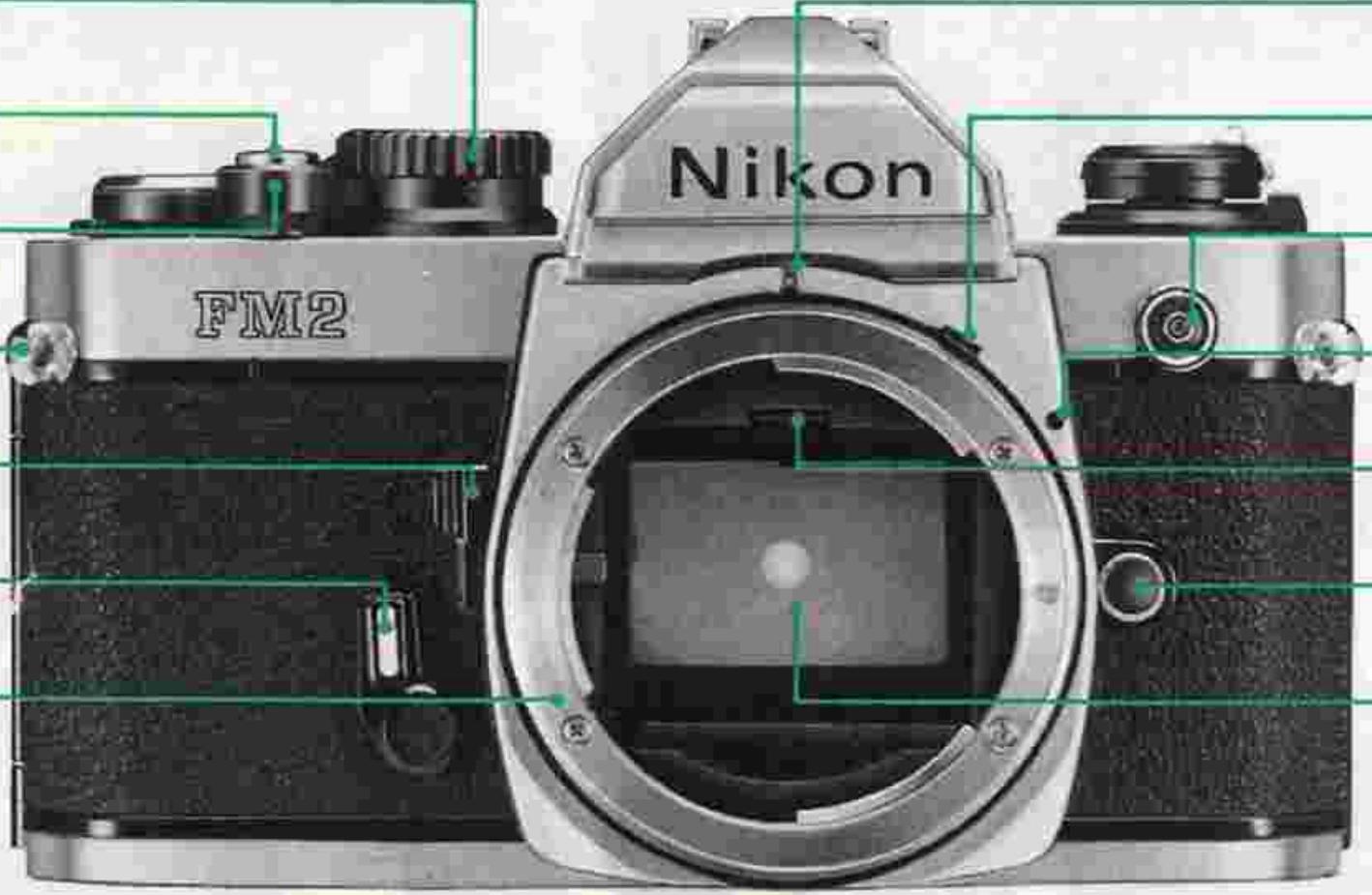
ADR window 17
Meter coupling lever 18
Sync cord terminal 19
Lens mounting index 20
Focusing screen release latch 21
Lens release button 22
Reflex mirror 23
⑧ Film advance lever
⑨ Ready-light
Viewfinder eyepiece
⑪ Rewind fork
⑫ Shutter curtains
⑬ Film cartridge chamber
⑭ Film guide pin
⑤ Film guide rails
16 Data back contacts
Film sprockets 24
Serial number 25
Film makeup spool 26
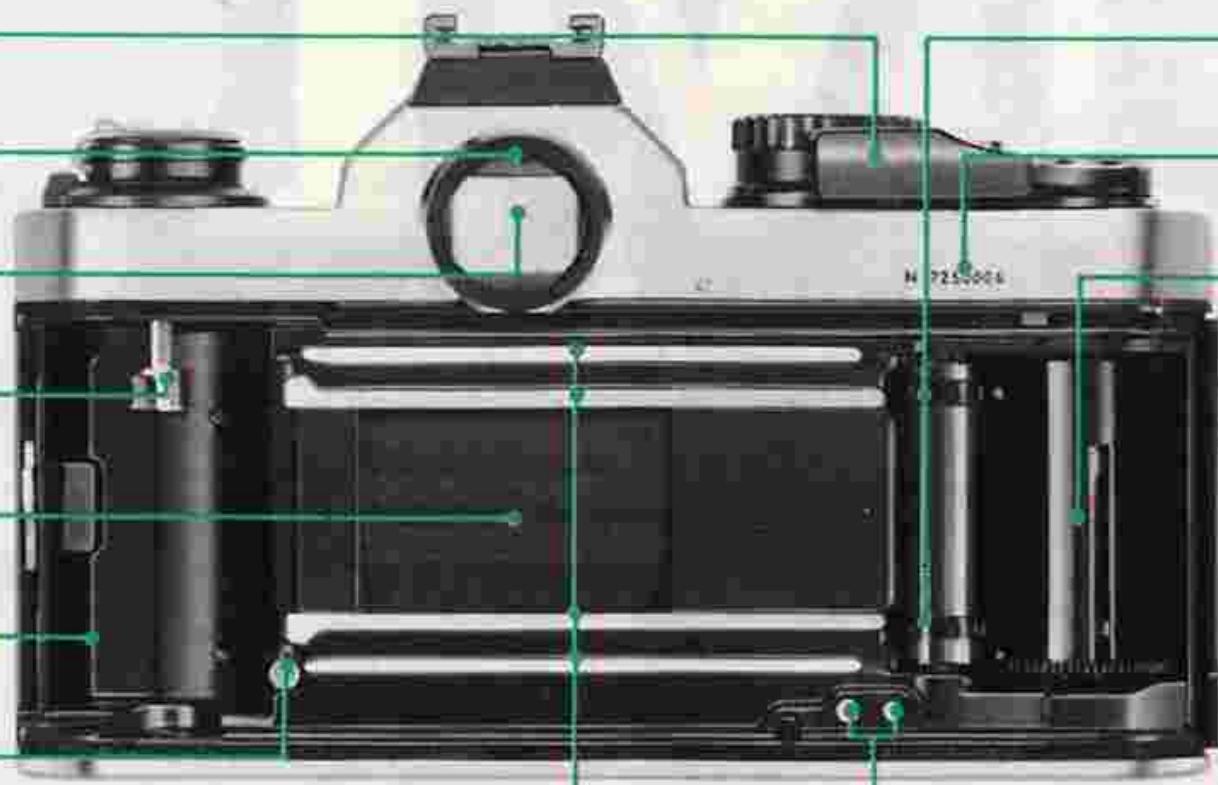
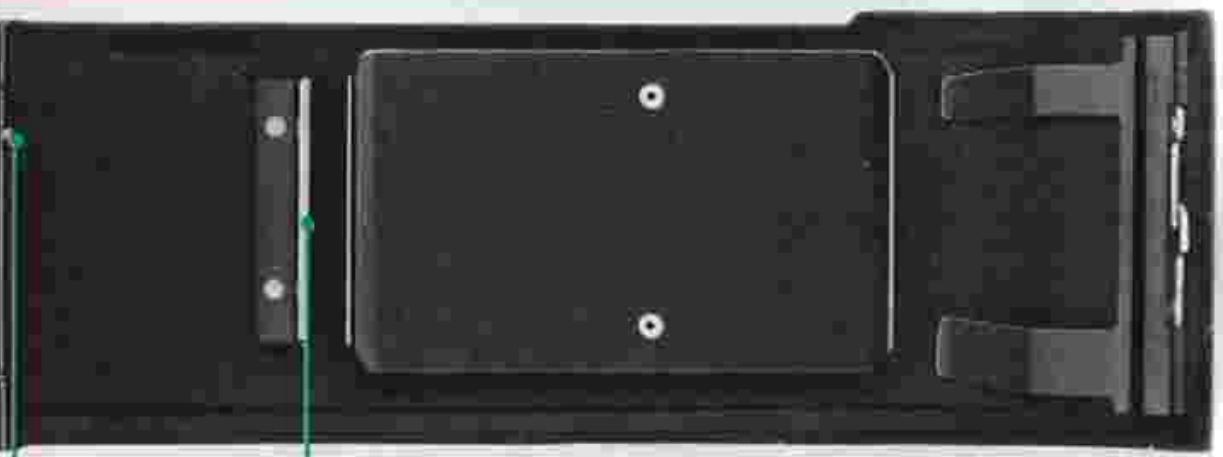
Film anti-curl roller 27
Locking catch 28
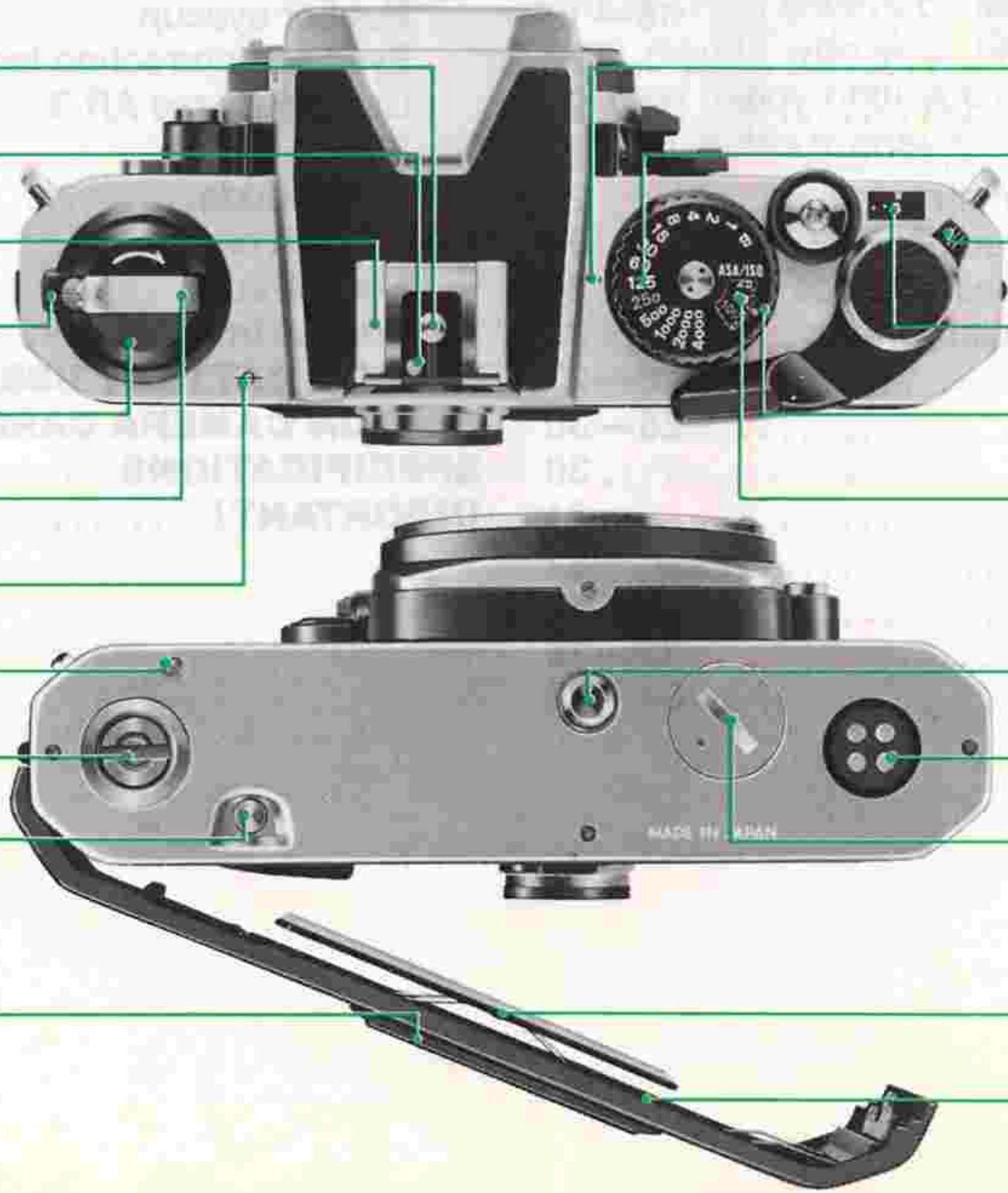
29 Depth-of-field indicators /Lens mounting ring
Distance scale 45
30 Aperture/Focusing index
Focusing ring 46
31 Infrared compensation index
Aperture scale 47
32 Meter coupling shoe
Aperture ring 48
33 Meter coupling ridge
ADR scale 49
34 Hot-shoe contact
Shutter speed index 50
35 Ready-light contact
Shutter speed dial 51
36 Accessory shoe
Multiple exposure lever 52
37 Camera back lock lever
Frame counter 53
38 Film rewind knob
ASA/ISO film speed indicator 54
39 Film rewind crank
ASA/ISO film speed dial 55
40 Film plane indicator
Tripod socket 56
④ Motor drive shutter coupling
Motor drive electrical contacts 57
42 Motor drive coupling
Battery chamber lid 58
④ Film rewind button
4 Memo holder
Film pressure plate 59
Camera back 60
NOMENCLATURE 2-3
FOREWORD 5
BASIC OPERATION 6-15
CONTROLS IN DETAIL. 16-35
Film advance lever. 16
Frame counter 16
Shutter release button. 17
ASA/ISO film speed dial. 18
Shutter speed dial/exposure determination. 18-25
Setting the shutter speed. 18-19
Setting the aperture. 20
Exposure determination. 21
Exposure display. 21
Metering range of exposure meter 22
Stop-down exposure measurement 23
Exposure measurement in special cases. 24
Duplication work and photomicrography. 25
Viewfinder/viewing & focusing 26-27
Depth-of-field preview lever. 28-30
Self-timer lever 30
Multiple exposure lever. 31
Memo holder. 32
Infrared compensation index. 32
Flash photography. 33-35
Ready-light. 34-35
ACCESSIONS 36-44
Interchangeable focusing screens. 36-37
Close-up equipment 38
Motor Drive MD-12. 39
Nikon Speedlights. 40
Data Back MF-16 41
Anti-Cold Battery Pack DB-2. 42
Right-Angle Viewing Attachment DR-3. 42
Eyepiece Magnifier DG-2. 42
Rubber eyecup. 42
Eyepiece correction lenses. 42
Cable Release AR-3. 42
Filters. 43
Lens hoods. 43
Camera cases. 44
Neckstraps 44
Compartment cases. 44
TIPS ON BATTERY USE 45
TIPS ON CAMERA CARE 46-47
SPECIFICATIONS 48-49
IMPORTANT! 50
FOREWORD
Thank you for your purchase of the Nikon FM2 and welcome to Nikon's world of photography. The Nikon FM2 offers many special features including top shutter speed of 1/4000 sec., and flash synchronization speeds as fast as 1/250 sec. The FM2 also incorporates a TTL full-aperture metering system and high-precision mechanically-controlled shutter curtains. These features enable full manual operation and mechanical control—the FM2 works without batteries at all speeds, for a wide range of purposes. Whenever you are, at home or far afield, you'll always be ready for great shooting. To obtain the best results with your FM2, be sure to keep this instruction manual handy until you've fully mastered its operation—just a few minutes to ensure many years of rewarding photography.
BASIC OPERATION
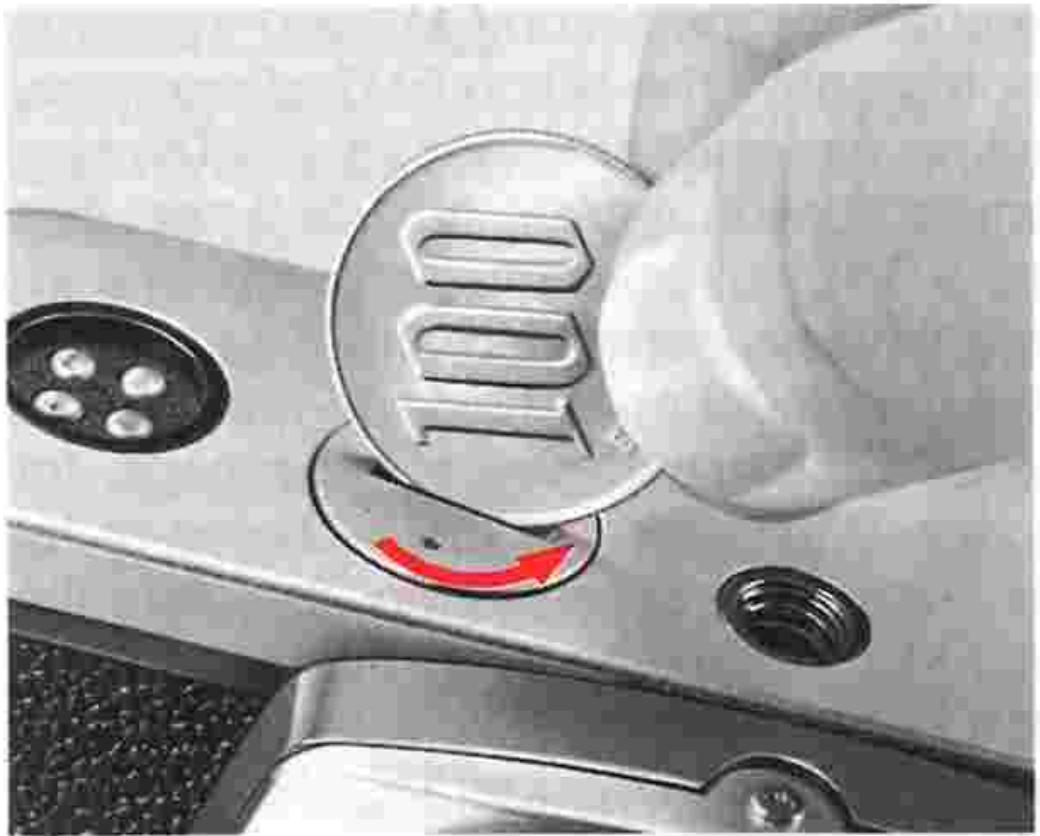
1. Remove the battery chamber lid 58
Use a coin to unscrew the lid in a counterclockwise direction.
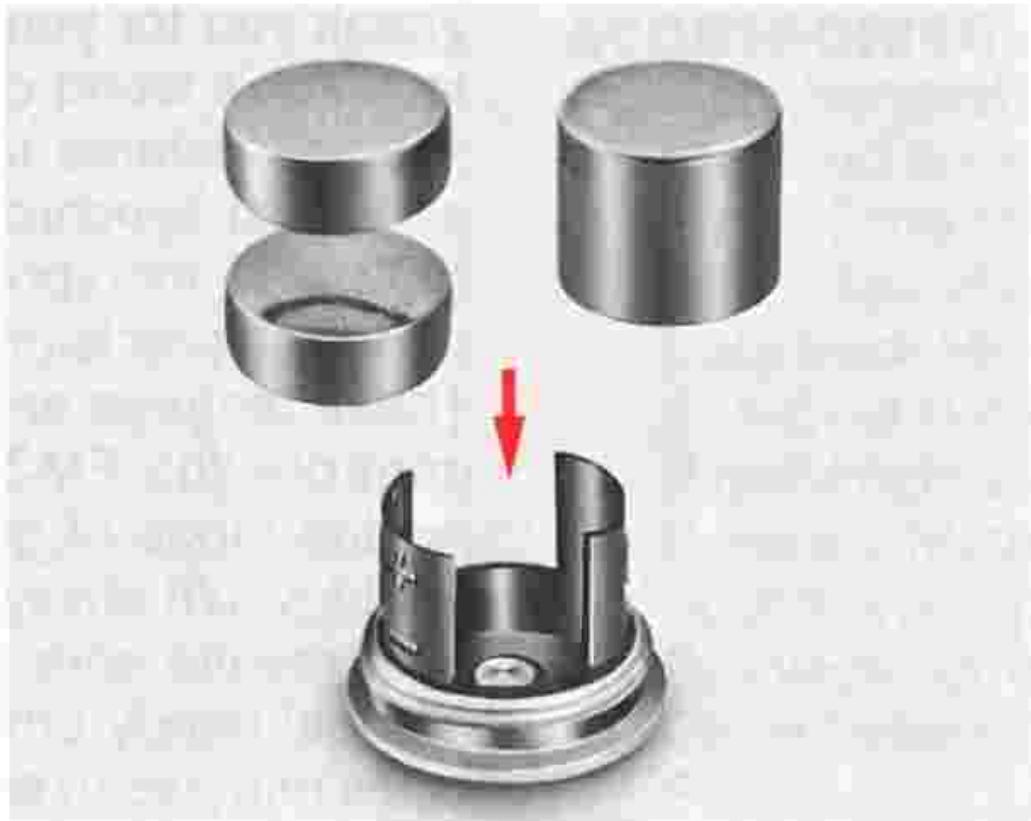
Install the battery.
Wipe the battery terminals clean and insert the batteries, making sure that the + signs are up. Usable batteries are:
- 3V lithium battery (1 unit)
1.55V silver-oxide batteries, 3.1V (2 units)
1.5V alkaline-manganese batteries, 3V (2 units)
Caution: Keep batteries away from infants and small children. In case a battery is accidentally swallowed, call a doctor immediately as the material inside the batteries can cause serious problems.
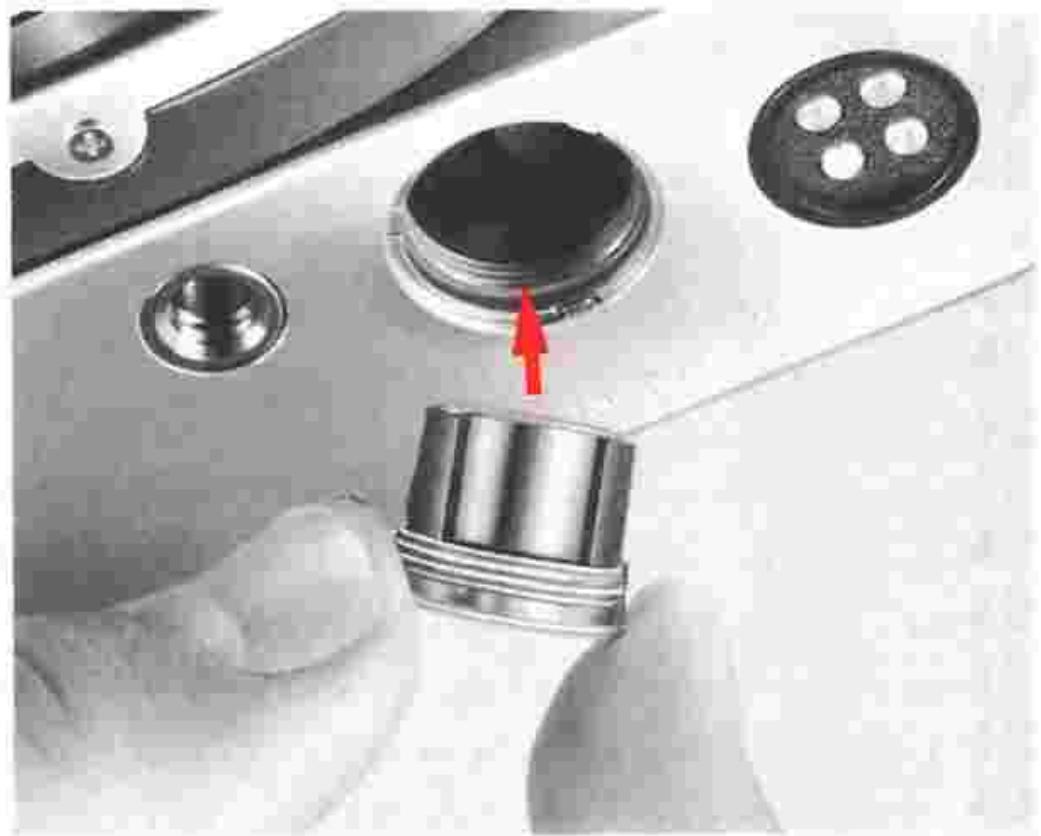
3. Put the battery chamber lid back in its place.
Slip the battery clip back into the camera body baseplate and screw it clockwise tightly into place.
Note: For more information on batteries, refer to page 45.
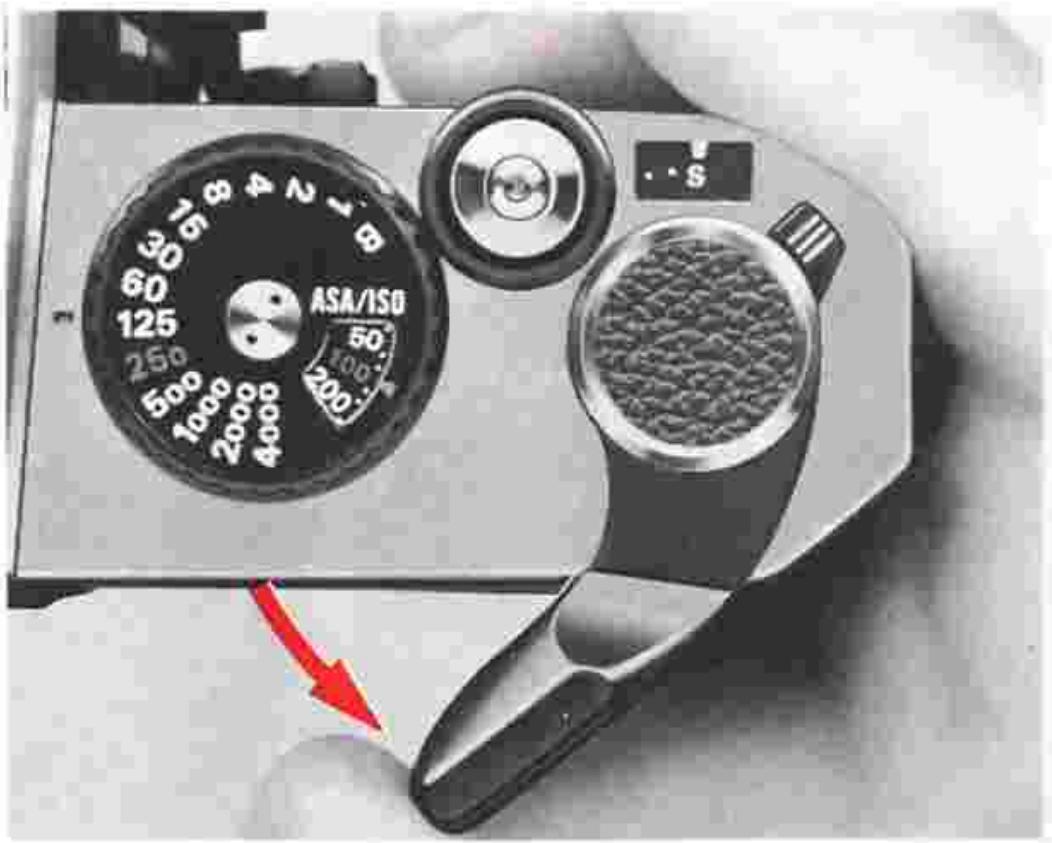
4. Pull out the film advance lever to unlock the shutter release button ②.
The film advance lever doubles as a shutter release button lock. You can unlock the shutter release button by simply pulling out the film advance lever slightly from the flush to the standoff position.
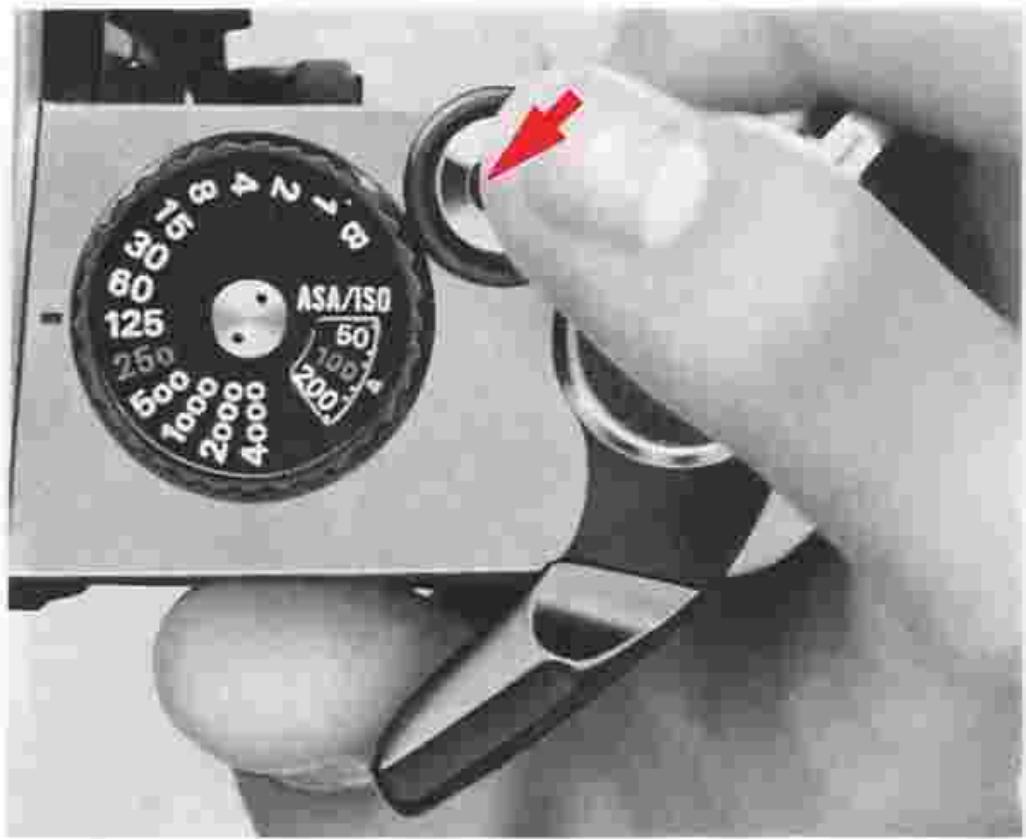
5. Press the shutter release button lightly to switch the exposure meter on.
The shutter release button activates the exposure meter when lightly pressed. The meter itself stays on for approx. 30 sec. after you have taken your finger off the button.
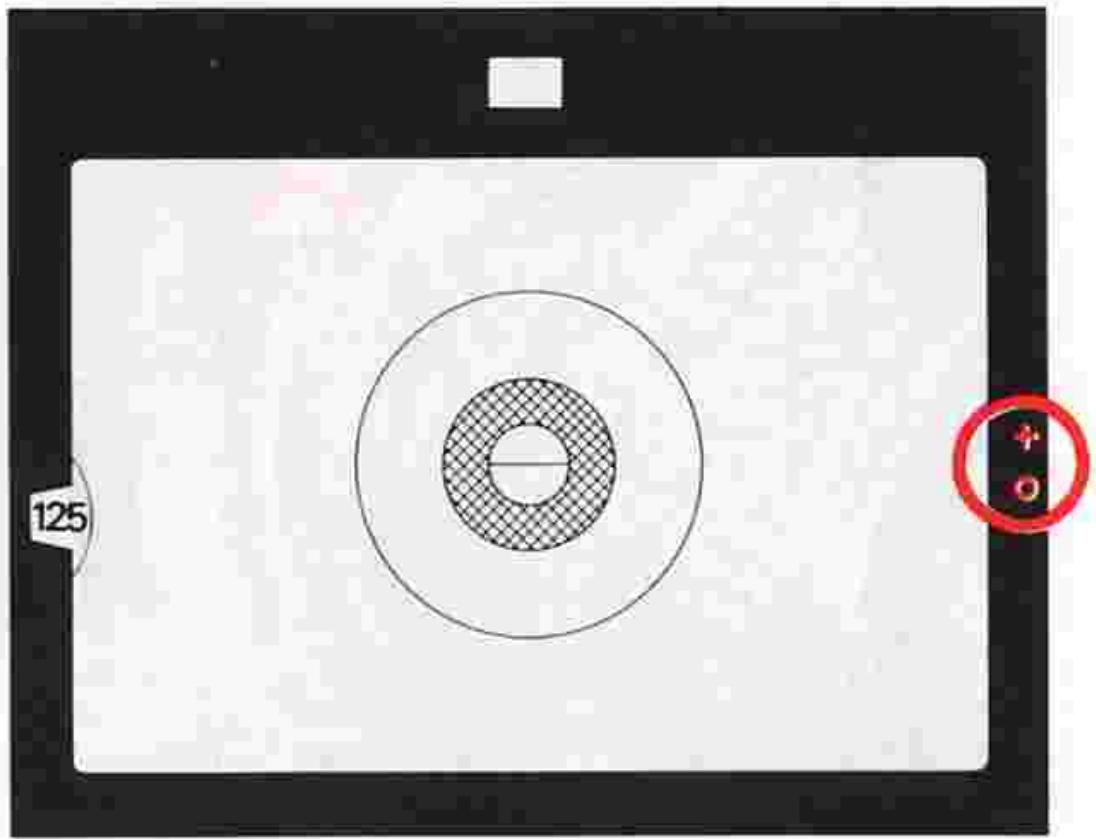
6 Check battery power.
Switch the exposure meter on while looking through the viewfinder. If one or two of the red LED exposure indicator lamps inside lights up, this would mean normal condition.
Note: When the shutter speed dial 5 is on B (bulb), none of the exposure indicator lamps will light up. Be sure to set the dial at another position. If none of the exposure indicator lamps light up, either the battery is improperly installed—in which case you should install it properly—or battery power is not sufficient, in which case you should change the battery.
BASIC OPERATION—continued
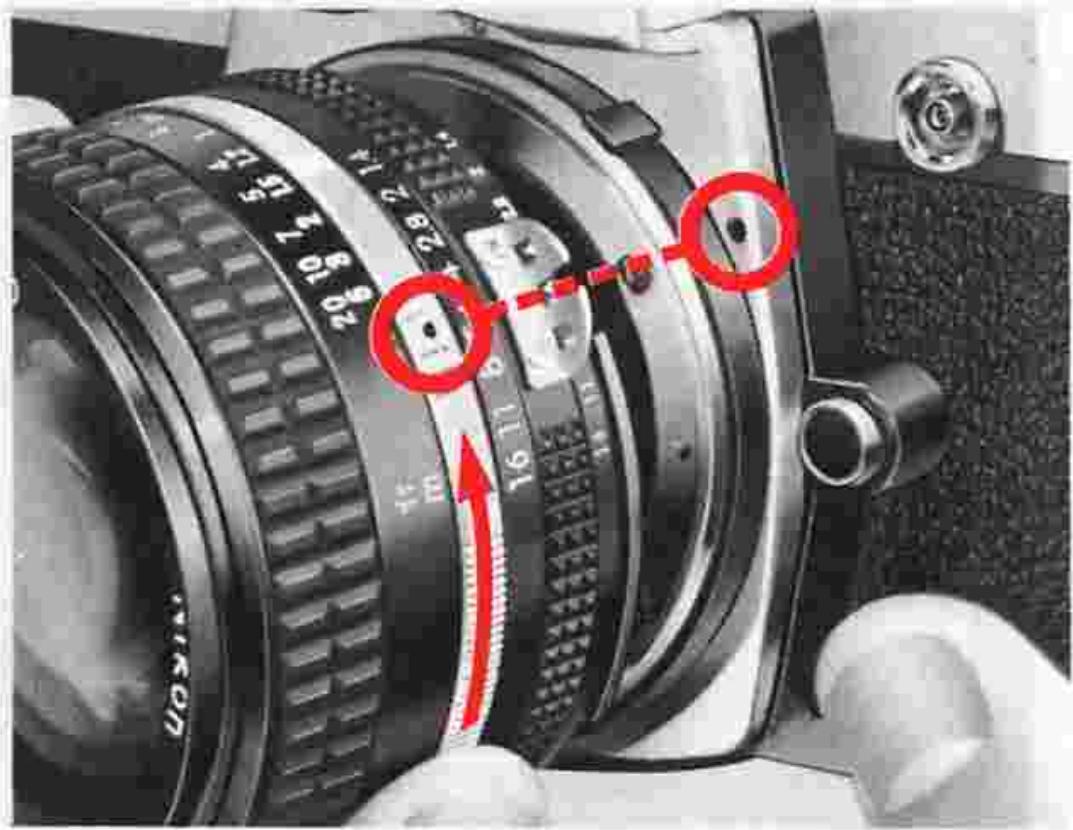
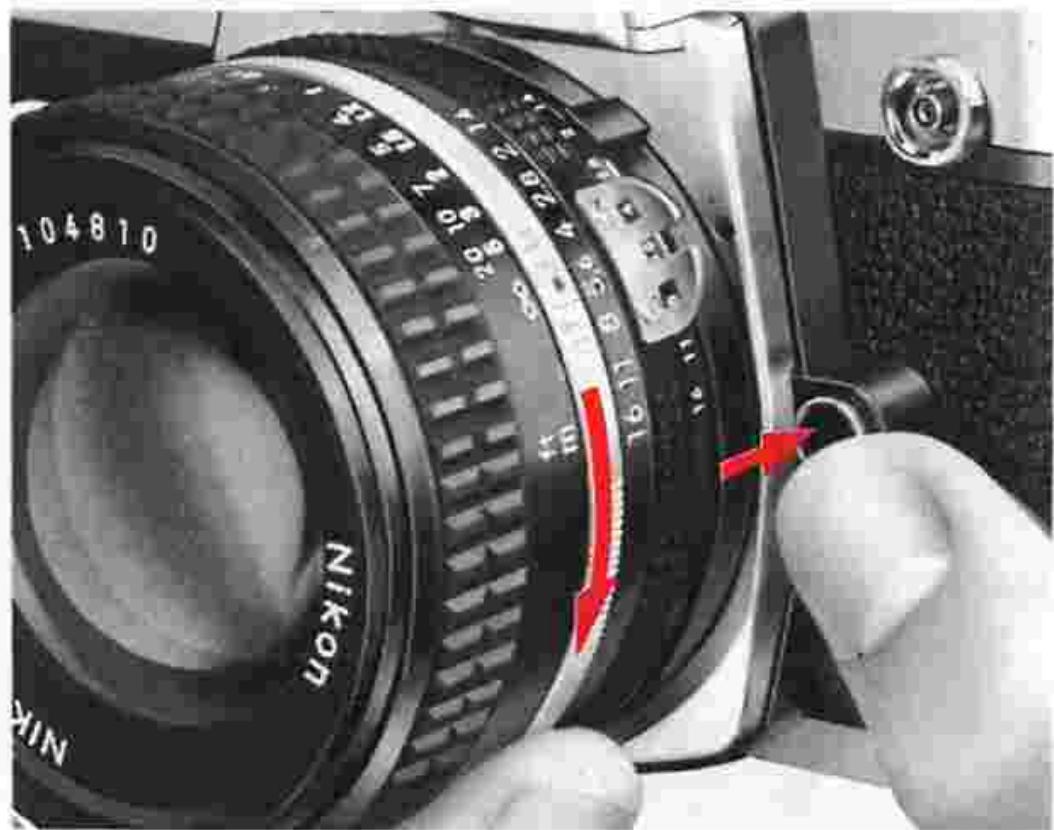
7 Mount the lens onto the camera.
Place the lens onto the camera, lining up the aperture/focusing index 30 on the lens with the lens mounting index 20 on the camera body. Then twist the lens mounting ring 29 counterclockwise until it clicks into place. Confirm that the aperture/focusing index is right on top.
To remove: Push the lens release button ② and turn the lens mounting ring clockwise until the lens comes off.
Note: When changing lenses with film loaded in the camera, be careful not to expose the mirror box to direct sunlight.
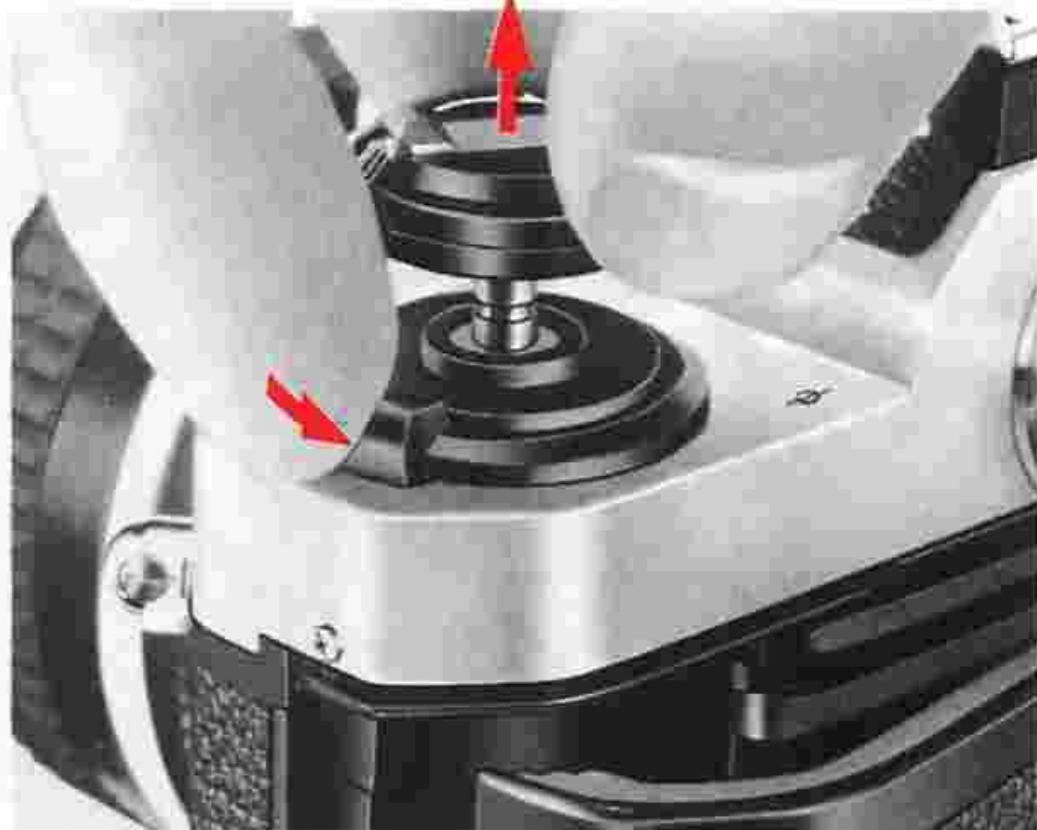
8. Open the camera back 60
Push the camera back lock lever ③7 counterclockwise with your index finger while lifting the film rewind knob ⑧ . The camera back will pop open.
Caution: Never touch the shutter curtains.
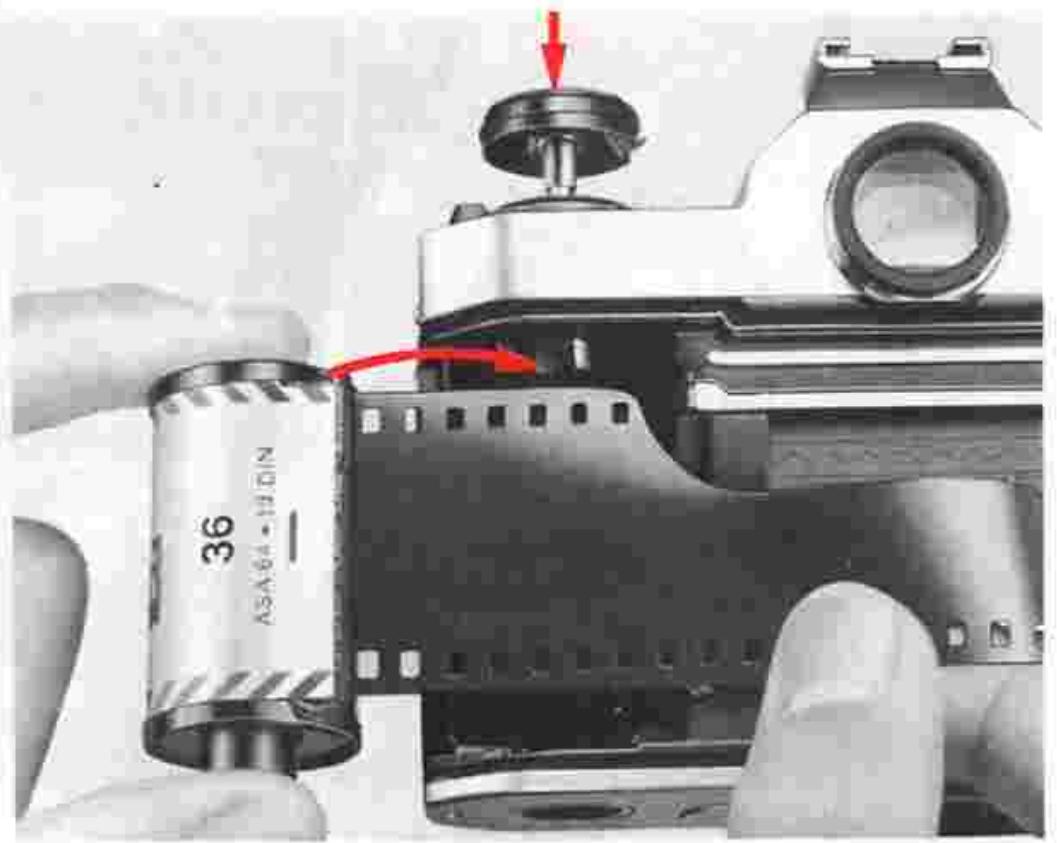
- Install the film cartridge. Position the film cartridge in the film cartridge chamber with the film leader pointing towards the makeup spool, and push the rewind knob back down to secure it in place.
Note: You can use any of the 35mm film cartridges available on the market. It is advisable to handle film in the shade to avoid direct exposure to sunlight.
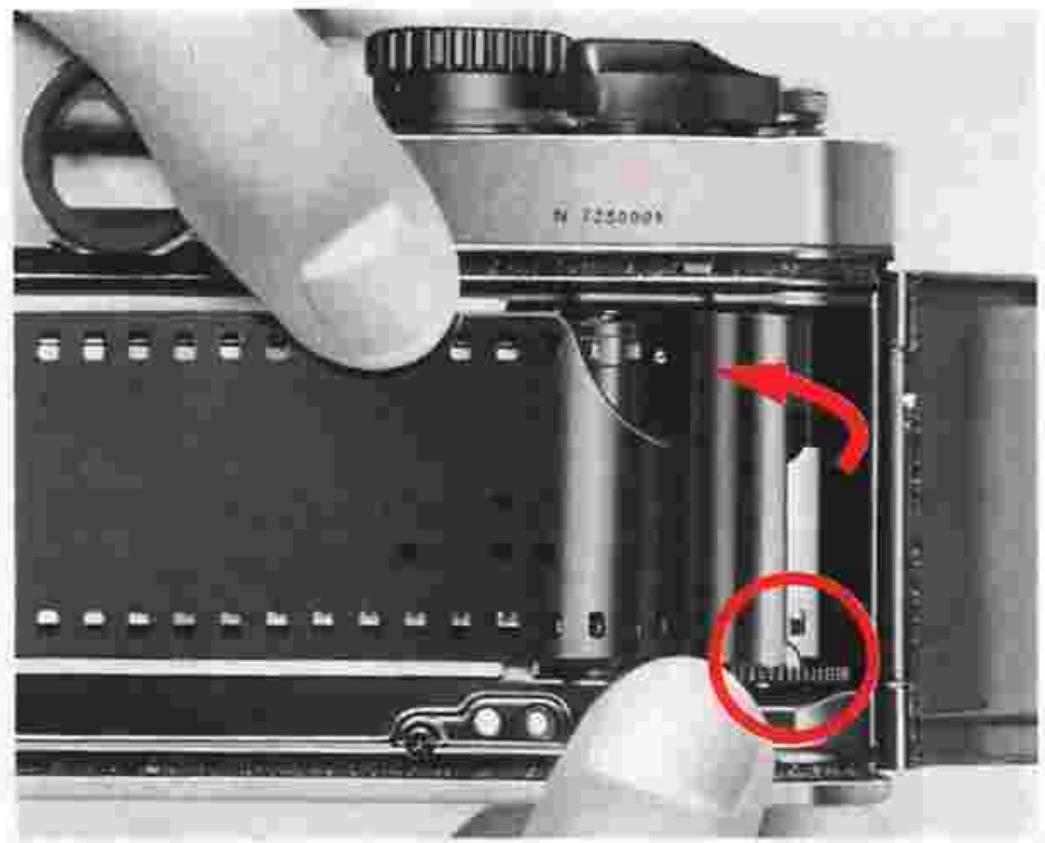
- Insert the film leader in the makeup spool.
Pull the leader across gently and insert it into one of the slots in the film makeup spool. Slowly rotate the makeup spool inwards with your thumb, making sure the latch in the slot engages the first or second perforation along the side of the film leader.
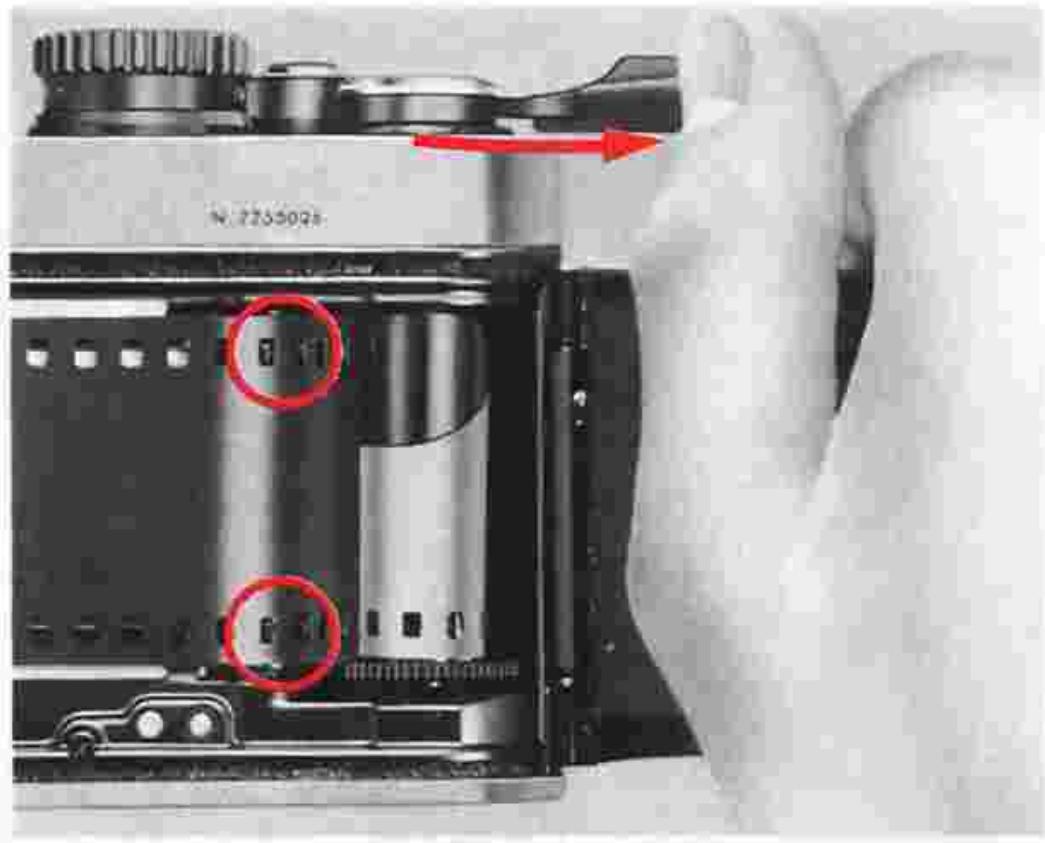
- Wind the film advance lever to advance film onto the makeup spool.
Wind the film advance lever and depress the shutter release button until the film sprockets ② engage the perforations on the edges of the film. Make sure you wind the lever fully until it comes to a stop.
BASIC OPERATION—continued
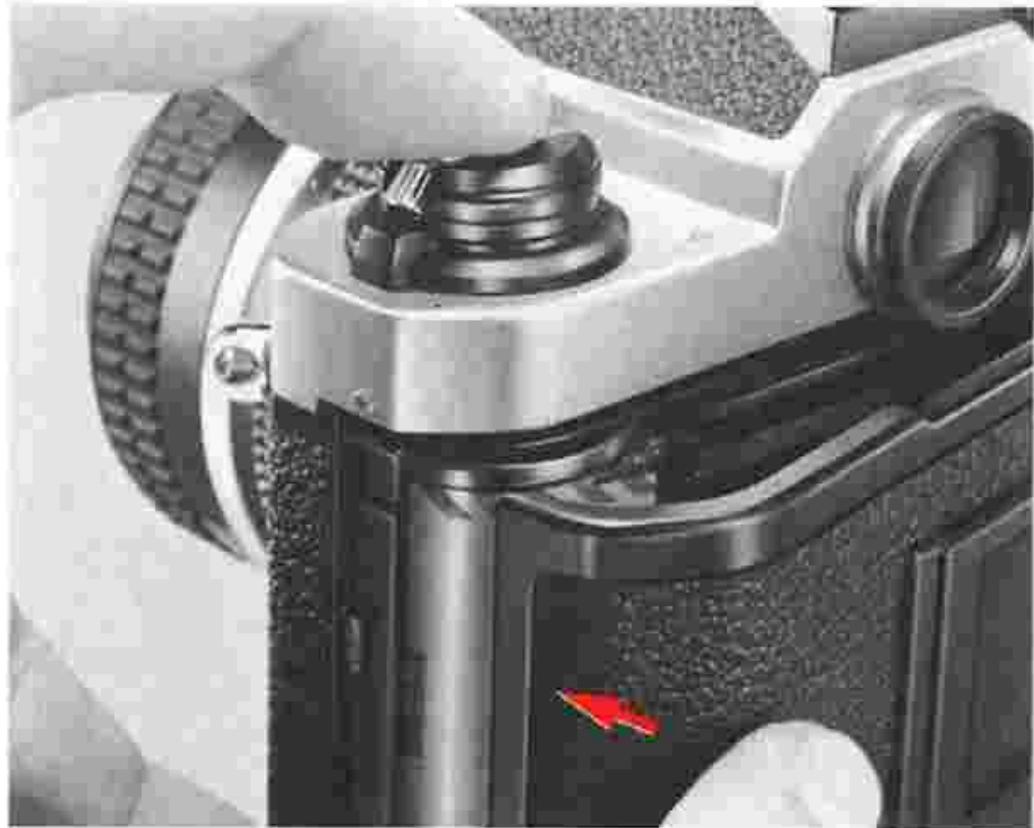
12. Close the camera back.
Close the camera back until it snaps shut, making sure that the perforations are perfectly meshed with the sprockets and that the film is set between the film guide rails 15.

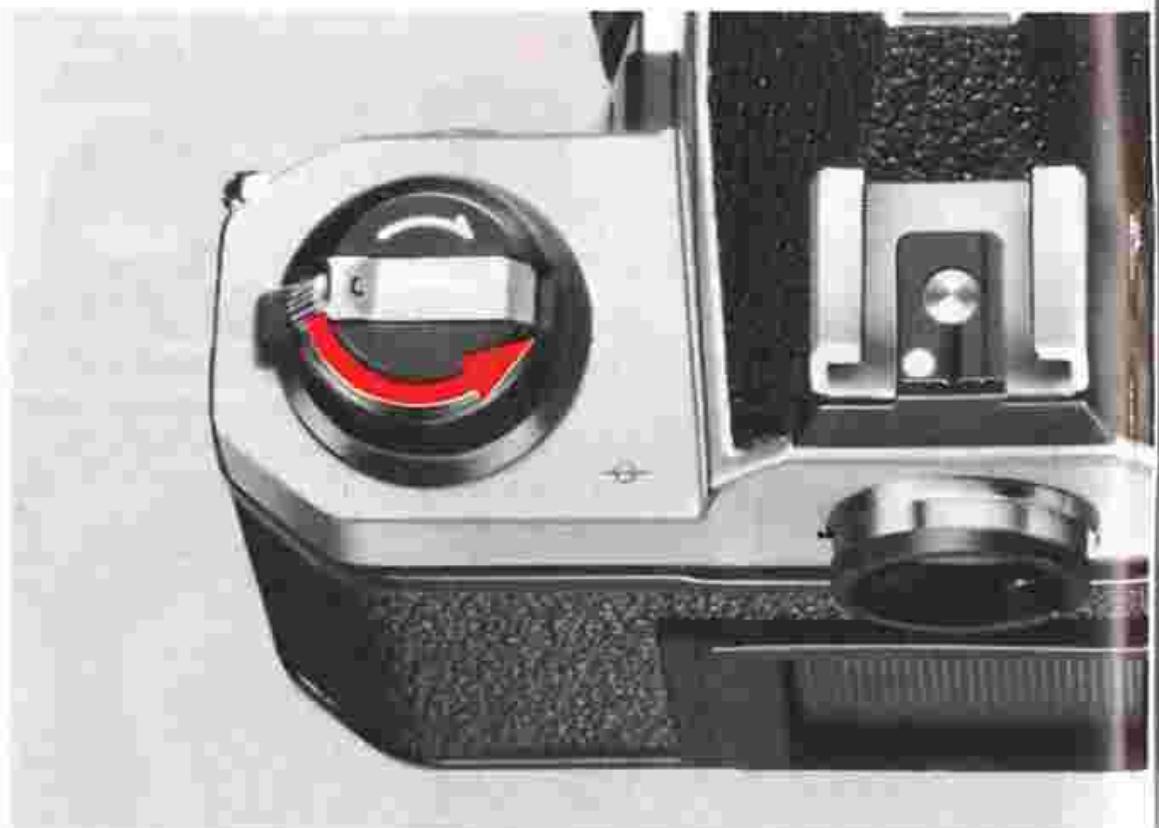
Take up film slack.
Fold out the film rewind crank and rotate it in the direction of the arrow on the film rewind knob until it stops. Then fold the crank back in.
14. Make blank exposures until the frame counter reaches frame 1.
Press the shutter release button and wind the film advance lever until the frame counter reaches frame 1. As you wind the lever, confirm that the film rewind knob rotates counterclockwise. This indicates the film has been loaded and is being advanced correctly. If the knob fails to rotate, reload the film cartridge.
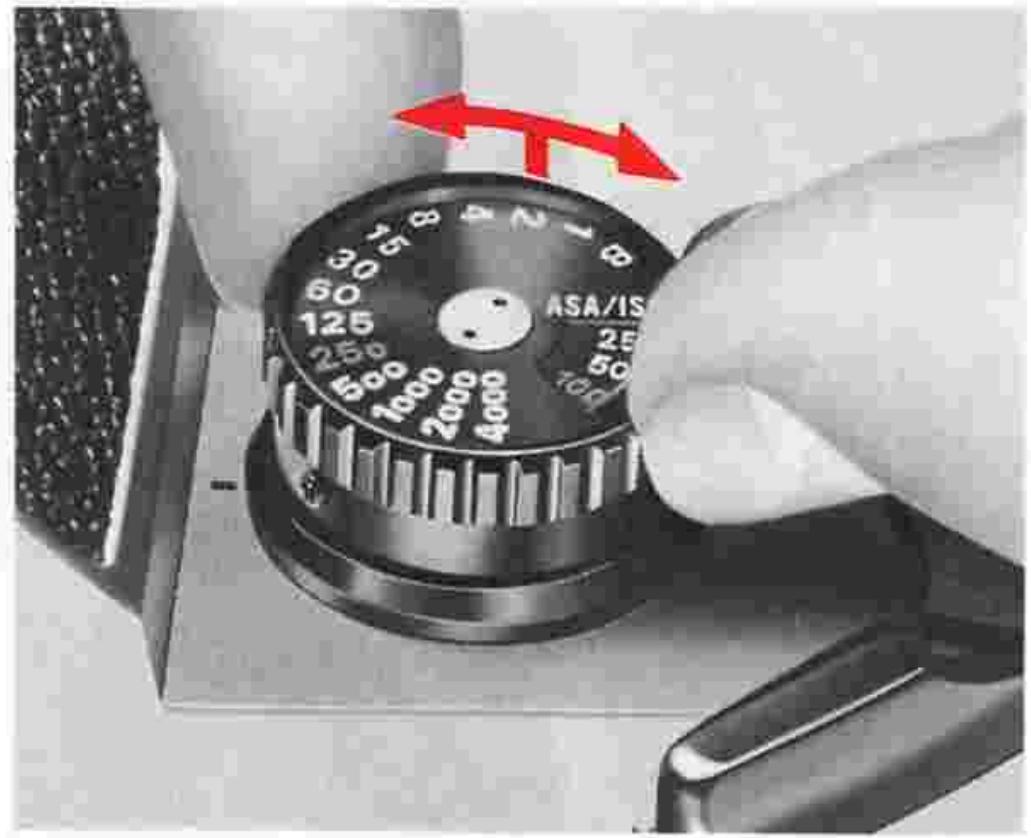
15. Set the ASA/ISO film speed.
Lift the ASA/ISO film speed ring ① and rotate it in either direction until the red ASA/ISO film speed indicator 54 is opposite the ASA/ISO film speed indication in use. Unless the film speed is set correctly, you cannot obtain correct exposure. For film speeds not indicated in the ASA/ISO film speed dial 55, refer to page 18.
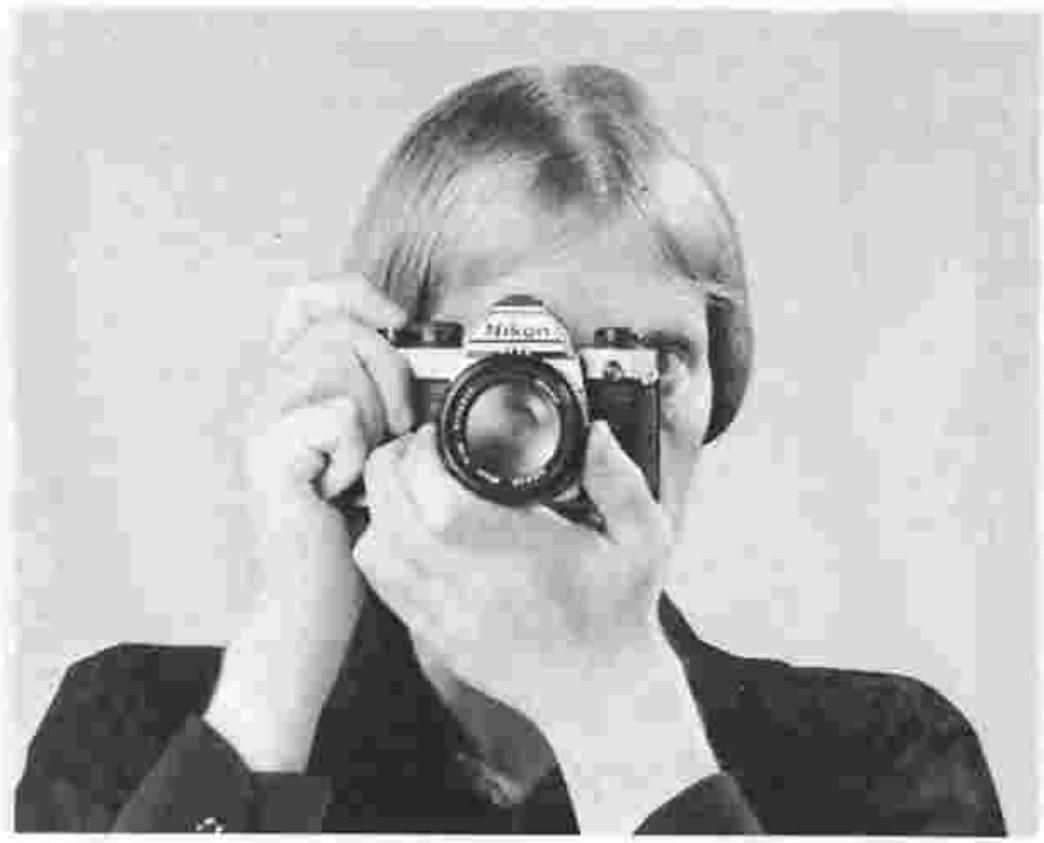
16. Hold the camera and point it at the subject.
Basic holding posture: Use your left hand to cradle the camera, with your fingers wrapped around the lens and the elbow propped against your body for support, as you look through the viewfinder. Use your right hand's index finger to depress the shutter release button and your thumb to wind the film advance lever. Wrap the other fingers of your right hand around the camera body. You can adapt this basic posture to both horizontal and vertical format shooting. To hold the camera steady, it is advisable to lean on or against something strong and stable (e.g., a wall). Also, you can look through the viewfinder with the right or left eye, with the other eye closed or open.
BASIC OPERATION—continued
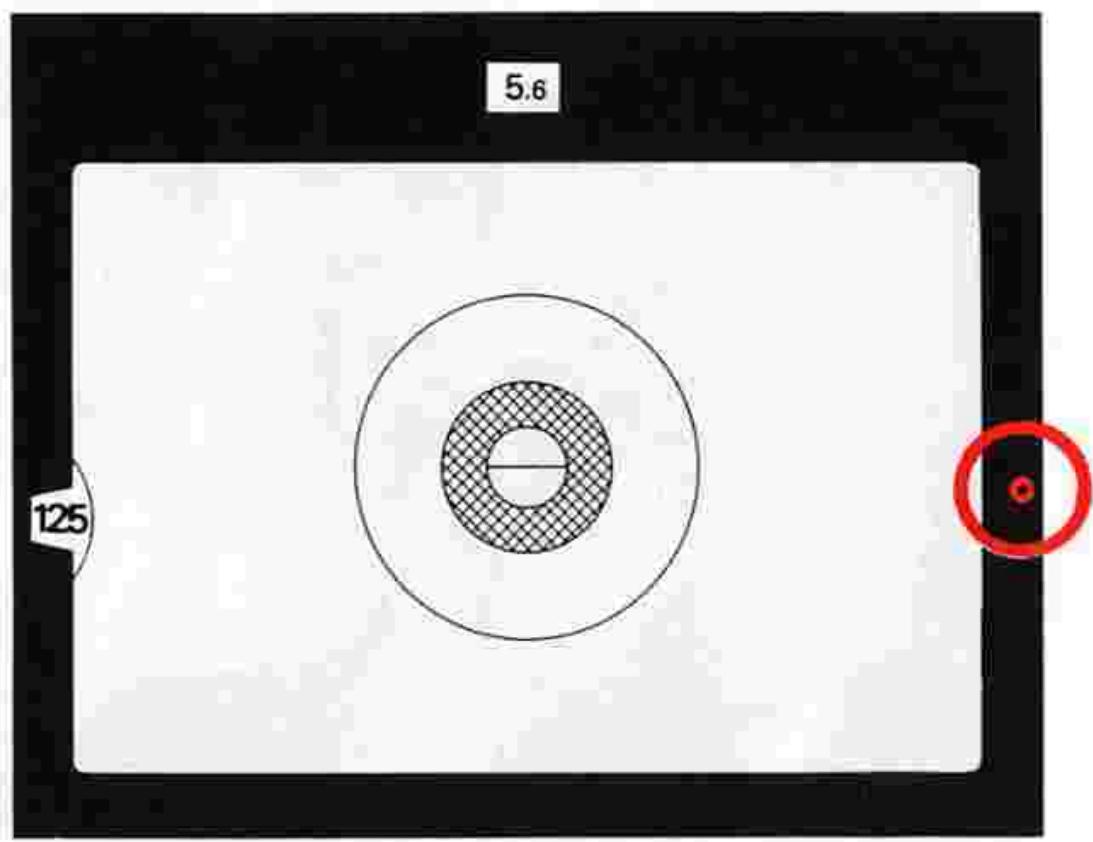
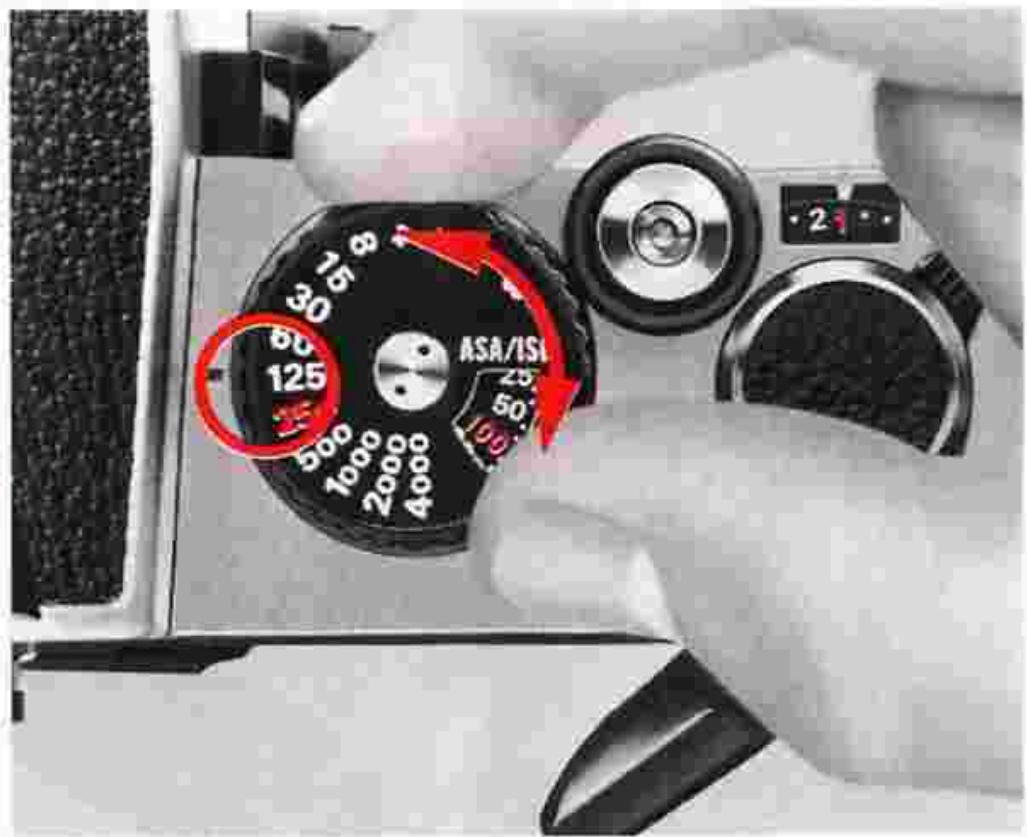
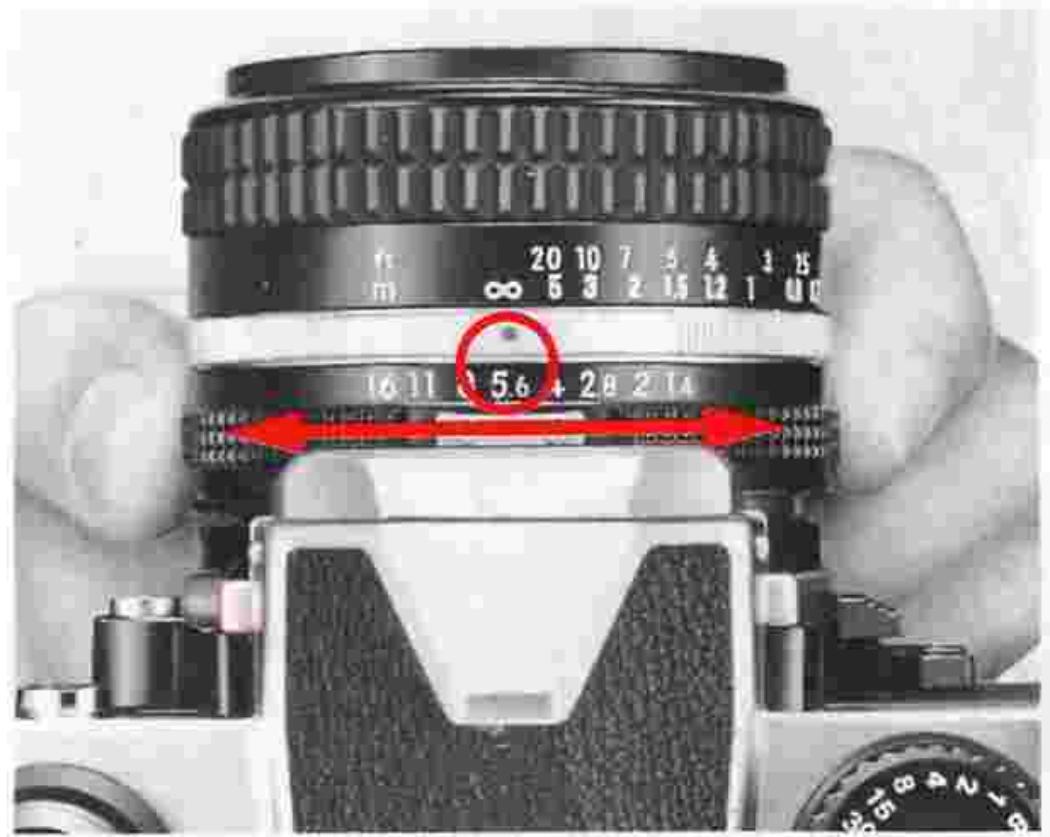
47 Set the correct exposure.
First, position your main subject at the center (i.e., the 12mm-diameter circle) of the field of view inside the viewfinder. Then turn the shutter speed dial ⑤ and/or lens aperture ring ④ until the LED lamp for the symbol for correct exposure o lights up.
Important! Intermediate settings of lens aperture but not of shutter speed are usable.
Note: The meter reads the light over the entire focusing screen but has a distinct bias on the central 12mm-diameter area.
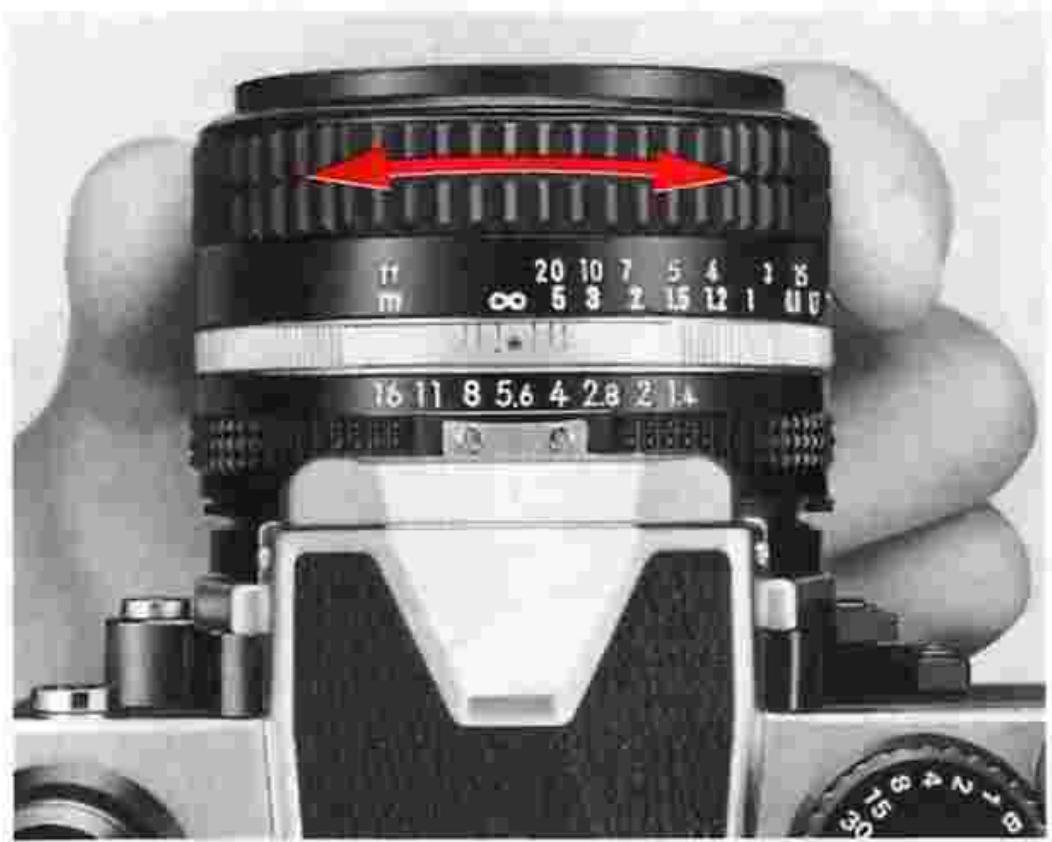
18. Focus on the subject by rotating the lens focusing ring 46
The FM2 is provided with the Type K2 focusing screen as standard. Look through the viewfinder while turning the focusing ring until the two halves of the split image rangefinder coincide perfectly to form a single unbroken image and the image in the microprism grid appears sharp. Correct focus will then be secured.
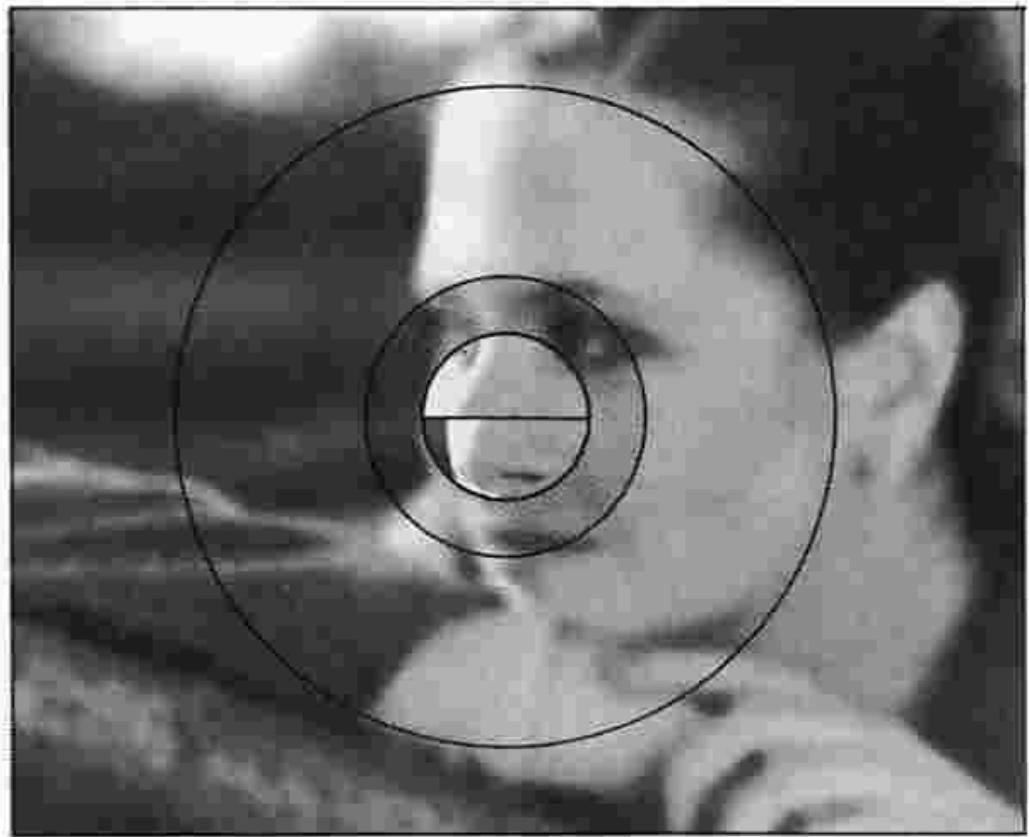
Out of focus
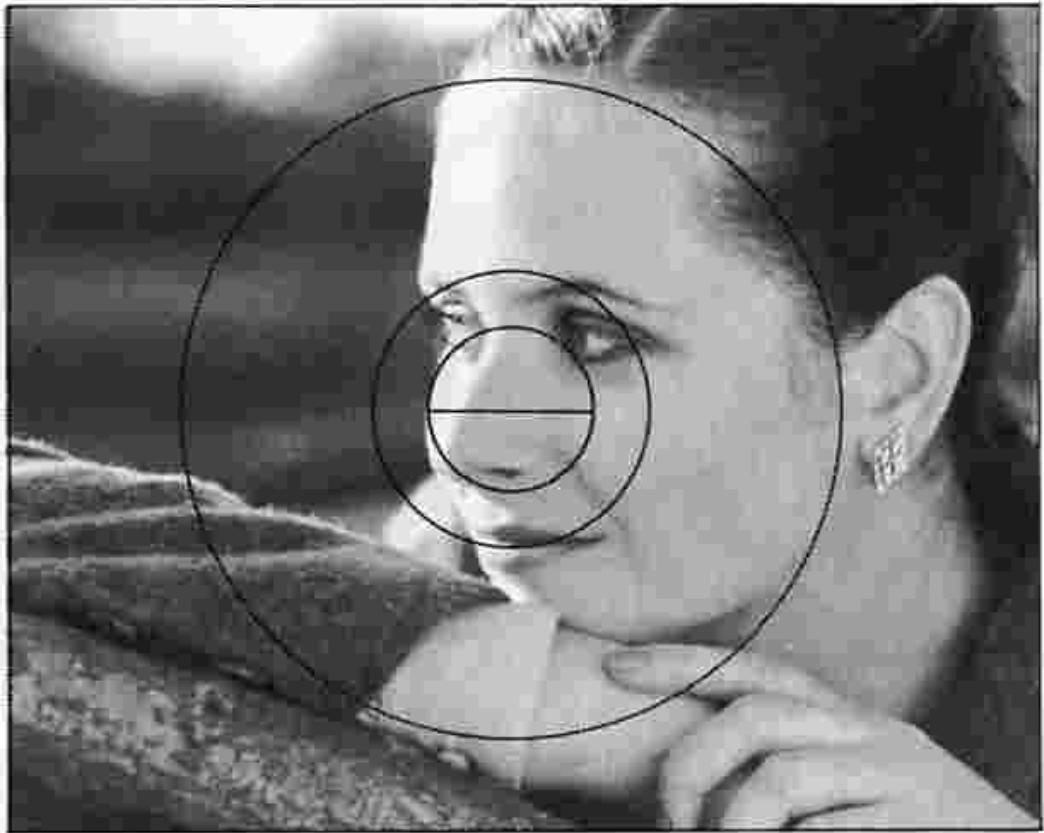
In focus
BASIC OPERATION—continued

19. Depress the shutter release button.
Look through the viewfinder, and depress the shutter release button. In depressing the shutter release button, apply light but steady pressure with the ball of your index finger to avoid camera shake that might result in image blur.
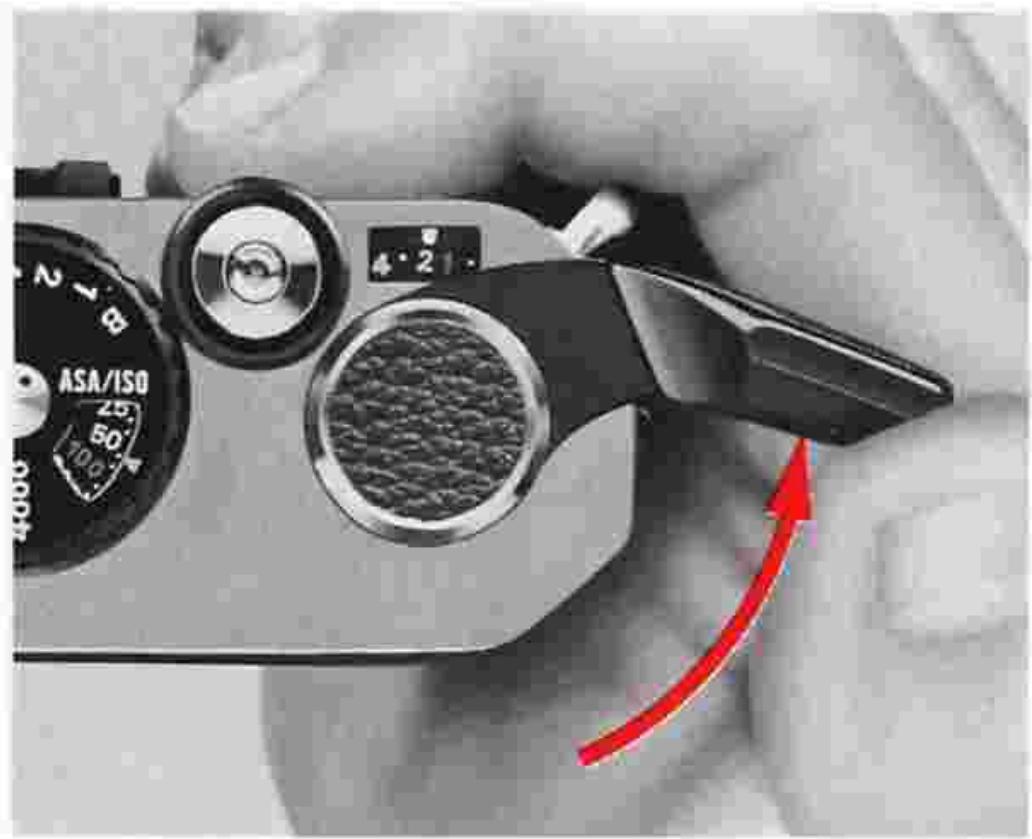
20. Advance the film. Wind the film advance le
Wind the film advance lever as far as it will go to transport the film to the next frame and ready the camera for the next shot. Do not apply excessive pressure in winding the lever. You cannot wind the lever when the film is at an end—you should then rewind the film.
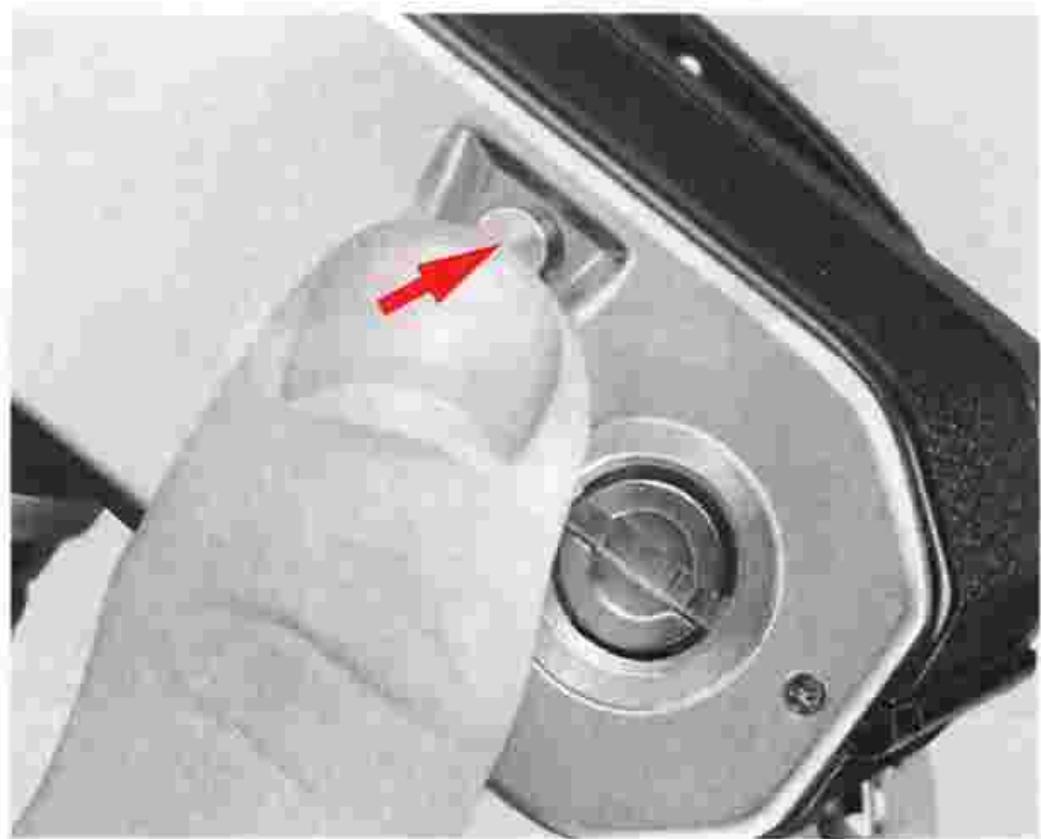
21. Press the film rewind button 43.
After the last exposure has been made, turn the camera upside down and press the film rewind button, so that the exposed film can be rewound back into its cartridge. You don't have to depress the button all the way.

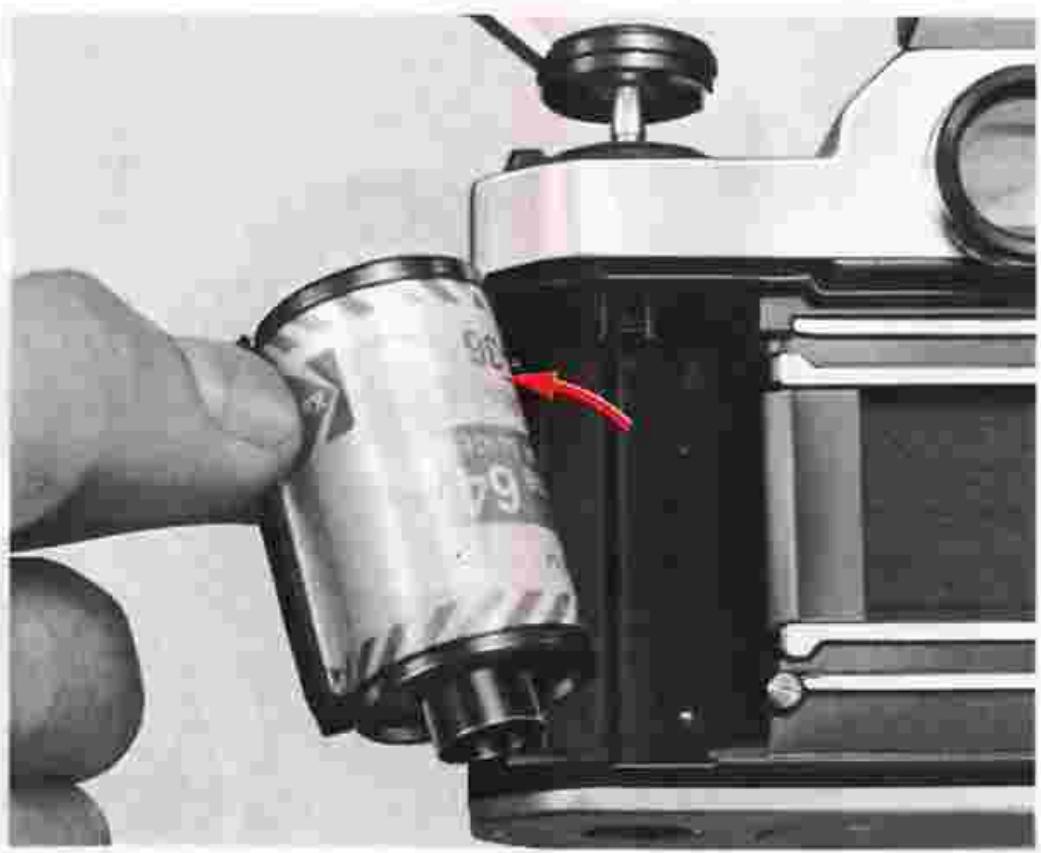

Rewind the film.
Lift the film rewind crank and turn it in the direction of the arrow. At the end of film rewind, you will feel a slight resistance. Continue winding one or two more turns until the crank feels lighter; this will indicate that the film leader is now fully rewound into the cartridge.
23. Remove the film cartridge.
Push the camera back lock lever in the direction of the arrow as you lift the film rewind crank to open the camera back. Take out the film cartridge. Avoid unloading film in direct sunlight.
24. Put the film advance lever back into place.
Close the camera back and push the film advance lever into place. When you're not using the camera, you should set the film advance lever to this position which locks the shutter release button and keeps the exposure indicator lamps inside the viewfinder switched off even if the shutter release button is accidentally pressed.
Note: Even if the exposure indicator lamp is lit, it will automatically be switched off in approx. 30 sec., and the exposure measuring circuit will simultaneously be cut off.
CONTROLS IN DETAIL
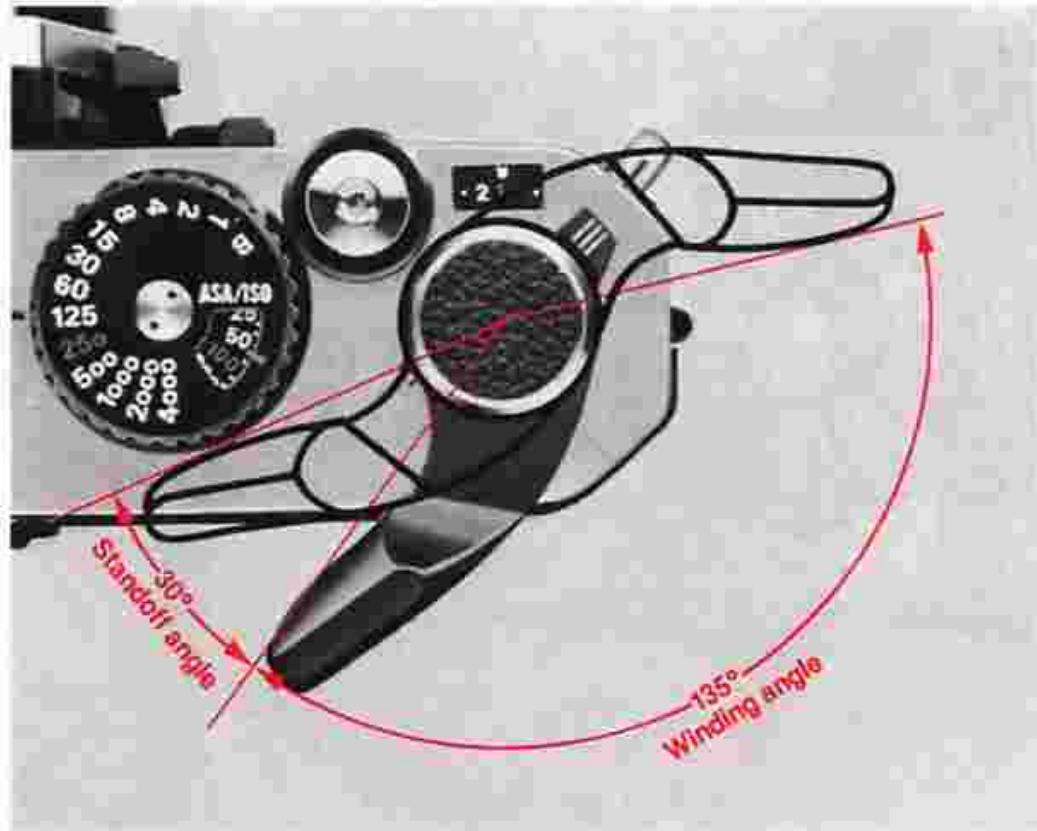
Film advance lever ⑧
The film advance lever also functions as a lock for the shutter release button. The shutter release button is unlocked when the lever is pulled out to the standoff position. To advance the film, wind the lever to the right all the way until it stops. It automatically returns to the standoff position the moment you take your thumb off it. A single, completed stroke of the lever advances the film by a single frame and simultaneously cocks the shutter.
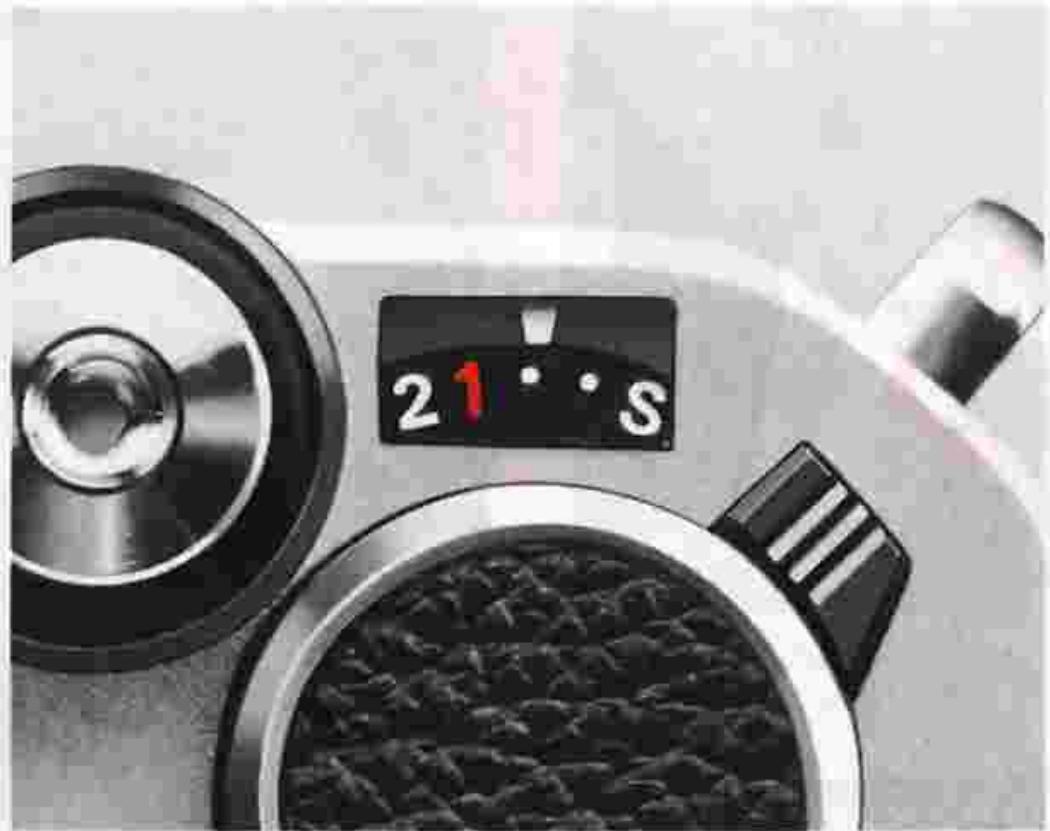
Frame counter 53
The additive type frame counter is graduated from S·1 2 4—up to 36 in even numbers with odd numbers indicated by white dots in between the even numbers. Even if there's no film in the camera, the frame counter is operative, advancing by a single frame every time the film advance lever is fully wound. After frame 36 of a 36-exposure roll of film, the counter will not operate even if you repeatedly press the shutter release button and wind the film advance lever; film will be advanced, however, until the actual end of the film roll. The counter is automatically reset to S when the camera back is opened.
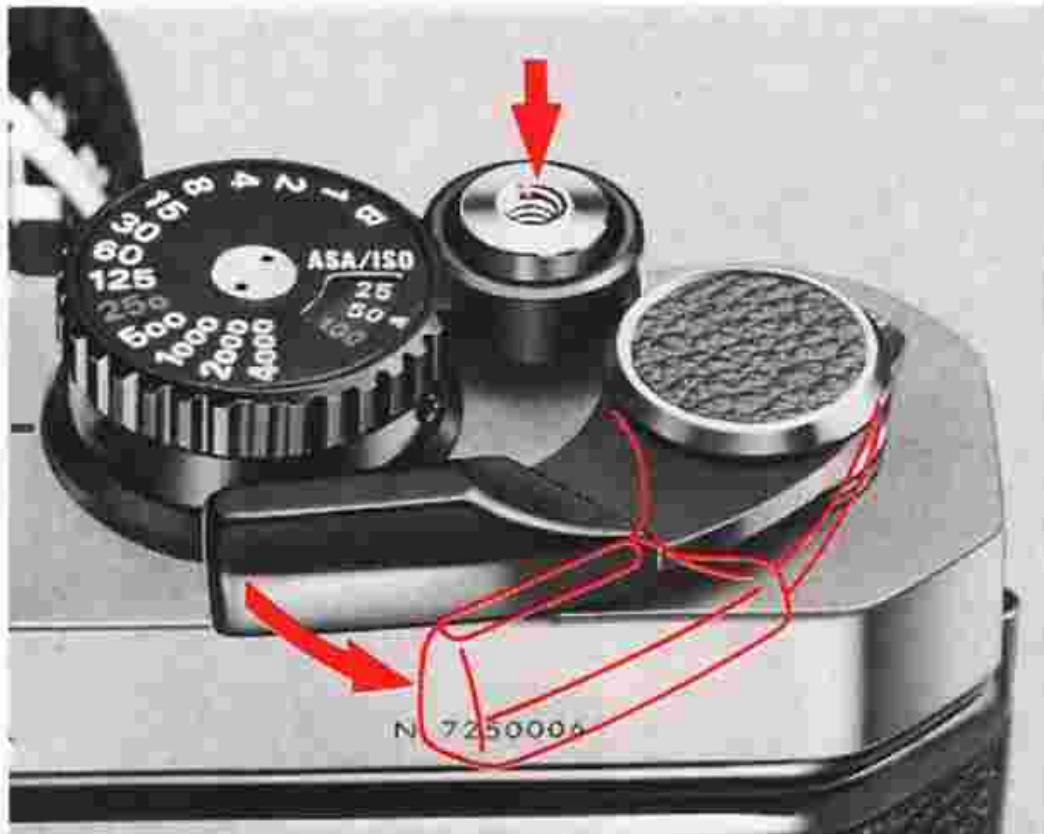
Shutter release button ②
The shutter release button also serves to activate the FM2's built-in exposure meter. When the film advance lever is in the flush position, the shutter release button is locked and will not operate. To release the button from its locked position, pull out the film advance lever to the standoff position. Slight pressure on the shutter release button will then switch on both the exposure meter and the LED exposure information display inside the viewfinder. The meter and the display remain on for approx. 30 sec. after the finger is removed from the button, after which they are automatically switched off to conserve battery power. Pressing the shutter release button all the way down releases the shutter. When you depress the button, touch the fingerguard ③ with the tip of your index finger and depress it lightly with smooth, even pressure. This makes shutter release operation smooth and stable. With a shutter speed of 1/30 sec. or
slower, it is advisable to attach the camera to a tripod and use a cable release to release the shutter; this will prevent camera shake which results in blurred photographs. The cable connector can be screwed into the hole at the center of the shutter release button. If the tripod has a large head, contact between the lens barrel and the head may make it impossible to turn the lens aperture ring. In this case, use the special tripod adapter supplied with the camera between the tripod head and the camera body.
CONTROLS IN DETAIL—continued
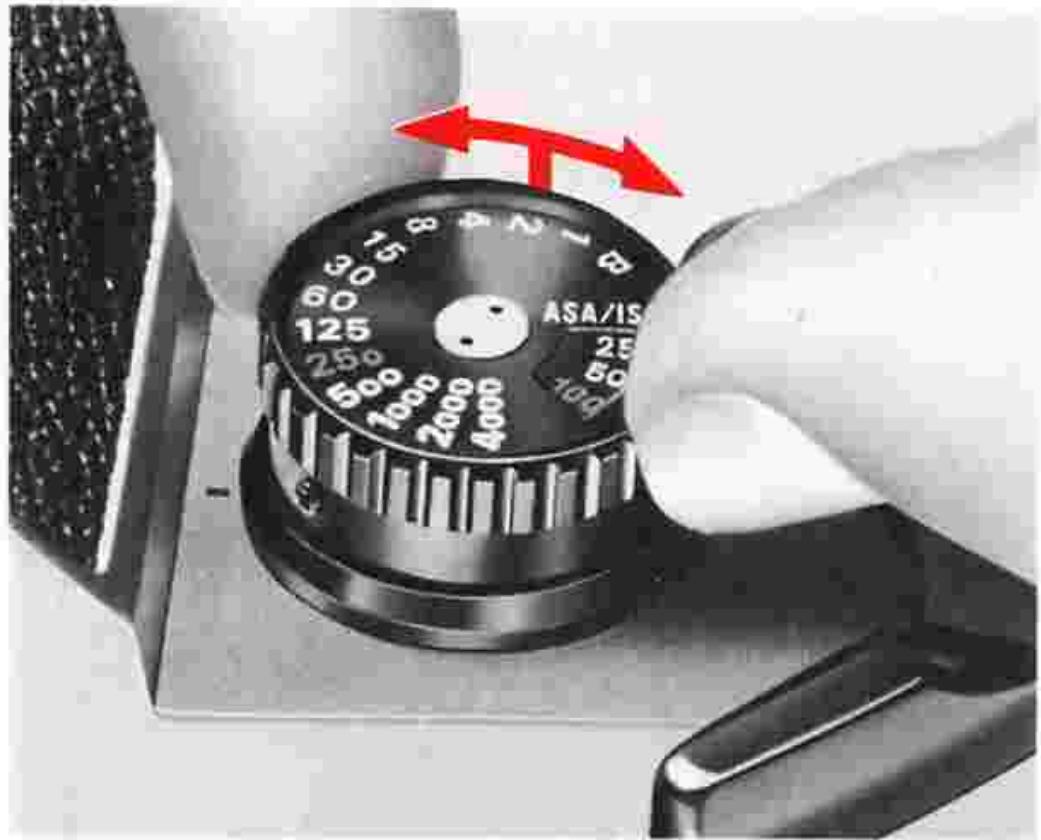
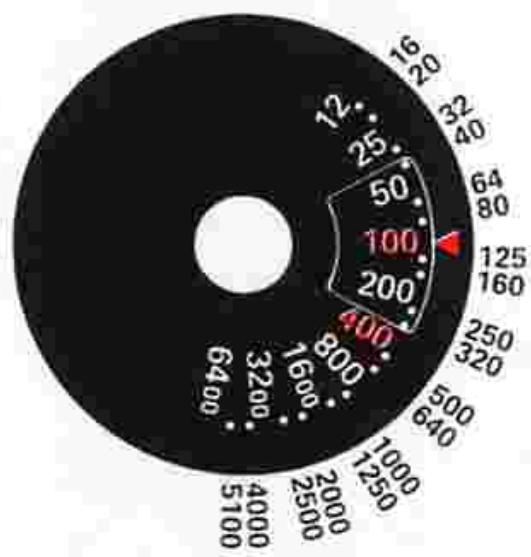
ASA/ISO film speed dial 55
The ASA/ISO scale on the dial has numbered settings for speeds from ASA/ISO 12 to 6400. The dots between each pair of ASA/ISO numbers stand for intermediate settings, such as 64, 80, etc. The illustration above gives the speeds for all intermediate settings. ASA/ISO 100 and 400 are indicated in red as they are used quite often.
ASA/ISO is a numerical rating of the film's sensitivity to a given amount of light. The higher the number, the greater the sensitivity, and vice versa. The ASA/ISO of your film is indicated on the cartridge itself. It is also printed on the film carton and on the data sheet packed inside.
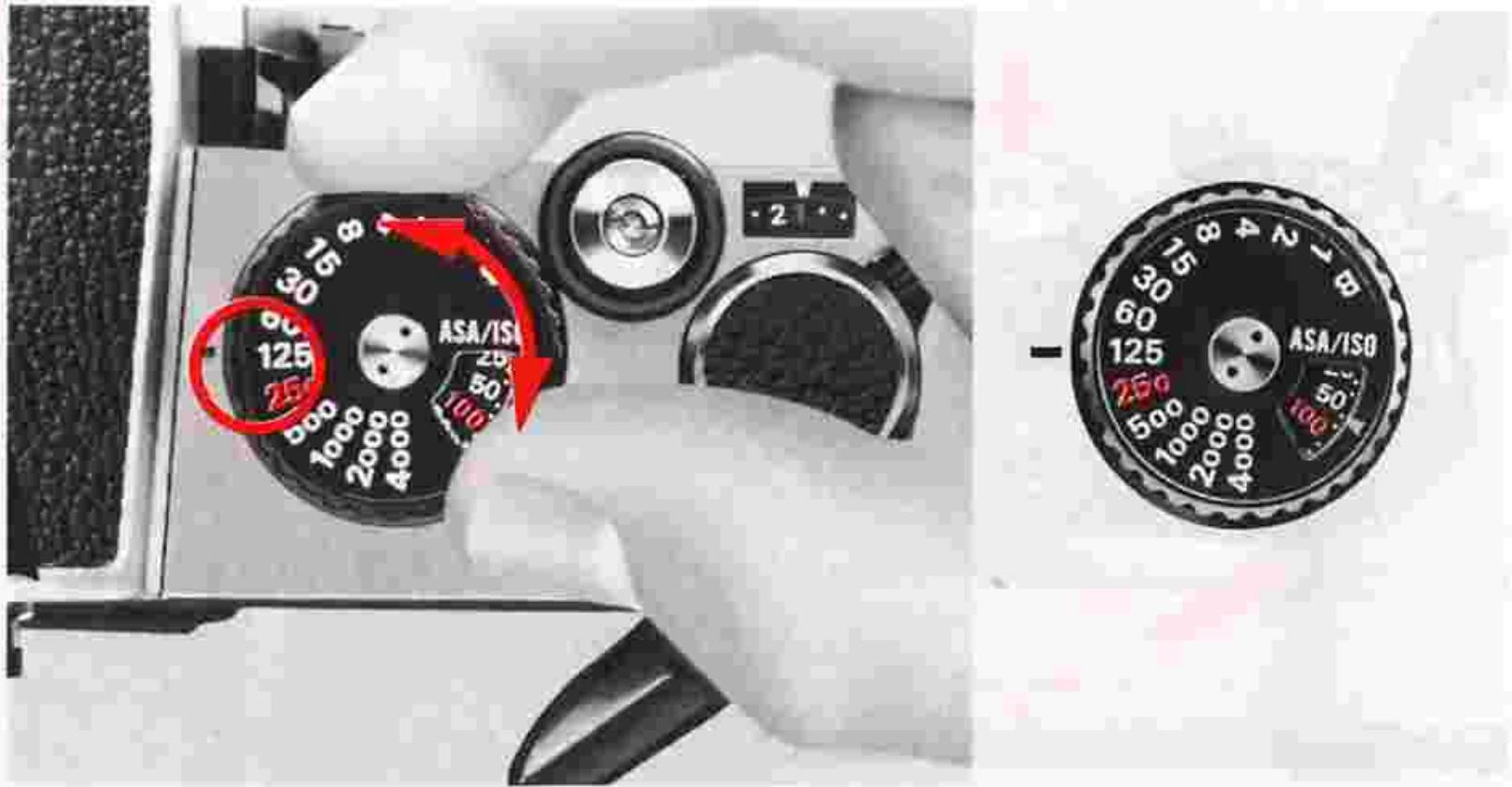
Shutter speed dial ⑤ /exposure determination
Setting the shutter speed
To set the shutter speed, turn the shutter speed dial to the right or left until the desired shutter speed number click-stops and is aligned with the shutter speed index 50. The dial has indications for B (bulb) and for shutter speeds from 1 to 1/4000 sec. The 250 engraved in red indicates the fastest sync speed for an electronic flash unit. On B, the shutter curtains 12 remain open for as long as the shutter release button is kept depressed. 1 is for indicating one second, 2 for 1/2 sec., 60 for 1/60 sec. and so on. One of the two adjoining numbers, excluding B is two times or 1/2 as much as the exposure amount of the other number. Note that shutter speeds between printed numbers (i.e., intermediate speeds) cannot be used. Since you can always confirm the shutter speed number inside the viewfinder, you don't have to see the shutter speed dial as you turn it.
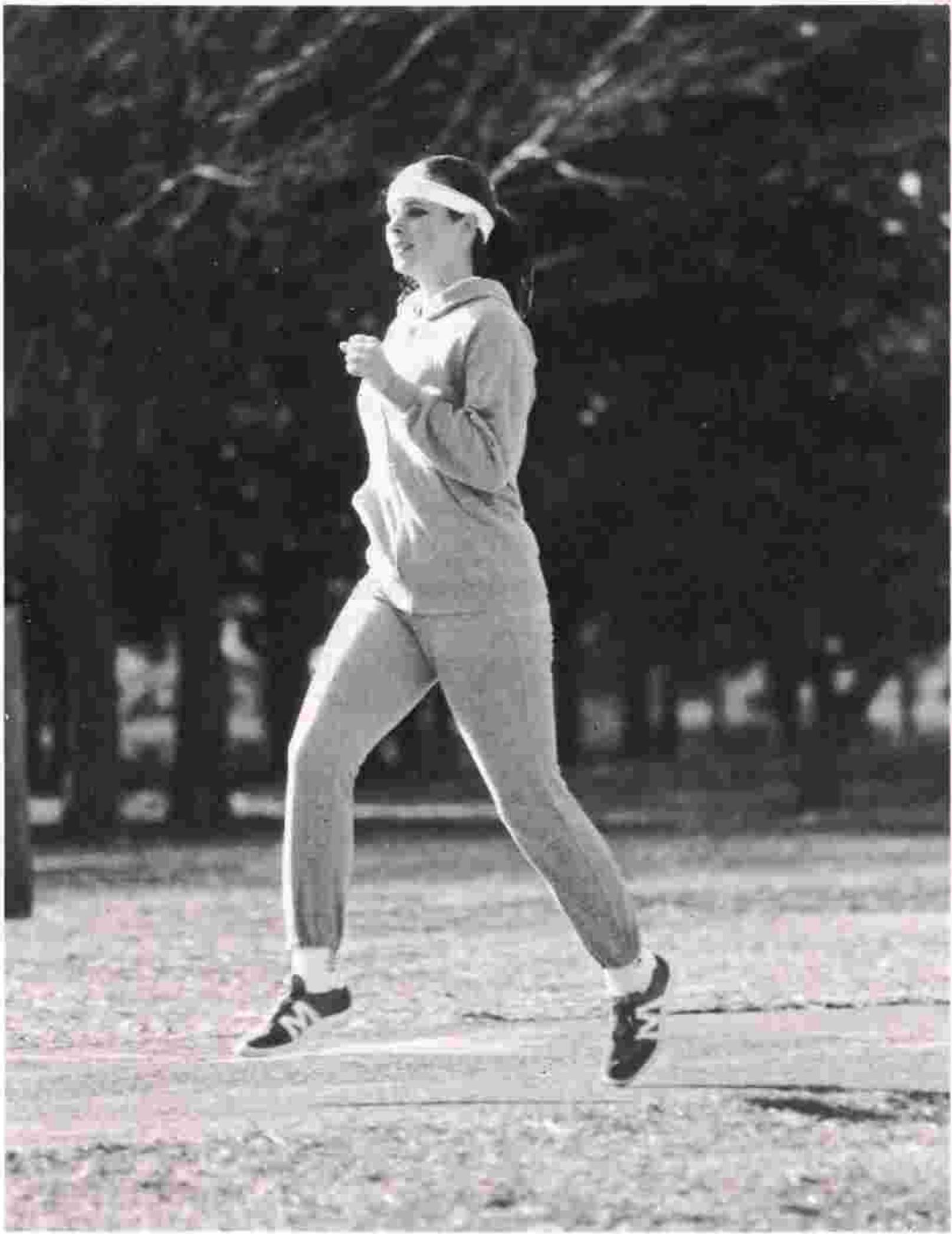
Fast shutter speed
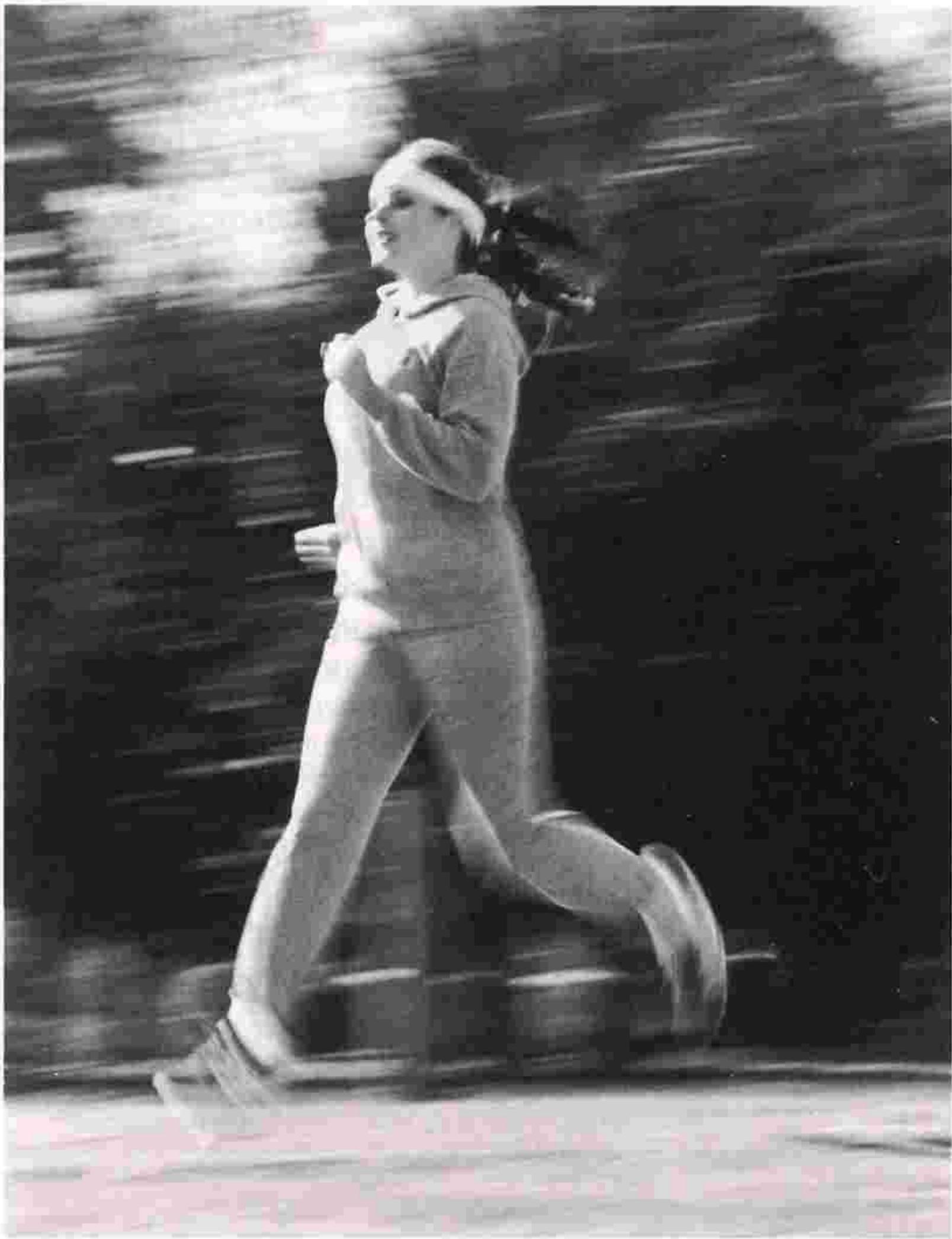
Slow shutter speed
CONTROLS IN DETAIL—continued
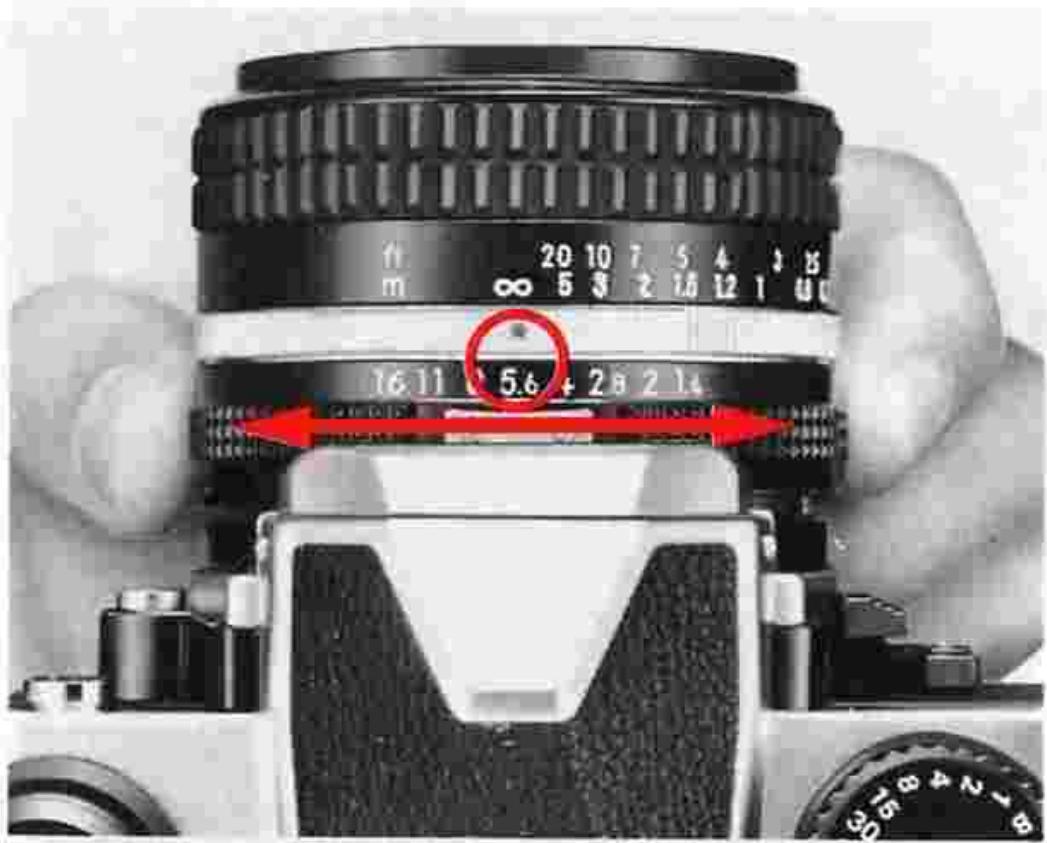
Setting the aperture
The lens aperture determines the amount of light reaching the film plane. Generally, when you turn the aperture ring one graduation in the direction of the larger numbers, the amount is reduced by 1/2. (This is what stopping down by one graduation means.) On the other hand, when the aperture ring is turned one graduation in the direction of smaller numbers, the amount of light is doubled. (This is known as opening the aperture by 1 stop.) The lens aperture ring clicks at the position of the numbers engraved although intermediate lens apertures are usable continuously. Lens aperture greatly affects depth of field (see page 28). With the exception of a few special lenses, Nikkor and
Nikon Series E lenses enable full-aperture light measurement even when the aperture ring is moved. These lenses, which are said to have an automatic diaphragm, stop down to the set aperture only at the instant the shutter release button is depressed.
Exposure determination
The amount of light reaching the film plane is determined by a combination of the shutter speed and the lens aperture. A shutter speed of 1/500 sec. lets in twice as much light as a setting of 1/1000 sec., and only half as much light as 1/250 sec. An aperture setting of f/11 lets in twice as much light as f/16, half as much as f/8. Thus, if the correct exposure for a particular picture-taking situation is 1/500 at f/11, then 1/250 at f/16 or 1/1000 at f/8 will give the same exposure. It is very convenient to know this interrelation when considering depth of field. The following table illustrates the interrelation between shutter speed and aperture.
| Shutter speed (sec.) | 1/4000 | 1/2000 | 1/1000 | 1/500 | 1/250 |
| Aperture (f/number) | 4 | 5.6 | 8 | 11 | 16 |
Exposure display
The LED exposure indicator lamps can be seen on the right side of the viewfield frame within the viewfinder. The shutter speed number and f/number in use are also visible. The LED exposure display indicates exposure five ways, as shown in the table below, in accordance with the conditions of each exposure.
| Overexposure by more than 1 stop | |
| Overexposure by 1/5 to 1 stop | |
| Correct exposure | |
| Underexposure by 1/5 to 1 stop | |
| Underexposure by more than 1 stop |
As correct exposure is approached, the LED exposure display inside the viewfinder is liable to change rapidly and easily within the very narrow range, so it is important to turn the lens aperture ring and shutter speed dial carefully. Although intermediate shutter speeds cannot be used, intermediate lens apertures can—just turn the aperture ring for fine adjustment.
Note: When the shutter speed dial is set at B (bulb), the LED exposure display inside the viewfinder is turned off.
CONTROLS IN DETAIL—continued
Metering range of exposure meter
When there is a proper combination of lens aperture and shutter speed, lights up, indicating correct exposure. This sign will not light up when the aperture and shutter speed combination is not suitable for correct exposure. Also, if the combination of aperture and shutter speed is improper for the brightness of the subject, the exposure meter will not give an indication for correct exposure even if you vary the neighboring settings within a very narrow range. You should try altogether different combinations of aperture and shutter speed. If you still fail to obtain an indication for correct exposure, then subject brightness is
probably beyond the metering range of the exposure meter. It is necessary to illuminate the subject or to use an ND (neutral density) filter to adjust brightness. Note that in full-aperture measurement, the range of brightness that can be measured by the meter varies with the maximum f/number of the lens in use, as follows:
With a 50mm f/1.4 lens (1 sec. at f/1.4 and 1/4000 sec. at f/8) and ASA/ISO 100 film, the EV range is from EV 1 to EV 18.
With a 135mm f/2.8 lens (1 sec. at f/2.8 and 1/4000 sec. at f/16) and ASA/ISO 100 film, the EV range is from EV3 to EV20
Stop-down exposure measurement
This exposure measurement method is used when the diaphragm on the lens does not link with the meter coupling lever 18 on the camera body, such as when a non-AI lens or an extension ring is mounted on the camera. The procedure is as follows:
1) Set the ASA/ISO number.
2) Compose your picture and-secure subject focus.
3) Press the shutter release button lightly to turn the meter on.
4) Perform exposure measurement, depending on the type of lens used:
- Lens with automatic diaphragm
Determine the correct exposure while pressing the depth-of-field preview lever ⑤ , then take your finger off the lever and depress the shutter release button.
- Lens without automatic diaphragm (PC-Nikkor lens) First, determine the correct exposure by adjusting the shutter speed and aperture. Then, focus at full aperture. Shift the lens so that you get the desired composition. Return the aperture setting to the preset position and shoot.
- Lens with fixed aperture (Reflex-Nikkor lens) Exposure cannot be changed according to the aperture because in this type of lens, the aperture is fixed. Determine the correct exposure by turning the shutter speed dial. If correct exposure is unobtainable, use an ND (neutral density) filter or change the illumination to adjust the exposure.
CONTROLS IN DETAIL—continued
Exposure measurement in special cases
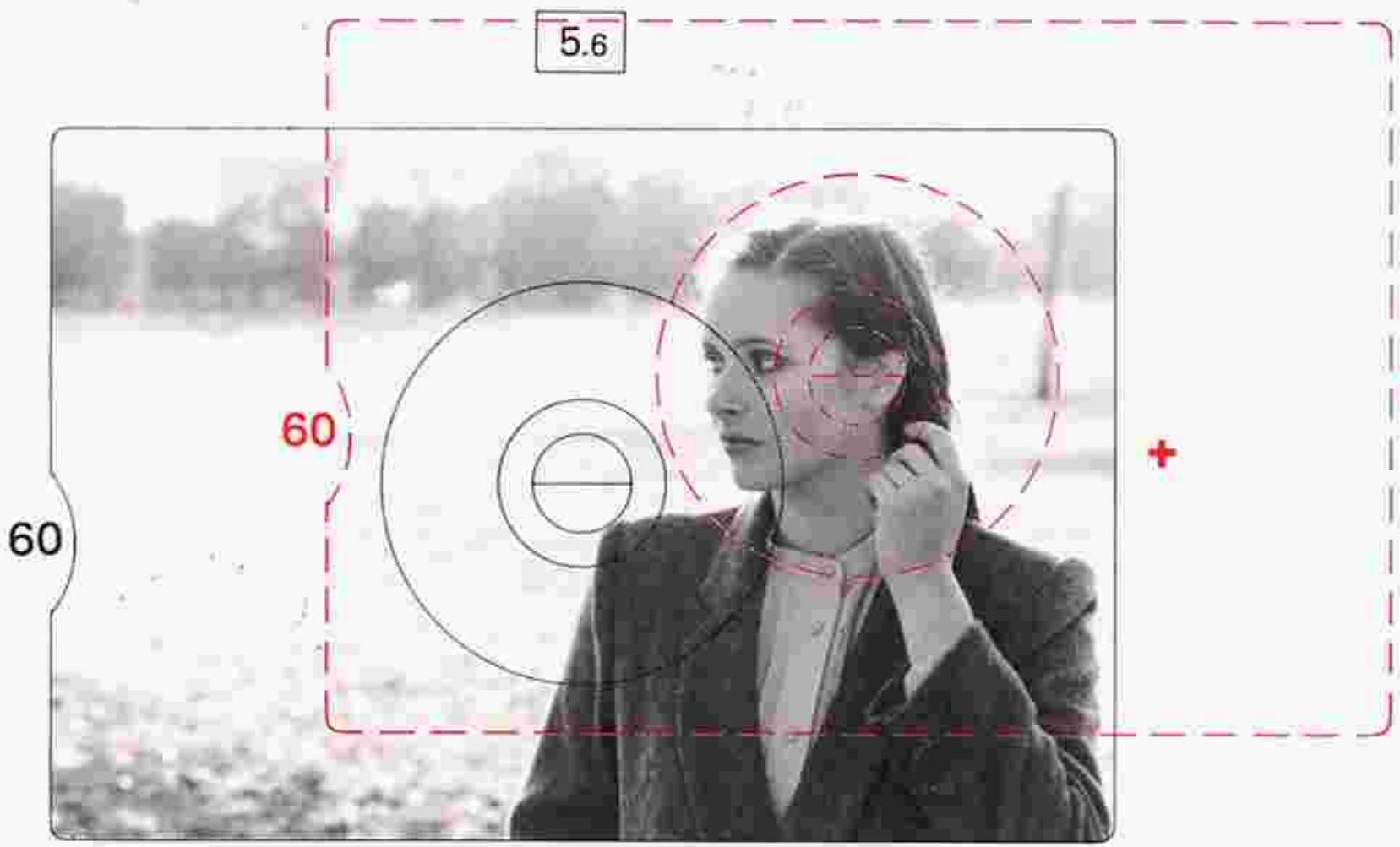
The exposure meter of the Nikon FM2 adopts the center-weighted exposure measurement system in which approximately 60% of the total amount of light is measured by the 12mm-diameter circle at the center of the focusing screen.
When the background of the main subject is too bright and the main subject is not centered within the frame, the result is underexposure (see Fig. 1). When the background is too dark and the main subject is too bright with the same framing as above, the result is overexposure.
To compensate
1) Focus on the main subject with the composition you have in mind.
2) Move the camera to center the main subject in the viewfinder (see Fig. 2) and perform exposure measurement.
3) Move the camera back to the position described in 1) with the exposure setting described in 2) and depress the shutter release button.
This way, you will be able to obtain correct exposure.
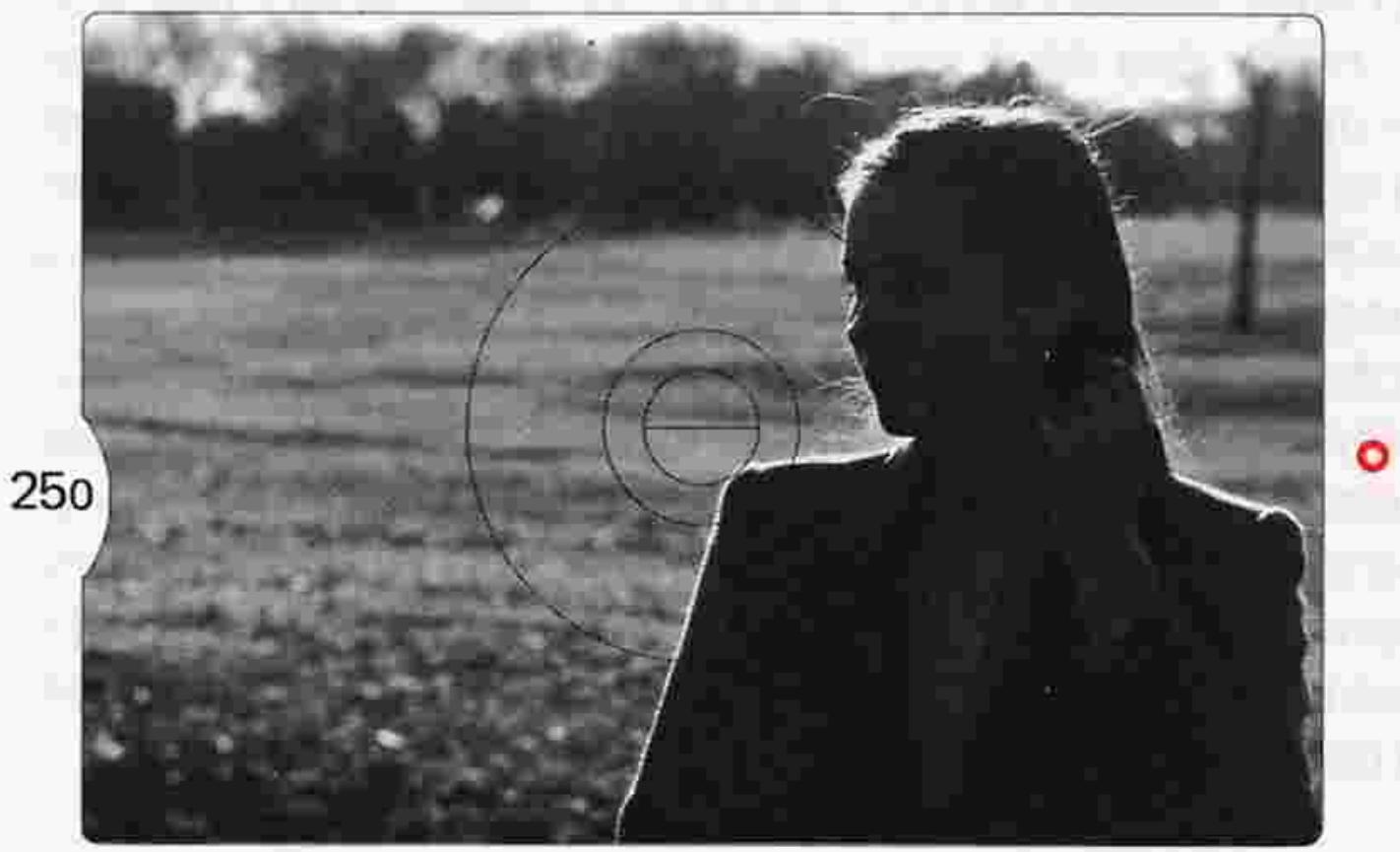
5.6
Fig.1
Underexposure
5.6
Fig. 2
Correct exposure
Duplication work and photomicrography
In copy work, slide duplication, and photomicrography, you cannot obtain correct exposure by simply referring to the FM2's exposure meter display because these types of photography represent unusual contrast situations. Exposure compensation is required. Shown here is the table of the relationship between specific photo types and proper exposure. Since this is meant to be a guide, in practice you should make further compensation by experimentation until you achieve the proper results.
- The exposure compensation values listed below are reference data obtained when general-purpose film was used. With color reversal film or microfilm for duplication work, it is advisable to take additional shots with ± one-stop exposure compensation as these films have very small exposure latitude.
- To avoid vibration, you can make the exposure by turning the illumination on and off.
It is advisable to use a cable release to avoid camera vibration.
| Subject | Method of exposure measurement | Exposure compensation | Required accessories | Remarks | |
| Copy work | Photographs and pictures with continuous gradation | Full-aperture or stop-down | Compensation not necessary | Micro-Nikkor 55mm f/2.8 Cable release | For high-contrast subjects, use of an 18% reflectance gray card in determining exposure is recommended. With the card, no exposure compensation is required regardless of whether the background is black or white. |
| Documents and drawings of high contrast | Approx. +1 to +2 stops for black letters on white background; approx. -1/2 to -1 stop for white letters on black background. | ||||
| Slide duplication | General film with continuous gradation | Stop-down | Approx. +1 to +2 stops | Micro-Nikkor 55mm f/2.8 Nikon Slide Copying Adapter PS-6 Nikon Bellows Focusing Attachment PB-6 Cable release | When using Nikon Slide Copying Adapter PS-6, set the flood lamp 30cm away from its opal plate. |
| Film of documents and drawings photographed | Approx. +1-1/2 to +2-1/2 stops for black letters on white background | ||||
| 0 to approx. -1/2 stop for white letters on black background | |||||
| Photomicrography | Prepared specimen | Stop-down | Approx. +1 stop | Microflex PFX | Generally, results come out better with more exposure in photomicrography. The compensation value on the left is only a guide; determine the compensation value by test shooting. |
+: more exposure; -: less exposure.
CONTROLS IN DETAIL—continued
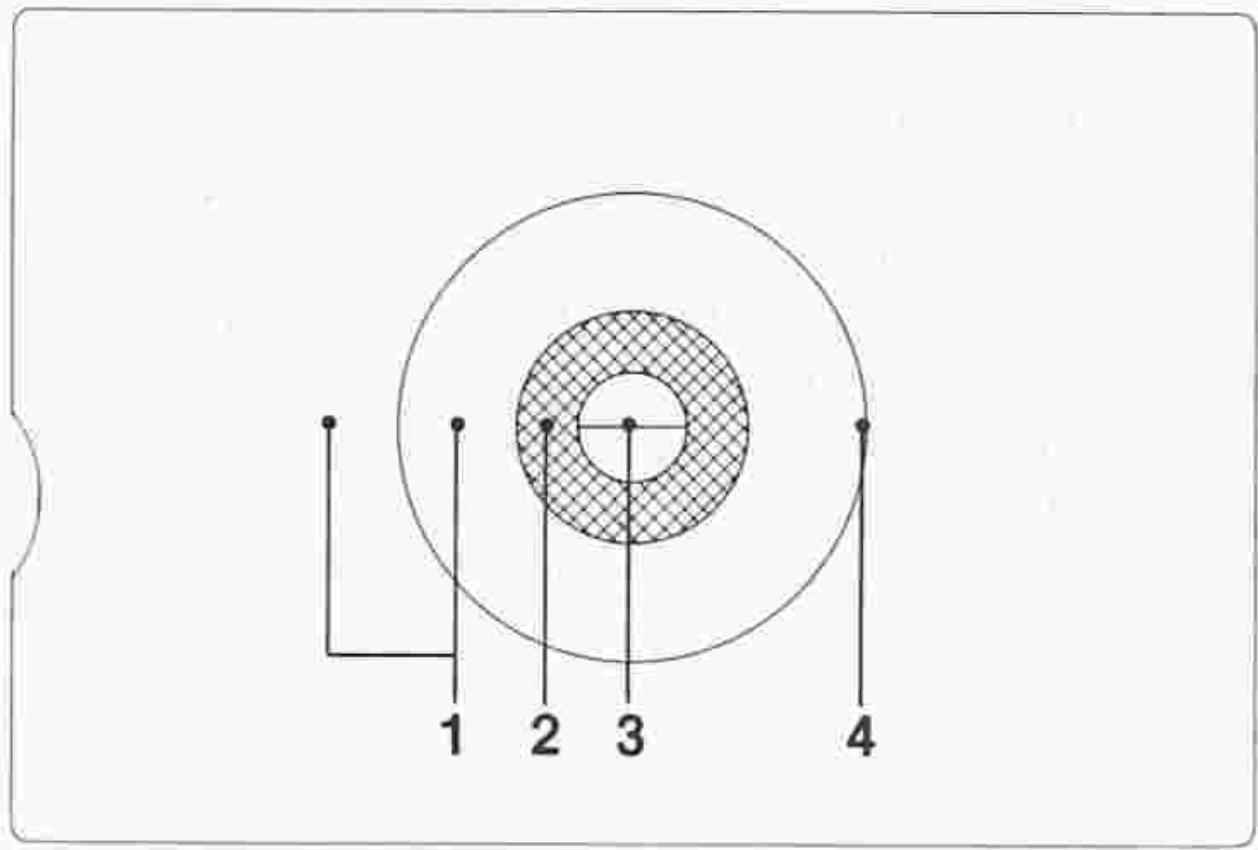
Inside the viewfinder:
- Fine matte/Fresnel outer field
- Microprism collar
- Split-image rangefinder spot
- 12mm-diameter reference circle
Viewfinder/viewing & focusing
The conventional way of securing correct focus is to turn the lens focusing ring until the image in the viewfinder appears sharp. The K2 focusing screen that comes with the camera as standard equipment has three focusing aids. When focusing with the split image, turn the ring until the image in the two halves becomes whole. With the microprism grid, turn the ring until the shimmering image appears sharp. With the matte outer field, turn the ring until the image appears sharp. The split-image rangefinder works well for subjects with definite lines, contours and boundaries. The microprism collar is for focusing on fast-moving subjects or those with indistinct lines, while the matte outer field is suitable for close-ups or when using lenses with a maximum aperture smaller than f/4.5.
There's another way of securing correct focus. Using the distance scale 45 on the lens, set the focusing ring in accordance with the measured distance. Be sure to gauge the distance between the subject and the film plane indicator - 40 .
Note: The FM2 viewfinder covers approx. 93% of the image area of the actual photograph so the actual picture comes out larger than the image in the viewfinder. Note that the picture comes out trimmed down in the case of mounted slides or service-size prints from negatives.
Split-image focusing
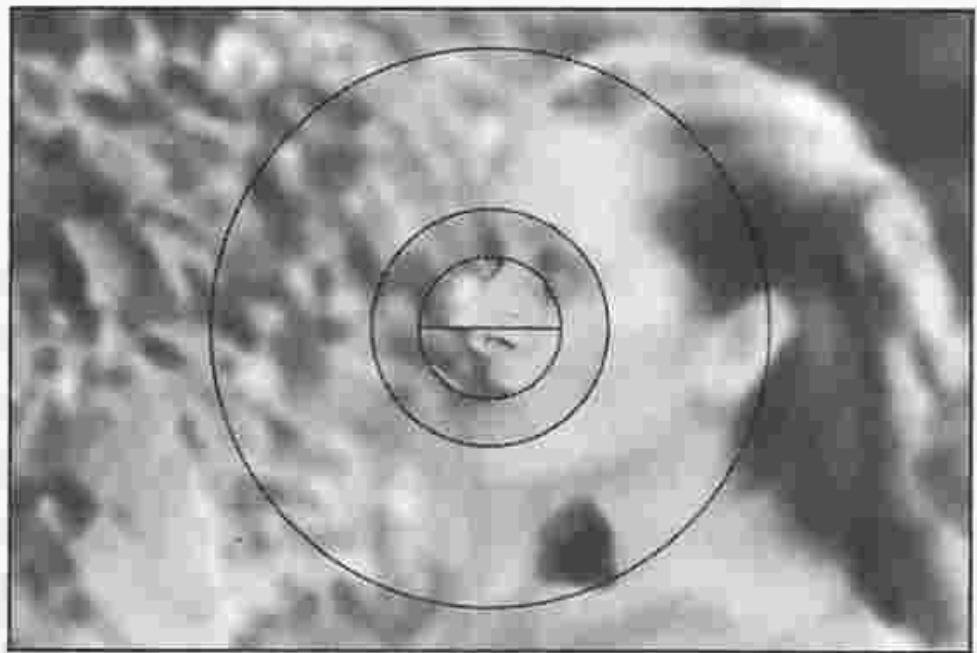
Out of focus
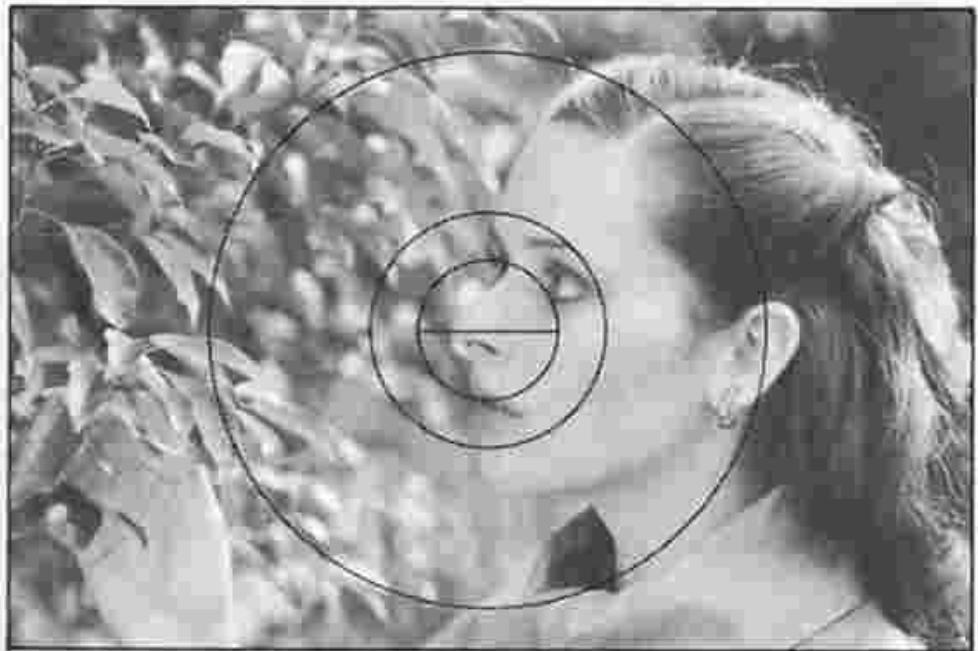
In focus
Microprism grid focusing
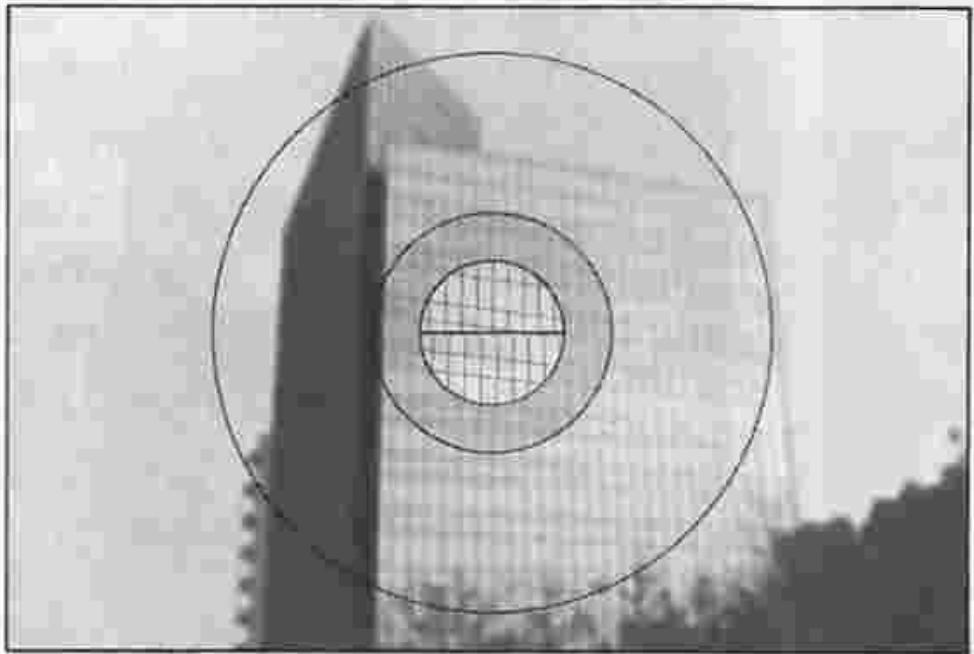
Out of focus
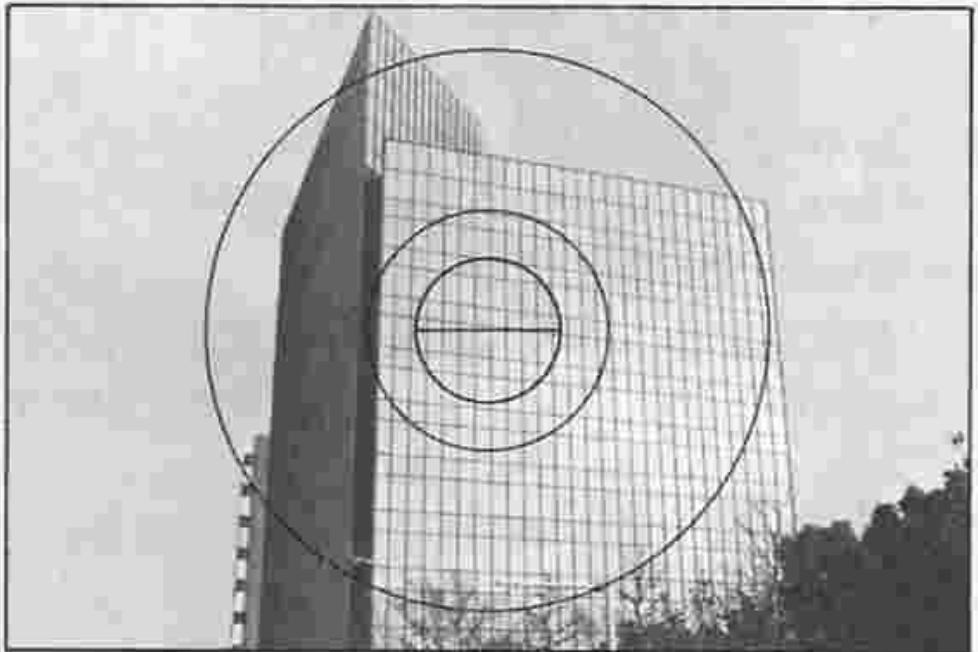
In focus
Matte outer field focusing
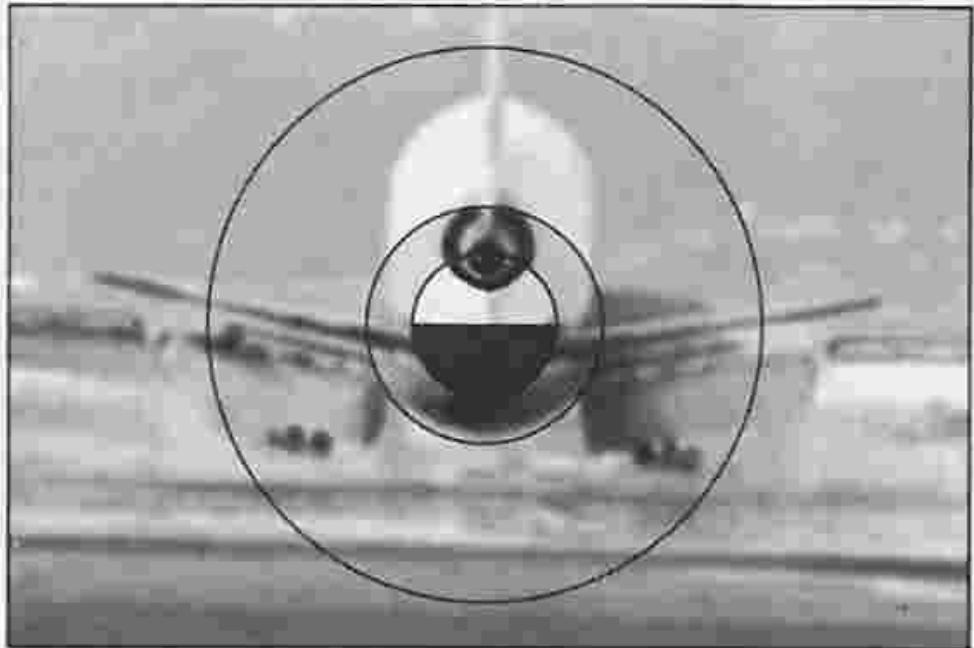
Out of focus
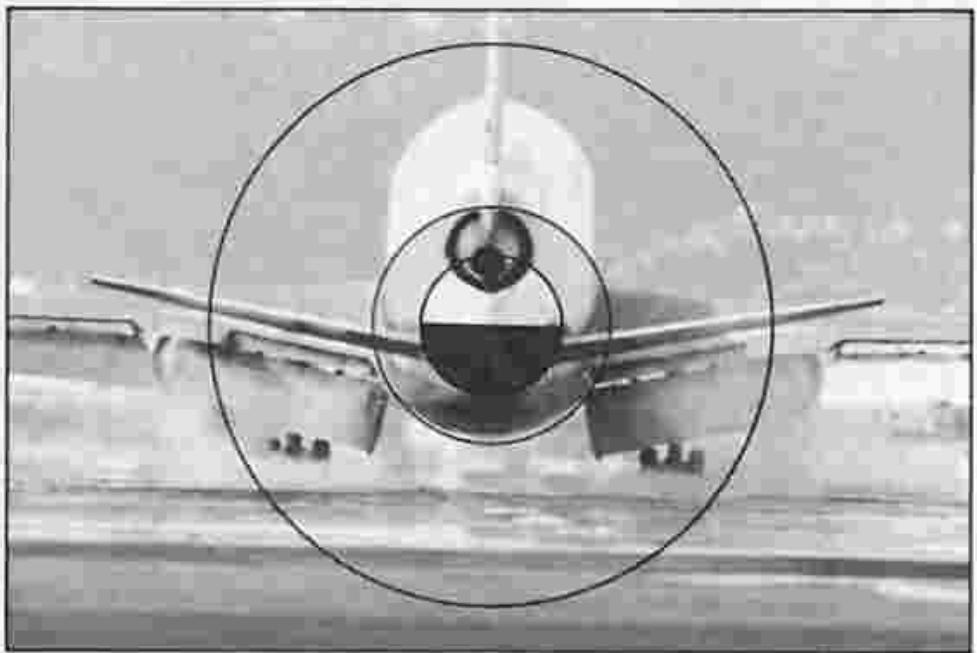
In focus
CONTROLS IN DETAIL—continued
Depth-of-field preview lever ⑤
What depth of field is
When you focus on your subject at a certain aperture, you will find that not only is the subject itself in focus but objects in a certain distance range both in front of and behind it appear sharp. Objects increasingly out of this range become increasingly out of focus. This "in-focus zone" is known as "depth of field." When this zone of sharpness is large, the depth of field is said to be deep; when it is small, the depth of field is said to be shallow.
The following can be said of depth of field, given the same focusing distance:
1) The smaller the taking aperture (i.e., the higher the f/stop number), the deeper the depth of field, and the larger the aperture, the shallower the depth of field.
2) The farther away the subject is from the lens, the deeper the depth of field becomes; the closer to the lens, the shallower the depth of field.
3) There's greater depth of field behind the main subject than in front of it.
Note, too, that in the case of lenses with different focal lengths but of the same maximum f/number, the shorter the focal length of the lens, the larger the depth of field, and vice versa. The depth of field at the taking aperture is indicated by the color-coded lines having the same color as that of the aperture set and which correspond to the distance scale on the focusing ring. The range is indicated by the distance between the lines. Shown in the photo is an example of the difference in depth of field with a 50mm f/1.4 lens when using different aperture settings at a set focusing distance of 2m . Control of depth of field enables selective blurring of the background elements of a picture either to let the major subject stand out or for overall sharpness, so that all elements in the entire picture field appear sharp. This will give your picture its own character, thus making it different from other pictures.
Getting the subject in focus is only one aspect of photography. When you take pictures, be sure to consider depth of field, too.
Lens set at f/1.4
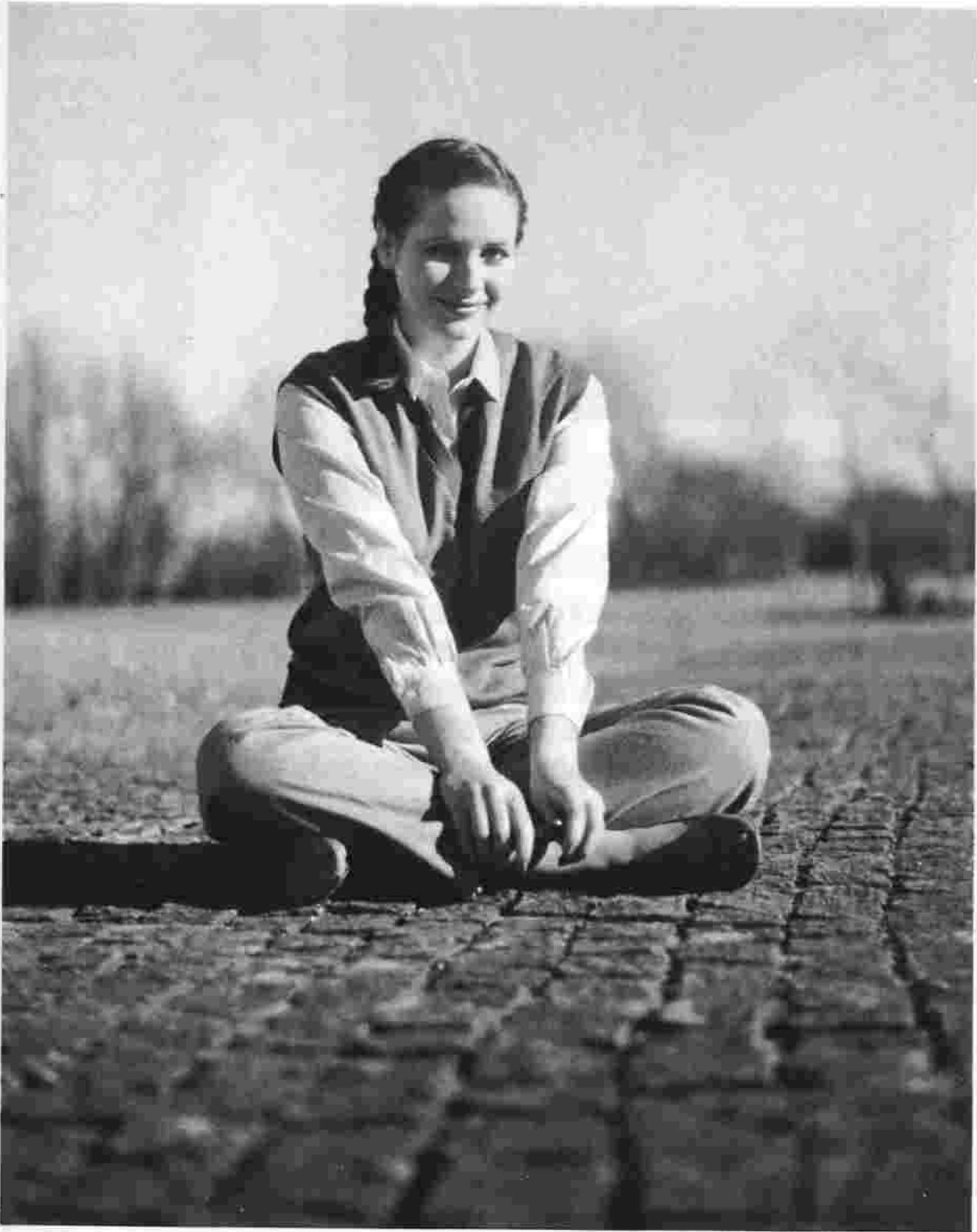
Only major subject is in focus.
Lens set at f/16
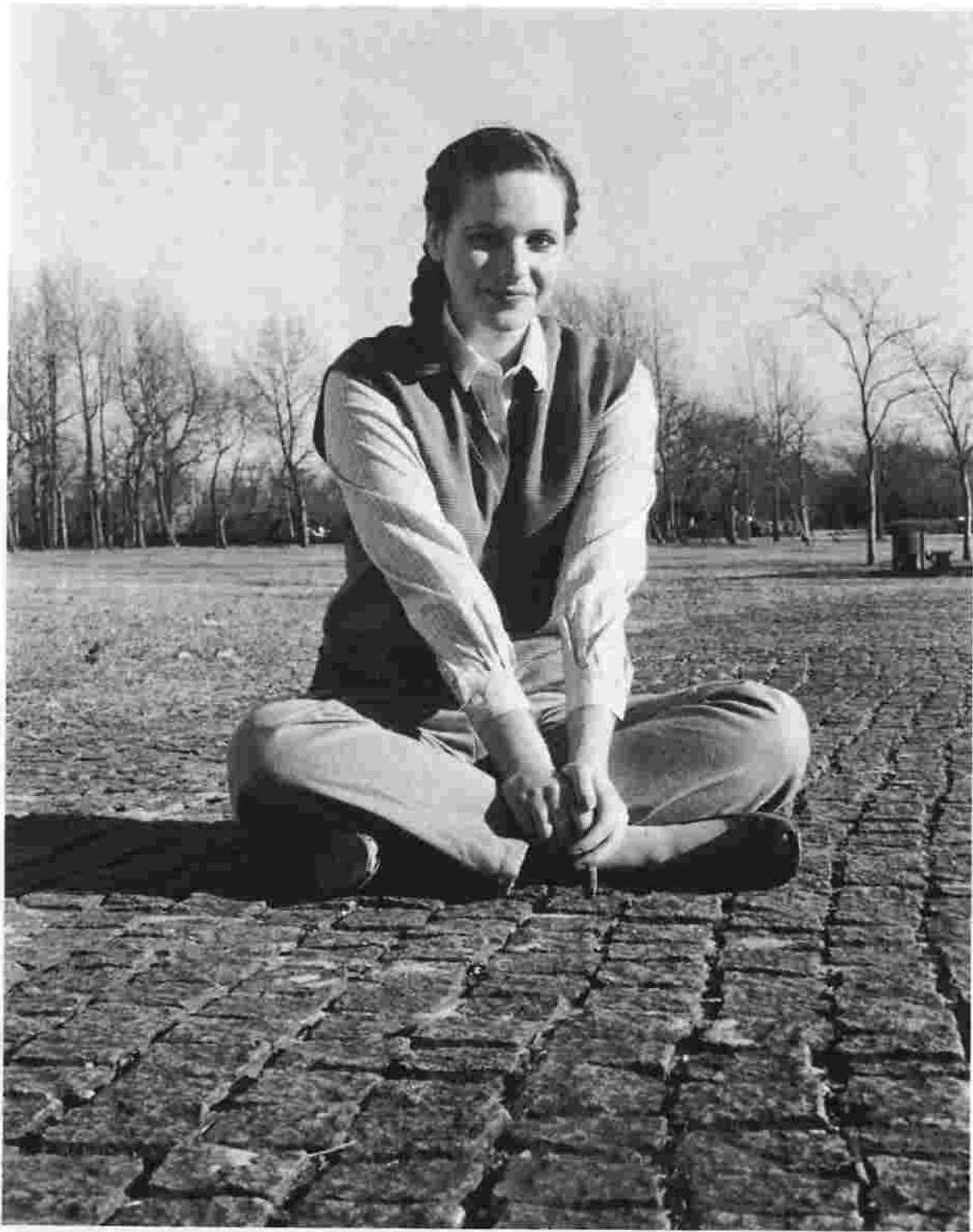
Most objects near to far are in focus.
CONTROLS IN DETAIL—continued
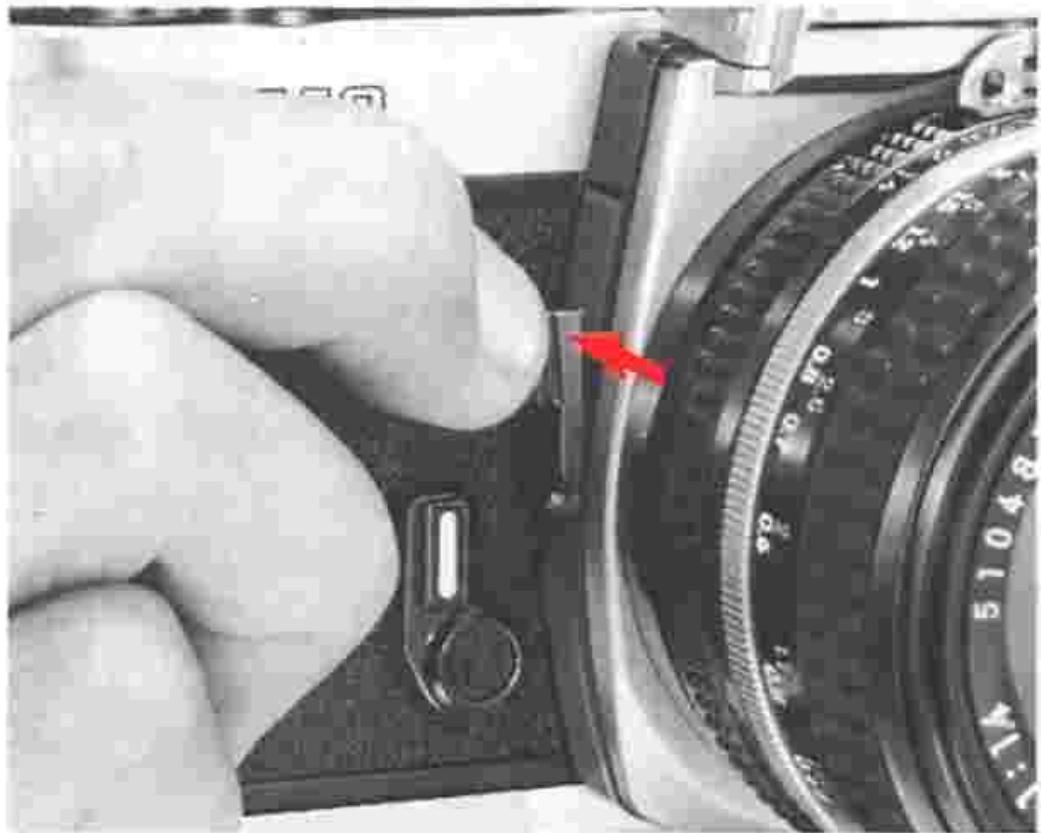
Depth-of-field preview lever ⑤
When a lens with an automatic diaphragm is used, the image in the viewfinder is viewed with the aperture diaphragm of the lens wide open. However, pressing the depth-of-field preview lever will cause the lens to be stopped down to the f/number set to enable you to examine depth of field before shooting. The image in the viewfinder "darkens" according to the selected f/number—the smaller the aperture (i.e., the larger the f/ number), the "darker" the image. Components of the picture that appear in focus when the lever is pressed will be in the zone of sharp focus.
Note: Be sure to press the depth-of-field preview lever fully. Also, release the lever when you depress the shutter release button.
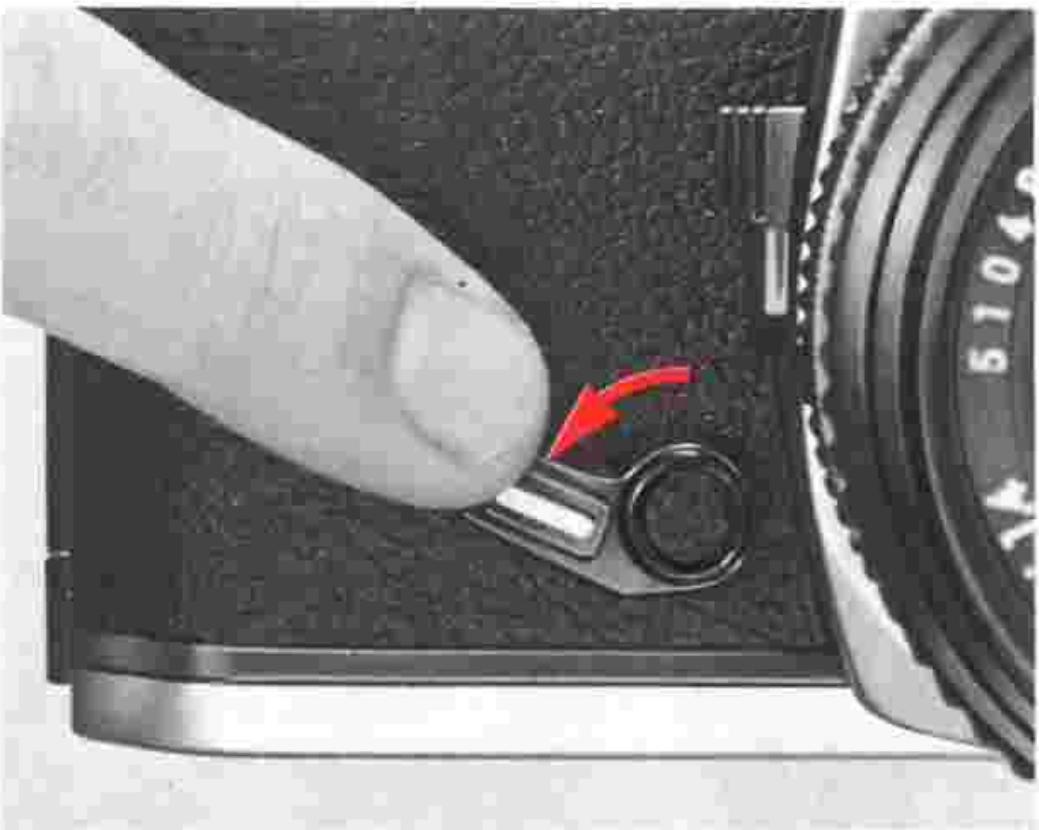
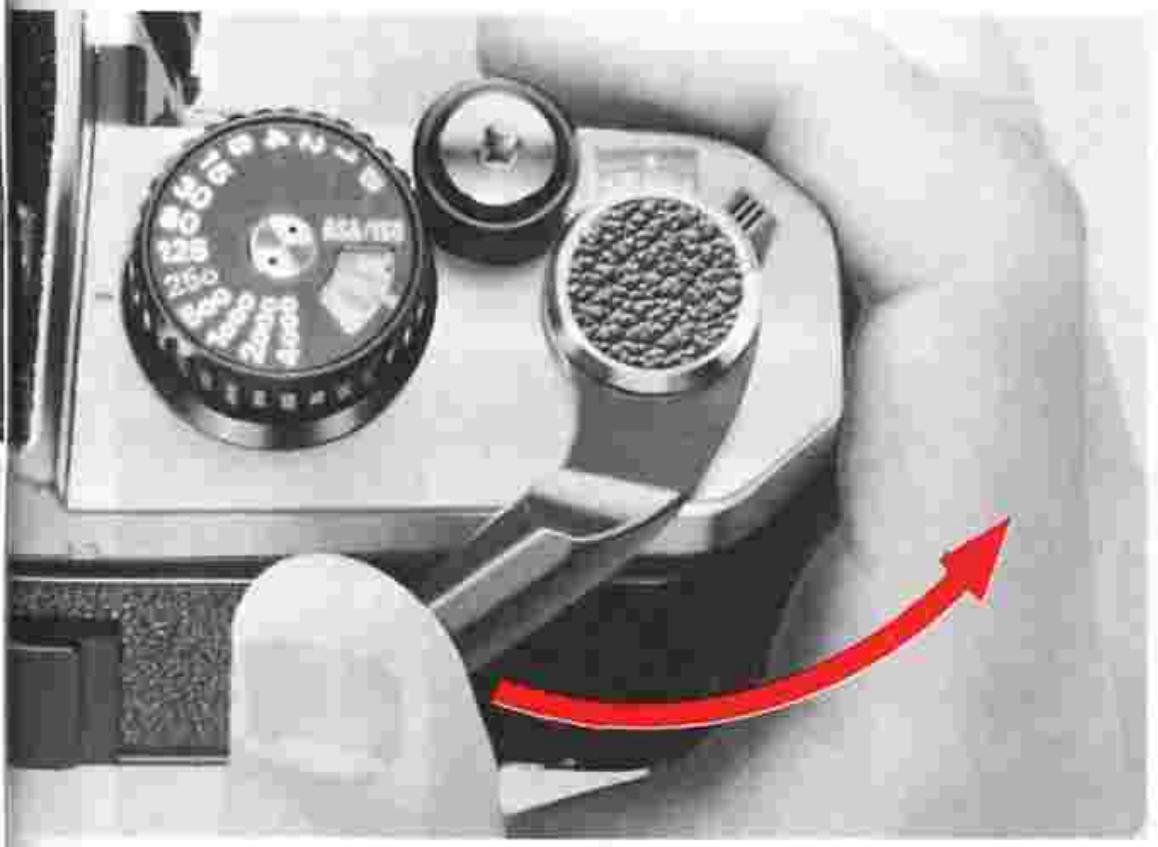
Self-timer lever 6
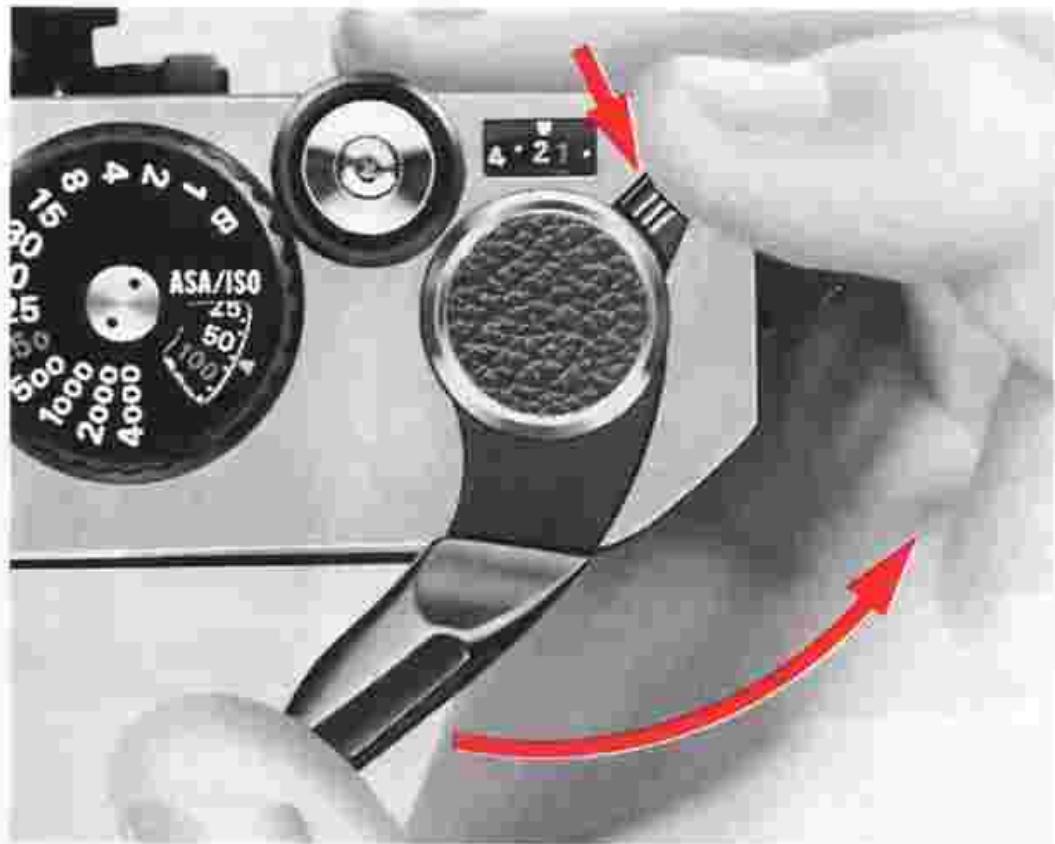
This device is useful in self-portraits or when taking a picture of yourself with other people. Set the self-timer by turning the lever as far as it will go in the direction of the arrow shown in the photo. This can be done either before or after the film is advanced. After the self-timer has been set, press the shutter release button. Reflex mirror 23 will go up and the self-timer will start to operate; the shutter is released after a delay of approx. 10 sec. If you want to cancel self-timer operation after the lever has been set, move it back to its original position with your finger. You can then take the picture the standard way as before. However, turning the self-timer lever when it is already in operation will result in the shutter's being released the moment the lever is back in its original position. Except for B (bulb), the self-timer can be used at any shutter speed.
Multiple exposure lever 52
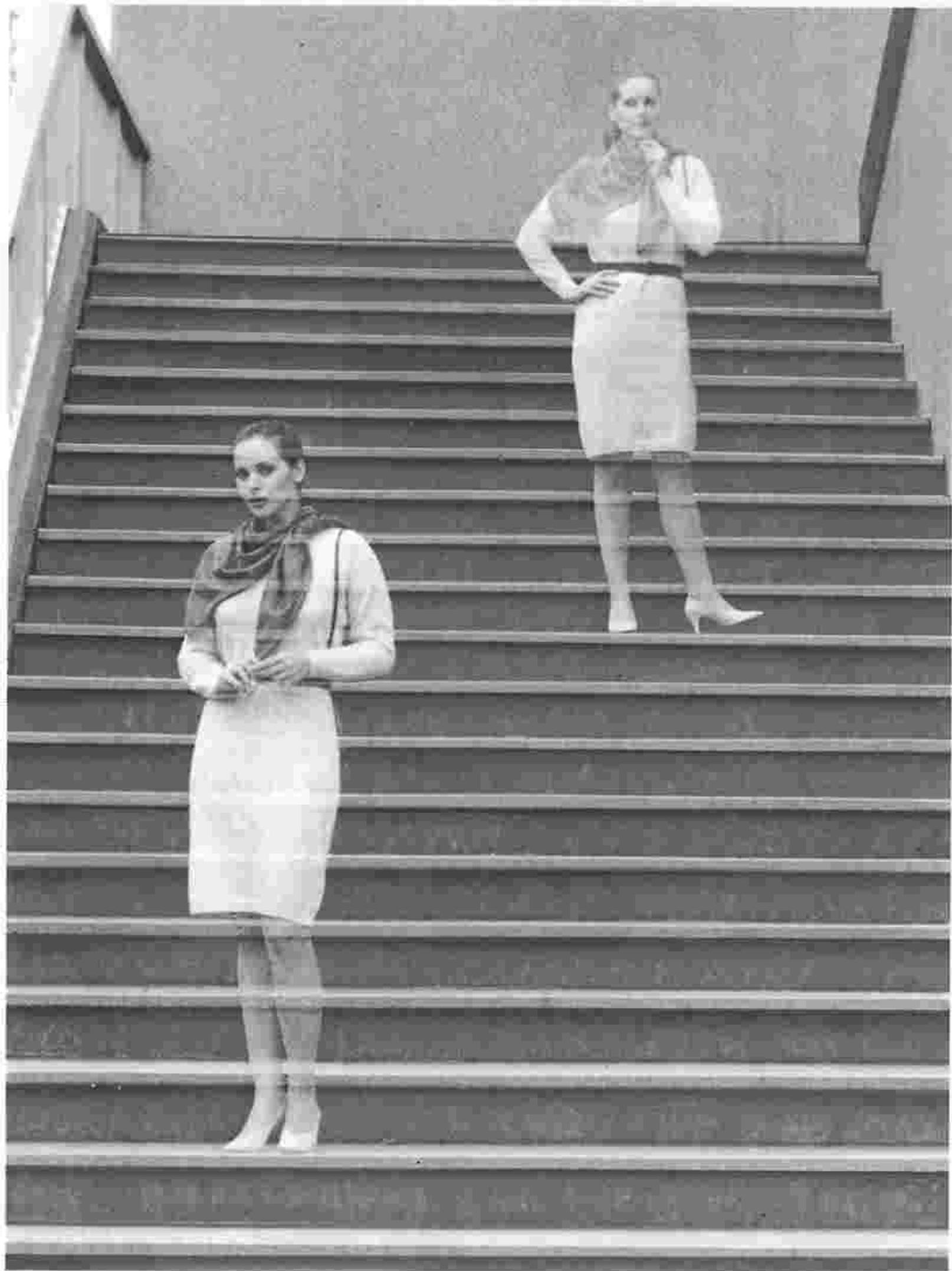
Taking a picture of different subjects or two or more of the same subject on the same frame means multiple exposure. To make a multiple exposure, observe the following:
1) Take the first shot. (Press the shutter release button.)
2) Pull the multiple exposure lever in the direction of the arrow shown in the photo, as you wind the film advance lever fully. The frame counter will not advance; only the shutter is ready to be released again. Although the finger pulling the multiple exposure lever will automatically slip off the lever as the film advance lever is wound, multiple exposure operation will have been performed correctly.
3) After winding the film advance lever fully, take the second shot.
To take three exposures or more on the same frame, repeat the procedures described in 2) and 3).
Note: In multiple exposure photography, the FM2 is designed to reduce film dislocation to the minimum. But it may occur due to film curling, film slack or inappropriate film winding.
CONTROLS IN DETAIL—continued.
Memo holder 44
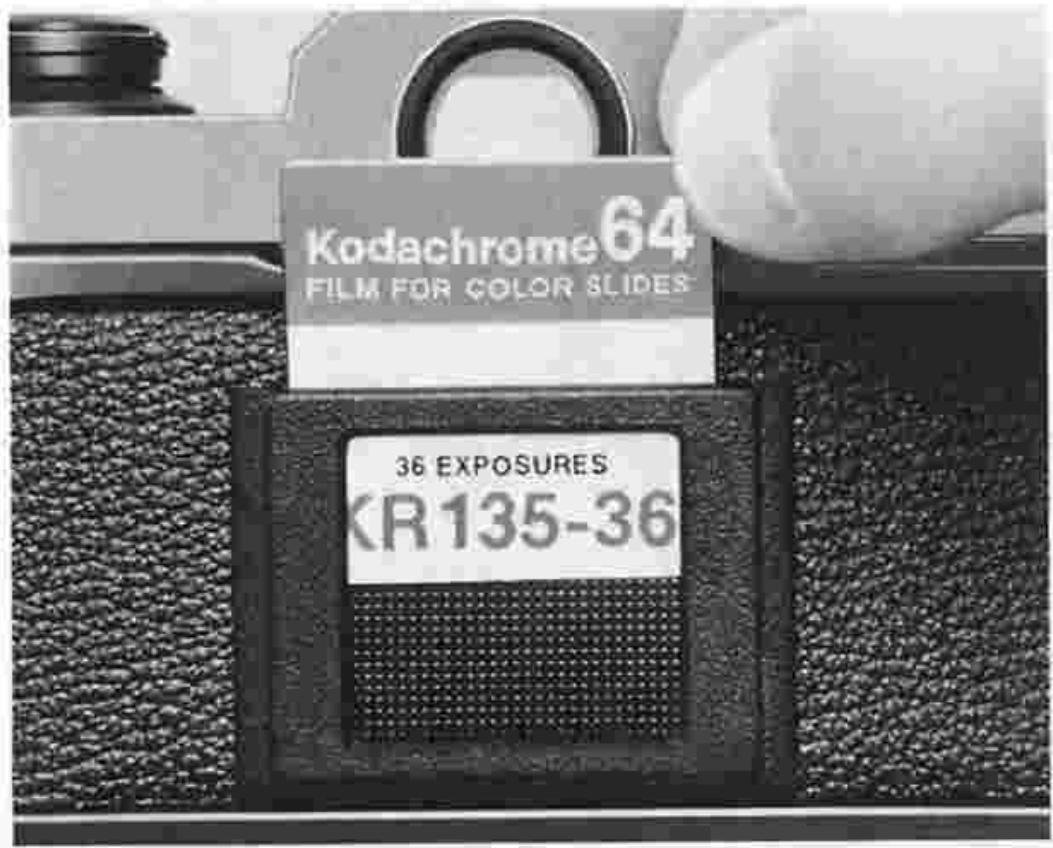
To remind yourself of the film type and number of exposures on the roll of film in use, clip off the end of the film package and insert it into the memo holder. Of course, you can use the memo holder to store anything, including your name card.
Infrared compensation index 31
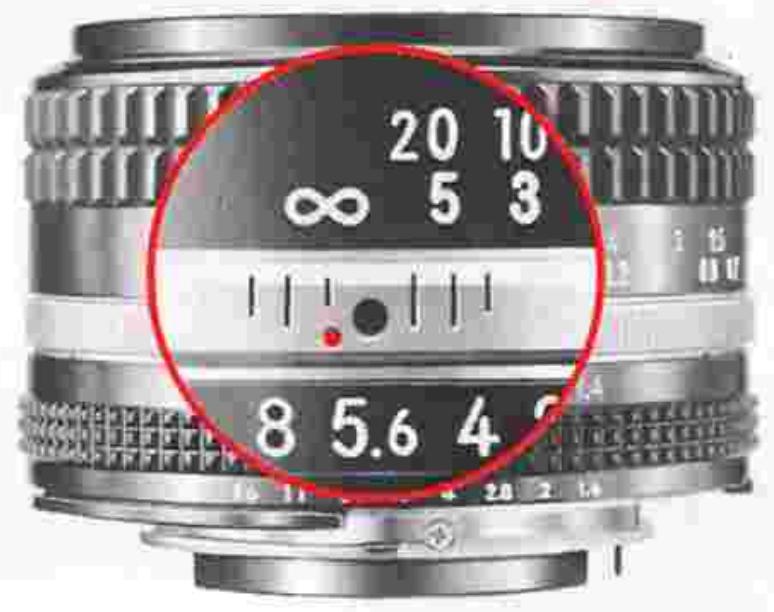
When you shoot infrared film, note that the plane of sharpest focus is slightly farther away than that in visible-light photography. As a rule of thumb, you can compensate for this shift in focus by referring to the infrared compensation index (in the form of either a dot or a line) near the focusing index on the lens barrel. (Some lenses, including the Reflex Nikkor, do not need compensation.)
After focusing the image sharply through the viewfinder, check the focused distance and turn the focusing ring to the left until the red infrared compensation index lines up with the prefocused distance. Be sure to shoot with appropriate filter, such as the R60, etc., (In this photo, the subject-to-camera distance is set at ).
Flash photography
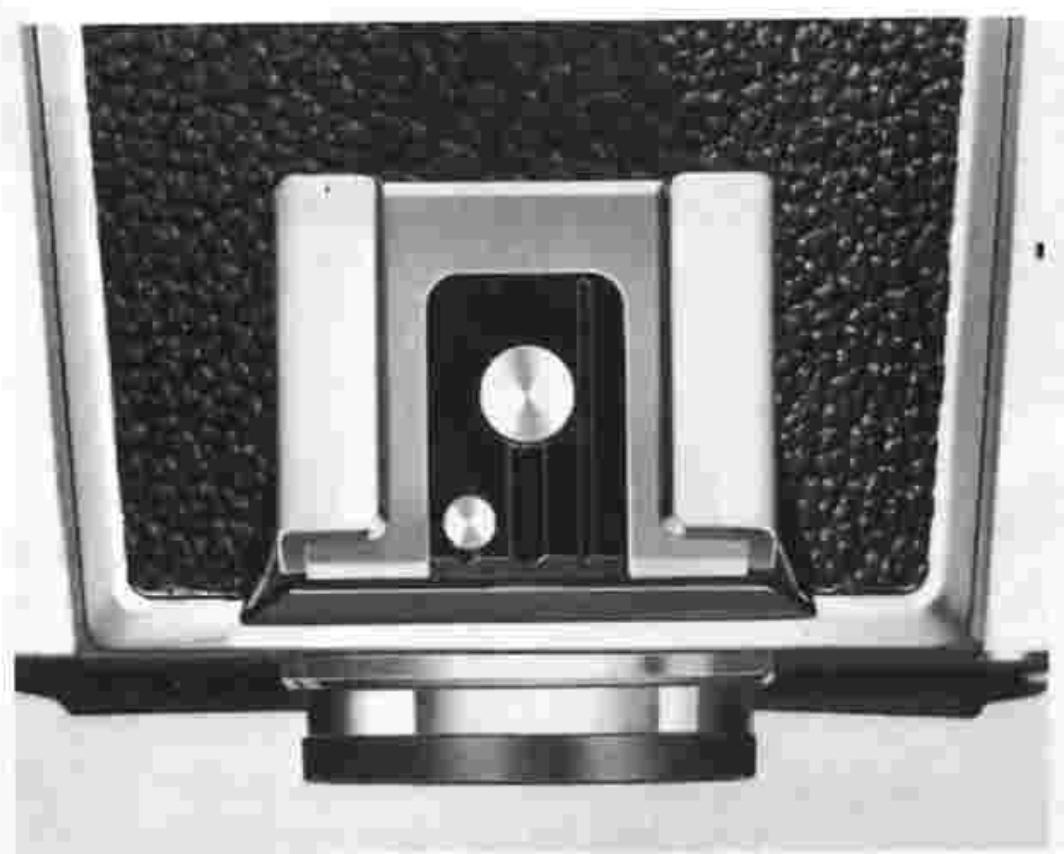
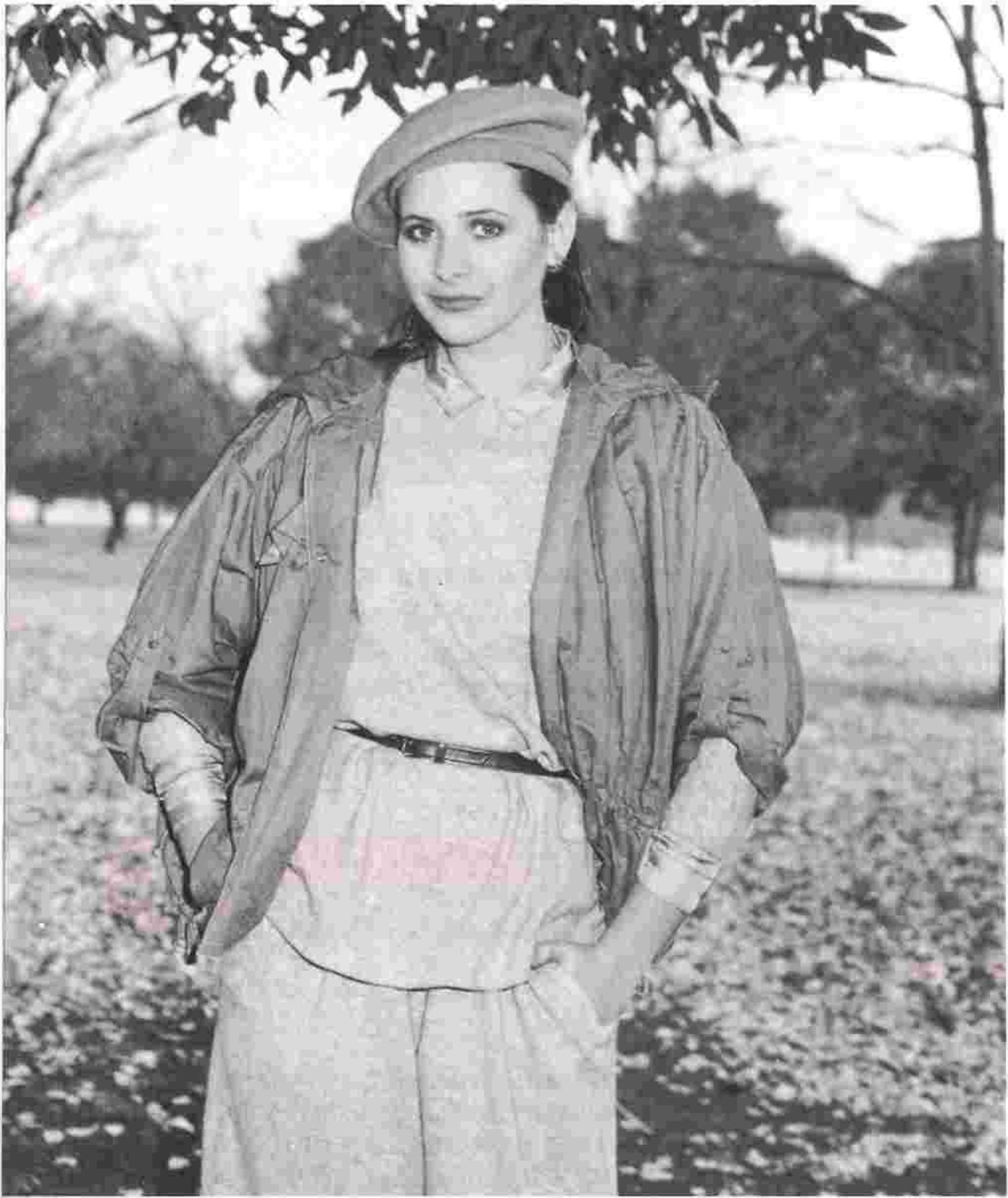
A Nikon electronic flash unit will prove very convenient for indoor or nighttime shooting or for use in the daytime as supplementary lighting. The FM2's built-in hot-shoe contact enables direct mounting of the Nikon SB-24, SB-22, SB-20, SB-19 or SB-16B Speedlight, requiring no special connecting cords. When shooting with a flash unit, you should determine the aperture setting that corresponds to the shooting distance after checking the guide number of the electronic flash unit or flashbulb in use. Also, if the speedlight requires the use of a connecting cord, insert the cord into the camera body's sync cord terminal 19. Since the FM2's hot-shoe contact becomes active only when an electronic flash unit is mounted, touching it accidentally is harmless.
The use of flash units not provided with a hot-shoe contact* is not recommended because accidental firing is likely to occur due to short circuiting at the contact. When using such flash units, seal the hot-shoe contact on the camera body with vinyl tape or something appropriate to insulate it.
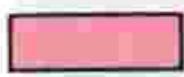
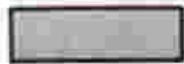
The FM2, provided only with an X-contact for synchronization, synchronizes with the speedlight when the shutter speed set is 1/250 sec. or slower.
- Old type flash units with metallic leaf spring on mounting portion.
Synchronization Range
| Shutter speed (sec.) | 1/4000 | 1/2000 | 1/1000 | 1/500 | 1/250 | 1/125 | 1/60 | 1/30-1 | B |
| Speedlight | |||||||||
| M, FP and MF Flashbulbs |
Synchronized
Cannot be used
Note: When using a special electronic flash unit with provision for time lag, an electronic flash unit with long flash duration, the Medical-Nikkor 120mm f/4 IF, or the Nikon Repeating Flash Unit SB-6 at 1/2 or full output, adjust shutter speed down to 1/125 sec. or slower. With flashbulbs, set shutter speed at 1/30 sec. or slower.
CONTROLS IN DETAIL—continued
Picture taken by balancing the flash exposure with daylight.
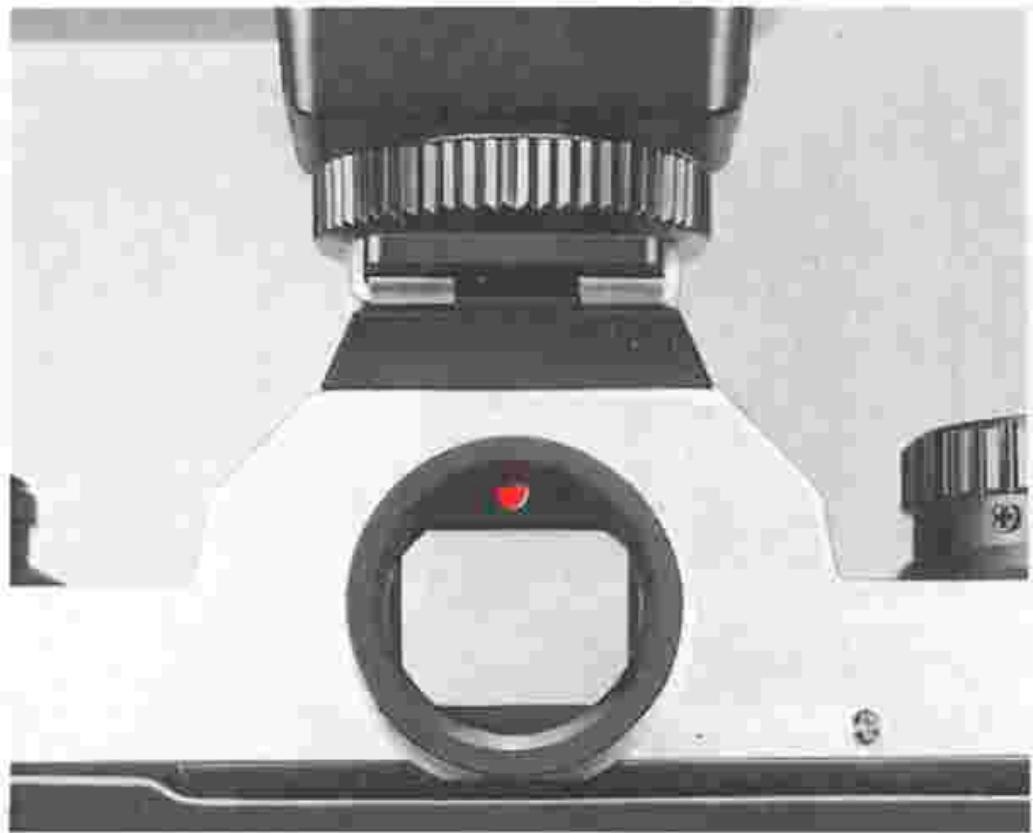
Ready-light ⑨
When the SB-24, SB-22, SB-20, SB-19 or SB-16B is attached to the FM2, the built-in LED ready-light tells you when the speedlight is recycled and ready to fire or when the shutter speed is set outside sync range, without your having to remove your eye from the viewfinder. Before you shoot, make sure the ready-light is on. The moment the shutter is released, the speedlight will fire and the ready-light will go out.
If the shutter speed is set between 1/500 sec. and 1/4000 sec., the ready-light will blink when the speedlight is fully charged, to warn you that the shutter speed is outside sync range.
For ready-light availability with speedlights other than the SB-24, SB-22, SB-20, SB-19 and SB-16B, refer to page 35.
Ready-Light Status Per Shutter Speed Dial Setting
| Shutter speed dial setting | Speedlight charging complete | Speedlight charging incomplete |
| 1/4000 sec. ~ 1/500 sec. | Blinks | Off |
| 1/250 sec. ~ 1 sec. | Lights up continuously | Off |
| B | Lights up continuously | Off |
Notes:
1) No matter how the shutter speed dial is set, the speedlight will fire when the ready-light is on the moment the shutter release button is depressed.
2) The ready-light will function regardless of whether the camera's exposure meter is on or off.
3) When the camera's exposure meter is on, the LED exposure display inside the viewfinder shows the exposure condition of the moment regardless of whether or not the flash fires. If the shutter speed is set at B, the LED exposure display will not be activated.
Caution: For flash photography, it is recommended that you use a Nikon dedicated electronic flash unit which operates at a low voltage current. Use of any other flash which operates at high voltages may damage the camera's circuitry. Any damage caused by such use is not covered by the Nikon Warranty.
Combination Chart of Nikon FM2 and Nikon Speedlights
| Speedlight | Connection | Camera's ready-light operates | Usable flash modes |
| SB-21A | Via AS-6 coupler | Yes | Manual |
| SB-21B | Direct | Yes | Manual |
| SB-24 | Direct | Yes | Auto, manual, repeating |
| SB-20/SB-22 | Direct | Yes | Auto, manual |
| SB-19 | Direct | Yes | Auto |
| SB-17 | Via AS-6 coupler | Yes | Auto, manual, MD |
| SB-16A | Via AS-6 coupler | Yes | Auto, manual, MD |
| SB-16B | Direct | Yes | Auto, manual, MD |
| SB-11/14/140 | Via SC-11 sync cord | No | Auto**, manual |
| Via SC-13 sensor cord | Yes | Auto**, manual | |
| Via SC-23 TTL remote cord | Yes | Manual | |
| SB-10 | Direct | Yes | Auto, manual |
| SB-6 | Via SC-6 sync cord | No | Manual |
| Via AS-2 coupler with SC-9 extension cord | No | Auto, manual | |
| Ringlight Unit SR-2 | Via sync cord (provided) | No | Manual |
| Macro Ringlight Unit SM-2 | Via sync cord (provided) | No | Manual |
| Medical-Nikkor 120mm f/4 IF | Via 2-pin sync cord SC-20 (provided) | No | ★ |
| Via 3-pin sync cord SC-22 (provided) | Yes |
- Flash output is determined by the lens' ASA/ISO ring setting. The focusing ring is coupled to the diaphragm, so as the lens is focused, the aperture is simultaneously set to provide the correct exposure.
**With SB-140, usable only for visible-light flash photography.
ACCESSIONS
Interchangeable focusing screens
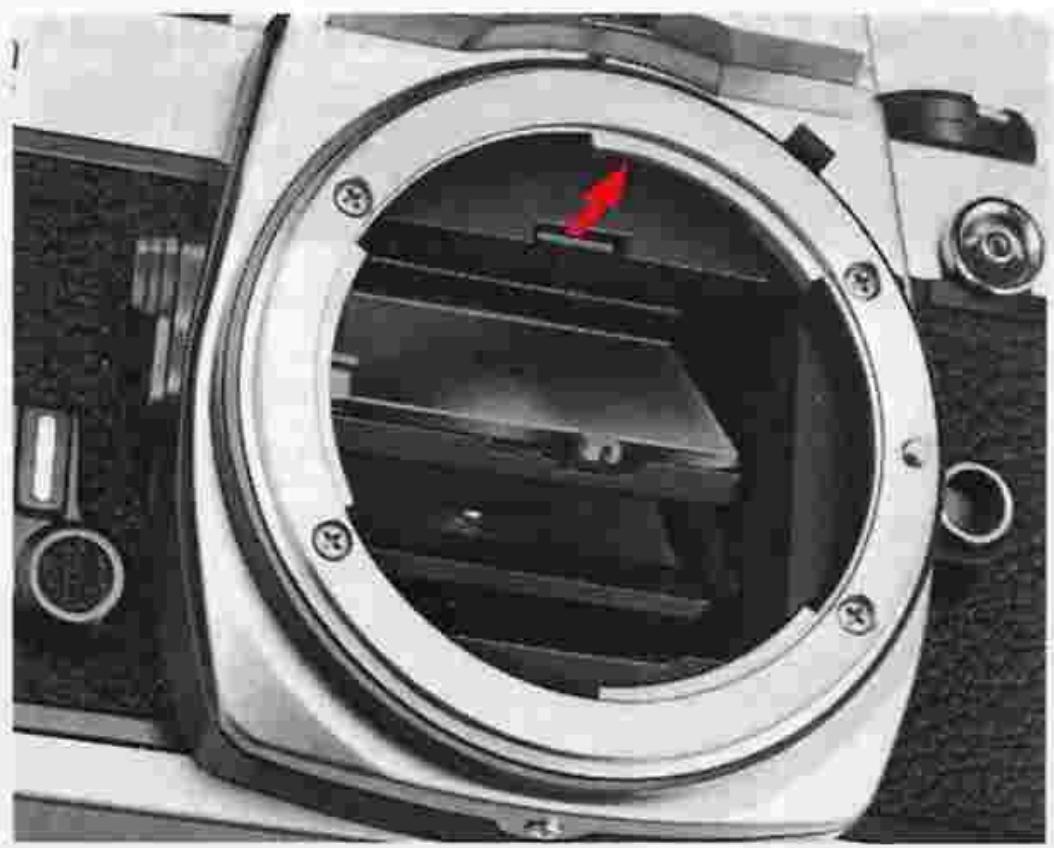
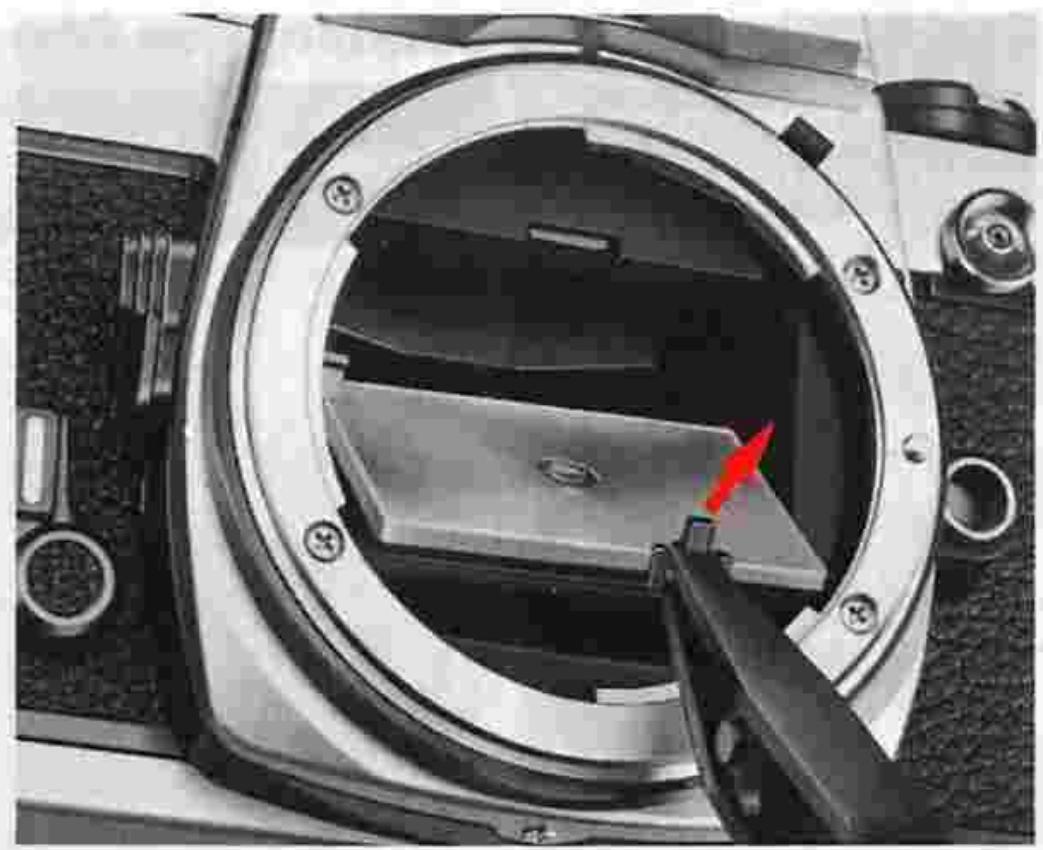
Three different types of focusing screens are usable with the Nikon FM2. The Type K2 screen comes with the camera as a standard accessory. Two optional focusing screens, Type B2 (matte/Fresnel with focusing spot) and Type E2 (matte/Fresnel with focusing spot and etched grid lines) are also available for the FM2 to match your particular requirements.
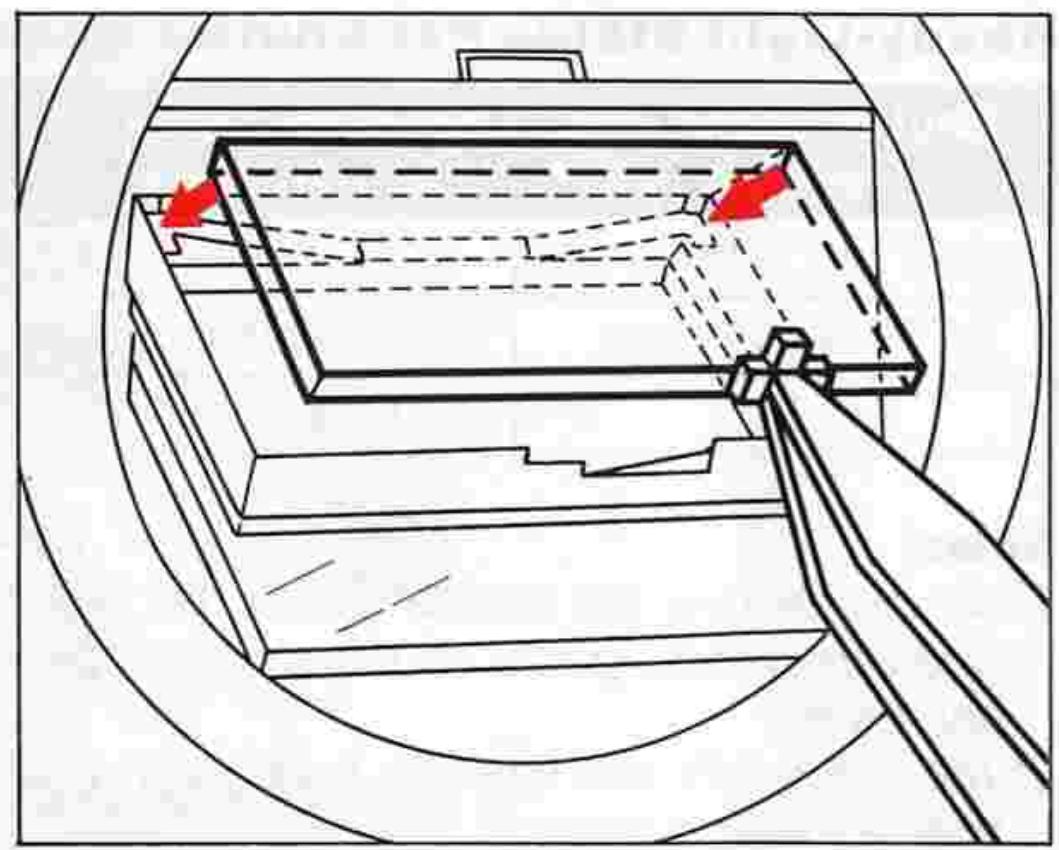
To change focusing screens, follow this procedure:
- Remove the lens from the camera body.
- Slip the small tip of the special tweezers (that come with the optional screens) under the focusing screen release latch ② at the top front of the mirror box casting and pull outward to spring open the holder.
- Take the screen out by grasping the small tab with the tweezers.
- Carefully position another screen in place with the flat side facing down and the side with the tab facing up.
- Then push the front edge of the holder upward with the tweezers until it clicks into position.
Note: To avoid getting smudges or fingerprints on the screen's optical surface, do not handle the screen with your fingers.
Focusing Screen Selector Guide
| Type | Name/style | Features |
| K2 | Split-image range-finder/microprism system | Suitable for general photography. Has microprism collar around the central split-image rangefinder spot. With PC-Nikkor or lenses having a maximum aperture slower than f/4.5, the split-image rangefinder or micro-prism collar is dim. In this case, focus on the surrounding matte area. |
| B2 | Matte system | Works well for general photography, close-up photography and duplication work. Especially useful for people who prefer to focus on the matte focusing spot at the center of the screen, or when it is inconvenient to use the split-image rangefinder for focusing, as is the case with telephoto lenses. |
| E2 | Horizontal and vertical line etched system | Extremely useful in pictorial composition. Consists of Type B2 matte field with etched horizontal and vertical lines. Also useful with PC-Nikkor lenses. |
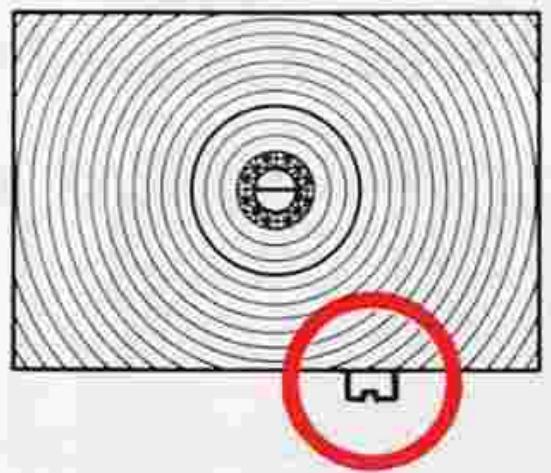
Type K2 clear-matte screen
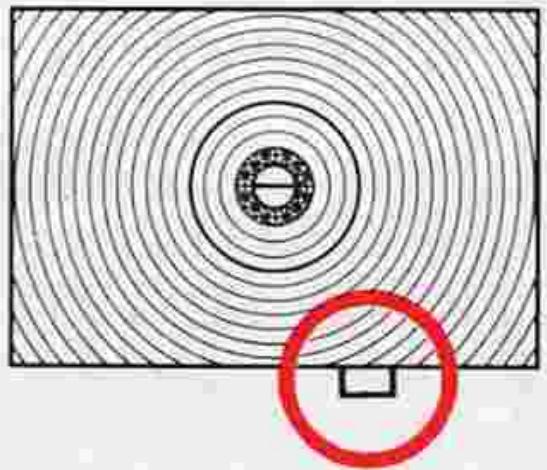
Type K screen
Caution: Type K2/B2/E2 focusing screens have a notched tab. If you use the Type K/B/E screen, you must make exposure compensation.
ACCESSIONS—continued
Close-up equipment
The following are some of the accessories you can use for close-up photography.
1) Close-Up Lenses No. 0, No. 1, No. 2, No. 3T, No. 4T, No. 5T, No. 6T.
Since these lenses are attached to the front of the lens in use, metering can still be done at full aperture.
2) Auto Extension Rings PK-11A, 12 and 13.
3) Bellows Focusing Attachment PB-6.
The Auto Extension Rings and the PB-6 are attached between the lens and camera body. If one of the rings is used with an Al lens, exposure determination is at full aperture because the exposure meter is linked to the automatic diaphragm of the lens. As for the PB-6, stop-down exposure measurement is necessary because the exposure meter is not linked with the automatic diaphragm of the lens. You can change magnifications continuously by extending the bellows.
Note, too, that it is possible to use a close-up lens, ring and the PB-6 all at the same time.
4) Micro-Nikkor 55mm f/2.8, AF Micro-Nikkor 55mm f/2.8, 105mm f/2.8 and 200mm f/4 IF lenses.
These specially designed lenses for close-up photography offer continuous focusing from infinity down to 1/2X lifesize. The closest focused distance of the lenses are 0.25m (0.82ft), 0.23m (0.75ft), 0.41m (1.34ft), and 0.71m (2.84ft), respectively.
Note that in close-up photography, the depth of field is generally shallow. Thus, you should stop down as much as possible in photographing a subject with very little depth. Also, it is advisable to use the Type K2's matte outer field for focusing (or to change focusing screens) because it is not easy to focus with the split-image or microprism ring.
Note: Non-Al extension rings such as the PK-1, 2, 3, PN-1, etc. cannot be attached to the FM2.
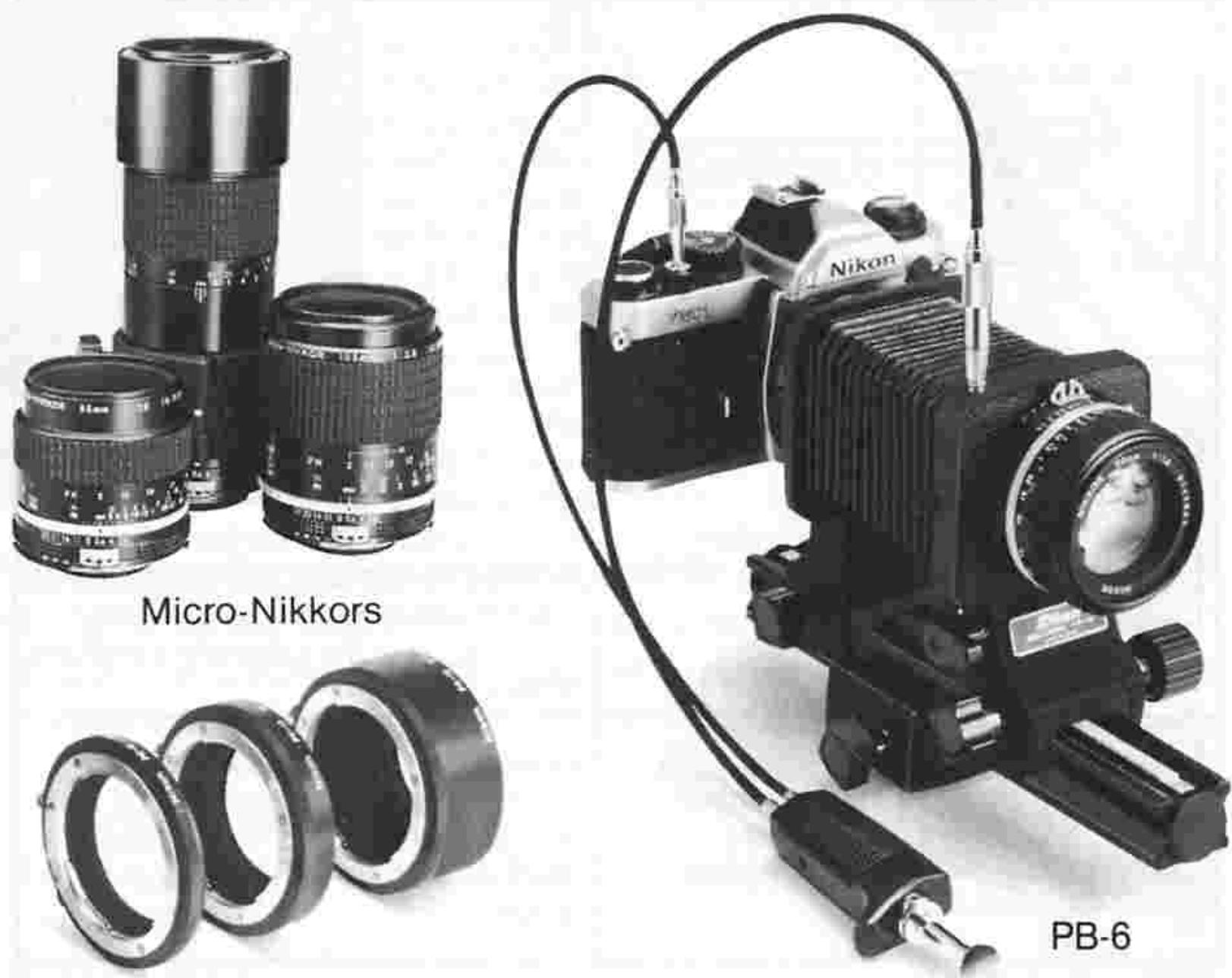
Auto Extension Rings
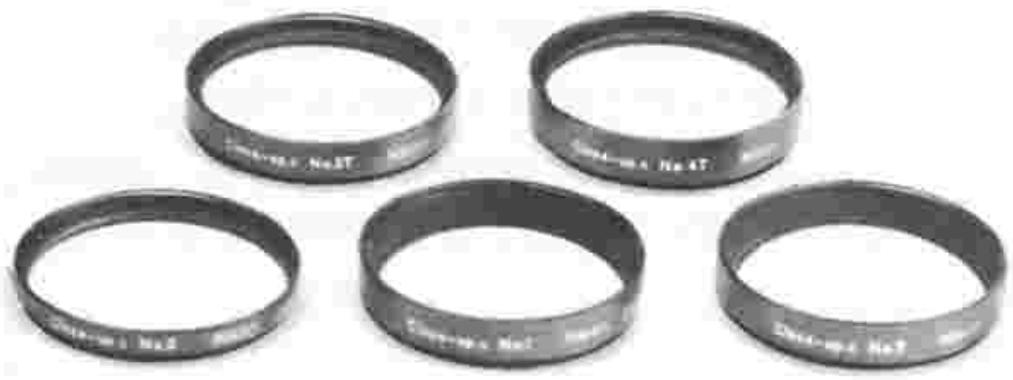
Close-Up Lenses
Motor Drive MD-12
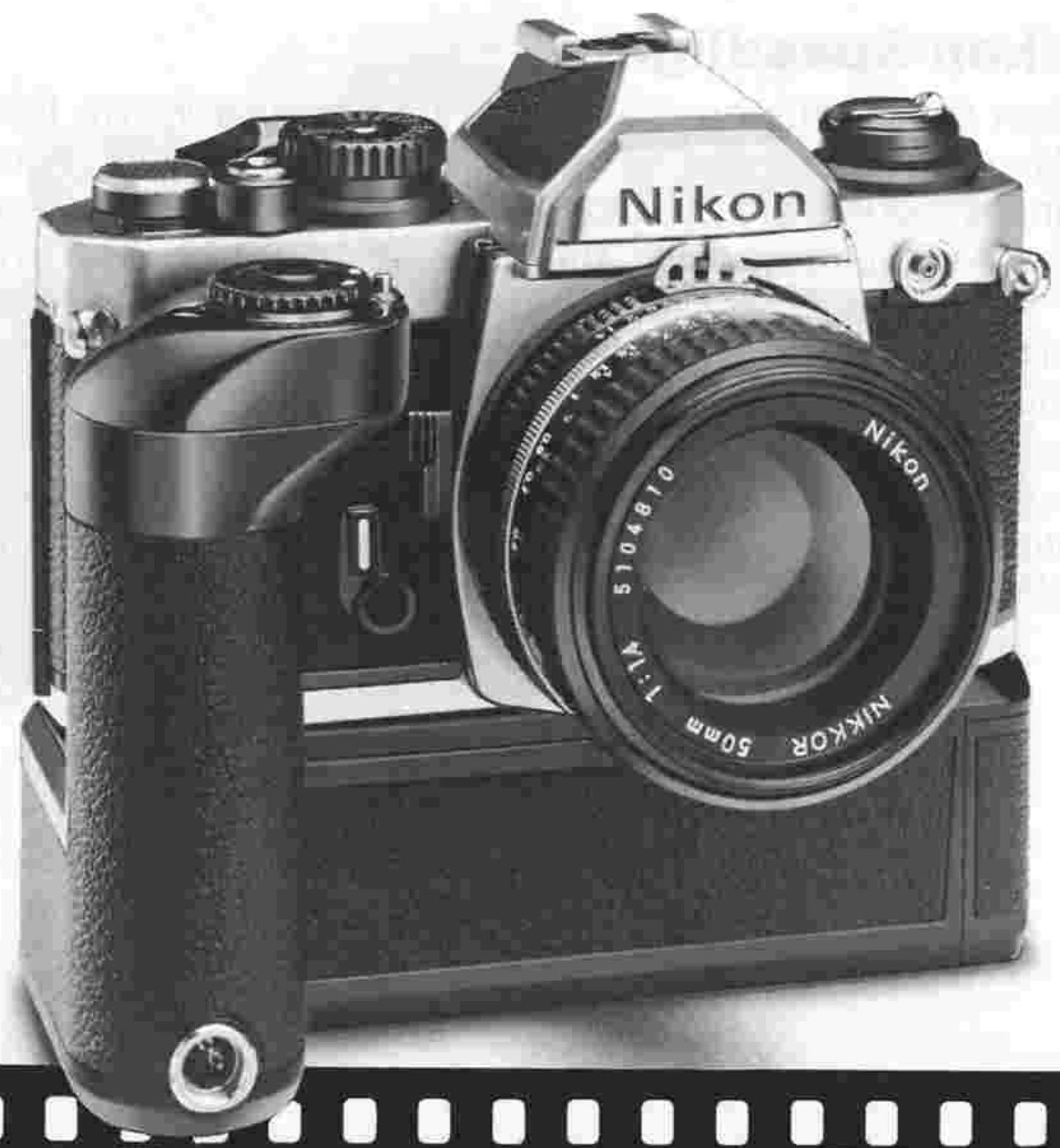
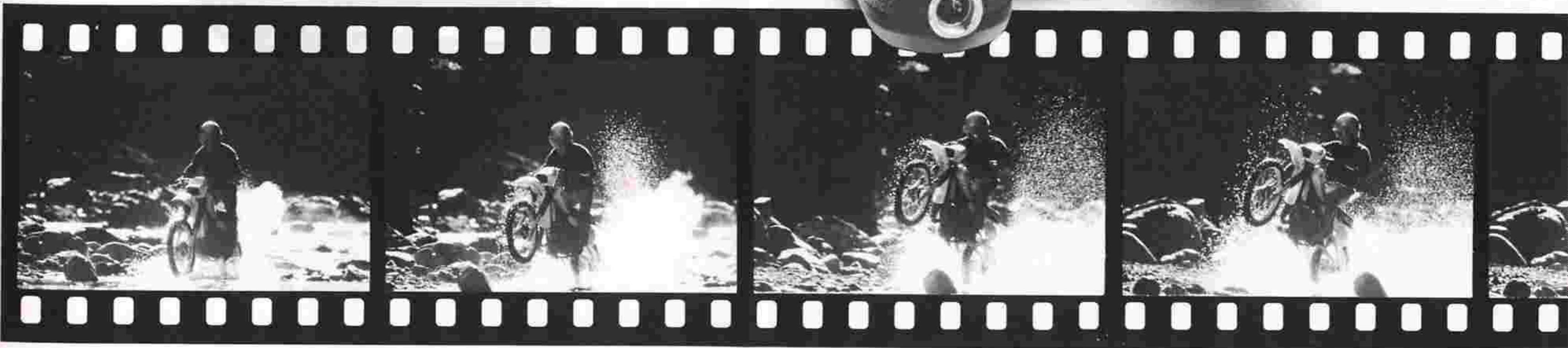
The use of the MD-12 motor drive unit with the FM2 enables automatic film advance when the unit's trigger button is pressed. In addition to single-frame shooting, continuous firing at the maximum rate of 3.2 frames per second is possible (i.e., when the shutter speed set is between 1/125 and 1/4000 sec.). The motor drive unit proves very convenient when shooting fast-moving subjects since the photographer does not have to wind film manually or take his eye off the viewfinder.
The MD-12 can be mounted onto the FM2 by simply inserting and tightening its built-in screw into the tripod socket at the base of the camera body. Note that lightly pressing the MD-12's trigger activates the FM2's exposure meter.
ACCESSIONS—continued
Nikon Speedlights
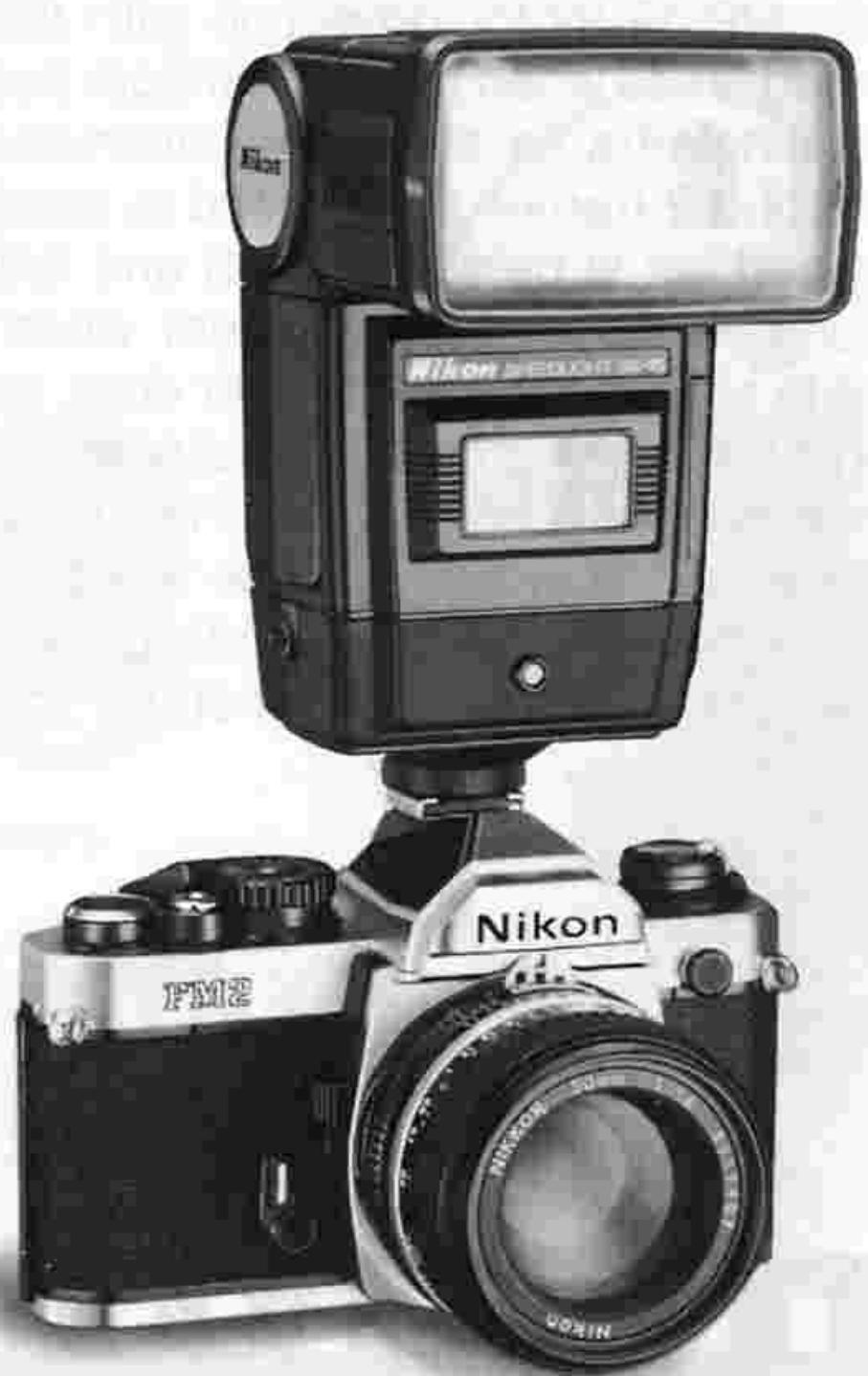
Nikon speedlights are convenient for shooting in dim light or taking backlit portraits, as well as for synchro-sunlight shooting. Various models are available—from speedlights for beginners to those for professionals. The Nikon SB-24, SB-22, SB-20, SB-19 or SB-16B Speedlight can be directly mounted onto the FM2's built-in hot shoe. These speedlights also activate the camera's LED ready-light inside the viewfinder which lights up when the flash unit is fully recycled and ready to fire, and blinks when the shutter speed set is outside the synchronization range—all without having to remove your eye from the viewfinder (see page 34).
SB-16B
Data Back MF-16
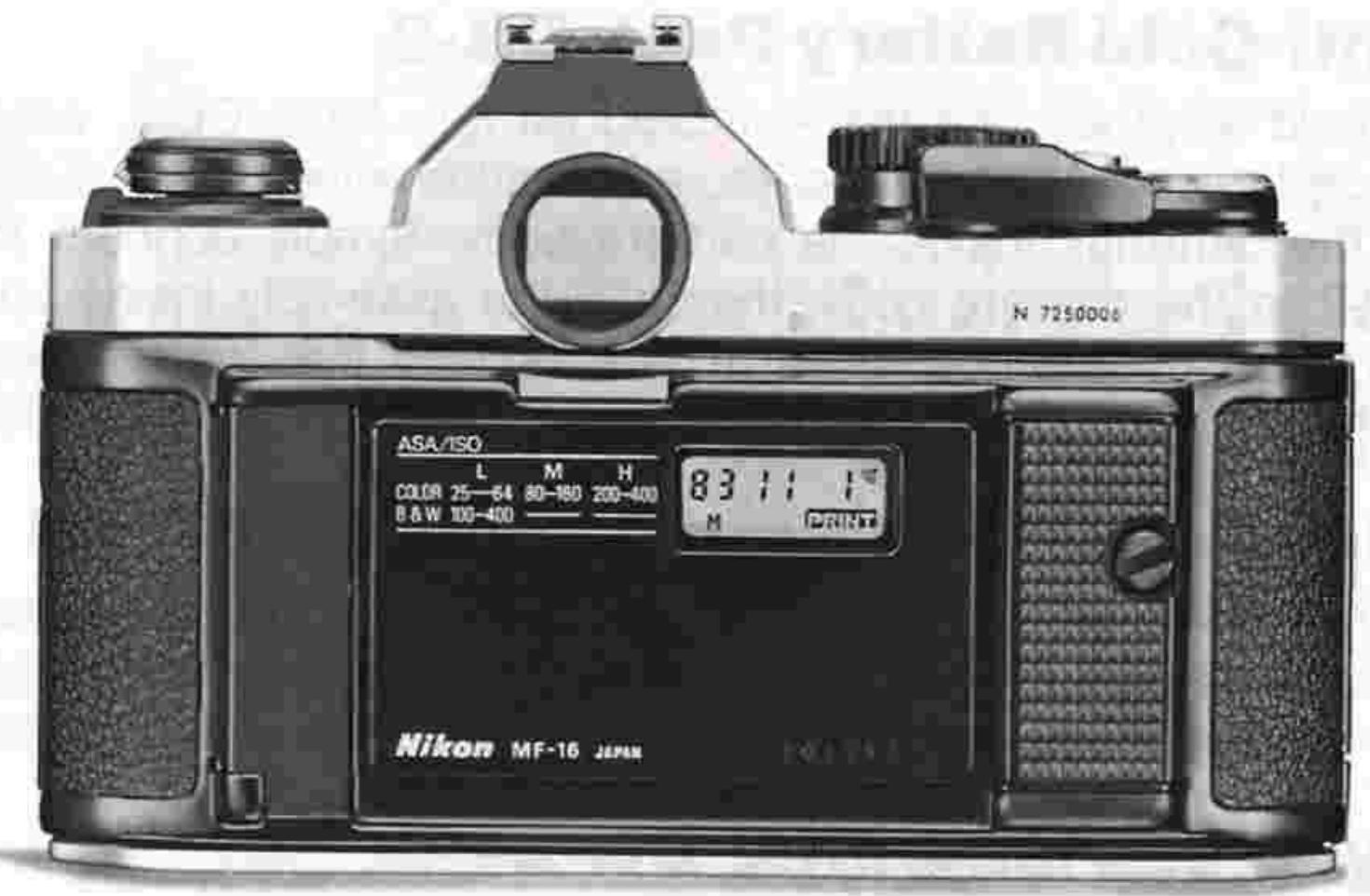
To keep track of when photos were taken, the FM2 accepts the slim, lightweight Data Back MF-16. This back attaches in place of the FM2's regular camera back with no sync cord required. Three imprinting modes are provided: year/month/day, day/hour/minute, or picture counting (up to 2000); each mode is displayed on the data back in clear LCD numerals and printed by LED's, on the photo in unobtrusive red numerals. Serving as a handy clock, a quartz timer with alarm is incorporated.
Note: The Nikon FM2 also accepts Data Back MF-12. In this case, use the cord provided with the data back to connect the socket contact of the MF-12 to the sync terminal of the camera.
MF-16
ACCESSIONS—continued.
Anti-Cold Battery Pack DB-2
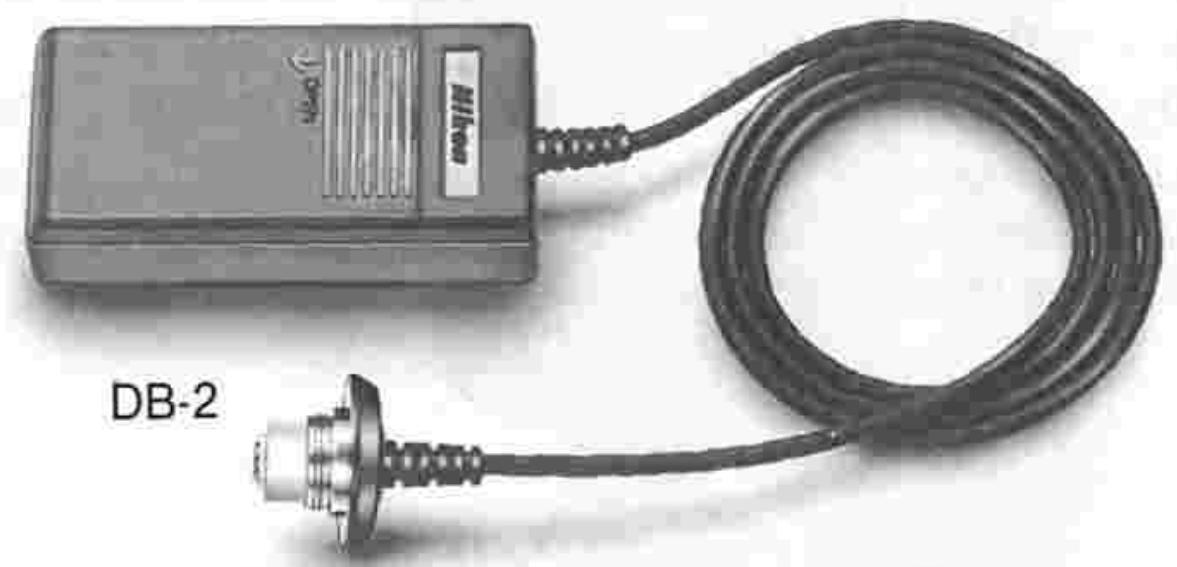
In cold weather, use the Anti-Cold Battery Pack DB-2, which accepts two AA-type batteries, as an alternative power supply to the batteries inside the camera body. Simply connect the DB-2 to the camera body, then slip the assembly inside your pocket or coat to keep it warm. This assures that the camera's metering system will function even in very cold temperatures.
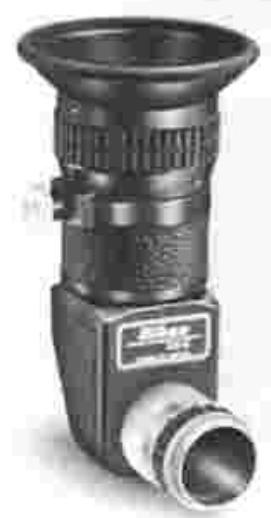
Right-Angle Viewing Attachment DR-3
Screws onto the viewfinder eyepiece to provide a viewfinder image at a 90^ angle to the camera's optical axis. Very helpful for closeup photography, duplication work and photomicrography.
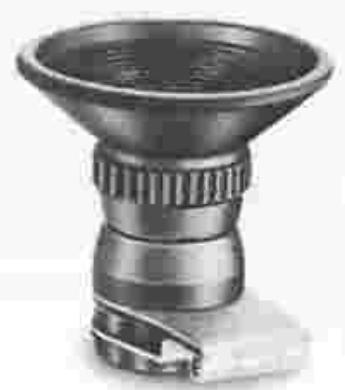
Eyepiece Magnifier DG-2
Attached to the viewfinder eyepiece, this accessory enlarges the image at the center of the viewfinder to assure ever precise focusing in closeup photography, duplication work and telephotography.
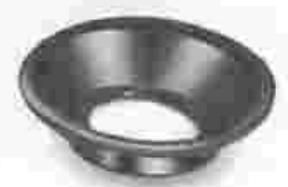
Rubber eyecup
Attached to the finder eyepiece, this eyecup excludes strong light and helps prevent eye fatigue.
Eyepiece correction lenses
Accessory lenses that screw onto the viewfinder eyepiece to enable near- and farsighted photographers to take pictures without having to wear eyeglasses. Nine models are available, offering a choice of the following diopters: -5, -4, -3, -2, 0, +0.5, +1, +2 and +3; the diopters represent the combined dioptry of the viewfinder and lens, and not the dioptry of the eyepiece correction lens only. For best results, choose the eye
piece correction lens most suitable for you only after actually trying out various models at the camera shop.
Cable Release AR-3
The screw-type AR-3 makes for vibration-free shutter release.
Rubber eyecup
DR-3
DG-2

Eyepiece correction lenses

AR-3
Filters
As is shown on the table, Nikon filters are broadly divided into the screw-in, drop-in, and bayonet type. For the Nikon FM2, the filter factor can be ignored except in the case of the R60. When using the R60 in tungsten lighting, set the aperture one f/stop wider than the figure indicated by the exposure meter.
Notes:
1) For lens protection, the L37C is recommended.
2) When shooting a backlit subject or if there's a bright light source in the frame, a ghost image is likely to result from the use of a filter. In this case, you should take the picture without a filter.
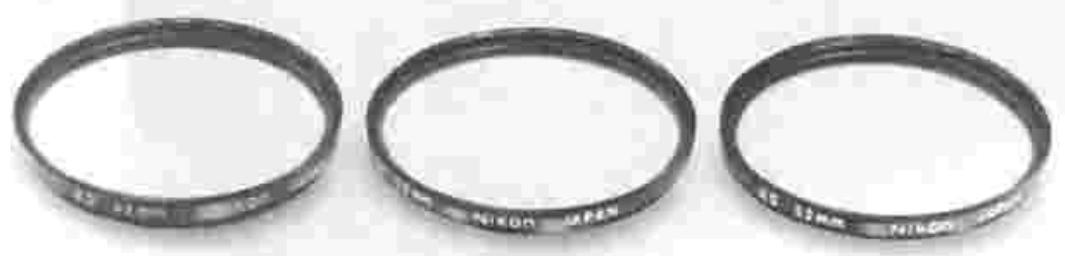
Lens hoods
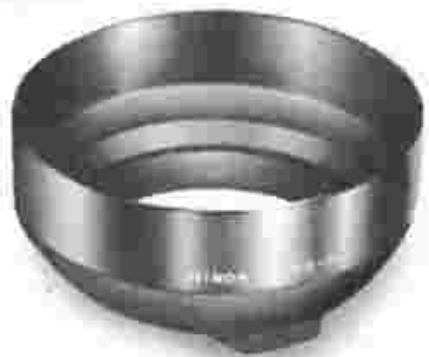
Recommended to prevent extraneous light from striking the lens, Nikon's lens hoods come in four styles: screw-in, slip-on, snap-on, and collapsible-rubber. Every lens should be fitted with the lens hood specially designed for it. Note, however, that some lens hoods can be used in common by several lenses.
| Type | Filter designation | Filter factor | Screw-in type (mm) | Drop-in type(Series IX) | Bayonet-mount type | |||||||||
| Daylight | Tungsten light | 39 | 52 | 62 | 72 | 95 | 122 | 160 | ||||||
| For Both Color and Black-and-White Film | Skylight | L18C | 1 | ● | ● | ● | ● | ● | ||||||
| Ultraviolet | L37C | 1 | ● | ● | ● | ● | ● | ● | ● | |||||
| For Black-and-White Film | Ultraviolet | L39 | 1 | ● | ● | |||||||||
| Yellow | Light | Y44 | 1.5 (1/2) | 1 | ● | ● | ||||||||
| Medium | Y48 | 1.7 (1/3) | 1.2 (1/3) | ● | ● | ● | ● | ● | ● | ● | ● | |||
| Deep | Y52 | 2 (1) | 1.4 (1/3) | ● | ● | ● | ||||||||
| Orange | 056 | 3.5 (13/6) | 2 (1) | ● | ● | ● | ● | ● | ● | ● | ● | |||
| Red | R60 | 8 (3) | 5 (21/3) | ● | ● | ● | ● | ● | ● | ● | ● | |||
| Green | Light | X0 | 2 (1) | 1 2 (1/3) | ● | |||||||||
| Deep | X1 | 5 (21/3) | 3.5 (15/6) | ● | ||||||||||
| For Both Color and Black-and-White Film | Soft filters | No.1 | 1 | ● | ● | ● | ||||||||
| No.2 | 1 | ● | ● | ● | ||||||||||
| Polarizing | Polar | 2~4 (1~2) | ● | ● | ● | |||||||||
| Neutral Density | ND2X | 2 (1) | ● | |||||||||||
| ND4X | 4 (2) | ● | ● | ● | ||||||||||
| ND8X | 8 (3) | ● | ● | |||||||||||
| ND400X | 400 (8.3) | ● | ||||||||||||
| For Color Film | Amber | Light | A2 | 1.2 (1/3) | ● | ● | ● | ● | ● | |||||
| Deep | A12 | 2 (1) | ● | ● | ● | |||||||||
| Blue | Light | B2 | 1.2 (1/3) | ● | ● | ● | ● | ● | ||||||
| Medium | B8 | 1.6 (1/3) | ● | ● | ||||||||||
| Deep | B12 | 2.2 (13/6) | ● | ● | ● | |||||||||
indicates increase in f/stop.
ACCESSIONS—continued
Camera cases
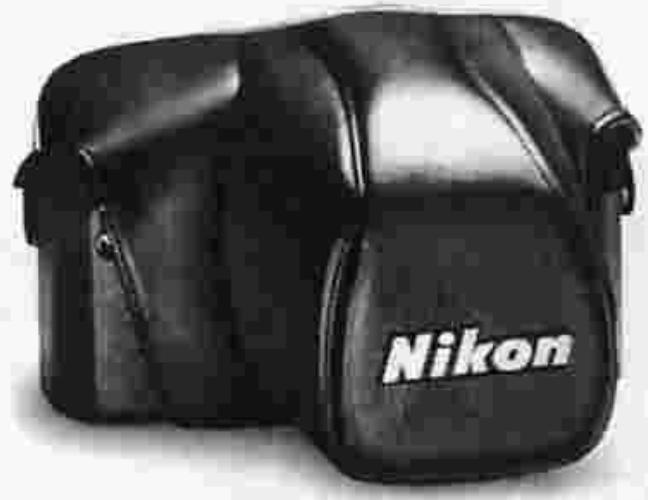
Semi-soft cases, such as the CF-27, CF-28 and CF-29, are available. The CF-27 case accommodates the FM2 mounted with a lens smaller than 50mm f/1.4. The CF-28 is for the camera mounted with any lens from 50mm f/1.2 to 105mm f/2.5. When a motor drive is attached to the FM2, use the CF-29 case. The soft-type CS-16 case is also available.
Neckstraps
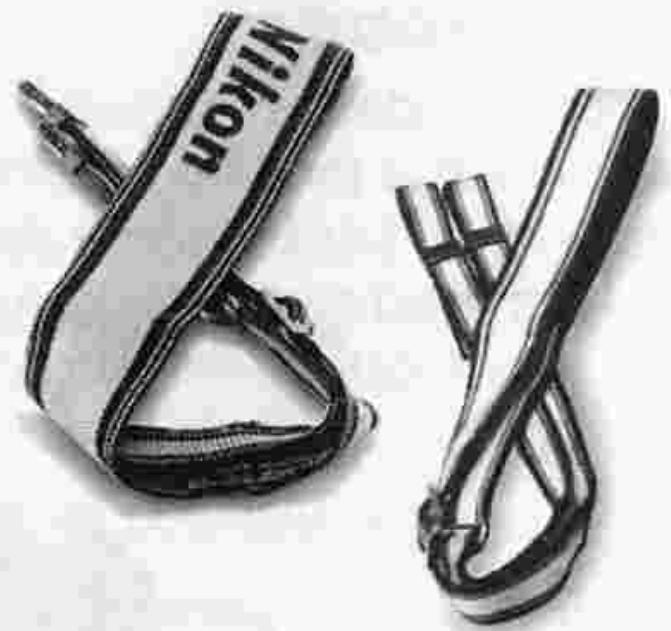
Available are the leather neckstrap AN-1 (black), webbed nylon neckstraps AN-4Y (yellow) and AN-4B (black), and wider webbed nylon neckstraps AN-6Y (yellow) and AN-6W (brown).
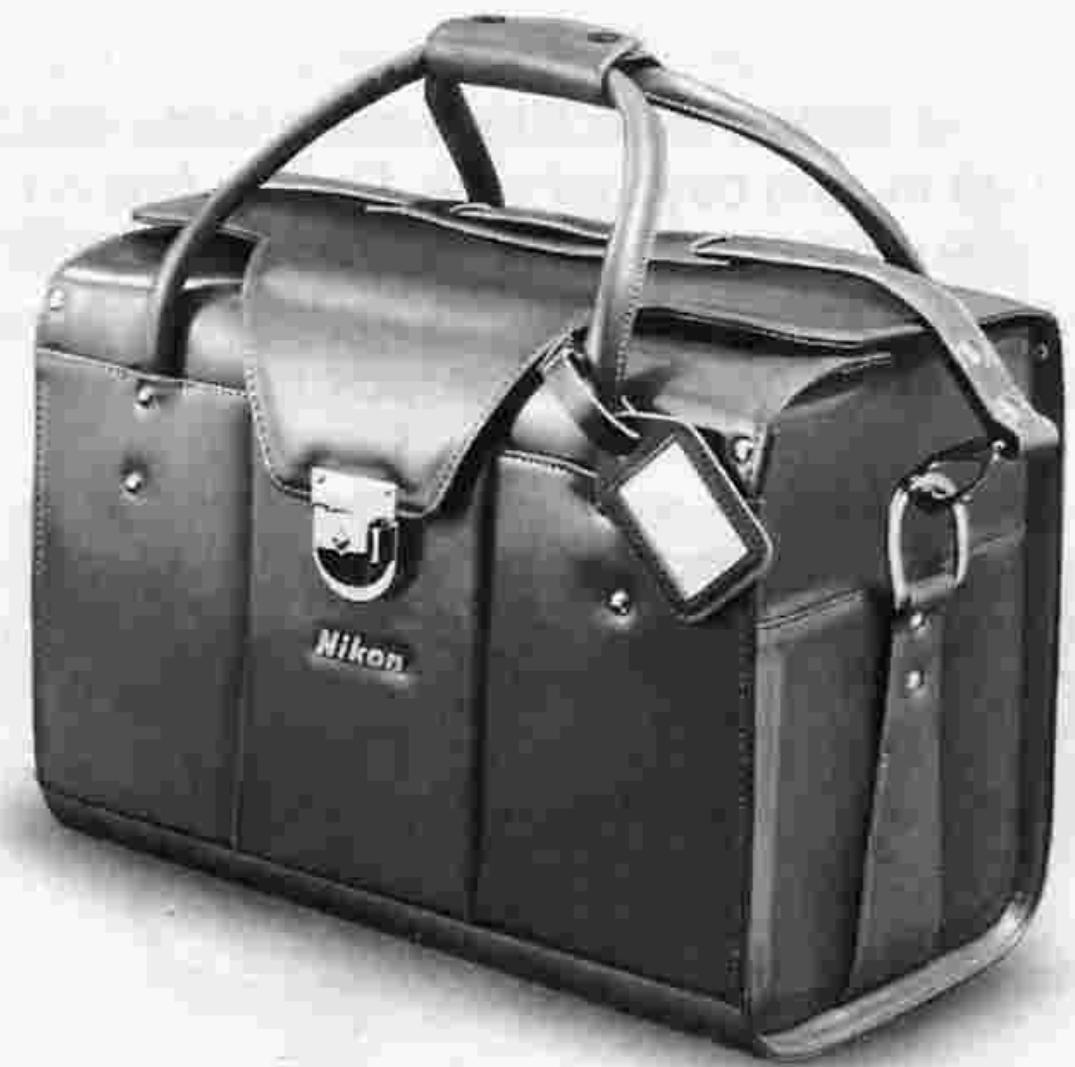
Compartment cases
A wide selection of six types to choose from, ranging from a compact type to a large type which can accommodate large or bulky camera equipment: FB-8, FB-11A, FB-14, FB-15, FB-16 and FB-17.
TIPS ON BATTERY USE
- Keep batteries away from infants and small children. In case a battery is accidentally swallowed, call a doctor immediately as the material inside the batteries can cause serious problems.
- Battery power falls off in extremely cold temperatures and this may cause the camera's photometric circuit to malfunction. In this situation, use new batteries and protect the camera body from the cold. Note that battery power will be recovered as soon as the temperature becomes normal.
- Should the battery be left in the battery chamber for a long period, insufficient contact may occur due to battery leakage. Thus, it is good practice to periodically clean the battery and the contact section in the battery chamber with a soft cloth. If the battery chamber is stained with a leaking battery, remove the battery at once and clean the chamber.
- If you're using a pair of batteries, change them at the same time; never mix new and old batteries.
- When not using the camera for a long period, take batteries out and store them in a cool, dry place.
- Never disassemble batteries or discard them in fire.
- When using a pair of batteries, make sure they are of the same make.
- Always check battery power before the shooting session because battery power can become exhausted without warning. It is a good idea to have spare batteries on hand during a protracted shooting assignment.
- In normal use, a battery's lifespan is about one year. The battery packed with this camera, however, is for test purposes only so its lifespan may be shorter than usual.
TIPS ON CAMERA CARE
Although the FM2 is a tough and durable camera, bear in mind that is a precision optical instrument, and that careless or rough handling may damage it. Observe the following tips, and the FM2 will always work as perfectly as the day you bought it.
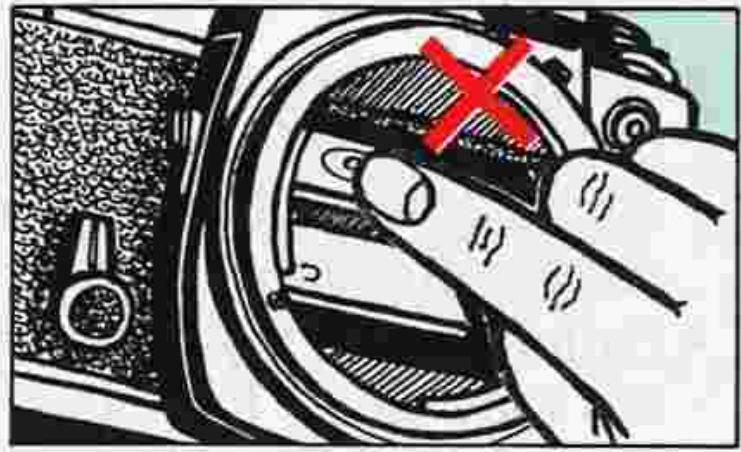
- Don't touch the reflex mirror or the focusing screen to prevent them from getting scratched. Remove dust with a blower-type brush.
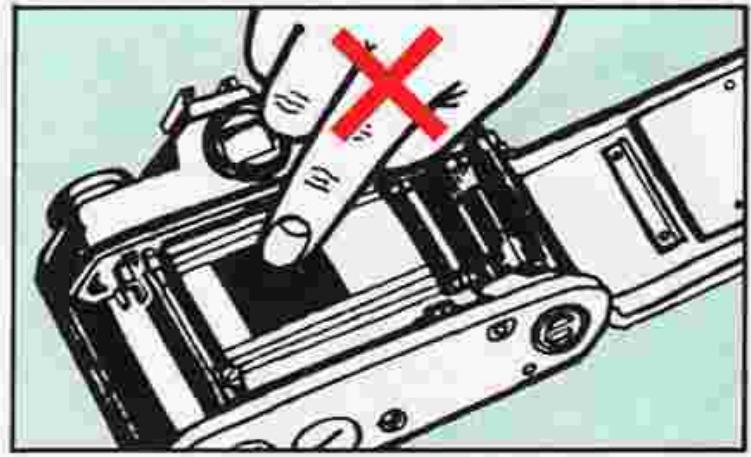
- Do not touch the shutter curtains.
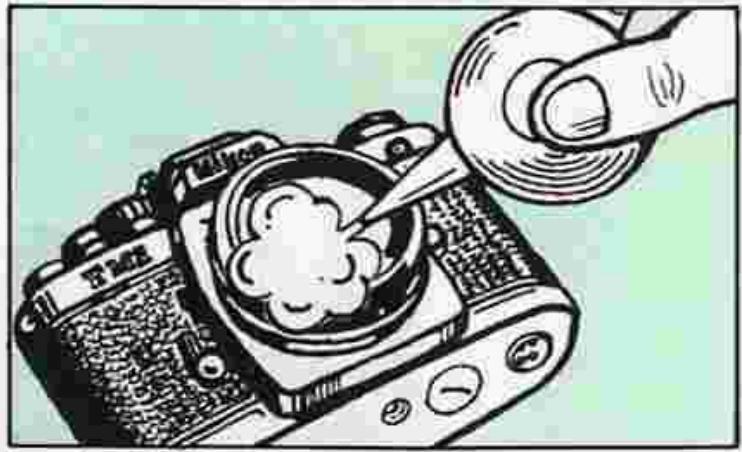
Clean glass surfaces such as the lens or the finder eyepiece with a blower-type brush; avoid using lens tissue as much as possible. Gently wipe dirt, smudges or fingerprints with soft cotton moistened with a small amount of absolute alcohol, using a spiral motion from center to periphery. Make sure you leave no wiping traces.
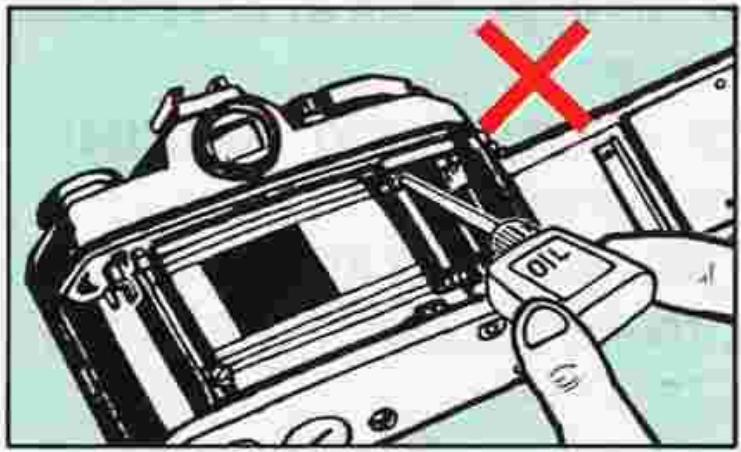
Generally, the camera does not need lubrication.
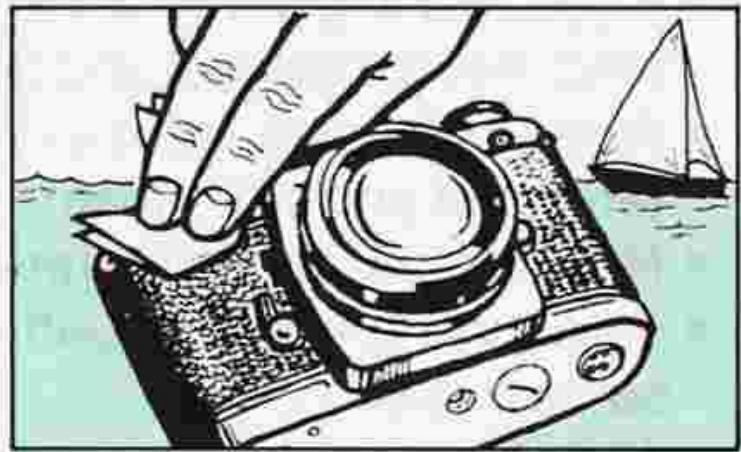
- If the camera body is exposed to rain or mist, wipe moisture gently with a soft cloth and dry the camera. After using the camera near salt water, take care that you wipe it with a cloth moistened with pure water to remove possible traces of salt.
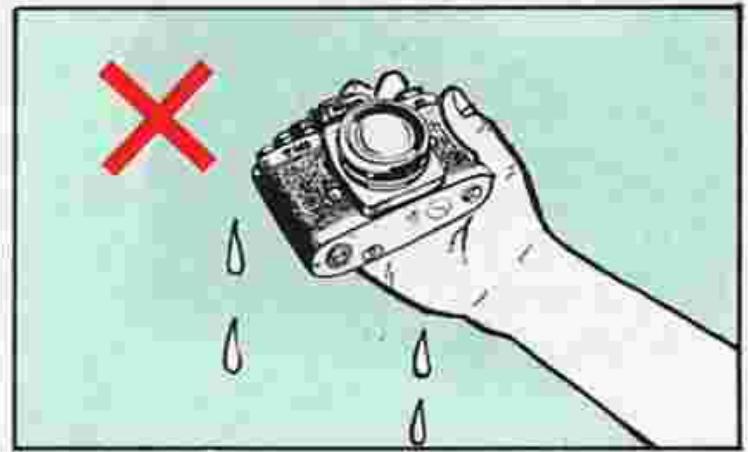
- If the inside of the camera body accidentally gets wet, its internal precision parts may get rusty. Take the camera right away to the nearest authorized Nikon dealer for a checkup which may require repair payment.
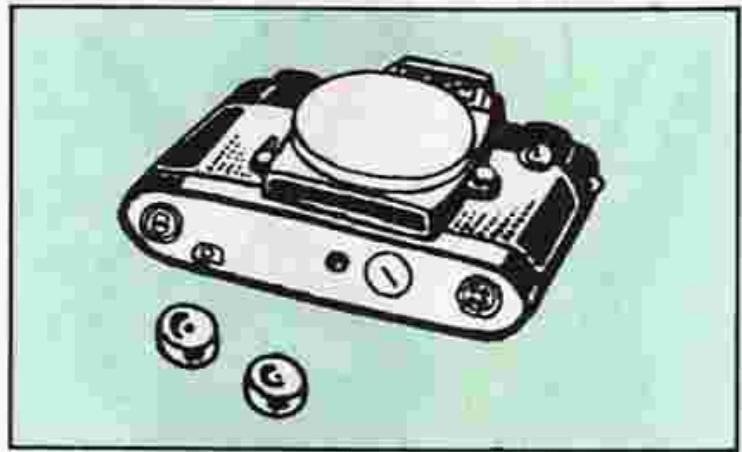
- When not using the camera for a long time, take out the batteries and store the camera away from high temperature, high humidity, naphthaline, or camphor.
Caution: Please note that the use of a spray-gun type blower to clean the lens may cause possible damage to the glass (especially when ED glass is used for the front lens element), by suddenly lowering the temperature on the lens surface. To avoid damage, hold the blower upright, keep its nozzle more than 30cm away from the lens surface and move

In a humid environment, it is best to store the camera in a vinyl bag with a desiccant to keep away dust, moisture and salt.
the nozzle around so that the stream of air is not concentrated in one spot.
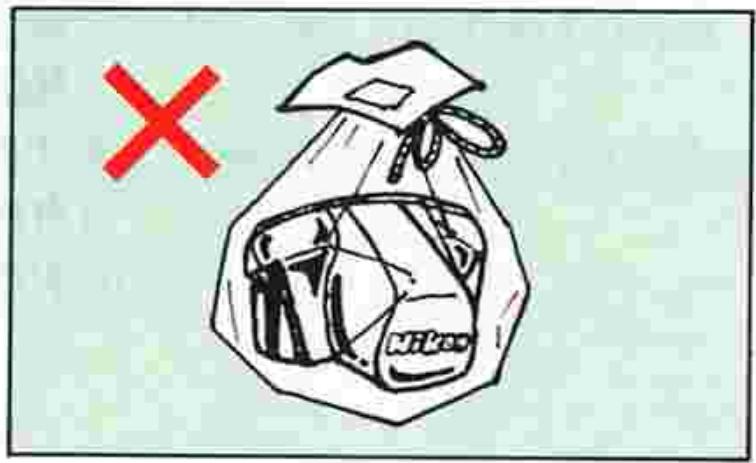
- Note that storing leather cases in a vinyl bag may cause the leather to deteriorate, so exercise due care.
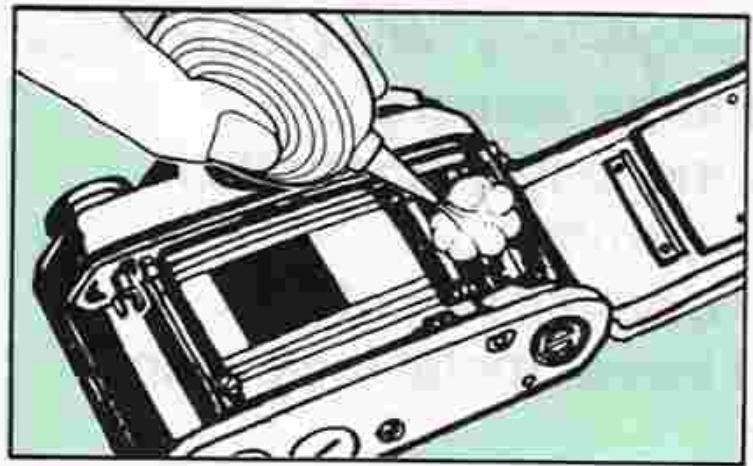
Clean metallic parts with a blower-type brush or with a dry, soft cloth.
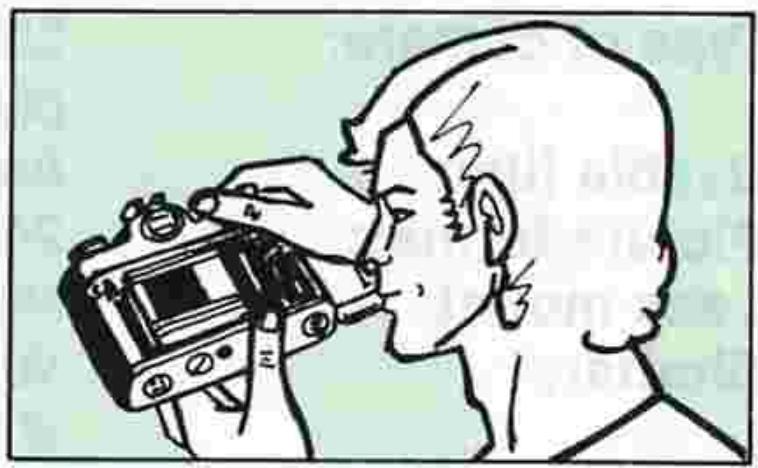
Before using the camera, it is a good practice to check it thoroughly first.
SPECIFICATIONS
| Type of camera: | 35mm single-lens reflex (SLR) focal plane shutter camera |
| Usable film: | Any cartridge-type 35mm film |
| Picture format: | 24mm×36mm |
| Lens mount: | Nikon F bayonet mount |
| Shutter: | Vertical-travel, metal focal plane shutter |
| Shutter speed settings: | 1 sec.~1/4000 sec., B (bulb); 14 fixed settings in all |
| Self-timer: | Set/cancel type provided; approx. 10-sec. shutter release delay |
| Viewfinder: | Eye-level type, with 93% frame coverage |
| Viewfinder display: | Shutter speed, f/number, and LED exposure display for overexposure +, correct exposure o and under-exposure - |
| Focusing screen: | Split-image microprism type (Type K2) provided as standard; matte type (B) and matte with horizontal and vertical line etchings (E) optionally available. |
| Mirror: | Quick-return type |
| Film advance: | Lever provided; 30° standoff angle and 135° winding angle |
| Automatic film advance: | Possible with optional Motor Drive MD-12 |
| Multiple exposure lever: | Provided, disengages frame counter for correct count |
| Frame counter: | Additive type (S, 0~36); automatically resets to S when camera back is opened |
| Film rewind: | By crank provided after film rewind button is pressed |
| Flash synchronization: | Built-in hot shoe for mounting flash unit; sync cord terminal also provided; 1/250 sec. sync |
| Ready-light: | Provided inside the viewfinder |
| Exposure meter: | TTL center-weighted full aperture exposure measuring system using a pair of SPD's (silicon photodiodes) as photoelectric element; measures from EV 1 to EV 18 at ASA/ISO 100 and with 50mm f/1.4 lens (i.e., from 1 sec. at f/1.4 to 1/4000 sec. at f/8) |
| Film sensitivity range: | ASA/ISO 12~6400 |
| Power source: | Choice of one 3V lithium battery, two 1.55V silver-oxide batteries, or two 1.5V alkaline-manganese batteries |
| Exposure meter switch: | Light pressure on shutter release button switches meter on; meter stays on for approx. 30 sec. after finger leaves button, then automatically switches off |
| Battery power check: | LED exposure display inside view finder lights up when the exposure meter is switched on if there is sufficient power (i.e., the shutter speed dial should be set anywhere except B) |
| Camera back: | Pops open when the film rewind knob as the camera back lock is pushed; detachable; memo holder provided. |
| Dimensions: | Approx. 142.5mm(W)×90mm(H)×60mm(D) |
| (camera body only) | |
| Weight: | Approx. 540g |
| (camera body only) |
Specifications are subject to change without notice.
No reproduction in any form of this manual, in whole or in part (except for brief quotation in critical articles or reviews), may be made without written authorization from NIKON CORPORATION.
Nikon
- Nikon
- IMI2
- NOMENCLATURE
- FOREWORD
- BASIC OPERATION
- Remove the battery chamber lid 58
- Install the battery.
- Put the battery chamber lid back in its place.
- Pull out the film advance lever to unlock the shutter release button ②.
- Press the shutter release button lightly to switch the exposure meter on.
- Check battery power.
- BASIC OPERATION—continued
- Mount the lens onto the camera.
- Open the camera back 60
- Close the camera back.
- Take up film slack.
- Make blank exposures until the frame counter reaches frame 1.
- Set the ASA/ISO film speed.
- Hold the camera and point it at the subject.
- Set the correct exposure.
- Focus on the subject by rotating the lens focusing ring 46
- Depress the shutter release button.
- Advance the film. Wind the film advance le
- Press the film rewind button 43.
- Rewind the film.
- Remove the film cartridge.
- Put the film advance lever back into place.
- CONTROLS IN DETAIL
- Film advance lever ⑧
- Frame counter 53
- Shutter release button ②
- CONTROLS IN DETAIL—continued
- ASA/ISO film speed dial 55
- Shutter speed dial ⑤ /exposure determination
- Setting the shutter speed
- Setting the aperture
- Exposure determination
- Exposure display
- Metering range of exposure meter
- Stop-down exposure measurement
- Exposure measurement in special cases
- To compensate
- Duplication work and photomicrography
- Inside the viewfinder:
- Viewfinder/viewing & focusing
- Split-image focusing
- Microprism grid focusing
- Matte outer field focusing
- Depth-of-field preview lever ⑤
- What depth of field is
- Self-timer lever 6
- Multiple exposure lever 52
- CONTROLS IN DETAIL—continued.
- Memo holder 44
- Infrared compensation index 31
- Flash photography
- Ready-light ⑨
- Notes:
- ACCESSIONS
- Interchangeable focusing screens
- To change focusing screens, follow this procedure:
- ACCESSIONS—continued
- Close-up equipment
- Motor Drive MD-12
- Nikon Speedlights
- Data Back MF-16
- ACCESSIONS—continued.
- Anti-Cold Battery Pack DB-2
- Right-Angle Viewing Attachment DR-3
- Eyepiece Magnifier DG-2
- Rubber eyecup
- Eyepiece correction lenses
- Cable Release AR-3
- Filters
- Lens hoods
- Camera cases
- Neckstraps
- Compartment cases
- TIPS ON BATTERY USE
- TIPS ON CAMERA CARE
- SPECIFICATIONS
Marque : NIKON
Modèle : FM2
Catégorie : Appareil photo argentique