
AL-M400 - Imprimante laser EPSON - Notice d'utilisation et mode d'emploi gratuit
Retrouvez gratuitement la notice de l'appareil AL-M400 EPSON au format PDF.

| Intitulé | Valeur / Description |
|---|---|
| Type de produit | Imprimante laser monochrome |
| Résolution d'impression | 1200 x 1200 dpi |
| Vitesse d'impression | Jusqu'à 40 pages par minute |
| Capacité du bac d'alimentation | 250 feuilles |
| Connectivité | USB 2.0, Ethernet, Wi-Fi (selon modèle) |
| Compatibilité système d'exploitation | Windows, macOS, Linux |
| Dimensions approximatives | 375 x 360 x 250 mm |
| Poids | Environ 10 kg |
| Consommation électrique | Environ 350 W (impression), 30 W (veille) |
| Niveau sonore | Moins de 50 dB (A) en fonctionnement |
| Entretien et nettoyage | Nettoyage régulier de l'intérieur et remplacement du toner |
| Pièces détachées et réparabilité | Disponibilité de toners et pièces de rechange |
| Garantie | 1 an (selon conditions du fabricant) |
| Sécurité électrique | Conforme aux normes de sécurité CE et UL |
FOIRE AUX QUESTIONS - AL-M400 EPSON
Questions des utilisateurs sur AL-M400 EPSON
0 question sur cet appareil. Repondez a celles que vous connaissez ou posez la votre.
Poser une nouvelle question sur cet appareil
Téléchargez la notice de votre Imprimante laser au format PDF gratuitement ! Retrouvez votre notice AL-M400 - EPSON et reprennez votre appareil électronique en main. Sur cette page sont publiés tous les documents nécessaires à l'utilisation de votre appareil AL-M400 de la marque EPSON.
MODE D'EMPLOI AL-M400 EPSON
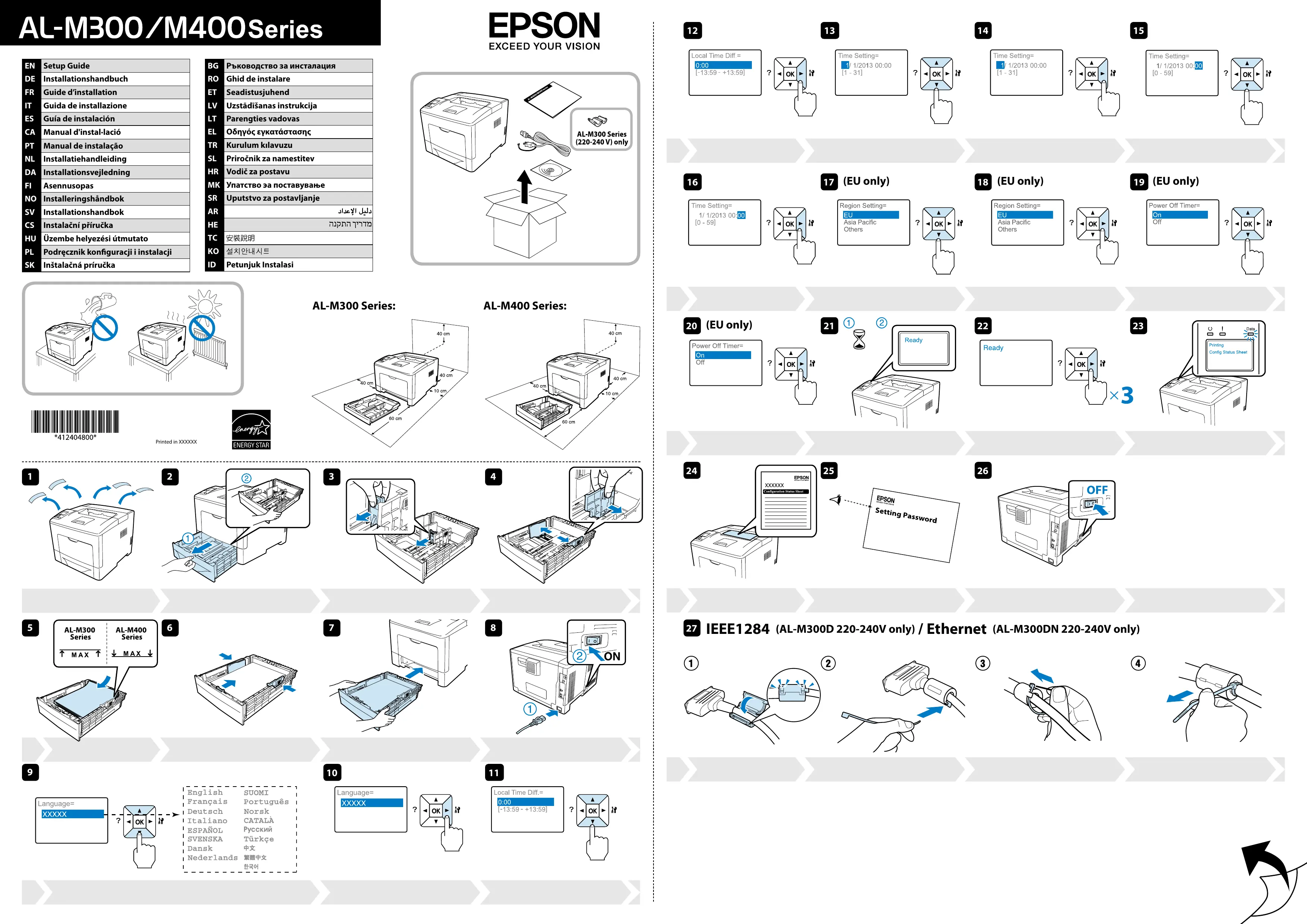
AL-M300/M400Series
EN Setup Guide
DE Installationshandbuch
FR Guide d'installation
IT Guida de installatione
ES Guía de instalación
CA Manual d'install-lacion
PT Manual de instalacao
NL Installatiehandleiding
DA Installationsvejledning
Fi Asennusopas
NO Installeringshandbok
SV Installationshandbok
CS Instalačni príručka
HU Üzembe helyezési utmutato
PL Podrcznik konfiguracji i instalacji
SK Instalačná príručka

PbkoBOCTBO3uHCTanaun
RO Ghid de instalare
ET Seadistusjuhend
LV Uzstādīñas instrukcija
LT Parenties vadovas
EL Obnyoc ykataoTaonc
TR Kurulum kilavuzu
SL Priročnik za namesitev
HR Vodičza postavu
MK YnataCTBO 3a noctabyBahe
SR Uputstvo za postavljanje
AR
HE
TC 安裝說明
KO 尔特兰网
ID Petunjuk Instalasi
EPSON
EXCEED YOUR VISION
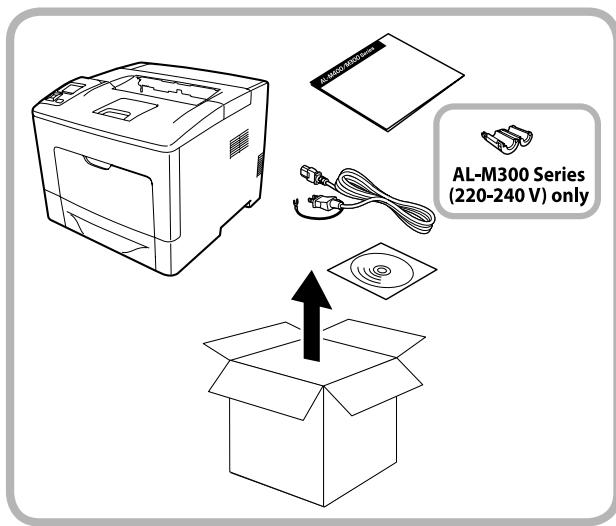
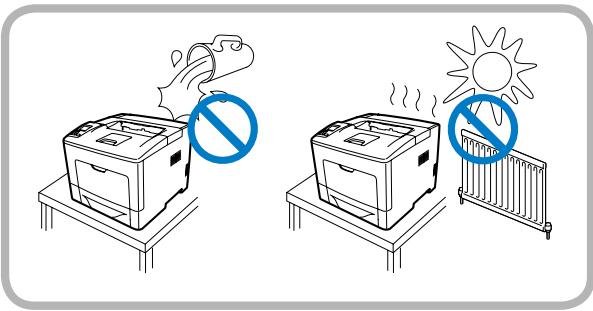

*412404800

Printed in XXXXX
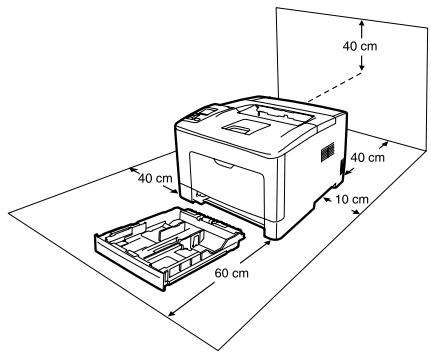
AL-M300 Series:
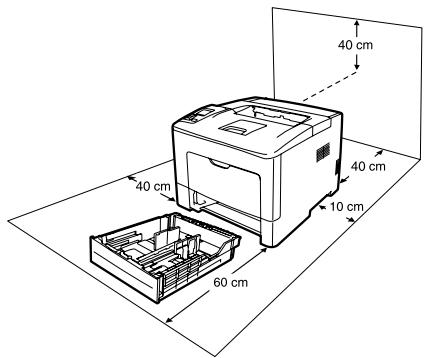
AL-M400 Series:

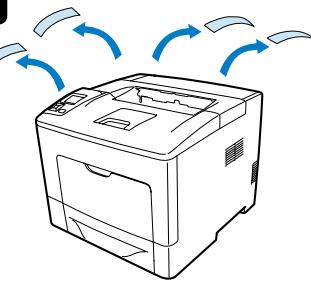

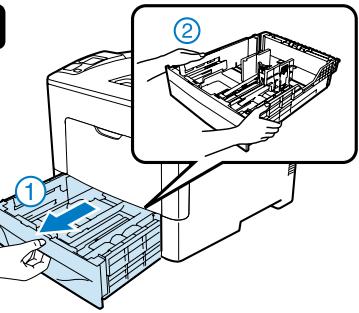

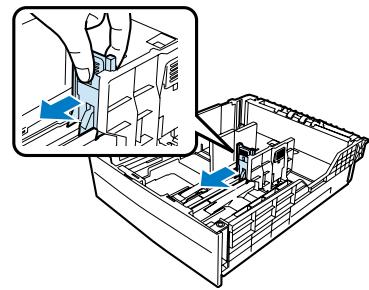





English SUOMI
Français Portugués
Deutsch Norsk
Italiano CATALÀ
ESPÁÑOL Pýccknié
SVENSKA Türkiye
Dansk 中文
Nederland 繁體中文
中国

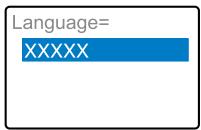

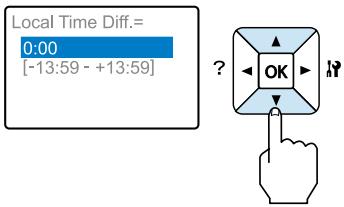

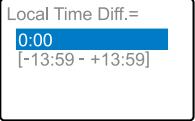

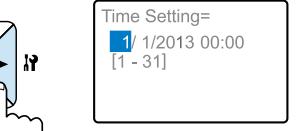

Time Setting=
1/1/20
180^

Time Setting=

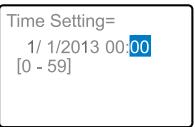
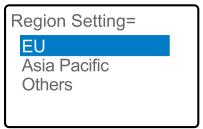
17 (EU only)

(EU only)
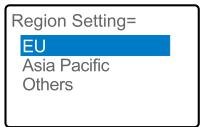
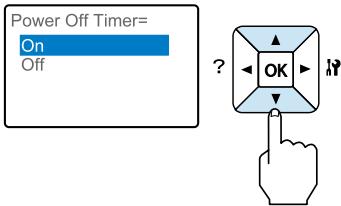
19 (EU only)

(EU only)
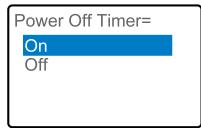







IEEE1284 (AL-M300D 220-240V only) / Ethernet (AL-M300DN 220-240V only)


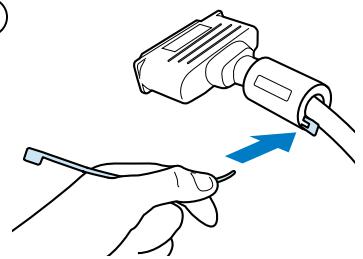



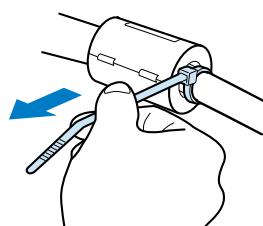











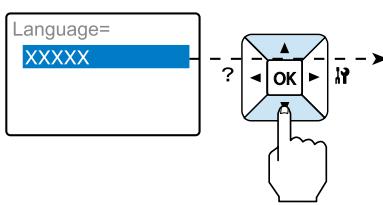
English SUOMI
Français Portugués
Deutsch Norsk
Italiano CATALÀ
ESPÁÑOL Pýccknié
SVENSKA Türkiye
Dansk 中文
Nederland 繁體中文
中国

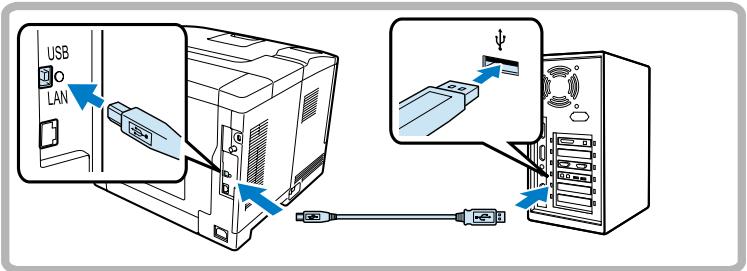
IEEE1284 (AL-M300D only)
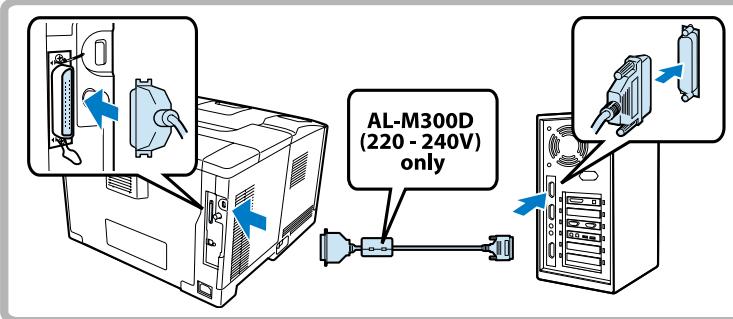
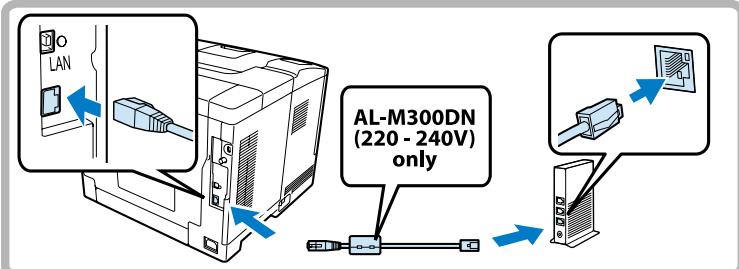
Ethernet (AL-M300DN/M400DN only)
29
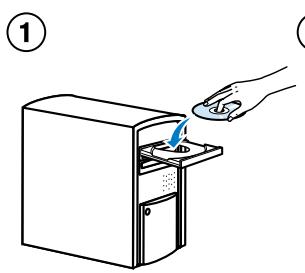
(2) (Mac OS only)
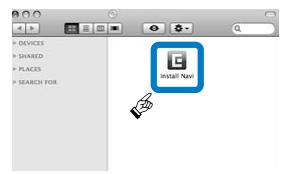
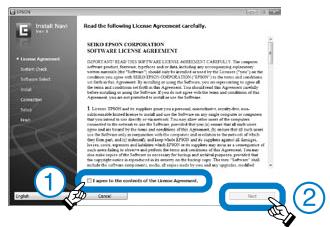
(3)
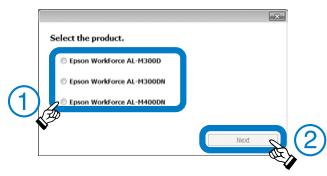
(4)
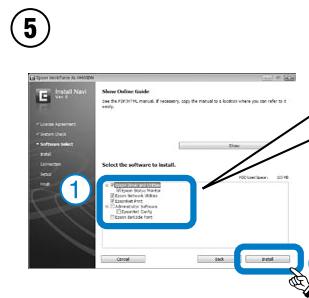
USB/IEEE1284 (AL-M300Donly)
Epson Driver and Utilities
√Epson Status Monitor
Enernet (N/A)
(AL-M300DN/M400DN only)
Epson Driver and Utilities
Epson Status Monito
Epson Network Utilities
EpsonNet Print
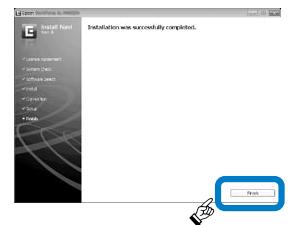
(6)
?
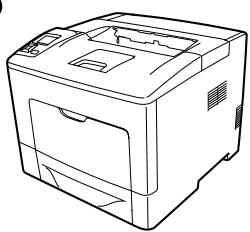

http://www.epson.com

To read the online guide, you must have Adobe Acrobat Reader 5.0 or later, or Adobe Reader, installed on your computer.
No part of this publication may be reproduced, stored in a retrieval system, or transmitted in any form or by any means, mechanical, photocopying, recording, or otherwise, without the prior written permission of Seiko Eson Corporation. No patent liability is assumed with respect to the use of the information contained herein. Neither is any liability assumed for damages resulting from the use of the information contained herein.
n maintenance instructions.
Seiko Eson Corporation and its affiliates shall not be liable against any damages or problems arising from the use of any options or any consumable products other than those designated as Original Eson Products or Eson Approved Products by Seiko Eson Corporation.
EPSON is a registered trademark of Seiko Epson Corporation.
Microsoft, Windows, and Windows Vista are registered trademarks of Microsoft Corporation.
Apple, Mac, Mac OS and OS X are registered trademarks of Apple, Inc.
General Notice: Other product names used herein are for identification purposes only and may be trademarks of their respective owners. Epson disclaims any and all rights in those marks.
© 2012 Seiko Epson Corporation. All rights reserved.
EN For detailed information and safety recommendations, refer to the User's Guide.
DE Einzelheiten und Empfehlungen zur Sicherheit finden Sie im Benutzerhandbuch.
FR Pour plus d'informations et des recommandations concernant la sécurité, reportez-vous au Guide de l'utilisateur.
IT Per informazioni dettagliate e suggerimenti sulla sicurezza consultare la Guida per I' utente.
Para Obtener informacion detallada y recomendaciones sobre segundad consulta la Guia de usuario.
CA Per obtenir informació detallada consulti el Manual d'usuari.
PT Para mais informações e recomendações sobre segurarca, consulte o Manual do Utilizador.
NL Raadpleeg de gekruikershandleiding voor meer informatie en veiligheidsvoorschriften\
DA Der findes yderligere oplyninger og anbefalinger om sikkerhed i brugervledningen.
Fl Lisatietoja ja turvaohjeita on Kayttooppaassa.
NO Huis du vil ha mer detaIjert inomasiJong og sikkerhetsanbefalinger, kan du se is brukherhandboken.
SV Detaljerad information och sakerhetsforeskrifter finns i Anyvandarhandboken.
CS Podrobné informace a bezpečnostní doporučeni naddete v Uživatelské příručce.
HU Reszletes informaciókat ésbiztonsaggal kapcsolatos tanáscokat a használati utmutatóban talál.
PL Szególowe inforçme oraz zalecenia dotyczace bezpieczenstwa zwiera Podrcznik uzytkownika
SK Podrobné informáce a bezpečnostné odporučanie najdete v Uživatelskje príručke.
BG Iopob6ha HOpmaaH npenopbKn 3a 6e0nacnoCT ue nameptte B PkoBODCTBOTO
RO Pentru informati detaliate si recomandar cu privire la siguranta, consulta User's Guide.
ET Lahemat teavet ja ohutusalaseid soovitusi vt kasutusjuhendist User's Guide.
LV Sikaku informaciju un ieteikumus par drošibu skat. Lietotă rokasgrāmata.
LT Detalesnés informacijos ir saugos patarimuj ieskokite vartotojo vadove.
ELIaepiooTepec nApopoeic kai ouotaeic yia tv aoipaleia, ovatpEe TOTov O6nyo xpno
TR Ayrinti bilge ve guvenlik oerileri icin luften Kullanim Kilavuzu'na bakn. AEEE Yönnetelmiğine Uygurd.
SL Podrobnejse informacione in varnostna priporočila najdete v uporabniškem priročniku.
HR Detaljne informacionje i preporuke o sigurnosti pogledajte u Korisnickom prisuchniku.
3a nopeTaan Hnfoopmaun n npenopak 3a 6e36eHocta Bndte Bo ,KopncncknoT
Za detaljne informacije i mere bezbednosti pogledajte Korisnicko upstvo. (p) User's Guide 10000000000000000000000000000000000000000000000000000000000000000000000000000000000000000000000000000
Information for Users in Taiwan Only / 此資訊僅適用於台灣地區
電力規格
AL-M300 Series
□額定電壓:110V-127V
额定频率:50/60Hz□额定离流:11.0A
□耗雷量:平均约431W(列印时)
AL-M400 Series
□額定電壓:110V-127V
□額定頻率:50/60H
□額定電流:11.0A。
□耗電量:平均約466W(列印時)
功能規格
警計
檢修E1表機前,請先拔掉機器的電源線。
警
解析度:600dpi×600dpi,1200dpi×1200dpi
Windows 8/8 x64/77 x64/Vista/Vista x64
XP/XP x64/Server 2012 x64/Server 2008/
Server 2008/04/Server 2008
Server 2003/Server 2003-64
Mac OS X 10.5.8 或以上版本
*精細資訊·請查看手冊
使用方法
見內附相關說明文件。
紧急處理方法
發生下列狀況時,請先拔下印表機的電源線並
洽詢Epson授權服務中心
1.電源線或插頭已經安裝在電源線邊緣及主电源
A.有液體流入印表樸的內皮B.印表樸泡到水或淋到雨
□通常您只能根据安装手册中提及的方式调整相关的
控制功能,因為不正確地調整其他的控制功能可能
會損壞印表機,屆時工程師必須花費更多的時間精
力,才能使印表機還原至原先的正常狀態
□印表機不慎掉落或機殼已經損壞
□若機器的性能有明顯的改變時,請直接洽談Epson授權服務中心。
注意事項
□只能使用印表機標籤上所註明的電源規格
□請將耗材放在兒童不易拿取的位置
製造號碼和製造年份:見機體標示
生產國別:見機體標示
製造商:SEIKOEPSON
地址:80Harashinden,Hirooka,Shiojiri-shi
Nagano-ken, 399-0785, JAPAN
電話:81-263-52-2552
進口商:台灣愛普生科技股份有限公司
地址:台北市信義區松仁路7號14樓
電話:(02)8786-6688(代表號:
Sicherheitsinformationen
Aufkleber zu Laserstrahlung

Vorsicht:
Die Durchführung von Verfahren und Einstellungen, die nicht in der Dokumentation zum Drucker aufgeführrt sind, kann zu gefährlicher Strahlenbelastung führen.
Dieser Drucker ist ein Laserprodukt der Klasse 1 gemäß der Definition in den IEC60825-Spezifikationen. Ein Etikett ähnlich wie das unter gezeigte befindet sich in allen Ländern, wo eine Kennzeichnung erforderlich ist, auf der Rückseite des Druckers.
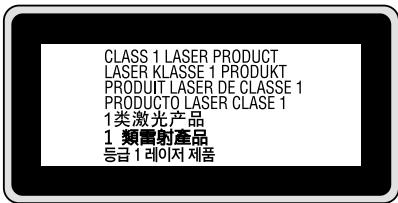
Interne Laserstrahlung
In der Druckkopfeinheit befindet sich eine Laserdioden-Baugruppe der Klasse III mit einem unsichtbaren Laserstrahl. Der Druckkopf ist KEINE WARTBARE VORRICHTUNG, davon die Druckkopfeinheit unter keinen Umständen geöffnet werden. Im Inneren des Druckers ist ein zusätzlicher Aufkleber zur Laserstrahlung angebracht.
Ozon-Sicherheit
Ozonemission
Laserdrucker erzeugen Ozongas als Nebenprodukt des
Druckprozesses. Ozon wird nur erzeugt, während der Drucker druckt.
Ozon-Belastungsgrenze
Der Epson-Laserdrucker erzeuft weniger als 1.5mg / h bei
Dauerdruckbetrieb
Risiko minimieren
Um das Risiko der Ozonbelastung minimal zu halten, sollen den sie die folgenden Bedingungen vermeiden:
Einsatz von mehreren Laserdruckern in einem abgeschlossenen Bereich
Betrieb bei extrem niedriger Luftfeuchtigkeit
Schlechte Raumventilation
Langer kontinuierlicher Druckbetrieb in Verbindung mit einer der obigen Bedingungen
Aufstellplatz des Druckers
Der Drucker sollte so aufgestellt werden, dass erzeugte Abgase und Wärme:
nicht direkt auf das Gesicht des Benutzers gerichtet sind
nach Mochigkeit direkt aus dem Gebäude ins Freie geleitet werden
Das Gerät ist nicht für die Benutzung im unmittelbaren Gesichtsfeld am Bildschirmarbeitsplatz vorgesehen.
Um störende Reflexionen am Bildschirmarbeitsplatz zu vermeiden, damit diese Produkt nicht im unmittelbaren Gesichtsfeld platziert werden.
Mascinenlärminformations-Verordnung 3. GPSGV: Der hochste
Schaldruckpegel beträgt 70 dB(A) oder weniger gemäß EN ISO 7779.
Importeur
EPSON EUROPE. B.V
AMSTERDAM. THE NETHERLANDS