D-EJ775 - Lecteur CD portable SONY - Notice d'utilisation et mode d'emploi gratuit
Retrouvez gratuitement la notice de l'appareil D-EJ775 SONY au format PDF.


| Type de produit | Lecteur CD portable |
| Marque | Sony |
| Modèle | D-EJ775 |
| Dimensions (L × H × P) | Environ 136,0 × 19,8 × 136,0 mm ; avec parties saillantes : 136,0 × 26,1 × 136,0 mm |
| Poids | Environ 160 g (corps seul) ; environ 204 g (avec piles rechargeables) |
| Alimentation | 2 piles rechargeables Ni-Cd NC-WMAA (fournies, DC 2,4 V) ; 2 piles rechargeables Ni-MH NH-WM2AA (optionnelles, DC 2,4 V) ; 2 piles alcalines LR6 (AA) (optionnelles, DC 3,0 V) ; adaptateur secteur AC 100-240 V (fourni, DC 4,5 V) |
| Autonomie (G-PROTECTION ON/OFF) | NC-WMAA : environ 12 h (ON) / 8 h (OFF) ; NH-WM2AA : environ 22 h (ON) / 17 h (OFF) ; piles alcalines LR6 : environ 41 h (ON) / 29 h (OFF) |
| Fonctions principales | Lecture CD, G-PROTECTION (anti-saut), modes de répétition et lecture aléatoire (1, SHUF), égaliseur SOUND (BASS1/BASS2), AVLS (limiteur de volume), fonction HOLD |
| Entretien et nettoyage | Nettoyer les fiches avec un chiffon sec et doux périodiquement ; en cas de condensation, laisser l'appareil quelques heures à température ambiante |
| Sécurité | Utiliser uniquement l'adaptateur secteur fourni ou en option ; ne pas démonter l'appareil ; éviter les chocs et l'humidité |
| Pièces détachées et réparabilité | Contacter le service client Sony ou un revendeur agréé Sony |
| Informations générales | Gamme Walkman ; fabricant Sony ; notice disponible en plusieurs langues |
FOIRE AUX QUESTIONS - D-EJ775 SONY
Questions des utilisateurs sur D-EJ775 SONY
0 question sur cet appareil. Repondez a celles que vous connaissez ou posez la votre.
Poser une nouvelle question sur cet appareil
Téléchargez la notice de votre Lecteur CD portable au format PDF gratuitement ! Retrouvez votre notice D-EJ775 - SONY et reprennez votre appareil électronique en main. Sur cette page sont publiés tous les documents nécessaires à l'utilisation de votre appareil D-EJ775 de la marque SONY.
MODE D'EMPLOI D-EJ775 SONY
CD
Operating Instructions
使用說明書 汉語對話詞
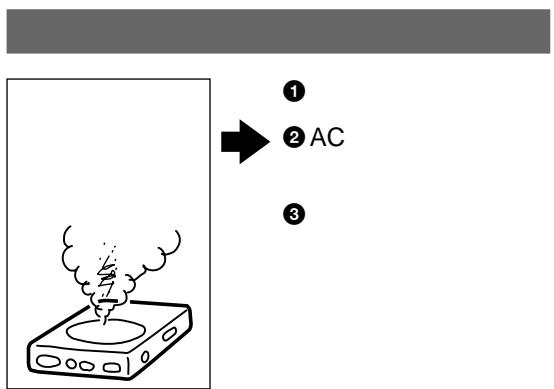
警告
AC100 240V
AC
AC
AC


WALKMAN
D-EJ775

A 4
9
CD
- 11
2.CD 11 - 12
14
G-PROTECTION 15
SOUND ......15
AVLS 16
HOLD 16
17
18
19
20
21
22
22
23
25
26
27
English
Locating the controls 28
Troubleshooting 29
中文
控制器的位置 31
故障检修 32
中国
KreT 33
高旨日?却和生成的.. 34
AC
=
AC
100V
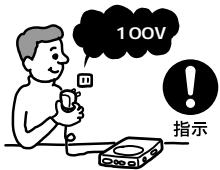
AC
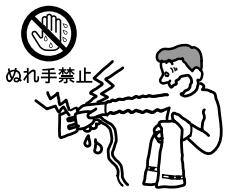
AC
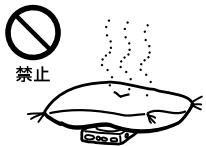
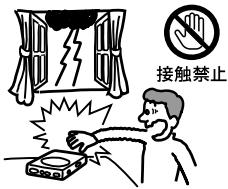

分解禁止
次の hepatitis


7 8
危险
.
.
.
.
.
.
.
.
.
危险
警告
Ni-Cd
Ni-MH
Li-ion

AC
1.
1 AC
2
2. CD
1 OPEN
CD
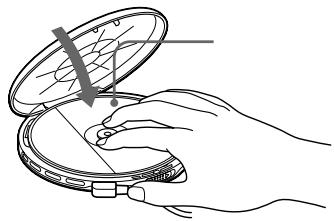
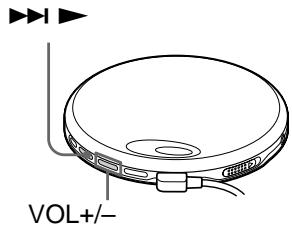
3.
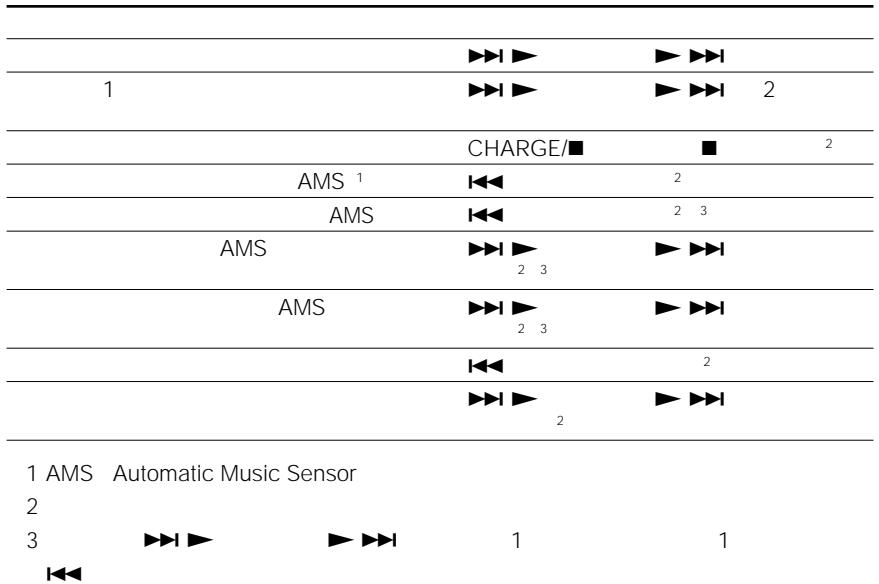


SOUND
ALVS
CD-R/CD-RW
CD-DA CD-R CD-RW
CD-DA Compact Disc Digital Audio
CD
CD
MENU
G-PROTECTION
G-PROTECTION
G-PROTECTION ON
G-PROTECTION OFF ON
G-PROTECTION
G-PROTECTION OFF

一
一
- CD-R/CD-RW
SOUND
SOUND
SOUND
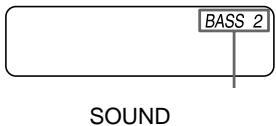
BASS2
AVLS
HOLD
SOUND
AVLS
HOLD
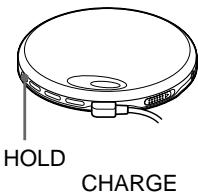

AVLS
SOUND
AVLS
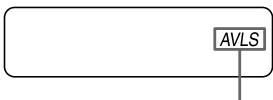
AVLS Automatic Volume Limiter System
HOLD
HOLD
HOLD
HOLD
HOLD

HOLD HOLD
1 AC
2 CHARGE/
CHARGE/
CD
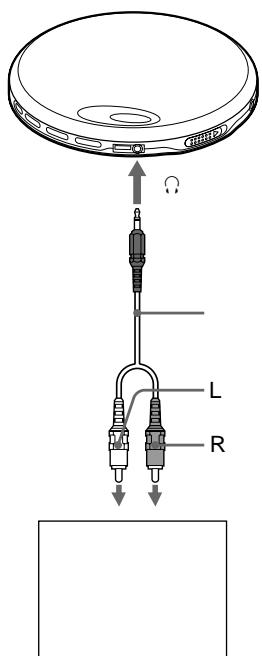
CD
AC
G-PROTECTION
CD
G-PROTECTION
OFF
3 (LR6)
AC
CD
NC-WMAA
NH-WM2AA
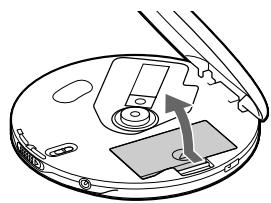
1
2

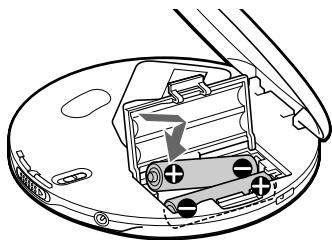
3 AC
CHARGE/

CHARGE
CHARGE
CHARGE/

Full
CHARGE
4 AC
次のを一に
1 4 1
AC
3 (LR6)
3 LR6
AC

Ni-Cd
http://www.baj.or.jp/
AC
| / | |||||
| VOL | → AVLS | 16 | SOUND | AVLS | |
| → | 11 | ||||
| → | |||||
| → 20 | |||||
| → | 3 | LR6 | 20 | ||
| → | 19 20 | ||||
| Lo batt | → | 19 20 | |||
| 00 | → | 3 | LR6 | 20 | |
| HI dc In | → AC | ||||
| → | 27 | ||||
| 11 19 20 | |||||
| CD no dISC | → HOLD | HOLD | HOLD | ||
| → CD | HOLD | 16 | CD | ||
| CD | |||||
| → CD | CD | 11 | |||
| → CD | CD | ||||
| → | 19 | ||||
| → | 19 20 | ||||
| → AC | 11 | ||||
| → | CD | ||||
| CD-R/CD-RW | |||||
| → CD-R/CD-RW | |||||
次の五回にむは
CD
8
1
•
1
90
主女仕樣
型式
CONVトデスケデジル才一才才
复号化(D/A)
1 bitク才一少時間軸制御
周波数特性*
40Hz\~20000Hz+5dB
出力端子(電源電圧4.5V時)
- 仄卜木出力
(Stéレ才三二嘜)1個
最大出力5mW+5mW
(EIAJ/16 Ω)
推奨負荷イドーダンス 16Ω
- 電子情報技術産業協會(JEITA)の規格に標準の測定值です。
電源
- 充電式二力卜電池NC-WMAA2本(付屬):DC 2.4V
- 充電式二噸ケル水素電池NH-WM2AA(別売):DC 2.4 V
- 单3形(LR6)ルカリ乾電池2本(別売):DC 3.0V
- 外部電源シャット:定格DC 4.5V ACハフーナダフロー(付属)を接続て AC 100 V電源から使用可能 フーリルドモ达尔はAC 100~240 V電源か ら使用可能
電池の持續時間*
(水平に置き、振動のない状態で演奏んだ場合)
演奏時間は使用状況に則異なります。
| G-PROTECTION ON時 OFF時 | ||
| NC-WMAA2本 (約3時間充電**) | 約12時間 | 約8時間 |
| NH-WM2AA (約5時間充電**) | 約22時間 | 約17時間 |
| SONOne専力リ 乾電池LR6(SG)2本 | 約41時間 | 約29時間 |
- 電子情報技術產業協會(JEITA)の測定方法に基準いたします。
-
- 充電時間は充電式電池の使用状態によう異ります。
動作溫度
5^ C 35^ C
本体寸法(幅 × 高 x 航行
約 136.0 × 19.8 × 136.0 ~mm
最大突起部含末、奥行卡は傾斜部含末才
最大外形寸法(幅×高×奥行)(JEITA*)
約 136.0 × 26.1 × 136.0 ~mm
質量
本体:約160g
約204g(充電式電池を含む)(JEITA*)
- 電子情報技術產業協會(JEITA)の測定方法に基層にいります。
本機の仕樣およこ外観は、改良のたて予告なく変更するとがにあまむが、亡承くさい。
(1)
| SRS-Z1 | SRS-Z1 | |
| SRS-Z500 | SRS-Z500 | |
| MDR-E868SP | MDR-E848LP | |
| MDR-EX70SL | MDR-EX70LP | |
| MDR-A44SP | MDR-A44L | |
| MDR-105SP | MDR-A110LP | |
| AC | AC-E45L | AC-E45HG |
| AC-E45A | ||
| NH-WM2AA | NH-WM2AA | |
| RK-G129 | RK-G129 | |
| RK-G136 | RK-G136 | |
| DCC-E84 | DCC-E345 | |
| CPA-8 | CPA-9C | |
| CPA-84U | DCC-E34CP |
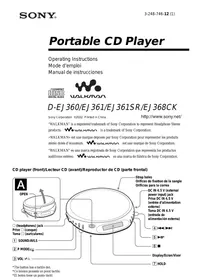
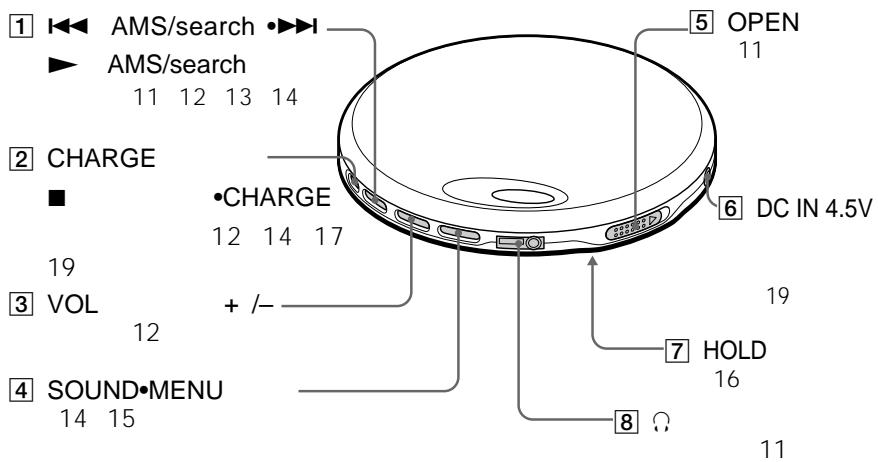
Locating the controls
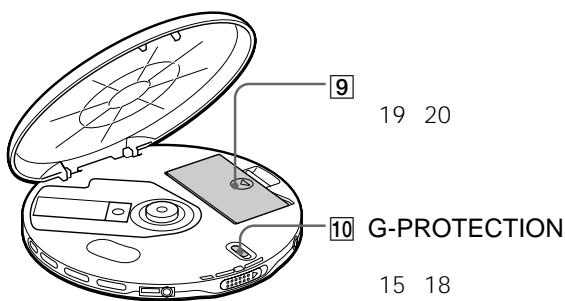
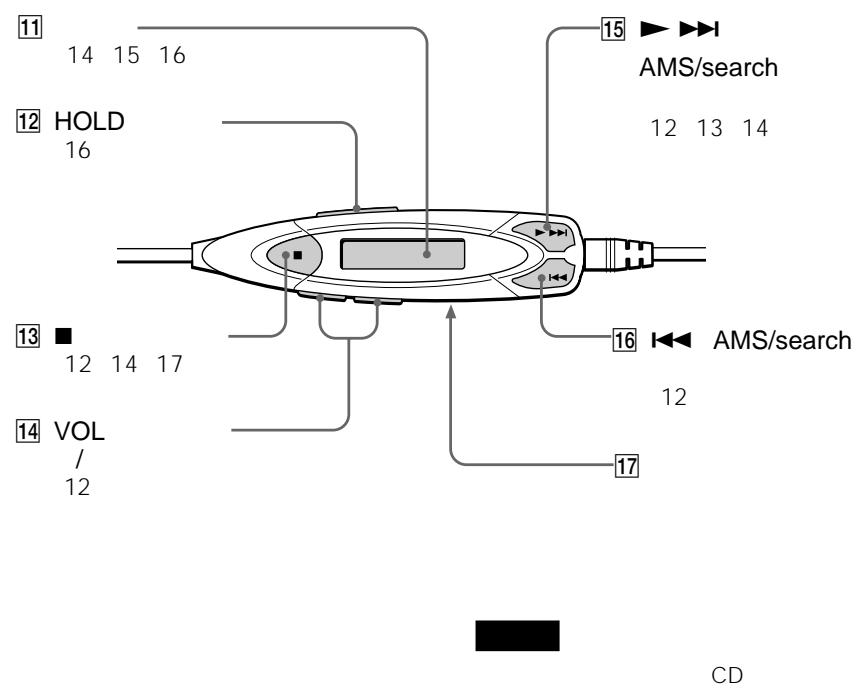
See the illustrations on pages 9 and 10.
1 16 (AMS\*1/search)▶(AMS/search/play) button
: Press to start play.
1: Press once to find the beginning of the current/next tracks.
Press repeatedly to find the beginning of the previous/succeeding tracks. Hold down to go backward/forward quickly.
CHARGE/■ (stop) button CHARGE lamp
Press to stop play. Also press to start charging. The lamp flashes when the HOLD function is working, and lights up during charge.
3 14 VOL +/- buttons
Press to adjust the volume.
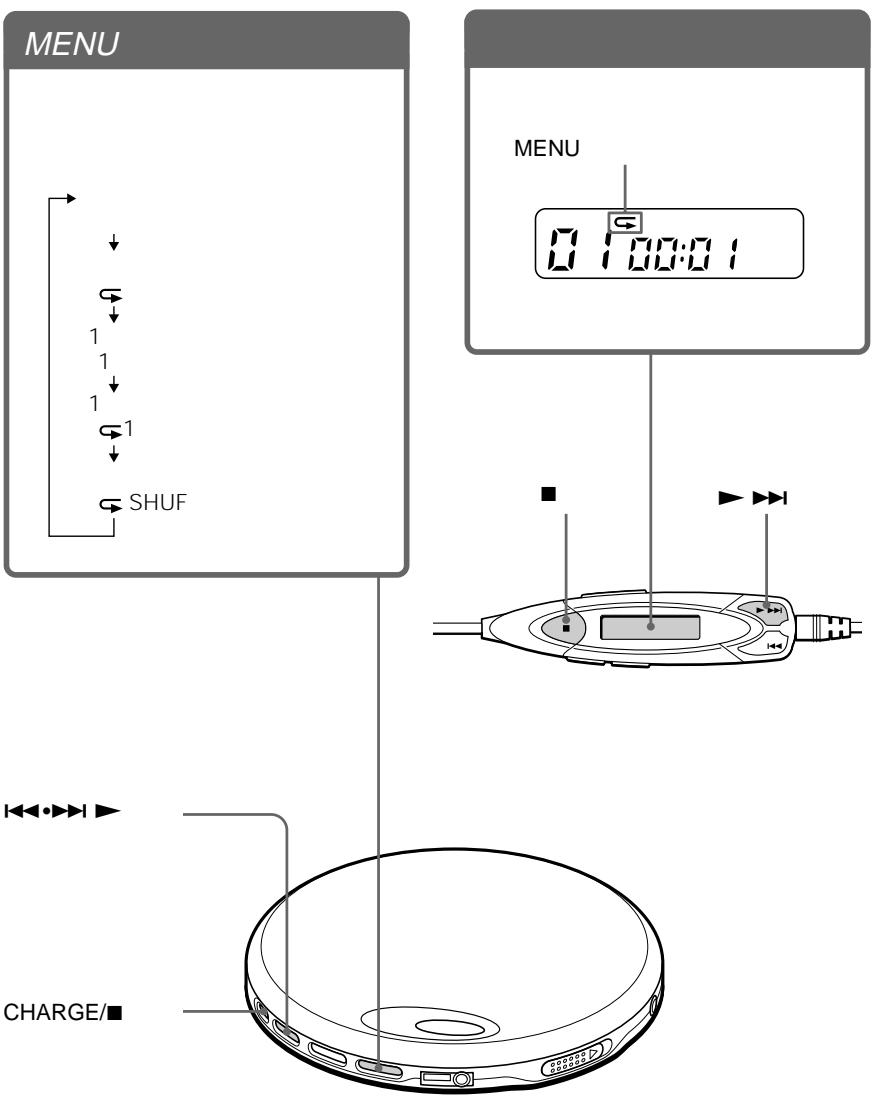
4 SOUND·MENU button
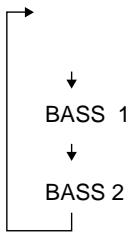
SOUND: Selects sound mode: BASS 1 or BASS 2. Activates AVLS*2 function. MENU: Selects various playback options: (repeat), 1 (single), 1 (single repeat) and SHUF (shuffle repeat).
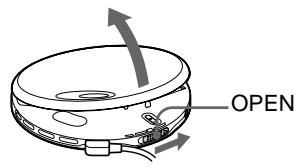
5 OPEN switch
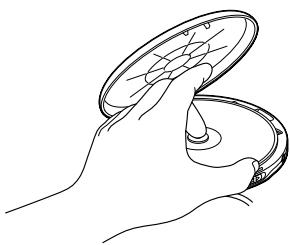
Slide to open the CD player lid.
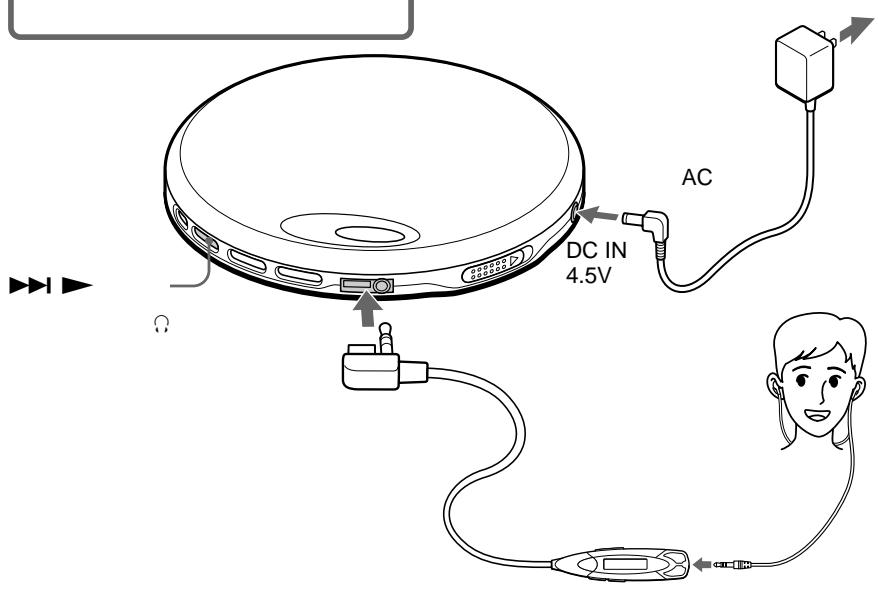
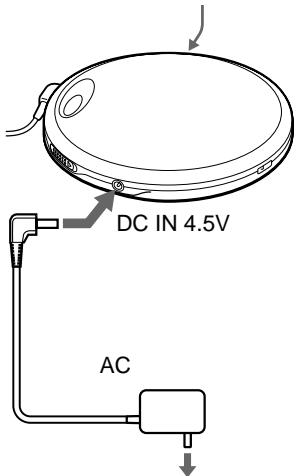
DC IN 4.5 V jack (external power input jack)
Connects to the AC power adaptor.
7 12 HOLD switch
Locks the control on your CD player to prevent accidental button presses.
8 (headphones) jack
Connects to the earphones with remote control.
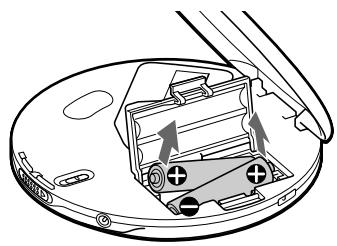
9 Battery compartment
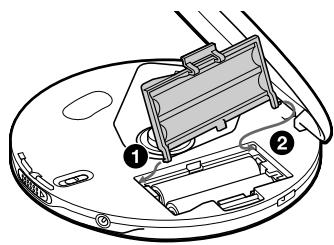
Insert the rechargeable batteries or alkaline batteries by matching the to the diagram in the battery compartment. To charge the rechargeable batteries, connect the AC power adaptor and press CHARGE/■.
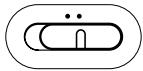
10 G-PROTECTION switch
Set to "ON" while you are jogging with this CD player held in your hand.
Display
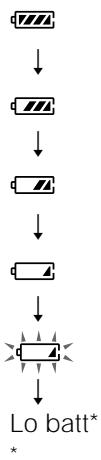
Displays the track number, elapsed playing time, battery status, and play mode and functions you selected.
13 (stop) button
Press to stop play.
15 I (play/AMS/search) button
: play
▶AMS/search*
*For AMS/search function, see 1.
16 (AMS/search) button
AMS/search*
*For AMS/search function, see 1.
17 Clip
*1 Automatic Music Sensor
*2 Automatic Volume Limiter System
Troubleshooting
Should any problem persist after you have checked these symptoms, consult your nearest Sony dealer.
| Symptom | Cause and/or corrective actions |
| The volume does not increase even if you press the VOL + button repeatedly. | → Hold down the SOUND button until “AVLS” disappears. |
| No sound, or noise is heard. | → Connect the plugs firmly. → Plugs are dirty. Clean the plugs with a dry soft cloth periodically. |
| The playing time is too short when powered with the dry batteries. | → Check that you are using alkaline batteries and not manganese batteries. → Replace the batteries with new LR6 (size AA) alkaline batteries. |
| The playing time is too short when powered with the rechargeable batteries. | → Charge and discharge the rechargeable batteries several times. |
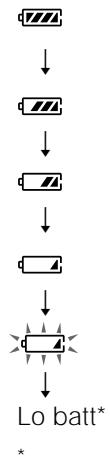
| “Lo batt” or “00” appears in the display. The CD does not play. | → The rechargeable batteries are used up completely. Charge the batteries. → The dry batteries are used up. Replace them with new LR6 (size AA) alkaline batteries. |
| “HI dc In” appears in the display. | → Use only the supplied AC power adaptor or optional AC power adaptor. → Remove all power sources, then insert the batteries or connect the AC power adaptor again. |
| The CD does not play, or “no dISC” appears in the display when a CD is placed in the CD player. | → The buttons are locked. Slide the HOLD switch back. → The CD is dirty or defective. → Check that the CD is inserted with the label side up. → Moisture condensation has occurred. Leave the CD player aside for several hours until the moisture evaporates. → Close the lid of the battery compartment firmly. → Make sure the batteries are inserted correctly. → Connect the AC power adaptor to an AC outlet securely. → The CD-R/CD-RW was not finalized. Finalize the CD-R/CD-RW with the recording device. → There is a problem with the quality of the CD-R/CD-RW, recording device, or application software. |
| CHARGE lamp flashes when you press a button, and the CD does not play. | → The buttons are locked. Slide the HOLD switch back. |
| The CD player does not start charging. | → During stop, press CHARGE/■. → You pressed ■ on the remote control. Press CHARGE/■ on the CD player. |
(Continued)
Troubleshooting
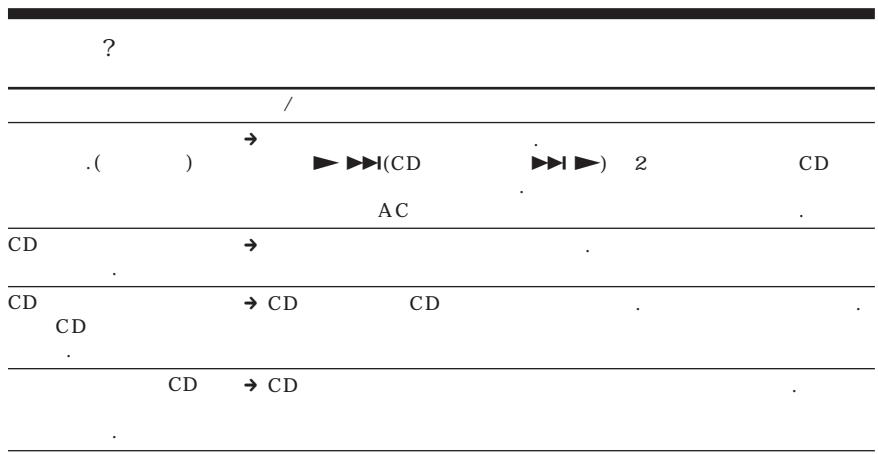
| Symptom | Cause and/or corrective actions |
| Playback starts from the point you stopped. (resume function) | → The resume function is working. To start playing from the first track, press▶▶▶ on the remote control (▶▶▶ on the CD player) for 2 seconds or more, or open the lid of the CD player. Or, remove all power sources, then insert the batteries or connect the AC power adaptor again. |
| Rustling noise is heard from the CD. | → Close the lid of the battery compartment firmly. |
| When closing the lid of the CD player, the CD starts to rotate. | → The CD player is reading the information on the CD. It is not malfunctioning. |
| You cannot operate the CD player properly using the remote control. | → The buttons on the CD player are kept pressed by mistake. |
9 10
1 16
AMS*1

ANSS

8
9
+
2 CHARGE/
- CHARGE
HLD
AC
CHARGE/
10 G PROTECTION
“ON
11
4 SOUNDMENU
3 14 VL+/-
SUND
BASS1
BASS2
AVLS*2
MENU

1
SHF
1
5 OPEN
CD
6 DC IN 4.5V
AC
7 HLD
CD
13
15
ANSS


* ANS
AMS
*
16
ANS
ANS
*
* ANS
1
17
*1
*2
Sony
| VCL+ | → | SOUND | “AVLS” | |||
| → | ||||||
| → | ||||||
| → | LR6 AA | |||||
| → | ||||||
| “Lo batt” | → | |||||
| “00” | CD | → | LR6 | AA | ||
| “H dc | → | AC | AC | |||
| In" | → | AC | ||||
| CD | CD | → | HOLD | |||
| CD | “no di SC | → | CD | |||
| → | CD | |||||
| → | ||||||
| → | AC | AC | ||||
| → | CD-R/CD-RW | CD-R/CD-RW | ||||
| → | CD-R/CD-RW | |||||
| CHARGE | CD | → | HOLD | |||
| CD | → | CHARGE/■ | ||||
| → | ■ | CD | CHARGE/■ | |||
| → | ▲→▲ | CD | ▲→▲ | |||
| CD | → | |||||
| CD | CD | → | CD | |||
| CD | → | CD |
9 10
1 16 丨 (AMS*1/ )▶▶▶(AMS/ /
:
14
8 日
9
+
AC
CHARGE/
CHARGE/CHARGE
HOLD
10 G-PROTECTION CD "ON"
11
3 14 VOL+/-
4 SOUND·MENU
SOUND:
BASS1( BASS2.
AVLS*2
MENU: ~~~~:( & ~~~~~~ ~~~~~,1(~~~~~~),1(~~~~~~) & ~~~~~~ ~~~~~,(~~~~~~) & ~~~_~~~). )
5 OPEN
CD
6 DC IN 4.5V
AC
7 HOLD
CD
13 (
15 ▶ ▶ ( /AMS/
:
▶I:AMS/ *
*AMS/
1
16 (AMS/
AMS/
*AMS/
1
17
*1 Automatic Music Sensor
^*2 Automatic Volume Limiter System
| ? | Sony | ||||
| / | |||||
| VOL + | → "AVLS" | SOUND | . | ||
| → | |||||
| → | |||||
| → | |||||
| → LR6(AA) | . | ||||
| → | . | ||||
| "Lo batt" | → | . | |||
| "00" | CD | → | . LR6(AA) | ||
| . | |||||
| "HI dc In" | → AC | AC | |||
| → | AC | ||||
| CD | CD | → | . HOLD | ||
| CD | "no dISC" | → CD | |||
| → CD | |||||
| → | . CD | ||||
| → | |||||
| → AC | AC | . | |||
| → CD-R/CD-RW | CD-R/CD-RW | ||||
| → CD-R/CD-RW | |||||
| CHARGE | → | . HOLD | |||
| CD | |||||
| CD | → CHARGE/■ | . | |||
| → ▲ CD | . CD | CHARGE/■ | |||
048-794-5194
- 9:00 18:00
二株式会社141-0001東京都品川区北品川6-7-35
お問い合わせは客様ご相談せん夕一
- ナビダイル

0570-00-3311
受付時間:
月~金
9:00~
20:00
王·日·祝日
9:00~
Fax
0466-31-2595
17:00