
VMC-P10 - Accessoires photo SONY - Notice d'utilisation et mode d'emploi gratuit
Retrouvez gratuitement la notice de l'appareil VMC-P10 SONY au format PDF.


| Type de produit | Câble de connexion audio/vidéo pour caméscope |
| Marque | SONY |
| Modèle | VMC-P10 |
| Compatibilité | Caméscopes SONY Handycam avec prise multi-connecteur (8 broches) |
| Fonctions principales | Transmission de signaux vidéo composite et audio stéréo |
| Longueur du câble | 1,5 m |
| Diamètre du câble | 5 mm |
| Connecteurs | Prise multi-connecteur SONY 8 broches d'un côté, prises RCA (vidéo jaune, audio blanc/rouge) de l'autre |
| Poids | 50 g |
| Matériau | PVC |
| Couleur | Noir |
| Tension d'alimentation | Aucune (passif) |
| Entretien et nettoyage | Nettoyer avec un chiffon doux et sec. Ne pas utiliser de solvants. |
| Sécurité | Ne pas plier excessivement le câble. Éviter les torsions. |
| Pièces détachées et réparabilité | Non réparable. En cas de défaut, remplacer le câble. |
| Informations générales | Garantie 1 an. Fabriqué en Chine. |
FOIRE AUX QUESTIONS - VMC-P10 SONY
Questions des utilisateurs sur VMC-P10 SONY
0 question sur cet appareil. Repondez a celles que vous connaissez ou posez la votre.
Poser une nouvelle question sur cet appareil
Téléchargez la notice de votre Accessoires photo au format PDF gratuitement ! Retrouvez votre notice VMC-P10 - SONY et reprennez votre appareil électronique en main. Sur cette page sont publiés tous les documents nécessaires à l'utilisation de votre appareil VMC-P10 de la marque SONY.
MODE D'EMPLOI VMC-P10 SONY
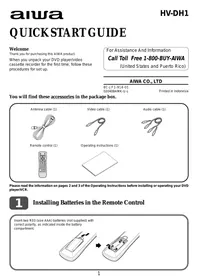
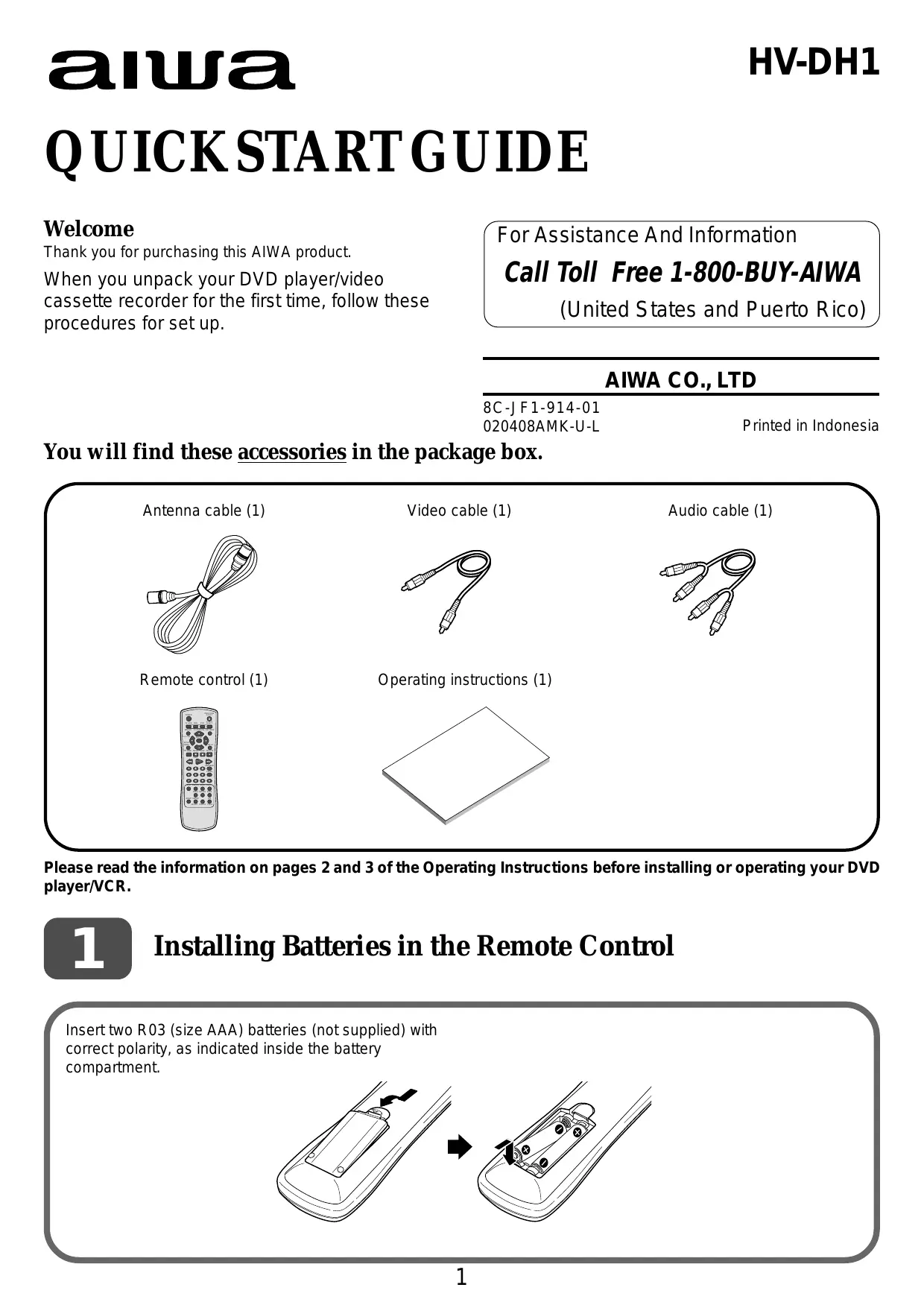
GUIDE DE DÉMARRAGE RAPIDE
Bienvenue
Merci d'avoir acheté ce produit AIWA.
Lors du premier déballage de votre lecteur DVD/magnétoscope, suivez ces procédures pour l'installation.
Pour obtenir de l'aide et des informations
Appelez le numéro gratuit 1-800-BUY-AIWA
(États-Unis et Porto Rico)
AIWA CO., LTD
8C-JF1-914-01
020408AMK-U-L
Imprimé en Indonésie
Vous trouverez ces accessoires dans la boîte.
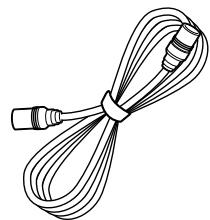
Câble d'antenne (1)
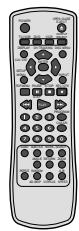
Télécommande (1)
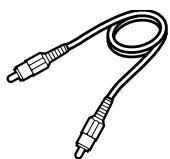
Câble vidéo (1)
Instructions d'utilisation (1)
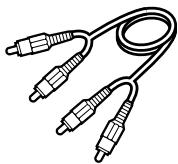
Câble audio (1)
Veuillez lire les informations des pages 2 et 3 des instructions d'utilisation avant d'installer ou d'utiliser votre lecteur DVD/magnétoscope.
1
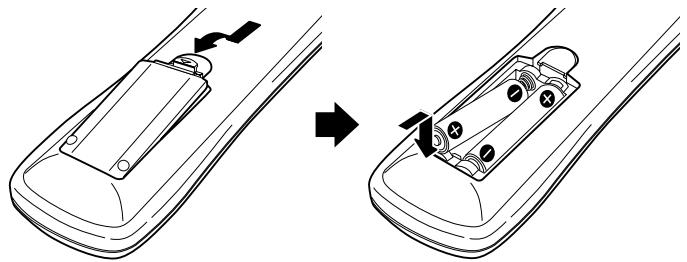
Installation des piles dans la télécommande
Insérez deux piles R03 (format AAA) (non fournies) en respectant la polarité, comme indiqué à l'intérieur du compartiment à piles.
Connexions de base
4 Branchez le cordon d'alimentation sur la prise secteur. 3 Si votre téléviseur dispose de prises d'entrée audio/vidéo, connectez ces prises aux prises LINE OUT de l'appareil à l'aide des câbles audio et vidéo fournis.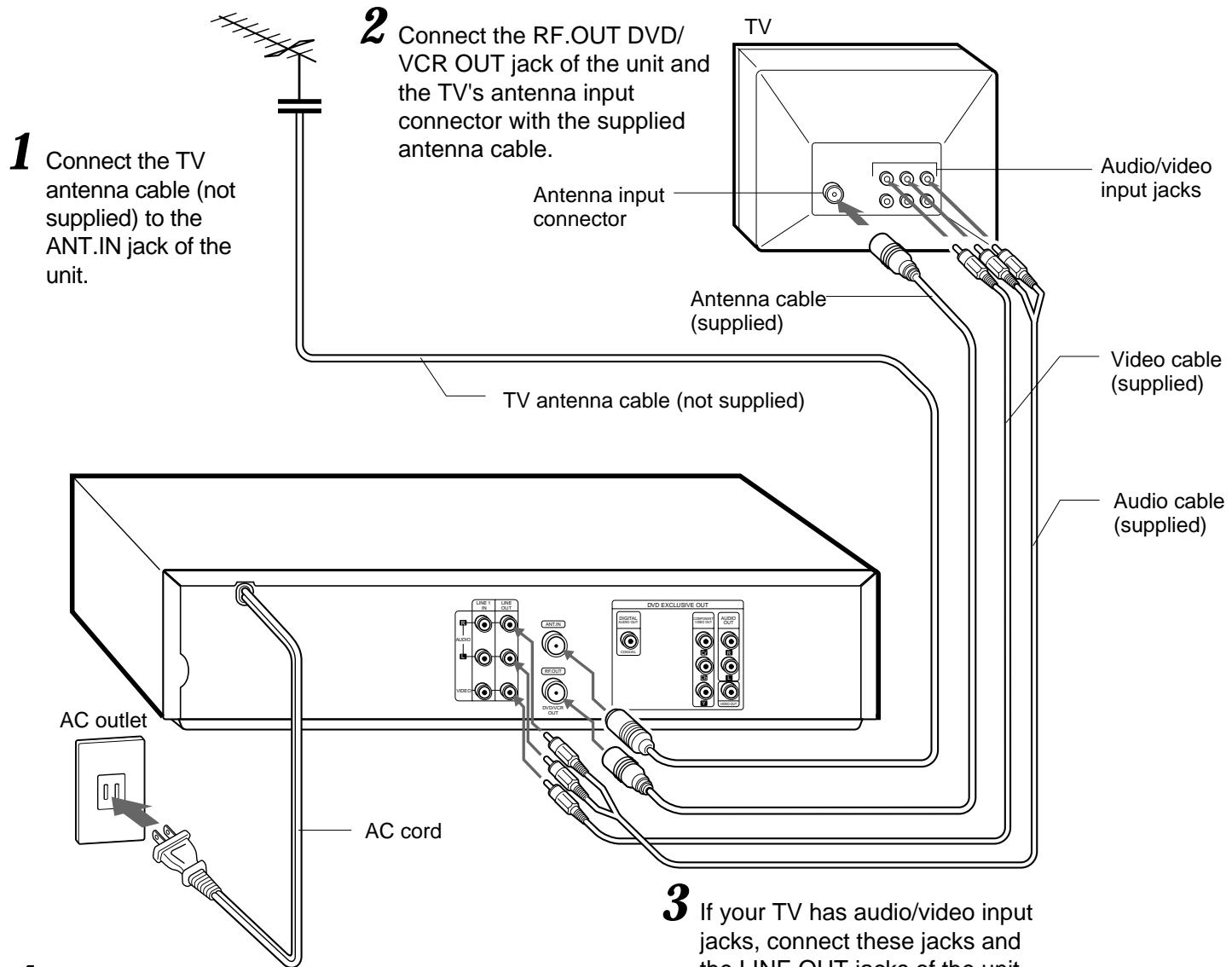
Important
Branchez le cordon d'alimentation sur la prise secteur après avoir effectué toutes les connexions.
Lorsque le téléviseur est connecté à l'appareil uniquement avec le câble d'antenne
CANAL


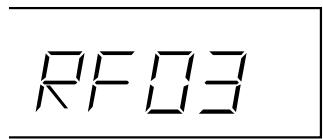
Vous devez régler le canal de sortie RF de l'appareil sur un canal non utilisé pour les émissions dans votre région. Le réglage par défaut est le canal 3.
Pour modifier le réglage du canal de sortie RF, assurez-vous que le cordon d'alimentation est branché sur la prise secteur, mais laissez l'appareil éteint. Maintenez enfoncé l'un des deux boutons CANAL à l'avant de l'appareil jusqu'à ce que l'affichage sur l'écran LCD change.
Lorsque vous affichez la sortie de cet appareil sur le téléviseur, sélectionnez ce canal sur le téléviseur.
Connexions CATV
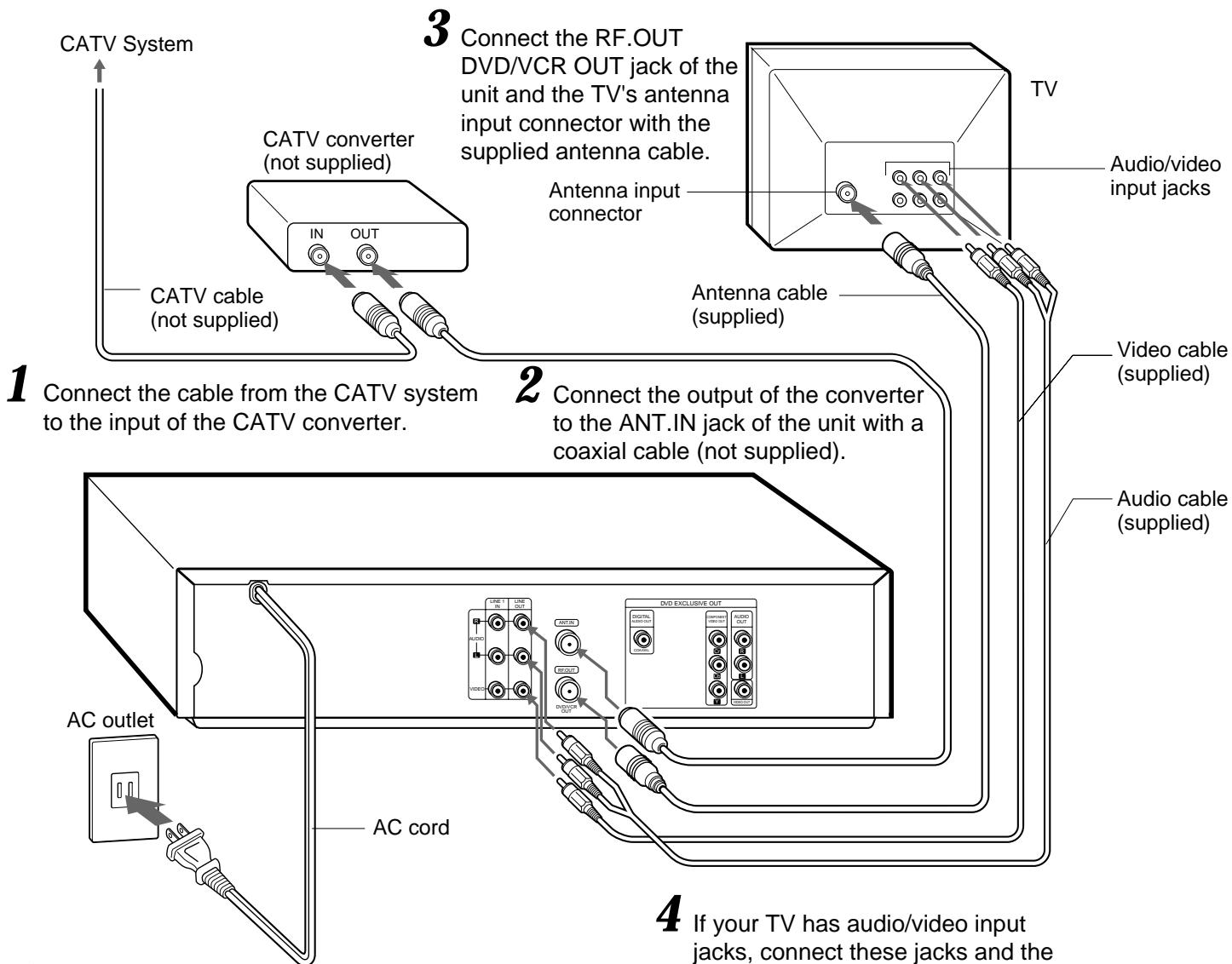
5 Branchez le cordon d'alimentation secteur sur la prise secteur.
4 Si votre téléviseur dispose de prises d'entrée audio/vidéo, reliez ces prises aux prises LINE OUT de l'appareil à l'aide des câbles audio et vidéo fournis.
Pour vous connecter à un système CATV sans convertisseur CATV
Connectez le câble du système CATV à la prise ANT.IN de l'appareil à l'étape 1 ci-dessus.
Si le programme syntonisé sur le téléviseur ne s'affiche pas clairement
Appuyez sur TV/VCR de la télécommande pour désactiver « VCR » dans la fenêtre d'affichage, ou éteignez cet appareil.
Pour afficher la sortie du programme TV ou vidéo de l'appareil
Appuyez sur TV/VCR de la télécommande pour afficher « VCR » dans la fenêtre d'affichage.
Magnétoscope
3
Réglage de la langue du menu
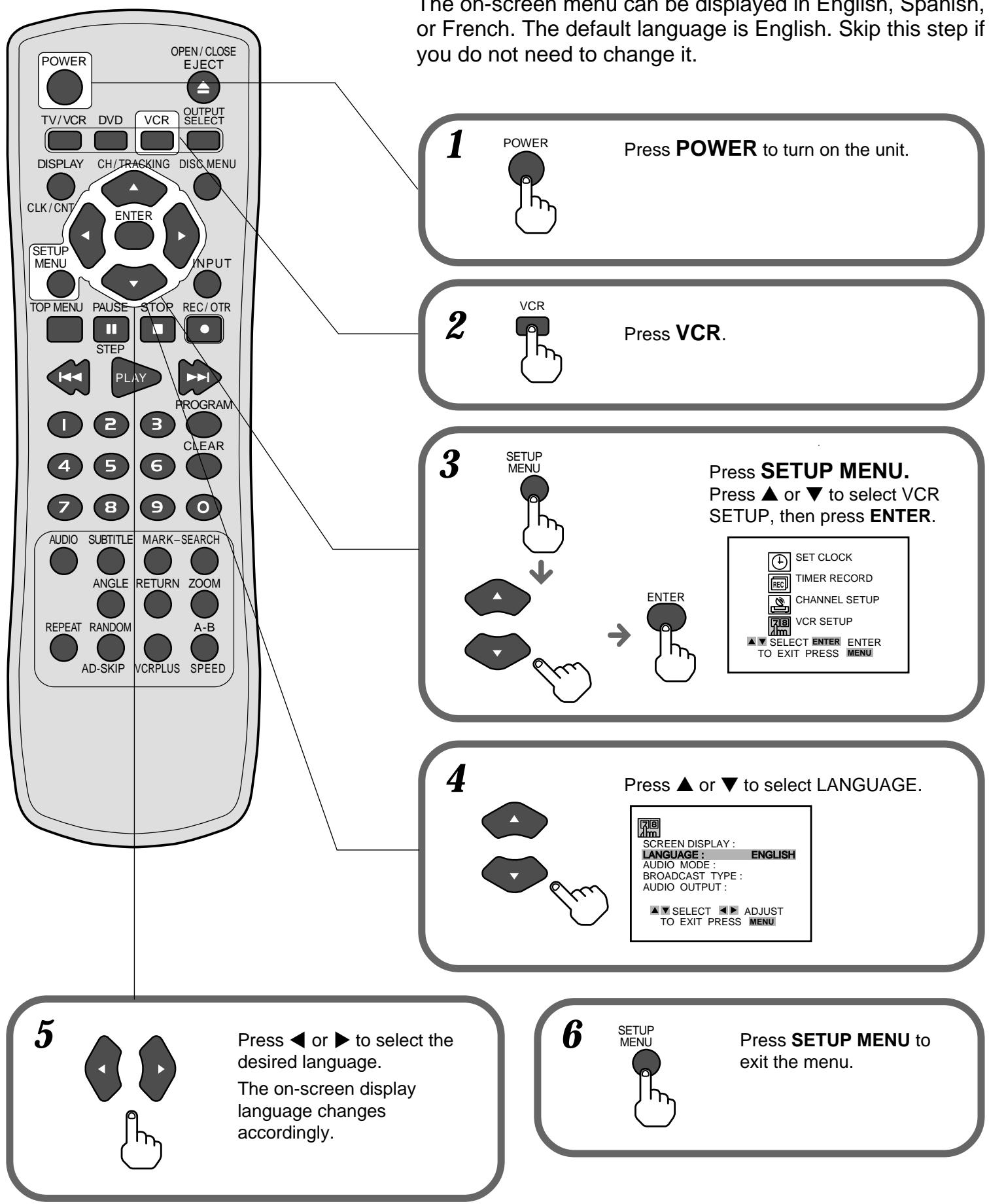
4
Réglage de l'horloge
4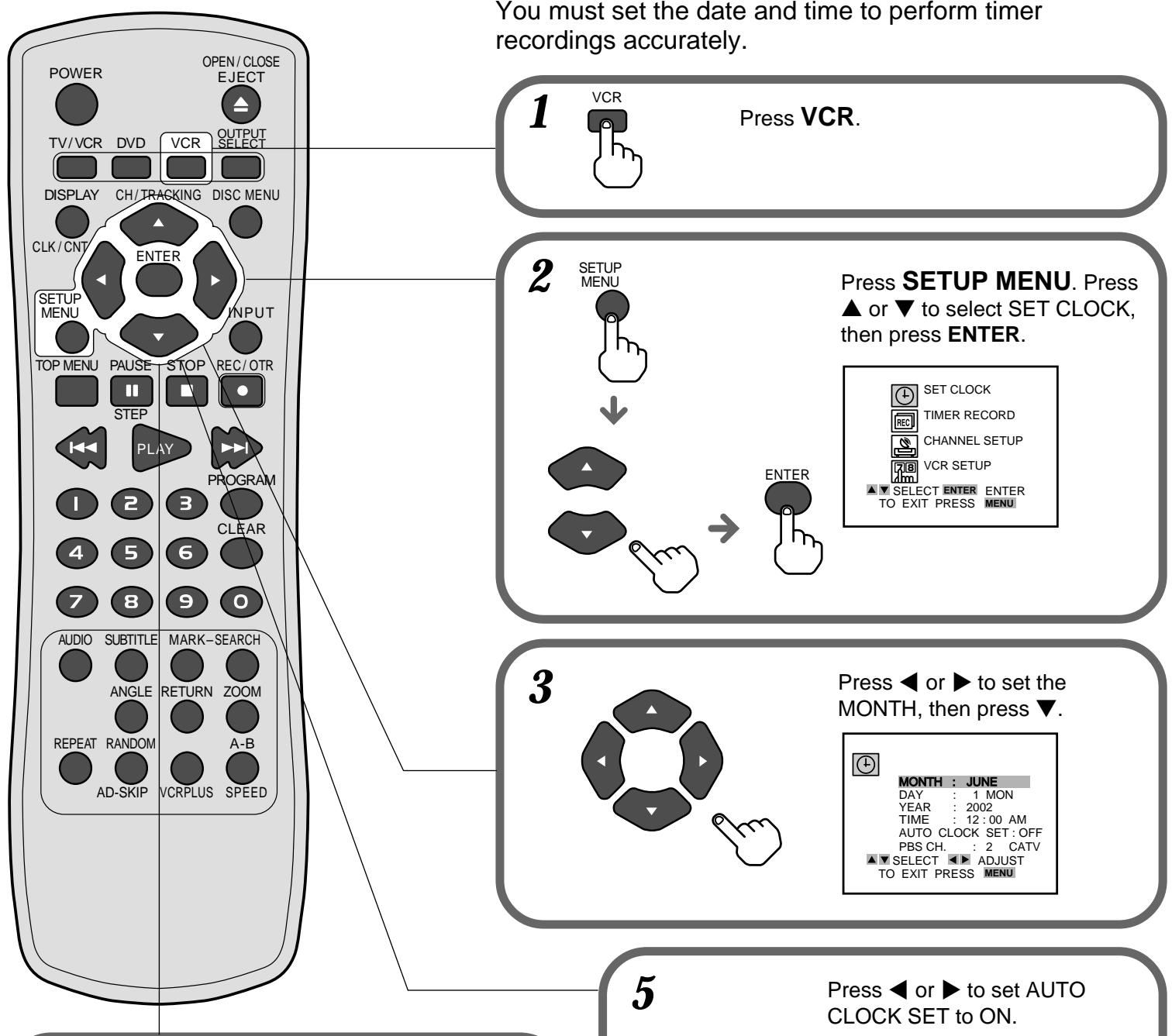
Maintenez enfoncée la touche ou pour modifier rapidement le réglage.
Réglez le JOUR, l'ANNÉE et l'HEURE comme à l'étape 3.

MOIS : JUIN
JOUR : 15 SAM
ANNÉE : 2002
HEURE : 10:30 AM
RÉGLAGE AUTO DE L'HORLOGE : ARRÊT PDS CH 0 GATV
PBSCH. 2 CATV
POUR QUITTER, APPUYEZ SUR MENI
POUR QUITTER, APPUYEZ SUR MENU

Appuyez sur ou pour régler le RÉGLAGE AUTO DE L'HORLOGE sur MARCHE.
Appuyez sur , puis sur ou pour sélectionner la chaîne PBS de votre région.
Le magnétoscope corrige automatiquement le réglage de l'horloge une fois que vous avez réglé le RÉGLAGE AUTO DE L'HORLOGE sur MARCHE.

MOIS : JUIN
JOUR : 17 SAM
ANNÉE : 2000
HEURE : 10:30
RÉGLAGE AUTO DE L'HORLOGE ACTIVÉ
1000
POUR QUITTER, APPUYEZ SUR MENU
Appuyez sur MENU DE CONFIGURATION pour démarrer l'horloge et quitter le menu.
CONFIG
MENU
6
5
Réglage des chaînes du magnétoscope
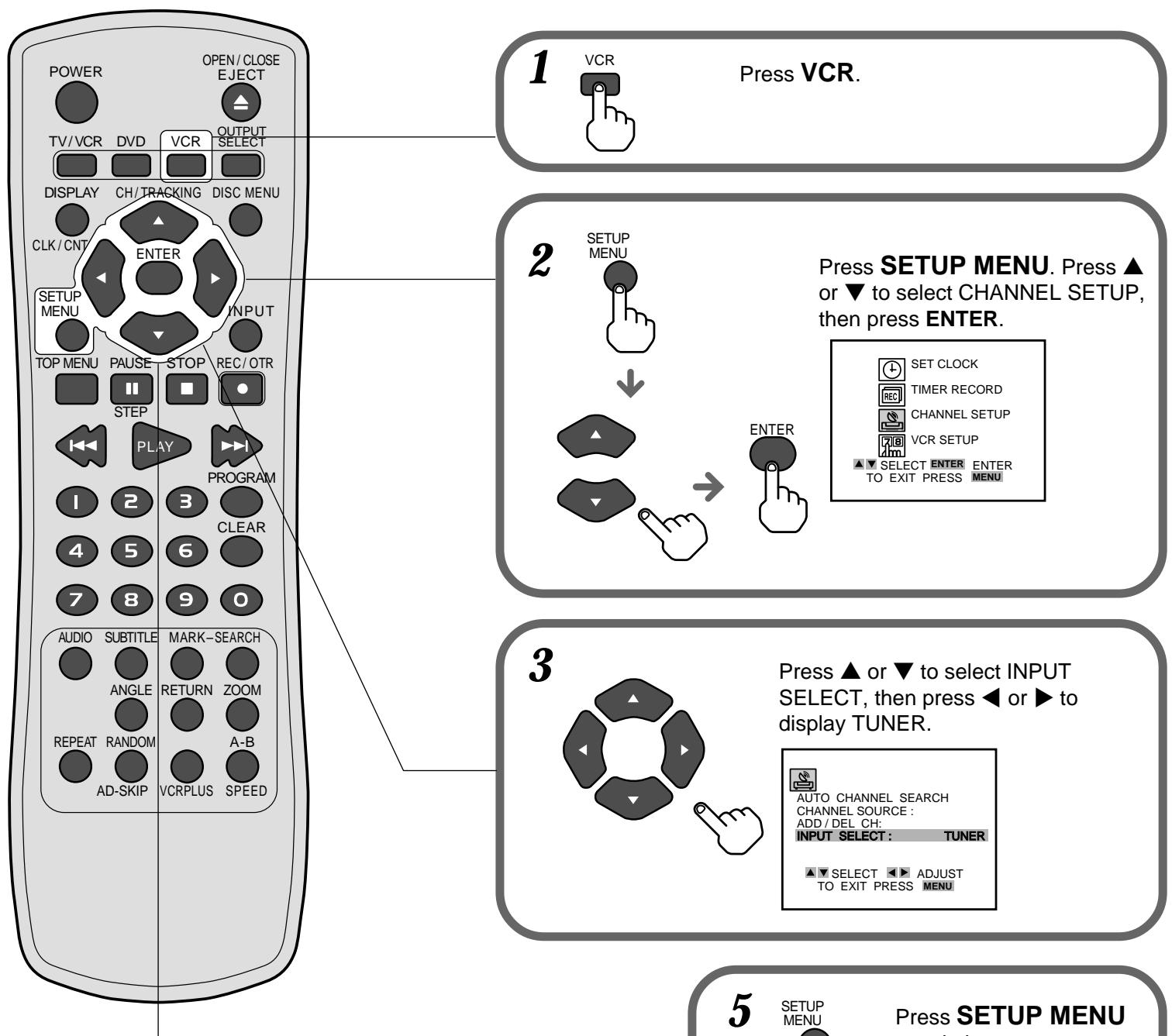
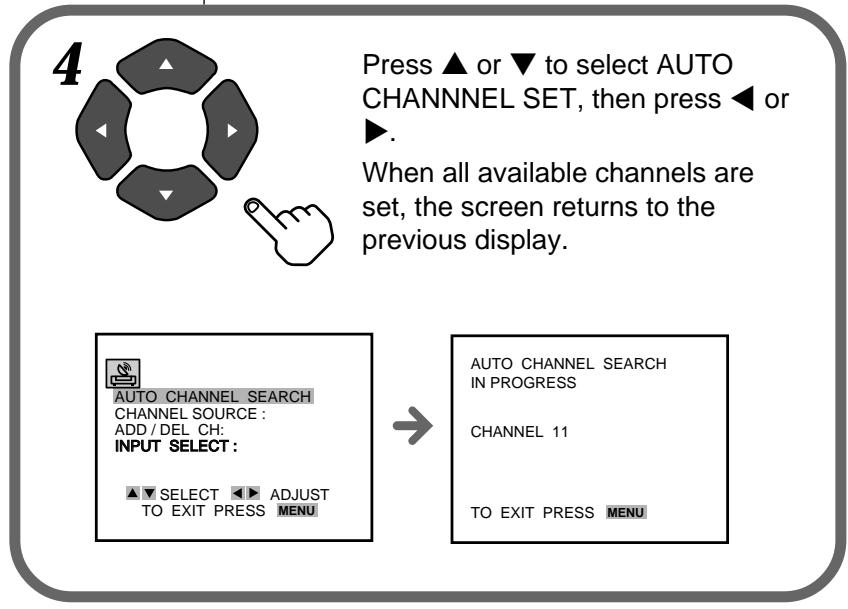
pour quitter le menu.


- GUIDE DE DÉMARRAGE RAPIDE
- BIENVENUE
- INSTALLATION DES PILES DANS LA TÉLÉCOMMANDE
- CONNEXIONS DE BASE
- IMPORTANT
- LORSQUE LE TÉLÉVISEUR EST CONNECTÉ À L'APPAREIL UNIQUEMENT AVEC LE CÂBLE D'ANTENNE
- CONNEXIONS CATV
- POUR VOUS CONNECTER À UN SYSTÈME CATV SANS CONVERTISSEUR CATV
- SI LE PROGRAMME SYNTONISÉ SUR LE TÉLÉVISEUR NE S'AFFICHE PAS CLAIREMENT
- POUR AFFICHER LA SORTIE DU PROGRAMME TV OU VIDÉO DE L'APPAREIL
- RÉGLAGE DE LA LANGUE DU MENU
- RÉGLAGE DE L'HORLOGE
- RÉGLAGE DES CHAÎNES DU MAGNÉTOSCOPE
Marque : SONY
Modèle : VMC-P10
Catégorie : Accessoires photo