
VMC-P10 - Photo Accessories SONY - Free user manual and instructions
Find the device manual for free VMC-P10 SONY in PDF.


| Product type | Audio/video connection cable for camcorder |
| Brand | SONY |
| Model | VMC-P10 |
| Compatibility | SONY Handycam camcorders with multi-connector jack (8 pins) |
| Main functions | Transmission of composite video and stereo audio signals |
| Cable length | 1.5 m |
| Cable diameter | 5 mm |
| Connectors | SONY 8-pin multi-connector on one side, RCA connectors (yellow video, white/red audio) on the other |
| Weight | 50 g |
| Material | PVC |
| Color | Black |
| Supply voltage | None (passive) |
| Care and cleaning | Clean with a soft, dry cloth. Do not use solvents. |
| Safety | Do not bend the cable excessively. Avoid twisting. |
| Spare parts and repairability | Not repairable. In case of defect, replace the cable. |
| General information | 1 year warranty. Made in China. |
Frequently Asked Questions - VMC-P10 SONY
User questions about VMC-P10 SONY
0 question about this device. Answer the ones you know or ask your own.
Ask a new question about this device
Download the instructions for your Photo Accessories in PDF format for free! Find your manual VMC-P10 - SONY and take your electronic device back in hand. On this page are published all the documents necessary for the use of your device. VMC-P10 by SONY.
USER MANUAL VMC-P10 SONY
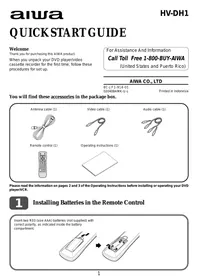
Thank you for purchasing this AIWA product.
When you unpack your DVD player/video cassette recorder for the first time, follow these procedures for set up.
For Assistance And Information
Call Toll Free 1-800-BUY-AIWA
(United States and Puerto Rico)
AIWA CO., LTD
8C-JF1-914-01
020408AMK-U-L
Printed in Indonesia
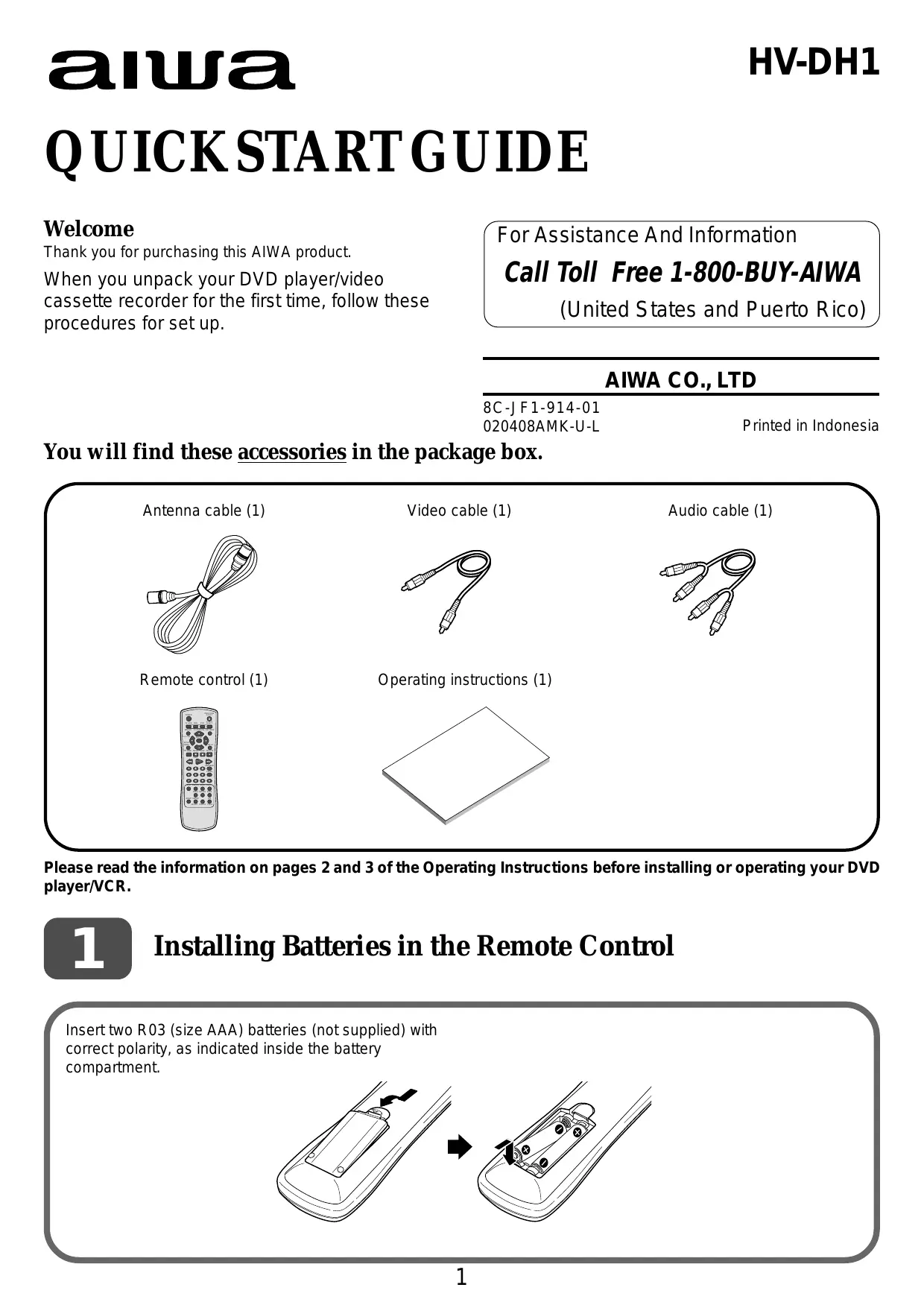
You will find these accessories in the package box.
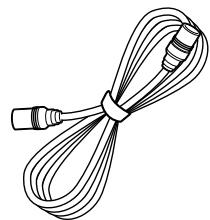
Antenna cable (1)
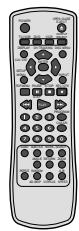
Remote control (1)
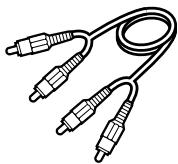
Video cable (1)
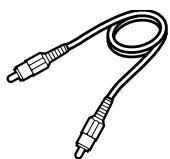
Operating instructions (1)

Audio cable (1)
Please read the information on pages 2 and 3 of the Operating Instructions before installing or operating your DVD player/VCR.
1
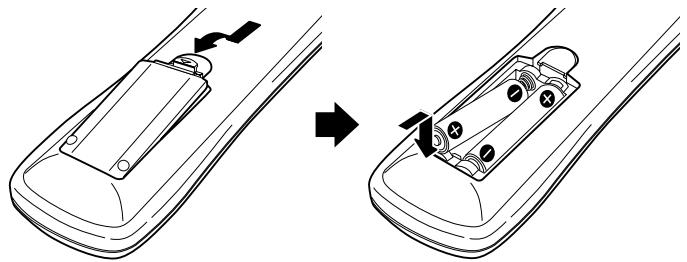
Installing Batteries in the Remote Control
Insert two R03 (size AAA) batteries (not supplied) with correct polarity, as indicated inside the battery compartment.
Basic connections
4 Connect the AC cord to the AC outlet. 3 If your TV has audio/video input jacks, connect these jacks and the LINE OUT jacks of the unit with the supplied audio and video cables.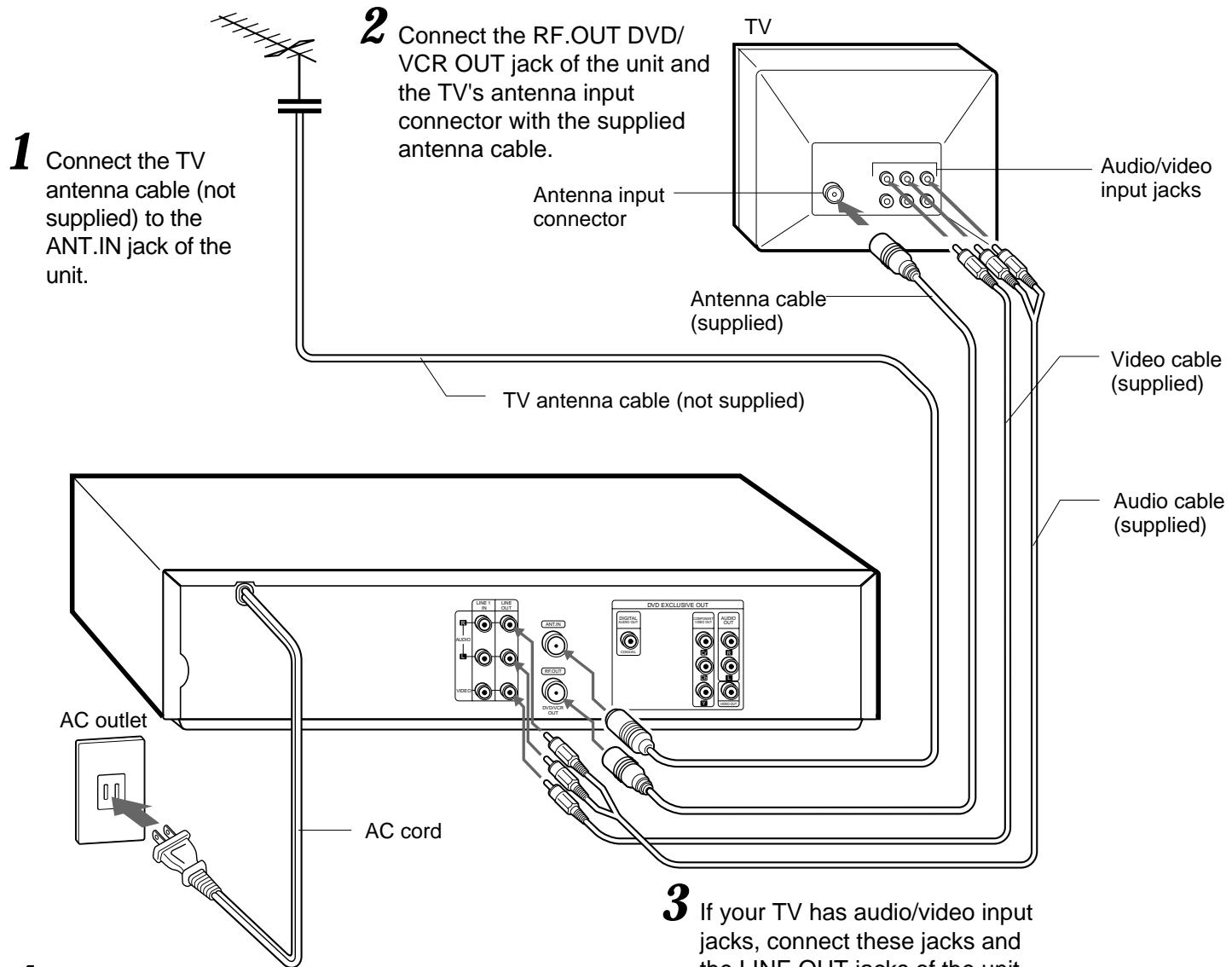
Important
Connect the AC cord to the AC outlet after all connections are complete.
When the TV is connected to the unit only with the antenna cable
CHANNEL


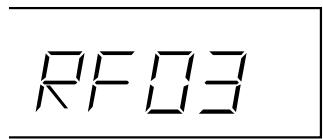
You need to set the unit's RF output channel to a channel that is not used for broadcasts in your area. The default is channel 3.
To change the RF output channel setting, make sure the AC cord is plugged in to the AC outlet, but keep the power turned off. Press and hold down either of the two CHANNEL buttons at the front of the unit until the display in the LCD changes.
When displaying the output from this unit on the TV, select this channel on the TV.
CATV connections
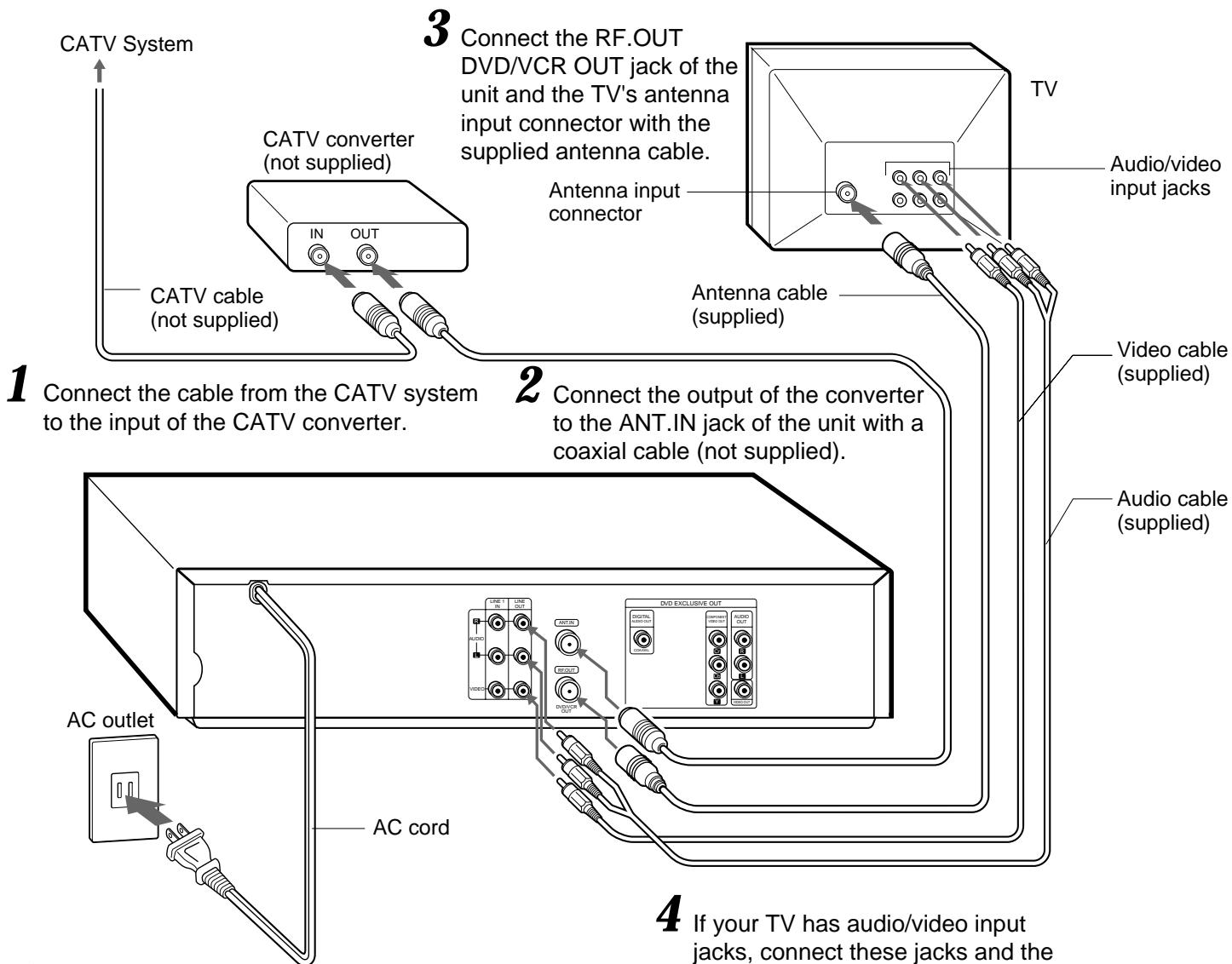
5 Connect the AC cord of to the AC outlet.
4 If your TV has audio/video input jacks, connect these jacks and the LINE OUT jacks of the unit with the supplied audio and video cables.
To connect to a CATV system without a CATV converter
Connect the cable from the CATV system to the ANT.IN jack of the unit in step 1 above.
If the program tuned in on the TV is not displayed clearly
Press TV/VCR on the remote control to turn off "VCR" in the display window, or turn off this unit.
To display TV or video program output from the unit
Press TV/VCR on the remote control to display "VCR" in the display window.
VCR
3
Setting the menu language
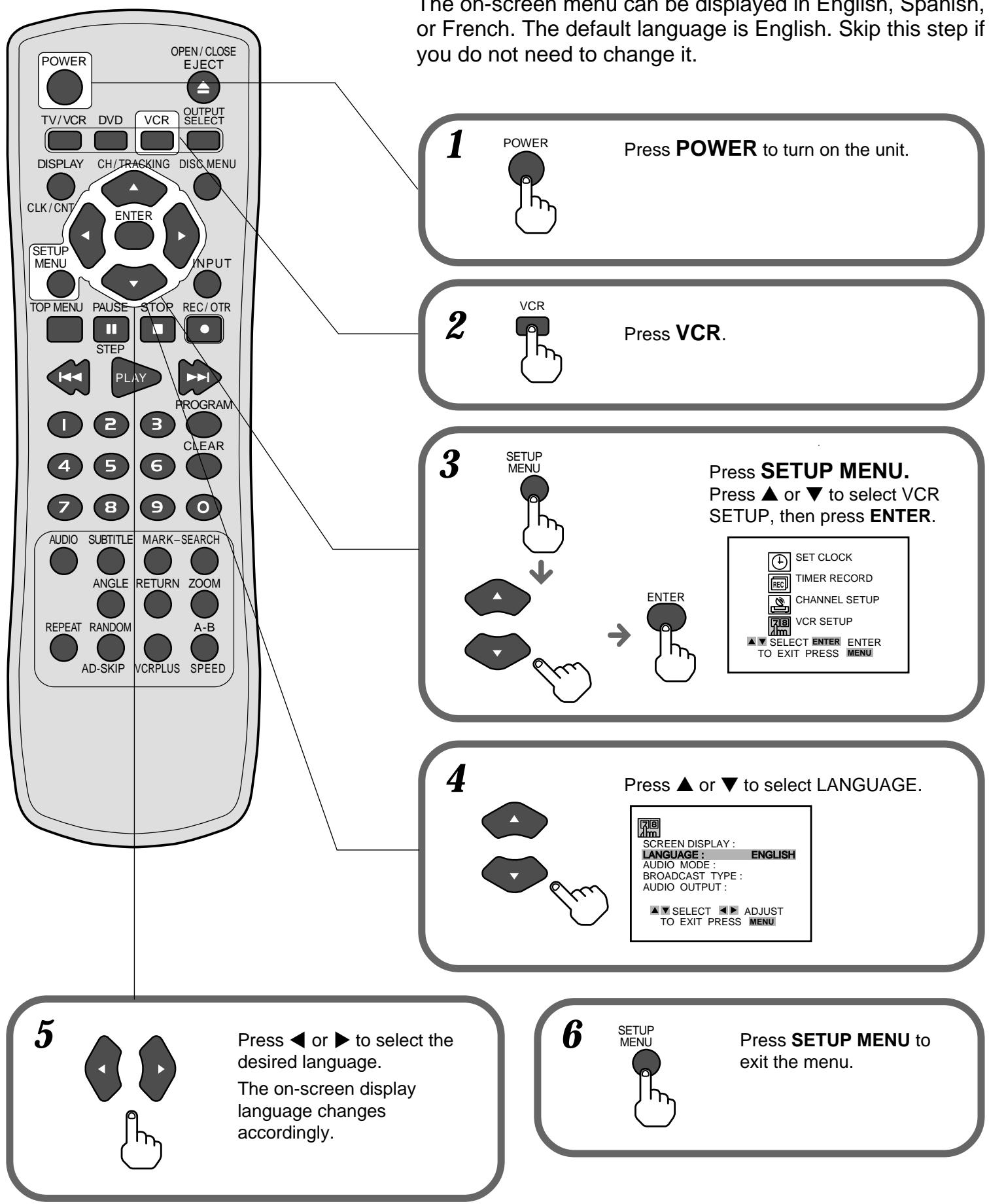
4
Setting the Clock
4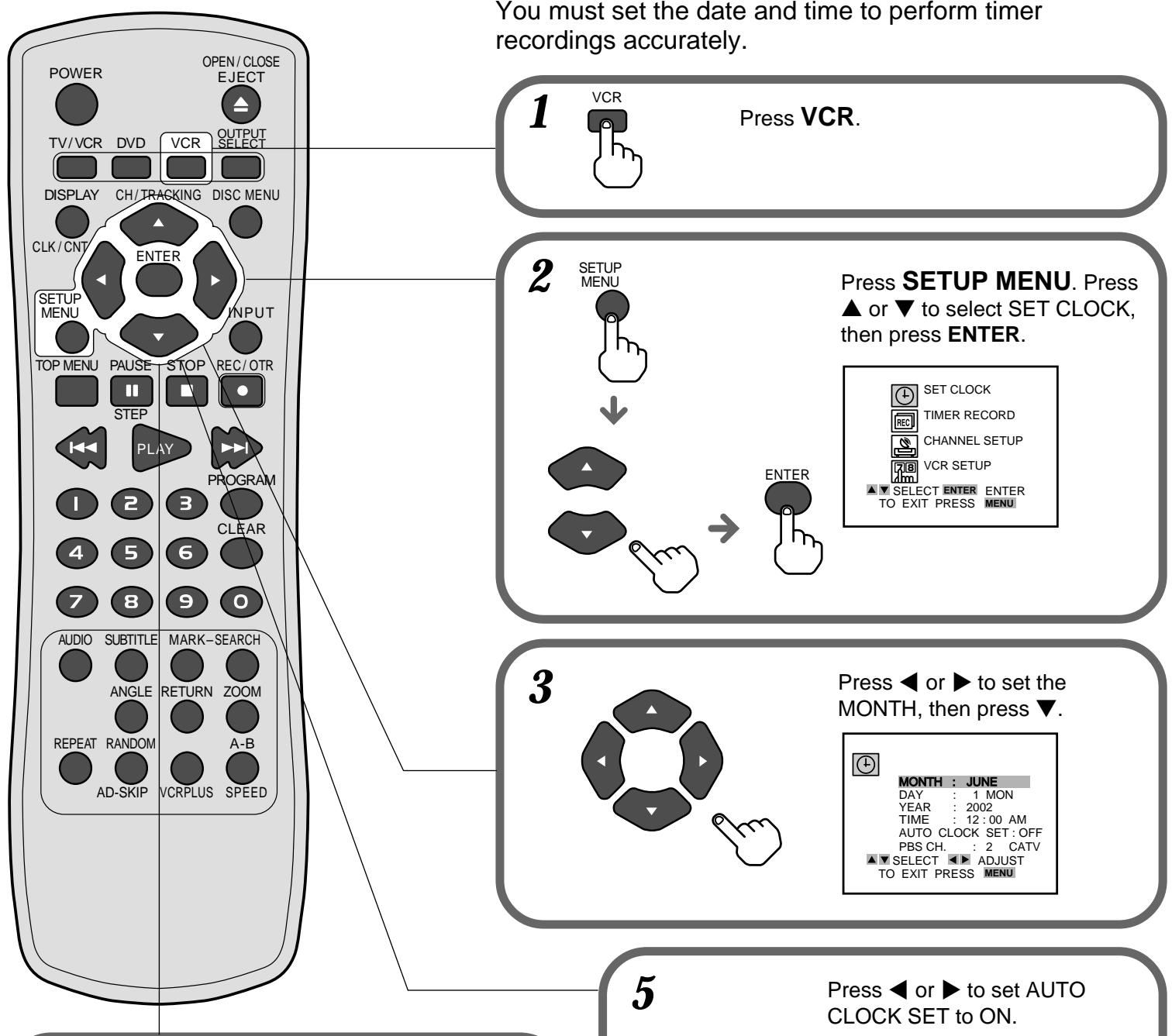
Press and hold or to change the setting rapidly.
Set DAY, YEAR, and TIME as in step 3.

MONTH: JUNE
DAY: 15 SAT
YEAR: 2002
TIME: 10:30 AM
AUTO CLOCK SET: OFF PBS CH 0 CATV
PBS CH. 2 CATV
TO EXIT PRESS MENU
TO EXIT PRESS MENU

Press ◀ or ▶ to set AUTO CLOCK SET to ON.
Press ▼, then press ◀ or ▶ to select the PBS channel for your area.
The VCR automatically corrects the clock setting once you set AUTO CLOCK SET to ON.

MONTH: JUNE
DAY: 17 SAT
YEAR: 2000
TIME: 10:30 AM
AUTO CLOCK SET!ON
1000
TO EXIT PRESS MENU
Press SETUP MENU to start the clock and exit the menu.
SETUP
MENU
6
5
Setting the VCR channels
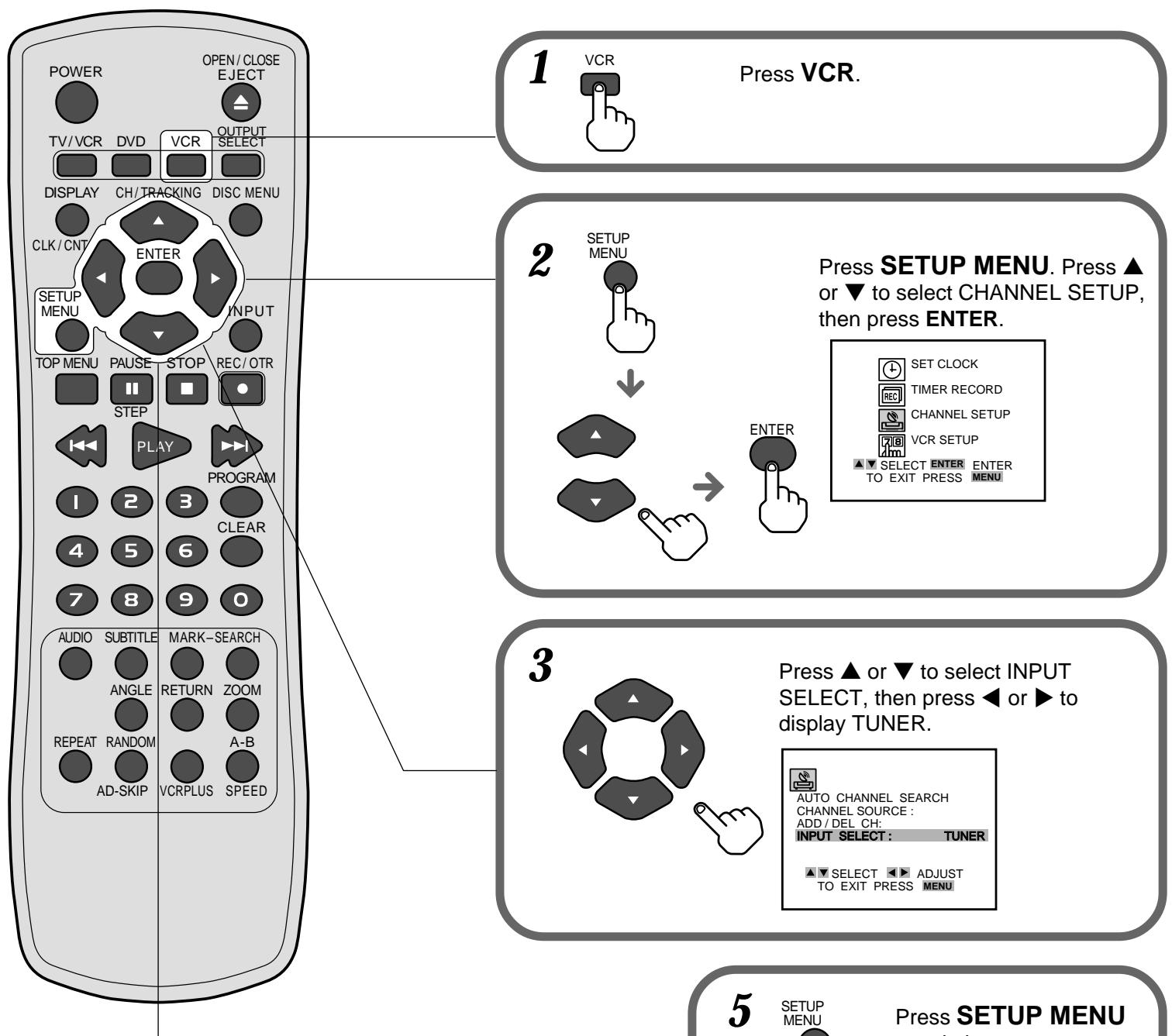
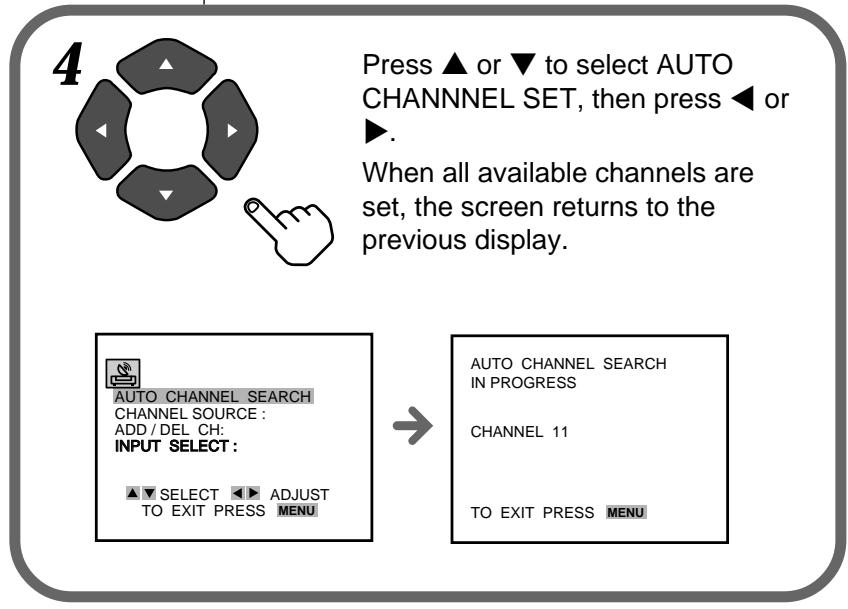
to exit the menu.



- INSTALLING BATTERIES IN THE REMOTE CONTROL
- BASIC CONNECTIONS
- IMPORTANT
- WHEN THE TV IS CONNECTED TO THE UNIT ONLY WITH THE ANTENNA CABLE
- CATV CONNECTIONS
- TO CONNECT TO A CATV SYSTEM WITHOUT A CATV CONVERTER
- IF THE PROGRAM TUNED IN ON THE TV IS NOT DISPLAYED CLEARLY
- TO DISPLAY TV OR VIDEO PROGRAM OUTPUT FROM THE UNIT
- SETTING THE MENU LANGUAGE
- SETTING THE CLOCK
- SETTING THE VCR CHANNELS
Brand : SONY
Model : VMC-P10
Category : Photo Accessories