CCTV-205 - Security Camera Steren - Free user manual and instructions
Find the device manual for free CCTV-205 Steren in PDF.


Pick your language and provide your email: we'll send you a specifically translated version.
| Product Type | Security Camera |
| Model | CCTV-205 |
| Brand | Steren |
| Resolution | 1920 x 1080 (Full HD) |
| Lens Focal Length | 3.6 mm |
| Night Vision | Up to 20 m with IR LEDs |
| Connectivity | Wi-Fi 802.11 b/g/n |
| Power Supply | DC 12V / 1A (adapter included) |
| Dimensions (W x H x D) | 110 x 80 x 80 mm |
| Weight | 300 g |
| Weatherproof Rating | IP66 (indoor/outdoor use) |
| Motion Detection | Yes, with push notifications |
| Two-Way Audio | Yes (built-in microphone and speaker) |
| Storage | microSD card up to 128 GB (not included) |
| Viewing Angle | 90° diagonal |
| Mounting | Wall or ceiling bracket included |
| Compatible Systems | iOS and Android with Steren app |
| Maintenance | Clean lens with soft dry cloth; avoid water directly on camera. |
| Safety | Do not expose to extreme temperatures or humidity. Use only included adapter. |
| Spare Parts & Repairability | Contact Steren service center for replacement parts; no user-serviceable components inside. |
Frequently Asked Questions - CCTV-205 Steren
How do I reset the CCTV-205 camera?
Press and hold the reset button (located near the power port) for 10 seconds until the LED flashes. The camera will restart and restore factory settings.
Can the CCTV-205 be used outdoors?
Yes, the camera is IP66 rated, making it suitable for outdoor use in rain or dust. Ensure the power adapter is protected from moisture.
Does the camera support Wi-Fi?
Yes, it supports 2.4 GHz Wi-Fi 802.11 b/g/n. A stable internet connection is required for remote viewing.
How do I connect the camera to the Steren app?
Download the Steren app from the App Store or Google Play. Create an account, tap '+', scan the QR code on the camera, and follow the in-app instructions.
What is the maximum microSD card size supported?
The camera supports microSD cards up to 128 GB (Class 10 or higher). Format the card in the app before use.
Why is the camera not recording motion events?
Check that motion detection is enabled in the app settings. Also ensure the camera is not in 'Privacy Mode' and that the microSD card (if used) is properly inserted.
Can I share access with family members?
Yes, in the Steren app, go to 'Device Settings' > 'Share' and enter the email address of the person you want to invite.
How far can the camera see at night?
The IR LEDs provide night vision up to 20 meters (65 feet) in complete darkness.
Is the camera compatible with Alexa or Google Assistant?
Currently, the CCTV-205 is only controllable via the Steren app. No direct integration with Alexa or Google Assistant is supported.
What should I do if the camera goes offline?
First, check your internet connection and reboot your router. Then power cycle the camera by unplugging it for 30 seconds. If still offline, reset the camera and reconnect via the app.
User questions about CCTV-205 Steren
0 question about this device. Answer the ones you know or ask your own.
Ask a new question about this device
No questions yet. Be the first to ask one.
Download the instructions for your Security Camera in PDF format for free! Find your manual CCTV-205 - Steren and take your electronic device back in hand. On this page are published all the documents necessary for the use of your device. CCTV-205 by Steren.
USER MANUAL CCTV-205 Steren
natural_image
White digital camera with black lens and white base, isolated on green background (no text or symbols)CCTV-205
natural_image
Diagram of a door handle with a green arrow pointing to the keyhole (no text or symbols present)natural_image
Simple line drawing of a camera with a cable and plug, no text or symbols presentnatural_image
Diagram showing three connected devices: a smartphone, a router with wireless signal, and a speaker (no text or symbols)natural_image
Three icons: a circular device with signal waves, a Wi-Fi symbol, and a smartphone (no text or labels)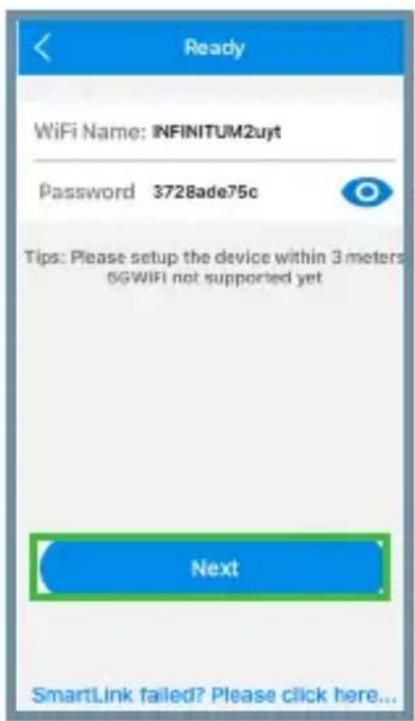
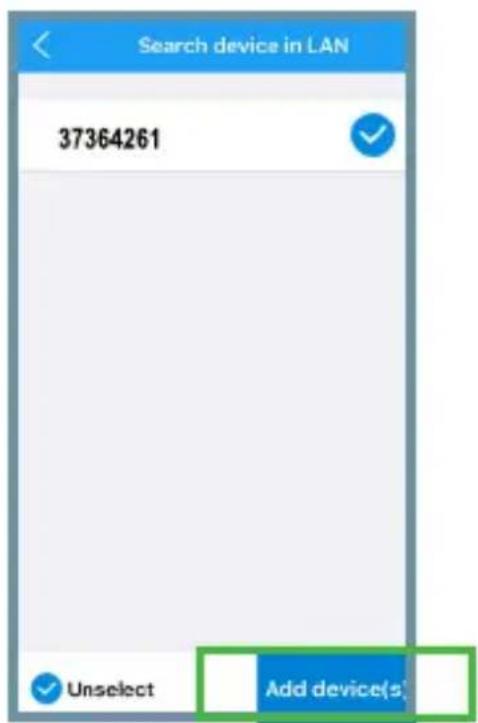
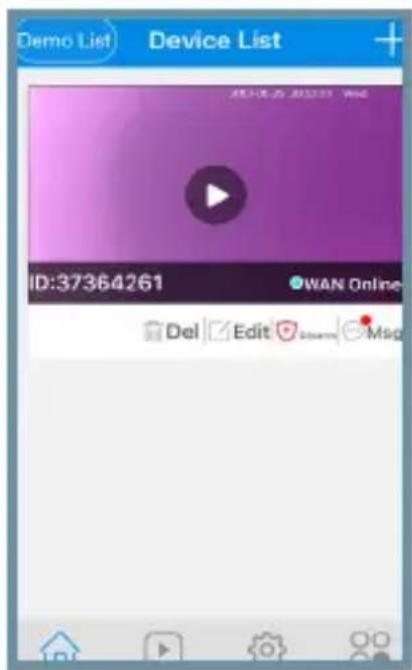
Table of contents
Click a title to access it
Manual assistant
Powered by Anthropic
Waiting for your message
Product information
Brand : Steren
Model : CCTV-205
Category : Security Camera