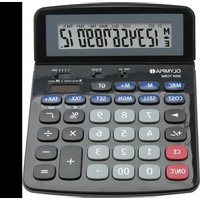
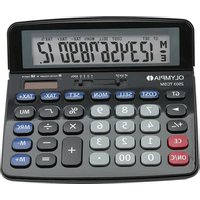
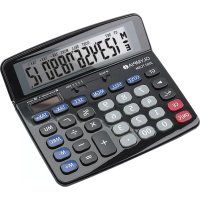
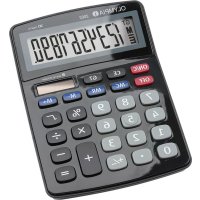
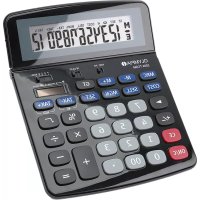
CPD5312E - Calculator OLYMPIA - Free user manual and instructions
Find the device manual for free CPD5312E OLYMPIA in PDF.


Pick your language and provide your email: we'll send you a specifically translated version.
| Type de produit | Calculator |
| Marque | Olympia |
| Modèle | CPD5312E |
| Dimensions (approx.) | 15 x 10 x 2 cm |
| Poids (approx.) | 150 g |
| Alimentation | Dual power: solar cell & 1x LR44 battery |
| Affichage | 12-digit LCD |
| Fonctions principales | Basic arithmetic, percentage, square root, memory (M+, M-, MR, MC), GT (grand total), sign change |
| Entretien et nettoyage | Wipe with a soft, dry cloth. Do not use solvents. |
| Sécurité | Keep away from water and extreme temperatures. Do not disassemble. |
| Pièces détachées et réparabilité | Battery replaceable (LR44). No other user-serviceable parts. |
| Informations générales | Warranty: 2 years. Suitable for office and home use. |
Frequently Asked Questions - CPD5312E OLYMPIA
How do I replace the battery in my Olympia CPD5312E calculator?
Locate the battery compartment on the back, slide the cover off, remove the old LR44 battery, insert a new one with correct polarity, and replace the cover.
Why is my calculator showing 'E' or an error?
An 'E' typically indicates overflow or division by zero. Press AC or C to clear the error and re-enter the calculation.
Does the calculator have a memory function?
Yes, it has basic memory keys: M+, M-, MR (recall), and MC (clear). Use them to store and retrieve values.
How does the dual power system work?
The calculator uses a solar cell in bright light and switches to the internal LR44 battery in low light. No manual switch needed.
Can I use the calculator without a battery?
Only if there is sufficient light for the solar cell. In dim conditions, the battery is required.
What does the GT key do?
GT (Grand Total) displays the accumulated sum of all calculations since the last time GT was cleared. Press GT once to show, twice to clear.
How do I calculate a percentage?
Enter the base number, press ×, enter the percentage, then press %. For example, 200 × 10 % gives 20.
The display is dim or blank. What should I do?
Check if the battery needs replacement or if there is enough light for solar power. Press the ON or AC button to wake it.
Is the Olympia CPD5312E suitable for tax calculations?
It does not have dedicated tax keys, but you can manually calculate percentages and use memory for tax rates.
How should I clean the calculator?
Use a soft, dry cloth to wipe the casing and display. Avoid liquids and abrasive cleaners to prevent damage.
User questions about CPD5312E OLYMPIA
0 question about this device. Answer the ones you know or ask your own.
Ask a new question about this device
No questions yet. Be the first to ask one.
Download the instructions for your Calculator in PDF format for free! Find your manual CPD5312E - OLYMPIA and take your electronic device back in hand. On this page are published all the documents necessary for the use of your device. CPD5312E by OLYMPIA.