
AP22CS - Air purifier WHIRLPOOL - Free user manual and instructions
Find the device manual for free AP22CS WHIRLPOOL in PDF.


| Product Type | Air Purifier |
| Brand | Whirlpool |
| Model | AP22CS |
| Recommended Room Size | Up to 30 m² |
| CADR (Clean Air Delivery Rate) | 150 m³/h |
| Filtration Stages | Pre-filter, HEPA H13, Activated Carbon |
| Fan Speeds | 3 (Low, Medium, High) |
| Noise Level | 25 – 50 dB |
| Power Consumption | 30 W |
| Voltage | 220-240 V ~ 50 Hz |
| Dimensions (W x D x H) | 300 x 200 x 450 mm |
| Weight | 4.5 kg |
| Filter Replacement Indicator | Yes |
| Timer | 2 / 4 / 8 hours |
| Auto Mode | Yes (with PM2.5 sensor) |
| Sleep Mode | Yes |
| Air Quality Indicator | Yes (color-coded) |
| Control Type | Touch Panel & Remote Control |
| Warranty | 2 years |
| Certifications | CE, RoHS |
Frequently Asked Questions - AP22CS WHIRLPOOL
User questions about AP22CS WHIRLPOOL
0 question about this device. Answer the ones you know or ask your own.
Ask a new question about this device
Download the instructions for your Air purifier in PDF format for free! Find your manual AP22CS - WHIRLPOOL and take your electronic device back in hand. On this page are published all the documents necessary for the use of your device. AP22CS by WHIRLPOOL.
USER MANUAL AP22CS WHIRLPOOL
惠而浦
WHIRLPOOL AIR PURIFIER
惠而浦(光觸媒)空氣清新機
AP-22CS

Before operating the unit, please read this manual thoroughly, and retain for future reference.
● AP22CS 4合1高效濾網型號: APF001

請向惠而浦零件部指定購買 電話:24063861/24063862
● AP22CS 專用可清洗前置濾網 型號: APF004
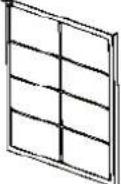
● AP22CS 專用UV燈管型號: 764100430


惠而浦星級情報站
Star Service Hotline 24069138
www.whirlpool.com.hk
Before Using
Various symbols are used throughout this manual and on the product to alert you to measures for safe use.
These symbols are shown below as prohibited or recommended.
Please read this section carefully and follow all instructions.
Please remove the plastic bag of filter before use!
Your safety and the safety of others are very important
We have shown a number of important safety tips in this manual and on your appliance. Always read and observe these safety tips.

This is the safety alert symbol.
This alerts you to potential hazards that could kill or injure you or others.
These safety tips follow the safety alert symbol and the word 'danger' or 'waming.'
The meaning of these words is:
! DANGER
Danger of death or serious Injury If you don't Immediately follow these instructions.
⚠ WARNING
Danger of death or serious Injury If you don't follow these instructions.
All safety tips inform you what the potential hazard is, how to minimise the chance of injury, and what may happen if the instructions are not followed.
Important safety instructions
WARNING: To reduce the risk of fire or electrical shock, do not use the unit with a solid-state speed control device.
WARNING: To reduce risk of fire, electric shock and personal injury, do not install in a window.
Unplug the unit before servicing.
Read and keep these instructions.
⚠ WARNING

Danger of electric shock
Plug into an earthed 3-pin outlet.
Do not remove earth pin.
Do not use an adapter.
Do not use an extension.
Failure to follow these instructions could result in death, fire or electric shock.
In order to prevent damage to property or persons, be sure to observe the following warnings.
| Actions prohibited | Actions Recommended |
WARNING
Only qualified personnel are to repair this machine.  | Unplug before cleaning, inspecting or moving the unit.  |
Do not touch the mains plug or operate with wet hands.  | Do not use mains voltage other than that specified. Do not exceed the voltage specified for the mains and the wiring.  |
Do not operate with damaged power cord or plug or loose electrical outlet.  | Do not leave the unit unattended during operation.  |
Do not damage, out, expose to heat, bend, twist, pull, press or twist the cable.  | Periodically remove dust and dirt from the power plug.  |
Do not expose to water.  | Do not insert any foreign objects into the air inlet or outlet.  |
Do not expose to naked flame, such as cigarette  | Do not cover the air inlet or outlet.   |
Do not clean with petrol or thinner or apply 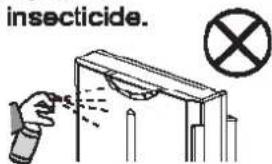 | Do not use in the vicinity of flammable or corrosive gases or metal dust.  |
WARNING
Do not use in wet places such as the bathroom. | Do not operate in the vicinity of smoke-producing insecticide machines.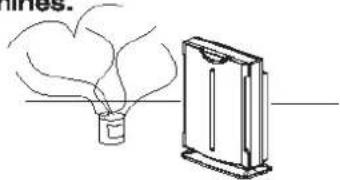 |  |
This unit cannot eliminate carbon monoxide. So if a fire is lit in the same room, ensure proper ventilation.  | Do not place near fish tanks, vases or water containers. |  |
Do not sit on the unit.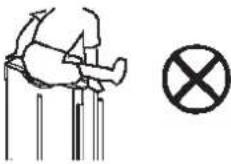 | Detergent must not be used. |  |
Install at least 1 meter from lighting. | Do not mount high on wall or shelf. |  |
Do not expose to sunlight or heat.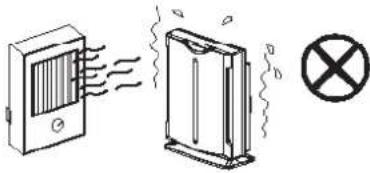 | Do not expose to oily vapours.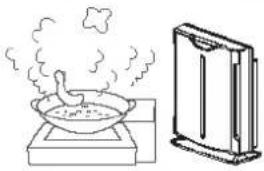 |  |
Do not use in an unstable position, where unit may tip or fall over.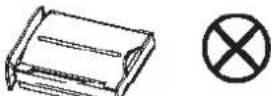 | Always grip the mains plug when unplugging. |  |
WARNING
Position at least 2 meters away from television, radio or similar.

The machine must not be allowed to ingest dehumidifier steam.

To move, unplug the unit, grip it by the handhold on the back or hold underneath.

If the power cable is damaged, it must be replaced by the manufacturer, their service agent or other qualified technicians in order to prevent hazards.

Components
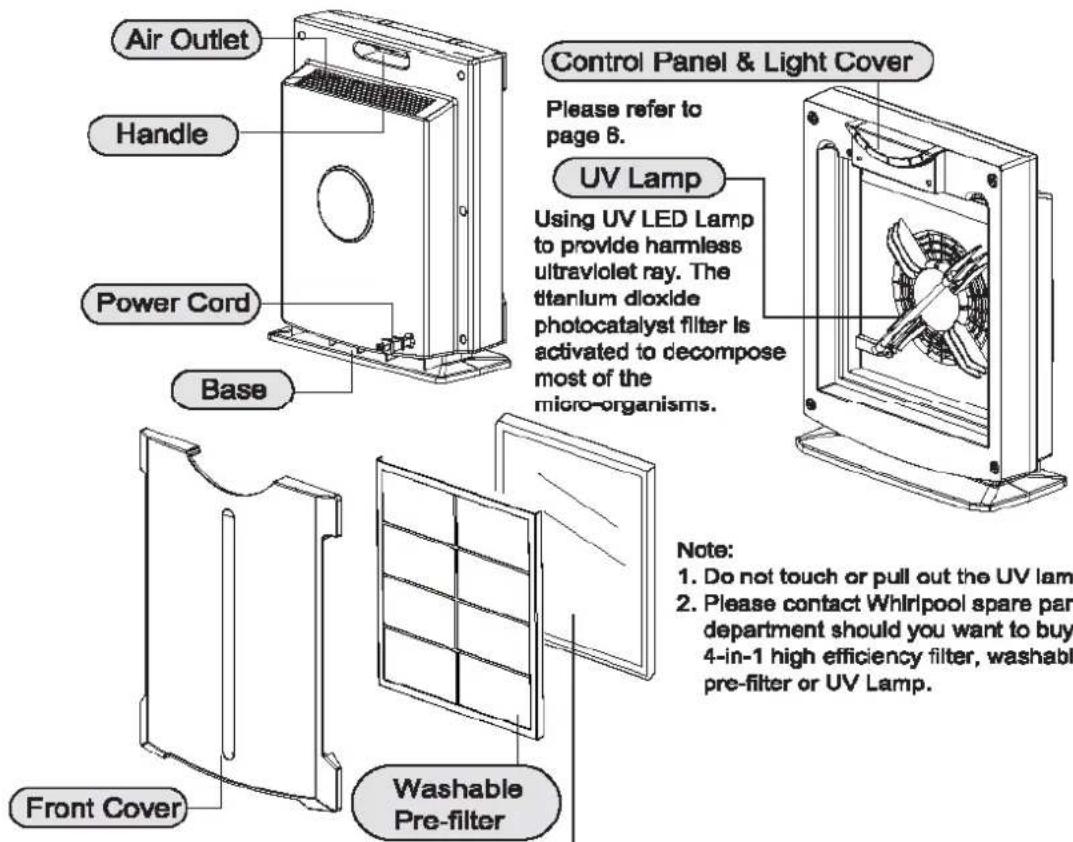
4-in-1 High Efficiency Filter
![graph LR A["Dust Germs"] --> B["Smoke Virus"] B --> C["Layer1"] C --> D["Layer2"] D --> E["Layer3"] E --> F["Layer4"] F --> G["Completely pure"]](/content/2026/05/992204/images/f02266e3ea5ab9427237df8f1915a1274198d74d4bbe118961d1da04d31b54d7.jpg)
Layer 1: Nano Silver Filter (face, light yellow)
Electrostatic filter can catch dust and pollen.
Nano Silver can restrain germs.
Layer 2: Medical Class HEPA (Inside)
Removes 99.97% airborne particles(@0.3 Micron)
Layer 3: Activate Charcoal Filter (Inside)
Get rid of other chemical pollutions, including cigarette powder, stinking smell, harmful gas.
Layer 4: Photocatalyst Filter-TIO2 (Back, light blue)
Photocatalyst Filter (TlO2) can restrain germs, bacteria, fungi and virus action.
Provide you a healthy environment.
To Operate

To Operate
Power On/Off
After plug to power, push the "POWER" button to turn on the unit, meanwhile the display light on. Push the "Power" button again to turn off the unit, the display turns off.
Timer
Push the "Timer" button to select 1,4,8 hours or continue run (LED off). Each time when turning on the unit, the unit starts at continuous run.
Fan Speed
Push the "Fan speed" button to select Low, Mid or High speed as you want. When turn off the unit, the current fan speed status each time will be memorized automatically.
Ion and photocatalyst(TiO2)
Push the "lon / TiO2" button for this special function. The display turns blue when running ion and photocatalyst condition. Ion provides fresh air like in nature. Photocatalyst (TiO2) can restrain germs, microbe, bacillus and virus action. Provide you a healthy environment.
Replacement
Filter Replace
Please check the filter when using a period of time. If the filter is covered by plenty of dust or the color of filter is turned into filthy as the lable shows, the airflow and the performance of the unit will be affected.
Warning : Do not turn on the unit without using a filter.

The 4-In-1 High Efficiency Filter Replace
- Please turn off the unit first.
- Unplug the unit before replacing the High Efficiency Filter.
- Please put on a mouthpiece and gloves.
-
Press the latches on both sides of the front cover and pull out the cover.
-
Unpack a new High Efficiency Filter, replace the dirty filter with the new one. The yellow surface faces outward.
-
Replace the High Efficiency Filter cover in right position.
-
Seal the dirty High Efficiency Filter in a plastic bag, then suitably discard.
-
Discard the mouthpiece and the gloves.
-
Remember to wash your hands with cleanser.
Warning :
- The 4-in-1 High Efficiency Filter can not be washed.
- Dust coverd on the filter will affect the performance. Please check the Washable Pre-filter every 2 weeks. Vacuum the filter or wash it with clean water and dry it.
- Please contact Whirlpool spare parts department should you want to buy a qualified filter.
Check up of UV lamp
Note: The UV Lamp may turn out after its life.
The Lamp can only be replaced by our service departments. Never replace yourself with any other component that will cause damage or danger.
To check the lamb:
- Turn off the unit.
- Remove the front cover and take out the filter.
-
Replace the front cover only. Turn on the unit and press the ION / TiO2 button to turn on the photocatalyst function (the light show turns to blue)
-
Check the UV light through sideholes of the front cover. If the UV light is off then it should be replaced.
-
Turn off the unit, replace filter and front cover and call for service.

Note: To protect your eyes, don't look at the UV light for a long time.
Maintenance
To Clean the Unit
- Before clean or maintain, turn off the unit and unplug the cord.
- Air outlet may gather dust easily, please clean it with a soft cloth.
- Never use solvent that could damage the surface of the machine.
- In order to avoid damage, do not wash the machine with water.
Before Storing
- Turn off the unit unplug the cord and store the power cord into the cabinet.
- Clean air inlet, outlet and the unit, and vacuum-clean the unit.
- Cover the unit to prevent it from gathering dust. Store it in a cool and dry place.
Power Cord Safety
Do not use cord that shows cracks or abrasion damage alone its length or either the plug or connector end. Call us for service when a replacement needs.
Trouble Shooting
| Problem | Possible Cause | What to do |
| The machine doesn't start | 1. The unit is not powered2. Front cover is not in place | 1. Make sure the power, cord and plug.2. Check and push the cover in place. |
| Poor performance | 1. The filter is dirty2. Air inlet or outlet is covered3. Used for a large space4. Unsuitable allocation | 1. Replace the filter2. Free the airflow3. Try the high speed4. Move to a better ventilation position. |
| Noise occurs | 1. The unit is not place stably2. The filter is dirty | 1. Replace the unit2. Replace the filter |
Should there still be a problem, please unplug the unit and contact us.
Specification
| Model | AP22CS | ||
| Power | 220V / 50Hz | ||
| Power consumption (W) | High | Mid | Low |
| 45 | 35 | 25 | |
| Ventilation (Cmm) | High | Mid | Low |
| 2.0 | 1.5 | 1.0 | |
| Dimension | 380W x 174D x 490H (mm) | ||
| Net weight | 4Kg (Filter included) | ||
Components
● AP22CS 4-in-1 High Efficiency Filter
Model:
APF001

Please designate the purchase to Whirlpool spare parts department.
Tel:24063861/24063862
● AP22CS Washable Pre-Filter
Model:
APF004

● AP22CS UV Lamp
Model:
764100430

惠而浦星級情報站
Star Service Hotline 24069138
www.whirlpool.com.hk
- 惠而浦
- WHIRLPOOL AIR PURIFIER
- 惠而浦(光觸媒)空氣清新機
- BEFORE USING
- YOUR SAFETY AND THE SAFETY OF OTHERS ARE VERY IMPORTANT
- DANGER
- ⚠ WARNING
- IMPORTANT SAFETY INSTRUCTIONS
- DANGER OF ELECTRIC SHOCK
- WARNING
- COMPONENTS
- 4-IN-1 HIGH EFFICIENCY FILTER
- TO OPERATE
- POWER ON/OFF
- TIMER
- FAN SPEED
- ION AND PHOTOCATALYST(TIO2)
- REPLACEMENT
- FILTER REPLACE
- THE 4-IN-1 HIGH EFFICIENCY FILTER REPLACE
- CHECK UP OF UV LAMP
- MAINTENANCE
- TO CLEAN THE UNIT
- BEFORE STORING
- POWER CORD SAFETY
- SPECIFICATION
Brand : WHIRLPOOL
Model : AP22CS
Category : Air purifier