
HB-U14P - Computer accessory Sabrent - Free user manual and instructions
Find the device manual for free HB-U14P Sabrent in PDF.


| Product Type | 14-Port USB 3.0 Hub |
| Brand | Sabrent |
| Model | HB-U14P |
| Ports | 14 x USB 3.0 Type-A (downstream), 1 x USB 3.0 Type-B (upstream) |
| Data Transfer Rate | Up to 5 Gbps (USB 3.0) |
| Power Source | External power adapter (12V DC, 5A) |
| Power per Port | Up to 900 mA (USB 3.0) |
| Individual Switches | Yes, one per port with LED indicator |
| LED Indicators | Blue LED for power and each port activity |
| Compatibility | USB 1.1/2.0/3.0, backward compatible |
| Operating Systems | Windows, macOS, Linux (no driver needed) |
| Dimensions (L x W x H) | 23.0 x 6.0 x 2.5 cm |
| Weight | 400 g (approx.) |
| Cable Length | 1.2 m (USB 3.0 Type-B to Type-A) |
| Protection | Over-current, over-voltage, short-circuit |
| Cleaning | Wipe with a dry, soft cloth. Do not use liquids. |
| Safety | Do not expose to water or moisture. Use only the provided power adapter. |
| Spare Parts & Repair | Not user-serviceable. Contact Sabrent for support. |
| General Information | Plug and Play, no driver installation required. |
Frequently Asked Questions - HB-U14P Sabrent
User questions about HB-U14P Sabrent
0 question about this device. Answer the ones you know or ask your own.
Ask a new question about this device
Download the instructions for your Computer accessory in PDF format for free! Find your manual HB-U14P - Sabrent and take your electronic device back in hand. On this page are published all the documents necessary for the use of your device. HB-U14P by Sabrent.
USER MANUAL HB-U14P Sabrent
SABRENT Connecting Differently™
HB-U14P / QUICK REFERENCE
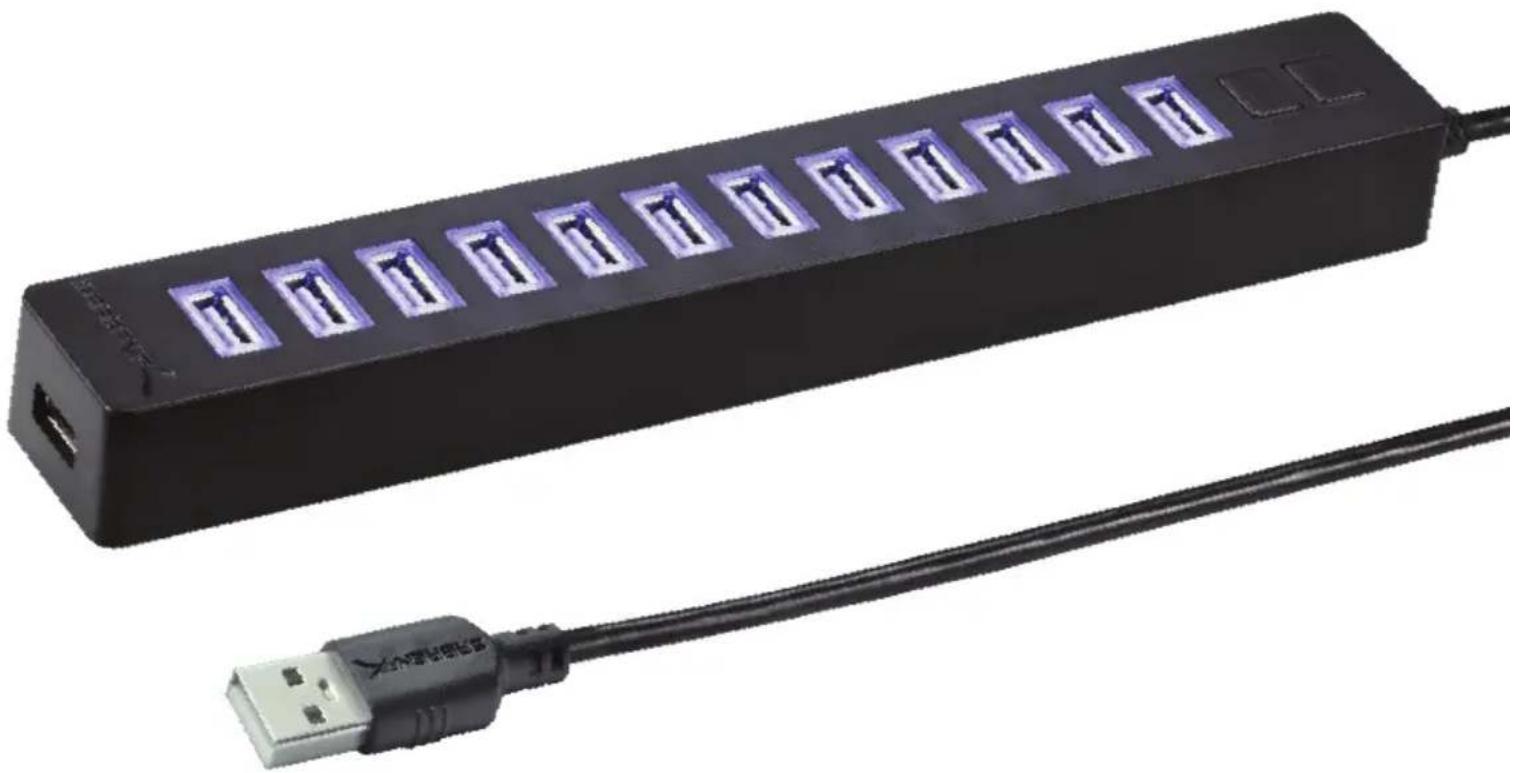
13 PORT USB 2.0 HUB WITH POWER ADAPTER
ADDS 13 ADDITIONAL USB 2.0 PORTS TO YOUR PC OR MAC, ALLOWING YOU TO CONNECT MANY USB DEVICES SIMULTANEOUSLY
natural_image
Black USB drive with 12 T slots and a USB cable, no visible text or symbols
The Sabrent 13-Port USB 2.0 Hub adds twelve additional USB 2.0 ports to your PC or Mac, allowing you to connect many USB devices simultaneously. This hub is uniquely designed so that two switches can each control a group of six devices. LED activity lights are provided so you can monitor usage. Providing data rates of up to 480Mbps, this hub is the ideal solution for transferring data between your computer and external USB storage devices. Equipped with a power supply, this USB hub provides electric current stability and effective operation of connected USB devices. It does not require any software or complicated installation process. With the slim, strip-shape design, it saves precious desktop space. It's extremely portable and easy to move between systems or take on the road.
Features
• 13 USB 2.0 Ports
• Transfer or backup your mp3s, digital photos, and digital videos to your desktop or laptop with rates up to 480Mbps
• Hot Swappable, Plug & Play, no driver needed
System requirements
- Windows, Mac OS, Linux supported
Package Contents
- USB 2.0 Hub
- Power Adapter
![OVERVIEW USB 2.0 PORT [TO COMPUTER] POWER PORT [TO POWER ADAPER] POWER SWITCHES USB 2.0 PORTS SABRENT](/content/2026/05/986331/images/f2a15cf00245d360b6752ba0a79b9d49e1b032608609189dd3383111b7307d9d.jpg)
Please contact our Technical Support with any questions
WWW.SABRENT.COM
Brand : Sabrent
Model : HB-U14P
Category : Computer accessory