
I-CABINET-30DTY - Uncategorized Techly - Free user manual and instructions
Find the device manual for free I-CABINET-30DTY Techly in PDF.


| Type of Product | Rack Cabinet / Server Cabinet |
| Brand | Techly |
| Model | I-CABINET-30DTY |
| Color | Black |
| Material | Steel |
| Rack Units | 30U |
| Width | 600 mm (external) |
| Depth | 800 mm (external) |
| Height | 1400 mm (external) |
| Weight | Approx. 55 kg |
| Max Load Capacity | 500 kg (static) |
| Front Door | Tempered glass door with lock |
| Rear Door | Solid steel door with lock |
| Side Panels | Removable, lockable |
| Ventilation | Perforated front/rear doors and top panel |
| Cable Management | Multiple cable entries top and bottom |
| Adjustable Mounting Rails | Yes, depth adjustable |
| Number of Fans | 2 (optional, not included) |
| Power Distribution | Not included (PDU optional) |
| Certifications | CE, RoHS |
| Warranty | 2 years |
| Included Accessories | Keys, screws, leveling feet |
Frequently Asked Questions - I-CABINET-30DTY Techly
User questions about I-CABINET-30DTY Techly
0 question about this device. Answer the ones you know or ask your own.
Ask a new question about this device
Download the instructions for your Uncategorized in PDF format for free! Find your manual I-CABINET-30DTY - Techly and take your electronic device back in hand. On this page are published all the documents necessary for the use of your device. I-CABINET-30DTY by Techly.
USER MANUAL I-CABINET-30DTY Techly
TECHly® The Modern IT brand
VENTILATED USB CHARGING
STATION FOR 30 DEVICES
&
VENTILATED CHARGING
STATION TROLLEY
FOR 30 DEVICES
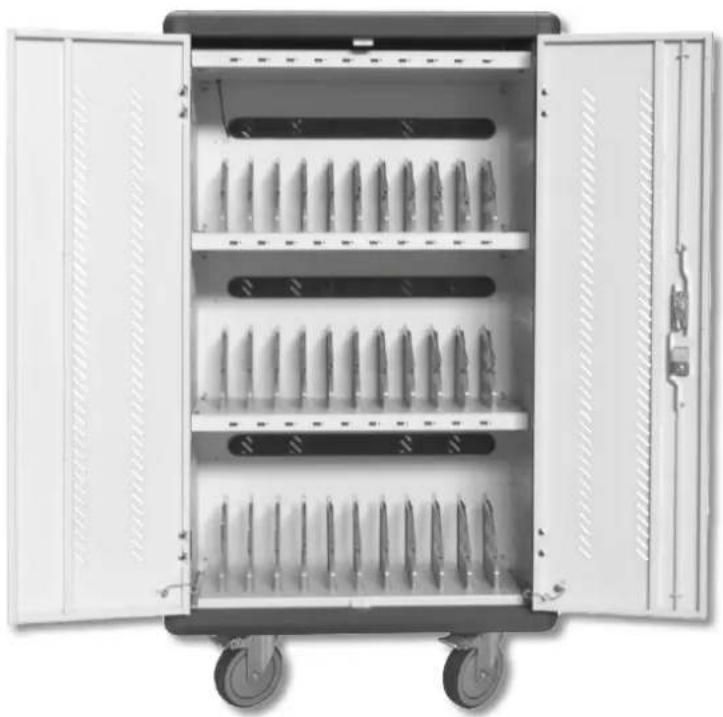
natural_image
Open industrial machine cabinet with multiple cylindrical components, no visible text or symbols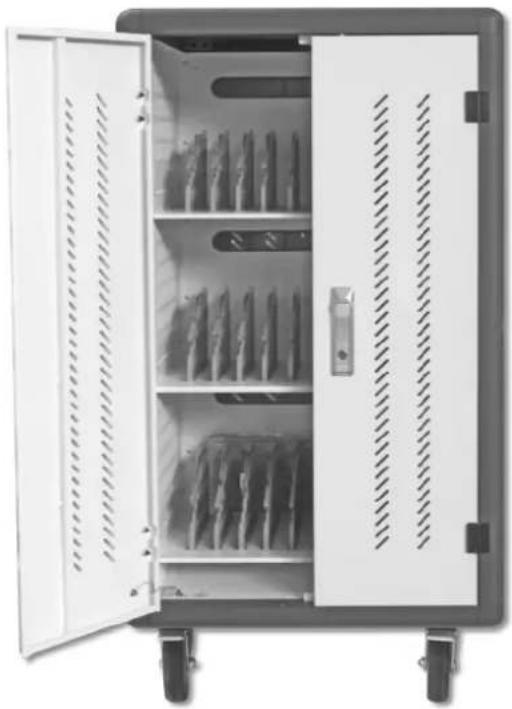
natural_image
Interior view of a white industrial storage cabinet with open doors and perforated shelves (no visible text or labels)I-CABINET-30DTYI-CABINET-3


VENTILATED USB CHARGING STATION FOR 30 DEVICES
P/N: I-CABINET-30DUTY
8051128108880
VENTILATED CHARGING STATION TROLLEY FOR 30 DEVICES
P/N: I-CABINET-30DTY
8051128108705
VENTILATED CHARGING STATION TROLLEY FOR 30 DEVICES
Dear Customer, thank you for purchasing this product. For optimum performance and safety, please read these instructions carefully before connecting, operating or adjusting this product. Please keep this manual for future reference.
IMPORTANT SAFETY INSTRUCTION
- Your product is not a toy and is not meant for children, because it contains small parts which can be swallowed and can injure when used inappropriately!
- Please install the system and devices attached to it in a way that persons cannot be injured, or objects not be damaged for example by dropping or stumbling.
- Please remove the packing materials, because children may cut themselves on them while playing. Furthermore, there is a risk of swallowing and inhalation of incidentals and insulating material.
- Avoid places the product under the sun, rain or unventilated environment. Avoid place product with high temperatures, or humidity, or places which might come into contact with water. Do not install the product close to openings of air conditioners, or at places with an excessive amount of dust or smoke. Keeps distance from flammable and explosive devices.
- Do not install the product at places subject to vibration, or oscillation.
- Do not modify and alter the product and any accessories! Do not use any damaged parts.
- Keep enough space around all devices for a good ventilation and free motion and to avoid damages.
- Do not insert metal or other objects into the equipment to avoid to damage it.
- Please plug and unplug the cables gently, do not often plug, unplug or shake them.
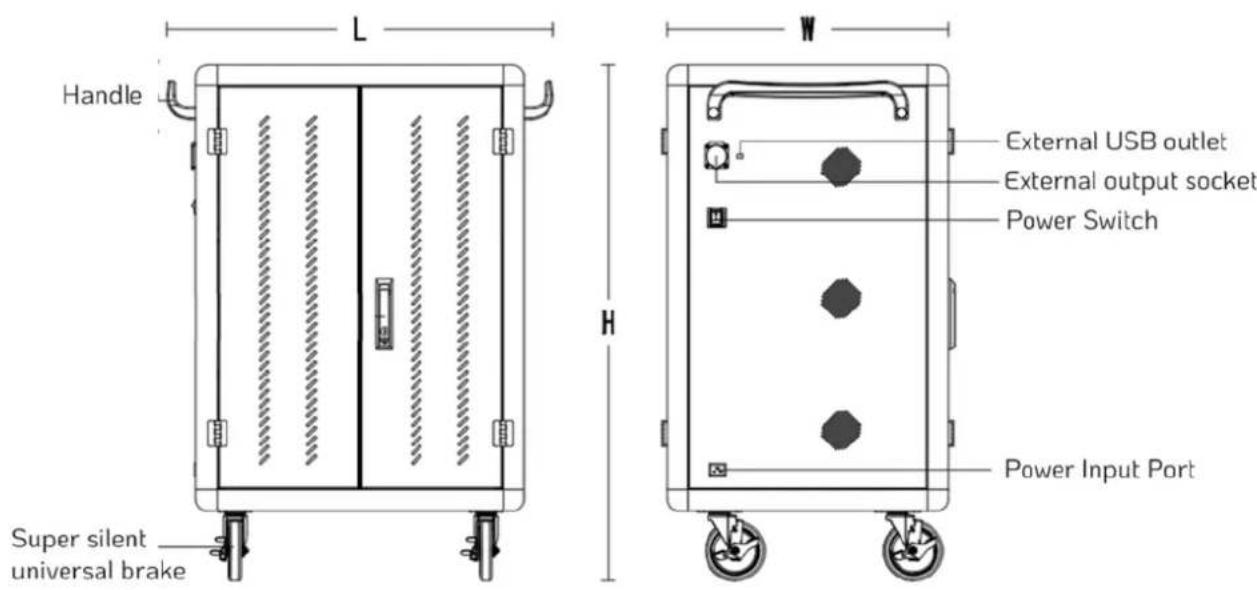
SERVICE ENVIRONMENT
Working temperature 0°C\~45°C Working environment humidity 20%\~80% Humidity of storage environment -15°C\~45°C
PRODUCT PARAMETER
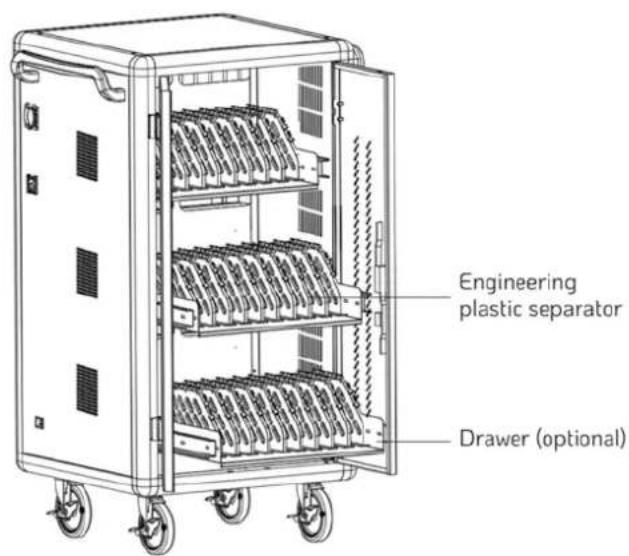
| Main material | The main body adopts 1.0mm-1.5mm cold-rolled steel plate, The main frame adopts high strength aluminum profiles, the cabinet is provided with ABS engineering plastic partition layer, layering the tablet is effective in preventing scratches |
| Input Alternating current AC 110V/220V 50/60Hz 16A | |
| -15°C~45°C | |
| Product power 3500W | |
| Cooling system Forced air cooling | |
| Output | Recharge: 5V 2.1A Quick recharge: 20W Output: 110V/220V 50/60Hz 10A/16A |
| Status indicator light | Red light: in charging state, green light: full/disconnected |
| External AC socket | IEC C20 |
| External USB charging port | 1 |
| System compatibility | Android system, IOS system, Windows system |
| Support fast charging protocol | Apple, BC1.2(DCP), HUAWEI-FCP, MTK PE, SAMSUNG-AFC |
| Super compatible | Other Android devices, Other mobile terminals, V+/V-No agreement class |
BEHAVIOUR OF ELECTRICITY
I. Built-in ten security protection
- Overload protection: Cut off the power automatically when overloaded, protect equipment
- Leakage protection: Quick leakage protection device, double leakage protection, Prevent personal electric shock and leakage, and ensure safety
- Insulation blocking: AC and DC isolation design, electrical shied installation, safe low voltage
- Overcurrent protection: Each port is configured independently to the maximum 3.1A continuous output, discount the failed port output when the load overflows, Don't affect other port usage.
- Input overvoltage protection: When the power input voltage is higher than 30V, intelligent cut off input and output, protect other charging equipment from damage
- Input undervoltage protection: When the power input voltage is below 8V, intelligent cut off input and output, protect other charging equipment from damage
- Output short circuit protection: Cut off the output in case of abnormal short circuit of the output port to ensure safety.
- Perfusion protection: Built-in reverse cut-off, prevent equipment current backflow
- Overcharge protection: Built-in overcharge protection circuit, intelligent detection charging condition of charging equipment, after the completion of charging, it will automatically stop charging to realize worry-free charging
II. To use safety as the premise, intelligent control to achieve high-performance, high-quality charging
-
Efficient heat dissipation: The design of air flow heat dissipation channel with lower intake and upper exhaust is adopted to effectively improve the heat dissipation effect III. To provide a high quality use environment
-
The integrated circuit: Built-in MCU+ intelligent chip integrated circuit (DS dual intelligent charging)
- Automatically turn lights: Multicolor status indicator, automatically displays current port device status
- The temperature control: When the temperature in the cabinet exceeds 40°C, start the cooling fan to dissipate heat quickly and ensure safe charging
- Auto sleep: Automatic sleep without charging device, reduce power consumption, intelligent ring charging
- Convenient and efficient: No setup, plug and play, intelligent charging management
OTHER FEATURES
Details for a better user experience
- Mute design: Adopt silent silicone universal wheel and cLOCKED variable speed cooling fan, greatly reduce noise generation
- Neat: Gate array mode, beautiful and tidy, projected status indicator light, at a glance
- Ergonomic: Plastic partition bracket, arc edge design
- Mistake proofing design: Users need not care, the equipment always works at its best
PACKAGE CONTENTS
- The charging station ×1 • The door key×2 • The power cord ×1 • Manual ×1
-
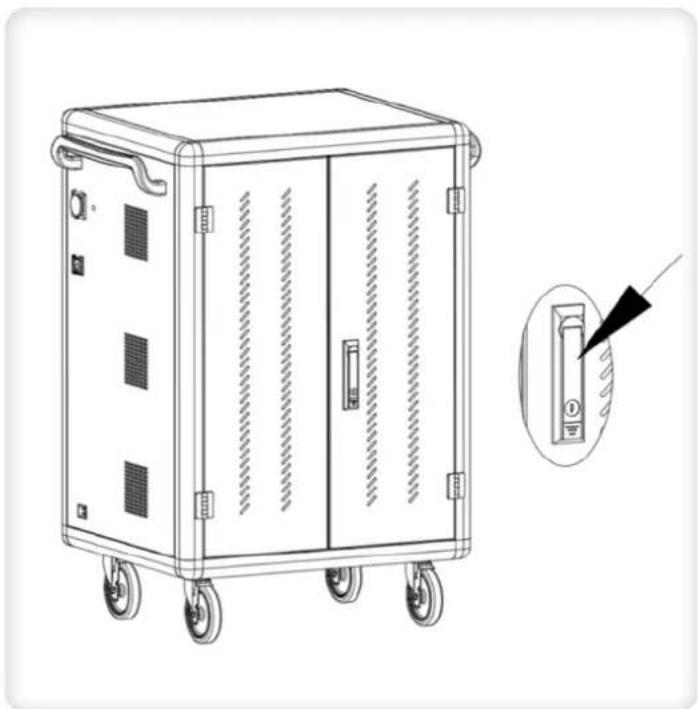
Disconnect the charger in advance and open the cabinet door
-
According to the tablet number, put the tablets one by one into the tablet rotation slot corresponding to the number
natural_image
Line drawing of a portable electronic device with wheels and doors, showing internal structure and a close-up inset of the door (no text or symbols)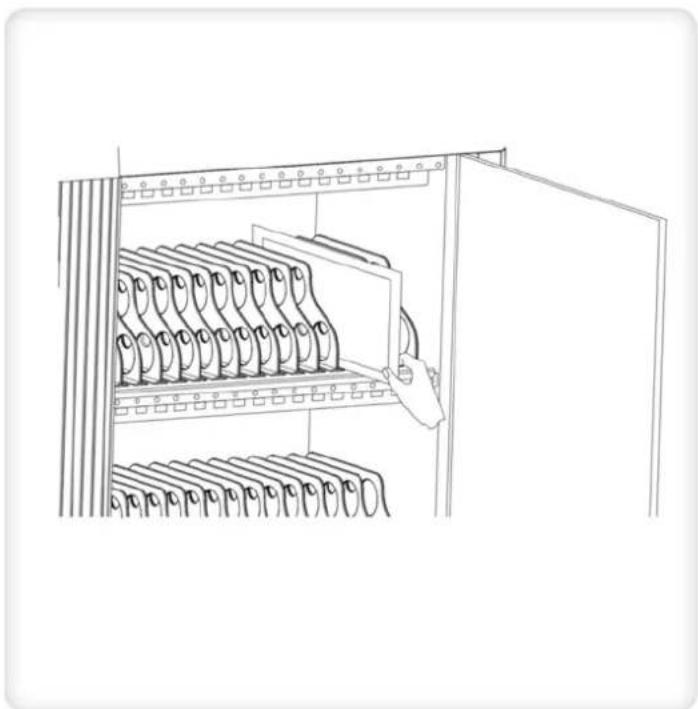
natural_image
Line drawing of a cabinet with multiple hanging binders and a door open, no text or symbols present-
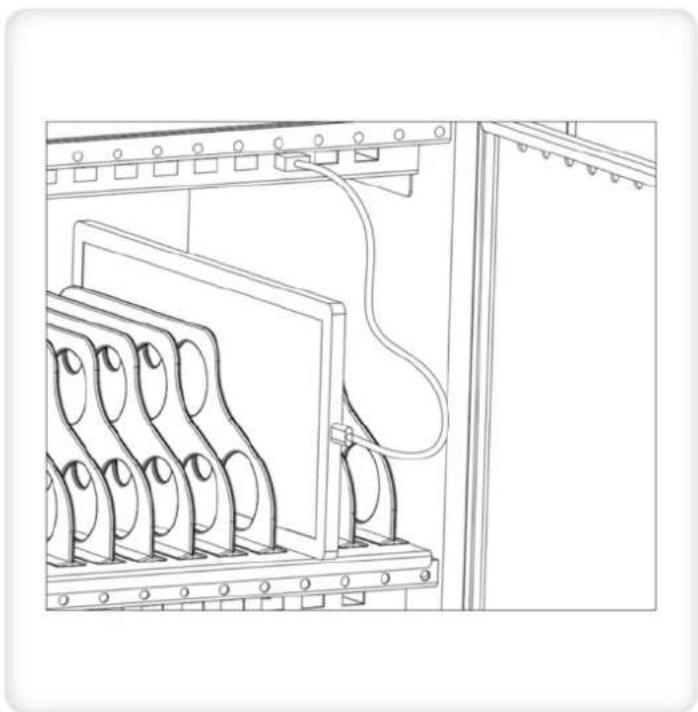
The two ends of the USB cable are connected to the charging /HUB port on the device and the tablet port respectively
-
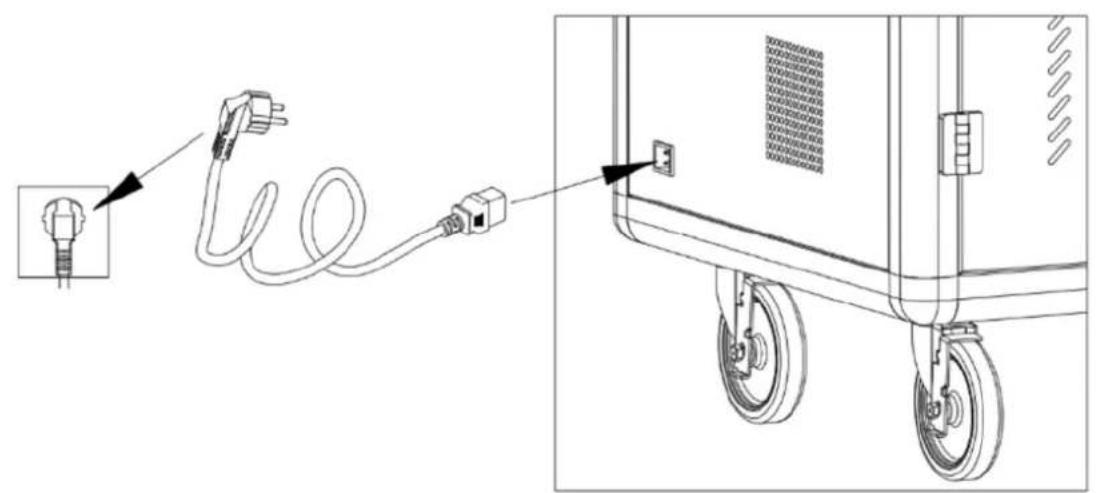
After the connection is completed, lock the cabinet door and plug the power plug of the charging car into the mains outlet for charging
-
Switch the main power to "ON", and then all charging units' LED charging status indicator lights up red, and the device is in charging state
natural_image
Technical line drawing of an electrical cabinet with multiple circuit boards and wiring (no text or symbols)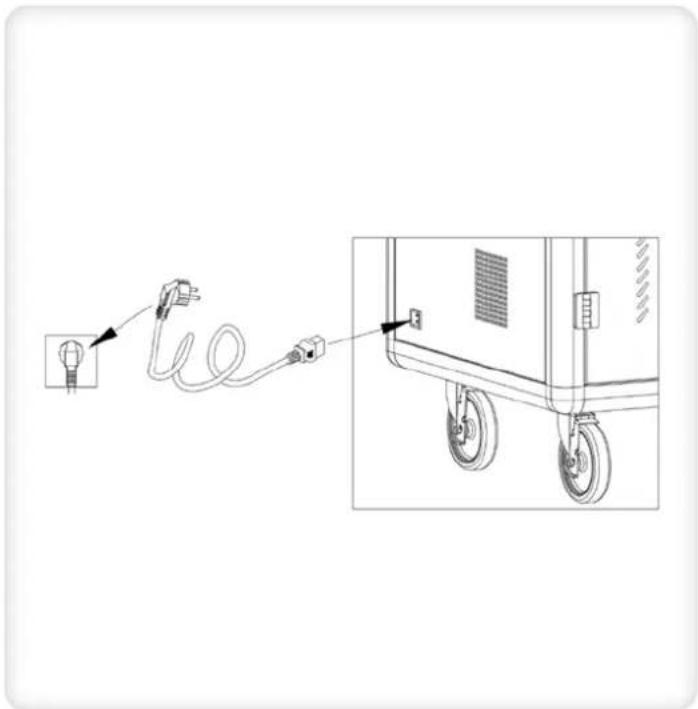
natural_image
Diagram showing a cable being inserted into an electrical outlet, with a close-up of the device's wheels and cable (no text or symbols present)CHARGING OPERATION WITH ADAPTER
-
Disconnect the charger in advance and open the rear door
-
Plug your tablet or laptop charger into the socket at the back of the charging station one by one, then thread the cable through the hole; For laptop charges, place the adapter in the bucket below the thread hole
natural_image
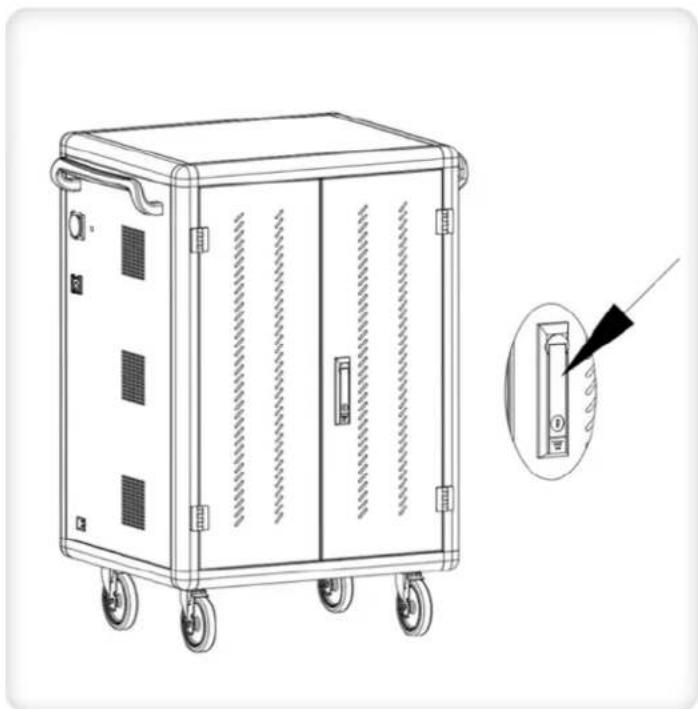
Line drawing of a four-wheeled industrial machine with a close-up inset showing its internal component (no text or symbols)- Open the front door of the charging station
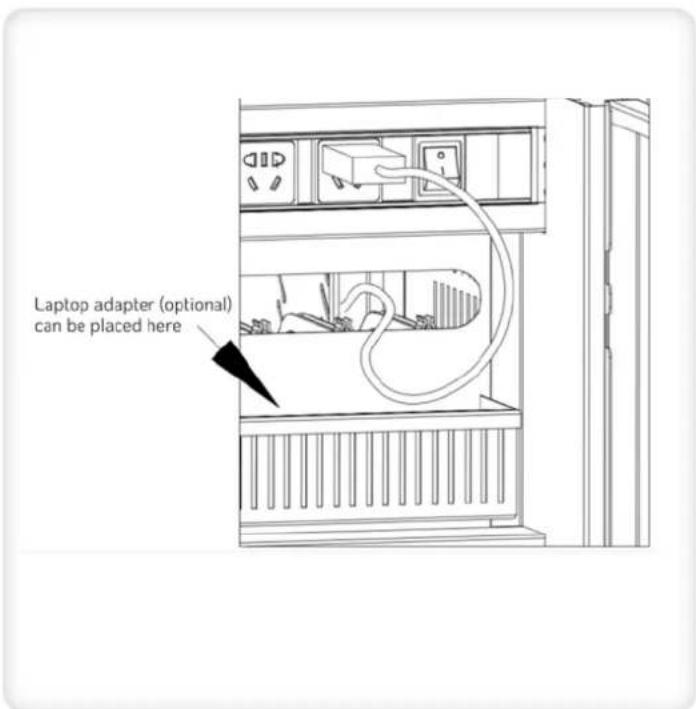
- Jam the data line with the buckle and arrange the data line
natural_image
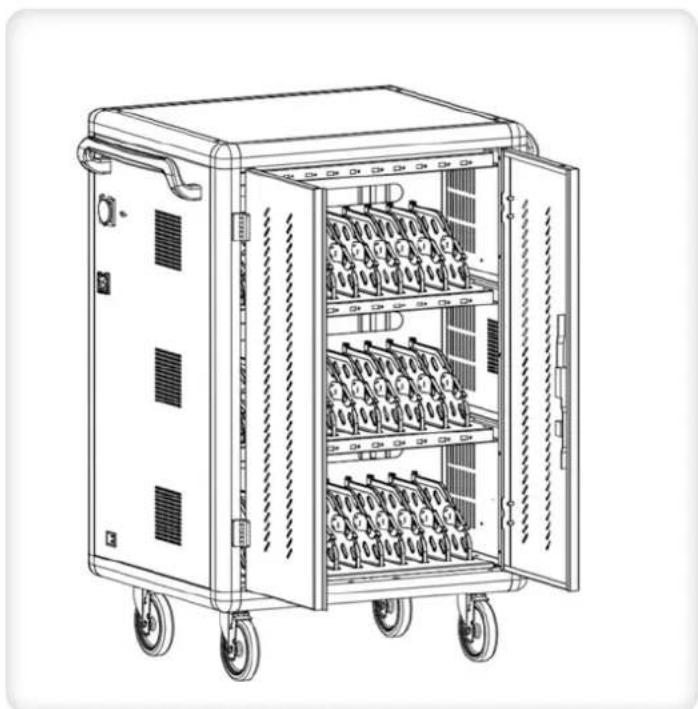
Line drawing of a multi-wheeled industrial machine with wheels and internal compartments (no text or symbols)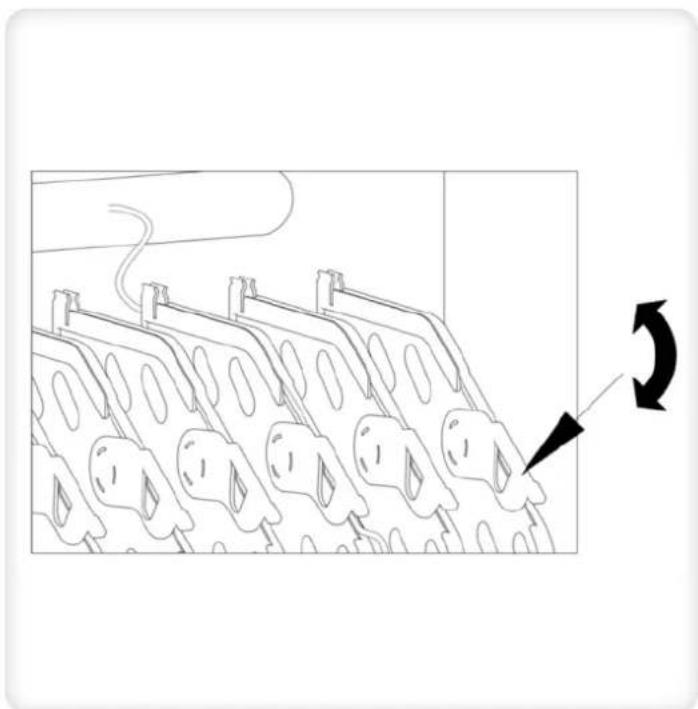
natural_image
Diagram of a mechanical component with multiple circular features and a curved arrow indicating rotation (no text or symbols)- Place tablets or laptops one by one in the tablet (laptop) slot and connect to the corresponding data cable
- After the connection is completed, lock the cabinet door and plug the power plug of the charging station into the mains outlet for charging
- Switch the main power to "ON", and then all charging units are in charging state
natural_image
Diagram showing cable routing between a plug and a rear-mounted device (no text or symbols present)
In compliance with EU Directive WEEE this product is marked with this symbol. It means that used electrical and electronic products should not be mixed with general household waste. There is a separate collections system for these products in compliance with WEEE directive, otherwise contaminative and hazardous substances can pollute the environment.

With the CE sign, Techly ^® ensures that the product is conformed to the basic European standards and directives.
natural_image
Line drawing of a portable electronic device with wheels and doors, showing internal compartments and a close-up inset of its door (no text or symbols)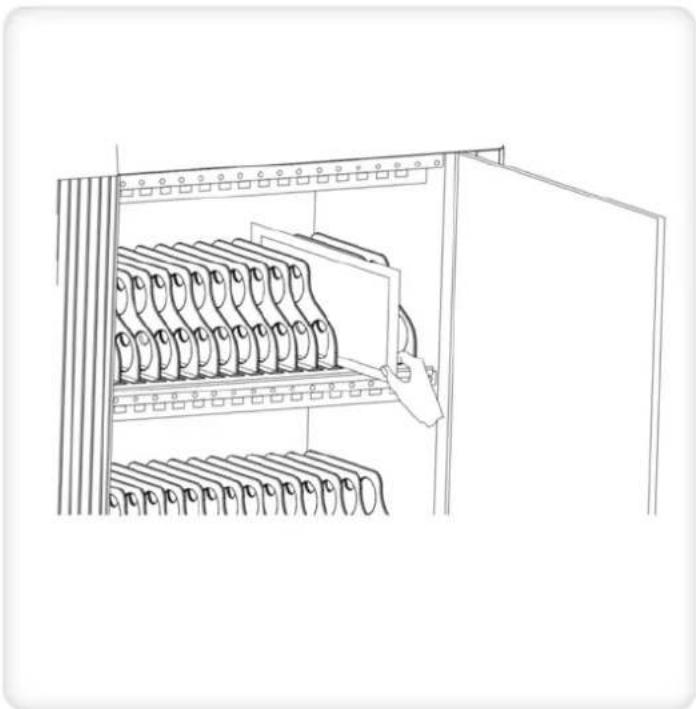
natural_image
Line drawing of a cabinet with multiple hanging binders and a door open (no text or symbols)natural_image
Technical line drawing of an electrical enclosure with multiple circuit breakers and wiring (no text or symbols)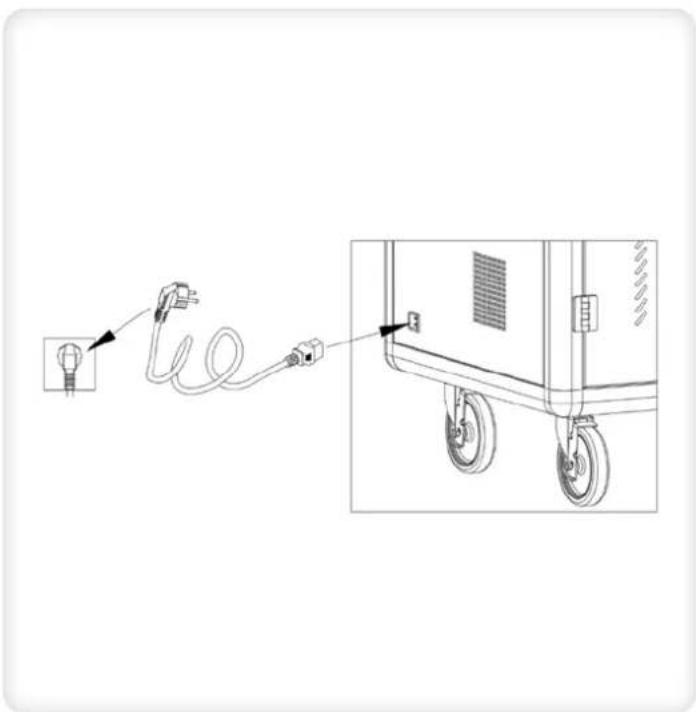
natural_image
Diagram showing a light bulb connected to a cable via a plug, with an inset view of a car wheels and a close-up detail (no text or symbols)natural_image
Line drawing of a portable electronic device with wheels and side panels, showing internal structure and a close-up inset (no text or symbols)natural_image
Line drawing of a multi-wheeled industrial machine with wheels and internal compartments (no text or symbols)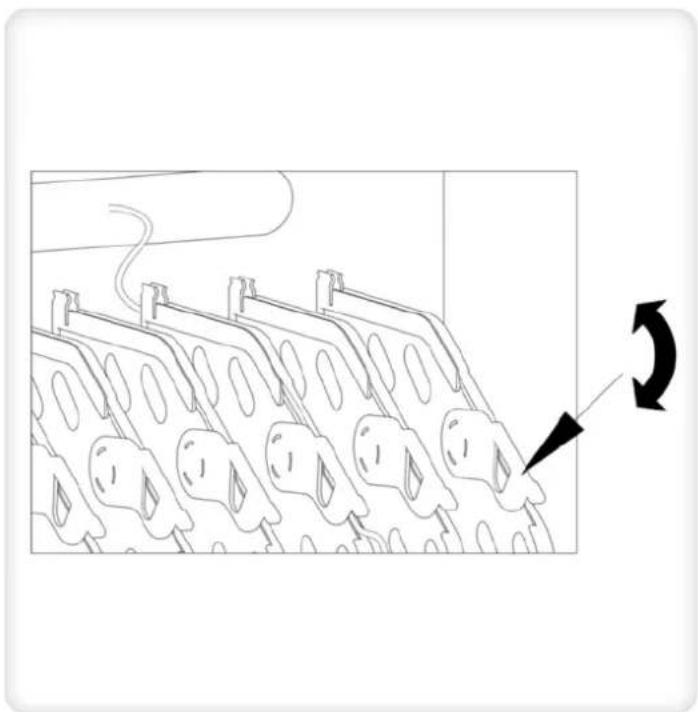
natural_image
Diagram of a mechanical component with multiple circular features and a curved arrow indicating rotation (no text or symbols)natural_image
Diagram showing cable routing from a plug into a cart with wheels and a switch (no text or symbols)
- TECHly® The Modern IT brand
- VENTILATED USB CHARGING
- STATION FOR 30 DEVICES
- VENTILATED CHARGING
- STATION TROLLEY
- FOR 30 DEVICES
- VENTILATED CHARGING STATION TROLLEY FOR 30 DEVICES
- IMPORTANT SAFETY INSTRUCTION
- SERVICE ENVIRONMENT
- PRODUCT PARAMETER
- BEHAVIOUR OF ELECTRICITY
- Built-in ten security protection
- To use safety as the premise, intelligent control to achieve high-performance, high-quality charging
- OTHER FEATURES
- Details for a better user experience
- PACKAGE CONTENTS
- CHARGING OPERATION WITH ADAPTER
Brand : Techly
Model : I-CABINET-30DTY
Category : Uncategorized